Patna, India
[09th May 2020]
[ Exception handling in Mule 4 & Develop a Simple API,
Deploy it to Hub]
All contents © MuleSoft Inc.
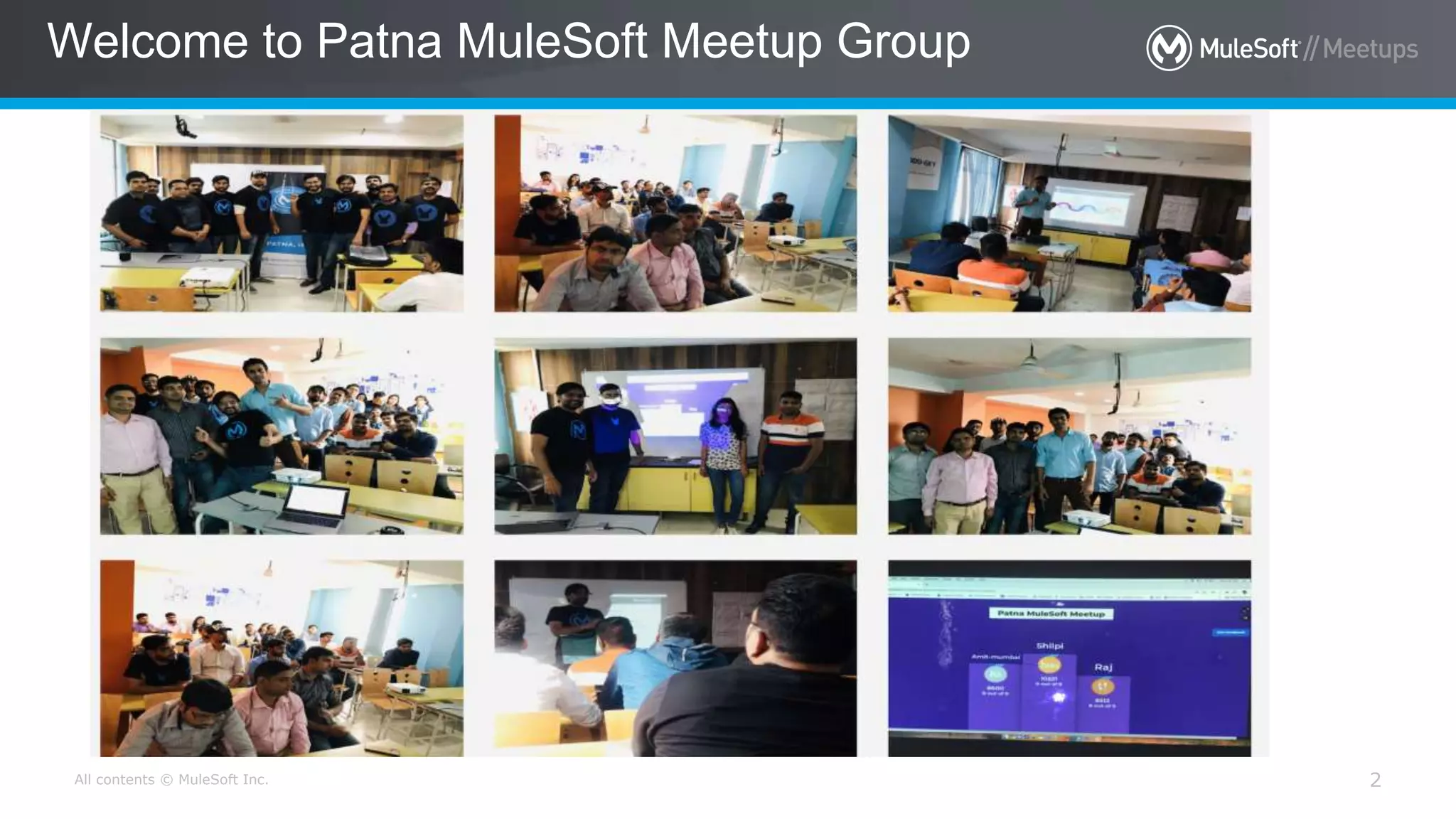
Welcome to Patna MuleSoft Meetup Group
2
All contents © MuleSoft Inc.
Introductions
3
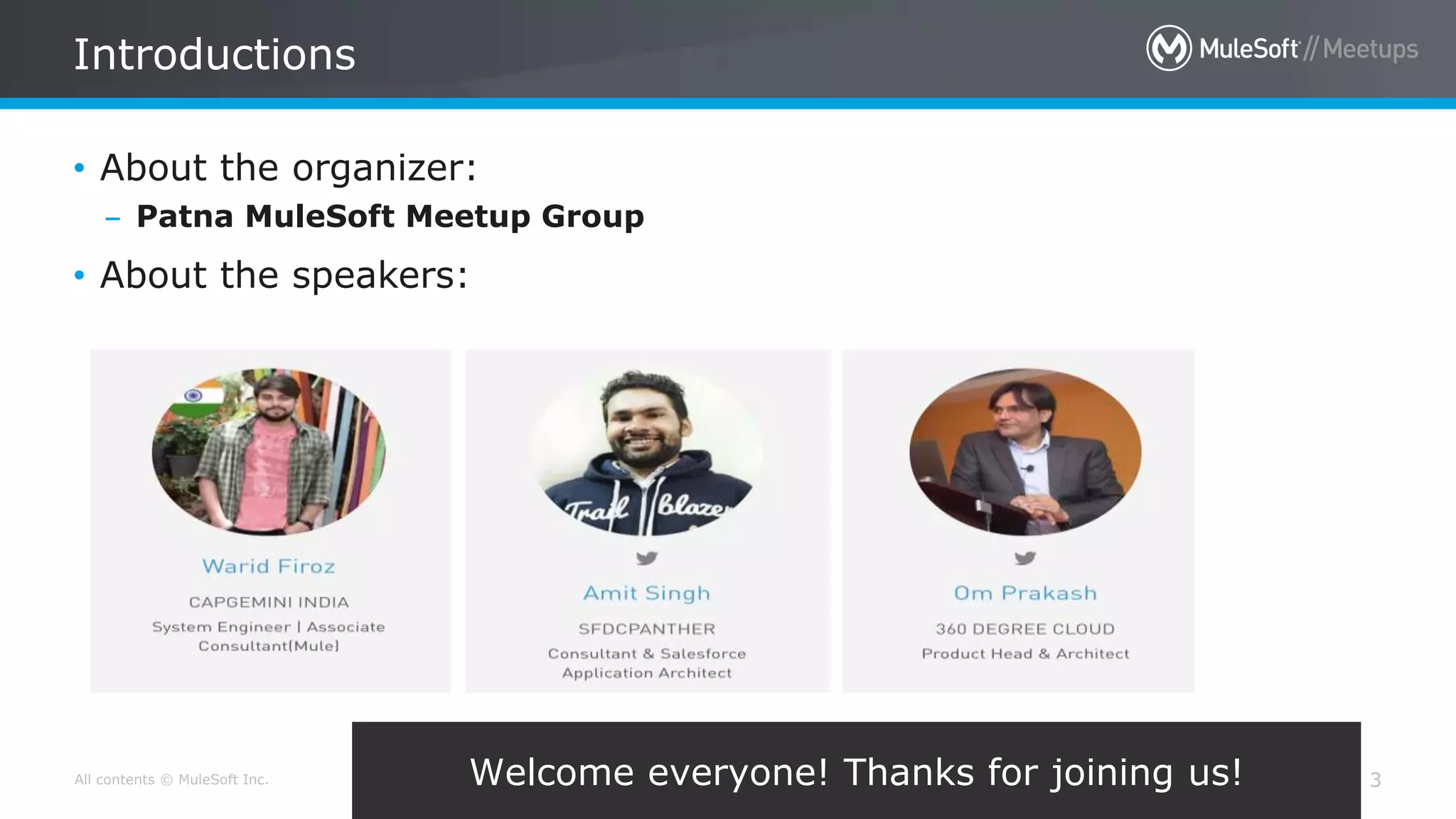
• About the organizer:
– Patna MuleSoft Meetup Group
• About the speakers:
Welcome everyone! Thanks for joining us!
All contents © MuleSoft Inc. 4
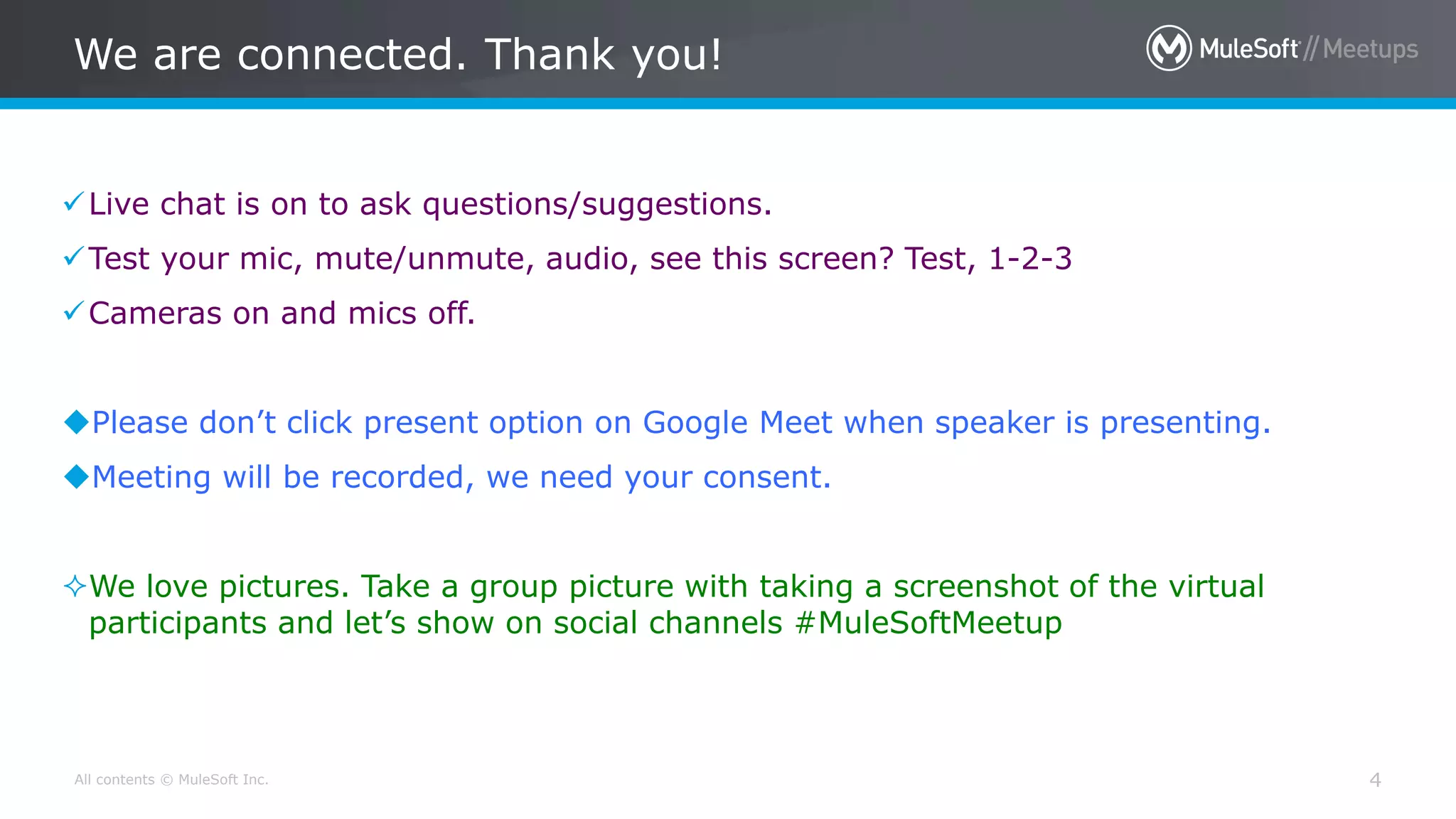
Live chat is on to ask questions/suggestions.
Test your mic, mute/unmute, audio, see this screen? Test, 1-2-3
Cameras on and mics off.
Please don’t click present option on Google Meet when speaker is presenting.
Meeting will be recorded, we need your consent.
We love pictures. Take a group picture with taking a screenshot of the virtual
participants and let’s show on social channels #MuleSoftMeetup
We are connected. Thank you!
All contents © MuleSoft Inc. 5
All contents © MuleSoft Inc.
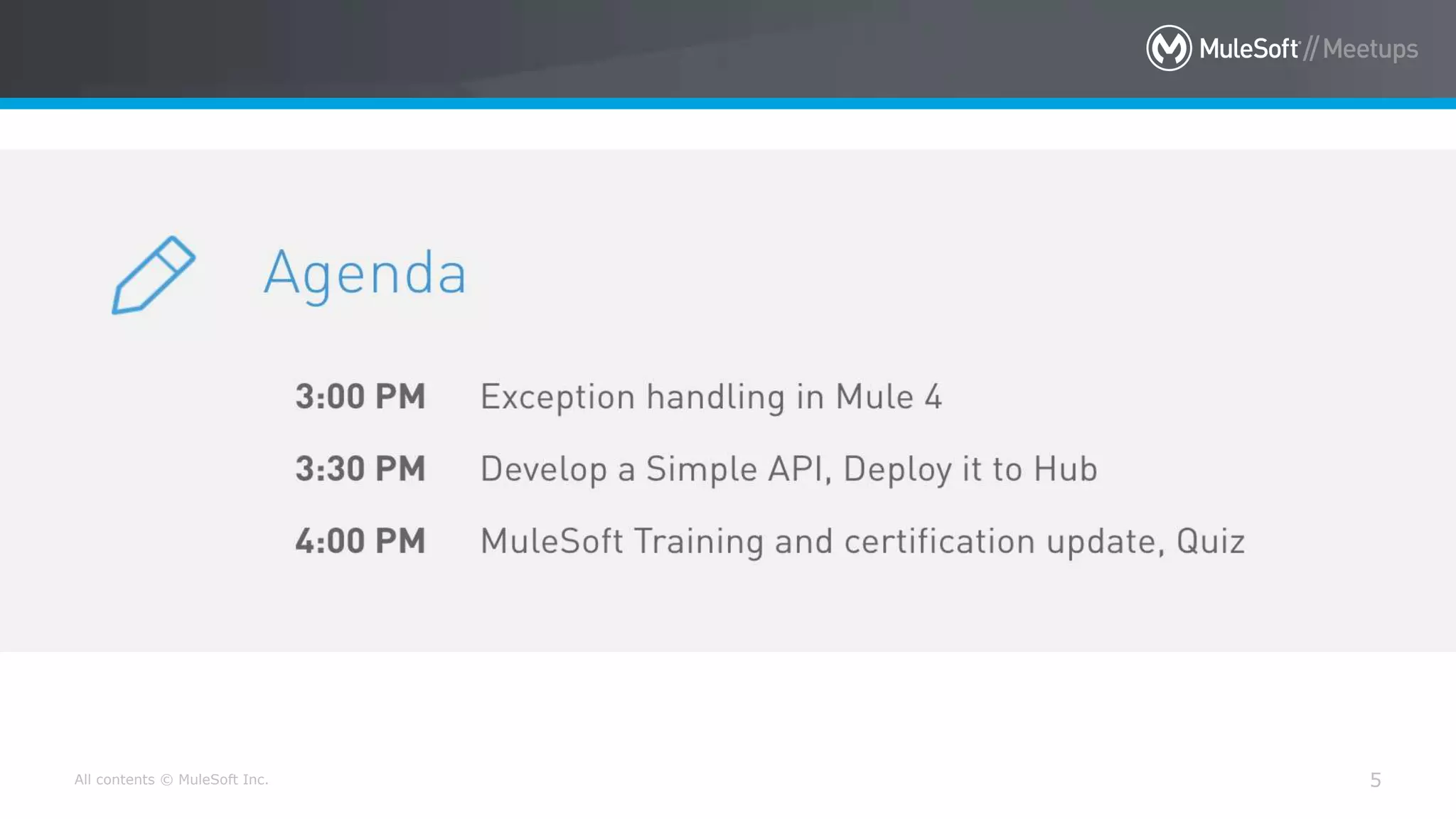
Agenda
6
 Introductions
 What is Exception handling
 How to do Exception Handling in Mule 4
 Error Handler
 On Error Continue , On Error Propagate
Try scope
 Raise Error
 Error handling generate by API-Kit Router
 Develop a Simple API, Deploy it to Hub Networking time
All contents © MuleSoft Inc.
Surprises!
7
• Participate in an online
Quiz to win the
instructor-led training
classes and certification
exam vouchers. (3
Winners!)
• Be geared up for the
quiz sessions at the end

[Exception Handling]
All contents © MuleSoft Inc.
What is Exception Handling
9
• An exception occurs when an unexpected event happens while
processing.
• Exception handling is the process of responding to exceptions when a
computer program runs.
• Exception handling attempts to gracefully handle these situations so
that a program (or worse, an entire system) does not crash.
• Exception handling can be performed at both the software (as part of
the program itself) and hardware levels (using mechanisms built into
the design of the CPU).
All contents © MuleSoft Inc.
Different type of Errors/Exceptions
10
• In General Errors/Exceptions are categorized in 2 groups
– Message Exception
• Thrown with in a flow when mule event is involved
– System Exception
• Thrown with in a flow when no mule event is involved
• Error that occur
– During Mule Start up
– When connection to External system fails
[Exception Handling in Mule 4]
All contents © MuleSoft Inc.
Message Exception Handling in Mule 4
12
• Like any programming language Mule also provide ways to handle
exception.
• In Mule we can handle the message exception at different level.
– At Project level using Default error handler
– At Project level using Custom Global error handler
– At Flow level in exception handling using On Error Continue and On Error
Propagate, Raise Error
– With in Flow or at processor level using try scope
All contents © MuleSoft Inc.
Message Exception Handling in Mule 4
13
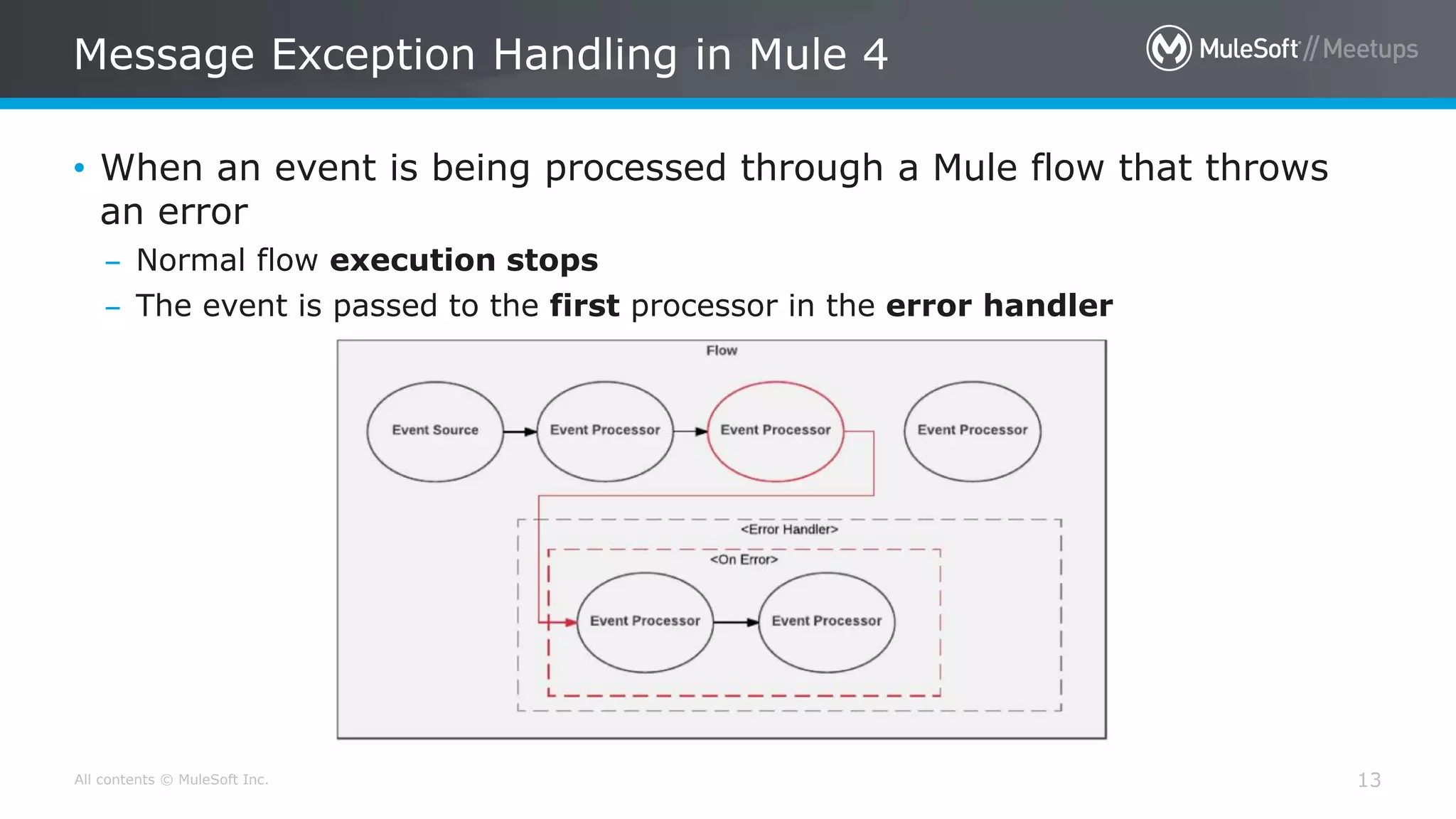
• When an event is being processed through a Mule flow that throws
an error
– Normal flow execution stops
– The event is passed to the first processor in the error handler
All contents © MuleSoft Inc.
Information about error
14
• When a error is thrown, an error object is created
• Two of error object properties are
– error.description – a string
– error.errorType – an object
• Error type is identified by namespace and indentifier
– HTTP:UNATHORIZED
All contents © MuleSoft Inc.
Error Type hierarchy
15
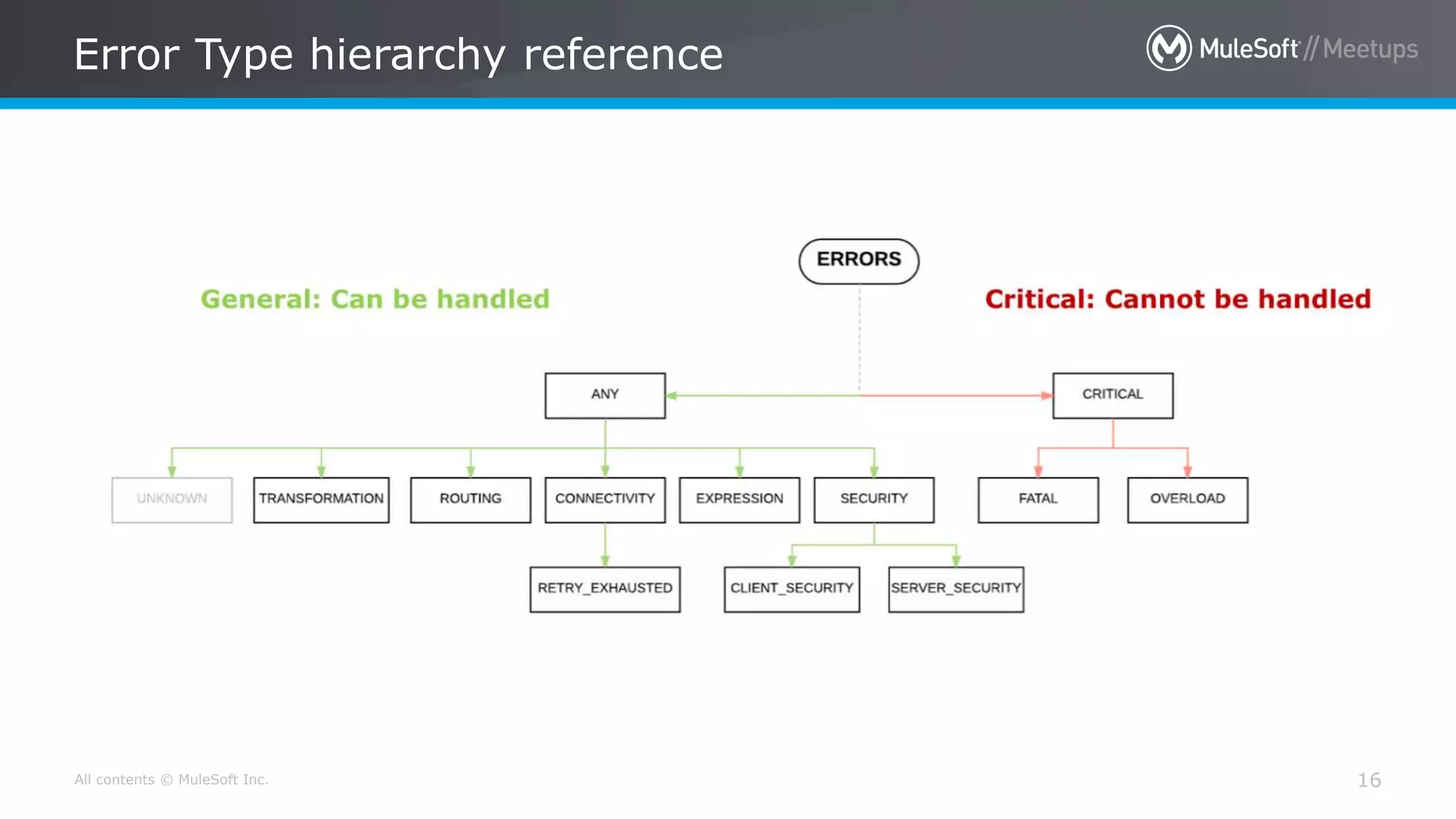
• Like in Java class/object follow hierarchy in mule error types also
follow hierarchy
• Each Error type has a parent
• The error type ANY is the most general parent like Object class is
the parent class of all the classes in java by default.
All contents © MuleSoft Inc.
Error Type hierarchy reference
16
[Error Handler]
All contents © MuleSoft Inc.
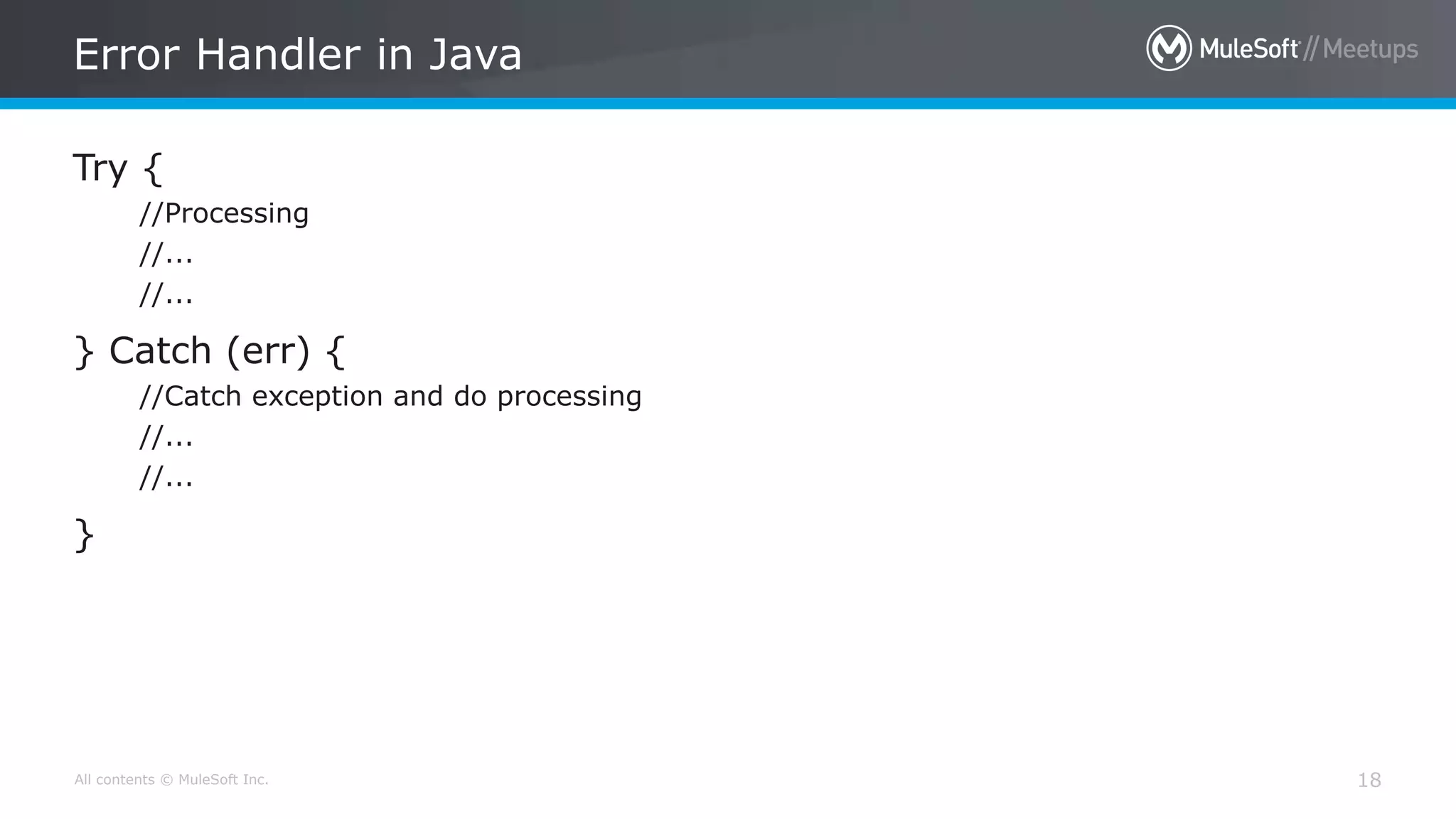
Error Handler in Java
18
Try {
//Processing
//...
//...
} Catch (err) {
//Catch exception and do processing
//...
//...
}
All contents © MuleSoft Inc.
Default Global Error Handler
19
• If there is no error handling written at any of the levels, the Mule
Default Error Handler is used, which stops the execution of the
flow and logs the exception.
• The Mule Default Error Handler is not configurable but, can be
replaced by our Custom Global error handler by creating a
Configuration global element.
All contents © MuleSoft Inc.
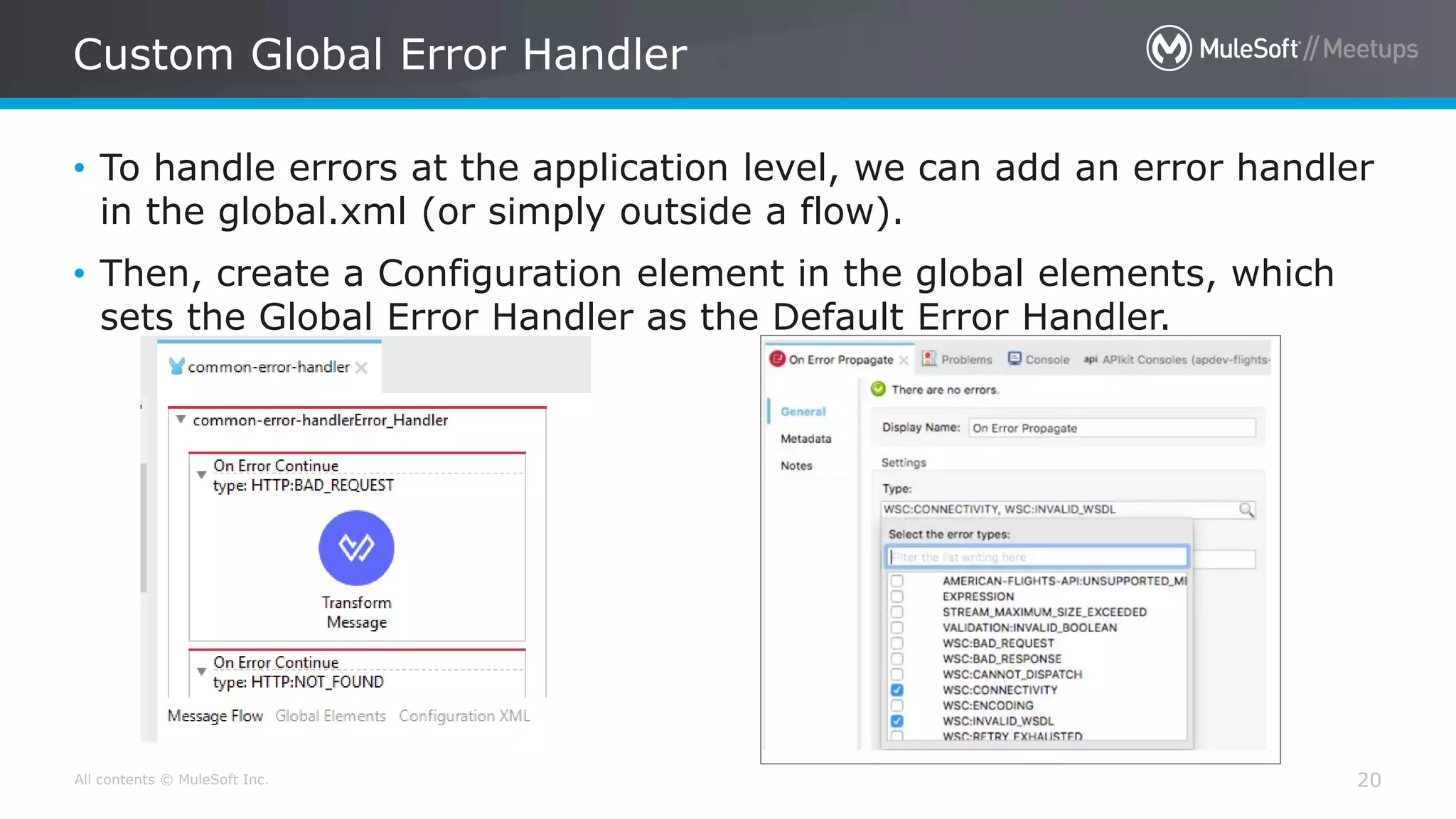
Custom Global Error Handler
20
• To handle errors at the application level, we can add an error handler
in the global.xml (or simply outside a flow).
• Then, create a Configuration element in the global elements, which
sets the Global Error Handler as the Default Error Handler.
[On Error Propagate]
All contents © MuleSoft Inc.
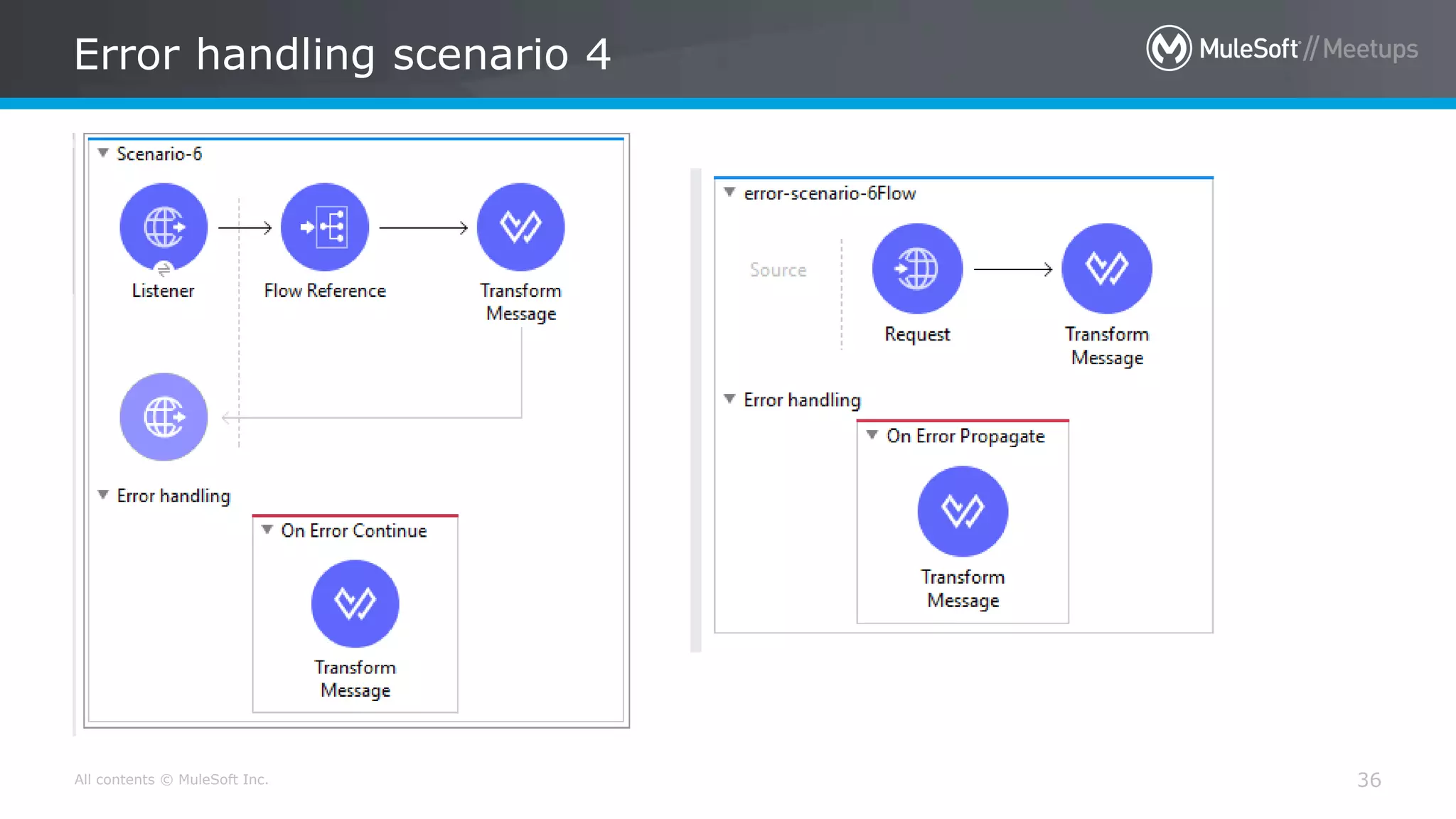
On Error Propagate
22
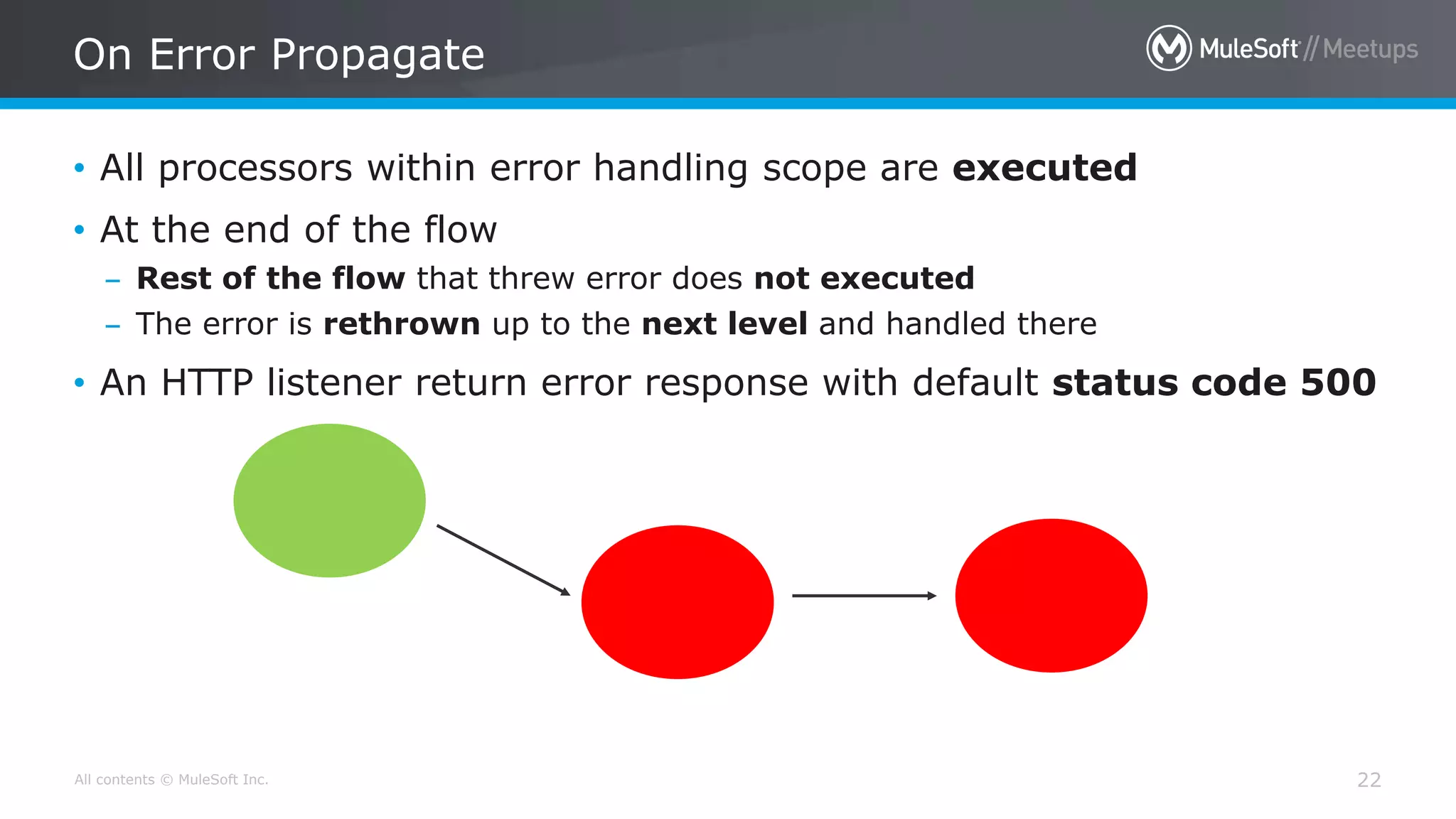
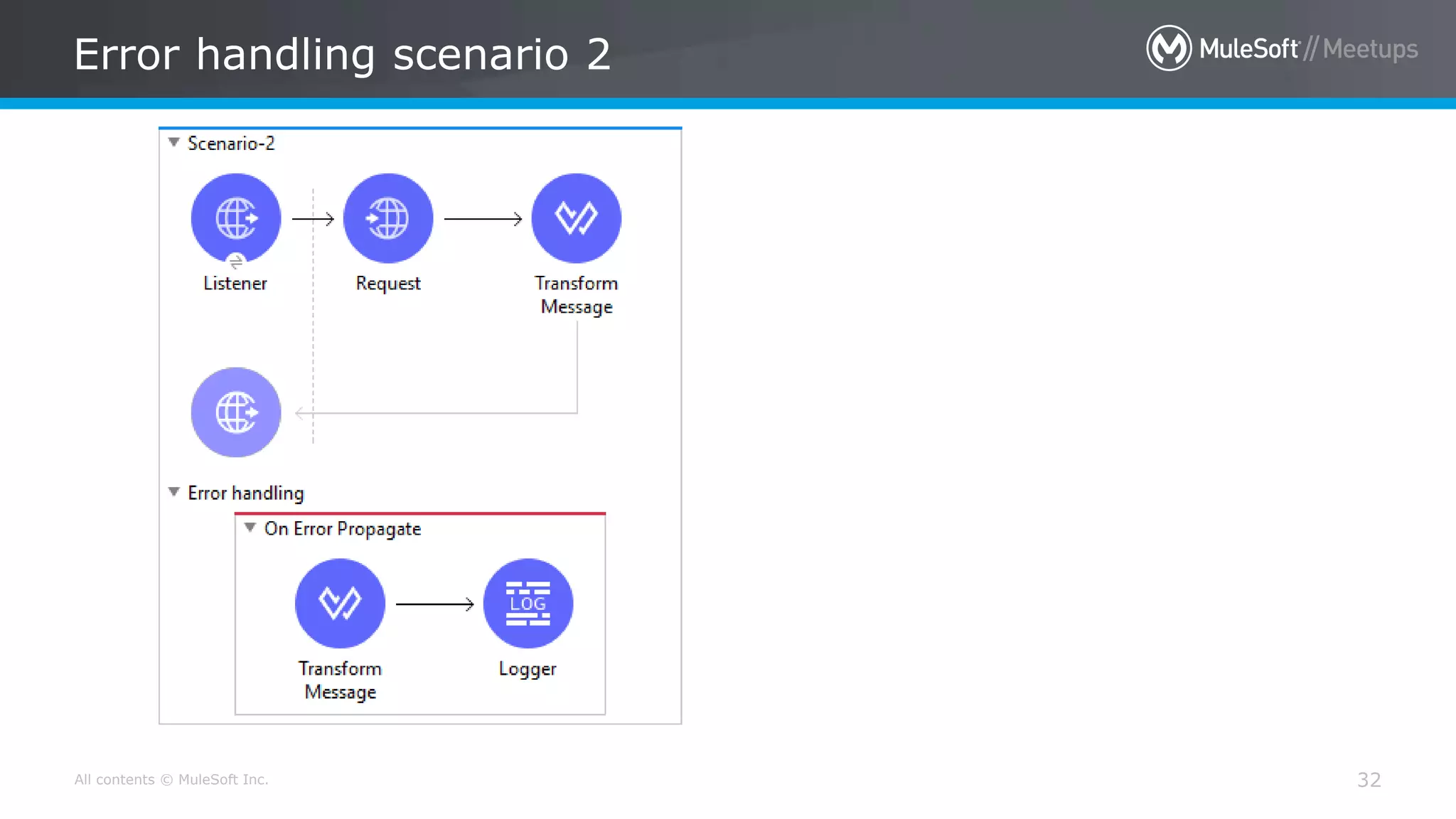
• All processors within error handling scope are executed
• At the end of the flow
– Rest of the flow that threw error does not executed
– The error is rethrown up to the next level and handled there
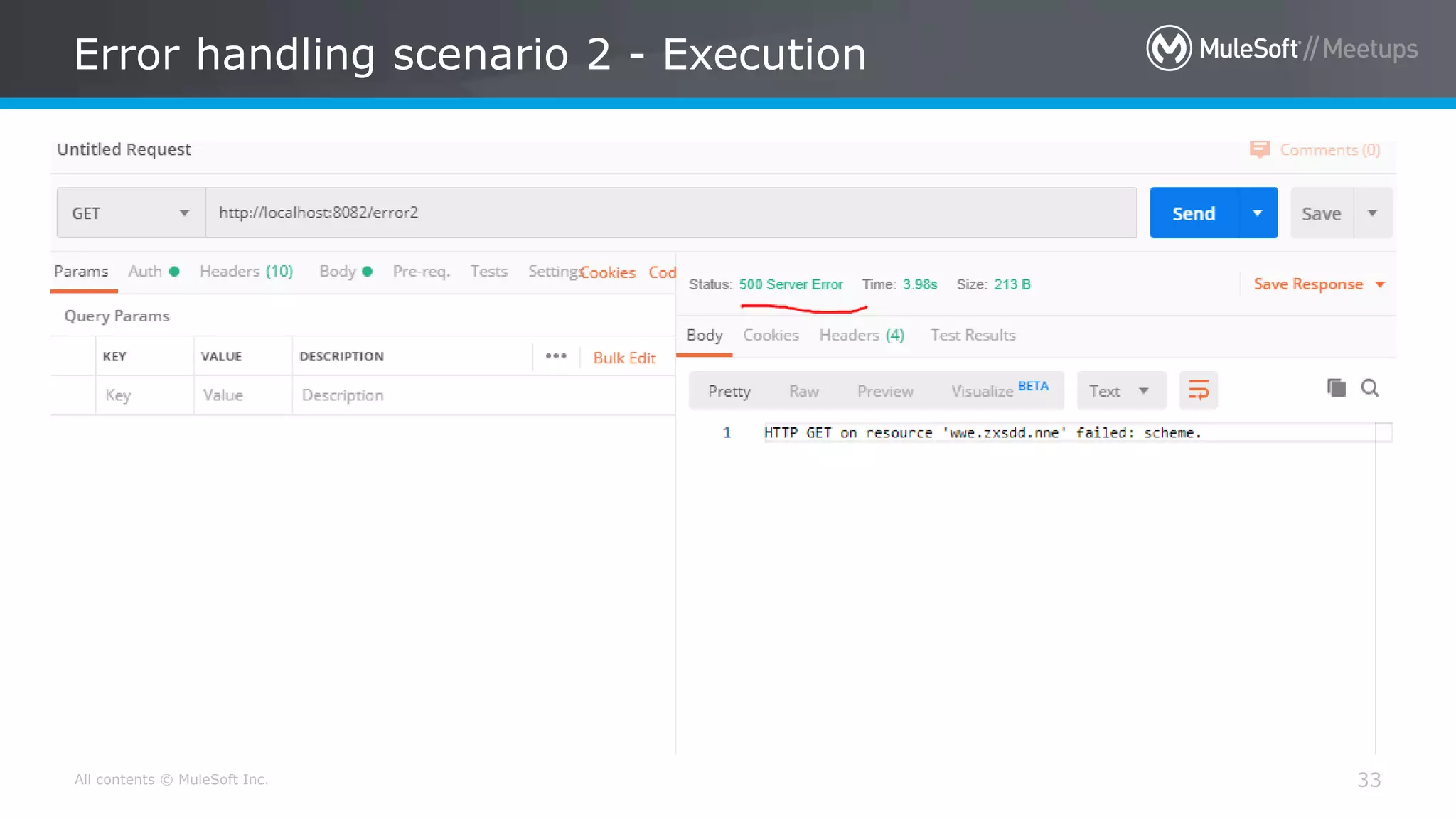
• An HTTP listener return error response with default status code 500
All contents © MuleSoft Inc.
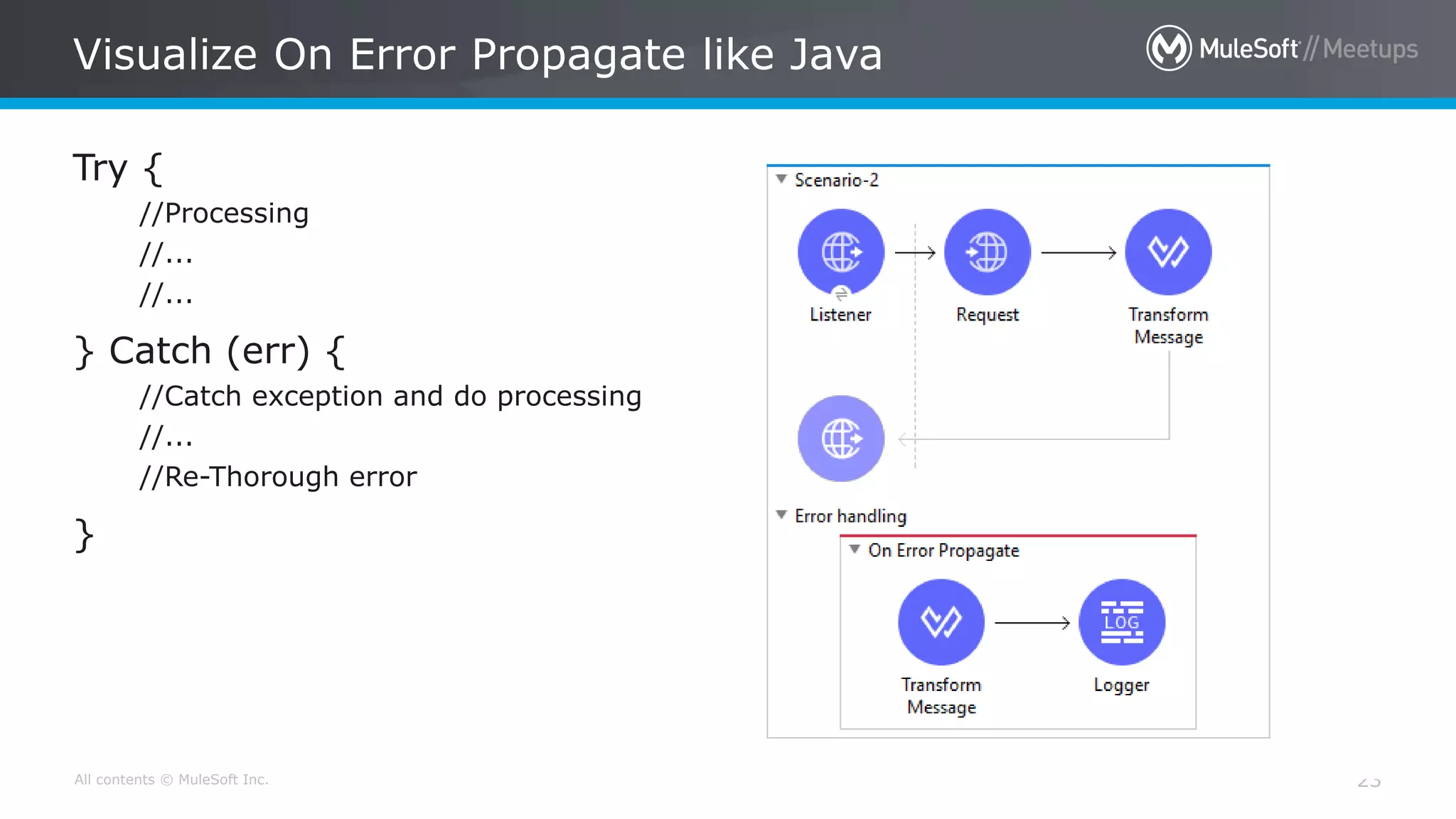
Visualize On Error Propagate like Java
23
Try {
//Processing
//...
//...
} Catch (err) {
//Catch exception and do processing
//...
//Re-Thorough error
}
[On Error Continue]
All contents © MuleSoft Inc.
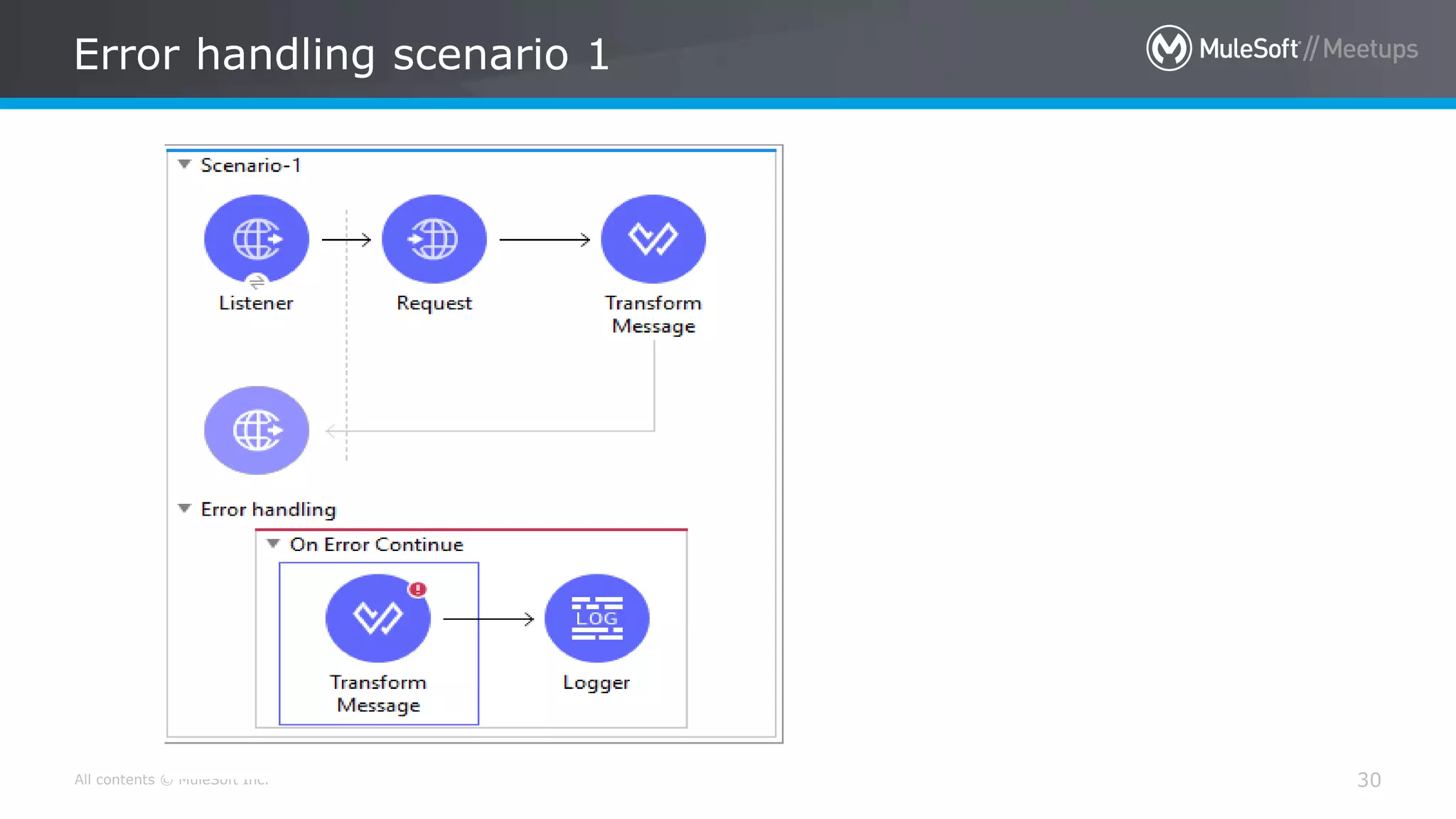
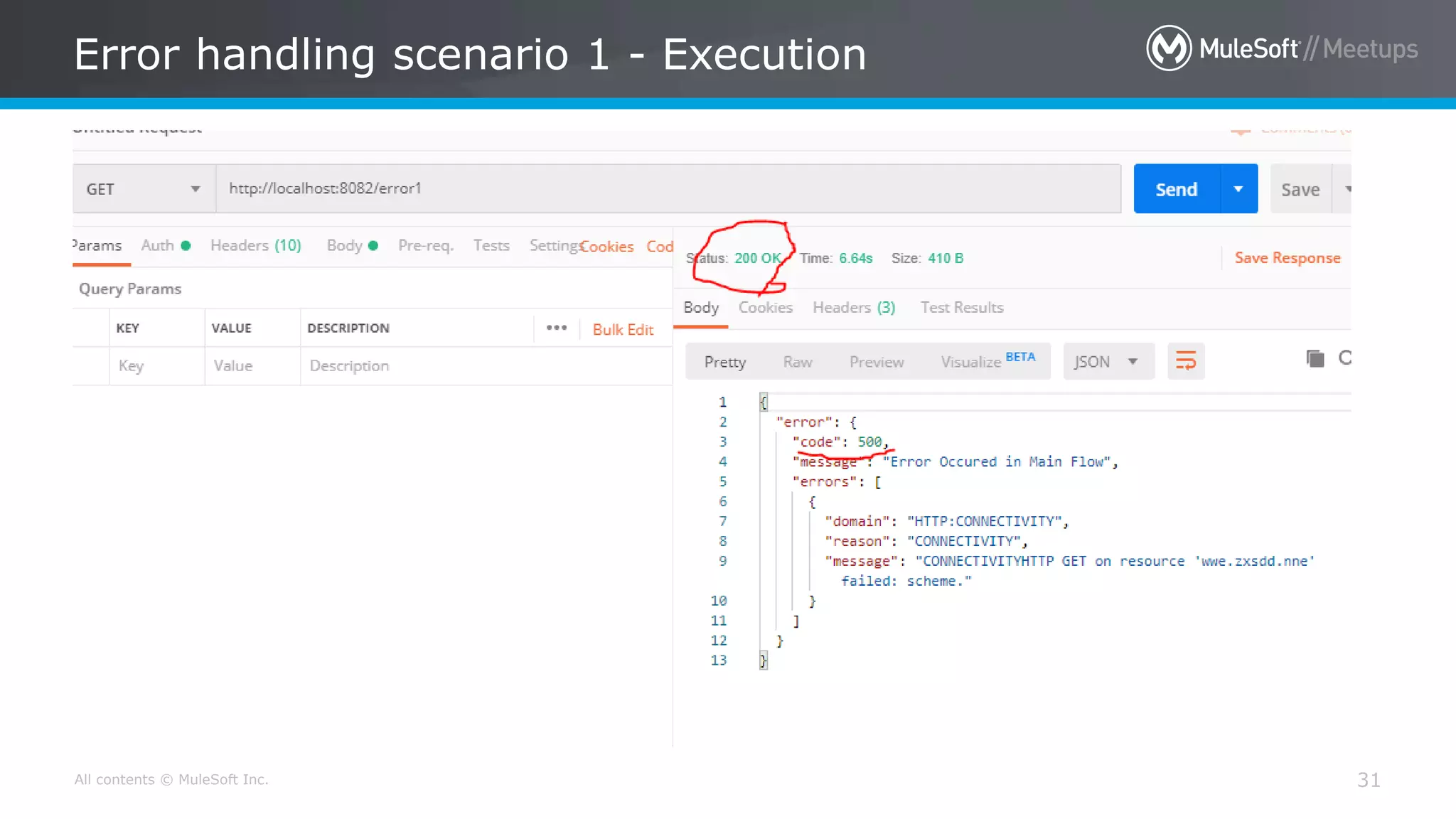
On Error Continue
25
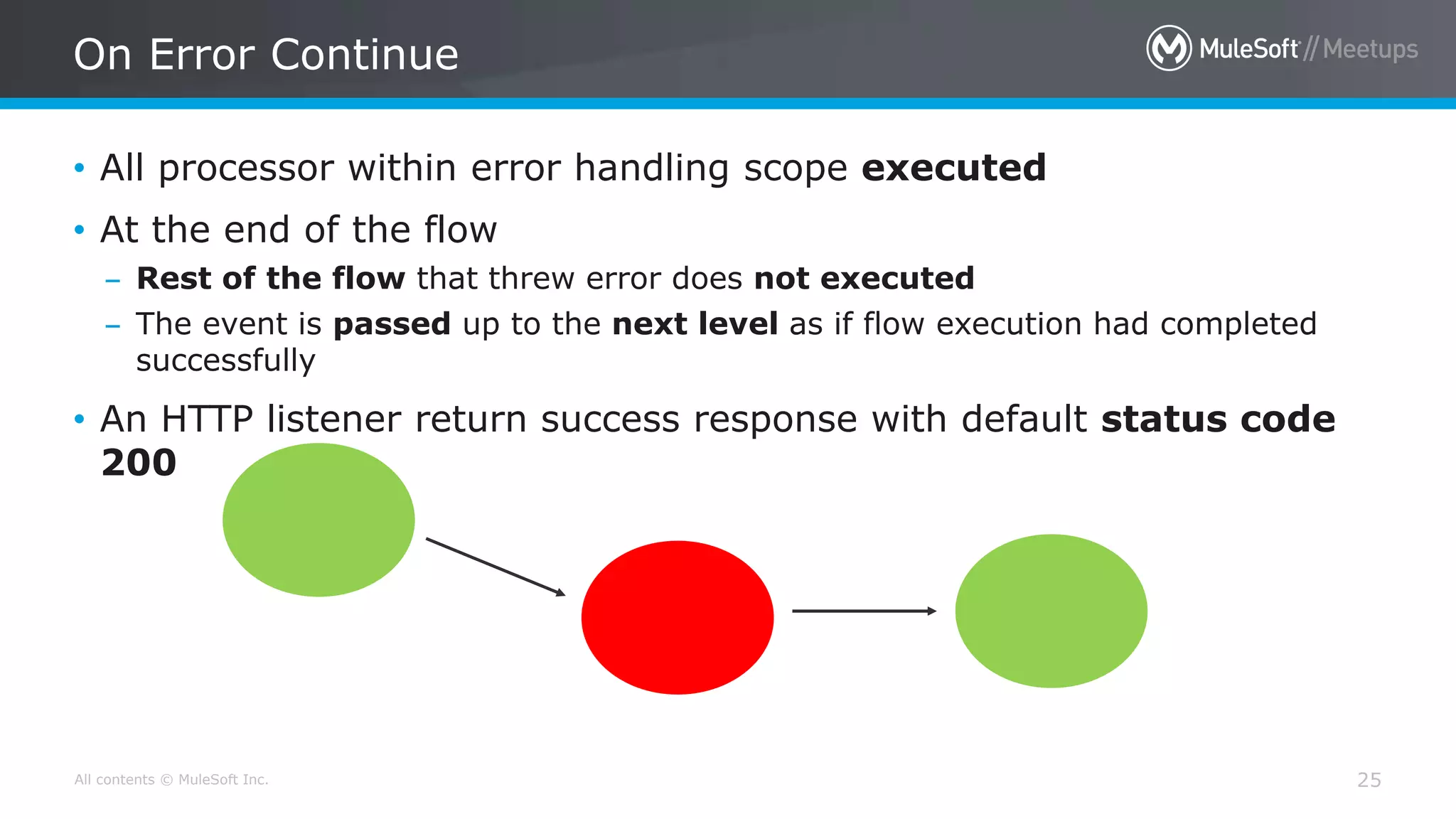
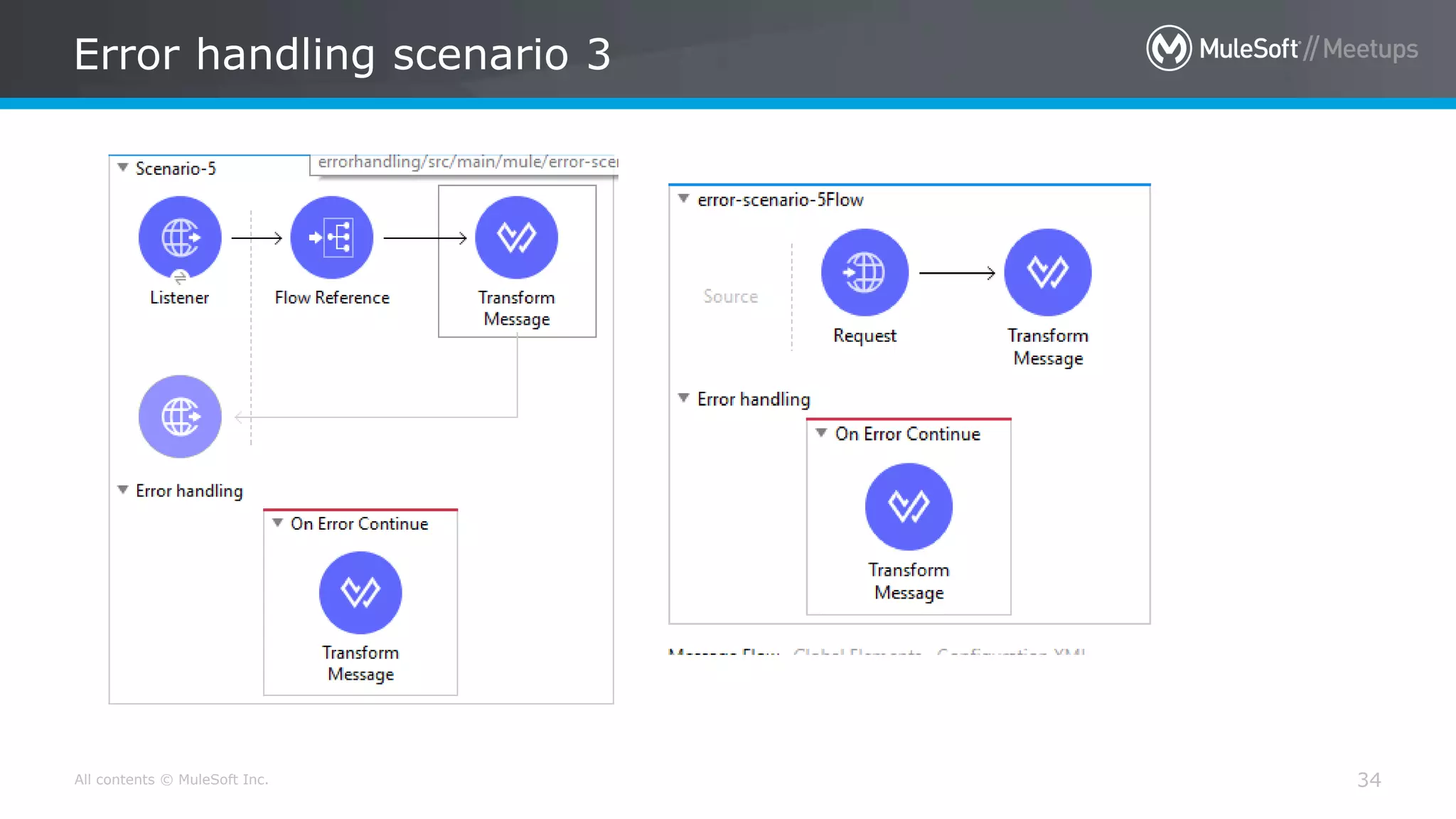
• All processor within error handling scope executed
• At the end of the flow
– Rest of the flow that threw error does not executed
– The event is passed up to the next level as if flow execution had completed
successfully
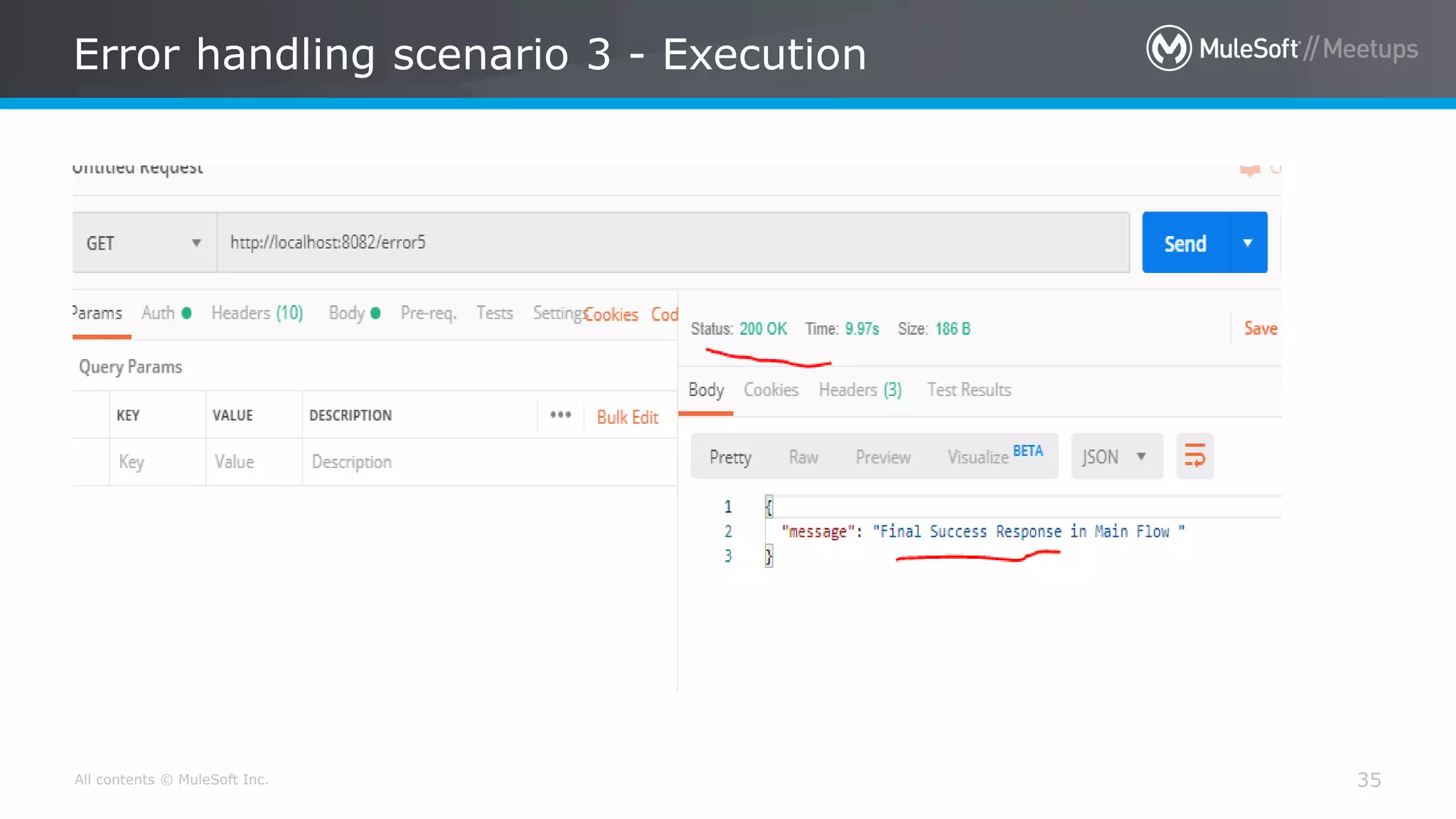
• An HTTP listener return success response with default status code
200
All contents © MuleSoft Inc.
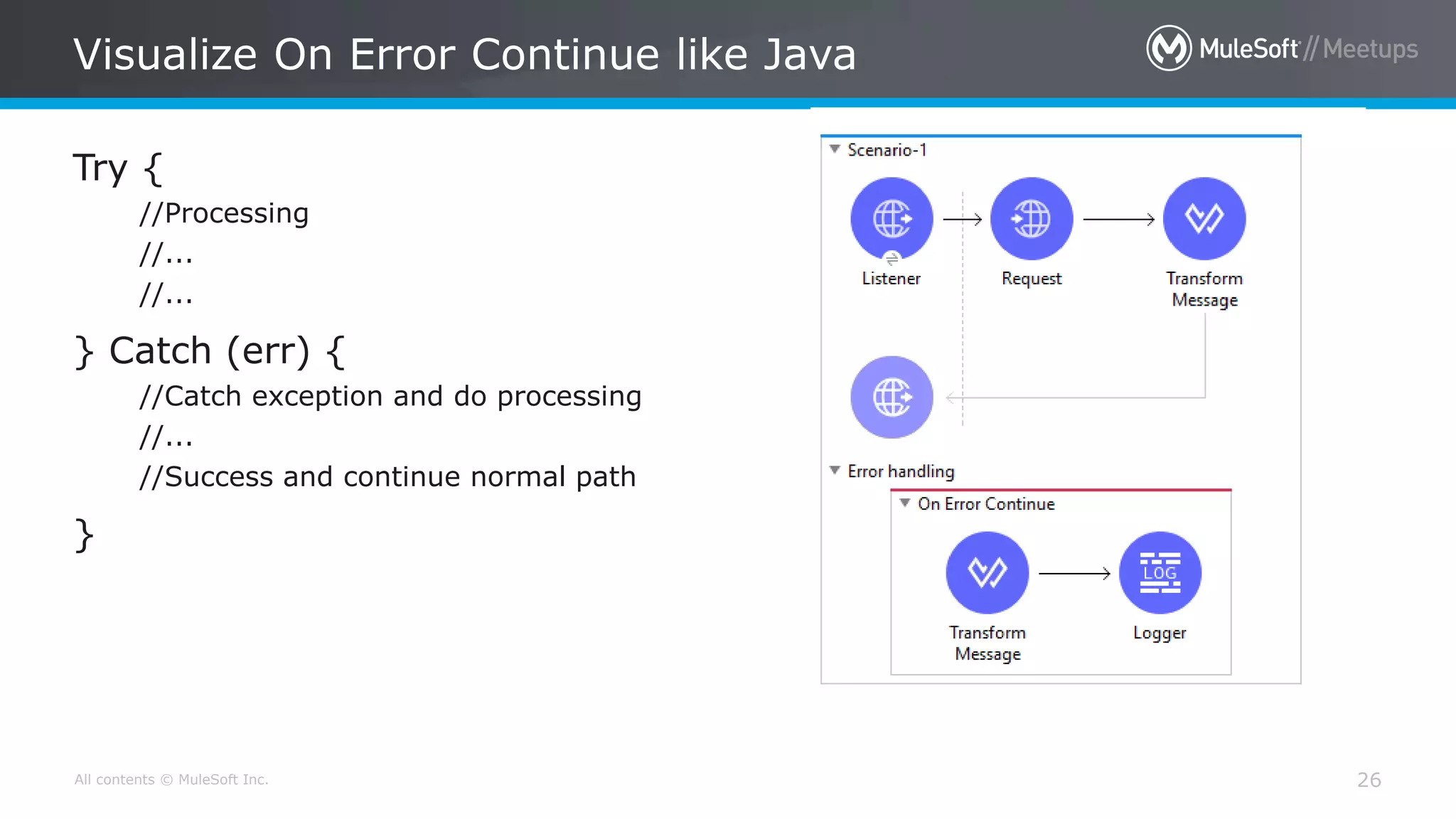
Visualize On Error Continue like Java
26
Try {
//Processing
//...
//...
} Catch (err) {
//Catch exception and do processing
//...
//Success and continue normal path
}
Lets get our hands dirty 
All contents © MuleSoft Inc.
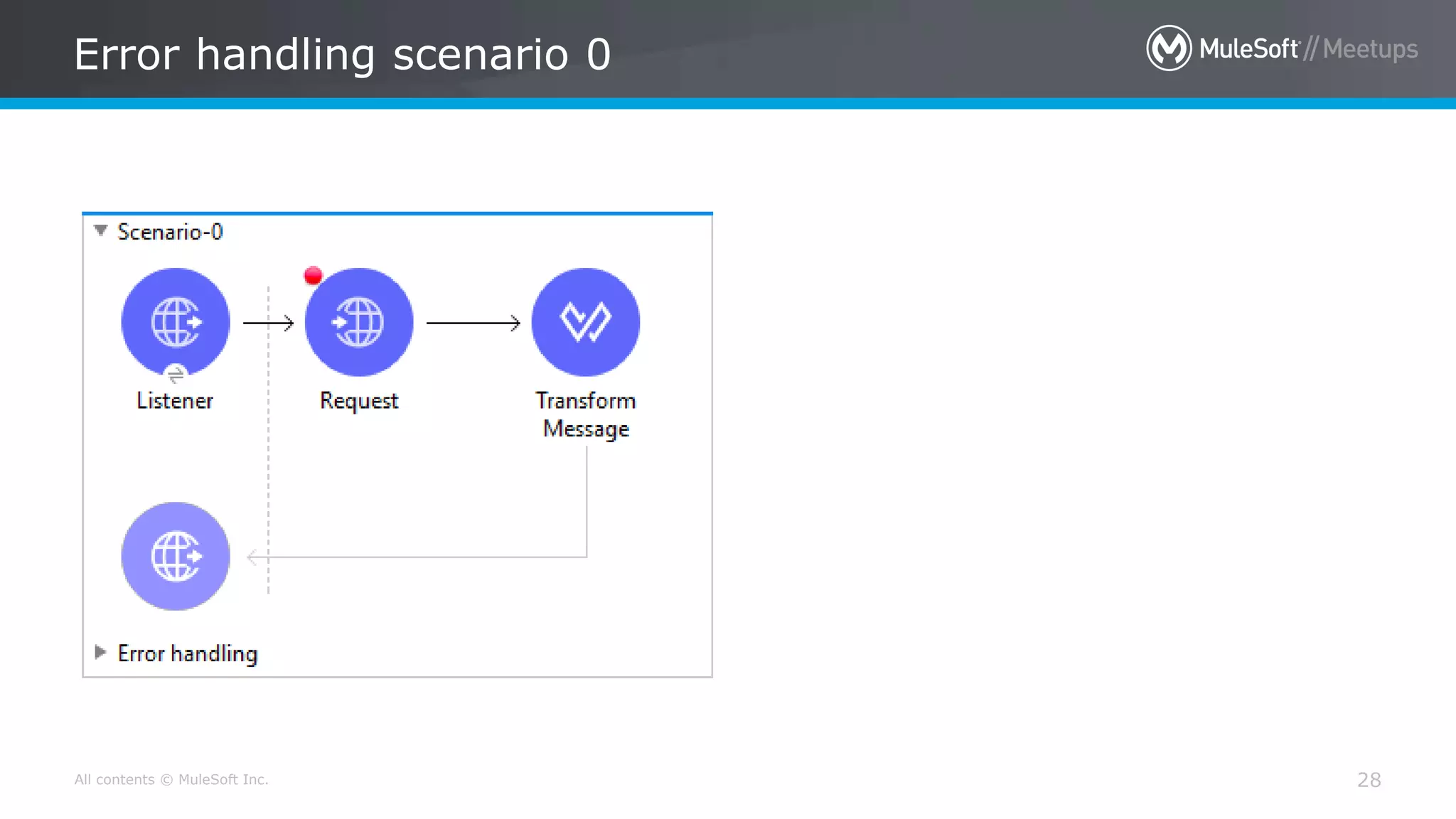
Error handling scenario 0
28
All contents © MuleSoft Inc.
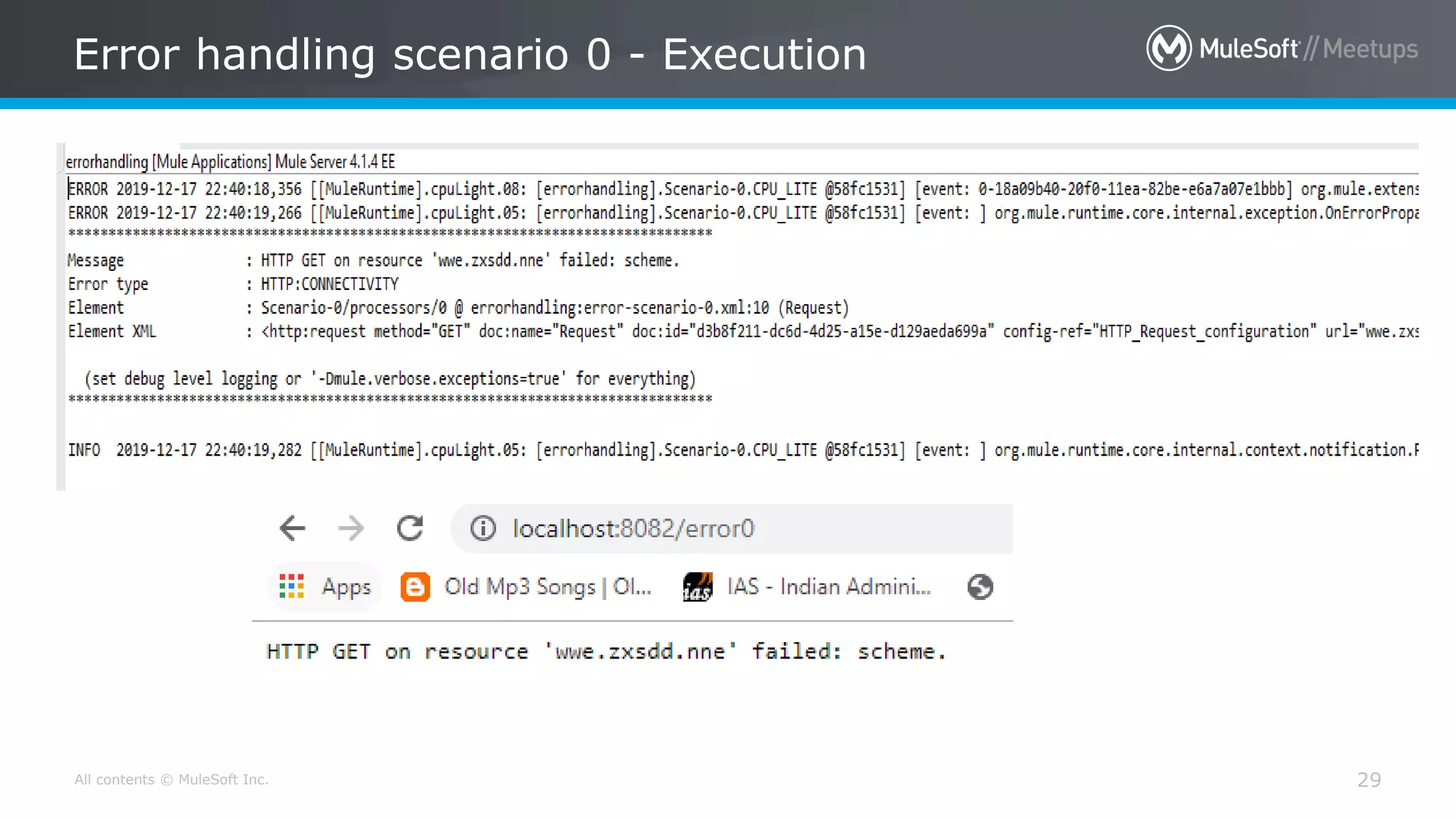
Error handling scenario 0 - Execution
29
All contents © MuleSoft Inc.
Error handling scenario 1
30
All contents © MuleSoft Inc.
Error handling scenario 1 - Execution
31
All contents © MuleSoft Inc.
Error handling scenario 2
32
All contents © MuleSoft Inc.
Error handling scenario 2 - Execution
33
All contents © MuleSoft Inc.
Error handling scenario 3
34
All contents © MuleSoft Inc.
Error handling scenario 3 - Execution
35
All contents © MuleSoft Inc.
Error handling scenario 4
36
All contents © MuleSoft Inc.
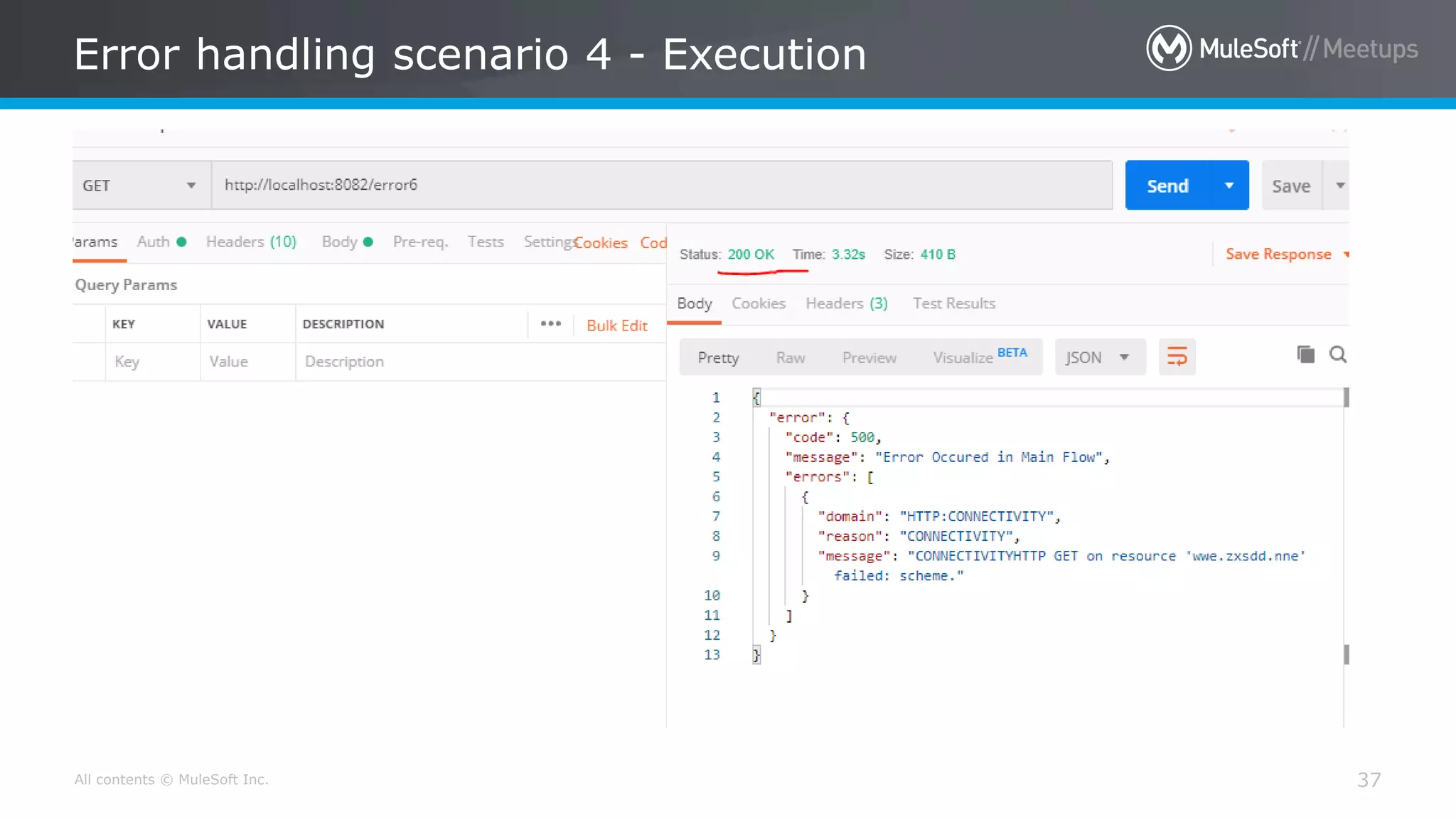
Error handling scenario 4 - Execution
37
How Can we Make a For loop
keep Running even if a record
fails during looping ?
[Try scope]
All contents © MuleSoft Inc.
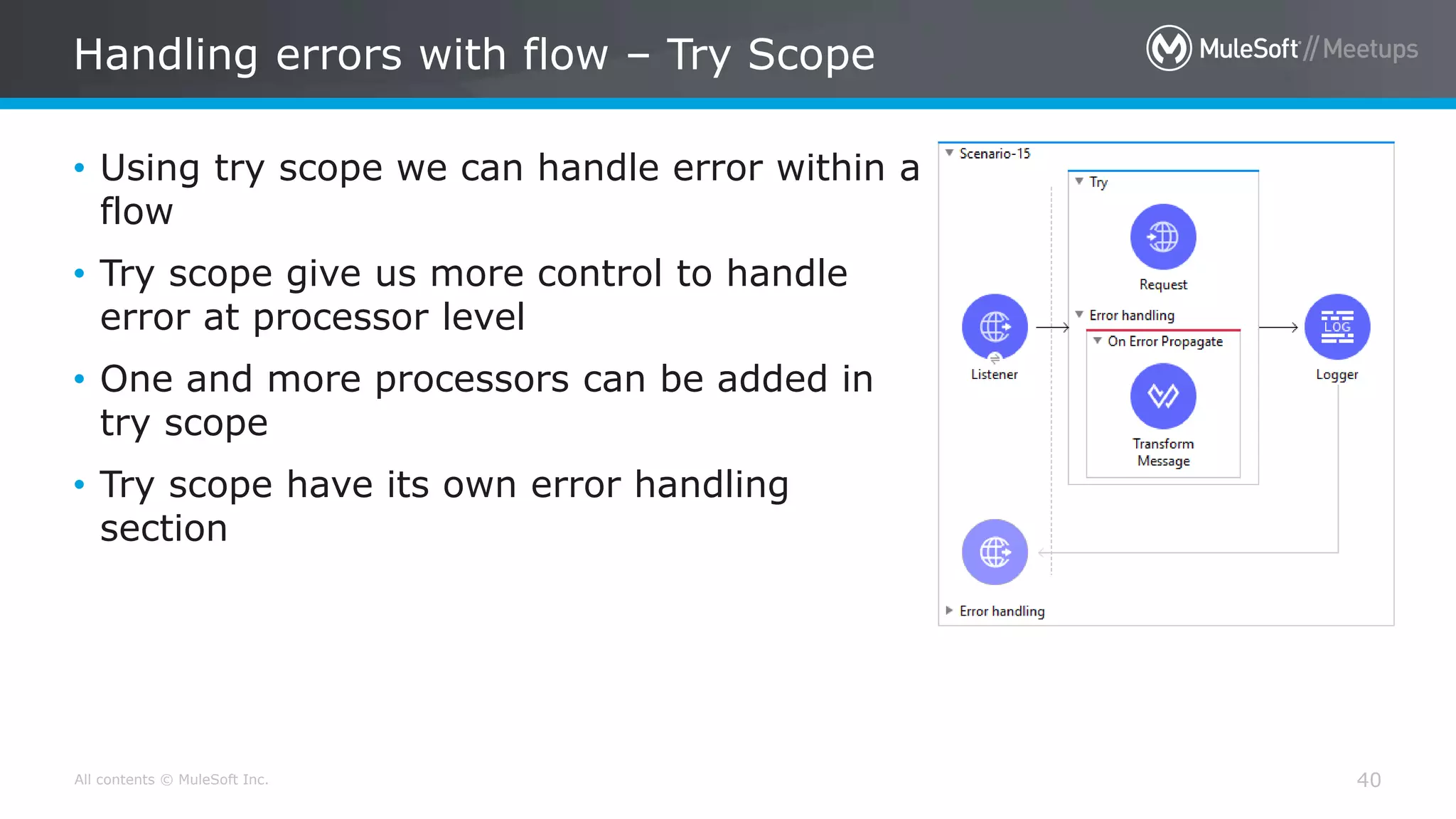
Handling errors with flow – Try Scope
40
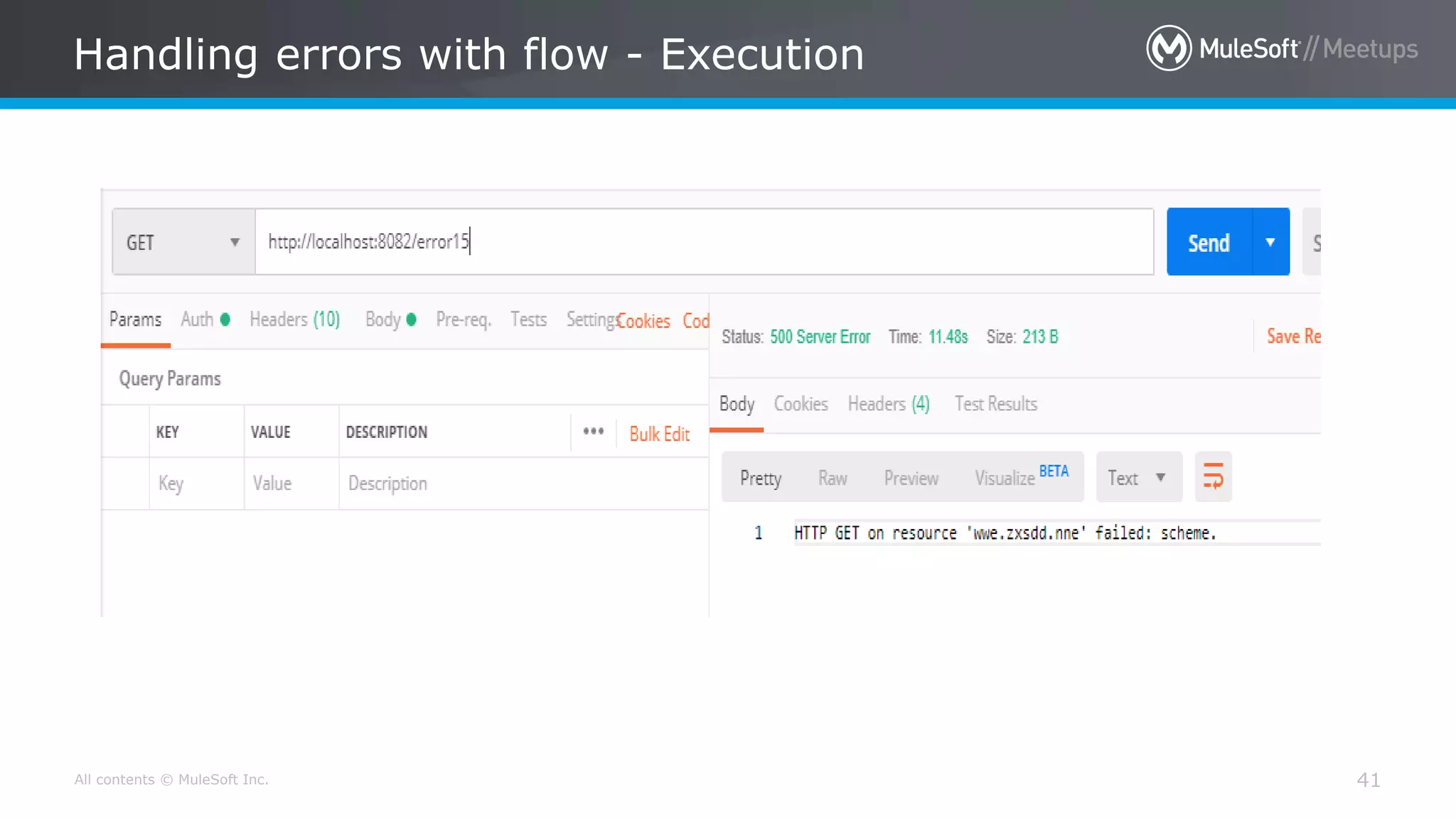
• Using try scope we can handle error within a
flow
• Try scope give us more control to handle
error at processor level
• One and more processors can be added in
try scope
• Try scope have its own error handling
section
All contents © MuleSoft Inc.
Handling errors with flow - Execution
41
All contents © MuleSoft Inc.
Custom error types
42
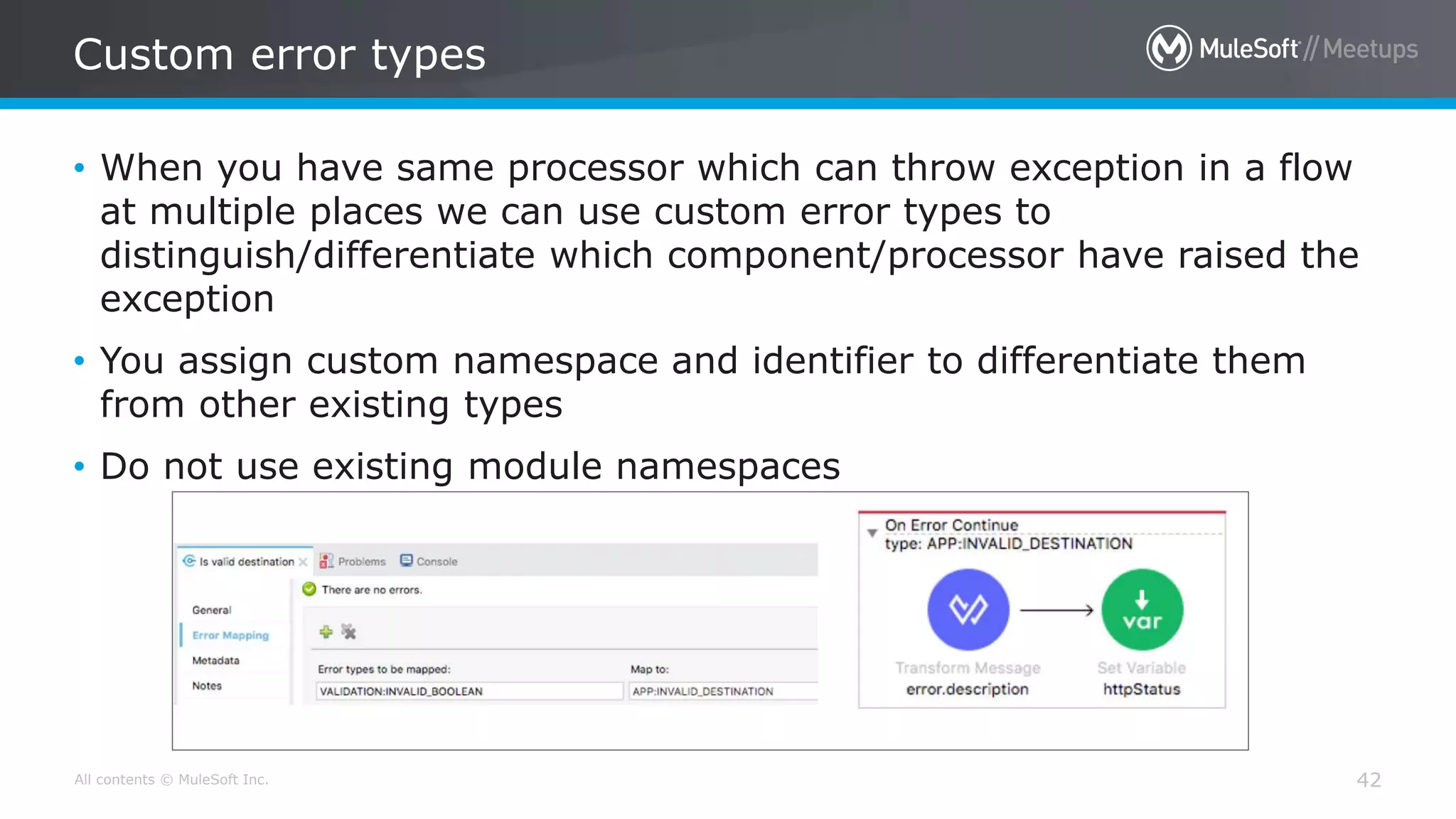
• When you have same processor which can throw exception in a flow
at multiple places we can use custom error types to
distinguish/differentiate which component/processor have raised the
exception
• You assign custom namespace and identifier to differentiate them
from other existing types
• Do not use existing module namespaces
[Raise Error]
All contents © MuleSoft Inc.
Raising custom errors
44
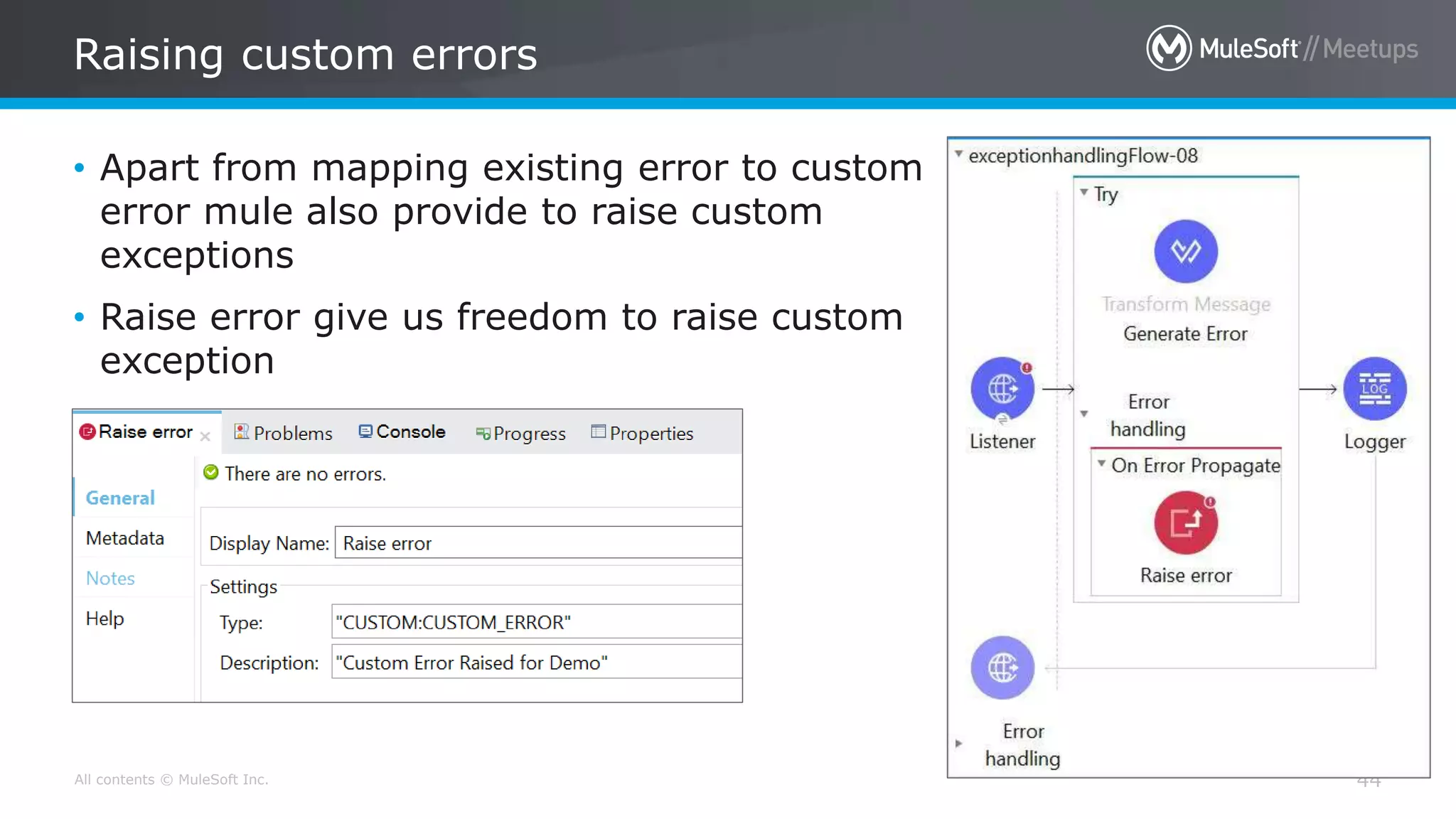
• Apart from mapping existing error to custom
error mule also provide to raise custom
exceptions
• Raise error give us freedom to raise custom
exception
All contents © MuleSoft Inc.
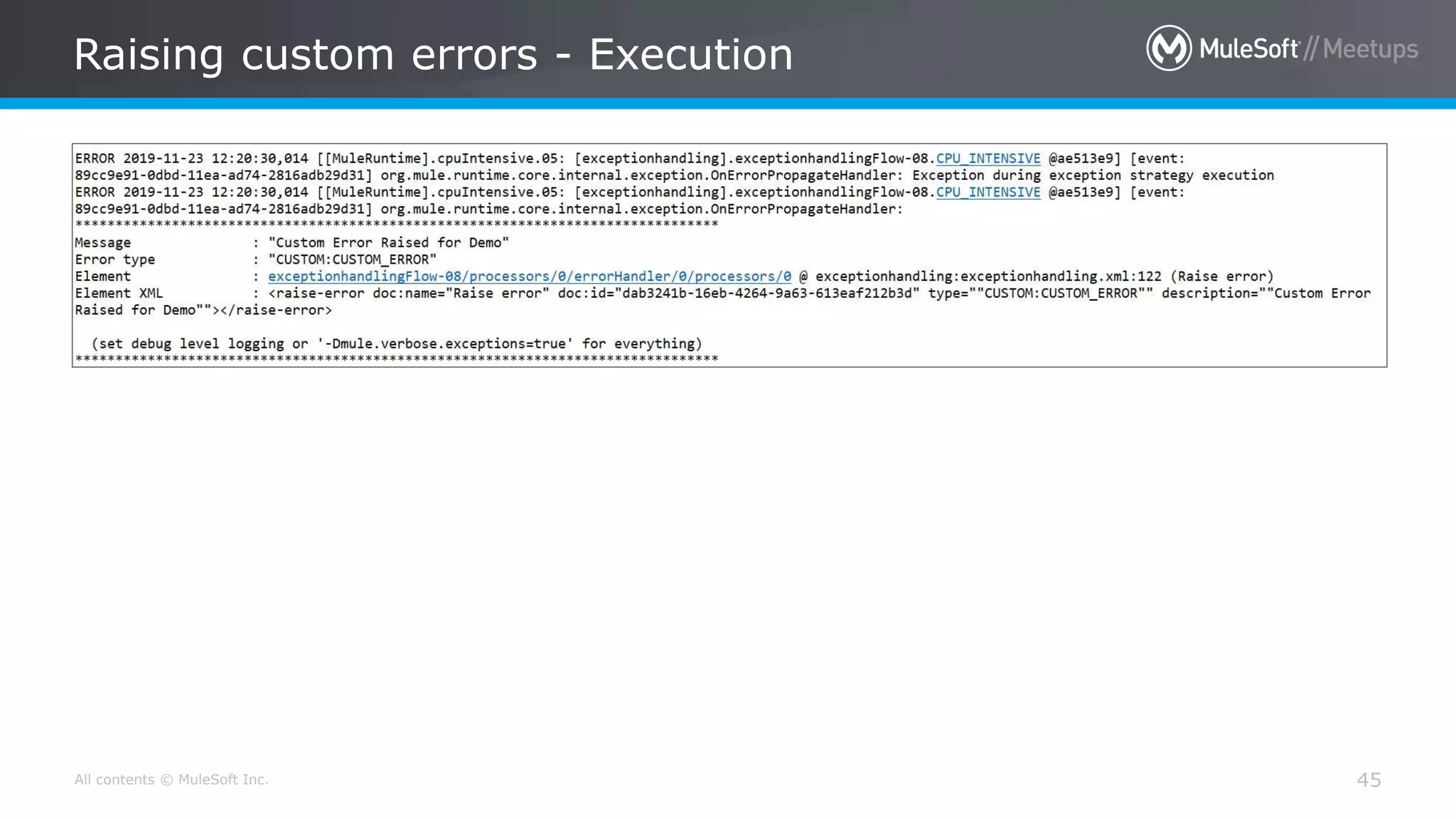
Raising custom errors - Execution
45
[Error handling generate by
API-Kit Router]
All contents © MuleSoft Inc.
Error handling generate by API-Kit Router
47
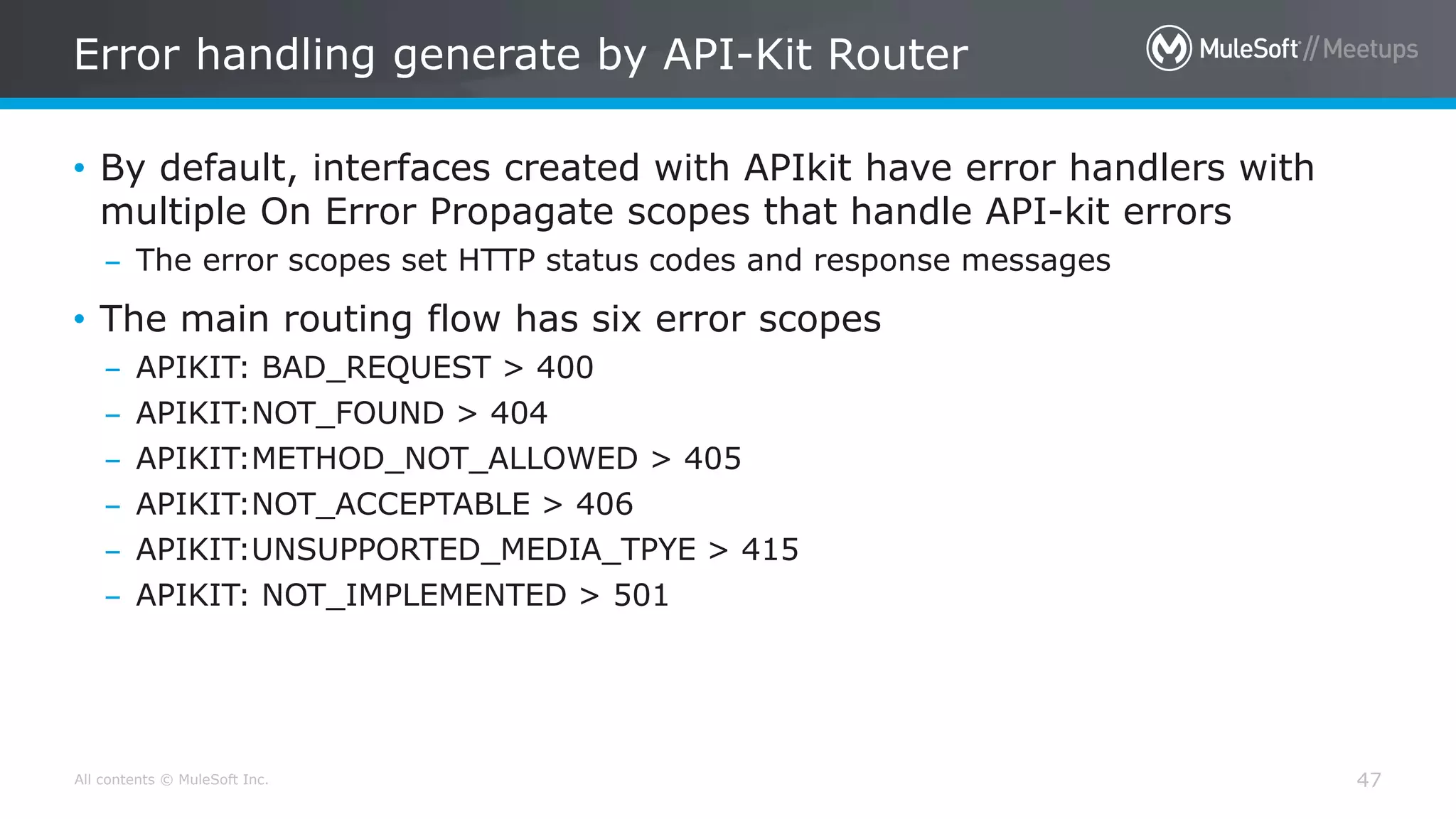
• By default, interfaces created with APIkit have error handlers with
multiple On Error Propagate scopes that handle API-kit errors
– The error scopes set HTTP status codes and response messages
• The main routing flow has six error scopes
– APIKIT: BAD_REQUEST > 400
– APIKIT:NOT_FOUND > 404
– APIKIT:METHOD_NOT_ALLOWED > 405
– APIKIT:NOT_ACCEPTABLE > 406
– APIKIT:UNSUPPORTED_MEDIA_TPYE > 415
– APIKIT: NOT_IMPLEMENTED > 501
All contents © MuleSoft Inc.
Error handling generate by API-Kit Router
48
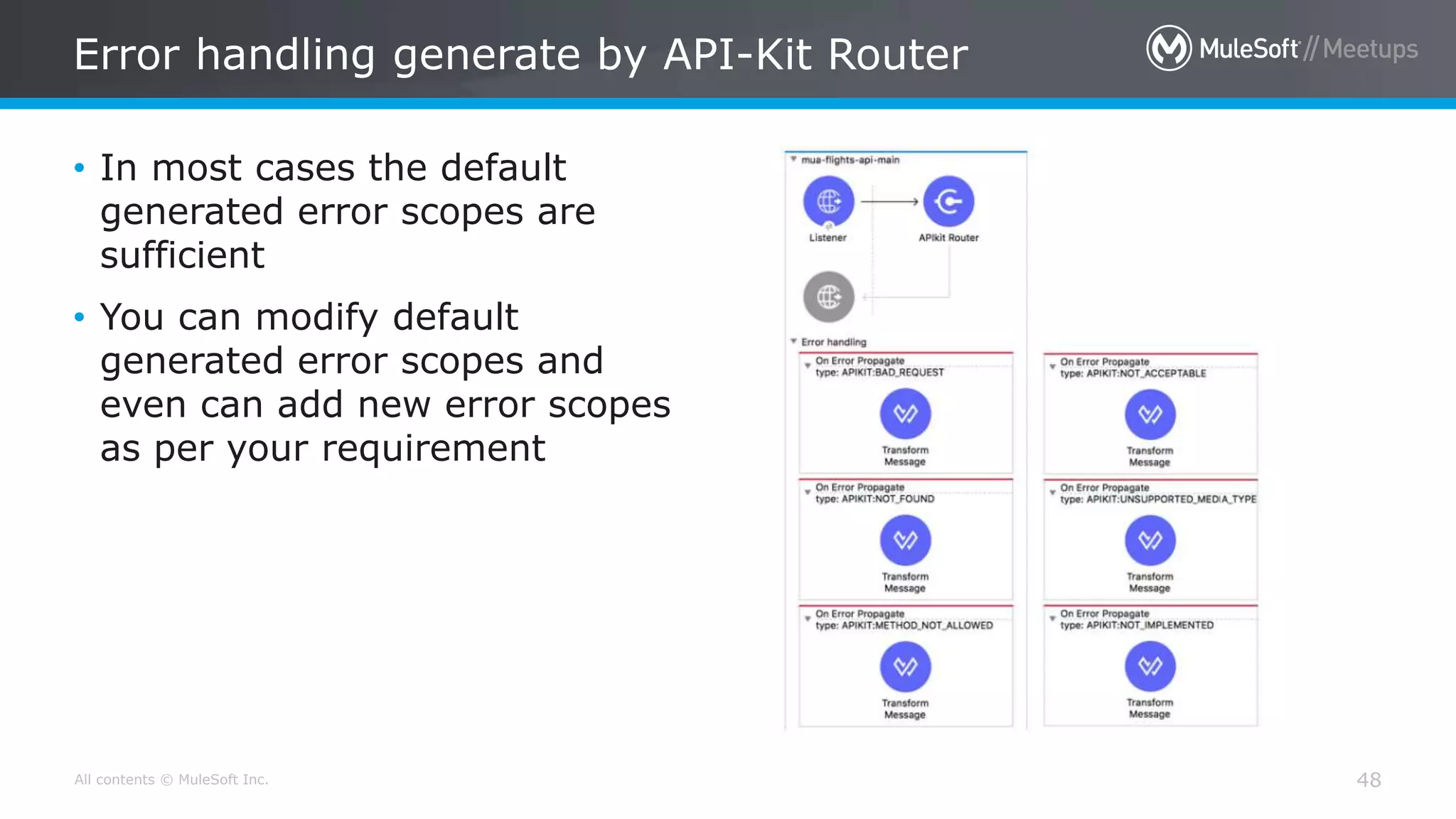
• In most cases the default
generated error scopes are
sufficient
• You can modify default
generated error scopes and
even can add new error scopes
as per your requirement
All contents © MuleSoft Inc.
System Exception Handling in Mule 4
49
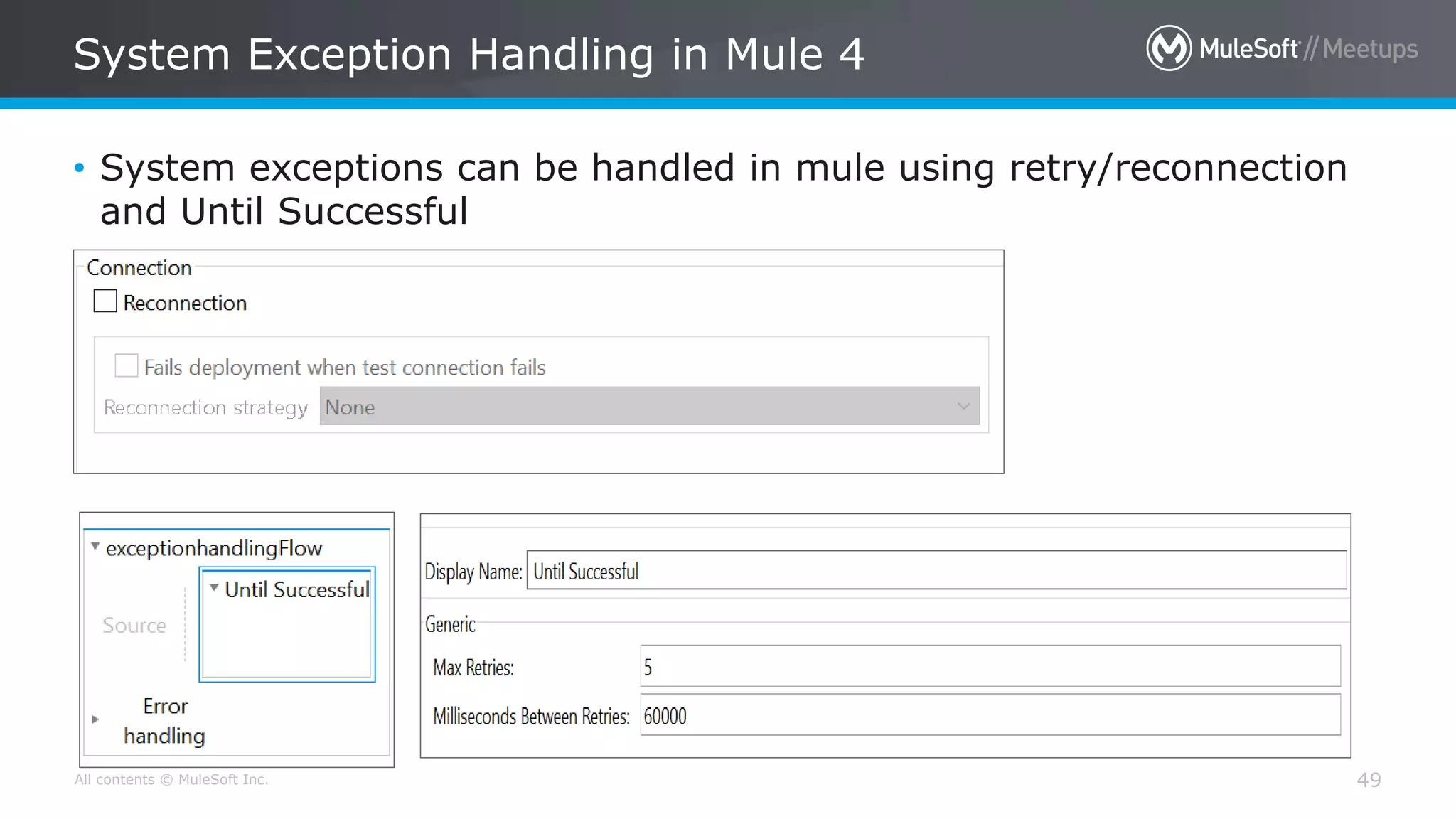
• System exceptions can be handled in mule using retry/reconnection
and Until Successful
All contents © MuleSoft Inc.
Difference between Error Handling in Mule 3 & 4
50
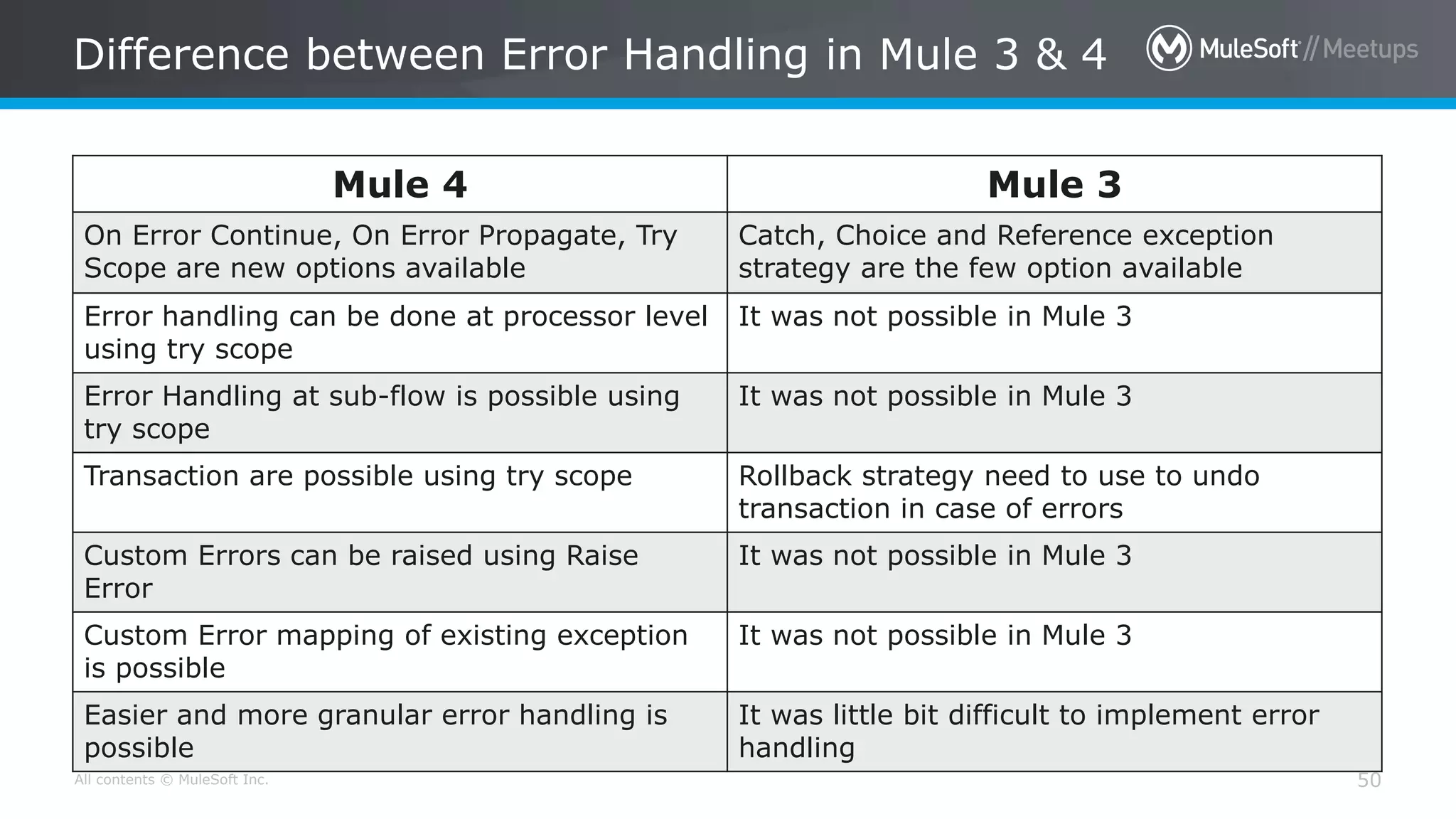
Mule 4 Mule 3
On Error Continue, On Error Propagate, Try
Scope are new options available
Catch, Choice and Reference exception
strategy are the few option available
Error handling can be done at processor level
using try scope
It was not possible in Mule 3
Error Handling at sub-flow is possible using
try scope
It was not possible in Mule 3
Transaction are possible using try scope Rollback strategy need to use to undo
transaction in case of errors
Custom Errors can be raised using Raise
Error
It was not possible in Mule 3
Custom Error mapping of existing exception
is possible
It was not possible in Mule 3
Easier and more granular error handling is
possible
It was little bit difficult to implement error
handling
Q & A
All contents © MuleSoft Inc.
Take a stand !
52
• Nominate yourself for the
next meetup speaker and
suggest a topic as well.
• Share your interest:
bit.ly/SpeakersPatnaMotihari
• Either for our virtual meetup
speaker, or in-person
meetup speaker in Bihar.
• Surprise swag for upcoming
Speakers.
All contents © MuleSoft Inc.
What’s next
53
• Share:
– Tweet/share in LinkedIn , facebook, Instagram with your pictures with the hashtag
#PatnaMuleMeetup #MuleSoftMeetup
– Also use #BringMuleSoftConnectToPatna to reach our wish to MuleSoft 
– Invite your network to join: https://meetups.mulesoft.com/Patna/
• Feedback:
– Please fill out the slips with details like are you new to Mule? If so what technology you are
currently working , What makes you to think of adopting MuleSoft and what topic you are
expecting in future Meetups
– Contact MuleSoft at meetup@mulesoft.com for ways to improve the program
– Instagram Page for Patna to be created
– Your Feedback is Food for us
• Our next meetup:
– Date: TBD
– Location: Patna/Virtual
– Topic: TBD
THANK YOU 
#Everyone
for becoming a part of such a great
#community.
All contents © MuleSoft Inc.
MuleSoft CONNECT Digital is a live virtual experience — bringing
you a full program of educational sessions and content, streamed
online for free.
AMER: May 20, 2020
EMEA: June 4, 2020
JAPAC: June 25, 2020
Register for free: https://connect.mulesoft.com
All contents © MuleSoft Inc.
Meet the MuleSoft Community at:
- Our digital community booth
- Q&A sessions with MuleSoft Ambassadors
- Our special Developer Meetup
JOIN ONLINE FOR FREE:
AMER: May 20, 2020
EMEA: June 4, 2020
JAPAC: June 25, 2020
Register: https://connect.mulesoft.com
All contents © MuleSoft Inc.
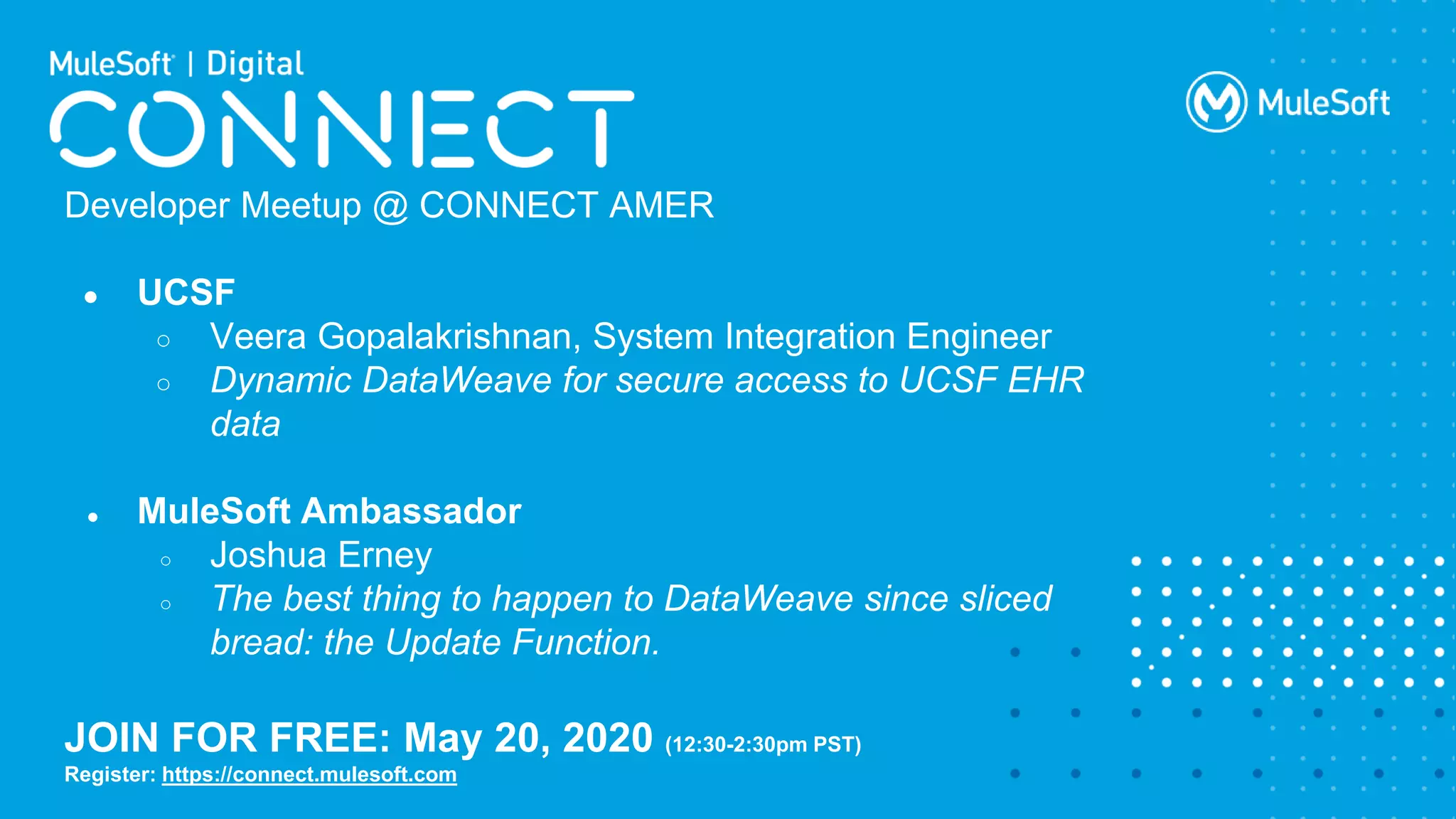
Developer Meetup @ CONNECT AMER
● UCSF
○ Veera Gopalakrishnan, System Integration Engineer
○ Dynamic DataWeave for secure access to UCSF EHR
data
● MuleSoft Ambassador
○ Joshua Erney
○ The best thing to happen to DataWeave since sliced
bread: the Update Function.
JOIN FOR FREE: May 20, 2020 (12:30-2:30pm PST)
Register: https://connect.mulesoft.com
All contents © MuleSoft Inc.
MuleSoft Training
COVID-19 Response
April 2020
All contents © MuleSoft Inc.
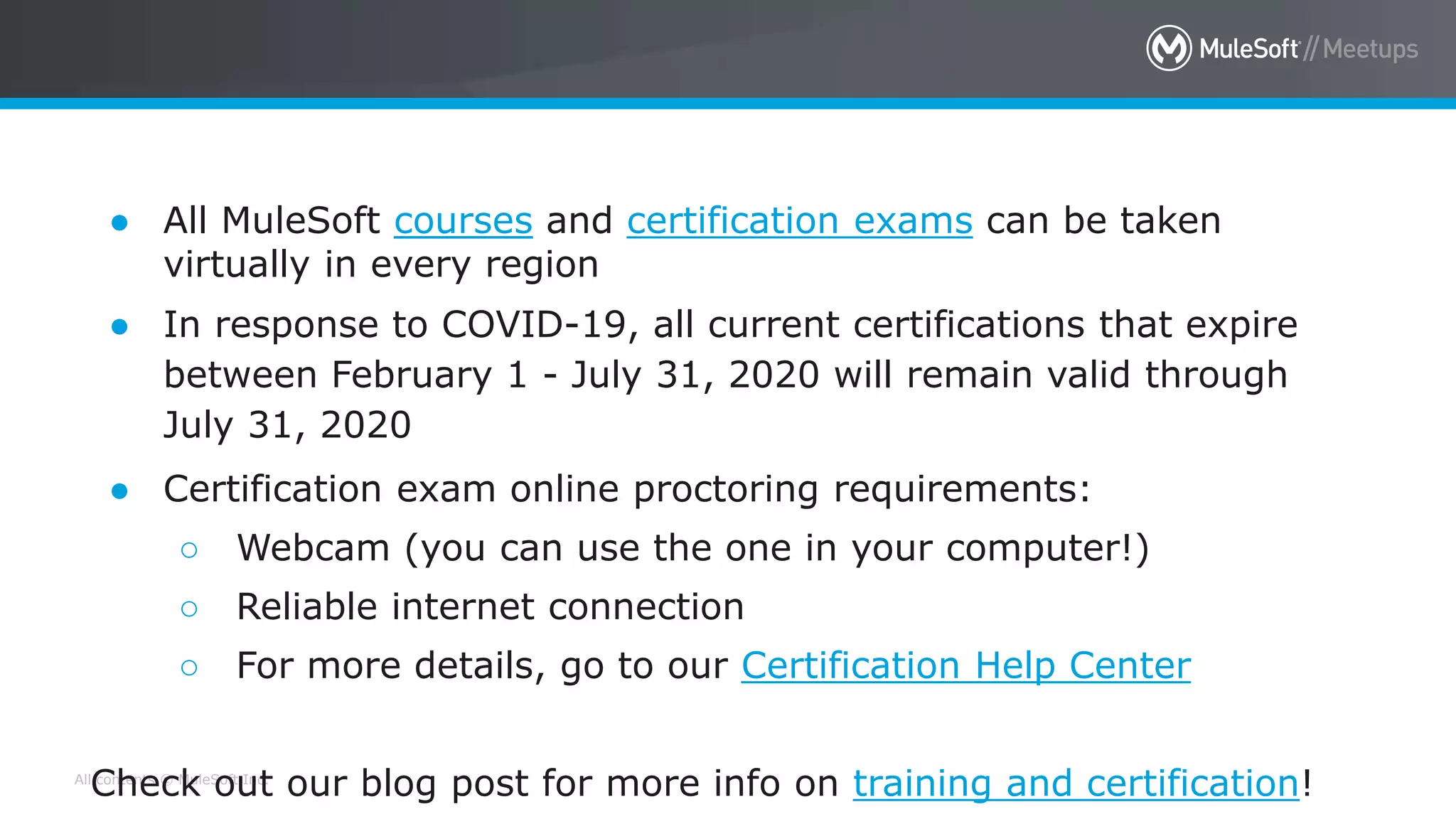
MuleSoft Training is open for business!
● All MuleSoft courses and certification exams can be taken
virtually in every region
● In response to COVID-19, all current certifications that expire
between February 1 - July 31, 2020 will remain valid through
July 31, 2020
● Certification exam online proctoring requirements:
○ Webcam (you can use the one in your computer!)
○ Reliable internet connection
○ For more details, go to our Certification Help Center
Check out our blog post for more info on training and certification!
All contents © MuleSoft Inc.
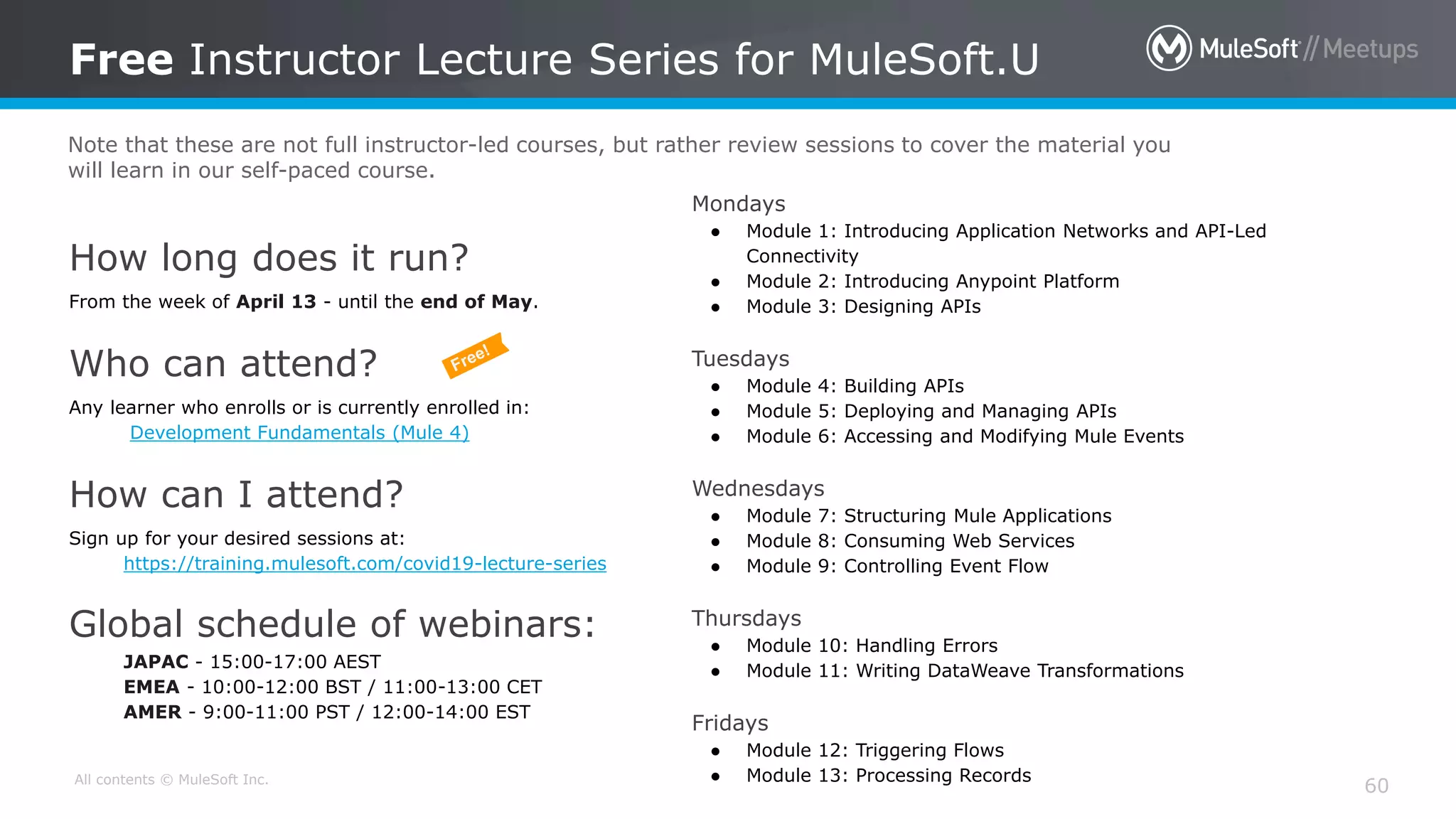
How long does it run?
From the week of April 13 - until the end of May.
Who can attend?
Any learner who enrolls or is currently enrolled in:
Development Fundamentals (Mule 4)
How can I attend?
Sign up for your desired sessions at:
https://training.mulesoft.com/covid19-lecture-series
Global schedule of webinars:
JAPAC - 15:00-17:00 AEST
EMEA - 10:00-12:00 BST / 11:00-13:00 CET
AMER - 9:00-11:00 PST / 12:00-14:00 EST
Free Instructor Lecture Series for MuleSoft.U
60
Mondays
● Module 1: Introducing Application Networks and API-Led
Connectivity
● Module 2: Introducing Anypoint Platform
● Module 3: Designing APIs
Tuesdays
● Module 4: Building APIs
● Module 5: Deploying and Managing APIs
● Module 6: Accessing and Modifying Mule Events
Wednesdays
● Module 7: Structuring Mule Applications
● Module 8: Consuming Web Services
● Module 9: Controlling Event Flow
Thursdays
● Module 10: Handling Errors
● Module 11: Writing DataWeave Transformations
Fridays
● Module 12: Triggering Flows
● Module 13: Processing Records
Note that these are not full instructor-led courses, but rather review sessions to cover the material you
will learn in our self-paced course.
All contents © MuleSoft, LLC
Quiz
61
○Win 1 of 3 free instructor-led training courses & Certification voucher
All contents © MuleSoft Inc.
What’s next
62
• Share:
– Tweet your pictures with the hashtag #MuleSoftMeetup
– Invite your network to join: meetups.mulesoft.com/patna
• Feedback:
– Suggest the topics and nominate your self as our next Meetup
Speakerbit.ly/SpeakersPatnaMotihari
– Contact MuleSoft at meetup@mulesoft.com for ways to improve the program
• Our next meetup:
– Date: TBD
– Location: Patna/Virtual
– Topic: TBD
All contents © MuleSoft, LLC
Networking Time
Share Anything
All contents © MuleSoft, LLC
See you next time!
Please send topic suggestions to the organizer:
bit.ly/SpeakersPatnaMotihari
Thank you everyone for joining us today
Exception handling in Mule 4 �_Virtual mule soft meetup may_2020

Exception handling in Mule 4 _Virtual mule soft meetup may_2020

  • 1.
    Patna, India [09th May2020] [ Exception handling in Mule 4 & Develop a Simple API, Deploy it to Hub]
  • 2.
    All contents ©MuleSoft Inc. Welcome to Patna MuleSoft Meetup Group 2
  • 3.
    All contents ©MuleSoft Inc. Introductions 3 • About the organizer: – Patna MuleSoft Meetup Group • About the speakers: Welcome everyone! Thanks for joining us!
  • 4.
    All contents ©MuleSoft Inc. 4 Live chat is on to ask questions/suggestions. Test your mic, mute/unmute, audio, see this screen? Test, 1-2-3 Cameras on and mics off. Please don’t click present option on Google Meet when speaker is presenting. Meeting will be recorded, we need your consent. We love pictures. Take a group picture with taking a screenshot of the virtual participants and let’s show on social channels #MuleSoftMeetup We are connected. Thank you!
  • 5.
    All contents ©MuleSoft Inc. 5
  • 6.
    All contents ©MuleSoft Inc. Agenda 6  Introductions  What is Exception handling  How to do Exception Handling in Mule 4  Error Handler  On Error Continue , On Error Propagate Try scope  Raise Error  Error handling generate by API-Kit Router  Develop a Simple API, Deploy it to Hub Networking time
  • 7.
    All contents ©MuleSoft Inc. Surprises! 7 • Participate in an online Quiz to win the instructor-led training classes and certification exam vouchers. (3 Winners!) • Be geared up for the quiz sessions at the end 
  • 8.
  • 9.
    All contents ©MuleSoft Inc. What is Exception Handling 9 • An exception occurs when an unexpected event happens while processing. • Exception handling is the process of responding to exceptions when a computer program runs. • Exception handling attempts to gracefully handle these situations so that a program (or worse, an entire system) does not crash. • Exception handling can be performed at both the software (as part of the program itself) and hardware levels (using mechanisms built into the design of the CPU).
  • 10.
    All contents ©MuleSoft Inc. Different type of Errors/Exceptions 10 • In General Errors/Exceptions are categorized in 2 groups – Message Exception • Thrown with in a flow when mule event is involved – System Exception • Thrown with in a flow when no mule event is involved • Error that occur – During Mule Start up – When connection to External system fails
  • 11.
  • 12.
    All contents ©MuleSoft Inc. Message Exception Handling in Mule 4 12 • Like any programming language Mule also provide ways to handle exception. • In Mule we can handle the message exception at different level. – At Project level using Default error handler – At Project level using Custom Global error handler – At Flow level in exception handling using On Error Continue and On Error Propagate, Raise Error – With in Flow or at processor level using try scope
  • 13.
    All contents ©MuleSoft Inc. Message Exception Handling in Mule 4 13 • When an event is being processed through a Mule flow that throws an error – Normal flow execution stops – The event is passed to the first processor in the error handler
  • 14.
    All contents ©MuleSoft Inc. Information about error 14 • When a error is thrown, an error object is created • Two of error object properties are – error.description – a string – error.errorType – an object • Error type is identified by namespace and indentifier – HTTP:UNATHORIZED
  • 15.
    All contents ©MuleSoft Inc. Error Type hierarchy 15 • Like in Java class/object follow hierarchy in mule error types also follow hierarchy • Each Error type has a parent • The error type ANY is the most general parent like Object class is the parent class of all the classes in java by default.
  • 16.
    All contents ©MuleSoft Inc. Error Type hierarchy reference 16
  • 17.
  • 18.
    All contents ©MuleSoft Inc. Error Handler in Java 18 Try { //Processing //... //... } Catch (err) { //Catch exception and do processing //... //... }
  • 19.
    All contents ©MuleSoft Inc. Default Global Error Handler 19 • If there is no error handling written at any of the levels, the Mule Default Error Handler is used, which stops the execution of the flow and logs the exception. • The Mule Default Error Handler is not configurable but, can be replaced by our Custom Global error handler by creating a Configuration global element.
  • 20.
    All contents ©MuleSoft Inc. Custom Global Error Handler 20 • To handle errors at the application level, we can add an error handler in the global.xml (or simply outside a flow). • Then, create a Configuration element in the global elements, which sets the Global Error Handler as the Default Error Handler.
  • 21.
  • 22.
    All contents ©MuleSoft Inc. On Error Propagate 22 • All processors within error handling scope are executed • At the end of the flow – Rest of the flow that threw error does not executed – The error is rethrown up to the next level and handled there • An HTTP listener return error response with default status code 500
  • 23.
    All contents ©MuleSoft Inc. Visualize On Error Propagate like Java 23 Try { //Processing //... //... } Catch (err) { //Catch exception and do processing //... //Re-Thorough error }
  • 24.
  • 25.
    All contents ©MuleSoft Inc. On Error Continue 25 • All processor within error handling scope executed • At the end of the flow – Rest of the flow that threw error does not executed – The event is passed up to the next level as if flow execution had completed successfully • An HTTP listener return success response with default status code 200
  • 26.
    All contents ©MuleSoft Inc. Visualize On Error Continue like Java 26 Try { //Processing //... //... } Catch (err) { //Catch exception and do processing //... //Success and continue normal path }
  • 27.
    Lets get ourhands dirty 
  • 28.
    All contents ©MuleSoft Inc. Error handling scenario 0 28
  • 29.
    All contents ©MuleSoft Inc. Error handling scenario 0 - Execution 29
  • 30.
    All contents ©MuleSoft Inc. Error handling scenario 1 30
  • 31.
    All contents ©MuleSoft Inc. Error handling scenario 1 - Execution 31
  • 32.
    All contents ©MuleSoft Inc. Error handling scenario 2 32
  • 33.
    All contents ©MuleSoft Inc. Error handling scenario 2 - Execution 33
  • 34.
    All contents ©MuleSoft Inc. Error handling scenario 3 34
  • 35.
    All contents ©MuleSoft Inc. Error handling scenario 3 - Execution 35
  • 36.
    All contents ©MuleSoft Inc. Error handling scenario 4 36
  • 37.
    All contents ©MuleSoft Inc. Error handling scenario 4 - Execution 37
  • 38.
    How Can weMake a For loop keep Running even if a record fails during looping ?
  • 39.
  • 40.
    All contents ©MuleSoft Inc. Handling errors with flow – Try Scope 40 • Using try scope we can handle error within a flow • Try scope give us more control to handle error at processor level • One and more processors can be added in try scope • Try scope have its own error handling section
  • 41.
    All contents ©MuleSoft Inc. Handling errors with flow - Execution 41
  • 42.
    All contents ©MuleSoft Inc. Custom error types 42 • When you have same processor which can throw exception in a flow at multiple places we can use custom error types to distinguish/differentiate which component/processor have raised the exception • You assign custom namespace and identifier to differentiate them from other existing types • Do not use existing module namespaces
  • 43.
  • 44.
    All contents ©MuleSoft Inc. Raising custom errors 44 • Apart from mapping existing error to custom error mule also provide to raise custom exceptions • Raise error give us freedom to raise custom exception
  • 45.
    All contents ©MuleSoft Inc. Raising custom errors - Execution 45
  • 46.
    [Error handling generateby API-Kit Router]
  • 47.
    All contents ©MuleSoft Inc. Error handling generate by API-Kit Router 47 • By default, interfaces created with APIkit have error handlers with multiple On Error Propagate scopes that handle API-kit errors – The error scopes set HTTP status codes and response messages • The main routing flow has six error scopes – APIKIT: BAD_REQUEST > 400 – APIKIT:NOT_FOUND > 404 – APIKIT:METHOD_NOT_ALLOWED > 405 – APIKIT:NOT_ACCEPTABLE > 406 – APIKIT:UNSUPPORTED_MEDIA_TPYE > 415 – APIKIT: NOT_IMPLEMENTED > 501
  • 48.
    All contents ©MuleSoft Inc. Error handling generate by API-Kit Router 48 • In most cases the default generated error scopes are sufficient • You can modify default generated error scopes and even can add new error scopes as per your requirement
  • 49.
    All contents ©MuleSoft Inc. System Exception Handling in Mule 4 49 • System exceptions can be handled in mule using retry/reconnection and Until Successful
  • 50.
    All contents ©MuleSoft Inc. Difference between Error Handling in Mule 3 & 4 50 Mule 4 Mule 3 On Error Continue, On Error Propagate, Try Scope are new options available Catch, Choice and Reference exception strategy are the few option available Error handling can be done at processor level using try scope It was not possible in Mule 3 Error Handling at sub-flow is possible using try scope It was not possible in Mule 3 Transaction are possible using try scope Rollback strategy need to use to undo transaction in case of errors Custom Errors can be raised using Raise Error It was not possible in Mule 3 Custom Error mapping of existing exception is possible It was not possible in Mule 3 Easier and more granular error handling is possible It was little bit difficult to implement error handling
  • 51.
  • 52.
    All contents ©MuleSoft Inc. Take a stand ! 52 • Nominate yourself for the next meetup speaker and suggest a topic as well. • Share your interest: bit.ly/SpeakersPatnaMotihari • Either for our virtual meetup speaker, or in-person meetup speaker in Bihar. • Surprise swag for upcoming Speakers.
  • 53.
    All contents ©MuleSoft Inc. What’s next 53 • Share: – Tweet/share in LinkedIn , facebook, Instagram with your pictures with the hashtag #PatnaMuleMeetup #MuleSoftMeetup – Also use #BringMuleSoftConnectToPatna to reach our wish to MuleSoft  – Invite your network to join: https://meetups.mulesoft.com/Patna/ • Feedback: – Please fill out the slips with details like are you new to Mule? If so what technology you are currently working , What makes you to think of adopting MuleSoft and what topic you are expecting in future Meetups – Contact MuleSoft at meetup@mulesoft.com for ways to improve the program – Instagram Page for Patna to be created – Your Feedback is Food for us • Our next meetup: – Date: TBD – Location: Patna/Virtual – Topic: TBD
  • 54.
    THANK YOU  #Everyone forbecoming a part of such a great #community.
  • 55.
    All contents ©MuleSoft Inc. MuleSoft CONNECT Digital is a live virtual experience — bringing you a full program of educational sessions and content, streamed online for free. AMER: May 20, 2020 EMEA: June 4, 2020 JAPAC: June 25, 2020 Register for free: https://connect.mulesoft.com
  • 56.
    All contents ©MuleSoft Inc. Meet the MuleSoft Community at: - Our digital community booth - Q&A sessions with MuleSoft Ambassadors - Our special Developer Meetup JOIN ONLINE FOR FREE: AMER: May 20, 2020 EMEA: June 4, 2020 JAPAC: June 25, 2020 Register: https://connect.mulesoft.com
  • 57.
    All contents ©MuleSoft Inc. Developer Meetup @ CONNECT AMER ● UCSF ○ Veera Gopalakrishnan, System Integration Engineer ○ Dynamic DataWeave for secure access to UCSF EHR data ● MuleSoft Ambassador ○ Joshua Erney ○ The best thing to happen to DataWeave since sliced bread: the Update Function. JOIN FOR FREE: May 20, 2020 (12:30-2:30pm PST) Register: https://connect.mulesoft.com
  • 58.
    All contents ©MuleSoft Inc. MuleSoft Training COVID-19 Response April 2020
  • 59.
    All contents ©MuleSoft Inc. MuleSoft Training is open for business! ● All MuleSoft courses and certification exams can be taken virtually in every region ● In response to COVID-19, all current certifications that expire between February 1 - July 31, 2020 will remain valid through July 31, 2020 ● Certification exam online proctoring requirements: ○ Webcam (you can use the one in your computer!) ○ Reliable internet connection ○ For more details, go to our Certification Help Center Check out our blog post for more info on training and certification!
  • 60.
    All contents ©MuleSoft Inc. How long does it run? From the week of April 13 - until the end of May. Who can attend? Any learner who enrolls or is currently enrolled in: Development Fundamentals (Mule 4) How can I attend? Sign up for your desired sessions at: https://training.mulesoft.com/covid19-lecture-series Global schedule of webinars: JAPAC - 15:00-17:00 AEST EMEA - 10:00-12:00 BST / 11:00-13:00 CET AMER - 9:00-11:00 PST / 12:00-14:00 EST Free Instructor Lecture Series for MuleSoft.U 60 Mondays ● Module 1: Introducing Application Networks and API-Led Connectivity ● Module 2: Introducing Anypoint Platform ● Module 3: Designing APIs Tuesdays ● Module 4: Building APIs ● Module 5: Deploying and Managing APIs ● Module 6: Accessing and Modifying Mule Events Wednesdays ● Module 7: Structuring Mule Applications ● Module 8: Consuming Web Services ● Module 9: Controlling Event Flow Thursdays ● Module 10: Handling Errors ● Module 11: Writing DataWeave Transformations Fridays ● Module 12: Triggering Flows ● Module 13: Processing Records Note that these are not full instructor-led courses, but rather review sessions to cover the material you will learn in our self-paced course.
  • 61.
    All contents ©MuleSoft, LLC Quiz 61 ○Win 1 of 3 free instructor-led training courses & Certification voucher
  • 62.
    All contents ©MuleSoft Inc. What’s next 62 • Share: – Tweet your pictures with the hashtag #MuleSoftMeetup – Invite your network to join: meetups.mulesoft.com/patna • Feedback: – Suggest the topics and nominate your self as our next Meetup Speakerbit.ly/SpeakersPatnaMotihari – Contact MuleSoft at meetup@mulesoft.com for ways to improve the program • Our next meetup: – Date: TBD – Location: Patna/Virtual – Topic: TBD
  • 63.
    All contents ©MuleSoft, LLC Networking Time Share Anything
  • 64.
    All contents ©MuleSoft, LLC See you next time! Please send topic suggestions to the organizer: bit.ly/SpeakersPatnaMotihari Thank you everyone for joining us today