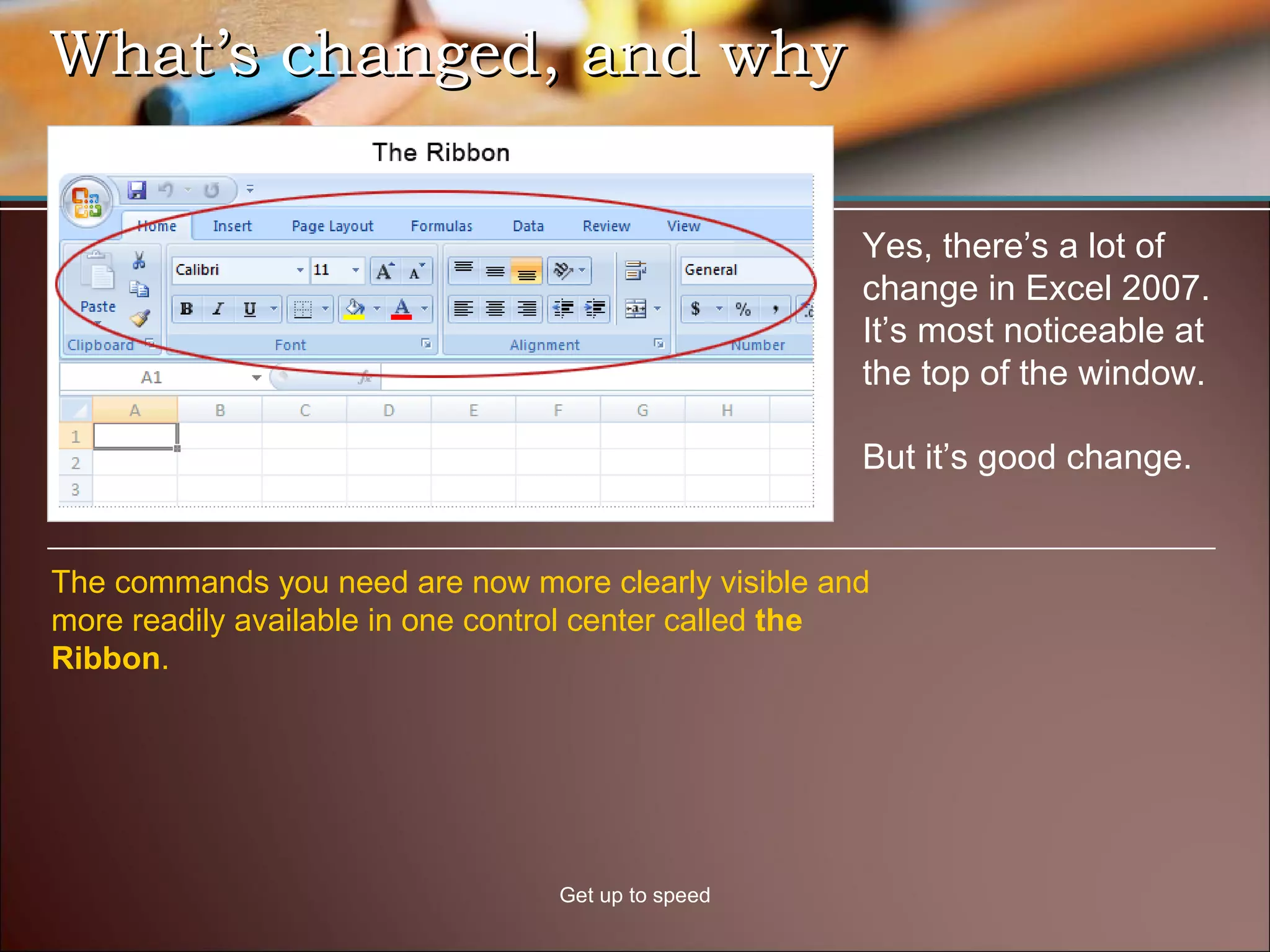
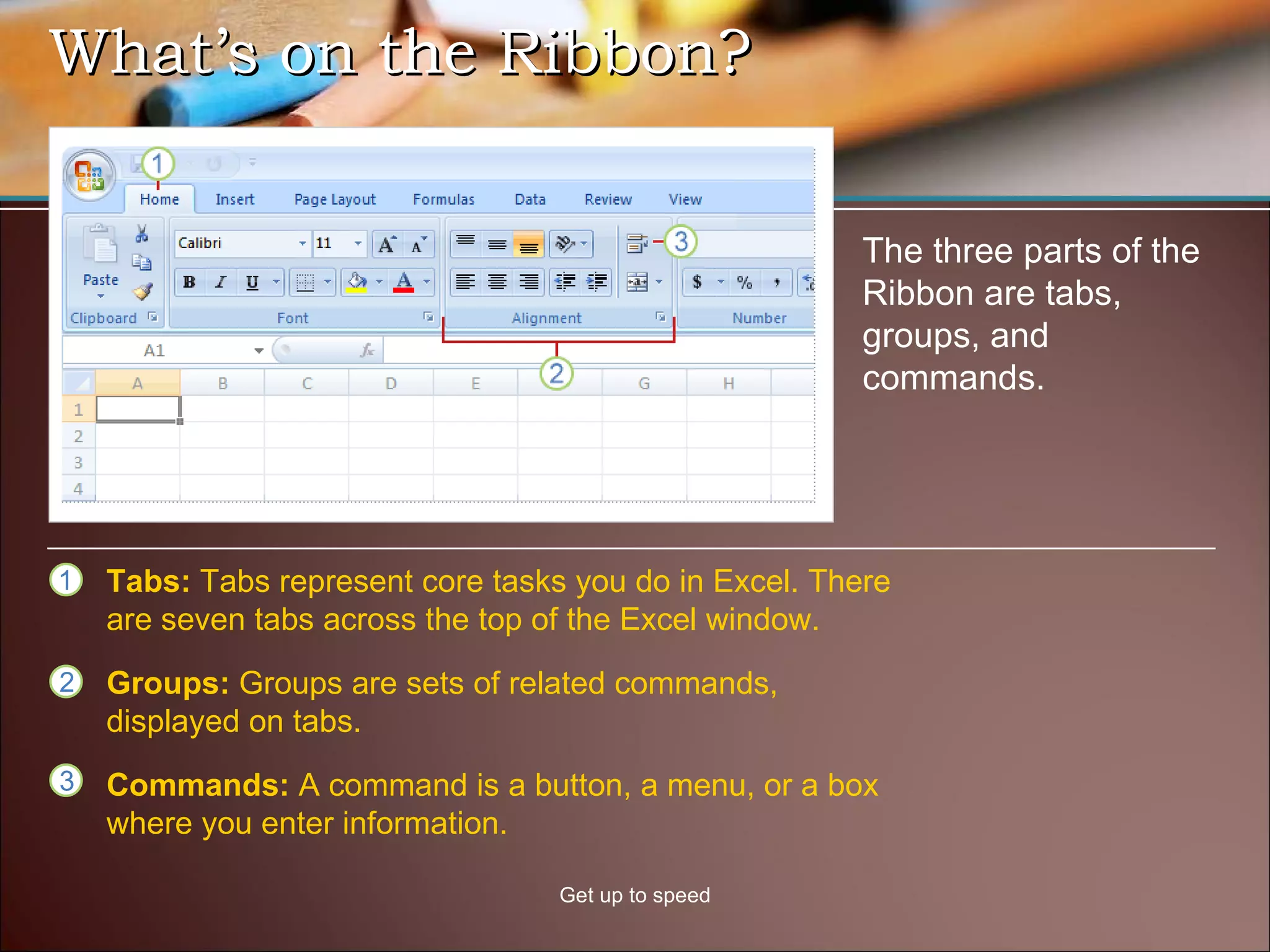
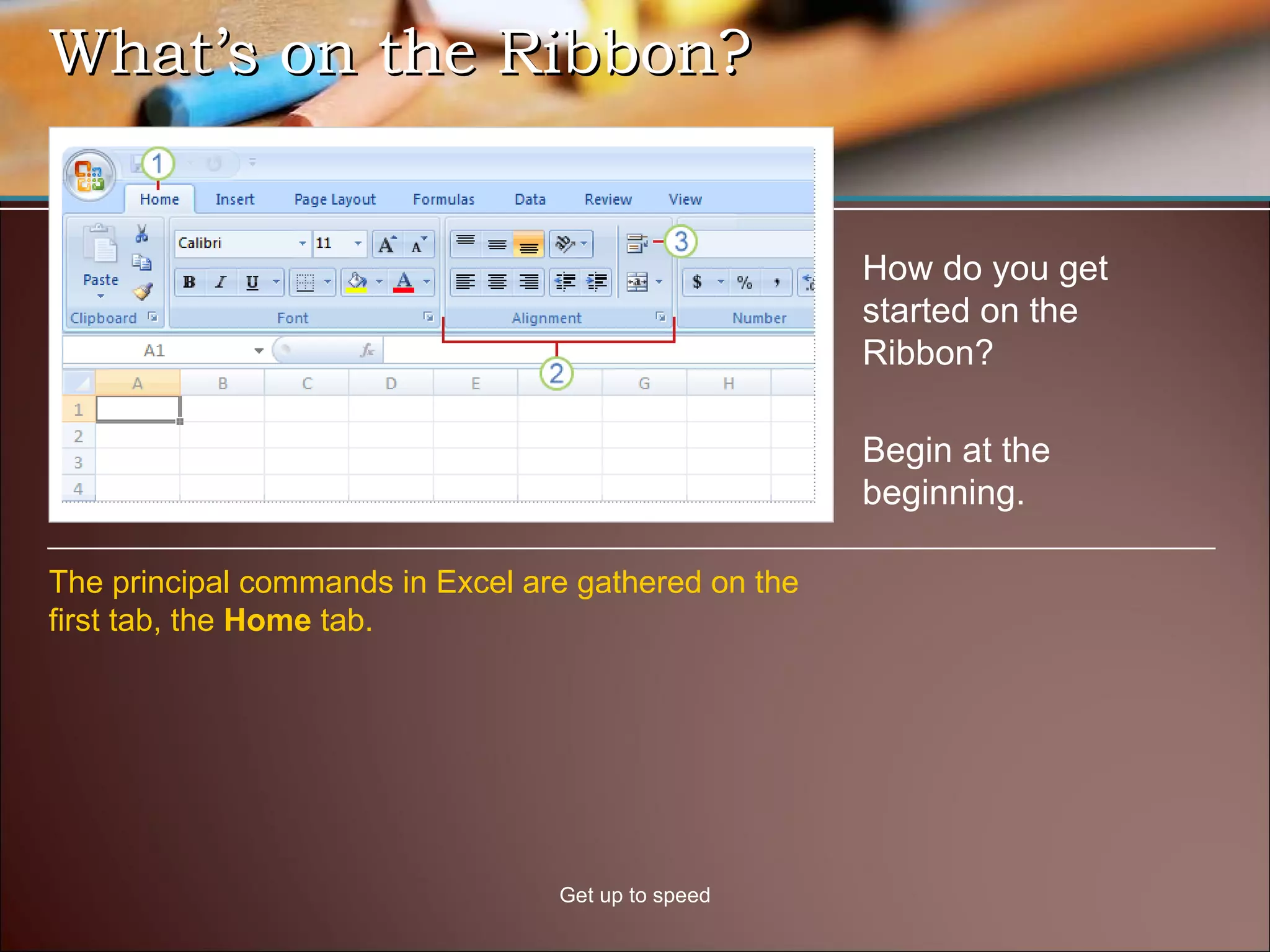
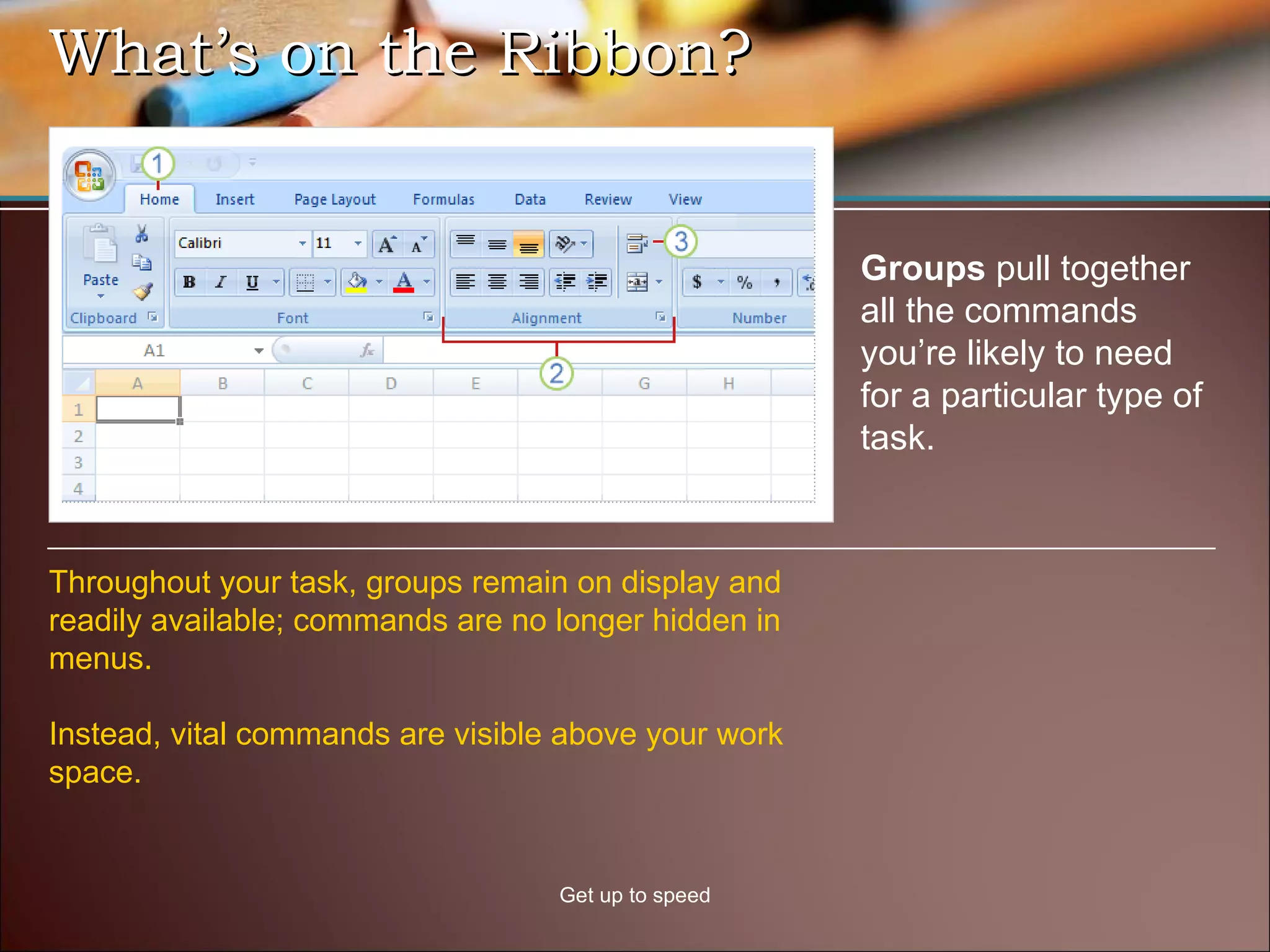
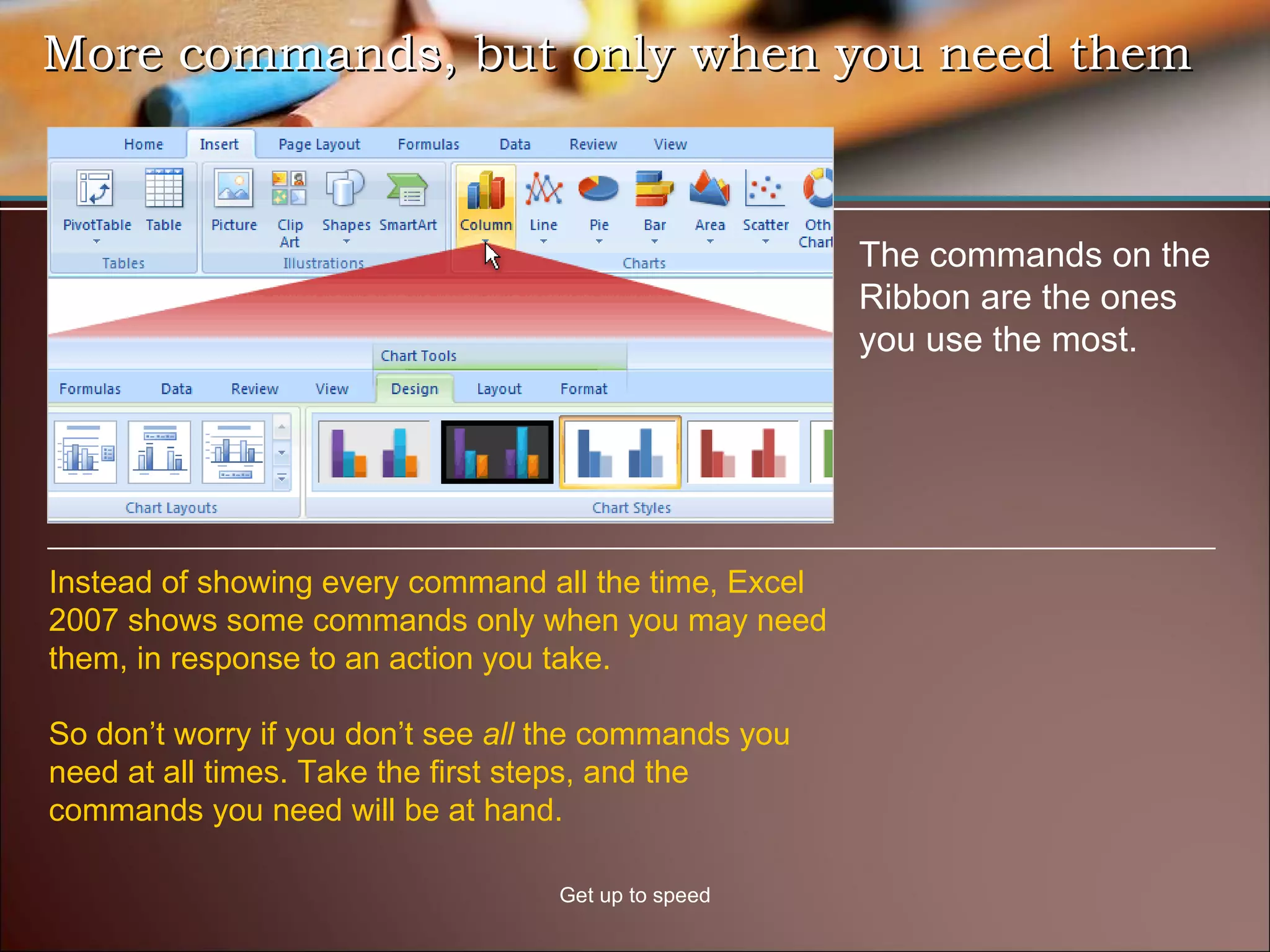
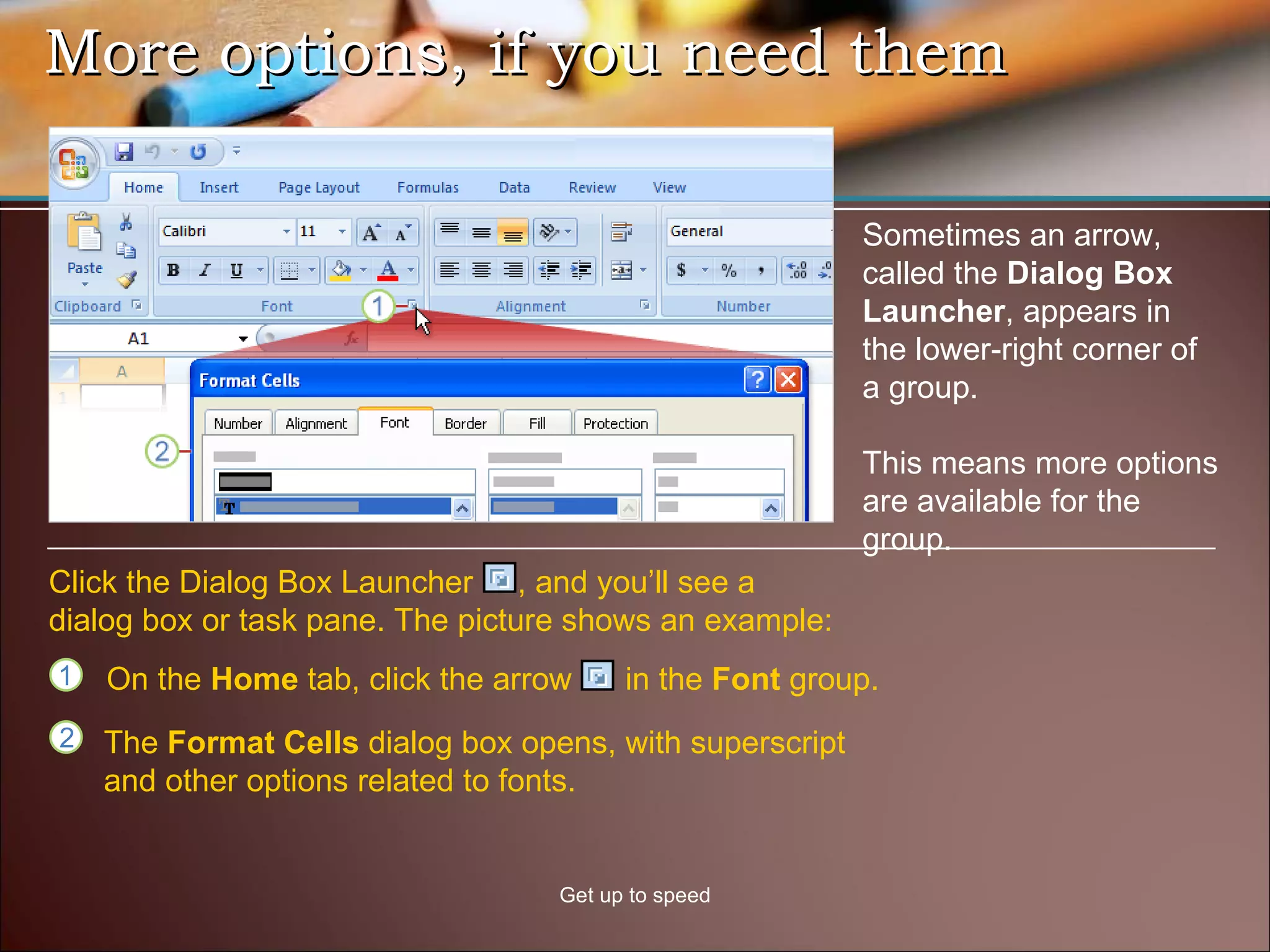
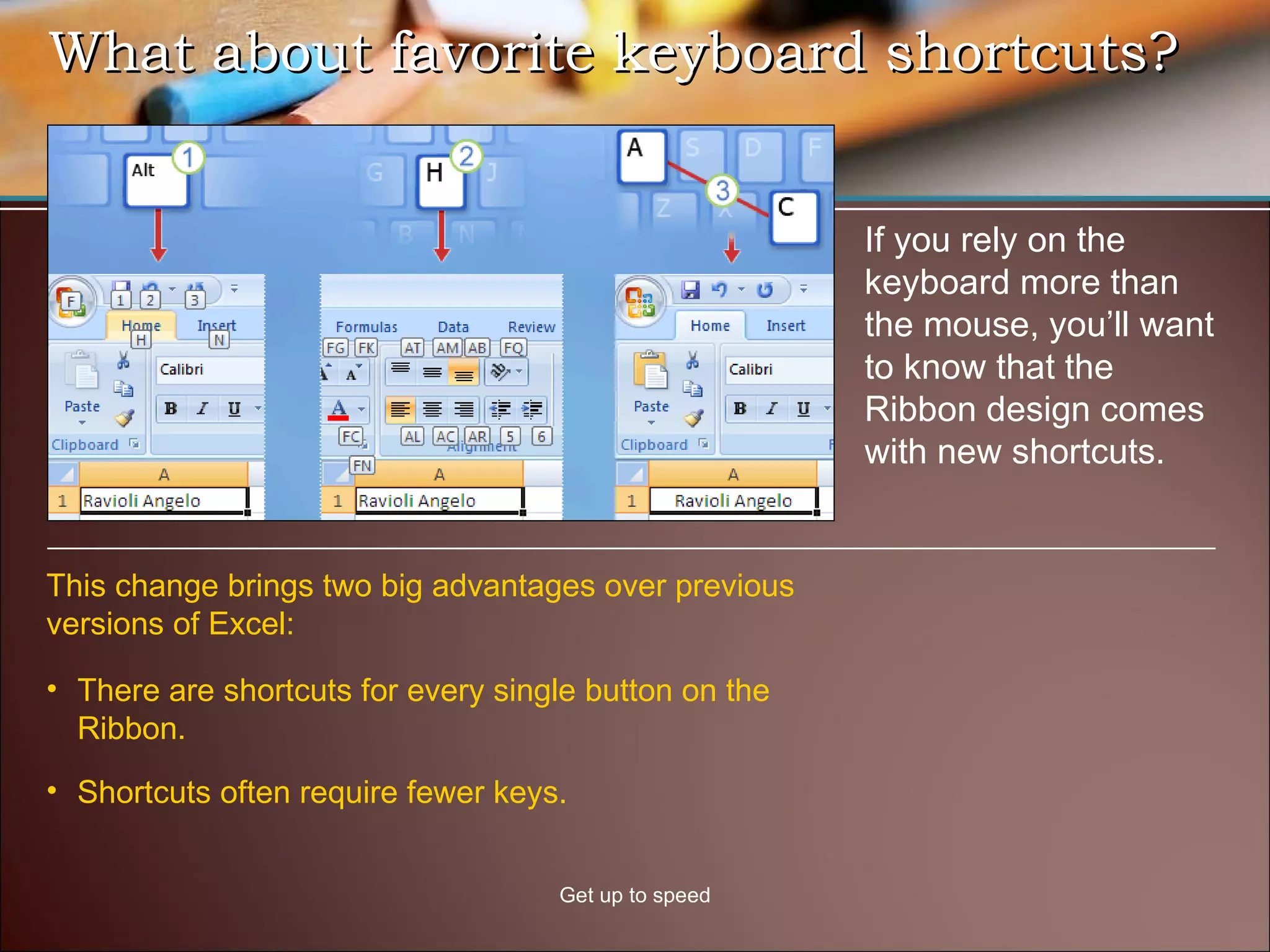
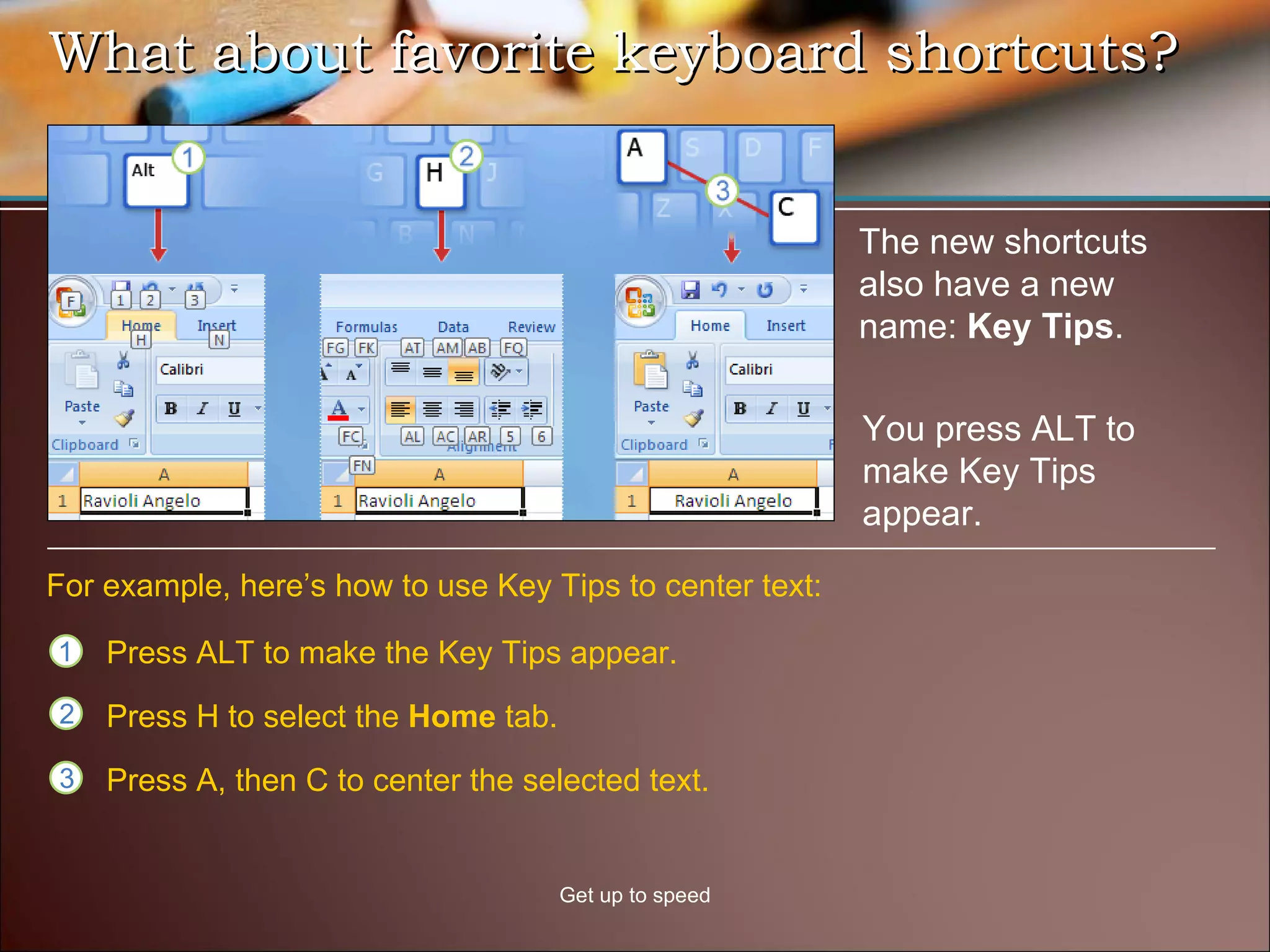
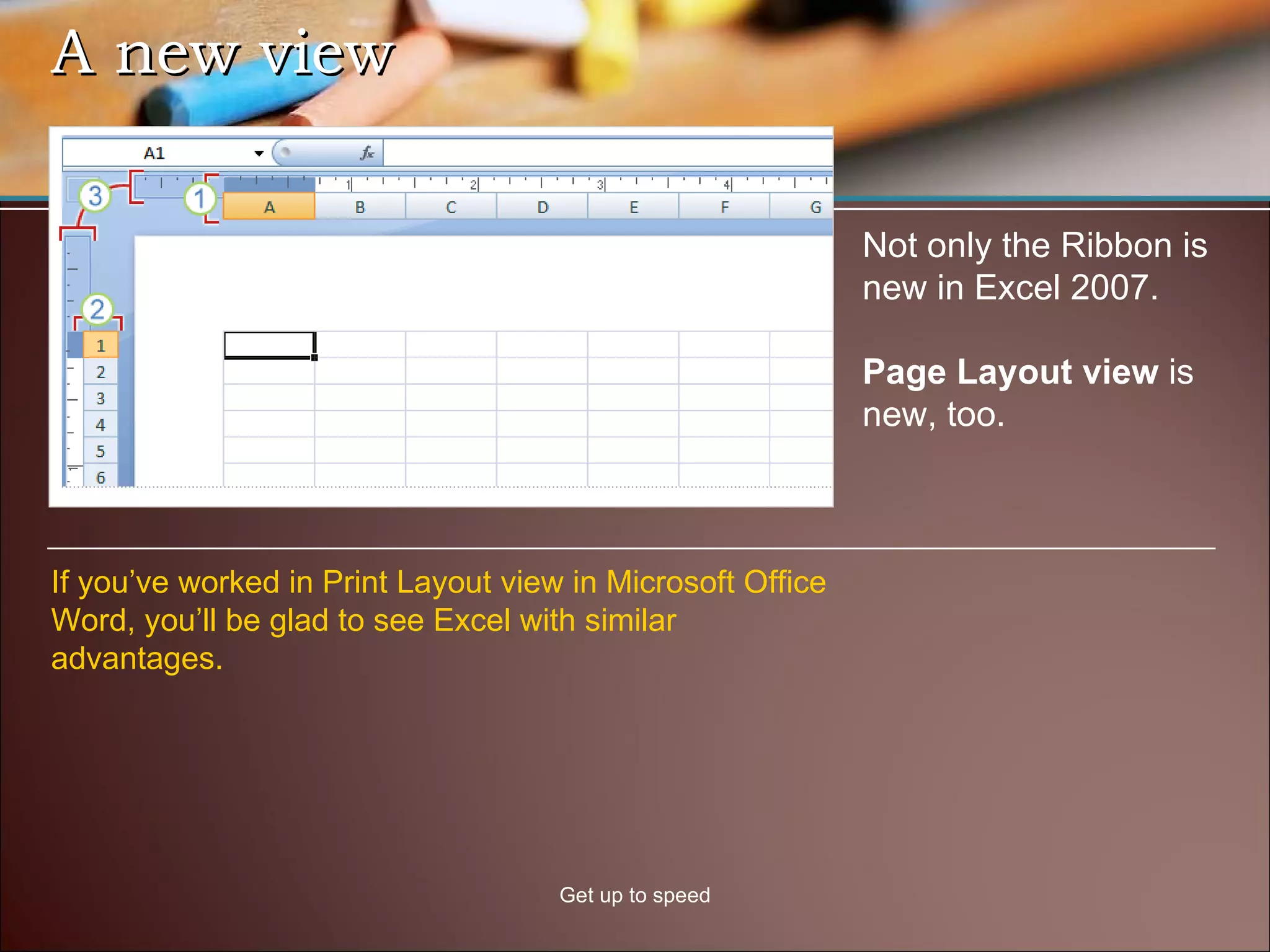
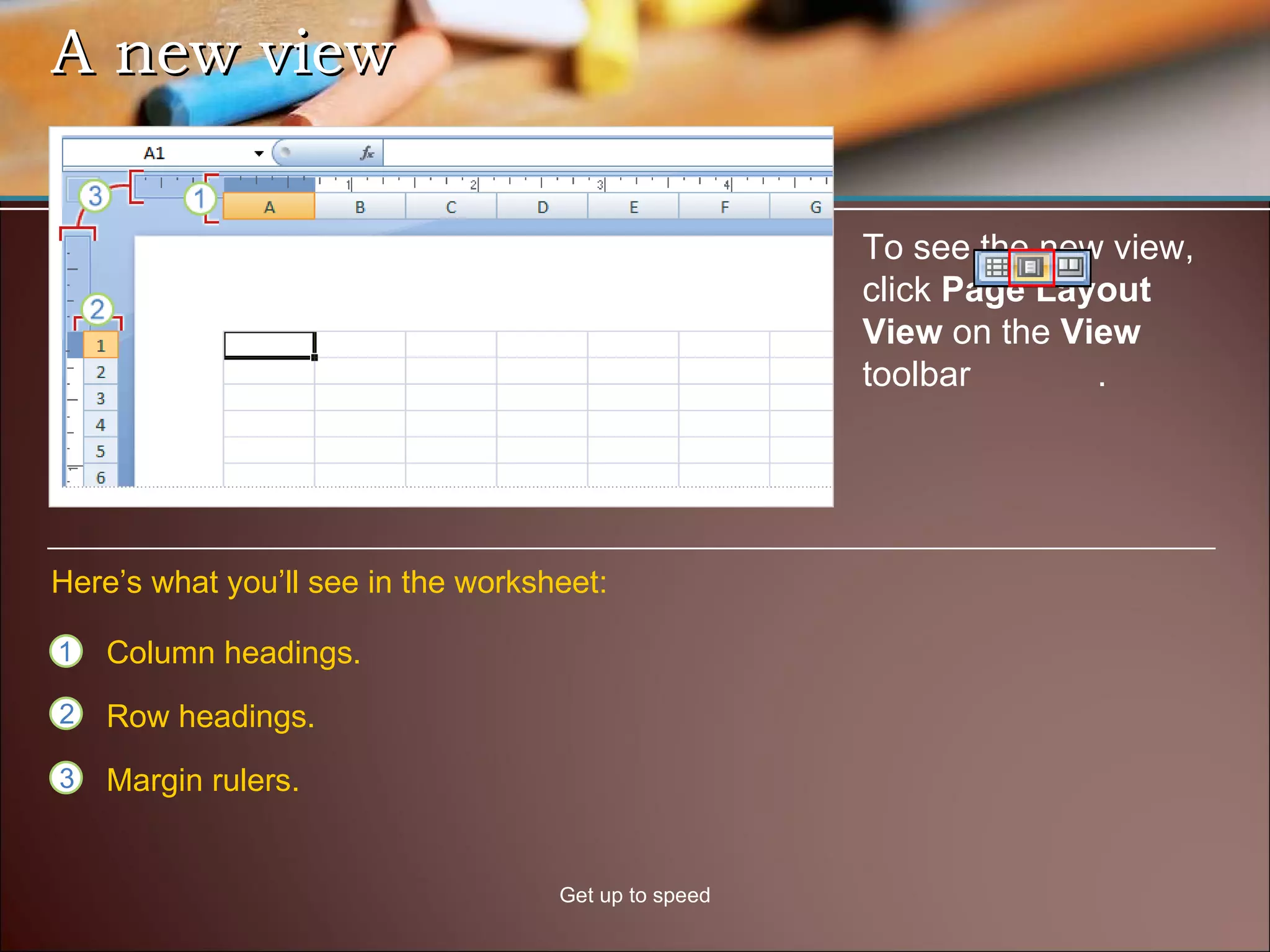
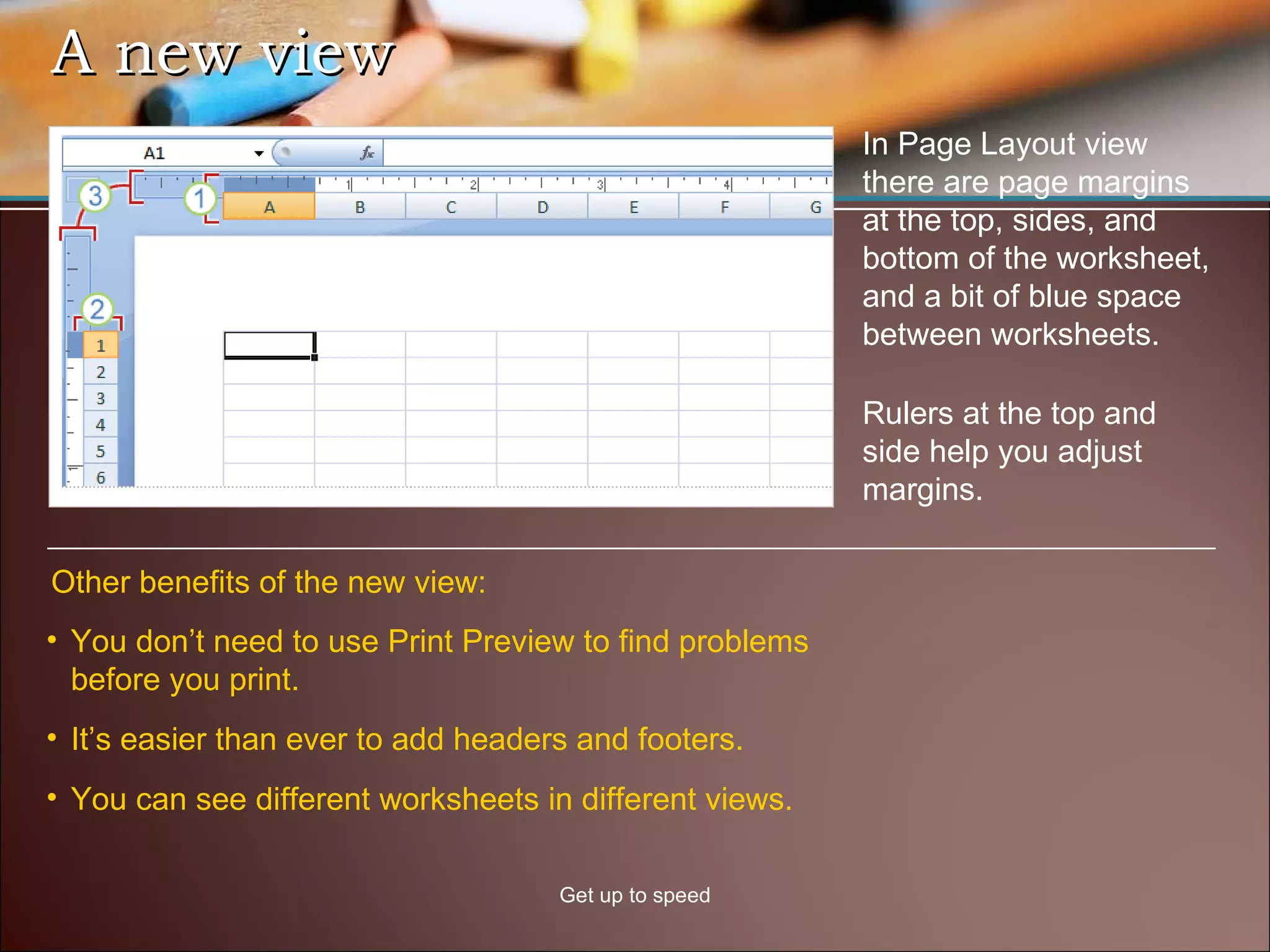
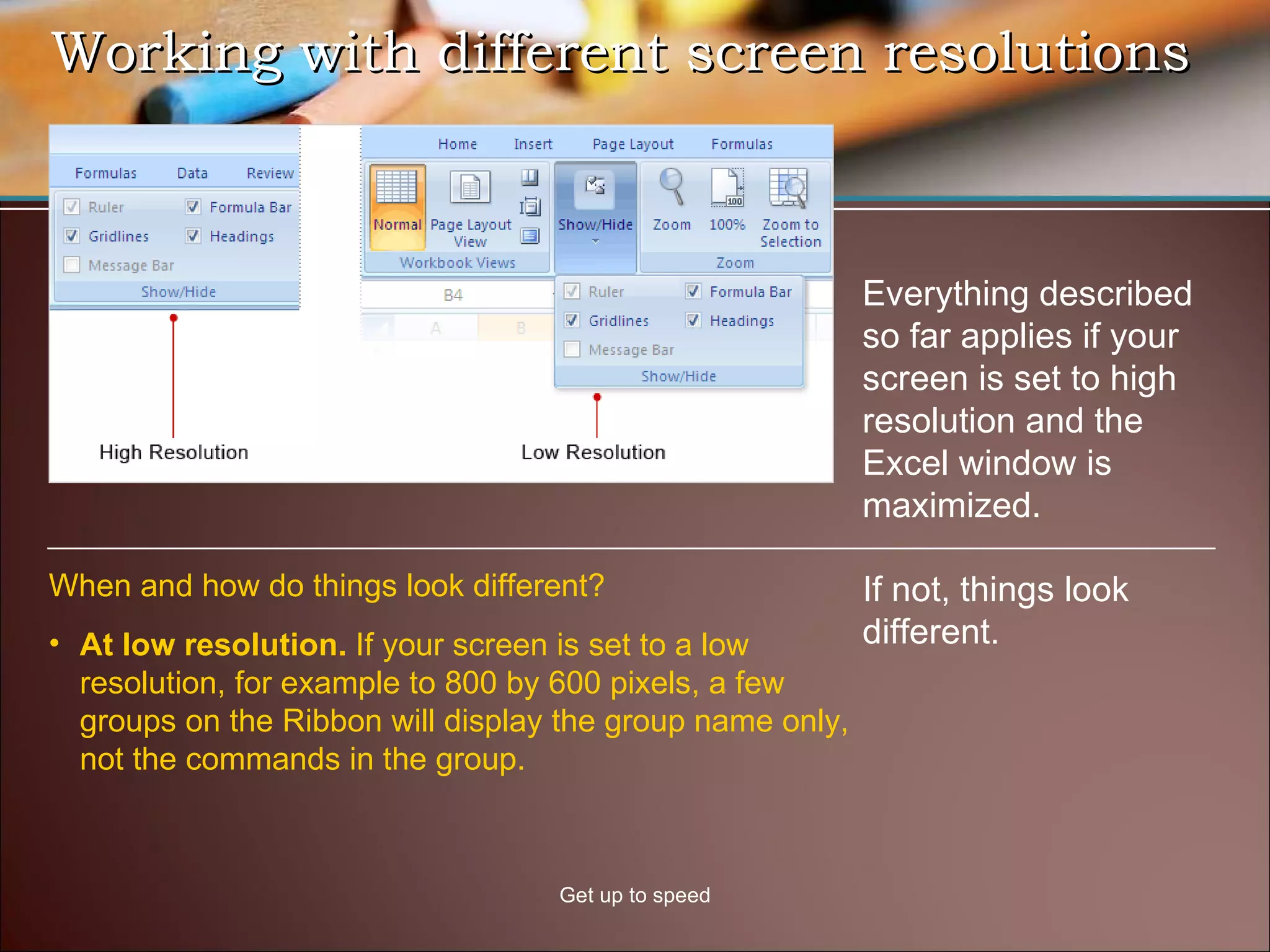
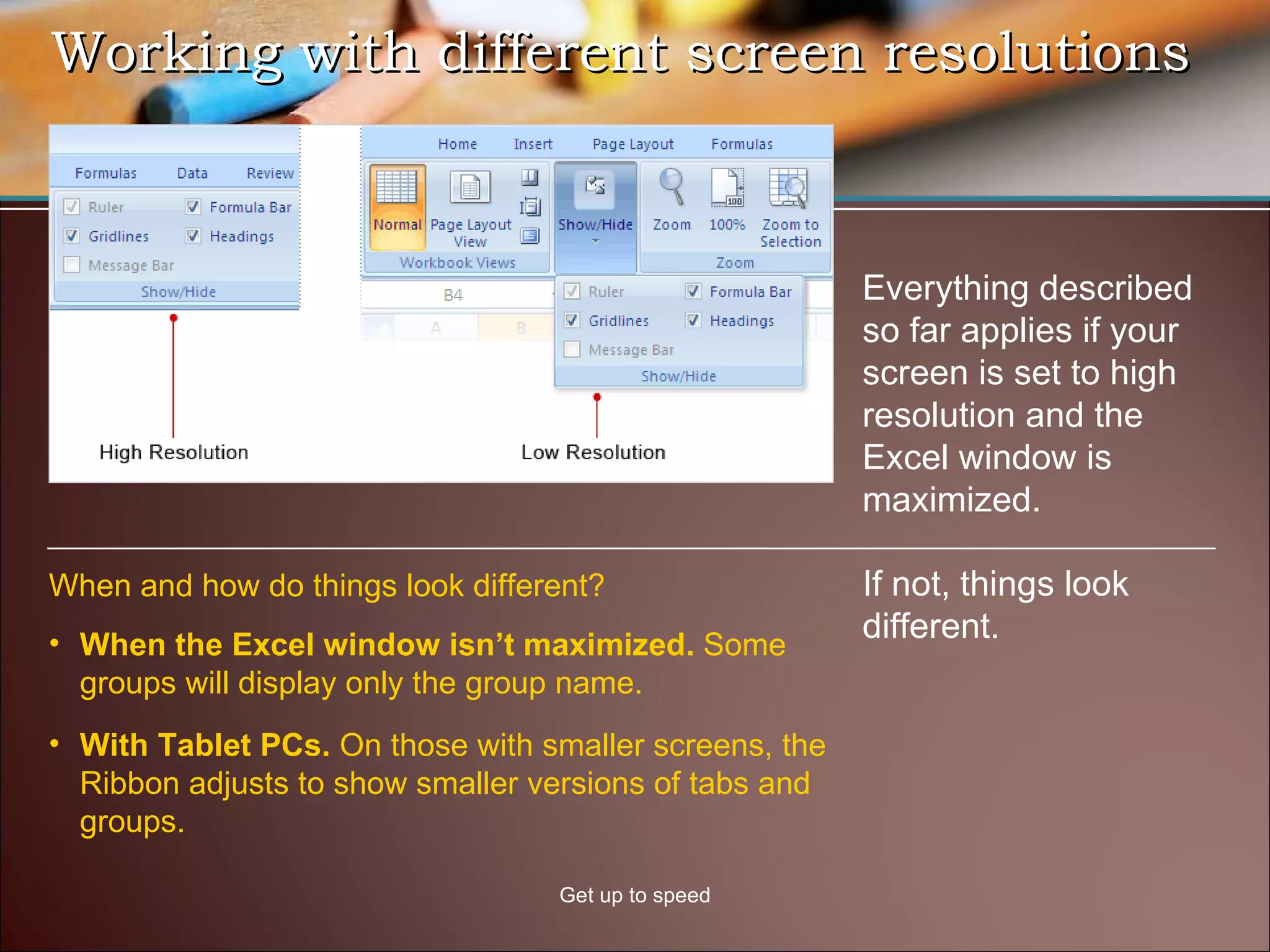
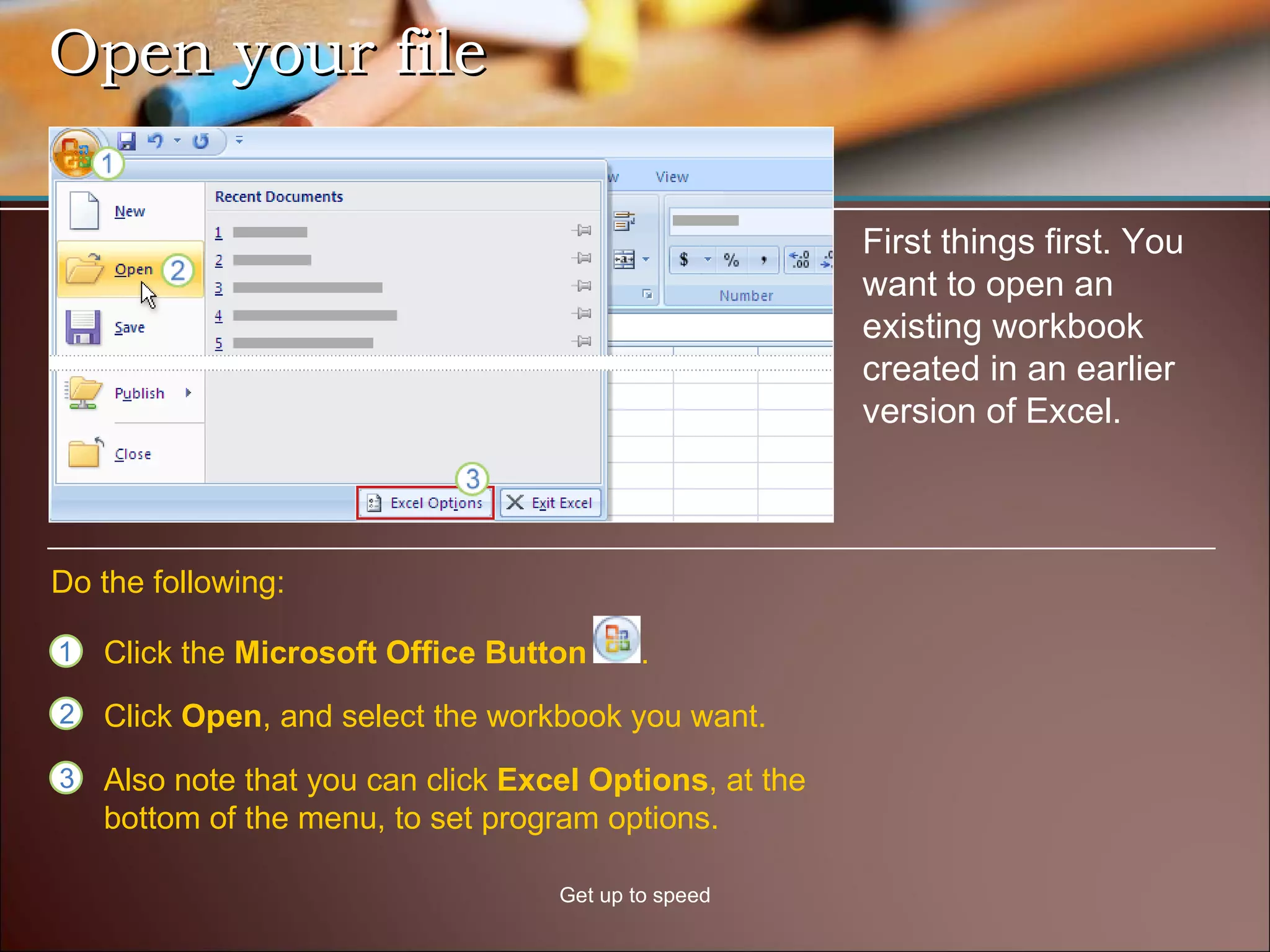
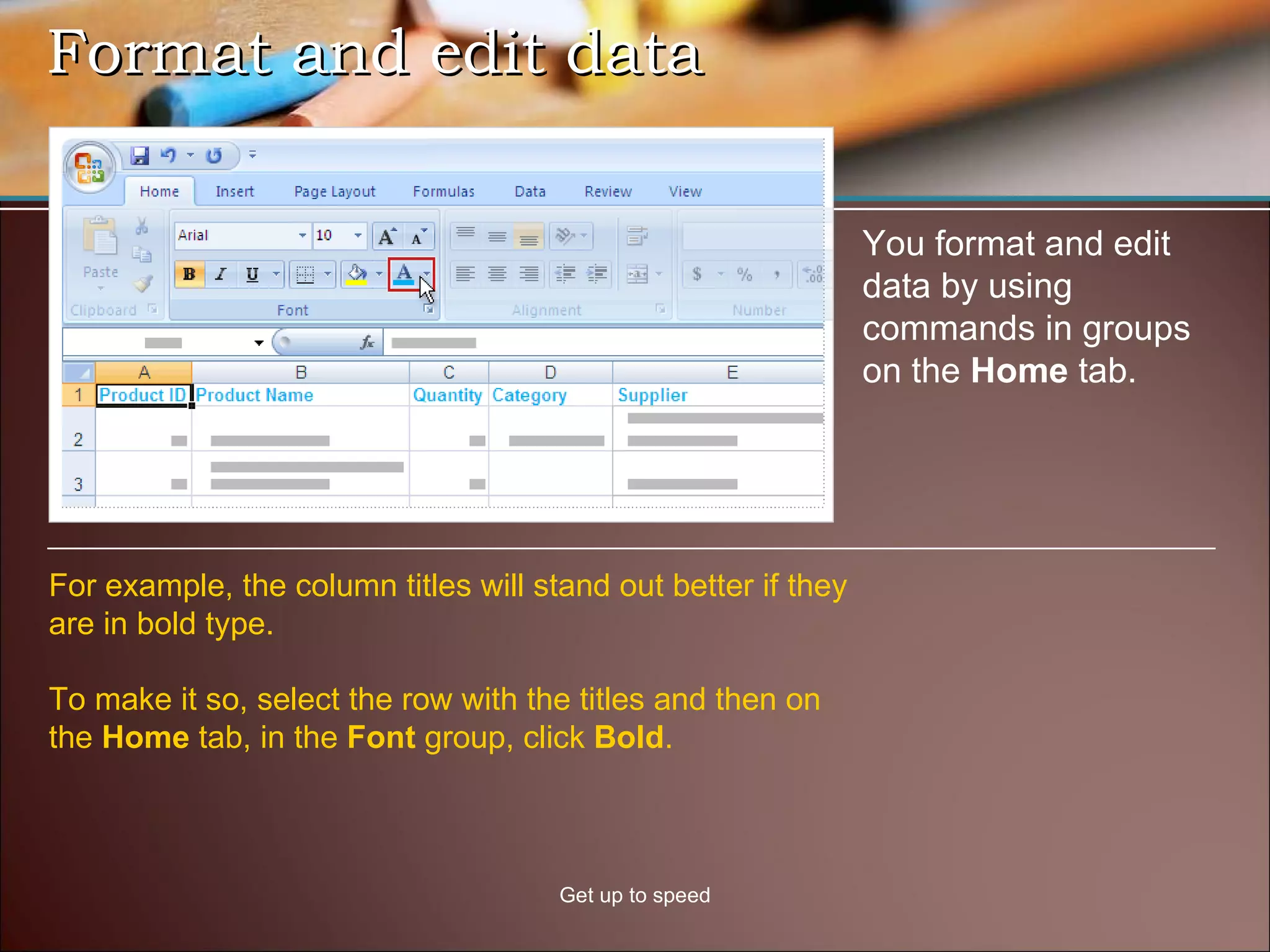
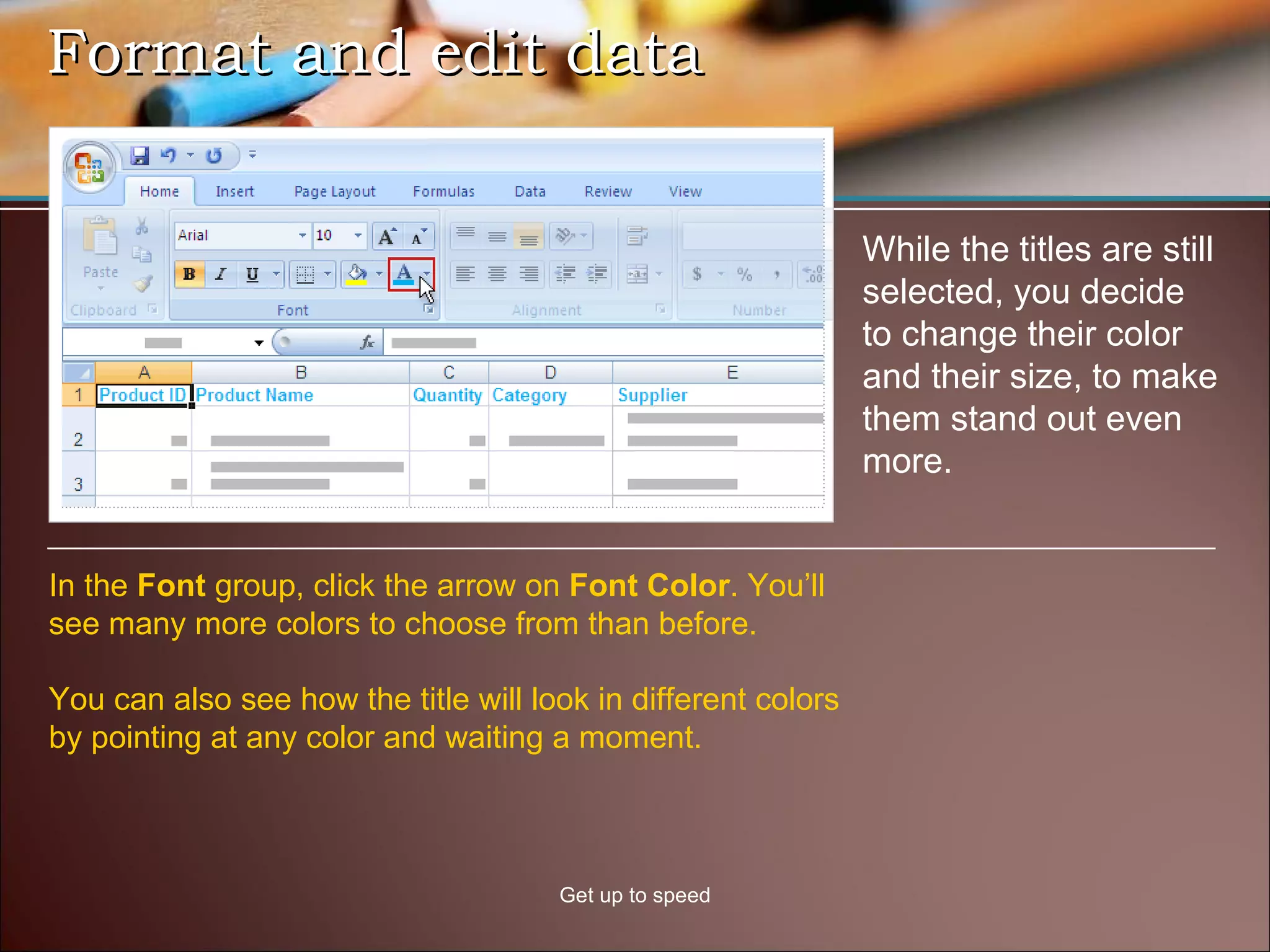
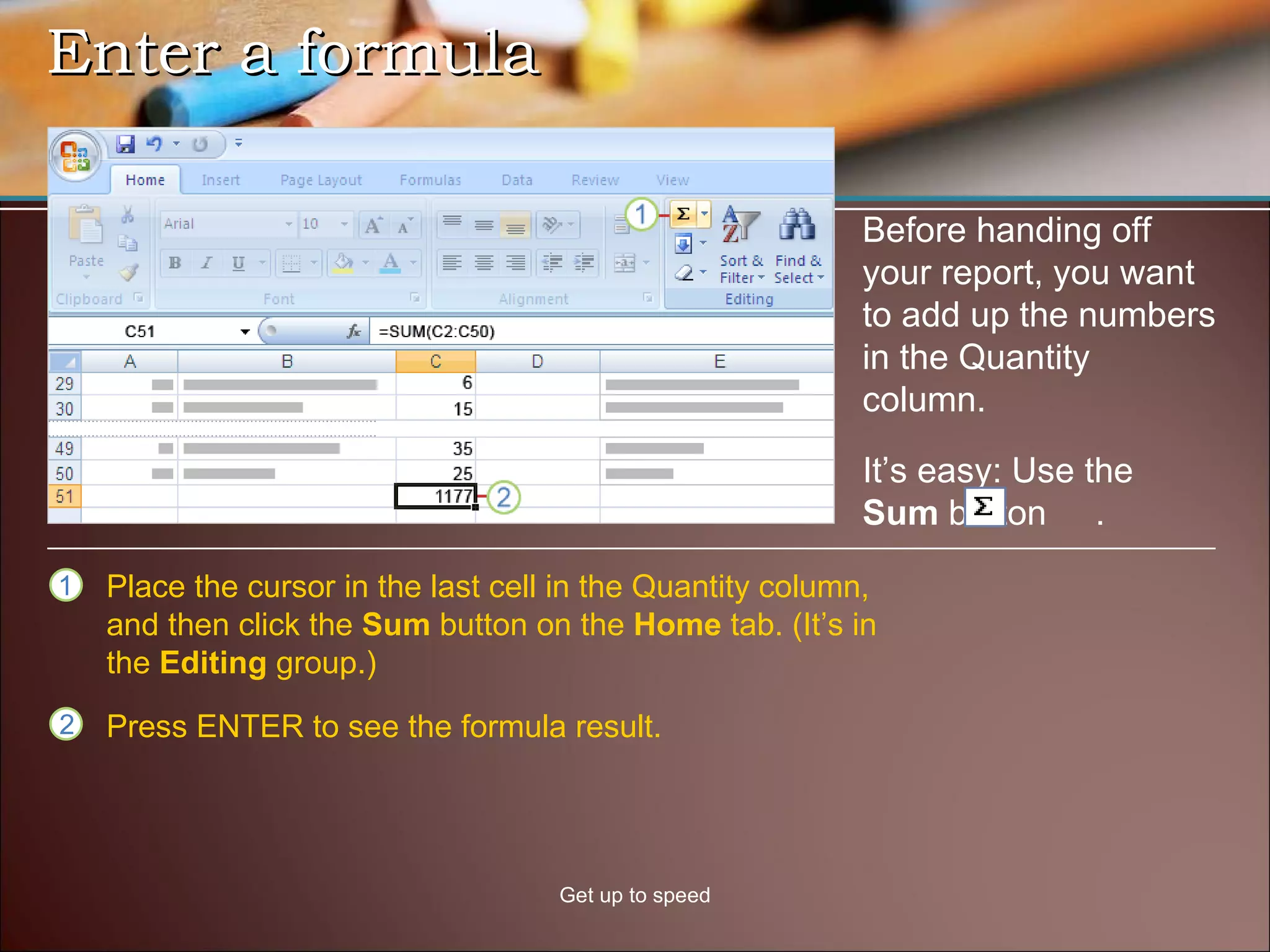
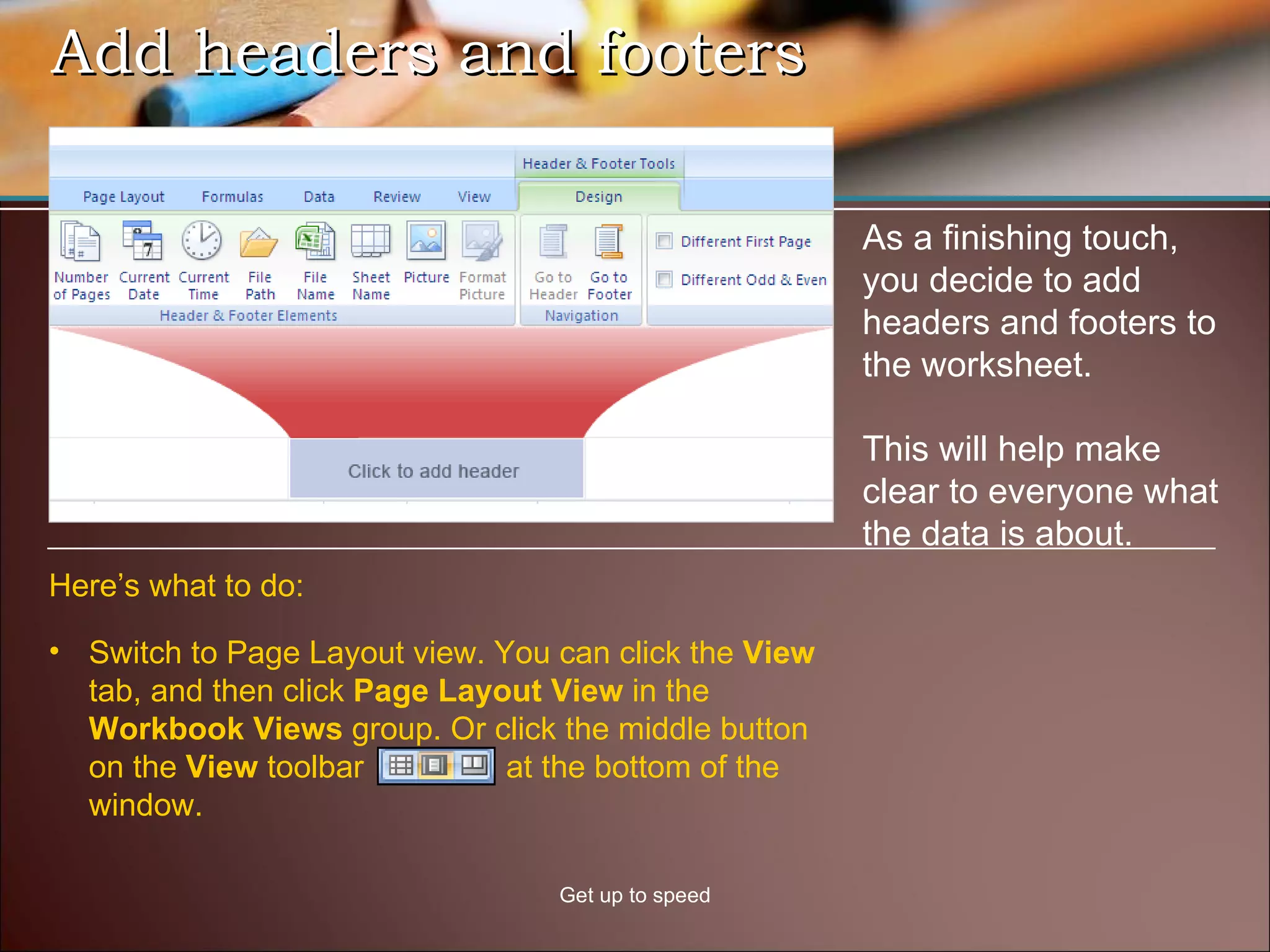
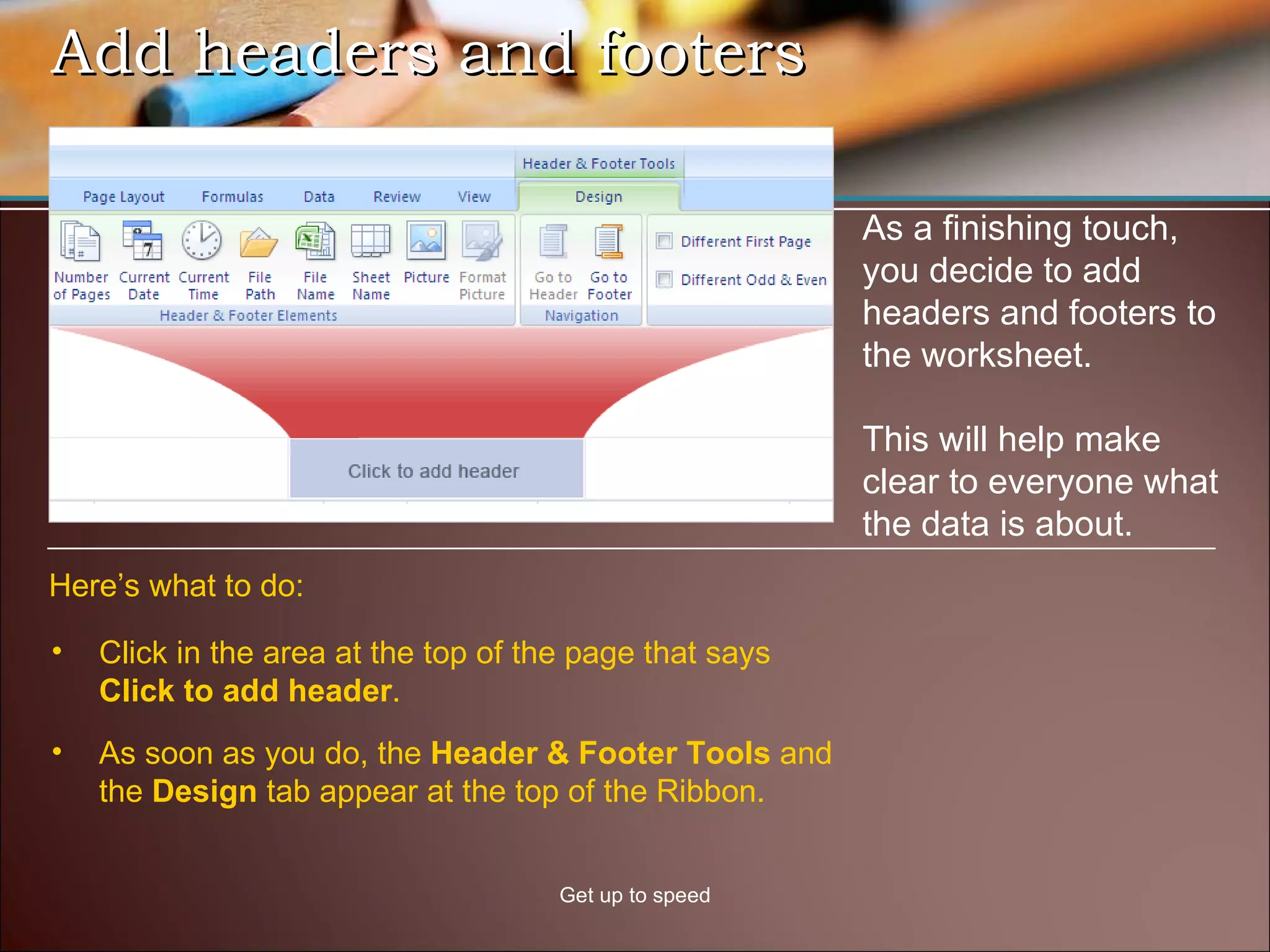
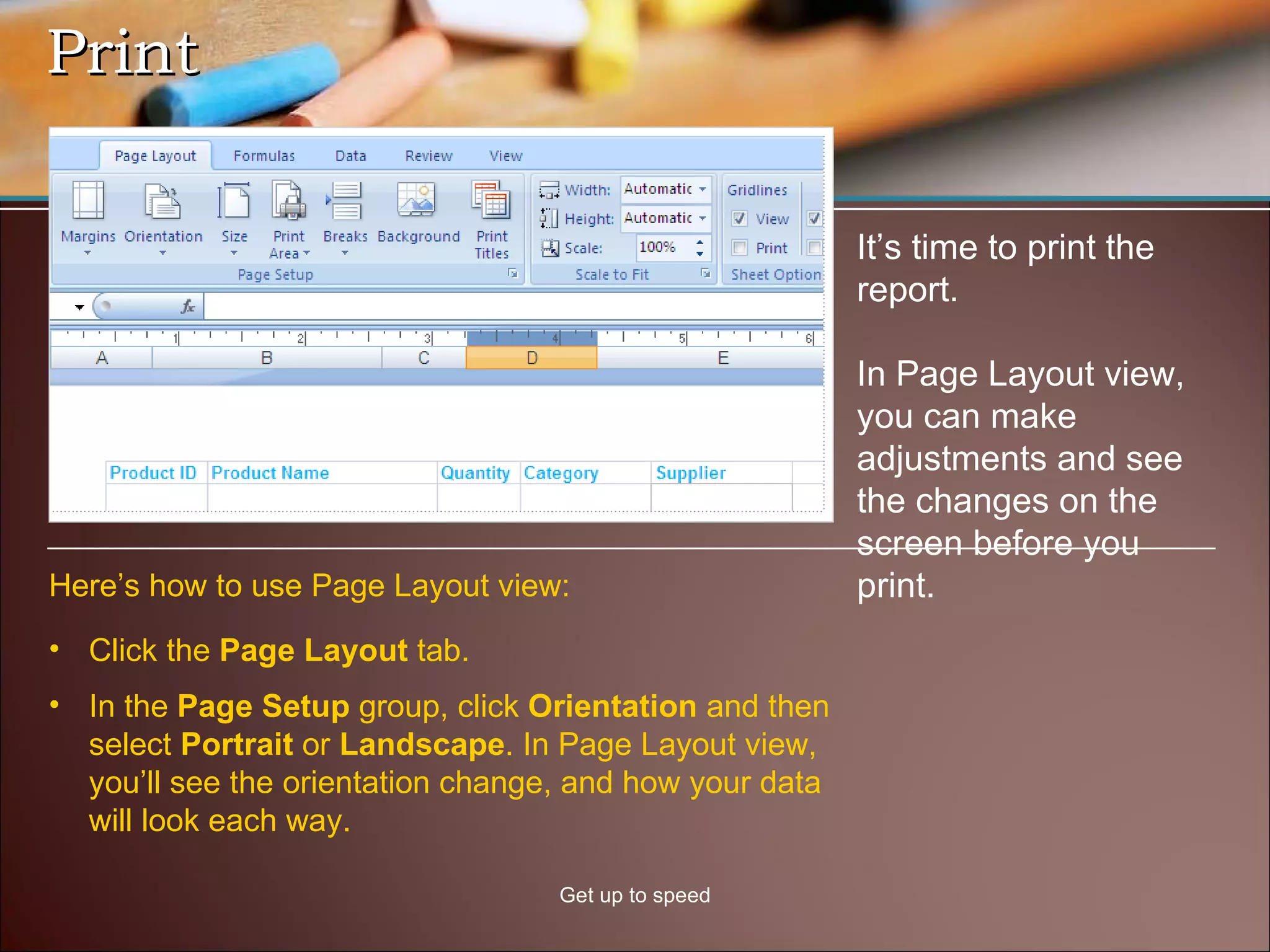
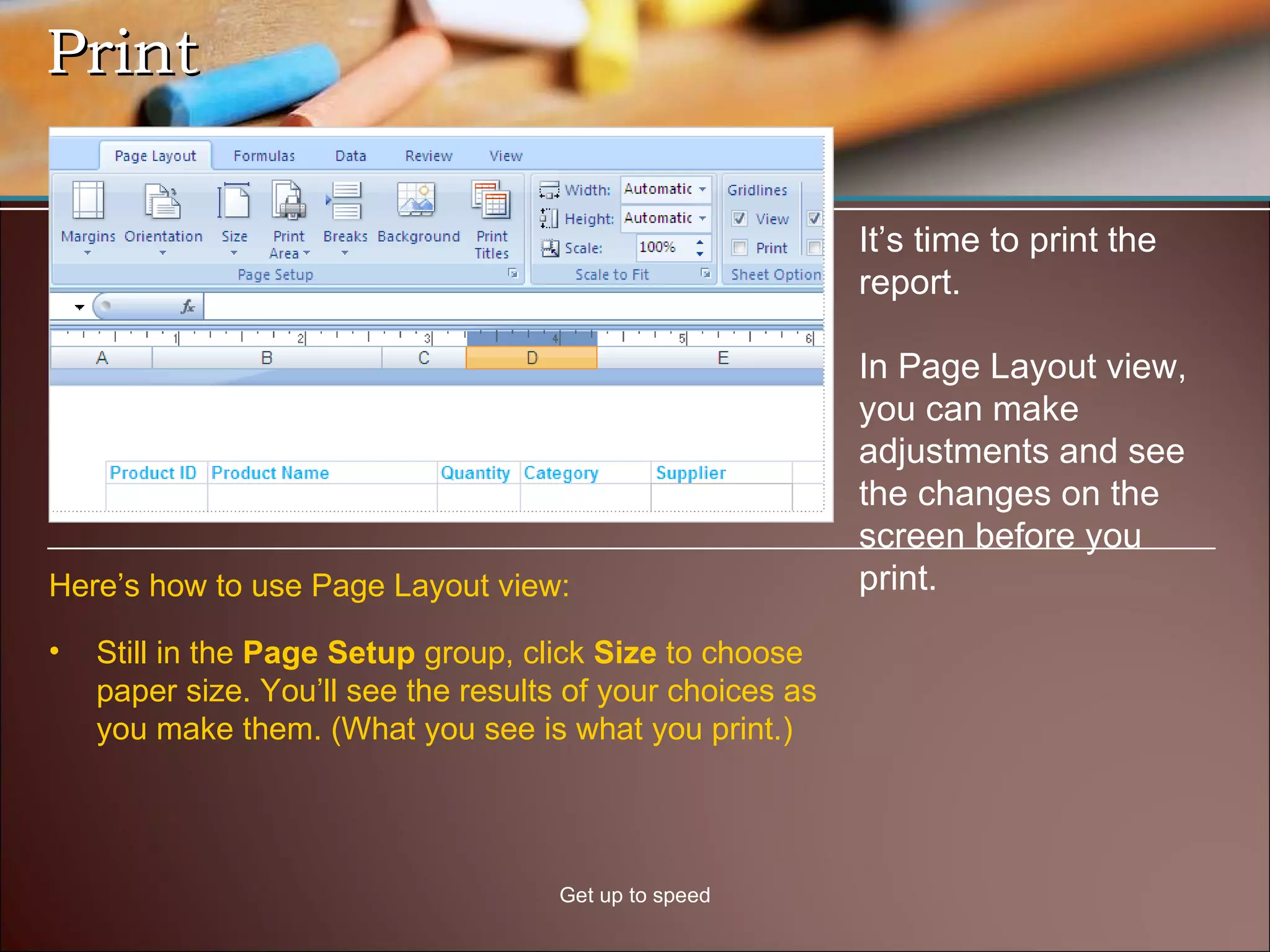
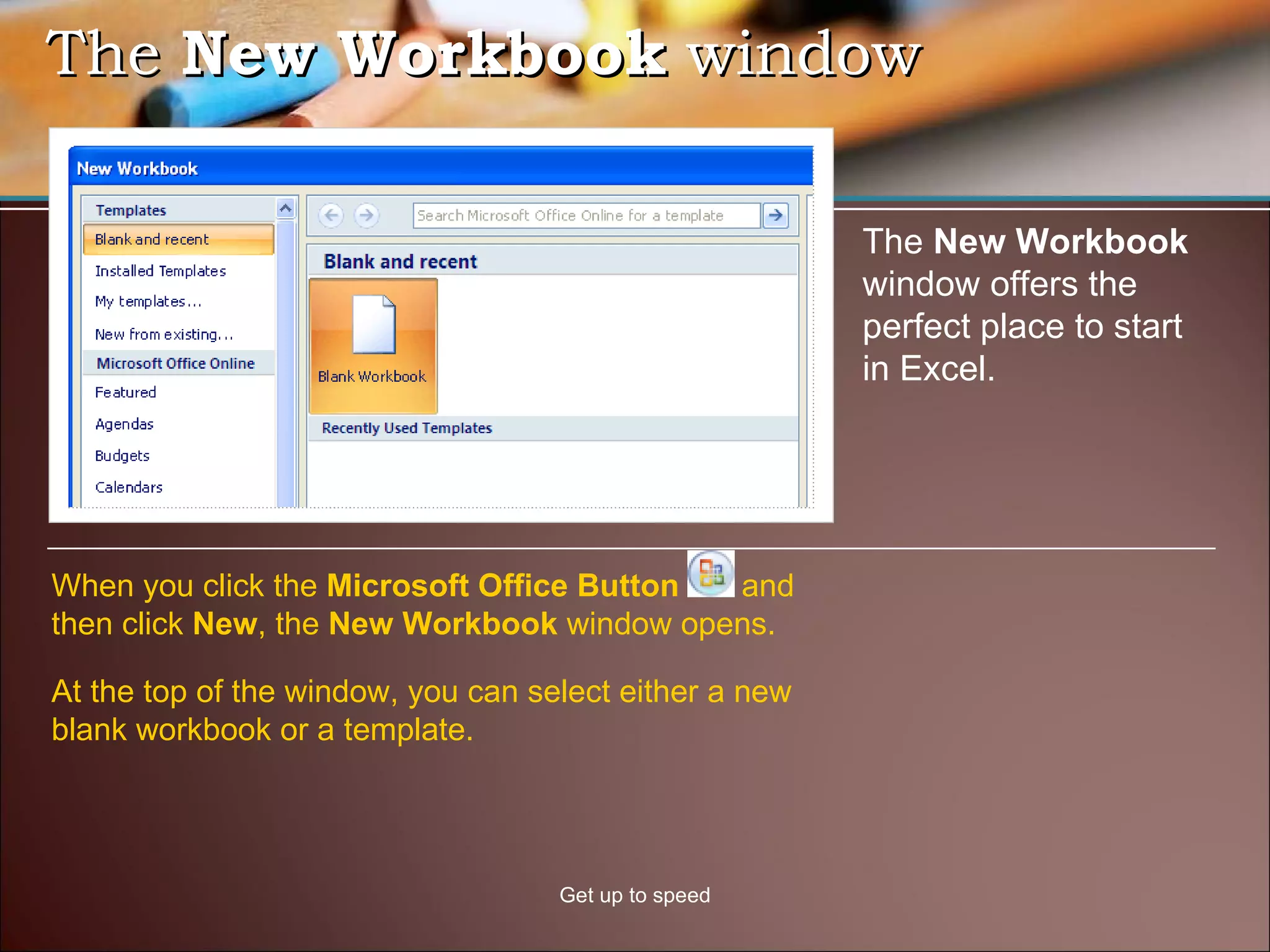
The document provides an overview of the new Ribbon interface in Microsoft Excel 2007. It describes the main components of the Ribbon including tabs, groups, and commands. It also discusses how to access commonly used functions and customize the Ribbon interface. The document then gives examples of how to perform tasks in Excel 2007 like inserting columns, formatting cells, adding formulas, and printing worksheets.