Using evaluation to inform the evaluation of a user-focused assessment engine Gráinne Conole 1  and Niall Sclater 2 1 University of Southampton 2 University of Strathclyde CAA Conference, Loughborough 5 th  July 2005
Outline CAA barriers and enablers Modelling online assessment The role of evaluation TOIA evaluation methodology Results and discussion Questions raised
 
 
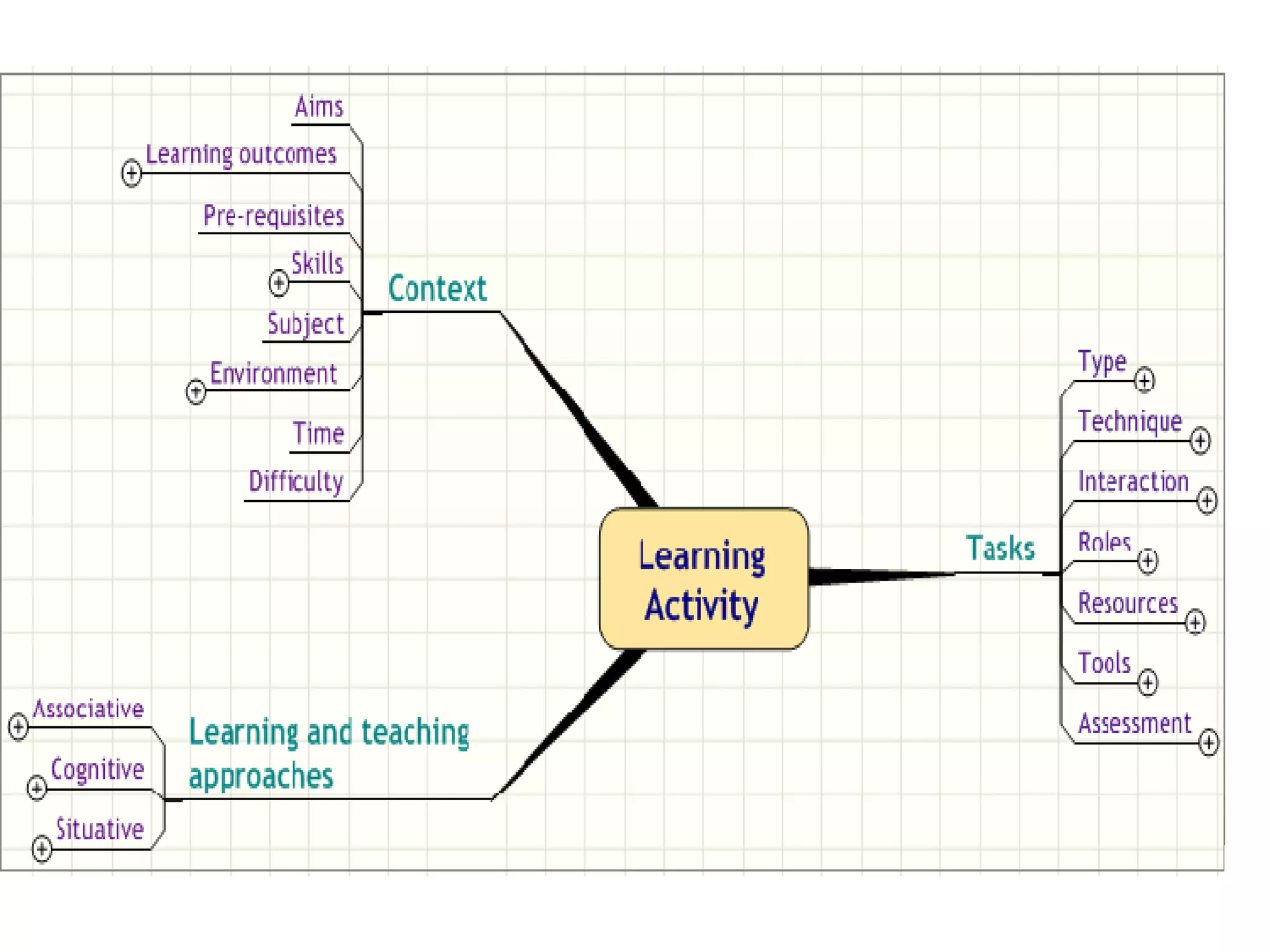
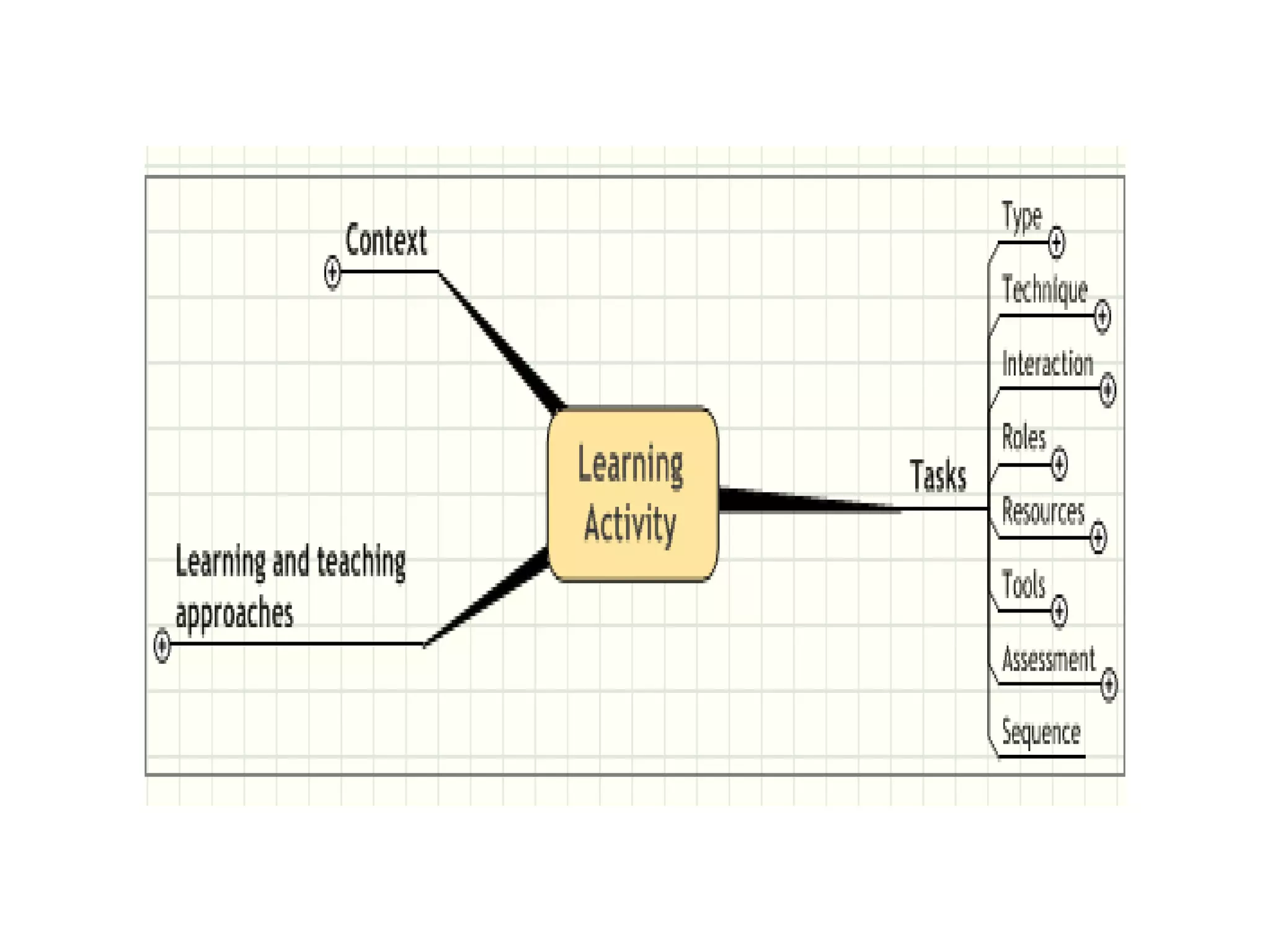
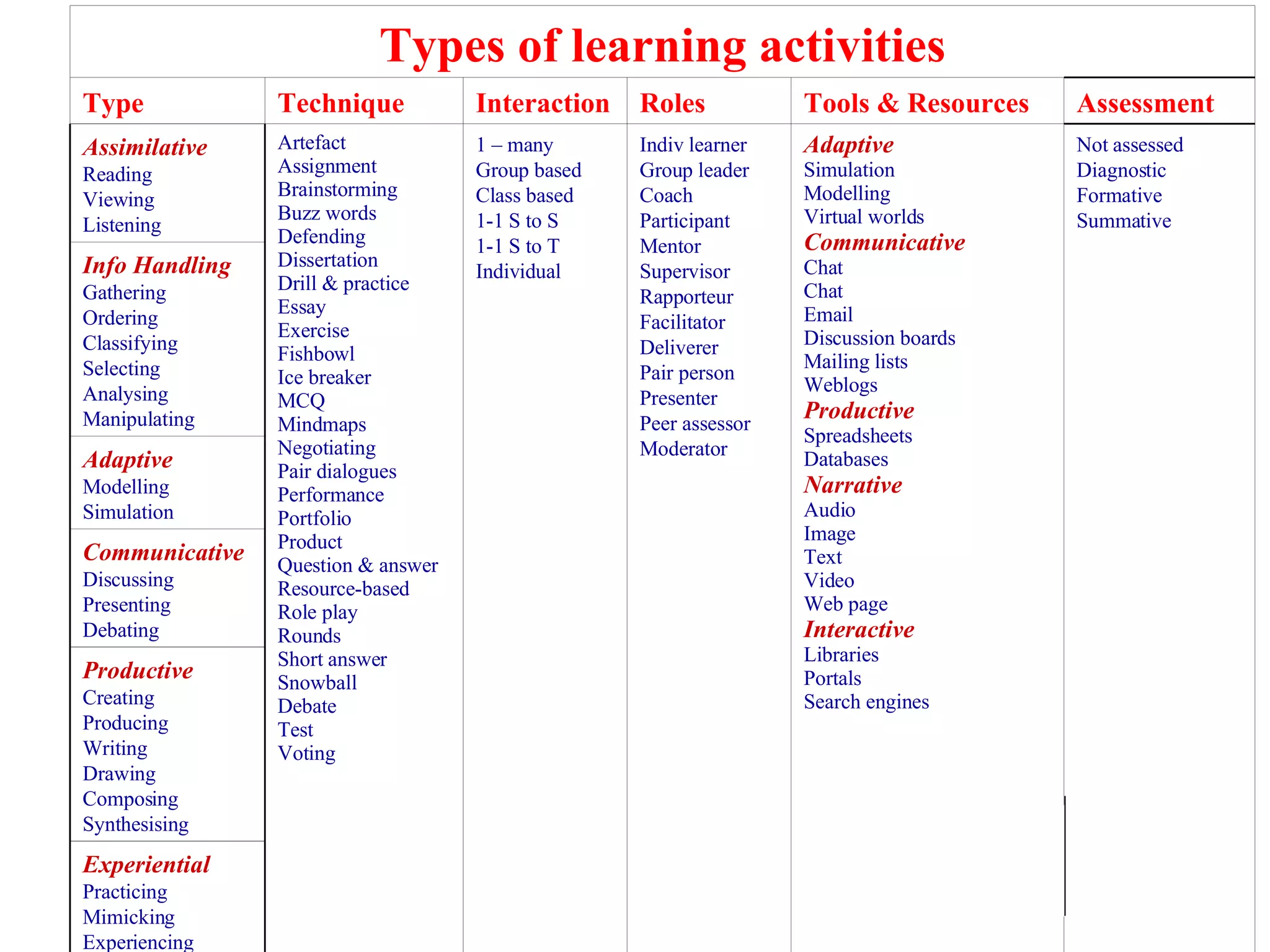
Experiential Practicing Mimicking Experiencing Productive Creating Producing Writing Drawing Composing Synthesising Communicative Discussing Presenting Debating Adaptive Modelling Simulation Info Handling Gathering Ordering Classifying Selecting  Analysing Manipulating Not assessed Diagnostic Formative Summative Adaptive Simulation Modelling Virtual worlds Communicative Chat Chat Email  Discussion boards Mailing lists Weblogs Productive Spreadsheets Databases Narrative Audio  Image Text Video Web page Interactive Libraries Portals Search engines Indiv learner Group leader Coach Participant Mentor Supervisor Rapporteur Facilitator Deliverer Pair person Presenter Peer assessor  Moderator 1 – many Group based Class based 1-1 S to S 1-1 S to T Individual Artefact Assignment Brainstorming Buzz words Defending Dissertation Drill & practice Essay Exercise Fishbowl Ice breaker MCQ Mindmaps Negotiating Pair dialogues Performance Portfolio Product Question & answer Resource-based Role play Rounds Short answer Snowball Debate Test Voting Assimilative Reading Viewing  Listening Assessment Tools & Resources Roles Interaction Technique Type Types of learning activities
 
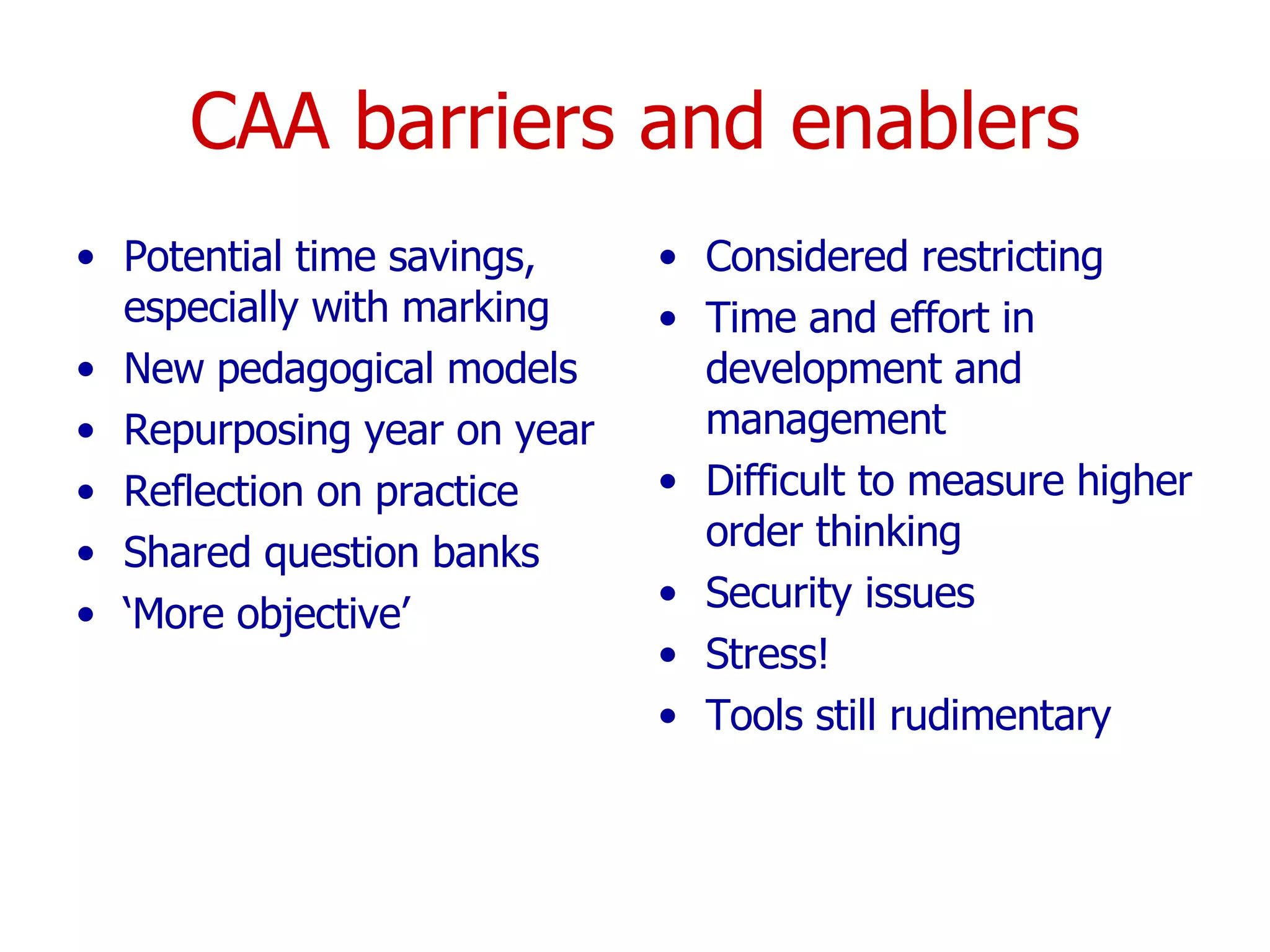
CAA barriers and enablers Potential time savings, especially with marking New pedagogical models Repurposing year on year Reflection on practice Shared question banks ‘ More objective’  Considered restricting Time and effort in development and management Difficult to measure higher order thinking Security issues  Stress! Tools still rudimentary
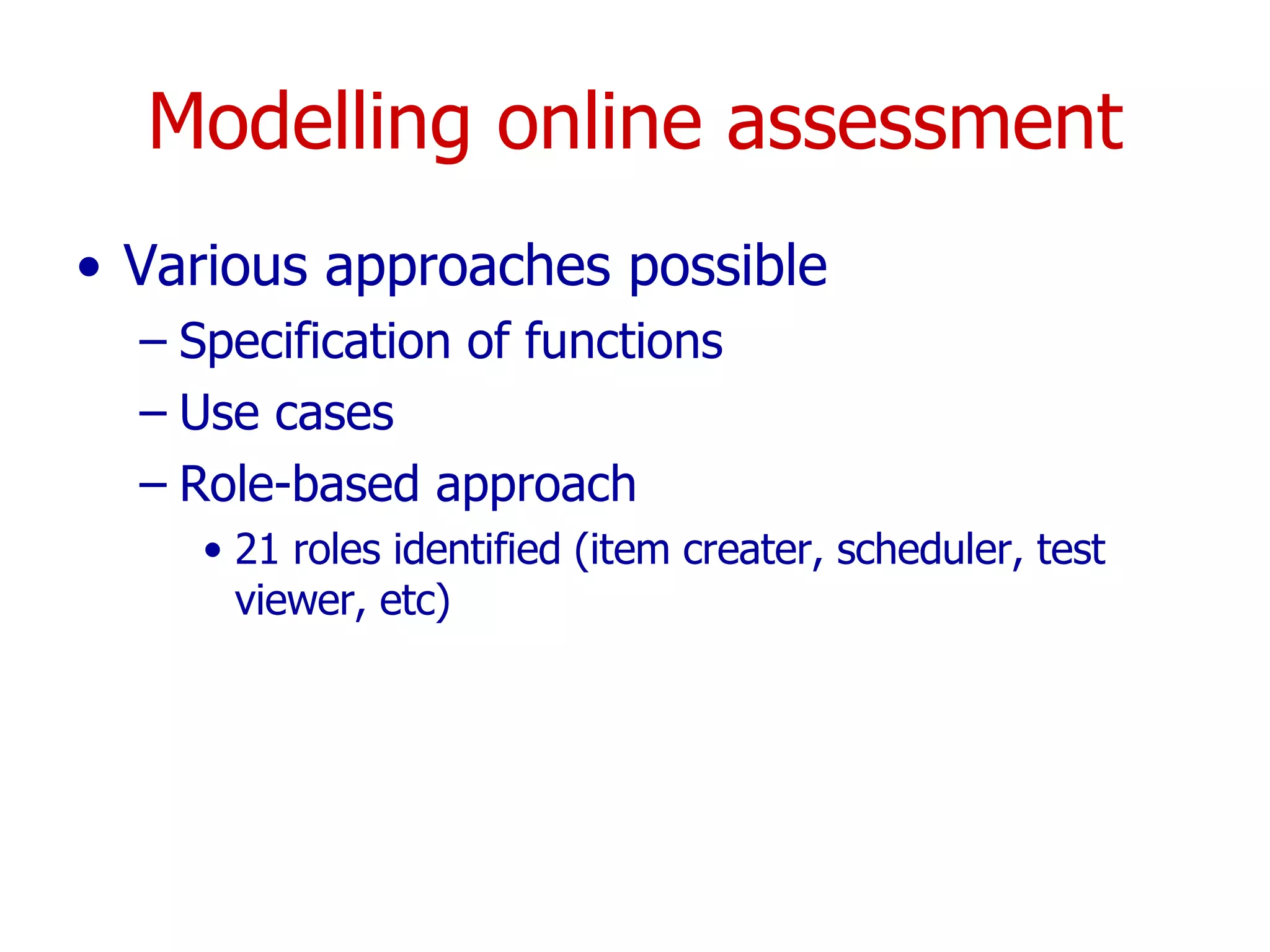
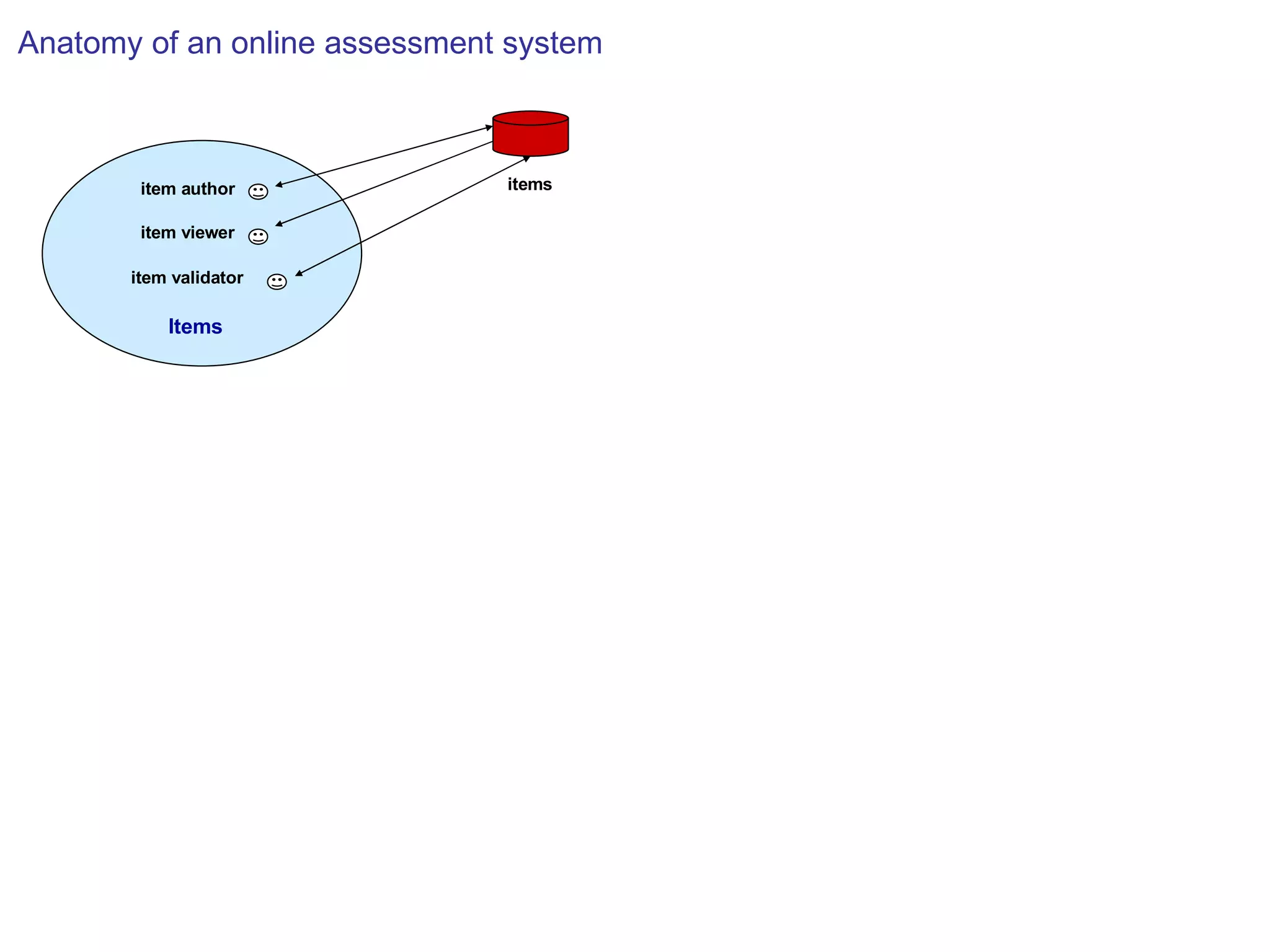
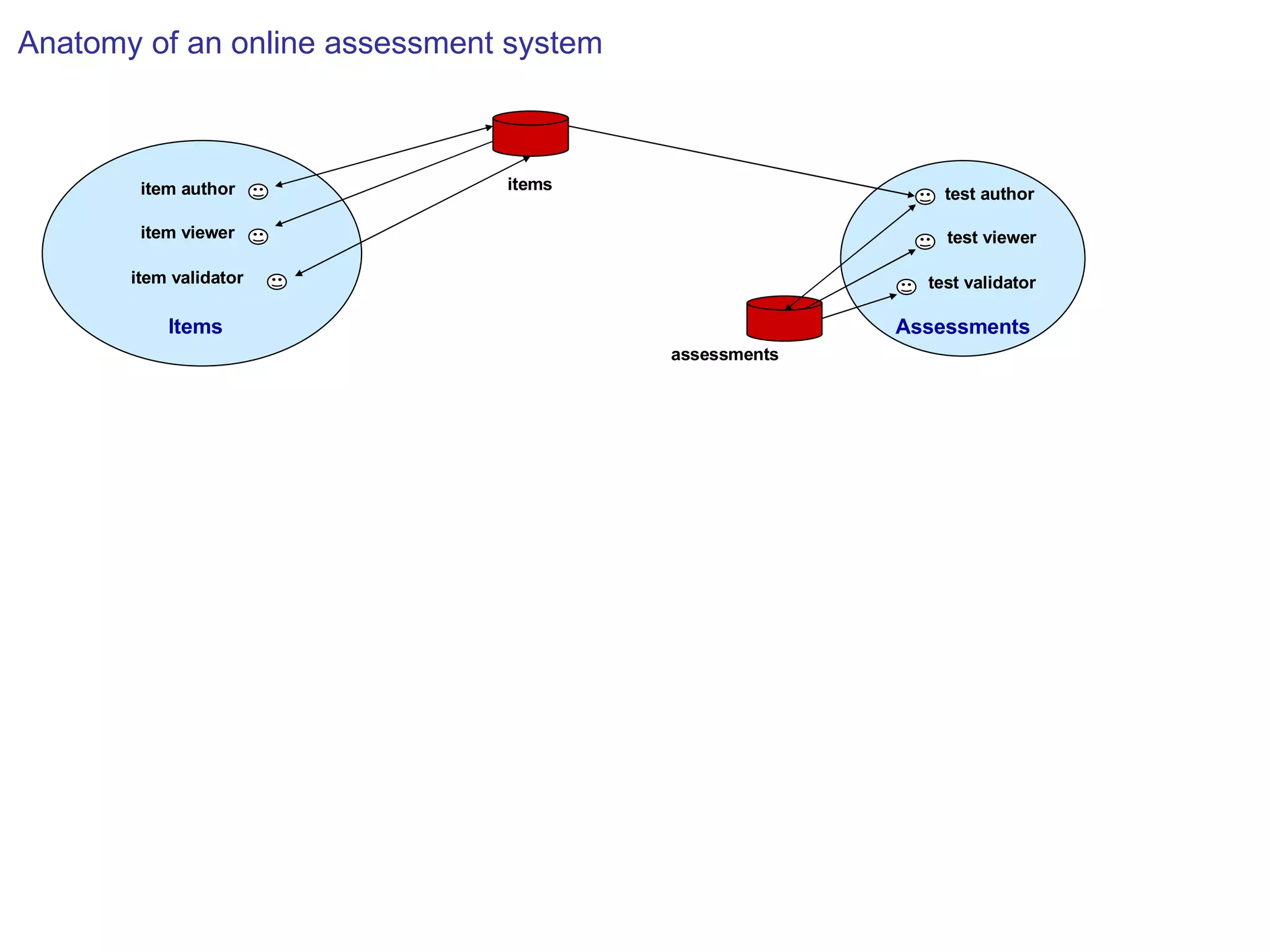
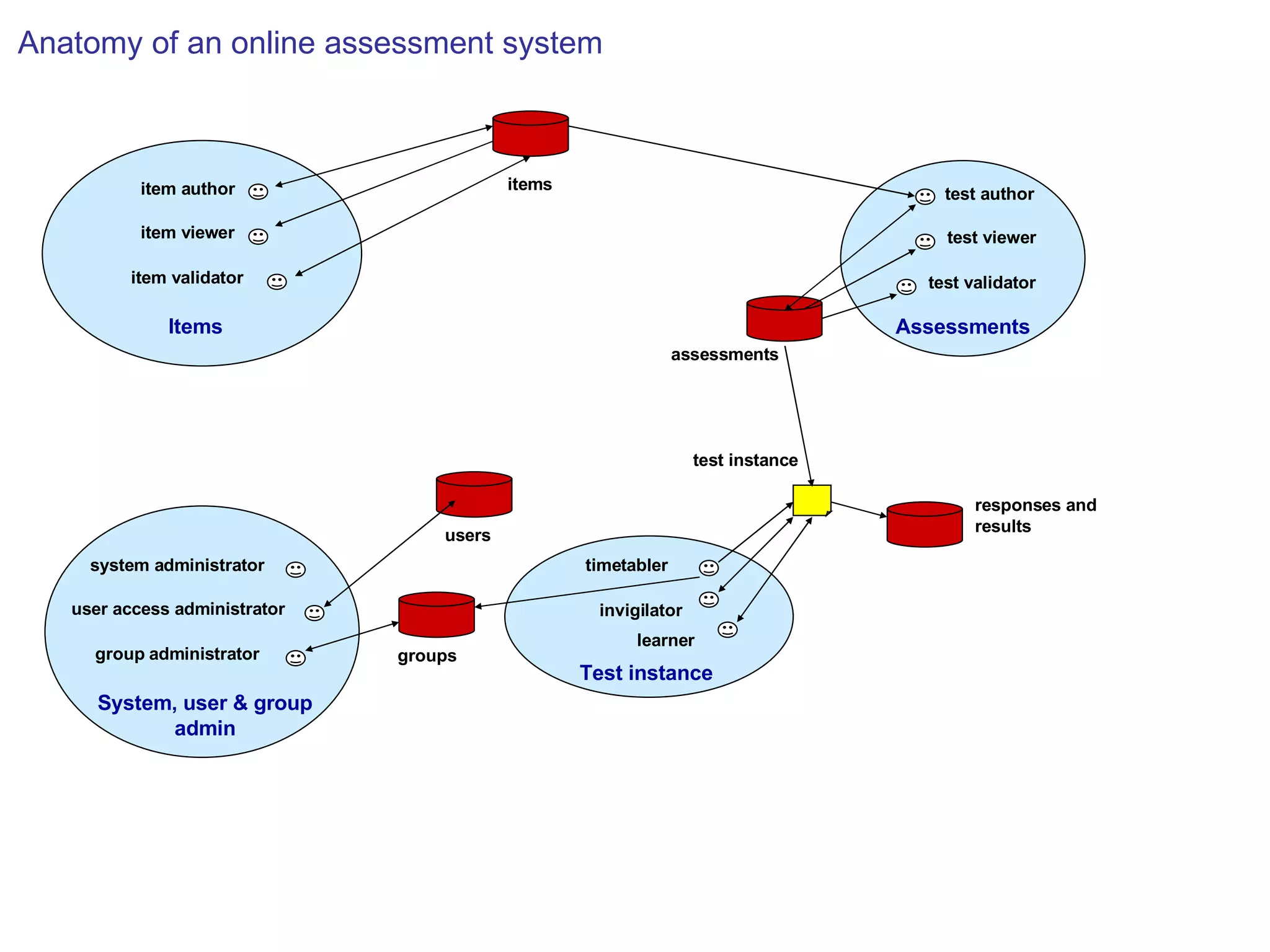
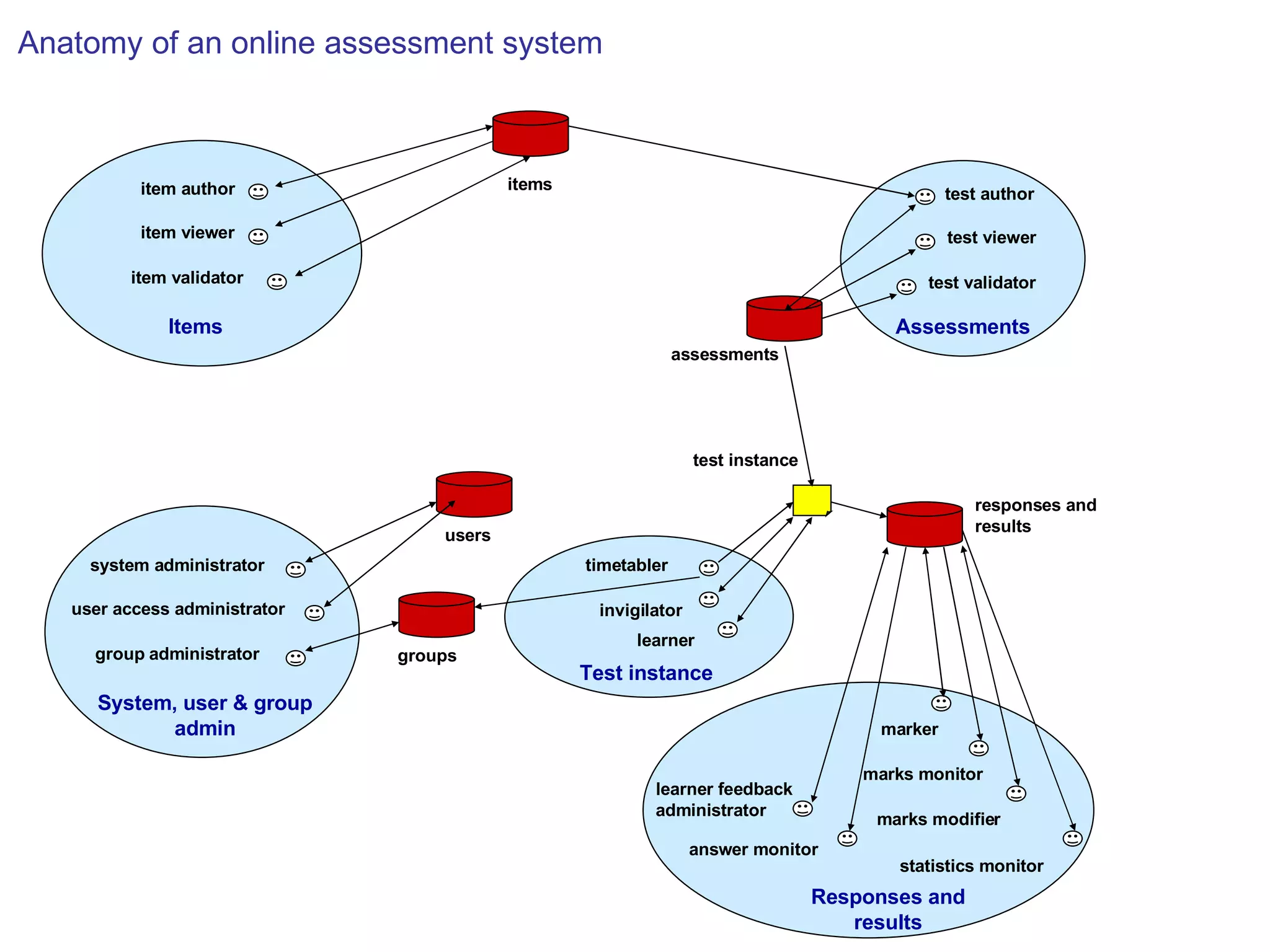
Modelling online assessment Various approaches possible Specification of functions Use cases Role-based approach 21 roles identified (item creater, scheduler, test viewer, etc)
items Anatomy of an online assessment system
Items items item validator item viewer item author Anatomy of an online assessment system
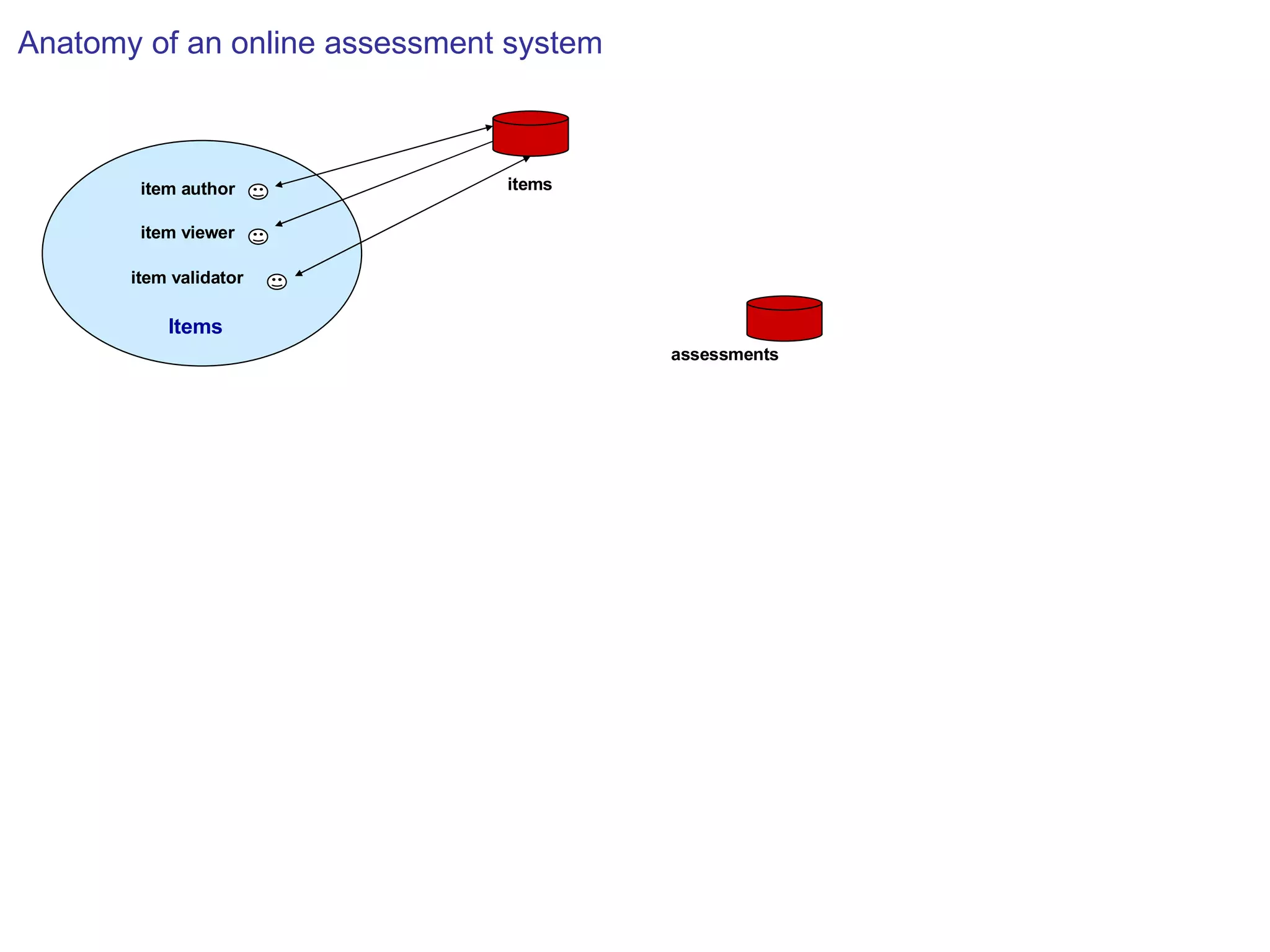
Items assessments items item validator item viewer item author Anatomy of an online assessment system
Items Assessments assessments items item validator item viewer item author test viewer test validator test author Anatomy of an online assessment system
Items Assessments Test instance System, user & group admin invigilator groups test instance assessments items learner timetabler group administrator system administrator item validator item viewer item author test viewer test validator test author user access administrator users Anatomy of an online assessment system responses and  results
Items Assessments Responses and results Test instance System, user & group admin invigilator responses and  results groups test instance assessments items marks modifier statistics monitor marks monitor marker answer monitor learner feedback administrator learner timetabler group administrator system administrator item validator item viewer item author test viewer test validator test author user access administrator users Anatomy of an online assessment system
 
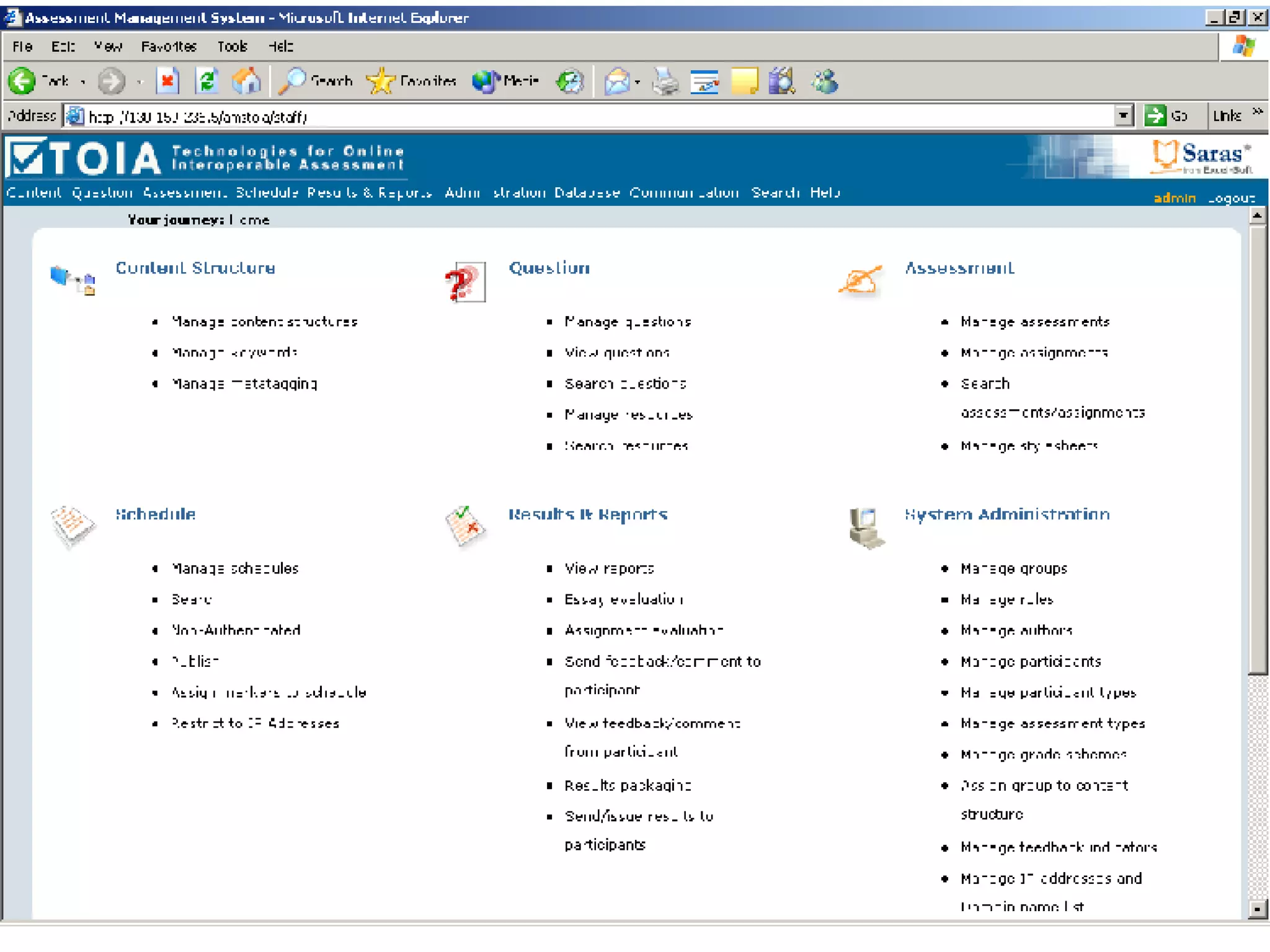
TOIA  TOIA is a free tool for developing and managing online assessments (www.toia.ac.uk)  Software underpinned by two principles Understanding CAA barriers and enablers  Knowledge of articulation of the roles and functions of an online assessment system Detailed formative evaluation studies during the development phase of the engine used to iteratively improve and tailor requirements to end user needs
Evaluation aims Aims were to: test out the functionality of the TOIA system assess navigational and usability issues gain an understanding of the ways in which it would be used identify any barriers to or enablers for CAA and in particular the use of TOIA
Evaluation methodology Usability trails of TOIA prototype users working through the system with an observer on the side making detailed notes on their activities, noting any problems or navigational issues which arose  Semi-structured interviews gain understanding of how TOIA might be used and associated barriers/enablers describe institutional culture and attitudes to learning and teaching/implementation of assessment technologies
Emergent themes Training Uses Barriers Enablers Issues  Teaching strategies Student experience Question types Interoperability Questionbanks
Training Practitioners primarily self-taught Little institutional support Workshop not specific and targeted Additional support through Peers Conference attendence
Uses Mainly formative Summative still considered high risk High % drill and practice  Some diagnostic  Increasing interest in automatic essay marking
Barriers Lack of  skills to create good questions time, return on investment variety of question types understanding at institutional level institutional support/personal recognition technical expertise/support Terminology confusion
Enablers Personal interest and motivation Return on investment Shift toward institutional VLEs and CAA systems Students perceptions and expectations Good central support CAA features (automatic marking, instant feedback and reusability of questions) Usage statistics for monitoring of and feedback to students Making teaching and learning more explicit (QA) Learning from peers
Issues Difficult to quantify time invested, therefore difficult to incorporate into workloads  CAA still not ‘mission’ critical Security and authentication Legacy systems
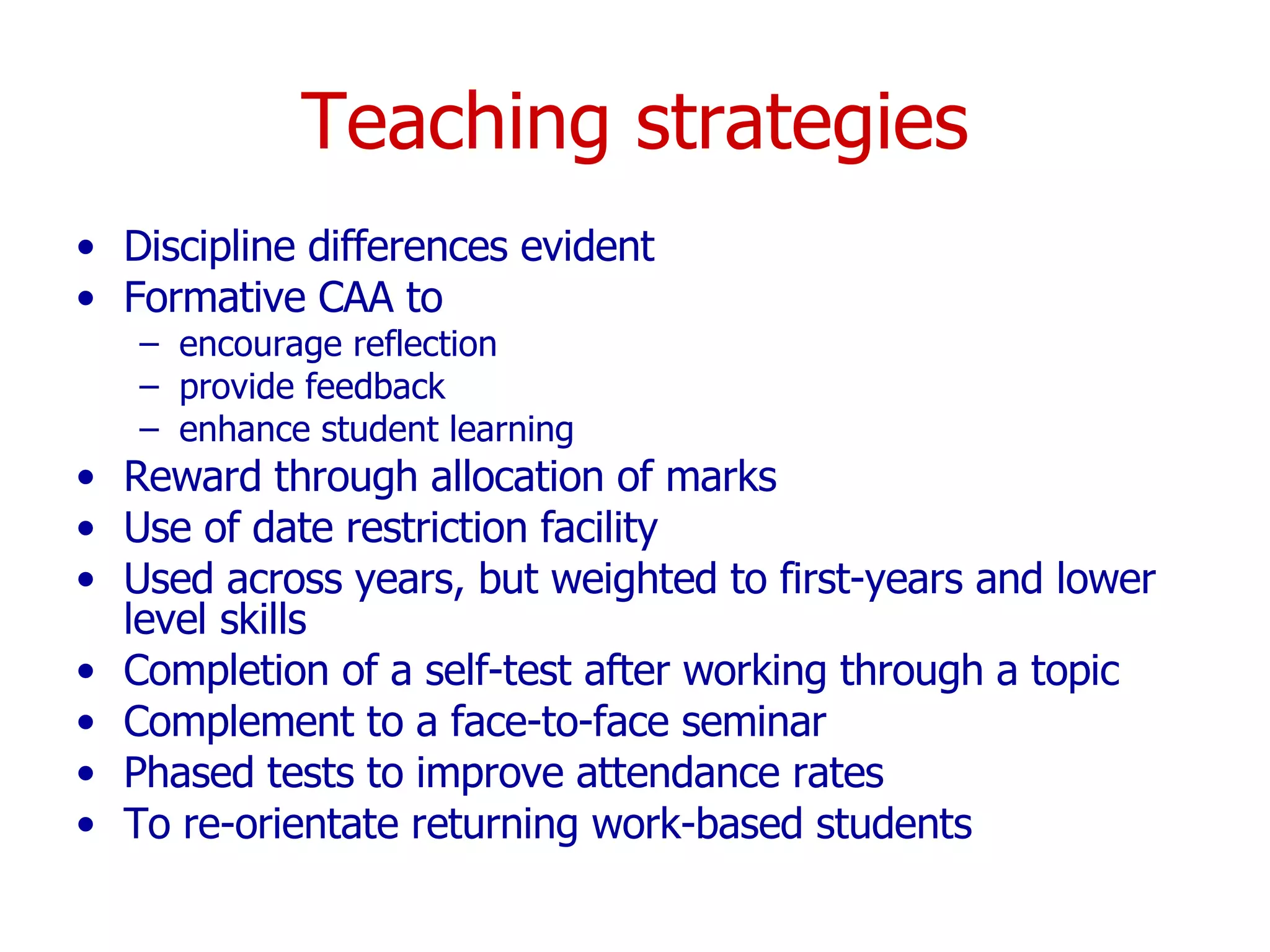
Teaching strategies Discipline differences evident Formative CAA to encourage reflection provide feedback enhance student learning Reward through allocation of marks Use of date restriction facility Used across years, but weighted to first-years and lower level skills Completion of a self-test after working through a topic Complement to a face-to-face seminar Phased tests to improve attendance rates To re-orientate returning work-based students
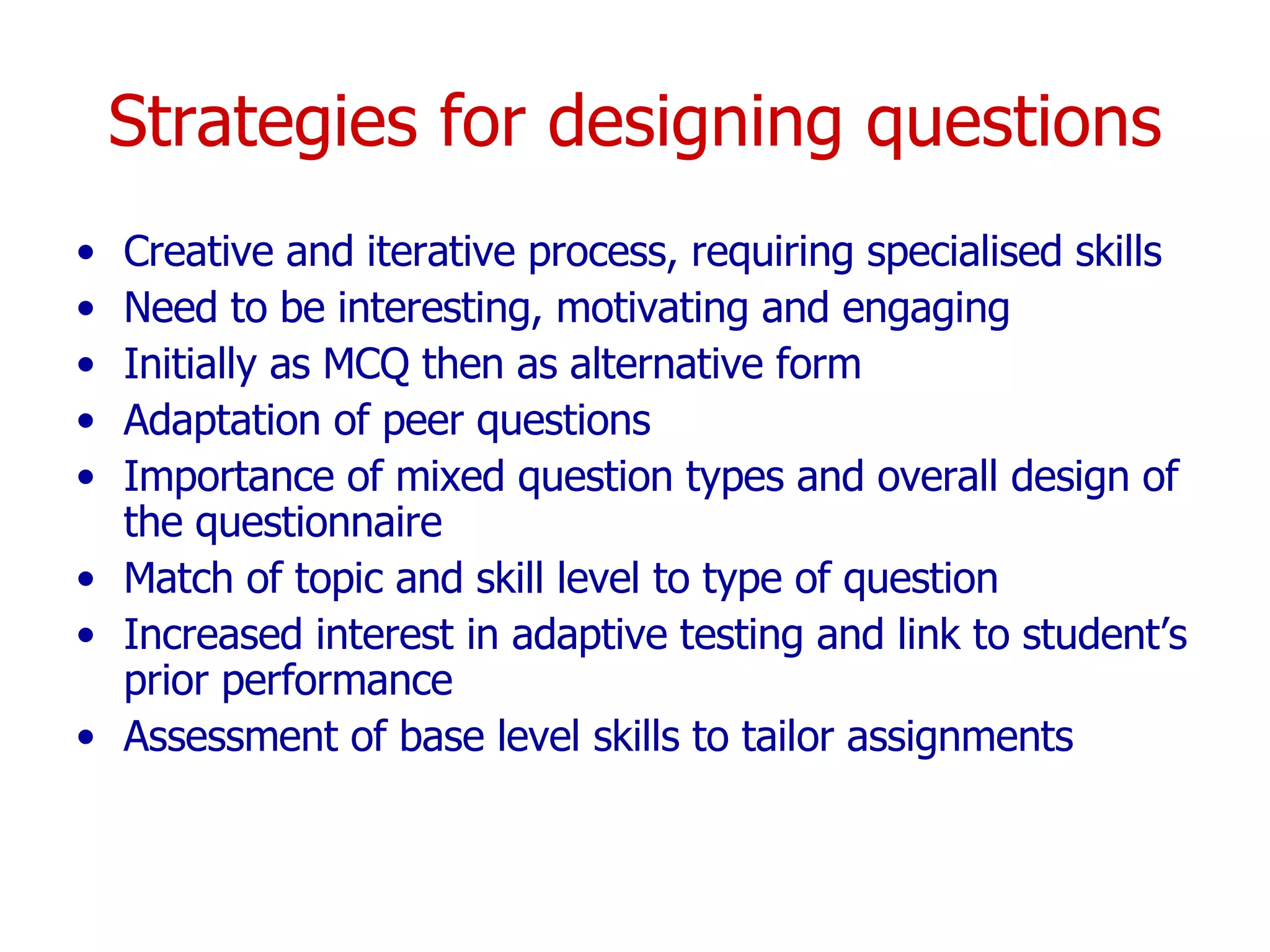
Strategies for designing questions Creative and iterative process, requiring specialised skills Need to be interesting, motivating and engaging Initially as MCQ then as alternative form Adaptation of peer questions Importance of mixed question types and overall design of the questionnaire Match of topic and skill level to type of question Increased interest in adaptive testing and link to student’s prior performance Assessment of base level skills to tailor assignments
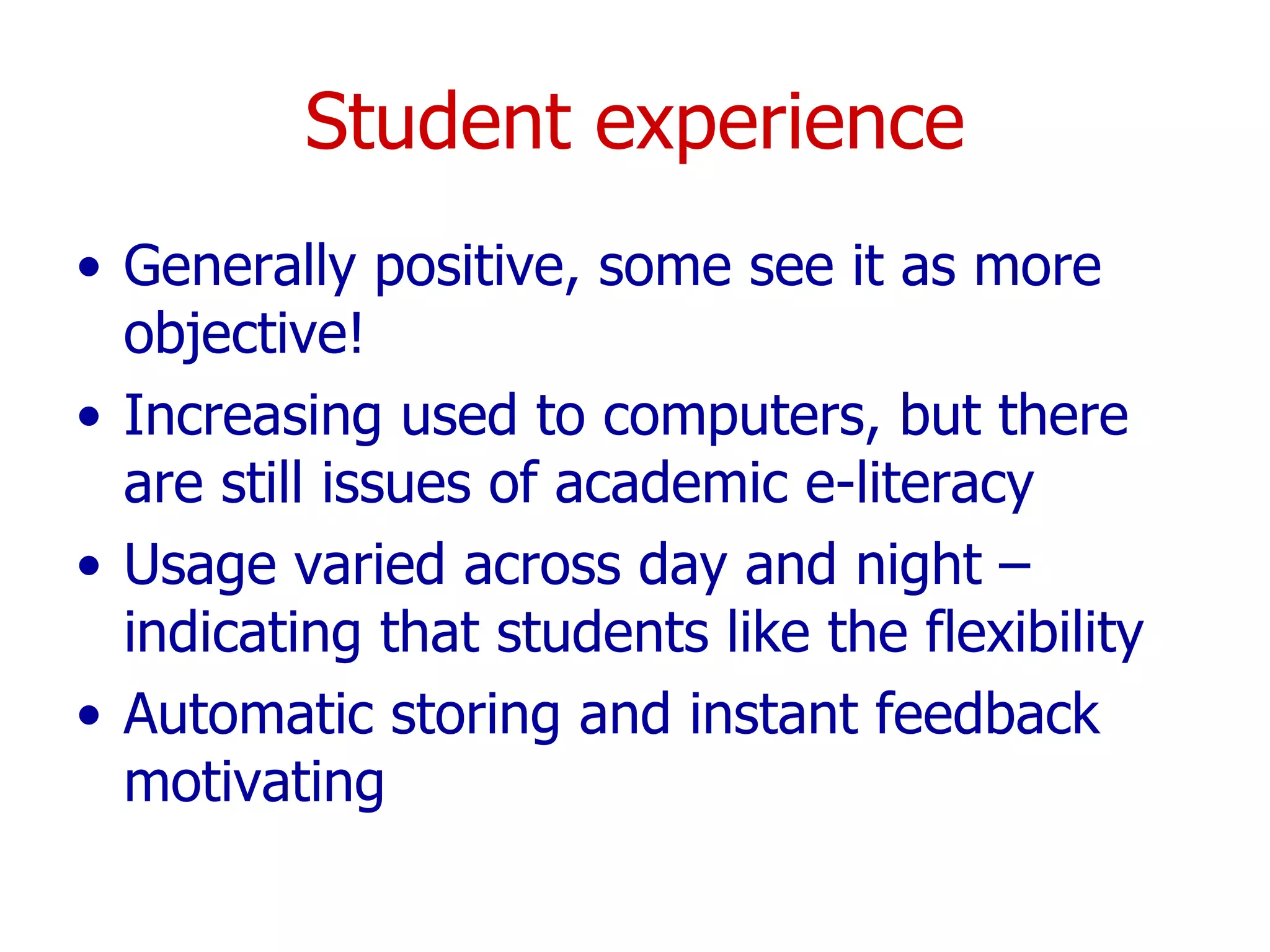
Student experience Generally positive, some see it as more objective! Increasing used to computers, but there are still issues of academic e-literacy Usage varied across day and night – indicating that students like the flexibility Automatic storing and instant feedback motivating
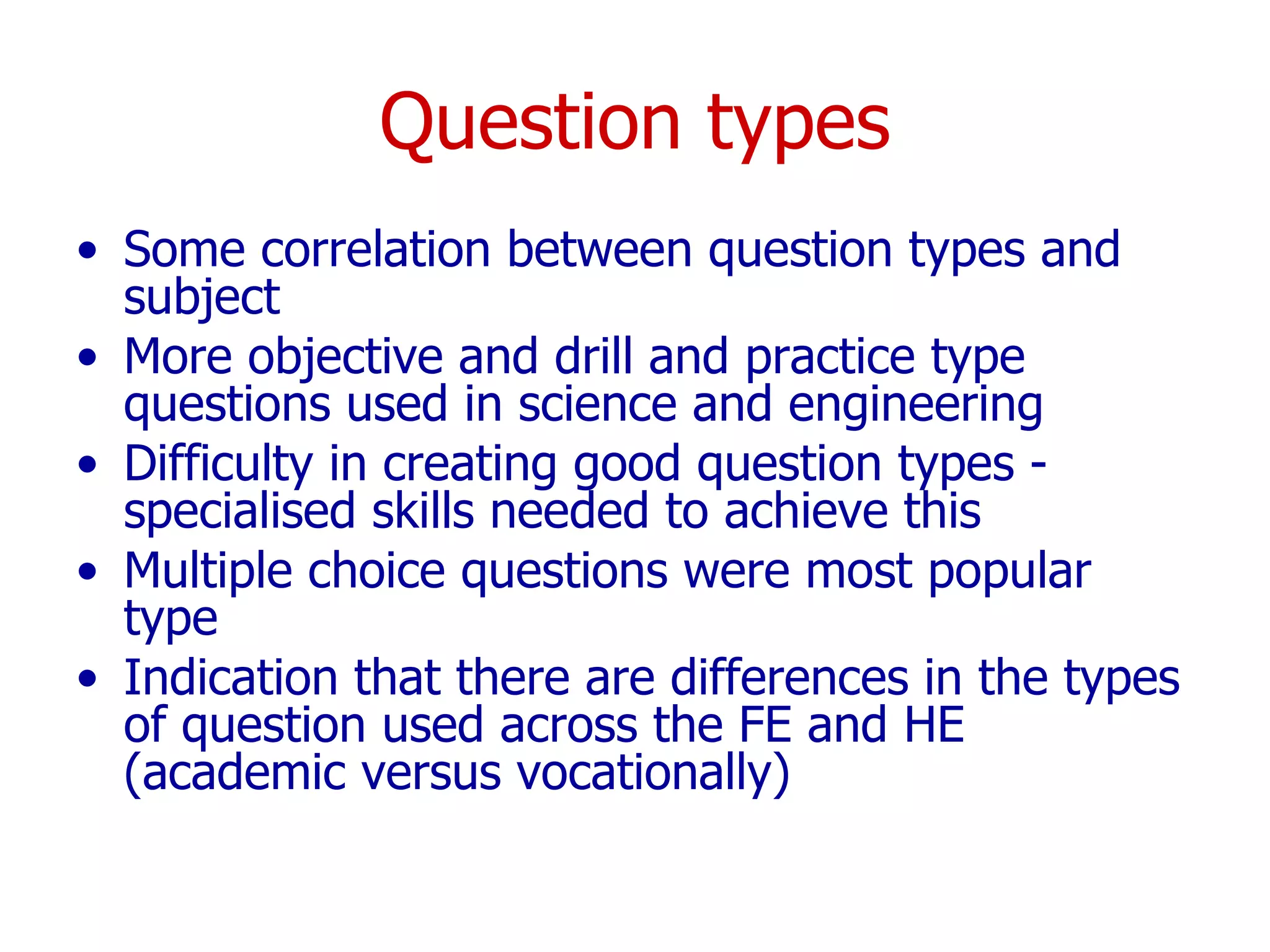
Question types Some correlation between question types and subject More objective and drill and practice type questions used in science and engineering  Difficulty in creating good question types - specialised skills needed to achieve this Multiple choice questions were most popular type Indication that there are differences in the types of question used across the FE and HE (academic versus vocationally)
Interoperability Surprisingly high awareness Considered highly important Specific issues linking legacy systems  current inaccuracy of much information held centrally within institutions resulting in the need for duplication of data at the local level Need to consider educational as well as technical interoperability Ease of transfer cited as more important than wholesale course exporting Concern over investment of time if materials could not be exported
Questionbanks Most saw value of developing question banks  Issues  ownership, IPR and quality assurance potential conflict between sharing resources and the opportunity for commercial exploitation conflict between the development of generic questions and the ability to personally adapt questions Benefit of developing local departmental or institutional question banks  Developing shared materials were considered beneficial  staff development, peer support and validation
TOIA specific issues Overall very positive Most users felt it was usable and comprehensive Interface issues (rectified in subsequent versions) Need for different author and administration views Provided a comprehensive set of tools and functionality, with a better range of questions  Easier to use than many existing products  Support staff felt that it would be easier to support  Most happy with range of questions
TOIA benefits Self-explanatory Easy to use Flexible Interoperable Provided customisable style sheets Good from a support perspective Free! Offered a complete system
TOIA disadvantages Lack of large choice of question types  Concern over the long term maintenance of free software/ the conflict between free tools and commercial version
Emergent questions As new and more user-focused assessment tools are developed what impact might these have on the development of new forms assessment? What new forms of literacy are required for students and staff involved in online assessment?  How can assessment tools be more effectively integrated with other e-learning systems? What is the impact of increased use of e-assessment in the role of e-learning strategy and policy?
Using evaluation to inform the evaluation of a user-focused assessment engine Gráinne Conole 1  and Niall Sclater 2 1 University of Southampton 2 University of Strathclyde www.toia.ac.uk [email_address] Sclater.com

Evaluation of the TOIA project

  • 1.
    Using evaluation toinform the evaluation of a user-focused assessment engine Gráinne Conole 1 and Niall Sclater 2 1 University of Southampton 2 University of Strathclyde CAA Conference, Loughborough 5 th July 2005
  • 2.
    Outline CAA barriersand enablers Modelling online assessment The role of evaluation TOIA evaluation methodology Results and discussion Questions raised
  • 3.
  • 4.
  • 5.
    Experiential Practicing MimickingExperiencing Productive Creating Producing Writing Drawing Composing Synthesising Communicative Discussing Presenting Debating Adaptive Modelling Simulation Info Handling Gathering Ordering Classifying Selecting Analysing Manipulating Not assessed Diagnostic Formative Summative Adaptive Simulation Modelling Virtual worlds Communicative Chat Chat Email Discussion boards Mailing lists Weblogs Productive Spreadsheets Databases Narrative Audio Image Text Video Web page Interactive Libraries Portals Search engines Indiv learner Group leader Coach Participant Mentor Supervisor Rapporteur Facilitator Deliverer Pair person Presenter Peer assessor Moderator 1 – many Group based Class based 1-1 S to S 1-1 S to T Individual Artefact Assignment Brainstorming Buzz words Defending Dissertation Drill & practice Essay Exercise Fishbowl Ice breaker MCQ Mindmaps Negotiating Pair dialogues Performance Portfolio Product Question & answer Resource-based Role play Rounds Short answer Snowball Debate Test Voting Assimilative Reading Viewing Listening Assessment Tools & Resources Roles Interaction Technique Type Types of learning activities
  • 6.
  • 7.
    CAA barriers andenablers Potential time savings, especially with marking New pedagogical models Repurposing year on year Reflection on practice Shared question banks ‘ More objective’ Considered restricting Time and effort in development and management Difficult to measure higher order thinking Security issues Stress! Tools still rudimentary
  • 8.
    Modelling online assessmentVarious approaches possible Specification of functions Use cases Role-based approach 21 roles identified (item creater, scheduler, test viewer, etc)
  • 9.
    items Anatomy ofan online assessment system
  • 10.
    Items items itemvalidator item viewer item author Anatomy of an online assessment system
  • 11.
    Items assessments itemsitem validator item viewer item author Anatomy of an online assessment system
  • 12.
    Items Assessments assessmentsitems item validator item viewer item author test viewer test validator test author Anatomy of an online assessment system
  • 13.
    Items Assessments Testinstance System, user & group admin invigilator groups test instance assessments items learner timetabler group administrator system administrator item validator item viewer item author test viewer test validator test author user access administrator users Anatomy of an online assessment system responses and results
  • 14.
    Items Assessments Responsesand results Test instance System, user & group admin invigilator responses and results groups test instance assessments items marks modifier statistics monitor marks monitor marker answer monitor learner feedback administrator learner timetabler group administrator system administrator item validator item viewer item author test viewer test validator test author user access administrator users Anatomy of an online assessment system
  • 15.
  • 16.
    TOIA TOIAis a free tool for developing and managing online assessments (www.toia.ac.uk) Software underpinned by two principles Understanding CAA barriers and enablers Knowledge of articulation of the roles and functions of an online assessment system Detailed formative evaluation studies during the development phase of the engine used to iteratively improve and tailor requirements to end user needs
  • 17.
    Evaluation aims Aimswere to: test out the functionality of the TOIA system assess navigational and usability issues gain an understanding of the ways in which it would be used identify any barriers to or enablers for CAA and in particular the use of TOIA
  • 18.
    Evaluation methodology Usabilitytrails of TOIA prototype users working through the system with an observer on the side making detailed notes on their activities, noting any problems or navigational issues which arose Semi-structured interviews gain understanding of how TOIA might be used and associated barriers/enablers describe institutional culture and attitudes to learning and teaching/implementation of assessment technologies
  • 19.
    Emergent themes TrainingUses Barriers Enablers Issues Teaching strategies Student experience Question types Interoperability Questionbanks
  • 20.
    Training Practitioners primarilyself-taught Little institutional support Workshop not specific and targeted Additional support through Peers Conference attendence
  • 21.
    Uses Mainly formativeSummative still considered high risk High % drill and practice Some diagnostic Increasing interest in automatic essay marking
  • 22.
    Barriers Lack of skills to create good questions time, return on investment variety of question types understanding at institutional level institutional support/personal recognition technical expertise/support Terminology confusion
  • 23.
    Enablers Personal interestand motivation Return on investment Shift toward institutional VLEs and CAA systems Students perceptions and expectations Good central support CAA features (automatic marking, instant feedback and reusability of questions) Usage statistics for monitoring of and feedback to students Making teaching and learning more explicit (QA) Learning from peers
  • 24.
    Issues Difficult toquantify time invested, therefore difficult to incorporate into workloads CAA still not ‘mission’ critical Security and authentication Legacy systems
  • 25.
    Teaching strategies Disciplinedifferences evident Formative CAA to encourage reflection provide feedback enhance student learning Reward through allocation of marks Use of date restriction facility Used across years, but weighted to first-years and lower level skills Completion of a self-test after working through a topic Complement to a face-to-face seminar Phased tests to improve attendance rates To re-orientate returning work-based students
  • 26.
    Strategies for designingquestions Creative and iterative process, requiring specialised skills Need to be interesting, motivating and engaging Initially as MCQ then as alternative form Adaptation of peer questions Importance of mixed question types and overall design of the questionnaire Match of topic and skill level to type of question Increased interest in adaptive testing and link to student’s prior performance Assessment of base level skills to tailor assignments
  • 27.
    Student experience Generallypositive, some see it as more objective! Increasing used to computers, but there are still issues of academic e-literacy Usage varied across day and night – indicating that students like the flexibility Automatic storing and instant feedback motivating
  • 28.
    Question types Somecorrelation between question types and subject More objective and drill and practice type questions used in science and engineering Difficulty in creating good question types - specialised skills needed to achieve this Multiple choice questions were most popular type Indication that there are differences in the types of question used across the FE and HE (academic versus vocationally)
  • 29.
    Interoperability Surprisingly highawareness Considered highly important Specific issues linking legacy systems current inaccuracy of much information held centrally within institutions resulting in the need for duplication of data at the local level Need to consider educational as well as technical interoperability Ease of transfer cited as more important than wholesale course exporting Concern over investment of time if materials could not be exported
  • 30.
    Questionbanks Most sawvalue of developing question banks Issues ownership, IPR and quality assurance potential conflict between sharing resources and the opportunity for commercial exploitation conflict between the development of generic questions and the ability to personally adapt questions Benefit of developing local departmental or institutional question banks Developing shared materials were considered beneficial staff development, peer support and validation
  • 31.
    TOIA specific issuesOverall very positive Most users felt it was usable and comprehensive Interface issues (rectified in subsequent versions) Need for different author and administration views Provided a comprehensive set of tools and functionality, with a better range of questions Easier to use than many existing products Support staff felt that it would be easier to support Most happy with range of questions
  • 32.
    TOIA benefits Self-explanatoryEasy to use Flexible Interoperable Provided customisable style sheets Good from a support perspective Free! Offered a complete system
  • 33.
    TOIA disadvantages Lackof large choice of question types Concern over the long term maintenance of free software/ the conflict between free tools and commercial version
  • 34.
    Emergent questions Asnew and more user-focused assessment tools are developed what impact might these have on the development of new forms assessment? What new forms of literacy are required for students and staff involved in online assessment? How can assessment tools be more effectively integrated with other e-learning systems? What is the impact of increased use of e-assessment in the role of e-learning strategy and policy?
  • 35.
    Using evaluation toinform the evaluation of a user-focused assessment engine Gráinne Conole 1 and Niall Sclater 2 1 University of Southampton 2 University of Strathclyde www.toia.ac.uk [email_address] Sclater.com