How did you use new media
technologies in the construction and
  research, planning and evaluation
               stages?
 To create our production I learned a variety of
 skills through various software and
 equipment, new media has made it easier to
 create my project as it simplifies task and which
 good use and knowledge of the software it allows
 for a professional look. Using a variety of
 software and hardware has increased my
 knowledge and has encouraged me to learn
 further to insure I can create a high quality
 product to meet the brief.
Research and Planning
 To create our music video, initial research had to
 be included which included using the internet to
 use youtube to find out about other music
 videos, conventions they use and how we would
 use similar conventions in our own music video.
 Video cameras were used for the vox pox which
 were a group of people discussing there views
 and ideas in a video. Adobe premeire was used
 to edit this vox pox then upload to youtube and
 then put on our blogs.
Video Camera
 To make our music video we
 had to use a video camera to
 capture all the footage, this
 was a frustrating experience as
 it used tapes and if not used
 properly the files that had been
 recorded would be wiped
 instantly, also had to make
 sure we recorded at the right
 time of day to ensure that there
 was enough lighting so that the
 video was shot at a high
 quality which the audience
 would be able to view at a high
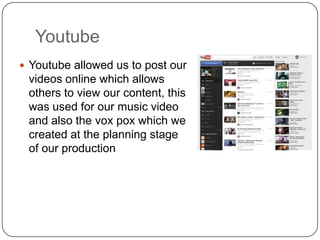
Youtube
 Youtube allowed us to post our
 videos online which allows
 others to view our content, this
 was used for our music video
 and also the vox pox which we
 created at the planning stage
 of our production
Tripod
 The tripod was a useful tool
  in creating a high quality
  professional music video as
  we did not want the camera
  to move about
  everywhere, this was an
  essential tool as without
  it, our video would look very
  shaky and we have some
  evidence of that on my blog
  of a camera with and
  without a tripod and it
  makes a big difference as
  adjustments could be
  made, panning shots were
  easy to create.
Camera
 To create our ancillary
 texts we needed a high
 quality camera to
 capture high resolution
 images which thus
 creating a more
 professional media
 product. The cameras
 were also used to take
 pictures of each other
 working to prove our
 roles within the group.
Iphone
 My iphone was
 used to capture
 audience
 feedback of my
 media
 product, also the
 sound cloud app
 allowed me to
 record and
 upload straight to
 sound cloud and
 then on to my
 blog.
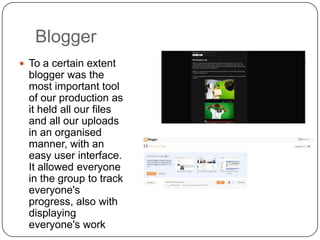
Blogger
 To a certain extent
  blogger was the
  most important tool
  of our production as
  it held all our files
  and all our uploads
  in an organised
  manner, with an
  easy user interface.
  It allowed everyone
  in the group to track
  everyone's
  progress, also with
  displaying
  everyone's work
Slideshare
 Slideshare allowed us
 to share our work in
 presentation form to
 the website which
 then could be
 encoded on to our
 blog, where our
 powerepoint
 presentations get
 displayed. This was a
 great tool as it was a
 quick and easy
 service to use.
Adobe Premiere Pro
 We used this software
 to edit our music
 video, it was a fairly
 easy software to pick
 up and to learn, the
 software allowed us to
 create a high quality
 professional music
 video and also it
 allowed us to use such
 video transitions such
 as push and cross
 dissolve as they were
 used quite frequently
Bandicam
 This software was
 used to screen record
 my laptop while I was
 editing to show the
 changes and what I
 was doing as an
 individual in my group.
Microsoft Office
 I used Microsoft office to
 type up all my
 workings, from research
 and planning to
 evaluation, then used
 powerpoint to create a
 clear and coherent
 presentation.

Evaluation 4

  • 1.
    How did youuse new media technologies in the construction and research, planning and evaluation stages?
  • 2.
     To createour production I learned a variety of skills through various software and equipment, new media has made it easier to create my project as it simplifies task and which good use and knowledge of the software it allows for a professional look. Using a variety of software and hardware has increased my knowledge and has encouraged me to learn further to insure I can create a high quality product to meet the brief.
  • 3.
    Research and Planning To create our music video, initial research had to be included which included using the internet to use youtube to find out about other music videos, conventions they use and how we would use similar conventions in our own music video. Video cameras were used for the vox pox which were a group of people discussing there views and ideas in a video. Adobe premeire was used to edit this vox pox then upload to youtube and then put on our blogs.
  • 5.
    Video Camera  Tomake our music video we had to use a video camera to capture all the footage, this was a frustrating experience as it used tapes and if not used properly the files that had been recorded would be wiped instantly, also had to make sure we recorded at the right time of day to ensure that there was enough lighting so that the video was shot at a high quality which the audience would be able to view at a high
  • 6.
    Youtube  Youtube allowedus to post our videos online which allows others to view our content, this was used for our music video and also the vox pox which we created at the planning stage of our production
  • 7.
    Tripod  The tripodwas a useful tool in creating a high quality professional music video as we did not want the camera to move about everywhere, this was an essential tool as without it, our video would look very shaky and we have some evidence of that on my blog of a camera with and without a tripod and it makes a big difference as adjustments could be made, panning shots were easy to create.
  • 8.
    Camera  To createour ancillary texts we needed a high quality camera to capture high resolution images which thus creating a more professional media product. The cameras were also used to take pictures of each other working to prove our roles within the group.
  • 9.
    Iphone  My iphonewas used to capture audience feedback of my media product, also the sound cloud app allowed me to record and upload straight to sound cloud and then on to my blog.
  • 10.
    Blogger  To acertain extent blogger was the most important tool of our production as it held all our files and all our uploads in an organised manner, with an easy user interface. It allowed everyone in the group to track everyone's progress, also with displaying everyone's work
  • 11.
    Slideshare  Slideshare allowedus to share our work in presentation form to the website which then could be encoded on to our blog, where our powerepoint presentations get displayed. This was a great tool as it was a quick and easy service to use.
  • 12.
    Adobe Premiere Pro We used this software to edit our music video, it was a fairly easy software to pick up and to learn, the software allowed us to create a high quality professional music video and also it allowed us to use such video transitions such as push and cross dissolve as they were used quite frequently
  • 13.
    Bandicam  This softwarewas used to screen record my laptop while I was editing to show the changes and what I was doing as an individual in my group.
  • 14.
    Microsoft Office  Iused Microsoft office to type up all my workings, from research and planning to evaluation, then used powerpoint to create a clear and coherent presentation.