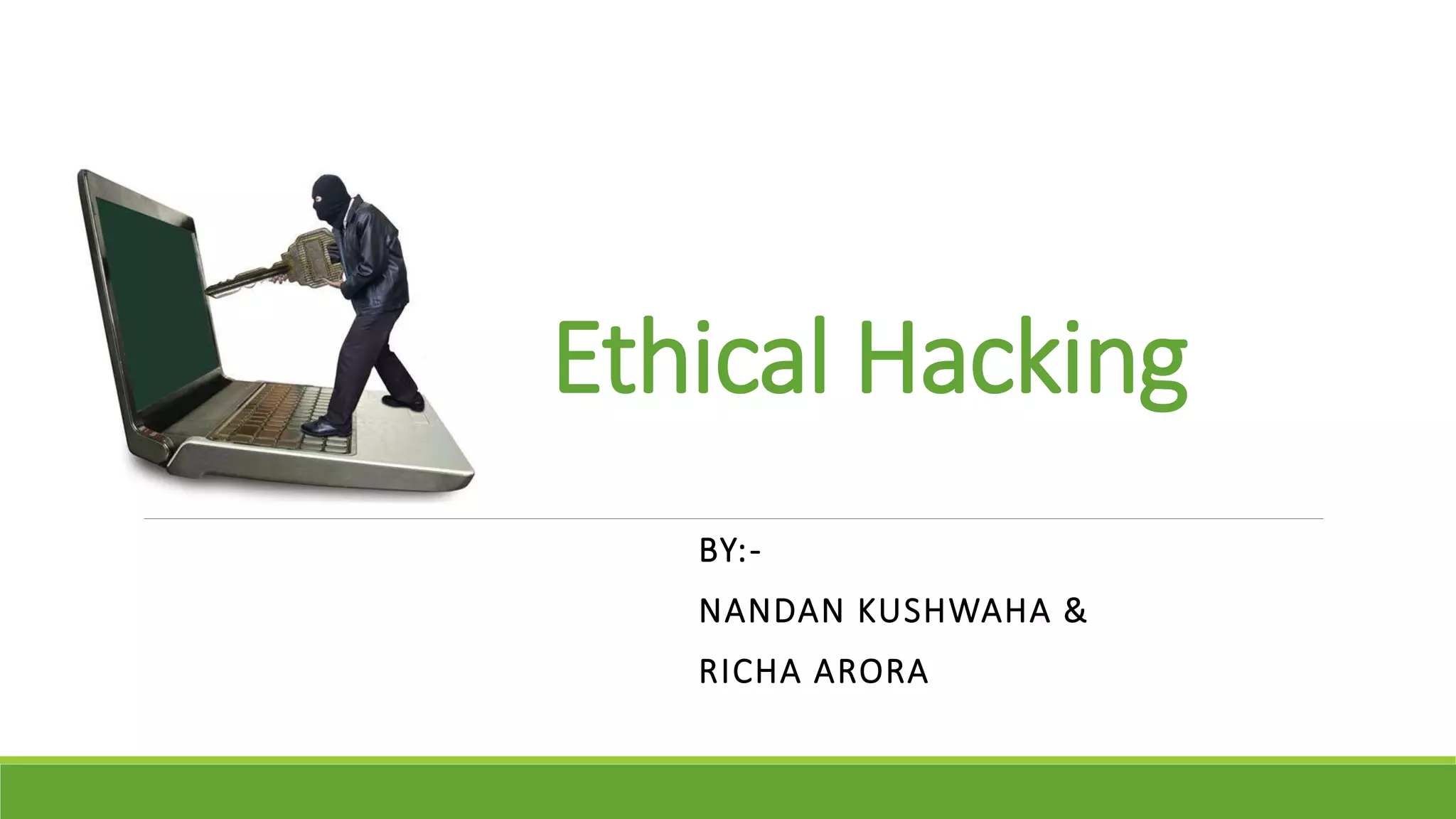
Ethical Hacking
BY:-
NANDAN KUSHWAHA &
RICHA ARORA
CONTENTS
Introduction
Types of Hacker
Types of Hacking
Term used in Hacking
Why- Ethical Hacking
Ethical Hacking Process
Footprinting
Scanning
Enumeration
Gaining Access
Covering Tracks
Sniffing
SQL Injection
Conclusion
INTRODUCTION
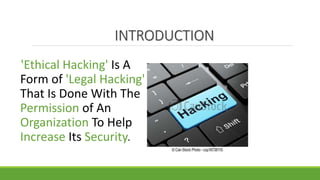
'Ethical Hacking' Is A
Form of 'Legal Hacking'
That Is Done With The
Permission of An
Organization To Help
Increase Its Security.
TYPES OF HACKERS
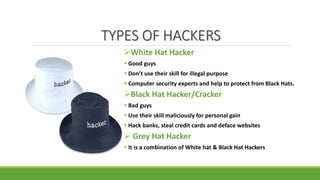
White Hat Hacker
 Good guys
 Don’t use their skill for illegal purpose
 Computer security experts and help to protect from Black Hats.
Black Hat Hacker/Cracker
 Bad guys
 Use their skill maliciously for personal gain
 Hack banks, steal credit cards and deface websites
 Grey Hat Hacker
 It is a combination of White hat & Black Hat Hackers
TYPES OF HACKING
Website Hacking
Email Hacking
Network Hacking
Password Hacking
Online banking
Hacking
Computer Hacking
TERMS USED IN HACKING
Vulnerability
If we find any low security or
absence of security in system this is
called vulnerability. Vulnerability is
the cause of hacking.
RED Team
Different skills of hackers work
together for hacking purpose.
Target or Victim
Hacked system is called target or victim.
Patch Level
Removing vulnerability is called patch
level.
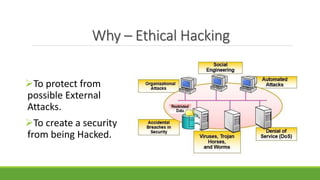
Why – Ethical Hacking
To protect from
possible External
Attacks.
To create a security
from being Hacked.
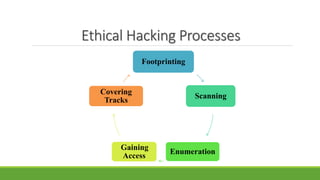
Ethical Hacking Processes
Footprinting
Scanning
Enumeration
Gaining
Access
Covering
Tracks
Phase-1: FOOTPRINTING
The fine art of gathering target
information is called footprinting.
Collecting as much information
about the target
DNS Servers
IP Ranges
Administrative Contacts
TYPES OF FOOTPRINTING
1. Passive
In passive footprinting attacker never
makes any contact with the target
system.
 Google Search
whois queries
DNS lookup
 Social Networking sites
2. Active
Mirroring website
Download all available content for
offline Analysis.
Tools- Teleport pro, HTTrack website
copier.
Email Tracking
Examine email processing path.
Phase-2: SCANNING
What is actually running on the system.
Windows
Linux
Mac
UNIX
Scanning is important to both attackers and
those responsible for security hosts and
network.
TYPES OF SCANNING
PORT Scanning
Scans open ports and services
Network Scanning
IP Addresses
 VALNERABILITY Scanning
Presence of Known weakness
Phase-3: ENUMERATION
Enumeration makes a fixed active
connection to a system and collect
information like.
User Name & User Group
List of computer and their operating
system and Open Ports.
Machine name, network resources
and Services.
Phase-4: GAING ACCESSS
This is the place where real hacking
takes place.
On this phase hacker gain access on
the target system.
This hacking attack done with the
specialized tools.
The hacker has control on target and
can use the target system as their wish.
Phase-5: COVERING TRACKS
Covering tracks refers to the activities that
the hacker does to hide their actions.
If this is not done then a hacker can easily
track back.
This is the step where hacker removes all
his/her identity or tracks like History files,
Backup Files etc..
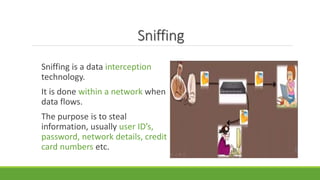
Sniffing
Sniffing is a data interception
technology.
It is done within a network when
data flows.
The purpose is to steal
information, usually user ID’s,
password, network details, credit
card numbers etc.
SQL Injection
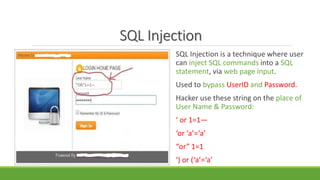
SQL Injection is a technique where user
can inject SQL commands into a SQL
statement, via web page input.
Used to bypass UserID and Password.
Hacker use these string on the place of
User Name & Password:
‘ or 1=1—
‘or ‘a’=‘a’
“or” 1=1
‘) or (‘a’=‘a’
SQL Injection Continue…
What happens when use these string as user id and password?
Login ID: ‘OR “=“
Password: ‘OR “=“
SQL Query for this value:
SELECT Username FROM users WHERE Username= “OR”=“ AND Password=
“OR”=“
This query compares “ (nothing) to “(nothing), which always returns true.
So, A hacker can easily bypass UserID and Password and Login in to the website
by using SQL Injection.
CONCLUSION
Don’t expose your password to
untrusted sites.
Close your internet when not
in use.
Be safe and secure.
THANK YOU   

Ethical hacking

  • 1.
  • 2.
    CONTENTS Introduction Types of Hacker Typesof Hacking Term used in Hacking Why- Ethical Hacking Ethical Hacking Process Footprinting Scanning Enumeration Gaining Access Covering Tracks Sniffing SQL Injection Conclusion
  • 3.
    INTRODUCTION 'Ethical Hacking' IsA Form of 'Legal Hacking' That Is Done With The Permission of An Organization To Help Increase Its Security.
  • 4.
    TYPES OF HACKERS WhiteHat Hacker  Good guys  Don’t use their skill for illegal purpose  Computer security experts and help to protect from Black Hats. Black Hat Hacker/Cracker  Bad guys  Use their skill maliciously for personal gain  Hack banks, steal credit cards and deface websites  Grey Hat Hacker  It is a combination of White hat & Black Hat Hackers
  • 5.
    TYPES OF HACKING WebsiteHacking Email Hacking Network Hacking Password Hacking Online banking Hacking Computer Hacking
  • 6.
    TERMS USED INHACKING Vulnerability If we find any low security or absence of security in system this is called vulnerability. Vulnerability is the cause of hacking. RED Team Different skills of hackers work together for hacking purpose. Target or Victim Hacked system is called target or victim. Patch Level Removing vulnerability is called patch level.
  • 7.
    Why – EthicalHacking To protect from possible External Attacks. To create a security from being Hacked.
  • 8.
  • 9.
    Phase-1: FOOTPRINTING The fineart of gathering target information is called footprinting. Collecting as much information about the target DNS Servers IP Ranges Administrative Contacts
  • 10.
    TYPES OF FOOTPRINTING 1.Passive In passive footprinting attacker never makes any contact with the target system.  Google Search whois queries DNS lookup  Social Networking sites 2. Active Mirroring website Download all available content for offline Analysis. Tools- Teleport pro, HTTrack website copier. Email Tracking Examine email processing path.
  • 11.
    Phase-2: SCANNING What isactually running on the system. Windows Linux Mac UNIX Scanning is important to both attackers and those responsible for security hosts and network.
  • 12.
    TYPES OF SCANNING PORTScanning Scans open ports and services Network Scanning IP Addresses  VALNERABILITY Scanning Presence of Known weakness
  • 13.
    Phase-3: ENUMERATION Enumeration makesa fixed active connection to a system and collect information like. User Name & User Group List of computer and their operating system and Open Ports. Machine name, network resources and Services.
  • 14.
    Phase-4: GAING ACCESSS Thisis the place where real hacking takes place. On this phase hacker gain access on the target system. This hacking attack done with the specialized tools. The hacker has control on target and can use the target system as their wish.
  • 15.
    Phase-5: COVERING TRACKS Coveringtracks refers to the activities that the hacker does to hide their actions. If this is not done then a hacker can easily track back. This is the step where hacker removes all his/her identity or tracks like History files, Backup Files etc..
  • 16.
    Sniffing Sniffing is adata interception technology. It is done within a network when data flows. The purpose is to steal information, usually user ID’s, password, network details, credit card numbers etc.
  • 17.
    SQL Injection SQL Injectionis a technique where user can inject SQL commands into a SQL statement, via web page input. Used to bypass UserID and Password. Hacker use these string on the place of User Name & Password: ‘ or 1=1— ‘or ‘a’=‘a’ “or” 1=1 ‘) or (‘a’=‘a’
  • 18.
    SQL Injection Continue… Whathappens when use these string as user id and password? Login ID: ‘OR “=“ Password: ‘OR “=“ SQL Query for this value: SELECT Username FROM users WHERE Username= “OR”=“ AND Password= “OR”=“ This query compares “ (nothing) to “(nothing), which always returns true. So, A hacker can easily bypass UserID and Password and Login in to the website by using SQL Injection.
  • 19.
    CONCLUSION Don’t expose yourpassword to untrusted sites. Close your internet when not in use. Be safe and secure.
  • 20.