

INTRODUCTION TOINTRODUCTION TO
ENDNOTE X4ENDNOTE X4
Mohd Talib LatifMohd Talib Latif
School of Environmental and Natural Resource SciencesSchool of Environmental and Natural Resource Sciences
Faculty of Science and TechnologyFaculty of Science and Technology
Universiti Kebangsaan MalaysiaUniversiti Kebangsaan Malaysia
Outline of Presentation
• Introduction
• Endnote Installation
• How to put reference manually
• How to put reference from database
• How to put references in word
• Change reference style
• Edit and create reference style
• Extra information
EndNoteEndNote
• EndNote is a powerful software tool for
managing your references.
• It is compatible with a variety of word
processing software including Microsoft
Word, Word Perfect, AppleWorks (MAC),
FrameMaker (MAC), and other some
other word processors that can create
RTF files.
• The most recent version of EndNote
available at UKM’s Library is EndNote X4
for Windows and Mac.
• Maintenance of a database of references.
• Downloading references from other
databases.
• Using the personal database to link to
references in word-processed documents.
• Generating a bibliography in the correct
style for publication.
EndNoteEndNote
Managing your references
• EndNote
• EndNote Web
• ProCite
• Reference Manager
• RefViz
Search enginesSearch engines
• Scopus
• Scholar Google
• PubMed
• British Library Direct
• SciFinder
• Web of Science
ENDNOTE INSTALLATIONENDNOTE INSTALLATION
How to downloadHow to download
• UKM’s library:
http://pkukmweb.ukm.my/~library/
Open Portal E-Journal- Need password
Download Endnote X3
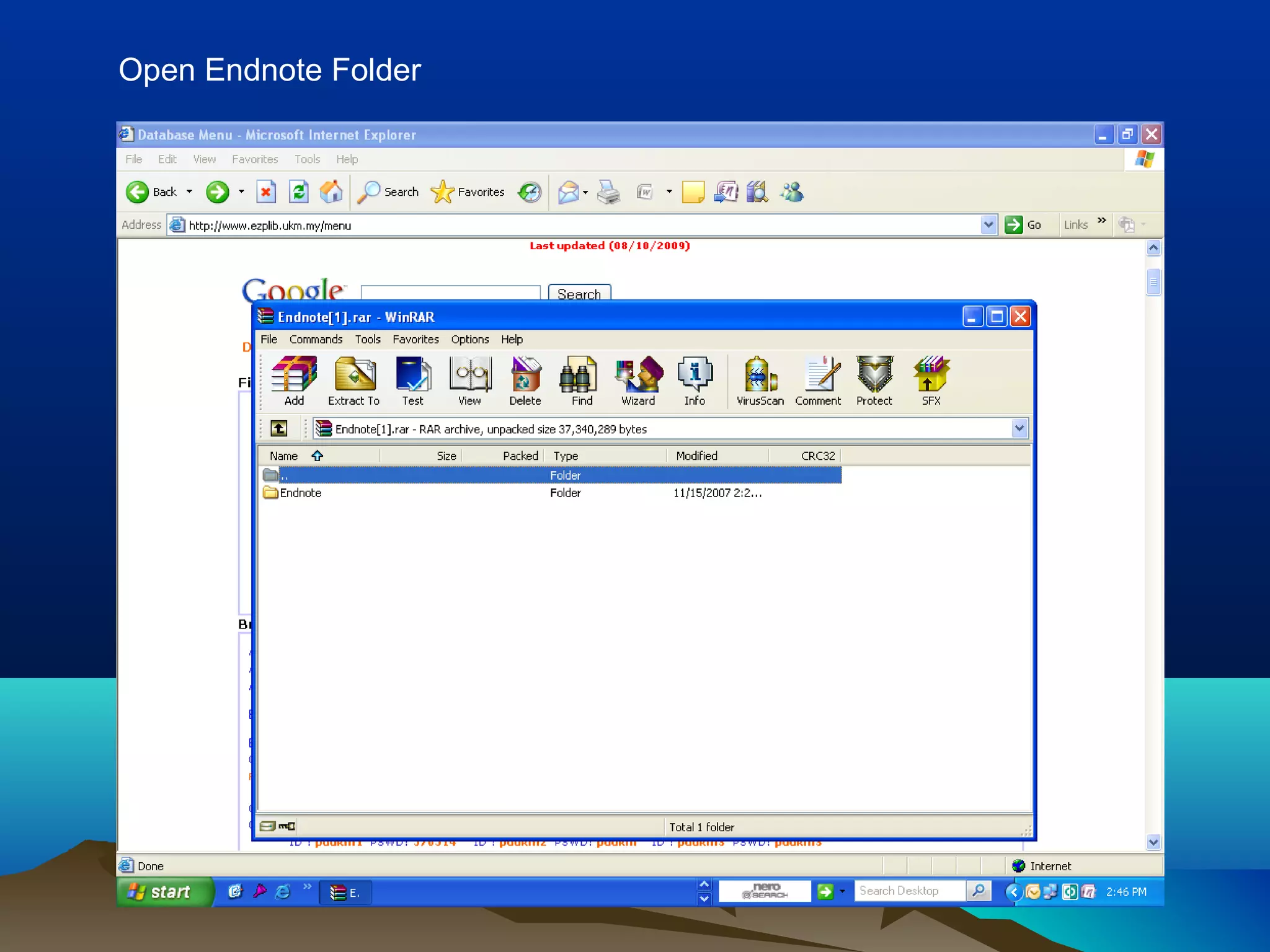
Open Endnote Folder
Click ENX1 Installation
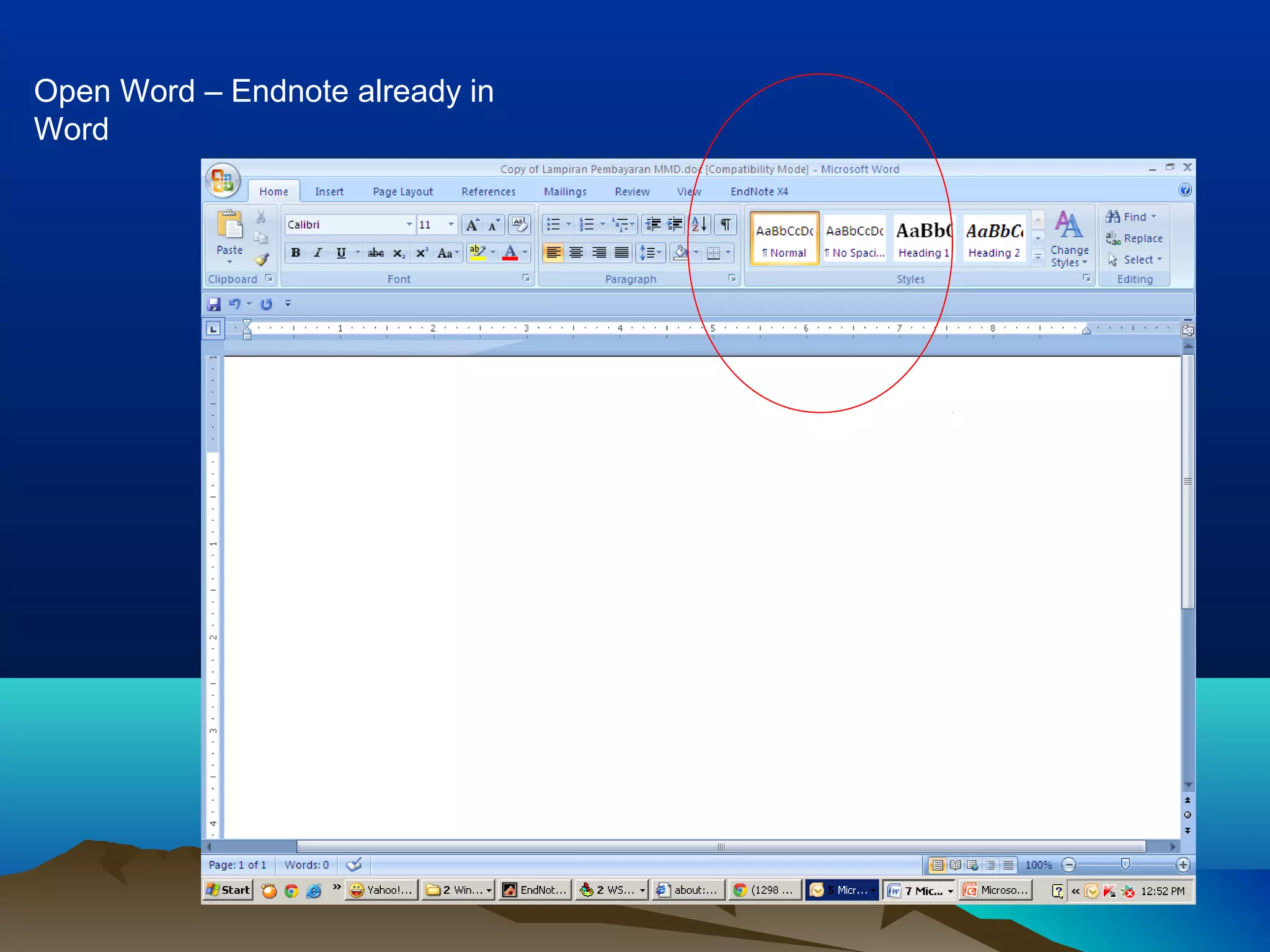
Open Word – Endnote already in
Word
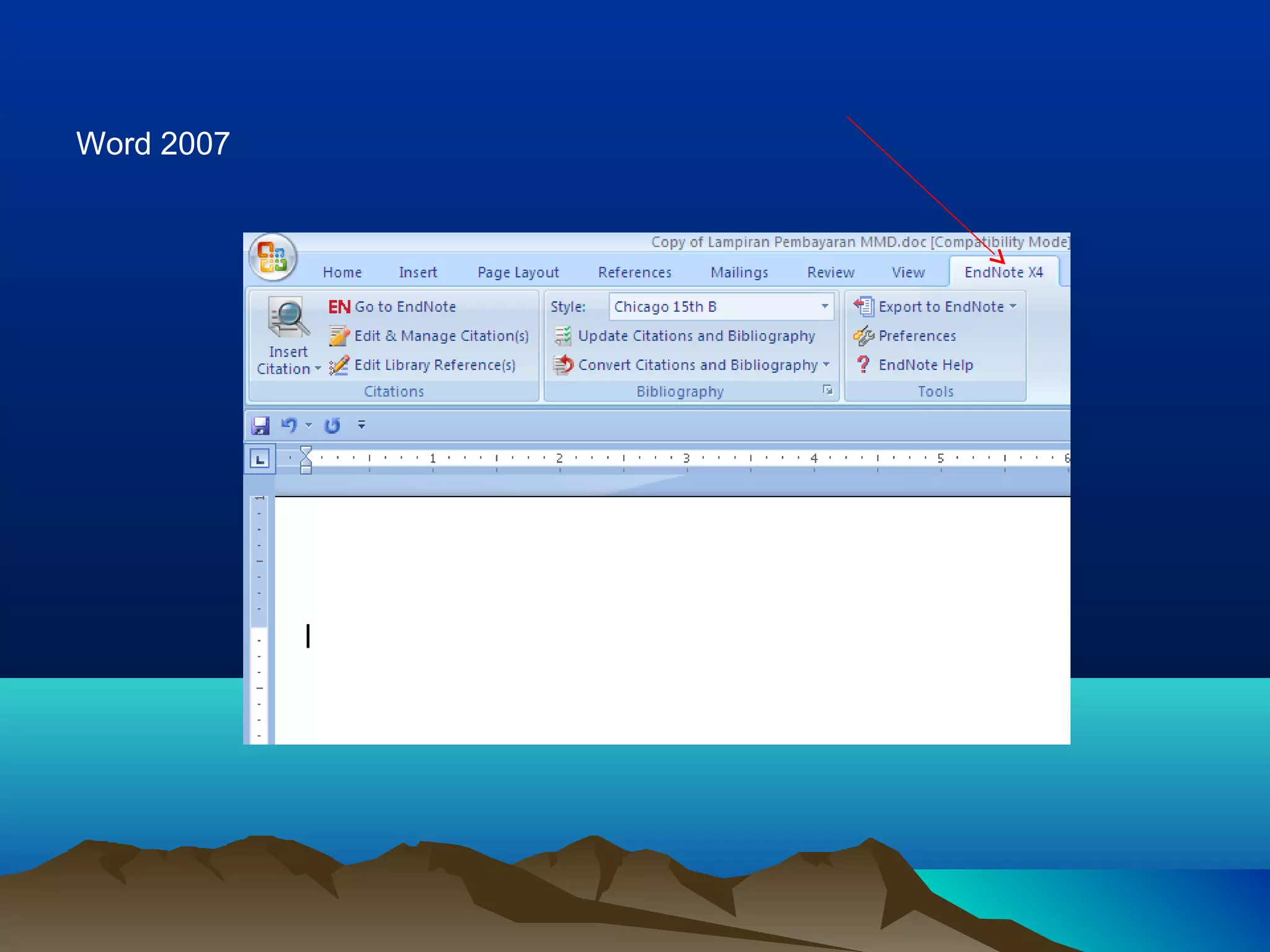
Word 2007
Word 2003
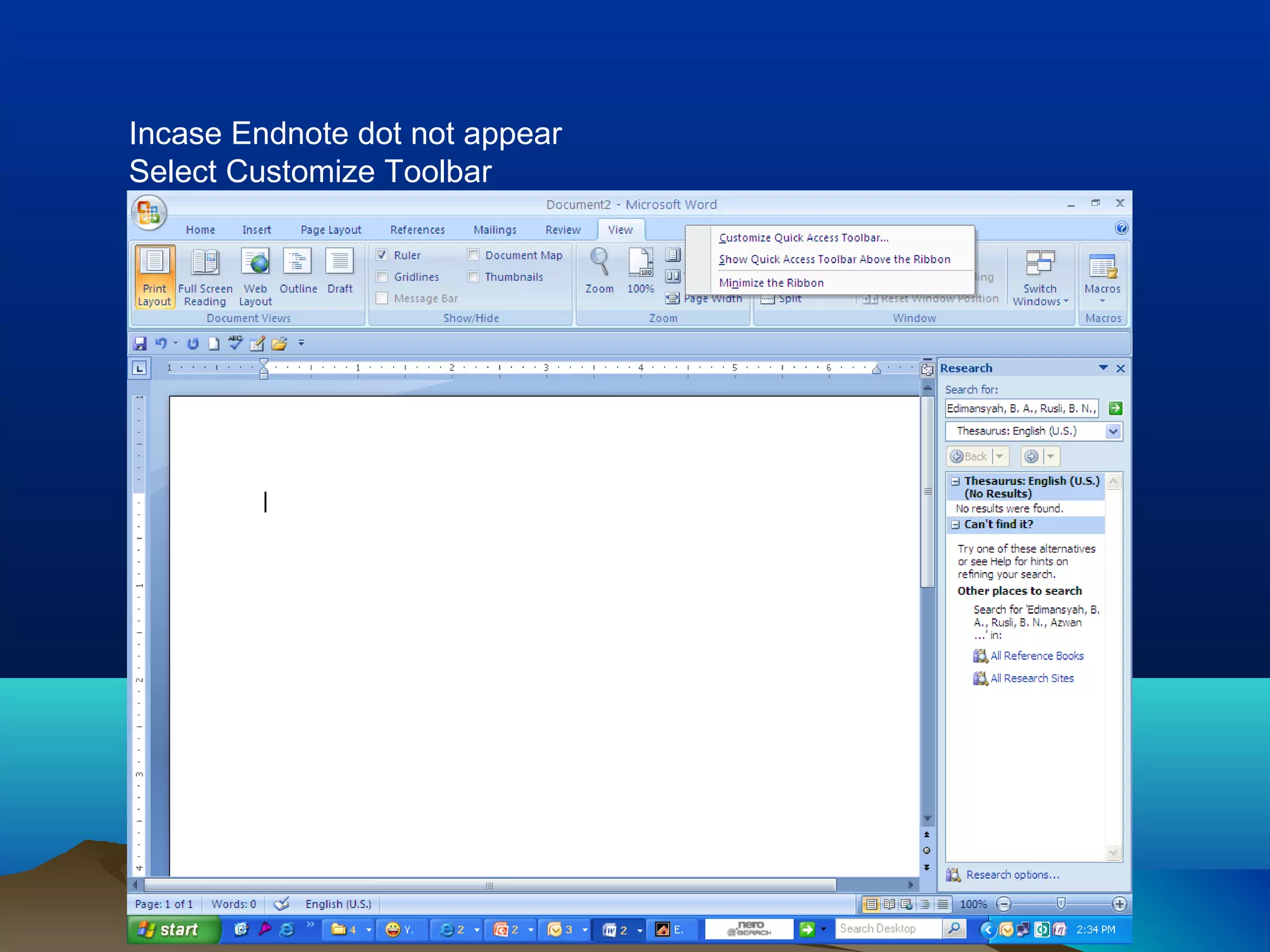
Incase Endnote dot not appear
Select Customize Toolbar
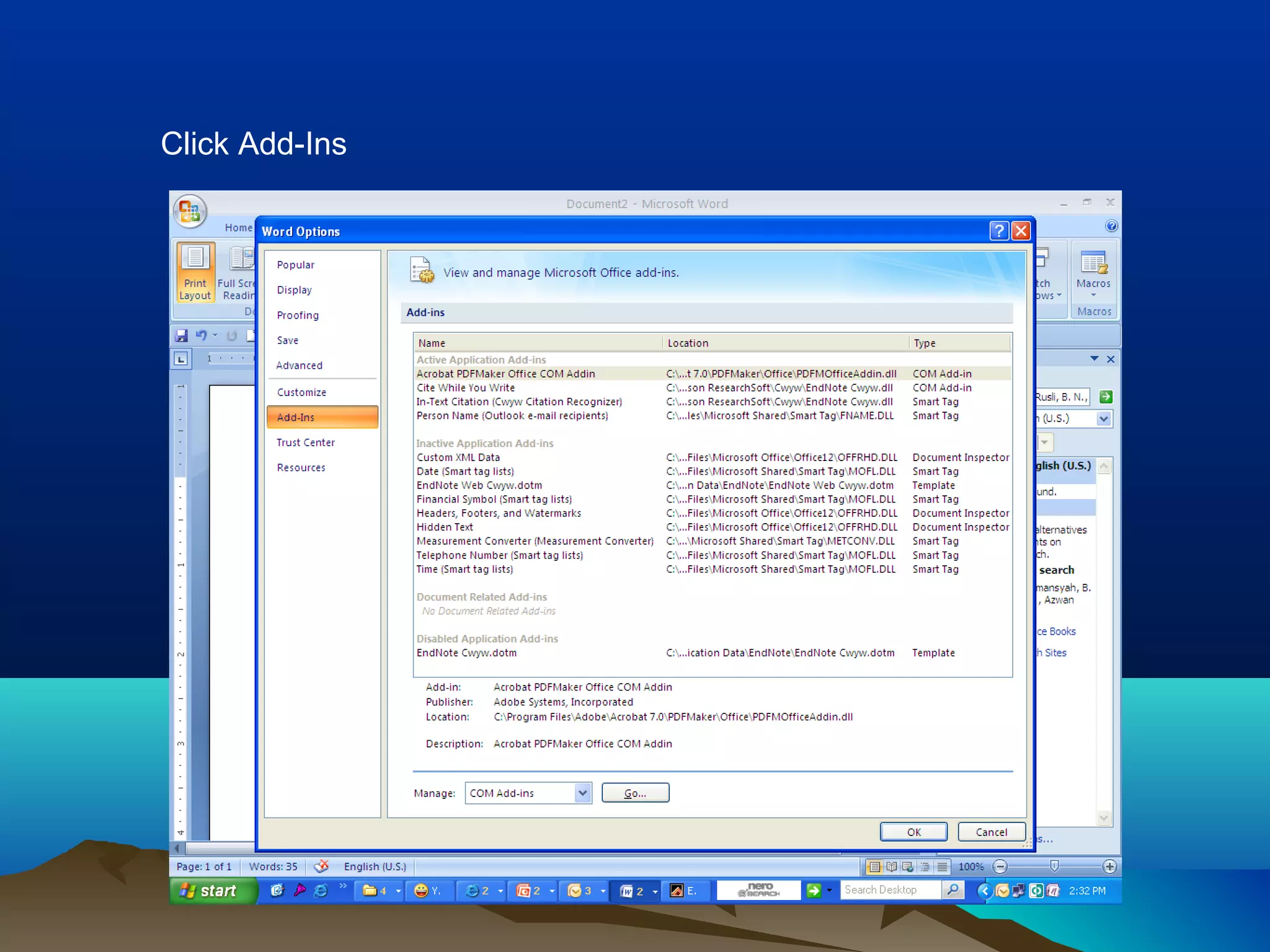
Click Add-Ins
Choose In-Text Citation
Cite While You Write
HOW TO PUT REFERENCEHOW TO PUT REFERENCE
MANUALLYMANUALLY
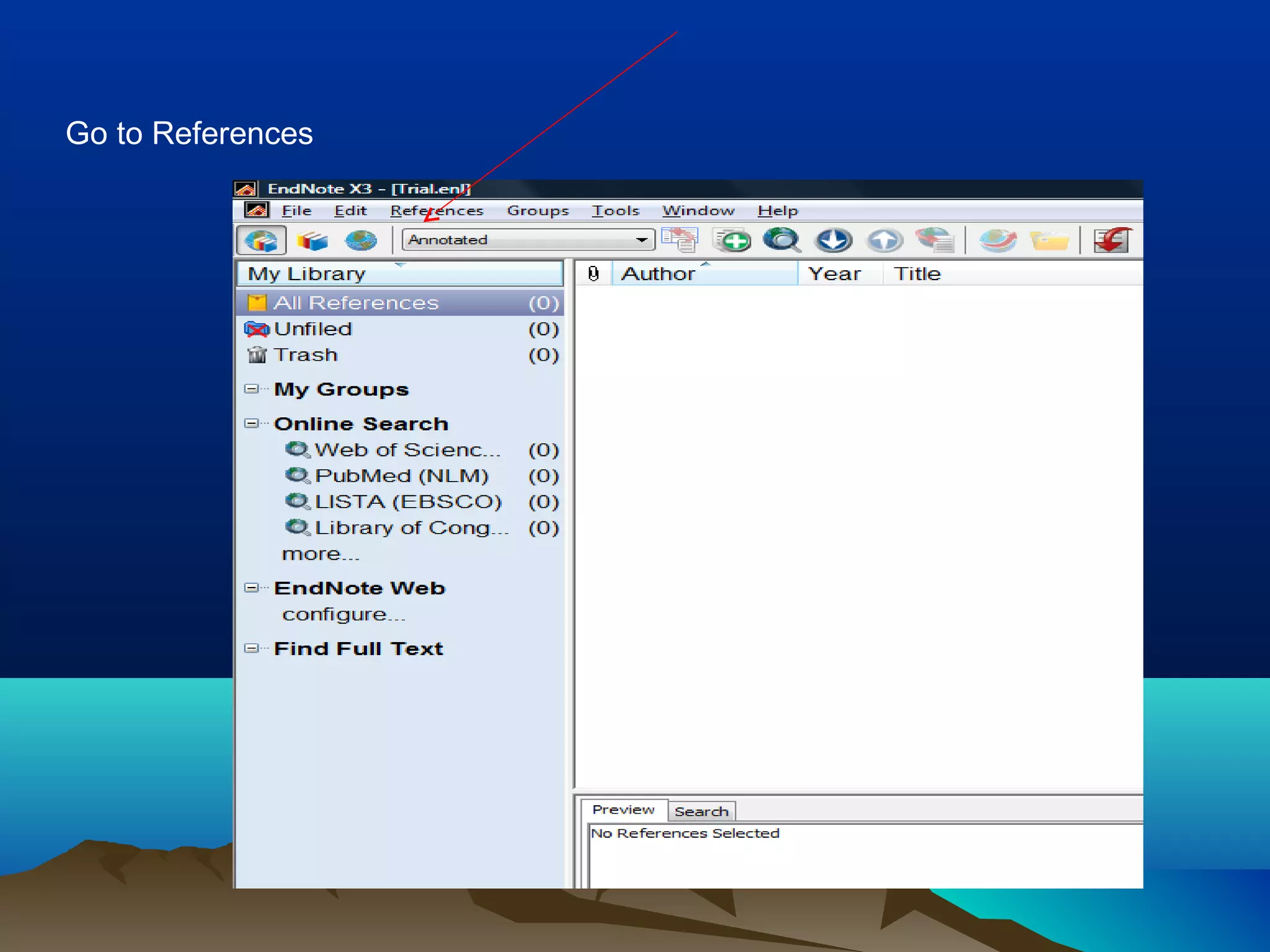
Open Endnote from Program List
Blank sheet
Go to References
Choose New References
Blank Reference Will Come Out
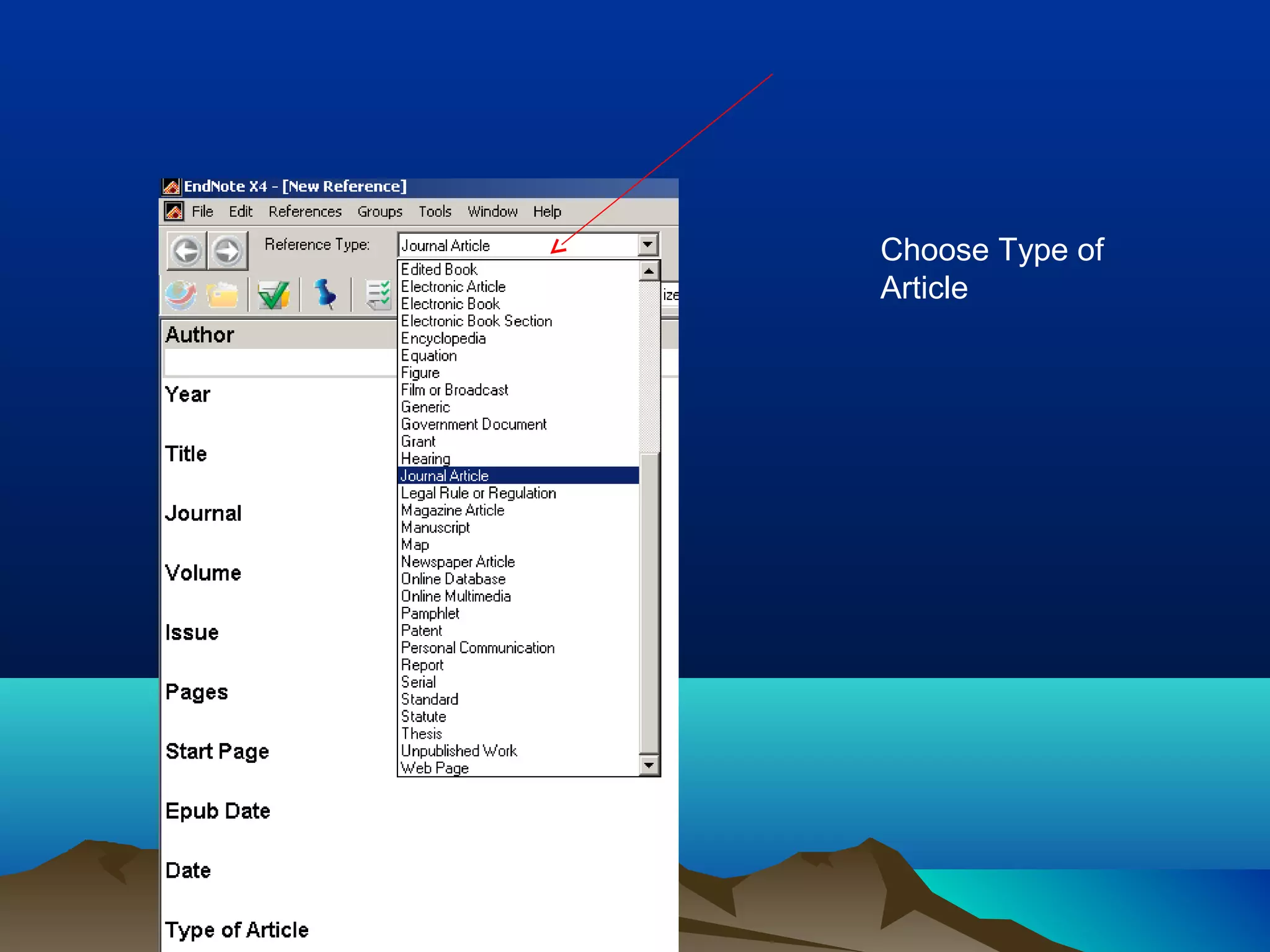
Choose Type of
Article
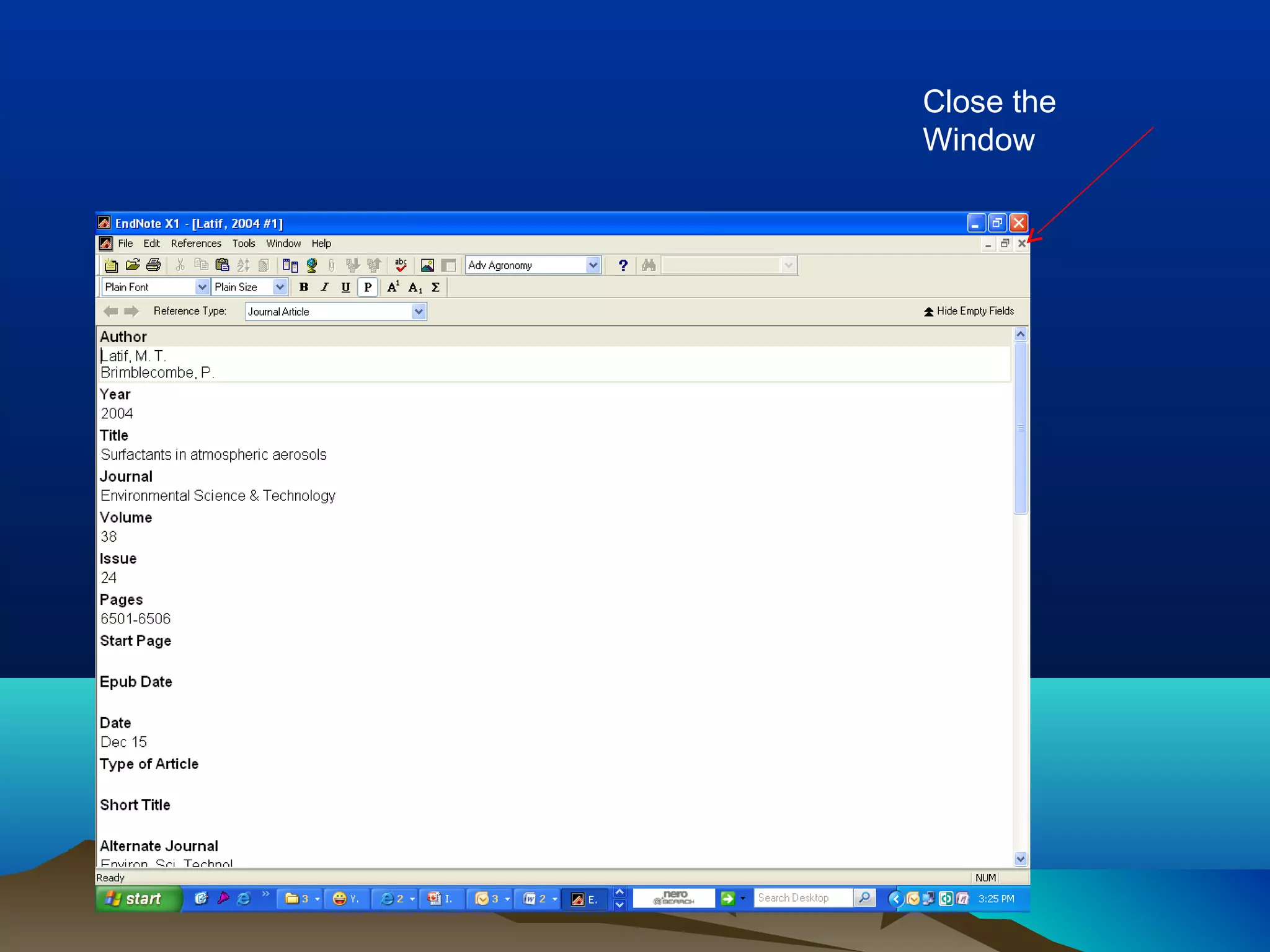
Style to write name of
authors:
Surname /Publication
name
Close the
Window
List of Reference
HOW TO PUT REFERENCEHOW TO PUT REFERENCE
FROM DATABASEFROM DATABASE
PUT REFERENCE FROMPUT REFERENCE FROM
SCOPUSSCOPUS
Search articles using SCOPUS
1. Mark the Reference
2. Click Output
1
2
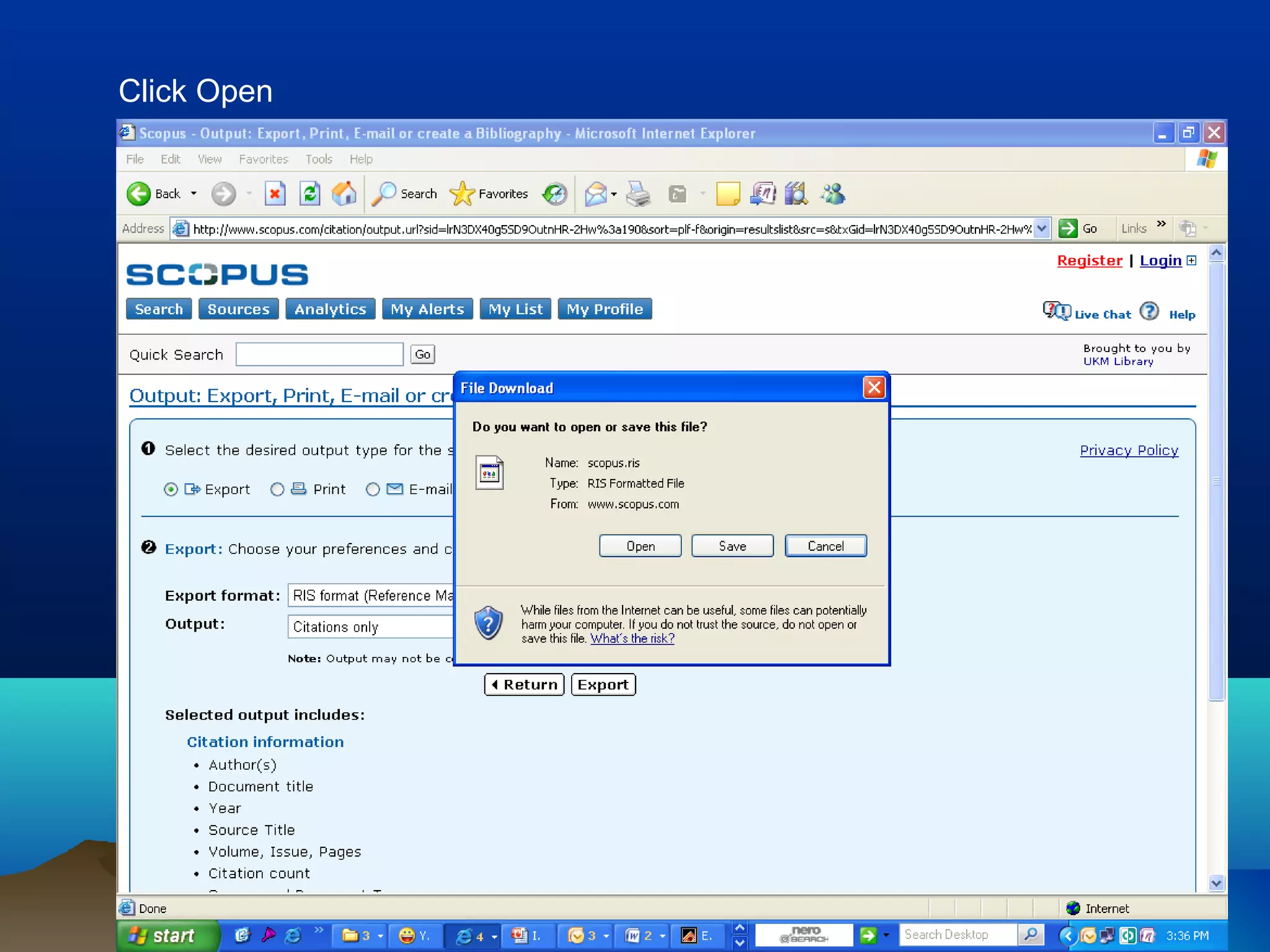
Choose where to export
Click Open
Choose and open the Endnote file
New reference already in the imported database
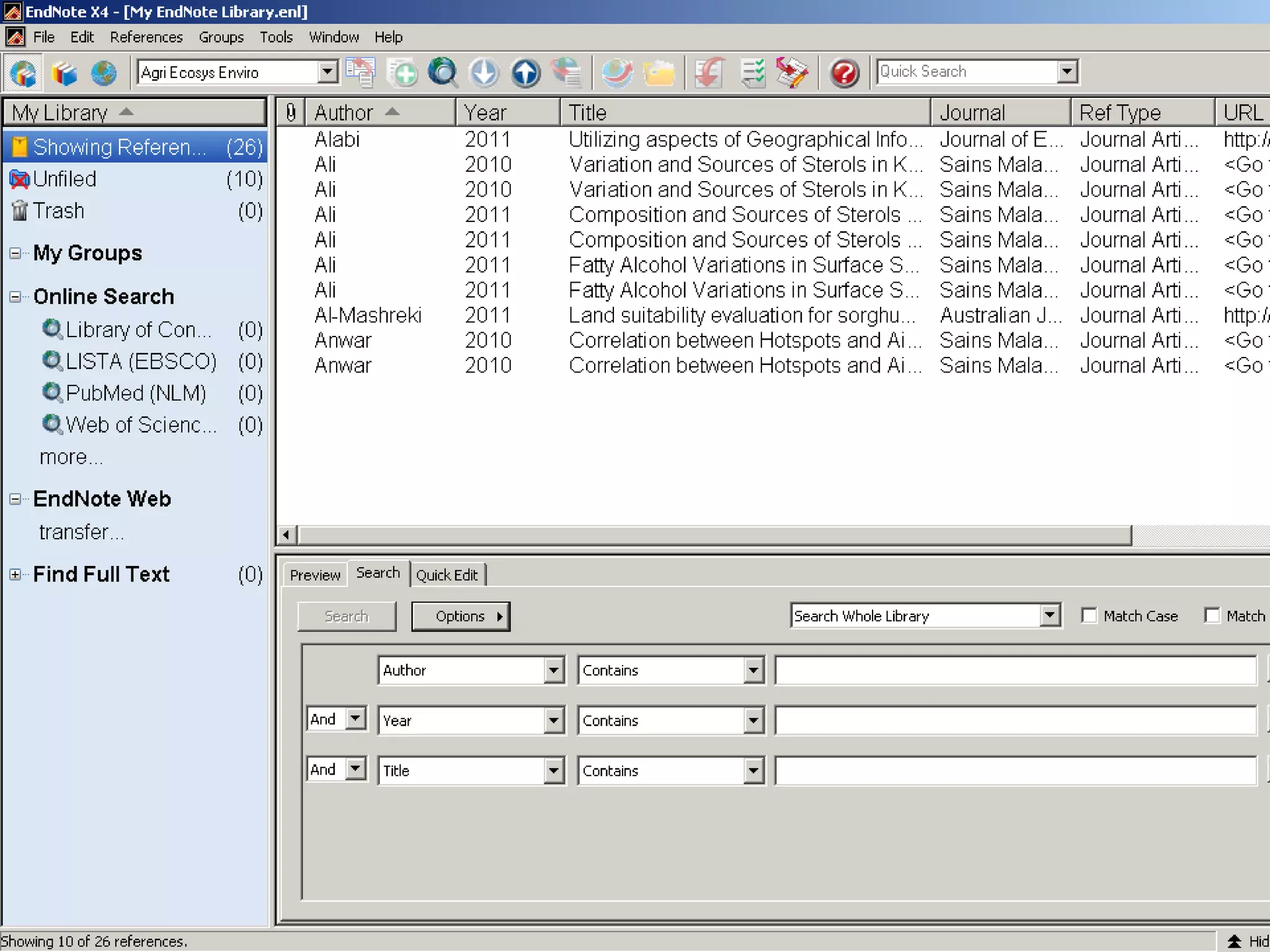
All references
Find Directly From EndNote X4Find Directly From EndNote X4
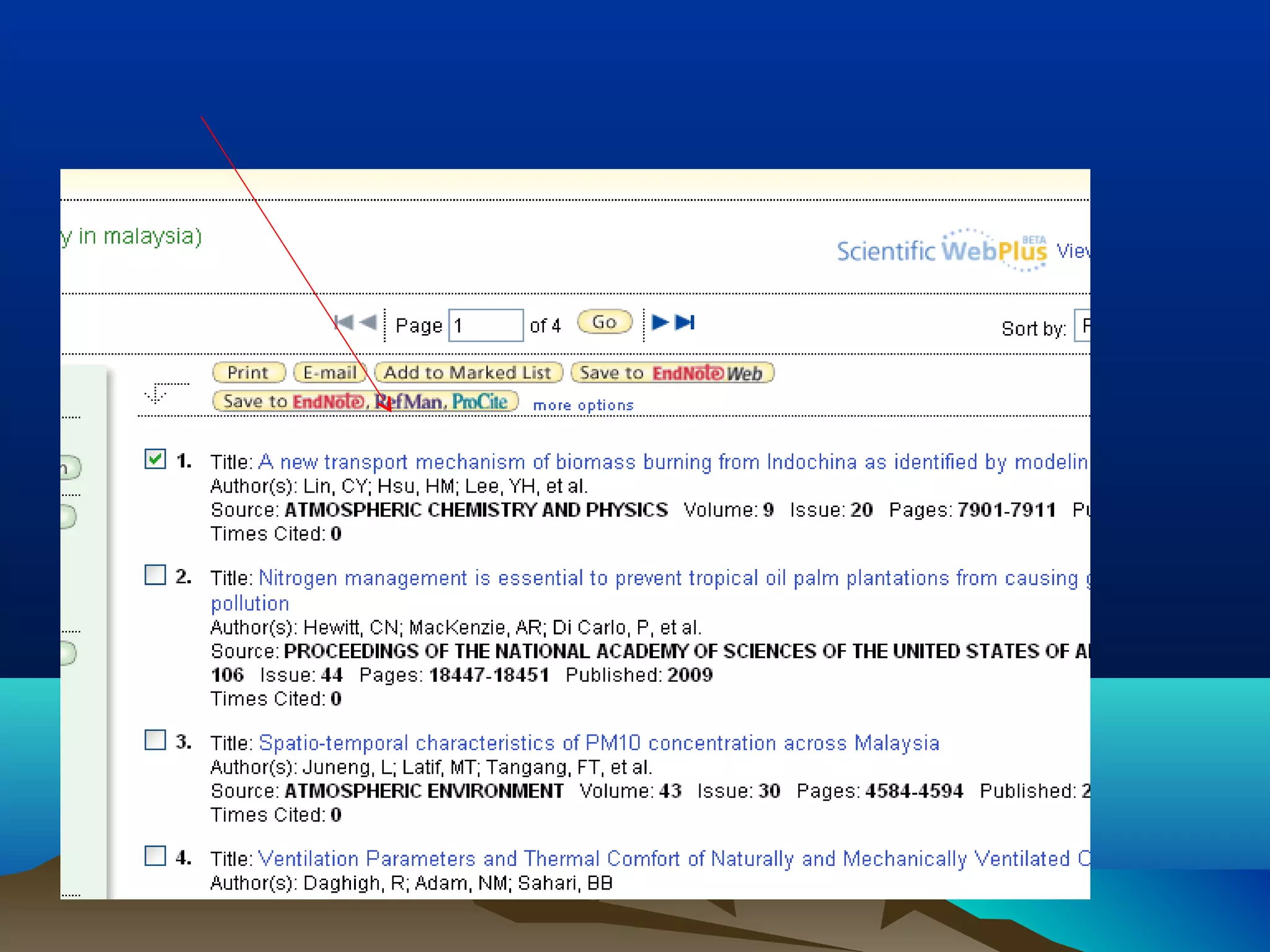
PUT REFERENCE FROM ISIPUT REFERENCE FROM ISI
WEB OF KNOWLEDGEWEB OF KNOWLEDGE
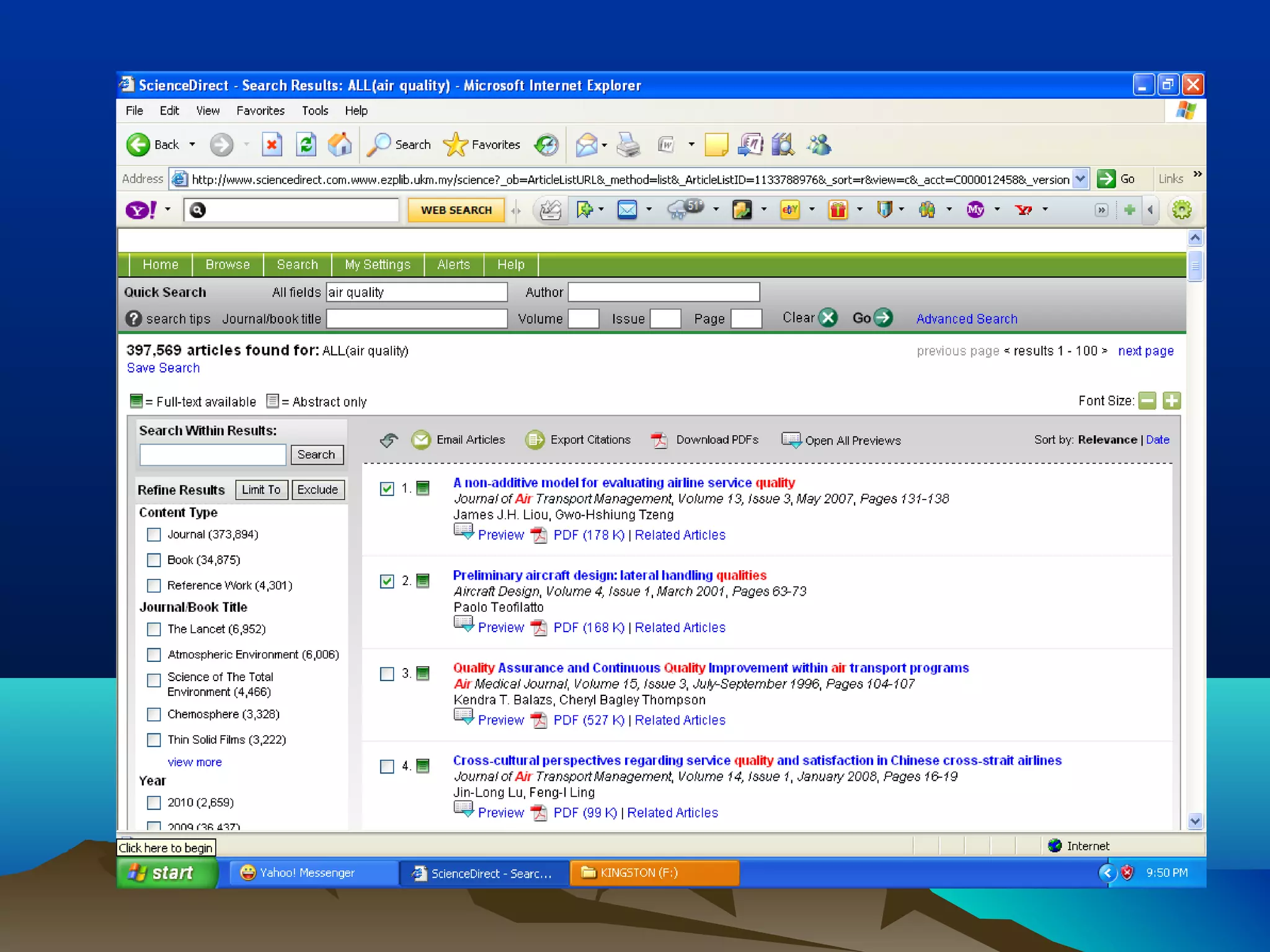
PUT REFERENCE FROMPUT REFERENCE FROM
SCIENCE DIRECTSCIENCE DIRECT
HOW TO PUT REFERENCESHOW TO PUT REFERENCES
FROM ENDNOTE IN WORDFROM ENDNOTE IN WORD
Open Word
Open Endnote at the same time
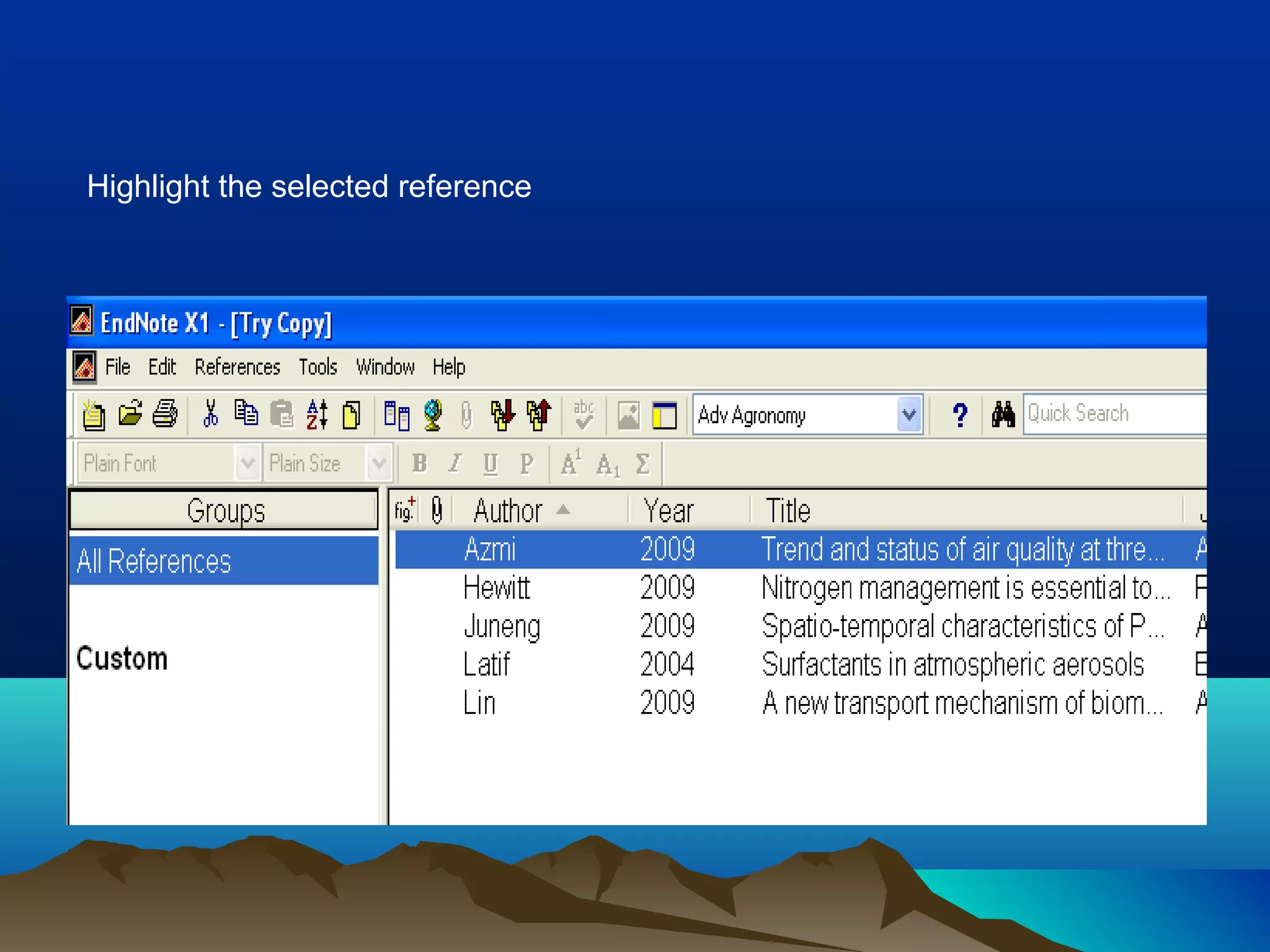
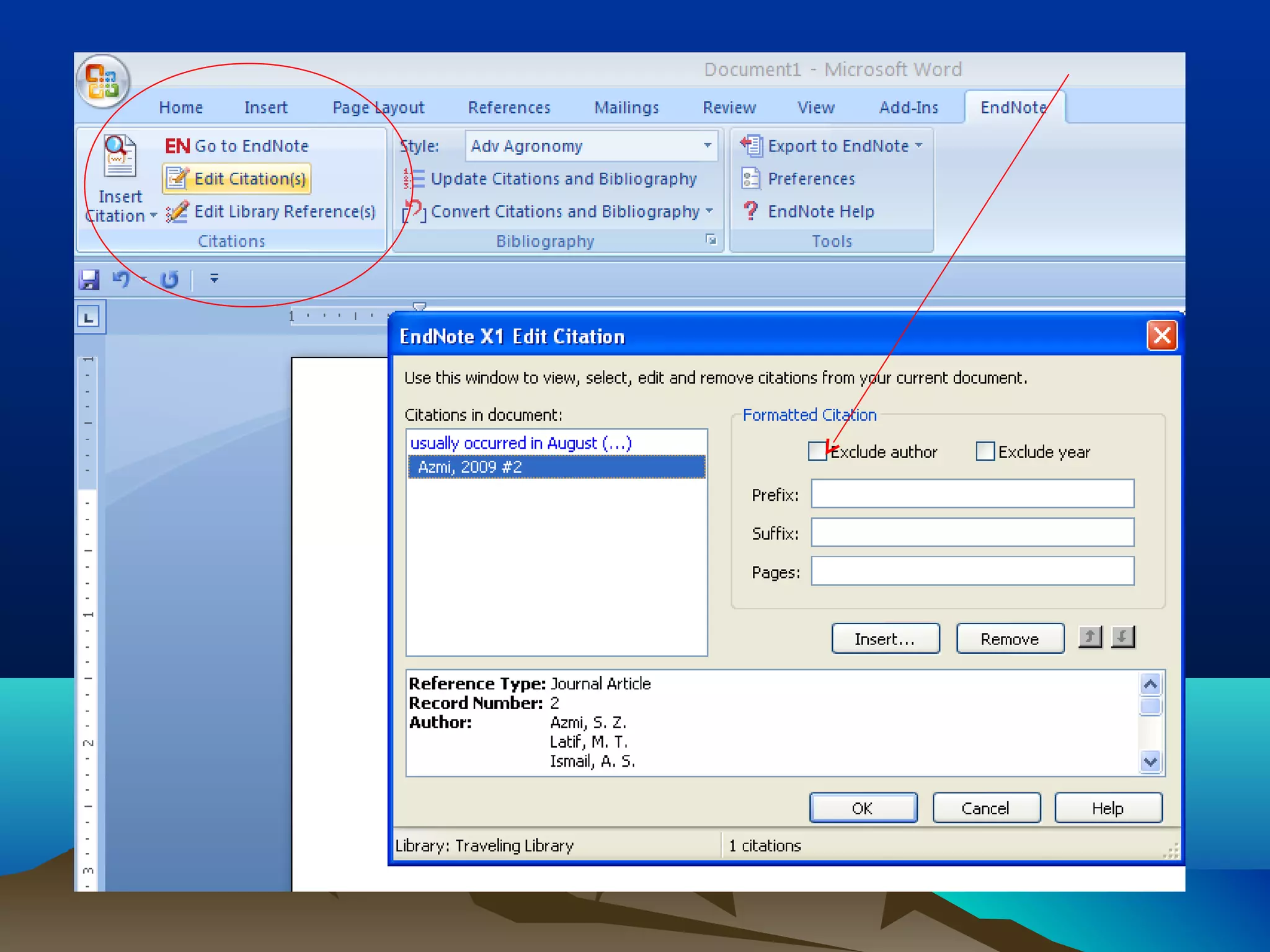
Highlight the selected reference
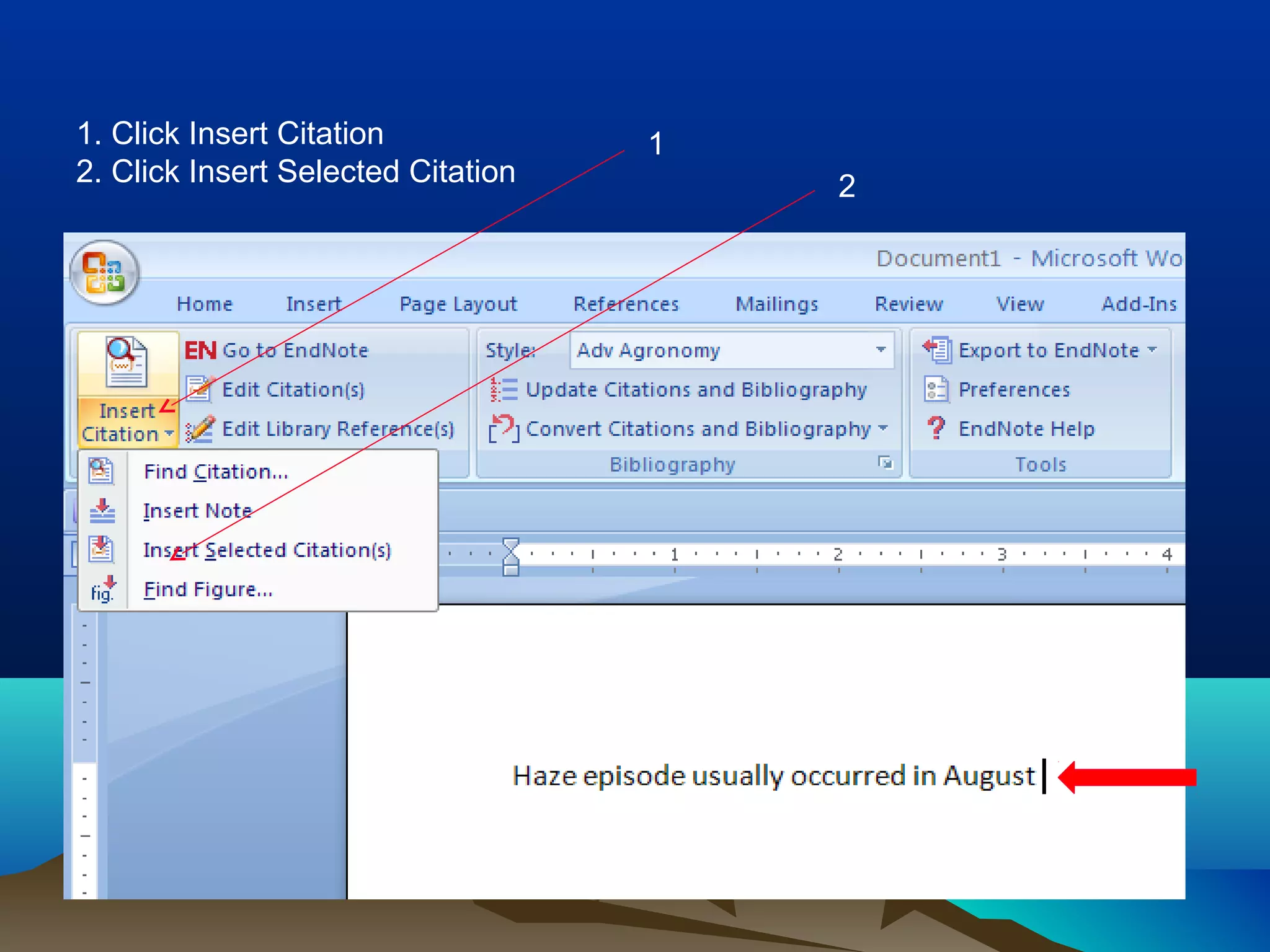
1. Click Insert Citation
2. Click Insert Selected Citation
1
2
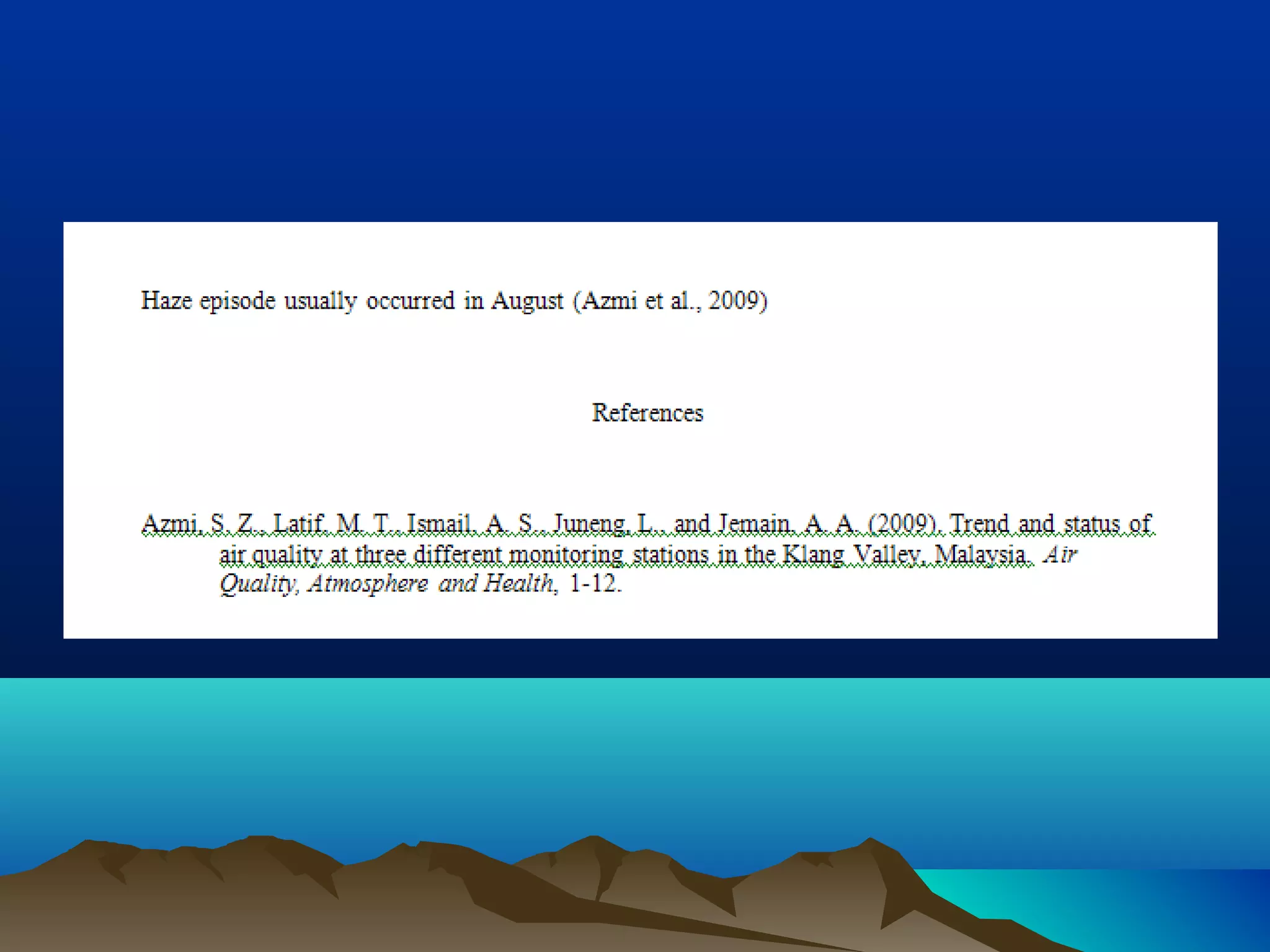
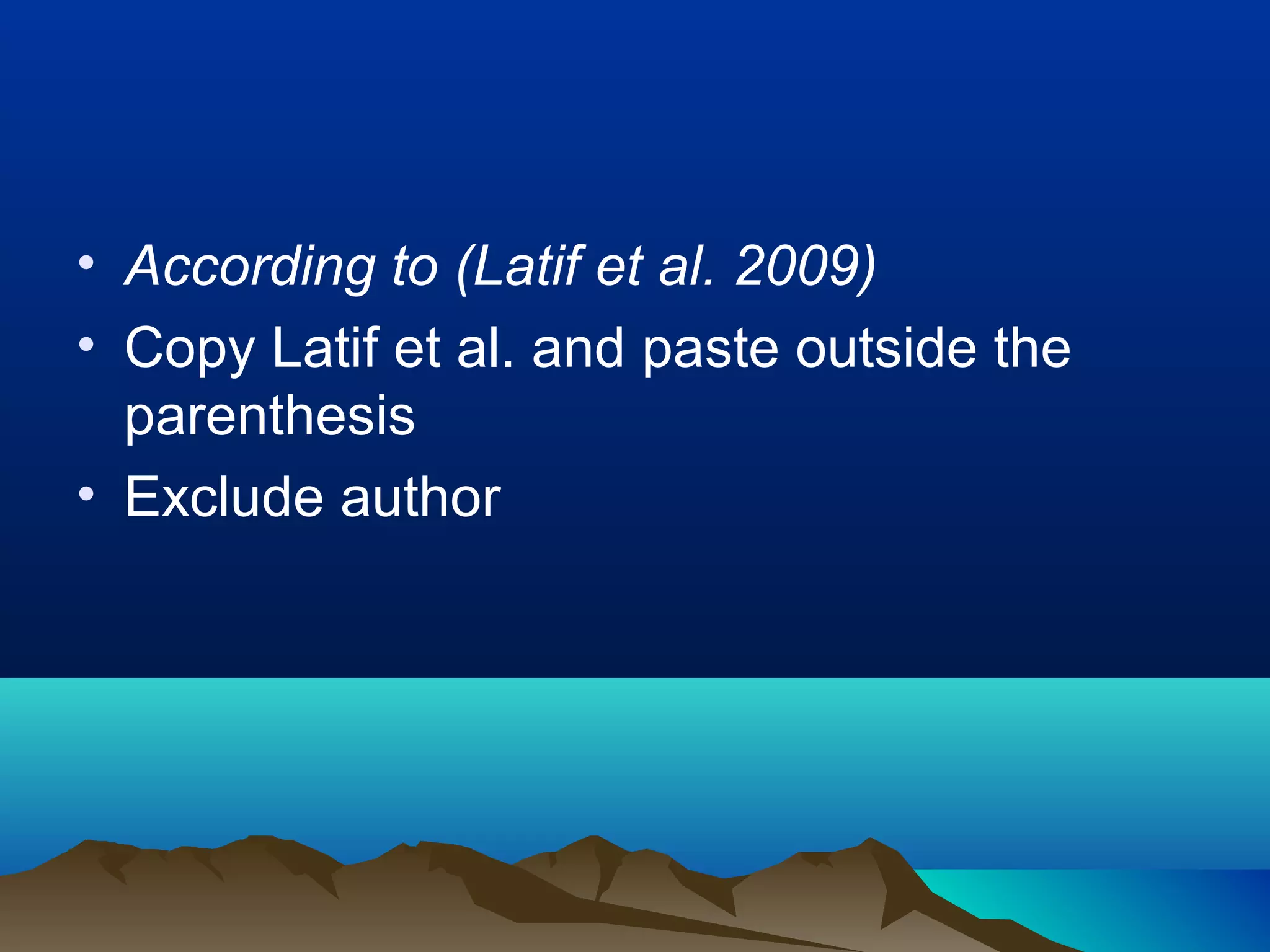
• According to (Latif et al. 2009)
• Copy Latif et al. and paste outside the
parenthesis
• Exclude author
CHANGE REFERENCE STYLECHANGE REFERENCE STYLE
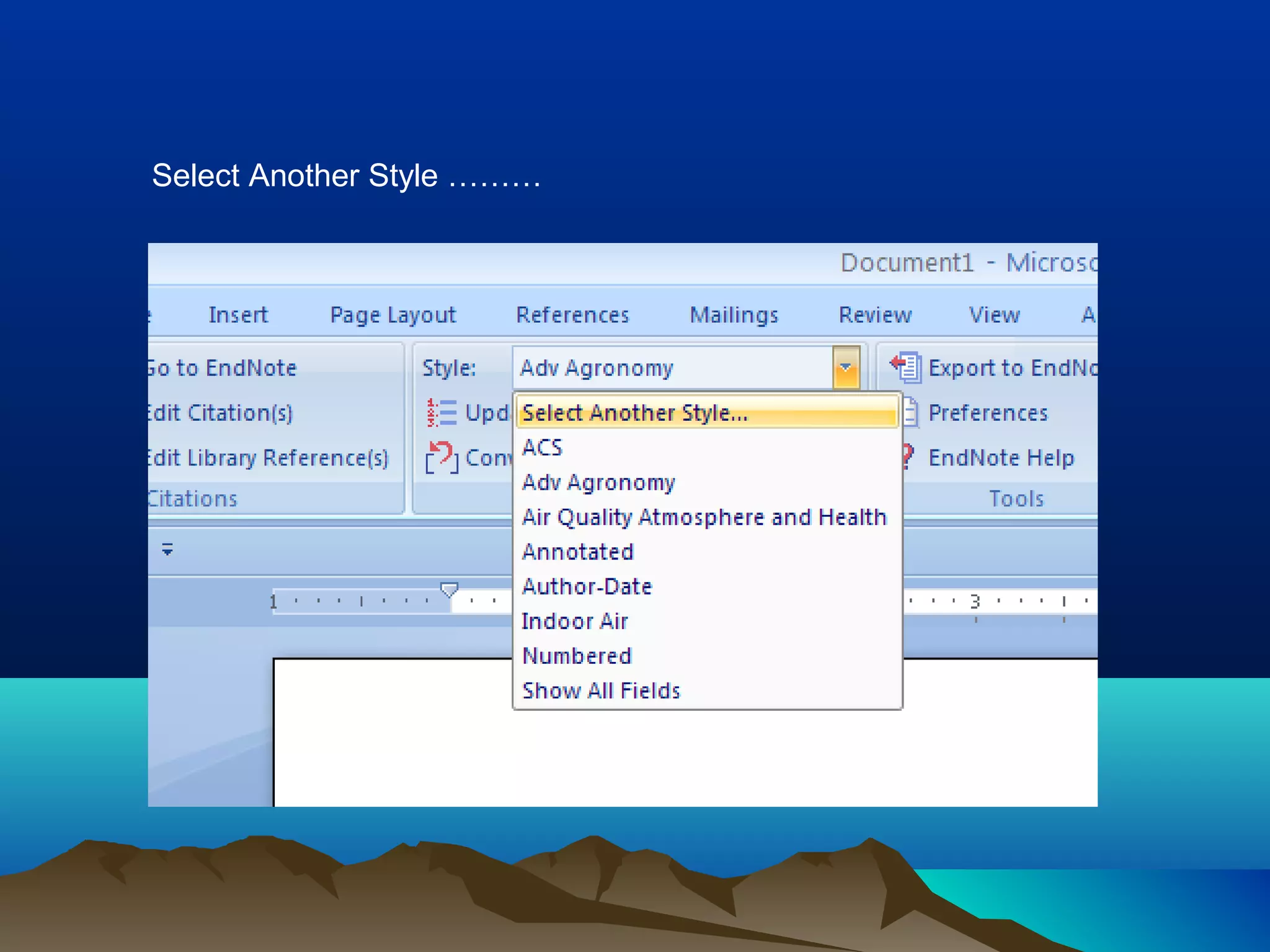
Style Button
Select Another Style in the List
Select Another Style ………
Style Window
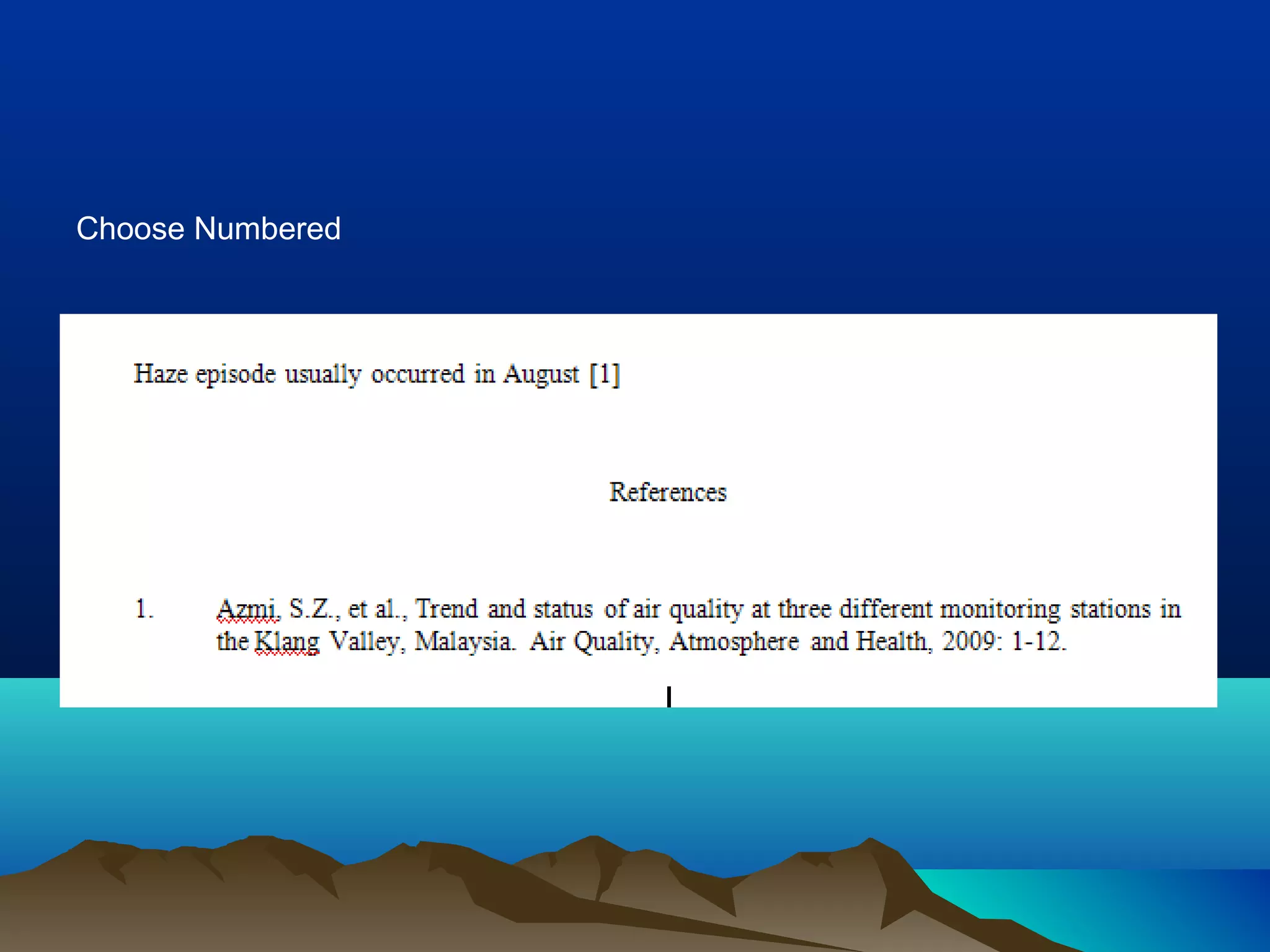
Select and Click OK
Choose Numbered
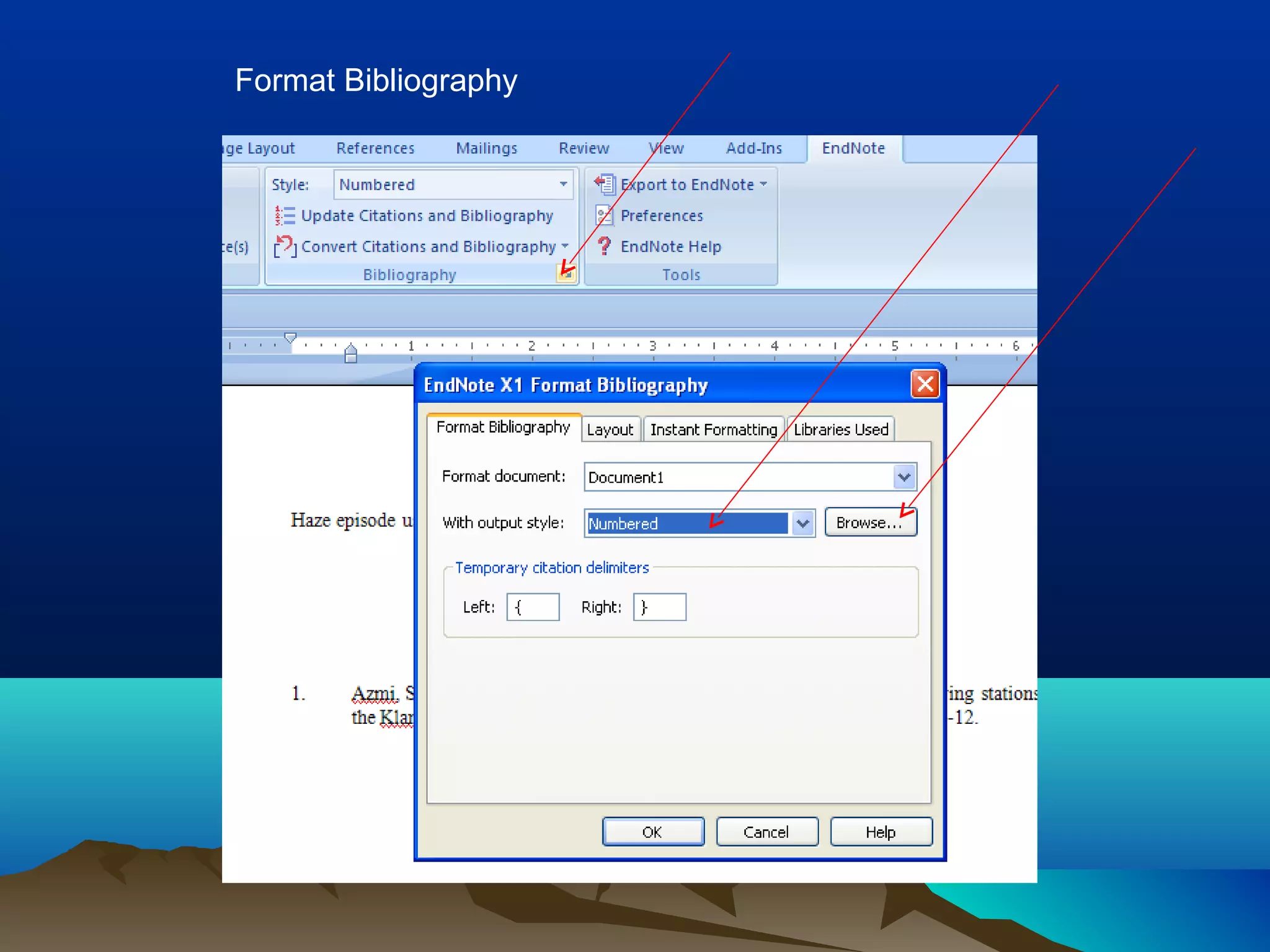
Format Bibliography
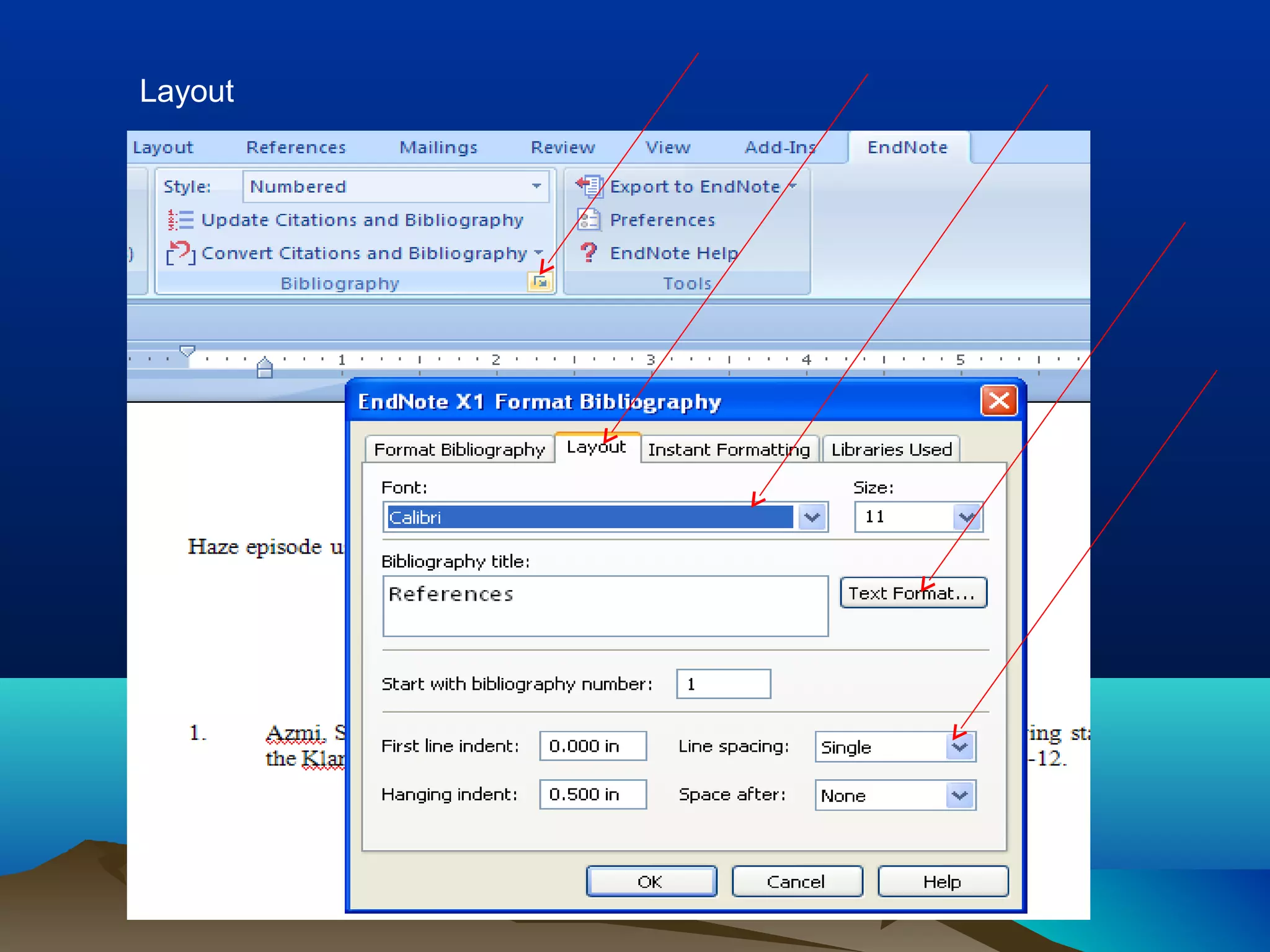
Layout
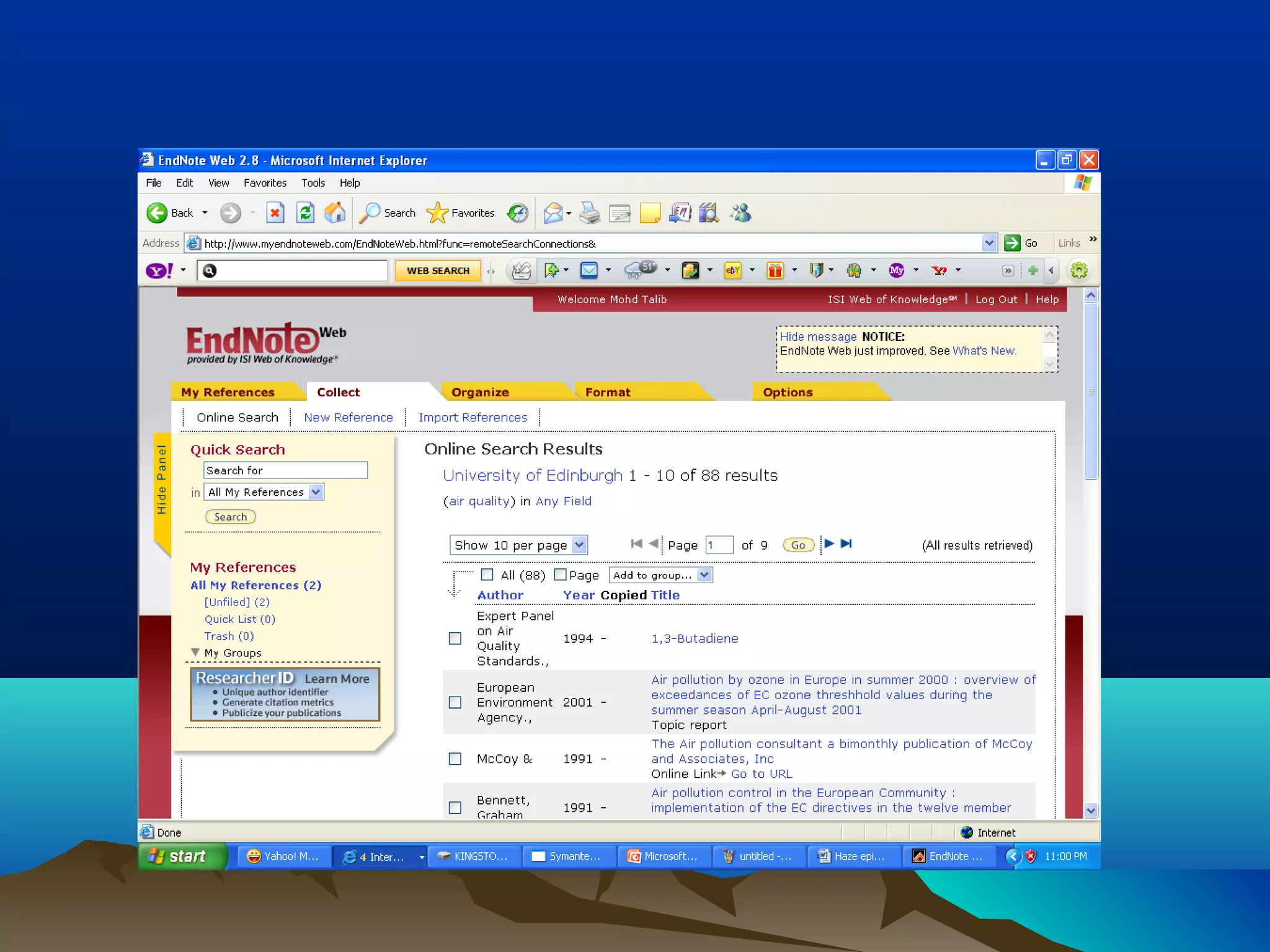
If you want to change to Endnote Web
Register Endnote Web
Through ISI Web of Knowledge
MORE ON ENDNOTEMORE ON ENDNOTE
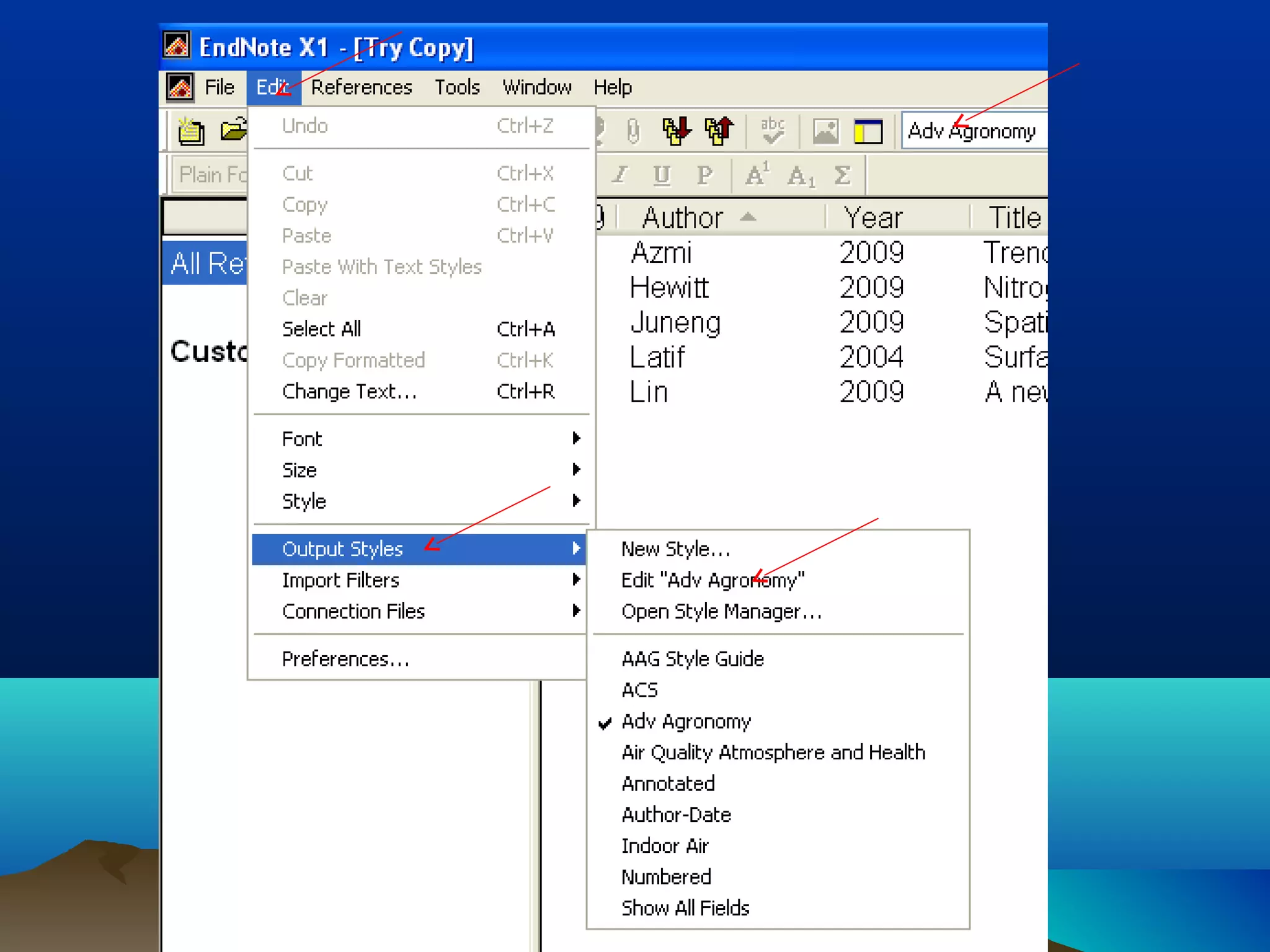
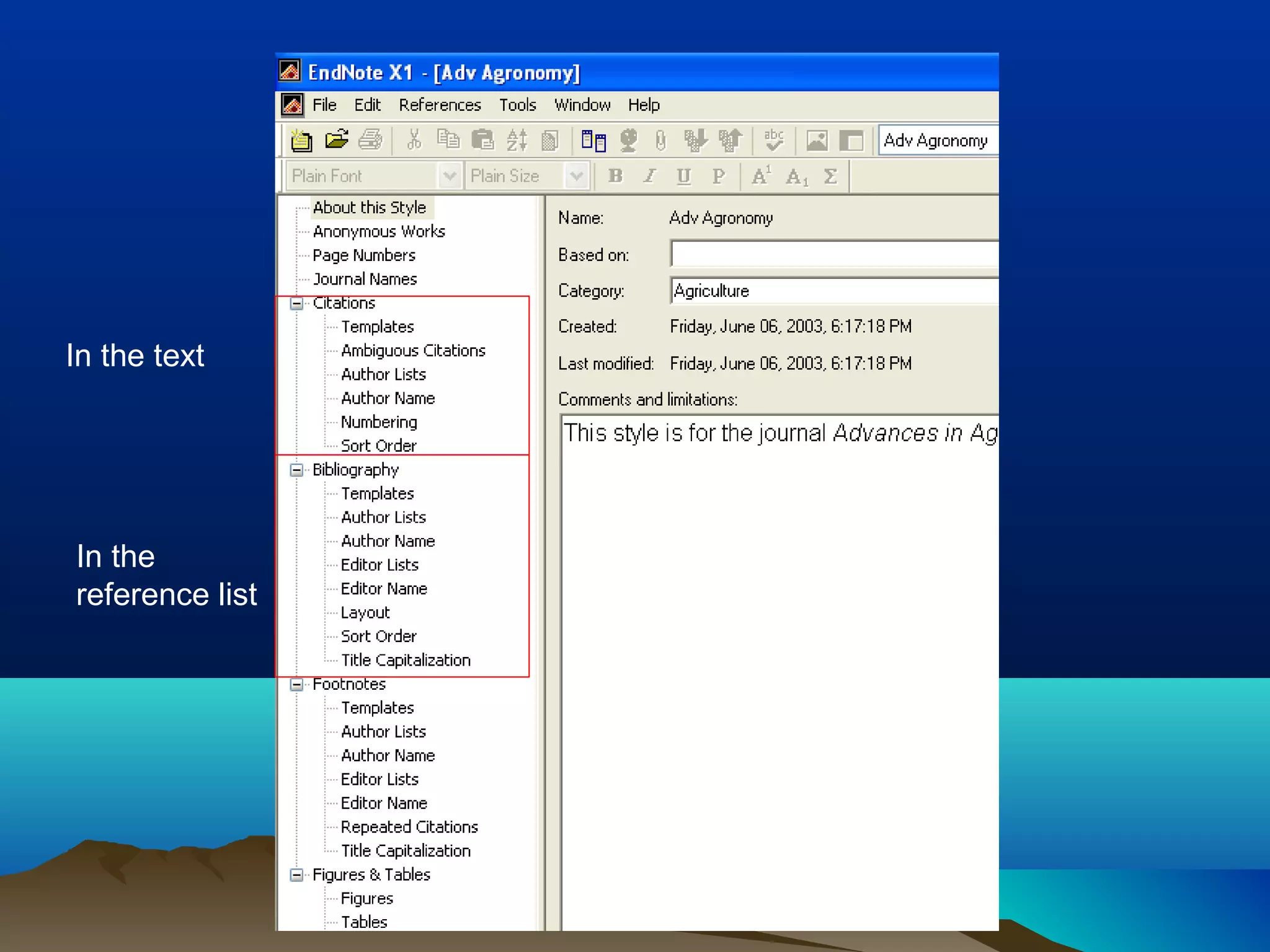
EDIT AND CREATE NEWEDIT AND CREATE NEW
STYLESTYLE
In the text
In the
reference list
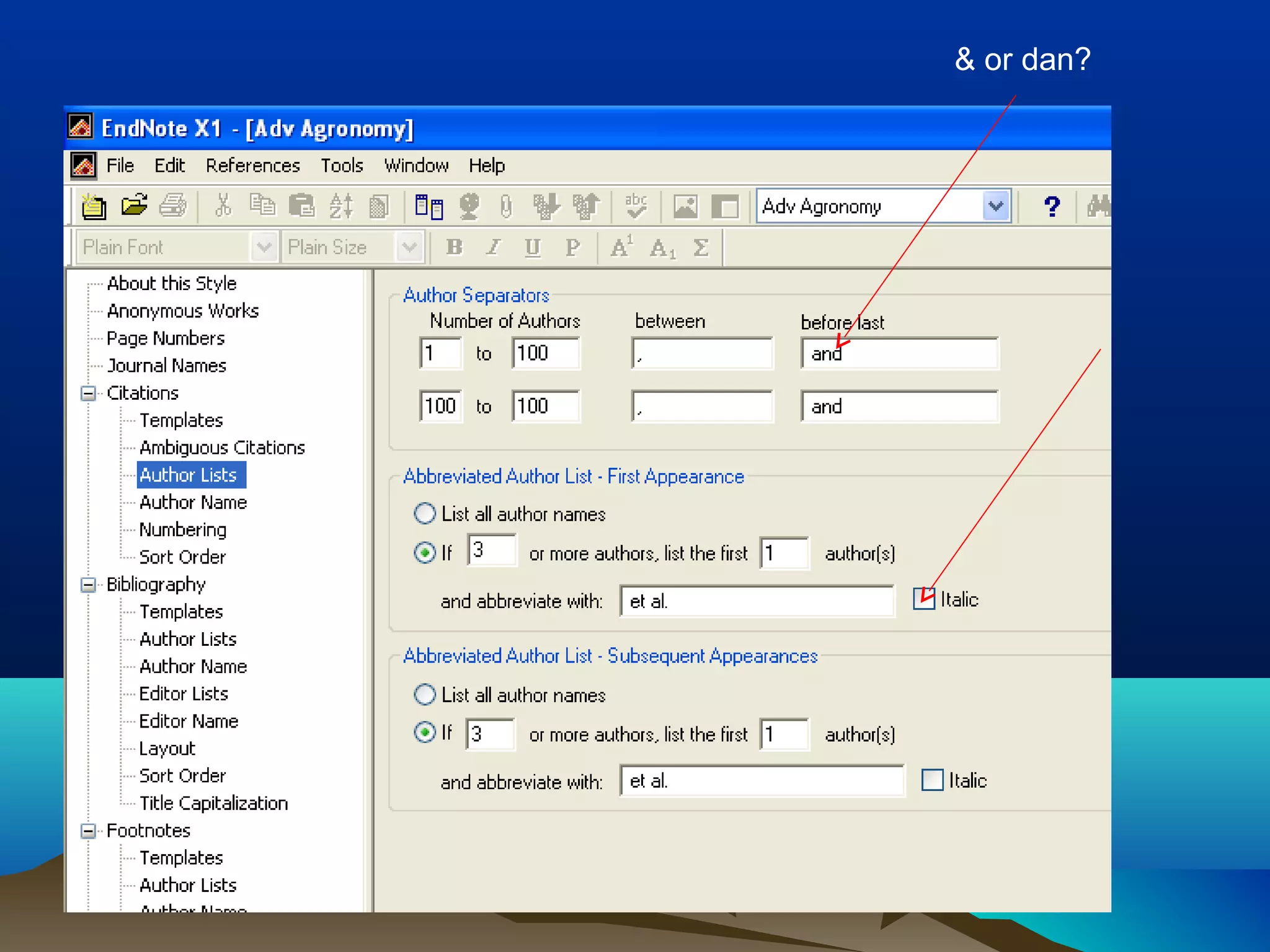
& or dan?
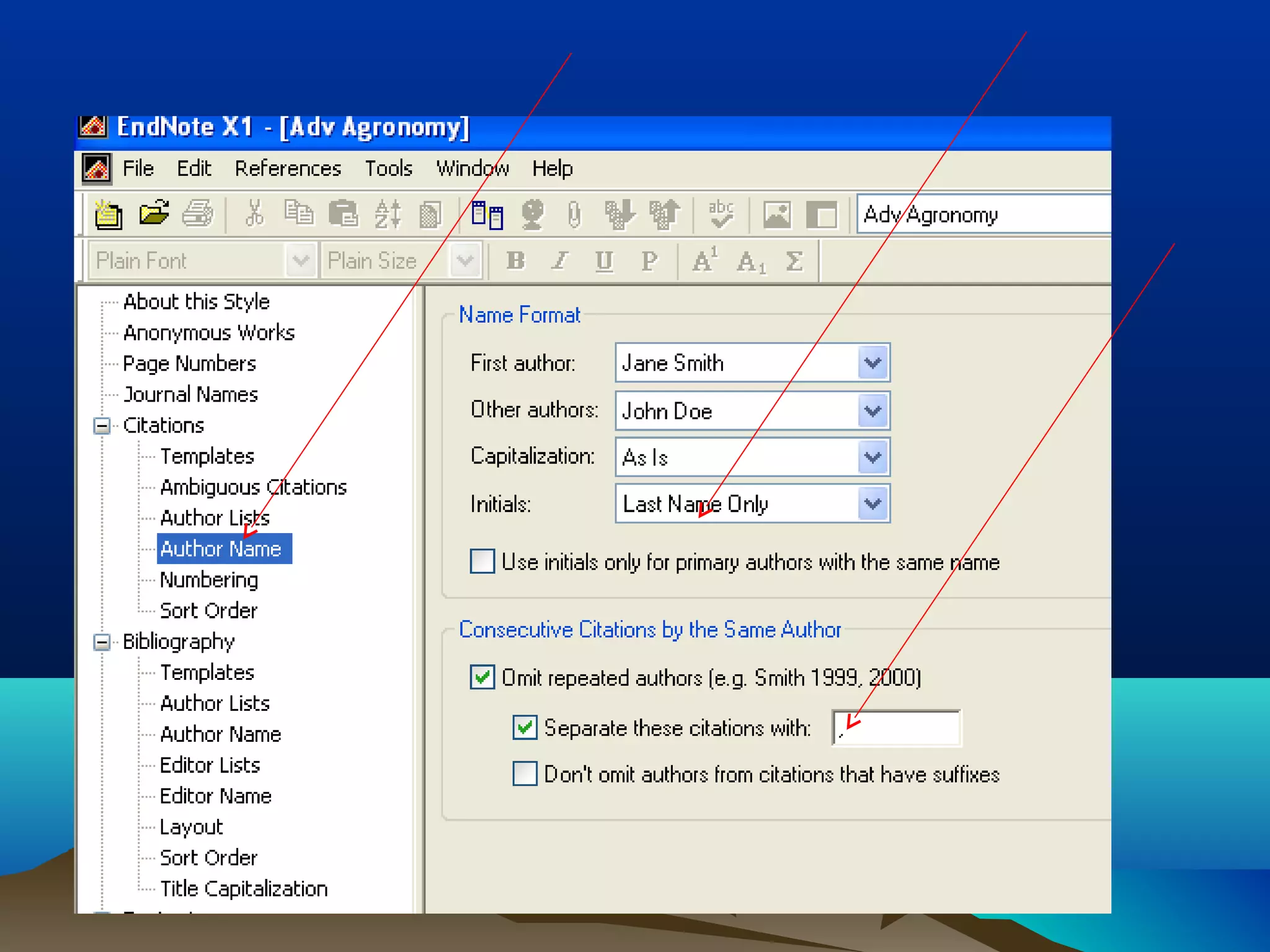
Change in the reference list
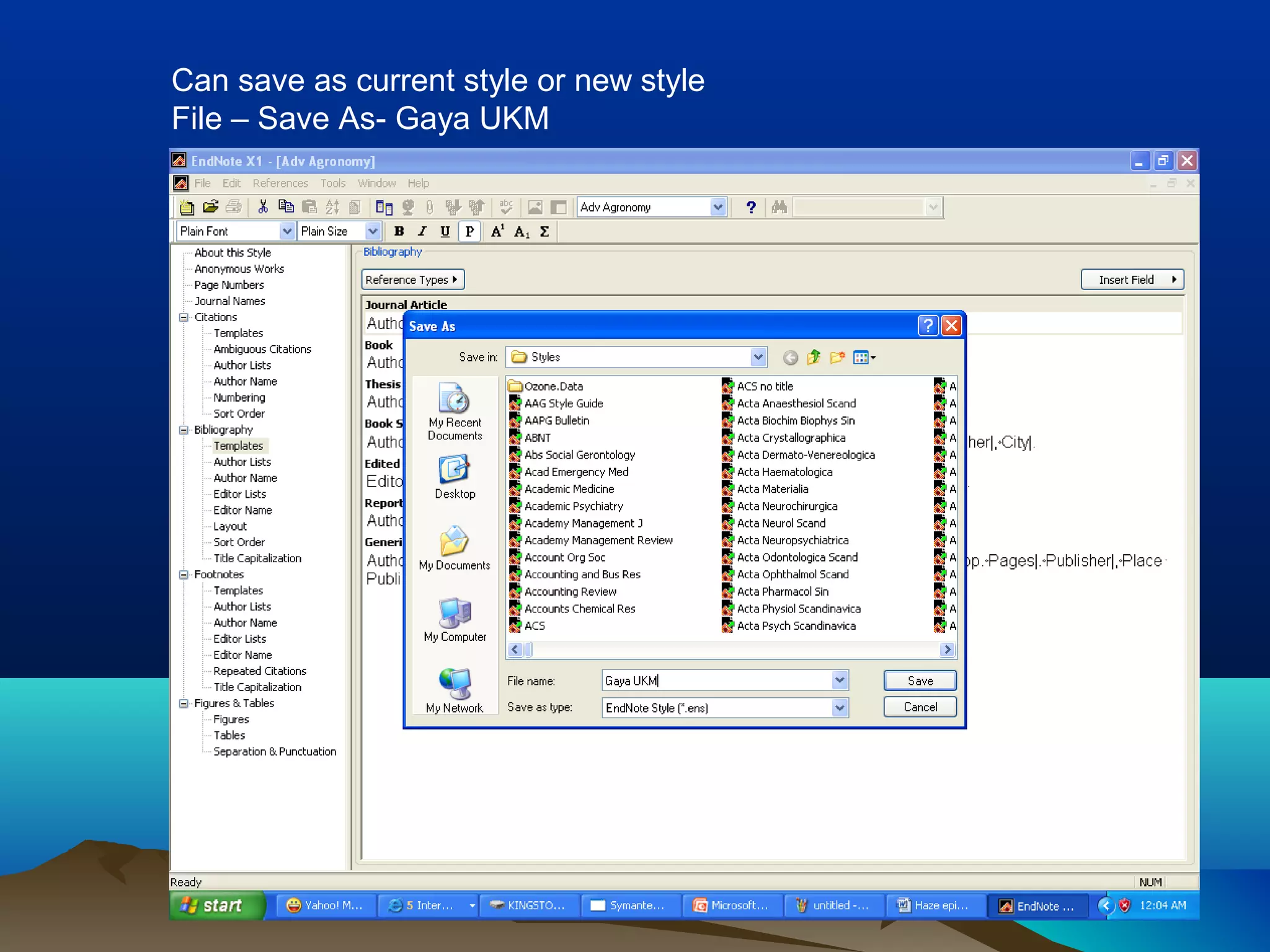
Can save as current style or new style
File – Save As- Gaya UKM
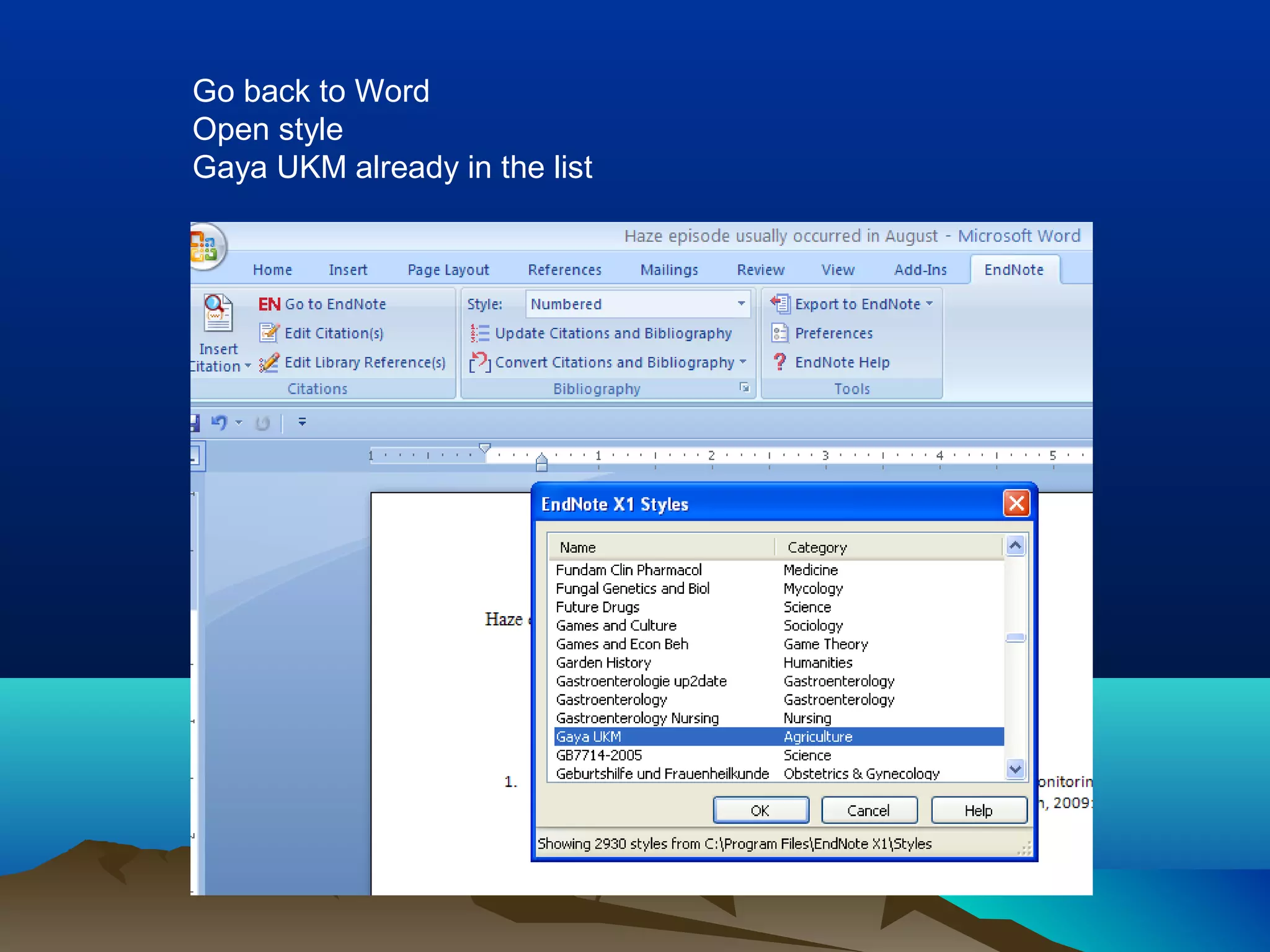
Go back to Word
Open style
Gaya UKM already in the list
EXTRA INFORMATIONEXTRA INFORMATION
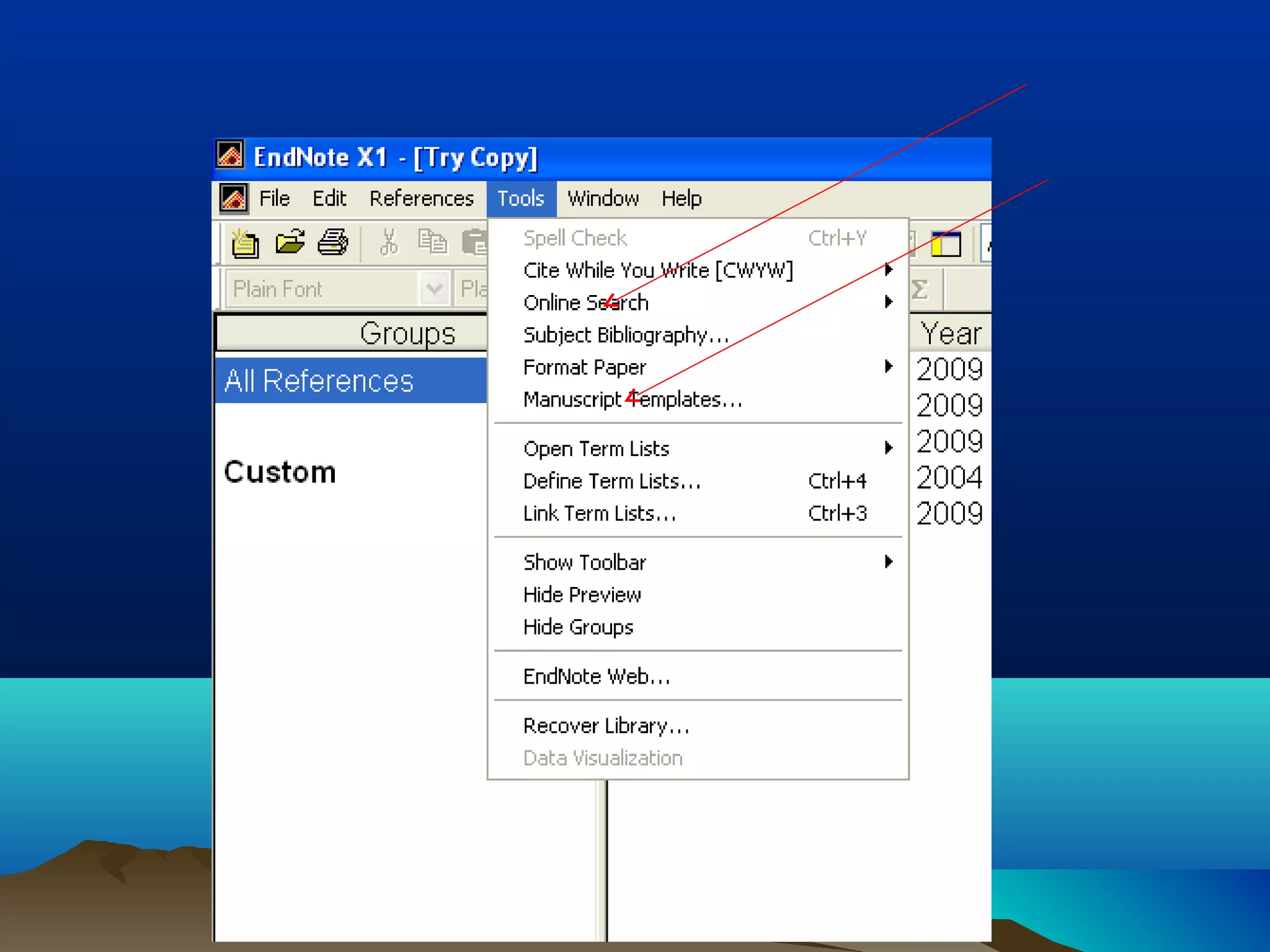
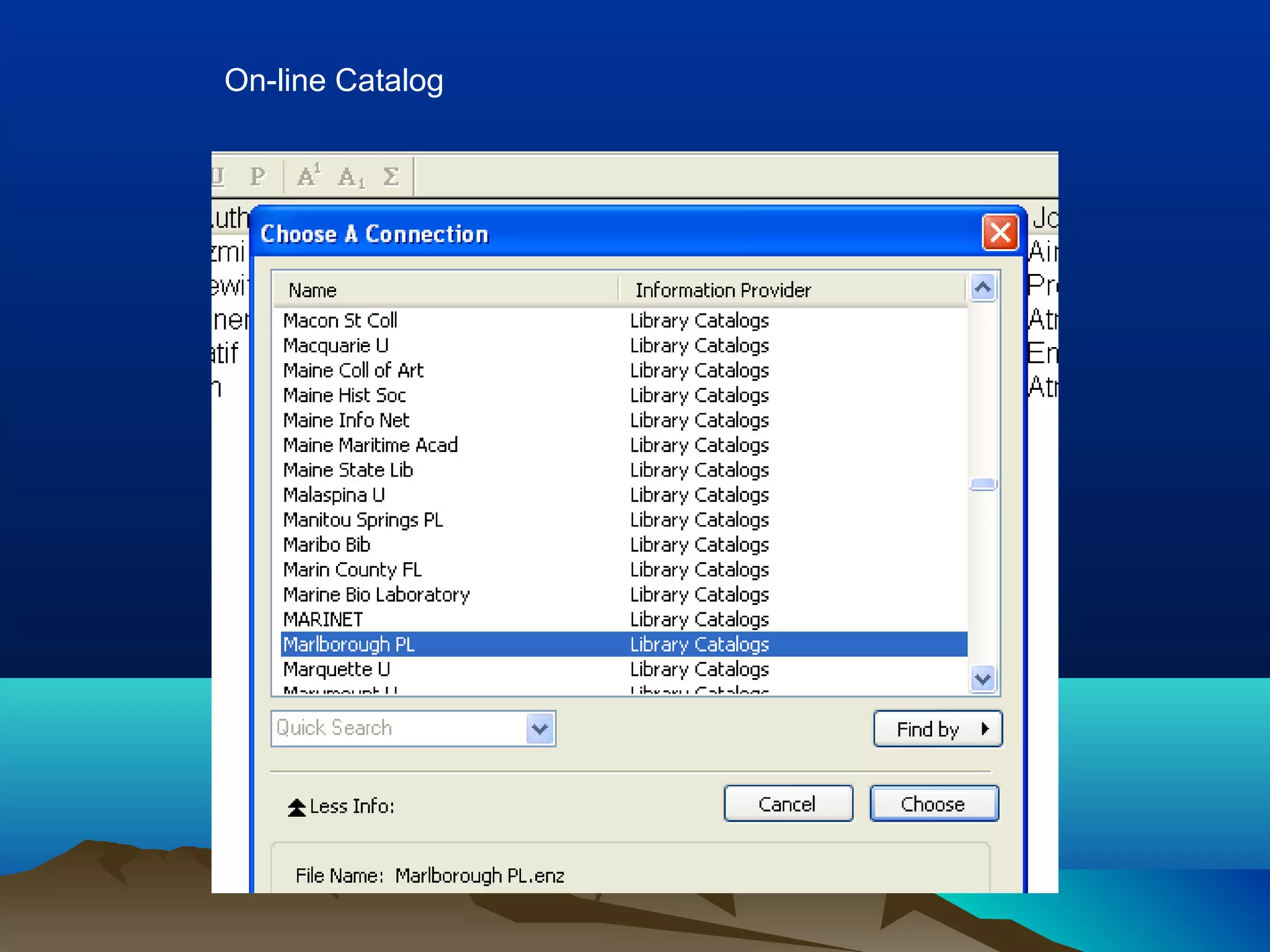
On-line Catalog
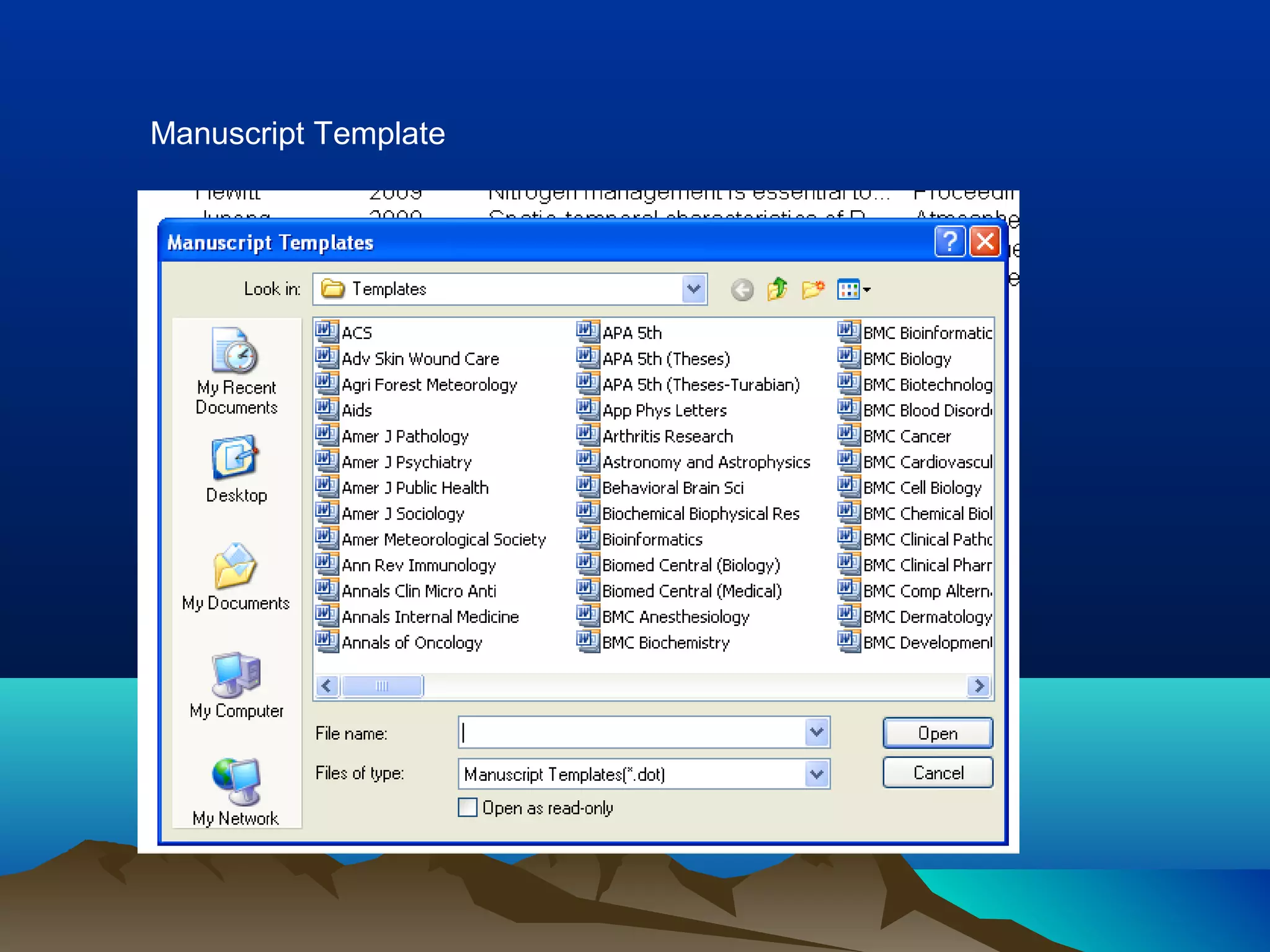
Manuscript Template
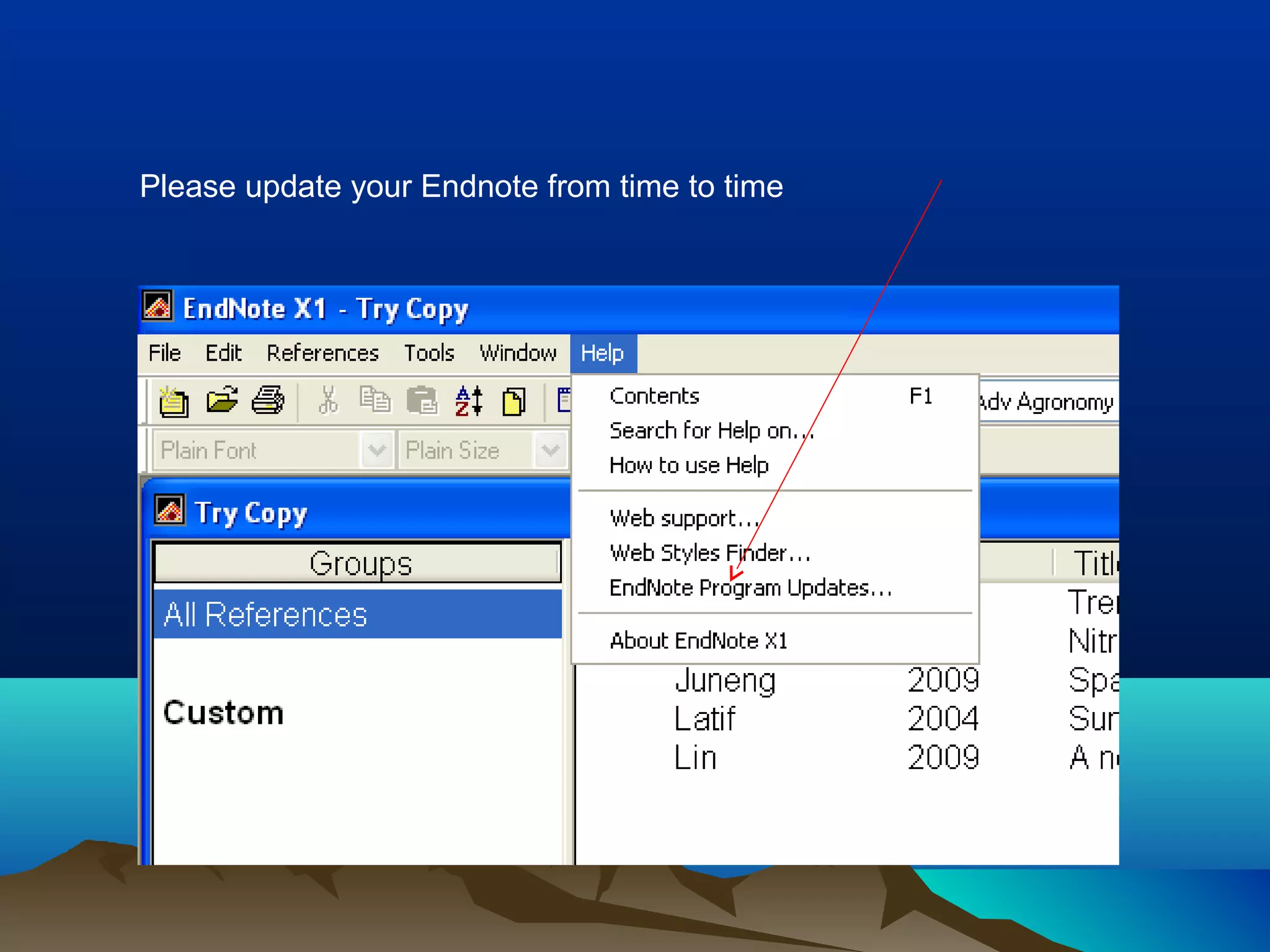
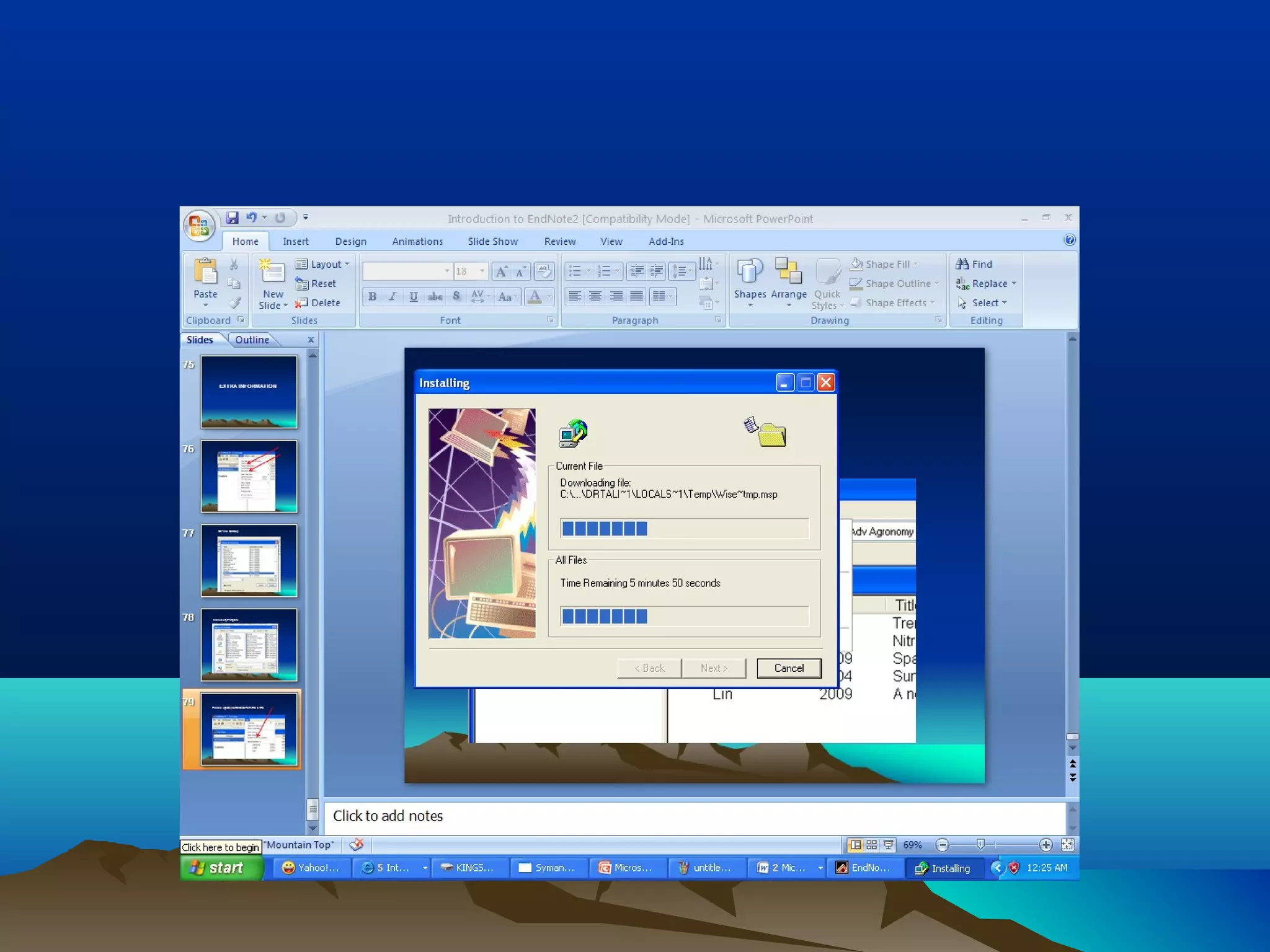
Please update your Endnote from time to time
THANK YOUTHANK YOU

Endnote