Email Marketing Basics 
Making the most of your email investment 
Powered by
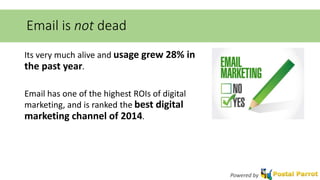
Email is not dead 
Its very much alive and usage grew 28% in 
the past year. 
Email has one of the highest ROIs of digital 
marketing, and is ranked the best digital 
marketing channel of 2014. 
Powered by
How can you get the best results from email? 
Make the most of your email investment by using as many of the 
email service features as you can. 
Make use of functions such as personalization, automation, 
dynamic content, and mobile optimization. 
Powered by
Personalization 
Personalize your email whenever possible. How? 
• Use the variables feature of your email provider. Include First Name, 
Full Name, or other information that you have gathered about your 
subscriber whenever possible. 
• Segment your email lists. Divide your lists into as many sub-lists or 
different lists as possible based on demographic information, user 
behavior (most opens / clicks / etc.), and where your user subscribed 
from (blog, homepage, social media, etc.). 
Powered by
Automation 
Automated emails have some of the highest open and click through 
rates. 
There are two main types of automated emails: Autoresponders and 
Drip Emails. 
Powered by
Automation: Autoresponders 
Autoresponders are triggered when a users performs a task, such as 
filling out a form on your website, subscribing to your mailing list, or 
purchasing a product. 
By sending an email that is triggered by this activity, they are more 
likely to open, so you have a good chance of making a sale or upsell, or 
getting them to connect further through social channels. 
Powered by
Automation: Drip Emails 
Drip Emails are pre-written emails that will “drip on”, or send over a 
specified period of time to a subscriber. 
When a user performs a certain activity, like purchasing a product, you 
can have them automatically entered into a drip campaign that will 
send them special product deals, upsells, or information based on their 
purchasing activity. 
Powered by
Dynamic Content 
Dynamic content changes the html being displayed based on the user. 
It can be used for both prospect and client communications, in a 
monthly newsletter, webinar blast, or other marketing-related email. 
For example, a newsletter can display upcoming events based on the 
recipient’s location. A webinar email sent to a list of prospects can 
serve up beginner, intermediate, or advanced topics based on a 
prospect’s score or interests. 
Powered by
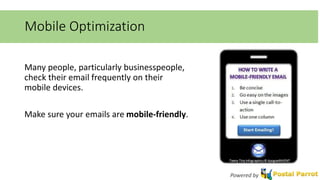
Mobile Optimization 
Many people, particularly businesspeople, 
check their email frequently on their 
mobile devices. 
Make sure your emails are mobile-friendly. 
Powered by
What next? 
Start emailing! 
Collect emails from anywhere you 
can and stay connected with your 
audience. 
Powered by

Email Marketing Basics

  • 1.
    Email Marketing Basics Making the most of your email investment Powered by
  • 2.
    Email is notdead Its very much alive and usage grew 28% in the past year. Email has one of the highest ROIs of digital marketing, and is ranked the best digital marketing channel of 2014. Powered by
  • 3.
    How can youget the best results from email? Make the most of your email investment by using as many of the email service features as you can. Make use of functions such as personalization, automation, dynamic content, and mobile optimization. Powered by
  • 4.
    Personalization Personalize youremail whenever possible. How? • Use the variables feature of your email provider. Include First Name, Full Name, or other information that you have gathered about your subscriber whenever possible. • Segment your email lists. Divide your lists into as many sub-lists or different lists as possible based on demographic information, user behavior (most opens / clicks / etc.), and where your user subscribed from (blog, homepage, social media, etc.). Powered by
  • 5.
    Automation Automated emailshave some of the highest open and click through rates. There are two main types of automated emails: Autoresponders and Drip Emails. Powered by
  • 6.
    Automation: Autoresponders Autorespondersare triggered when a users performs a task, such as filling out a form on your website, subscribing to your mailing list, or purchasing a product. By sending an email that is triggered by this activity, they are more likely to open, so you have a good chance of making a sale or upsell, or getting them to connect further through social channels. Powered by
  • 7.
    Automation: Drip Emails Drip Emails are pre-written emails that will “drip on”, or send over a specified period of time to a subscriber. When a user performs a certain activity, like purchasing a product, you can have them automatically entered into a drip campaign that will send them special product deals, upsells, or information based on their purchasing activity. Powered by
  • 8.
    Dynamic Content Dynamiccontent changes the html being displayed based on the user. It can be used for both prospect and client communications, in a monthly newsletter, webinar blast, or other marketing-related email. For example, a newsletter can display upcoming events based on the recipient’s location. A webinar email sent to a list of prospects can serve up beginner, intermediate, or advanced topics based on a prospect’s score or interests. Powered by
  • 9.
    Mobile Optimization Manypeople, particularly businesspeople, check their email frequently on their mobile devices. Make sure your emails are mobile-friendly. Powered by
  • 10.
    What next? Startemailing! Collect emails from anywhere you can and stay connected with your audience. Powered by