Oracle ELT Engine
A Solution Overview
Jeff McQuigg
January 2017
Large Dataset Performance Factors for ETL
2
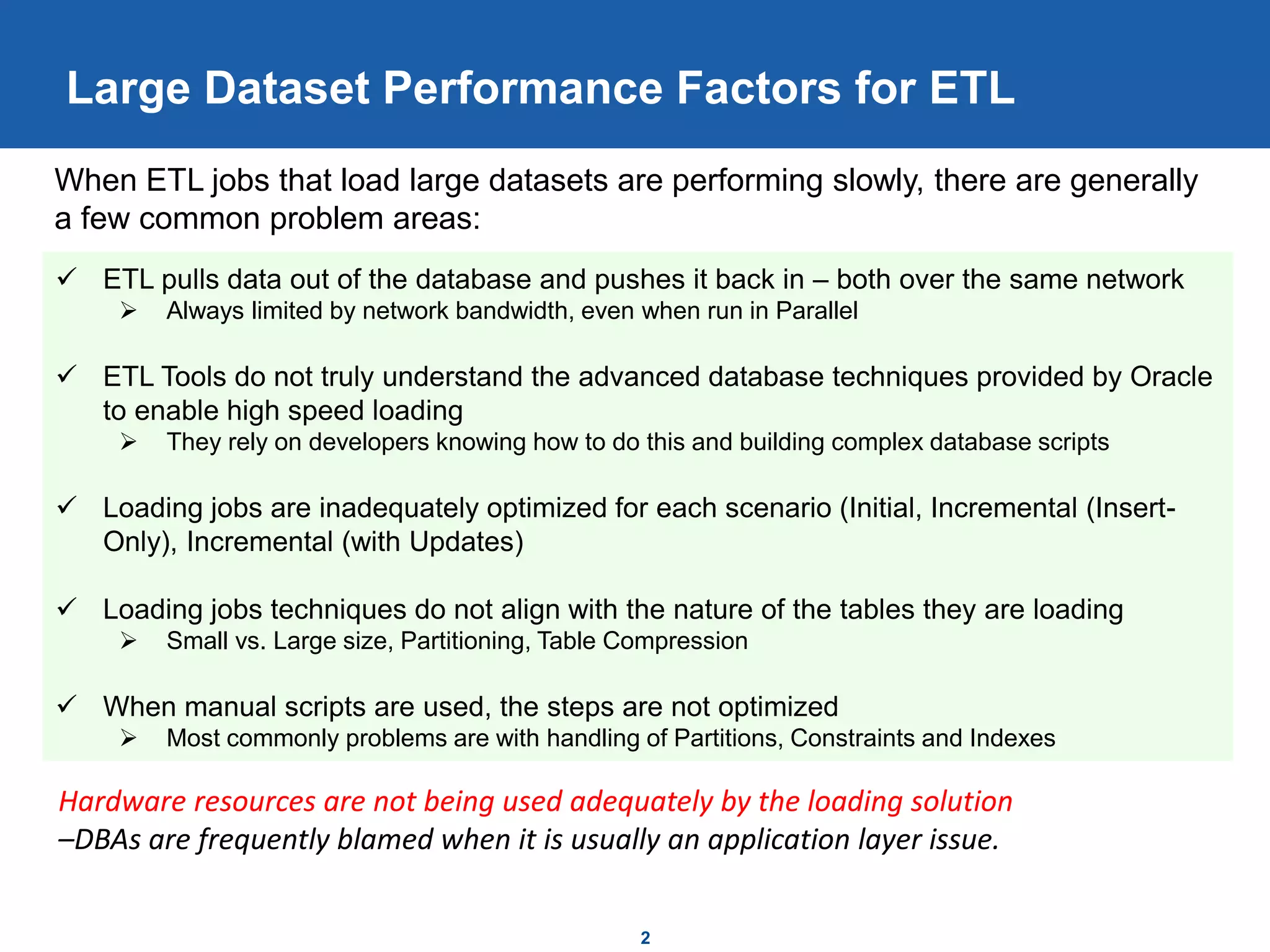
 ETL pulls data out of the database and pushes it back in – both over the same network
 Always limited by network bandwidth, even when run in Parallel
 ETL Tools do not truly understand the advanced database techniques provided by Oracle
to enable high speed loading
 They rely on developers knowing how to do this and building complex database scripts
 Loading jobs are inadequately optimized for each scenario (Initial, Incremental (Insert-
Only), Incremental (with Updates)
 Loading jobs techniques do not align with the nature of the tables they are loading
 Small vs. Large size, Partitioning, Table Compression
 When manual scripts are used, the steps are not optimized
 Most commonly problems are with handling of Partitions, Constraints and Indexes
When ETL jobs that load large datasets are performing slowly, there are generally
a few common problem areas:
Hardware resources are not being used adequately by the loading solution
–DBAs are frequently blamed when it is usually an application layer issue.
Databases are Designed for ELT Techniques
3
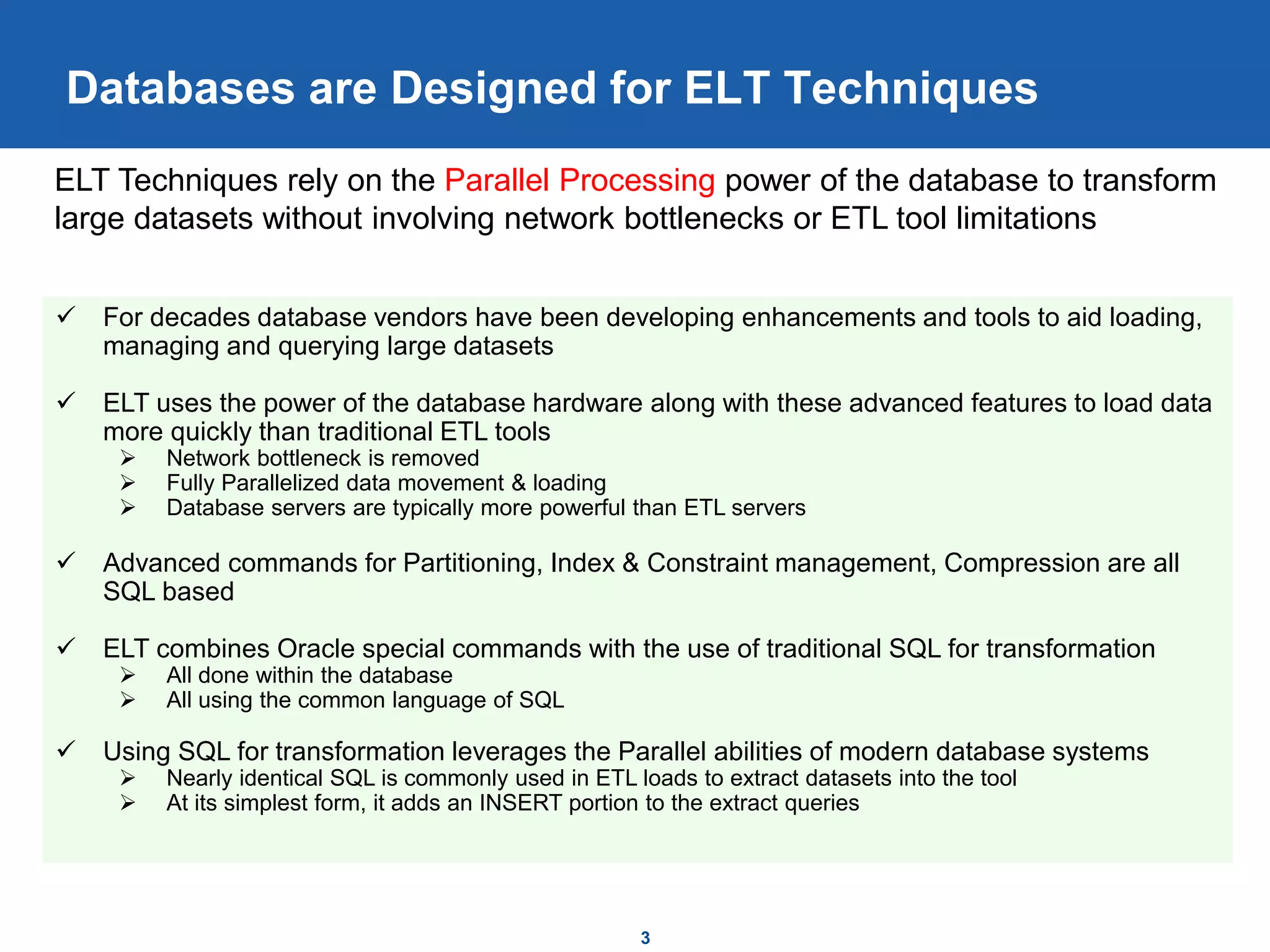
 For decades database vendors have been developing enhancements and tools to aid loading,
managing and querying large datasets
 ELT uses the power of the database hardware along with these advanced features to load data
more quickly than traditional ETL tools
 Network bottleneck is removed
 Fully Parallelized data movement & loading
 Database servers are typically more powerful than ETL servers
 Advanced commands for Partitioning, Index & Constraint management, Compression are all
SQL based
 ELT combines Oracle special commands with the use of traditional SQL for transformation
 All done within the database
 All using the common language of SQL
 Using SQL for transformation leverages the Parallel abilities of modern database systems
 Nearly identical SQL is commonly used in ETL loads to extract datasets into the tool
 At its simplest form, it adds an INSERT portion to the extract queries
ELT Techniques rely on the Parallel Processing power of the database to transform
large datasets without involving network bottlenecks or ETL tool limitations
Optimized ELT Patterns for Large Data Loads
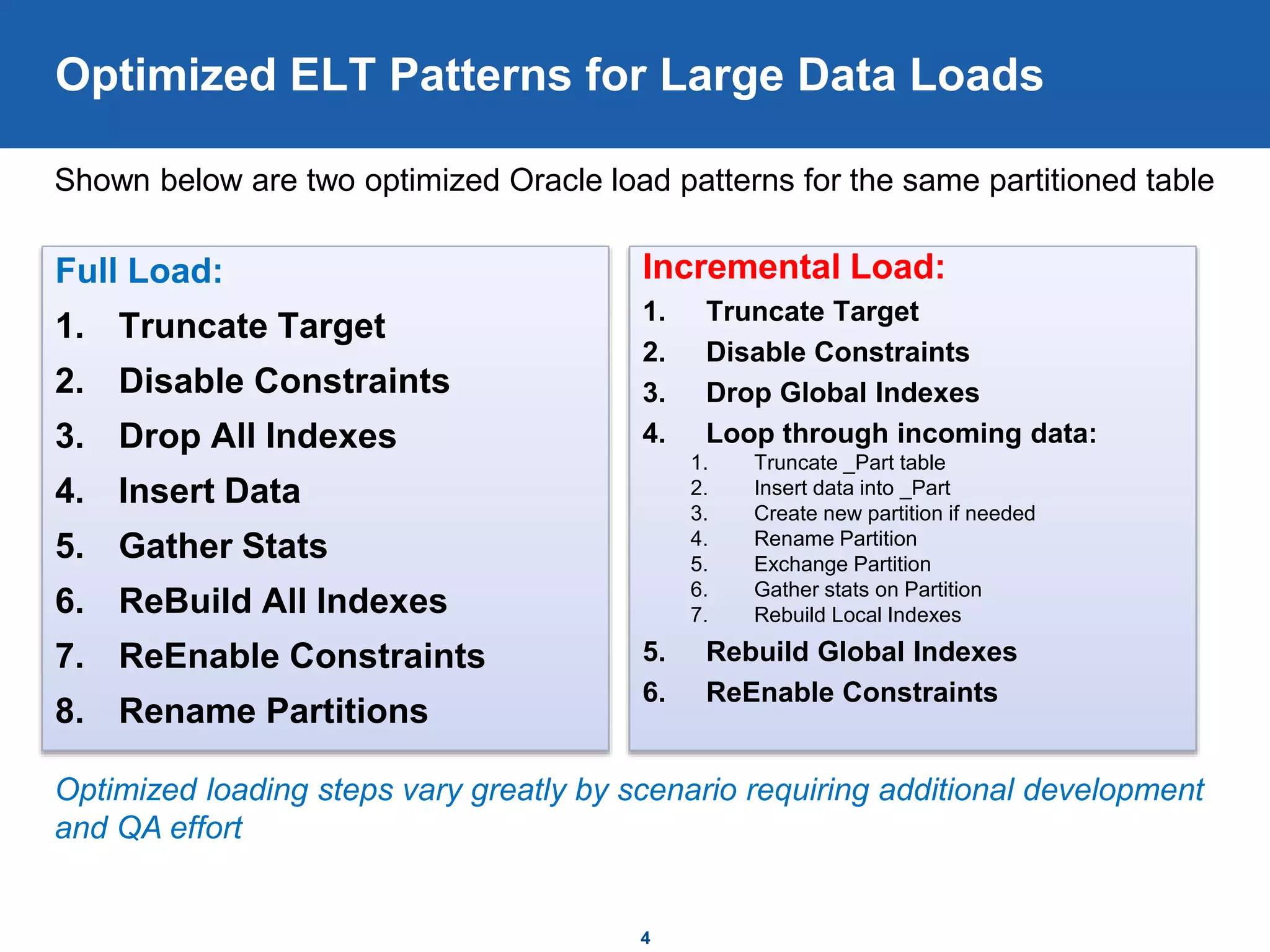
Full Load:
1. Truncate Target
2. Disable Constraints
3. Drop All Indexes
4. Insert Data
5. Gather Stats
6. ReBuild All Indexes
7. ReEnable Constraints
8. Rename Partitions
Incremental Load:
1. Truncate Target
2. Disable Constraints
3. Drop Global Indexes
4. Loop through incoming data:
1. Truncate _Part table
2. Insert data into _Part
3. Create new partition if needed
4. Rename Partition
5. Exchange Partition
6. Gather stats on Partition
7. Rebuild Local Indexes
5. Rebuild Global Indexes
6. ReEnable Constraints
4
Shown below are two optimized Oracle load patterns for the same partitioned table
Optimized loading steps vary greatly by scenario requiring additional development
and QA effort
Automation – Key to Development Success
5
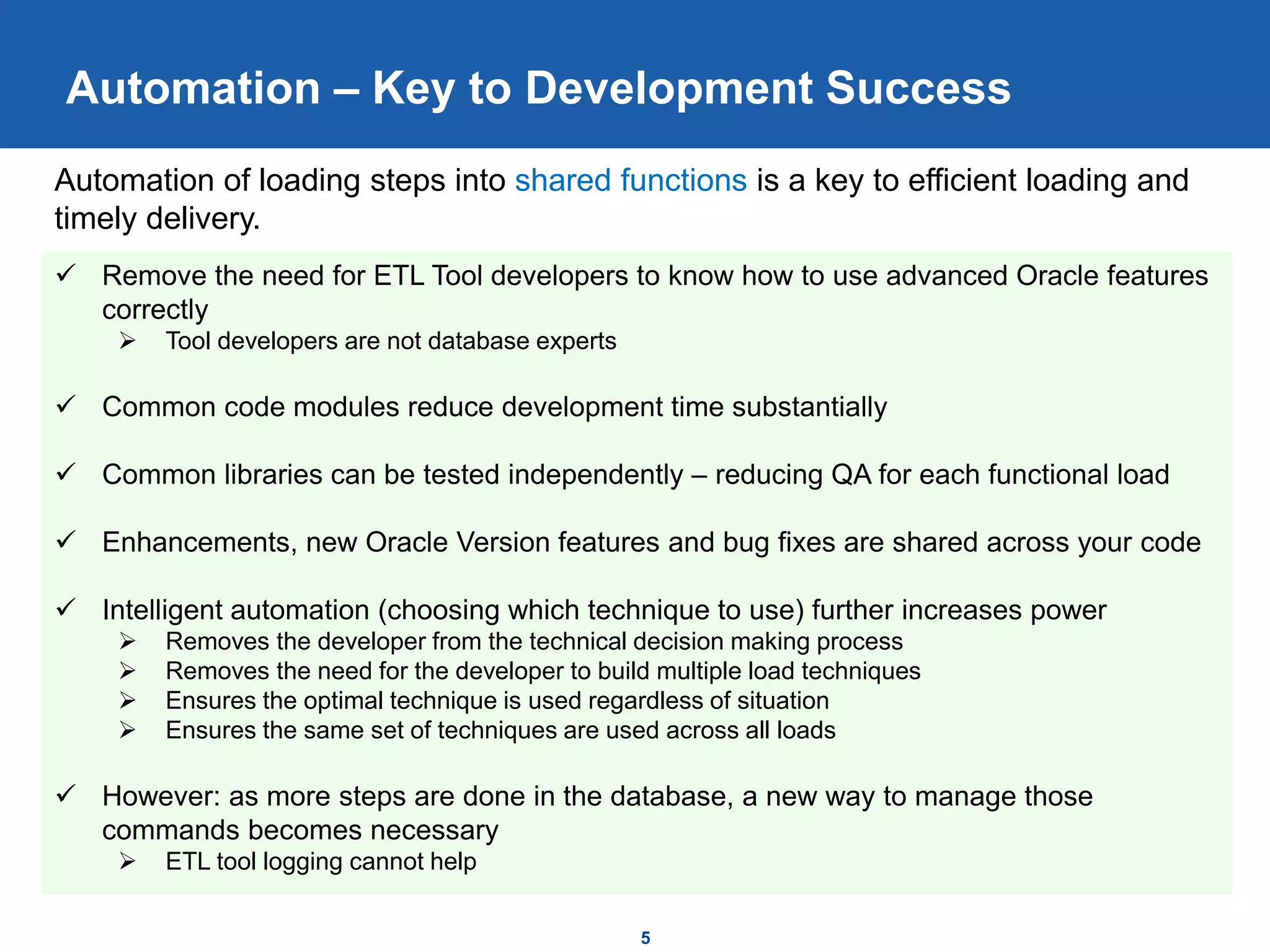
 Remove the need for ETL Tool developers to know how to use advanced Oracle features
correctly
 Tool developers are not database experts
 Common code modules reduce development time substantially
 Common libraries can be tested independently – reducing QA for each functional load
 Enhancements, new Oracle Version features and bug fixes are shared across your code
 Intelligent automation (choosing which technique to use) further increases power
 Removes the developer from the technical decision making process
 Removes the need for the developer to build multiple load techniques
 Ensures the optimal technique is used regardless of situation
 Ensures the same set of techniques are used across all loads
 However: as more steps are done in the database, a new way to manage those
commands becomes necessary
 ETL tool logging cannot help
Automation of loading steps into shared functions is a key to efficient loading and
timely delivery.
6
Oracle ELT Solution
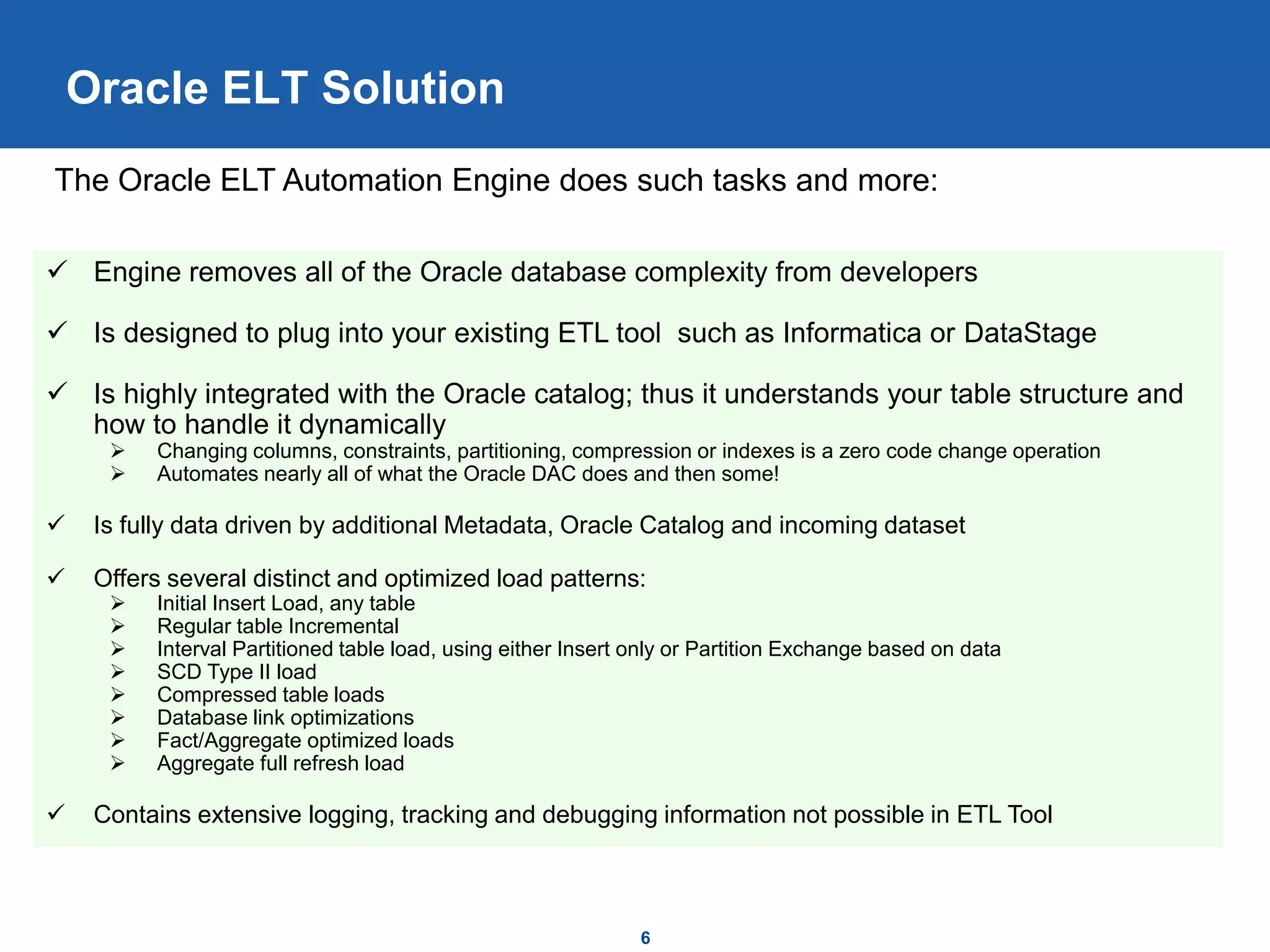
 Engine removes all of the Oracle database complexity from developers
 Is designed to plug into your existing ETL tool such as Informatica or DataStage
 Is highly integrated with the Oracle catalog; thus it understands your table structure and
how to handle it dynamically
 Changing columns, constraints, partitioning, compression or indexes is a zero code change operation
 Automates nearly all of what the Oracle DAC does and then some!
 Is fully data driven by additional Metadata, Oracle Catalog and incoming dataset
 Offers several distinct and optimized load patterns:
 Initial Insert Load, any table
 Regular table Incremental
 Interval Partitioned table load, using either Insert only or Partition Exchange based on data
 SCD Type II load
 Compressed table loads
 Database link optimizations
 Fact/Aggregate optimized loads
 Aggregate full refresh load
 Contains extensive logging, tracking and debugging information not possible in ETL Tool
The Oracle ELT Automation Engine does such tasks and more:
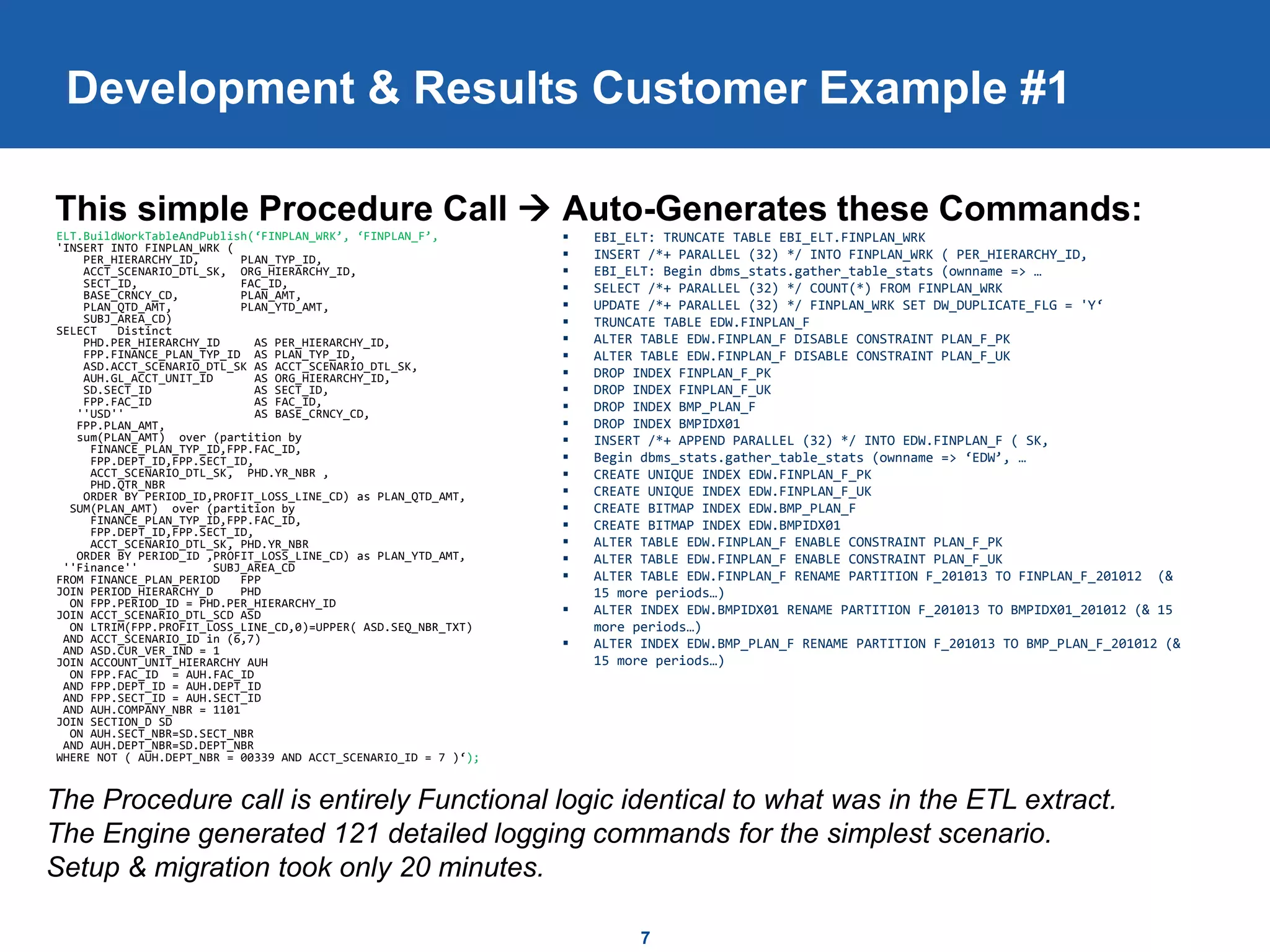
This simple Procedure Call  Auto-Generates these Commands:
 EBI_ELT: TRUNCATE TABLE EBI_ELT.FINPLAN_WRK
 INSERT /*+ PARALLEL (32) */ INTO FINPLAN_WRK ( PER_HIERARCHY_ID,
 EBI_ELT: Begin dbms_stats.gather_table_stats (ownname => …
 SELECT /*+ PARALLEL (32) */ COUNT(*) FROM FINPLAN_WRK
 UPDATE /*+ PARALLEL (32) */ FINPLAN_WRK SET DW_DUPLICATE_FLG = 'Y‘
 TRUNCATE TABLE EDW.FINPLAN_F
 ALTER TABLE EDW.FINPLAN_F DISABLE CONSTRAINT PLAN_F_PK
 ALTER TABLE EDW.FINPLAN_F DISABLE CONSTRAINT PLAN_F_UK
 DROP INDEX FINPLAN_F_PK
 DROP INDEX FINPLAN_F_UK
 DROP INDEX BMP_PLAN_F
 DROP INDEX BMPIDX01
 INSERT /*+ APPEND PARALLEL (32) */ INTO EDW.FINPLAN_F ( SK,
 Begin dbms_stats.gather_table_stats (ownname => ‘EDW’, …
 CREATE UNIQUE INDEX EDW.FINPLAN_F_PK
 CREATE UNIQUE INDEX EDW.FINPLAN_F_UK
 CREATE BITMAP INDEX EDW.BMP_PLAN_F
 CREATE BITMAP INDEX EDW.BMPIDX01
 ALTER TABLE EDW.FINPLAN_F ENABLE CONSTRAINT PLAN_F_PK
 ALTER TABLE EDW.FINPLAN_F ENABLE CONSTRAINT PLAN_F_UK
 ALTER TABLE EDW.FINPLAN_F RENAME PARTITION F_201013 TO FINPLAN_F_201012 (&
15 more periods…)
 ALTER INDEX EDW.BMPIDX01 RENAME PARTITION F_201013 TO BMPIDX01_201012 (& 15
more periods…)
 ALTER INDEX EDW.BMP_PLAN_F RENAME PARTITION F_201013 TO BMP_PLAN_F_201012 (&
15 more periods…)
7
Development & Results Customer Example #1
ELT.BuildWorkTableAndPublish(‘FINPLAN_WRK’, ‘FINPLAN_F’,
'INSERT INTO FINPLAN_WRK (
PER_HIERARCHY_ID, PLAN_TYP_ID,
ACCT_SCENARIO_DTL_SK, ORG_HIERARCHY_ID,
SECT_ID, FAC_ID,
BASE_CRNCY_CD, PLAN_AMT,
PLAN_QTD_AMT, PLAN_YTD_AMT,
SUBJ_AREA_CD)
SELECT Distinct
PHD.PER_HIERARCHY_ID AS PER_HIERARCHY_ID,
FPP.FINANCE_PLAN_TYP_ID AS PLAN_TYP_ID,
ASD.ACCT_SCENARIO_DTL_SK AS ACCT_SCENARIO_DTL_SK,
AUH.GL_ACCT_UNIT_ID AS ORG_HIERARCHY_ID,
SD.SECT_ID AS SECT_ID,
FPP.FAC_ID AS FAC_ID,
''USD'' AS BASE_CRNCY_CD,
FPP.PLAN_AMT,
sum(PLAN_AMT) over (partition by
FINANCE_PLAN_TYP_ID,FPP.FAC_ID,
FPP.DEPT_ID,FPP.SECT_ID,
ACCT_SCENARIO_DTL_SK, PHD.YR_NBR ,
PHD.QTR_NBR
ORDER BY PERIOD_ID,PROFIT_LOSS_LINE_CD) as PLAN_QTD_AMT,
SUM(PLAN_AMT) over (partition by
FINANCE_PLAN_TYP_ID,FPP.FAC_ID,
FPP.DEPT_ID,FPP.SECT_ID,
ACCT_SCENARIO_DTL_SK, PHD.YR_NBR
ORDER BY PERIOD_ID ,PROFIT_LOSS_LINE_CD) as PLAN_YTD_AMT,
''Finance'' SUBJ_AREA_CD
FROM FINANCE_PLAN_PERIOD FPP
JOIN PERIOD_HIERARCHY_D PHD
ON FPP.PERIOD_ID = PHD.PER_HIERARCHY_ID
JOIN ACCT_SCENARIO_DTL_SCD ASD
ON LTRIM(FPP.PROFIT_LOSS_LINE_CD,0)=UPPER( ASD.SEQ_NBR_TXT)
AND ACCT_SCENARIO_ID in (6,7)
AND ASD.CUR_VER_IND = 1
JOIN ACCOUNT_UNIT_HIERARCHY AUH
ON FPP.FAC_ID = AUH.FAC_ID
AND FPP.DEPT_ID = AUH.DEPT_ID
AND FPP.SECT_ID = AUH.SECT_ID
AND AUH.COMPANY_NBR = 1101
JOIN SECTION_D SD
ON AUH.SECT_NBR=SD.SECT_NBR
AND AUH.DEPT_NBR=SD.DEPT_NBR
WHERE NOT ( AUH.DEPT_NBR = 00339 AND ACCT_SCENARIO_ID = 7 )‘);
The Procedure call is entirely Functional logic identical to what was in the ETL extract.
The Engine generated 121 detailed logging commands for the simplest scenario.
Setup & migration took only 20 minutes.
Real Customer Example #2 (1/4)
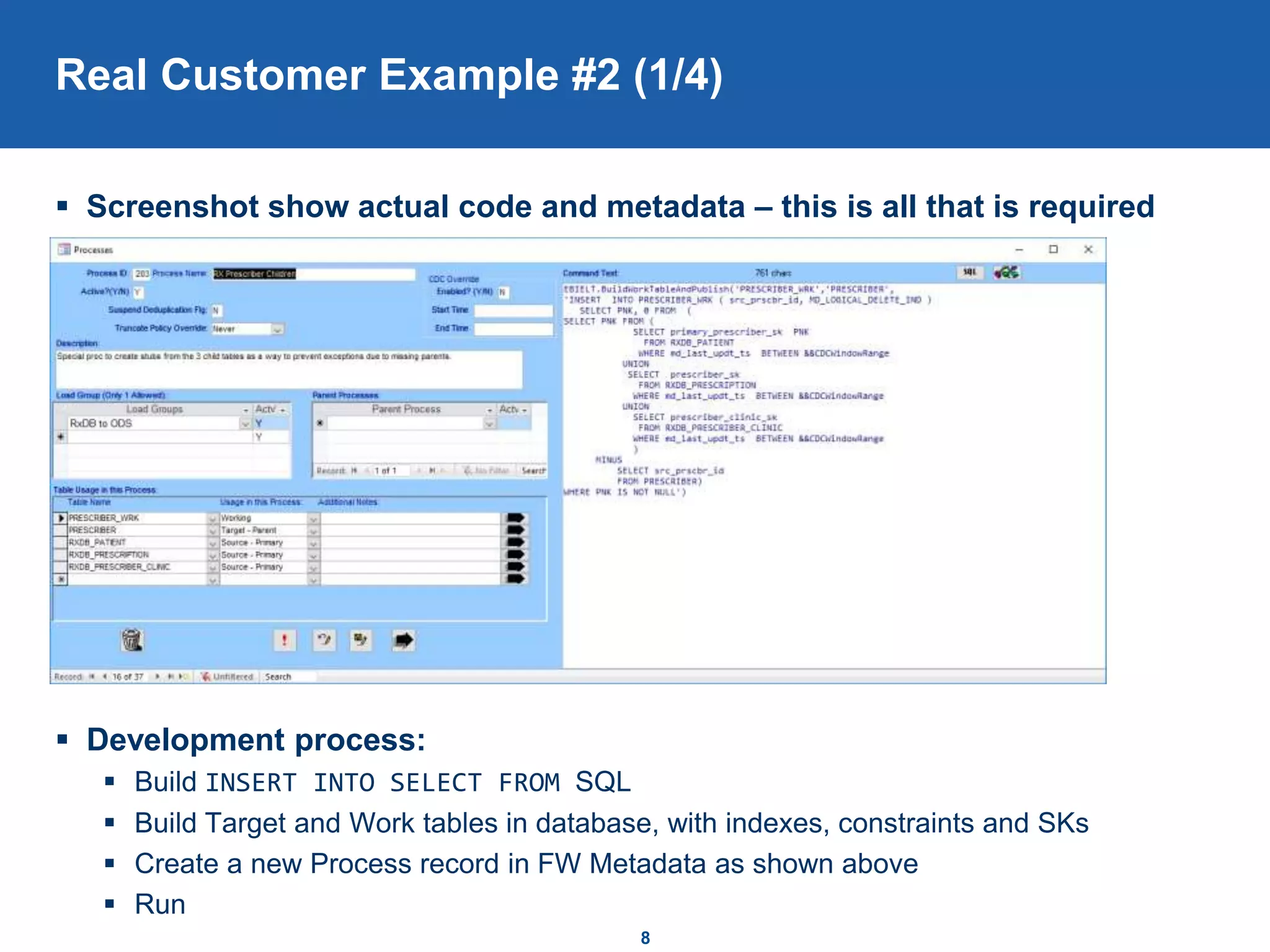
 Screenshot show actual code and metadata – this is all that is required
 Development process:
 Build INSERT INTO SELECT FROM SQL
 Build Target and Work tables in database, with indexes, constraints and SKs
 Create a new Process record in FW Metadata as shown above
 Run
8
Real Customer Example #2 (2/4)
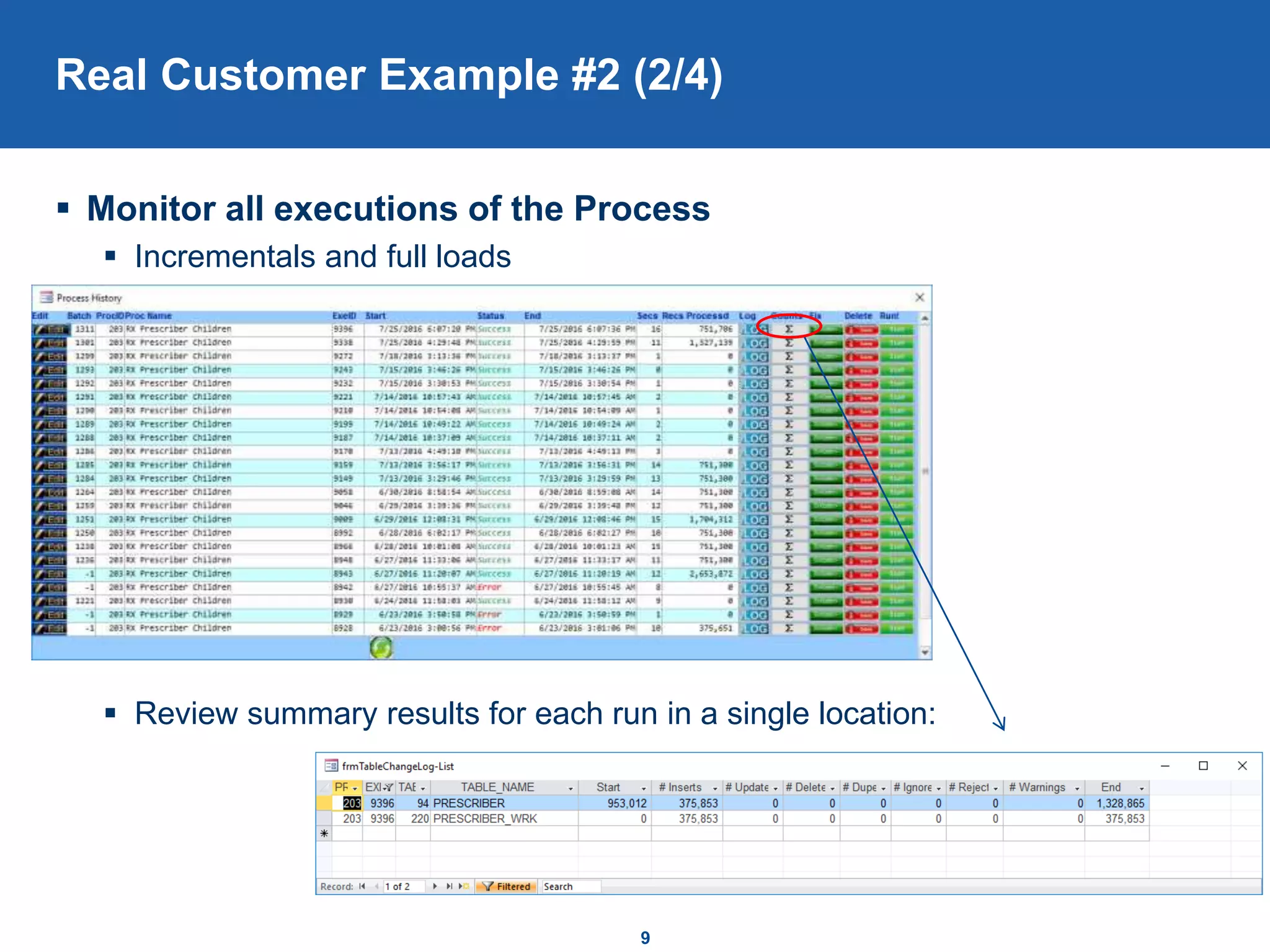
 Monitor all executions of the Process
 Incrementals and full loads
 Review summary results for each run in a single location:
9
Real Customer Example #2 (3/4)
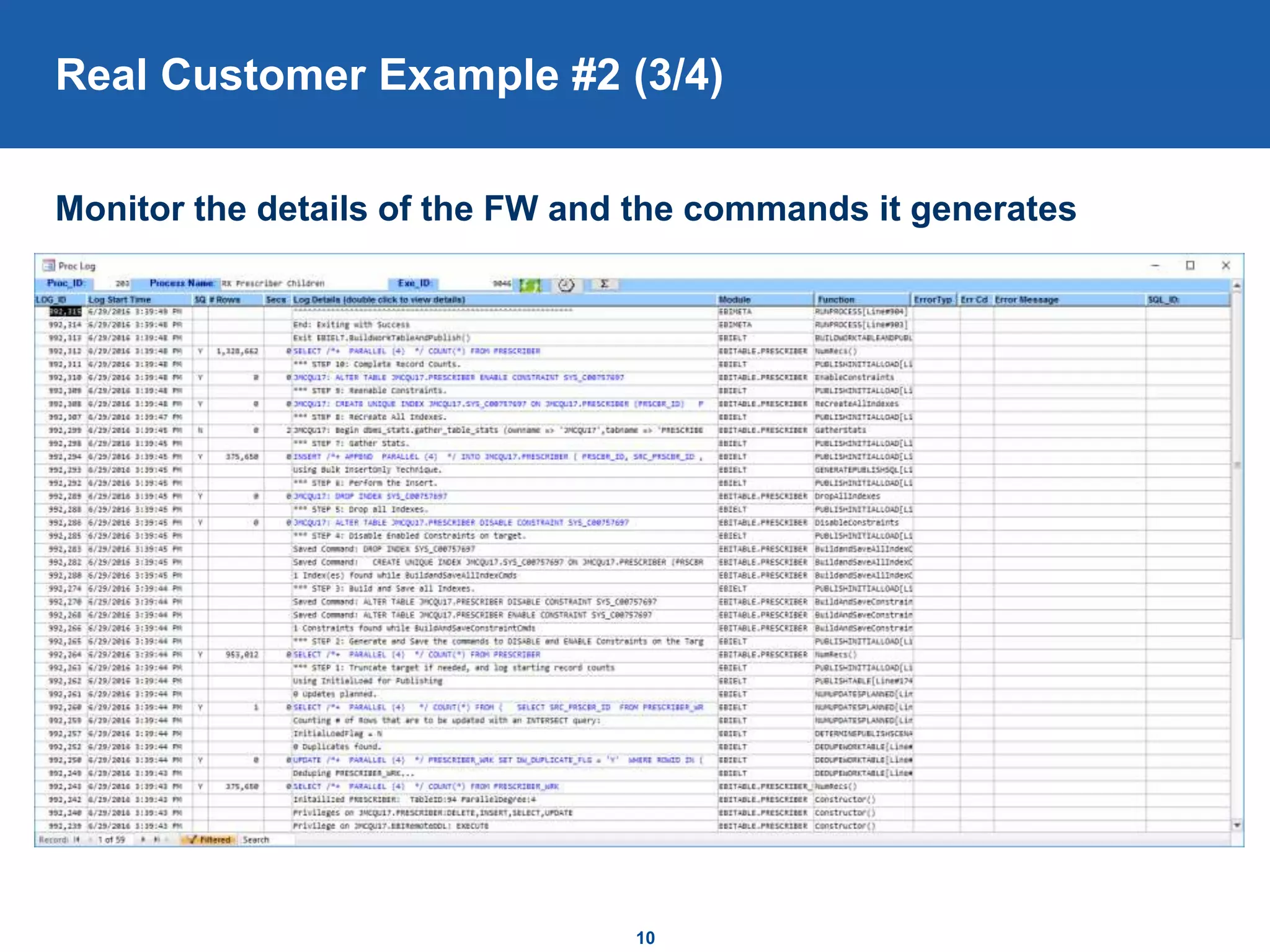
Monitor the details of the FW and the commands it generates
10
Real Customer Example #2 (4/4)
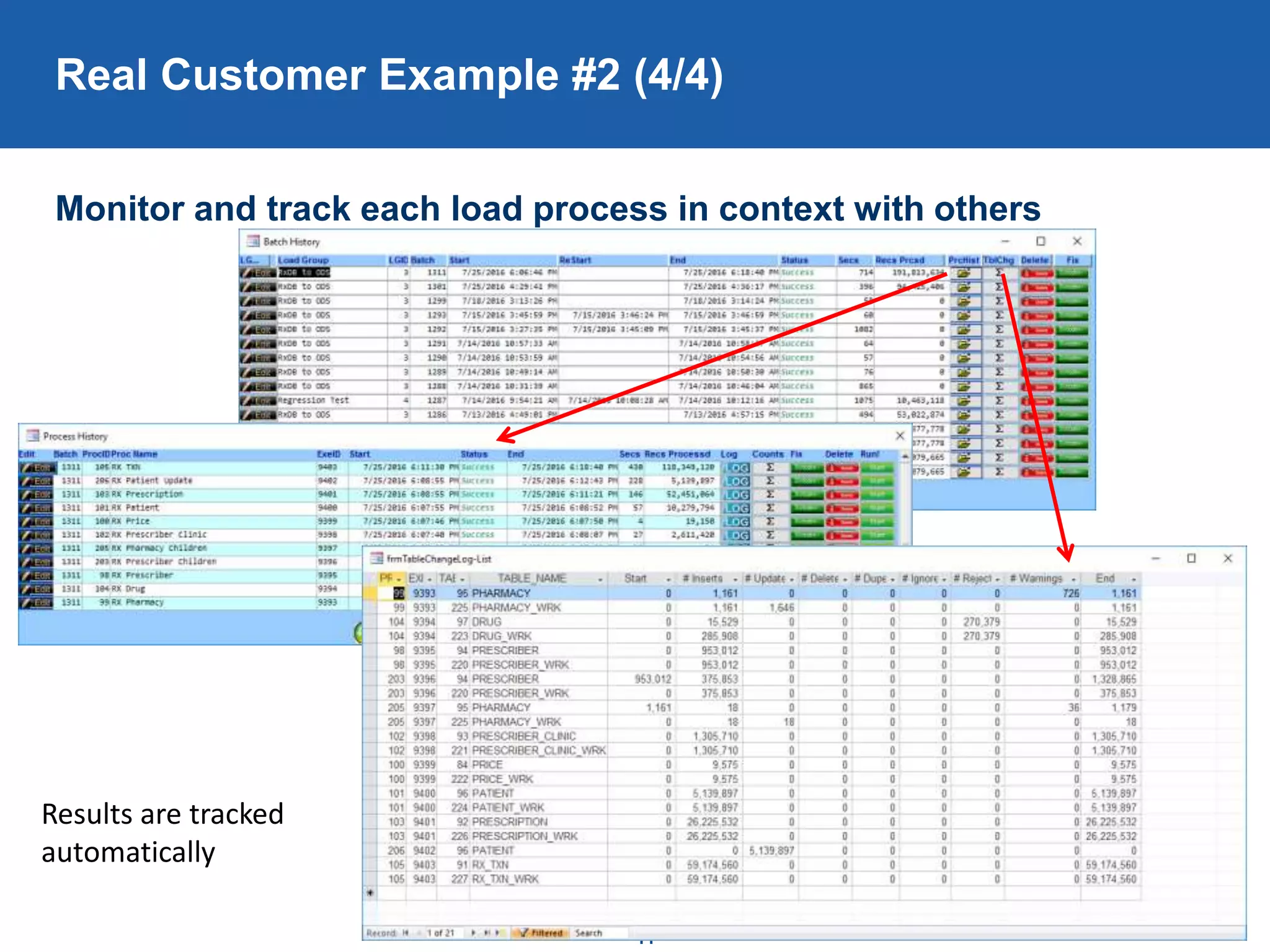
Monitor and track each load process in context with others
11
Results are tracked
automatically
12
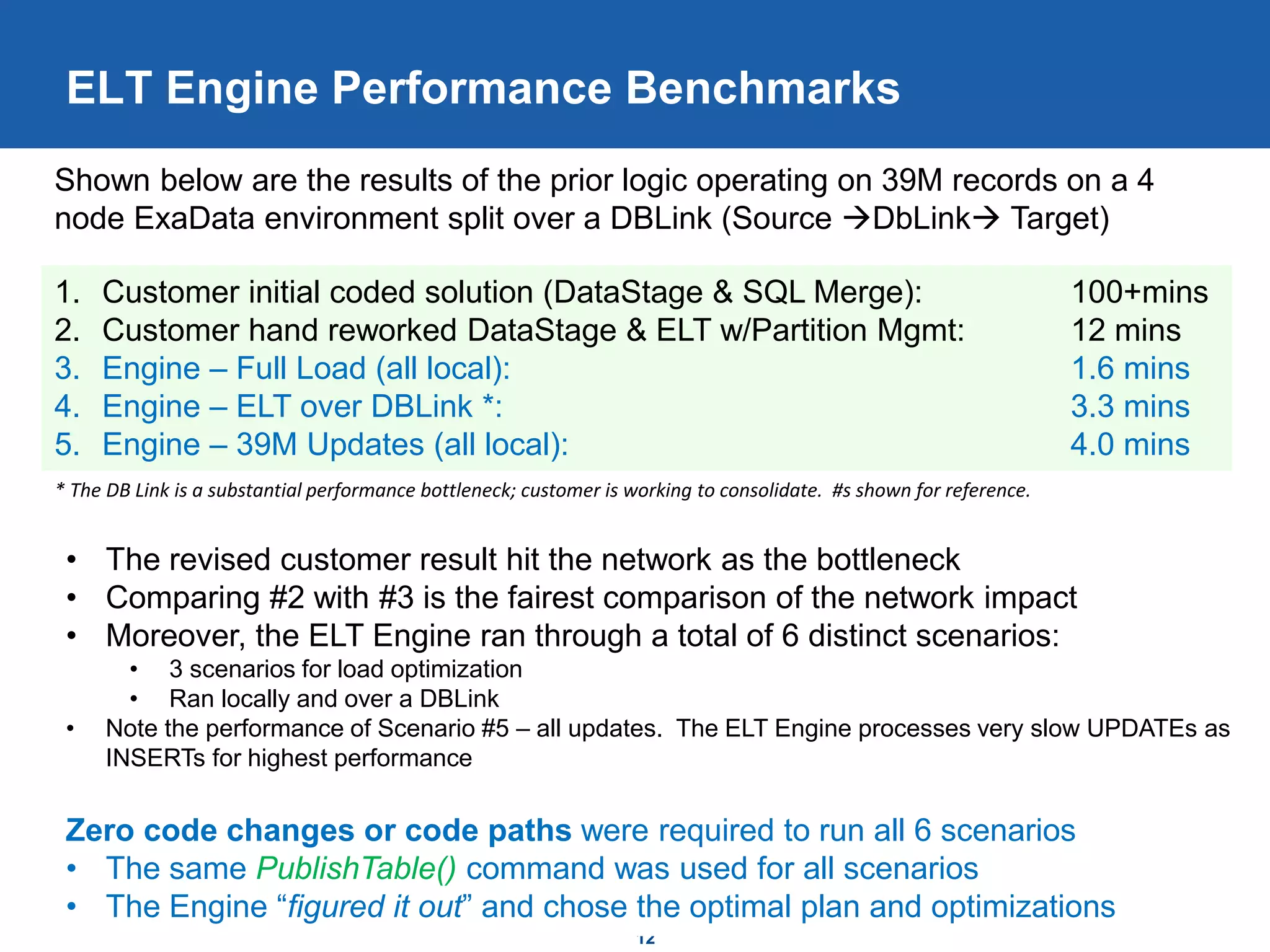
ELT Engine Performance Benchmarks
1. Customer initial coded solution (DataStage & SQL Merge): 100+mins
2. Customer hand reworked DataStage & ELT w/Partition Mgmt: 12 mins
3. Engine – Full Load (all local): 1.6 mins
4. Engine – ELT over DBLink *: 3.3 mins
5. Engine – 39M Updates (all local): 4.0 mins
Shown below are the results of the prior logic operating on 39M records on a 4
node ExaData environment split over a DBLink (Source DbLink Target)
* The DB Link is a substantial performance bottleneck; customer is working to consolidate. #s shown for reference.
• The revised customer result hit the network as the bottleneck
• Comparing #2 with #3 is the fairest comparison of the network impact
• Moreover, the ELT Engine ran through a total of 6 distinct scenarios:
• 3 scenarios for load optimization
• Ran locally and over a DBLink
• Note the performance of Scenario #5 – all updates. The ELT Engine processes very slow UPDATEs as
INSERTs for highest performance
Zero code changes or code paths were required to run all 6 scenarios
• The same PublishTable() command was used for all scenarios
• The Engine “figured it out” and chose the optimal plan and optimizations
13
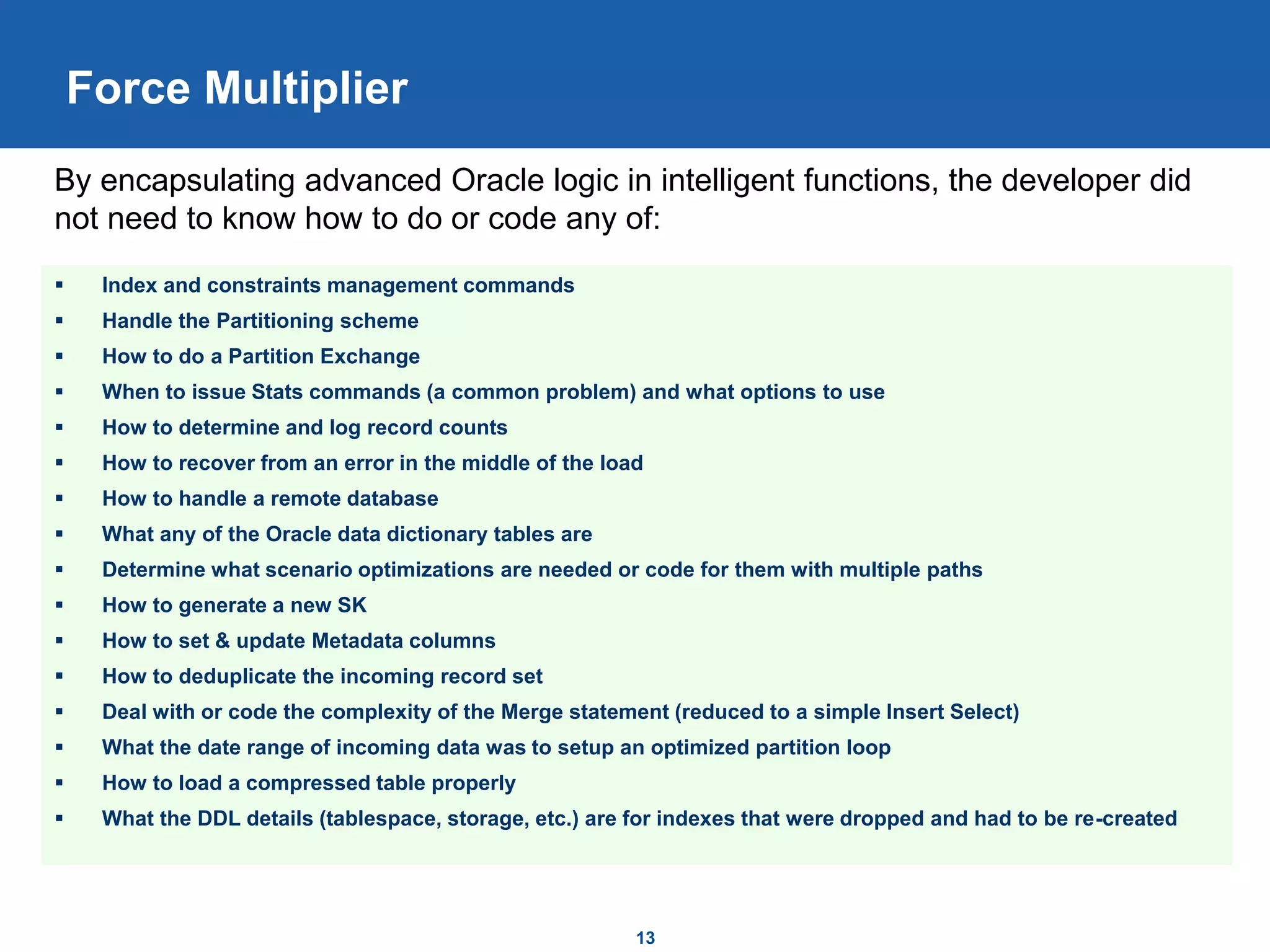
Force Multiplier
 Index and constraints management commands
 Handle the Partitioning scheme
 How to do a Partition Exchange
 When to issue Stats commands (a common problem) and what options to use
 How to determine and log record counts
 How to recover from an error in the middle of the load
 How to handle a remote database
 What any of the Oracle data dictionary tables are
 Determine what scenario optimizations are needed or code for them with multiple paths
 How to generate a new SK
 How to set & update Metadata columns
 How to deduplicate the incoming record set
 Deal with or code the complexity of the Merge statement (reduced to a simple Insert Select)
 What the date range of incoming data was to setup an optimized partition loop
 How to load a compressed table properly
 What the DDL details (tablespace, storage, etc.) are for indexes that were dropped and had to be re-created
By encapsulating advanced Oracle logic in intelligent functions, the developer did
not need to know how to do or code any of:
14
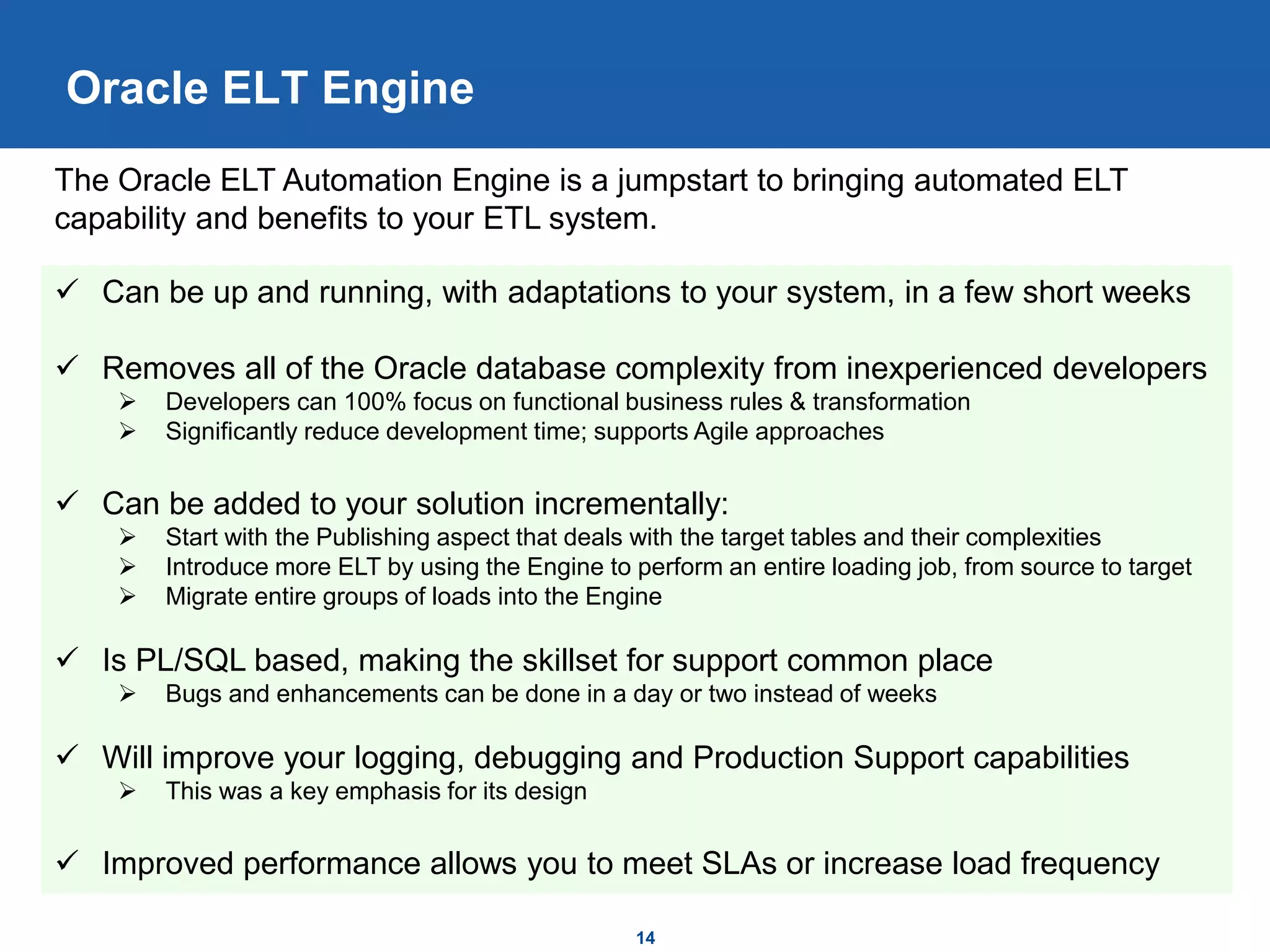
Oracle ELT Engine
 Can be up and running, with adaptations to your system, in a few short weeks
 Removes all of the Oracle database complexity from inexperienced developers
 Developers can 100% focus on functional business rules & transformation
 Significantly reduce development time; supports Agile approaches
 Can be added to your solution incrementally:
 Start with the Publishing aspect that deals with the target tables and their complexities
 Introduce more ELT by using the Engine to perform an entire loading job, from source to target
 Migrate entire groups of loads into the Engine
 Is PL/SQL based, making the skillset for support common place
 Bugs and enhancements can be done in a day or two instead of weeks
 Will improve your logging, debugging and Production Support capabilities
 This was a key emphasis for its design
 Improved performance allows you to meet SLAs or increase load frequency
The Oracle ELT Automation Engine is a jumpstart to bringing automated ELT
capability and benefits to your ETL system.

ELT Publishing Tool Overview V3_Jeff

  • 1.
    Oracle ELT Engine ASolution Overview Jeff McQuigg January 2017
  • 2.
    Large Dataset PerformanceFactors for ETL 2  ETL pulls data out of the database and pushes it back in – both over the same network  Always limited by network bandwidth, even when run in Parallel  ETL Tools do not truly understand the advanced database techniques provided by Oracle to enable high speed loading  They rely on developers knowing how to do this and building complex database scripts  Loading jobs are inadequately optimized for each scenario (Initial, Incremental (Insert- Only), Incremental (with Updates)  Loading jobs techniques do not align with the nature of the tables they are loading  Small vs. Large size, Partitioning, Table Compression  When manual scripts are used, the steps are not optimized  Most commonly problems are with handling of Partitions, Constraints and Indexes When ETL jobs that load large datasets are performing slowly, there are generally a few common problem areas: Hardware resources are not being used adequately by the loading solution –DBAs are frequently blamed when it is usually an application layer issue.
  • 3.
    Databases are Designedfor ELT Techniques 3  For decades database vendors have been developing enhancements and tools to aid loading, managing and querying large datasets  ELT uses the power of the database hardware along with these advanced features to load data more quickly than traditional ETL tools  Network bottleneck is removed  Fully Parallelized data movement & loading  Database servers are typically more powerful than ETL servers  Advanced commands for Partitioning, Index & Constraint management, Compression are all SQL based  ELT combines Oracle special commands with the use of traditional SQL for transformation  All done within the database  All using the common language of SQL  Using SQL for transformation leverages the Parallel abilities of modern database systems  Nearly identical SQL is commonly used in ETL loads to extract datasets into the tool  At its simplest form, it adds an INSERT portion to the extract queries ELT Techniques rely on the Parallel Processing power of the database to transform large datasets without involving network bottlenecks or ETL tool limitations
  • 4.
    Optimized ELT Patternsfor Large Data Loads Full Load: 1. Truncate Target 2. Disable Constraints 3. Drop All Indexes 4. Insert Data 5. Gather Stats 6. ReBuild All Indexes 7. ReEnable Constraints 8. Rename Partitions Incremental Load: 1. Truncate Target 2. Disable Constraints 3. Drop Global Indexes 4. Loop through incoming data: 1. Truncate _Part table 2. Insert data into _Part 3. Create new partition if needed 4. Rename Partition 5. Exchange Partition 6. Gather stats on Partition 7. Rebuild Local Indexes 5. Rebuild Global Indexes 6. ReEnable Constraints 4 Shown below are two optimized Oracle load patterns for the same partitioned table Optimized loading steps vary greatly by scenario requiring additional development and QA effort
  • 5.
    Automation – Keyto Development Success 5  Remove the need for ETL Tool developers to know how to use advanced Oracle features correctly  Tool developers are not database experts  Common code modules reduce development time substantially  Common libraries can be tested independently – reducing QA for each functional load  Enhancements, new Oracle Version features and bug fixes are shared across your code  Intelligent automation (choosing which technique to use) further increases power  Removes the developer from the technical decision making process  Removes the need for the developer to build multiple load techniques  Ensures the optimal technique is used regardless of situation  Ensures the same set of techniques are used across all loads  However: as more steps are done in the database, a new way to manage those commands becomes necessary  ETL tool logging cannot help Automation of loading steps into shared functions is a key to efficient loading and timely delivery.
  • 6.
    6 Oracle ELT Solution Engine removes all of the Oracle database complexity from developers  Is designed to plug into your existing ETL tool such as Informatica or DataStage  Is highly integrated with the Oracle catalog; thus it understands your table structure and how to handle it dynamically  Changing columns, constraints, partitioning, compression or indexes is a zero code change operation  Automates nearly all of what the Oracle DAC does and then some!  Is fully data driven by additional Metadata, Oracle Catalog and incoming dataset  Offers several distinct and optimized load patterns:  Initial Insert Load, any table  Regular table Incremental  Interval Partitioned table load, using either Insert only or Partition Exchange based on data  SCD Type II load  Compressed table loads  Database link optimizations  Fact/Aggregate optimized loads  Aggregate full refresh load  Contains extensive logging, tracking and debugging information not possible in ETL Tool The Oracle ELT Automation Engine does such tasks and more:
  • 7.
    This simple ProcedureCall  Auto-Generates these Commands:  EBI_ELT: TRUNCATE TABLE EBI_ELT.FINPLAN_WRK  INSERT /*+ PARALLEL (32) */ INTO FINPLAN_WRK ( PER_HIERARCHY_ID,  EBI_ELT: Begin dbms_stats.gather_table_stats (ownname => …  SELECT /*+ PARALLEL (32) */ COUNT(*) FROM FINPLAN_WRK  UPDATE /*+ PARALLEL (32) */ FINPLAN_WRK SET DW_DUPLICATE_FLG = 'Y‘  TRUNCATE TABLE EDW.FINPLAN_F  ALTER TABLE EDW.FINPLAN_F DISABLE CONSTRAINT PLAN_F_PK  ALTER TABLE EDW.FINPLAN_F DISABLE CONSTRAINT PLAN_F_UK  DROP INDEX FINPLAN_F_PK  DROP INDEX FINPLAN_F_UK  DROP INDEX BMP_PLAN_F  DROP INDEX BMPIDX01  INSERT /*+ APPEND PARALLEL (32) */ INTO EDW.FINPLAN_F ( SK,  Begin dbms_stats.gather_table_stats (ownname => ‘EDW’, …  CREATE UNIQUE INDEX EDW.FINPLAN_F_PK  CREATE UNIQUE INDEX EDW.FINPLAN_F_UK  CREATE BITMAP INDEX EDW.BMP_PLAN_F  CREATE BITMAP INDEX EDW.BMPIDX01  ALTER TABLE EDW.FINPLAN_F ENABLE CONSTRAINT PLAN_F_PK  ALTER TABLE EDW.FINPLAN_F ENABLE CONSTRAINT PLAN_F_UK  ALTER TABLE EDW.FINPLAN_F RENAME PARTITION F_201013 TO FINPLAN_F_201012 (& 15 more periods…)  ALTER INDEX EDW.BMPIDX01 RENAME PARTITION F_201013 TO BMPIDX01_201012 (& 15 more periods…)  ALTER INDEX EDW.BMP_PLAN_F RENAME PARTITION F_201013 TO BMP_PLAN_F_201012 (& 15 more periods…) 7 Development & Results Customer Example #1 ELT.BuildWorkTableAndPublish(‘FINPLAN_WRK’, ‘FINPLAN_F’, 'INSERT INTO FINPLAN_WRK ( PER_HIERARCHY_ID, PLAN_TYP_ID, ACCT_SCENARIO_DTL_SK, ORG_HIERARCHY_ID, SECT_ID, FAC_ID, BASE_CRNCY_CD, PLAN_AMT, PLAN_QTD_AMT, PLAN_YTD_AMT, SUBJ_AREA_CD) SELECT Distinct PHD.PER_HIERARCHY_ID AS PER_HIERARCHY_ID, FPP.FINANCE_PLAN_TYP_ID AS PLAN_TYP_ID, ASD.ACCT_SCENARIO_DTL_SK AS ACCT_SCENARIO_DTL_SK, AUH.GL_ACCT_UNIT_ID AS ORG_HIERARCHY_ID, SD.SECT_ID AS SECT_ID, FPP.FAC_ID AS FAC_ID, ''USD'' AS BASE_CRNCY_CD, FPP.PLAN_AMT, sum(PLAN_AMT) over (partition by FINANCE_PLAN_TYP_ID,FPP.FAC_ID, FPP.DEPT_ID,FPP.SECT_ID, ACCT_SCENARIO_DTL_SK, PHD.YR_NBR , PHD.QTR_NBR ORDER BY PERIOD_ID,PROFIT_LOSS_LINE_CD) as PLAN_QTD_AMT, SUM(PLAN_AMT) over (partition by FINANCE_PLAN_TYP_ID,FPP.FAC_ID, FPP.DEPT_ID,FPP.SECT_ID, ACCT_SCENARIO_DTL_SK, PHD.YR_NBR ORDER BY PERIOD_ID ,PROFIT_LOSS_LINE_CD) as PLAN_YTD_AMT, ''Finance'' SUBJ_AREA_CD FROM FINANCE_PLAN_PERIOD FPP JOIN PERIOD_HIERARCHY_D PHD ON FPP.PERIOD_ID = PHD.PER_HIERARCHY_ID JOIN ACCT_SCENARIO_DTL_SCD ASD ON LTRIM(FPP.PROFIT_LOSS_LINE_CD,0)=UPPER( ASD.SEQ_NBR_TXT) AND ACCT_SCENARIO_ID in (6,7) AND ASD.CUR_VER_IND = 1 JOIN ACCOUNT_UNIT_HIERARCHY AUH ON FPP.FAC_ID = AUH.FAC_ID AND FPP.DEPT_ID = AUH.DEPT_ID AND FPP.SECT_ID = AUH.SECT_ID AND AUH.COMPANY_NBR = 1101 JOIN SECTION_D SD ON AUH.SECT_NBR=SD.SECT_NBR AND AUH.DEPT_NBR=SD.DEPT_NBR WHERE NOT ( AUH.DEPT_NBR = 00339 AND ACCT_SCENARIO_ID = 7 )‘); The Procedure call is entirely Functional logic identical to what was in the ETL extract. The Engine generated 121 detailed logging commands for the simplest scenario. Setup & migration took only 20 minutes.
  • 8.
    Real Customer Example#2 (1/4)  Screenshot show actual code and metadata – this is all that is required  Development process:  Build INSERT INTO SELECT FROM SQL  Build Target and Work tables in database, with indexes, constraints and SKs  Create a new Process record in FW Metadata as shown above  Run 8
  • 9.
    Real Customer Example#2 (2/4)  Monitor all executions of the Process  Incrementals and full loads  Review summary results for each run in a single location: 9
  • 10.
    Real Customer Example#2 (3/4) Monitor the details of the FW and the commands it generates 10
  • 11.
    Real Customer Example#2 (4/4) Monitor and track each load process in context with others 11 Results are tracked automatically
  • 12.
    12 ELT Engine PerformanceBenchmarks 1. Customer initial coded solution (DataStage & SQL Merge): 100+mins 2. Customer hand reworked DataStage & ELT w/Partition Mgmt: 12 mins 3. Engine – Full Load (all local): 1.6 mins 4. Engine – ELT over DBLink *: 3.3 mins 5. Engine – 39M Updates (all local): 4.0 mins Shown below are the results of the prior logic operating on 39M records on a 4 node ExaData environment split over a DBLink (Source DbLink Target) * The DB Link is a substantial performance bottleneck; customer is working to consolidate. #s shown for reference. • The revised customer result hit the network as the bottleneck • Comparing #2 with #3 is the fairest comparison of the network impact • Moreover, the ELT Engine ran through a total of 6 distinct scenarios: • 3 scenarios for load optimization • Ran locally and over a DBLink • Note the performance of Scenario #5 – all updates. The ELT Engine processes very slow UPDATEs as INSERTs for highest performance Zero code changes or code paths were required to run all 6 scenarios • The same PublishTable() command was used for all scenarios • The Engine “figured it out” and chose the optimal plan and optimizations
  • 13.
    13 Force Multiplier  Indexand constraints management commands  Handle the Partitioning scheme  How to do a Partition Exchange  When to issue Stats commands (a common problem) and what options to use  How to determine and log record counts  How to recover from an error in the middle of the load  How to handle a remote database  What any of the Oracle data dictionary tables are  Determine what scenario optimizations are needed or code for them with multiple paths  How to generate a new SK  How to set & update Metadata columns  How to deduplicate the incoming record set  Deal with or code the complexity of the Merge statement (reduced to a simple Insert Select)  What the date range of incoming data was to setup an optimized partition loop  How to load a compressed table properly  What the DDL details (tablespace, storage, etc.) are for indexes that were dropped and had to be re-created By encapsulating advanced Oracle logic in intelligent functions, the developer did not need to know how to do or code any of:
  • 14.
    14 Oracle ELT Engine Can be up and running, with adaptations to your system, in a few short weeks  Removes all of the Oracle database complexity from inexperienced developers  Developers can 100% focus on functional business rules & transformation  Significantly reduce development time; supports Agile approaches  Can be added to your solution incrementally:  Start with the Publishing aspect that deals with the target tables and their complexities  Introduce more ELT by using the Engine to perform an entire loading job, from source to target  Migrate entire groups of loads into the Engine  Is PL/SQL based, making the skillset for support common place  Bugs and enhancements can be done in a day or two instead of weeks  Will improve your logging, debugging and Production Support capabilities  This was a key emphasis for its design  Improved performance allows you to meet SLAs or increase load frequency The Oracle ELT Automation Engine is a jumpstart to bringing automated ELT capability and benefits to your ETL system.