OCC Portal…
A Dashboards Story
10/8/2016 EL ABQUINA | ASK@TECHOPS.PH | +639088772988 2
Name
Current Work/Role
Why Drupal?
Hello Drupal!
10/8/2016 3
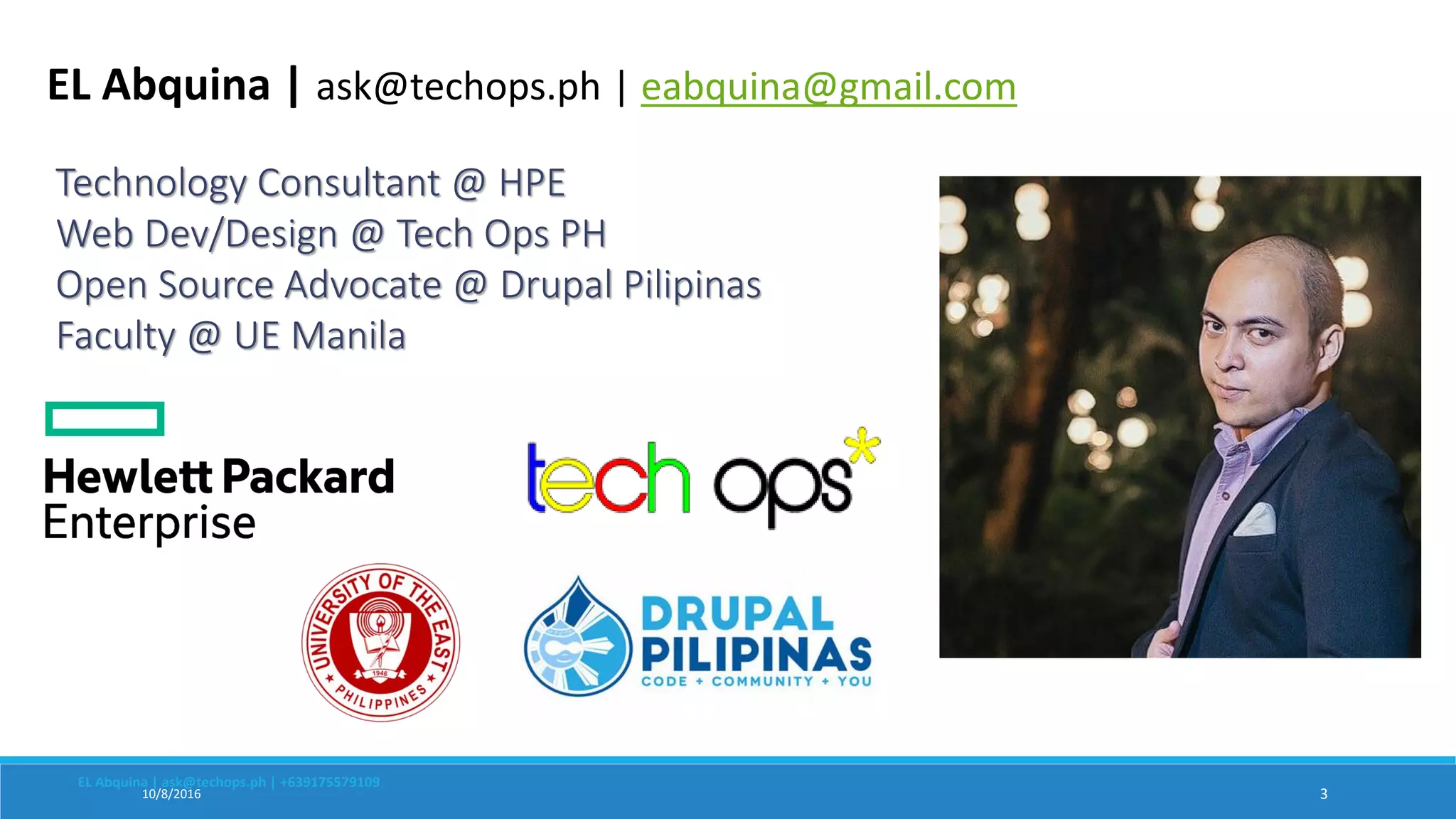
Technology Consultant @ HPE
Web Dev/Design @ Tech Ops PH
Open Source Advocate @ Drupal Pilipinas
Faculty @ UE Manila
EL Abquina | ask@techops.ph | +639175579109
EL Abquina | ask@techops.ph | eabquina@gmail.com
OCC stands for Operations Control Center
Our team performs applications performance
monitoring and support desk services.
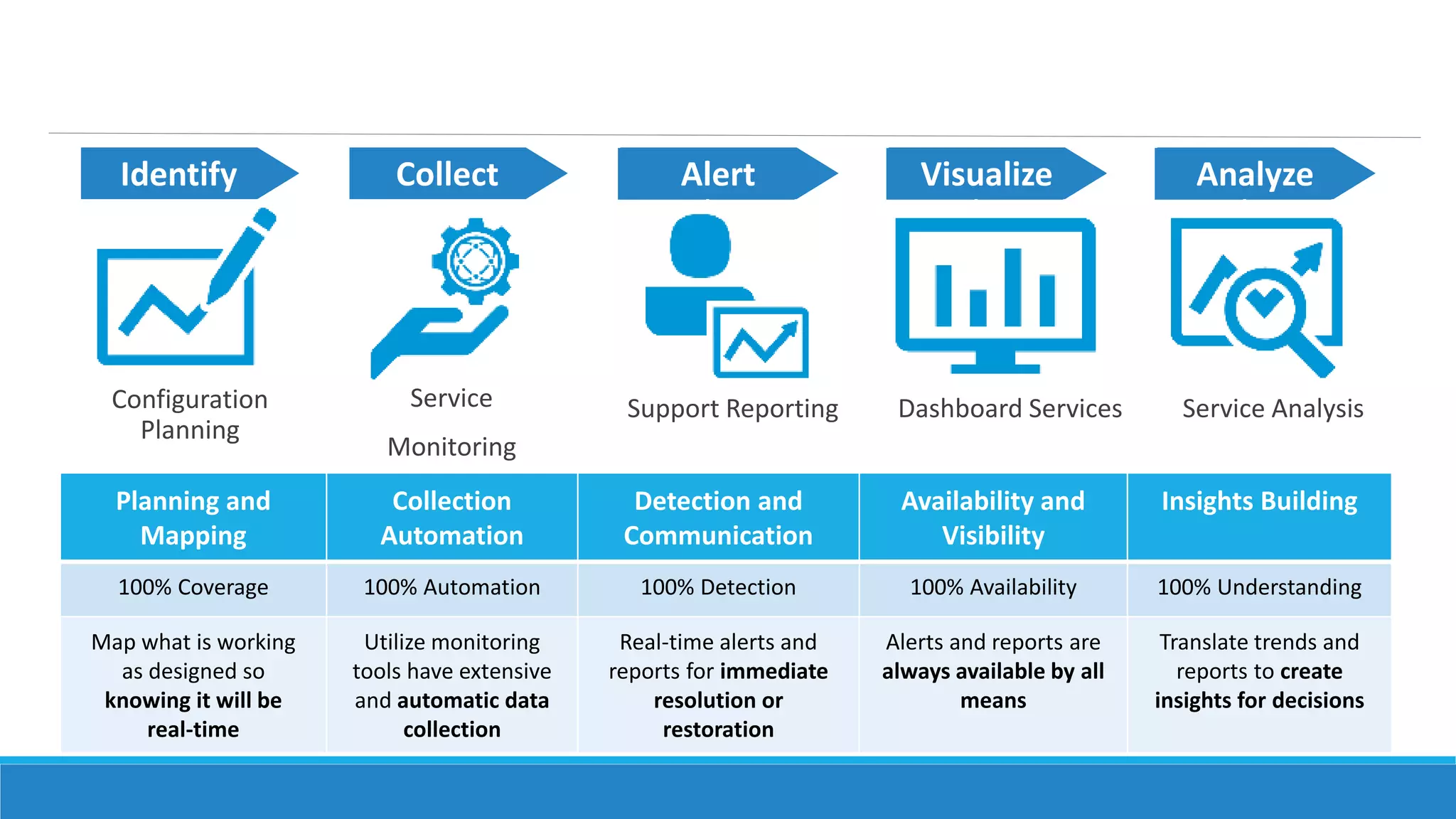
Planning and
Mapping
Collection
Automation
Detection and
Communication
Availability and
Visibility
Insights Building
100% Coverage 100% Automation 100% Detection 100% Availability 100% Understanding
Map what is working
as designed so
knowing it will be
real-time
Utilize monitoring
tools have extensive
and automatic data
collection
Real-time alerts and
reports for immediate
resolution or
restoration
Alerts and reports are
always available by all
means
Translate trends and
reports to create
insights for decisions
12 pt. bold
HP Simplified
12 pt. bold
HP Simplified
12 pt. bold
HP SimplifiedCollectIdentify AnalyzeVisualizeAlert
Service
Monitoring
Support Reporting Dashboard Services Service AnalysisConfiguration
Planning
The OCC lacks the
central platform
for all of our activities
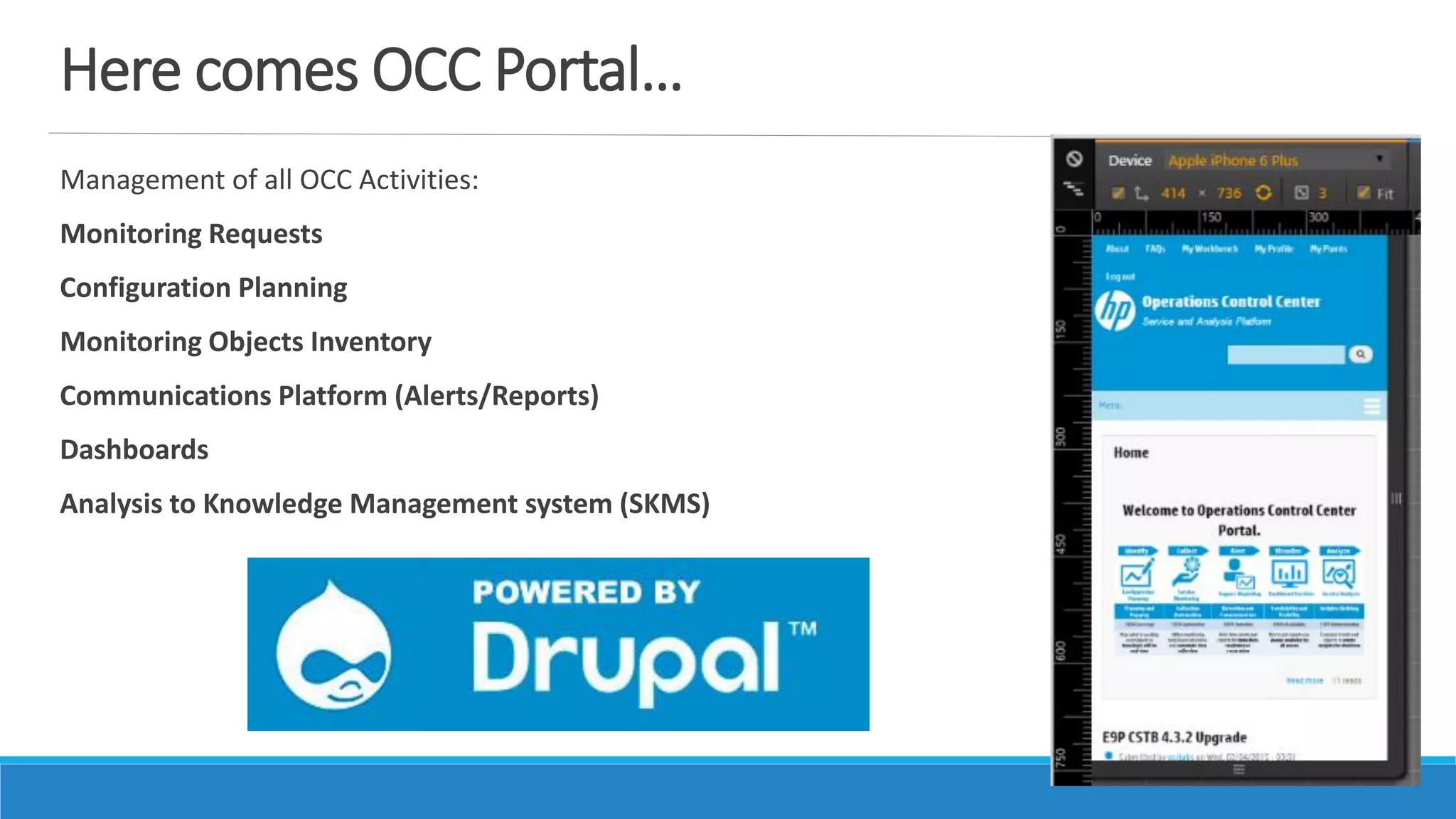
Here comes OCC Portal…
Management of all OCC Activities:
Monitoring Requests
Configuration Planning
Monitoring Objects Inventory
Communications Platform (Alerts/Reports)
Dashboards
Analysis to Knowledge Management system (SKMS)
A new buzzword came….
Dashboards
The Problem…
A site audit for team operations “required” team to have
Analytics Dashboards for team operations
We need to display data that would show:
Organization / Team Performance
Individual Scores / Results
Volume Trending and Monitoring
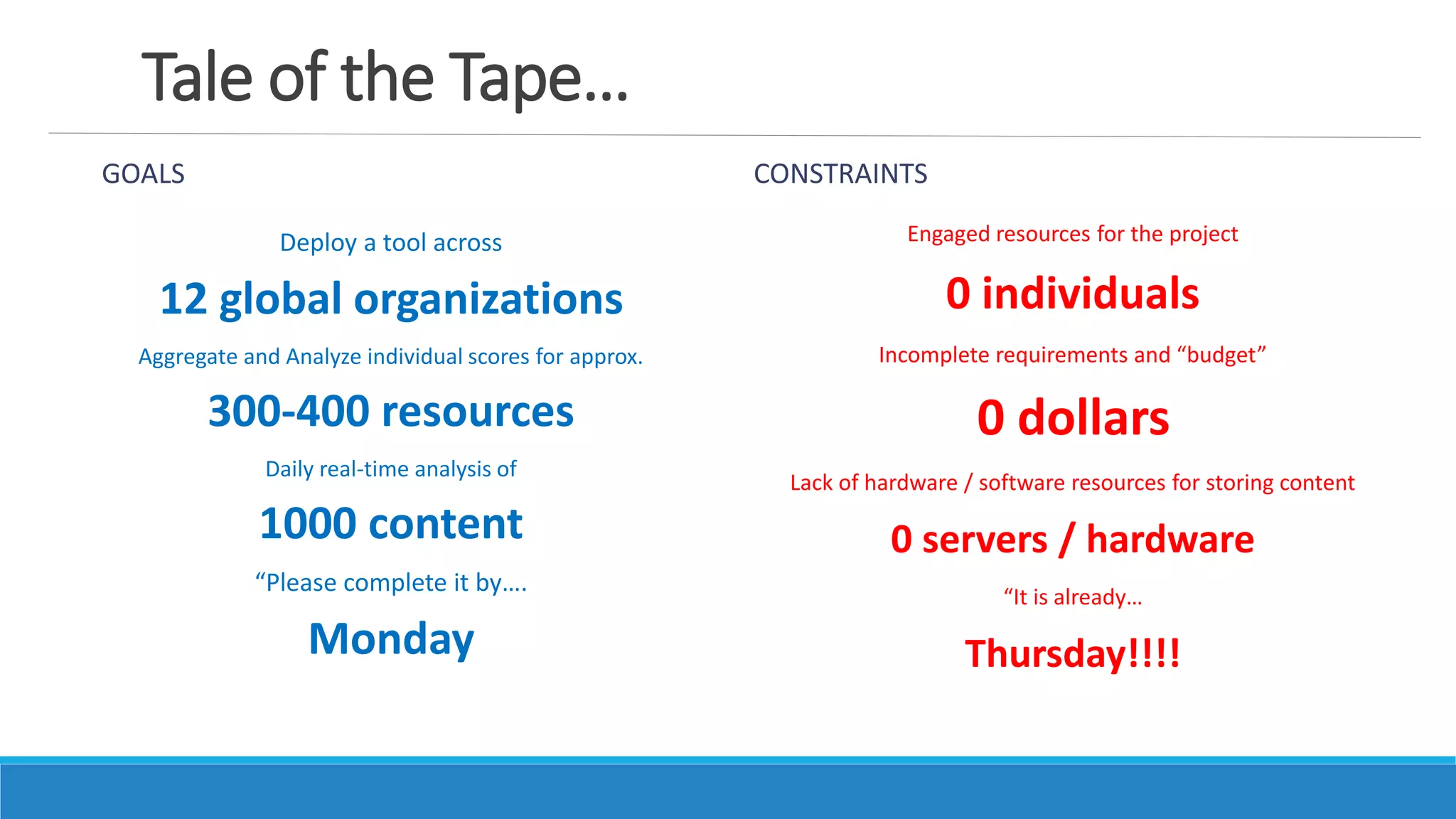
Tale of the Tape…
GOALS
Deploy a tool across
12 global organizations
Aggregate and Analyze individual scores for approx.
300-400 resources
Daily real-time analysis of
1000 content
“Please complete it by….
Monday
CONSTRAINTS
Engaged resources for the project
0 individuals
Incomplete requirements and “budget”
0 dollars
Lack of hardware / software resources for storing content
0 servers / hardware
“It is already…
Thursday!!!!
SUBJECT: Help Needed – Action Request
POSSIBLE ACTIONS
There was a sudden alternative solution:
Too slow for users
There is a promise of improvement:
3 months to complete
Need to decide for design requirements:
0 designers
And more…..
… we still went in for the Project!
The Process…
We simplified the process by
getting the design and data requirements
from users themselves
We skipped the part of business analysis or requirements gathering
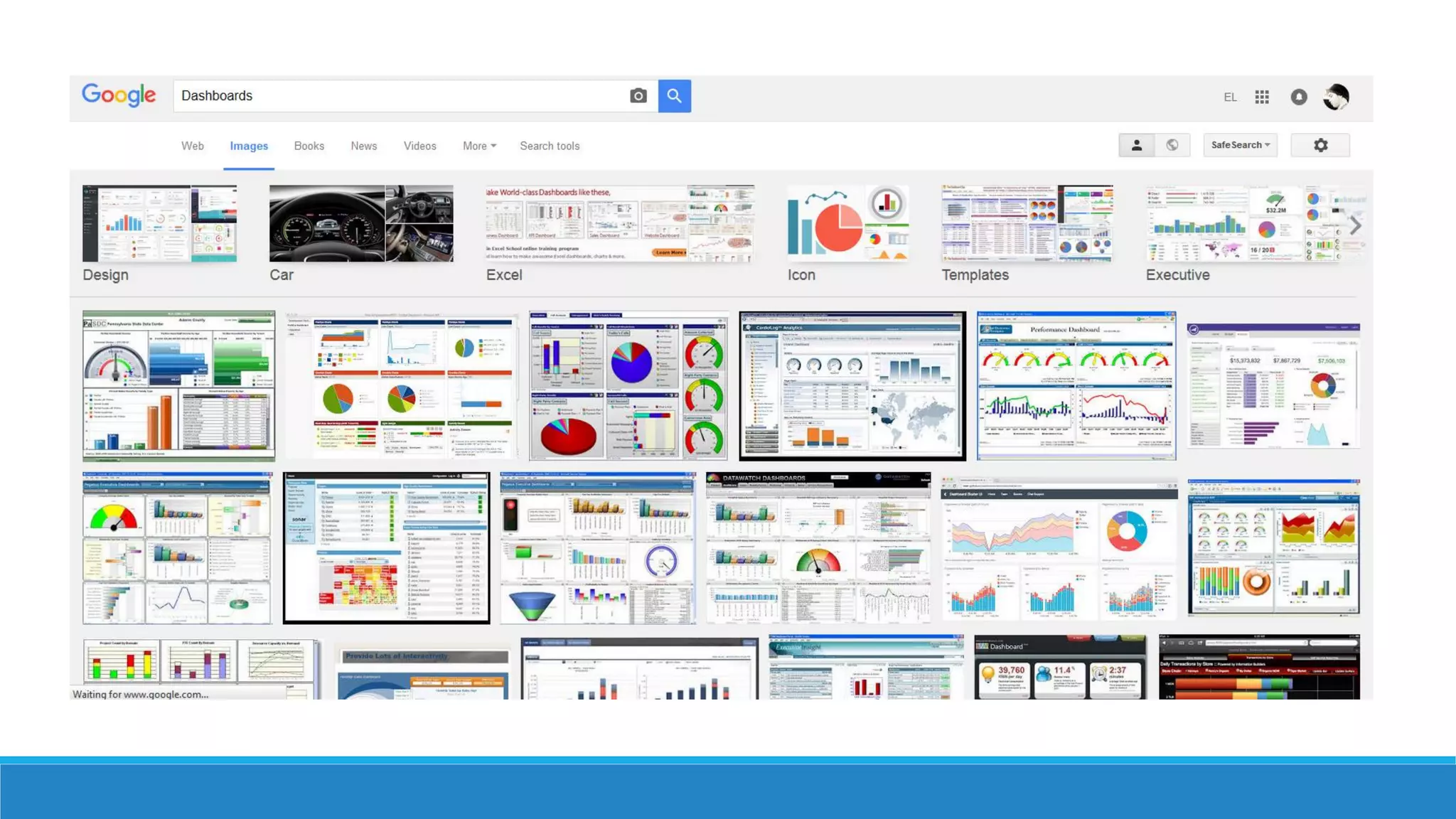
How should your
Dashboards look like??
The Process… use PowerPoint!
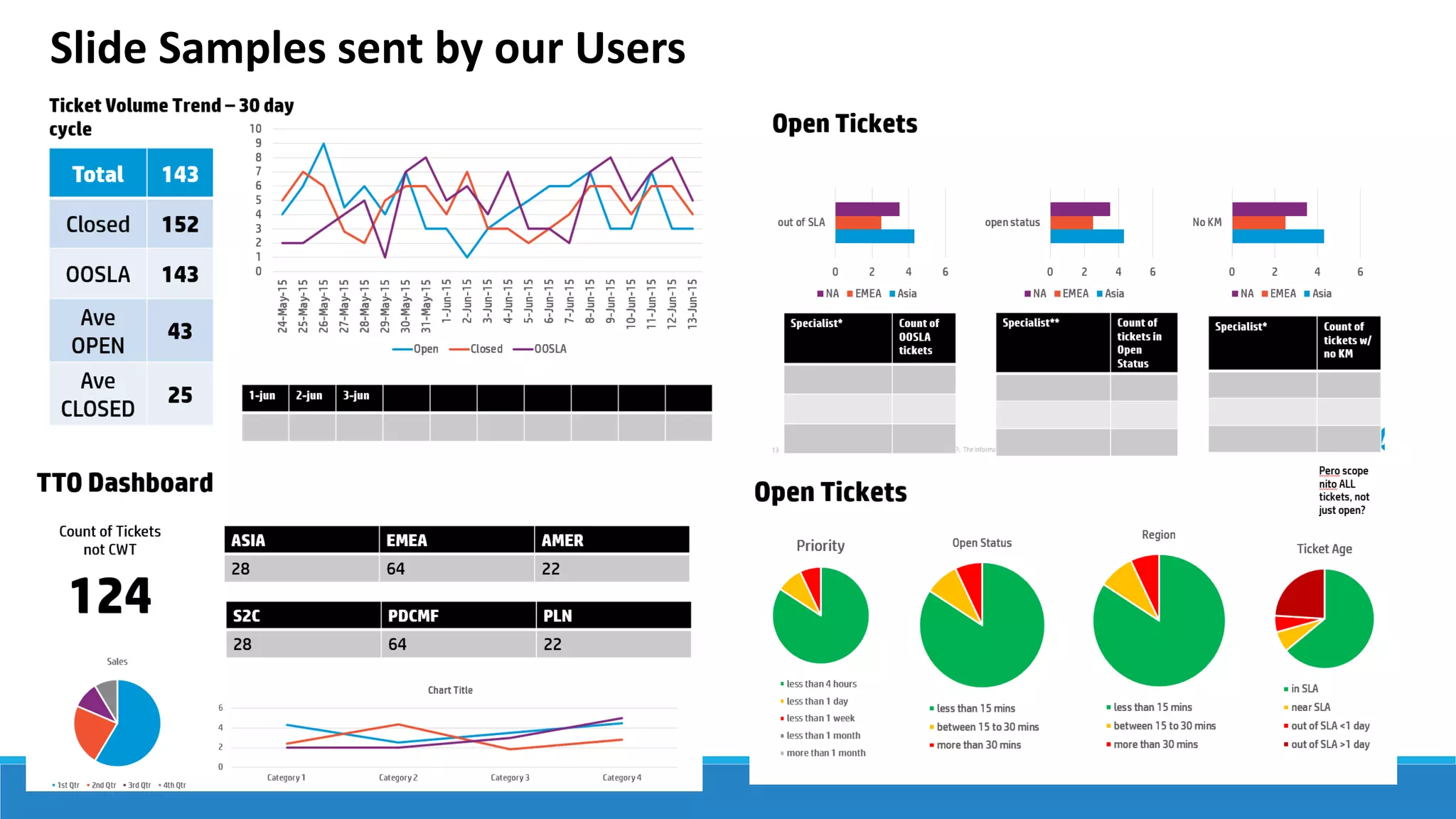
We asked the team to “build a slide” in SharePoint
It is quite easy to design something in a single slide by simply adding
tables, charts or text boxes
“Please send me sample PPT
slides…”
Slide Samples sent by our Users
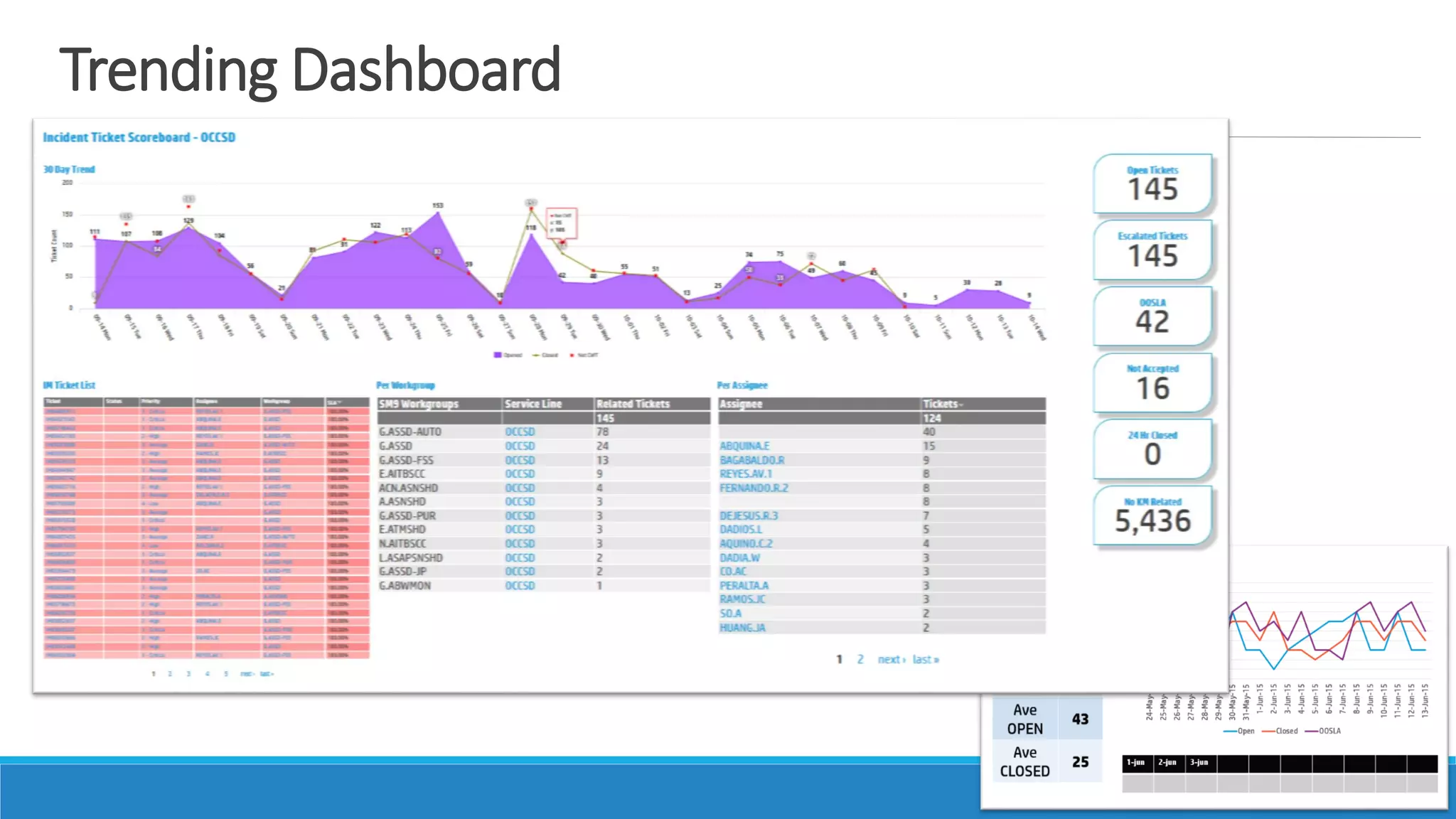
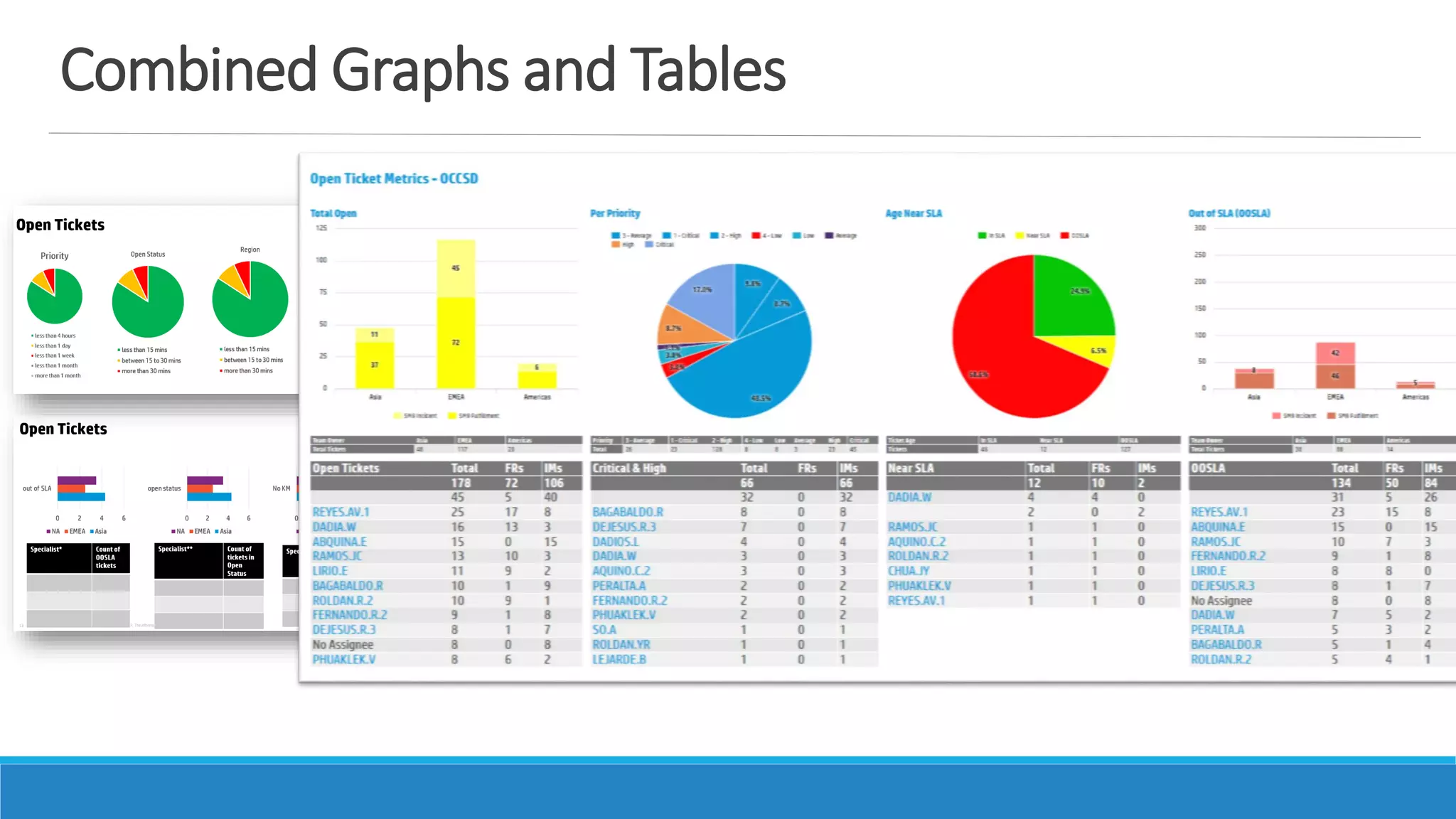
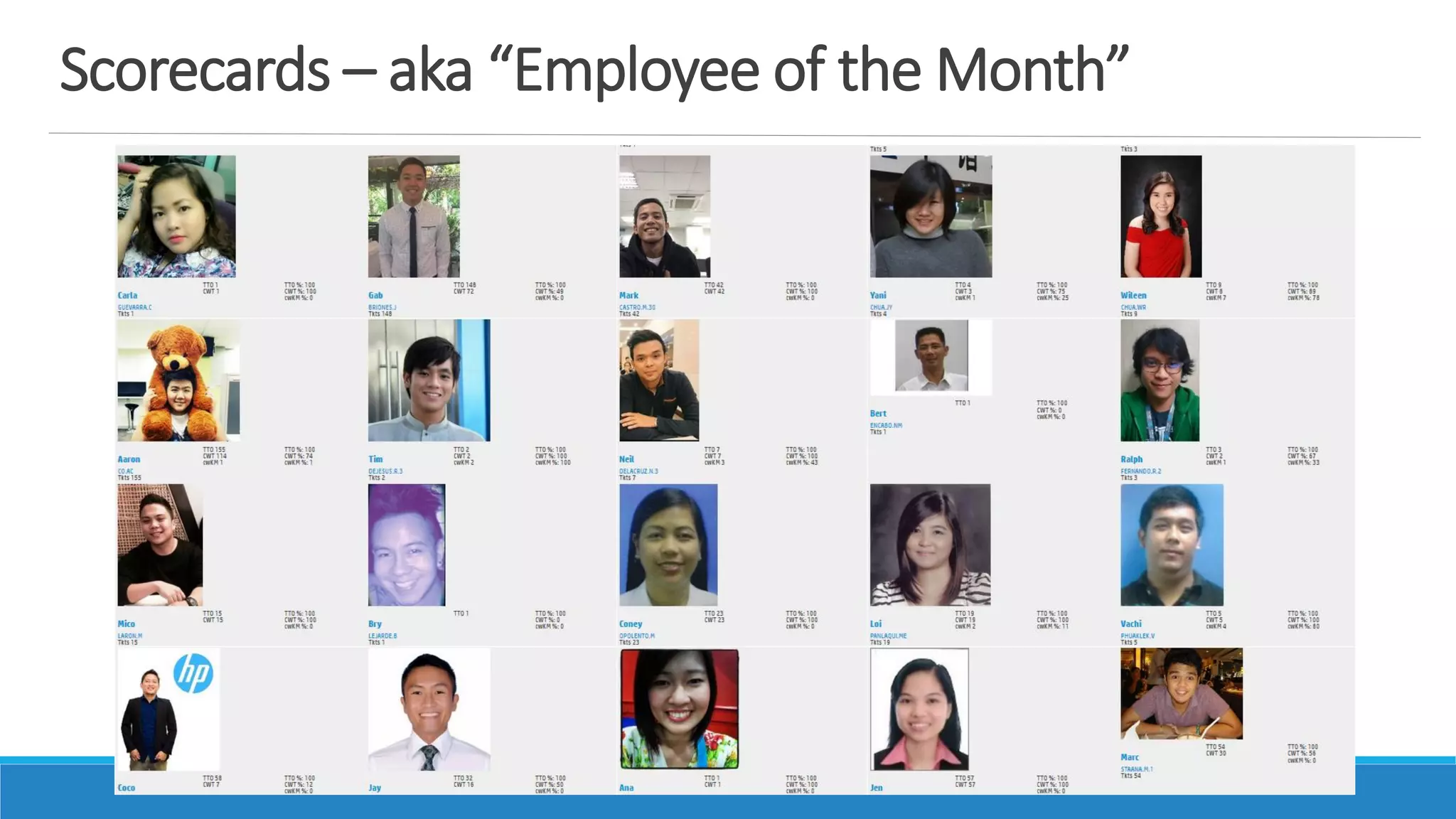
Actual Dashboard Screenshots
Trending Dashboard
Combined Graphs and Tables
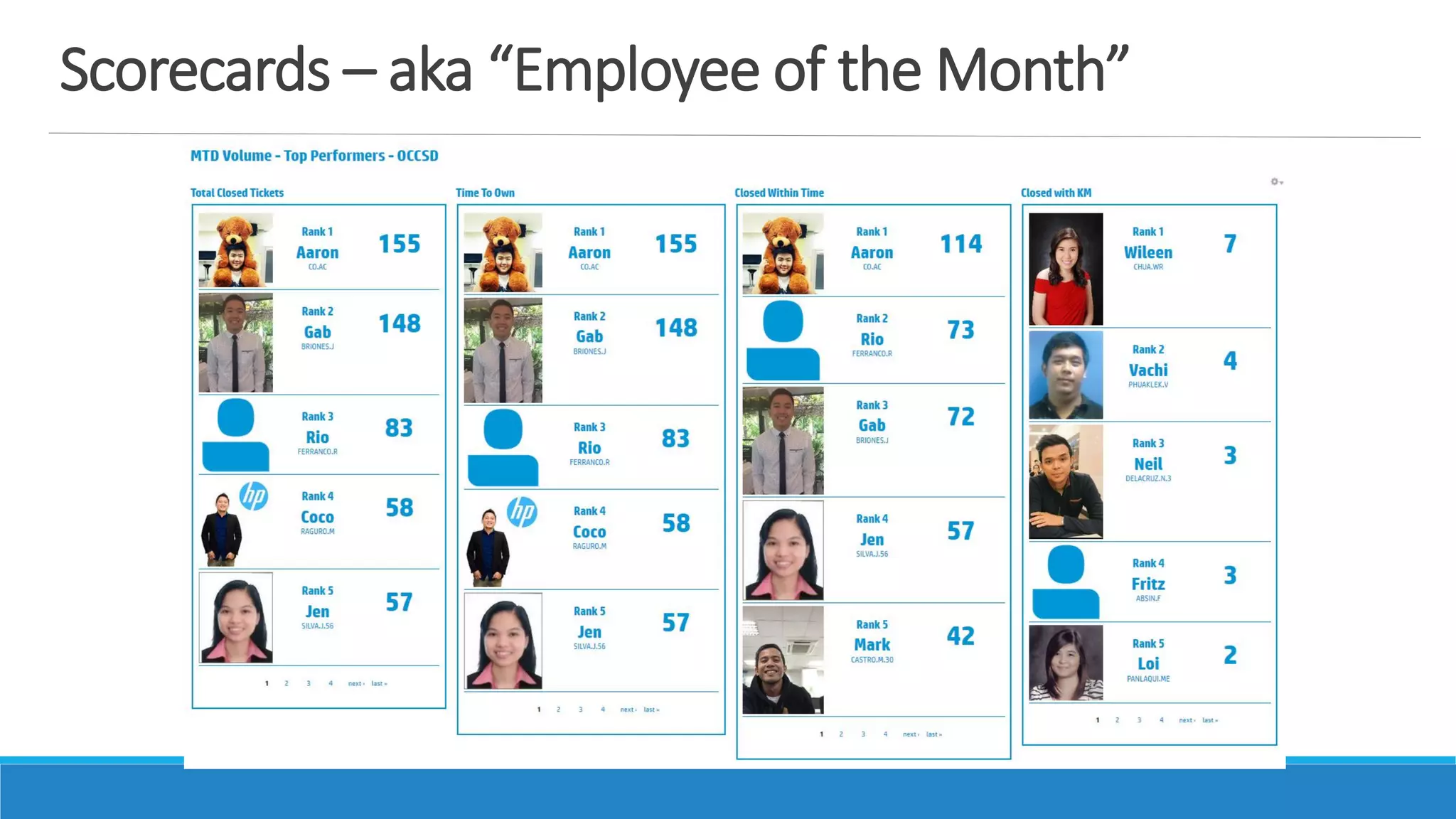
Scorecards – aka “Employee of the Month”
How did we use Drupal?
The Tools…
In our existing Drupal installation, we pieced contrib modules
smartly to create our requirements:
• Layout Structure
• Content Strategy
Is there a Dashboard Module?!
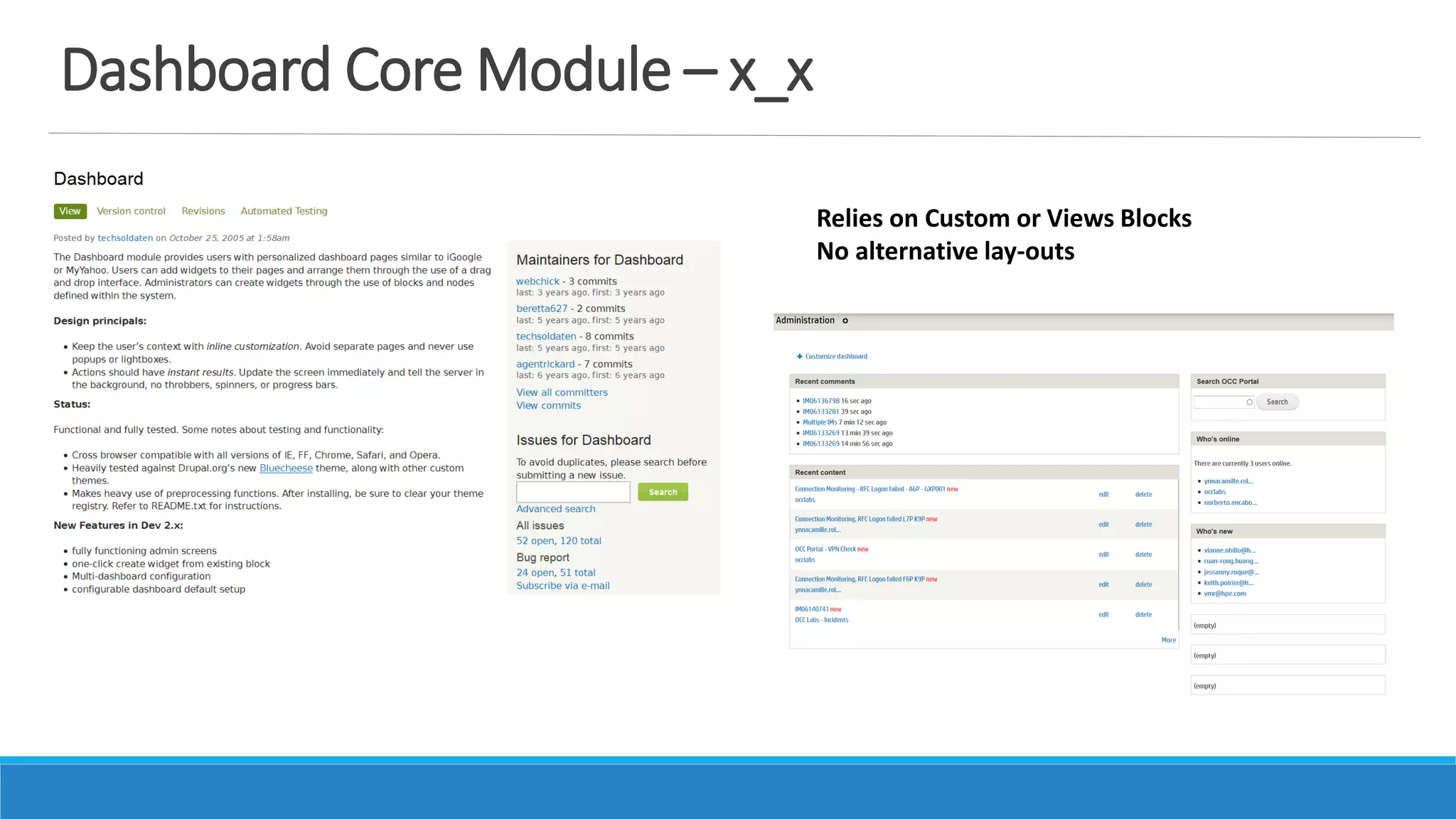
Dashboard Core Module – x_x
Relies on Custom or Views Blocks
No alternative lay-outs
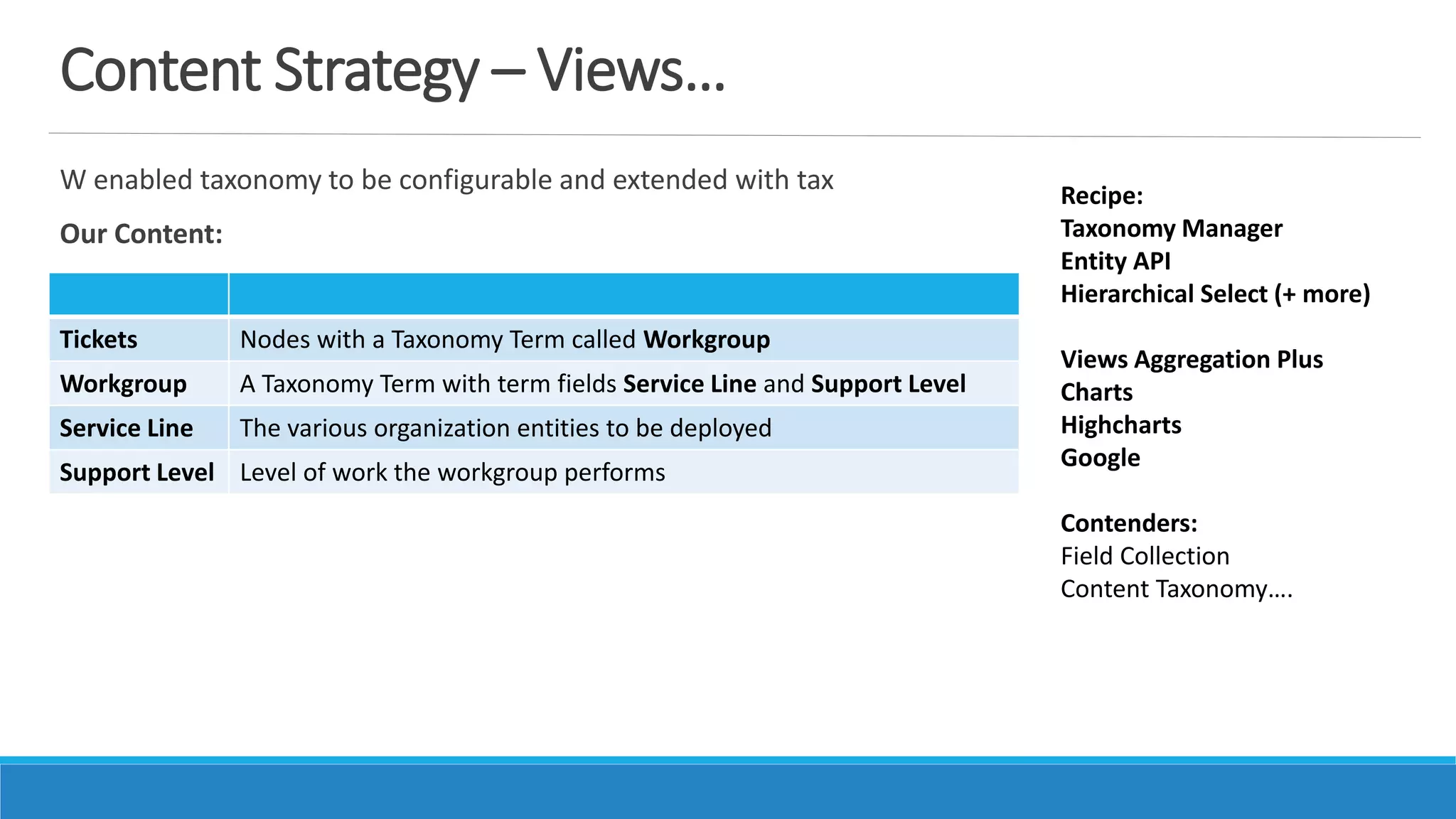
Content Strategy – Views…
W enabled taxonomy to be configurable and extended with tax
Our Content:
Recipe:
Taxonomy Manager
Entity API
Hierarchical Select (+ more)
Views Aggregation Plus
Charts
Highcharts
Google
Contenders:
Field Collection
Content Taxonomy….
Tickets Nodes with a Taxonomy Term called Workgroup
Workgroup A Taxonomy Term with term fields Service Line and Support Level
Service Line The various organization entities to be deployed
Support Level Level of work the workgroup performs
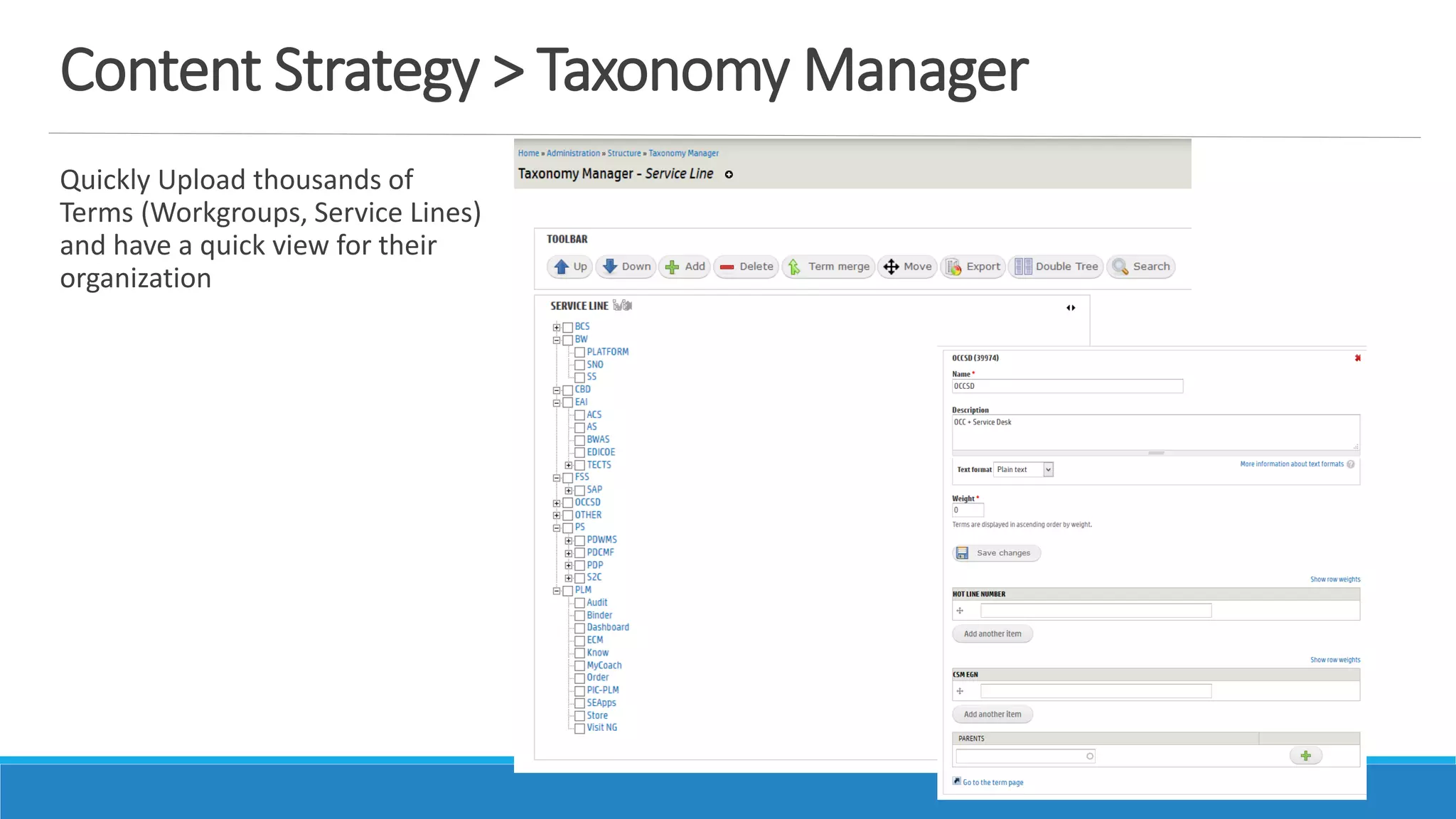
Content Strategy > Taxonomy Manager
Quickly Upload thousands of
Terms (Workgroups, Service Lines)
and have a quick view for their
organization
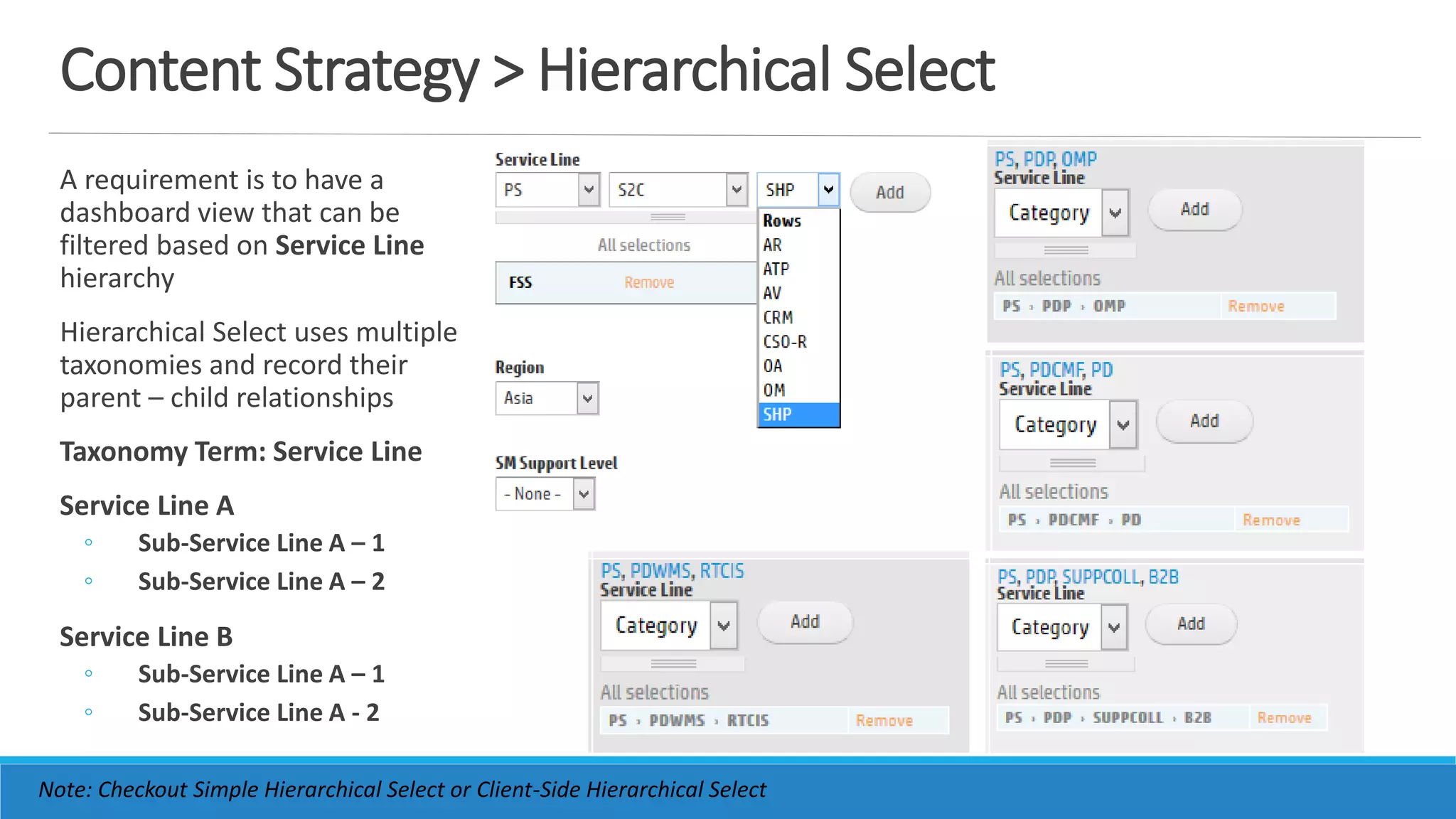
Content Strategy > Hierarchical Select
A requirement is to have a
dashboard view that can be
filtered based on Service Line
hierarchy
Hierarchical Select uses multiple
taxonomies and record their
parent – child relationships
Taxonomy Term: Service Line
Service Line A
◦ Sub-Service Line A – 1
◦ Sub-Service Line A – 2
Service Line B
◦ Sub-Service Line A – 1
◦ Sub-Service Line A - 2
Note: Checkout Simple Hierarchical Select or Client-Side Hierarchical Select
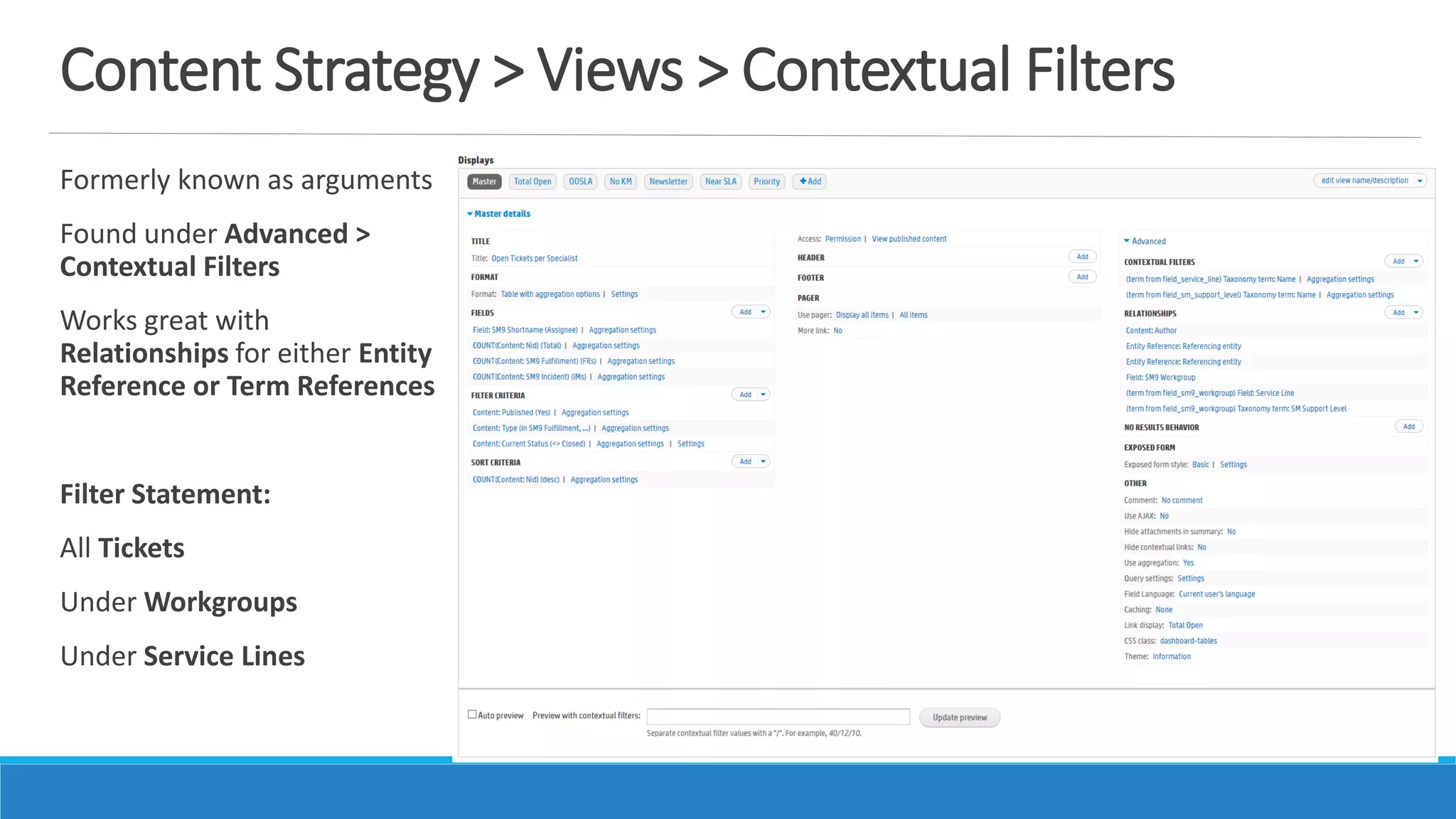
Content Strategy > Views > Contextual Filters
Formerly known as arguments
Found under Advanced >
Contextual Filters
Works great with
Relationships for either Entity
Reference or Term References
Filter Statement:
All Tickets
Under Workgroups
Under Service Lines
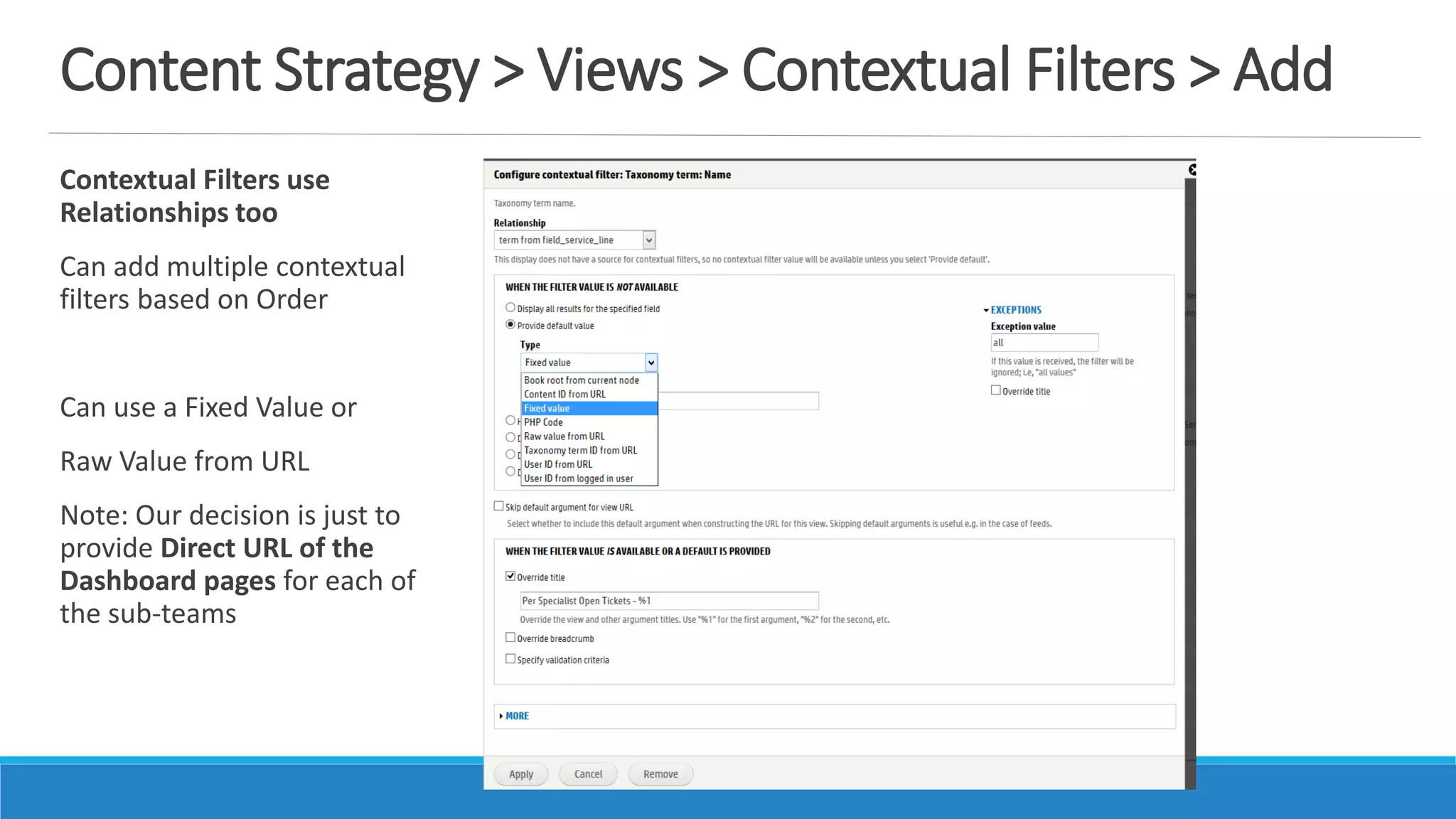
Content Strategy > Views > Contextual Filters > Add
Contextual Filters use
Relationships too
Can add multiple contextual
filters based on Order
Can use a Fixed Value or
Raw Value from URL
Note: Our decision is just to
provide Direct URL of the
Dashboard pages for each of
the sub-teams
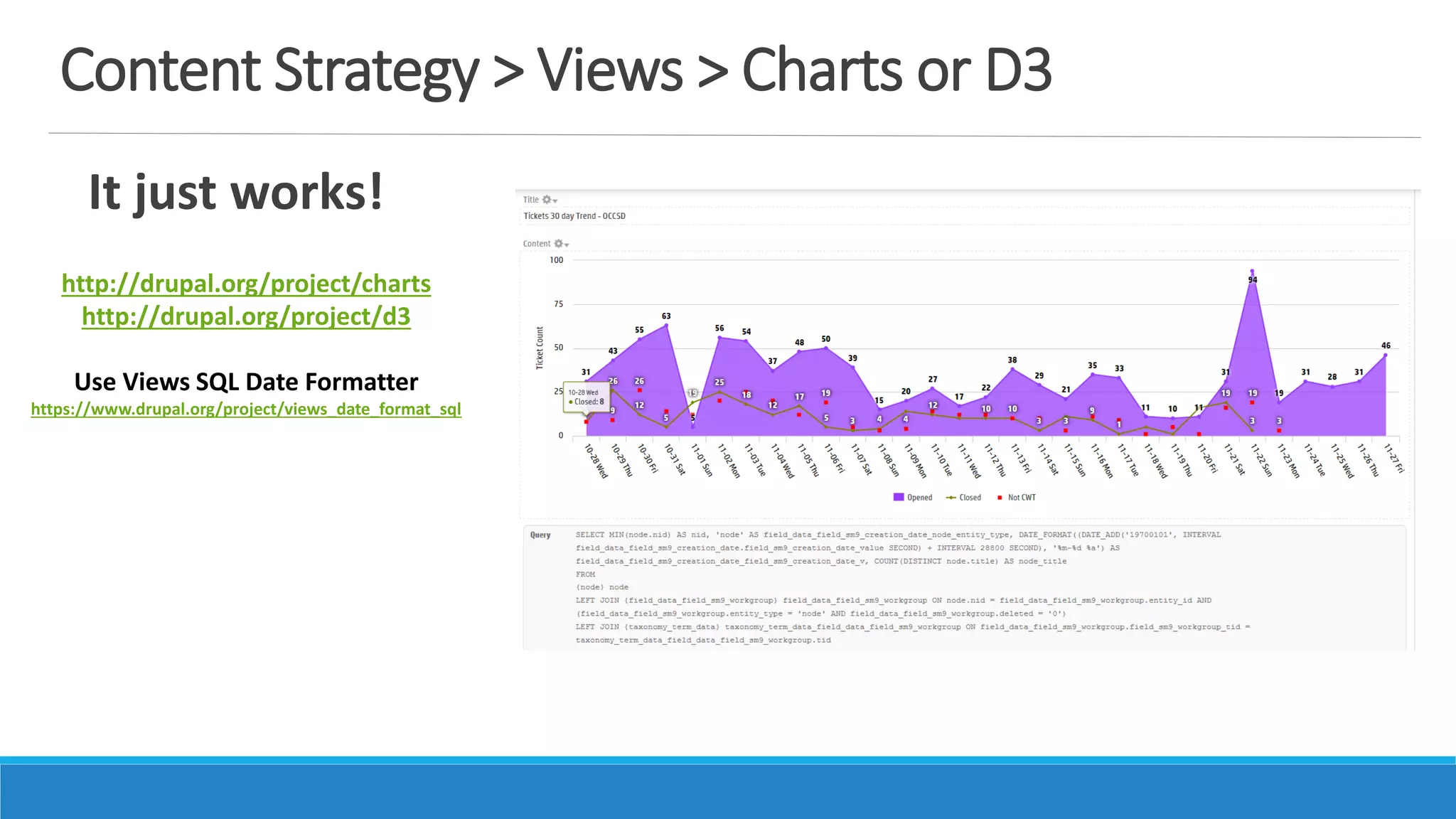
Content Strategy > Views > Charts or D3
It just works!
http://drupal.org/project/charts
http://drupal.org/project/d3
Use Views SQL Date Formatter
https://www.drupal.org/project/views_date_format_sql
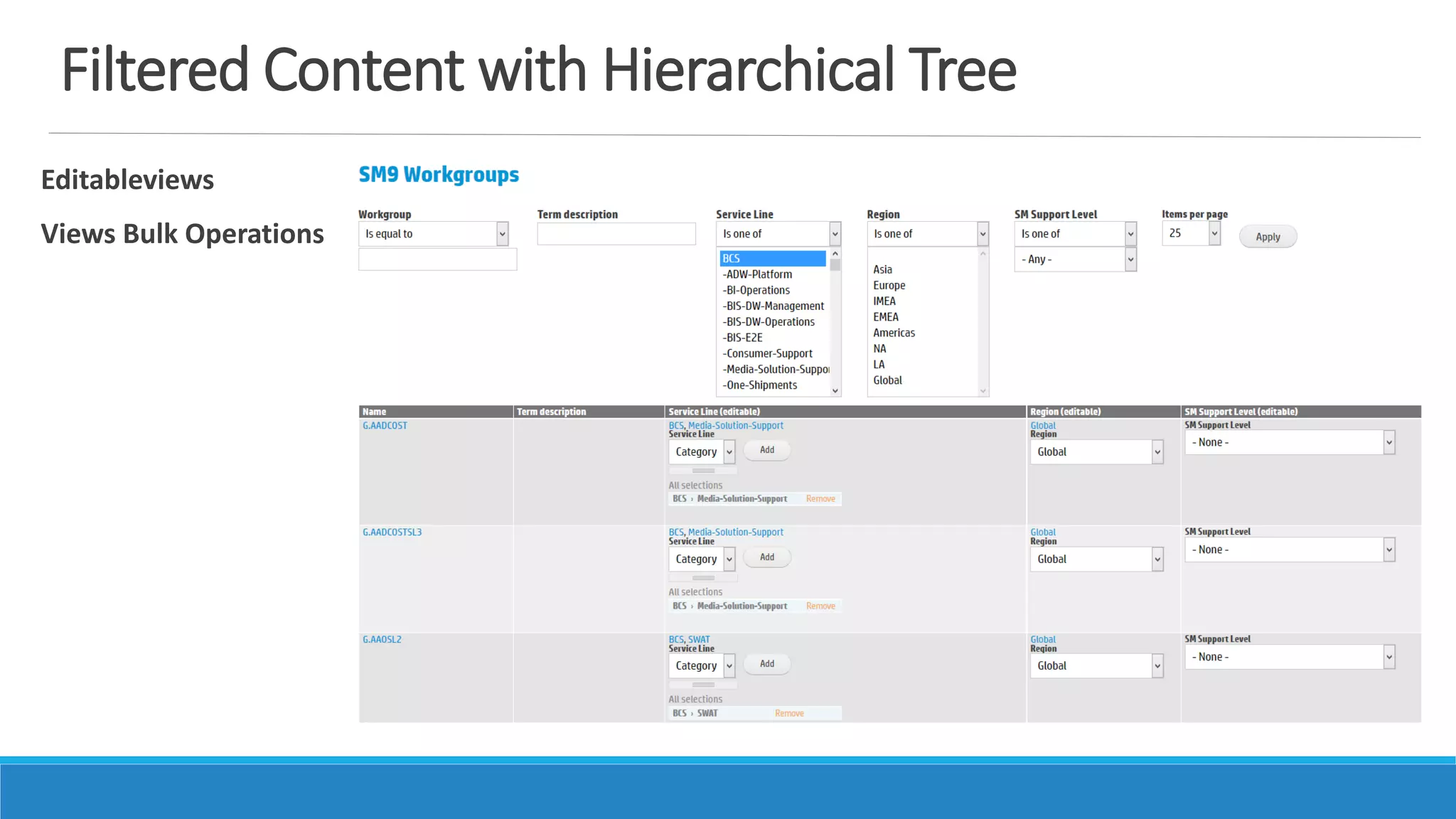
Filtered Content with Hierarchical Tree
Editableviews
Views Bulk Operations
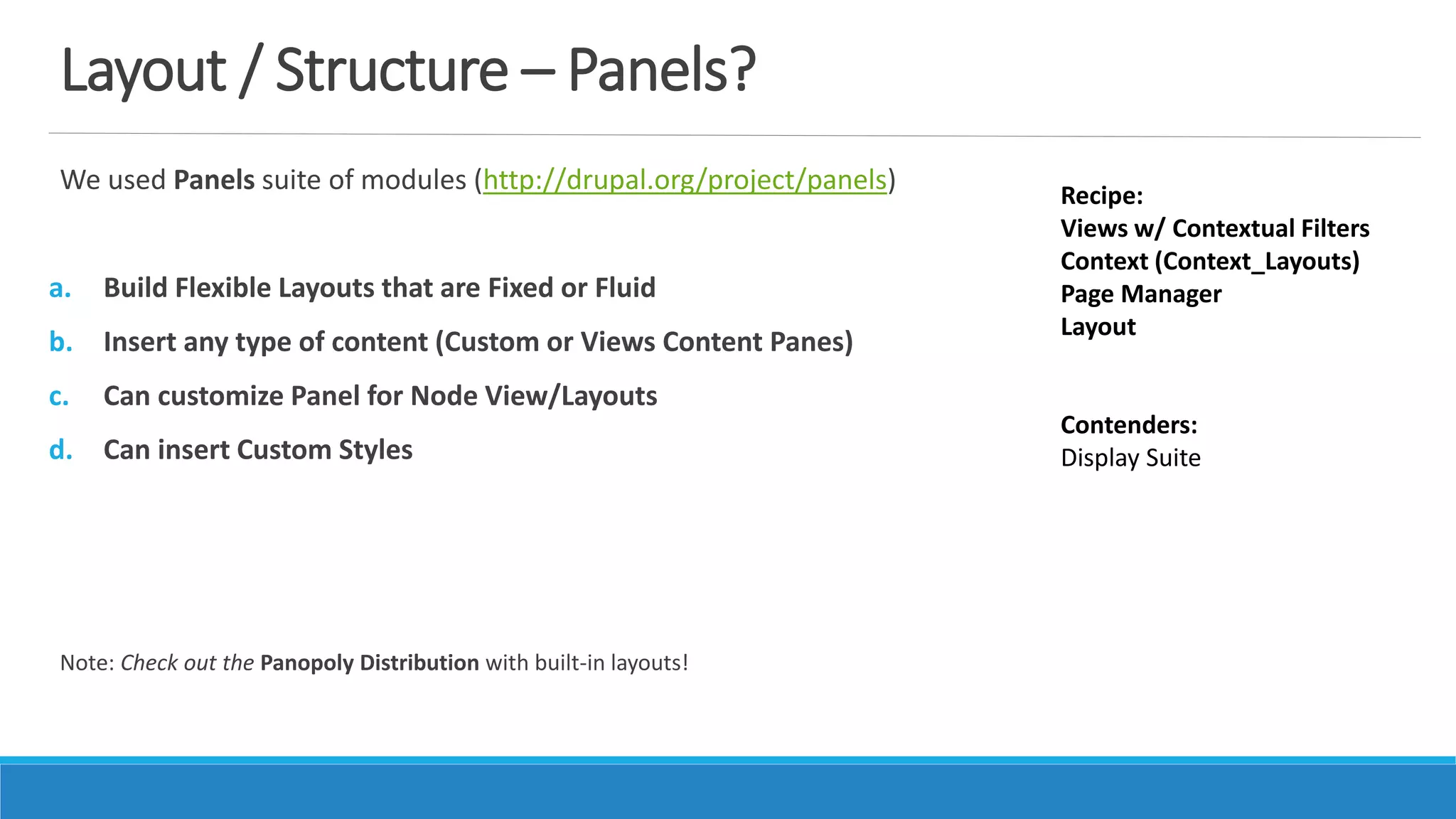
Layout / Structure – Panels?
We used Panels suite of modules (http://drupal.org/project/panels)
a. Build Flexible Layouts that are Fixed or Fluid
b. Insert any type of content (Custom or Views Content Panes)
c. Can customize Panel for Node View/Layouts
d. Can insert Custom Styles
Note: Check out the Panopoly Distribution with built-in layouts!
Recipe:
Views w/ Contextual Filters
Context (Context_Layouts)
Page Manager
Layout
Contenders:
Display Suite
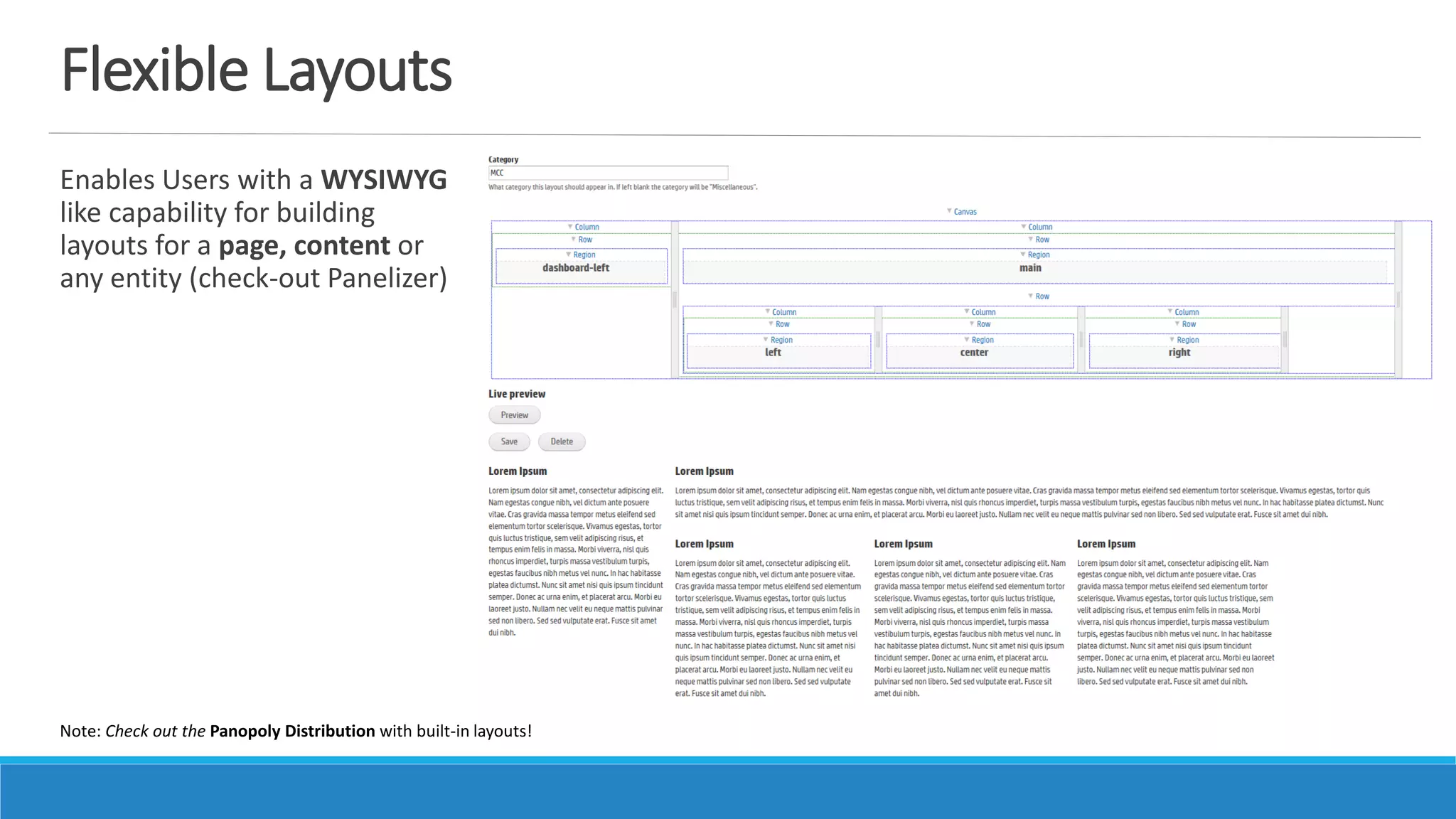
Flexible Layouts
Enables Users with a WYSIWYG
like capability for building
layouts for a page, content or
any entity (check-out Panelizer)
Note: Check out the Panopoly Distribution with built-in layouts!
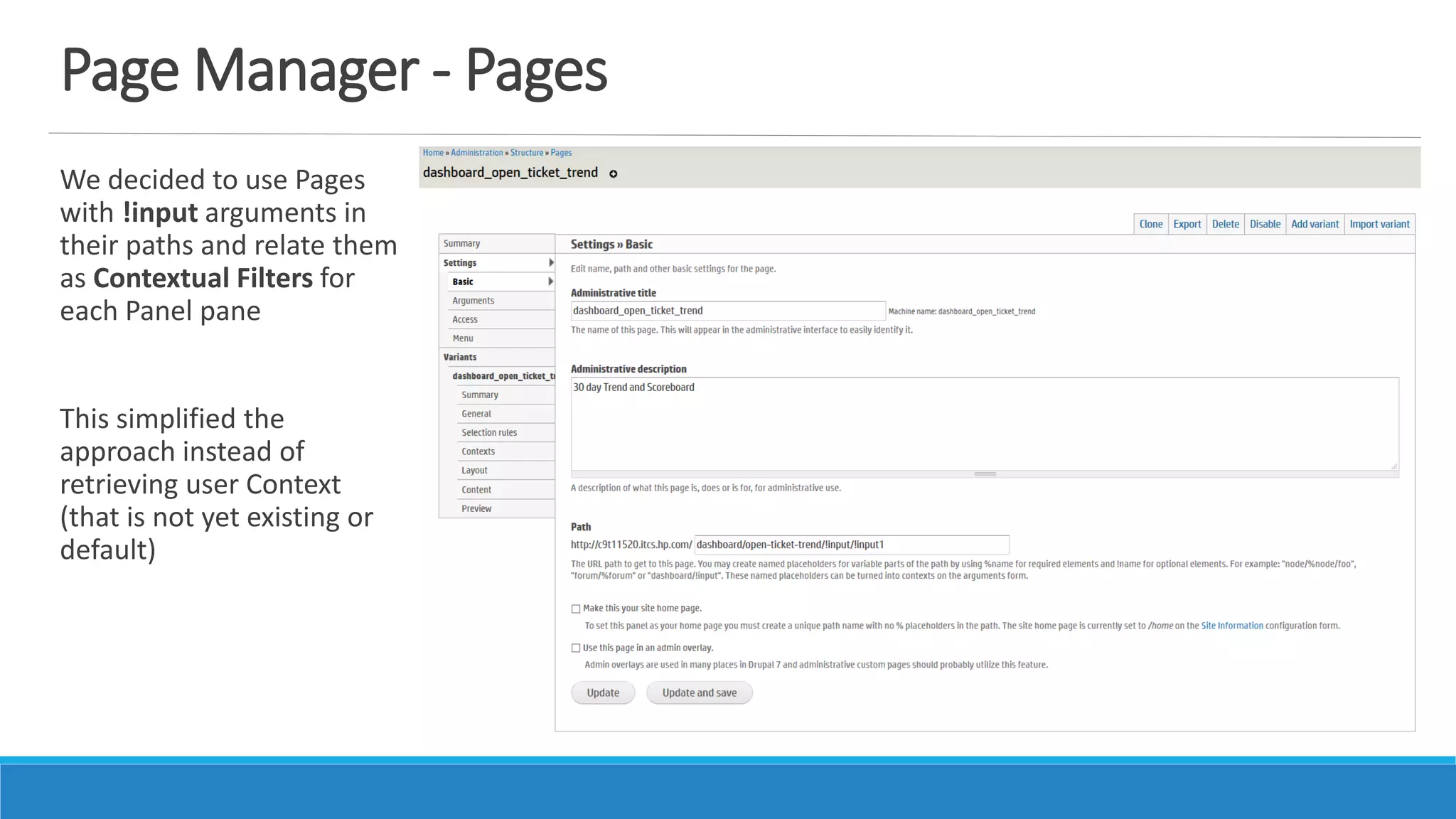
Page Manager - Pages
We decided to use Pages
with !input arguments in
their paths and relate them
as Contextual Filters for
each Panel pane
This simplified the
approach instead of
retrieving user Context
(that is not yet existing or
default)
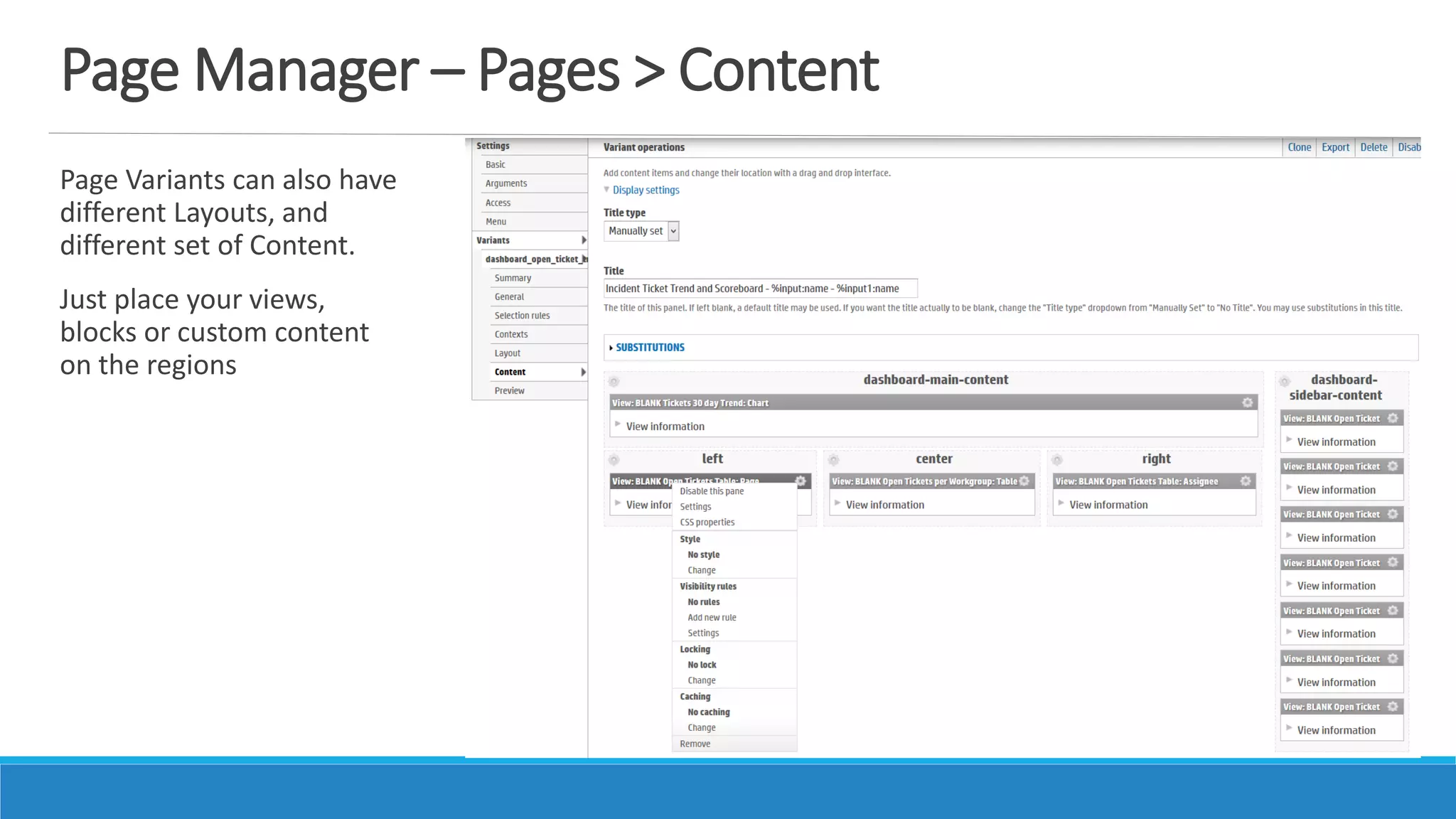
Page Manager – Pages > Content
Page Variants can also have
different Layouts, and
different set of Content.
Just place your views,
blocks or custom content
on the regions
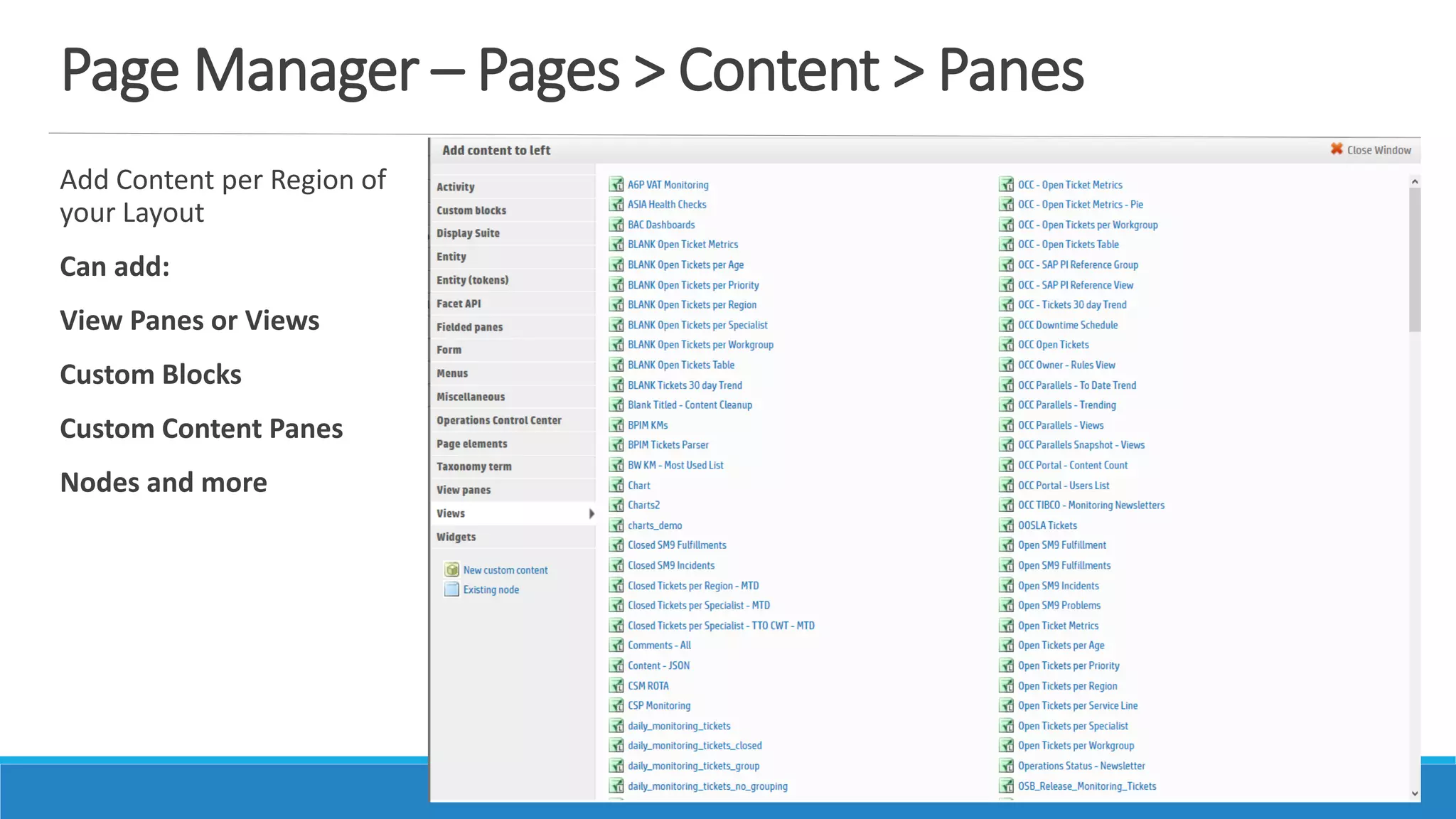
Page Manager – Pages > Content > Panes
Add Content per Region of
your Layout
Can add:
View Panes or Views
Custom Blocks
Custom Content Panes
Nodes and more
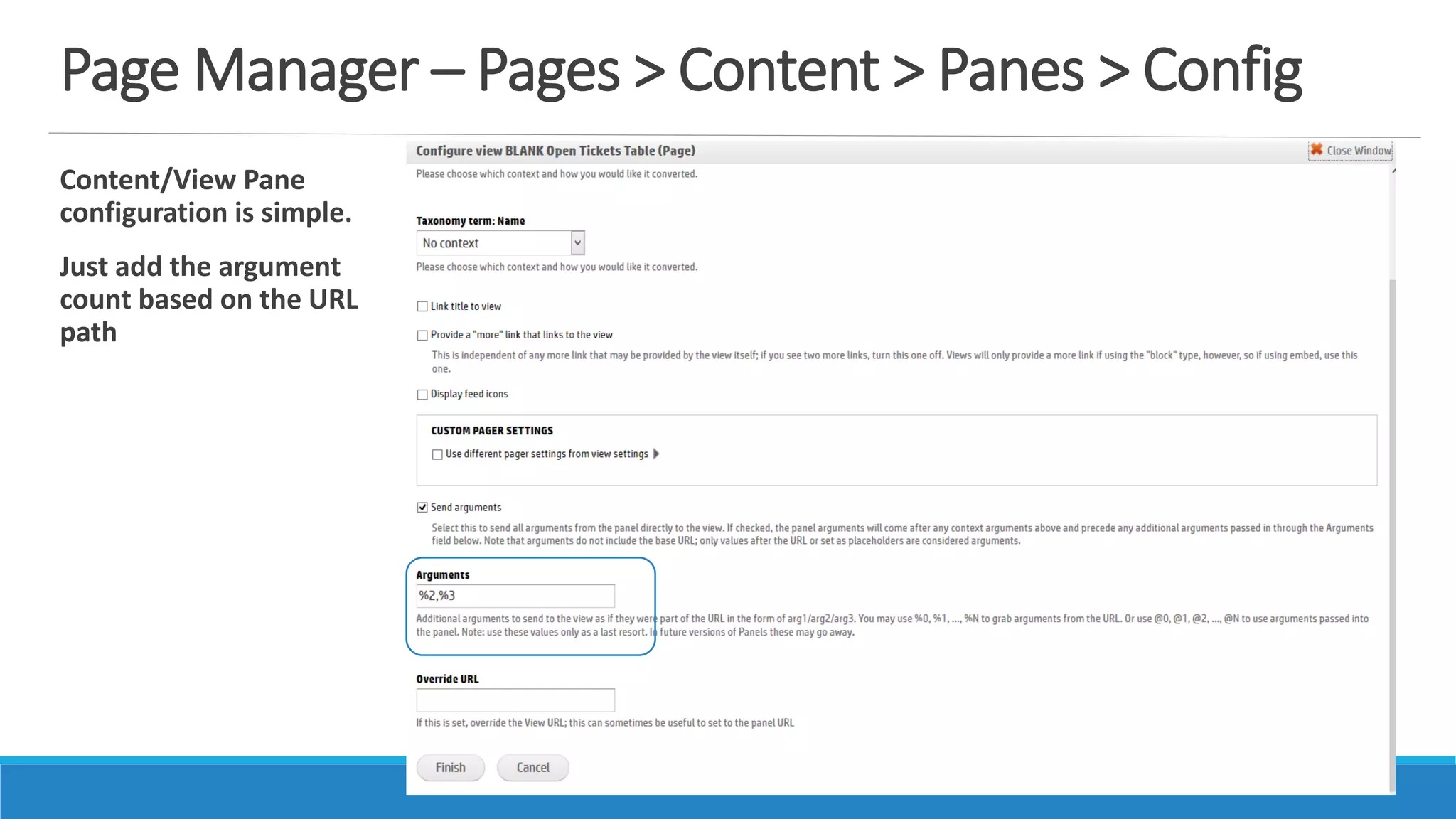
Page Manager – Pages > Content > Panes > Config
Content/View Pane
configuration is simple.
Just add the argument
count based on the URL
path
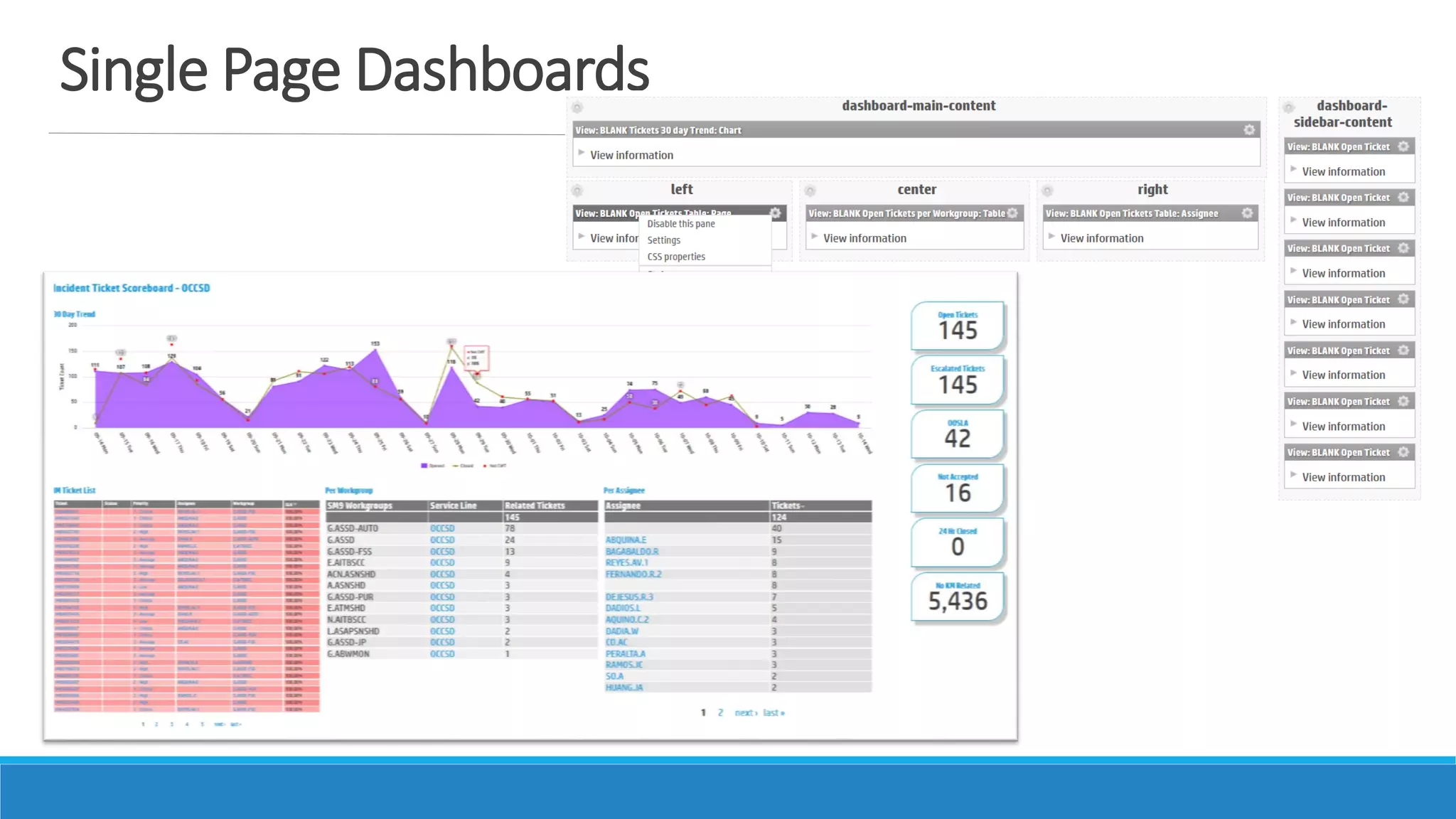
Single Page Dashboards
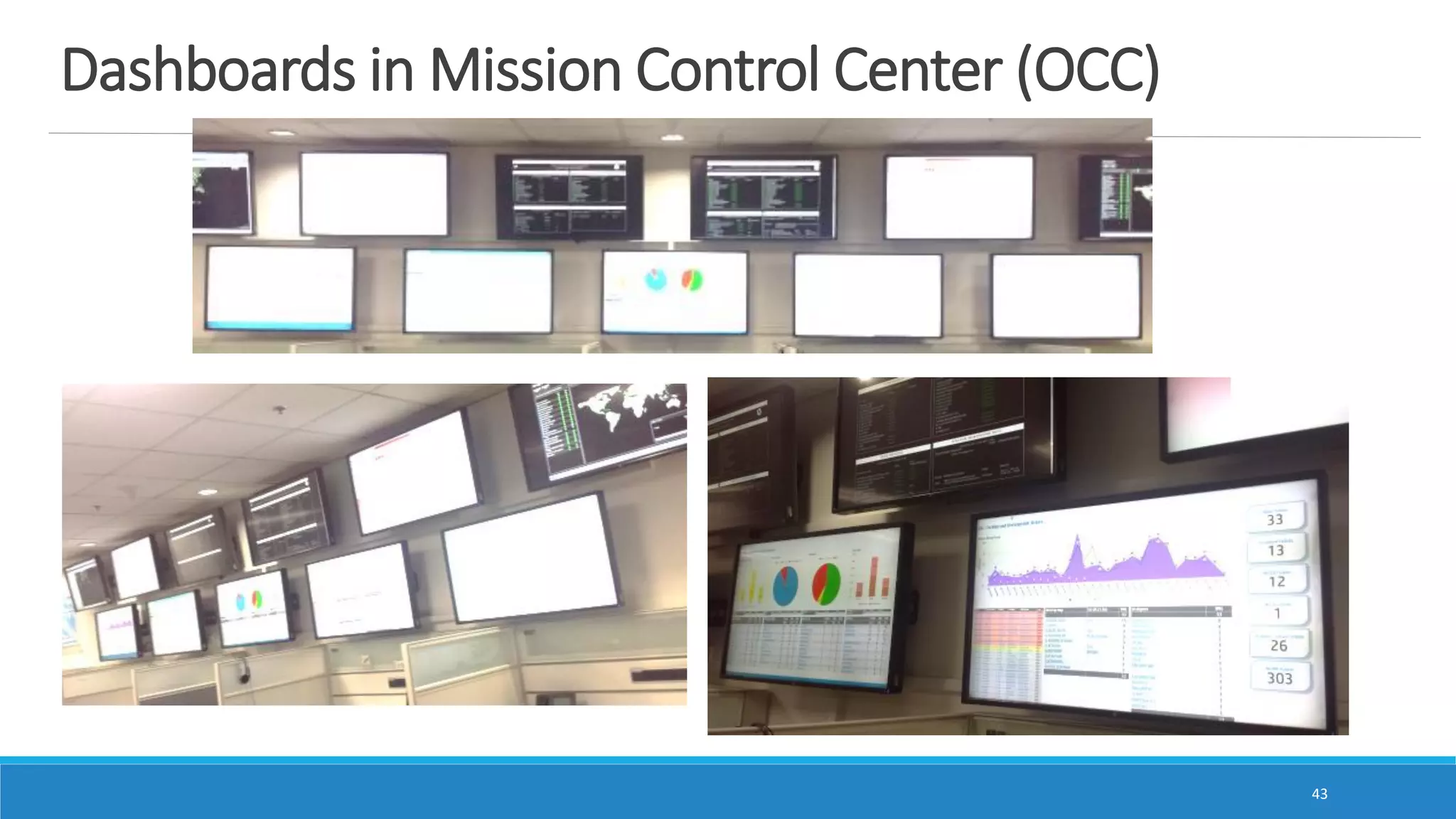
Dashboards in Mission Control Center (OCC)
43
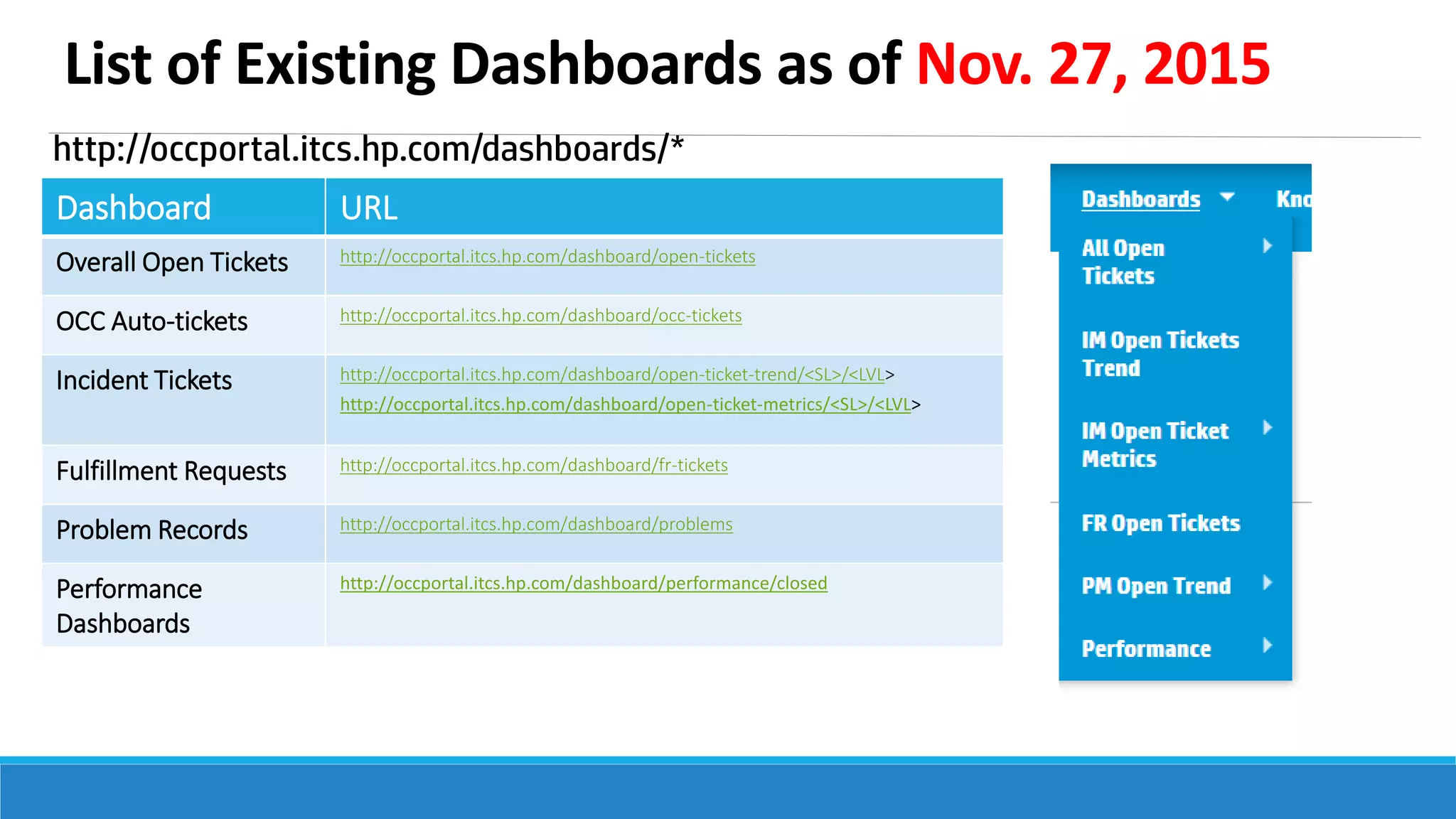
List of Existing Dashboards as of Nov. 27, 2015
http://occportal.itcs.hp.com/dashboards/*
Dashboard URL
Overall Open Tickets http://occportal.itcs.hp.com/dashboard/open-tickets
OCC Auto-tickets http://occportal.itcs.hp.com/dashboard/occ-tickets
Incident Tickets http://occportal.itcs.hp.com/dashboard/open-ticket-trend/<SL>/<LVL>
http://occportal.itcs.hp.com/dashboard/open-ticket-metrics/<SL>/<LVL>
Fulfillment Requests http://occportal.itcs.hp.com/dashboard/fr-tickets
Problem Records http://occportal.itcs.hp.com/dashboard/problems
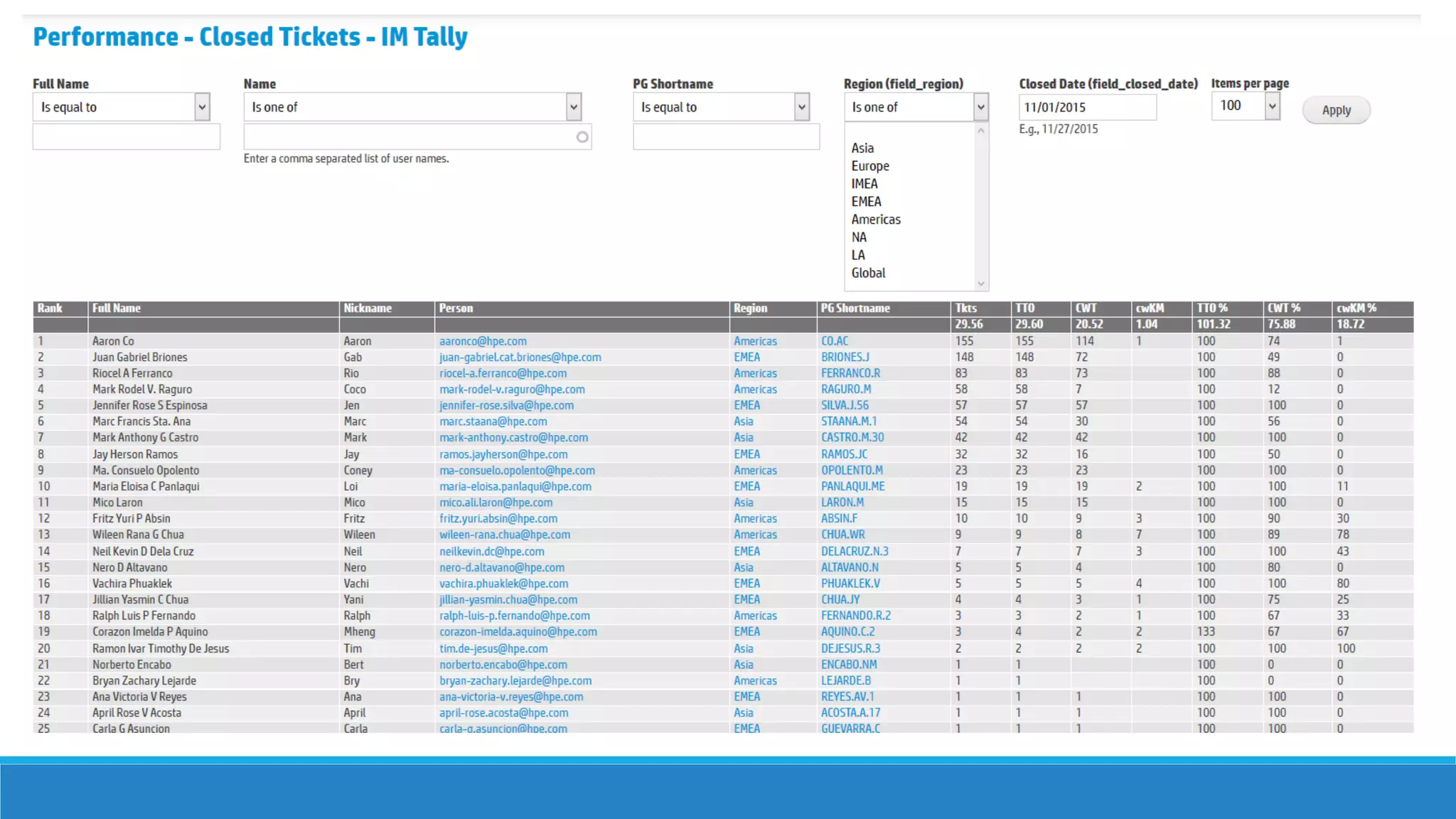
Performance
Dashboards
http://occportal.itcs.hp.com/dashboard/performance/closed
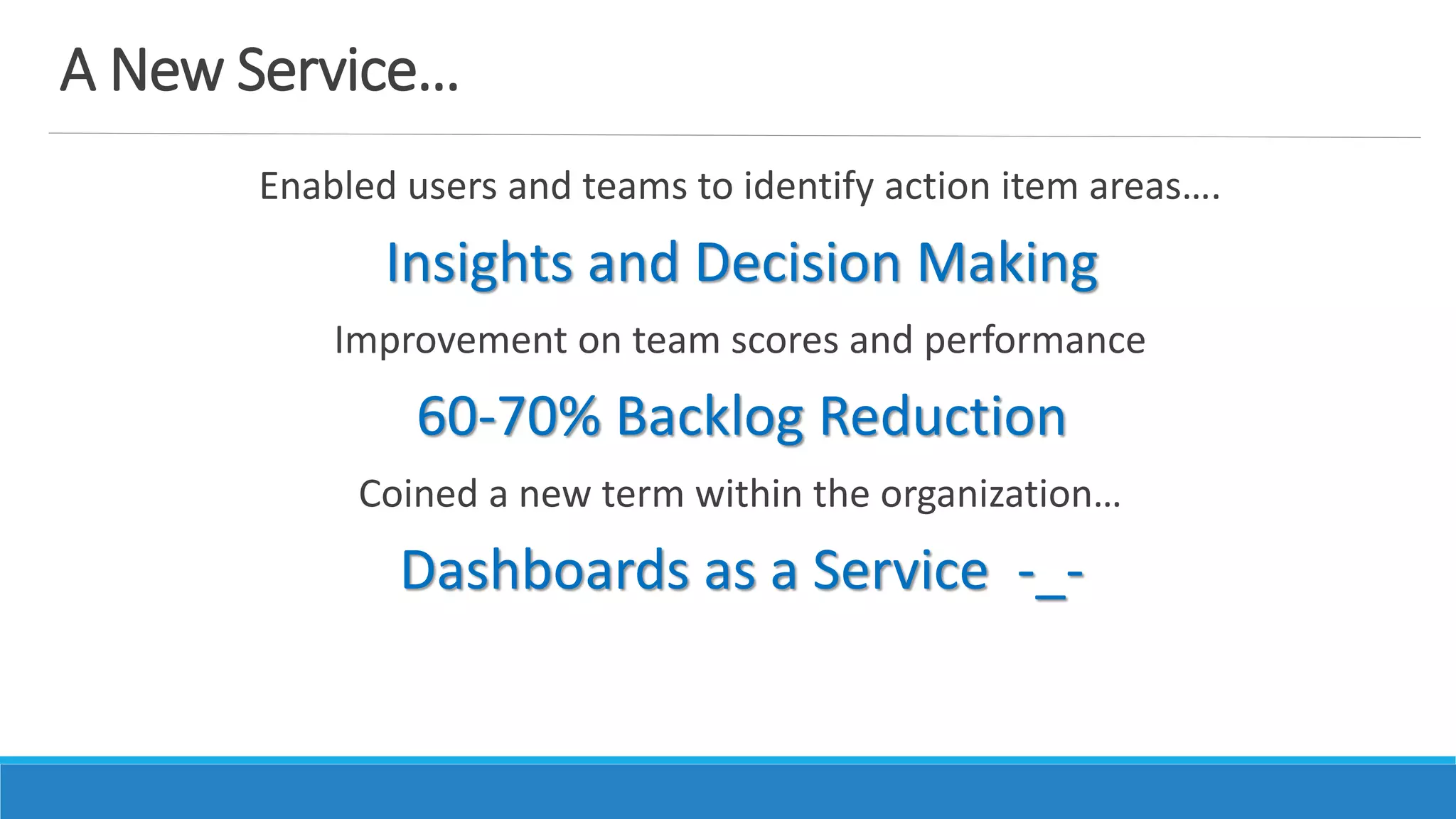
A New Service…
Enabled users and teams to identify action item areas….
Insights and Decision Making
Improvement on team scores and performance
60-70% Backlog Reduction
Coined a new term within the organization…
Dashboards as a Service -_-
Aftermath…
Successful implementation and deployment to the teams;
Very little or even up to no training involved for handover
Increase user base and usage of the OCC Portal
Currently fine-tuning and actively receiving suggestions
A long list of additional Dashboard Requests from other organizations 
Happy Customers!
Future Plans… Ongoing Activities…
Additional content relationships and views with
Human Resources Data
Enable users Through Panopoly / Panels In-Place Editor
BYOD (Build Your Own Dashboard)
UX / UI Improvements and Define
Mobile First Dashboards
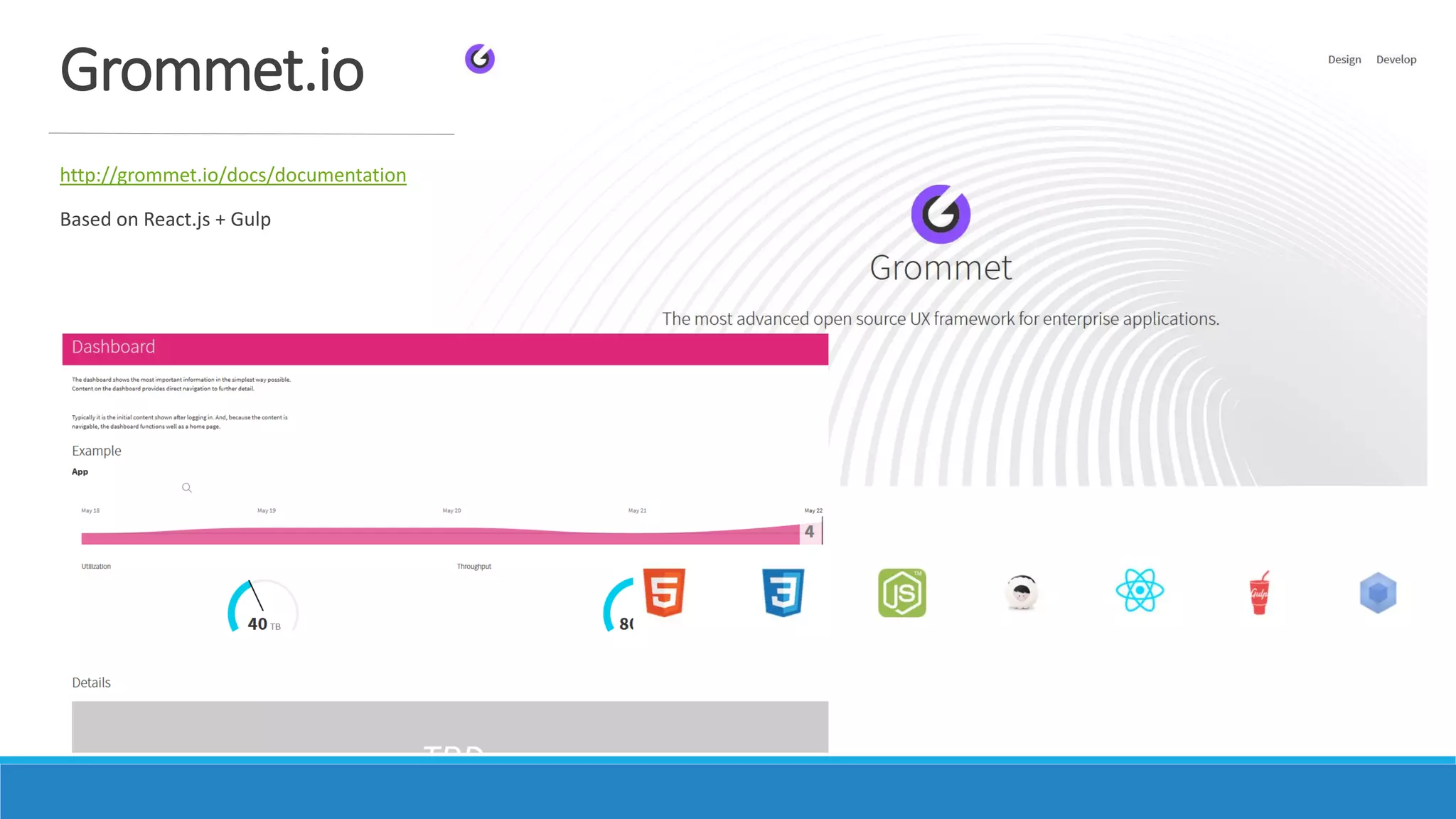
Grommet.io
http://grommet.io/docs/documentation
Based on React.js + Gulp
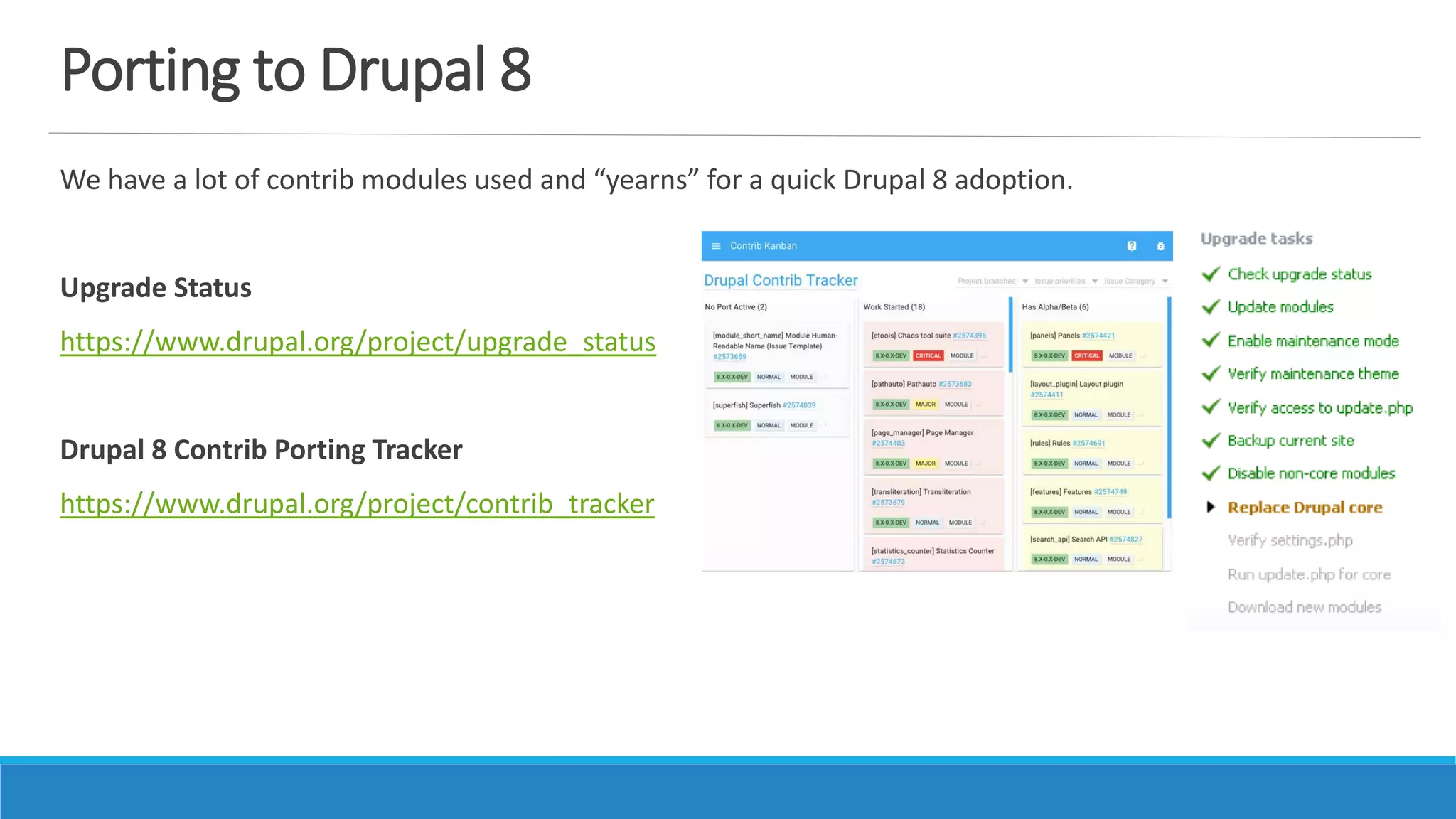
Porting to Drupal 8
We have a lot of contrib modules used and “yearns” for a quick Drupal 8 adoption.
Upgrade Status
https://www.drupal.org/project/upgrade_status
Drupal 8 Contrib Porting Tracker
https://www.drupal.org/project/contrib_tracker
Room…Hallway for Improvement
Open for suggestions…
Actively seek new ways to develop…
Ask for help.
Share!
Thank you!
EL ABQUINA – EABQUINA@GMAIL.COM

Eladio Abquina on FOSS TOOL for Mining Big Data;OCC PORTAL Dashboard Story

  • 1.
  • 2.
    10/8/2016 EL ABQUINA| ASK@TECHOPS.PH | +639088772988 2 Name Current Work/Role Why Drupal? Hello Drupal!
  • 3.
    10/8/2016 3 Technology Consultant@ HPE Web Dev/Design @ Tech Ops PH Open Source Advocate @ Drupal Pilipinas Faculty @ UE Manila EL Abquina | ask@techops.ph | +639175579109 EL Abquina | ask@techops.ph | eabquina@gmail.com
  • 6.
    OCC stands forOperations Control Center Our team performs applications performance monitoring and support desk services.
  • 7.
    Planning and Mapping Collection Automation Detection and Communication Availabilityand Visibility Insights Building 100% Coverage 100% Automation 100% Detection 100% Availability 100% Understanding Map what is working as designed so knowing it will be real-time Utilize monitoring tools have extensive and automatic data collection Real-time alerts and reports for immediate resolution or restoration Alerts and reports are always available by all means Translate trends and reports to create insights for decisions 12 pt. bold HP Simplified 12 pt. bold HP Simplified 12 pt. bold HP SimplifiedCollectIdentify AnalyzeVisualizeAlert Service Monitoring Support Reporting Dashboard Services Service AnalysisConfiguration Planning
  • 8.
    The OCC lacksthe central platform for all of our activities
  • 9.
    Here comes OCCPortal… Management of all OCC Activities: Monitoring Requests Configuration Planning Monitoring Objects Inventory Communications Platform (Alerts/Reports) Dashboards Analysis to Knowledge Management system (SKMS)
  • 10.
    A new buzzwordcame…. Dashboards
  • 11.
    The Problem… A siteaudit for team operations “required” team to have Analytics Dashboards for team operations We need to display data that would show: Organization / Team Performance Individual Scores / Results Volume Trending and Monitoring
  • 12.
    Tale of theTape… GOALS Deploy a tool across 12 global organizations Aggregate and Analyze individual scores for approx. 300-400 resources Daily real-time analysis of 1000 content “Please complete it by…. Monday CONSTRAINTS Engaged resources for the project 0 individuals Incomplete requirements and “budget” 0 dollars Lack of hardware / software resources for storing content 0 servers / hardware “It is already… Thursday!!!!
  • 13.
    SUBJECT: Help Needed– Action Request POSSIBLE ACTIONS There was a sudden alternative solution: Too slow for users There is a promise of improvement: 3 months to complete Need to decide for design requirements: 0 designers And more…..
  • 14.
    … we stillwent in for the Project!
  • 15.
    The Process… We simplifiedthe process by getting the design and data requirements from users themselves We skipped the part of business analysis or requirements gathering How should your Dashboards look like??
  • 17.
    The Process… usePowerPoint! We asked the team to “build a slide” in SharePoint It is quite easy to design something in a single slide by simply adding tables, charts or text boxes “Please send me sample PPT slides…”
  • 18.
    Slide Samples sentby our Users
  • 19.
  • 20.
  • 21.
  • 22.
    Scorecards – aka“Employee of the Month”
  • 23.
    Scorecards – aka“Employee of the Month”
  • 25.
    How did weuse Drupal?
  • 26.
    The Tools… In ourexisting Drupal installation, we pieced contrib modules smartly to create our requirements: • Layout Structure • Content Strategy Is there a Dashboard Module?!
  • 27.
    Dashboard Core Module– x_x Relies on Custom or Views Blocks No alternative lay-outs
  • 28.
    Content Strategy –Views… W enabled taxonomy to be configurable and extended with tax Our Content: Recipe: Taxonomy Manager Entity API Hierarchical Select (+ more) Views Aggregation Plus Charts Highcharts Google Contenders: Field Collection Content Taxonomy…. Tickets Nodes with a Taxonomy Term called Workgroup Workgroup A Taxonomy Term with term fields Service Line and Support Level Service Line The various organization entities to be deployed Support Level Level of work the workgroup performs
  • 29.
    Content Strategy >Taxonomy Manager Quickly Upload thousands of Terms (Workgroups, Service Lines) and have a quick view for their organization
  • 30.
    Content Strategy >Hierarchical Select A requirement is to have a dashboard view that can be filtered based on Service Line hierarchy Hierarchical Select uses multiple taxonomies and record their parent – child relationships Taxonomy Term: Service Line Service Line A ◦ Sub-Service Line A – 1 ◦ Sub-Service Line A – 2 Service Line B ◦ Sub-Service Line A – 1 ◦ Sub-Service Line A - 2 Note: Checkout Simple Hierarchical Select or Client-Side Hierarchical Select
  • 31.
    Content Strategy >Views > Contextual Filters Formerly known as arguments Found under Advanced > Contextual Filters Works great with Relationships for either Entity Reference or Term References Filter Statement: All Tickets Under Workgroups Under Service Lines
  • 32.
    Content Strategy >Views > Contextual Filters > Add Contextual Filters use Relationships too Can add multiple contextual filters based on Order Can use a Fixed Value or Raw Value from URL Note: Our decision is just to provide Direct URL of the Dashboard pages for each of the sub-teams
  • 33.
    Content Strategy >Views > Charts or D3 It just works! http://drupal.org/project/charts http://drupal.org/project/d3 Use Views SQL Date Formatter https://www.drupal.org/project/views_date_format_sql
  • 34.
    Filtered Content withHierarchical Tree Editableviews Views Bulk Operations
  • 35.
    Layout / Structure– Panels? We used Panels suite of modules (http://drupal.org/project/panels) a. Build Flexible Layouts that are Fixed or Fluid b. Insert any type of content (Custom or Views Content Panes) c. Can customize Panel for Node View/Layouts d. Can insert Custom Styles Note: Check out the Panopoly Distribution with built-in layouts! Recipe: Views w/ Contextual Filters Context (Context_Layouts) Page Manager Layout Contenders: Display Suite
  • 36.
    Flexible Layouts Enables Userswith a WYSIWYG like capability for building layouts for a page, content or any entity (check-out Panelizer) Note: Check out the Panopoly Distribution with built-in layouts!
  • 37.
    Page Manager -Pages We decided to use Pages with !input arguments in their paths and relate them as Contextual Filters for each Panel pane This simplified the approach instead of retrieving user Context (that is not yet existing or default)
  • 38.
    Page Manager –Pages > Content Page Variants can also have different Layouts, and different set of Content. Just place your views, blocks or custom content on the regions
  • 39.
    Page Manager –Pages > Content > Panes Add Content per Region of your Layout Can add: View Panes or Views Custom Blocks Custom Content Panes Nodes and more
  • 40.
    Page Manager –Pages > Content > Panes > Config Content/View Pane configuration is simple. Just add the argument count based on the URL path
  • 41.
  • 42.
    Dashboards in MissionControl Center (OCC) 43
  • 43.
    List of ExistingDashboards as of Nov. 27, 2015 http://occportal.itcs.hp.com/dashboards/* Dashboard URL Overall Open Tickets http://occportal.itcs.hp.com/dashboard/open-tickets OCC Auto-tickets http://occportal.itcs.hp.com/dashboard/occ-tickets Incident Tickets http://occportal.itcs.hp.com/dashboard/open-ticket-trend/<SL>/<LVL> http://occportal.itcs.hp.com/dashboard/open-ticket-metrics/<SL>/<LVL> Fulfillment Requests http://occportal.itcs.hp.com/dashboard/fr-tickets Problem Records http://occportal.itcs.hp.com/dashboard/problems Performance Dashboards http://occportal.itcs.hp.com/dashboard/performance/closed
  • 44.
    A New Service… Enabledusers and teams to identify action item areas…. Insights and Decision Making Improvement on team scores and performance 60-70% Backlog Reduction Coined a new term within the organization… Dashboards as a Service -_-
  • 45.
    Aftermath… Successful implementation anddeployment to the teams; Very little or even up to no training involved for handover Increase user base and usage of the OCC Portal Currently fine-tuning and actively receiving suggestions A long list of additional Dashboard Requests from other organizations  Happy Customers!
  • 46.
    Future Plans… OngoingActivities… Additional content relationships and views with Human Resources Data Enable users Through Panopoly / Panels In-Place Editor BYOD (Build Your Own Dashboard) UX / UI Improvements and Define Mobile First Dashboards
  • 47.
  • 48.
    Porting to Drupal8 We have a lot of contrib modules used and “yearns” for a quick Drupal 8 adoption. Upgrade Status https://www.drupal.org/project/upgrade_status Drupal 8 Contrib Porting Tracker https://www.drupal.org/project/contrib_tracker
  • 49.
    Room…Hallway for Improvement Openfor suggestions… Actively seek new ways to develop… Ask for help. Share!
  • 50.
    Thank you! EL ABQUINA– EABQUINA@GMAIL.COM