EKS Security Best Practices
KAREN BRUNER | 2019-09-13
What We’ll Cover
● What is EKS?
● EKS cluster design considerations
● Kubernetes networking
● Container scanning
● Pod runtime security
What is EKS?
Answer: Amazon Elastic Kubernetes Service!
What is Kubernetes?
● Open-source Container Workload Orchestrator
● Design by Google based on their internal deployment practices
● Workloads of “pods” containing one or more Docker containers
● Manages starting/restarting/scaling workloads
● Controllers allow for customized behaviors
● Security management capabilities exist but generally not on by default
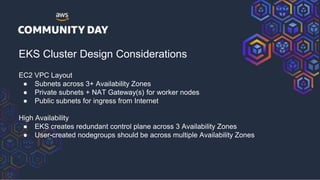
EKS Cluster Design Considerations
EC2 VPC Layout
● Subnets across 3+ Availability Zones
● Private subnets + NAT Gateway(s) for worker nodes
● Public subnets for ingress from Internet
High Availability
● EKS creates redundant control plane across 3 Availability Zones
● User-created nodegroups should be across multiple Availability Zones
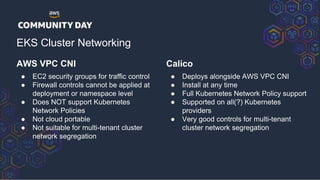
AWS VPC CNI
● EC2 security groups for traffic control
● Firewall controls cannot be applied at
deployment or namespace level
● Does NOT support Kubernetes
Network Policies
● Not cloud portable
● Not suitable for multi-tenant cluster
network segregation
EKS Cluster Networking
Calico
● Deploys alongside AWS VPC CNI
● Install at any time
● Full Kubernetes Network Policy support
● Supported on all(?) Kubernetes
providers
● Very good controls for multi-tenant
cluster network segregation
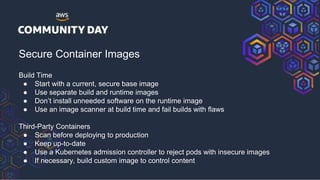
Secure Container Images
Build Time
● Start with a current, secure base image
● Use separate build and runtime images
● Don’t install unneeded software on the runtime image
● Use an image scanner at build time and fail builds with flaws
Third-Party Containers
● Scan before deploying to production
● Keep up-to-date
● Use a Kubernetes admission controller to reject pods with insecure images
● If necessary, build custom image to control content
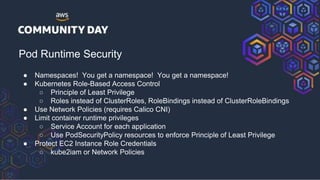
Pod Runtime Security
● Namespaces! You get a namespace! You get a namespace!
● Kubernetes Role-Based Access Control
○ Principle of Least Privilege
○ Roles instead of ClusterRoles, RoleBindings instead of ClusterRoleBindings
● Use Network Policies (requires Calico CNI)
● Limit container runtime privileges
○ Service Account for each application
○ Use PodSecurityPolicy resources to enforce Principle of Least Privilege
● Protect EC2 Instance Role Credentials
○ kube2iam or Network Policies
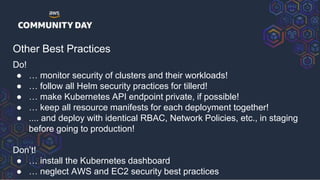
Other Best Practices
Do!
● … monitor security of clusters and their workloads!
● … follow all Helm security practices for tillerd!
● … make Kubernetes API endpoint private, if possible!
● … keep all resource manifests for each deployment together!
● .... and deploy with identical RBAC, Network Policies, etc., in staging
before going to production!
Don’t!
● … install the Kubernetes dashboard
● … neglect AWS and EC2 security best practices
Me + More
See the companion blog post at https://www.stackrox.com/post/
Karen Bruner
● https://nightmare-before-devops.xyz/
● Tweetless
● Ask me for my Ravelry ID
● My cats ->

EKS security best practices

  • 1.
    EKS Security BestPractices KAREN BRUNER | 2019-09-13
  • 2.
    What We’ll Cover ●What is EKS? ● EKS cluster design considerations ● Kubernetes networking ● Container scanning ● Pod runtime security
  • 3.
    What is EKS? Answer:Amazon Elastic Kubernetes Service! What is Kubernetes? ● Open-source Container Workload Orchestrator ● Design by Google based on their internal deployment practices ● Workloads of “pods” containing one or more Docker containers ● Manages starting/restarting/scaling workloads ● Controllers allow for customized behaviors ● Security management capabilities exist but generally not on by default
  • 4.
    EKS Cluster DesignConsiderations EC2 VPC Layout ● Subnets across 3+ Availability Zones ● Private subnets + NAT Gateway(s) for worker nodes ● Public subnets for ingress from Internet High Availability ● EKS creates redundant control plane across 3 Availability Zones ● User-created nodegroups should be across multiple Availability Zones
  • 5.
    AWS VPC CNI ●EC2 security groups for traffic control ● Firewall controls cannot be applied at deployment or namespace level ● Does NOT support Kubernetes Network Policies ● Not cloud portable ● Not suitable for multi-tenant cluster network segregation EKS Cluster Networking Calico ● Deploys alongside AWS VPC CNI ● Install at any time ● Full Kubernetes Network Policy support ● Supported on all(?) Kubernetes providers ● Very good controls for multi-tenant cluster network segregation
  • 6.
    Secure Container Images BuildTime ● Start with a current, secure base image ● Use separate build and runtime images ● Don’t install unneeded software on the runtime image ● Use an image scanner at build time and fail builds with flaws Third-Party Containers ● Scan before deploying to production ● Keep up-to-date ● Use a Kubernetes admission controller to reject pods with insecure images ● If necessary, build custom image to control content
  • 7.
    Pod Runtime Security ●Namespaces! You get a namespace! You get a namespace! ● Kubernetes Role-Based Access Control ○ Principle of Least Privilege ○ Roles instead of ClusterRoles, RoleBindings instead of ClusterRoleBindings ● Use Network Policies (requires Calico CNI) ● Limit container runtime privileges ○ Service Account for each application ○ Use PodSecurityPolicy resources to enforce Principle of Least Privilege ● Protect EC2 Instance Role Credentials ○ kube2iam or Network Policies
  • 8.
    Other Best Practices Do! ●… monitor security of clusters and their workloads! ● … follow all Helm security practices for tillerd! ● … make Kubernetes API endpoint private, if possible! ● … keep all resource manifests for each deployment together! ● .... and deploy with identical RBAC, Network Policies, etc., in staging before going to production! Don’t! ● … install the Kubernetes dashboard ● … neglect AWS and EC2 security best practices
  • 9.
    Me + More Seethe companion blog post at https://www.stackrox.com/post/ Karen Bruner ● https://nightmare-before-devops.xyz/ ● Tweetless ● Ask me for my Ravelry ID ● My cats ->