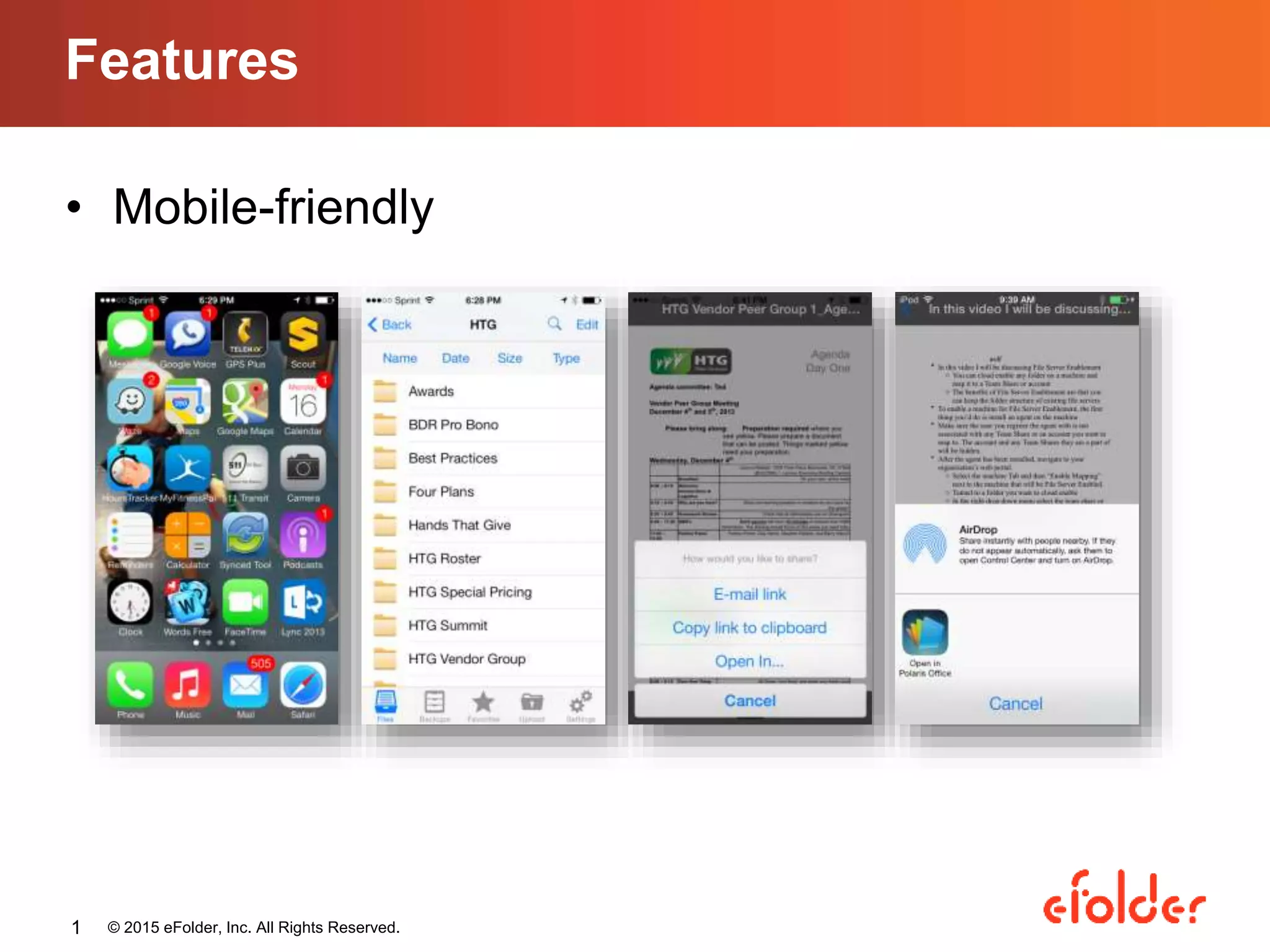
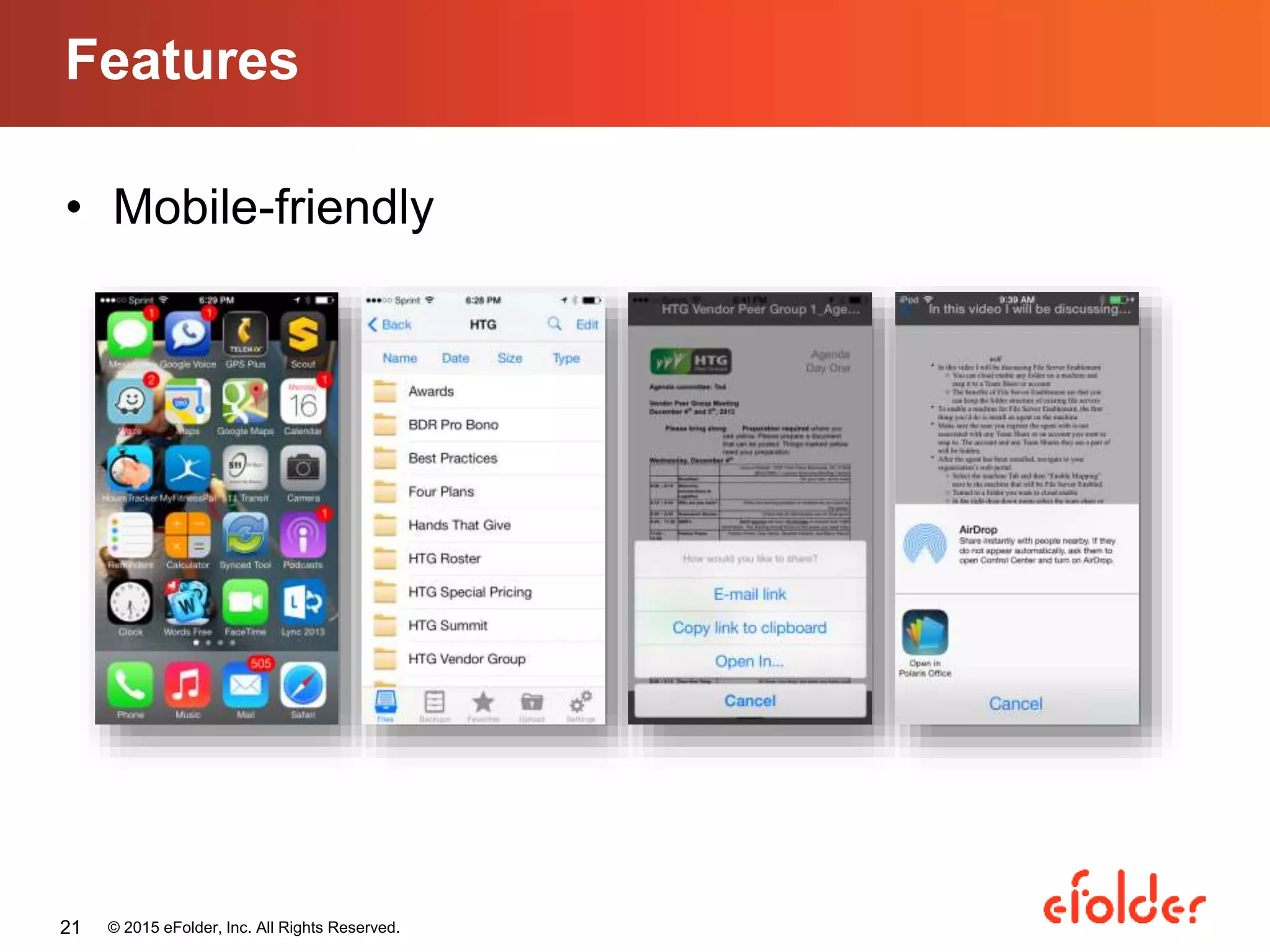
• Mobile-friendly
Features
© 2015 eFolder, Inc. All Rights Reserved.1
SharePoint vs. File Sync:
Factors MSPs Should Consider
Carmen Yu
Marketing Coordinator, eFolder
cyu@efolder.net
Agenda
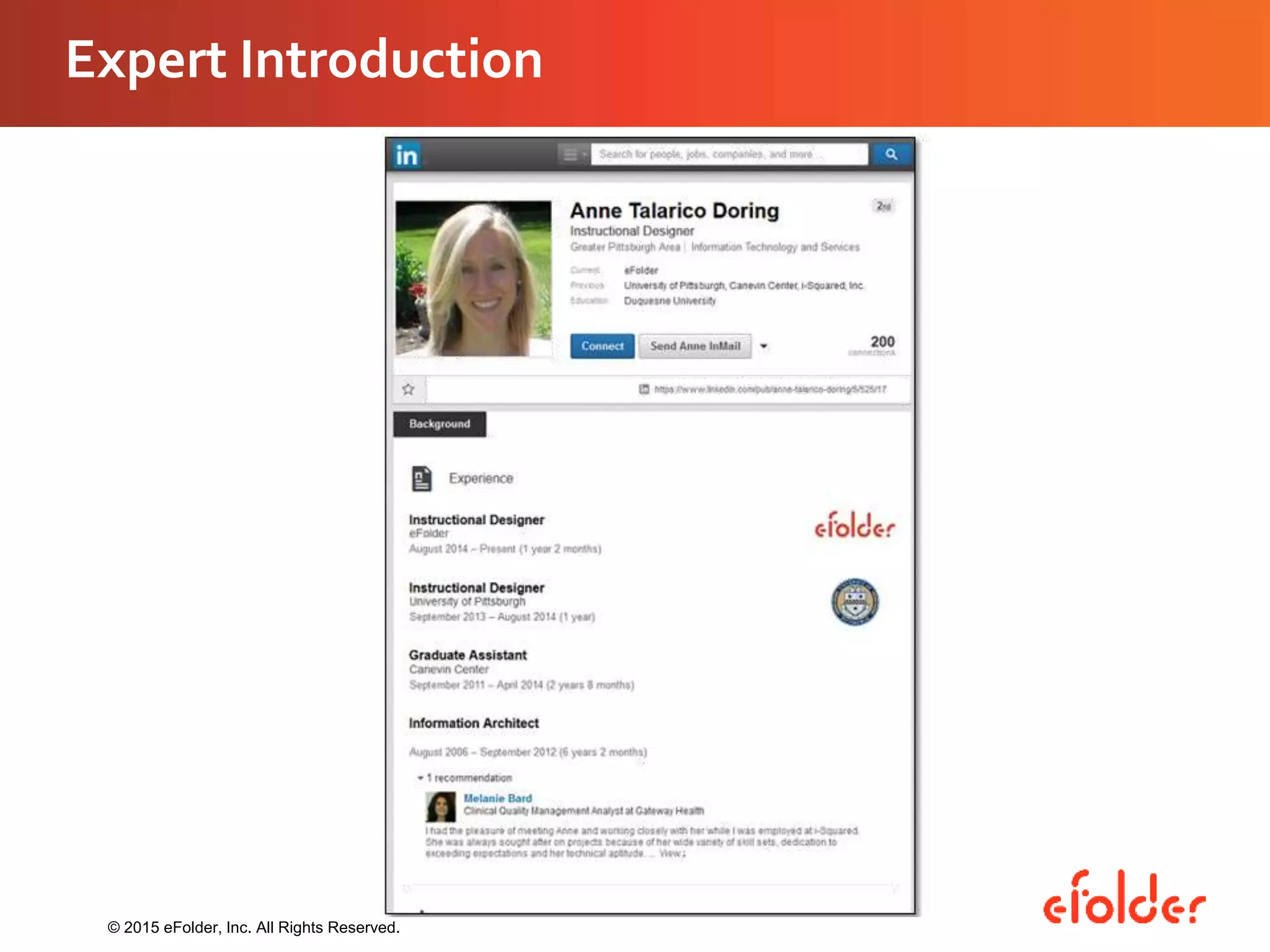
• Expert Introduction
• SharePoint overview
• Business-grade file sync overview
• Factors to consider
• Introducing eFolderAnchor
• Live Product Demo
• Questions and discussion
© 2015 eFolder, Inc. All Rights Reserved.
Expert Introduction
© 2015 eFolder, Inc. All Rights Reserved.
What is SharePoint?
• Document management, file sharing,
collaboration
• Websites, intranet or extranet
• SharePoint 2007, 2010, and 2013 on-
premises
• SharePoint Online 2013 in the cloud
© 2015 eFolder, Inc. All Rights Reserved.
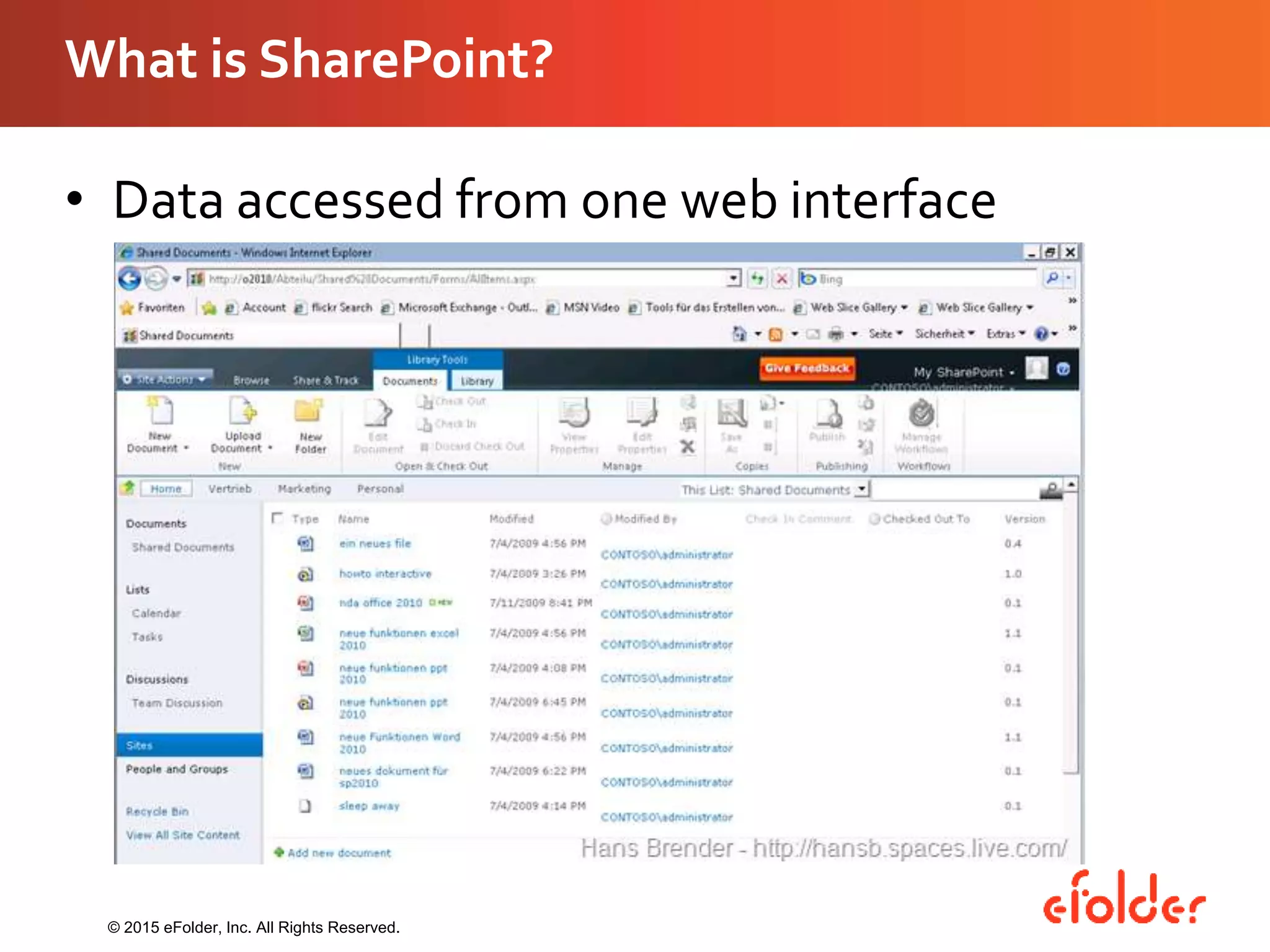
What is SharePoint?
• Data accessed from one web interface
© 2015 eFolder, Inc. All Rights Reserved.
SharePoint Pros
• Secure platform
• Numerous functions and capabilities
• Integrates with Microsoft Office
• Customizable
• Small businesses
© 2015 eFolder, Inc. All Rights Reserved.
SharePoint Cons
• Costly implementation
• High maintenance
• Not suitable for small businesses
• On-premises clients can’t move to the cloud
• Cloud deployment limits customization
• Lack of mobility
© 2015 eFolder, Inc. All Rights Reserved.
Business-Grade File Sync
• File hosting, file sharing, collaboration
• Built for a mobile workforce
• Out-of-the-box solution
• Secure sharing
• Rich administrative features
• Flexible deployment options (public or private
cloud)
© 2015 eFolder, Inc. All Rights Reserved.
Business-Grade File Sync
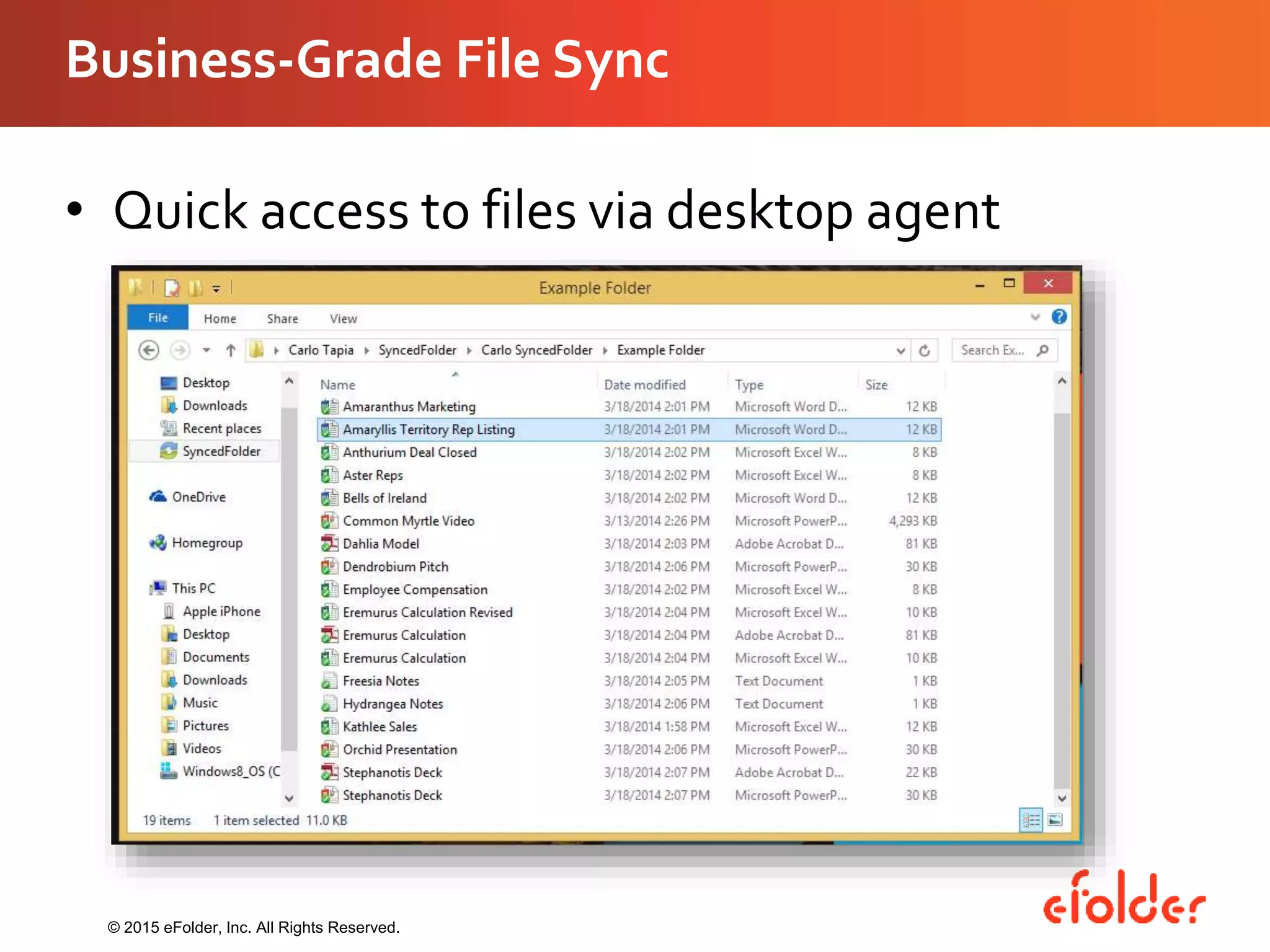
• Quick access to files via desktop agent
© 2015 eFolder, Inc. All Rights Reserved.
Factors to Consider
• Mobility & accessibility
• Ease of use
• Costs
• Types of deployment
© 2015 eFolder, Inc. All Rights Reserved.
Factors to Consider
Mobility & Accessibility
– Do your users work remotely?
– Do your users use smartphones and tablets for work?
– Do your users need mobile-friendly applications?
© 2015 eFolder, Inc. All Rights Reserved.
Forrester Research. “2013 Mobile Workforce Adoption Trends.” Cambridge, MA. 2013
Factors to Consider
Ease of use
– How much time can you afford to spend on
implementation and training?
– Will your users fully take advantage of the solution?
© 2015 eFolder, Inc. All Rights Reserved.
https://rcpmag.com/articles/2012/10/30/sharepoint-costs-more.aspx
Factors to Consider
Costs
– Are your clients aware of the hidden costs of
deployment?
– Are your clients willing to take on maintenance
costs?
© 2015 eFolder, Inc. All Rights Reserved.
Factors to Consider
On-premises or in the cloud
– How are your users accessing the data?
– What are the requirements for hosting your clients’
data?
© 2015 eFolder, Inc. All Rights Reserved.
SharePoint On-Premises
• On-premises deployment
• VPN connection needed
• Full-featured
• Costly implementation
• High maintenance
• Hard to migrate to the cloud
© 2015 eFolder, Inc. All Rights Reserved.
SharePoint Online 2013
• On-premises or in the cloud
• Cloud-enabled
• No mobile features
• Out-of-the-box solution
• Straightforward costs
• Minimal customization
© 2015 eFolder, Inc. All Rights Reserved.
Business-Grade File Sync
• On-premises or in the cloud
• Cloud-enabled
• Mobile-friendly
• Out-of-the-box solution
• Straightforward costs
© 2015 eFolder, Inc. All Rights Reserved.
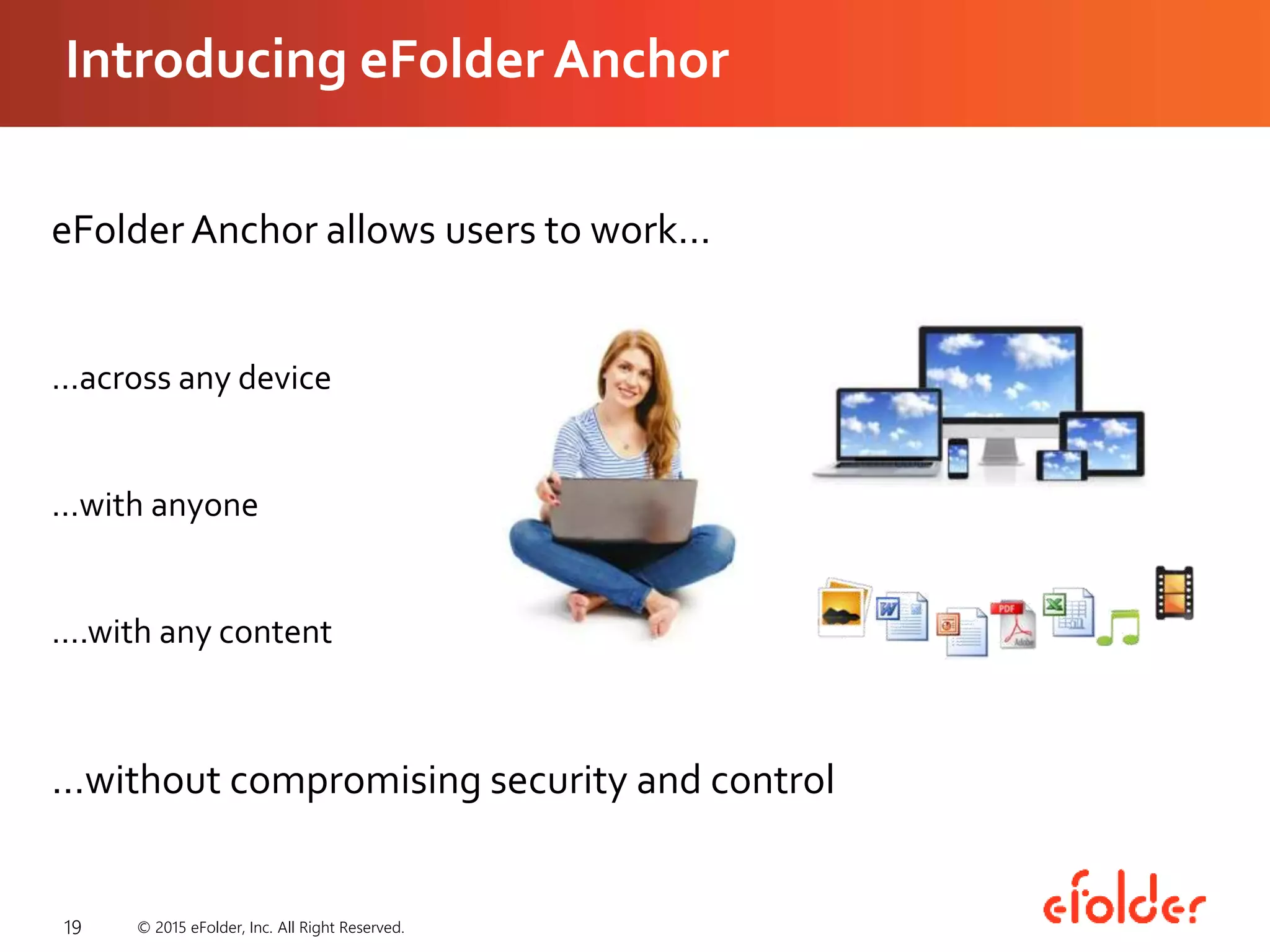
Introducing eFolder Anchor
19
eFolder Anchor allows users to work…
…across any device
…with anyone
….with any content
…without compromising security and control
© 2015 eFolder, Inc. All Right Reserved.
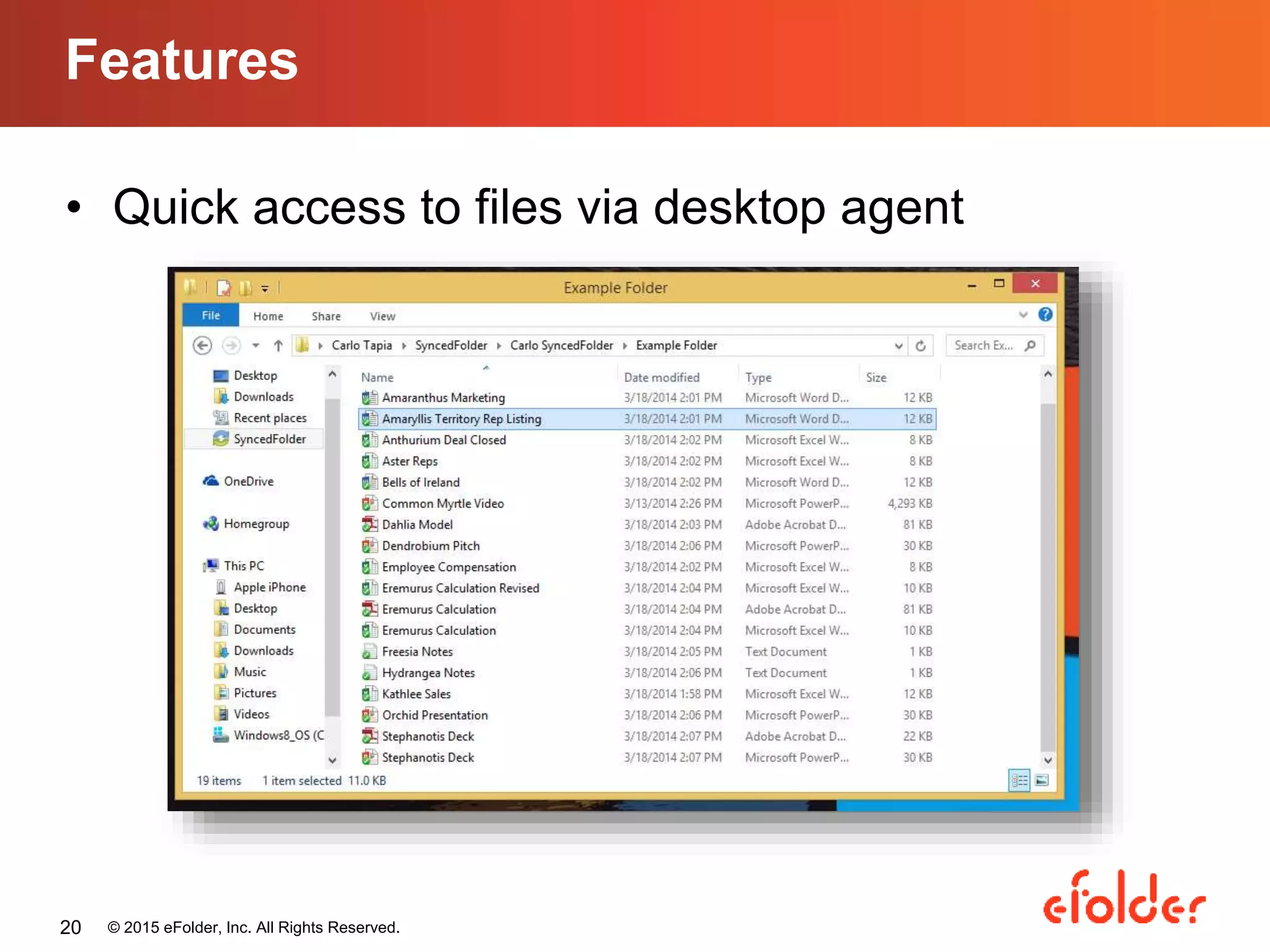
• Quick access to files via desktop agent
Features
© 2015 eFolder, Inc. All Rights Reserved.20
• Mobile-friendly
Features
© 2015 eFolder, Inc. All Rights Reserved.21
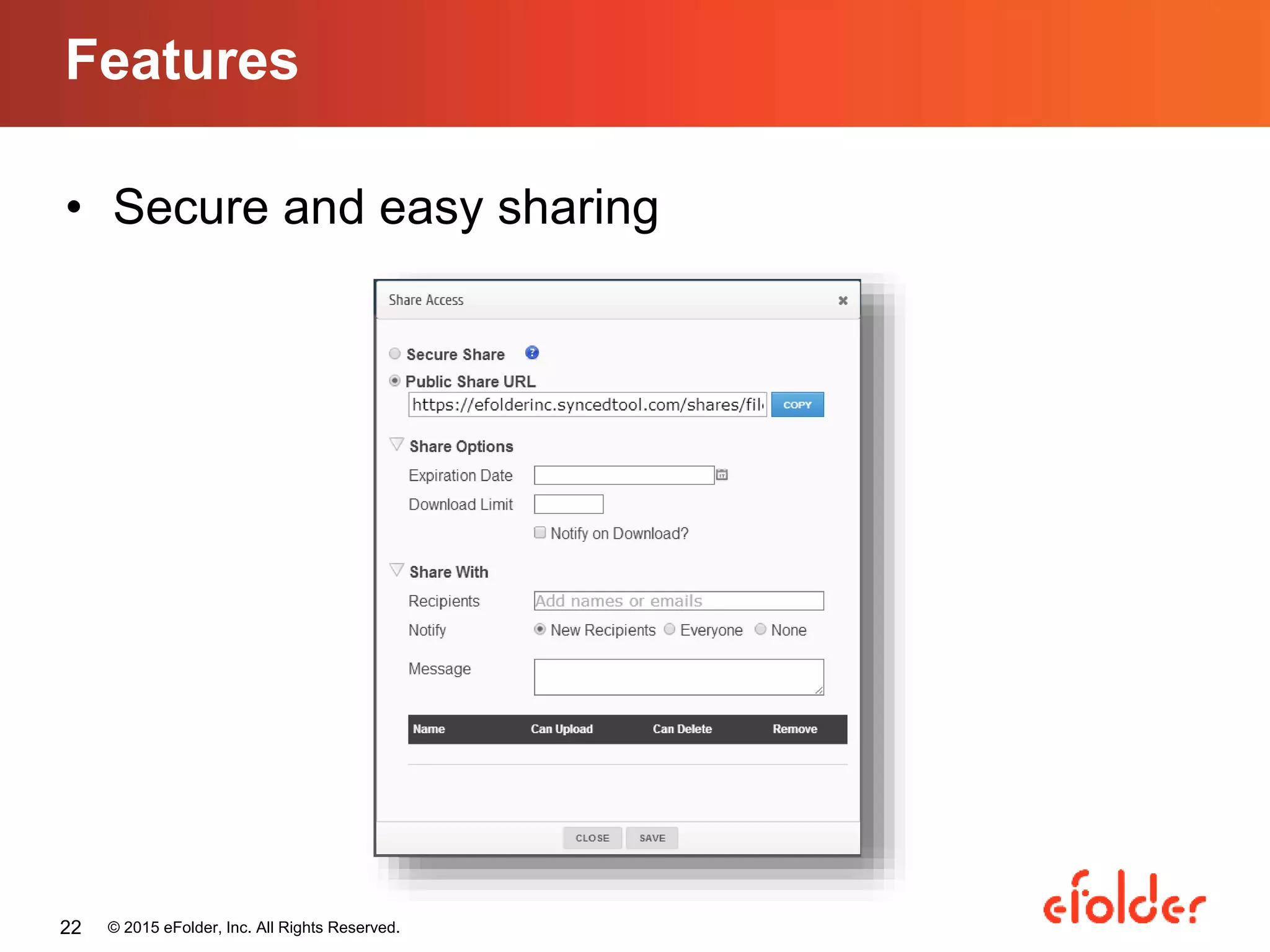
• Secure and easy sharing
Features
© 2015 eFolder, Inc. All Rights Reserved.22
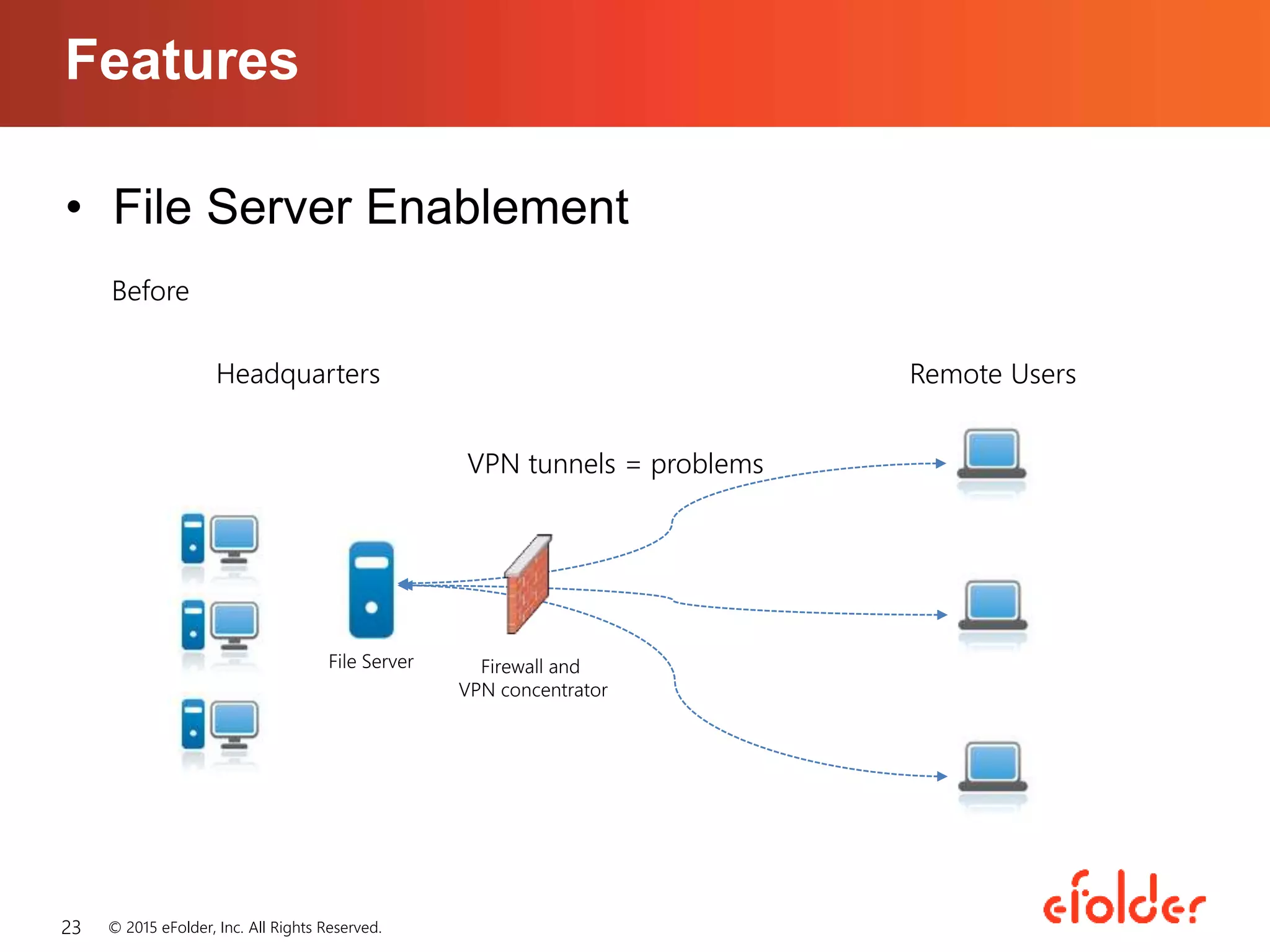
Firewall and
VPN concentrator
File Server
Headquarters Remote Users
VPN tunnels = problems
Before
• File Server Enablement
Features
© 2015 eFolder, Inc. All Rights Reserved.23
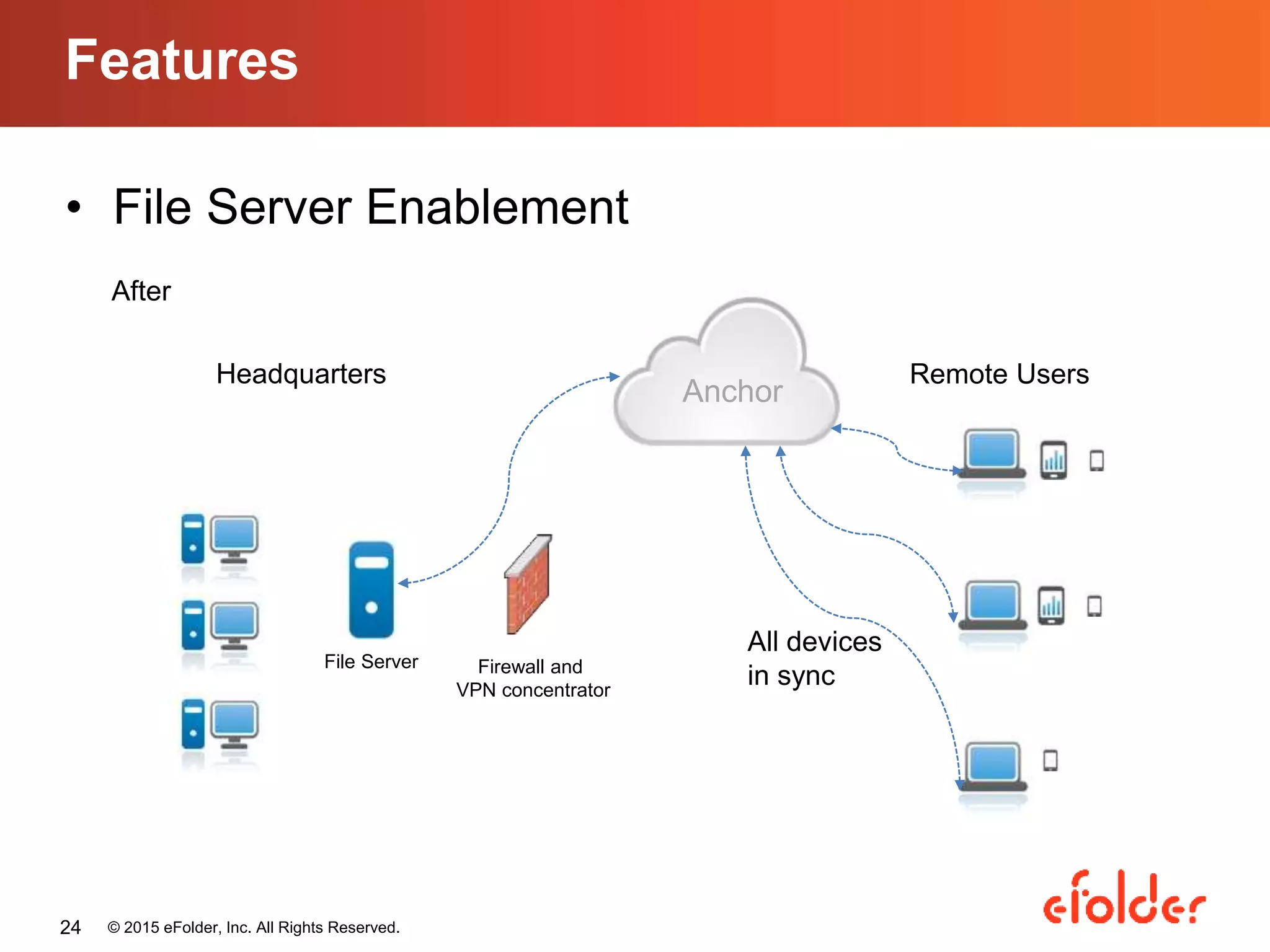
• File Server Enablement
Features
© 2015 eFolder, Inc. All Rights Reserved.24
Firewall and
VPN concentrator
File Server
Headquarters Remote Users
After
Anchor
All devices
in sync
Product Demo: Anchor
Anne Doring
Instructional Designer, eFolder
Questions?
• Start a 21 day trial of Anchor:
http://www.efolder.net/free-trial/
© 2015 eFolder, Inc. All Rights Reserved.26
Thank you!
Carmen Yu
Marketing Coordinator, eFolder
cyu@efolder.net

eFolder Expert Series Webinar - SharePoint vs. File Sync: Factors MSPs Should Consider

  • 1.
    • Mobile-friendly Features © 2015eFolder, Inc. All Rights Reserved.1
  • 2.
    SharePoint vs. FileSync: Factors MSPs Should Consider Carmen Yu Marketing Coordinator, eFolder cyu@efolder.net
  • 3.
    Agenda • Expert Introduction •SharePoint overview • Business-grade file sync overview • Factors to consider • Introducing eFolderAnchor • Live Product Demo • Questions and discussion © 2015 eFolder, Inc. All Rights Reserved.
  • 4.
    Expert Introduction © 2015eFolder, Inc. All Rights Reserved.
  • 5.
    What is SharePoint? •Document management, file sharing, collaboration • Websites, intranet or extranet • SharePoint 2007, 2010, and 2013 on- premises • SharePoint Online 2013 in the cloud © 2015 eFolder, Inc. All Rights Reserved.
  • 6.
    What is SharePoint? •Data accessed from one web interface © 2015 eFolder, Inc. All Rights Reserved.
  • 7.
    SharePoint Pros • Secureplatform • Numerous functions and capabilities • Integrates with Microsoft Office • Customizable • Small businesses © 2015 eFolder, Inc. All Rights Reserved.
  • 8.
    SharePoint Cons • Costlyimplementation • High maintenance • Not suitable for small businesses • On-premises clients can’t move to the cloud • Cloud deployment limits customization • Lack of mobility © 2015 eFolder, Inc. All Rights Reserved.
  • 9.
    Business-Grade File Sync •File hosting, file sharing, collaboration • Built for a mobile workforce • Out-of-the-box solution • Secure sharing • Rich administrative features • Flexible deployment options (public or private cloud) © 2015 eFolder, Inc. All Rights Reserved.
  • 10.
    Business-Grade File Sync •Quick access to files via desktop agent © 2015 eFolder, Inc. All Rights Reserved.
  • 11.
    Factors to Consider •Mobility & accessibility • Ease of use • Costs • Types of deployment © 2015 eFolder, Inc. All Rights Reserved.
  • 12.
    Factors to Consider Mobility& Accessibility – Do your users work remotely? – Do your users use smartphones and tablets for work? – Do your users need mobile-friendly applications? © 2015 eFolder, Inc. All Rights Reserved. Forrester Research. “2013 Mobile Workforce Adoption Trends.” Cambridge, MA. 2013
  • 13.
    Factors to Consider Easeof use – How much time can you afford to spend on implementation and training? – Will your users fully take advantage of the solution? © 2015 eFolder, Inc. All Rights Reserved. https://rcpmag.com/articles/2012/10/30/sharepoint-costs-more.aspx
  • 14.
    Factors to Consider Costs –Are your clients aware of the hidden costs of deployment? – Are your clients willing to take on maintenance costs? © 2015 eFolder, Inc. All Rights Reserved.
  • 15.
    Factors to Consider On-premisesor in the cloud – How are your users accessing the data? – What are the requirements for hosting your clients’ data? © 2015 eFolder, Inc. All Rights Reserved.
  • 16.
    SharePoint On-Premises • On-premisesdeployment • VPN connection needed • Full-featured • Costly implementation • High maintenance • Hard to migrate to the cloud © 2015 eFolder, Inc. All Rights Reserved.
  • 17.
    SharePoint Online 2013 •On-premises or in the cloud • Cloud-enabled • No mobile features • Out-of-the-box solution • Straightforward costs • Minimal customization © 2015 eFolder, Inc. All Rights Reserved.
  • 18.
    Business-Grade File Sync •On-premises or in the cloud • Cloud-enabled • Mobile-friendly • Out-of-the-box solution • Straightforward costs © 2015 eFolder, Inc. All Rights Reserved.
  • 19.
    Introducing eFolder Anchor 19 eFolderAnchor allows users to work… …across any device …with anyone ….with any content …without compromising security and control © 2015 eFolder, Inc. All Right Reserved.
  • 20.
    • Quick accessto files via desktop agent Features © 2015 eFolder, Inc. All Rights Reserved.20
  • 21.
    • Mobile-friendly Features © 2015eFolder, Inc. All Rights Reserved.21
  • 22.
    • Secure andeasy sharing Features © 2015 eFolder, Inc. All Rights Reserved.22
  • 23.
    Firewall and VPN concentrator FileServer Headquarters Remote Users VPN tunnels = problems Before • File Server Enablement Features © 2015 eFolder, Inc. All Rights Reserved.23
  • 24.
    • File ServerEnablement Features © 2015 eFolder, Inc. All Rights Reserved.24 Firewall and VPN concentrator File Server Headquarters Remote Users After Anchor All devices in sync
  • 25.
    Product Demo: Anchor AnneDoring Instructional Designer, eFolder
  • 26.
    Questions? • Start a21 day trial of Anchor: http://www.efolder.net/free-trial/ © 2015 eFolder, Inc. All Rights Reserved.26
  • 27.
    Thank you! Carmen Yu MarketingCoordinator, eFolder cyu@efolder.net