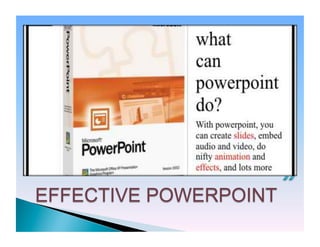
}    Slide presentation software such as
      PowerPoint has become an ingrained
      part of many instructional settings,
      particularly in large classes and in
      courses more geared toward
      information exchange than skill
      development.
} 
• Engaging multiple learning styles
• Increasing visual impact
• Improving audience focus
• Providing annotations and highlights
• Analyzing and synthesizing complexities
• Increasing spontaneity and interactivity
• Increasing wonder
CHALLENGE
• Teacher-centered.
• Lack of feedback.
• Student inactivity.
• Potentially reductive.
• Presentation graphics should be about
learning, not about presentation.
• PowerPoint presentations should help
students organize their notes, not just
“be” the notes.
Text-heavy

     Some images

      Image-heavy

Three Possible Approaches
PowerPoint Interactions: Student
Response "Clickers"


 Classroom response systems can improve
 students' learning by engaging them
 actively in the learning process.
 Learn more about how to use this system
 in your own classes.
PowerPoint as
   Worksheet
}  The   PowerPoint software itself includes
    built-in functionality to record your audio
    commentary.
}  It is also possible to use AuthorPoint Lite,
    a free software download, to take the
    narrated PowerPoint presentation and
    transform it all into a Flash video movie,
    which plays in any Web browser.
v  Avoid reading
v  Dark screen

v  Navigate slides smoothly
• Text size
• Avoid too much
text
• Contrast
• Template
}  Change font
}  Shapes
}  Clip art
}  Images
}  Charts
}  Tables
}  Transitions
}  Animations
}  Animating text or chart
• Do not turn off all
lights
• Maintain eye
contact with
audience
• Vary your speaking
volume
• Do not read slides!
• Take slides off
screen when not
needed
The 10/20/30 Rule of PowerPoint


Twenty minutes
 Thirty-point font
Honey
Honey

Honey

  • 2.
    }  Slide presentation software such as PowerPoint has become an ingrained part of many instructional settings, particularly in large classes and in courses more geared toward information exchange than skill development. } 
  • 4.
    • Engaging multiple learningstyles • Increasing visual impact • Improving audience focus • Providing annotations and highlights • Analyzing and synthesizing complexities • Increasing spontaneity and interactivity • Increasing wonder
  • 5.
  • 6.
    • Teacher-centered. • Lack of feedback. • Studentinactivity. • Potentially reductive. • Presentation graphics should be about learning, not about presentation. • PowerPoint presentations should help students organize their notes, not just “be” the notes.
  • 7.
    Text-heavy Some images Image-heavy Three Possible Approaches
  • 9.
    PowerPoint Interactions: Student Response"Clickers" Classroom response systems can improve students' learning by engaging them actively in the learning process. Learn more about how to use this system in your own classes.
  • 10.
    PowerPoint as Worksheet
  • 11.
    }  The PowerPoint software itself includes built-in functionality to record your audio commentary. }  It is also possible to use AuthorPoint Lite, a free software download, to take the narrated PowerPoint presentation and transform it all into a Flash video movie, which plays in any Web browser.
  • 13.
    v  Avoid reading v Dark screen v  Navigate slides smoothly
  • 14.
    • Text size • Avoid toomuch text • Contrast • Template
  • 15.
    }  Change font } Shapes }  Clip art }  Images }  Charts }  Tables }  Transitions }  Animations }  Animating text or chart
  • 16.
    • Do notturn off all lights • Maintain eye contact with audience • Vary your speaking volume • Do not read slides! • Take slides off screen when not needed
  • 18.
    The 10/20/30 Ruleof PowerPoint Twenty minutes Thirty-point font