Educational Multimedia General Principles
General Principles About 50 years since educators and computer scientists began using computers for instructional purposes. Having advantages of computers, it is likely to use in situations where the computers is like to be beneficial. These situations for example can be used in military training, chemistry laboratories, graphing in calculus, foreign language grammar, ancient history, science experiments or visual or auditory disabilities.  The situation above involves tools of learning and instructions where the content resides within the computer program and is available in any ways.
Process of Instruction Presenting information can be done various way such as showing pictures for pictorial information, or having an instructor model the skills for example to operate 35-mm camera. Important method of presenting information is through example.  Presenting information can be accomplished with any medium. For example, when students read their textbooks, information is being presented or when the factory workers watch videotapes about new equipment, information is being presented.
Process of Instruction To facilitate learning (also providing instruction), in a moderate way, the process must include several essential activities.  According to (Alessi & Trollip) model of instruction, the model consists four activities or phases of instruction for learning to be effective and efficient.  Four phases of instruction are: 1. Presenting information 2. Guiding the learner 3. Practicing 4. Assessing learning
Process of Instruction The first phase, presenting information is instructor or media centered. The second phase, guiding the learner, is more interactive and includes both the learner and the medium.  The learner may answer questions about factual information, may apply to principles in problem solving activities or practice procedural skills. If the learner distorts factual information, there might be an instructor to guide the correct information or a computer model again the procedure or part of it.  Guidance is important in instruction because nobody learns everything from a single exposure.
Process of Instruction Practice is where the learner demonstrates practical skills when they understand the information and learning to do it correctly. Usually, the learner would be able to perform quickly or fluently in any circumstances. Repeated practice is often required to retain information and to become familiar with it.  Practice not only enhances speed and fluency but also retention. Example, in elementary schools, in arithmetic instruction, workbooks are the most common method of practice but must be corrected if there are mistakes made by the students.
Process of Instruction Assessing Learning means guiding instructional decisions which is to determine what instruction is needed for which learners. Methodologies for facilitating learning can be done by applying to interactive multimedia. The computer may serve as one or a combination of the four phases as mention before. In many situations, the four phases of instruction should be present, generally using a combination of media.
Interactive Multimedia There are eight (8) methodologies of Interactive Multimedia for the facilitation of learning: Tutorials Hypermedia Drills Simulations Games Tools and open-ended learning environments Tests Web-based learning
Interactive Multimedia With all the methodologies being used, it is also important to understand the different theories of learning in using instruction and learning environments. Secondly, interactive multimedia must be built on sound human factors to be effective. Designing software that helps people to learn is a difficult task no matter which philosophical approach being used. Also in education, there should be variety methods to implement efficient teaching and learning where including direct instruction methods, experiential methods, exploration methods and others.
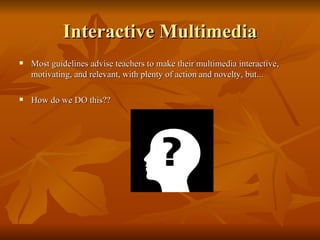
Interactive Multimedia Most guidelines advise teachers to make their multimedia interactive, motivating, and relevant, with plenty of action and novelty, but... How do we DO this??
Base on findings…… Multimedia improves motivation and thereby improves understanding (Levin, 1989). “ Use of multimedia results in greater retention of material.” (Kozma, 1991). “ A variety of presentation methods, provided for different cognitive styles, are needed for maximal instructional effectiveness.” (Crosby & Stevlovsky, 1995).
On the other hand….. There may be no way to ascertain to what degree a single multimedia component, such as graphics or sound, contributes to the amount of learning that occurs.  (Grabinger, 1993). Multimedia in itself does not influence student achievement (Clark, 1991).
Conclusion… Students perceive courses taught in automated classrooms to be better organized than those taught in traditional settings (Leidner, 1994). To achieve the best learning results, media must be dynamic. Both animation and audio effects serve to create such a dynamic environment.
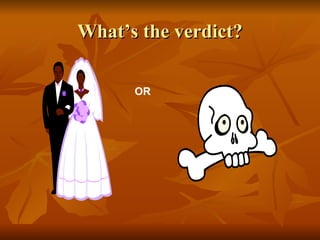
What’s the verdict? OR

Educational multimedia

  • 1.
  • 2.
    General Principles About50 years since educators and computer scientists began using computers for instructional purposes. Having advantages of computers, it is likely to use in situations where the computers is like to be beneficial. These situations for example can be used in military training, chemistry laboratories, graphing in calculus, foreign language grammar, ancient history, science experiments or visual or auditory disabilities. The situation above involves tools of learning and instructions where the content resides within the computer program and is available in any ways.
  • 3.
    Process of InstructionPresenting information can be done various way such as showing pictures for pictorial information, or having an instructor model the skills for example to operate 35-mm camera. Important method of presenting information is through example. Presenting information can be accomplished with any medium. For example, when students read their textbooks, information is being presented or when the factory workers watch videotapes about new equipment, information is being presented.
  • 4.
    Process of InstructionTo facilitate learning (also providing instruction), in a moderate way, the process must include several essential activities. According to (Alessi & Trollip) model of instruction, the model consists four activities or phases of instruction for learning to be effective and efficient. Four phases of instruction are: 1. Presenting information 2. Guiding the learner 3. Practicing 4. Assessing learning
  • 5.
    Process of InstructionThe first phase, presenting information is instructor or media centered. The second phase, guiding the learner, is more interactive and includes both the learner and the medium. The learner may answer questions about factual information, may apply to principles in problem solving activities or practice procedural skills. If the learner distorts factual information, there might be an instructor to guide the correct information or a computer model again the procedure or part of it. Guidance is important in instruction because nobody learns everything from a single exposure.
  • 6.
    Process of InstructionPractice is where the learner demonstrates practical skills when they understand the information and learning to do it correctly. Usually, the learner would be able to perform quickly or fluently in any circumstances. Repeated practice is often required to retain information and to become familiar with it. Practice not only enhances speed and fluency but also retention. Example, in elementary schools, in arithmetic instruction, workbooks are the most common method of practice but must be corrected if there are mistakes made by the students.
  • 7.
    Process of InstructionAssessing Learning means guiding instructional decisions which is to determine what instruction is needed for which learners. Methodologies for facilitating learning can be done by applying to interactive multimedia. The computer may serve as one or a combination of the four phases as mention before. In many situations, the four phases of instruction should be present, generally using a combination of media.
  • 8.
    Interactive Multimedia Thereare eight (8) methodologies of Interactive Multimedia for the facilitation of learning: Tutorials Hypermedia Drills Simulations Games Tools and open-ended learning environments Tests Web-based learning
  • 9.
    Interactive Multimedia Withall the methodologies being used, it is also important to understand the different theories of learning in using instruction and learning environments. Secondly, interactive multimedia must be built on sound human factors to be effective. Designing software that helps people to learn is a difficult task no matter which philosophical approach being used. Also in education, there should be variety methods to implement efficient teaching and learning where including direct instruction methods, experiential methods, exploration methods and others.
  • 10.
    Interactive Multimedia Mostguidelines advise teachers to make their multimedia interactive, motivating, and relevant, with plenty of action and novelty, but... How do we DO this??
  • 11.
    Base on findings……Multimedia improves motivation and thereby improves understanding (Levin, 1989). “ Use of multimedia results in greater retention of material.” (Kozma, 1991). “ A variety of presentation methods, provided for different cognitive styles, are needed for maximal instructional effectiveness.” (Crosby & Stevlovsky, 1995).
  • 12.
    On the otherhand….. There may be no way to ascertain to what degree a single multimedia component, such as graphics or sound, contributes to the amount of learning that occurs. (Grabinger, 1993). Multimedia in itself does not influence student achievement (Clark, 1991).
  • 13.
    Conclusion… Students perceivecourses taught in automated classrooms to be better organized than those taught in traditional settings (Leidner, 1994). To achieve the best learning results, media must be dynamic. Both animation and audio effects serve to create such a dynamic environment.
  • 14.