Here is my list of Apps. I realize this is super early. I’m not sure how to add a hyperlink to the
app. That can be worked out when we pick a final 10. I stayed mostly within my subject area
(English) for the apps I chose, although a couple of them are other subjects.
1. Khan Acadamy- Aligned with common core, provides instant feedback for students, has
many instructional videos. Subjects that it can be used for are math, science,
economics, history. Can also bookmark content for offline use. There is also a version
for younger kids. Easy to use.
2. LitCharts- This is an app made by the same people who created SparkNotes back when
there were no cell phones and such. Can be accessed offline. Every guide is FREE.
There are more than 400 titles. Easy to use. Can find quotes by location, speaker,
theme. Every title offers a side by side summary and analysis.
3. TED- Most people are familiar with TED talks. Videos can be searched by topic. They
can also be downloaded and used offline. Can be used in an English class when
students are studying a certain theme or topic.
4. Google Classroom- This makes a way for students and teacher to stay connected.
Students can use it to keep track of what’s due. It improves the student’s organization.
They can also use it to share resources with each other. It is ad free and secure.
5. StudyBlue- With this app students can create and share flashcards. Make your own or
search premade ones. Can also use them to quiz yourself. Students who have used this
app have reported increased gpa’s. An account is required through google or facebook.
6. EasyBib- This is a handy app that offers a variety of citation styles. It has an easy to use
search tool. It also allows you to scan the barcode on a book to get an instant
bibliography in whichever style you need. The citations can also be shared with others.
7. Presidents Vs Aliens- This app is more of a game but educational. There are hundreds
of different questions and also 45 flashcards. You can learn facts about presidents
including quotes and historical events. You can select your level of questions. You earn
“presidents” along the way as you improve your knowledge. Good for social studies or
government classes. There are no ads and no integration with social media. The one
downside is that it costs $1.99 to download.
8. Kahoot- This can be used by teachers for homework assignments or to have quizzed.
Create your own or use a premade one. This works for any subject, topic, or grade level.
Fun and interactive.
9. Haiku Deck- This app can be used to create slide presentations on the phone ipad, or
web. Can be used for a variety of types of assignments. Easy to use and shareable.
10. Studious- This app is a homework planner to keep students organized. It gives
notifications of assignment due dates. Documents can be scanned and printed from the
phone. It also allows the student to email the teacher through the app. But the cost is
$1.99.
11. Newsela- An app for engaging articles on any topic or subject. The articles come in 5
different reading levels to allow for differentiation in the classroom. Progress is tracked
as reading level is improved. The articles also have quizzed.
1. Quizizz quizizz.com Quizizz is an excellent resource to help students learn class
content. Basically, a teacher can create or use an already created quiz over the class
material, and the students compete together for points based on how many questions
they have answered correctly. In between each question it tells them what place they are
in. They have a certain amount of time to answer each question. The really cool part
about the app is that the teacher can control it from their computer (I use my Ipad). It
shows the teacher all the questions and how many have gotten the questions correct or
incorrect. It also shows the total class accuracy. All the students need to do is enter the
code to join. It provides students with feedback because at the end of the game they can
see the correct answers. I use it all the time and the students love the competition. It is
understandable and very easy to use. Its is pretty basic in terms of higher learning, but
the students learn the material in a fun way. In terms of privacy, only those with the code
(which is controlled by the teacher) can join and the teacher has total control over who is
playing and what the scores are. I am sure there are other great features the app has to
offer, but I have not explored it all yet. The age level is 4+ and is a free app.
2. ClassDojo https://www.classdojo.com/ Classdojo is a really cool classroom behavior
app. It is like the google classroom for behavior. Teachers can create classes and easily
add students. The teacher can then track positive and negative student behavior. The
students earn points for positive behavior and lose points for negative behavior. It is not
directly connected to higher learning, but encouraging good behavior is always a plus to
keep students on the right track towards their education. The students and their parents
have access to the app to see how the student is behaving. The teacher can also posts
pictures and updates about class activities for the parents to see. The teacher can also
set what behavior types the parents can see. The behavior is private to only the teacher,
student, and their parent. I have been wanted to try it out but have not gotten the chance
to completely set it up. It is very easy to navigate. Students can definitely be encouraged
to display positive behavior by earning points. The age is 4+ and is a free app.
3. Poll Everywhere https://www.polleverywhere.com/ This app is unique because it is not
designed specifically for educators but can be utilized by educators. Educators can
create quizzes or informal assessments that allow students to answer questions. Results
update in realtime and can be viewed on a screen. I have not used this one yet but I
have used a similar one to have students answer questions at the beginning of class to
assess what they learned the previous day. I think it is a great interactive way for
students to engage in learning. As a teacher, I am constantly looking for ways to assess
my student’s learning. This app provides that quick and easy way to do that. Students
can answer multiple choice questions on their screen and results of their answers can be
displayed on the projector. It shows how many selected each answer in a bar graph
method. Only those with the teacher’s code can join. The age is 4+ and a free version is
available.
4. Show me https://www.showme.com/ Show me is a really cool app that allows you to
create voice-over whiteboard tutorials and share them. Teachers can create illustrated
lessons and share them with students to watch. The app allows you to include pictures
and documents and has an unlimited lesson length. The teacher can also manage
students with groups privately. There is a free version but the paid version includes even
more features. This app encourages higher learning because it allows students to design
and create their own presentations and share them with the class. It is also well suited
for visual and auditory learners. The design and creations skills the app encourages is
well suited for the curriculum standards The age is 4+. The app is simple to use and they
claim it is an intuitive and powerful learning tool. The app also allows you to access other
created presentations and courses over specific subject areas.
5. PhET simulations https://phet.colorado.edu/ This app is a great science and math
resource for teachers and students. The app contains interactive games and labs that
students can engage in. The app allows you to explore multiple levels of science
learning from elementary through college. It is a great app to allow students to visualize
science concepts. Having the app also allows you to play offline and create custom
collections of the simulations you like. This app is definitely geared towards higher
learning and meeting science standards through student’s interactions with the app
simulations. This app can also save valuable classroom time by allowing the teacher to
not have to set up an entire lab all the time, but have the students engage in the virtual
labs. The app cost $0.99.
6. Elements and Periodic Table https://itunes.apple.com/us/app/elements-and-periodic-
table/id828776855?mt=8 This science app includes quizzes, multiple choice questions,
timed games, and flashcards. The app helps students learn the names and symbols of
all the elements. It is also translated into 22 languages. It is a fast and fun way for
students to learn the elements. Ages 4+.
7. Epic https://itunes.apple.com/us/app/epic/id719219382?mt=8 Epic is a great reading app
for kids 12 and under and educators. It has two different versions of the app--one for the
home and one for educators. The app allows teachers to assign reading and track
student’s progress. Student can be motivated to read by earning badges and rewards for
their progress. Reading is always a critical part of every subject area, so this app
definitely supports standards by increases student reading and comprehension. Books in
Spanish and Chinese are also included. The cost varies depending on subscription type.
8. TinyTap https://itunes.apple.com/us/app/tinytap-educational-games/id493868874?mt=8
TinyTap is a large collection of educational games created by teachers. It cover all the
subjects and more. Students can play games and their progress is recorded. Teachers
can also create and share their own educational games and interactive lessons and
courses. Teachers can create a game or lesson that is aligned to their common core
standards. The app is designed for ages 2-8 and costs $6.99 per month. 50% of the
subscription cost goes to the teachers who create the games.
9. Duolingo https://www.duolingo.com/mobile Is a great app for language educators. This
app allows students to track their progress and get rewarded for improvement. It is
game-like which allows the content learning to be more enjoyable. The app allows
students to practice listening and speaking and provides feedback about the student’s
pronunciation. The app is free but includes a premium version which is $9.99/month.
10. Quizlet https://quizlet.com/mobile The app is also a great educational tool. Users can
make flashcard sets and take quizzes over material. The app also includes memory
games which encourages learning. A teacher can create a flashcard set and share it
with the class. The app provides feedback on quizzes and is an interactive way for
students to study. Study sets can be locked making them public or private, and only
those you invite can view the study set.
Apps by category
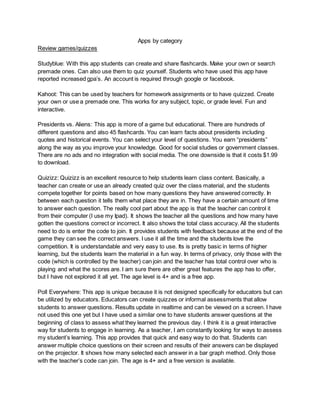
Review games/quizzes
Studyblue: With this app students can create and share flashcards. Make your own or search
premade ones. Can also use them to quiz yourself. Students who have used this app have
reported increased gpa’s. An account is required through google or facebook.
Kahoot: This can be used by teachers for homework assignments or to have quizzed. Create
your own or use a premade one. This works for any subject, topic, or grade level. Fun and
interactive.
Presidents vs. Aliens: This app is more of a game but educational. There are hundreds of
different questions and also 45 flashcards. You can learn facts about presidents including
quotes and historical events. You can select your level of questions. You earn “presidents”
along the way as you improve your knowledge. Good for social studies or government classes.
There are no ads and no integration with social media. The one downside is that it costs $1.99
to download.
Quizizz: Quizizz is an excellent resource to help students learn class content. Basically, a
teacher can create or use an already created quiz over the class material, and the students
compete together for points based on how many questions they have answered correctly. In
between each question it tells them what place they are in. They have a certain amount of time
to answer each question. The really cool part about the app is that the teacher can control it
from their computer (I use my Ipad). It shows the teacher all the questions and how many have
gotten the questions correct or incorrect. It also shows the total class accuracy. All the students
need to do is enter the code to join. It provides students with feedback because at the end of the
game they can see the correct answers. I use it all the time and the students love the
competition. It is understandable and very easy to use. Its is pretty basic in terms of higher
learning, but the students learn the material in a fun way. In terms of privacy, only those with the
code (which is controlled by the teacher) can join and the teacher has total control over who is
playing and what the scores are. I am sure there are other great features the app has to offer,
but I have not explored it all yet. The age level is 4+ and is a free app.
Poll Everywhere: This app is unique because it is not designed specifically for educators but can
be utilized by educators. Educators can create quizzes or informal assessments that allow
students to answer questions. Results update in realtime and can be viewed on a screen. I have
not used this one yet but I have used a similar one to have students answer questions at the
beginning of class to assess what they learned the previous day. I think it is a great interactive
way for students to engage in learning. As a teacher, I am constantly looking for ways to assess
my student’s learning. This app provides that quick and easy way to do that. Students can
answer multiple choice questions on their screen and results of their answers can be displayed
on the projector. It shows how many selected each answer in a bar graph method. Only those
with the teacher’s code can join. The age is 4+ and a free version is available.
Elements and Periodic Table: This science app includes quizzes, multiple choice questions,
timed games, and flashcards. The app helps students learn the names and symbols of all the
elements. It is also translated into 22 languages. It is a fast and fun way for students to learn the
elements. Ages 4+.
Tiny Tap: TinyTap is a large collection of educational games created by teachers. It cover all the
subjects and more. Students can play games and their progress is recorded. Teachers can also
create and share their own educational games and interactive lessons and courses. Teachers
can create a game or lesson that is aligned to their common core standards. The app is
designed for ages 2-8 and costs $6.99 per month. 50% of the subscription cost goes to the
teachers who create the games.
Quizlet: The app is also a great educational tool. Users can make flashcard sets and take
quizzes over material. The app also includes memory games which encourages learning. A
teacher can create a flashcard set and share it with the class. The app provides feedback on
quizzes and is an interactive way for students to study. Study sets can be locked making them
public or private, and only those you invite can view the study set.
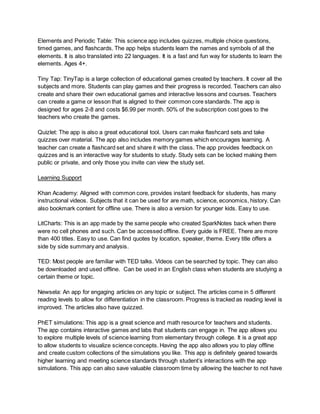
Learning Support
Khan Academy: Aligned with common core, provides instant feedback for students, has many
instructional videos. Subjects that it can be used for are math, science, economics, history. Can
also bookmark content for offline use. There is also a version for younger kids. Easy to use.
LitCharts: This is an app made by the same people who created SparkNotes back when there
were no cell phones and such. Can be accessed offline. Every guide is FREE. There are more
than 400 titles. Easy to use. Can find quotes by location, speaker, theme. Every title offers a
side by side summary and analysis.
TED: Most people are familiar with TED talks. Videos can be searched by topic. They can also
be downloaded and used offline. Can be used in an English class when students are studying a
certain theme or topic.
Newsela: An app for engaging articles on any topic or subject. The articles come in 5 different
reading levels to allow for differentiation in the classroom. Progress is tracked as reading level is
improved. The articles also have quizzed.
PhET simulations: This app is a great science and math resource for teachers and students.
The app contains interactive games and labs that students can engage in. The app allows you
to explore multiple levels of science learning from elementary through college. It is a great app
to allow students to visualize science concepts. Having the app also allows you to play offline
and create custom collections of the simulations you like. This app is definitely geared towards
higher learning and meeting science standards through student’s interactions with the app
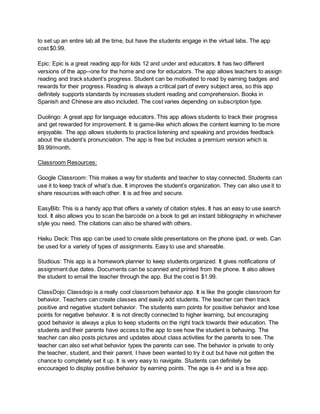
simulations. This app can also save valuable classroom time by allowing the teacher to not have
to set up an entire lab all the time, but have the students engage in the virtual labs. The app
cost $0.99.
Epic: Epic is a great reading app for kids 12 and under and educators. It has two different
versions of the app--one for the home and one for educators. The app allows teachers to assign
reading and track student’s progress. Student can be motivated to read by earning badges and
rewards for their progress. Reading is always a critical part of every subject area, so this app
definitely supports standards by increases student reading and comprehension. Books in
Spanish and Chinese are also included. The cost varies depending on subscription type.
Duolingo: A great app for language educators. This app allows students to track their progress
and get rewarded for improvement. It is game-like which allows the content learning to be more
enjoyable. The app allows students to practice listening and speaking and provides feedback
about the student’s pronunciation. The app is free but includes a premium version which is
$9.99/month.
Classroom Resources:
Google Classroom: This makes a way for students and teacher to stay connected. Students can
use it to keep track of what’s due. It improves the student’s organization. They can also use it to
share resources with each other. It is ad free and secure.
EasyBib: This is a handy app that offers a variety of citation styles. It has an easy to use search
tool. It also allows you to scan the barcode on a book to get an instant bibliography in whichever
style you need. The citations can also be shared with others.
Haiku Deck: This app can be used to create slide presentations on the phone ipad, or web. Can
be used for a variety of types of assignments. Easy to use and shareable.
Studious: This app is a homework planner to keep students organized. It gives notifications of
assignment due dates. Documents can be scanned and printed from the phone. It also allows
the student to email the teacher through the app. But the cost is $1.99.
ClassDojo: Classdojo is a really cool classroom behavior app. It is like the google classroom for
behavior. Teachers can create classes and easily add students. The teacher can then track
positive and negative student behavior. The students earn points for positive behavior and lose
points for negative behavior. It is not directly connected to higher learning, but encouraging
good behavior is always a plus to keep students on the right track towards their education. The
students and their parents have access to the app to see how the student is behaving. The
teacher can also posts pictures and updates about class activities for the parents to see. The
teacher can also set what behavior types the parents can see. The behavior is private to only
the teacher, student, and their parent. I have been wanted to try it out but have not gotten the
chance to completely set it up. It is very easy to navigate. Students can definitely be
encouraged to display positive behavior by earning points. The age is 4+ and is a free app.
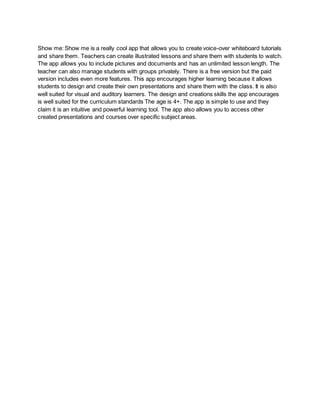
Show me: Show me is a really cool app that allows you to create voice-over whiteboard tutorials
and share them. Teachers can create illustrated lessons and share them with students to watch.
The app allows you to include pictures and documents and has an unlimited lesson length. The
teacher can also manage students with groups privately. There is a free version but the paid
version includes even more features. This app encourages higher learning because it allows
students to design and create their own presentations and share them with the class. It is also
well suited for visual and auditory learners. The design and creations skills the app encourages
is well suited for the curriculum standards The age is 4+. The app is simple to use and they
claim it is an intuitive and powerful learning tool. The app also allows you to access other
created presentations and courses over specific subject areas.
Best 10 Apps
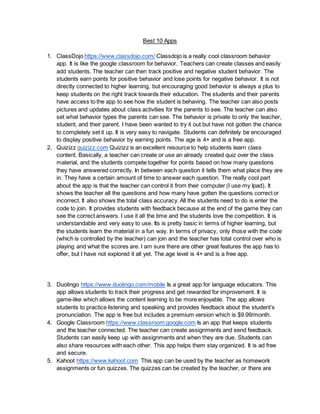
1. ClassDojo https://www.classdojo.com/ Classdojo is a really cool classroom behavior
app. It is like the google classroom for behavior. Teachers can create classes and easily
add students. The teacher can then track positive and negative student behavior. The
students earn points for positive behavior and lose points for negative behavior. It is not
directly connected to higher learning, but encouraging good behavior is always a plus to
keep students on the right track towards their education. The students and their parents
have access to the app to see how the student is behaving. The teacher can also posts
pictures and updates about class activities for the parents to see. The teacher can also
set what behavior types the parents can see. The behavior is private to only the teacher,
student, and their parent. I have been wanted to try it out but have not gotten the chance
to completely set it up. It is very easy to navigate. Students can definitely be encouraged
to display positive behavior by earning points. The age is 4+ and is a free app.
2. Quizizz quizizz.com Quizizz is an excellent resource to help students learn class
content. Basically, a teacher can create or use an already created quiz over the class
material, and the students compete together for points based on how many questions
they have answered correctly. In between each question it tells them what place they are
in. They have a certain amount of time to answer each question. The really cool part
about the app is that the teacher can control it from their computer (I use my Ipad). It
shows the teacher all the questions and how many have gotten the questions correct or
incorrect. It also shows the total class accuracy. All the students need to do is enter the
code to join. It provides students with feedback because at the end of the game they can
see the correct answers. I use it all the time and the students love the competition. It is
understandable and very easy to use. Its is pretty basic in terms of higher learning, but
the students learn the material in a fun way. In terms of privacy, only those with the code
(which is controlled by the teacher) can join and the teacher has total control over who is
playing and what the scores are. I am sure there are other great features the app has to
offer, but I have not explored it all yet. The age level is 4+ and is a free app.
3. Duolingo https://www.duolingo.com/mobile Is a great app for language educators. This
app allows students to track their progress and get rewarded for improvement. It is
game-like which allows the content learning to be more enjoyable. The app allows
students to practice listening and speaking and provides feedback about the student’s
pronunciation. The app is free but includes a premium version which is $9.99/month.
4. Google Classroom https://www.classroom.google.com Is an app that keeps students
and the teacher connected. The teacher can create assignments and send feedback.
Students can easily keep up with assignments and when they are due. Students can
also share resources with each other. This app helps them stay organized. It is ad free
and secure.
5. Kahoot https://www.kahoot.com This app can be used by the teacher as homework
assignments or fun quizzes. The quizzes can be created by the teacher, or there are
many premade ones to choose from online. This can also be used as class competition.
Each student logs into their kahoot account and joins the quiz. The students who answer
correctly the fastest earn more points. It is a great way to review content material. The
quizzes provide instant feedback to the student.
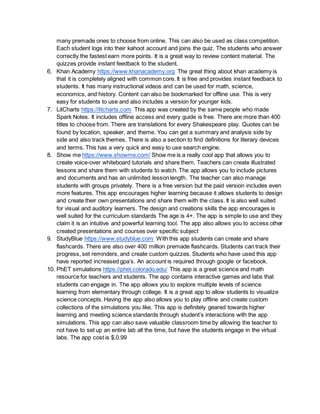
6. Khan Academy https://www.khanacademy.org The great thing about khan academy is
that it is completely aligned with common core. It is free and provides instant feedback to
students. It has many instructional videos and can be used for math, science,
economics, and history. Content can also be bookmarked for offline use. This is very
easy for students to use and also includes a version for younger kids.
7. LitCharts https://litcharts.com This app was created by the same people who made
Spark Notes. It includes offline access and every guide is free. There are more than 400
titles to choose from. There are translations for every Shakespeare play. Quotes can be
found by location, speaker, and theme. You can get a summary and analysis side by
side and also track themes. There is also a section to find definitions for literary devices
and terms. This has a very quick and easy to use search engine.
8. Show me https://www.showme.com/ Show me is a really cool app that allows you to
create voice-over whiteboard tutorials and share them. Teachers can create illustrated
lessons and share them with students to watch. The app allows you to include pictures
and documents and has an unlimited lesson length. The teacher can also manage
students with groups privately. There is a free version but the paid version includes even
more features. This app encourages higher learning because it allows students to design
and create their own presentations and share them with the class. It is also well suited
for visual and auditory learners. The design and creations skills the app encourages is
well suited for the curriculum standards The age is 4+. The app is simple to use and they
claim it is an intuitive and powerful learning tool. The app also allows you to access other
created presentations and courses over specific subject
9. StudyBlue https://www.studyblue.com With this app students can create and share
flashcards. There are also over 400 million premade flashcards. Students can track their
progress, set reminders, and create custom quizzes. Students who have used this app
have reported increased gpa’s. An account is required through google or facebook.
10. PhET simulations https://phet.colorado.edu/ This app is a great science and math
resource for teachers and students. The app contains interactive games and labs that
students can engage in. The app allows you to explore multiple levels of science
learning from elementary through college. It is a great app to allow students to visualize
science concepts. Having the app also allows you to play offline and create custom
collections of the simulations you like. This app is definitely geared towards higher
learning and meeting science standards through student’s interactions with the app
simulations. This app can also save valuable classroom time by allowing the teacher to
not have to set up an entire lab all the time, but have the students engage in the virtual
labs. The app cost is $.0.99

Educational apps

  • 1.
    Here is mylist of Apps. I realize this is super early. I’m not sure how to add a hyperlink to the app. That can be worked out when we pick a final 10. I stayed mostly within my subject area (English) for the apps I chose, although a couple of them are other subjects. 1. Khan Acadamy- Aligned with common core, provides instant feedback for students, has many instructional videos. Subjects that it can be used for are math, science, economics, history. Can also bookmark content for offline use. There is also a version for younger kids. Easy to use. 2. LitCharts- This is an app made by the same people who created SparkNotes back when there were no cell phones and such. Can be accessed offline. Every guide is FREE. There are more than 400 titles. Easy to use. Can find quotes by location, speaker, theme. Every title offers a side by side summary and analysis. 3. TED- Most people are familiar with TED talks. Videos can be searched by topic. They can also be downloaded and used offline. Can be used in an English class when students are studying a certain theme or topic. 4. Google Classroom- This makes a way for students and teacher to stay connected. Students can use it to keep track of what’s due. It improves the student’s organization. They can also use it to share resources with each other. It is ad free and secure. 5. StudyBlue- With this app students can create and share flashcards. Make your own or search premade ones. Can also use them to quiz yourself. Students who have used this app have reported increased gpa’s. An account is required through google or facebook. 6. EasyBib- This is a handy app that offers a variety of citation styles. It has an easy to use search tool. It also allows you to scan the barcode on a book to get an instant bibliography in whichever style you need. The citations can also be shared with others. 7. Presidents Vs Aliens- This app is more of a game but educational. There are hundreds of different questions and also 45 flashcards. You can learn facts about presidents including quotes and historical events. You can select your level of questions. You earn “presidents” along the way as you improve your knowledge. Good for social studies or government classes. There are no ads and no integration with social media. The one downside is that it costs $1.99 to download. 8. Kahoot- This can be used by teachers for homework assignments or to have quizzed. Create your own or use a premade one. This works for any subject, topic, or grade level. Fun and interactive. 9. Haiku Deck- This app can be used to create slide presentations on the phone ipad, or web. Can be used for a variety of types of assignments. Easy to use and shareable. 10. Studious- This app is a homework planner to keep students organized. It gives notifications of assignment due dates. Documents can be scanned and printed from the phone. It also allows the student to email the teacher through the app. But the cost is $1.99. 11. Newsela- An app for engaging articles on any topic or subject. The articles come in 5 different reading levels to allow for differentiation in the classroom. Progress is tracked as reading level is improved. The articles also have quizzed.
  • 2.
    1. Quizizz quizizz.comQuizizz is an excellent resource to help students learn class content. Basically, a teacher can create or use an already created quiz over the class material, and the students compete together for points based on how many questions they have answered correctly. In between each question it tells them what place they are in. They have a certain amount of time to answer each question. The really cool part about the app is that the teacher can control it from their computer (I use my Ipad). It shows the teacher all the questions and how many have gotten the questions correct or incorrect. It also shows the total class accuracy. All the students need to do is enter the code to join. It provides students with feedback because at the end of the game they can see the correct answers. I use it all the time and the students love the competition. It is understandable and very easy to use. Its is pretty basic in terms of higher learning, but the students learn the material in a fun way. In terms of privacy, only those with the code (which is controlled by the teacher) can join and the teacher has total control over who is playing and what the scores are. I am sure there are other great features the app has to offer, but I have not explored it all yet. The age level is 4+ and is a free app. 2. ClassDojo https://www.classdojo.com/ Classdojo is a really cool classroom behavior app. It is like the google classroom for behavior. Teachers can create classes and easily add students. The teacher can then track positive and negative student behavior. The students earn points for positive behavior and lose points for negative behavior. It is not directly connected to higher learning, but encouraging good behavior is always a plus to keep students on the right track towards their education. The students and their parents have access to the app to see how the student is behaving. The teacher can also posts pictures and updates about class activities for the parents to see. The teacher can also set what behavior types the parents can see. The behavior is private to only the teacher, student, and their parent. I have been wanted to try it out but have not gotten the chance to completely set it up. It is very easy to navigate. Students can definitely be encouraged to display positive behavior by earning points. The age is 4+ and is a free app. 3. Poll Everywhere https://www.polleverywhere.com/ This app is unique because it is not designed specifically for educators but can be utilized by educators. Educators can create quizzes or informal assessments that allow students to answer questions. Results update in realtime and can be viewed on a screen. I have not used this one yet but I have used a similar one to have students answer questions at the beginning of class to assess what they learned the previous day. I think it is a great interactive way for students to engage in learning. As a teacher, I am constantly looking for ways to assess my student’s learning. This app provides that quick and easy way to do that. Students can answer multiple choice questions on their screen and results of their answers can be displayed on the projector. It shows how many selected each answer in a bar graph method. Only those with the teacher’s code can join. The age is 4+ and a free version is available. 4. Show me https://www.showme.com/ Show me is a really cool app that allows you to create voice-over whiteboard tutorials and share them. Teachers can create illustrated
  • 3.
    lessons and sharethem with students to watch. The app allows you to include pictures and documents and has an unlimited lesson length. The teacher can also manage students with groups privately. There is a free version but the paid version includes even more features. This app encourages higher learning because it allows students to design and create their own presentations and share them with the class. It is also well suited for visual and auditory learners. The design and creations skills the app encourages is well suited for the curriculum standards The age is 4+. The app is simple to use and they claim it is an intuitive and powerful learning tool. The app also allows you to access other created presentations and courses over specific subject areas. 5. PhET simulations https://phet.colorado.edu/ This app is a great science and math resource for teachers and students. The app contains interactive games and labs that students can engage in. The app allows you to explore multiple levels of science learning from elementary through college. It is a great app to allow students to visualize science concepts. Having the app also allows you to play offline and create custom collections of the simulations you like. This app is definitely geared towards higher learning and meeting science standards through student’s interactions with the app simulations. This app can also save valuable classroom time by allowing the teacher to not have to set up an entire lab all the time, but have the students engage in the virtual labs. The app cost $0.99. 6. Elements and Periodic Table https://itunes.apple.com/us/app/elements-and-periodic- table/id828776855?mt=8 This science app includes quizzes, multiple choice questions, timed games, and flashcards. The app helps students learn the names and symbols of all the elements. It is also translated into 22 languages. It is a fast and fun way for students to learn the elements. Ages 4+. 7. Epic https://itunes.apple.com/us/app/epic/id719219382?mt=8 Epic is a great reading app for kids 12 and under and educators. It has two different versions of the app--one for the home and one for educators. The app allows teachers to assign reading and track student’s progress. Student can be motivated to read by earning badges and rewards for their progress. Reading is always a critical part of every subject area, so this app definitely supports standards by increases student reading and comprehension. Books in Spanish and Chinese are also included. The cost varies depending on subscription type. 8. TinyTap https://itunes.apple.com/us/app/tinytap-educational-games/id493868874?mt=8 TinyTap is a large collection of educational games created by teachers. It cover all the subjects and more. Students can play games and their progress is recorded. Teachers can also create and share their own educational games and interactive lessons and courses. Teachers can create a game or lesson that is aligned to their common core standards. The app is designed for ages 2-8 and costs $6.99 per month. 50% of the subscription cost goes to the teachers who create the games.
  • 4.
    9. Duolingo https://www.duolingo.com/mobileIs a great app for language educators. This app allows students to track their progress and get rewarded for improvement. It is game-like which allows the content learning to be more enjoyable. The app allows students to practice listening and speaking and provides feedback about the student’s pronunciation. The app is free but includes a premium version which is $9.99/month. 10. Quizlet https://quizlet.com/mobile The app is also a great educational tool. Users can make flashcard sets and take quizzes over material. The app also includes memory games which encourages learning. A teacher can create a flashcard set and share it with the class. The app provides feedback on quizzes and is an interactive way for students to study. Study sets can be locked making them public or private, and only those you invite can view the study set.
  • 5.
    Apps by category Reviewgames/quizzes Studyblue: With this app students can create and share flashcards. Make your own or search premade ones. Can also use them to quiz yourself. Students who have used this app have reported increased gpa’s. An account is required through google or facebook. Kahoot: This can be used by teachers for homework assignments or to have quizzed. Create your own or use a premade one. This works for any subject, topic, or grade level. Fun and interactive. Presidents vs. Aliens: This app is more of a game but educational. There are hundreds of different questions and also 45 flashcards. You can learn facts about presidents including quotes and historical events. You can select your level of questions. You earn “presidents” along the way as you improve your knowledge. Good for social studies or government classes. There are no ads and no integration with social media. The one downside is that it costs $1.99 to download. Quizizz: Quizizz is an excellent resource to help students learn class content. Basically, a teacher can create or use an already created quiz over the class material, and the students compete together for points based on how many questions they have answered correctly. In between each question it tells them what place they are in. They have a certain amount of time to answer each question. The really cool part about the app is that the teacher can control it from their computer (I use my Ipad). It shows the teacher all the questions and how many have gotten the questions correct or incorrect. It also shows the total class accuracy. All the students need to do is enter the code to join. It provides students with feedback because at the end of the game they can see the correct answers. I use it all the time and the students love the competition. It is understandable and very easy to use. Its is pretty basic in terms of higher learning, but the students learn the material in a fun way. In terms of privacy, only those with the code (which is controlled by the teacher) can join and the teacher has total control over who is playing and what the scores are. I am sure there are other great features the app has to offer, but I have not explored it all yet. The age level is 4+ and is a free app. Poll Everywhere: This app is unique because it is not designed specifically for educators but can be utilized by educators. Educators can create quizzes or informal assessments that allow students to answer questions. Results update in realtime and can be viewed on a screen. I have not used this one yet but I have used a similar one to have students answer questions at the beginning of class to assess what they learned the previous day. I think it is a great interactive way for students to engage in learning. As a teacher, I am constantly looking for ways to assess my student’s learning. This app provides that quick and easy way to do that. Students can answer multiple choice questions on their screen and results of their answers can be displayed on the projector. It shows how many selected each answer in a bar graph method. Only those with the teacher’s code can join. The age is 4+ and a free version is available.
  • 6.
    Elements and PeriodicTable: This science app includes quizzes, multiple choice questions, timed games, and flashcards. The app helps students learn the names and symbols of all the elements. It is also translated into 22 languages. It is a fast and fun way for students to learn the elements. Ages 4+. Tiny Tap: TinyTap is a large collection of educational games created by teachers. It cover all the subjects and more. Students can play games and their progress is recorded. Teachers can also create and share their own educational games and interactive lessons and courses. Teachers can create a game or lesson that is aligned to their common core standards. The app is designed for ages 2-8 and costs $6.99 per month. 50% of the subscription cost goes to the teachers who create the games. Quizlet: The app is also a great educational tool. Users can make flashcard sets and take quizzes over material. The app also includes memory games which encourages learning. A teacher can create a flashcard set and share it with the class. The app provides feedback on quizzes and is an interactive way for students to study. Study sets can be locked making them public or private, and only those you invite can view the study set. Learning Support Khan Academy: Aligned with common core, provides instant feedback for students, has many instructional videos. Subjects that it can be used for are math, science, economics, history. Can also bookmark content for offline use. There is also a version for younger kids. Easy to use. LitCharts: This is an app made by the same people who created SparkNotes back when there were no cell phones and such. Can be accessed offline. Every guide is FREE. There are more than 400 titles. Easy to use. Can find quotes by location, speaker, theme. Every title offers a side by side summary and analysis. TED: Most people are familiar with TED talks. Videos can be searched by topic. They can also be downloaded and used offline. Can be used in an English class when students are studying a certain theme or topic. Newsela: An app for engaging articles on any topic or subject. The articles come in 5 different reading levels to allow for differentiation in the classroom. Progress is tracked as reading level is improved. The articles also have quizzed. PhET simulations: This app is a great science and math resource for teachers and students. The app contains interactive games and labs that students can engage in. The app allows you to explore multiple levels of science learning from elementary through college. It is a great app to allow students to visualize science concepts. Having the app also allows you to play offline and create custom collections of the simulations you like. This app is definitely geared towards higher learning and meeting science standards through student’s interactions with the app simulations. This app can also save valuable classroom time by allowing the teacher to not have
  • 7.
    to set upan entire lab all the time, but have the students engage in the virtual labs. The app cost $0.99. Epic: Epic is a great reading app for kids 12 and under and educators. It has two different versions of the app--one for the home and one for educators. The app allows teachers to assign reading and track student’s progress. Student can be motivated to read by earning badges and rewards for their progress. Reading is always a critical part of every subject area, so this app definitely supports standards by increases student reading and comprehension. Books in Spanish and Chinese are also included. The cost varies depending on subscription type. Duolingo: A great app for language educators. This app allows students to track their progress and get rewarded for improvement. It is game-like which allows the content learning to be more enjoyable. The app allows students to practice listening and speaking and provides feedback about the student’s pronunciation. The app is free but includes a premium version which is $9.99/month. Classroom Resources: Google Classroom: This makes a way for students and teacher to stay connected. Students can use it to keep track of what’s due. It improves the student’s organization. They can also use it to share resources with each other. It is ad free and secure. EasyBib: This is a handy app that offers a variety of citation styles. It has an easy to use search tool. It also allows you to scan the barcode on a book to get an instant bibliography in whichever style you need. The citations can also be shared with others. Haiku Deck: This app can be used to create slide presentations on the phone ipad, or web. Can be used for a variety of types of assignments. Easy to use and shareable. Studious: This app is a homework planner to keep students organized. It gives notifications of assignment due dates. Documents can be scanned and printed from the phone. It also allows the student to email the teacher through the app. But the cost is $1.99. ClassDojo: Classdojo is a really cool classroom behavior app. It is like the google classroom for behavior. Teachers can create classes and easily add students. The teacher can then track positive and negative student behavior. The students earn points for positive behavior and lose points for negative behavior. It is not directly connected to higher learning, but encouraging good behavior is always a plus to keep students on the right track towards their education. The students and their parents have access to the app to see how the student is behaving. The teacher can also posts pictures and updates about class activities for the parents to see. The teacher can also set what behavior types the parents can see. The behavior is private to only the teacher, student, and their parent. I have been wanted to try it out but have not gotten the chance to completely set it up. It is very easy to navigate. Students can definitely be encouraged to display positive behavior by earning points. The age is 4+ and is a free app.
  • 8.
    Show me: Showme is a really cool app that allows you to create voice-over whiteboard tutorials and share them. Teachers can create illustrated lessons and share them with students to watch. The app allows you to include pictures and documents and has an unlimited lesson length. The teacher can also manage students with groups privately. There is a free version but the paid version includes even more features. This app encourages higher learning because it allows students to design and create their own presentations and share them with the class. It is also well suited for visual and auditory learners. The design and creations skills the app encourages is well suited for the curriculum standards The age is 4+. The app is simple to use and they claim it is an intuitive and powerful learning tool. The app also allows you to access other created presentations and courses over specific subject areas.
  • 9.
    Best 10 Apps 1.ClassDojo https://www.classdojo.com/ Classdojo is a really cool classroom behavior app. It is like the google classroom for behavior. Teachers can create classes and easily add students. The teacher can then track positive and negative student behavior. The students earn points for positive behavior and lose points for negative behavior. It is not directly connected to higher learning, but encouraging good behavior is always a plus to keep students on the right track towards their education. The students and their parents have access to the app to see how the student is behaving. The teacher can also posts pictures and updates about class activities for the parents to see. The teacher can also set what behavior types the parents can see. The behavior is private to only the teacher, student, and their parent. I have been wanted to try it out but have not gotten the chance to completely set it up. It is very easy to navigate. Students can definitely be encouraged to display positive behavior by earning points. The age is 4+ and is a free app. 2. Quizizz quizizz.com Quizizz is an excellent resource to help students learn class content. Basically, a teacher can create or use an already created quiz over the class material, and the students compete together for points based on how many questions they have answered correctly. In between each question it tells them what place they are in. They have a certain amount of time to answer each question. The really cool part about the app is that the teacher can control it from their computer (I use my Ipad). It shows the teacher all the questions and how many have gotten the questions correct or incorrect. It also shows the total class accuracy. All the students need to do is enter the code to join. It provides students with feedback because at the end of the game they can see the correct answers. I use it all the time and the students love the competition. It is understandable and very easy to use. Its is pretty basic in terms of higher learning, but the students learn the material in a fun way. In terms of privacy, only those with the code (which is controlled by the teacher) can join and the teacher has total control over who is playing and what the scores are. I am sure there are other great features the app has to offer, but I have not explored it all yet. The age level is 4+ and is a free app. 3. Duolingo https://www.duolingo.com/mobile Is a great app for language educators. This app allows students to track their progress and get rewarded for improvement. It is game-like which allows the content learning to be more enjoyable. The app allows students to practice listening and speaking and provides feedback about the student’s pronunciation. The app is free but includes a premium version which is $9.99/month. 4. Google Classroom https://www.classroom.google.com Is an app that keeps students and the teacher connected. The teacher can create assignments and send feedback. Students can easily keep up with assignments and when they are due. Students can also share resources with each other. This app helps them stay organized. It is ad free and secure. 5. Kahoot https://www.kahoot.com This app can be used by the teacher as homework assignments or fun quizzes. The quizzes can be created by the teacher, or there are
  • 10.
    many premade onesto choose from online. This can also be used as class competition. Each student logs into their kahoot account and joins the quiz. The students who answer correctly the fastest earn more points. It is a great way to review content material. The quizzes provide instant feedback to the student. 6. Khan Academy https://www.khanacademy.org The great thing about khan academy is that it is completely aligned with common core. It is free and provides instant feedback to students. It has many instructional videos and can be used for math, science, economics, and history. Content can also be bookmarked for offline use. This is very easy for students to use and also includes a version for younger kids. 7. LitCharts https://litcharts.com This app was created by the same people who made Spark Notes. It includes offline access and every guide is free. There are more than 400 titles to choose from. There are translations for every Shakespeare play. Quotes can be found by location, speaker, and theme. You can get a summary and analysis side by side and also track themes. There is also a section to find definitions for literary devices and terms. This has a very quick and easy to use search engine. 8. Show me https://www.showme.com/ Show me is a really cool app that allows you to create voice-over whiteboard tutorials and share them. Teachers can create illustrated lessons and share them with students to watch. The app allows you to include pictures and documents and has an unlimited lesson length. The teacher can also manage students with groups privately. There is a free version but the paid version includes even more features. This app encourages higher learning because it allows students to design and create their own presentations and share them with the class. It is also well suited for visual and auditory learners. The design and creations skills the app encourages is well suited for the curriculum standards The age is 4+. The app is simple to use and they claim it is an intuitive and powerful learning tool. The app also allows you to access other created presentations and courses over specific subject 9. StudyBlue https://www.studyblue.com With this app students can create and share flashcards. There are also over 400 million premade flashcards. Students can track their progress, set reminders, and create custom quizzes. Students who have used this app have reported increased gpa’s. An account is required through google or facebook. 10. PhET simulations https://phet.colorado.edu/ This app is a great science and math resource for teachers and students. The app contains interactive games and labs that students can engage in. The app allows you to explore multiple levels of science learning from elementary through college. It is a great app to allow students to visualize science concepts. Having the app also allows you to play offline and create custom collections of the simulations you like. This app is definitely geared towards higher learning and meeting science standards through student’s interactions with the app simulations. This app can also save valuable classroom time by allowing the teacher to not have to set up an entire lab all the time, but have the students engage in the virtual labs. The app cost is $.0.99