IN EDUCATION
T O P 1 0 A P P S
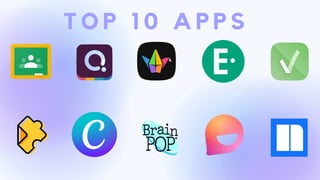
T O P 1 0 A P P S
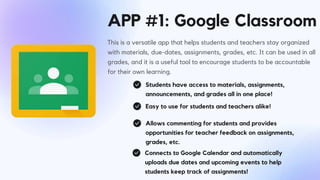
APP #1: Google Classroom
This is a versatile app that helps students and teachers stay organized
with materials, due-dates, assignments, grades, etc. It can be used in all
grades, and it is a useful tool to encourage students to be accountable
for their own learning.
Students have access to materials, assignments,
announcements, and grades all in one place!
Easy to use for students and teachers alike!
Allows commenting for students and provides
opportunities for teacher feedback on assignments,
grades, etc.
Connects to Google Calendar and automatically
uploads due dates and upcoming events to help
students keep track of assignments!
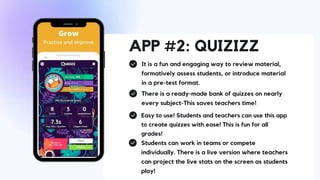
APP #2: QUIZIZZ
It is a fun and engaging way to review material,
formatively assess students, or introduce material
in a pre-test format.
There is a ready-made bank of quizzes on nearly
every subject-This saves teachers time!
Easy to use! Students and teachers can use this app
to create quizzes with ease! This is fun for all
grades!
Students can work in teams or compete
individually. There is a live version where teachers
can project the live stats on the screen as students
play!
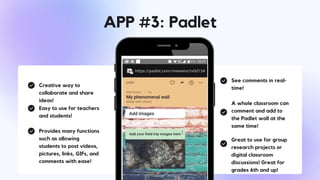
Creative way to
collaborate and share
ideas!
Easy to use for teachers
and students!
Provides many functions
such as allowing
students to post videos,
pictures, links, GIFs, and
comments with ease!
See comments in real-
time!
A whole classroom can
comment and add to
the Padlet wall at the
same time!
Great to use for group
research projects or
digital classroom
discussions! Great for
grades 6th and up!
APP #3: Padlet
Presentations are communication tools that can be
used as lectures, and more.
EASY DATA COLLECTION
Presentations are communication tools that can be
used as lectures, and more.
EASY TO USE
GREAT FOR ALL GRADES 2nd and UP
Presentations are communication tools that can be used as lectures, and
more.
APP #4: Edulastic
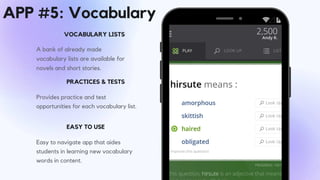
A bank of already made
vocabulary lists are available for
novels and short stories.
VOCABULARY LISTS
Provides practice and test
opportunities for each vocabulary list.
PRACTICES & TESTS
EASY TO USE
Easy to navigate app that aides
students in learning new vocabulary
words in content.
APP #5: Vocabulary
APP #6:
Edpuzzle
This app is great for digital learning! Teachers can use
this app to create and assign instructional videos to
individualize and "flip" student learning. The videos
have settings that do not allow students to access
other tabs as they are watching the video. This is great
for students who frequently get distracted and attempt
to multitask during lessons.
Easy to create and implement!
This app makes it easy for teachers to create videos,
locate already created materials, and assign videos to
students by groups or individually.
Student Accountability
Holds students accountable for watching the
instructional videos! It also holds students accountable
for the information they are learning, as they are
learning it! Teachers can insert differnt types of
questions into the video to check studentunderstanding.
Data collection & feedback
Teachers can access data from each quiz students
take connected to a video lesson. As students take
Edpuzzle quizzes, they can see which multiple choice
questions they get incorrect.
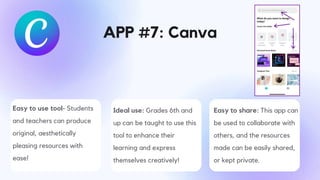
APP #7: Canva
Easy to use tool- Students
and teachers can produce
original, aesthetically
pleasing resources with
ease!
Ideal use: Grades 6th and
up can be taught to use this
tool to enhance their
learning and express
themselves creatively!
Easy to share: This app can
be used to collaborate with
others, and the resources
made can be easily shared,
or kept private.
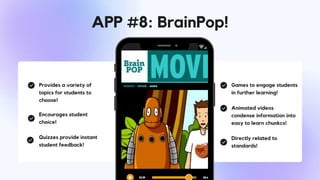
Provides a variety of
topics for students to
choose!
Encourages student
choice!
Quizzes provide instant
student feedback!
Games to engage students
in further learning!
Animated videos
condense information into
easy to learn chunkcs!
Directly related to
standards!
APP #8: BrainPop!
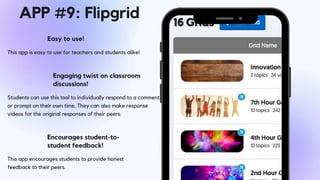
This app is easy to use for teachers and students alike!
Easy to use!
Students can use this tool to individually respond to a comment
or prompt on their own time. They can also make response
videos for the original responses of their peers.
Engaging twist on classroom
discussions!
Encourages student-to-
student feedback!
This app encourages students to provide honest
feedback to their peers.
APP #9: Flipgrid
APP #10: Newsela
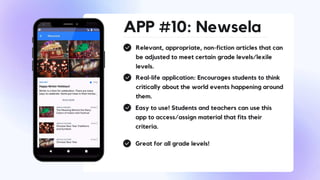
Relevant, appropriate, non-fiction articles that can
be adjusted to meet certain grade levels/lexile
levels.
Real-life application: Encourages students to think
critically about the world events happening around
them.
Easy to use! Students and teachers can use this
app to access/assign material that fits their
criteria.
Great for all grade levels!

TOP 10 APPS.pptx

  • 1.
    IN EDUCATION T OP 1 0 A P P S
  • 2.
    T O P1 0 A P P S
  • 3.
    APP #1: GoogleClassroom This is a versatile app that helps students and teachers stay organized with materials, due-dates, assignments, grades, etc. It can be used in all grades, and it is a useful tool to encourage students to be accountable for their own learning. Students have access to materials, assignments, announcements, and grades all in one place! Easy to use for students and teachers alike! Allows commenting for students and provides opportunities for teacher feedback on assignments, grades, etc. Connects to Google Calendar and automatically uploads due dates and upcoming events to help students keep track of assignments!
  • 4.
    APP #2: QUIZIZZ Itis a fun and engaging way to review material, formatively assess students, or introduce material in a pre-test format. There is a ready-made bank of quizzes on nearly every subject-This saves teachers time! Easy to use! Students and teachers can use this app to create quizzes with ease! This is fun for all grades! Students can work in teams or compete individually. There is a live version where teachers can project the live stats on the screen as students play!
  • 5.
    Creative way to collaborateand share ideas! Easy to use for teachers and students! Provides many functions such as allowing students to post videos, pictures, links, GIFs, and comments with ease! See comments in real- time! A whole classroom can comment and add to the Padlet wall at the same time! Great to use for group research projects or digital classroom discussions! Great for grades 6th and up! APP #3: Padlet
  • 6.
    Presentations are communicationtools that can be used as lectures, and more. EASY DATA COLLECTION Presentations are communication tools that can be used as lectures, and more. EASY TO USE GREAT FOR ALL GRADES 2nd and UP Presentations are communication tools that can be used as lectures, and more. APP #4: Edulastic
  • 7.
    A bank ofalready made vocabulary lists are available for novels and short stories. VOCABULARY LISTS Provides practice and test opportunities for each vocabulary list. PRACTICES & TESTS EASY TO USE Easy to navigate app that aides students in learning new vocabulary words in content. APP #5: Vocabulary
  • 8.
    APP #6: Edpuzzle This appis great for digital learning! Teachers can use this app to create and assign instructional videos to individualize and "flip" student learning. The videos have settings that do not allow students to access other tabs as they are watching the video. This is great for students who frequently get distracted and attempt to multitask during lessons. Easy to create and implement! This app makes it easy for teachers to create videos, locate already created materials, and assign videos to students by groups or individually. Student Accountability Holds students accountable for watching the instructional videos! It also holds students accountable for the information they are learning, as they are learning it! Teachers can insert differnt types of questions into the video to check studentunderstanding. Data collection & feedback Teachers can access data from each quiz students take connected to a video lesson. As students take Edpuzzle quizzes, they can see which multiple choice questions they get incorrect.
  • 9.
    APP #7: Canva Easyto use tool- Students and teachers can produce original, aesthetically pleasing resources with ease! Ideal use: Grades 6th and up can be taught to use this tool to enhance their learning and express themselves creatively! Easy to share: This app can be used to collaborate with others, and the resources made can be easily shared, or kept private.
  • 10.
    Provides a varietyof topics for students to choose! Encourages student choice! Quizzes provide instant student feedback! Games to engage students in further learning! Animated videos condense information into easy to learn chunkcs! Directly related to standards! APP #8: BrainPop!
  • 11.
    This app iseasy to use for teachers and students alike! Easy to use! Students can use this tool to individually respond to a comment or prompt on their own time. They can also make response videos for the original responses of their peers. Engaging twist on classroom discussions! Encourages student-to- student feedback! This app encourages students to provide honest feedback to their peers. APP #9: Flipgrid
  • 12.
    APP #10: Newsela Relevant,appropriate, non-fiction articles that can be adjusted to meet certain grade levels/lexile levels. Real-life application: Encourages students to think critically about the world events happening around them. Easy to use! Students and teachers can use this app to access/assign material that fits their criteria. Great for all grade levels!