
Information & Communication
Technologies
EDWARD C. MWALIMU
edward.mwalimu@unza.zm
edward.mwalimu81@gmail.com
6/8/2018 E.C. MWALIMU
CONCEPT OF ICTs
What are ICTs?
Information Technology (IT) was first used in the early 1980s
to indicate the convergence of computer technology and
communication technologies.
1990s, the term Information and Communication
Technologies (ICTs) was more widely used to replace IT which
is to give a greater emphasis on communication aspect.
6/8/2018 E.C. MWALIMU
DEFINITION OF ICTs
ICTs is a field of work and study that “includes technologies such as
desktop and laptop computers, software, peripherals, and connections
to the Internet that are intended to fulfil information processing and
communications functions” (Statistics Canada, 2008).
According to UNESCO ICTs is “the combination of informatics
technology with other, related technologies, specifically
communication technology” (UNESCO, 2002).
6/8/2018 E.C. MWALIMU
Uses of ICTs in various sectors
Cont’
ICTs can be used to facilitate public and private sector activities
in areas such as in:
Public Administration, (Govt & Civil Society as players) provide
functions that that enhance the social, economic and political
developments of the citizenry.
6/8/2018 E.C. MWALIMU
Uses of ICTs in various sectors Cont’
e-Government, a concept that defines a situation where
government activities and public information can be made
available using ICTs.
Transport sector, ICTs are used to improve road, air and rail
transportation.
ICT applications are noticeable in air transport control,
monitoring of freight and the day-to-day transport system
6/8/2018 E.C. MWALIMU
Uses of ICTs in various sectors Cont’
Health Sector, ICTs are being used to support efficient
exchange of information between health professionals and
clients.
They enable transfer of patient records between sites and
they can improve clinical effectiveness of care by health
professionals-Telemedicine.
6/8/2018 E.C. MWALIMU
Uses of ICTs in various sectors Cont’
Special Needs (for the Physically Challenged), ICTs are extremely
useful in providing access to communication, education and open
up opportunities for them.
The use of Braille keyboards and printers can help alleviate some
common literacy and numeracy problems for visually impaired.
6/8/2018 E.C. MWALIMU
Uses of ICTs in various sectors Cont’
Education Sector, ICTs help in facilitating learning and
exchange of educational materials.
ICTs are helping library professionals store and manage
academic information.
6/8/2018 E.C. MWALIMU
Uses of ICTs in various sectors Cont’
The online learning system is another web-based application that is
revolutionizing the learning platform of education. It compliments the
traditional face-to face teaching and learning format.
In the on-line system, students can access class notes, submit
assignment and also join a discussion group with other learners.
6/8/2018 E.C. MWALIMU
Uses of ICTs in various sectors Cont’
 Agriculture sector, ICTs can be used can be used to impart
information directly to farmers and the farming community. (Sharing
Knowledge and Improving Access to Information).
6/8/2018 E.C. MWALIMU
 Travel and Tourism, ICTs have penetrated this sector the Internet in
particular. It is used to provide multimedia information about destination
to prospective travelers.
Uses of ICTs in various sectors Cont’
6/8/2018 E.C. MWALIMU
 ICTs have made information creation in digital format possible.
 ICTs have made online access and file transfer possible
 ICTs have made networking and sharing of information resources possible
Impact of ICTs on the library and other
information centers
6/8/2018 E.C. MWALIMU
Impact of ICTs on the library and other
information centers
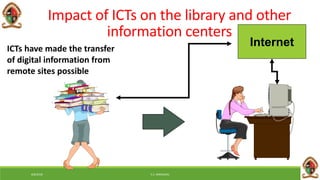
InternetICTs have made the transfer
of digital information from
remote sites possible
6/8/2018 E.C. MWALIMU
Impact of digital information materials on
libraries
Digital information can be
sent in multiple copies
simultaneously over
information networks in
fractions of a minute or
even of a second.
There is no need for users
with PCs attached to the
network to physically go to
the library. They can access
information via their PCs.
Digital information can be
cut and pasted from one
document into another.
Digital information may
be free or cheaper than
print equivalents.
Digital information often
modifies librarians’ roles in
various ways
6/8/2018 E.C. MWALIMU
Effects of these developments on the user
community?
Increases level of technology literacy.
Increases demand for better and faster access to
information.
Aggravates discrepancies between the information
rich and information poor.
6/8/2018 E.C. MWALIMU
Impact of ICTs on Librarians and Library
education
Need for ICT knowledge
Need for ICT skill
Need for ICT tools
Need for continuous
learning in the context of
rapidly changing ICT
Library schools must integrate
ICTs into their curricula and
short courses to produce
graduates who can cope with the
changing work environment.
6/8/2018 E.C. MWALIMU
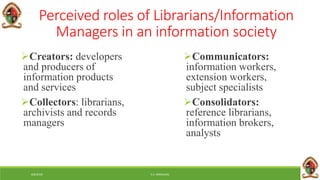
Perceived roles of Librarians/Information
Managers in an information society
Creators: developers
and producers of
information products
and services
Collectors: librarians,
archivists and records
managers
Communicators:
information workers,
extension workers,
subject specialists
Consolidators:
reference librarians,
information brokers,
analysts
6/8/2018 E.C. MWALIMU
Trends in the development of Libraries
Libraries are:
 networked
 stocked with a
core collection that
is multimedia
have access to global
information
become digital
become virtual
6/8/2018 E.C. MWALIMU
Challenges to Libraries/Information Centres
Collection development
Resource sharing through
networking
Faster direct communication
among scientists and
researchers
Virtual vs onsite reference
service
Better document delivery
systems
Better abstracting and indexing
systems
Availability of full-text
materials on the Internet
Information management vs
collection management
6/8/2018 E.C. MWALIMU
The Concepts of Digital World and Digital
Natives
This is a new era of digital innovation that promises a better future
for everyone. The benefits and results are seen everywhere around
the world.
Business or transactions are done electronically.
Computer processed materials Making it easy for companies to
transact effectively & efficiently
6/8/2018 E.C. MWALIMU
Digital World Cont’
The digital world is basically a the spread of technology which has
culminated out of:
Computers and communications technology most notably the internet
which has led to the information revolution
In the digital world, use of the internet is requirement for one to be
called a citizen in the digital world.
6/8/2018 E.C. MWALIMU
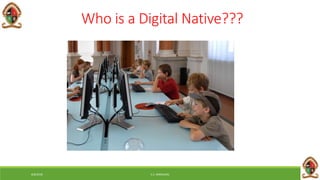
Who is a Digital Native???
6/8/2018 E.C. MWALIMU
Digital Natives
A generation of people who have been born and raised in a digital, media-
saturated world. The term coined by education consultant “Marc Prensky.”
People born after 1980 are known as “Digital Natives”
They only know a world that is digital.
They use digital technologies to express themselves and relate to others by
using sites such as WhatsApp, Facebook, Twitter, WeChat and Myspace.
Who then is a Digital Immigrant?
6/8/2018 E.C. MWALIMU
Digital Immigrants
Includes us who were not born in the digital world but have, at some
later point in our lives, become fascinated by and adopted many or
most aspects of the new technologies.
The term digital immigrant may also apply to individuals who were
born after the spread of digital technology and who were not exposed
to it at an early age.
6/8/2018 E.C. MWALIMU
Digital Immigrants Cont’
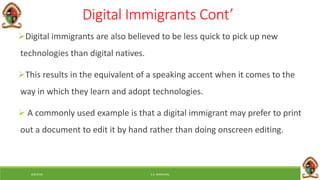
Digital immigrants are also believed to be less quick to pick up new
technologies than digital natives.
This results in the equivalent of a speaking accent when it comes to the
way in which they learn and adopt technologies.
 A commonly used example is that a digital immigrant may prefer to print
out a document to edit it by hand rather than doing onscreen editing.
6/8/2018 E.C. MWALIMU
Critique
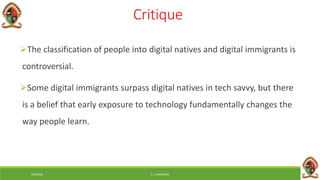
The classification of people into digital natives and digital immigrants is
controversial.
Some digital immigrants surpass digital natives in tech savvy, but there
is a belief that early exposure to technology fundamentally changes the
way people learn.
6/8/2018 E.C. MWALIMU
Features of Digital World
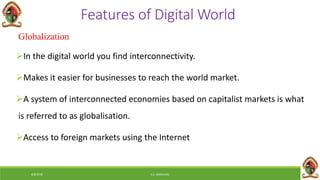
Globalization
In the digital world you find interconnectivity.
Makes it easier for businesses to reach the world market.
A system of interconnected economies based on capitalist markets is what
is referred to as globalisation.
Access to foreign markets using the Internet
6/8/2018 E.C. MWALIMU
Globalization Risks
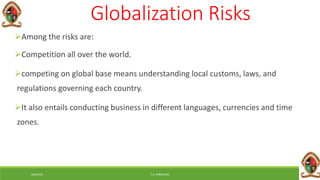
Among the risks are:
Competition all over the world.
competing on global base means understanding local customs, laws, and
regulations governing each country.
It also entails conducting business in different languages, currencies and time
zones.
6/8/2018 E.C. MWALIMU
Speed
In the digital world, events occur at a rapid pace
Everything happens at a CLICK OF BUTTON
Important because, physical transfer of goods, money and people is not
always required or necessary
One can purchase a software through the internet and directly download
that software to his/her computer
6/8/2018 E.C. MWALIMU
Digitization of goods
In electronic commerce, digital goods is a general term that is used to
describe any goods that are stored, delivered and used in its electronic
format.
 Digital goods are shipped electronically to the consumer through e-
mail or downloaded from the Internet.
Attachment through email or secure link where you can download
the item.
6/8/2018 E.C. MWALIMU
Digitization of goods Cont’
Digitization is driven by a combination of consumer demands and the
development of new ICTs.
The biggest challenge that digitization poses is employment.
Our social interactions are being digitized, largely thanks to all the
different social networks and social media that we have.
On a positive note being digitized is helping us know our location
through GPS tracking.
6/8/2018 E.C. MWALIMU
Measure of products & services
If you are to survive in the digital world then one needs a change of mind
set.
It requires it requires re-thinking the long held business conventions.
6/8/2018 E.C. MWALIMU
Measure of products & services Cont’
If you take the definitions of products and services, most people
say that products are tangible goods/items while services are non-
tangible good/items.
In the digital world, the definitions of the two are not clear because
most ICTs requires both the product and service for them to function
6/8/2018 E.C. MWALIMU
Role of Ideas
Throughout history, humans have primary valued tangibles goods
such as land and minerals.
The values of ideas have come to rival with the value of tangible
goods, this is because, and ideas lead to new inventions that have
broad economic impact.
Ideas also give raise to creative works such as books, music, art and
movies.
6/8/2018 E.C. MWALIMU
Role of Ideas Cont’
New ideas are at the heart of ICTs that businesses rely on, and it is for
this reason that companies can do anything to protect their ideas,
However, you need to note that, although digitization of good has made
it easier to distribute products, it has also made it easier for people to
steal products (intellectual property).
6/8/2018 E.C. MWALIMU
Intellectual Property
Intellectual property is the law that deals with the protection of ideas.
It has become highly important and cardinal in development and use of
ICT.
Intellectual property, allows developers of ideas and creative works
exclusive rights to works for a period of time. It has four main parts:
6/8/2018 E.C. MWALIMU
Patents
These protect inventions of about a period of 20 years.
An inventor who wants patent protection, must apply to the patents and
tread mark office.
In most cases, when one is applying for patent, it requires the presence
of the lawyer, hence the applicant must be ready to fit the expense of the
lawyer.
6/8/2018 E.C. MWALIMU
Copyright
These protects the expression of an idea and not an idea
itself.
It covers works like books, music, movies, works of art
(creative works).
6/8/2018 E.C. MWALIMU
Trade Marks and Trade Secretes
These are words or phrases used to identify a product, business, or a
services, for the purpose of conducting commerce.
Most common brands in the world are trade marked
Coca-Cola , Samsung , Blackberry, Nokia,Toshiba, Iphone.
Service Marks: This similar to a trade mark but only applies to a service.
If a trade mark is not registered or pending, it is usually followed by a
symbol TM, when registered it has this symbol ®
6/8/2018 E.C. MWALIMU
Trade Secrets
Any confidential business information which provides an organisation a
competitive edge may be considered a trade secret.
Trade secrets encompass manufacturing or industrial secrets and
commercial secrets.
 The unauthorized use of such information by persons other than the holder
is regarded as an unfair practice and a violation of the trade secret.
6/8/2018 E.C. MWALIMU
Trade Secrets Cont’
Depending on the legal system, the protection of trade secrets
forms part of the general concept of protection against unfair
competition or is based on specific provisions or case law on the
protection of confidential information.
6/8/2018 E.C. MWALIMU
Trade Secrets Cont’
While a final determination of what information constitutes a
trade secret will depend on the circumstances of each individual
case,
 Clearly unfair practices in respect of secret information include
industrial or commercial espionage, breach of contract and
breach of confidence.
Classification of Computers
EDWARD C. MWALIMU
edward.mwalimu@unza.zm
edward.mwalimu81@gmail.com
6/8/2018 E.C. MWALIMU
What is Computer?
6/8/2018 E.C. MWALIMU
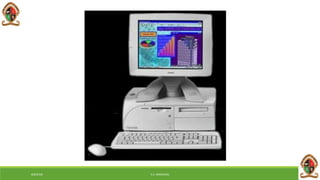
• A computer is a machine that manipulates data
according to a list of instructions.
• A computer is a device capable of performing
computations and making logical decisions at a speed
faster than human beings can.
• Computer is an electronic machine which is used for
data processing.
• The output which comes after processing data through
computer is known as Information.
6/8/2018 E.C. MWALIMU
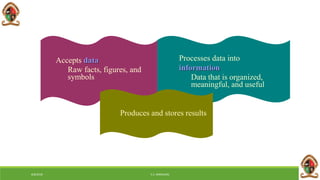
Accepts data
Raw facts, figures, and
symbols
Processes data into
information
Data that is organized,
meaningful, and useful
6/8/2018 E.C. MWALIMU
Produces and stores results
Types of computers
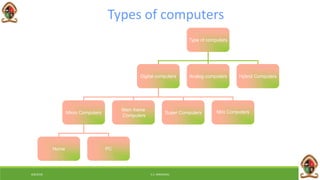
Type of computers
Digital computers Analog computers Hybrid Computers
Micro Computers
Main frame
Computers
Super Computers
Home PC
Mini Computers
6/8/2018 E.C. MWALIMU
Digital Computers
• Use digits specially binary digits (0, 1) to represent data
Examples:
• Personal computers such as Laptops and Desktops, etc
6/8/2018 E.C. MWALIMU
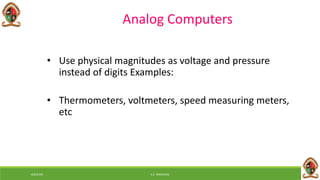
• Use physical magnitudes as voltage and pressure
instead of digits Examples:
• Thermometers, voltmeters, speed measuring meters,
etc
Analog Computers
6/8/2018 E.C. MWALIMU
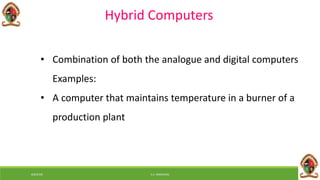
Hybrid Computers
• Combination of both the analogue and digital computers
Examples:
• A computer that maintains temperature in a burner of a
production plant
6/8/2018 E.C. MWALIMU
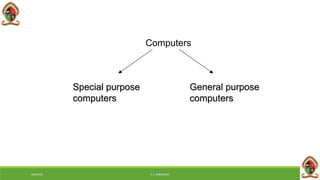
Special purpose
computers
General purpose
computers
Computers
6/8/2018 E.C. MWALIMU
Special purpose computers
• Designed for a special job only
• Examples: Computers used in digital watches,
pocket calculators, point of sales, etc
6/8/2018 E.C. MWALIMU
General Purpose computers
• Design to solve wide variety of problems
• Examples: A personal computer used in an office or at
home
• Can a general purpose computer be converted to a
special purpose computer ?
6/8/2018 E.C. MWALIMU
By size
Mainframe
Minicomputers
Microcomputers
Supercomputer
Classifications of computers
6/8/2018 E.C. MWALIMU
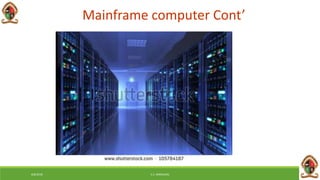
Mainframe computer
• A large computer
• Has enormous input, process, output and storage
capacities
• Hundreds of terminals connected
• Hundreds of users can work simultaneously
6/8/2018 E.C. MWALIMU
• The word “main frame” comes from the metal
frames. It is also known as Father computer.
• Application – Host computer, Central data base
server
Mainframe computer Cont’
6/8/2018 E.C. MWALIMU
Mainframe computer Cont’
6/8/2018 E.C. MWALIMU
Mini computer
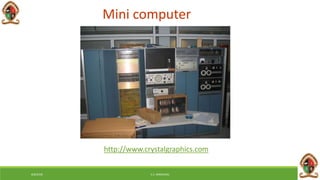
• A computer of medium power compared to Mainframes,
but more powerful than micro computers.
• They are generally more powerful and most useful as
compared to micro computer
• Mini computer are also known as mid range computer or
Child computer
• Application :- Departmental systems, Network Servers,
work group system
6/8/2018 E.C. MWALIMU
Mini computer
http://www.crystalgraphics.com
Micro computers
6/8/2018 E.C. MWALIMU
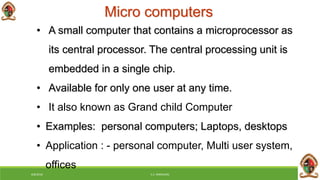
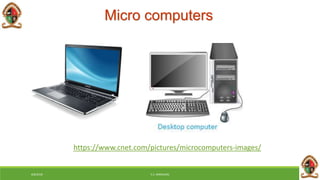
• A small computer that contains a microprocessor as
its central processor. The central processing unit is
embedded in a single chip.
• Available for only one user at any time.
• It also known as Grand child Computer
• Examples: personal computers; Laptops, desktops
• Application : - personal computer, Multi user system,
offices
Micro computers
https://www.cnet.com/pictures/microcomputers-images/
6/8/2018 E.C. MWALIMU
Super computers
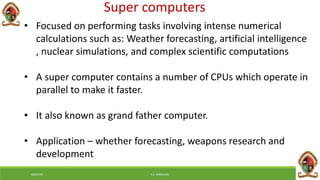
• Focused on performing tasks involving intense numerical
calculations such as: Weather forecasting, artificial intelligence
, nuclear simulations, and complex scientific computations
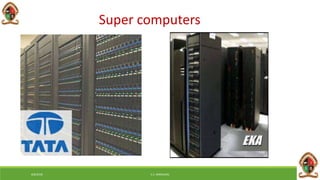
• A super computer contains a number of CPUs which operate in
parallel to make it faster.
• It also known as grand father computer.
• Application – whether forecasting, weapons research and
development
6/8/2018 E.C. MWALIMU
Super computers
6/8/2018 E.C. MWALIMU
Classification of Digital computers
• Desktop
• Workstation
• Notebook
• Tablet PC
• Handheld computer
• Smart Phone
6/8/2018 E.C. MWALIMU
Desktop
• The most popular PCs are desktop machines. Early
PCs had Intel 8088 microprocessors as their CPU.
• Currently Intel Dual Core is the most popular
processor
6/8/2018 E.C. MWALIMU
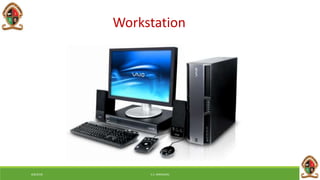
Workstation
• Workstations are also desktop machines. They are,
however, more powerful providing processor speeds
about 10 times that of PCs.
• Most workstations have a large colour video display unit
(19 inch monitors).
• Normally they have main memory of around 256 MB to 4
GB and Hard Disk of 80 to 320 GB.
6/8/2018 E.C. MWALIMU
Workstation
6/8/2018 E.C. MWALIMU
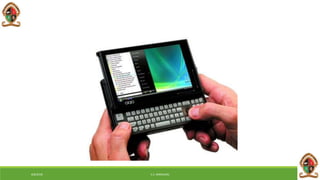
Notebook
• Laptop PCs (also known as notebook computers)
are portable computers weighing around 2 kgs.
• They have a keyboard, flat screen liquid crystal
display, and a Pentium or Power PC processor.
Colour displays are available.
• They normally run using WINDOWS OS. Laptops
come with hard disk (around 40 GB), CDROM and
USB ports.
6/8/2018 E.C. MWALIMU
• They should run with batteries and are thus
designed to conserve energy by using power
efficient chips.
• Many Laptops can be connected to a network
and these include wireless networks.
6/8/2018 E.C. MWALIMU
• Handheld PC
• Tablet PC
• Smart Phone
TASK
6/8/2018 E.C. MWALIMU
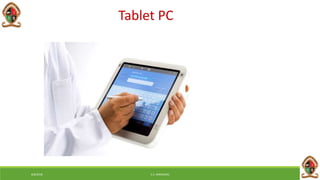
Tablet PC
6/8/2018 E.C. MWALIMU
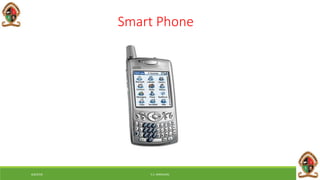
Smart Phone
Generations of Computer
History of computer development is often referred to in
reference to the different generations of computing devices.
Each of the generations of computers is characterized by a
major technological development that fundamentally changed
the way computers operate.
A computer generation is a computer era(period of time).
6/8/2018 E.C. MWALIMU
Generations of Computer
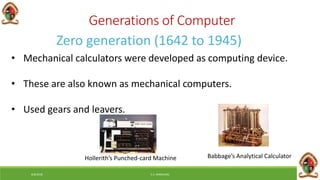
Zero generation (1642 to 1945)
• Mechanical calculators were developed as computing device.
• These are also known as mechanical computers.
• Used gears and leavers.
Hollerith’s Punched-card Machine Babbage’s Analytical Calculator
6/8/2018 E.C. MWALIMU
Electromechanical computers
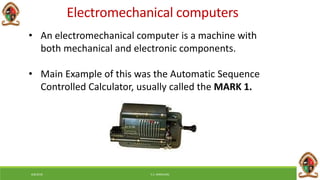
• An electromechanical computer is a machine with
both mechanical and electronic components.
• Main Example of this was the Automatic Sequence
Controlled Calculator, usually called the MARK 1.
6/8/2018 E.C. MWALIMU
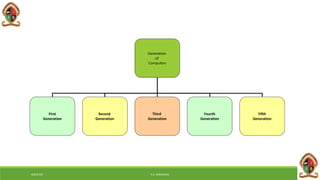
Generation
of
Computers
First
Generation
Second
Generation
Third
Generation
Fourth
Generation
Fifth
Generation
6/8/2018 E.C. MWALIMU
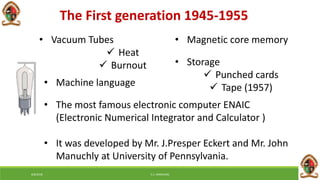
The First generation 1945-1955
• Vacuum Tubes
 Heat
 Burnout
• Machine language
• Magnetic core memory
• Storage
 Punched cards
 Tape (1957)
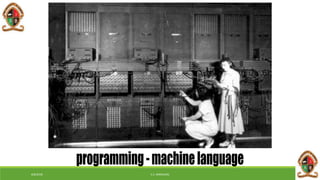
• The most famous electronic computer ENAIC
(Electronic Numerical Integrator and Calculator )
• It was developed by Mr. J.Presper Eckert and Mr. John
Manuchly at University of Pennsylvania.
6/8/2018 E.C. MWALIMU
Characteristics of 1st Generation Computers
Computers big and clumsy
 Electricity consumption is high
 Electric failure occurred regularly - computers not very reliable
 Large air conditioners was necessary because the computers
generated heat
 Batch processing- Non-continuous processing of data,
instructions, or materials
6/8/2018 E.C. MWALIMU
The Second Generation 1955-1965
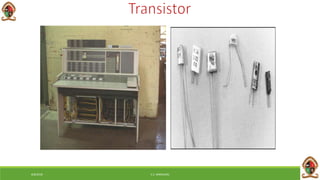
• In this second generation vacuum tubes was replaced by
transistors
 Smaller
 No warm-up time
 Less energy
 Less heat
 Faster
 More reliable
6/8/2018 E.C. MWALIMU
The Second Generation Cont’
• Storage
 Removable disk pack (1954)
 Magnetic tape
• Programming languages
 Assembly language
 FORTRAN (1954)
 COBOL(1959)
• Used primarily by businesses, universities, government
6/8/2018 E.C. MWALIMU
Characteristics
• Computers became smaller
• Generate less heat
• Electricity consumption lower
• More reliable and faster
• Core memory developed
• Magnetic tapes and disks used
• First operating systems developed
• A new processing method was needed.
• Time-sharing (processing technique)
6/8/2018 E.C. MWALIMU
Third Generation 1964-1971
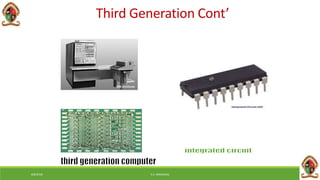
• Integrated Circuit
 Electronic circuit on small silicon chip
 Reliability
 Compactness
 Low cost
 Inexpensive – mass-produced
6/8/2018 E.C. MWALIMU
• An integrated circuit consists of thousands of circuits
that have been put into a small chip of silicon
Third Generation Cont’
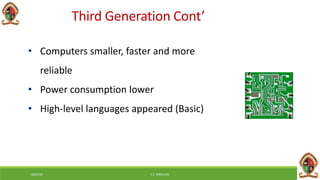
• Computers smaller, faster and more
reliable
• Power consumption lower
• High-level languages appeared (Basic)
Third Generation Cont’
6/8/2018 E.C. MWALIMU
• Operating systems were first used in the
third generation computers.
• MULTICS (Multiplexed Information and
Computing Service)which was an early time-
sharing operating system
• Networking was introduced
• Introduction of minicomputers
Third Generation Cont’
6/8/2018 E.C. MWALIMU
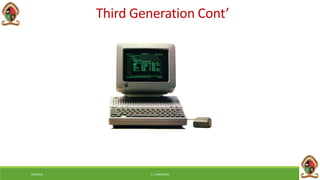
Third Generation Cont’
6/8/2018 E.C. MWALIMU
Fourth Generation 1972- 1984
• Microprocessor
 Thousands of integrated circuits were built onto a
single silicon chip
 The Intel 4004 chip was the first chip to house all the
components of the computer processor (1971)
6/8/2018 E.C. MWALIMU
Fourth Generation Cont’
6/8/2018 E.C. MWALIMU
Characteristics of Fourth generation computers
• Use of microprocessors - Very large-scale integrated circuits
(VLSI)
• Larger capacity to support internal memory
• Increased use of input and output devices
• Data and instructions to be entered directly through the
keyboard, the mouse and other handheld devices
• Wide spread use of a variety of computer software
6/8/2018 E.C. MWALIMU
• Designed to allow more than one instruction to be
executed at a time (called superscalar)
• Use of parallel processors
6/8/2018 E.C. MWALIMU
Fifth Generation 1980- Present
• In the fifth generation, the VLSI technology became
ULSI (Ultra Large Scale Integration) technology
• Resulting in the production of microprocessor chips
having ten million electronic components
• The generation is based on parallel processing hardware
and AI (Artificial Intelligence) software
6/8/2018 E.C. MWALIMU
• AI is an emerging branch in computer science
• It interprets means and method of making
computers think and behave like human beings
• All the high-level languages like C and C++, Java,
.Net etc., are used in this generation
Fifth Generation Cont’
6/8/2018 E.C. MWALIMU
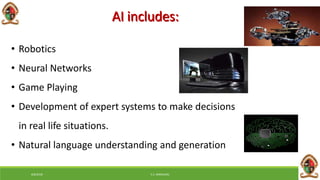
AI includes:
• Robotics
• Neural Networks
• Game Playing
• Development of expert systems to make decisions
in real life situations.
• Natural language understanding and generation
6/8/2018 E.C. MWALIMU
Key features of fifth generation computers
• ULSI technology
• Development of true artificial intelligence
• Development of Natural language processing
• Advancement in Parallel Processing
•
6/8/2018 E.C. MWALIMU
• Advancement in Superconductor
technology
• More user friendly interfaces with
multimedia features
• Availability of very powerful and
compact computers at cheaper rate
Key features Cont’
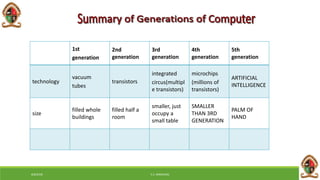
1st
generation
2nd
generation
3rd
generation
4th
generation
5th
generation
technology
vacuum
tubes
transistors
integrated
circus(multipl
e transistors)
microchips
(millions of
transistors)
ARTIFICIAL
INTELLIGENCE
size
filled whole
buildings
filled half a
room
smaller, just
occupy a
small table
SMALLER
THAN 3RD
GENERATION
PALM OF
HAND
6/8/2018 E.C. MWALIMU
Information Processing Cycle
What is the information processing cycle?
6/8/2018 E.C. MWALIMU
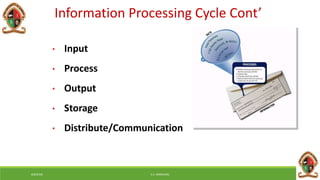
• Input
• Process
• Output
• Storage
• Distribute/Communication
Information Processing Cycle Cont’
6/8/2018 E.C. MWALIMU
Input
• “You first have to get the data in”
• Our brain takes in information from our senses
• Computers need “peripherals” (extra components) to get
information in
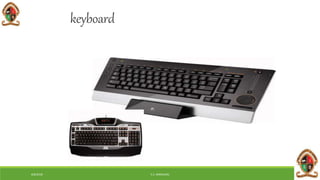
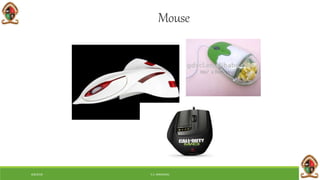
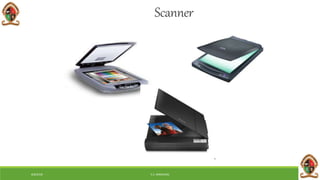
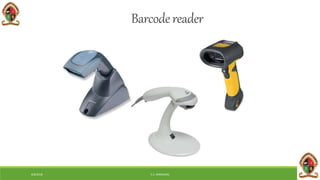
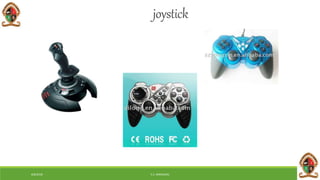
• Keyboards, mouse, flatbed scanners, bar code readers etc
6/8/2018 E.C. MWALIMU
keyboard
6/8/2018 E.C. MWALIMU
Mouse
6/8/2018 E.C. MWALIMU
Scanner
6/8/2018 E.C. MWALIMU
Barcodereader
6/8/2018 E.C. MWALIMU
joystick
6/8/2018 E.C. MWALIMU
Digital datatablets
6/8/2018 E.C. MWALIMU
Processing
• Next, we need to ‘make sense of’ the data we have
• performing operations on the data
• Our brain compares this to what we know and decides
whether it is important enough to remember or not
• Computers use the CPU (the main chip inside) to make
decisions, do calculations, and organize data
6/8/2018 E.C. MWALIMU
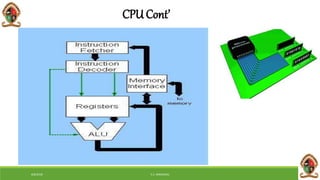
Central Processing Unit
(CPU)
• A (CPU), also known as processor, is the key component in a
digital computer capable of executing a program
• It interprets computer programme instructions and processes
data
• A CPU that is manufactured as a single integrated circuit is usually
known as a microprocessor
6/8/2018 E.C. MWALIMU
CPU Cont’
6/8/2018 E.C. MWALIMU
Output
• The next step is to get the results out from the process, and
present them in a useable way
• Our brain makes our body respond by talking, moving, or
writing
• Computers need “peripherals” to do this
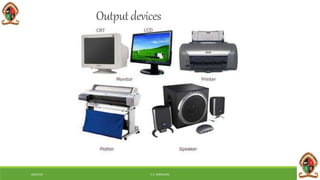
• Monitors, printers, data projectors, speakers, cameras, scaners
etc
6/8/2018 E.C. MWALIMU
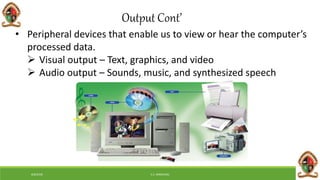
• Peripheral devices that enable us to view or hear the computer’s
processed data.
 Visual output – Text, graphics, and video
 Audio output – Sounds, music, and synthesized speech
Output Cont’
6/8/2018 E.C. MWALIMU
Outputdevices
6/8/2018 E.C. MWALIMU
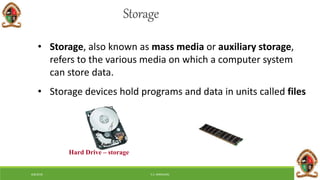
Storage
• Storage, also known as mass media or auxiliary storage,
refers to the various media on which a computer system
can store data.
• Storage devices hold programs and data in units called files
Hard Drive – storage
6/8/2018 E.C. MWALIMU
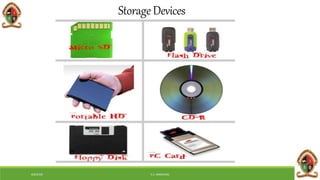
StorageDevices
6/8/2018 E.C. MWALIMU
IMPORTANCEOFStorage?
Storage devices:
Retain data when the computer is turned off
Are cheaper than memory
Play an important role during startup
Are needed for output
6/8/2018 E.C. MWALIMU
Distribute
• Information needs to be communicated (or stored)
so it can be used later
• Our brain makes “memories” of the information,
and we may write it down to look over later
• Computers use “peripherals” to do this
• Hard drive, CDs or DVDs to burn, Internet (email)
6/8/2018 E.C. MWALIMU
1. Describe First generation, second generation, third generation
computers.
2. Differentiate super computers and mainframe computers.
3. Identify characteristics of fifth generation computers.
4. What is the similarity between mainframes and minicomputers?
TAKE HOME TASKS
6/8/2018 E.C. MWALIMU
Thank you
The end

Edu 1020 2018

  • 1.
    Information & Communication Technologies EDWARDC. MWALIMU edward.mwalimu@unza.zm edward.mwalimu81@gmail.com 6/8/2018 E.C. MWALIMU
  • 2.
    6/8/2018 E.C. MWALIMU CONCEPTOF ICTs What are ICTs? Information Technology (IT) was first used in the early 1980s to indicate the convergence of computer technology and communication technologies. 1990s, the term Information and Communication Technologies (ICTs) was more widely used to replace IT which is to give a greater emphasis on communication aspect.
  • 3.
    6/8/2018 E.C. MWALIMU DEFINITIONOF ICTs ICTs is a field of work and study that “includes technologies such as desktop and laptop computers, software, peripherals, and connections to the Internet that are intended to fulfil information processing and communications functions” (Statistics Canada, 2008). According to UNESCO ICTs is “the combination of informatics technology with other, related technologies, specifically communication technology” (UNESCO, 2002).
  • 4.
    6/8/2018 E.C. MWALIMU Usesof ICTs in various sectors Cont’ ICTs can be used to facilitate public and private sector activities in areas such as in: Public Administration, (Govt & Civil Society as players) provide functions that that enhance the social, economic and political developments of the citizenry.
  • 5.
    6/8/2018 E.C. MWALIMU Usesof ICTs in various sectors Cont’ e-Government, a concept that defines a situation where government activities and public information can be made available using ICTs. Transport sector, ICTs are used to improve road, air and rail transportation. ICT applications are noticeable in air transport control, monitoring of freight and the day-to-day transport system
  • 6.
    6/8/2018 E.C. MWALIMU Usesof ICTs in various sectors Cont’ Health Sector, ICTs are being used to support efficient exchange of information between health professionals and clients. They enable transfer of patient records between sites and they can improve clinical effectiveness of care by health professionals-Telemedicine.
  • 7.
    6/8/2018 E.C. MWALIMU Usesof ICTs in various sectors Cont’ Special Needs (for the Physically Challenged), ICTs are extremely useful in providing access to communication, education and open up opportunities for them. The use of Braille keyboards and printers can help alleviate some common literacy and numeracy problems for visually impaired.
  • 8.
    6/8/2018 E.C. MWALIMU Usesof ICTs in various sectors Cont’ Education Sector, ICTs help in facilitating learning and exchange of educational materials. ICTs are helping library professionals store and manage academic information.
  • 9.
    6/8/2018 E.C. MWALIMU Usesof ICTs in various sectors Cont’ The online learning system is another web-based application that is revolutionizing the learning platform of education. It compliments the traditional face-to face teaching and learning format. In the on-line system, students can access class notes, submit assignment and also join a discussion group with other learners.
  • 10.
    6/8/2018 E.C. MWALIMU Usesof ICTs in various sectors Cont’  Agriculture sector, ICTs can be used can be used to impart information directly to farmers and the farming community. (Sharing Knowledge and Improving Access to Information).
  • 11.
    6/8/2018 E.C. MWALIMU Travel and Tourism, ICTs have penetrated this sector the Internet in particular. It is used to provide multimedia information about destination to prospective travelers. Uses of ICTs in various sectors Cont’
  • 12.
    6/8/2018 E.C. MWALIMU ICTs have made information creation in digital format possible.  ICTs have made online access and file transfer possible  ICTs have made networking and sharing of information resources possible Impact of ICTs on the library and other information centers
  • 13.
    6/8/2018 E.C. MWALIMU Impactof ICTs on the library and other information centers InternetICTs have made the transfer of digital information from remote sites possible
  • 14.
    6/8/2018 E.C. MWALIMU Impactof digital information materials on libraries Digital information can be sent in multiple copies simultaneously over information networks in fractions of a minute or even of a second. There is no need for users with PCs attached to the network to physically go to the library. They can access information via their PCs. Digital information can be cut and pasted from one document into another. Digital information may be free or cheaper than print equivalents. Digital information often modifies librarians’ roles in various ways
  • 15.
    6/8/2018 E.C. MWALIMU Effectsof these developments on the user community? Increases level of technology literacy. Increases demand for better and faster access to information. Aggravates discrepancies between the information rich and information poor.
  • 16.
    6/8/2018 E.C. MWALIMU Impactof ICTs on Librarians and Library education Need for ICT knowledge Need for ICT skill Need for ICT tools Need for continuous learning in the context of rapidly changing ICT Library schools must integrate ICTs into their curricula and short courses to produce graduates who can cope with the changing work environment.
  • 17.
    6/8/2018 E.C. MWALIMU Perceivedroles of Librarians/Information Managers in an information society Creators: developers and producers of information products and services Collectors: librarians, archivists and records managers Communicators: information workers, extension workers, subject specialists Consolidators: reference librarians, information brokers, analysts
  • 18.
    6/8/2018 E.C. MWALIMU Trendsin the development of Libraries Libraries are:  networked  stocked with a core collection that is multimedia have access to global information become digital become virtual
  • 19.
    6/8/2018 E.C. MWALIMU Challengesto Libraries/Information Centres Collection development Resource sharing through networking Faster direct communication among scientists and researchers Virtual vs onsite reference service Better document delivery systems Better abstracting and indexing systems Availability of full-text materials on the Internet Information management vs collection management
  • 20.
    6/8/2018 E.C. MWALIMU TheConcepts of Digital World and Digital Natives This is a new era of digital innovation that promises a better future for everyone. The benefits and results are seen everywhere around the world. Business or transactions are done electronically. Computer processed materials Making it easy for companies to transact effectively & efficiently
  • 21.
    6/8/2018 E.C. MWALIMU DigitalWorld Cont’ The digital world is basically a the spread of technology which has culminated out of: Computers and communications technology most notably the internet which has led to the information revolution In the digital world, use of the internet is requirement for one to be called a citizen in the digital world.
  • 22.
    6/8/2018 E.C. MWALIMU Whois a Digital Native???
  • 23.
    6/8/2018 E.C. MWALIMU DigitalNatives A generation of people who have been born and raised in a digital, media- saturated world. The term coined by education consultant “Marc Prensky.” People born after 1980 are known as “Digital Natives” They only know a world that is digital. They use digital technologies to express themselves and relate to others by using sites such as WhatsApp, Facebook, Twitter, WeChat and Myspace. Who then is a Digital Immigrant?
  • 24.
    6/8/2018 E.C. MWALIMU DigitalImmigrants Includes us who were not born in the digital world but have, at some later point in our lives, become fascinated by and adopted many or most aspects of the new technologies. The term digital immigrant may also apply to individuals who were born after the spread of digital technology and who were not exposed to it at an early age.
  • 25.
    6/8/2018 E.C. MWALIMU DigitalImmigrants Cont’ Digital immigrants are also believed to be less quick to pick up new technologies than digital natives. This results in the equivalent of a speaking accent when it comes to the way in which they learn and adopt technologies.  A commonly used example is that a digital immigrant may prefer to print out a document to edit it by hand rather than doing onscreen editing.
  • 26.
    6/8/2018 E.C. MWALIMU Critique Theclassification of people into digital natives and digital immigrants is controversial. Some digital immigrants surpass digital natives in tech savvy, but there is a belief that early exposure to technology fundamentally changes the way people learn.
  • 27.
    6/8/2018 E.C. MWALIMU Featuresof Digital World Globalization In the digital world you find interconnectivity. Makes it easier for businesses to reach the world market. A system of interconnected economies based on capitalist markets is what is referred to as globalisation. Access to foreign markets using the Internet
  • 28.
    6/8/2018 E.C. MWALIMU GlobalizationRisks Among the risks are: Competition all over the world. competing on global base means understanding local customs, laws, and regulations governing each country. It also entails conducting business in different languages, currencies and time zones.
  • 29.
    6/8/2018 E.C. MWALIMU Speed Inthe digital world, events occur at a rapid pace Everything happens at a CLICK OF BUTTON Important because, physical transfer of goods, money and people is not always required or necessary One can purchase a software through the internet and directly download that software to his/her computer
  • 30.
    6/8/2018 E.C. MWALIMU Digitizationof goods In electronic commerce, digital goods is a general term that is used to describe any goods that are stored, delivered and used in its electronic format.  Digital goods are shipped electronically to the consumer through e- mail or downloaded from the Internet. Attachment through email or secure link where you can download the item.
  • 31.
    6/8/2018 E.C. MWALIMU Digitizationof goods Cont’ Digitization is driven by a combination of consumer demands and the development of new ICTs. The biggest challenge that digitization poses is employment. Our social interactions are being digitized, largely thanks to all the different social networks and social media that we have. On a positive note being digitized is helping us know our location through GPS tracking.
  • 32.
    6/8/2018 E.C. MWALIMU Measureof products & services If you are to survive in the digital world then one needs a change of mind set. It requires it requires re-thinking the long held business conventions.
  • 33.
    6/8/2018 E.C. MWALIMU Measureof products & services Cont’ If you take the definitions of products and services, most people say that products are tangible goods/items while services are non- tangible good/items. In the digital world, the definitions of the two are not clear because most ICTs requires both the product and service for them to function
  • 34.
    6/8/2018 E.C. MWALIMU Roleof Ideas Throughout history, humans have primary valued tangibles goods such as land and minerals. The values of ideas have come to rival with the value of tangible goods, this is because, and ideas lead to new inventions that have broad economic impact. Ideas also give raise to creative works such as books, music, art and movies.
  • 35.
    6/8/2018 E.C. MWALIMU Roleof Ideas Cont’ New ideas are at the heart of ICTs that businesses rely on, and it is for this reason that companies can do anything to protect their ideas, However, you need to note that, although digitization of good has made it easier to distribute products, it has also made it easier for people to steal products (intellectual property).
  • 36.
    6/8/2018 E.C. MWALIMU IntellectualProperty Intellectual property is the law that deals with the protection of ideas. It has become highly important and cardinal in development and use of ICT. Intellectual property, allows developers of ideas and creative works exclusive rights to works for a period of time. It has four main parts:
  • 37.
    6/8/2018 E.C. MWALIMU Patents Theseprotect inventions of about a period of 20 years. An inventor who wants patent protection, must apply to the patents and tread mark office. In most cases, when one is applying for patent, it requires the presence of the lawyer, hence the applicant must be ready to fit the expense of the lawyer.
  • 38.
    6/8/2018 E.C. MWALIMU Copyright Theseprotects the expression of an idea and not an idea itself. It covers works like books, music, movies, works of art (creative works).
  • 39.
    6/8/2018 E.C. MWALIMU TradeMarks and Trade Secretes These are words or phrases used to identify a product, business, or a services, for the purpose of conducting commerce. Most common brands in the world are trade marked Coca-Cola , Samsung , Blackberry, Nokia,Toshiba, Iphone. Service Marks: This similar to a trade mark but only applies to a service. If a trade mark is not registered or pending, it is usually followed by a symbol TM, when registered it has this symbol ®
  • 40.
    6/8/2018 E.C. MWALIMU TradeSecrets Any confidential business information which provides an organisation a competitive edge may be considered a trade secret. Trade secrets encompass manufacturing or industrial secrets and commercial secrets.  The unauthorized use of such information by persons other than the holder is regarded as an unfair practice and a violation of the trade secret.
  • 41.
    6/8/2018 E.C. MWALIMU TradeSecrets Cont’ Depending on the legal system, the protection of trade secrets forms part of the general concept of protection against unfair competition or is based on specific provisions or case law on the protection of confidential information.
  • 42.
    6/8/2018 E.C. MWALIMU TradeSecrets Cont’ While a final determination of what information constitutes a trade secret will depend on the circumstances of each individual case,  Clearly unfair practices in respect of secret information include industrial or commercial espionage, breach of contract and breach of confidence.
  • 43.
    Classification of Computers EDWARDC. MWALIMU edward.mwalimu@unza.zm edward.mwalimu81@gmail.com 6/8/2018 E.C. MWALIMU
  • 44.
  • 45.
    • A computeris a machine that manipulates data according to a list of instructions. • A computer is a device capable of performing computations and making logical decisions at a speed faster than human beings can. • Computer is an electronic machine which is used for data processing. • The output which comes after processing data through computer is known as Information. 6/8/2018 E.C. MWALIMU
  • 46.
  • 47.
    Accepts data Raw facts,figures, and symbols Processes data into information Data that is organized, meaningful, and useful 6/8/2018 E.C. MWALIMU Produces and stores results
  • 48.
    Types of computers Typeof computers Digital computers Analog computers Hybrid Computers Micro Computers Main frame Computers Super Computers Home PC Mini Computers 6/8/2018 E.C. MWALIMU
  • 49.
    Digital Computers • Usedigits specially binary digits (0, 1) to represent data Examples: • Personal computers such as Laptops and Desktops, etc 6/8/2018 E.C. MWALIMU
  • 50.
    • Use physicalmagnitudes as voltage and pressure instead of digits Examples: • Thermometers, voltmeters, speed measuring meters, etc Analog Computers 6/8/2018 E.C. MWALIMU
  • 51.
    Hybrid Computers • Combinationof both the analogue and digital computers Examples: • A computer that maintains temperature in a burner of a production plant 6/8/2018 E.C. MWALIMU
  • 52.
  • 53.
    Special purpose computers •Designed for a special job only • Examples: Computers used in digital watches, pocket calculators, point of sales, etc 6/8/2018 E.C. MWALIMU
  • 54.
    General Purpose computers •Design to solve wide variety of problems • Examples: A personal computer used in an office or at home • Can a general purpose computer be converted to a special purpose computer ? 6/8/2018 E.C. MWALIMU
  • 55.
  • 56.
    Mainframe computer • Alarge computer • Has enormous input, process, output and storage capacities • Hundreds of terminals connected • Hundreds of users can work simultaneously 6/8/2018 E.C. MWALIMU
  • 57.
    • The word“main frame” comes from the metal frames. It is also known as Father computer. • Application – Host computer, Central data base server Mainframe computer Cont’ 6/8/2018 E.C. MWALIMU
  • 58.
  • 59.
    6/8/2018 E.C. MWALIMU Minicomputer • A computer of medium power compared to Mainframes, but more powerful than micro computers. • They are generally more powerful and most useful as compared to micro computer • Mini computer are also known as mid range computer or Child computer • Application :- Departmental systems, Network Servers, work group system
  • 60.
    6/8/2018 E.C. MWALIMU Minicomputer http://www.crystalgraphics.com
  • 61.
    Micro computers 6/8/2018 E.C.MWALIMU • A small computer that contains a microprocessor as its central processor. The central processing unit is embedded in a single chip. • Available for only one user at any time. • It also known as Grand child Computer • Examples: personal computers; Laptops, desktops • Application : - personal computer, Multi user system, offices
  • 62.
  • 63.
    Super computers • Focusedon performing tasks involving intense numerical calculations such as: Weather forecasting, artificial intelligence , nuclear simulations, and complex scientific computations • A super computer contains a number of CPUs which operate in parallel to make it faster. • It also known as grand father computer. • Application – whether forecasting, weapons research and development 6/8/2018 E.C. MWALIMU
  • 64.
  • 65.
    Classification of Digitalcomputers • Desktop • Workstation • Notebook • Tablet PC • Handheld computer • Smart Phone 6/8/2018 E.C. MWALIMU
  • 66.
    Desktop • The mostpopular PCs are desktop machines. Early PCs had Intel 8088 microprocessors as their CPU. • Currently Intel Dual Core is the most popular processor 6/8/2018 E.C. MWALIMU
  • 67.
    Workstation • Workstations arealso desktop machines. They are, however, more powerful providing processor speeds about 10 times that of PCs. • Most workstations have a large colour video display unit (19 inch monitors). • Normally they have main memory of around 256 MB to 4 GB and Hard Disk of 80 to 320 GB. 6/8/2018 E.C. MWALIMU
  • 68.
  • 69.
    Notebook • Laptop PCs(also known as notebook computers) are portable computers weighing around 2 kgs. • They have a keyboard, flat screen liquid crystal display, and a Pentium or Power PC processor. Colour displays are available. • They normally run using WINDOWS OS. Laptops come with hard disk (around 40 GB), CDROM and USB ports. 6/8/2018 E.C. MWALIMU
  • 70.
    • They shouldrun with batteries and are thus designed to conserve energy by using power efficient chips. • Many Laptops can be connected to a network and these include wireless networks. 6/8/2018 E.C. MWALIMU
  • 71.
    • Handheld PC •Tablet PC • Smart Phone TASK 6/8/2018 E.C. MWALIMU
  • 72.
  • 73.
  • 74.
  • 75.
    Generations of Computer Historyof computer development is often referred to in reference to the different generations of computing devices. Each of the generations of computers is characterized by a major technological development that fundamentally changed the way computers operate. A computer generation is a computer era(period of time). 6/8/2018 E.C. MWALIMU
  • 76.
    Generations of Computer Zerogeneration (1642 to 1945) • Mechanical calculators were developed as computing device. • These are also known as mechanical computers. • Used gears and leavers. Hollerith’s Punched-card Machine Babbage’s Analytical Calculator 6/8/2018 E.C. MWALIMU
  • 77.
    Electromechanical computers • Anelectromechanical computer is a machine with both mechanical and electronic components. • Main Example of this was the Automatic Sequence Controlled Calculator, usually called the MARK 1. 6/8/2018 E.C. MWALIMU
  • 78.
  • 79.
    The First generation1945-1955 • Vacuum Tubes  Heat  Burnout • Machine language • Magnetic core memory • Storage  Punched cards  Tape (1957) • The most famous electronic computer ENAIC (Electronic Numerical Integrator and Calculator ) • It was developed by Mr. J.Presper Eckert and Mr. John Manuchly at University of Pennsylvania. 6/8/2018 E.C. MWALIMU
  • 80.
  • 81.
    Characteristics of 1stGeneration Computers Computers big and clumsy  Electricity consumption is high  Electric failure occurred regularly - computers not very reliable  Large air conditioners was necessary because the computers generated heat  Batch processing- Non-continuous processing of data, instructions, or materials 6/8/2018 E.C. MWALIMU
  • 82.
    The Second Generation1955-1965 • In this second generation vacuum tubes was replaced by transistors  Smaller  No warm-up time  Less energy  Less heat  Faster  More reliable 6/8/2018 E.C. MWALIMU
  • 83.
    The Second GenerationCont’ • Storage  Removable disk pack (1954)  Magnetic tape • Programming languages  Assembly language  FORTRAN (1954)  COBOL(1959) • Used primarily by businesses, universities, government 6/8/2018 E.C. MWALIMU
  • 84.
    Characteristics • Computers becamesmaller • Generate less heat • Electricity consumption lower • More reliable and faster • Core memory developed • Magnetic tapes and disks used • First operating systems developed • A new processing method was needed. • Time-sharing (processing technique) 6/8/2018 E.C. MWALIMU
  • 85.
  • 86.
    Third Generation 1964-1971 •Integrated Circuit  Electronic circuit on small silicon chip  Reliability  Compactness  Low cost  Inexpensive – mass-produced 6/8/2018 E.C. MWALIMU
  • 87.
    6/8/2018 E.C. MWALIMU •An integrated circuit consists of thousands of circuits that have been put into a small chip of silicon Third Generation Cont’
  • 88.
    • Computers smaller,faster and more reliable • Power consumption lower • High-level languages appeared (Basic) Third Generation Cont’ 6/8/2018 E.C. MWALIMU
  • 89.
    6/8/2018 E.C. MWALIMU •Operating systems were first used in the third generation computers. • MULTICS (Multiplexed Information and Computing Service)which was an early time- sharing operating system • Networking was introduced • Introduction of minicomputers Third Generation Cont’
  • 90.
  • 91.
    6/8/2018 E.C. MWALIMU ThirdGeneration Cont’
  • 92.
    6/8/2018 E.C. MWALIMU FourthGeneration 1972- 1984 • Microprocessor  Thousands of integrated circuits were built onto a single silicon chip  The Intel 4004 chip was the first chip to house all the components of the computer processor (1971)
  • 93.
    6/8/2018 E.C. MWALIMU FourthGeneration Cont’
  • 94.
    6/8/2018 E.C. MWALIMU Characteristicsof Fourth generation computers • Use of microprocessors - Very large-scale integrated circuits (VLSI) • Larger capacity to support internal memory • Increased use of input and output devices • Data and instructions to be entered directly through the keyboard, the mouse and other handheld devices • Wide spread use of a variety of computer software
  • 95.
    6/8/2018 E.C. MWALIMU •Designed to allow more than one instruction to be executed at a time (called superscalar) • Use of parallel processors
  • 96.
    6/8/2018 E.C. MWALIMU FifthGeneration 1980- Present • In the fifth generation, the VLSI technology became ULSI (Ultra Large Scale Integration) technology • Resulting in the production of microprocessor chips having ten million electronic components • The generation is based on parallel processing hardware and AI (Artificial Intelligence) software
  • 97.
    6/8/2018 E.C. MWALIMU •AI is an emerging branch in computer science • It interprets means and method of making computers think and behave like human beings • All the high-level languages like C and C++, Java, .Net etc., are used in this generation Fifth Generation Cont’
  • 98.
    6/8/2018 E.C. MWALIMU AIincludes: • Robotics • Neural Networks • Game Playing • Development of expert systems to make decisions in real life situations. • Natural language understanding and generation
  • 99.
    6/8/2018 E.C. MWALIMU Keyfeatures of fifth generation computers • ULSI technology • Development of true artificial intelligence • Development of Natural language processing • Advancement in Parallel Processing •
  • 100.
    6/8/2018 E.C. MWALIMU •Advancement in Superconductor technology • More user friendly interfaces with multimedia features • Availability of very powerful and compact computers at cheaper rate Key features Cont’
  • 101.
  • 102.
    6/8/2018 E.C. MWALIMU InformationProcessing Cycle What is the information processing cycle?
  • 103.
    6/8/2018 E.C. MWALIMU •Input • Process • Output • Storage • Distribute/Communication Information Processing Cycle Cont’
  • 104.
  • 105.
    6/8/2018 E.C. MWALIMU Input •“You first have to get the data in” • Our brain takes in information from our senses • Computers need “peripherals” (extra components) to get information in • Keyboards, mouse, flatbed scanners, bar code readers etc
  • 106.
  • 107.
  • 108.
  • 109.
  • 110.
  • 111.
  • 112.
    6/8/2018 E.C. MWALIMU Processing •Next, we need to ‘make sense of’ the data we have • performing operations on the data • Our brain compares this to what we know and decides whether it is important enough to remember or not • Computers use the CPU (the main chip inside) to make decisions, do calculations, and organize data
  • 113.
    6/8/2018 E.C. MWALIMU CentralProcessing Unit (CPU) • A (CPU), also known as processor, is the key component in a digital computer capable of executing a program • It interprets computer programme instructions and processes data • A CPU that is manufactured as a single integrated circuit is usually known as a microprocessor
  • 114.
  • 115.
    6/8/2018 E.C. MWALIMU Output •The next step is to get the results out from the process, and present them in a useable way • Our brain makes our body respond by talking, moving, or writing • Computers need “peripherals” to do this • Monitors, printers, data projectors, speakers, cameras, scaners etc
  • 116.
    6/8/2018 E.C. MWALIMU •Peripheral devices that enable us to view or hear the computer’s processed data.  Visual output – Text, graphics, and video  Audio output – Sounds, music, and synthesized speech Output Cont’
  • 117.
  • 118.
    6/8/2018 E.C. MWALIMU Storage •Storage, also known as mass media or auxiliary storage, refers to the various media on which a computer system can store data. • Storage devices hold programs and data in units called files Hard Drive – storage
  • 119.
  • 120.
    6/8/2018 E.C. MWALIMU IMPORTANCEOFStorage? Storagedevices: Retain data when the computer is turned off Are cheaper than memory Play an important role during startup Are needed for output
  • 121.
    6/8/2018 E.C. MWALIMU Distribute •Information needs to be communicated (or stored) so it can be used later • Our brain makes “memories” of the information, and we may write it down to look over later • Computers use “peripherals” to do this • Hard drive, CDs or DVDs to burn, Internet (email)
  • 122.
    6/8/2018 E.C. MWALIMU 1.Describe First generation, second generation, third generation computers. 2. Differentiate super computers and mainframe computers. 3. Identify characteristics of fifth generation computers. 4. What is the similarity between mainframes and minicomputers? TAKE HOME TASKS
  • 123.