Editing Blog 2 
This edit, I haven’t really done a lot in terms of over lay editing, and new 
advancements in tools, rather than just putting my clips into place, and adding 
new clips into my video. For this edit, I have spent the week organising clips into 
appropriate places, and getting them in time with the track, selecting the right 
footage to send across my intended message of a dystopian world, in which 
everything is wrong, and media frowns upon religion, this being a dig at the real 
world. 
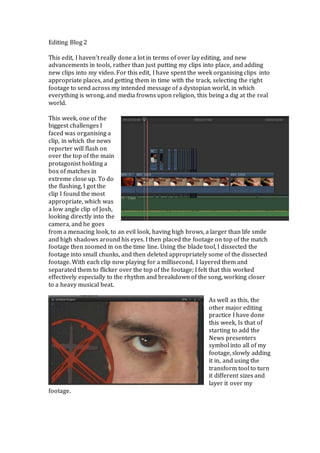
This week, one of the 
biggest challenges I 
faced was organising a 
clip, in which the news 
reporter will flash on 
over the top of the main 
protagonist holding a 
box of matches in 
extreme close up. To do 
the flashing, I got the 
clip I found the most 
appropriate, which was 
a low angle clip of Josh, 
looking directly into the 
camera, and he goes 
from a menacing look, to an evil look, having high brows, a larger than life smile 
and high shadows around his eyes. I then placed the footage on top of the match 
footage then zoomed in on the time line. Using the blade tool, I dissected the 
footage into small chunks, and then deleted appropriately some of the dissected 
footage. With each clip now playing for a millisecond, I layered them and 
separated them to flicker over the top of the footage; I felt that this worked 
effectively especially to the rhythm and breakdown of the song, working closer 
to a heavy musical beat. 
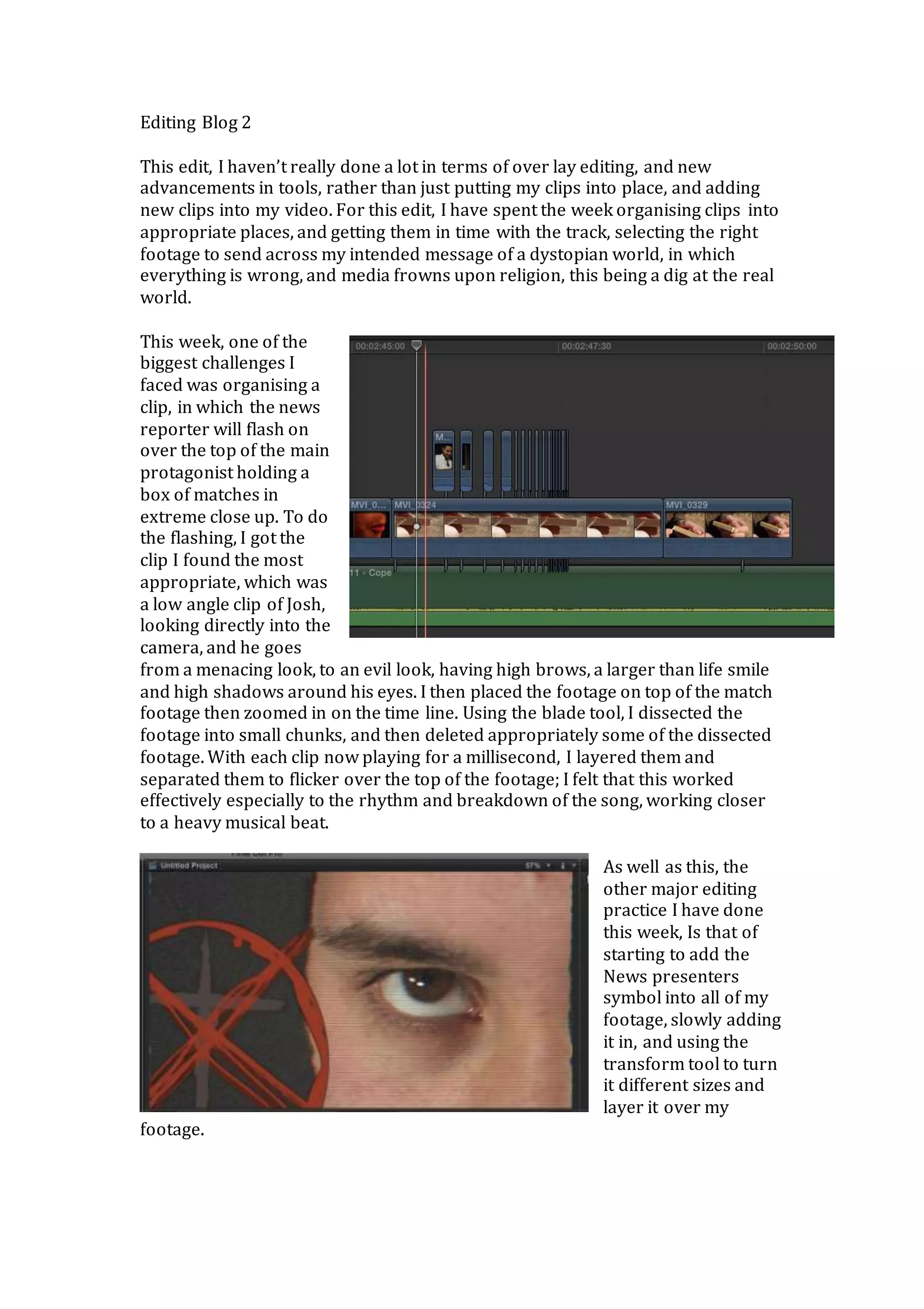
As well as this, the 
other major editing 
practice I have done 
this week, Is that of 
starting to add the 
News presenters 
symbol into all of my 
footage, slowly adding 
it in, and using the 
transform tool to turn 
it different sizes and 
layer it over my 
footage.
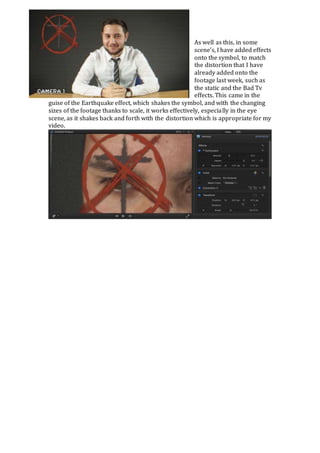
As well as this, in some 
scene’s, I have added effects 
onto the symbol, to match 
the distortion that I have 
already added onto the 
footage last week, such as 
the static and the Bad Tv 
effects. This came in the 
guise of the Earthquake effect, which shakes the symbol, and with the changing 
sizes of the footage thanks to scale, it works effectively, especially in the eye 
scene, as it shakes back and forth with the distortion which is appropriate for my 
video.

Editing blog 2

  • 1.
    Editing Blog 2 This edit, I haven’t really done a lot in terms of over lay editing, and new advancements in tools, rather than just putting my clips into place, and adding new clips into my video. For this edit, I have spent the week organising clips into appropriate places, and getting them in time with the track, selecting the right footage to send across my intended message of a dystopian world, in which everything is wrong, and media frowns upon religion, this being a dig at the real world. This week, one of the biggest challenges I faced was organising a clip, in which the news reporter will flash on over the top of the main protagonist holding a box of matches in extreme close up. To do the flashing, I got the clip I found the most appropriate, which was a low angle clip of Josh, looking directly into the camera, and he goes from a menacing look, to an evil look, having high brows, a larger than life smile and high shadows around his eyes. I then placed the footage on top of the match footage then zoomed in on the time line. Using the blade tool, I dissected the footage into small chunks, and then deleted appropriately some of the dissected footage. With each clip now playing for a millisecond, I layered them and separated them to flicker over the top of the footage; I felt that this worked effectively especially to the rhythm and breakdown of the song, working closer to a heavy musical beat. As well as this, the other major editing practice I have done this week, Is that of starting to add the News presenters symbol into all of my footage, slowly adding it in, and using the transform tool to turn it different sizes and layer it over my footage.
  • 2.
    As well asthis, in some scene’s, I have added effects onto the symbol, to match the distortion that I have already added onto the footage last week, such as the static and the Bad Tv effects. This came in the guise of the Earthquake effect, which shakes the symbol, and with the changing sizes of the footage thanks to scale, it works effectively, especially in the eye scene, as it shakes back and forth with the distortion which is appropriate for my video.