
SQL SERVER ONAWS RDSANDAMAZON EC2
ANIL ERDURAN
Partner Solutions Architect
AWS
RYAN POTHECARY
Senior Consultant
AWS
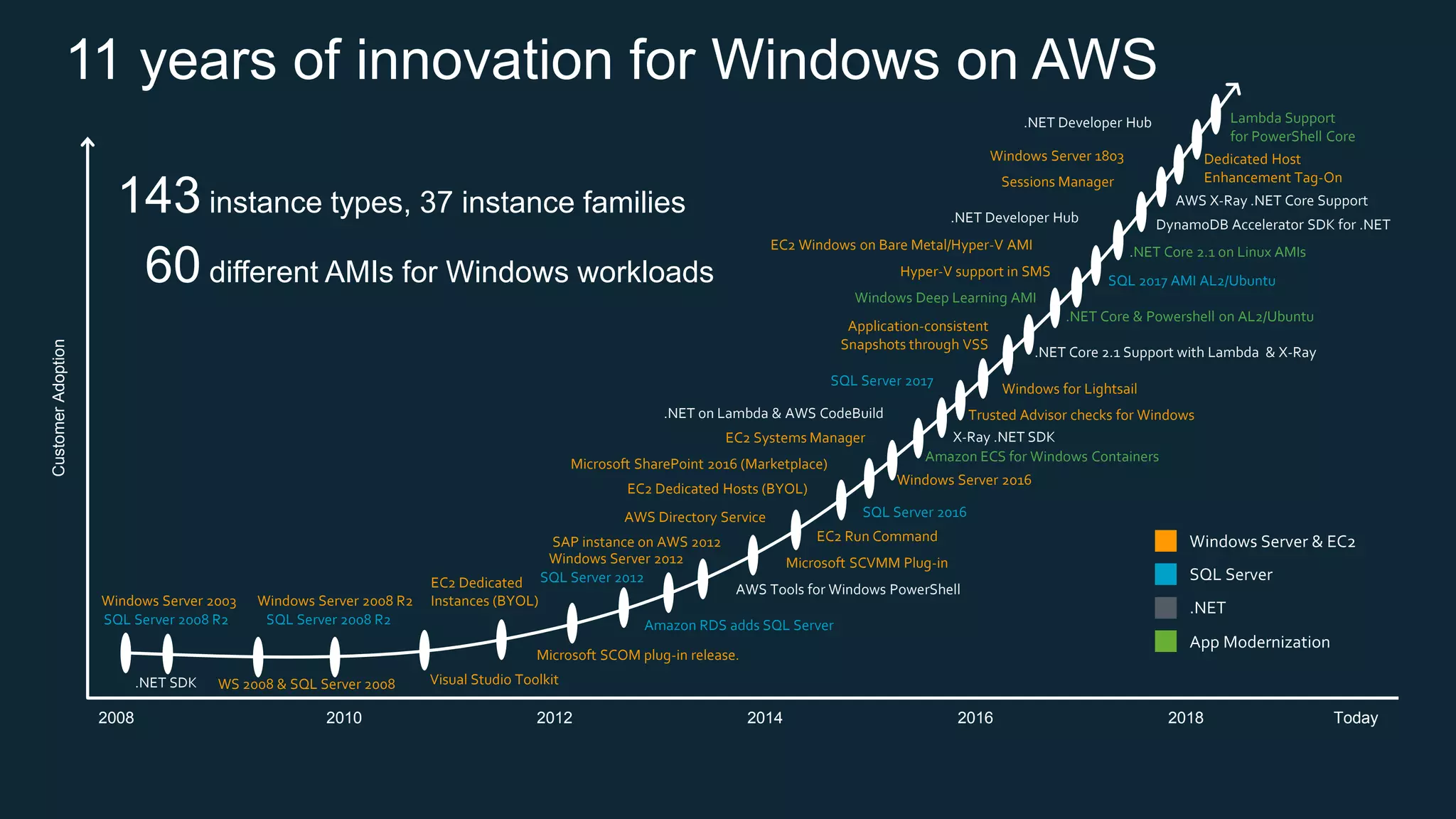
11 years of innovation for Windows on AWSCustomerAdoption
2008
Visual Studio Toolkit
Microsoft SCOM plug-in release.
Microsoft SharePoint 2016 (Marketplace)
Microsoft SCVMM Plug-in
SAP instance on AWS 2012
Trusted Advisor checks for Windows
Hyper-V support in SMS
Windows for Lightsail
Application-consistent
Snapshots through VSS
AWS Directory Service
Sessions Manager
Dedicated Host
Enhancement Tag-On
EC2 Dedicated Hosts (BYOL)
EC2 Run Command
EC2 Systems Manager
EC2 Dedicated
Instances (BYOL)
EC2 Windows on Bare Metal/Hyper-V AMI
WS 2008 & SQL Server 2008
Windows Server 2008 R2
Windows Server 2012
Windows Server 2016
Windows Server 1803
Windows Server 2003
SQL 2017 AMI AL2/Ubuntu
Amazon RDS adds SQL Server
SQL Server 2017
SQL Server 2012
SQL Server 2008 R2
SQL Server 2016
SQL Server 2008 R2
2010 2012 2014 2016 2018 Today
143 instance types, 37 instance families
60 different AMIs for Windows workloads
.NET Core & Powershell on AL2/Ubuntu
Windows Deep Learning AMI
.NET Core 2.1 on Linux AMIs
Lambda Support
for PowerShell Core
Amazon ECS for Windows Containers
AWS Tools for Windows PowerShell
.NET SDK
DynamoDB Accelerator SDK for .NET
.NET on Lambda & AWS CodeBuild
.NET Core 2.1 Support with Lambda & X-Ray
X-Ray .NET SDK
.NET Developer Hub
AWS X-Ray .NET Core Support
.NET Developer Hub
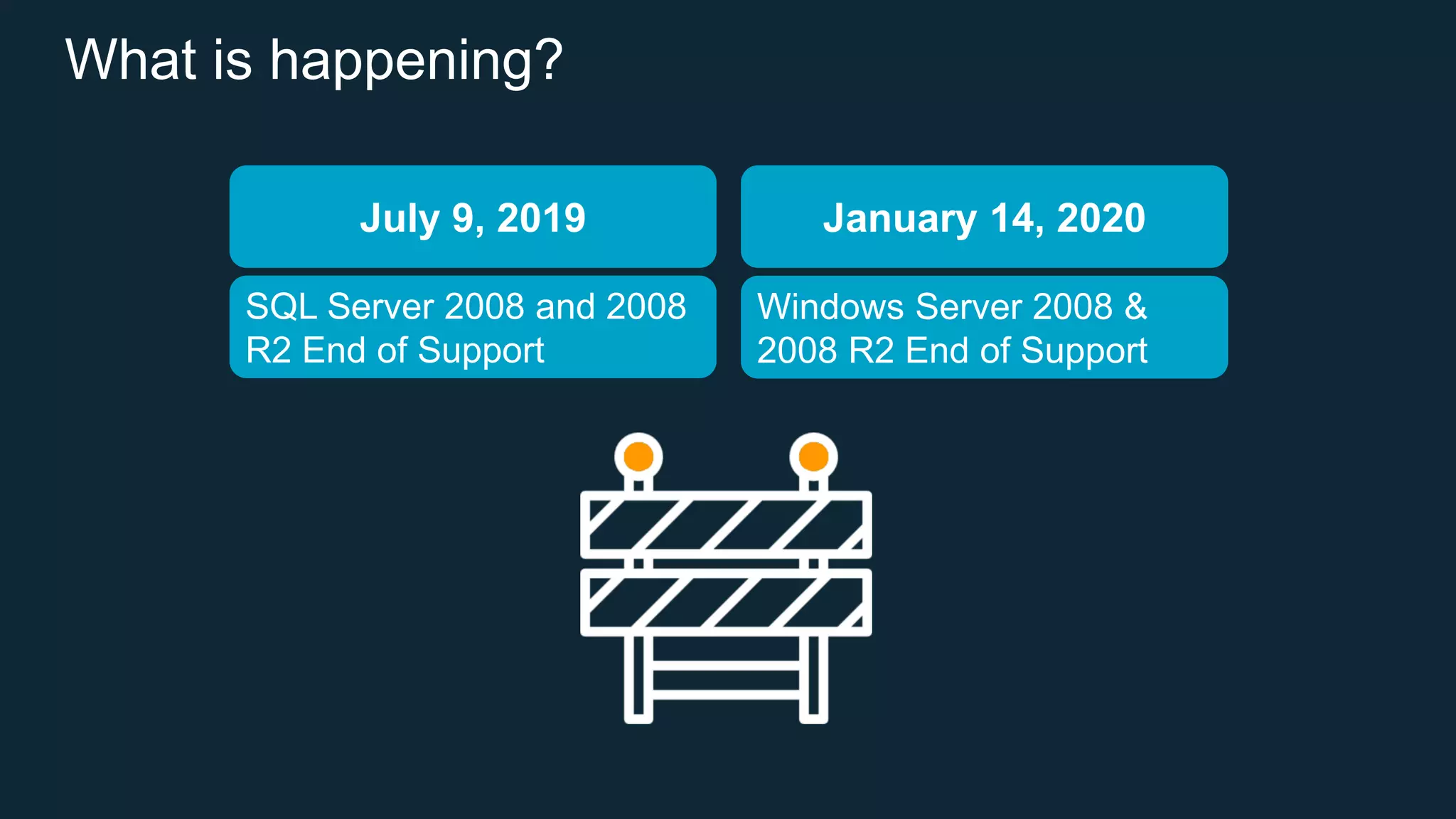
What is happening?
July 9, 2019 January 14, 2020
SQL Server 2008 and 2008
R2 End of Support
Windows Server 2008 &
2008 R2 End of Support
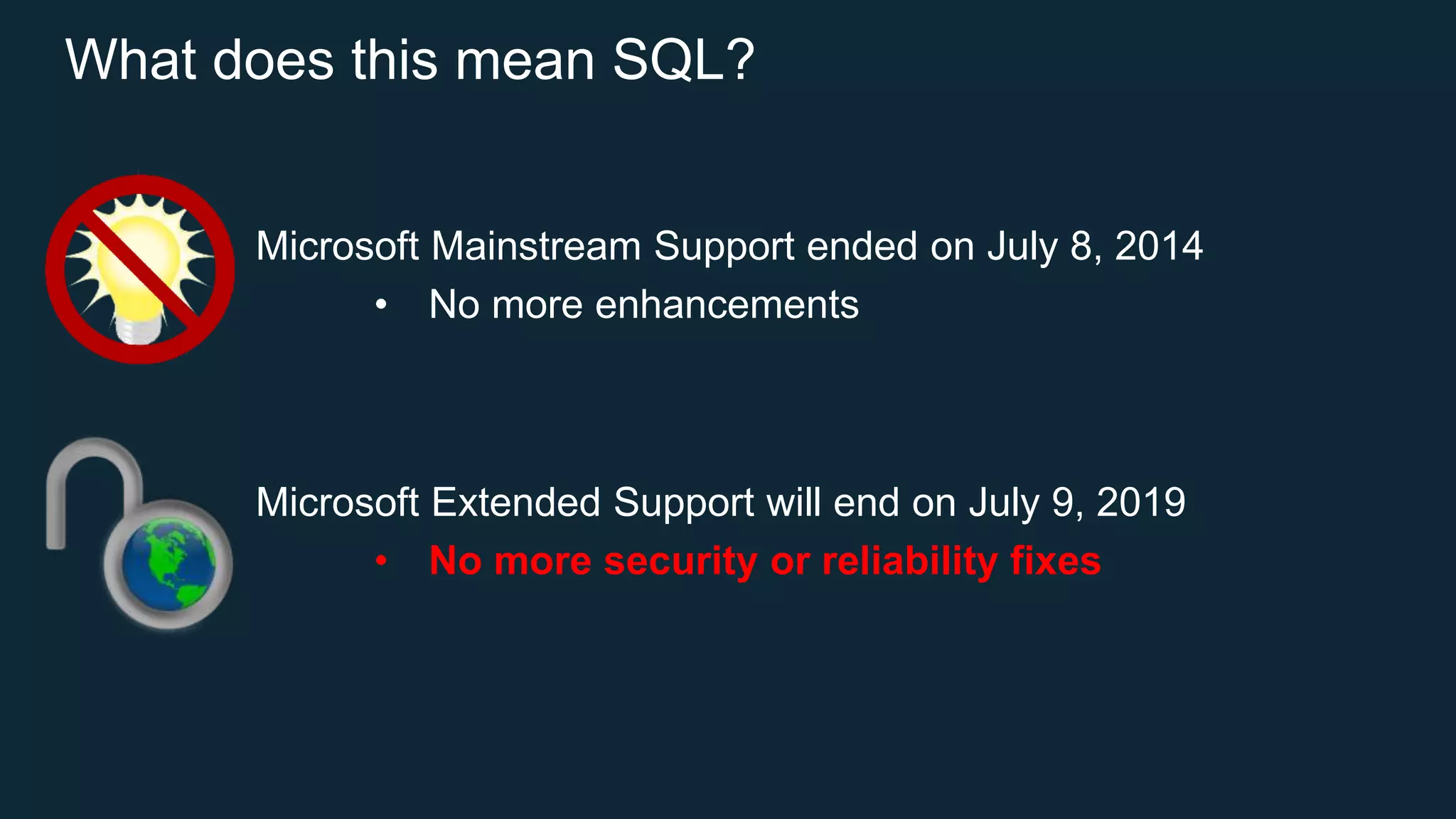
What does this mean SQL?
Microsoft Mainstream Support ended on July 8, 2014
• No more enhancements
Microsoft Extended Support will end on July 9, 2019
• No more security or reliability fixes
Where can I run my SQL
Server workloads on AWS?
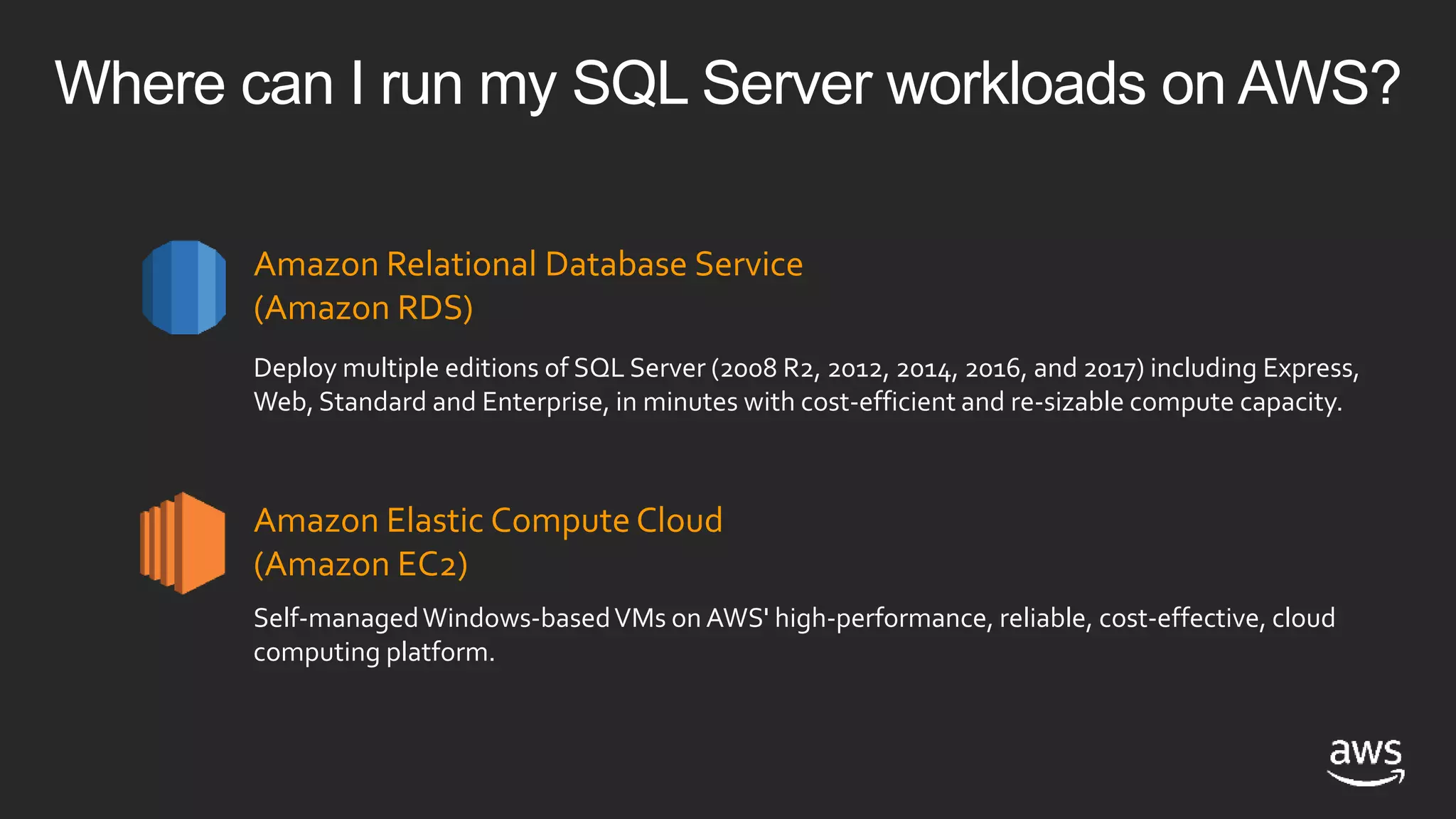
Where can I run my SQL Server workloads on AWS?
Amazon Relational Database Service
(Amazon RDS)
Amazon Elastic Compute Cloud
(Amazon EC2)
Deploy multiple editions of SQL Server (2008 R2, 2012, 2014, 2016, and 2017) including Express,
Web, Standard and Enterprise, in minutes with cost-efficient and re-sizable compute capacity.
Self-managedWindows-basedVMs on AWS' high-performance, reliable, cost-effective, cloud
computing platform.
Amazon RDS for SQL Server SQL Server on Amazon EC2
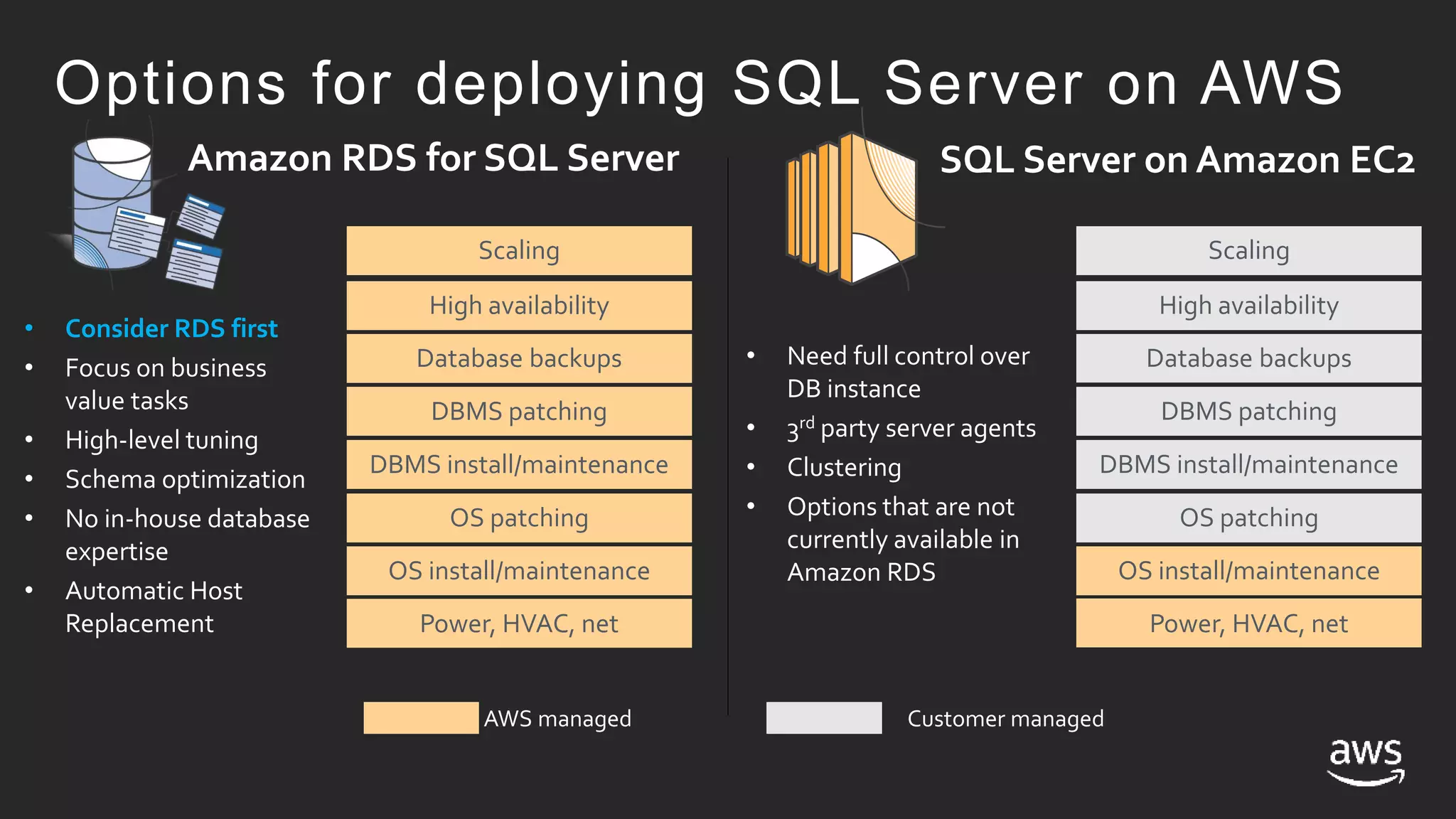
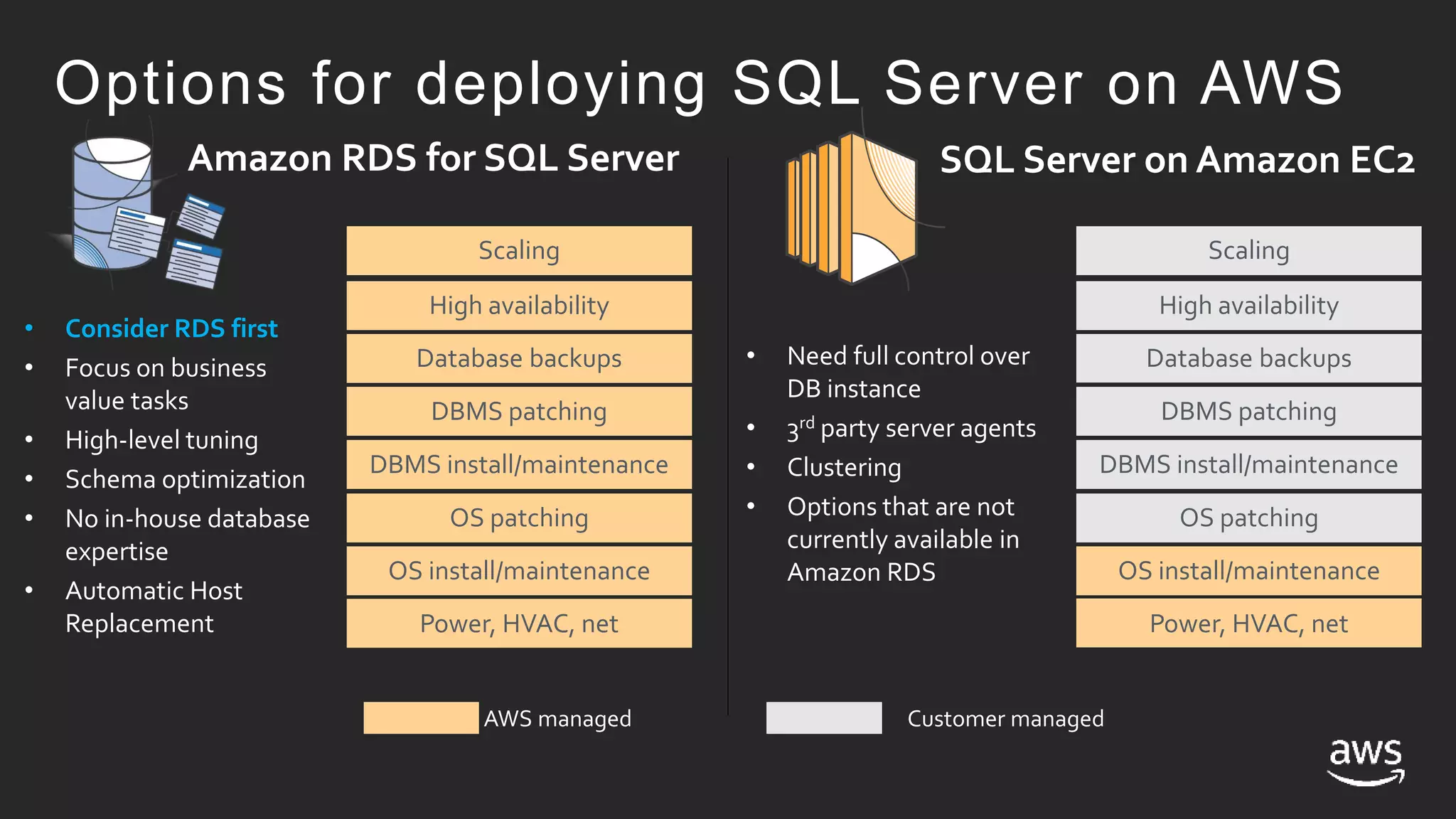
Options for deploying SQL Server on AWS
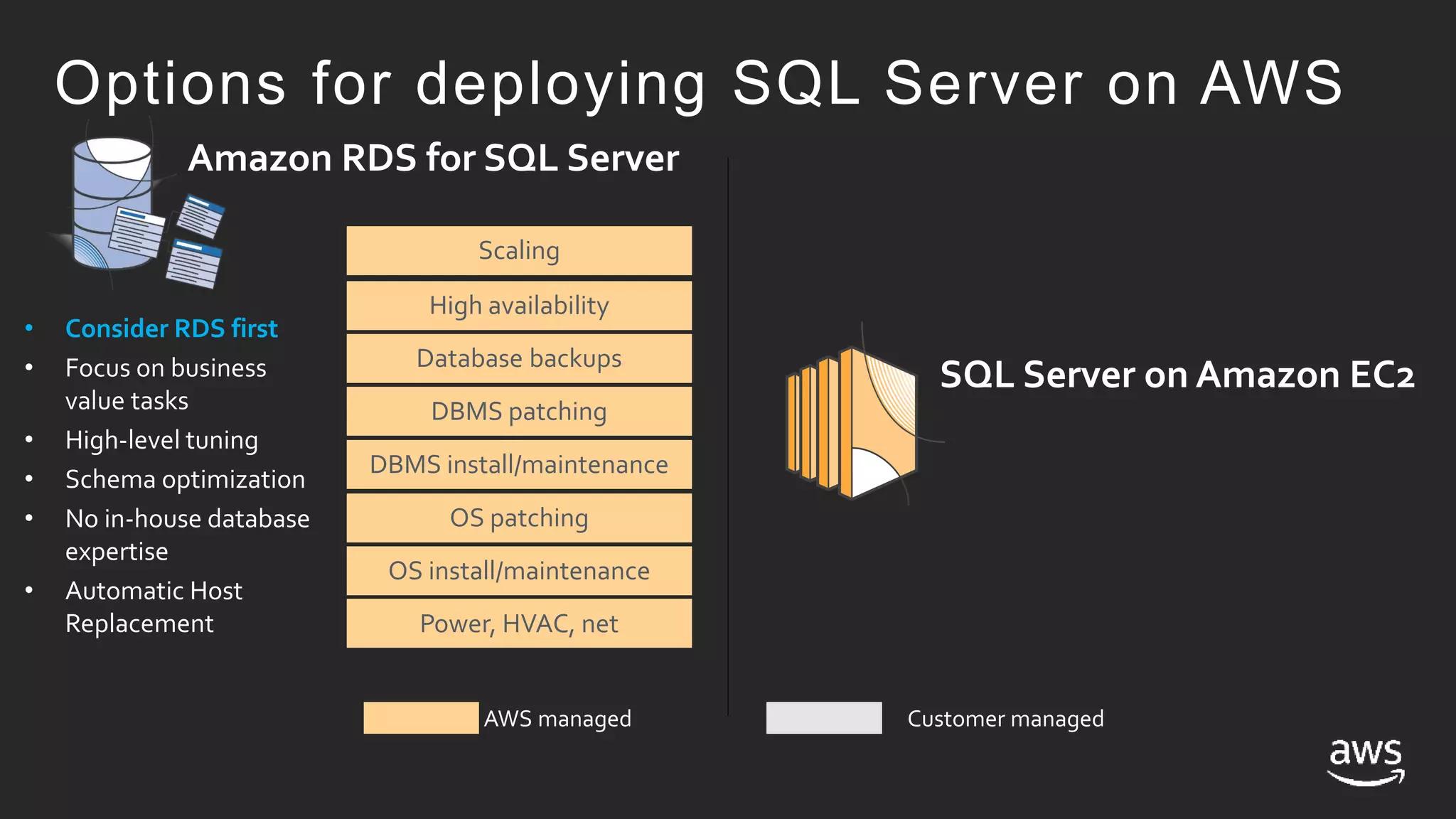
Amazon RDS for SQL Server
Power, HVAC, net
OS install/maintenance
OS patching
DBMS install/maintenance
DBMS patching
Database backups
High availability
Scaling
AWS managed Customer managed
• Consider RDS first
• Focus on business
value tasks
• High-level tuning
• Schema optimization
• No in-house database
expertise
• Automatic Host
Replacement
Options for deploying SQL Server on AWS
SQL Server on Amazon EC2
Amazon RDS for SQL Server SQL Server on Amazon EC2
Power, HVAC, net
OS install/maintenance
OS patching
DBMS install/maintenance
DBMS patching
Database backups
High availability
Scaling
AWS managed Customer managed
Power, HVAC, net
OS install/maintenance
OS patching
DBMS install/maintenance
DBMS patching
Database backups
High availability
Scaling
• Consider RDS first
• Focus on business
value tasks
• High-level tuning
• Schema optimization
• No in-house database
expertise
• Automatic Host
Replacement
• Need full control over
DB instance
• 3rd party server agents
• Clustering
• Options that are not
currently available in
Amazon RDS
Options for deploying SQL Server on AWS
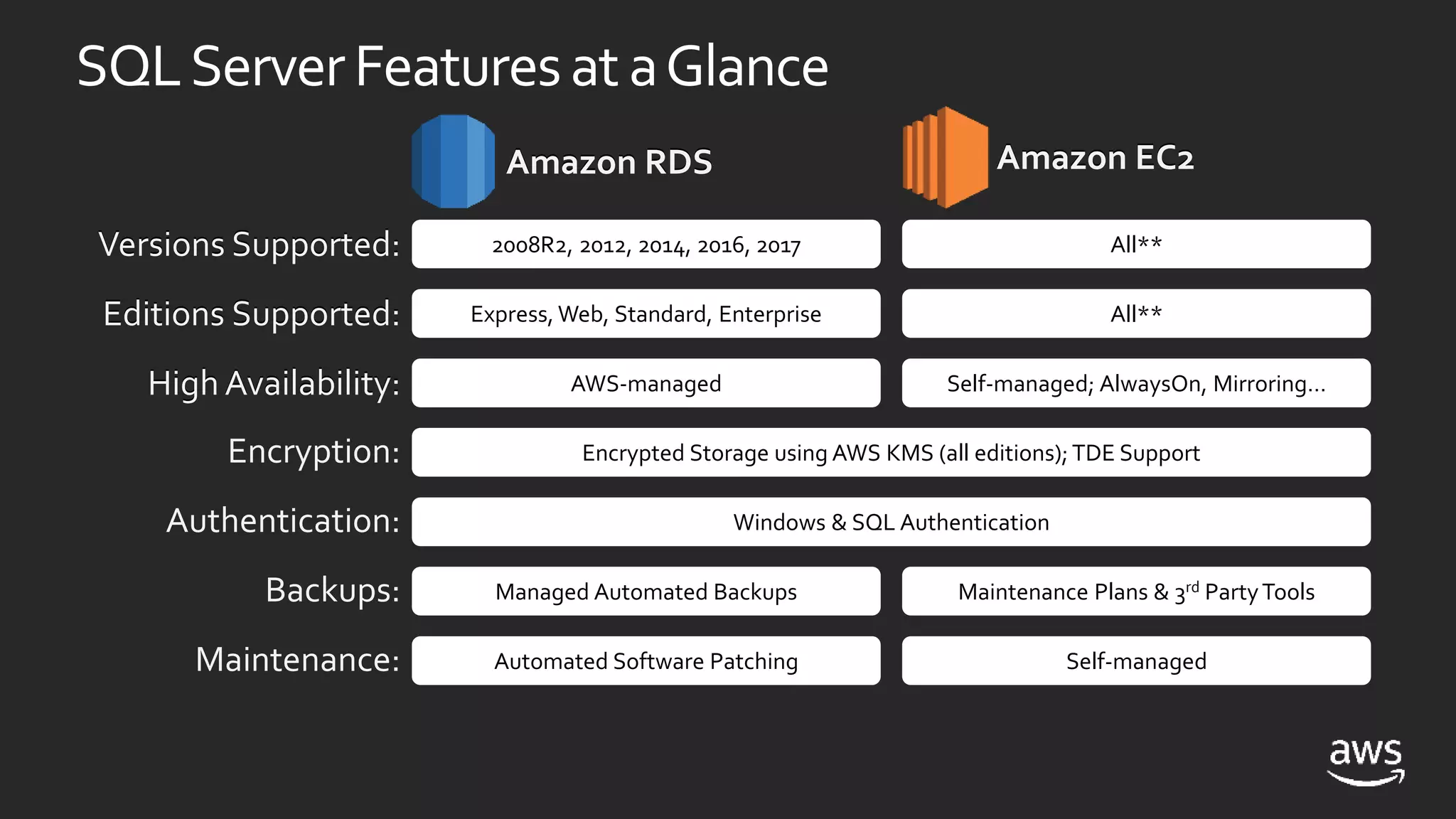
SQLServerFeaturesat aGlance
2008R2, 2012, 2014, 2016, 2017Versions Supported:
Editions Supported:
High Availability:
Encryption:
Authentication:
Backups:
Maintenance:
Express, Web, Standard, Enterprise
All**
All**
AWS-managed
Encrypted Storage using AWS KMS (all editions); TDE Support
Self-managed; AlwaysOn, Mirroring…
Windows & SQL Authentication
Managed Automated Backups Maintenance Plans & 3rd PartyTools
Automated Software Patching Self-managed
Versions Supported:
Editions Supported:
High Availability:
Amazon RDS Amazon EC2Amazon RDS Amazon EC2
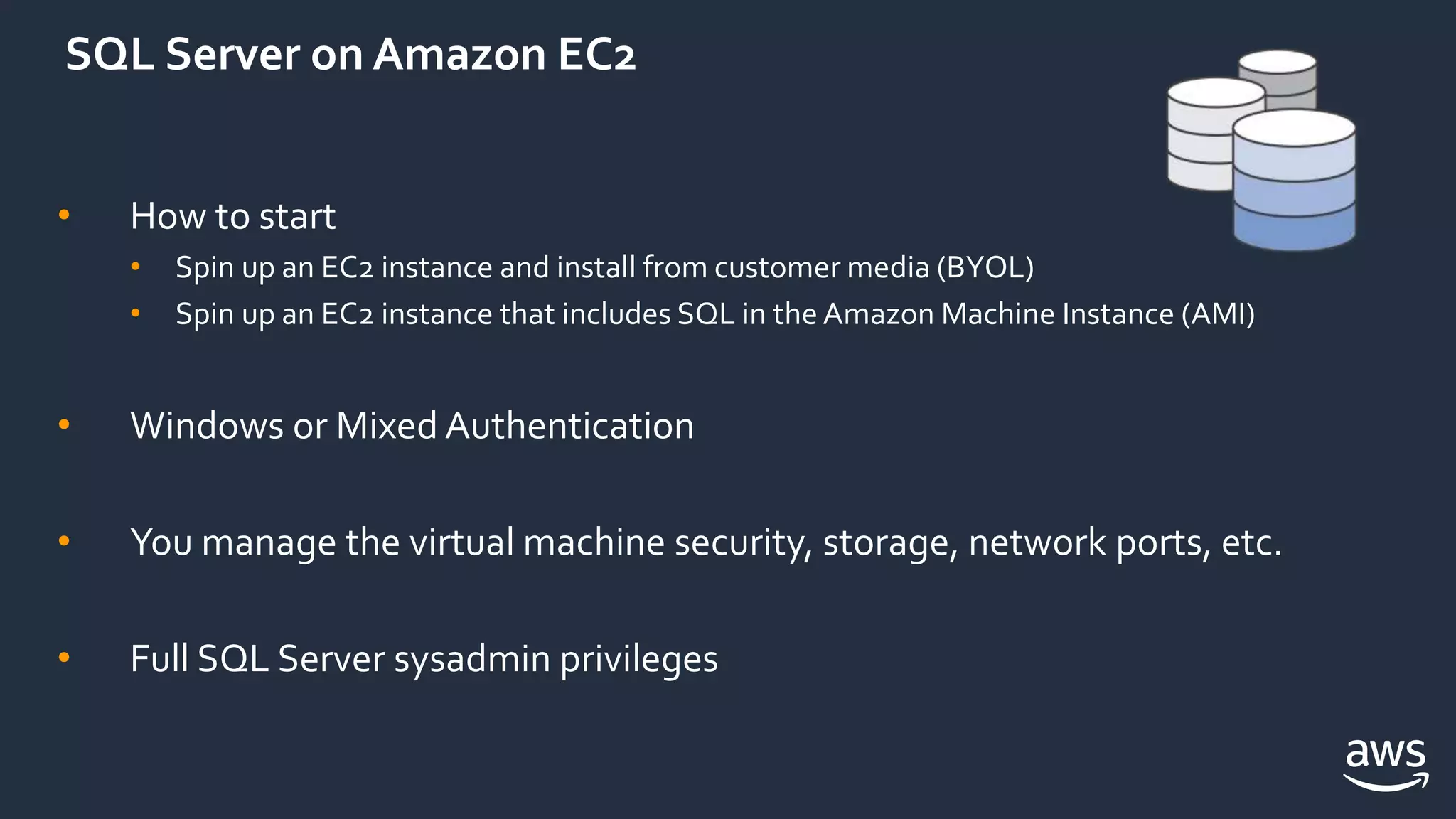
SQL Server on Amazon EC2
• How to start
• Spin up an EC2 instance and install from customer media (BYOL)
• Spin up an EC2 instance that includes SQL in the Amazon Machine Instance (AMI)
• Windows or Mixed Authentication
• You manage the virtual machine security, storage, network ports, etc.
• Full SQL Server sysadmin privileges
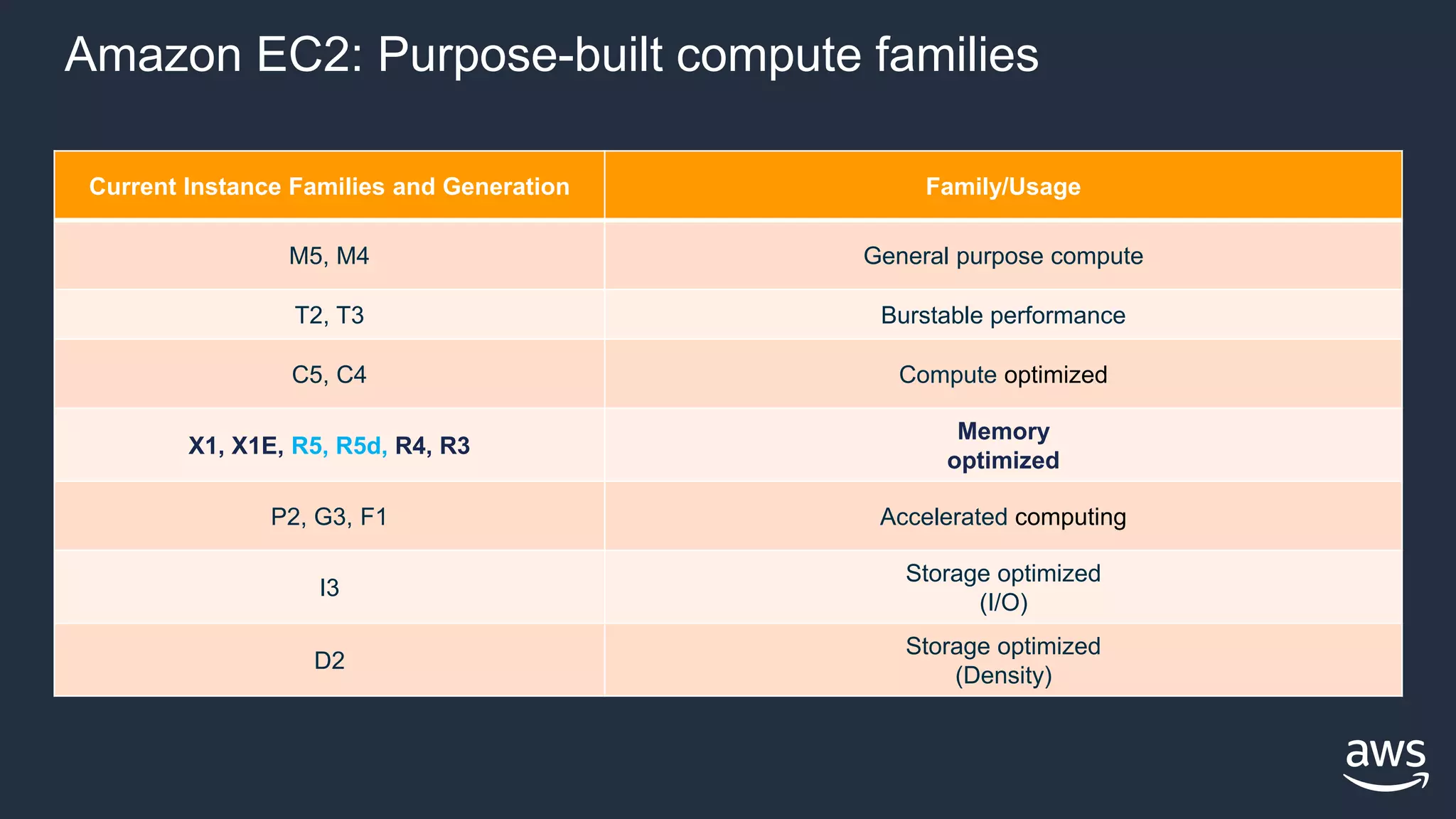
Amazon EC2: Purpose-built compute families
Current Instance Families and Generation Family/Usage
M5, M4 General purpose compute
T2, T3 Burstable performance
C5, C4 Compute optimized
X1, X1E, R5, R5d, R4, R3
Memory
optimized
P2, G3, F1 Accelerated computing
I3
Storage optimized
(I/O)
D2
Storage optimized
(Density)
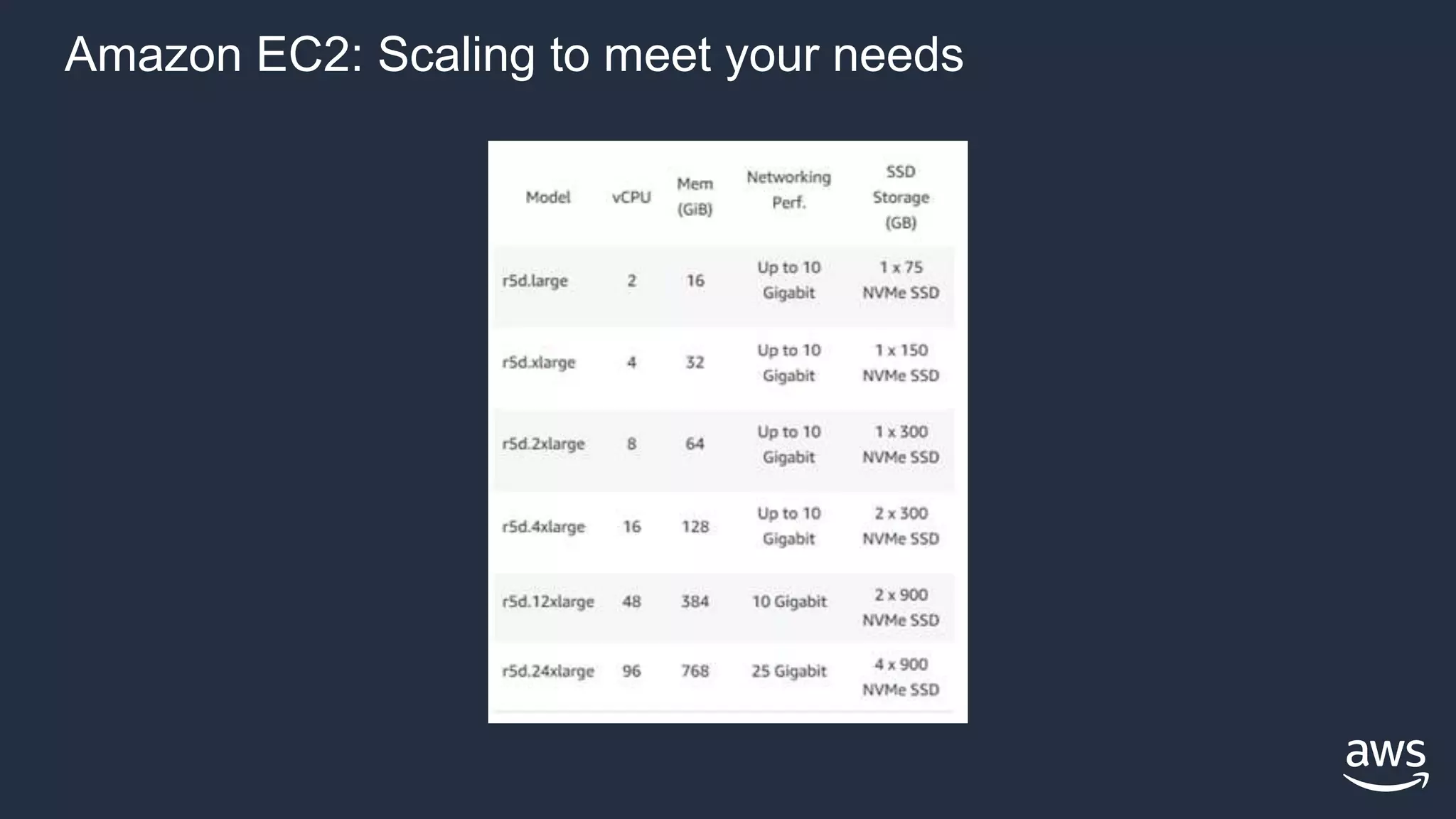
Amazon EC2: Scaling to meet your needs
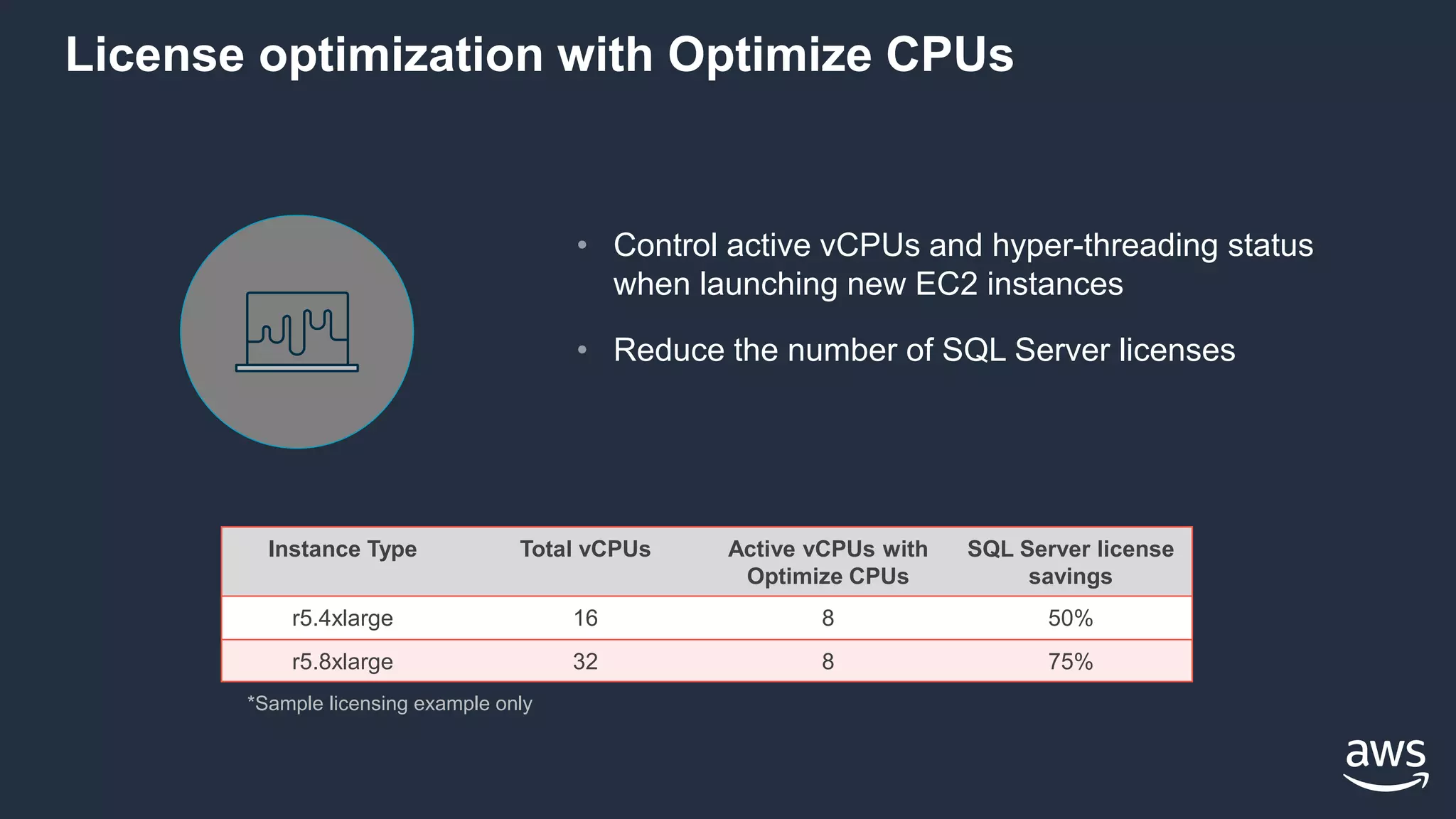
License optimization with Optimize CPUs
• Control active vCPUs and hyper-threading status
when launching new EC2 instances
• Reduce the number of SQL Server licenses
*Sample licensing example only
Instance Type Total vCPUs Active vCPUs with
Optimize CPUs
SQL Server license
savings
r5.4xlarge 16 8 50%
r5.8xlarge 32 8 75%
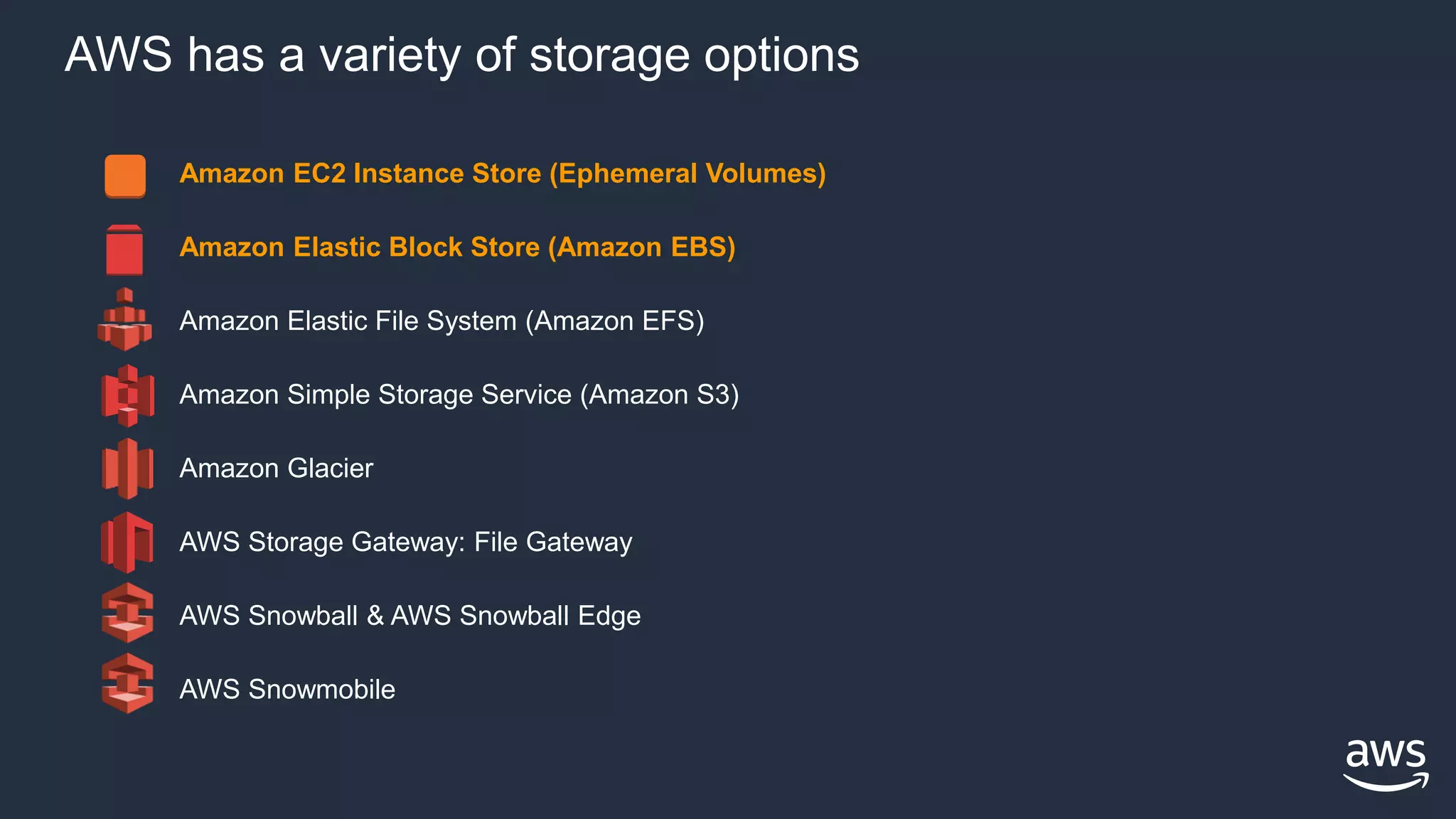
AWS has a variety of storage options
Amazon EC2 Instance Store (Ephemeral Volumes)
Amazon Elastic Block Store (Amazon EBS)
Amazon Elastic File System (Amazon EFS)
Amazon Simple Storage Service (Amazon S3)
Amazon Glacier
AWS Storage Gateway: File Gateway
AWS Snowball & AWS Snowball Edge
AWS Snowmobile
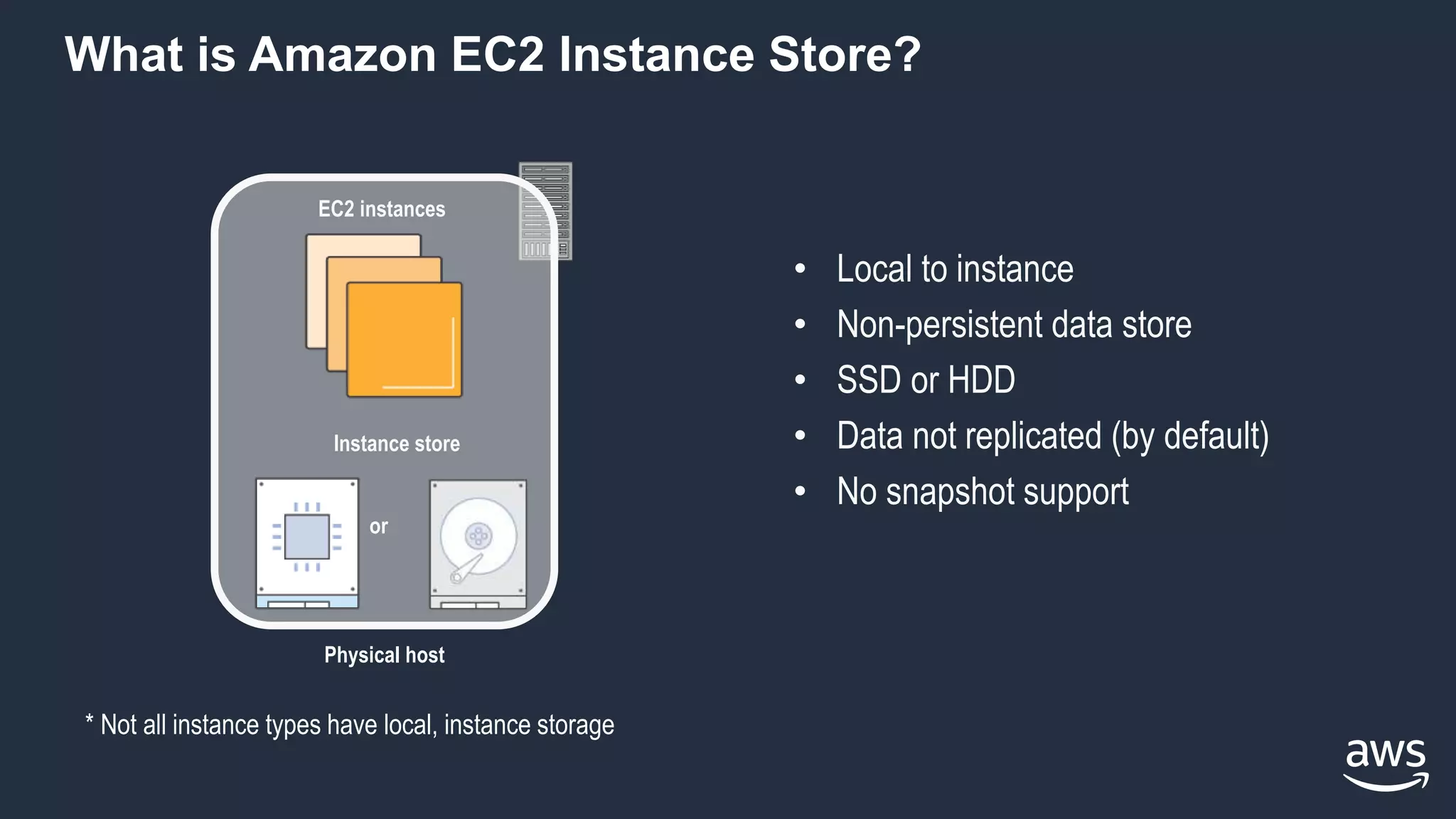
What is Amazon EC2 Instance Store?
• Local to instance
• Non-persistent data store
• SSD or HDD
• Data not replicated (by default)
• No snapshot support
EC2 instances
Physical host
Instance store
or
* Not all instance types have local, instance storage
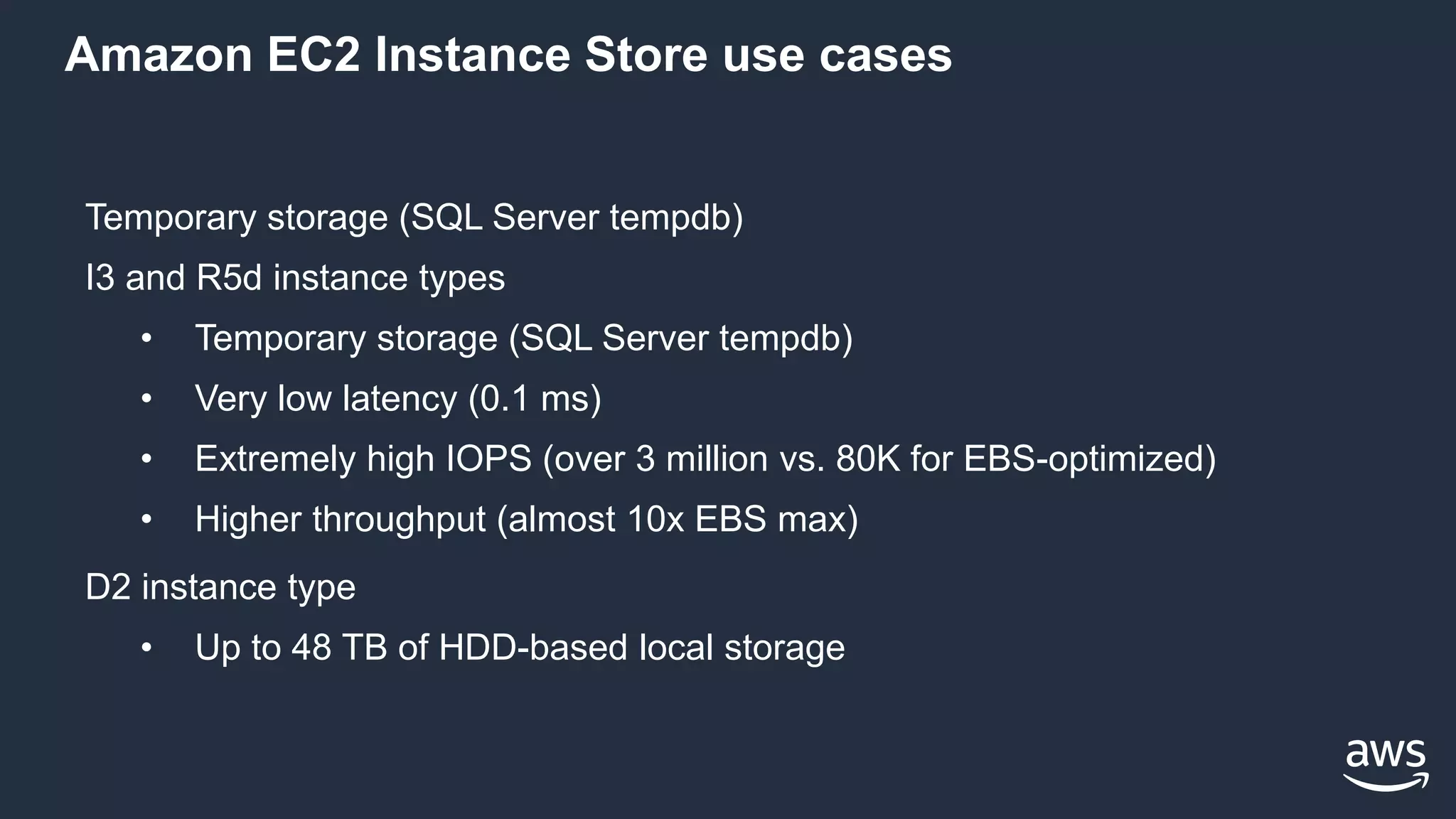
Amazon EC2 Instance Store use cases
Temporary storage (SQL Server tempdb)
I3 and R5d instance types
• Temporary storage (SQL Server tempdb)
• Very low latency (0.1 ms)
• Extremely high IOPS (over 3 million vs. 80K for EBS-optimized)
• Higher throughput (almost 10x EBS max)
D2 instance type
• Up to 48 TB of HDD-based local storage
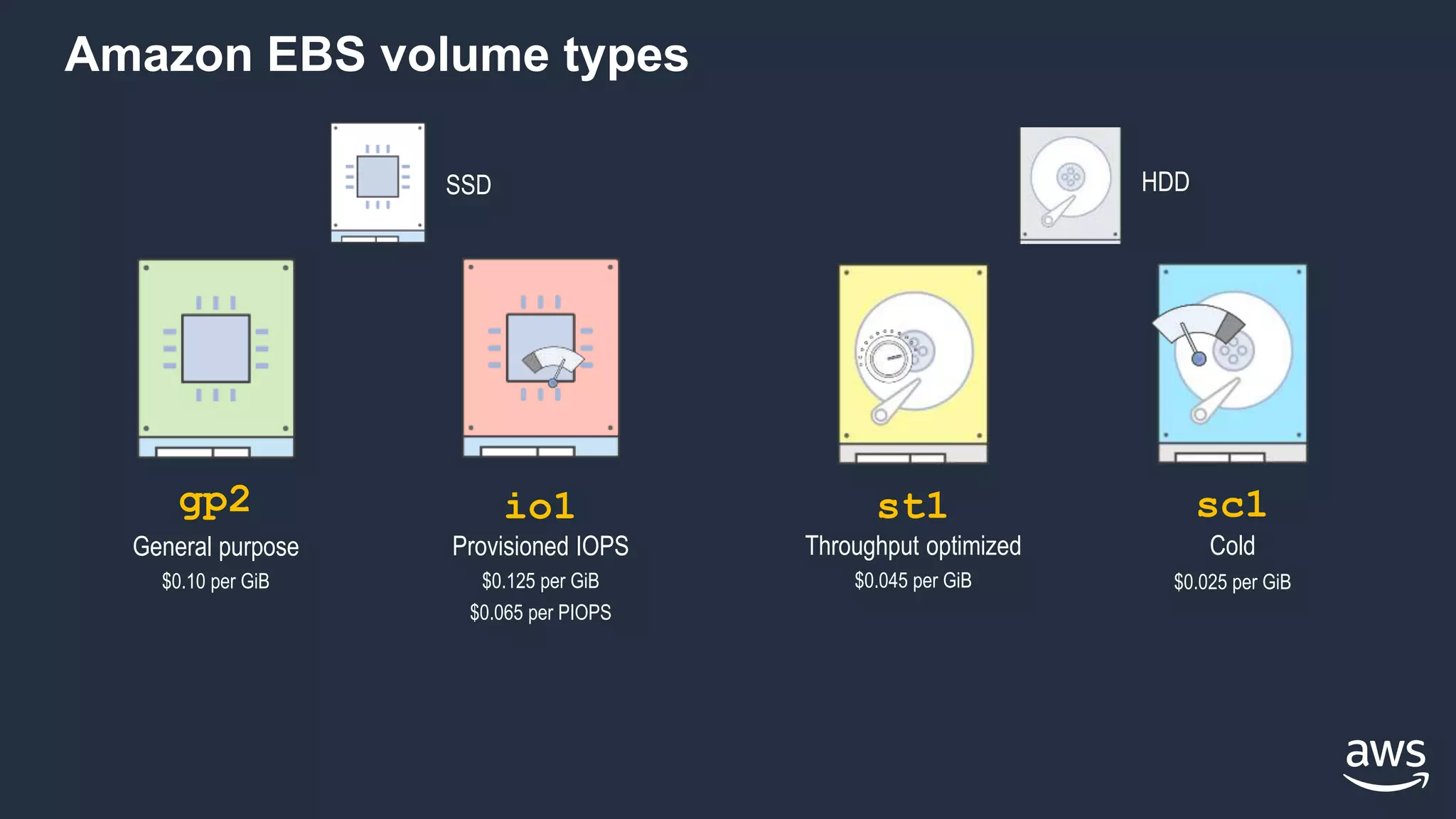
Amazon EBS volume types
HDDSSD
Provisioned IOPS
$0.125 per GiB
$0.065 per PIOPS
io1
General purpose
$0.10 per GiB
gp2
Throughput optimized
$0.045 per GiB
st1 sc1
Cold
$0.025 per GiB
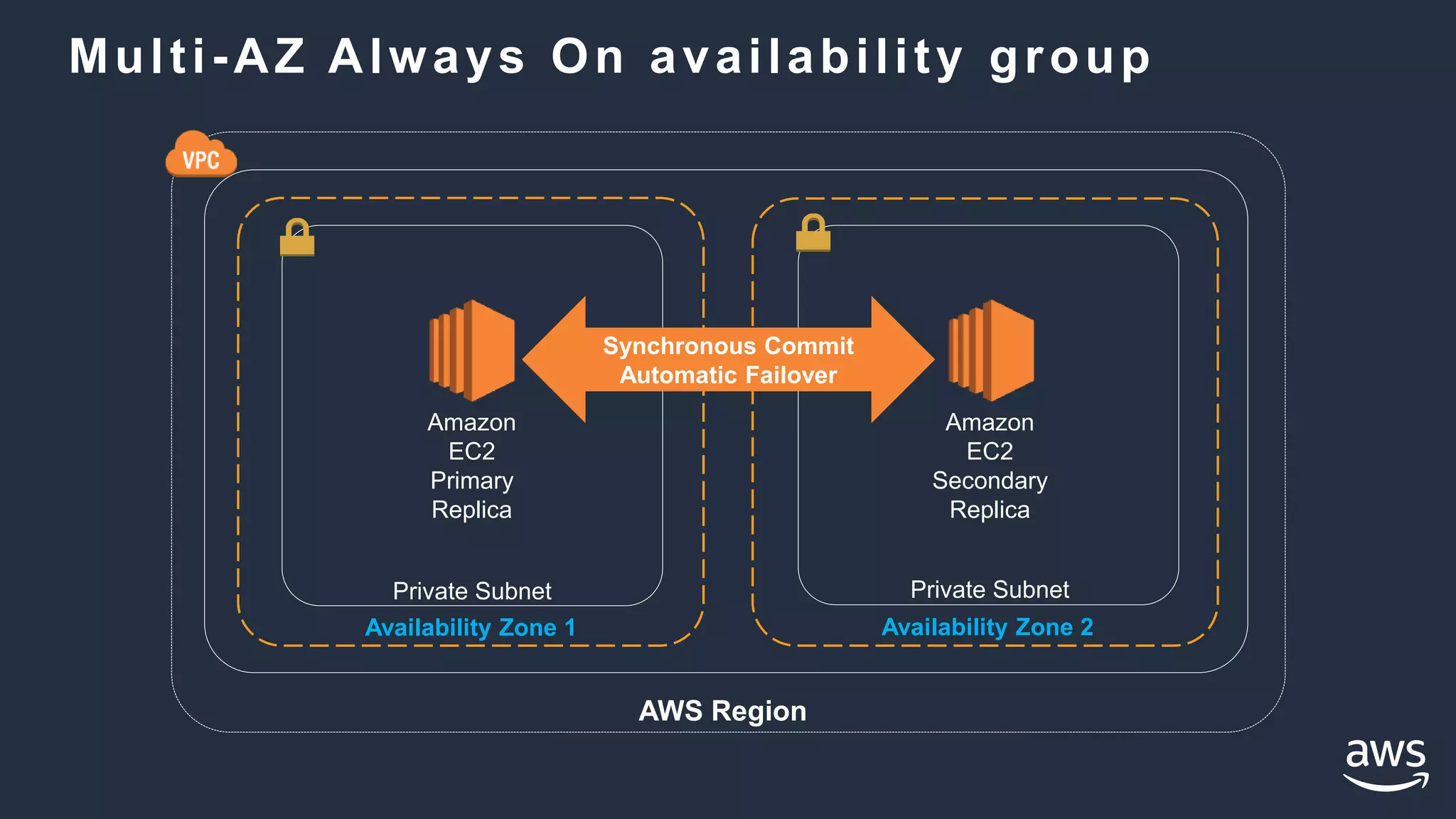
Multi-AZ Always On availability group
Availability Zone 1
Private Subnet
Availability Zone 2
Private Subnet
AWS Region
Amazon
EC2
Primary
Replica
Amazon
EC2
Secondary
Replica
Synchronous Commit
Automatic Failover
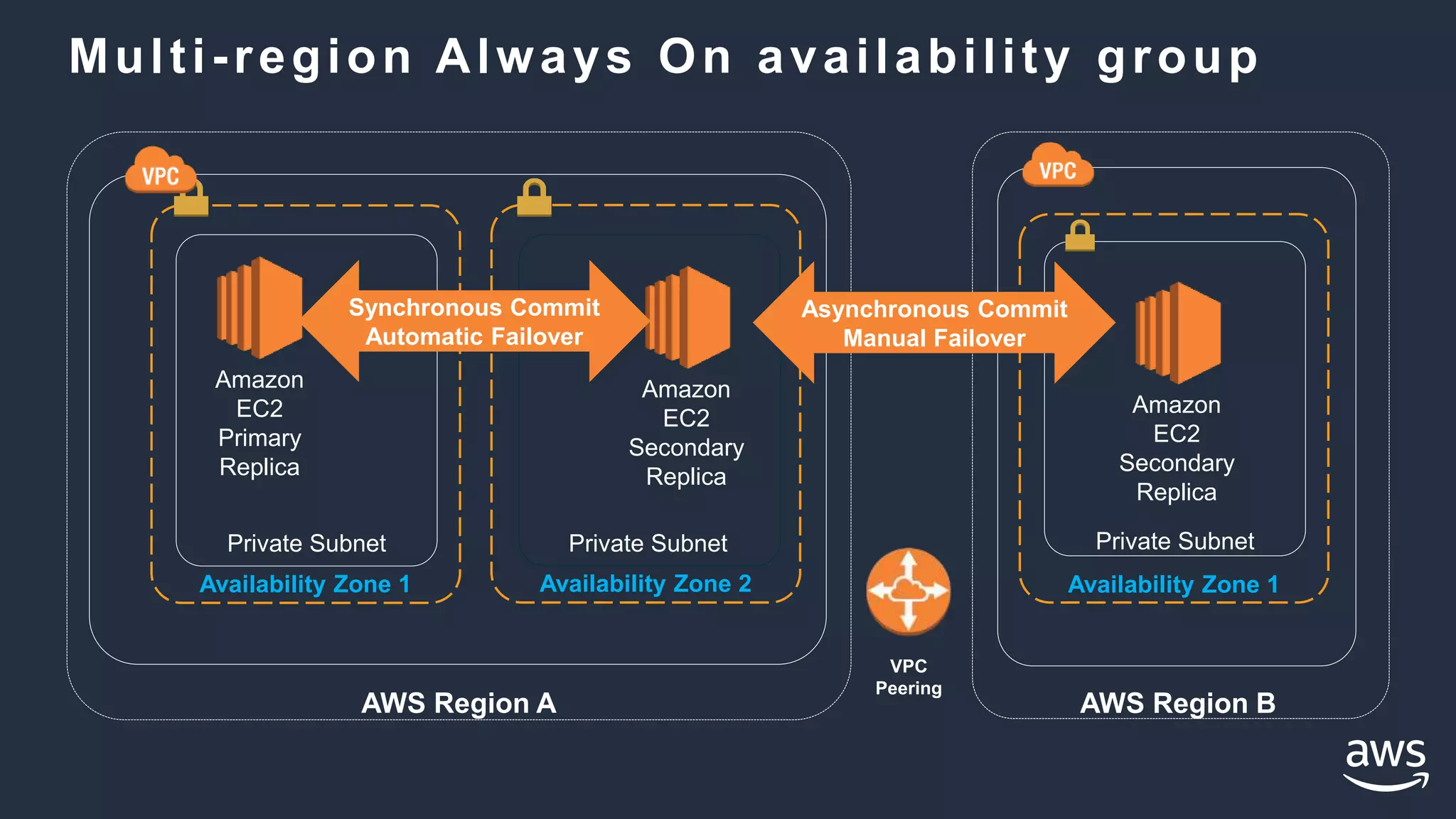
Multi-region Always On availability group
Availability Zone 1
Private Subnet
AWS Region A
Availability Zone 2
Private Subnet
Availability Zone 1
Private Subnet
AWS Region B
Amazon
EC2
Primary
Replica
Amazon
EC2
Secondary
Replica
Amazon
EC2
Secondary
Replica
Synchronous Commit
Automatic Failover
Asynchronous Commit
Manual Failover
VPC
Peering
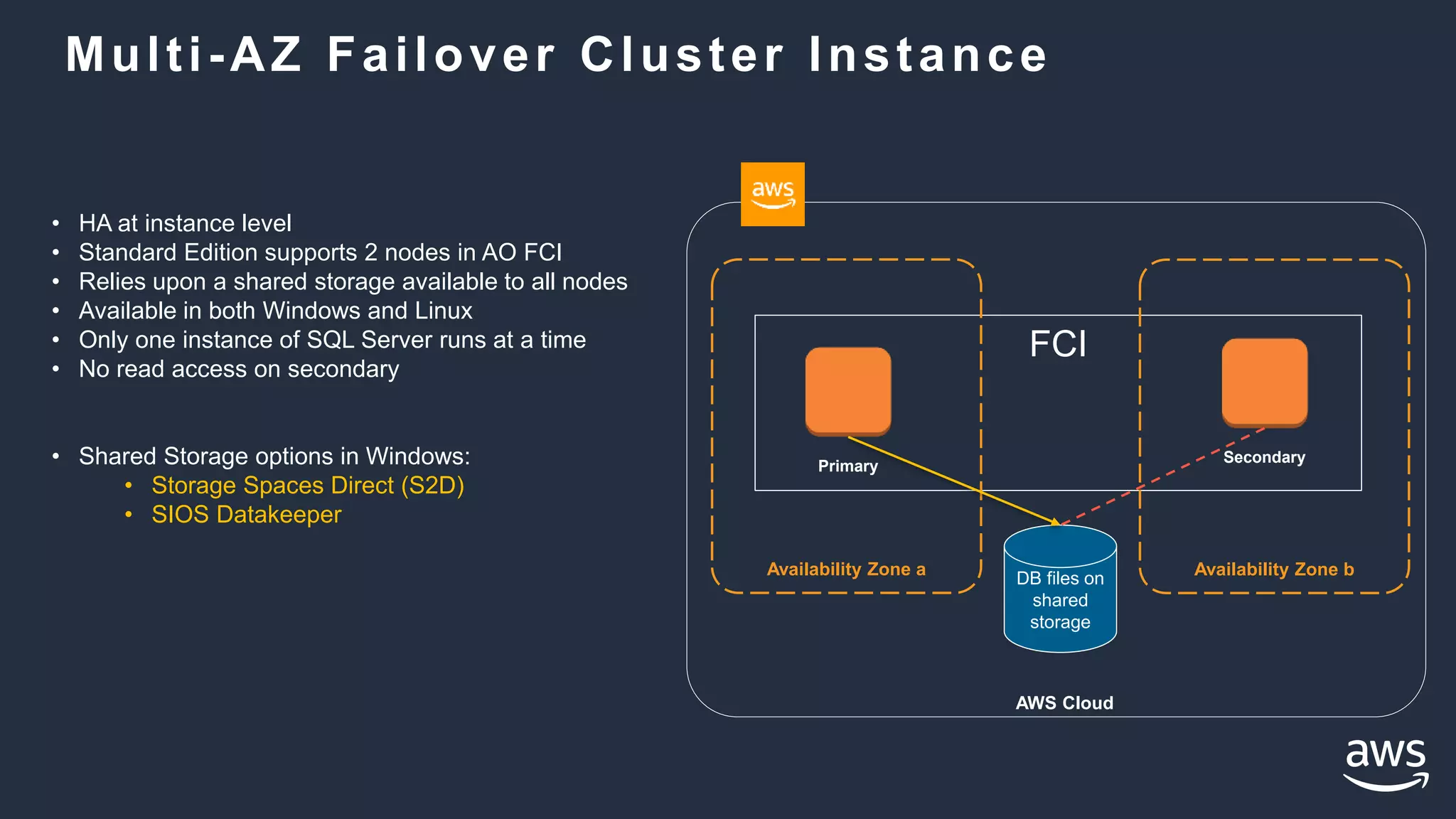
FCI
Multi-AZ Failover Cluster Instance
AWS Cloud
Availability Zone a Availability Zone bDB files on
shared
storage
Primary
Secondary
• HA at instance level
• Standard Edition supports 2 nodes in AO FCI
• Relies upon a shared storage available to all nodes
• Available in both Windows and Linux
• Only one instance of SQL Server runs at a time
• No read access on secondary
• Shared Storage options in Windows:
• Storage Spaces Direct (S2D)
• SIOS Datakeeper
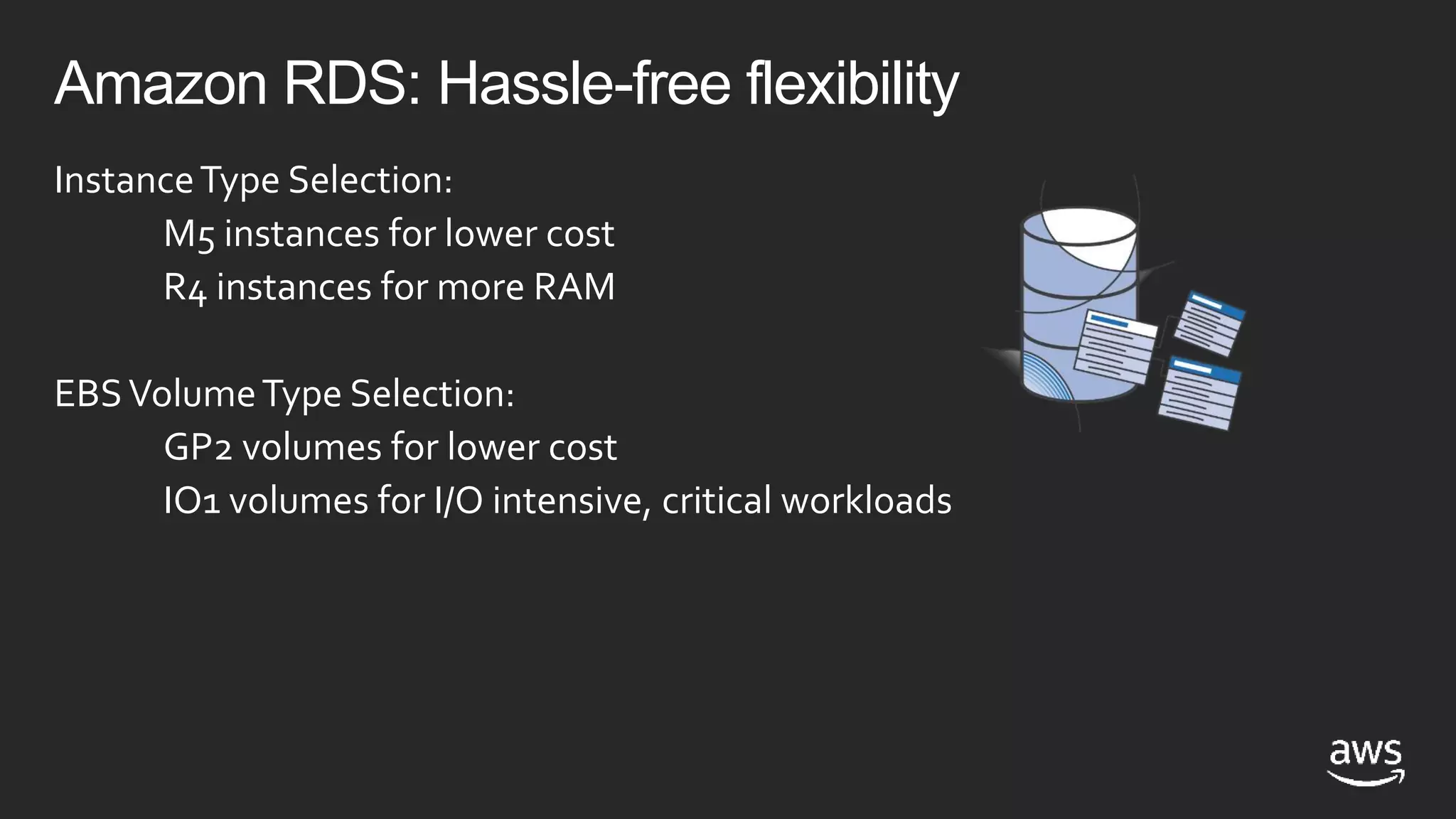
Amazon RDS: Hassle-free flexibility
InstanceType Selection:
M5 instances for lower cost
R4 instances for more RAM
EBSVolumeType Selection:
GP2 volumes for lower cost
IO1 volumes for I/O intensive, critical workloads
Amazon RDS for SQL Server SQL Server on Amazon EC2
Power, HVAC, net
OS install/maintenance
OS patching
DBMS install/maintenance
DBMS patching
Database backups
High availability
Scaling
AWS managed Customer managed
Power, HVAC, net
OS install/maintenance
OS patching
DBMS install/maintenance
DBMS patching
Database backups
High availability
Scaling
• Consider RDS first
• Focus on business
value tasks
• High-level tuning
• Schema optimization
• No in-house database
expertise
• Automatic Host
Replacement
• Need full control over
DB instance
• 3rd party server agents
• Clustering
• Options that are not
currently available in
Amazon RDS
Options for deploying SQL Server on AWS
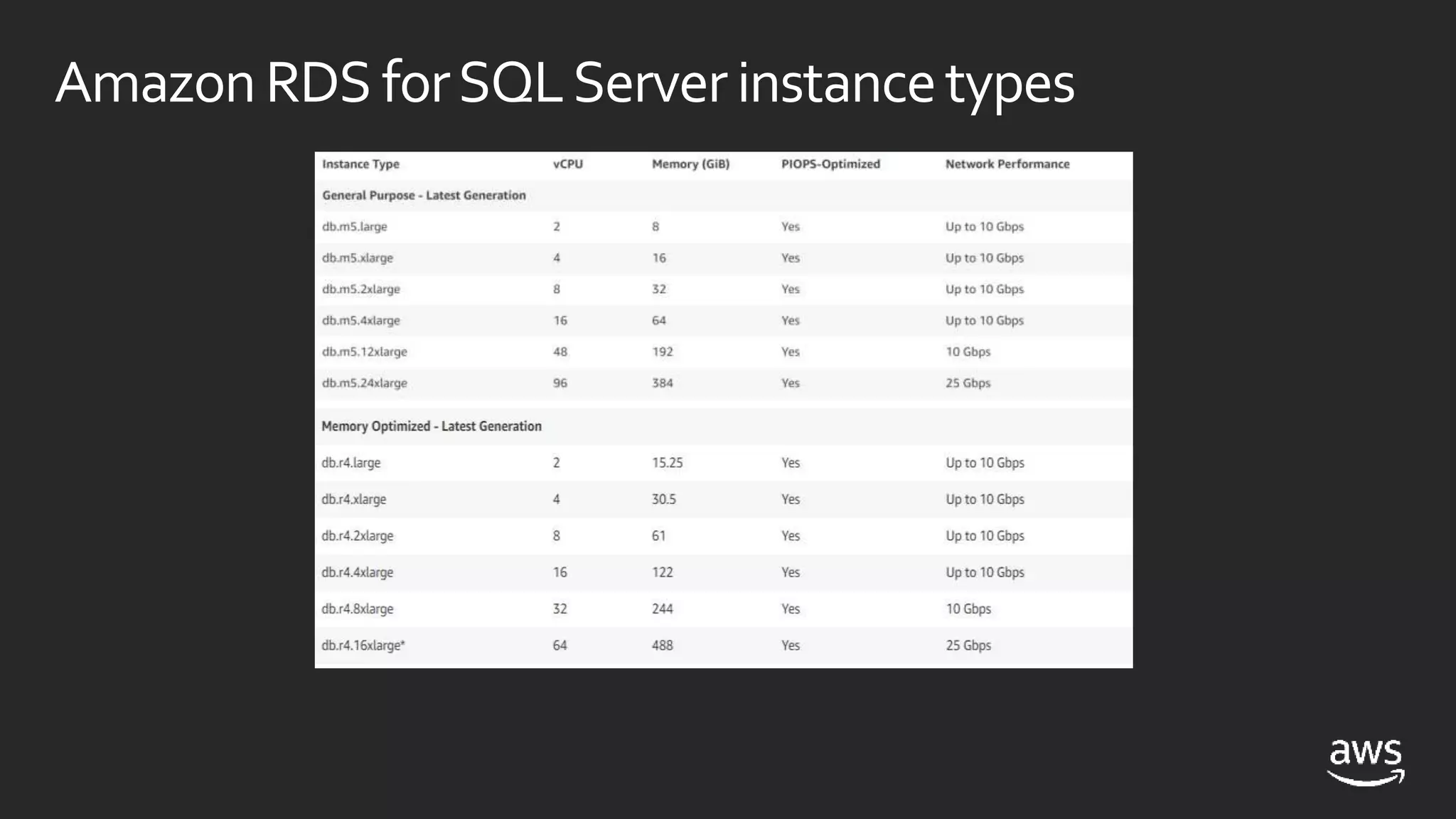
AmazonRDS forSQLServerinstancetypes
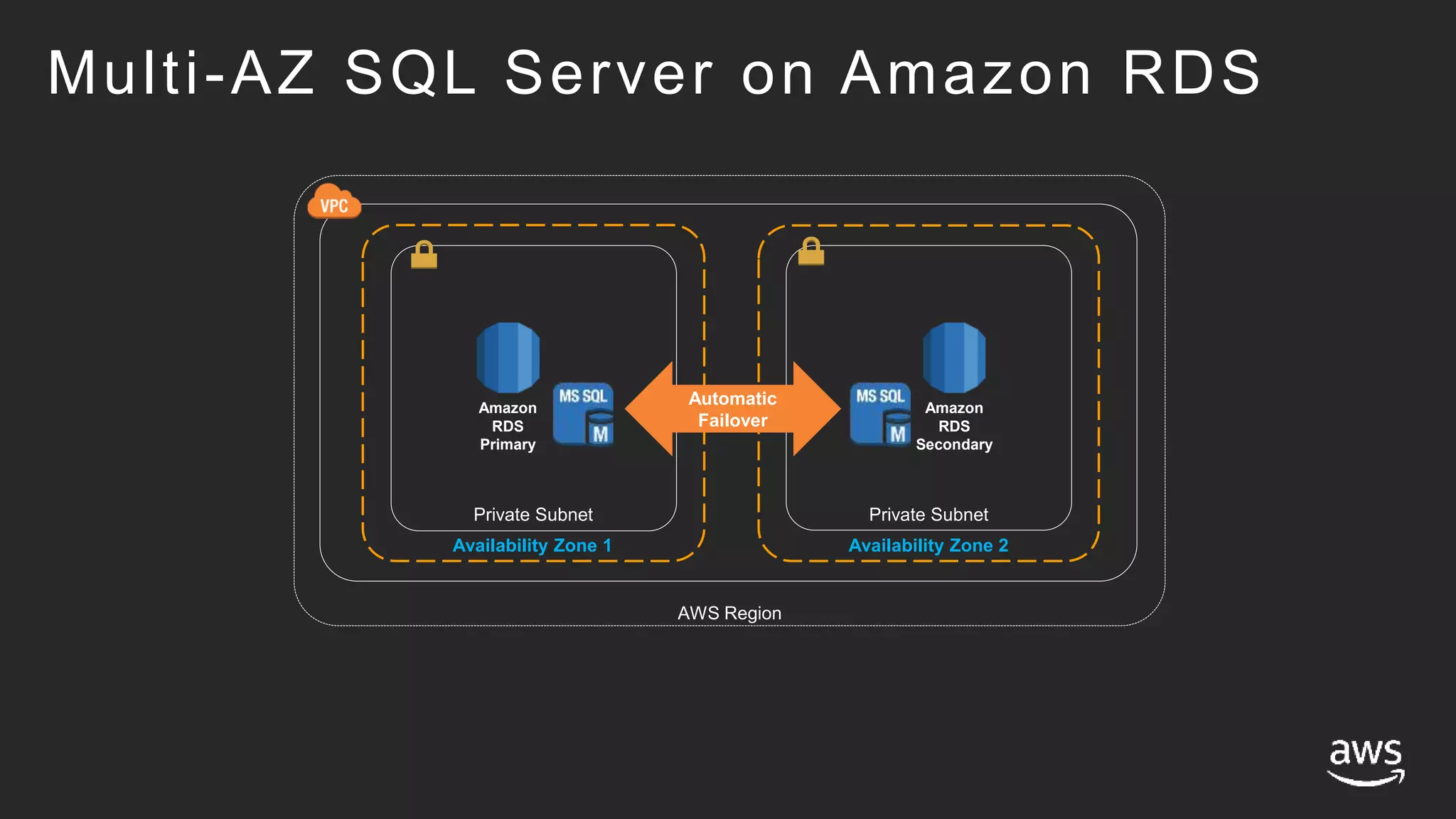
Multi-AZ SQL Server on Amazon RDS
Availability Zone 1
Private Subnet
Availability Zone 2
AWS Region
Amazon
RDS
Primary
Amazon
RDS
Secondary
Private Subnet
Automatic
Failover
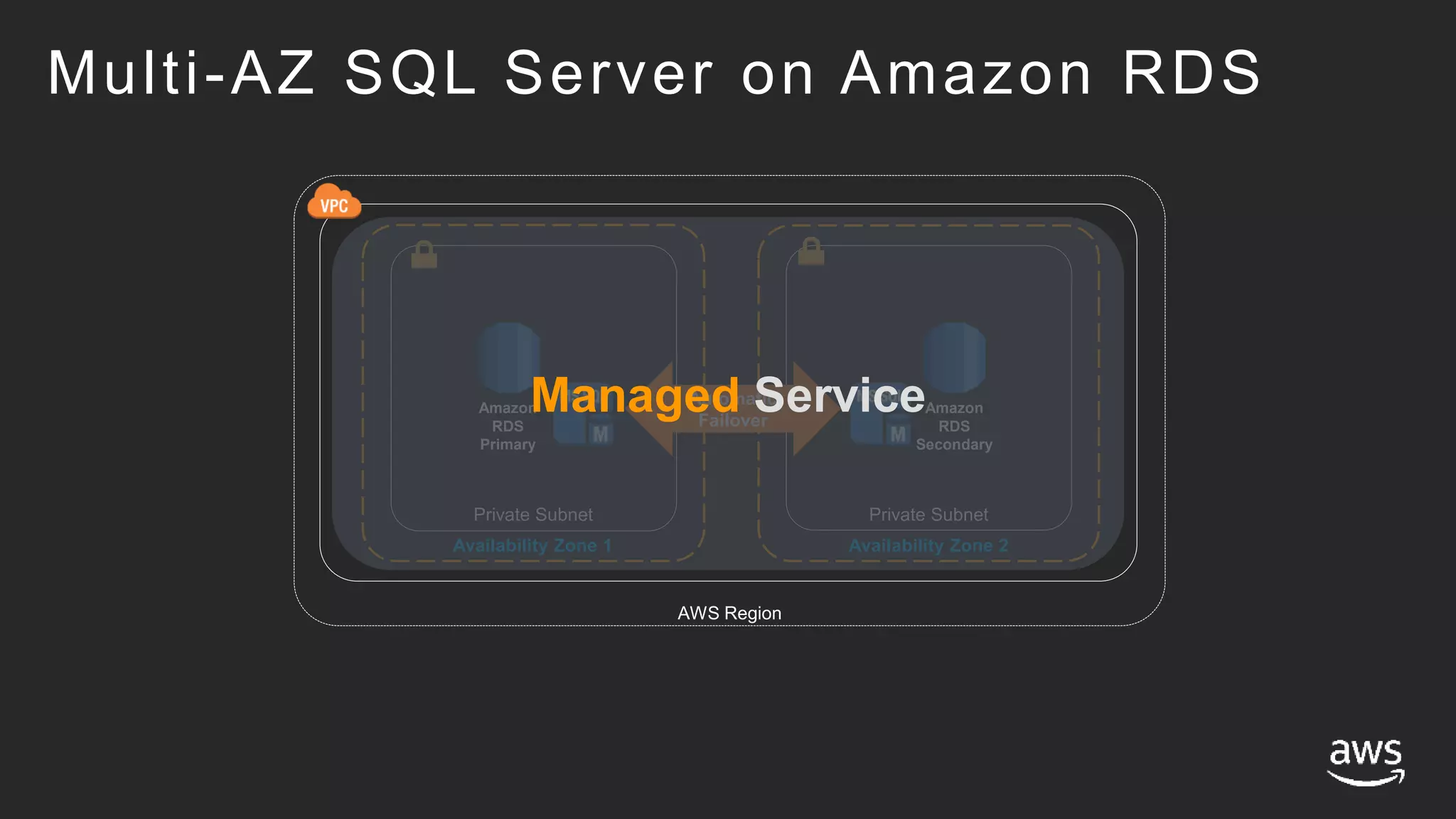
Multi-AZ SQL Server on Amazon RDS
Availability Zone 1
Private Subnet
Availability Zone 2
AWS Region
Amazon
RDS
Primary
Amazon
RDS
Secondary
Private Subnet
Automatic
Failover
Managed Service
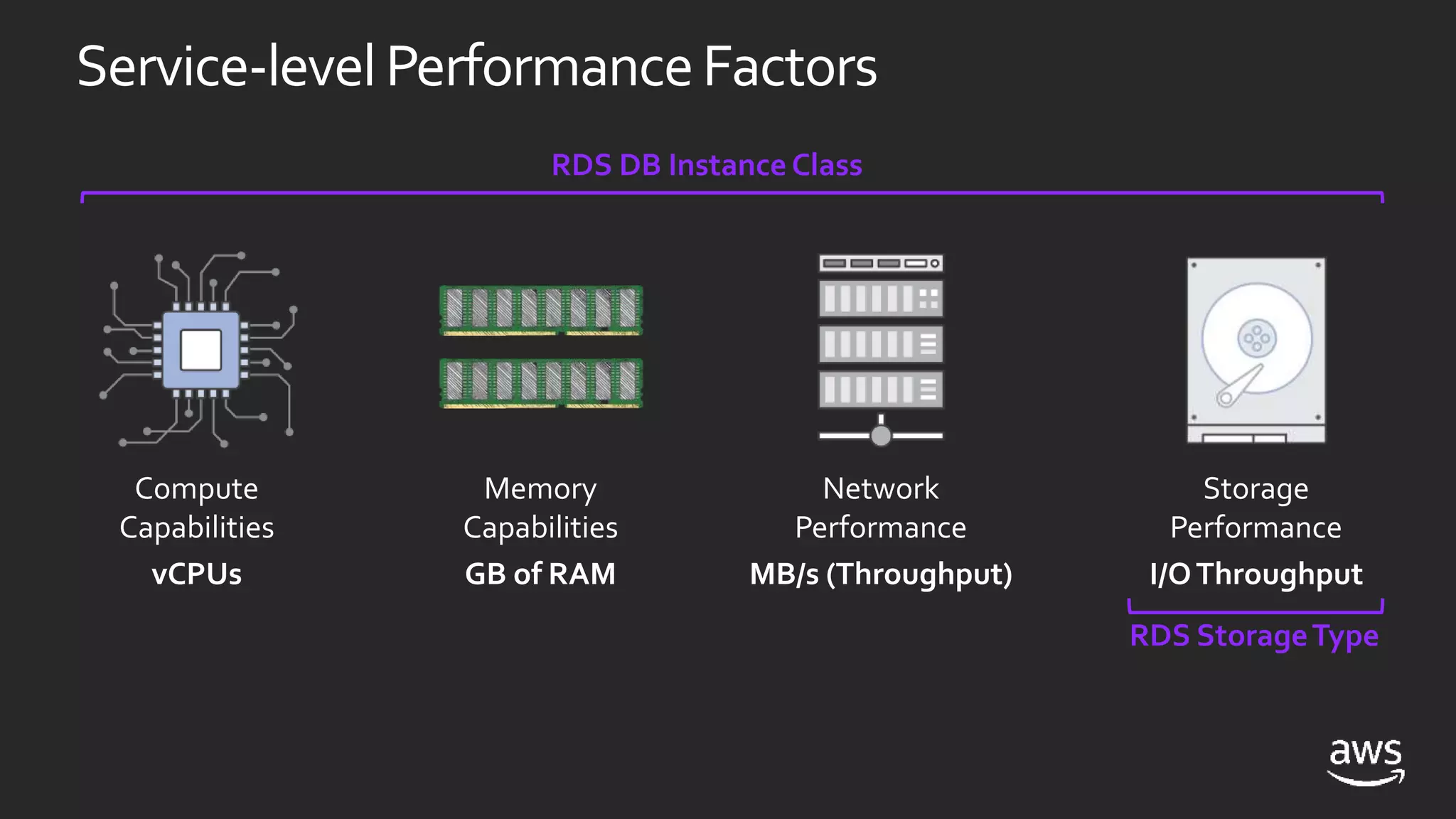
Service-levelPerformanceFactors
Compute
Capabilities
vCPUs
Memory
Capabilities
GB of RAM
Network
Performance
MB/s (Throughput)
Storage
Performance
I/OThroughput
RDS DB Instance Class
RDS StorageType
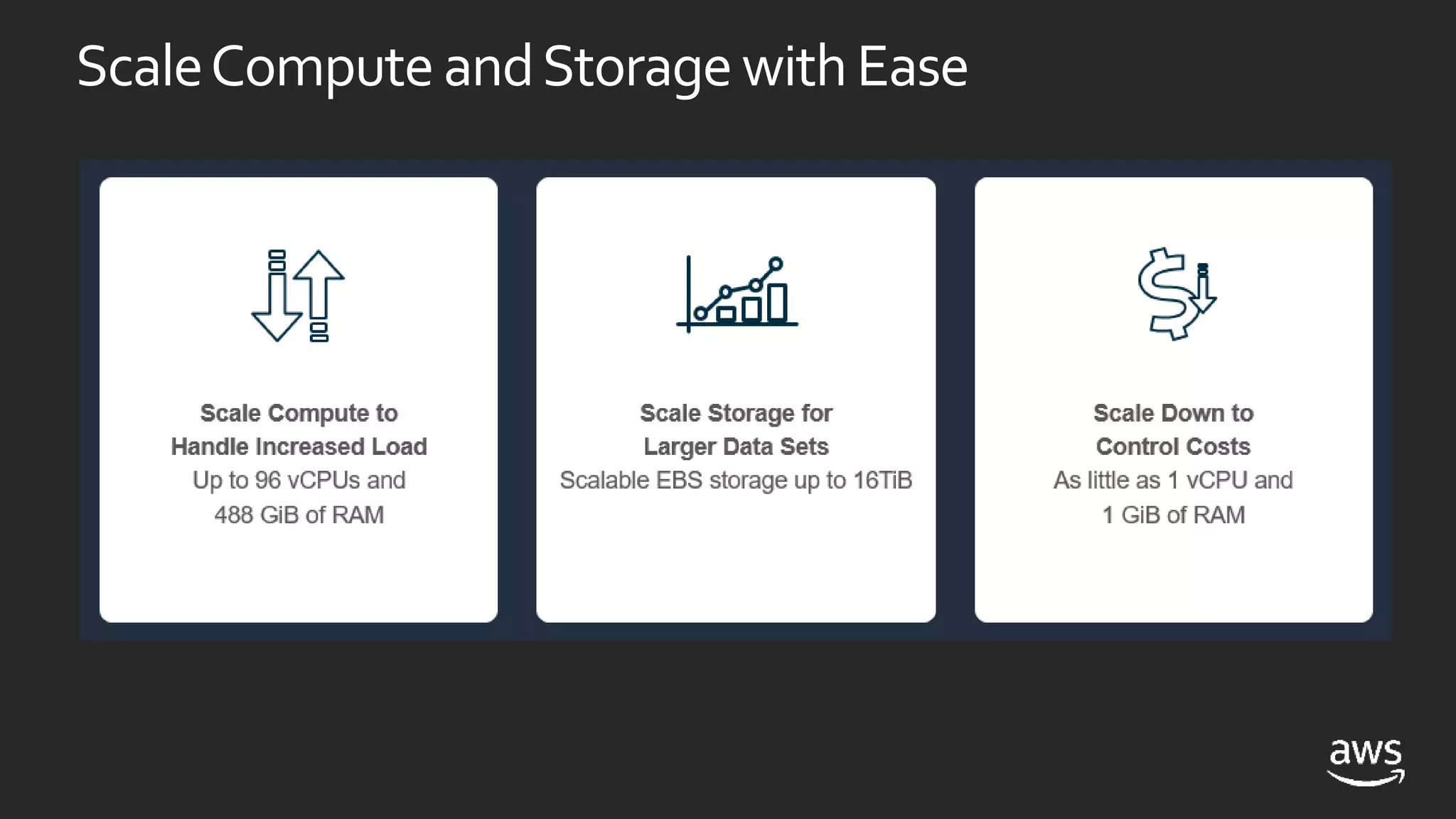
ScaleComputeandStoragewithEase
PerformancePlanning
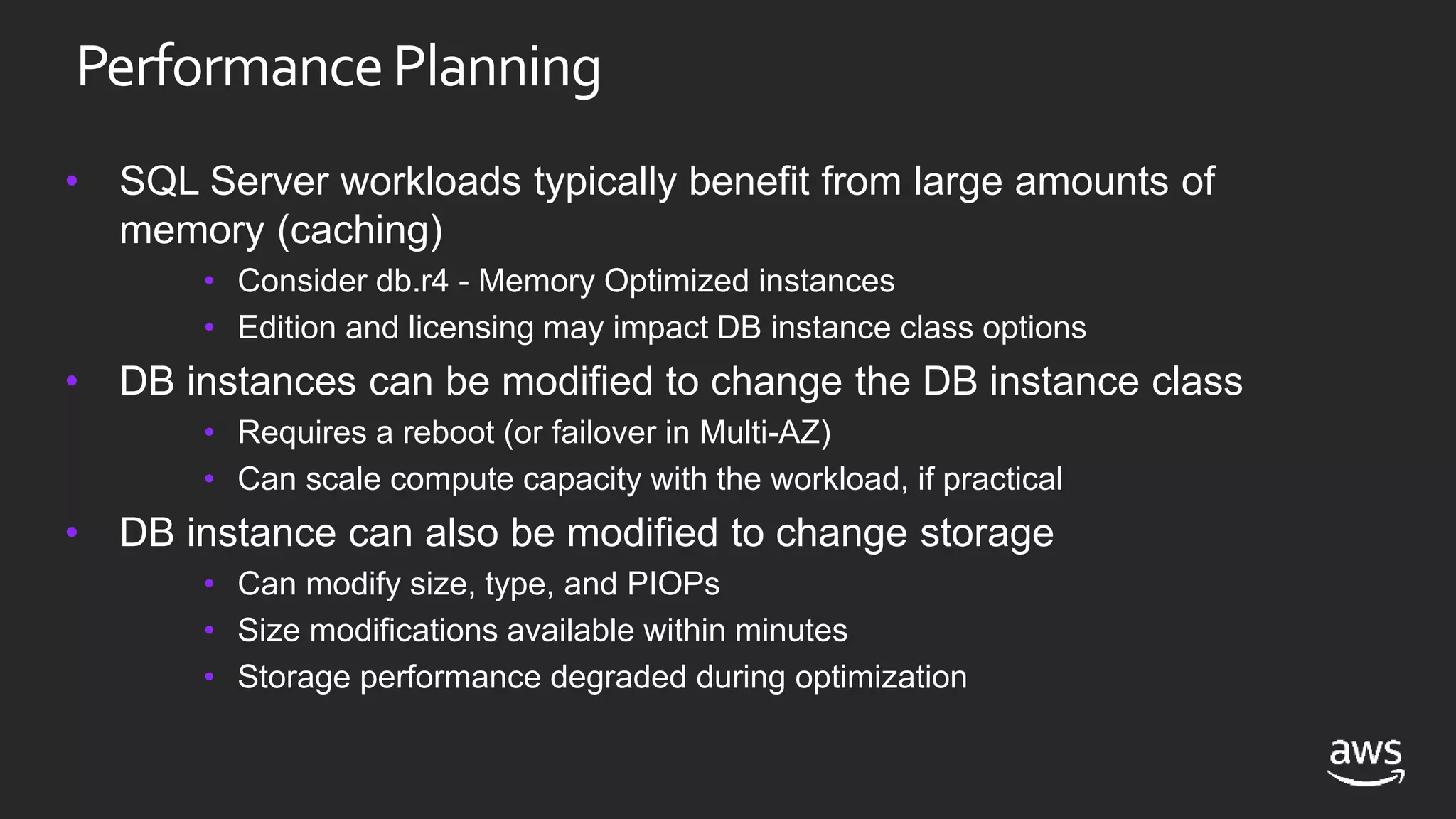
• SQL Server workloads typically benefit from large amounts of
memory (caching)
• Consider db.r4 - Memory Optimized instances
• Edition and licensing may impact DB instance class options
• DB instances can be modified to change the DB instance class
• Requires a reboot (or failover in Multi-AZ)
• Can scale compute capacity with the workload, if practical
• DB instance can also be modified to change storage
• Can modify size, type, and PIOPs
• Size modifications available within minutes
• Storage performance degraded during optimization
Multi-AZDeployments
Enterprise-grade high availability
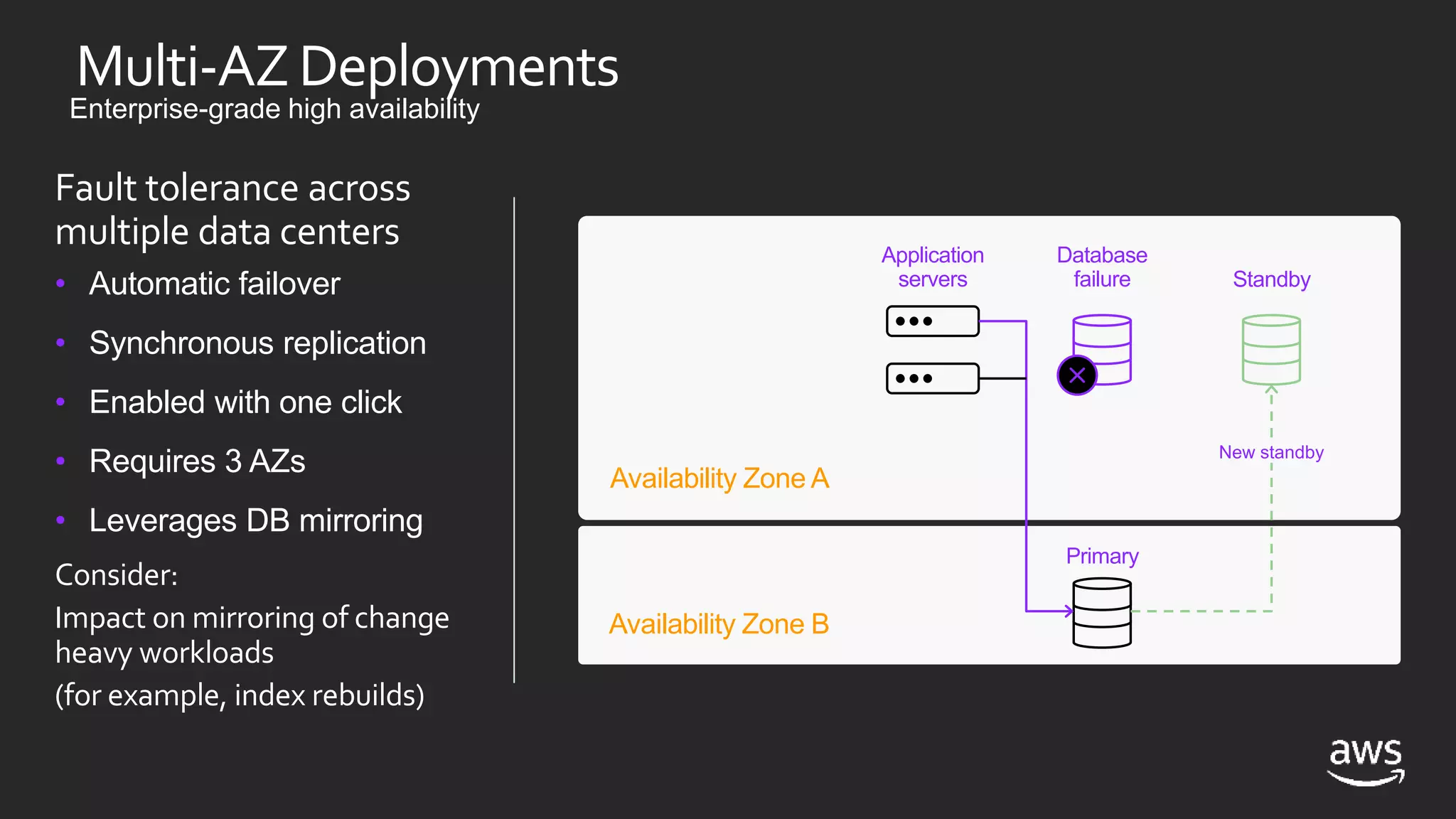
Fault tolerance across
multiple data centers
• Automatic failover
• Synchronous replication
• Enabled with one click
• Requires 3 AZs
• Leverages DB mirroring
Consider:
Impact on mirroring of change
heavy workloads
(for example, index rebuilds)
Availability Zone A
Availability Zone B
Application
servers
Database
failure Standby
Primary
New standby
AmazonRDS Multi-AZin Depth
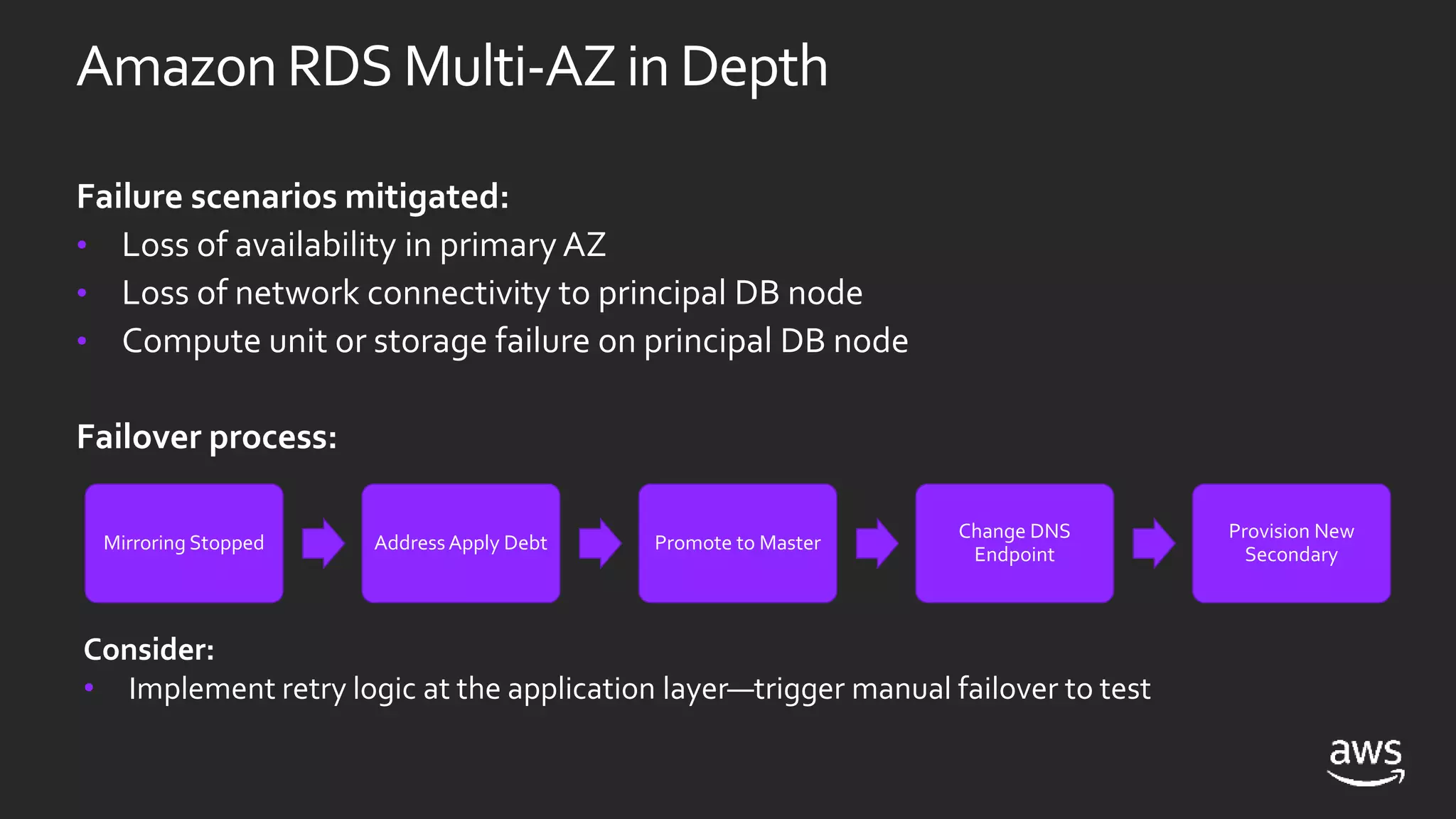
Failure scenarios mitigated:
• Loss of availability in primary AZ
• Loss of network connectivity to principal DB node
• Compute unit or storage failure on principal DB node
Failover process:
Mirroring Stopped AddressApply Debt Promote to Master
Change DNS
Endpoint
Provision New
Secondary
Consider:
• Implement retry logic at the application layer—trigger manual failover to test
RecentRDSSQLServerAnnouncements
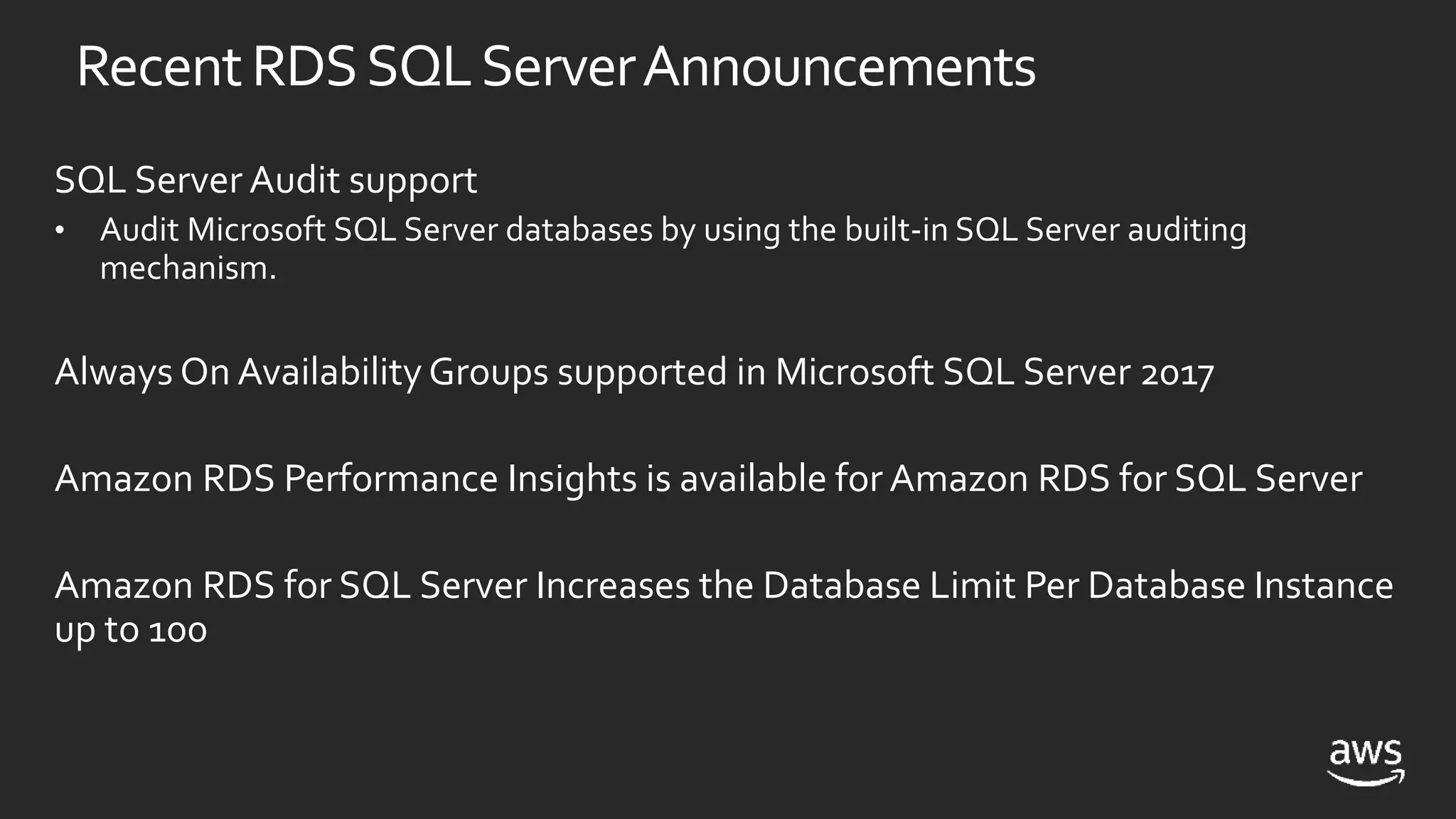
SQL Server Audit support
• Audit Microsoft SQL Server databases by using the built-in SQL Server auditing
mechanism.
Always On Availability Groups supported in Microsoft SQL Server 2017
Amazon RDS Performance Insights is available for Amazon RDS for SQL Server
Amazon RDS for SQL Server Increases the Database Limit Per Database Instance
up to 100
• Join RDS for SQL Server to a domain
• Domain provided by AWS Directory Services
• Directory as a managed service
• Deploy a MicrosoftAD directory
• Fully managedAD forest
• Primary and secondary domain controllers in different AZs
• Ability to establish forest trusts
UsingWindowsAuthentication
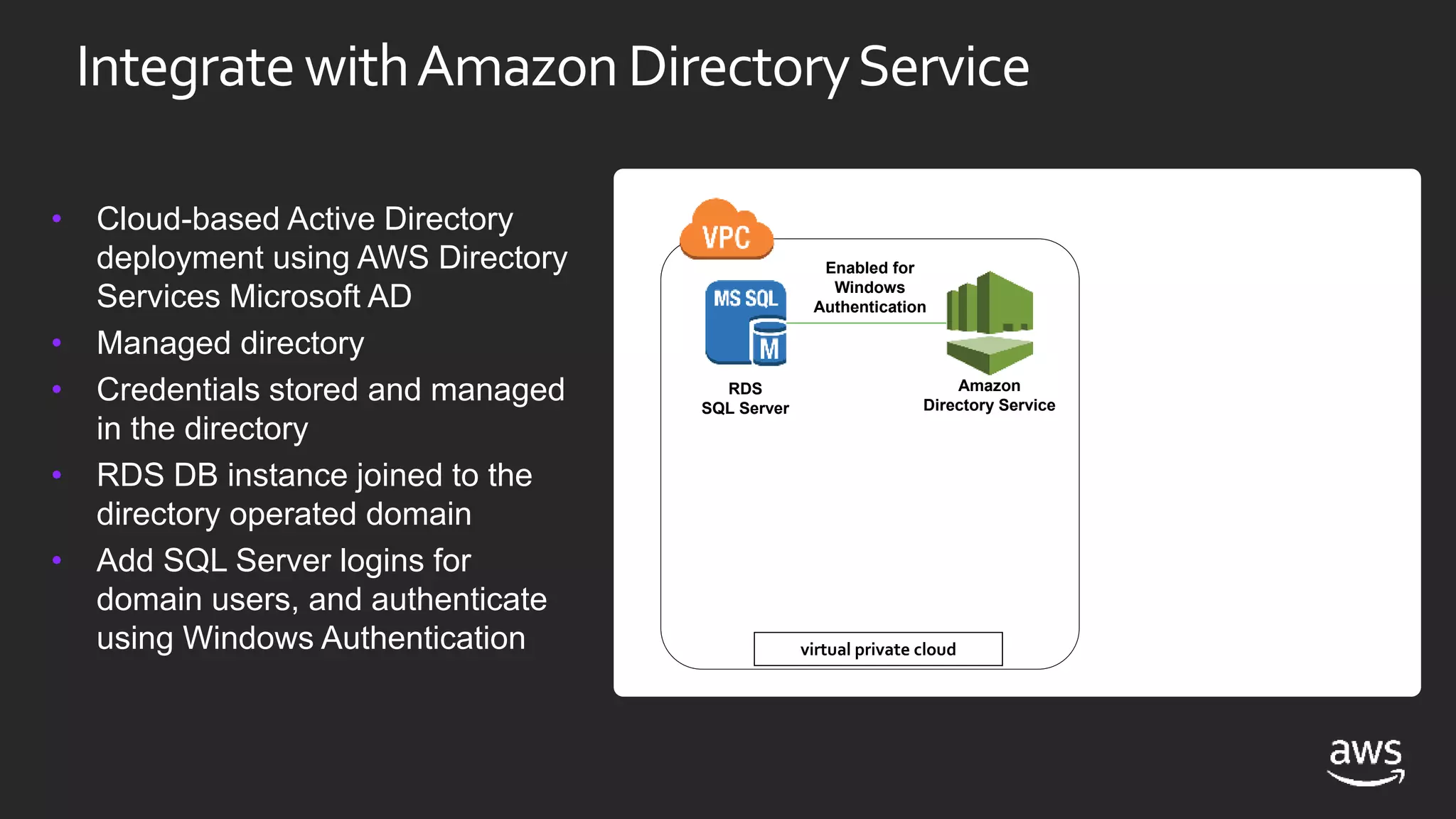
IntegratewithAmazonDirectoryService
• Cloud-based Active Directory
deployment using AWS Directory
Services Microsoft AD
• Managed directory
• Credentials stored and managed
in the directory
• RDS DB instance joined to the
directory operated domain
• Add SQL Server logins for
domain users, and authenticate
using Windows Authentication virtual private cloud
RDS
SQL Server
Enabled for
Windows
Authentication
Amazon
Directory Service
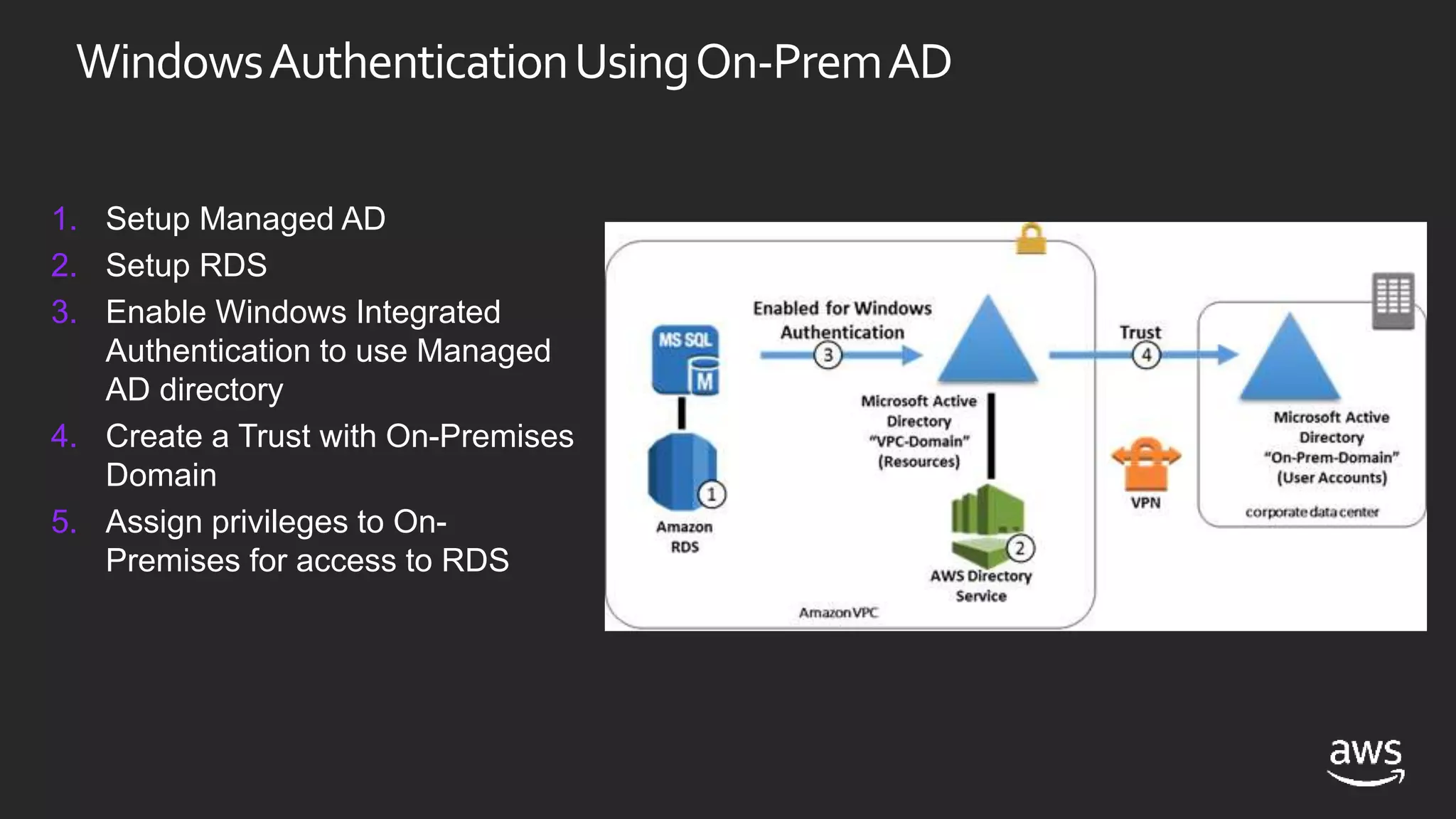
WindowsAuthenticationUsingOn-PremAD
1. Setup Managed AD
2. Setup RDS
3. Enable Windows Integrated
Authentication to use Managed
AD directory
4. Create a Trust with On-Premises
Domain
5. Assign privileges to On-
Premises for access to RDS
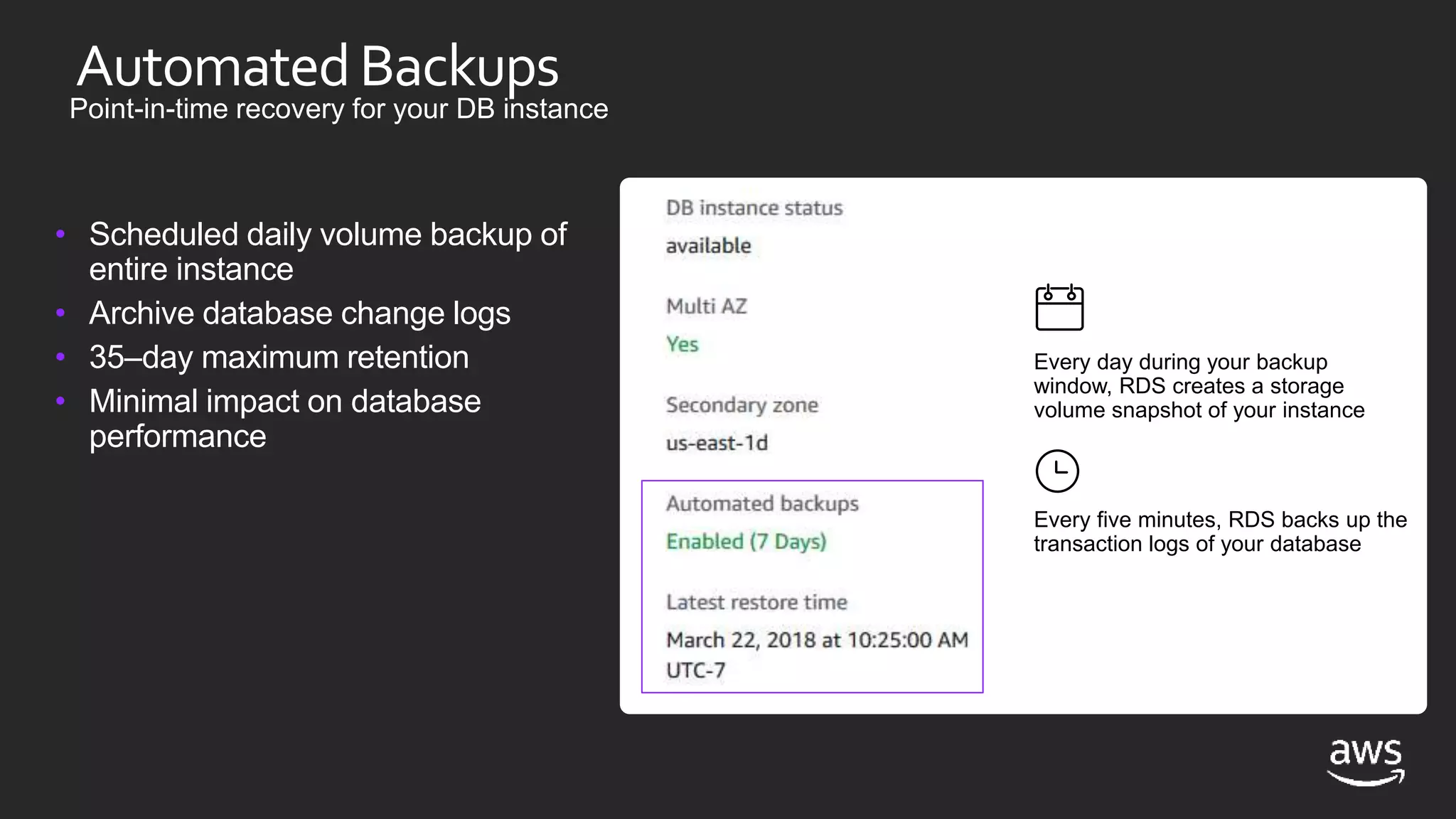
AutomatedBackups
Point-in-time recovery for your DB instance
• Scheduled daily volume backup of
entire instance
• Archive database change logs
• 35–day maximum retention
• Minimal impact on database
performance
Every day during your backup
window, RDS creates a storage
volume snapshot of your instance
Every five minutes, RDS backs up the
transaction logs of your database
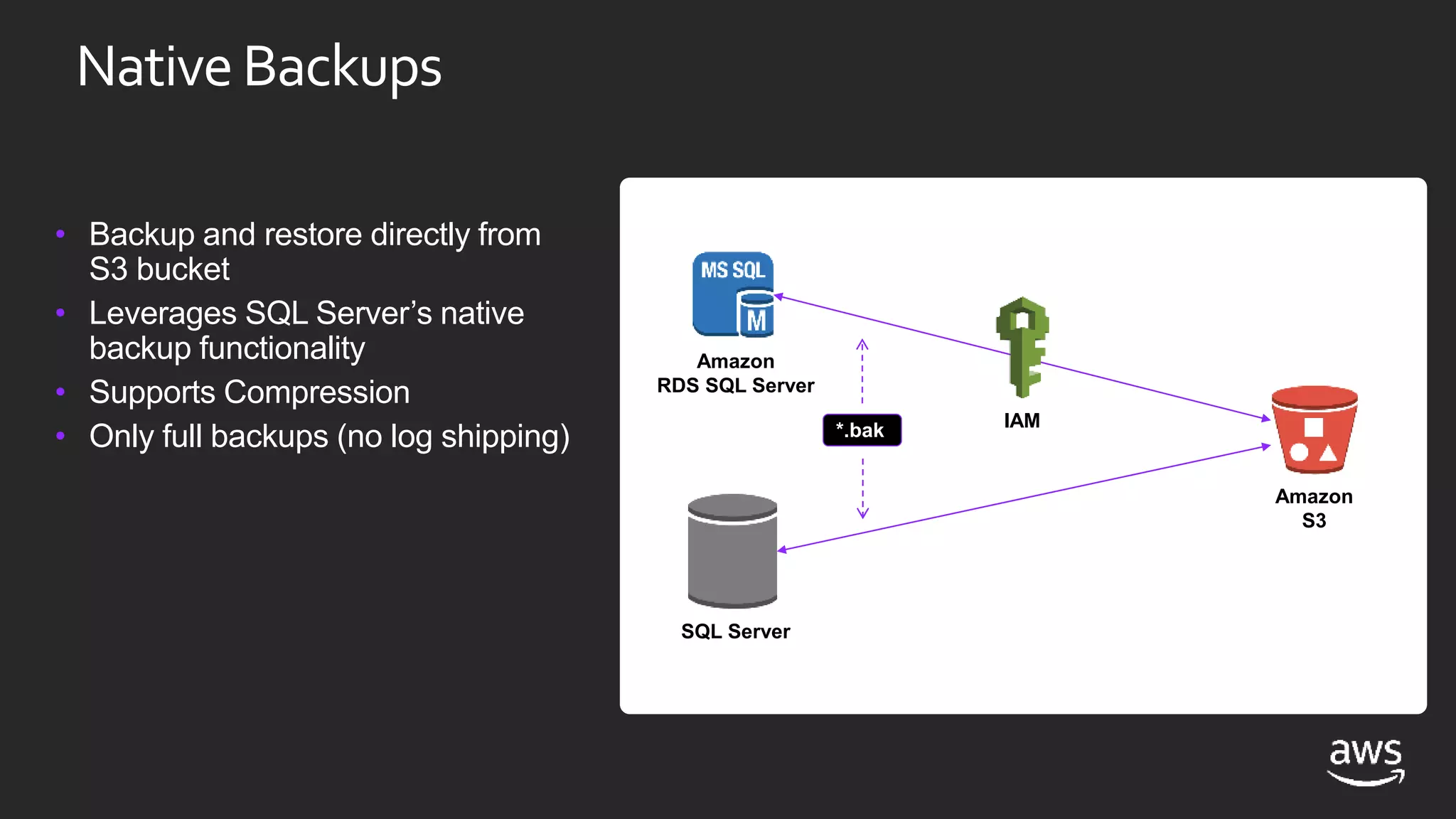
NativeBackups
• Backup and restore directly from
S3 bucket
• Leverages SQL Server’s native
backup functionality
• Supports Compression
• Only full backups (no log shipping)
Amazon
RDS SQL Server
Amazon
S3
IAM
SQL Server
*.bak
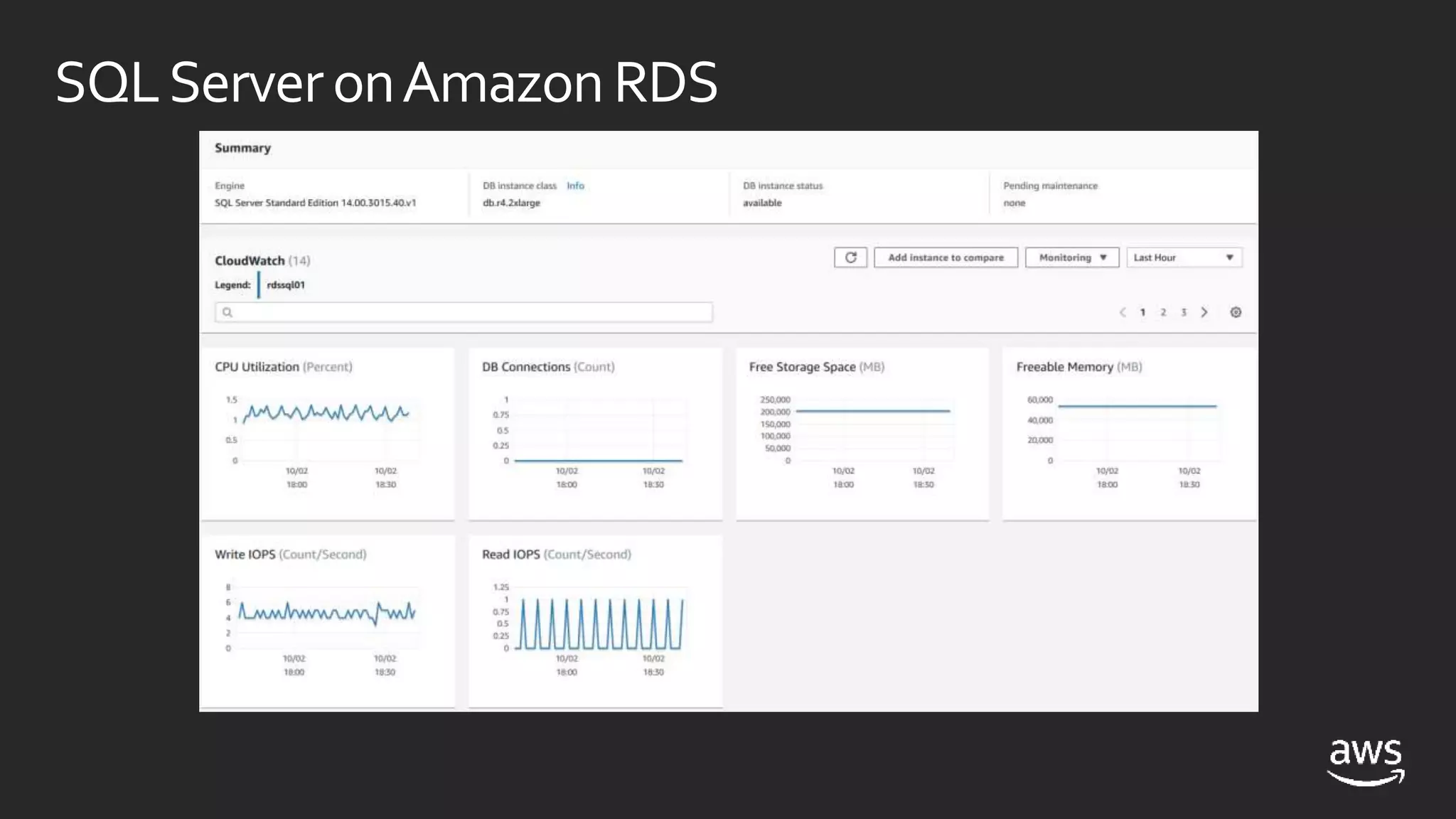
SQLServeronAmazonRDS
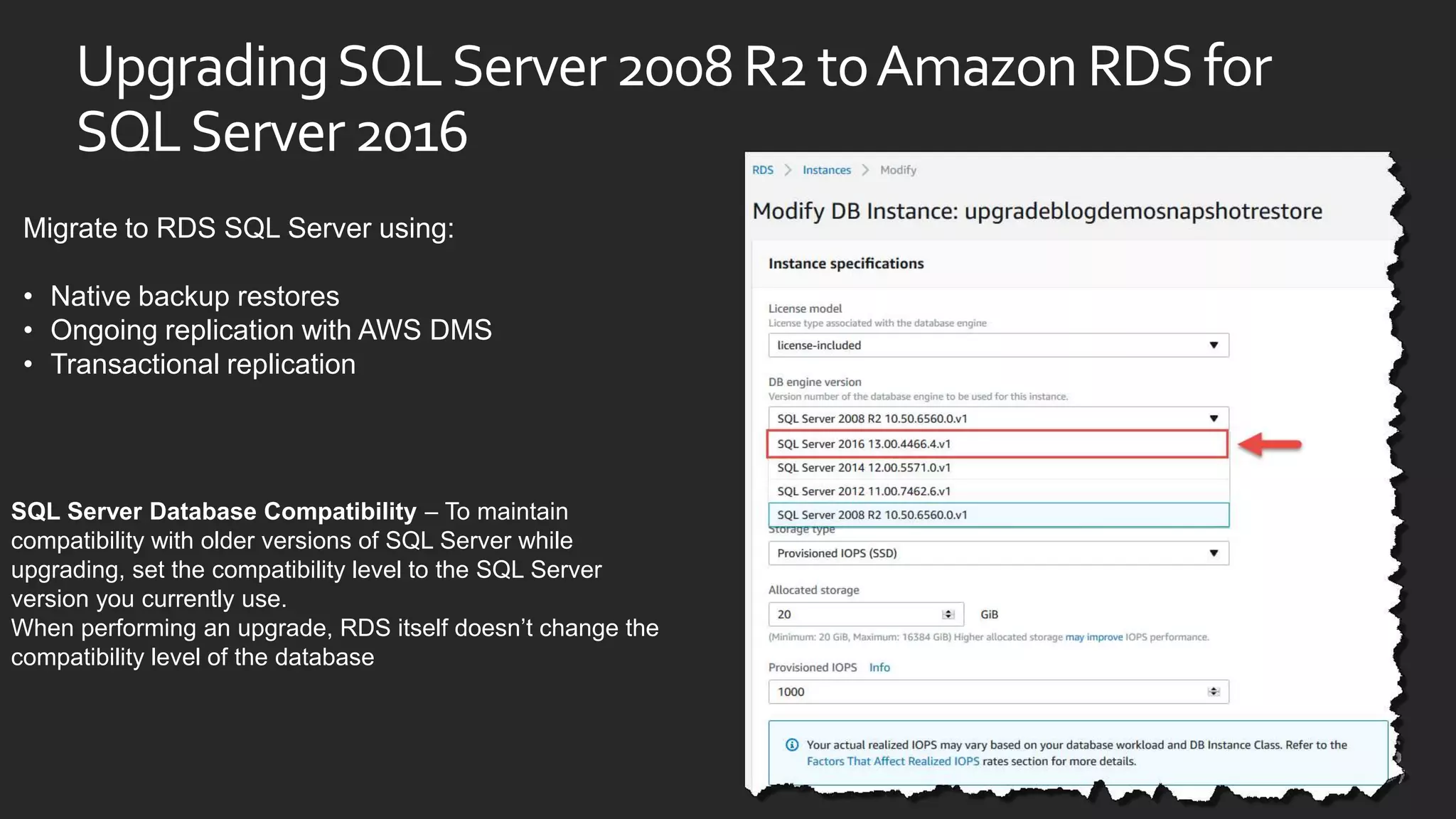
UpgradingSQLServer2008R2toAmazonRDSfor
SQLServer2016
SQL Server Database Compatibility – To maintain
compatibility with older versions of SQL Server while
upgrading, set the compatibility level to the SQL Server
version you currently use.
When performing an upgrade, RDS itself doesn’t change the
compatibility level of the database
Migrate to RDS SQL Server using:
• Native backup restores
• Ongoing replication with AWS DMS
• Transactional replication
Summary:WhyMicrosoftSQLServeronAWS
• Largest Global Reach
• Every region with high availability zones
• Cost benefits through license optimizations
• Increase innovation and flexibility for future
• Improve security posture
HelpfulResources
Windows Server onAWS
https://aws.amazon.com/windows/
SQL Server onAWS
https://aws.amazon.com/sql/
Amazon Relational Database Service (RDS)
https://aws.amazon.com/rds/
Microsoft Competency Partners
https://aws.amazon.com/windows/partner-solutions/#database
SentryOne onAWS
https://www.sentryone.com/aws
https://docs.sentryone.com/help/aws-rds
http://aws.amazon.com/marketplace/pp/B07G49G6CQ/
ECS19 Anil Erduran and Ryan Pothecary - SQL Server On AWS RDS and Andamazone EC2

ECS19 Anil Erduran and Ryan Pothecary - SQL Server On AWS RDS and Andamazone EC2

  • 1.
    SQL SERVER ONAWSRDSANDAMAZON EC2 ANIL ERDURAN Partner Solutions Architect AWS RYAN POTHECARY Senior Consultant AWS
  • 2.
    11 years ofinnovation for Windows on AWSCustomerAdoption 2008 Visual Studio Toolkit Microsoft SCOM plug-in release. Microsoft SharePoint 2016 (Marketplace) Microsoft SCVMM Plug-in SAP instance on AWS 2012 Trusted Advisor checks for Windows Hyper-V support in SMS Windows for Lightsail Application-consistent Snapshots through VSS AWS Directory Service Sessions Manager Dedicated Host Enhancement Tag-On EC2 Dedicated Hosts (BYOL) EC2 Run Command EC2 Systems Manager EC2 Dedicated Instances (BYOL) EC2 Windows on Bare Metal/Hyper-V AMI WS 2008 & SQL Server 2008 Windows Server 2008 R2 Windows Server 2012 Windows Server 2016 Windows Server 1803 Windows Server 2003 SQL 2017 AMI AL2/Ubuntu Amazon RDS adds SQL Server SQL Server 2017 SQL Server 2012 SQL Server 2008 R2 SQL Server 2016 SQL Server 2008 R2 2010 2012 2014 2016 2018 Today 143 instance types, 37 instance families 60 different AMIs for Windows workloads .NET Core & Powershell on AL2/Ubuntu Windows Deep Learning AMI .NET Core 2.1 on Linux AMIs Lambda Support for PowerShell Core Amazon ECS for Windows Containers AWS Tools for Windows PowerShell .NET SDK DynamoDB Accelerator SDK for .NET .NET on Lambda & AWS CodeBuild .NET Core 2.1 Support with Lambda & X-Ray X-Ray .NET SDK .NET Developer Hub AWS X-Ray .NET Core Support .NET Developer Hub
  • 3.
    What is happening? July9, 2019 January 14, 2020 SQL Server 2008 and 2008 R2 End of Support Windows Server 2008 & 2008 R2 End of Support
  • 4.
    What does thismean SQL? Microsoft Mainstream Support ended on July 8, 2014 • No more enhancements Microsoft Extended Support will end on July 9, 2019 • No more security or reliability fixes
  • 5.
    Where can Irun my SQL Server workloads on AWS?
  • 6.
    Where can Irun my SQL Server workloads on AWS? Amazon Relational Database Service (Amazon RDS) Amazon Elastic Compute Cloud (Amazon EC2) Deploy multiple editions of SQL Server (2008 R2, 2012, 2014, 2016, and 2017) including Express, Web, Standard and Enterprise, in minutes with cost-efficient and re-sizable compute capacity. Self-managedWindows-basedVMs on AWS' high-performance, reliable, cost-effective, cloud computing platform.
  • 7.
    Amazon RDS forSQL Server SQL Server on Amazon EC2 Options for deploying SQL Server on AWS
  • 8.
    Amazon RDS forSQL Server Power, HVAC, net OS install/maintenance OS patching DBMS install/maintenance DBMS patching Database backups High availability Scaling AWS managed Customer managed • Consider RDS first • Focus on business value tasks • High-level tuning • Schema optimization • No in-house database expertise • Automatic Host Replacement Options for deploying SQL Server on AWS SQL Server on Amazon EC2
  • 9.
    Amazon RDS forSQL Server SQL Server on Amazon EC2 Power, HVAC, net OS install/maintenance OS patching DBMS install/maintenance DBMS patching Database backups High availability Scaling AWS managed Customer managed Power, HVAC, net OS install/maintenance OS patching DBMS install/maintenance DBMS patching Database backups High availability Scaling • Consider RDS first • Focus on business value tasks • High-level tuning • Schema optimization • No in-house database expertise • Automatic Host Replacement • Need full control over DB instance • 3rd party server agents • Clustering • Options that are not currently available in Amazon RDS Options for deploying SQL Server on AWS
  • 10.
    SQLServerFeaturesat aGlance 2008R2, 2012,2014, 2016, 2017Versions Supported: Editions Supported: High Availability: Encryption: Authentication: Backups: Maintenance: Express, Web, Standard, Enterprise All** All** AWS-managed Encrypted Storage using AWS KMS (all editions); TDE Support Self-managed; AlwaysOn, Mirroring… Windows & SQL Authentication Managed Automated Backups Maintenance Plans & 3rd PartyTools Automated Software Patching Self-managed Versions Supported: Editions Supported: High Availability: Amazon RDS Amazon EC2Amazon RDS Amazon EC2
  • 11.
    SQL Server onAmazon EC2 • How to start • Spin up an EC2 instance and install from customer media (BYOL) • Spin up an EC2 instance that includes SQL in the Amazon Machine Instance (AMI) • Windows or Mixed Authentication • You manage the virtual machine security, storage, network ports, etc. • Full SQL Server sysadmin privileges
  • 12.
    Amazon EC2: Purpose-builtcompute families Current Instance Families and Generation Family/Usage M5, M4 General purpose compute T2, T3 Burstable performance C5, C4 Compute optimized X1, X1E, R5, R5d, R4, R3 Memory optimized P2, G3, F1 Accelerated computing I3 Storage optimized (I/O) D2 Storage optimized (Density)
  • 13.
    Amazon EC2: Scalingto meet your needs
  • 14.
    License optimization withOptimize CPUs • Control active vCPUs and hyper-threading status when launching new EC2 instances • Reduce the number of SQL Server licenses *Sample licensing example only Instance Type Total vCPUs Active vCPUs with Optimize CPUs SQL Server license savings r5.4xlarge 16 8 50% r5.8xlarge 32 8 75%
  • 15.
    AWS has avariety of storage options Amazon EC2 Instance Store (Ephemeral Volumes) Amazon Elastic Block Store (Amazon EBS) Amazon Elastic File System (Amazon EFS) Amazon Simple Storage Service (Amazon S3) Amazon Glacier AWS Storage Gateway: File Gateway AWS Snowball & AWS Snowball Edge AWS Snowmobile
  • 16.
    What is AmazonEC2 Instance Store? • Local to instance • Non-persistent data store • SSD or HDD • Data not replicated (by default) • No snapshot support EC2 instances Physical host Instance store or * Not all instance types have local, instance storage
  • 17.
    Amazon EC2 InstanceStore use cases Temporary storage (SQL Server tempdb) I3 and R5d instance types • Temporary storage (SQL Server tempdb) • Very low latency (0.1 ms) • Extremely high IOPS (over 3 million vs. 80K for EBS-optimized) • Higher throughput (almost 10x EBS max) D2 instance type • Up to 48 TB of HDD-based local storage
  • 18.
    Amazon EBS volumetypes HDDSSD Provisioned IOPS $0.125 per GiB $0.065 per PIOPS io1 General purpose $0.10 per GiB gp2 Throughput optimized $0.045 per GiB st1 sc1 Cold $0.025 per GiB
  • 19.
    Multi-AZ Always Onavailability group Availability Zone 1 Private Subnet Availability Zone 2 Private Subnet AWS Region Amazon EC2 Primary Replica Amazon EC2 Secondary Replica Synchronous Commit Automatic Failover
  • 20.
    Multi-region Always Onavailability group Availability Zone 1 Private Subnet AWS Region A Availability Zone 2 Private Subnet Availability Zone 1 Private Subnet AWS Region B Amazon EC2 Primary Replica Amazon EC2 Secondary Replica Amazon EC2 Secondary Replica Synchronous Commit Automatic Failover Asynchronous Commit Manual Failover VPC Peering
  • 21.
    FCI Multi-AZ Failover ClusterInstance AWS Cloud Availability Zone a Availability Zone bDB files on shared storage Primary Secondary • HA at instance level • Standard Edition supports 2 nodes in AO FCI • Relies upon a shared storage available to all nodes • Available in both Windows and Linux • Only one instance of SQL Server runs at a time • No read access on secondary • Shared Storage options in Windows: • Storage Spaces Direct (S2D) • SIOS Datakeeper
  • 22.
    Amazon RDS: Hassle-freeflexibility InstanceType Selection: M5 instances for lower cost R4 instances for more RAM EBSVolumeType Selection: GP2 volumes for lower cost IO1 volumes for I/O intensive, critical workloads
  • 23.
    Amazon RDS forSQL Server SQL Server on Amazon EC2 Power, HVAC, net OS install/maintenance OS patching DBMS install/maintenance DBMS patching Database backups High availability Scaling AWS managed Customer managed Power, HVAC, net OS install/maintenance OS patching DBMS install/maintenance DBMS patching Database backups High availability Scaling • Consider RDS first • Focus on business value tasks • High-level tuning • Schema optimization • No in-house database expertise • Automatic Host Replacement • Need full control over DB instance • 3rd party server agents • Clustering • Options that are not currently available in Amazon RDS Options for deploying SQL Server on AWS
  • 24.
  • 25.
    Multi-AZ SQL Serveron Amazon RDS Availability Zone 1 Private Subnet Availability Zone 2 AWS Region Amazon RDS Primary Amazon RDS Secondary Private Subnet Automatic Failover
  • 26.
    Multi-AZ SQL Serveron Amazon RDS Availability Zone 1 Private Subnet Availability Zone 2 AWS Region Amazon RDS Primary Amazon RDS Secondary Private Subnet Automatic Failover Managed Service
  • 27.
    Service-levelPerformanceFactors Compute Capabilities vCPUs Memory Capabilities GB of RAM Network Performance MB/s(Throughput) Storage Performance I/OThroughput RDS DB Instance Class RDS StorageType
  • 28.
  • 29.
    PerformancePlanning • SQL Serverworkloads typically benefit from large amounts of memory (caching) • Consider db.r4 - Memory Optimized instances • Edition and licensing may impact DB instance class options • DB instances can be modified to change the DB instance class • Requires a reboot (or failover in Multi-AZ) • Can scale compute capacity with the workload, if practical • DB instance can also be modified to change storage • Can modify size, type, and PIOPs • Size modifications available within minutes • Storage performance degraded during optimization
  • 30.
    Multi-AZDeployments Enterprise-grade high availability Faulttolerance across multiple data centers • Automatic failover • Synchronous replication • Enabled with one click • Requires 3 AZs • Leverages DB mirroring Consider: Impact on mirroring of change heavy workloads (for example, index rebuilds) Availability Zone A Availability Zone B Application servers Database failure Standby Primary New standby
  • 31.
    AmazonRDS Multi-AZin Depth Failurescenarios mitigated: • Loss of availability in primary AZ • Loss of network connectivity to principal DB node • Compute unit or storage failure on principal DB node Failover process: Mirroring Stopped AddressApply Debt Promote to Master Change DNS Endpoint Provision New Secondary Consider: • Implement retry logic at the application layer—trigger manual failover to test
  • 32.
    RecentRDSSQLServerAnnouncements SQL Server Auditsupport • Audit Microsoft SQL Server databases by using the built-in SQL Server auditing mechanism. Always On Availability Groups supported in Microsoft SQL Server 2017 Amazon RDS Performance Insights is available for Amazon RDS for SQL Server Amazon RDS for SQL Server Increases the Database Limit Per Database Instance up to 100
  • 33.
    • Join RDSfor SQL Server to a domain • Domain provided by AWS Directory Services • Directory as a managed service • Deploy a MicrosoftAD directory • Fully managedAD forest • Primary and secondary domain controllers in different AZs • Ability to establish forest trusts UsingWindowsAuthentication
  • 34.
    IntegratewithAmazonDirectoryService • Cloud-based ActiveDirectory deployment using AWS Directory Services Microsoft AD • Managed directory • Credentials stored and managed in the directory • RDS DB instance joined to the directory operated domain • Add SQL Server logins for domain users, and authenticate using Windows Authentication virtual private cloud RDS SQL Server Enabled for Windows Authentication Amazon Directory Service
  • 35.
    WindowsAuthenticationUsingOn-PremAD 1. Setup ManagedAD 2. Setup RDS 3. Enable Windows Integrated Authentication to use Managed AD directory 4. Create a Trust with On-Premises Domain 5. Assign privileges to On- Premises for access to RDS
  • 36.
    AutomatedBackups Point-in-time recovery foryour DB instance • Scheduled daily volume backup of entire instance • Archive database change logs • 35–day maximum retention • Minimal impact on database performance Every day during your backup window, RDS creates a storage volume snapshot of your instance Every five minutes, RDS backs up the transaction logs of your database
  • 37.
    NativeBackups • Backup andrestore directly from S3 bucket • Leverages SQL Server’s native backup functionality • Supports Compression • Only full backups (no log shipping) Amazon RDS SQL Server Amazon S3 IAM SQL Server *.bak
  • 38.
  • 39.
    UpgradingSQLServer2008R2toAmazonRDSfor SQLServer2016 SQL Server DatabaseCompatibility – To maintain compatibility with older versions of SQL Server while upgrading, set the compatibility level to the SQL Server version you currently use. When performing an upgrade, RDS itself doesn’t change the compatibility level of the database Migrate to RDS SQL Server using: • Native backup restores • Ongoing replication with AWS DMS • Transactional replication
  • 40.
    Summary:WhyMicrosoftSQLServeronAWS • Largest GlobalReach • Every region with high availability zones • Cost benefits through license optimizations • Increase innovation and flexibility for future • Improve security posture
  • 41.
    HelpfulResources Windows Server onAWS https://aws.amazon.com/windows/ SQLServer onAWS https://aws.amazon.com/sql/ Amazon Relational Database Service (RDS) https://aws.amazon.com/rds/ Microsoft Competency Partners https://aws.amazon.com/windows/partner-solutions/#database SentryOne onAWS https://www.sentryone.com/aws https://docs.sentryone.com/help/aws-rds http://aws.amazon.com/marketplace/pp/B07G49G6CQ/

Editor's Notes