Cassie Coyne
               E6 Radio 3D Animation Production Log
               Creating my Forum


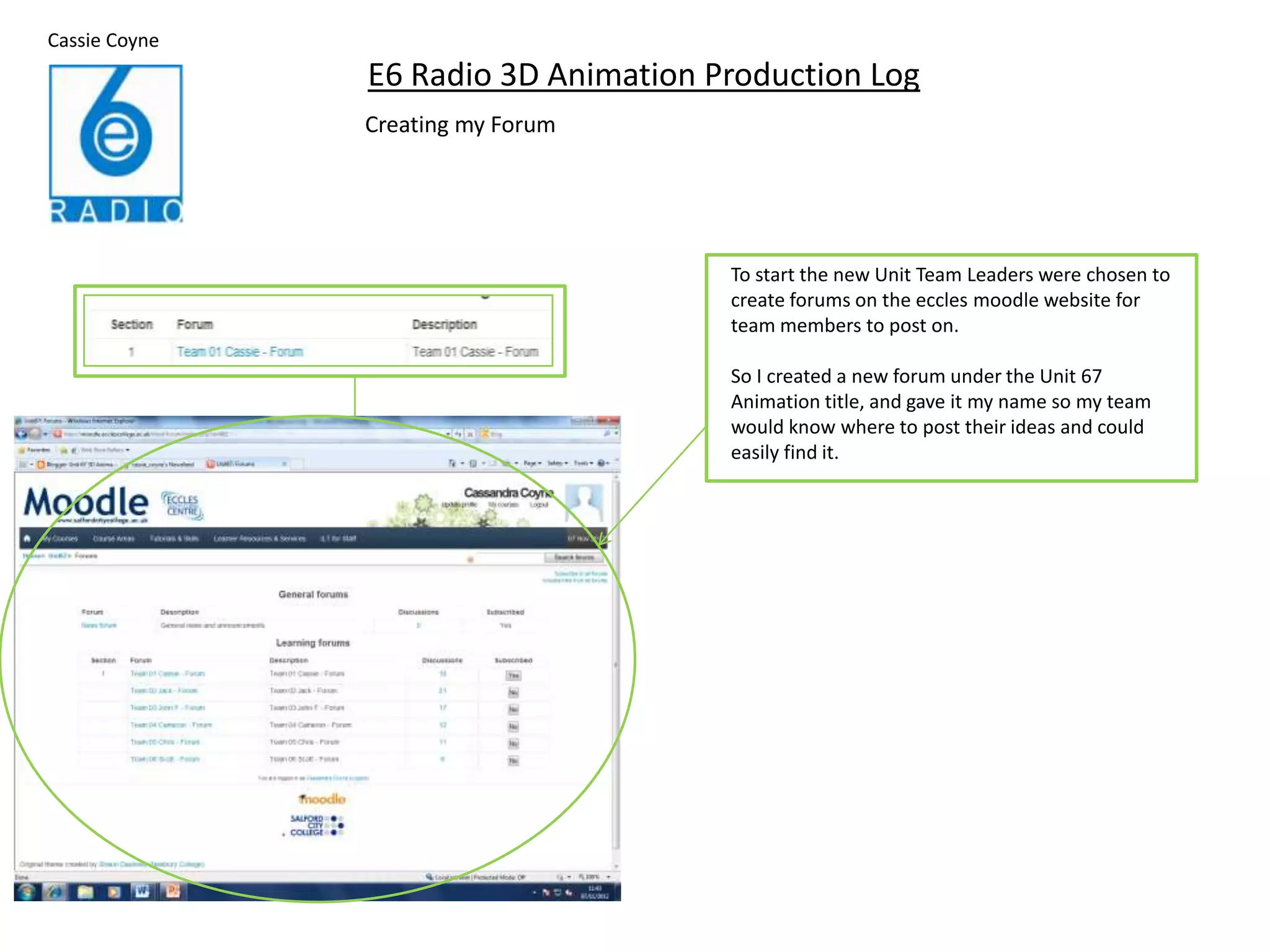
                                      To start the new Unit Team Leaders were chosen to
                                      create forums on the eccles moodle website for
                                      team members to post on.

                                      So I created a new forum under the Unit 67
                                      Animation title, and gave it my name so my team
                                      would know where to post their ideas and could
                                      easily find it.
Creating the discussion topics
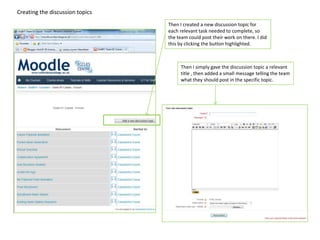
                                 Then I created a new discussion topic for
                                 each relevant task needed to complete, so
                                 the team could post their work on there. I did
                                 this by clicking the button highlighted.


                                      Then I simply gave the discussion topic a relevant
                                      title , then added a small message telling the team
                                      what they should post in the specific topic.
Ethical Checklist


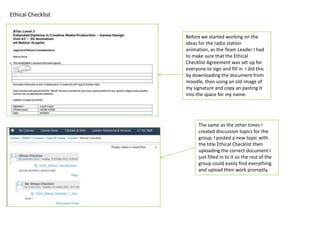
                    Before we started working on the
                    ideas for the radio station
                    animation, as the Team Leader I had
                    to make sure that the Ethical
                    Checklist Agreement was set up for
                    everyone to sign and fill in. I did this
                    by downloading the document from
                    moodle, then using an old image of
                    my signature and copy an pasting it
                    into the space for my name.


                          The same as the other times I
                          created discussion topics for the
                          group, I posted a new topic with
                          the title Ethical Checklist then
                          uploading the correct document I
                          just filled in to it so the rest of the
                          group could easily find everything
                          and upload their work promptly.
Collaboration Agreement


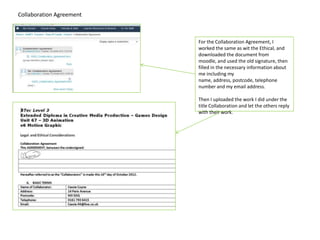
                          For the Collaboration Agreement, I
                          worked the same as wit the Ethical, and
                          downloaded the document from
                          moodle, and used the old signature, then
                          filled in the necessary information about
                          me including my
                          name, address, postcode, telephone
                          number and my email address.

                          Then I uploaded the work I did under the
                          title Collaboration and let the others reply
                          with their work.
Existing Radio Station Research


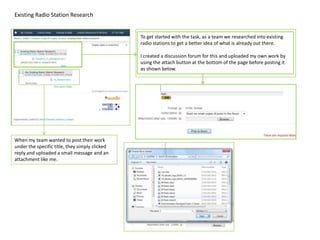
                                                To get started with the task, as a team we researched into existing
                                                radio stations to get a better idea of what is already out there.

                                                I created a discussion forum for this and uploaded my own work by
                                                using the attach button at the bottom of the page before posting it
                                                as shown below.


When my team wanted to post their work
under the specific title, they simply clicked
reply and uploaded a small message and an
attachment like me.
Pooled Ideas Generation


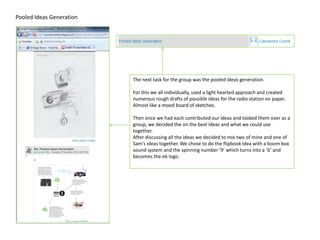
                          The next task for the group was the pooled ideas generation.

                          For this we all individually, used a light hearted approach and created
                          numerous rough drafts of possible ideas for the radio station on paper.
                          Almost like a mood board of sketches.

                          Then once we had each contributed our ideas and looked them over as a
                          group, we decided the on the best ideas and what we could use
                          together.
                          After discussing all the ideas we decided to mix two of mine and one of
                          Sam's ideas together. We chose to do the flipbook idea with a boom box
                          sound system and the spinning number ‘9’ which turns into a ‘6’ and
                          becomes the e6 logo.
Everyone’s Individual Tasks


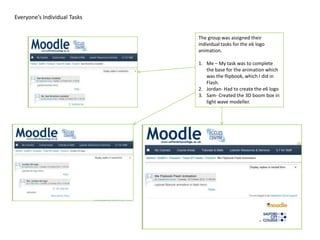
                              The group was assigned their
                              individual tasks for the e6 logo
                              animation.

                              1. Me – My task was to complete
                                 the base for the animation which
                                 was the flipbook, which I did in
                                 Flash.
                              2. Jordan- Had to create the e6 logo
                              3. Sam- Created the 3D boom box in
                                 light wave modeller.
Rough Story board


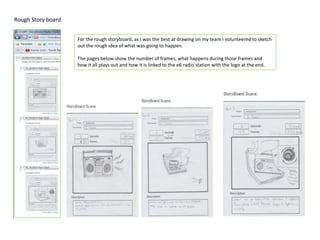
                    For the rough storyboard, as I was the best at drawing on my team I volunteered to sketch
                    out the rough idea of what was going to happen.

                    The pages below show the number of frames, what happens during those frames and
                    how it all plays out and how it is linked to the e6 radio station with the logo at the end.
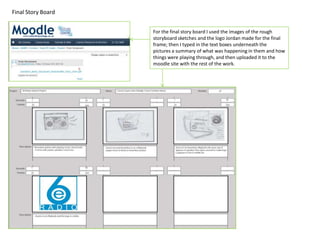
Final Story Board


                    For the final story board I used the images of the rough
                    storyboard sketches and the logo Jordan made for the final
                    frame; then I typed in the text boxes underneath the
                    pictures a summary of what was happening in them and how
                    things were playing through, and then uploaded it to the
                    moodle site with the rest of the work.

E6 Radio Station Production Log

  • 1.
    Cassie Coyne E6 Radio 3D Animation Production Log Creating my Forum To start the new Unit Team Leaders were chosen to create forums on the eccles moodle website for team members to post on. So I created a new forum under the Unit 67 Animation title, and gave it my name so my team would know where to post their ideas and could easily find it.
  • 2.
    Creating the discussiontopics Then I created a new discussion topic for each relevant task needed to complete, so the team could post their work on there. I did this by clicking the button highlighted. Then I simply gave the discussion topic a relevant title , then added a small message telling the team what they should post in the specific topic.
  • 3.
    Ethical Checklist Before we started working on the ideas for the radio station animation, as the Team Leader I had to make sure that the Ethical Checklist Agreement was set up for everyone to sign and fill in. I did this by downloading the document from moodle, then using an old image of my signature and copy an pasting it into the space for my name. The same as the other times I created discussion topics for the group, I posted a new topic with the title Ethical Checklist then uploading the correct document I just filled in to it so the rest of the group could easily find everything and upload their work promptly.
  • 4.
    Collaboration Agreement For the Collaboration Agreement, I worked the same as wit the Ethical, and downloaded the document from moodle, and used the old signature, then filled in the necessary information about me including my name, address, postcode, telephone number and my email address. Then I uploaded the work I did under the title Collaboration and let the others reply with their work.
  • 5.
    Existing Radio StationResearch To get started with the task, as a team we researched into existing radio stations to get a better idea of what is already out there. I created a discussion forum for this and uploaded my own work by using the attach button at the bottom of the page before posting it as shown below. When my team wanted to post their work under the specific title, they simply clicked reply and uploaded a small message and an attachment like me.
  • 6.
    Pooled Ideas Generation The next task for the group was the pooled ideas generation. For this we all individually, used a light hearted approach and created numerous rough drafts of possible ideas for the radio station on paper. Almost like a mood board of sketches. Then once we had each contributed our ideas and looked them over as a group, we decided the on the best ideas and what we could use together. After discussing all the ideas we decided to mix two of mine and one of Sam's ideas together. We chose to do the flipbook idea with a boom box sound system and the spinning number ‘9’ which turns into a ‘6’ and becomes the e6 logo.
  • 7.
    Everyone’s Individual Tasks The group was assigned their individual tasks for the e6 logo animation. 1. Me – My task was to complete the base for the animation which was the flipbook, which I did in Flash. 2. Jordan- Had to create the e6 logo 3. Sam- Created the 3D boom box in light wave modeller.
  • 8.
    Rough Story board For the rough storyboard, as I was the best at drawing on my team I volunteered to sketch out the rough idea of what was going to happen. The pages below show the number of frames, what happens during those frames and how it all plays out and how it is linked to the e6 radio station with the logo at the end.
  • 9.
    Final Story Board For the final story board I used the images of the rough storyboard sketches and the logo Jordan made for the final frame; then I typed in the text boxes underneath the pictures a summary of what was happening in them and how things were playing through, and then uploaded it to the moodle site with the rest of the work.