% Experiencia de Aprendizaje anterior 
% Tarea: Manipular el brillo de una imagen 
Ic=imread('flores.bmp'); 
[x,y,z]=size(Ic); 
x1=x/2; 
y1=y/2; 
figure, imshow(Ic), title('Imagen original'); 
Ig=rgb2gray(Ic); 
figure, imshow(Ig), title('Imagen escala de grises'); 
% + Brillo 
for m=1:y1 
for n=1:x1 
Ig(n,m)=Ig(n,m)*1.3; 
end 
end 
for m=y1+1:y 
for n=1:x1 
Ig(n,m)=Ig(n,m)*1.6; 
end 
end 
% + Oscuro 
for m=1:y1 
for n=x1+1:x 
Ig(n,m)=Ig(n,m)*0.4; 
end 
end 
for m=y1+1:y 
for n=x1+1:x 
Ig(n,m)=Ig(n,m)*0.7; 
end 
end 
figure, imshow(Ig); 
% NOTA: 
% Implementar con programas y/o funciones propias del alumno. 
% No usar funciones del matlab para procesamiento imagenes. 
% En Practicas Calificadas y Examen final no se consideraràn las funciones 
% del Matlab para procesamiento de imagenes. 
%Funciones del Matlab "solo para referencia" 
% Brillo 
Ic=imread('flores.bmp'); 
figure, imshow(Ic), title('Imagen original'); 
Ig=rgb2gray(Ic); 
figure, imshow(Ig), title('Imagen escala de grises'); 
% Funcion de matlab para mainuplar brillo y contraste: imadjust 
help imadjust 
% IMADJUST Adjust image intensity values or colormap. 
% J = IMADJUST(I) maps the values in intensity image I to new values in J 
% such that 1% of data is saturated at low and high intensities of I. 
% This increases the contrast of the output image J. 
% 
% J = IMADJUST(I,[LOW_IN; HIGH_IN],[LOW_OUT; HIGH_OUT]) maps the values 
% in intensity image I to new values in J such that values between LOW_IN 
% and HIGH_IN map to values between LOW_OUT and HIGH_OUT. Values below 
% LOW_IN and above HIGH_IN are clipped; that is, values below LOW_IN map 
% to LOW_OUT, and those above HIGH_IN map to HIGH_OUT. You can use an 
% empty matrix ([]) for [LOW_IN; HIGH_IN] or for [LOW_OUT; HIGH_OUT] to 
% specify the default of [0 1]. If you omit the argument, [LOW_OUT;
% HIGH_OUT] defaults to [0 1]. 
% 
% J = IMADJUST(I,[LOW_IN; HIGH_IN],[LOW_OUT; HIGH_OUT],GAMMA) maps the 
% values of I to new values in J as described in the previous syntax. 
% GAMMA specifies the shape of the curve describing the relationship 
% between the values in I and J. If GAMMA is less than 1, the mapping is 
% weighted toward higher (brighter) output values. If GAMMA is greater 
% than 1, the mapping is weighted toward lower (darker) output values. If 
% you omit the argument, GAMMA defaults to 1 (linear mapping). 
J1 = imadjust(Ig); 
figure, imshow(J1), title('Ajuste 1'); 
J1b = imadjust(J1); 
figure, imshow(J1b), title('Ajuste 1b'); 
J2 = imadjust(Ig,[0.3 0.7],[]); 
figure, imshow(J2), title('Ajuste 2'); 
%Usando el Gamma 
J3z=imadjust(Ig,[0 1],[0.2 1],0.2); 
figure, imshow(J3z), title('Ajuste 3z'); 
J3=imadjust(Ig,[0 1],[0.2 1],1); 
figure, imshow(J3), title('Ajuste 3'); 
J3b=imadjust(Ig,[0 1],[0.2 1],2); 
figure, imshow(J3b), title('Ajuste 3b'); 
J3c=imadjust(Ig,[0 1],[0.2 1],3); 
figure, imshow(J3c), title('Ajuste 3c'); 
J4 = imadjust(Ig,[0.3 1],[0 1],1); 
figure, imshow(J4), title('Ajuste 4'); 
%Histograma 
Ic = imread('flores.bmp'); 
figure, imshow(Ic), title('Imagen original'); 
Ig=rgb2gray(Ic); 
figure, imshow(Ig), title('Imagen escala de grises'); 
% Funcion para mostrar el histograma: imhist 
help imhist 
% IMHIST Display histogram of image data. 
% IMHIST(I) displays a histogram for the intensity image I whose number of 
% bins are specified by the image type. If I is a grayscale image, IMHIST 
% uses 256 bins as a default value. If I is a binary image, IMHIST uses 
% only 2 bins. 
% 
% IMHIST(I,N) displays a histogram with N bins for the intensity image I 
% above a grayscale colorbar of length N. If I is a binary image then N 
% can only be 2. 
% 
% IMHIST(X,MAP) displays a histogram for the indexed image X. This 
% histogram shows the distribution of pixel values above a colorbar of the 
% colormap MAP. The colormap must be at least as long as the largest index 
% in X. The histogram has one bin for each entry in the colormap. 
% 
% [COUNTS,X] = imhist(...) returns the histogram counts in COUNTS and the 
% bin locations in X so that stem(X,COUNTS) shows the histogram. For 
% indexed images, it returns the histogram counts for each colormap entry; 
% the length of COUNTS is the same as the length of the colormap.
figure, imhist(Ig); 
[c,x]=imhist(Ig); 
figure, stem(x,c); 
% Ecualizacion del histograma 
help histeq 
% HISTEQ Enhance contrast using histogram equalization. 
% HISTEQ enhances the contrast of images by transforming the values in an 
% intensity image, or the values in the colormap of an indexed image, so 
% that the histogram of the output image approximately matches a specified 
% histogram. 
% 
% J = HISTEQ(I,HGRAM) transforms the intensity image I so that the histogram 
% of the output image J with length(HGRAM) bins approximately matches HGRAM. 
% The vector HGRAM should contain integer counts for equally spaced bins 
% with intensity values in the appropriate range: [0,1] for images of class 
% double or single, [0,255] for images of class uint8, [0,65535] for images 
% of class uint16, and [-32768, 32767] for images of class int16. HISTEQ 
% automatically scales HGRAM so that sum(HGRAM) = NUMEL(I). The histogram of 
% J will better match HGRAM when length(HGRAM) is much smaller than the 
% number of discrete levels in I. 
% 
% J = HISTEQ(I,N) transforms the intensity image I, returning in J an 
% intensity image with N discrete levels. A roughly equal number of pixels 
% is mapped to each of the N levels in J, so that the histogram of J is 
% approximately flat. (The histogram of J is flatter when N is much smaller 
% than the number of discrete levels in I.) The default value for N is 64. 
% 
% [J,T] = HISTEQ(I) returns the gray scale transformation that maps gray 
% levels in the intensity image I to gray levels in J. 
he = histeq(Ig); 
figure, imshow(Ig); 
figure, imhist(Ig); 
figure, imshow(he); 
figure, imhist(he); 
hea = histeq(Ig,5); 
figure, imshow(hea); 
figure, imhist(hea); 
hea2 = histeq(Ig,10); 
figure, imshow(hea2); 
figure, imhist(hea2); 
[he,t] = histeq(Ig); 
figure, stem(t); 
% Operaciones morfologicas I: Dilatacion y erosion de imaganes escala de grises 
% OM = EE + I, EE = Elemento estructural 
% Dilatación de escala de grises 
% Dilatación de imagenes escala de grises 
% I imagen 
I=[ 0 0 0 0 0 0 0 0 0 0 0;... 
0 0 0 0 0 0 0 0 0 0 0;... 
0 0 15 15 27 27 8 8 0 0 0;... 
0 0 100 100 95 95 1 1 0 0 0;... 
0 0 0 0 0 0 0 0 0 0 0;... 
0 0 0 0 0 0 0 0 0 0 0;... 
64 64 128 128 255 255 255 128 128 64 64;...
64 64 128 128 255 255 255 128 128 64 64;... 
0 0 0 0 0 255 255 255 0 0 0;... 
0 0 0 0 0 255 255 255 0 0 0;... 
0 0 0 0 0 128 128 128 0 0 0;... 
0 0 0 0 0 128 128 128 0 0 0;... 
0 0 0 0 0 64 64 64 0 0 0;... 
0 0 0 0 0 64 64 64 0 0 0;... 
0 0 0 0 0 0 0 0 0 0 0;... 
0 0 0 0 0 0 0 0 0 0 0] 
figure, imshow(imresize(uint8(I),[480,480])), title('imagen original'); 
% Definicion del elemento estructural 
% Funcion para definir el ee: strel 
help strel 
% STREL Create morphological structuring element. 
% SE = STREL('arbitrary',NHOOD) creates a flat structuring element with 
% the specified neigbhorhood. NHOOD is a matrix containing 1's and 0's; 
% the location of the 1's defines the neighborhood for the morphological 
% operation. The center (or origin) of NHOOD is its center element, 
% given by FLOOR((SIZE(NHOOD) + 1)/2). You can also omit the 'arbitrary' 
% string and just use STREL(NHOOD). 
% 
% SE = STREL('arbitrary',NHOOD,HEIGHT) creates a nonflat structuring 
% element with the specified neighborhood. HEIGHT is a matrix the same 
% size as NHOOD containing the height values associated with each nonzero 
% element of NHOOD. HEIGHT must be real and finite-valued. You can also 
% omit the 'arbitrary' string and just use STREL(NHOOD,HEIGHT). 
% 
% SE = STREL('ball',R,H,N) creates a nonflat "ball-shaped" (actually an 
% ellipsoid) structuring element whose radius in the X-Y plane is R and 
% whose height is H. R must be a nonnegative integer, and H must be a 
% real scalar. N must be an even nonnegative integer. When N is greater 
% than 0, the ball-shaped structuring element is approximated by a 
% sequence of N nonflat line-shaped structuring elements. When N is 0, no 
% approximation is used, and the structuring element members comprise all 
% pixels whose centers are no greater than R away from the origin, and the 
% corresponding height values are determined from the formula of the 
% ellipsoid specified by R and H. If N is not specified, the default 
% value is 8. Note: Morphological operations using ball approximations 
% (N>0) run much faster than when N=0. 
% 
% SE = STREL('diamond',R) creates a flat diamond-shaped structuring 
% element with the specified size, R. R is the distance from the 
% structuring element origin to the points of the diamond. R must be a 
% nonnegative integer scalar. 
% 
% SE = STREL('disk',R,N) creates a flat disk-shaped structuring element 
% with the specified radius, R. R must be a nonnegative integer. N must 
% be 0, 4, 6, or 8. When N is greater than 0, the disk-shaped structuring 
% element is approximated by a sequence of N (or sometimes N+2) 
% periodic-line structuring elements. When N is 0, no approximation is 
% used, and the structuring element members comprise all pixels whose 
% centers are no greater than R away from the origin. N can be omitted, 
% in which case its default value is 4. Note: Morphological operations 
% using disk approximations (N>0) run much faster than when N=0. Also, 
% the structuring elements resulting from choosing N>0 are suitable for 
% computing granulometries, which is not the case for N=0. Sometimes it 
% is necessary for STREL to use two extra line structuring elements in the 
% approximation, in which case the number of decomposed structuring 
% elements used is N+2. 
% 
% SE = STREL('line',LEN,DEG) creates a flat linear structuring element 
% with length LEN. DEG specifies the angle (in degrees) of the line as 
% measured in a counterclockwise direction from the horizontal axis. 
% LEN is approximately the distance between the centers of the
% structuring element members at opposite ends of the line. 
% 
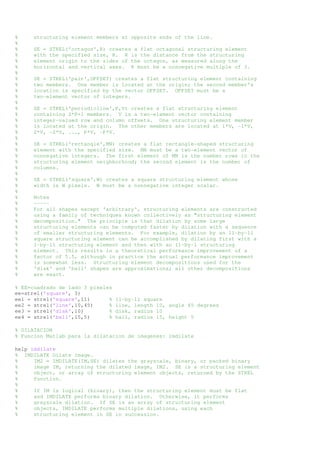
% SE = STREL('octagon',R) creates a flat octagonal structuring element 
% with the specified size, R. R is the distance from the structuring 
% element origin to the sides of the octagon, as measured along the 
% horizontal and vertical axes. R must be a nonnegative multiple of 3. 
% 
% SE = STREL('pair',OFFSET) creates a flat structuring element containing 
% two members. One member is located at the origin; the second member's 
% location is specified by the vector OFFSET. OFFSET must be a 
% two-element vector of integers. 
% 
% SE = STREL('periodicline',P,V) creates a flat structuring element 
% containing 2*P+1 members. V is a two-element vector containing 
% integer-valued row and column offsets. One structuring element member 
% is located at the origin. The other members are located at 1*V, -1*V, 
% 2*V, -2*V, ..., P*V, -P*V. 
% 
% SE = STREL('rectangle',MN) creates a flat rectangle-shaped structuring 
% element with the specified size. MN must be a two-element vector of 
% nonnegative integers. The first element of MN is the number rows in the 
% structuring element neighborhood; the second element is the number of 
% columns. 
% 
% SE = STREL('square',W) creates a square structuring element whose 
% width is W pixels. W must be a nonnegative integer scalar. 
% 
% Notes 
% ----- 
% For all shapes except 'arbitrary', structuring elements are constructed 
% using a family of techniques known collectively as "structuring element 
% decomposition." The principle is that dilation by some large 
% structuring elements can be computed faster by dilation with a sequence 
% of smaller structuring elements. For example, dilation by an 11-by-11 
% square structuring element can be accomplished by dilating first with a 
% 1-by-11 structuring element and then with an 11-by-1 structuring 
% element. This results in a theoretical performance improvement of a 
% factor of 5.5, although in practice the actual performance improvement 
% is somewhat less. Structuring element decompositions used for the 
% 'disk' and 'ball' shapes are approximations; all other decompositions 
% are exact. 
% EE=cuadrado de lado 3 pixeles 
ee=strel('square', 3) 
ee1 = strel('square',11) % 11-by-11 square 
ee2 = strel('line',10,45) % line, length 10, angle 45 degrees 
ee3 = strel('disk',10) % disk, radius 10 
ee4 = strel('ball',15,5) % ball, radius 15, height 5 
% DILATACION 
% Funcion Matlab para la dilatacion de imagenes: imdilate 
help imdilate 
% IMDILATE Dilate image. 
% IM2 = IMDILATE(IM,SE) dilates the grayscale, binary, or packed binary 
% image IM, returning the dilated image, IM2. SE is a structuring element 
% object, or array of structuring element objects, returned by the STREL 
% function. 
% 
% If IM is logical (binary), then the structuring element must be flat 
% and IMDILATE performs binary dilation. Otherwise, it performs 
% grayscale dilation. If SE is an array of structuring element 
% objects, IMDILATE performs multiple dilations, using each 
% structuring element in SE in succession.
% 
% IM2 = IMDILATE(IM,NHOOD) dilates the image IM, where NHOOD is a 
% matrix of 0s and 1s that specifies the structuring element 
% neighborhood. This is equivalent to the syntax IIMDILATE(IM, 
% STREL(NHOOD)). IMDILATE determines the center element of the 
% neighborhood by FLOOR((SIZE(NHOOD) + 1)/2). 
I1=imdilate(I,ee) 
figure, imshow(imresize(uint8(I1),[480,480])); 
I3=imread('igsg.bmp'); 
figure, imshow(I3), title('imagen original'); 
% Definicion del elemento estructural 
ee=strel('square', 30); 
% Se aplica dilatacion 
I4=imdilate(I3,ee); 
figure, imshow(I4), title('imagen dilatada'); 
% Erosión de imagenes escala de grises 
% I imagen 
% I imagen 
I=[ 0 0 0 0 0 0 0 0 0 0 0;... 
0 0 0 0 0 0 0 0 0 0 0;... 
0 0 15 15 27 27 8 8 0 0 0;... 
0 0 100 100 95 95 1 1 0 0 0;... 
0 0 0 0 0 0 0 0 0 0 0;... 
0 0 0 0 0 0 0 0 0 0 0;... 
64 64 128 128 255 255 255 128 128 64 64;... 
64 64 128 128 255 255 255 128 128 64 64;... 
0 0 0 0 0 255 255 255 0 0 0;... 
0 0 0 0 0 255 255 255 0 0 0;... 
0 0 0 0 0 128 128 128 0 0 0;... 
0 0 0 0 0 128 128 128 0 0 0;... 
0 0 0 0 0 64 64 64 0 0 0;... 
0 0 0 0 0 64 64 64 0 0 0;... 
0 0 0 0 0 0 0 0 0 0 0;... 
0 0 0 0 0 0 0 0 0 0 0] 
figure, imshow(imresize(uint8(I),[480,480])), title('imagen original'); 
% Definicion del elemento estructural 
ee=strel('square', 2); 
% EROSION 
% Funcion Matlab para erosionar una imagen: imerode 
help imerode 
% IMERODE Erode image. 
% IM2 = IMERODE(IM,SE) erodes the grayscale, binary, or packed binary image 
% IM, returning the eroded image, IM2. SE is a structuring element 
% object, or array of structuring element objects, returned by the 
% STREL function. 
% 
% If IM is logical and the structuring element is flat, IMERODE 
% performs binary erosion; otherwise it performs grayscale erosion. If 
% SE is an array of structuring element objects, IMERODE performs 
% multiple erosions of the input image, using each structuring element 
% in succession. 
% 
% IM2 = IMERODE(IM,NHOOD) erodes the image IM, where NHOOD is an array 
% of 0s and 1s that specifies the structuring element. This is 
% equivalent to the syntax IMERODE(IM,STREL(NHOOD)). IMERODE uses this 
% calculation to determine the center element, or origin, of the
% neighborhood: FLOOR((SIZE(NHOOD) + 1)/2). 
% Se aplica erosión 
I1=imerode(I,ee); 
figure, imshow(imresize(uint8(I1),[480,480])), title('Imagen erosionada'); 
I3=imread('igsg.bmp'); 
figure, imshow(I3); 
% Definicion del elemento estructural 
ee=strel('square', 30); 
% Se aplica erosión 
I4=imerode(I3,ee); 
figure, imshow(I4), title('Imagen erosionada'); 
%========================================================================= 
% Operaciones morfologicas II: Dilatacion y erosion de imagenes binarias 
% Dilatacion de imagenes binarias: 
% TAREA: 
% 1. Implementar la dilatacion y erosion en "negro" de imagenes binarias 
% 2. Explicar el algoritmo de las funciones dilatacion y erosion implementadas 
% 3. Realizar el diagrama de flujo de las funciones implementadas 
% Creando una imagen binaria 
b=ones(64); 
n=zeros(64); 
I=[b n b n b n b n; n b n b n b n b]; 
%I=imread('patron.bmp'); 
figure, imshow(I), title('Imagen original'); 
m=strel('square',20); 
I1=imdilate(I,m); 
figure, imshow(I1), title('Imagen dilatada'); 
% Erosión de imagenes binarias: 
% I=imread('patron.bmp'); 
I2=[b n b n b n b n; n b n b n b n b]; 
figure, imshow(I2), title('Imagen original'); 
m=strel('square',20); 
I2=imerode(I2,m); 
figure, imshow(I2), title('Imagen erosionada'); 
% TAREA. 
% 1. Explicar el algoritmo de las funciones dilatacion y erosion de la EA 
% 2. Realizar el diagrama de flujo de las funciones 
% Ejemplos: Con funciones 
I=imread('joyas.bmp'); 
figure, imshow(I), title('Imagen original'); 
J=rgb2gray(I); 
figure, imshow(J), title('Imagen escala de grises'); 
imwrite(J,'joyasG.bmp'); 
% K=im2bw(J,0.2); 
% K=im2bw(J,0.5); 
K=im2bw(J,0.7); 
figure, imshow(K), title('Imagen binaria'); 
imwrite(K,'joyasB.bmp'); 
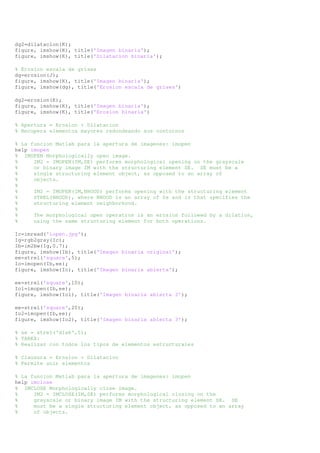
% Dilatacion escala de grises 
dg=dilatacion(J); 
figure, imshow(K), title('Imagen binaria'); 
figure, imshow(dg), title('Dilatacion escala de grises');
dg2=dilatacion(K); 
figure, imshow(K), title('Imagen binaria'); 
figure, imshow(K), title('Dilatacion binaria'); 
% Erosion escala de grises 
dg=erosion(J); 
figure, imshow(K), title('Imagen binaria'); 
figure, imshow(dg), title('Erosion escala de grises') 
dg2=erosion(K); 
figure, imshow(K), title('Imagen binaria'); 
figure, imshow(K), title('Erosion binaria') 
% Apertura = Erosion + Dilatacion 
% Recupera elementos mayores redondeando sus contornos 
% La funcion Matlab para la apertura de imagenes: imopen 
help imopen 
% IMOPEN Morphologically open image. 
% IM2 = IMOPEN(IM,SE) performs morphological opening on the grayscale 
% or binary image IM with the structuring element SE. SE must be a 
% single structuring element object, as opposed to an array of 
% objects. 
% 
% IM2 = IMOPEN(IM,NHOOD) performs opening with the structuring element 
% STREL(NHOOD), where NHOOD is an array of 0s and 1s that specifies the 
% structuring element neighborhood. 
% 
% The morphological open operation is an erosion followed by a dilation, 
% using the same structuring element for both operations. 
Ic=imread('iopen.jpg'); 
Ig=rgb2gray(Ic); 
Ib=im2bw(Ig,0.7); 
figure, imshow(Ib), title('Imagen binaria original'); 
ee=strel('square',5); 
Io=imopen(Ib,ee); 
figure, imshow(Io), title('Imagen binaria abierta'); 
ee=strel('square',10); 
Io1=imopen(Ib,ee); 
figure, imshow(Io1), title('Imagen binaria abierta 2'); 
ee=strel('square',20); 
Io2=imopen(Ib,ee); 
figure, imshow(Io2), title('Imagen binaria abierta 3'); 
% se = strel('disk',5); 
% TAREA: 
% Realizar con todos los tipos de elementos estructurales 
% Clausura = Erosion + Dilatacion 
% Permite unir elementos 
% La funcion Matlab para la apertura de imagenes: imopen 
help imclose 
% IMCLOSE Morphologically close image. 
% IM2 = IMCLOSE(IM,SE) performs morphological closing on the 
% grayscale or binary image IM with the structuring element SE. SE 
% must be a single structuring element object, as opposed to an array 
% of objects.
% 
% IMCLOSE(IM,NHOOD) performs closing with the structuring element 
% STREL(NHOOD), where NHOOD is an array of 0s and 1s that specifies the 
% structuring element neighborhood. 
% 
% The morphological close operation is a dilation followed by an erosion, 
% using the same structuring element for both operations. 
figure, imshow(Ib), title('Imagen binaria original'); 
ee=strel('square',5); 
Io=imclose(Ib,ee); 
figure, imshow(Io), title('Imagen binaria cerrada'); 
ee=strel('square',30); 
Io1=imclose(Ib,ee); 
figure, imshow(Io1), title('Imagen binaria cerrada 2'); 
ee=strel('square',50); 
Io2=imclose(Ib,ee); 
figure, imshow(Io2), title('Imagen binaria cerrada 3'); 
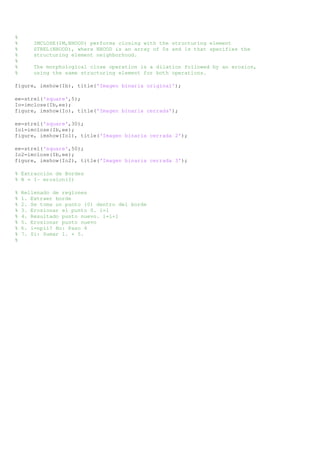
% Extracción de Bordes 
% B = I- erosion(I) 
% Rellenado de regiones 
% 1. Extraer borde 
% 2. Se toma un punto (0) dentro del borde 
% 3. Erosionar el punto 0. i=1 
% 4. Resultado punto nuevo. i=i+1 
% 5. Erosionar punto nuevo 
% 6. i=npii? No: Paso 4 
% 7. Si: Sumar 1. + 5. 
%

E251014

  • 1.
    % Experiencia deAprendizaje anterior % Tarea: Manipular el brillo de una imagen Ic=imread('flores.bmp'); [x,y,z]=size(Ic); x1=x/2; y1=y/2; figure, imshow(Ic), title('Imagen original'); Ig=rgb2gray(Ic); figure, imshow(Ig), title('Imagen escala de grises'); % + Brillo for m=1:y1 for n=1:x1 Ig(n,m)=Ig(n,m)*1.3; end end for m=y1+1:y for n=1:x1 Ig(n,m)=Ig(n,m)*1.6; end end % + Oscuro for m=1:y1 for n=x1+1:x Ig(n,m)=Ig(n,m)*0.4; end end for m=y1+1:y for n=x1+1:x Ig(n,m)=Ig(n,m)*0.7; end end figure, imshow(Ig); % NOTA: % Implementar con programas y/o funciones propias del alumno. % No usar funciones del matlab para procesamiento imagenes. % En Practicas Calificadas y Examen final no se consideraràn las funciones % del Matlab para procesamiento de imagenes. %Funciones del Matlab "solo para referencia" % Brillo Ic=imread('flores.bmp'); figure, imshow(Ic), title('Imagen original'); Ig=rgb2gray(Ic); figure, imshow(Ig), title('Imagen escala de grises'); % Funcion de matlab para mainuplar brillo y contraste: imadjust help imadjust % IMADJUST Adjust image intensity values or colormap. % J = IMADJUST(I) maps the values in intensity image I to new values in J % such that 1% of data is saturated at low and high intensities of I. % This increases the contrast of the output image J. % % J = IMADJUST(I,[LOW_IN; HIGH_IN],[LOW_OUT; HIGH_OUT]) maps the values % in intensity image I to new values in J such that values between LOW_IN % and HIGH_IN map to values between LOW_OUT and HIGH_OUT. Values below % LOW_IN and above HIGH_IN are clipped; that is, values below LOW_IN map % to LOW_OUT, and those above HIGH_IN map to HIGH_OUT. You can use an % empty matrix ([]) for [LOW_IN; HIGH_IN] or for [LOW_OUT; HIGH_OUT] to % specify the default of [0 1]. If you omit the argument, [LOW_OUT;
  • 2.
    % HIGH_OUT] defaultsto [0 1]. % % J = IMADJUST(I,[LOW_IN; HIGH_IN],[LOW_OUT; HIGH_OUT],GAMMA) maps the % values of I to new values in J as described in the previous syntax. % GAMMA specifies the shape of the curve describing the relationship % between the values in I and J. If GAMMA is less than 1, the mapping is % weighted toward higher (brighter) output values. If GAMMA is greater % than 1, the mapping is weighted toward lower (darker) output values. If % you omit the argument, GAMMA defaults to 1 (linear mapping). J1 = imadjust(Ig); figure, imshow(J1), title('Ajuste 1'); J1b = imadjust(J1); figure, imshow(J1b), title('Ajuste 1b'); J2 = imadjust(Ig,[0.3 0.7],[]); figure, imshow(J2), title('Ajuste 2'); %Usando el Gamma J3z=imadjust(Ig,[0 1],[0.2 1],0.2); figure, imshow(J3z), title('Ajuste 3z'); J3=imadjust(Ig,[0 1],[0.2 1],1); figure, imshow(J3), title('Ajuste 3'); J3b=imadjust(Ig,[0 1],[0.2 1],2); figure, imshow(J3b), title('Ajuste 3b'); J3c=imadjust(Ig,[0 1],[0.2 1],3); figure, imshow(J3c), title('Ajuste 3c'); J4 = imadjust(Ig,[0.3 1],[0 1],1); figure, imshow(J4), title('Ajuste 4'); %Histograma Ic = imread('flores.bmp'); figure, imshow(Ic), title('Imagen original'); Ig=rgb2gray(Ic); figure, imshow(Ig), title('Imagen escala de grises'); % Funcion para mostrar el histograma: imhist help imhist % IMHIST Display histogram of image data. % IMHIST(I) displays a histogram for the intensity image I whose number of % bins are specified by the image type. If I is a grayscale image, IMHIST % uses 256 bins as a default value. If I is a binary image, IMHIST uses % only 2 bins. % % IMHIST(I,N) displays a histogram with N bins for the intensity image I % above a grayscale colorbar of length N. If I is a binary image then N % can only be 2. % % IMHIST(X,MAP) displays a histogram for the indexed image X. This % histogram shows the distribution of pixel values above a colorbar of the % colormap MAP. The colormap must be at least as long as the largest index % in X. The histogram has one bin for each entry in the colormap. % % [COUNTS,X] = imhist(...) returns the histogram counts in COUNTS and the % bin locations in X so that stem(X,COUNTS) shows the histogram. For % indexed images, it returns the histogram counts for each colormap entry; % the length of COUNTS is the same as the length of the colormap.
  • 3.
    figure, imhist(Ig); [c,x]=imhist(Ig); figure, stem(x,c); % Ecualizacion del histograma help histeq % HISTEQ Enhance contrast using histogram equalization. % HISTEQ enhances the contrast of images by transforming the values in an % intensity image, or the values in the colormap of an indexed image, so % that the histogram of the output image approximately matches a specified % histogram. % % J = HISTEQ(I,HGRAM) transforms the intensity image I so that the histogram % of the output image J with length(HGRAM) bins approximately matches HGRAM. % The vector HGRAM should contain integer counts for equally spaced bins % with intensity values in the appropriate range: [0,1] for images of class % double or single, [0,255] for images of class uint8, [0,65535] for images % of class uint16, and [-32768, 32767] for images of class int16. HISTEQ % automatically scales HGRAM so that sum(HGRAM) = NUMEL(I). The histogram of % J will better match HGRAM when length(HGRAM) is much smaller than the % number of discrete levels in I. % % J = HISTEQ(I,N) transforms the intensity image I, returning in J an % intensity image with N discrete levels. A roughly equal number of pixels % is mapped to each of the N levels in J, so that the histogram of J is % approximately flat. (The histogram of J is flatter when N is much smaller % than the number of discrete levels in I.) The default value for N is 64. % % [J,T] = HISTEQ(I) returns the gray scale transformation that maps gray % levels in the intensity image I to gray levels in J. he = histeq(Ig); figure, imshow(Ig); figure, imhist(Ig); figure, imshow(he); figure, imhist(he); hea = histeq(Ig,5); figure, imshow(hea); figure, imhist(hea); hea2 = histeq(Ig,10); figure, imshow(hea2); figure, imhist(hea2); [he,t] = histeq(Ig); figure, stem(t); % Operaciones morfologicas I: Dilatacion y erosion de imaganes escala de grises % OM = EE + I, EE = Elemento estructural % Dilatación de escala de grises % Dilatación de imagenes escala de grises % I imagen I=[ 0 0 0 0 0 0 0 0 0 0 0;... 0 0 0 0 0 0 0 0 0 0 0;... 0 0 15 15 27 27 8 8 0 0 0;... 0 0 100 100 95 95 1 1 0 0 0;... 0 0 0 0 0 0 0 0 0 0 0;... 0 0 0 0 0 0 0 0 0 0 0;... 64 64 128 128 255 255 255 128 128 64 64;...
  • 4.
    64 64 128128 255 255 255 128 128 64 64;... 0 0 0 0 0 255 255 255 0 0 0;... 0 0 0 0 0 255 255 255 0 0 0;... 0 0 0 0 0 128 128 128 0 0 0;... 0 0 0 0 0 128 128 128 0 0 0;... 0 0 0 0 0 64 64 64 0 0 0;... 0 0 0 0 0 64 64 64 0 0 0;... 0 0 0 0 0 0 0 0 0 0 0;... 0 0 0 0 0 0 0 0 0 0 0] figure, imshow(imresize(uint8(I),[480,480])), title('imagen original'); % Definicion del elemento estructural % Funcion para definir el ee: strel help strel % STREL Create morphological structuring element. % SE = STREL('arbitrary',NHOOD) creates a flat structuring element with % the specified neigbhorhood. NHOOD is a matrix containing 1's and 0's; % the location of the 1's defines the neighborhood for the morphological % operation. The center (or origin) of NHOOD is its center element, % given by FLOOR((SIZE(NHOOD) + 1)/2). You can also omit the 'arbitrary' % string and just use STREL(NHOOD). % % SE = STREL('arbitrary',NHOOD,HEIGHT) creates a nonflat structuring % element with the specified neighborhood. HEIGHT is a matrix the same % size as NHOOD containing the height values associated with each nonzero % element of NHOOD. HEIGHT must be real and finite-valued. You can also % omit the 'arbitrary' string and just use STREL(NHOOD,HEIGHT). % % SE = STREL('ball',R,H,N) creates a nonflat "ball-shaped" (actually an % ellipsoid) structuring element whose radius in the X-Y plane is R and % whose height is H. R must be a nonnegative integer, and H must be a % real scalar. N must be an even nonnegative integer. When N is greater % than 0, the ball-shaped structuring element is approximated by a % sequence of N nonflat line-shaped structuring elements. When N is 0, no % approximation is used, and the structuring element members comprise all % pixels whose centers are no greater than R away from the origin, and the % corresponding height values are determined from the formula of the % ellipsoid specified by R and H. If N is not specified, the default % value is 8. Note: Morphological operations using ball approximations % (N>0) run much faster than when N=0. % % SE = STREL('diamond',R) creates a flat diamond-shaped structuring % element with the specified size, R. R is the distance from the % structuring element origin to the points of the diamond. R must be a % nonnegative integer scalar. % % SE = STREL('disk',R,N) creates a flat disk-shaped structuring element % with the specified radius, R. R must be a nonnegative integer. N must % be 0, 4, 6, or 8. When N is greater than 0, the disk-shaped structuring % element is approximated by a sequence of N (or sometimes N+2) % periodic-line structuring elements. When N is 0, no approximation is % used, and the structuring element members comprise all pixels whose % centers are no greater than R away from the origin. N can be omitted, % in which case its default value is 4. Note: Morphological operations % using disk approximations (N>0) run much faster than when N=0. Also, % the structuring elements resulting from choosing N>0 are suitable for % computing granulometries, which is not the case for N=0. Sometimes it % is necessary for STREL to use two extra line structuring elements in the % approximation, in which case the number of decomposed structuring % elements used is N+2. % % SE = STREL('line',LEN,DEG) creates a flat linear structuring element % with length LEN. DEG specifies the angle (in degrees) of the line as % measured in a counterclockwise direction from the horizontal axis. % LEN is approximately the distance between the centers of the
  • 5.
    % structuring elementmembers at opposite ends of the line. % % SE = STREL('octagon',R) creates a flat octagonal structuring element % with the specified size, R. R is the distance from the structuring % element origin to the sides of the octagon, as measured along the % horizontal and vertical axes. R must be a nonnegative multiple of 3. % % SE = STREL('pair',OFFSET) creates a flat structuring element containing % two members. One member is located at the origin; the second member's % location is specified by the vector OFFSET. OFFSET must be a % two-element vector of integers. % % SE = STREL('periodicline',P,V) creates a flat structuring element % containing 2*P+1 members. V is a two-element vector containing % integer-valued row and column offsets. One structuring element member % is located at the origin. The other members are located at 1*V, -1*V, % 2*V, -2*V, ..., P*V, -P*V. % % SE = STREL('rectangle',MN) creates a flat rectangle-shaped structuring % element with the specified size. MN must be a two-element vector of % nonnegative integers. The first element of MN is the number rows in the % structuring element neighborhood; the second element is the number of % columns. % % SE = STREL('square',W) creates a square structuring element whose % width is W pixels. W must be a nonnegative integer scalar. % % Notes % ----- % For all shapes except 'arbitrary', structuring elements are constructed % using a family of techniques known collectively as "structuring element % decomposition." The principle is that dilation by some large % structuring elements can be computed faster by dilation with a sequence % of smaller structuring elements. For example, dilation by an 11-by-11 % square structuring element can be accomplished by dilating first with a % 1-by-11 structuring element and then with an 11-by-1 structuring % element. This results in a theoretical performance improvement of a % factor of 5.5, although in practice the actual performance improvement % is somewhat less. Structuring element decompositions used for the % 'disk' and 'ball' shapes are approximations; all other decompositions % are exact. % EE=cuadrado de lado 3 pixeles ee=strel('square', 3) ee1 = strel('square',11) % 11-by-11 square ee2 = strel('line',10,45) % line, length 10, angle 45 degrees ee3 = strel('disk',10) % disk, radius 10 ee4 = strel('ball',15,5) % ball, radius 15, height 5 % DILATACION % Funcion Matlab para la dilatacion de imagenes: imdilate help imdilate % IMDILATE Dilate image. % IM2 = IMDILATE(IM,SE) dilates the grayscale, binary, or packed binary % image IM, returning the dilated image, IM2. SE is a structuring element % object, or array of structuring element objects, returned by the STREL % function. % % If IM is logical (binary), then the structuring element must be flat % and IMDILATE performs binary dilation. Otherwise, it performs % grayscale dilation. If SE is an array of structuring element % objects, IMDILATE performs multiple dilations, using each % structuring element in SE in succession.
  • 6.
    % % IM2= IMDILATE(IM,NHOOD) dilates the image IM, where NHOOD is a % matrix of 0s and 1s that specifies the structuring element % neighborhood. This is equivalent to the syntax IIMDILATE(IM, % STREL(NHOOD)). IMDILATE determines the center element of the % neighborhood by FLOOR((SIZE(NHOOD) + 1)/2). I1=imdilate(I,ee) figure, imshow(imresize(uint8(I1),[480,480])); I3=imread('igsg.bmp'); figure, imshow(I3), title('imagen original'); % Definicion del elemento estructural ee=strel('square', 30); % Se aplica dilatacion I4=imdilate(I3,ee); figure, imshow(I4), title('imagen dilatada'); % Erosión de imagenes escala de grises % I imagen % I imagen I=[ 0 0 0 0 0 0 0 0 0 0 0;... 0 0 0 0 0 0 0 0 0 0 0;... 0 0 15 15 27 27 8 8 0 0 0;... 0 0 100 100 95 95 1 1 0 0 0;... 0 0 0 0 0 0 0 0 0 0 0;... 0 0 0 0 0 0 0 0 0 0 0;... 64 64 128 128 255 255 255 128 128 64 64;... 64 64 128 128 255 255 255 128 128 64 64;... 0 0 0 0 0 255 255 255 0 0 0;... 0 0 0 0 0 255 255 255 0 0 0;... 0 0 0 0 0 128 128 128 0 0 0;... 0 0 0 0 0 128 128 128 0 0 0;... 0 0 0 0 0 64 64 64 0 0 0;... 0 0 0 0 0 64 64 64 0 0 0;... 0 0 0 0 0 0 0 0 0 0 0;... 0 0 0 0 0 0 0 0 0 0 0] figure, imshow(imresize(uint8(I),[480,480])), title('imagen original'); % Definicion del elemento estructural ee=strel('square', 2); % EROSION % Funcion Matlab para erosionar una imagen: imerode help imerode % IMERODE Erode image. % IM2 = IMERODE(IM,SE) erodes the grayscale, binary, or packed binary image % IM, returning the eroded image, IM2. SE is a structuring element % object, or array of structuring element objects, returned by the % STREL function. % % If IM is logical and the structuring element is flat, IMERODE % performs binary erosion; otherwise it performs grayscale erosion. If % SE is an array of structuring element objects, IMERODE performs % multiple erosions of the input image, using each structuring element % in succession. % % IM2 = IMERODE(IM,NHOOD) erodes the image IM, where NHOOD is an array % of 0s and 1s that specifies the structuring element. This is % equivalent to the syntax IMERODE(IM,STREL(NHOOD)). IMERODE uses this % calculation to determine the center element, or origin, of the
  • 7.
    % neighborhood: FLOOR((SIZE(NHOOD)+ 1)/2). % Se aplica erosión I1=imerode(I,ee); figure, imshow(imresize(uint8(I1),[480,480])), title('Imagen erosionada'); I3=imread('igsg.bmp'); figure, imshow(I3); % Definicion del elemento estructural ee=strel('square', 30); % Se aplica erosión I4=imerode(I3,ee); figure, imshow(I4), title('Imagen erosionada'); %========================================================================= % Operaciones morfologicas II: Dilatacion y erosion de imagenes binarias % Dilatacion de imagenes binarias: % TAREA: % 1. Implementar la dilatacion y erosion en "negro" de imagenes binarias % 2. Explicar el algoritmo de las funciones dilatacion y erosion implementadas % 3. Realizar el diagrama de flujo de las funciones implementadas % Creando una imagen binaria b=ones(64); n=zeros(64); I=[b n b n b n b n; n b n b n b n b]; %I=imread('patron.bmp'); figure, imshow(I), title('Imagen original'); m=strel('square',20); I1=imdilate(I,m); figure, imshow(I1), title('Imagen dilatada'); % Erosión de imagenes binarias: % I=imread('patron.bmp'); I2=[b n b n b n b n; n b n b n b n b]; figure, imshow(I2), title('Imagen original'); m=strel('square',20); I2=imerode(I2,m); figure, imshow(I2), title('Imagen erosionada'); % TAREA. % 1. Explicar el algoritmo de las funciones dilatacion y erosion de la EA % 2. Realizar el diagrama de flujo de las funciones % Ejemplos: Con funciones I=imread('joyas.bmp'); figure, imshow(I), title('Imagen original'); J=rgb2gray(I); figure, imshow(J), title('Imagen escala de grises'); imwrite(J,'joyasG.bmp'); % K=im2bw(J,0.2); % K=im2bw(J,0.5); K=im2bw(J,0.7); figure, imshow(K), title('Imagen binaria'); imwrite(K,'joyasB.bmp'); % Dilatacion escala de grises dg=dilatacion(J); figure, imshow(K), title('Imagen binaria'); figure, imshow(dg), title('Dilatacion escala de grises');
  • 8.
    dg2=dilatacion(K); figure, imshow(K),title('Imagen binaria'); figure, imshow(K), title('Dilatacion binaria'); % Erosion escala de grises dg=erosion(J); figure, imshow(K), title('Imagen binaria'); figure, imshow(dg), title('Erosion escala de grises') dg2=erosion(K); figure, imshow(K), title('Imagen binaria'); figure, imshow(K), title('Erosion binaria') % Apertura = Erosion + Dilatacion % Recupera elementos mayores redondeando sus contornos % La funcion Matlab para la apertura de imagenes: imopen help imopen % IMOPEN Morphologically open image. % IM2 = IMOPEN(IM,SE) performs morphological opening on the grayscale % or binary image IM with the structuring element SE. SE must be a % single structuring element object, as opposed to an array of % objects. % % IM2 = IMOPEN(IM,NHOOD) performs opening with the structuring element % STREL(NHOOD), where NHOOD is an array of 0s and 1s that specifies the % structuring element neighborhood. % % The morphological open operation is an erosion followed by a dilation, % using the same structuring element for both operations. Ic=imread('iopen.jpg'); Ig=rgb2gray(Ic); Ib=im2bw(Ig,0.7); figure, imshow(Ib), title('Imagen binaria original'); ee=strel('square',5); Io=imopen(Ib,ee); figure, imshow(Io), title('Imagen binaria abierta'); ee=strel('square',10); Io1=imopen(Ib,ee); figure, imshow(Io1), title('Imagen binaria abierta 2'); ee=strel('square',20); Io2=imopen(Ib,ee); figure, imshow(Io2), title('Imagen binaria abierta 3'); % se = strel('disk',5); % TAREA: % Realizar con todos los tipos de elementos estructurales % Clausura = Erosion + Dilatacion % Permite unir elementos % La funcion Matlab para la apertura de imagenes: imopen help imclose % IMCLOSE Morphologically close image. % IM2 = IMCLOSE(IM,SE) performs morphological closing on the % grayscale or binary image IM with the structuring element SE. SE % must be a single structuring element object, as opposed to an array % of objects.
  • 9.
    % % IMCLOSE(IM,NHOOD)performs closing with the structuring element % STREL(NHOOD), where NHOOD is an array of 0s and 1s that specifies the % structuring element neighborhood. % % The morphological close operation is a dilation followed by an erosion, % using the same structuring element for both operations. figure, imshow(Ib), title('Imagen binaria original'); ee=strel('square',5); Io=imclose(Ib,ee); figure, imshow(Io), title('Imagen binaria cerrada'); ee=strel('square',30); Io1=imclose(Ib,ee); figure, imshow(Io1), title('Imagen binaria cerrada 2'); ee=strel('square',50); Io2=imclose(Ib,ee); figure, imshow(Io2), title('Imagen binaria cerrada 3'); % Extracción de Bordes % B = I- erosion(I) % Rellenado de regiones % 1. Extraer borde % 2. Se toma un punto (0) dentro del borde % 3. Erosionar el punto 0. i=1 % 4. Resultado punto nuevo. i=i+1 % 5. Erosionar punto nuevo % 6. i=npii? No: Paso 4 % 7. Si: Sumar 1. + 5. %