By: CHRISTIAN MARK D. LLOSALA
BBTE –ITE 3-1N
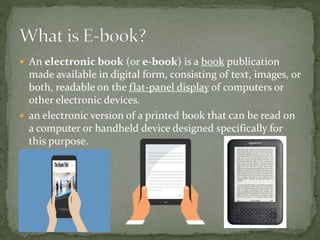
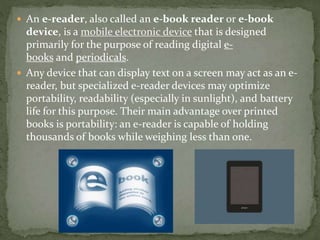
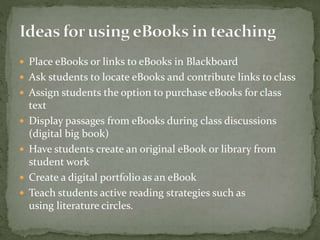
 An electronic book (or e-book) is a book publication
made available in digital form, consisting of text, images, or
both, readable on the flat-panel display of computers or
other electronic devices.
 an electronic version of a printed book that can be read on
a computer or handheld device designed specifically for
this purpose.
 An e-reader, also called an e-book reader or e-book
device, is a mobile electronic device that is designed
primarily for the purpose of reading digital e-
books and periodicals.
 Any device that can display text on a screen may act as an e-
reader, but specialized e-reader devices may optimize
portability, readability (especially in sunlight), and battery
life for this purpose. Their main advantage over printed
books is portability: an e-reader is capable of holding
thousands of books while weighing less than one.
 Although it is not necessary to use a reader application
or device in order to read an E-book (most books can
be read as PDF files), they are popular because they
enable options similar to those of a paper book -
readers can bookmark pages, make notes, highlight
passages, and save selected text. In addition to these
familiar possibilities, eBook readers also include built-
in dictionaries, and alterable font sizes and styles.
 Instructors could compile student reading material from a
variety of sources such for students access on either
handheld devices or computers.
 The eBooks and reader can act as a personal reference
library for students, allowing constant access to resources.
 students can copy and paste information to use in reports,
to take notes, or for analysis.
 E-Books have built in features such as highlighting, note
taking, dictionaries, bookmarks and other annotations.
 E-Books accommodate many learning needs and styles.
Most eBooks can read aloud using a text-to-speech engine,
and most can also change the text display size making large
print available.
 E-Book files can be created using free software, web
converters, or MS Word add-ins.
 Place eBooks or links to eBooks in Blackboard
 Ask students to locate eBooks and contribute links to class
 Assign students the option to purchase eBooks for class
text
 Display passages from eBooks during class discussions
(digital big book)
 Have students create an original eBook or library from
student work
 Create a digital portfolio as an eBook
 Teach students active reading strategies such as
using literature circles.
 Speed- you don’t have to wait until you can get to library or
bookstore, you can read an e-book immediately.
 Cheaper- because there are no printing fees associated with
e-books, they are often cheaper or even free compared to
printed books
 No limit on storage- you don’t have to worry about the
number of books you can store on your shelves. You can
have as many books as you want, because you don’t have
limit with e-books.
 You can adjust fonts- you can make font bigger or change
its darkness
 Battery Life- if your e-reader or gadgets runs out of
battery, you can’t use it until it charges again.
 E-book programs or application need to be compatible
with the computer or device.
 Not all book formats are compatible with the reader.
 E-Books can cause eyestrain.
 Not all books are currently available as eBooks.
 Users new to eBooks will have a period of adjustment
to screen reading.
Thank You 

E book

  • 1.
    By: CHRISTIAN MARKD. LLOSALA BBTE –ITE 3-1N
  • 2.
     An electronicbook (or e-book) is a book publication made available in digital form, consisting of text, images, or both, readable on the flat-panel display of computers or other electronic devices.  an electronic version of a printed book that can be read on a computer or handheld device designed specifically for this purpose.
  • 3.
     An e-reader,also called an e-book reader or e-book device, is a mobile electronic device that is designed primarily for the purpose of reading digital e- books and periodicals.  Any device that can display text on a screen may act as an e- reader, but specialized e-reader devices may optimize portability, readability (especially in sunlight), and battery life for this purpose. Their main advantage over printed books is portability: an e-reader is capable of holding thousands of books while weighing less than one.
  • 4.
     Although itis not necessary to use a reader application or device in order to read an E-book (most books can be read as PDF files), they are popular because they enable options similar to those of a paper book - readers can bookmark pages, make notes, highlight passages, and save selected text. In addition to these familiar possibilities, eBook readers also include built- in dictionaries, and alterable font sizes and styles.
  • 5.
     Instructors couldcompile student reading material from a variety of sources such for students access on either handheld devices or computers.  The eBooks and reader can act as a personal reference library for students, allowing constant access to resources.  students can copy and paste information to use in reports, to take notes, or for analysis.
  • 6.
     E-Books havebuilt in features such as highlighting, note taking, dictionaries, bookmarks and other annotations.  E-Books accommodate many learning needs and styles. Most eBooks can read aloud using a text-to-speech engine, and most can also change the text display size making large print available.  E-Book files can be created using free software, web converters, or MS Word add-ins.
  • 7.
     Place eBooksor links to eBooks in Blackboard  Ask students to locate eBooks and contribute links to class  Assign students the option to purchase eBooks for class text  Display passages from eBooks during class discussions (digital big book)  Have students create an original eBook or library from student work  Create a digital portfolio as an eBook  Teach students active reading strategies such as using literature circles.
  • 8.
     Speed- youdon’t have to wait until you can get to library or bookstore, you can read an e-book immediately.  Cheaper- because there are no printing fees associated with e-books, they are often cheaper or even free compared to printed books  No limit on storage- you don’t have to worry about the number of books you can store on your shelves. You can have as many books as you want, because you don’t have limit with e-books.  You can adjust fonts- you can make font bigger or change its darkness
  • 9.
     Battery Life-if your e-reader or gadgets runs out of battery, you can’t use it until it charges again.  E-book programs or application need to be compatible with the computer or device.  Not all book formats are compatible with the reader.  E-Books can cause eyestrain.  Not all books are currently available as eBooks.  Users new to eBooks will have a period of adjustment to screen reading.
  • 10.