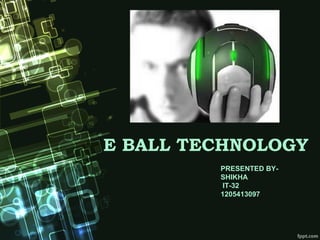
E BALL TECHNOLOGY
PRESENTED BY-
SHIKHA
IT-32
1205413097
CONTENTS
 Introduction
 Size of E-Ball
 Features of E-Ball
 Elements of E-Ball
 Working of E-ball
 Virtual Keyboard
 Projectors
 If there is no wall
 Advantages of E-Ball
 Disadvantages of E-Ball
 Conclusion
 References
INTRODUCTION
 E-Ball is Created by Aposto Tnokopvski.
 The E-Ball computer is a sphere shaped computer which
is the smallest design among all the laptops and desktops.
 This concept PC will measure 160 mm in diameter and it
was designed for Microsoft Windows OS.
 This computer has all the features like a
traditional computer, like, mouse, DVD,
large screen display, mother-board,
hard drive, web came, modem etc.
 E-Ball is designed to be placed on two stands, open by
simultaneously pressing and holding the two buttons located.
SIZE OF BALL
FEATURES OF E BALL
 It has around 350-600 GB of Hard Disk
Drive.
 It contains 5GB RAM.
 It has two 50W speakers.
 It has LAN and WLAN card and a
• Web cam.
 It has Virtual keyboard.
 Dual core processor.
 Integrated graphics and sound card.
 LCD projector Paper holder
 It contains wireless optical mouse and
laser keyboard, and LCD projector.
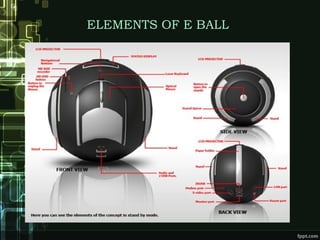
ELEMENTS OF E BALL
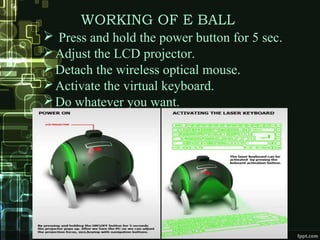
WORKING OF E BALL
 Press and hold the power button for 5 sec.
Adjust the LCD projector.
Detach the wireless optical mouse.
Activate the virtual keyboard.
Do whatever you want.
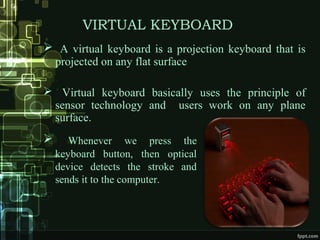
VIRTUAL KEYBOARD
 A virtual keyboard is a projection keyboard that is
projected on any flat surface
 Virtual keyboard basically uses the principle of
sensor technology and users work on any plane
surface.
 Whenever we press the
keyboard button, then optical
device detects the stroke and
sends it to the computer.
Virtual keyboard basically consists of three
components:-
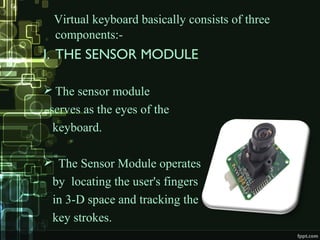
I. THE SENSOR MODULE
 The sensor module
serves as the eyes of the
keyboard.
 The Sensor Module operates
by locating the user's fingers
in 3-D space and tracking the
key strokes.
II. IR SOURCE LIGHT
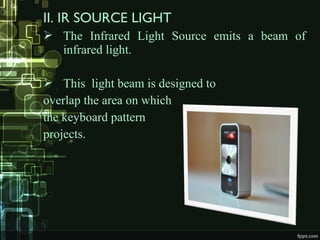
 The Infrared Light Source emits a beam of
infrared light.
 This light beam is designed to
overlap the area on which
the keyboard pattern
projects.
III. THE PATTERN PROJECTOR
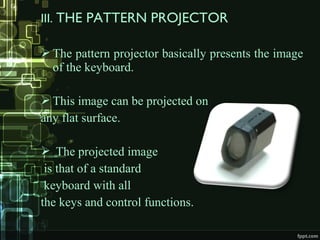
 The pattern projector basically presents the image
of the keyboard.
 This image can be projected on
any flat surface.
 The projected image
is that of a standard
keyboard with all
the keys and control functions.
IF THERE IS NO WALL?
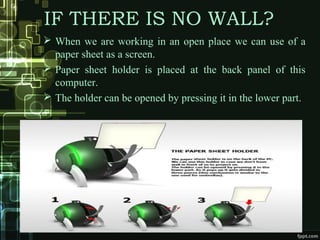
 When we are working in an open place we can use of a
paper sheet as a screen.
 Paper sheet holder is placed at the back panel of this
computer.
 The holder can be opened by pressing it in the lower part.
SCENARIOS OF USE
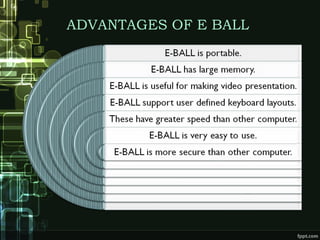
ADVANTAGES OF E BALL
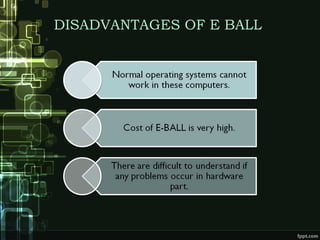
DISADVANTAGES OF E BALL
CONCLUSION
 As the year passes, the computer size is becoming
smaller.
 Today’s technology is at its peak point beyond what we
could ever imagine.
 Our imaginations have dressed into reality and today it
has become possible to have a whole computer in our
pocket all the time.
 At last this ball technology has
 taken the computer technology
 to new horizons.
REFERENCES
THANK YOU

E ball ppt

  • 1.
    E BALL TECHNOLOGY PRESENTEDBY- SHIKHA IT-32 1205413097
  • 2.
    CONTENTS  Introduction  Sizeof E-Ball  Features of E-Ball  Elements of E-Ball  Working of E-ball  Virtual Keyboard  Projectors  If there is no wall  Advantages of E-Ball  Disadvantages of E-Ball  Conclusion  References
  • 3.
    INTRODUCTION  E-Ball isCreated by Aposto Tnokopvski.  The E-Ball computer is a sphere shaped computer which is the smallest design among all the laptops and desktops.  This concept PC will measure 160 mm in diameter and it was designed for Microsoft Windows OS.  This computer has all the features like a traditional computer, like, mouse, DVD, large screen display, mother-board, hard drive, web came, modem etc.
  • 4.
     E-Ball isdesigned to be placed on two stands, open by simultaneously pressing and holding the two buttons located.
  • 5.
  • 6.
    FEATURES OF EBALL  It has around 350-600 GB of Hard Disk Drive.  It contains 5GB RAM.  It has two 50W speakers.  It has LAN and WLAN card and a • Web cam.  It has Virtual keyboard.  Dual core processor.  Integrated graphics and sound card.  LCD projector Paper holder  It contains wireless optical mouse and laser keyboard, and LCD projector.
  • 7.
  • 8.
    WORKING OF EBALL  Press and hold the power button for 5 sec. Adjust the LCD projector. Detach the wireless optical mouse. Activate the virtual keyboard. Do whatever you want.
  • 9.
    VIRTUAL KEYBOARD  Avirtual keyboard is a projection keyboard that is projected on any flat surface  Virtual keyboard basically uses the principle of sensor technology and users work on any plane surface.  Whenever we press the keyboard button, then optical device detects the stroke and sends it to the computer.
  • 10.
    Virtual keyboard basicallyconsists of three components:- I. THE SENSOR MODULE  The sensor module serves as the eyes of the keyboard.  The Sensor Module operates by locating the user's fingers in 3-D space and tracking the key strokes.
  • 11.
    II. IR SOURCELIGHT  The Infrared Light Source emits a beam of infrared light.  This light beam is designed to overlap the area on which the keyboard pattern projects.
  • 12.
    III. THE PATTERNPROJECTOR  The pattern projector basically presents the image of the keyboard.  This image can be projected on any flat surface.  The projected image is that of a standard keyboard with all the keys and control functions.
  • 13.
    IF THERE ISNO WALL?  When we are working in an open place we can use of a paper sheet as a screen.  Paper sheet holder is placed at the back panel of this computer.  The holder can be opened by pressing it in the lower part.
  • 14.
  • 15.
  • 16.
  • 17.
    CONCLUSION  As theyear passes, the computer size is becoming smaller.  Today’s technology is at its peak point beyond what we could ever imagine.  Our imaginations have dressed into reality and today it has become possible to have a whole computer in our pocket all the time.  At last this ball technology has  taken the computer technology  to new horizons.
  • 18.
  • 19.