…our imaginations dressed into reality… 

Presented By,

Sarang v.s
11156964

Under the guidance of
Mrs. Bindhu Prabha

1
CONTENTS
•
•
•
•
•
•
•
•
•
•
•

Introduction
Size of E-Ball
Elements of E-Ball
LCD&DLP projectors
Laser keyboard
If there is no wall?
W
orking of E-Ball
Features of E-Ball
Advantages of E-Ball
Disadvantages
Conclusion
2
INTRODUCTION
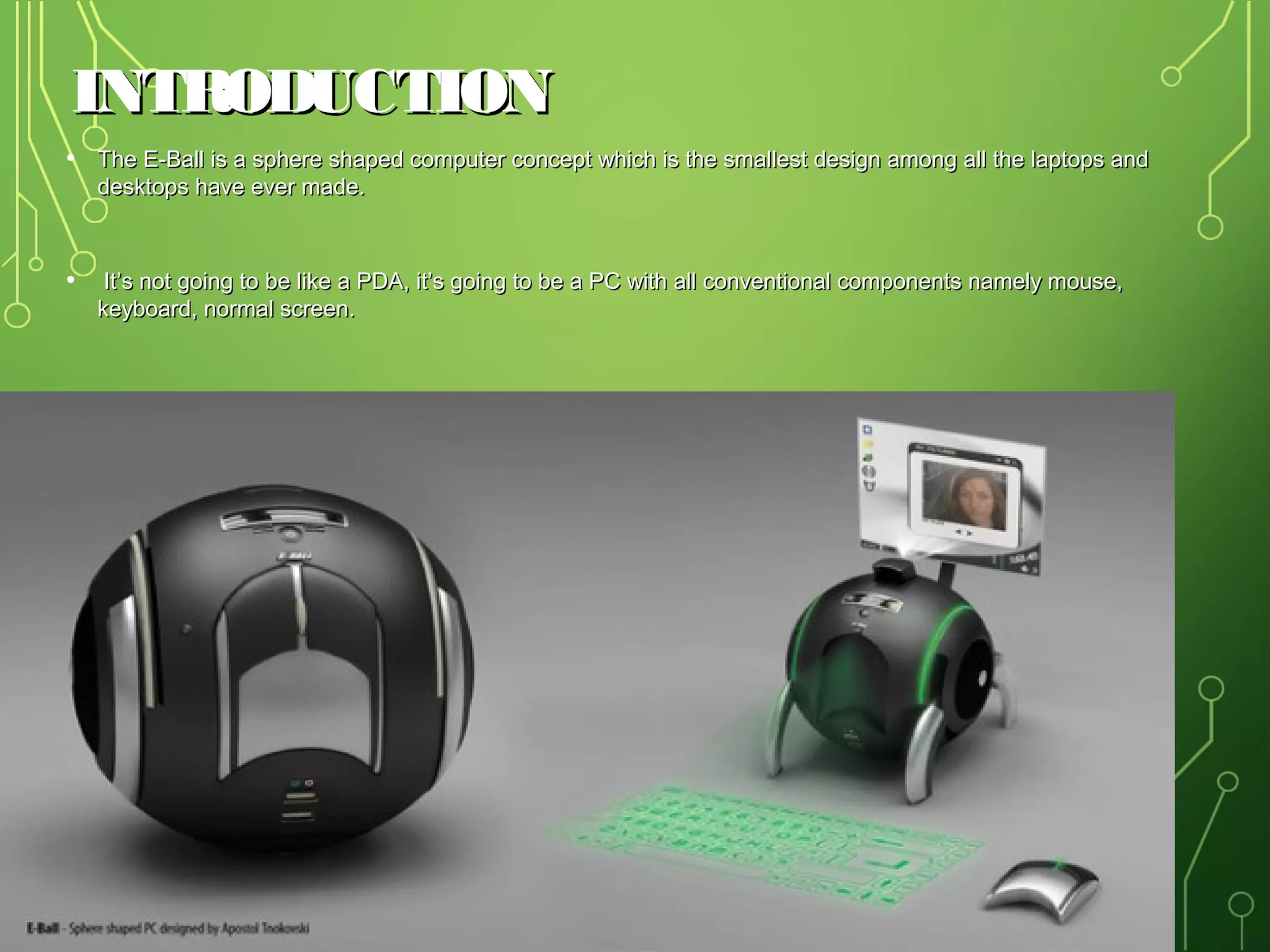
• The E-Ball is a sphere shaped computer concept which is the smallest design among all the laptops and
desktops have ever made.

• It’s not going to be like a PDA, it’s going to be a PC with all conventional components namely mouse,
keyboard, normal screen.

3
SIZE OF E-BALL
•
•
•
•
•

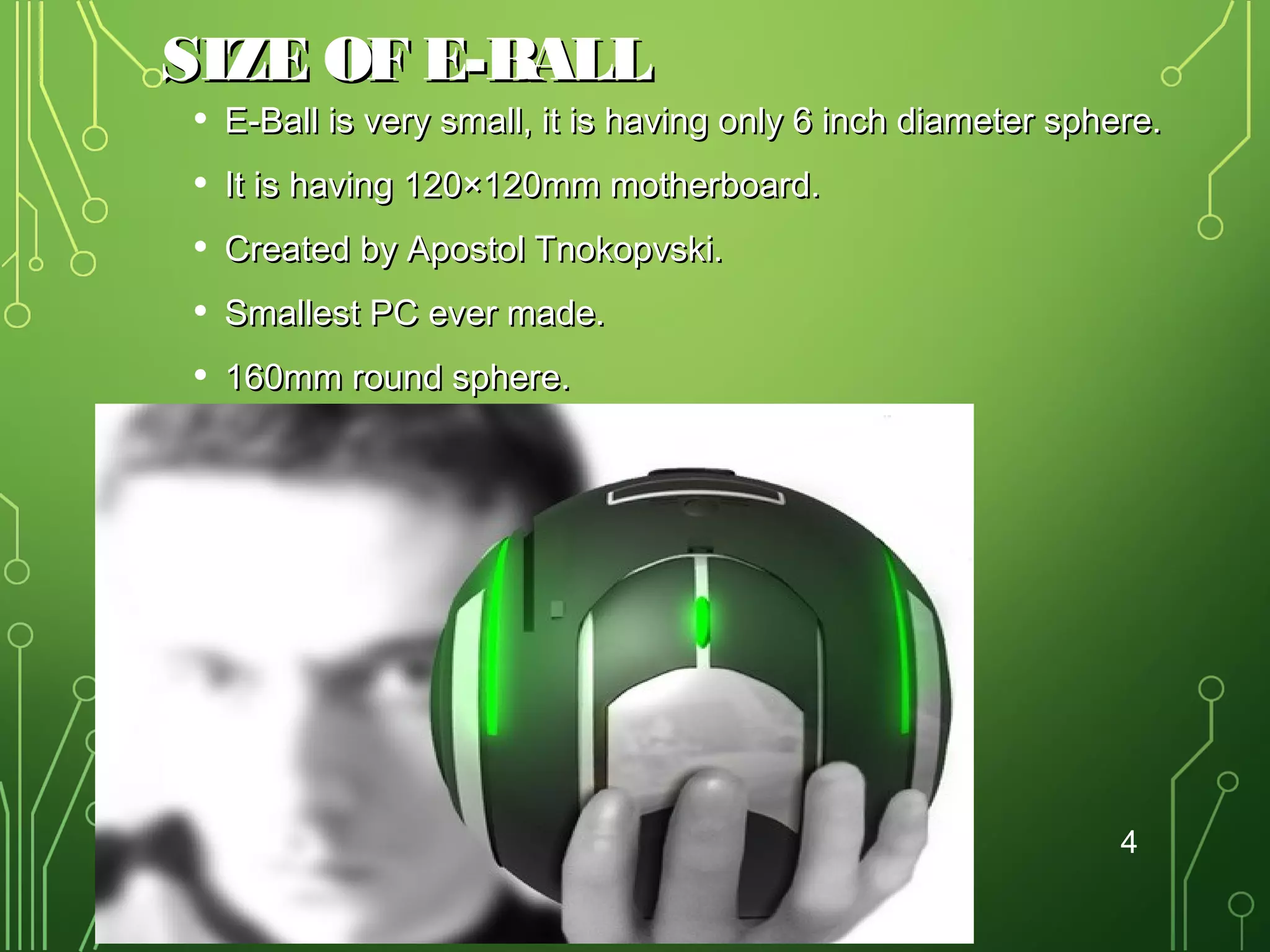
E-Ball is very small, it is having only 6 inch diameter sphere.
It is having 120×120mm motherboard.
Created by Apostol Tnokopvski.
Smallest PC ever made.
160mm round sphere.

4
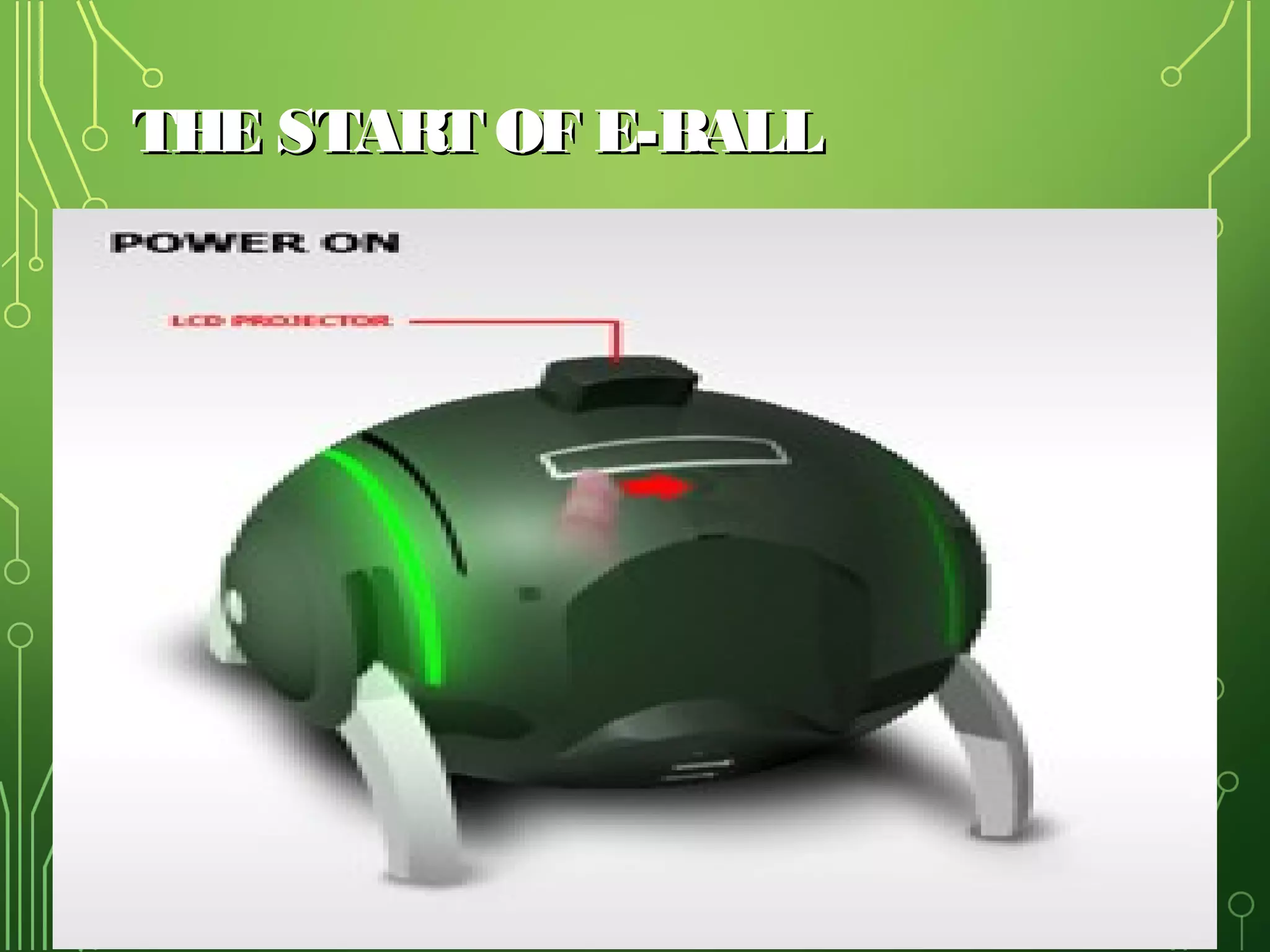
THE START OF E-BALL

5
FEATURES OF E-BALL:
•

It contains wireless optical mouse and laser keyboard, and LCD
projector.

•
•
•
•
•
•
•
•

It has around 350-600GB of Hard Disk Drive.
It contains 5GB RAM.
It has two 50W speakers.
It has LAN and WLAN card and a Web cam.
i-tech Virtual keyboard
Dual core processor
Integrated graphics and sound card
LCD projector Paper holder
6
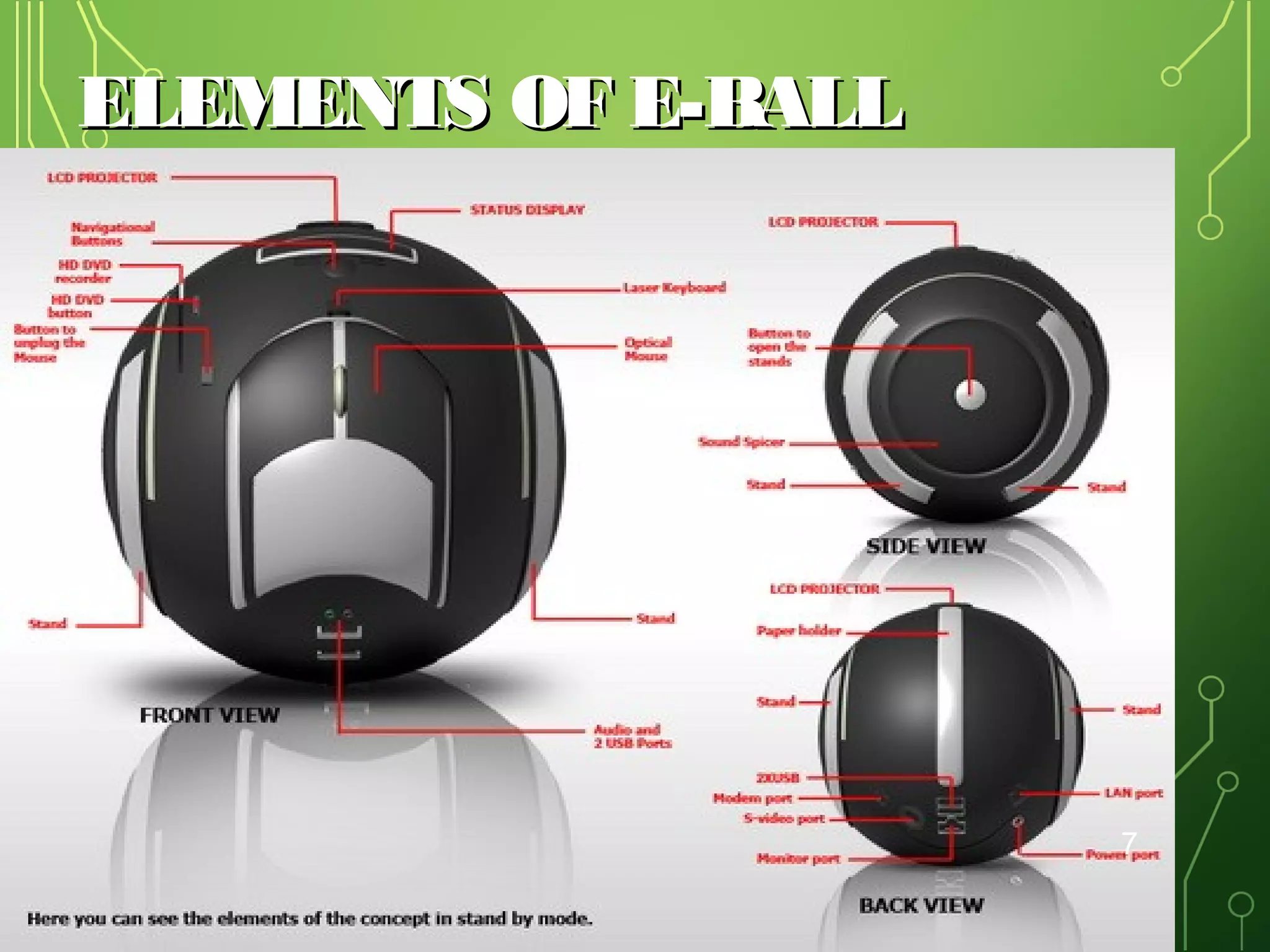
ELEMENTS OF E-BALL

7
•
•
•

W
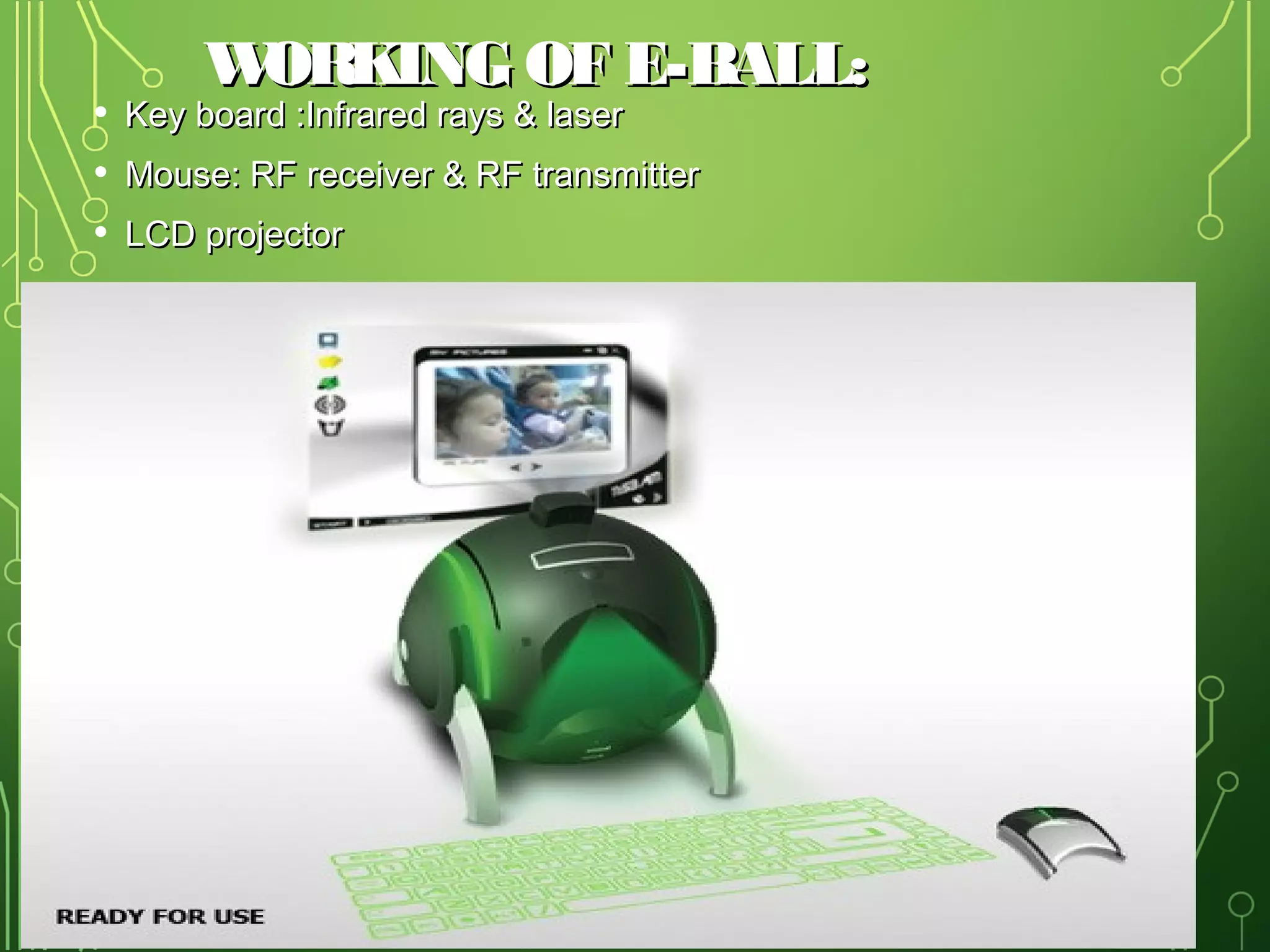
ORKING OF E-BALL:

Key board :Infrared rays & laser

Mouse: RF receiver & RF transmitter
LCD projector

8
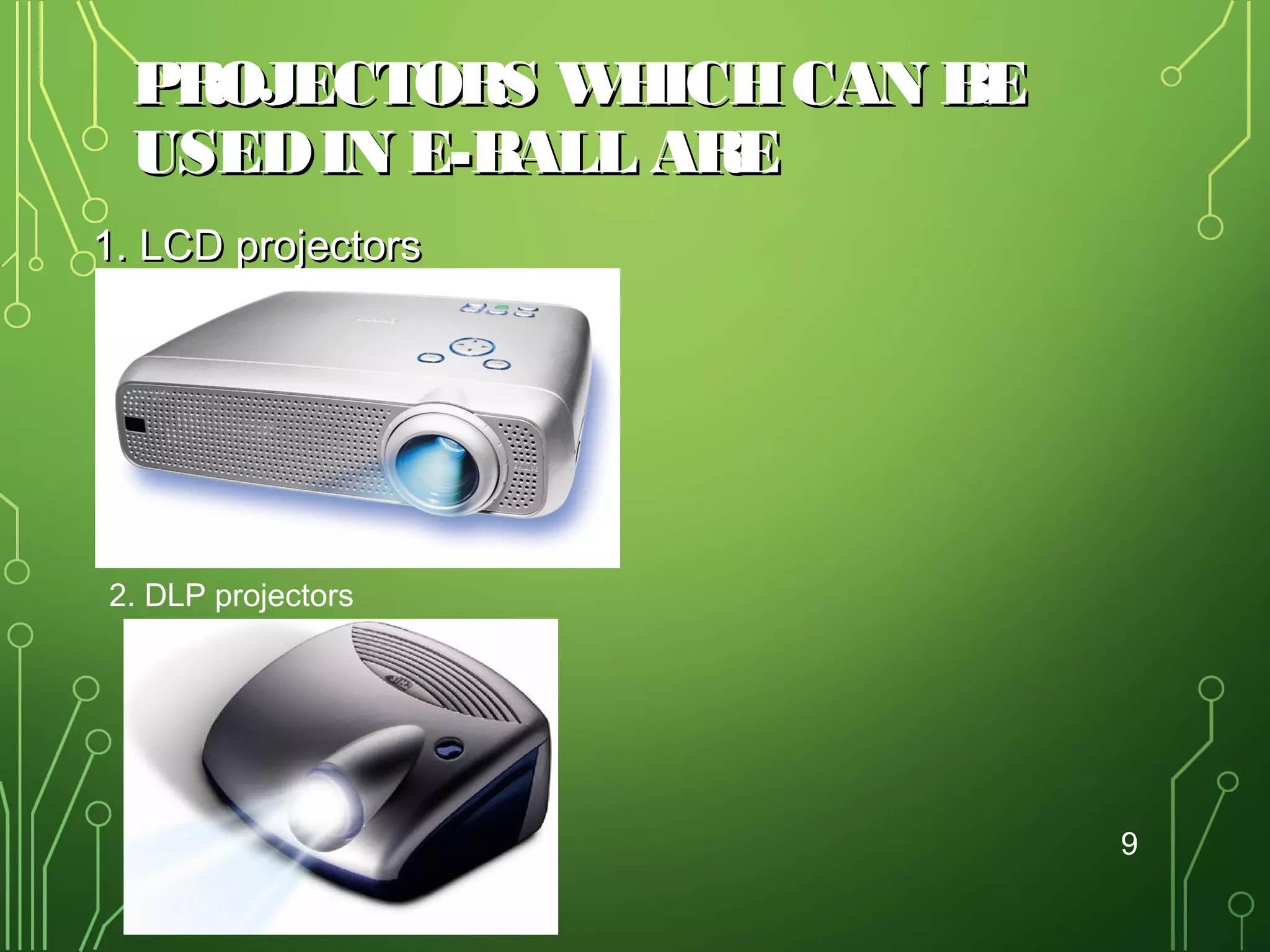
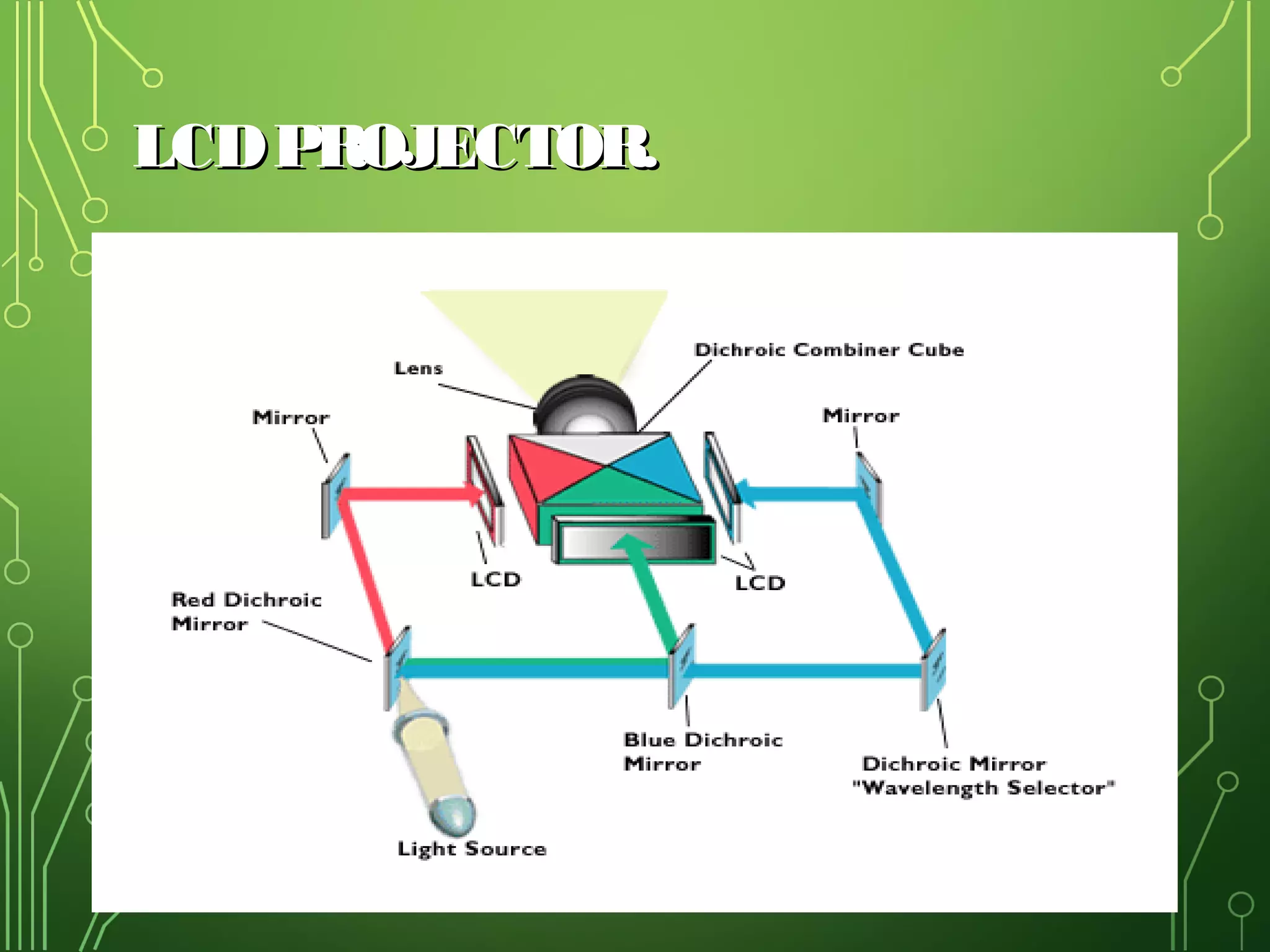
PROJECTORS W
HICH CAN BE
USED IN E-BALL ARE
1. LCD projectors

•DLP projectors

2. DLP projectors

9
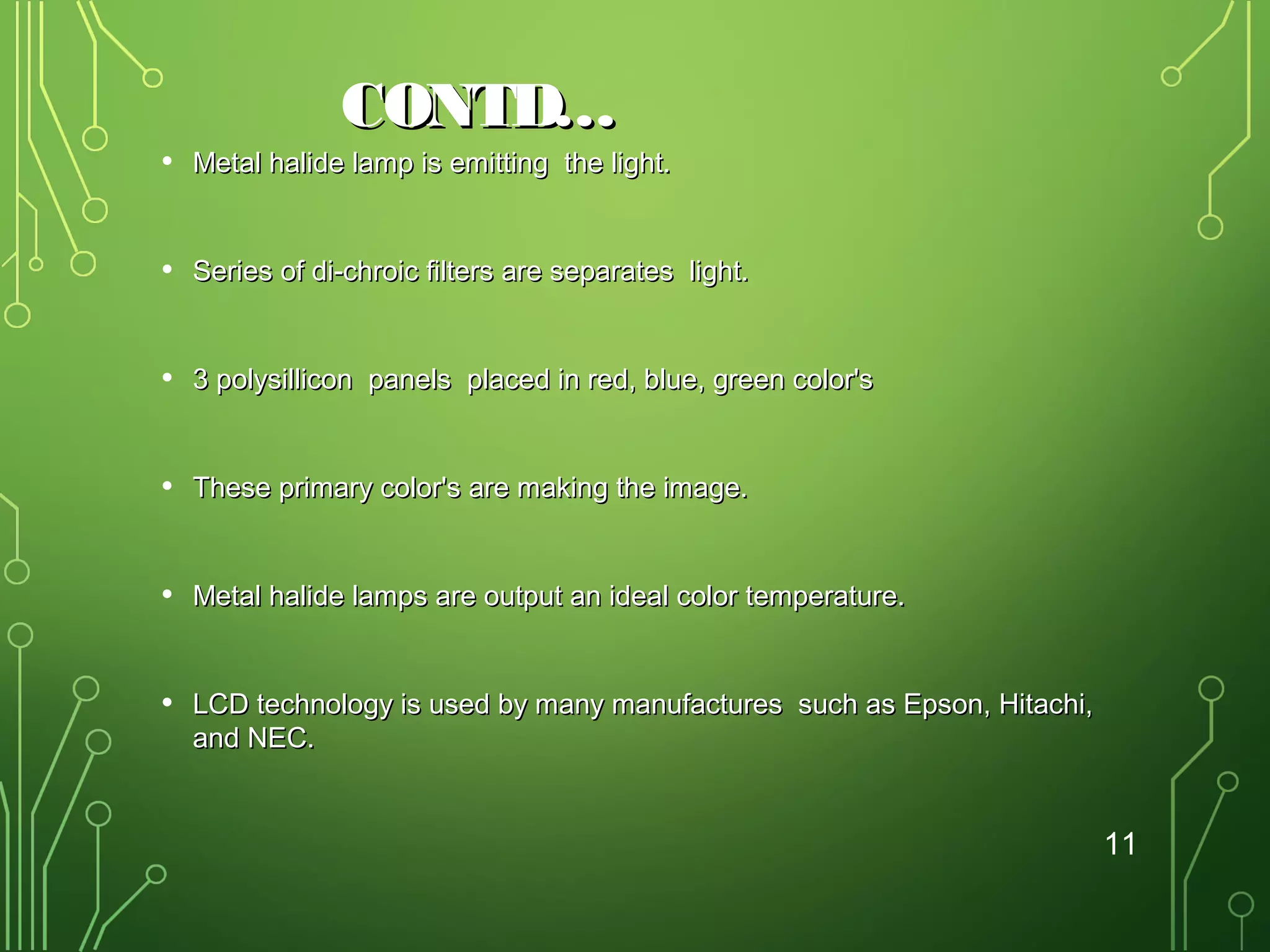
LCD PROJECTOR.

10
CONTD…

•

Metal halide lamp is emitting the light.

•

Series of di-chroic filters are separates light.

•

3 polysillicon panels placed in red, blue, green color's

•

These primary color's are making the image.

•

Metal halide lamps are output an ideal color temperature.

•

LCD technology is used by many manufactures such as Epson, Hitachi,
and NEC.

11
ADVANTAGES OF LCD
•
•

LCD is generally more light efficient than DLP.

•

1000 lumen LCD is more preferred than 1200 lumen
DLP .

•
•
•
•

LCD trends to produce a sharper image.

3LCD projectors can project bright, vivid images with a
low output lamp.

More accurate color.
Sharper image
More light efficient.

12
DISADVANTAGES
•
•
•
•
•
•
•

More bulky as there are more internal components.
Dead Pixels.
LCD panel can fail
Screen door effect.
Contrast.
Portability.
Image degradation.
13
DLP PROJECTORS.
•

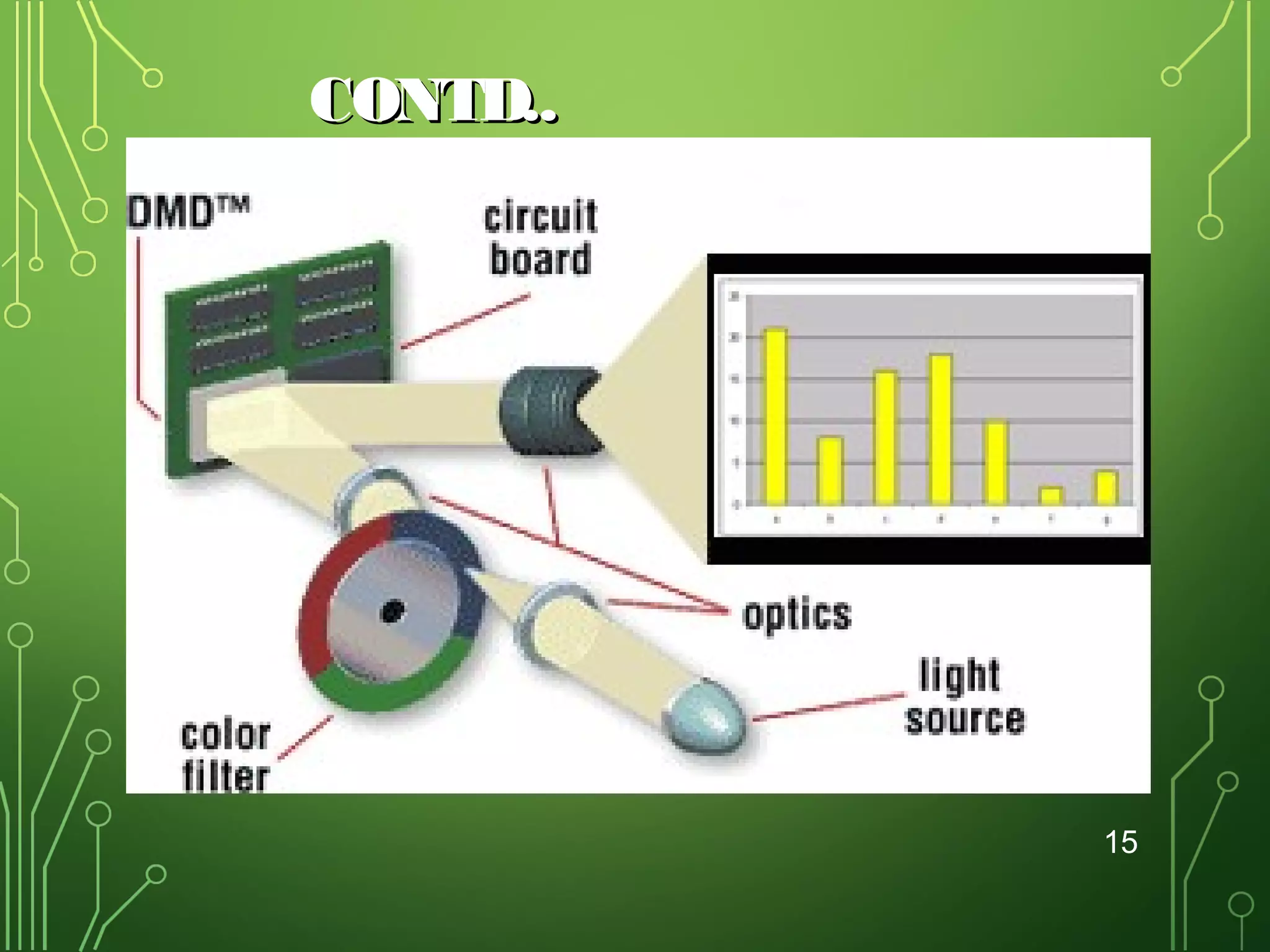
DLP-Digital Light Processing.

•

Worlds only all-digital display solution.

•

DLP technology is based on semiconductors called DMD chips.

•

Invented in 1987 by Texas.

•

DMD chips made up of many tiny mirrors.

•

Current DMD chip can produce 1024 shades of grey.

•

Found in projectors manufacturers of BenQ,InFocus and Optoma.

14
CONTD..

15
ADVANTAGES
•

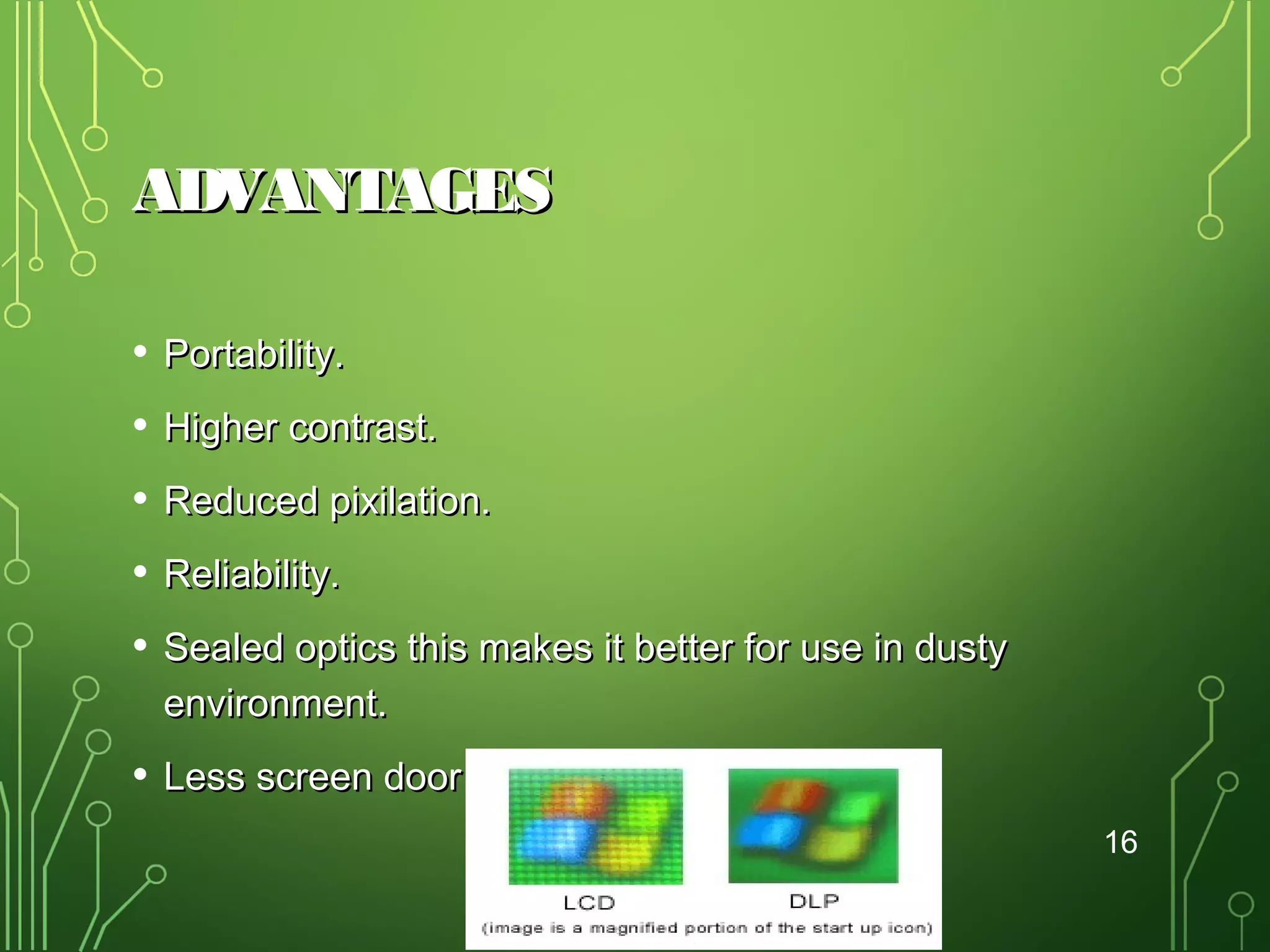
Portability.

•

Higher contrast.

•

Reduced pixilation.

•

Reliability.

•

Sealed optics this makes it better for use in dusty
environment.

•

Less screen door effect.
16
DISADVANTAGES
• Rainbow effect.
• Light leakage.
• High cost.
17
LASER KEYBOARD
(VIRTUAL KEYBOARD)
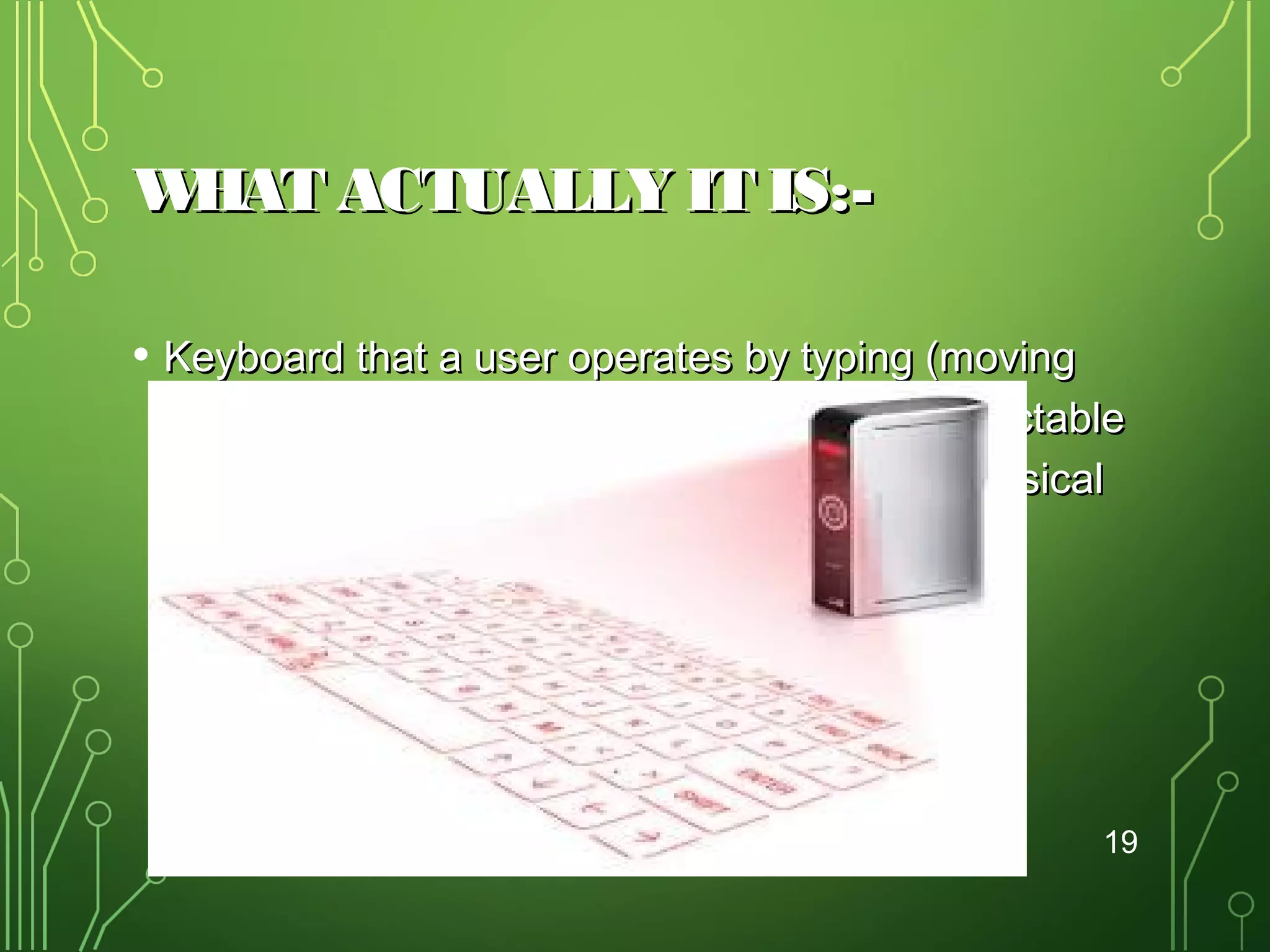
• A Virtual Keyboard is a projection keyboard that is projected and
touched on any surface

• User operates by typing on or within a wireless or optical

-detectable surface or area rather than by depressing physical
keys.

• Proved nightmare for users
• Way to eliminate finger cramping

18
W
HAT ACTUALLY IT IS:• Keyboard that a user operates by typing (moving
fingers) on or within a wireless or optical-detectable
surface or area rather than by depressing physical
keys.

19
TECHNOLOGIES USED:•
•

In one technology, the keyboard is projected optically on
a flat surface and, as the user touches the image of a
key, the optical device detects the stroke and sends it to
the computer.
In another technology, the keyboard is projected on an
area and selected keys are transmitted as wireless
signals using the short-range Bluetooth technology.

•

With either approach, a virtual keyboard makes it
possible for the user of a very small smart phone or a
wearable computer to have full keyboard capability.

•

Theoretically, with either approach, the keyboard can be
in space and the user can type by moving fingers
through the air!
20
REASONS TO USE THE VIRTUAL
KEYBOARD.
• When connected to your handheld computer it is

more convenient to carry around than your laptop.

• It takes up less desk space than a conventional
keyboard.

• You could use it with your desktop, laptop or
handheld computer.

21
ADVANTAGES:•

Portability

•

Accuracy

•

Speed of text entry

•

Lack of need for flat or large typing surface

•

Ability to minimize the risk for repetitive strain injuries

•

Flexibility

•

Keyboard layouts can be changed by software allowing for foreign or Alternative keyboard
layouts.

22
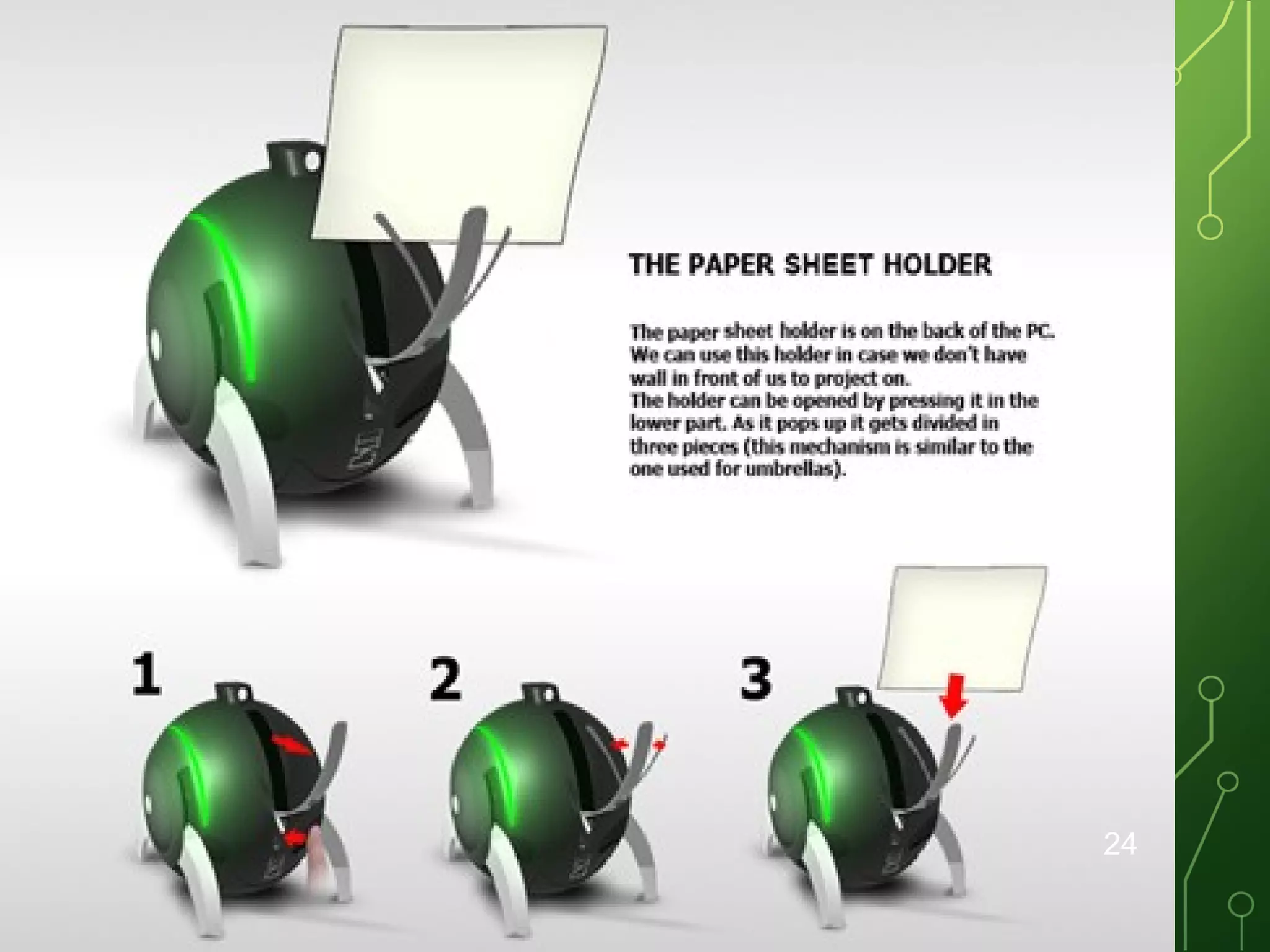
IF THERE IS NO W
ALL?
• When we are working in an open place we can
make use of a paper sheet as a screen.

• paper sheet holder is placed at the back panel of
this computer.

• The holder can be opened by pressing it in the
lower part

23
24
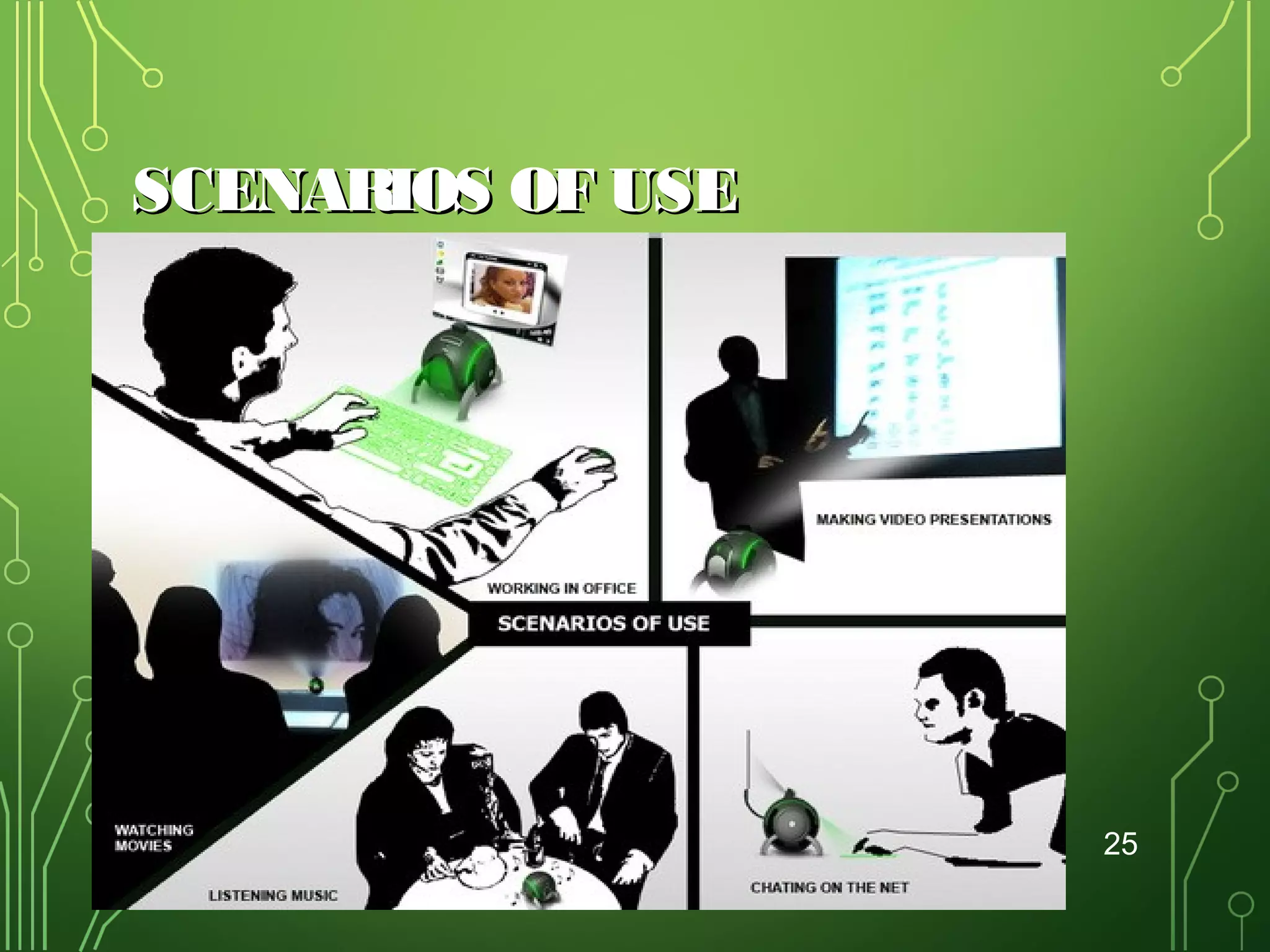
SCENARIOS OF USE

25
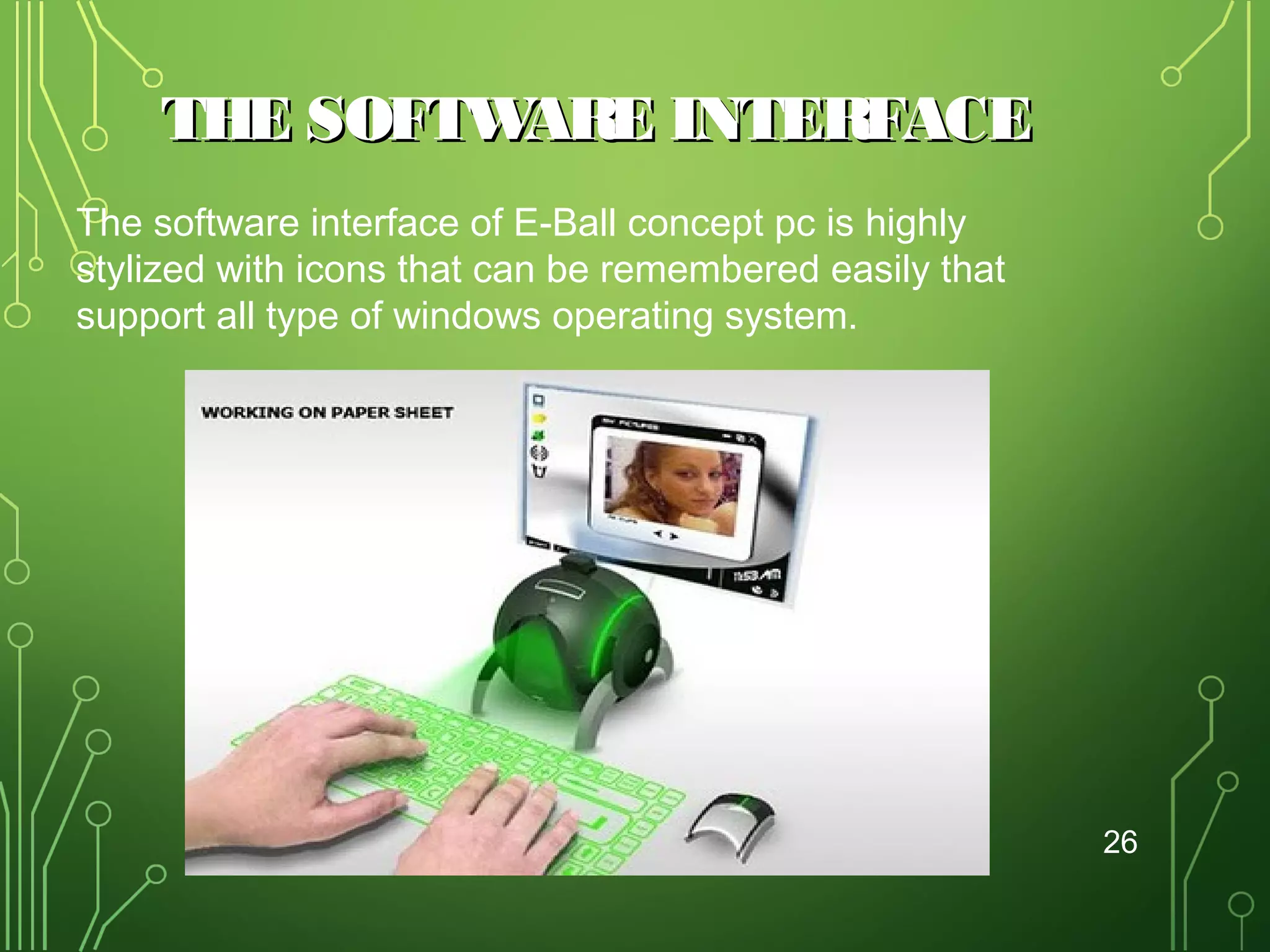
THE SOFTW
ARE INTERFACE
The software interface of E-Ball concept pc is highly
stylized with icons that can be remembered easily that
support all type of windows operating system.

26
ADVANTAGES OF E-BALL:
• It is portable.
• E-Ball has large memory.
• Useful for making video presentations.
• These have greater speed.
• Supports

user-defined keyboard layouts

27
DISADVANTAGES OF E-BALL:

• Normal OS can’t work in these computers.
• Cost of E-Ball is very high.
• It is difficult to understand if any problems occur in
hardware components.
28
CONCLUSION
•

As years passes, the computer size is becoming
smaller.

•

Today’s technology is at its peak point beyond what we
could ever imagine.

•

New inventions and innovations are emerging on daily
basis.

•

Our imaginations have dressed into reality and today it
has become possible to have a whole computer in our
pocket all the time. This ball computer has taken the

29

E-ball concept pc

  • 1.
    …our imaginations dressedinto reality…  Presented By, Sarang v.s 11156964 Under the guidance of Mrs. Bindhu Prabha 1
  • 2.
    CONTENTS • • • • • • • • • • • Introduction Size of E-Ball Elementsof E-Ball LCD&DLP projectors Laser keyboard If there is no wall? W orking of E-Ball Features of E-Ball Advantages of E-Ball Disadvantages Conclusion 2
  • 3.
    INTRODUCTION • The E-Ballis a sphere shaped computer concept which is the smallest design among all the laptops and desktops have ever made. • It’s not going to be like a PDA, it’s going to be a PC with all conventional components namely mouse, keyboard, normal screen. 3
  • 4.
    SIZE OF E-BALL • • • • • E-Ballis very small, it is having only 6 inch diameter sphere. It is having 120×120mm motherboard. Created by Apostol Tnokopvski. Smallest PC ever made. 160mm round sphere. 4
  • 5.
    THE START OFE-BALL 5
  • 6.
    FEATURES OF E-BALL: • Itcontains wireless optical mouse and laser keyboard, and LCD projector. • • • • • • • • It has around 350-600GB of Hard Disk Drive. It contains 5GB RAM. It has two 50W speakers. It has LAN and WLAN card and a Web cam. i-tech Virtual keyboard Dual core processor Integrated graphics and sound card LCD projector Paper holder 6
  • 7.
  • 8.
    • • • W ORKING OF E-BALL: Keyboard :Infrared rays & laser Mouse: RF receiver & RF transmitter LCD projector 8
  • 9.
    PROJECTORS W HICH CANBE USED IN E-BALL ARE 1. LCD projectors •DLP projectors 2. DLP projectors 9
  • 10.
  • 11.
    CONTD… • Metal halide lampis emitting the light. • Series of di-chroic filters are separates light. • 3 polysillicon panels placed in red, blue, green color's • These primary color's are making the image. • Metal halide lamps are output an ideal color temperature. • LCD technology is used by many manufactures such as Epson, Hitachi, and NEC. 11
  • 12.
    ADVANTAGES OF LCD • • LCDis generally more light efficient than DLP. • 1000 lumen LCD is more preferred than 1200 lumen DLP . • • • • LCD trends to produce a sharper image. 3LCD projectors can project bright, vivid images with a low output lamp. More accurate color. Sharper image More light efficient. 12
  • 13.
    DISADVANTAGES • • • • • • • More bulky asthere are more internal components. Dead Pixels. LCD panel can fail Screen door effect. Contrast. Portability. Image degradation. 13
  • 14.
    DLP PROJECTORS. • DLP-Digital LightProcessing. • Worlds only all-digital display solution. • DLP technology is based on semiconductors called DMD chips. • Invented in 1987 by Texas. • DMD chips made up of many tiny mirrors. • Current DMD chip can produce 1024 shades of grey. • Found in projectors manufacturers of BenQ,InFocus and Optoma. 14
  • 15.
  • 16.
    ADVANTAGES • Portability. • Higher contrast. • Reduced pixilation. • Reliability. • Sealedoptics this makes it better for use in dusty environment. • Less screen door effect. 16
  • 17.
    DISADVANTAGES • Rainbow effect. •Light leakage. • High cost. 17
  • 18.
    LASER KEYBOARD (VIRTUAL KEYBOARD) •A Virtual Keyboard is a projection keyboard that is projected and touched on any surface • User operates by typing on or within a wireless or optical -detectable surface or area rather than by depressing physical keys. • Proved nightmare for users • Way to eliminate finger cramping 18
  • 19.
    W HAT ACTUALLY ITIS:• Keyboard that a user operates by typing (moving fingers) on or within a wireless or optical-detectable surface or area rather than by depressing physical keys. 19
  • 20.
    TECHNOLOGIES USED:• • In onetechnology, the keyboard is projected optically on a flat surface and, as the user touches the image of a key, the optical device detects the stroke and sends it to the computer. In another technology, the keyboard is projected on an area and selected keys are transmitted as wireless signals using the short-range Bluetooth technology. • With either approach, a virtual keyboard makes it possible for the user of a very small smart phone or a wearable computer to have full keyboard capability. • Theoretically, with either approach, the keyboard can be in space and the user can type by moving fingers through the air! 20
  • 21.
    REASONS TO USETHE VIRTUAL KEYBOARD. • When connected to your handheld computer it is more convenient to carry around than your laptop. • It takes up less desk space than a conventional keyboard. • You could use it with your desktop, laptop or handheld computer. 21
  • 22.
    ADVANTAGES:• Portability • Accuracy • Speed of textentry • Lack of need for flat or large typing surface • Ability to minimize the risk for repetitive strain injuries • Flexibility • Keyboard layouts can be changed by software allowing for foreign or Alternative keyboard layouts. 22
  • 23.
    IF THERE ISNO W ALL? • When we are working in an open place we can make use of a paper sheet as a screen. • paper sheet holder is placed at the back panel of this computer. • The holder can be opened by pressing it in the lower part 23
  • 24.
  • 25.
  • 26.
    THE SOFTW ARE INTERFACE Thesoftware interface of E-Ball concept pc is highly stylized with icons that can be remembered easily that support all type of windows operating system. 26
  • 27.
    ADVANTAGES OF E-BALL: •It is portable. • E-Ball has large memory. • Useful for making video presentations. • These have greater speed. • Supports user-defined keyboard layouts 27
  • 28.
    DISADVANTAGES OF E-BALL: •Normal OS can’t work in these computers. • Cost of E-Ball is very high. • It is difficult to understand if any problems occur in hardware components. 28
  • 29.
    CONCLUSION • As years passes,the computer size is becoming smaller. • Today’s technology is at its peak point beyond what we could ever imagine. • New inventions and innovations are emerging on daily basis. • Our imaginations have dressed into reality and today it has become possible to have a whole computer in our pocket all the time. This ball computer has taken the 29