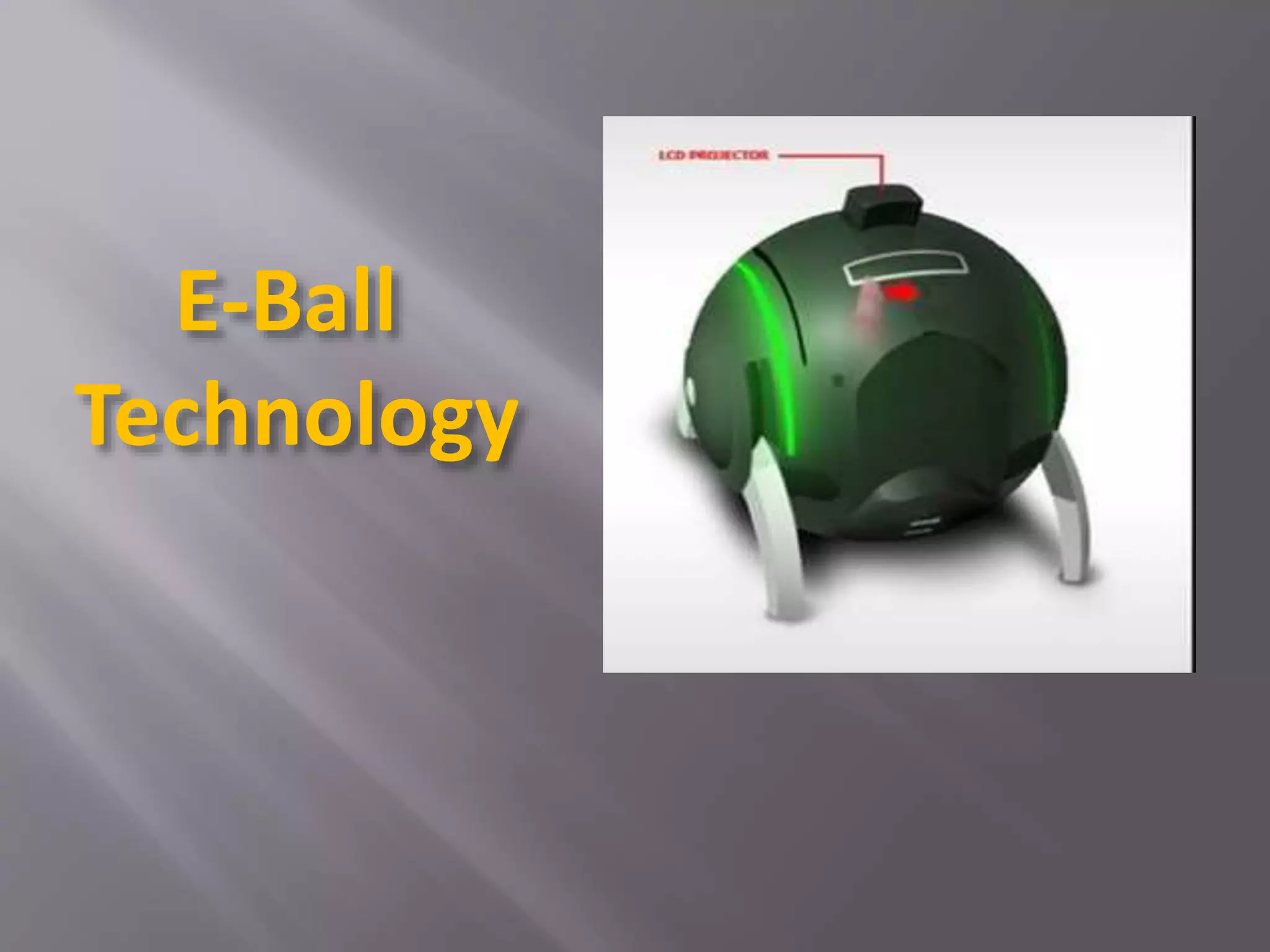
E-Ball
Technology
 Introduction
 History
 Features of E-Ball
 Elements of E-Ball
 Working of Interface
 Virtual Keyboard
 LCD Projector
 Advantages
 Disadvantages
 Conclusion
CONTENTS
 The E-Ball concept pc is a sphere shaped pc which is
the smallest design among all the laptops and
desktops
 This design for E-ball Technology was proposed by
Apostol Tnokovski (Macedonia based Product
Designer)
 This concept pc will measure 160mm in diameter
 It was designed for Microsoft Windows OS
What is E-Ball Technology?
 Analog computers- Analog
Computers used a
mechanical and electrical
equivalent of the problems
to be computed.
 Digital computers- Digital
computers were electro-
mechanical version of the
analog computer.
History
 Modern computers- The concept used instructions that were
originally stored in computer memory. They could work as
efficiently as the Universal Turing Machine.
 Mobile computers- Mobile computers earlier used were heavy
and needed to be plugged in the mains of the power supply.
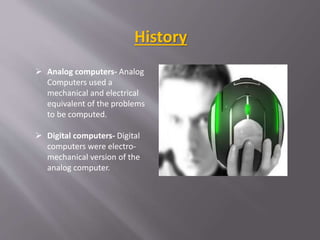
 E-ball computers-The computer design has ever since been
changing and becoming smaller and more compatible. The
rectangle-shaped computer monitor and keyboard have forever
been the standard. The designer of E-ball made a wonderful
exception to the rule by inventing the E-ball technology.
 It contains wireless optical mouse and laser
keyboard,and a LCD projector
 Dual-core processor
 It contains 2GB RAM
 It has around 350-500GB of Hard Disk Drive
 Integrated graphics and sound cards
 It has two 50 W speakers
 It has LAN, WLAN cards and a webcam
Features of E-Ball
 The body of the eyeball has aluminum as well as plastic parts.
 It does not have a physical monitor, rather it has a projected
projector that can be used as a screen if used against a wall.
 It has a virtual laser keyboard. It is projected on a flat surface. It
understands the fingers with the help of infrared sensors.
 E-ball Technology supports the Windows operating system.
 The keyboard and mouse can be used to give input to the E-ball,
whereas the holographic display and speakers would give
output. The storage is settled as the hard disk is present and the
network cards are present for any networking needs.
Elements of E-Ball
• Press and hold the power button for 5 sec.
• Adjust the LCD projector.
• Detach the optical mouse.
• Activate the virtual keyboard.
• Do whatever you want.
Working of Interface
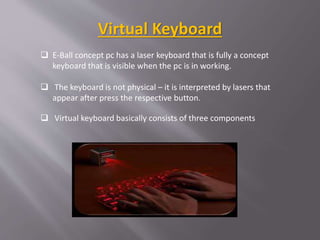
 E-Ball concept pc has a laser keyboard that is fully a concept
keyboard that is visible when the pc is in working.
 The keyboard is not physical – it is interpreted by lasers that
appear after press the respective button.
 Virtual keyboard basically consists of three components
Virtual Keyboard
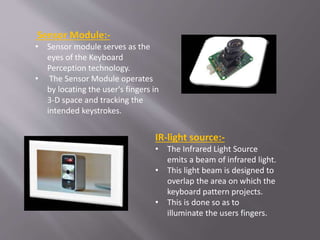
Sensor Module:-
• Sensor module serves as the
eyes of the Keyboard
Perception technology.
• The Sensor Module operates
by locating the user's fingers in
3-D space and tracking the
intended keystrokes.
IR-light source:-
• The Infrared Light Source
emits a beam of infrared light.
• This light beam is designed to
overlap the area on which the
keyboard pattern projects.
• This is done so as to
illuminate the users fingers.
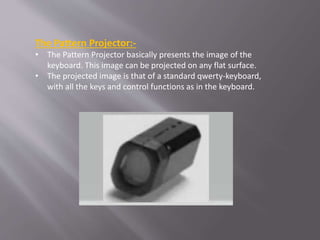
The Pattern Projector:-
• The Pattern Projector basically presents the image of the
keyboard. This image can be projected on any flat surface.
• The projected image is that of a standard qwerty-keyboard,
with all the keys and control functions as in the keyboard.
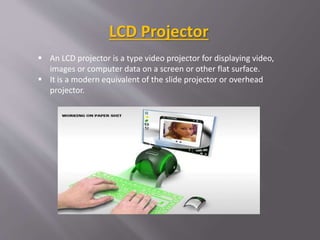
LCD Projector
 An LCD projector is a type video projector for displaying video,
images or computer data on a screen or other flat surface.
 It is a modern equivalent of the slide projector or overhead
projector.
Applications
 Office work
 Watching movies
 Video conferencing
 Listening to songs
 Persentations
1. It is portable.
2. E-Ball has large memory.
3. They have greater speed.
4. It is efficient.
5. It is more secure than any other computer.
6. Supports user defined keyboard layouts.
7. Useful for making video presentations.
Advantages
1. It works only with the windows operating
system and no other OS.
2. It has a very high cost because it uses high-end
technology.
3. Any hardware problem is difficult to handle and
recover from.
4. It would need new skilled people for its repair
which would also be expensive.
Disadvantages
 As the year passes,the computer size is becoming
smaller.
 New inventions and innovations are emerging on daily
basis.
 Our imagination have dresse into reality,and today it
has become possible to have a whole computer in our
pocket all the time.
 At last,this ball technology has taken computer
technology to new horizons.
Conclusion
Thank You.!!

E-Ball Technology.pptx

  • 1.
  • 2.
     Introduction  History Features of E-Ball  Elements of E-Ball  Working of Interface  Virtual Keyboard  LCD Projector  Advantages  Disadvantages  Conclusion CONTENTS
  • 3.
     The E-Ballconcept pc is a sphere shaped pc which is the smallest design among all the laptops and desktops  This design for E-ball Technology was proposed by Apostol Tnokovski (Macedonia based Product Designer)  This concept pc will measure 160mm in diameter  It was designed for Microsoft Windows OS What is E-Ball Technology?
  • 4.
     Analog computers-Analog Computers used a mechanical and electrical equivalent of the problems to be computed.  Digital computers- Digital computers were electro- mechanical version of the analog computer. History
  • 5.
     Modern computers-The concept used instructions that were originally stored in computer memory. They could work as efficiently as the Universal Turing Machine.  Mobile computers- Mobile computers earlier used were heavy and needed to be plugged in the mains of the power supply.  E-ball computers-The computer design has ever since been changing and becoming smaller and more compatible. The rectangle-shaped computer monitor and keyboard have forever been the standard. The designer of E-ball made a wonderful exception to the rule by inventing the E-ball technology.
  • 6.
     It containswireless optical mouse and laser keyboard,and a LCD projector  Dual-core processor  It contains 2GB RAM  It has around 350-500GB of Hard Disk Drive  Integrated graphics and sound cards  It has two 50 W speakers  It has LAN, WLAN cards and a webcam Features of E-Ball
  • 7.
     The bodyof the eyeball has aluminum as well as plastic parts.  It does not have a physical monitor, rather it has a projected projector that can be used as a screen if used against a wall.  It has a virtual laser keyboard. It is projected on a flat surface. It understands the fingers with the help of infrared sensors.  E-ball Technology supports the Windows operating system.  The keyboard and mouse can be used to give input to the E-ball, whereas the holographic display and speakers would give output. The storage is settled as the hard disk is present and the network cards are present for any networking needs. Elements of E-Ball
  • 8.
    • Press andhold the power button for 5 sec. • Adjust the LCD projector. • Detach the optical mouse. • Activate the virtual keyboard. • Do whatever you want. Working of Interface
  • 9.
     E-Ball conceptpc has a laser keyboard that is fully a concept keyboard that is visible when the pc is in working.  The keyboard is not physical – it is interpreted by lasers that appear after press the respective button.  Virtual keyboard basically consists of three components Virtual Keyboard
  • 10.
    Sensor Module:- • Sensormodule serves as the eyes of the Keyboard Perception technology. • The Sensor Module operates by locating the user's fingers in 3-D space and tracking the intended keystrokes. IR-light source:- • The Infrared Light Source emits a beam of infrared light. • This light beam is designed to overlap the area on which the keyboard pattern projects. • This is done so as to illuminate the users fingers.
  • 11.
    The Pattern Projector:- •The Pattern Projector basically presents the image of the keyboard. This image can be projected on any flat surface. • The projected image is that of a standard qwerty-keyboard, with all the keys and control functions as in the keyboard.
  • 12.
    LCD Projector  AnLCD projector is a type video projector for displaying video, images or computer data on a screen or other flat surface.  It is a modern equivalent of the slide projector or overhead projector.
  • 13.
    Applications  Office work Watching movies  Video conferencing  Listening to songs  Persentations
  • 14.
    1. It isportable. 2. E-Ball has large memory. 3. They have greater speed. 4. It is efficient. 5. It is more secure than any other computer. 6. Supports user defined keyboard layouts. 7. Useful for making video presentations. Advantages
  • 15.
    1. It worksonly with the windows operating system and no other OS. 2. It has a very high cost because it uses high-end technology. 3. Any hardware problem is difficult to handle and recover from. 4. It would need new skilled people for its repair which would also be expensive. Disadvantages
  • 16.
     As theyear passes,the computer size is becoming smaller.  New inventions and innovations are emerging on daily basis.  Our imagination have dresse into reality,and today it has become possible to have a whole computer in our pocket all the time.  At last,this ball technology has taken computer technology to new horizons. Conclusion
  • 17.