Submitted By :
AARON SHIBHU
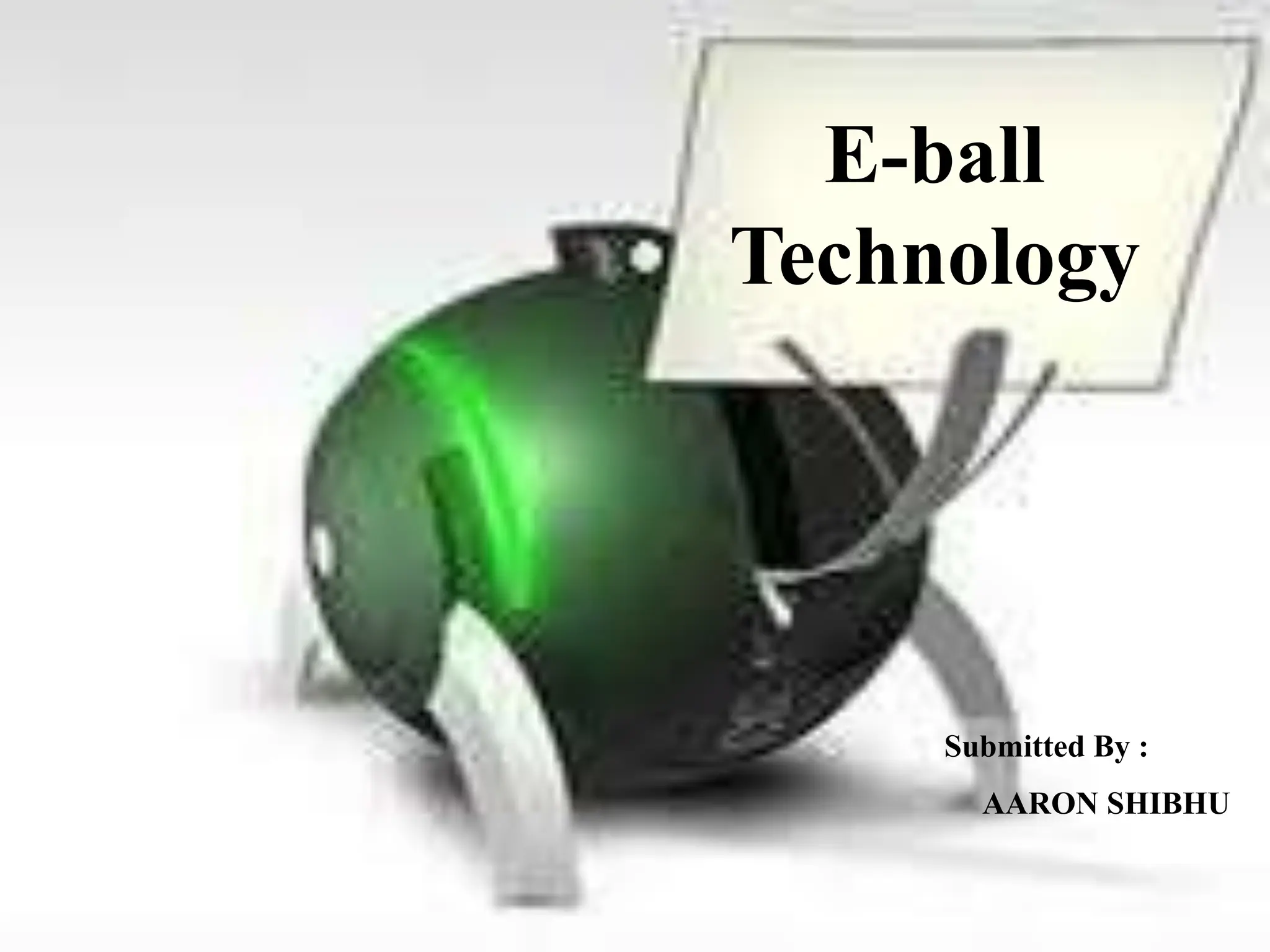
E-ball
Technology
INTRODUCTION
• The E-Ball concept pc is a sphere shaped pc which
is the smallest design among all the laptops and
desktops.
• This concept PC will measure 160mm in diameter
and it was designed for Microsoft Windows OS.
History Of E-ball
• Designer Apostol Tnokovski has Replaced the good old PC
from the shackles of the monotonous squares and rectangular
shape with his newly designed wonder in a spherical shape.
• According to Apostol it is the best shape in nature and it draws
everybody attention. It is the smallest PC ever made.
History Of E-ball (Cont…)
• It is definitely small when it comes to the size but as they say
all good things come in small packages, this tiny round PC is
no exception.
• It is loaded with all features that you can only dream of to have
in a regular PC. It comes packed with a projected keyboard and
display.
The components of E-ball
• I -tech Virtual keyboard
• Dual core processor
• 2GB RAM
• 350-500GB hard drive
• Integrated graphics and sound card
• Speakers
• Wireless optical mouse
• LAN & WAN card
• Modem
• Web cam
• LCD projector
• Paper holder
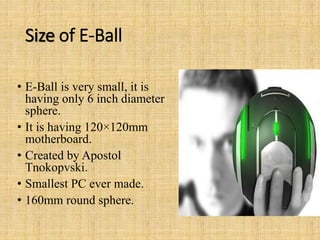
Size of E-Ball
• E-Ball is very small, it is
having only 6 inch diameter
sphere.
• It is having 120×120mm
motherboard.
• Created by Apostol
Tnokopvski.
• Smallest PC ever made.
• 160mm round sphere.
The display unit of E-ball
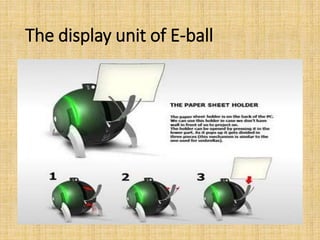
• E Ball concept pc don't have any external display
unit, it has a button when you press this button a
projector will pop and it focus the computer screen on
the wall which can be adjusted with navigation keys.
• If there is no wall then it has a paper sheet holder that
divides into three pieces like an umbrella just after
popping upland it will show desktop on the paper
sheet.
FEATURES OF E-BALL
• It contains wireless optical mouse and laser keyboard,
and LCD projector.
• It has around 350-600GB of Hard Disk Drive.
• It contains 5GB RAM.
• It has two 50W speakers.
• It has LAN and WLAN card and a Web cam.
• i-tech Virtual keyboard
• Dual core processor Integrated graphics and sound card.
• LCD projector Paper holder
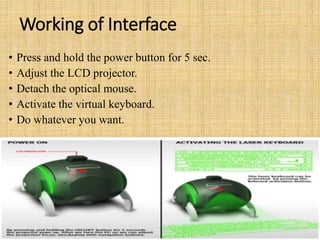
Working of Interface
• Press and hold the power button for 5 sec.
• Adjust the LCD projector.
• Detach the optical mouse.
• Activate the virtual keyboard.
• Do whatever you want.
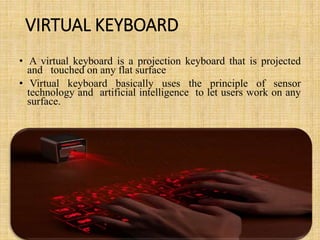
VIRTUAL KEYBOARD
• A virtual keyboard is a projection keyboard that is projected
and touched on any flat surface
• Virtual keyboard basically uses the principle of sensor
technology and artificial intelligence to let users work on any
surface.
• Whenever we press the keyboard button, it is
projected optically on the flat surface and, as the user
touches the image of the key, the optical device
detects the stroke and sends it to the computer.
• Virtual keyboard basically consists of three
components:-
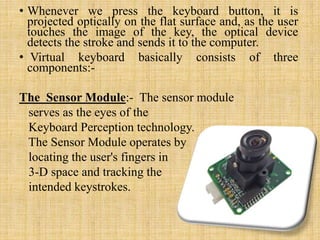
The Sensor Module:- The sensor module
serves as the eyes of the
Keyboard Perception technology.
The Sensor Module operates by
locating the user's fingers in
3-D space and tracking the
intended keystrokes.
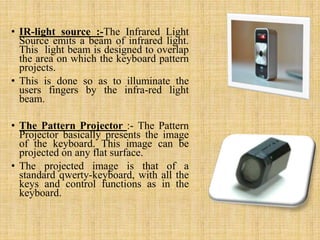
• IR-light source :-The Infrared Light
Source emits a beam of infrared light.
This light beam is designed to overlap
the area on which the keyboard pattern
projects.
• This is done so as to illuminate the
users fingers by the infra-red light
beam.
• The Pattern Projector :- The Pattern
Projector basically presents the image
of the keyboard. This image can be
projected on any flat surface.
• The projected image is that of a
standard qwerty-keyboard, with all the
keys and control functions as in the
keyboard.
Advantages of E-Ball
• E-BALL is portable.
• E-BALL has large memory.
• E-BALL is useful for making video presentation.
• E-BALL support user defined keyboard layouts.
• E-BALL is efficient.
• E-BALL is very easy to use.
• E-BALL is more secure than other computer.
Disadvantages of E-Ball
• Normal operating systems cannot work in these
computers.
• Cost of E-BALL is very high.
• It is difficult to understand if any problems occur in
hardware part.

AaronEball.pptx eball seminar reprrt ppt

  • 1.
    Submitted By : AARONSHIBHU E-ball Technology
  • 2.
    INTRODUCTION • The E-Ballconcept pc is a sphere shaped pc which is the smallest design among all the laptops and desktops. • This concept PC will measure 160mm in diameter and it was designed for Microsoft Windows OS.
  • 3.
    History Of E-ball •Designer Apostol Tnokovski has Replaced the good old PC from the shackles of the monotonous squares and rectangular shape with his newly designed wonder in a spherical shape. • According to Apostol it is the best shape in nature and it draws everybody attention. It is the smallest PC ever made.
  • 4.
    History Of E-ball(Cont…) • It is definitely small when it comes to the size but as they say all good things come in small packages, this tiny round PC is no exception. • It is loaded with all features that you can only dream of to have in a regular PC. It comes packed with a projected keyboard and display.
  • 5.
    The components ofE-ball • I -tech Virtual keyboard • Dual core processor • 2GB RAM • 350-500GB hard drive • Integrated graphics and sound card • Speakers • Wireless optical mouse • LAN & WAN card • Modem • Web cam • LCD projector • Paper holder
  • 6.
    Size of E-Ball •E-Ball is very small, it is having only 6 inch diameter sphere. • It is having 120×120mm motherboard. • Created by Apostol Tnokopvski. • Smallest PC ever made. • 160mm round sphere.
  • 7.
  • 8.
    The display unitof E-ball • E Ball concept pc don't have any external display unit, it has a button when you press this button a projector will pop and it focus the computer screen on the wall which can be adjusted with navigation keys. • If there is no wall then it has a paper sheet holder that divides into three pieces like an umbrella just after popping upland it will show desktop on the paper sheet.
  • 9.
    FEATURES OF E-BALL •It contains wireless optical mouse and laser keyboard, and LCD projector. • It has around 350-600GB of Hard Disk Drive. • It contains 5GB RAM. • It has two 50W speakers. • It has LAN and WLAN card and a Web cam. • i-tech Virtual keyboard • Dual core processor Integrated graphics and sound card. • LCD projector Paper holder
  • 10.
    Working of Interface •Press and hold the power button for 5 sec. • Adjust the LCD projector. • Detach the optical mouse. • Activate the virtual keyboard. • Do whatever you want.
  • 11.
    VIRTUAL KEYBOARD • Avirtual keyboard is a projection keyboard that is projected and touched on any flat surface • Virtual keyboard basically uses the principle of sensor technology and artificial intelligence to let users work on any surface.
  • 12.
    • Whenever wepress the keyboard button, it is projected optically on the flat surface and, as the user touches the image of the key, the optical device detects the stroke and sends it to the computer. • Virtual keyboard basically consists of three components:- The Sensor Module:- The sensor module serves as the eyes of the Keyboard Perception technology. The Sensor Module operates by locating the user's fingers in 3-D space and tracking the intended keystrokes.
  • 13.
    • IR-light source:-The Infrared Light Source emits a beam of infrared light. This light beam is designed to overlap the area on which the keyboard pattern projects. • This is done so as to illuminate the users fingers by the infra-red light beam. • The Pattern Projector :- The Pattern Projector basically presents the image of the keyboard. This image can be projected on any flat surface. • The projected image is that of a standard qwerty-keyboard, with all the keys and control functions as in the keyboard.
  • 14.
    Advantages of E-Ball •E-BALL is portable. • E-BALL has large memory. • E-BALL is useful for making video presentation. • E-BALL support user defined keyboard layouts. • E-BALL is efficient. • E-BALL is very easy to use. • E-BALL is more secure than other computer.
  • 15.
    Disadvantages of E-Ball •Normal operating systems cannot work in these computers. • Cost of E-BALL is very high. • It is difficult to understand if any problems occur in hardware part.

Editor's Notes