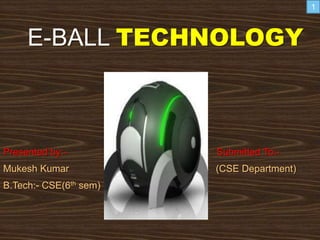
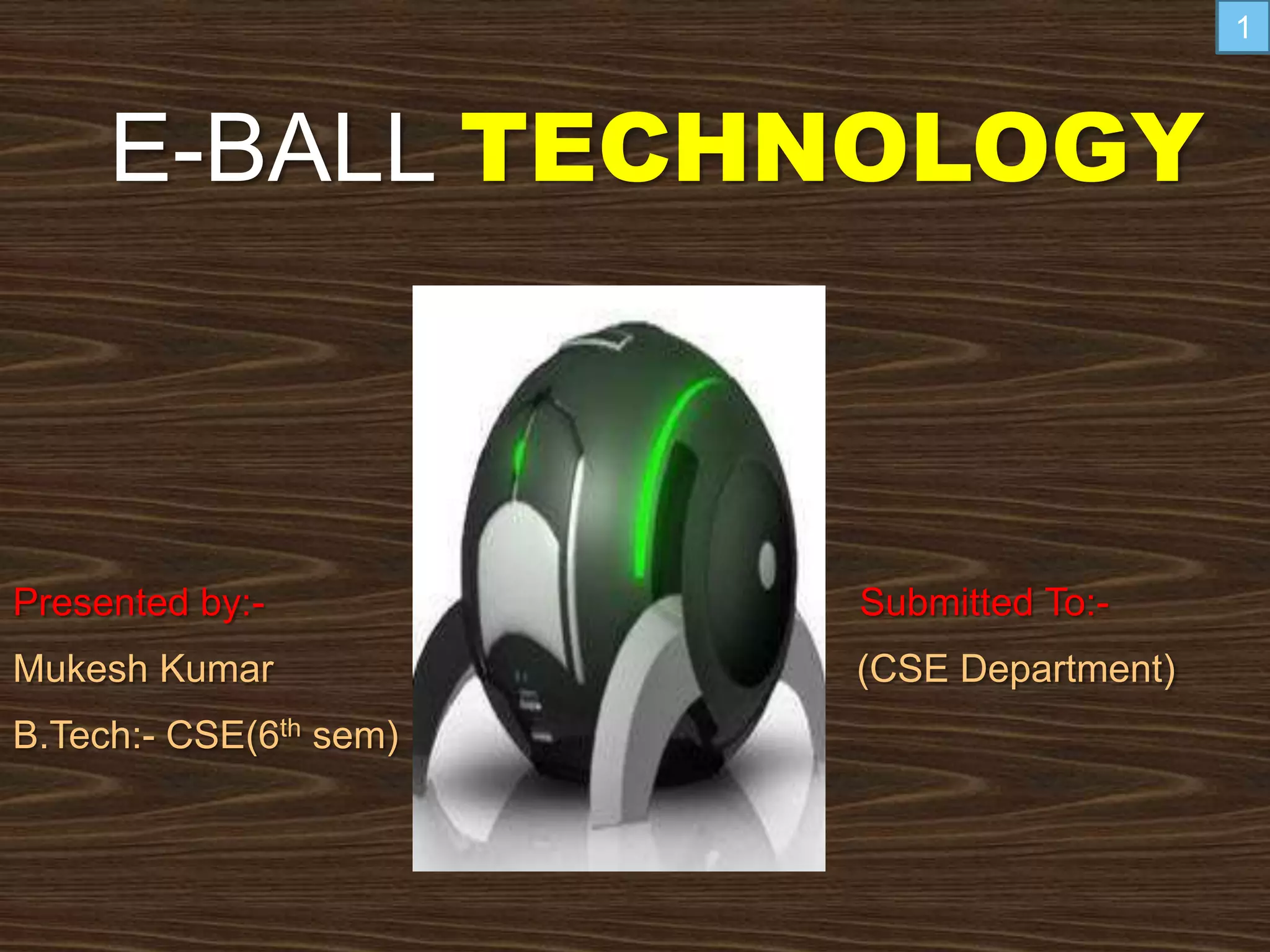
E-BALL TECHNOLOGY
Presented by:- Submitted To:-
Mukesh Kumar (CSE Department)
B.Tech:- CSE(6th sem)
1
Introduction
Size of E-Ball
Features of E-Ball
Elements of E-Ball
Working of E-ball
Virtual Keyboard
Projecters
If there is no wall
Advantages of E-Ball
Disadvantages of E-Ball
Conclusion
References
2
INTRODUCTION
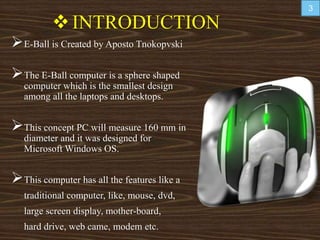
E-Ball is Created by Aposto Tnokopvski
The E-Ball computer is a sphere shaped
computer which is the smallest design
among all the laptops and desktops.
This concept PC will measure 160 mm in
diameter and it was designed for
Microsoft Windows OS.
This computer has all the features like a
traditional computer, like, mouse, dvd,
large screen display, mother-board,
hard drive, web came, modem etc.
3
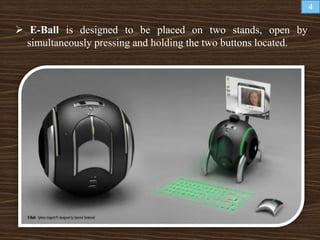
 E-Ball is designed to be placed on two stands, open by
simultaneously pressing and holding the two buttons located.
4
Size of E-Ball
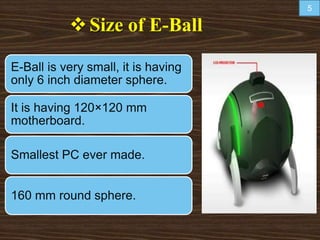
E-Ball is very small, it is having
only 6 inch diameter sphere.
It is having 120×120 mm
motherboard.
Smallest PC ever made.
160 mm round sphere.
5
FEATURES OF E-BALL
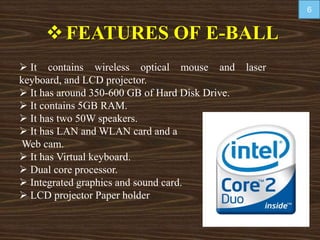
 It contains wireless optical mouse and laser
keyboard, and LCD projector.
 It has around 350-600 GB of Hard Disk Drive.
 It contains 5GB RAM.
 It has two 50W speakers.
 It has LAN and WLAN card and a
Web cam.
 It has Virtual keyboard.
 Dual core processor.
 Integrated graphics and sound card.
 LCD projector Paper holder
6
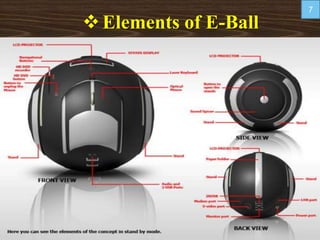
Elements of E-Ball
7
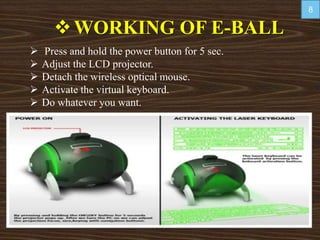
WORKING OF E-BALL
 Press and hold the power button for 5 sec.
 Adjust the LCD projector.
 Detach the wireless optical mouse.
 Activate the virtual keyboard.
 Do whatever you want.
8
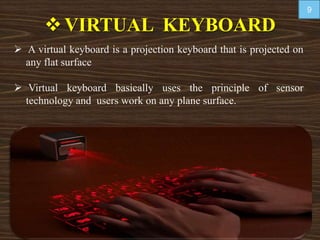
VIRTUAL KEYBOARD
 A virtual keyboard is a projection keyboard that is projected on
any flat surface
 Virtual keyboard basically uses the principle of sensor
technology and users work on any plane surface.
9
 Whenever we press the keyboard button, then optical
device detects the stroke and sends it to the computer.
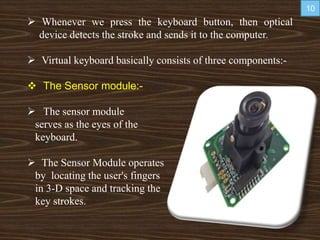
 Virtual keyboard basically consists of three components:-
 The Sensor module:-
 The sensor module
serves as the eyes of the
keyboard.
 The Sensor Module operates
by locating the user's fingers
in 3-D space and tracking the
key strokes.
10
 IR source light:-
 The Infrared Light Source emits a beam
of infrared light.
 This light beam is designed to overlap
the area on which the keyboard pattern
projects.
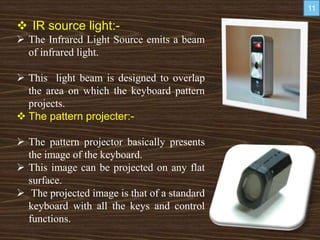
 The pattern projecter:-
 The pattern projector basically presents
the image of the keyboard.
 This image can be projected on any flat
surface.
 The projected image is that of a standard
keyboard with all the keys and control
functions.
11
Projectors
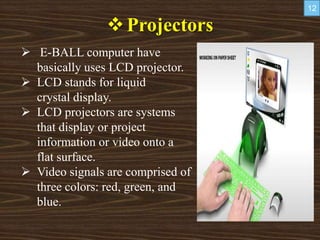
 E-BALL computer have
basically uses LCD projector.
 LCD stands for liquid
crystal display.
 LCD projectors are systems
that display or project
information or video onto a
flat surface.
 Video signals are comprised of
three colors: red, green, and
blue.
12
IF THERE IS NO WALL
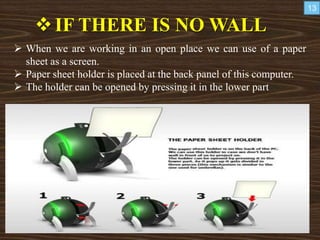
 When we are working in an open place we can use of a paper
sheet as a screen.
 Paper sheet holder is placed at the back panel of this computer.
 The holder can be opened by pressing it in the lower part
13
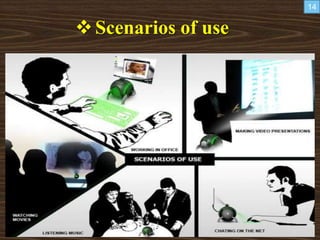
Scenarios of use
14
Advantages of E-Ball:
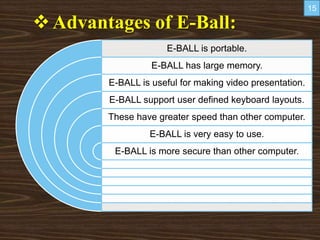
E-BALL is portable.
E-BALL has large memory.
E-BALL is useful for making video presentation.
E-BALL support user defined keyboard layouts.
These have greater speed than other computer.
E-BALL is very easy to use.
E-BALL is more secure than other computer.
15
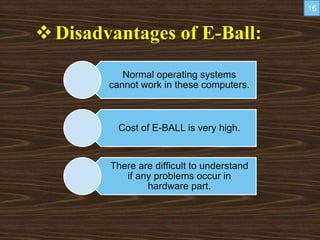
Disadvantages of E-Ball:
Normal operating systems
cannot work in these computers.
Cost of E-BALL is very high.
There are difficult to understand
if any problems occur in
hardware part.
16
CONCLUSION
 As the year passes, the computer size is
becoming smaller.
 Today’s technology is at its peak point
beyond what we could ever imagine.
 Our imaginations have dressed into
reality and today it has become possible
to have a whole computer in our pocket
all the time.
 At last this ball technology has taken the
computer technology to new horizons.
17
http://www.google.
co.in/EBALL
http://www.electronics.
howstuffworks.com
http://www.newscom.c
om/cgi-bin/prnh
18
19

E ball ppt

  • 1.
    E-BALL TECHNOLOGY Presented by:-Submitted To:- Mukesh Kumar (CSE Department) B.Tech:- CSE(6th sem) 1
  • 2.
    Introduction Size of E-Ball Featuresof E-Ball Elements of E-Ball Working of E-ball Virtual Keyboard Projecters If there is no wall Advantages of E-Ball Disadvantages of E-Ball Conclusion References 2
  • 3.
    INTRODUCTION E-Ball is Createdby Aposto Tnokopvski The E-Ball computer is a sphere shaped computer which is the smallest design among all the laptops and desktops. This concept PC will measure 160 mm in diameter and it was designed for Microsoft Windows OS. This computer has all the features like a traditional computer, like, mouse, dvd, large screen display, mother-board, hard drive, web came, modem etc. 3
  • 4.
     E-Ball isdesigned to be placed on two stands, open by simultaneously pressing and holding the two buttons located. 4
  • 5.
    Size of E-Ball E-Ballis very small, it is having only 6 inch diameter sphere. It is having 120×120 mm motherboard. Smallest PC ever made. 160 mm round sphere. 5
  • 6.
    FEATURES OF E-BALL It contains wireless optical mouse and laser keyboard, and LCD projector.  It has around 350-600 GB of Hard Disk Drive.  It contains 5GB RAM.  It has two 50W speakers.  It has LAN and WLAN card and a Web cam.  It has Virtual keyboard.  Dual core processor.  Integrated graphics and sound card.  LCD projector Paper holder 6
  • 7.
  • 8.
    WORKING OF E-BALL Press and hold the power button for 5 sec.  Adjust the LCD projector.  Detach the wireless optical mouse.  Activate the virtual keyboard.  Do whatever you want. 8
  • 9.
    VIRTUAL KEYBOARD  Avirtual keyboard is a projection keyboard that is projected on any flat surface  Virtual keyboard basically uses the principle of sensor technology and users work on any plane surface. 9
  • 10.
     Whenever wepress the keyboard button, then optical device detects the stroke and sends it to the computer.  Virtual keyboard basically consists of three components:-  The Sensor module:-  The sensor module serves as the eyes of the keyboard.  The Sensor Module operates by locating the user's fingers in 3-D space and tracking the key strokes. 10
  • 11.
     IR sourcelight:-  The Infrared Light Source emits a beam of infrared light.  This light beam is designed to overlap the area on which the keyboard pattern projects.  The pattern projecter:-  The pattern projector basically presents the image of the keyboard.  This image can be projected on any flat surface.  The projected image is that of a standard keyboard with all the keys and control functions. 11
  • 12.
    Projectors  E-BALL computerhave basically uses LCD projector.  LCD stands for liquid crystal display.  LCD projectors are systems that display or project information or video onto a flat surface.  Video signals are comprised of three colors: red, green, and blue. 12
  • 13.
    IF THERE ISNO WALL  When we are working in an open place we can use of a paper sheet as a screen.  Paper sheet holder is placed at the back panel of this computer.  The holder can be opened by pressing it in the lower part 13
  • 14.
  • 15.
    Advantages of E-Ball: E-BALLis portable. E-BALL has large memory. E-BALL is useful for making video presentation. E-BALL support user defined keyboard layouts. These have greater speed than other computer. E-BALL is very easy to use. E-BALL is more secure than other computer. 15
  • 16.
    Disadvantages of E-Ball: Normaloperating systems cannot work in these computers. Cost of E-BALL is very high. There are difficult to understand if any problems occur in hardware part. 16
  • 17.
    CONCLUSION  As theyear passes, the computer size is becoming smaller.  Today’s technology is at its peak point beyond what we could ever imagine.  Our imaginations have dressed into reality and today it has become possible to have a whole computer in our pocket all the time.  At last this ball technology has taken the computer technology to new horizons. 17
  • 18.
  • 19.