Drupal
Gardens 2
Theming with THEME
BUILDER
Custom Theme
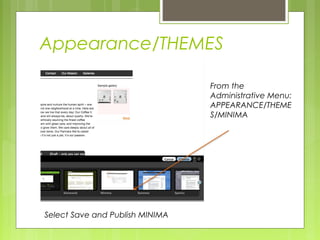
Appearance/THEMES
From the
Administrative Menu:
APPEARANCE/THEME
S/MINIMA
Select Save and Publish MINIMA
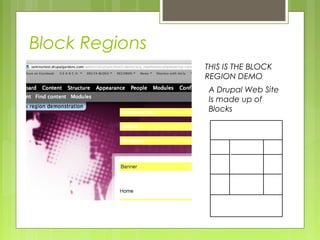
Block Regions
THIS IS THE BLOCK
REGION DEMO
A Drupal Web Site
Is made up of
Blocks
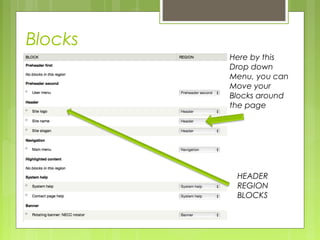
Blocks
Here by this
Drop down
Menu, you can
Move your
Blocks around
the page
.
HEADER
REGION
BLOCKS
Might be a good idea
To add BLOCKS to
Your shortcut bar!
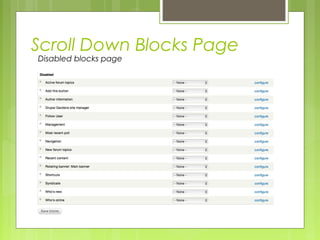
Scroll Down Blocks Page
Disabled blocks page
More on Blocks
Changing Themes
 When you change
themes your block
structure remains
intact
Creating A Rotating
Banner Block
Image gallery
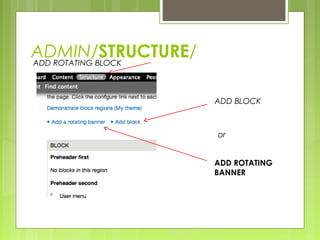
ADMIN/STRUCTURE/ADD ROTATING BLOCK
ADD ROTATING
BANNER
ADD BLOCK
or
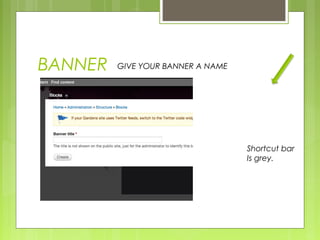
BANNER GIVE YOUR BANNER A NAME
Shortcut bar
Is grey.
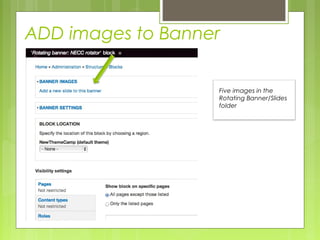
ADD images to Banner
Five images in the
Rotating Banner/Slides
folder
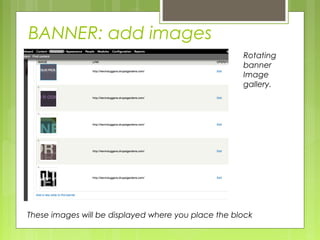
BANNER: add images
Regular user view
Rotating
banner
Image
gallery.
These images will be displayed where you place the block
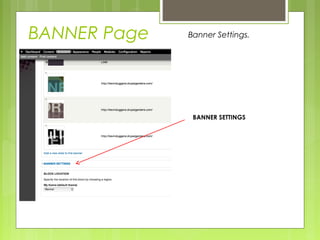
BANNER Page
BANNER SETTINGS
Banner Settings.
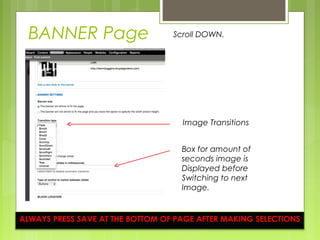
BANNER Page
Image Transitions
Scroll DOWN.
Box for amount of
seconds image is
Displayed before
Switching to next
Image.
ALWAYS PRESS SAVE AT THE BOTTOM OF PAGE AFTER MAKING SELECTIONS
Rotating Banner DONE!
Next MODULES
MODULES
Control functionality, interactivity
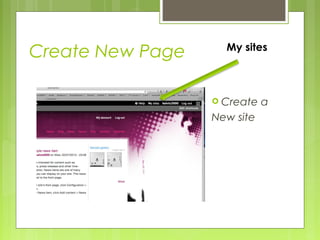
Create New Page My sites
 Create a
New site
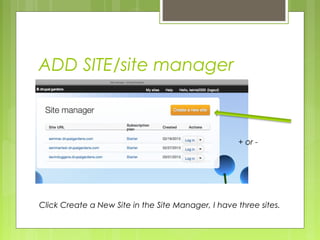
ADD SITE/site manager
+ or -
Click Create a New Site in the Site Manager, I have three sites.
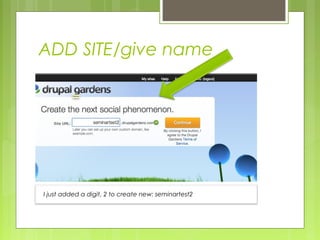
ADD SITE/give name
I just added a digit, 2 to create new: seminartest2
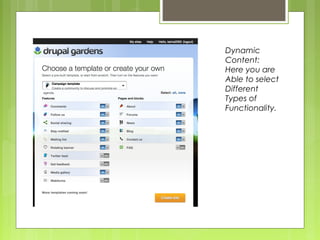
Dynamic
Content:
Here you are
Able to select
Different
Types of
Functionality.
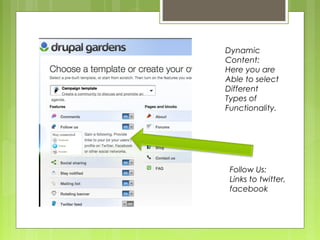
Dynamic
Content:
Here you are
Able to select
Different
Types of
Functionality.
Follow Us:
Links to twitter,
facebook
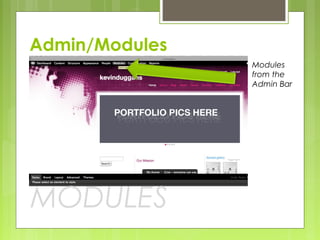
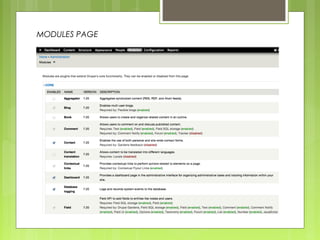
Admin/Modules
Modules
from the
Admin Bar
MODULES
MODULES PAGE
MODULES
Core
Contributed
Some created by Acquia for Drupal Gardens
Modules check on and off,
Watch out for
dependancies
THEME BUILDER
Dive in deep to design
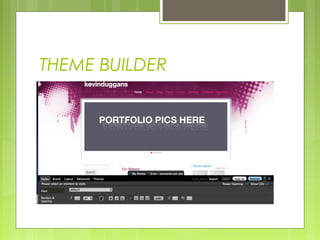
THEME BUILDER
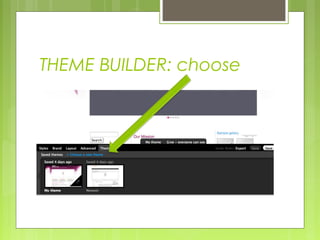
THEME BUILDER: choose
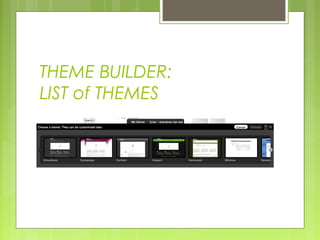
THEME BUILDER:
LIST of THEMES
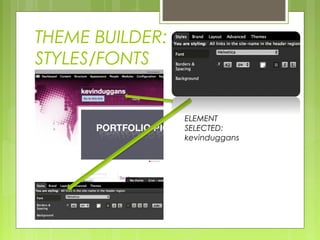
THEME BUILDER:
STYLES/FONTS
ELEMENT
SELECTED:
kevinduggans
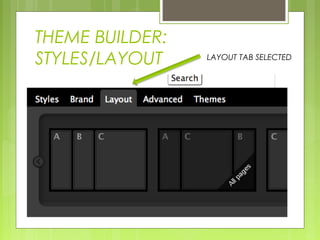
THEME BUILDER:
STYLES/LAYOUT LAYOUT TAB SELECTED
THEME BUILDER CREATES
REAL DRUPAL THEMES
Themes can be exported to Core Drupal.
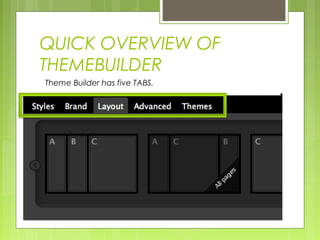
QUICK OVERVIEW OF
THEMEBUILDER
Theme Builder has five TABS.
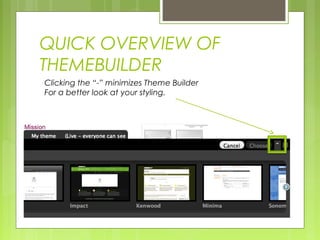
QUICK OVERVIEW OF
THEMEBUILDER
Clicking the “-” minimizes Theme Builder
For a better look at your styling.
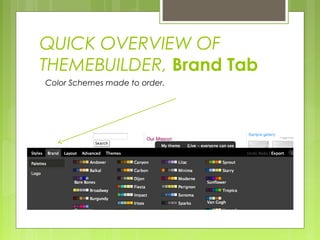
QUICK OVERVIEW OF
THEMEBUILDER, Brand Tab
Color Schemes made to order.
QUICK OVERVIEW OF
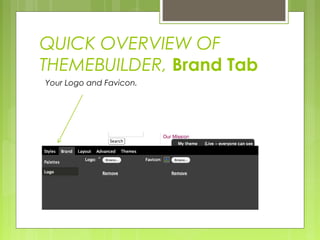
THEMEBUILDER, Brand Tab
Your Logo and Favicon.
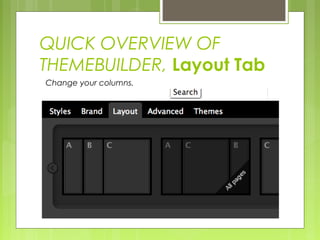
QUICK OVERVIEW OF
THEMEBUILDER, Layout Tab
Change your columns.
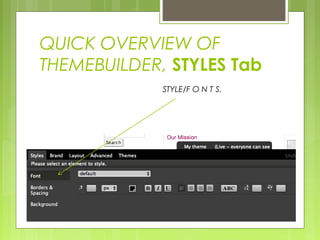
QUICK OVERVIEW OF
THEMEBUILDER, STYLES Tab
STYLE/F O N T S.
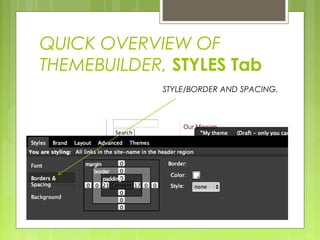
QUICK OVERVIEW OF
THEMEBUILDER, STYLES Tab
STYLE/BORDER AND SPACING.
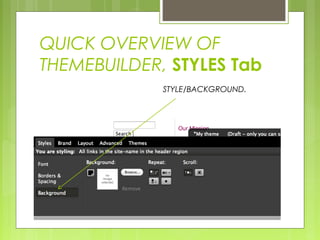
QUICK OVERVIEW OF
THEMEBUILDER, STYLES Tab
STYLE/BACKGROUND.

Drupal Gardens Tutorial 2 of 4