DRUPAL 7 SEO
How to structure a Drupal website for strategic Search EngineOptimisation
Peter Macinkovic | @inkovic onTwitter Drupal Melbourne Meetup | July 2016
WHAT MAKES SEO IN DRUPAL DIFFERENT?
 Drupal is Flexible: You are not ‘locked in’ any particular
information architecture
 Out of the Box, Drupal 7 is lacking: There are a few ‘must-
have’ modules
for most Drupal installations
 Drupal is Creative: You can solve a lot of common SEO
problems in a couple of different ways
ENABLING CLEANS URL
INDEXINGAND CRAWLABILITY
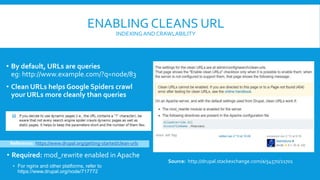
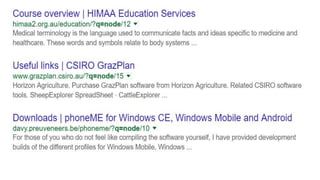
• By default, URLs are queries
eg: http://www.example.com/?q=node/83
• Clean URLs helps Google Spiders crawl
your URLs more cleanly than queries
Source: http://drupal.stackexchange.com/a/54570/21701
Reference: https://www.drupal.org/getting-started/clean-urls
• Required: mod_rewrite enabled in Apache
• For nginx and other platforms, refer to
https://www.drupal.org/node/717772
ENABLING CLEANS URL
INDEXINGAND CRAWLABILITY
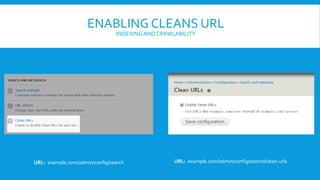
URL: example.com/admin/config/search/clean-urlsURL: example.com/admin/config/search
MANAGING URL ALIASES
INDEXINGAND CRAWLABILITY
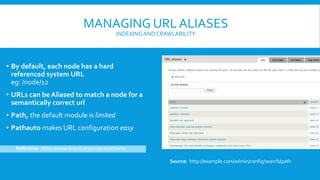
• By default, each node has a hard
referenced system URL
eg: /node/12
• URLs can be Aliased to match a node for a
semantically correct url
• Path, the default module is limited
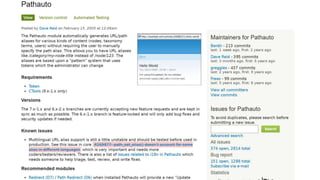
• Pathauto makes URL configuration easy
Source: http://example.com/admin/config/search/path
Reference: https://www.drupal.org/project/pathauto
MANAGING URL ALIASES: PATHAUTO
INDEXINGAND CRAWLABILITY
• UsingTokens to create semantic URL
structures
eg: /articles/[node:title]
• Parent would likely be aView
• eg: /articles could be a views page that lists
all articles in order of publish date
Source: http://example.com/admin/config/search/path/patterns
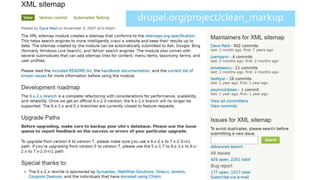
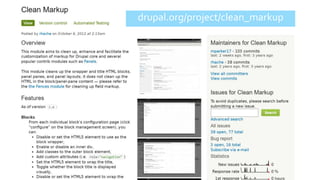
drupal.org/project/clean_markup
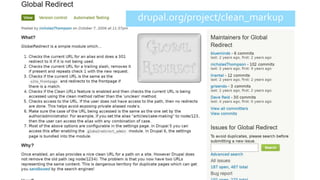
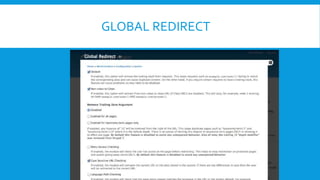
GLOBAL REDIRECT
drupal.org/project/clean_markup
CURING ‘DIVITIS’ IN DRUPAL
• Default markup rendered is lousy: Drupal 7 has a nasty habit of wrapping
everything in 2+ divs and slapping on 3+ classes on everything
• Blocks by default render the block title as a h2: Hierarchy of heading tags in
HTML is really important for SEO. Unchanged Blocks divert attention from the
content of the page.
• Modular solution orTheme level: Pick the appropriate solution, whether it is
overwriting a tpl.php file or using a module to change defaults.
• Compatible with Display Suite: Configuring a bundle is almost identical to
configuring the fields of a content type.
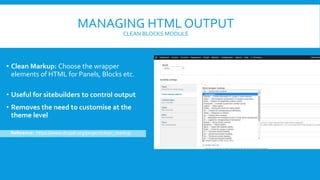
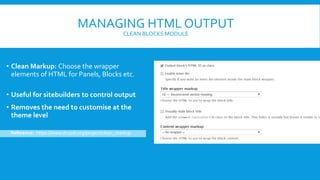
MANAGING HTML OUTPUT
CLEAN BLOCKS MODULE
• Clean Markup: Choose the wrapper
elements of HTML for Panels, Blocks etc.
• Useful for sitebuilders to control output
• Removes the need to customise at the
theme level
Reference: https://www.drupal.org/project/clean_markup
MANAGING HTML OUTPUT
CLEAN BLOCKS MODULE
• Clean Markup: Choose the wrapper
elements of HTML for Panels, Blocks etc.
• Useful for sitebuilders to control output
• Removes the need to customise at the
theme level
Reference: https://www.drupal.org/project/clean_markup
drupal.org/project/clean_markup
MANAGING HTML OUTPUT
OTHERTIPS
• Theme Each ContentType Optimally: Try to render fields that are semantic and
schema.org compliant. Do not leave this to the content author.
• Theme Common Elements: Default blocks template, views templates etc.
• Make sure it is fast: Cached everything for anonymous users. Use Boost,Varnish,
Aggregation on Javascript and CSS.
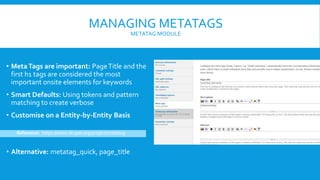
MANAGING METATAGS
METATAG MODULE
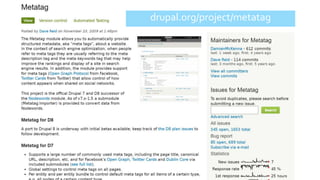
• MetaTags are important: PageTitle and the
first h1 tags are considered the most
important onsite elements for keywords
• Smart Defaults: Using tokens and pattern
matching to create verbose
• Customise on a Entity-by-Entity Basis
Reference: https://www.drupal.org/project/metatag
• Alternative: metatag_quick, page_title
drupal.org/project/metatag
MANAGING METATAGS
CONFIGURING DEFAULT METATAGS
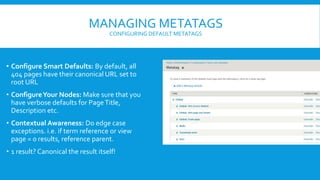
• Configure Smart Defaults: By default, all
404 pages have their canonical URL set to
root URL
• ConfigureYour Nodes: Make sure that you
have verbose defaults for PageTitle,
Description etc.
• Contextual Awareness: Do edge case
exceptions. i.e. if term reference or view
page = 0 results, reference parent.
• 1 result? Canonical the result itself!
MANAGINGVIEWS
CONFIGURING DEFAULTVIEWS PAGES
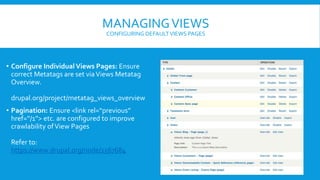
• Configure IndividualViews Pages: Ensure
correct Metatags are set viaViews Metatag
Overview.
drupal.org/project/metatag_views_overview
• Pagination: Ensure <link rel=“previous”
href=“/1”> etc. are configured to improve
crawlability ofView Pages
Refer to:
https://www.drupal.org/node/1567684
drupal.org/project/views_rss
MANAGINGVIEWS
CONFIGURING REL ALTERNATIVE FEEDS
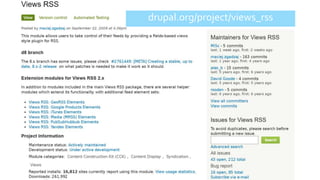
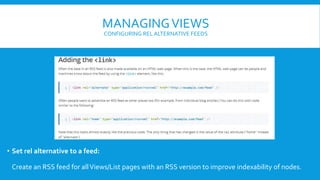
• Set rel alternative to a feed:
Create an RSS feed for allViews/List pages with an RSS version to improve indexability of nodes.
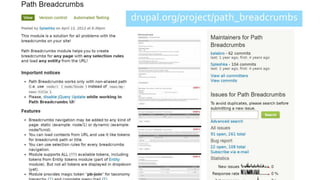
drupal.org/project/path_breadcrumbs
MANAGING BREADCRUMBS
CONFIGURING RICH SNIPPET
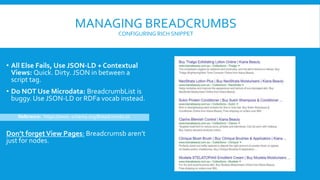
• All Else Fails, Use JSON-LD + Contextual
Views: Quick. Dirty. JSON in between a
script tag.
• Do NOT Use Microdata: BreadcrumbList is
buggy. Use JSON-LD or RDFa vocab instead.
Don’t forgetView Pages: Breadcrumsb aren’t
just for nodes.
Reference: https://www. schema.org/BreadcrumbList
drupal.org/project/path_breadcrumbs
QUESTIONS?
• I didn’t cover Context in this talk: Strategic Block Placement on a /path level can
be used strategically to hyper optimise a page like taxonmy or views pages.
• I don’t like the SEO Checklist module: It’s opinionated and so am I.
Drupal 7 Search Engine Optimisation

Drupal 7 Search Engine Optimisation

  • 1.
    DRUPAL 7 SEO Howto structure a Drupal website for strategic Search EngineOptimisation Peter Macinkovic | @inkovic onTwitter Drupal Melbourne Meetup | July 2016
  • 2.
    WHAT MAKES SEOIN DRUPAL DIFFERENT?  Drupal is Flexible: You are not ‘locked in’ any particular information architecture  Out of the Box, Drupal 7 is lacking: There are a few ‘must- have’ modules for most Drupal installations  Drupal is Creative: You can solve a lot of common SEO problems in a couple of different ways
  • 3.
    ENABLING CLEANS URL INDEXINGANDCRAWLABILITY • By default, URLs are queries eg: http://www.example.com/?q=node/83 • Clean URLs helps Google Spiders crawl your URLs more cleanly than queries Source: http://drupal.stackexchange.com/a/54570/21701 Reference: https://www.drupal.org/getting-started/clean-urls • Required: mod_rewrite enabled in Apache • For nginx and other platforms, refer to https://www.drupal.org/node/717772
  • 4.
    ENABLING CLEANS URL INDEXINGANDCRAWLABILITY URL: example.com/admin/config/search/clean-urlsURL: example.com/admin/config/search
  • 6.
    MANAGING URL ALIASES INDEXINGANDCRAWLABILITY • By default, each node has a hard referenced system URL eg: /node/12 • URLs can be Aliased to match a node for a semantically correct url • Path, the default module is limited • Pathauto makes URL configuration easy Source: http://example.com/admin/config/search/path Reference: https://www.drupal.org/project/pathauto
  • 8.
    MANAGING URL ALIASES:PATHAUTO INDEXINGAND CRAWLABILITY • UsingTokens to create semantic URL structures eg: /articles/[node:title] • Parent would likely be aView • eg: /articles could be a views page that lists all articles in order of publish date Source: http://example.com/admin/config/search/path/patterns
  • 9.
  • 10.
  • 11.
  • 12.
    CURING ‘DIVITIS’ INDRUPAL • Default markup rendered is lousy: Drupal 7 has a nasty habit of wrapping everything in 2+ divs and slapping on 3+ classes on everything • Blocks by default render the block title as a h2: Hierarchy of heading tags in HTML is really important for SEO. Unchanged Blocks divert attention from the content of the page. • Modular solution orTheme level: Pick the appropriate solution, whether it is overwriting a tpl.php file or using a module to change defaults. • Compatible with Display Suite: Configuring a bundle is almost identical to configuring the fields of a content type.
  • 13.
    MANAGING HTML OUTPUT CLEANBLOCKS MODULE • Clean Markup: Choose the wrapper elements of HTML for Panels, Blocks etc. • Useful for sitebuilders to control output • Removes the need to customise at the theme level Reference: https://www.drupal.org/project/clean_markup
  • 14.
    MANAGING HTML OUTPUT CLEANBLOCKS MODULE • Clean Markup: Choose the wrapper elements of HTML for Panels, Blocks etc. • Useful for sitebuilders to control output • Removes the need to customise at the theme level Reference: https://www.drupal.org/project/clean_markup
  • 15.
  • 16.
    MANAGING HTML OUTPUT OTHERTIPS •Theme Each ContentType Optimally: Try to render fields that are semantic and schema.org compliant. Do not leave this to the content author. • Theme Common Elements: Default blocks template, views templates etc. • Make sure it is fast: Cached everything for anonymous users. Use Boost,Varnish, Aggregation on Javascript and CSS.
  • 17.
    MANAGING METATAGS METATAG MODULE •MetaTags are important: PageTitle and the first h1 tags are considered the most important onsite elements for keywords • Smart Defaults: Using tokens and pattern matching to create verbose • Customise on a Entity-by-Entity Basis Reference: https://www.drupal.org/project/metatag • Alternative: metatag_quick, page_title
  • 18.
  • 19.
    MANAGING METATAGS CONFIGURING DEFAULTMETATAGS • Configure Smart Defaults: By default, all 404 pages have their canonical URL set to root URL • ConfigureYour Nodes: Make sure that you have verbose defaults for PageTitle, Description etc. • Contextual Awareness: Do edge case exceptions. i.e. if term reference or view page = 0 results, reference parent. • 1 result? Canonical the result itself!
  • 20.
    MANAGINGVIEWS CONFIGURING DEFAULTVIEWS PAGES •Configure IndividualViews Pages: Ensure correct Metatags are set viaViews Metatag Overview. drupal.org/project/metatag_views_overview • Pagination: Ensure <link rel=“previous” href=“/1”> etc. are configured to improve crawlability ofView Pages Refer to: https://www.drupal.org/node/1567684
  • 21.
  • 22.
    MANAGINGVIEWS CONFIGURING REL ALTERNATIVEFEEDS • Set rel alternative to a feed: Create an RSS feed for allViews/List pages with an RSS version to improve indexability of nodes.
  • 23.
  • 24.
    MANAGING BREADCRUMBS CONFIGURING RICHSNIPPET • All Else Fails, Use JSON-LD + Contextual Views: Quick. Dirty. JSON in between a script tag. • Do NOT Use Microdata: BreadcrumbList is buggy. Use JSON-LD or RDFa vocab instead. Don’t forgetView Pages: Breadcrumsb aren’t just for nodes. Reference: https://www. schema.org/BreadcrumbList
  • 25.
  • 26.
    QUESTIONS? • I didn’tcover Context in this talk: Strategic Block Placement on a /path level can be used strategically to hyper optimise a page like taxonmy or views pages. • I don’t like the SEO Checklist module: It’s opinionated and so am I.