Introduction to SAP
Basic settings of FI
New G/L concepts
Document splitting
Tolerance Groups
ERP Stands for Enterprise resource Planning. ERP is a way to integrate the
data and processes of an organization into one single system.
ERP system will have many components including hardware and software in
order to achieve integration.
ERP systems use a unified database to store data for various functions
found throughout out the organizations.
ERP solutions seek to streamline and integrate operations process and
information flows in the company to synergies the resources of an
organization namely men, material, money and machines through the
information.
Introduction of ERP
Components of ERP
To Enable the Easy Handling of the system the ERP has been divided into the
following Core Sub Systems.
Sales and Marketing
Material Scheduling
Material Requirement Planning
Capacity Requirement Planning
Bill of Material
Purchasing
Shop Floor Control
Accounts Payable/ receivable
Logistics
Asset Management
Financial Accounting
Ideal ERP Software Modules Versions
Manufacturing
Financials
Human Resources
Supply Chain Management
Customer Relationship Management
Data Warehouse
Manufacturing : Functions Include Engineering, Capacity, work flow management,
quality control, bills of material, manufacturing process...
Financials: Accounts Payable, Receivable, Fixed assets, General Ledgers, and cash
management.......
Human Resources : Organization Management, Personal Administration, Time
Management, Payrolls ......
Supply Chain Management : Inventory, Supply chain planning, Supplier
Scheduling, claim Processing, order entry, purchasing.........
Project: Costing, billing, activity management, time and expense, etc.
Customer Relation Ship Management : Sales, marketing, service, Commission,
Call centre Support .......
Customer Relation Ship Management : Sales, marketing, service, Commission,
Call centre Support .......
Major Features of ERP
ERP Facilitates company-wide integrated Information system covering all
functional areas like manufacturing, selling and distribution, payables,
inventory, accounts, Human resources, purchases .....
ERP bridges the information GAP across the organization
ERP Allows automatic introduction of latest technologies like Electronic
funds transfer (EFT), Electronic data interchange (EDI), Internet, Intranet,
Video Conferencing, E- commerce Etc....
ERP Eliminates the most of the business problems like material shortage,
productivity enhancements, customer service, cash management, inventory
problems, quality problems......
ERP not only address the current requirements of the company but also
provides the opportunity of continually improving and refining business process
ERP provides business intelligence tools like Decision Support Systems (DSS),
Executive Information system (EIS), Reporting, Data Mining, and Early Warning
Systems (robots) for enabling people to make better decisions and thus improvise
their business processes.
Benefits of ERP
The Benefits accruing to any business enterprise on account of Implementing are
unlimited, the below are some of the benefits achieved by implementing the ERP
Packages.
Greater Accuracy of the information with detailed content, better presentation,
fully satisfactory for the auditors
Improved cost control
Better monitoring and quicker response of queries
Enables quick response to change in business operations and market conditions
Helps to achieve competitive advantage by improving its business process
Improve supply –demand linkage with remote locations and branches in different
countries.
Improves International operations by supporting a variety of tax structures,
invoicing schemes, multiple currencies, multiple period recording and languages
Provides a unified Data base usable by all applications improves information
accesses and management throughout Enterprise
Market Suppliers of ERP
BAAN
CODA
D&B
IBM
JD EDWARDS
MARCARN
ORACLE
PEOPLE SOFT
LATINUM
RAMCO
SAP
SMI
SOFTWARE 2000
SAP Evaluation
In 1972 Dietmar hopp, Hans- Werner Hector, Hasso Plattner, Klaus Tschira, and claus
wellenreuther has launched company called System Applications and products. The original
name SAP was German Systeme, Anwendugen, Produkte, Currently 12 million users work each
day with SAP solutions. There are 121,000 installations world wide, more than 1500 SAP
partners, Over 25 industry Specific business solutions, and more than 41,200 customers in 120
countries SAP is the world’s third largest independent software vendor.
SAP are categorized into 3 core functional areas:
Logistics Financial
Sales and Distribution (SD)
Material Management (MM)
Ware house Management (WM)
Production Planning (PP)
General Logistics (LO)
Quality Management (QM)
Financial :
Financial Accounting (FI)
Costing (CO)
Enterprise Controlling (EC)
Investment Management (IM)
Treasury (TR)
Human Resources
Human Resources :
Organizational Management
Personal Administration
Time Management
Pay rolls
SAP R/3 Architecture
GUI(Graphic
al User
Interface)
Presentation
Server
Application
Server
Data Base
Server
R/3 Means Real time 3 tier structure
When ever a user raises a request in the Presentation server (GUI) for any accesses
the request goes to Application server for authentication and validates the data
from the data base server and provides the accesses to the user.
When ever a user saves a data the data is saved on Data base server for users
authorization and access.
Data Base server always uses ABAP4 Language ( Advanced Business Application
Program)
System Landscape of SAP
Sand Box
IDES
Develop
ment
Client or
Golden
Master
Testing
Client
Quality
Client
Productio
n Client
ID No 100 to 199 200 to 299 300 to 399 400 to 499
Operational Clients
800
Mandate Clients
IDES : Internet Development Evaluation system
Sand box is a online version which is updated when ever a new customization is done in
the SAP
Id no’s given for the clients are standard and this may vary in the Real time scenario as per
the client requirements.
Client
Definition :
A commercially, organizationally, and technically self-contained unit within an SAP
System. Clients have their own master records and set of tables.
The definition of the client organizational unit is obligatory.
The client is the highest level in the SAP System hierarchy. Specifications that you
make, or data that you enter at this level are valid for all company codes and for all
other organizational structures. You therefore only need to make these specifications,
or enter this data once. This ensures that the data is consistent.
Enterprise Structure Configuration
Define Company :
The smallest organizational unit for which individual financial statements are created
according to the relevant legal requirements. A company can include one or more
company codes.
Path: SPRO – Enterprise Structure – Definition – Financial Accounting – Define
Company.
Transaction Code : OX15
Data Base Table : V_T880
By using the above path or transaction code we can define company.Under a company
we have more than one company codes.
Define Company Code:
Smallest organizational unit of external accounting for which a complete, self-
contained set of accounts can be created. This includes the entry of all transactions
that must be posted and the creation of all items for legal individual financial
statements, such as the balance sheet and the profit and loss statement.
Path: SPRO – Enterprise Structure – Definition – Financial Accounting –
Edit,Copy,Delete,Check Company Code.
Transaction Code : OX02
Data Base Table :: V_T880
By using the above path or transaction code we can define company code. Then this
company code is assigned to a company.
Define Business Area:
Organizational unit of external accounting that corresponds to a specific business
segment or area of responsibility in a company. Movements in value entered in
Financial Accounting are assigned to business areas.
Path : SPRO – Enterprise Structure – Definition – Financial Accounting – Define
Business Area.
Transaction Code : OX02
Data Base Table : TGSB, TGSBT
By using the above path we can define business area
Define Functional Area :
Functional Area is a organizational unit in accounting that classifies the expenses of an
organization by functions.
The Functional area in SAP is use to create P&L A/C in Financial Accounting using cost
of sales accounting and used to analyze the cost of sales accounting.
Path : SPRO – SAP Reference IMG – Financial Accounting – Define Functional Area
Transaction Code : OKBD
Data Base Table : TFKB, TFKBT
By using the above path or transaction code we can define functional area.
Maintain FM Area :
After define FM area we have to maintain this area.
Path : SPRO – Enterprise Structure – Definition – Financial Accounting – Maintain FM
Area
Transaction Code : OKBD
Data Base Table : FM01, FM01T
Define Segment :
Division of a company for which you can create financial statements for external
reporting.
The characteristic Segment is only released in combination with the characteristic
Profit Center. If no segment is specified manually during posting (only possible for
transactions in Financial Accounting), the segment is determined from the master
record of the profit center. This profit center can also be assigned manually or derived.
If you want to apply different rules to derive the segment during posting, you can
define your own rules for this.
Path : SPRO – Enterprise Structure – Definition – Financial Accounting – Define
Segment
Data Base Table : FAGL_SEGM, FAGL_SEGMT
By using the above path we can define segment.
Assign Company Code to Company :
After define a company code then we should assign to a company
Path : SPRO – Enterprise Structure – Assignment – Financial Accounting – Assign
company code to company
Transaction Code : OX16
Data Base Table : T001
By using the above path or transaction code we can assign a company code to a
company.
Assign Company Code to Financial Management Area :
After define FM area we can assigned to a company code.
Path : SPRO – Enterprise Structure – Assignment – Financial Accounting – Assign
Company code to Financial Management Area
Transaction Code : OF18
Data Base Table: T001
By using the above path or transaction code we can assigned FM area to a company
code.
Maintain Fiscal Year Variant (Maintained Shortened Fisc.Year) :
A fiscal year usually has 12 posting periods. In General Ledger Accounting, you can
define up to four special periods. If you do not need 12 posting periods, you can use the
posting periods that are not required as special periods. If you use these additional
closing periods, you must specify the number you require in the field No. special
periods. When defining the fiscal year variants. You cannot exceed a maximum of 16
periods.
Path : SPRO - Financial Accounting (New) – Financial Accounting Global Settings
(New) – Ledgers – Fiscal Year and Posting Period – Maintain Fiscal Year Variant.
Transaction Code : OB29
Data Base Table : T009
By using the above path or transaction code we can maintain fiscal year varient.
Assign Fiscal Year Variant to Company Code :
After define fiscal Year variant we must assigned to a company code.
Path : SPRO – Financial Accounting (New) – Financial Accounting Global
Settings(New) – Ledgers – Fiscal Year and Posting Periods – Assign Company Code to
Fiscal Year Variant.
Transaction Code : OB37
Data Base Table : T001, T882
By using the above path or transaction code we can assigned fiscal year to a
company code.
Posting Periods
The posting period consists of a month and a fiscal year. These are both displayed in
the document overview. The posting period determined is entered in the document
and the transaction figures for this period are updated.
Define Variant for Open Posting Period :
Path : SPRO – Financial Accounting (New) – Financial Accounting Global Settings
(New) – Ledgers –Fiscal Year and Posting Periods – Posting Periods –Define variant
for open posting period
Transaction Code :OBBO
Data Base Table : T010O,T010
By using the above path we can define posting period varients.
Assign Posting period Variants to Company Code :
After define posting period variant we should assigned to a company code.
Path : SPRO – Financial Accounting (New) – Financial Accounting Global Settings
(New) – Ledgers –Fiscal Year and Posting Periods – Posting Periods – Assign Variants
to Company Code.
Transaction Code : OBBP
Data Base Table : T001
By using the above path or transaction code we can assigned posting period variant
to a company code.
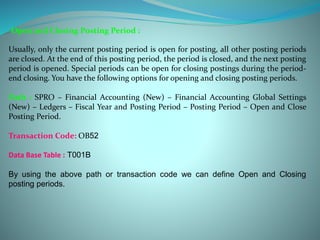
Open and Closing Posting Period :
Usually, only the current posting period is open for posting, all other posting periods
are closed. At the end of this posting period, the period is closed, and the next posting
period is opened. Special periods can be open for closing postings during the period-
end closing. You have the following options for opening and closing posting periods.
Path : SPRO – Financial Accounting (New) – Financial Accounting Global Settings
(New) – Ledgers – Fiscal Year and Posting Period – Posting Period – Open and Close
Posting Period.
Transaction Code: OB52
Data Base Table : T001B
By using the above path or transaction code we can define Open and Closing
posting periods.
Define Chart of Accounts :
The chart of accounts contains the account number, account name, and the
information that controls how an account functions and how a G/L account is created
in a company code. You have to assign a chart of accounts to each company code. This
chart of accounts is the operating chart of accounts and is used for the daily postings in
this company code.
Path : SPRO – Financial Accounting (New) – General Ledger Accounting (New) –
Master Data – G/L Accounts – Preparations – Edit Chart of Accounts List.
Transaction code : OB13
Data Base Table : T004,T004T
By using the above path or transaction code we define Chart of accounts.
Assign Chart of accounts to a company code :
After define a chart of accounts we should assigned to a company code.
Path : SPRO – Financial Accounting (New) – General Ledger Accounting (New) –
Master Data – G/L Accounts – Preparations – Assign chart of accounts to a
company code.
Transaction Code :OB62
Data Base Table : T001
By using the above path or transaction code we can assign chart of accounts to
a company code.
Define Account Group :
An object that attributes that determine the creation of master records. The account
group determines:
•The data that is relevant for the master record
•A number range from which numbers are selected for the master records
•An account group must be assigned to each master record.
Path : SPRO – Financial Accounting – General Ledger Accounting– Master Data – G/L
Accounts – Preparations – Define Account Group.
Transaction Code : OBD4
By using the above path or transaction code we can define account groups.
• In this activity we can define and edit field status variants and groups. We group
several field status groups together in one field status variant. We assign the field
status variants to a company code in the activity.
• We must define a field status group in the company code-specific area of each G/L
account.
• The field status group determines which fields are ready for input, which are
required entry fields, and which are hidden during document entry.
Path : SPRO-Financial accounting-Financial accounting global settings-Document-
Line item-Controls-Define field status variant.
Transaction code :OBC4
By using the above path or transaction code we can define field status variant
After define field status variant we should assign it to a company code.
Path : SPRO-Financial accounting-Financial accounting global settings-
Document-Line item-Controls-Define field status variant.
Transaction code :OBC5
By using the above path or transaction code we can assigned field status
variant to a company code
Define tolerance group for G/L accounts and employees: We can define tolerance
group for G/L account and Employee and assign to users.
Tolerance group for G/L accounts:
For G/L account clearing tolerance
groups define the limits within
which differences are accepted and
automatically posted to pre defined
accounts.
Transaction code: OBA0
Tolerance group for Employees:
The maximum amount for which an
employee is permitted to post a
document
The maximum line item amount an
employee is permitted to enter in a
customer, vendor or general ledger
account
The percentage amount an
employee can enter in a line item
The maximum acceptable payment
difference.
Transaction code:OBA4
Why use the New GL?
Business Requirement
Reporting as per different GAAP
Unified management & legal
Reporting
Reporting as per cost of sales
accounting.
Financial statement below
company code level
New GL functionality
Concept of multiple ledgers-
Leading & Nonleading ledger.
Profit Centre integrated with GL
Document split functionality
Profit Centre integrated with GL
 Define ledgers for general ledger accounting
 Define and activate non leading ledger
 Define currencies of leading ledger
 Assign scenarios and customer fields to ledgers
 Activate cost of sales accounting
 Define ledger group
Dora ppt1

Dora ppt1

  • 1.
    Introduction to SAP Basicsettings of FI New G/L concepts Document splitting Tolerance Groups
  • 3.
    ERP Stands forEnterprise resource Planning. ERP is a way to integrate the data and processes of an organization into one single system. ERP system will have many components including hardware and software in order to achieve integration. ERP systems use a unified database to store data for various functions found throughout out the organizations. ERP solutions seek to streamline and integrate operations process and information flows in the company to synergies the resources of an organization namely men, material, money and machines through the information. Introduction of ERP
  • 4.
    Components of ERP ToEnable the Easy Handling of the system the ERP has been divided into the following Core Sub Systems. Sales and Marketing Material Scheduling Material Requirement Planning Capacity Requirement Planning Bill of Material Purchasing Shop Floor Control Accounts Payable/ receivable Logistics Asset Management Financial Accounting
  • 5.
    Ideal ERP SoftwareModules Versions Manufacturing Financials Human Resources Supply Chain Management Customer Relationship Management Data Warehouse
  • 6.
    Manufacturing : FunctionsInclude Engineering, Capacity, work flow management, quality control, bills of material, manufacturing process... Financials: Accounts Payable, Receivable, Fixed assets, General Ledgers, and cash management....... Human Resources : Organization Management, Personal Administration, Time Management, Payrolls ...... Supply Chain Management : Inventory, Supply chain planning, Supplier Scheduling, claim Processing, order entry, purchasing......... Project: Costing, billing, activity management, time and expense, etc. Customer Relation Ship Management : Sales, marketing, service, Commission, Call centre Support ....... Customer Relation Ship Management : Sales, marketing, service, Commission, Call centre Support .......
  • 7.
    Major Features ofERP ERP Facilitates company-wide integrated Information system covering all functional areas like manufacturing, selling and distribution, payables, inventory, accounts, Human resources, purchases ..... ERP bridges the information GAP across the organization ERP Allows automatic introduction of latest technologies like Electronic funds transfer (EFT), Electronic data interchange (EDI), Internet, Intranet, Video Conferencing, E- commerce Etc.... ERP Eliminates the most of the business problems like material shortage, productivity enhancements, customer service, cash management, inventory problems, quality problems...... ERP not only address the current requirements of the company but also provides the opportunity of continually improving and refining business process ERP provides business intelligence tools like Decision Support Systems (DSS), Executive Information system (EIS), Reporting, Data Mining, and Early Warning Systems (robots) for enabling people to make better decisions and thus improvise their business processes.
  • 8.
    Benefits of ERP TheBenefits accruing to any business enterprise on account of Implementing are unlimited, the below are some of the benefits achieved by implementing the ERP Packages. Greater Accuracy of the information with detailed content, better presentation, fully satisfactory for the auditors Improved cost control Better monitoring and quicker response of queries Enables quick response to change in business operations and market conditions Helps to achieve competitive advantage by improving its business process Improve supply –demand linkage with remote locations and branches in different countries. Improves International operations by supporting a variety of tax structures, invoicing schemes, multiple currencies, multiple period recording and languages Provides a unified Data base usable by all applications improves information accesses and management throughout Enterprise
  • 9.
    Market Suppliers ofERP BAAN CODA D&B IBM JD EDWARDS MARCARN ORACLE PEOPLE SOFT LATINUM RAMCO SAP SMI SOFTWARE 2000
  • 10.
    SAP Evaluation In 1972Dietmar hopp, Hans- Werner Hector, Hasso Plattner, Klaus Tschira, and claus wellenreuther has launched company called System Applications and products. The original name SAP was German Systeme, Anwendugen, Produkte, Currently 12 million users work each day with SAP solutions. There are 121,000 installations world wide, more than 1500 SAP partners, Over 25 industry Specific business solutions, and more than 41,200 customers in 120 countries SAP is the world’s third largest independent software vendor. SAP are categorized into 3 core functional areas: Logistics Financial Sales and Distribution (SD) Material Management (MM) Ware house Management (WM) Production Planning (PP) General Logistics (LO) Quality Management (QM) Financial : Financial Accounting (FI) Costing (CO) Enterprise Controlling (EC) Investment Management (IM) Treasury (TR) Human Resources Human Resources : Organizational Management Personal Administration Time Management Pay rolls
  • 11.
    SAP R/3 Architecture GUI(Graphic alUser Interface) Presentation Server Application Server Data Base Server R/3 Means Real time 3 tier structure When ever a user raises a request in the Presentation server (GUI) for any accesses the request goes to Application server for authentication and validates the data from the data base server and provides the accesses to the user. When ever a user saves a data the data is saved on Data base server for users authorization and access. Data Base server always uses ABAP4 Language ( Advanced Business Application Program)
  • 12.
    System Landscape ofSAP Sand Box IDES Develop ment Client or Golden Master Testing Client Quality Client Productio n Client ID No 100 to 199 200 to 299 300 to 399 400 to 499 Operational Clients 800 Mandate Clients IDES : Internet Development Evaluation system Sand box is a online version which is updated when ever a new customization is done in the SAP Id no’s given for the clients are standard and this may vary in the Real time scenario as per the client requirements.
  • 13.
    Client Definition : A commercially,organizationally, and technically self-contained unit within an SAP System. Clients have their own master records and set of tables. The definition of the client organizational unit is obligatory. The client is the highest level in the SAP System hierarchy. Specifications that you make, or data that you enter at this level are valid for all company codes and for all other organizational structures. You therefore only need to make these specifications, or enter this data once. This ensures that the data is consistent.
  • 14.
    Enterprise Structure Configuration DefineCompany : The smallest organizational unit for which individual financial statements are created according to the relevant legal requirements. A company can include one or more company codes. Path: SPRO – Enterprise Structure – Definition – Financial Accounting – Define Company. Transaction Code : OX15 Data Base Table : V_T880 By using the above path or transaction code we can define company.Under a company we have more than one company codes.
  • 15.
    Define Company Code: Smallestorganizational unit of external accounting for which a complete, self- contained set of accounts can be created. This includes the entry of all transactions that must be posted and the creation of all items for legal individual financial statements, such as the balance sheet and the profit and loss statement. Path: SPRO – Enterprise Structure – Definition – Financial Accounting – Edit,Copy,Delete,Check Company Code. Transaction Code : OX02 Data Base Table :: V_T880 By using the above path or transaction code we can define company code. Then this company code is assigned to a company.
  • 16.
    Define Business Area: Organizationalunit of external accounting that corresponds to a specific business segment or area of responsibility in a company. Movements in value entered in Financial Accounting are assigned to business areas. Path : SPRO – Enterprise Structure – Definition – Financial Accounting – Define Business Area. Transaction Code : OX02 Data Base Table : TGSB, TGSBT By using the above path we can define business area
  • 17.
    Define Functional Area: Functional Area is a organizational unit in accounting that classifies the expenses of an organization by functions. The Functional area in SAP is use to create P&L A/C in Financial Accounting using cost of sales accounting and used to analyze the cost of sales accounting. Path : SPRO – SAP Reference IMG – Financial Accounting – Define Functional Area Transaction Code : OKBD Data Base Table : TFKB, TFKBT By using the above path or transaction code we can define functional area.
  • 18.
    Maintain FM Area: After define FM area we have to maintain this area. Path : SPRO – Enterprise Structure – Definition – Financial Accounting – Maintain FM Area Transaction Code : OKBD Data Base Table : FM01, FM01T
  • 19.
    Define Segment : Divisionof a company for which you can create financial statements for external reporting. The characteristic Segment is only released in combination with the characteristic Profit Center. If no segment is specified manually during posting (only possible for transactions in Financial Accounting), the segment is determined from the master record of the profit center. This profit center can also be assigned manually or derived. If you want to apply different rules to derive the segment during posting, you can define your own rules for this. Path : SPRO – Enterprise Structure – Definition – Financial Accounting – Define Segment Data Base Table : FAGL_SEGM, FAGL_SEGMT By using the above path we can define segment.
  • 20.
    Assign Company Codeto Company : After define a company code then we should assign to a company Path : SPRO – Enterprise Structure – Assignment – Financial Accounting – Assign company code to company Transaction Code : OX16 Data Base Table : T001 By using the above path or transaction code we can assign a company code to a company.
  • 21.
    Assign Company Codeto Financial Management Area : After define FM area we can assigned to a company code. Path : SPRO – Enterprise Structure – Assignment – Financial Accounting – Assign Company code to Financial Management Area Transaction Code : OF18 Data Base Table: T001 By using the above path or transaction code we can assigned FM area to a company code.
  • 22.
    Maintain Fiscal YearVariant (Maintained Shortened Fisc.Year) : A fiscal year usually has 12 posting periods. In General Ledger Accounting, you can define up to four special periods. If you do not need 12 posting periods, you can use the posting periods that are not required as special periods. If you use these additional closing periods, you must specify the number you require in the field No. special periods. When defining the fiscal year variants. You cannot exceed a maximum of 16 periods. Path : SPRO - Financial Accounting (New) – Financial Accounting Global Settings (New) – Ledgers – Fiscal Year and Posting Period – Maintain Fiscal Year Variant. Transaction Code : OB29 Data Base Table : T009 By using the above path or transaction code we can maintain fiscal year varient.
  • 23.
    Assign Fiscal YearVariant to Company Code : After define fiscal Year variant we must assigned to a company code. Path : SPRO – Financial Accounting (New) – Financial Accounting Global Settings(New) – Ledgers – Fiscal Year and Posting Periods – Assign Company Code to Fiscal Year Variant. Transaction Code : OB37 Data Base Table : T001, T882 By using the above path or transaction code we can assigned fiscal year to a company code.
  • 24.
    Posting Periods The postingperiod consists of a month and a fiscal year. These are both displayed in the document overview. The posting period determined is entered in the document and the transaction figures for this period are updated. Define Variant for Open Posting Period : Path : SPRO – Financial Accounting (New) – Financial Accounting Global Settings (New) – Ledgers –Fiscal Year and Posting Periods – Posting Periods –Define variant for open posting period Transaction Code :OBBO Data Base Table : T010O,T010 By using the above path we can define posting period varients.
  • 25.
    Assign Posting periodVariants to Company Code : After define posting period variant we should assigned to a company code. Path : SPRO – Financial Accounting (New) – Financial Accounting Global Settings (New) – Ledgers –Fiscal Year and Posting Periods – Posting Periods – Assign Variants to Company Code. Transaction Code : OBBP Data Base Table : T001 By using the above path or transaction code we can assigned posting period variant to a company code.
  • 26.
    Open and ClosingPosting Period : Usually, only the current posting period is open for posting, all other posting periods are closed. At the end of this posting period, the period is closed, and the next posting period is opened. Special periods can be open for closing postings during the period- end closing. You have the following options for opening and closing posting periods. Path : SPRO – Financial Accounting (New) – Financial Accounting Global Settings (New) – Ledgers – Fiscal Year and Posting Period – Posting Period – Open and Close Posting Period. Transaction Code: OB52 Data Base Table : T001B By using the above path or transaction code we can define Open and Closing posting periods.
  • 27.
    Define Chart ofAccounts : The chart of accounts contains the account number, account name, and the information that controls how an account functions and how a G/L account is created in a company code. You have to assign a chart of accounts to each company code. This chart of accounts is the operating chart of accounts and is used for the daily postings in this company code. Path : SPRO – Financial Accounting (New) – General Ledger Accounting (New) – Master Data – G/L Accounts – Preparations – Edit Chart of Accounts List. Transaction code : OB13 Data Base Table : T004,T004T By using the above path or transaction code we define Chart of accounts.
  • 28.
    Assign Chart ofaccounts to a company code : After define a chart of accounts we should assigned to a company code. Path : SPRO – Financial Accounting (New) – General Ledger Accounting (New) – Master Data – G/L Accounts – Preparations – Assign chart of accounts to a company code. Transaction Code :OB62 Data Base Table : T001 By using the above path or transaction code we can assign chart of accounts to a company code.
  • 29.
    Define Account Group: An object that attributes that determine the creation of master records. The account group determines: •The data that is relevant for the master record •A number range from which numbers are selected for the master records •An account group must be assigned to each master record. Path : SPRO – Financial Accounting – General Ledger Accounting– Master Data – G/L Accounts – Preparations – Define Account Group. Transaction Code : OBD4 By using the above path or transaction code we can define account groups.
  • 30.
    • In thisactivity we can define and edit field status variants and groups. We group several field status groups together in one field status variant. We assign the field status variants to a company code in the activity. • We must define a field status group in the company code-specific area of each G/L account. • The field status group determines which fields are ready for input, which are required entry fields, and which are hidden during document entry. Path : SPRO-Financial accounting-Financial accounting global settings-Document- Line item-Controls-Define field status variant. Transaction code :OBC4 By using the above path or transaction code we can define field status variant
  • 31.
    After define fieldstatus variant we should assign it to a company code. Path : SPRO-Financial accounting-Financial accounting global settings- Document-Line item-Controls-Define field status variant. Transaction code :OBC5 By using the above path or transaction code we can assigned field status variant to a company code
  • 32.
    Define tolerance groupfor G/L accounts and employees: We can define tolerance group for G/L account and Employee and assign to users. Tolerance group for G/L accounts: For G/L account clearing tolerance groups define the limits within which differences are accepted and automatically posted to pre defined accounts. Transaction code: OBA0 Tolerance group for Employees: The maximum amount for which an employee is permitted to post a document The maximum line item amount an employee is permitted to enter in a customer, vendor or general ledger account The percentage amount an employee can enter in a line item The maximum acceptable payment difference. Transaction code:OBA4
  • 33.
    Why use theNew GL? Business Requirement Reporting as per different GAAP Unified management & legal Reporting Reporting as per cost of sales accounting. Financial statement below company code level New GL functionality Concept of multiple ledgers- Leading & Nonleading ledger. Profit Centre integrated with GL Document split functionality Profit Centre integrated with GL
  • 34.
     Define ledgersfor general ledger accounting  Define and activate non leading ledger  Define currencies of leading ledger  Assign scenarios and customer fields to ledgers  Activate cost of sales accounting  Define ledger group