Document Object Model
What is DOM?


DOM is a platform-and language-neutral interface that will allow
programs and scripts to dynamically access and update the content,
structure and style of documents.
Why the DOM?


The DOM (Document Object Model) gives you generic
access to most elements, their styles and attributes in a
document.
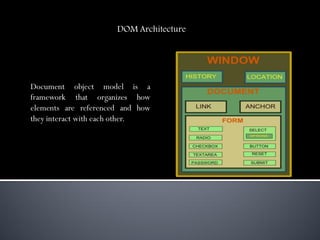
DOM Architecture


Document object model is a
framework that organizes how
elements are referenced and how
they interact with each other.
Example


How scripts reference elements of a document.

How styles are applied to elements.

How scripts change styles.
Different Document Objects


     Document Object

     Anchor Object

     Button Object

     Form Object

     Image Object

     Event Object
Document Object

Provides access to all HTML elements in a page, from within a script.


                            Anchor Object

                            Allows you to create a link to another document.


Button Object

Represents a push button.
Form Object

Used to collect user input, and contain input elements.


                                      Image Object

                                      Represents an embedded image.


Event Object

Performs the action associated with events.
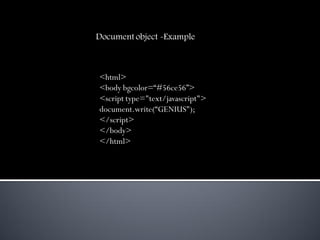
Document object -Example


<html>
<body bgcolor=“#56ce56”>
<script type="text/javascript">
document.write(“GENIUS");
</script>
</body>
</html>
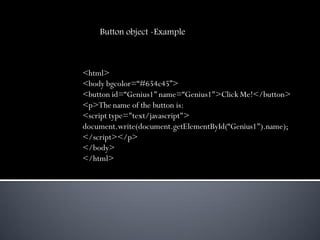
Button object -Example


<html>
<body bgcolor=“#654c45”>
<button id=“Genius1" name=“Genius1">Click Me!</button>
<p>The name of the button is:
<script type="text/javascript">
document.write(document.getElementById(“Genius1").name);
</script></p>
</body>
</html>
Form object -Example

<html><body bgcolor="#87cb56">
<form id="frm1" action="form_action.asp">
Last name: <input type="text" name="lname" value="Adi" /><br />
<input type="submit" value="Submit" />
</form>
<p>Return the value of each element in the form:</p>
<script type="text/javascript">
var x=document.getElementById("frm1");
for (var i=0;i<x.length;i++)
{
document.write(x.elements[i].value);
document.write("<br />");
} </script></body></html>
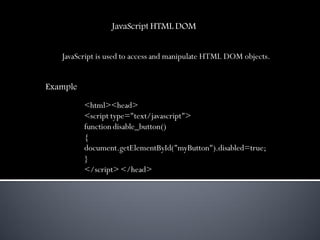
JavaScript HTML DOM


   JavaScript is used to access and manipulate HTML DOM objects.


Example

          <html><head>
          <script type="text/javascript">
          function disable_button()
          {
          document.getElementById("myButton").disabled=true;
          }
          </script> </head>
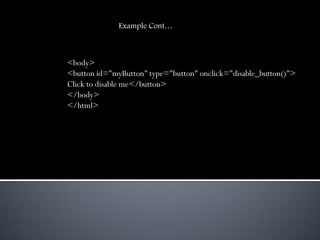
Example Cont…


<body>
<button id="myButton" type="button" onclick="disable_button()">
Click to disable me</button>
</body>
</html>
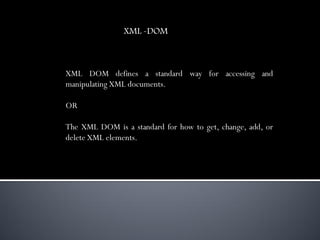
XML -DOM


XML DOM defines a standard way for accessing and
manipulating XML documents.

OR

The XML DOM is a standard for how to get, change, add, or
delete XML elements.
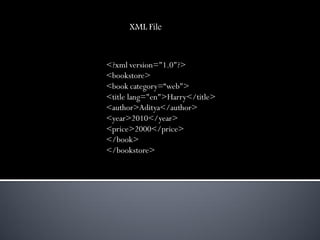
XML File


<?xml version="1.0"?>
<bookstore>
<book category=“web">
<title lang="en">Harry</title>
<author>Aditya</author>
<year>2010</year>
<price>2000</price>
</book>
</bookstore>
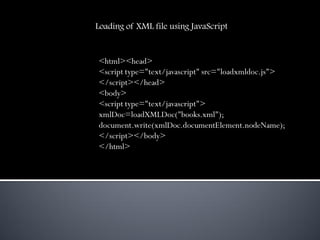
Loading of XML file using JavaScript


<html><head>
<script type="text/javascript" src="loadxmldoc.js">
</script></head>
<body>
<script type="text/javascript">
xmlDoc=loadXMLDoc("books.xml");
document.write(xmlDoc.documentElement.nodeName);
</script></body>
</html>
Advantages of DOM


  Language and Implementation-Neutral Interface.

   Important feature of the DOM is to provide a standard
programming interface that can be used in a wide variety of
environments and applications.

  Interoperability.

  Benefit of having a standard API is interoperability which is a
necessity for documents sent over the Internet.
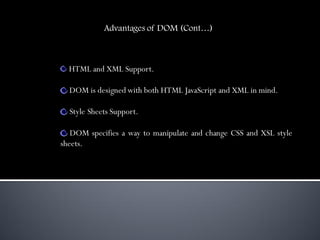
Advantages of DOM (Cont…)


  HTML and XML Support.

  DOM is designed with both HTML JavaScript and XML in mind.

  Style Sheets Support.

   DOM specifies a way to manipulate and change CSS and XSL style
sheets.
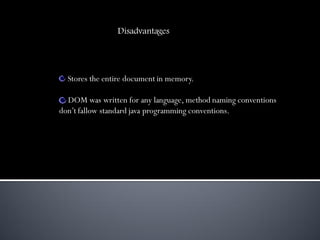
Disadvantages


  Stores the entire document in memory.

  DOM was written for any language, method naming conventions
don’t fallow standard java programming conventions.
Thank You

Dom

  • 1.
  • 2.
    What is DOM? DOMis a platform-and language-neutral interface that will allow programs and scripts to dynamically access and update the content, structure and style of documents.
  • 3.
    Why the DOM? TheDOM (Document Object Model) gives you generic access to most elements, their styles and attributes in a document.
  • 4.
    DOM Architecture Document objectmodel is a framework that organizes how elements are referenced and how they interact with each other.
  • 5.
    Example How scripts referenceelements of a document. How styles are applied to elements. How scripts change styles.
  • 6.
    Different Document Objects Document Object Anchor Object Button Object Form Object Image Object Event Object
  • 7.
    Document Object Provides accessto all HTML elements in a page, from within a script. Anchor Object Allows you to create a link to another document. Button Object Represents a push button.
  • 8.
    Form Object Used tocollect user input, and contain input elements. Image Object Represents an embedded image. Event Object Performs the action associated with events.
  • 9.
    Document object -Example <html> <bodybgcolor=“#56ce56”> <script type="text/javascript"> document.write(“GENIUS"); </script> </body> </html>
  • 10.
    Button object -Example <html> <bodybgcolor=“#654c45”> <button id=“Genius1" name=“Genius1">Click Me!</button> <p>The name of the button is: <script type="text/javascript"> document.write(document.getElementById(“Genius1").name); </script></p> </body> </html>
  • 11.
    Form object -Example <html><bodybgcolor="#87cb56"> <form id="frm1" action="form_action.asp"> Last name: <input type="text" name="lname" value="Adi" /><br /> <input type="submit" value="Submit" /> </form> <p>Return the value of each element in the form:</p> <script type="text/javascript"> var x=document.getElementById("frm1"); for (var i=0;i<x.length;i++) { document.write(x.elements[i].value); document.write("<br />"); } </script></body></html>
  • 12.
    JavaScript HTML DOM JavaScript is used to access and manipulate HTML DOM objects. Example <html><head> <script type="text/javascript"> function disable_button() { document.getElementById("myButton").disabled=true; } </script> </head>
  • 13.
    Example Cont… <body> <button id="myButton"type="button" onclick="disable_button()"> Click to disable me</button> </body> </html>
  • 14.
    XML -DOM XML DOMdefines a standard way for accessing and manipulating XML documents. OR The XML DOM is a standard for how to get, change, add, or delete XML elements.
  • 15.
    XML File <?xml version="1.0"?> <bookstore> <bookcategory=“web"> <title lang="en">Harry</title> <author>Aditya</author> <year>2010</year> <price>2000</price> </book> </bookstore>
  • 16.
    Loading of XMLfile using JavaScript <html><head> <script type="text/javascript" src="loadxmldoc.js"> </script></head> <body> <script type="text/javascript"> xmlDoc=loadXMLDoc("books.xml"); document.write(xmlDoc.documentElement.nodeName); </script></body> </html>
  • 17.
    Advantages of DOM Language and Implementation-Neutral Interface. Important feature of the DOM is to provide a standard programming interface that can be used in a wide variety of environments and applications. Interoperability. Benefit of having a standard API is interoperability which is a necessity for documents sent over the Internet.
  • 18.
    Advantages of DOM(Cont…) HTML and XML Support. DOM is designed with both HTML JavaScript and XML in mind. Style Sheets Support. DOM specifies a way to manipulate and change CSS and XSL style sheets.
  • 19.
    Disadvantages Storesthe entire document in memory. DOM was written for any language, method naming conventions don’t fallow standard java programming conventions.
  • 20.