Interacting with the
DOM
- Professor Flo
What does DOM stand for?
• The DOM is short for the “Document Object Model”
• in the DOM everything is a node.
• The Document it self is a node.
• HTML Elements are nodes
• attributes are nodes
• text elements are node,
• EVERYTHING IS A NODE !!!
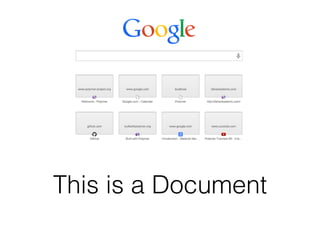
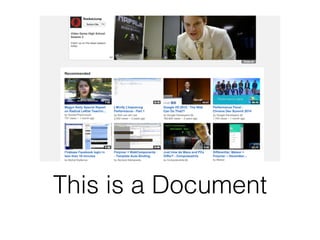
This is a Document
This is a Document
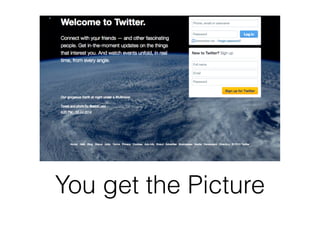
You get the Picture
Every Page You View in
Your Browser is a
Document
Now let’s take a look
at DOM Structure
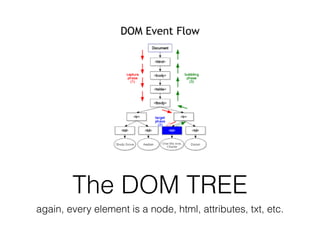
The DOM TREE
again, every element is a node, html, attributes, txt, etc.
Selecting Elements
from the DOM
Get Element By ID
• document.getElementById(‘myID’); // Javascript
Example
• How it looks in html <div id=“myID”>
Get Elements by Tag Names
• var elements = document.getElementsByTagName(‘div’);
• HTML this will select all the <divs> on your page
• var paragraphs =
document.getElementsByTagName(‘p’); // selects all the
p tags on your page, etc.
• How to select the various first element of a series
• var elements = document.getElementsByTagName(‘div’)
[0]; // similar to how you access the index of an array
document.querySelector
• var class = document.querySelector(“.myclass”);
• HTML example <p class=“myclass”> selects the p
tag with the my class css class.
• var id = document.querySelector(“#myID”);
• HTML example selects the paragraph with the id of
myID <p id=“myID”>
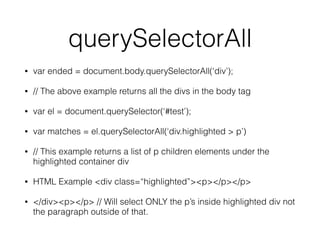
querySelectorAll
• var ended = document.body.querySelectorAll(‘div’);
• // The above example returns all the divs in the body tag
• var el = document.querySelector(‘#test’);
• var matches = el.querySelectorAll(‘div.highlighted > p’)
• // This example returns a list of p children elements under the
highlighted container div
• HTML Example <div class=“highlighted”><p></p></p>
• </div><p></p> // Will select ONLY the p’s inside highlighted div not
the paragraph outside of that.
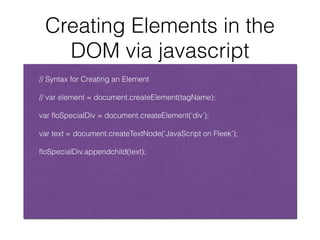
Creating Elements in the
DOM via javascript
!
// Syntax for Creating an Element
!
// var element = document.createElement(tagName);
!
var floSpecialDiv = document.createElement(‘div’);
!
var text = document.createTextNode(‘JavaScript on Fleek’);
!
floSpecialDiv.appendchild(text);
HaHa Awesome. Got all the Nuts and Bolts
out the Way now time for Javascript Events
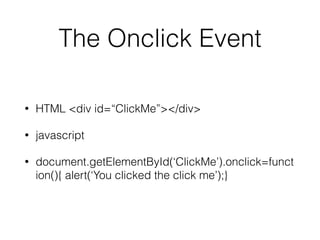
The Onclick Event
• HTML <div id=“ClickMe”></div>
• javascript
• document.getElementById(‘ClickMe’).onclick=funct
ion(){ alert(‘You clicked the click me’);}
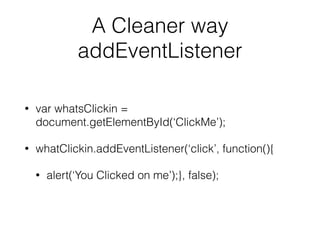
A Cleaner way
addEventListener
• var whatsClickin =
document.getElementById(‘ClickMe’);
• whatClickin.addEventListener(‘click’, function(){
• alert(‘You Clicked on me’);}, false);
Properties of
AddEventListener
• // Event Listener Syntax
• // element.addEventLister(“click”, function()
{},useCapture);
• // target.addEventListener(type, listener[,
useCapture
Alright let’s Start Coding in Paradise :)

Interacting with the DOM (JavaScript)

  • 1.
  • 2.
    What does DOMstand for? • The DOM is short for the “Document Object Model” • in the DOM everything is a node. • The Document it self is a node. • HTML Elements are nodes • attributes are nodes • text elements are node, • EVERYTHING IS A NODE !!!
  • 3.
    This is aDocument
  • 4.
    This is aDocument
  • 5.
    You get thePicture
  • 6.
    Every Page YouView in Your Browser is a Document
  • 7.
    Now let’s takea look at DOM Structure
  • 8.
    The DOM TREE again,every element is a node, html, attributes, txt, etc.
  • 9.
  • 10.
    Get Element ByID • document.getElementById(‘myID’); // Javascript Example • How it looks in html <div id=“myID”>
  • 11.
    Get Elements byTag Names • var elements = document.getElementsByTagName(‘div’); • HTML this will select all the <divs> on your page • var paragraphs = document.getElementsByTagName(‘p’); // selects all the p tags on your page, etc. • How to select the various first element of a series • var elements = document.getElementsByTagName(‘div’) [0]; // similar to how you access the index of an array
  • 12.
    document.querySelector • var class= document.querySelector(“.myclass”); • HTML example <p class=“myclass”> selects the p tag with the my class css class. • var id = document.querySelector(“#myID”); • HTML example selects the paragraph with the id of myID <p id=“myID”>
  • 13.
    querySelectorAll • var ended= document.body.querySelectorAll(‘div’); • // The above example returns all the divs in the body tag • var el = document.querySelector(‘#test’); • var matches = el.querySelectorAll(‘div.highlighted > p’) • // This example returns a list of p children elements under the highlighted container div • HTML Example <div class=“highlighted”><p></p></p> • </div><p></p> // Will select ONLY the p’s inside highlighted div not the paragraph outside of that.
  • 14.
    Creating Elements inthe DOM via javascript ! // Syntax for Creating an Element ! // var element = document.createElement(tagName); ! var floSpecialDiv = document.createElement(‘div’); ! var text = document.createTextNode(‘JavaScript on Fleek’); ! floSpecialDiv.appendchild(text);
  • 15.
    HaHa Awesome. Gotall the Nuts and Bolts out the Way now time for Javascript Events
  • 16.
    The Onclick Event •HTML <div id=“ClickMe”></div> • javascript • document.getElementById(‘ClickMe’).onclick=funct ion(){ alert(‘You clicked the click me’);}
  • 17.
    A Cleaner way addEventListener •var whatsClickin = document.getElementById(‘ClickMe’); • whatClickin.addEventListener(‘click’, function(){ • alert(‘You Clicked on me’);}, false);
  • 18.
    Properties of AddEventListener • //Event Listener Syntax • // element.addEventLister(“click”, function() {},useCapture); • // target.addEventListener(type, listener[, useCapture
  • 19.
    Alright let’s StartCoding in Paradise :)