JavaScript
Session 13
1
What is JavaScript ?
2



Client-side language.( run in the client browser)
Scripting language. (interpreted in run-time)
Not compile like other language
(C#, C++, VB.Net etc).
JavaScript code can be inserted directly in
the HTML or can place it in a separate file
with the .js extension and link the web page
with the .js file.
Use in web browser for making a website more dynamic.
Supported by Netscape 2+, Internet Explorer 3+, Opera 3+ and
most of the other modern web browsers.
Contains variable, array,object,operators and function.




Usage of JavaScript
3
 Used to perform operations that would otherwise encumber the
server, like form validation input.
Can be easily used to interact with HTML elements such as
validate text fields, disable buttons, validate forms, or change the
background color of page.
Create dynamic page
React to events such the user enter name whenever the page
load for 1st time. User can used entered value for welcome page.



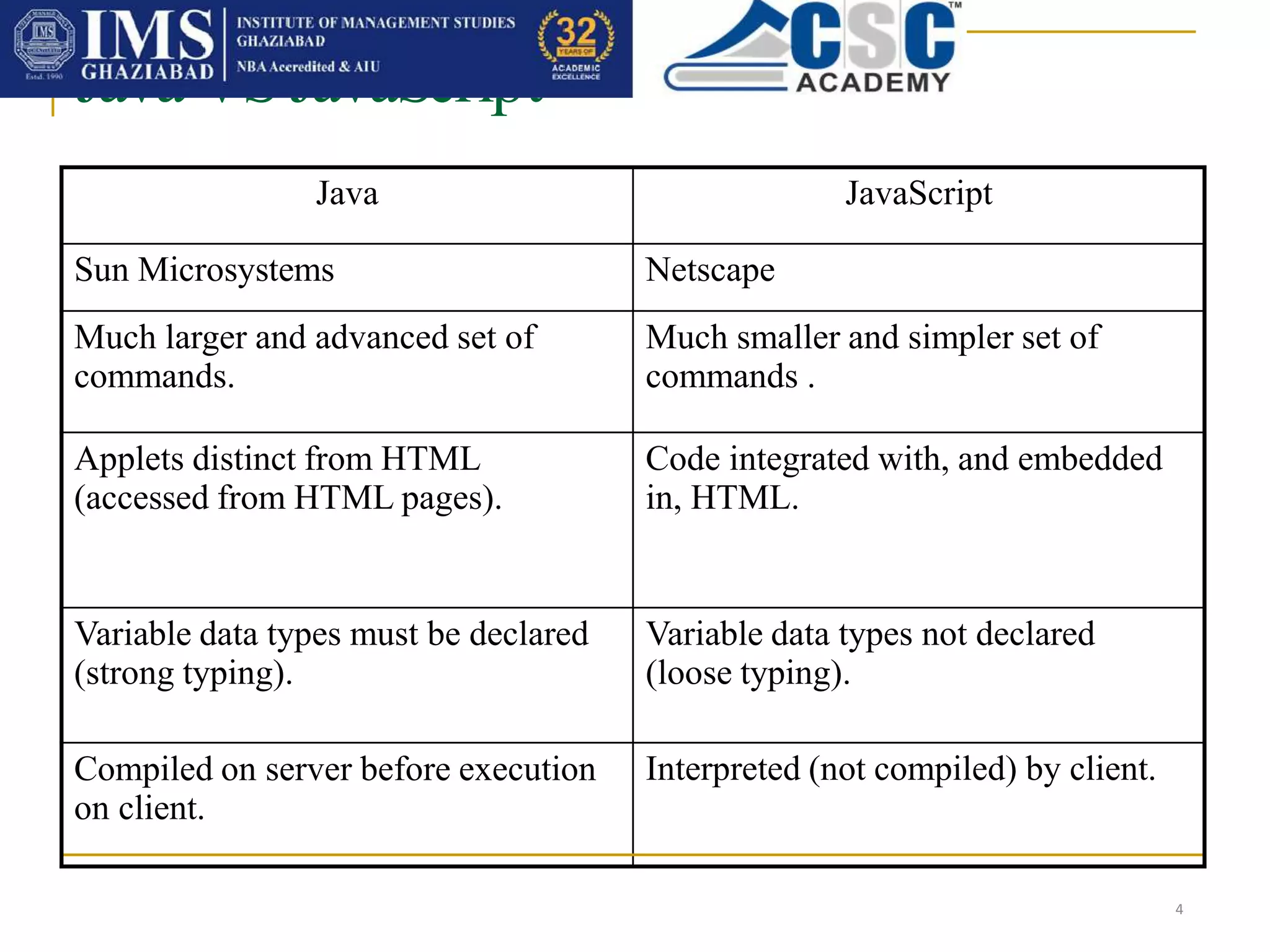
Java JavaScript
Sun Microsystems Netscape
Much larger and advanced set of
commands.
Much smaller and simpler set of
commands .
Applets distinct from HTML
(accessed from HTML pages).
Code integrated with, and embedded
in, HTML.
Variable data types must be declared
(strong typing).
Variable data types not declared
(loose typing).
Compiled on server before execution
on client.
Interpreted (not compiled) by client.
Java VS JavaScript
4
How to Put a JavaScript Into an HTML Page
5
 JavaScript is written in the same way as HTML in a text editor
(Notepad)
JavaScript implementation was quite similar to CSS; you can link
to outside files (with the file extension .js) , or write blocks of
code into your HTML documents with the <script> tag

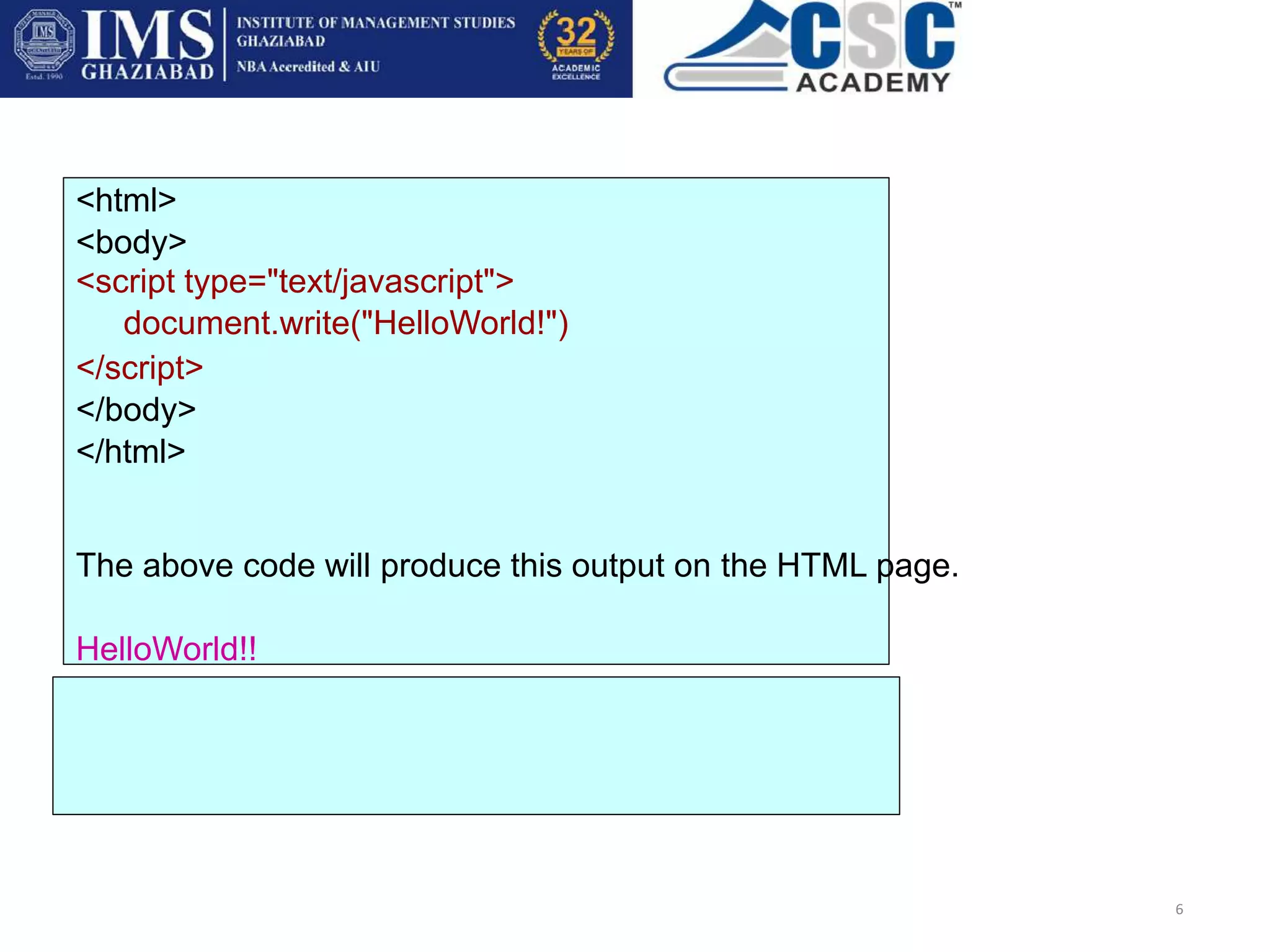
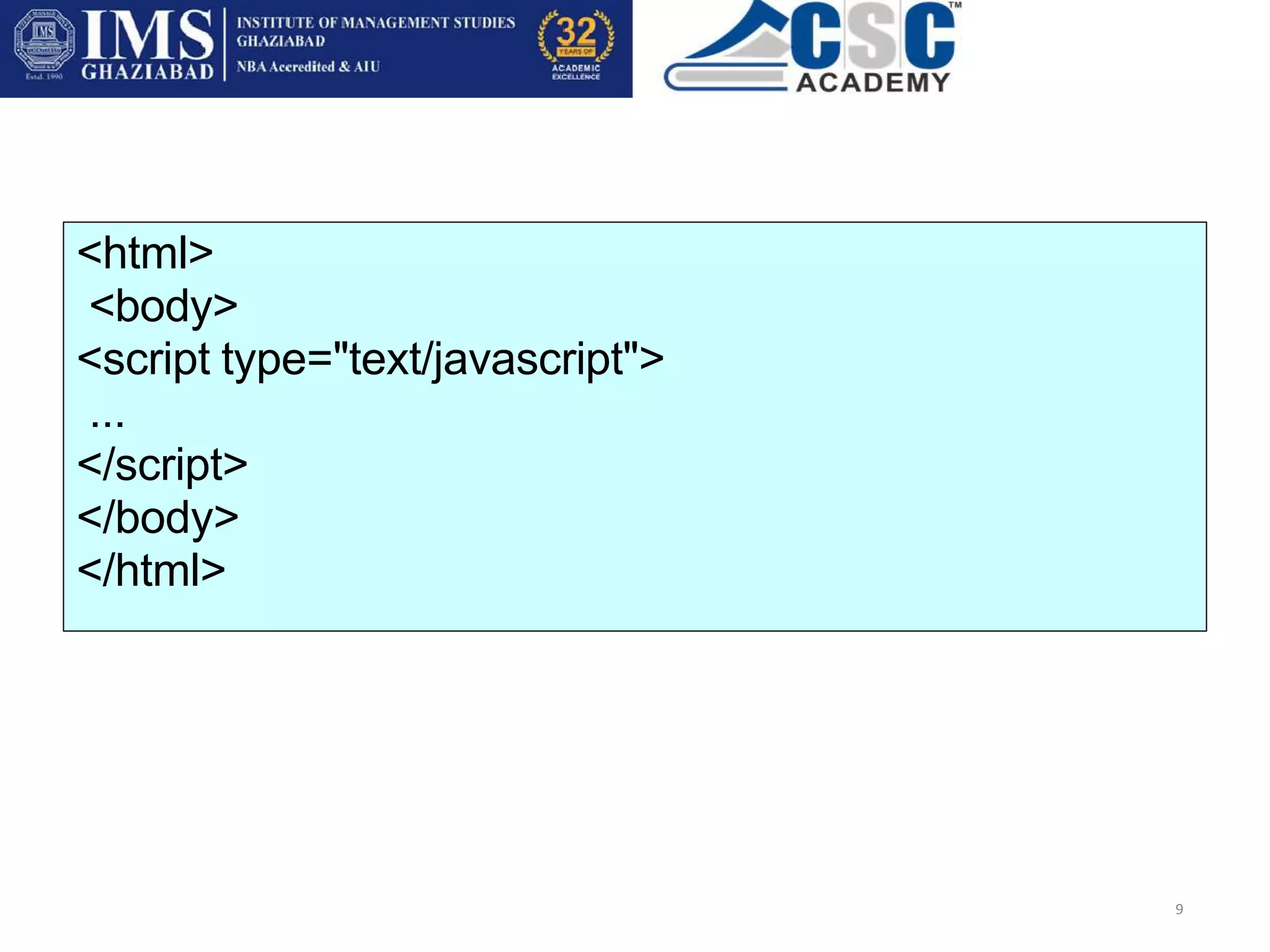
<html>
<body>
<script type="text/javascript">
document.write("HelloWorld!")
</script>
</body>
</html>
The above code will produce this output on the HTML page.
HelloWorld!!
6
 To insert a JavaScript into an HTML page, we
use the <script> tag.
7
 The <script type="text/javascript"> and </script> tells where
the JavaScript starts and ends
The script tag encloses any script code you want to use
The type attribute alert the browser to the type of script it is about
to deal with, it helps in code interpretation.



The comments around the script are there so
that old browsers that don’t understand the
script tag won’t display the code as text on
the page.
8
 If the browser can do JavaScript, then it will ignore the
comments.
<html>
<body>
<script type="text/javascript">
...
</script>
</body>
</html>
9
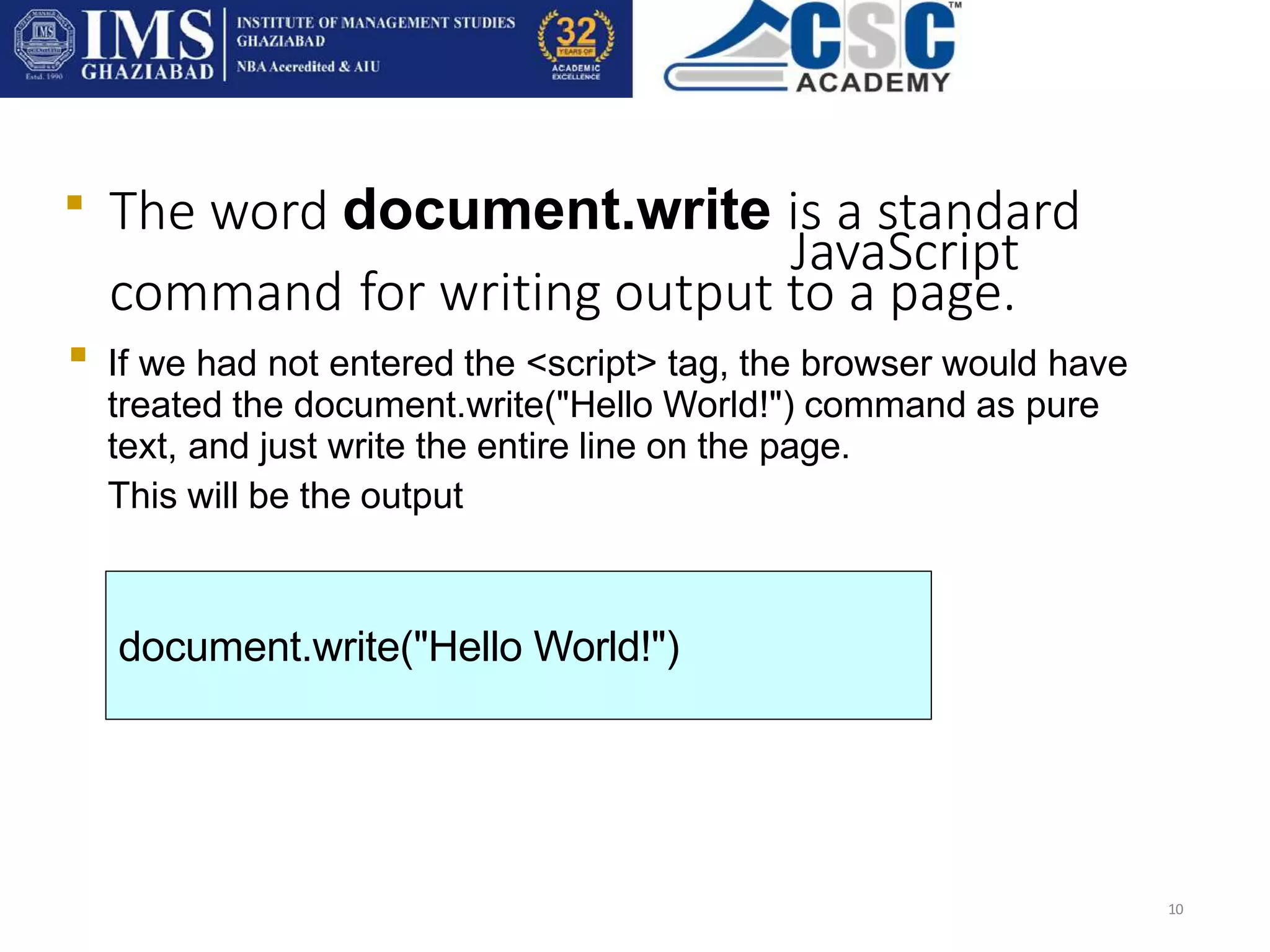
The word document.write is a standard
JavaScript
command for writing output to a page.
10

If we had not entered the <script> tag, the browser would have
treated the document.write("Hello World!") command as pure
text, and just write the entire line on the page.
This will be the output

document.write("Hello World!")
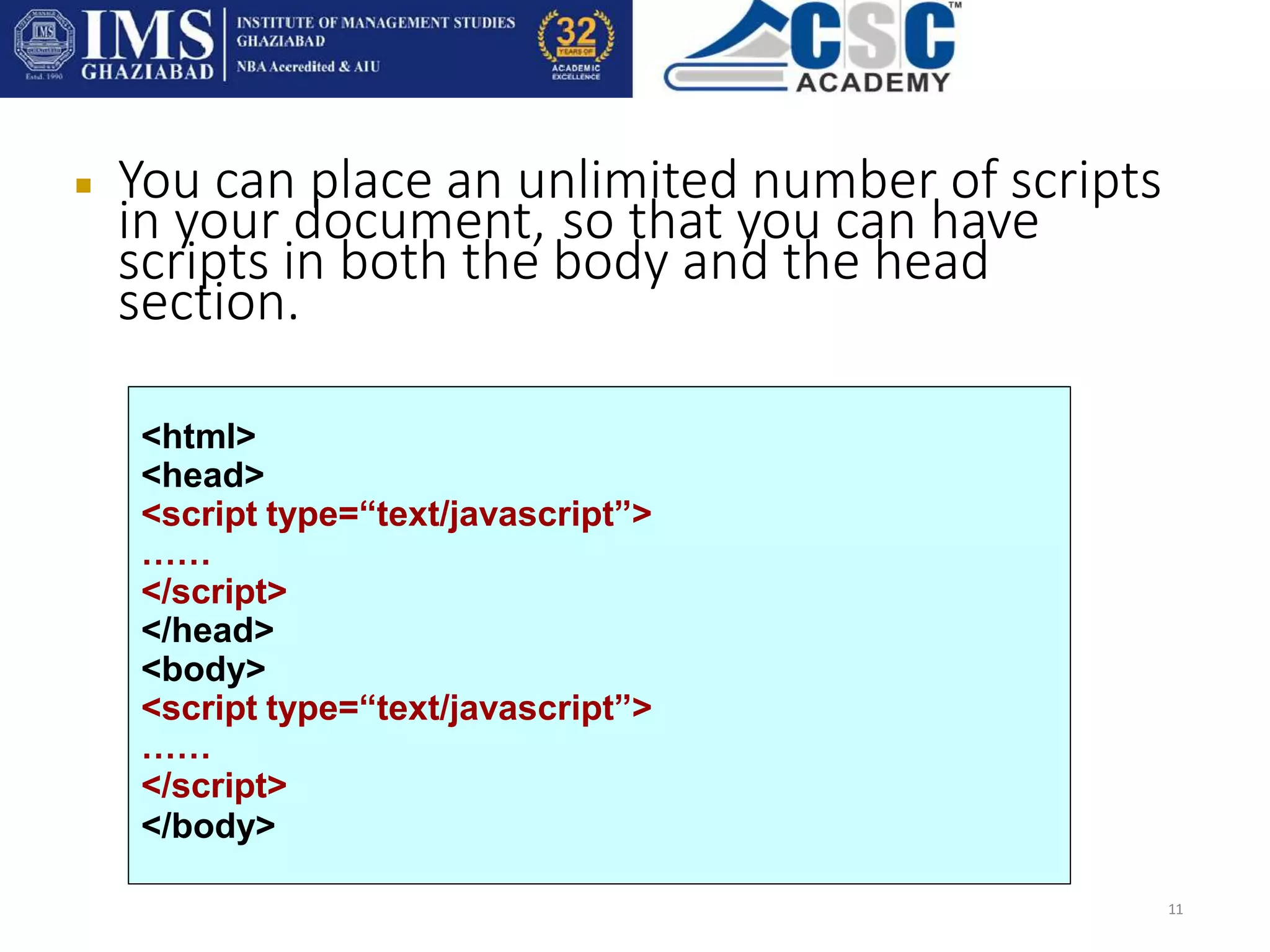
 You can place an unlimited number of scripts
in your document, so that you can have
scripts in both the body and the head
section.
11
<html>
<head>
<script type=“text/javascript”>
……
</script>
</head>
<body>
<script type=“text/javascript”>
……
</script>
</body>
External scripts
12
 To import scripts from external JavaScript files, save the code in
the text file with the .js extension; without the script tags and
comment.
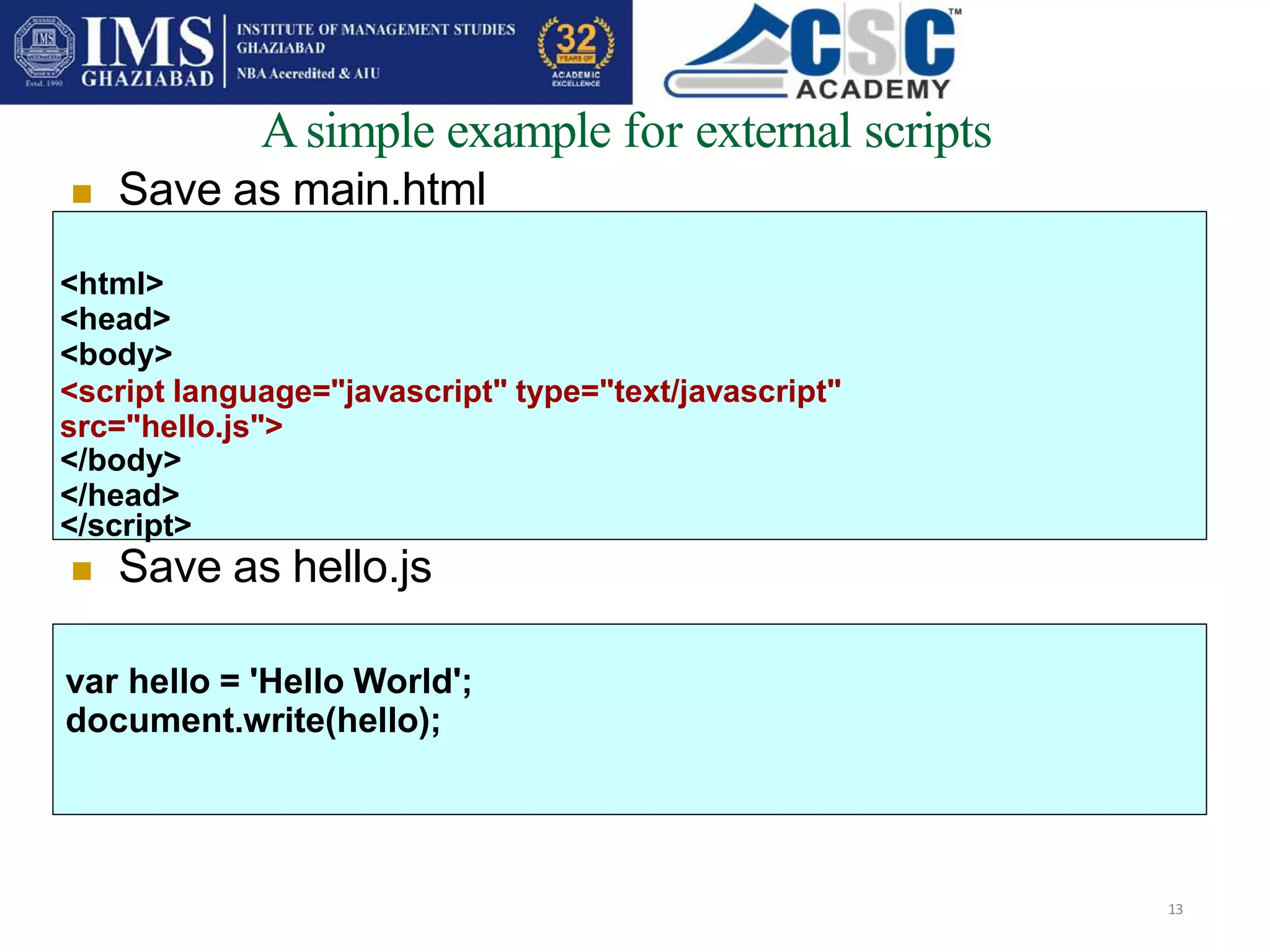
Asimple example for external scripts
13
 Save as main.html
<html>
<head>
<body>
<script language="javascript" type="text/javascript"
src="hello.js">
</body>
</head>
</script>
 Save as hello.js
var hello = 'Hello World';
document.write(hello);
Output
14
Hello World!
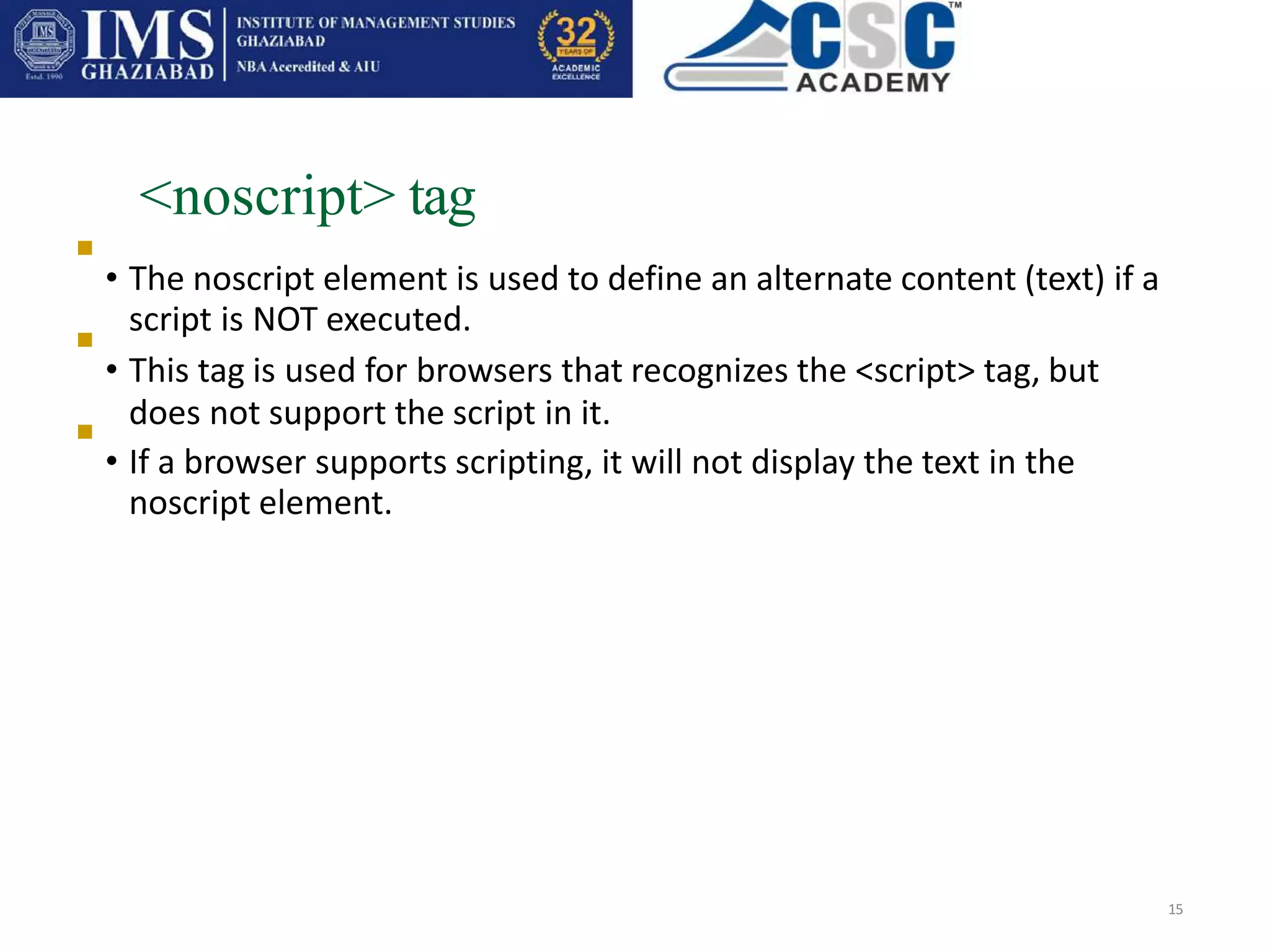
<noscript> tag
• The noscript element is used to define an alternate content (text) if a
script is NOT executed.
• This tag is used for browsers that recognizes the <script> tag, but
does not support the script in it.
• If a browser supports scripting, it will not display the text in the
noscript element.
15



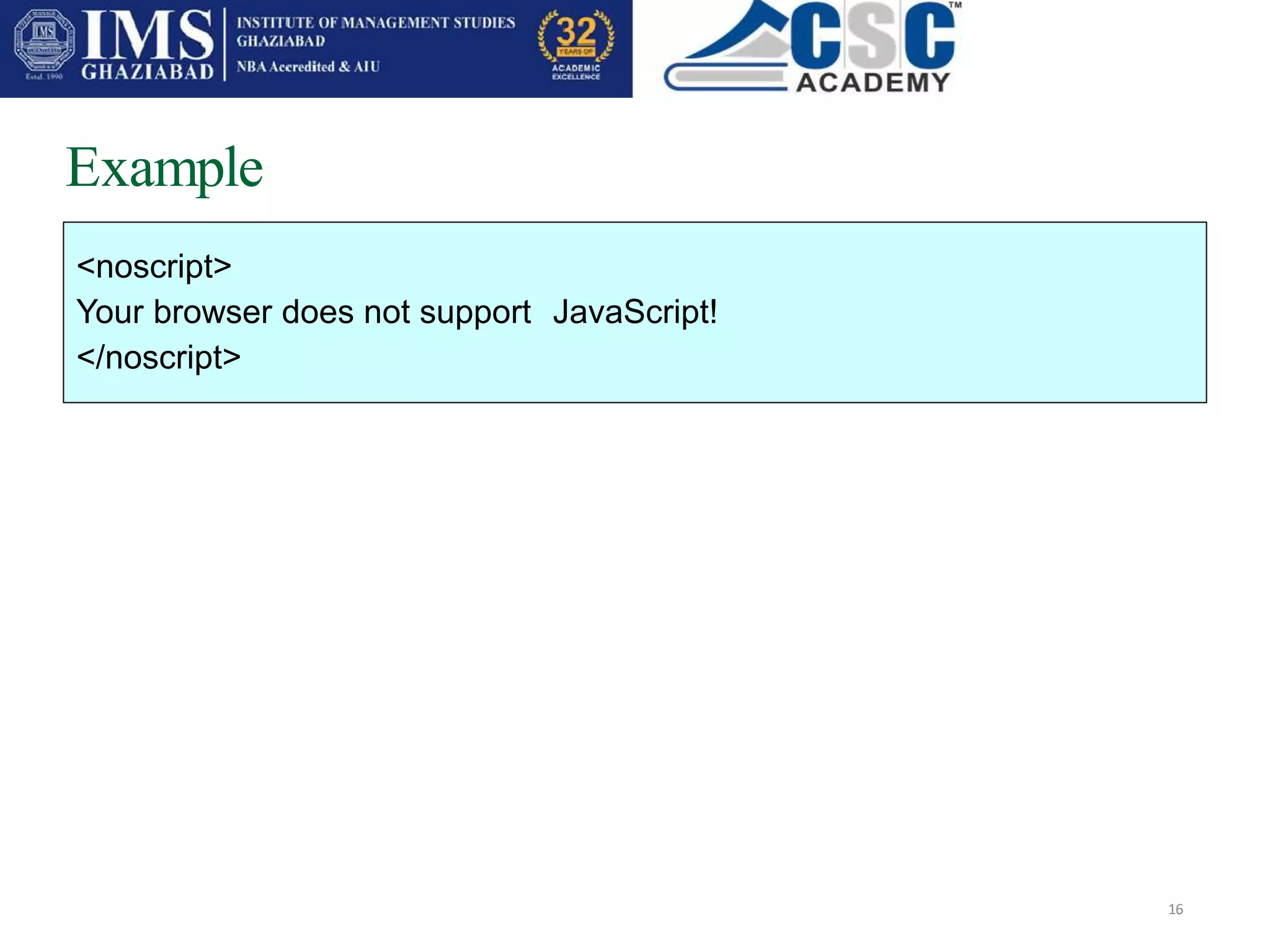
Example
16
<noscript>
Your browser does not support JavaScript!
</noscript>
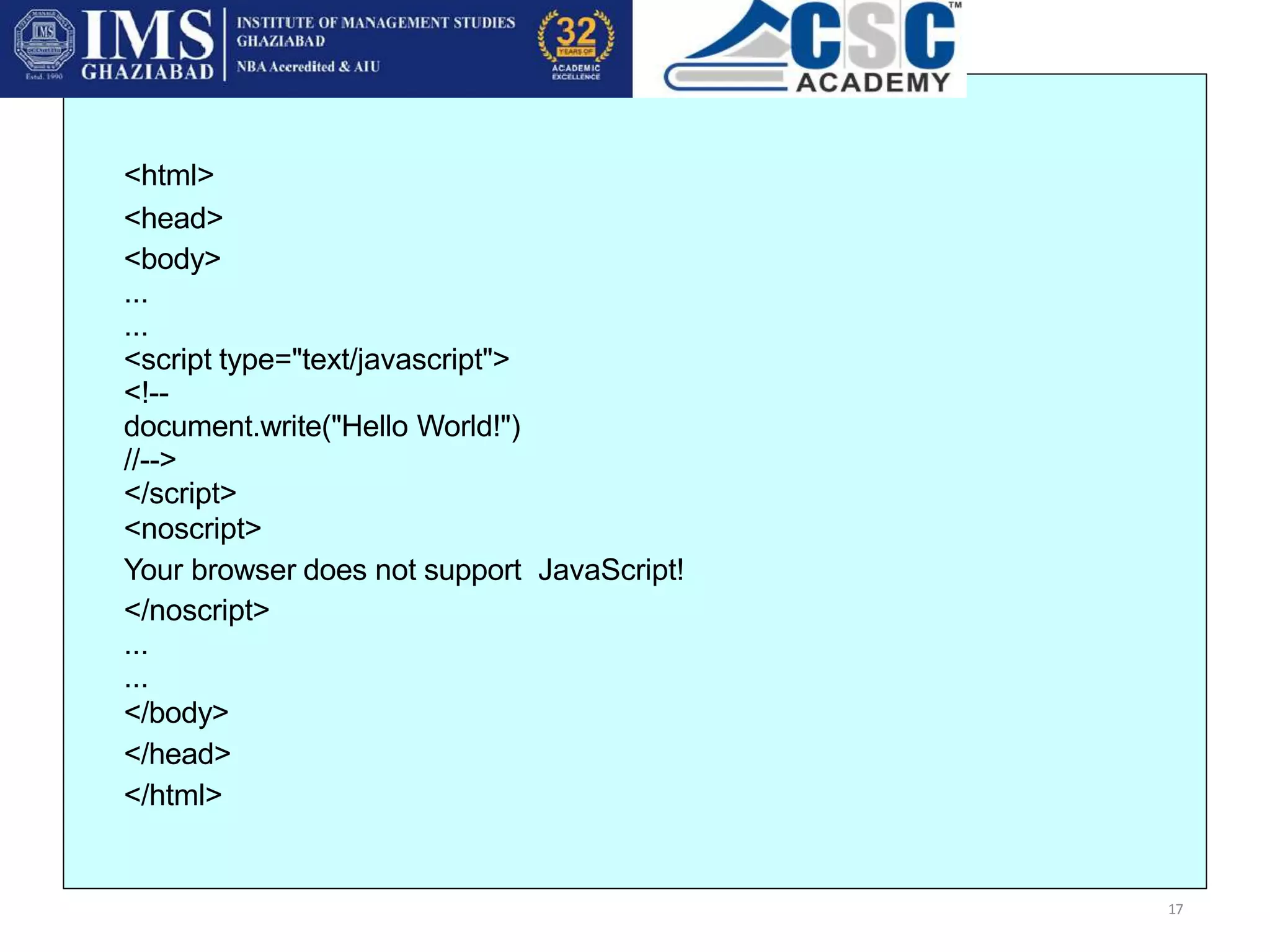
<html>
<head>
<body>
...
...
<script type="text/javascript">
<!--
document.write("Hello World!")
//-->
</script>
<noscript>
Your browser does not support JavaScript!
</noscript>
...
...
</body>
</head>
</html>
17
Object in JavaScript
• JavaScript is an Object Oriented Programming (OOP) language. An
OOP language allows you to define your own objects and make your
own variable types.
• We will only look at the built-in JavaScript objects, and how they are
used. The next slides will explain each built-in JavaScript object in
detail.
• Note that an object is just a special kind of data. An object has
properties and methods.
18



Object in JavaScript
19
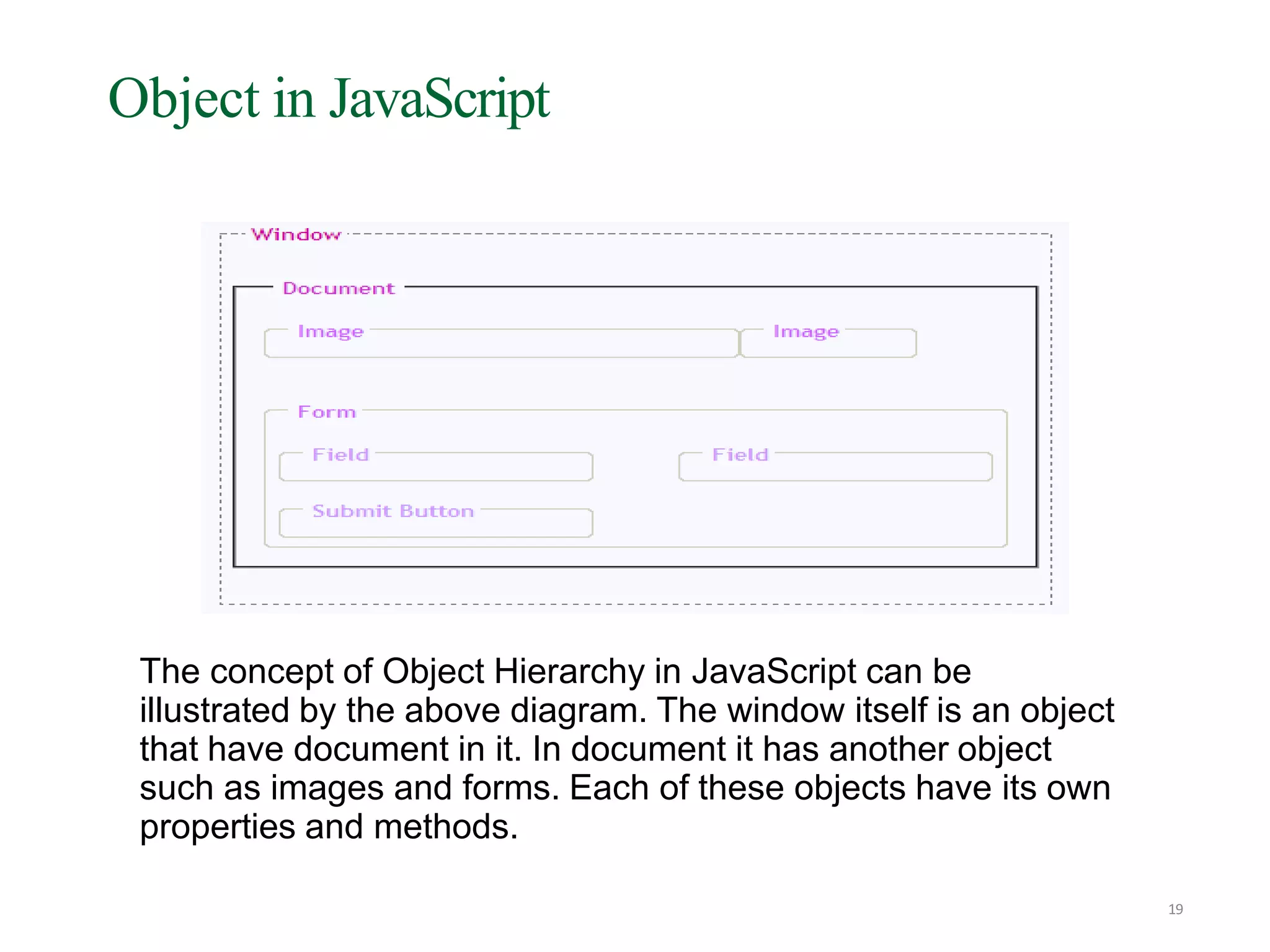
The concept of Object Hierarchy in JavaScript can be
illustrated by the above diagram. The window itself is an object
that have document in it. In document it has another object
such as images and forms. Each of these objects have its own
properties and methods.
Object in JavaScript - properties
20
•Properties are the values associated with an object.
•Below examples shows how to access length property of
document object to return the number of characters in a string.
<script type="text/javascript">
var txt="Hello World!“
document.write(txt.length)
</script>
•The output of the code above will be:
12 ( H e l l o [space] W o r l d ! )
Object in JavaScript - methods
21
•Methods are the actions that can be performed on objects.
•In the following example we are using the toUpperCase() method
of the String object to display a text in uppercase letters:
<script type="text/javascript">
var str="Hello world!"
document.write(str.toUpperCase())
</script>
•The output of the code above will be:
HELLO WORLD!
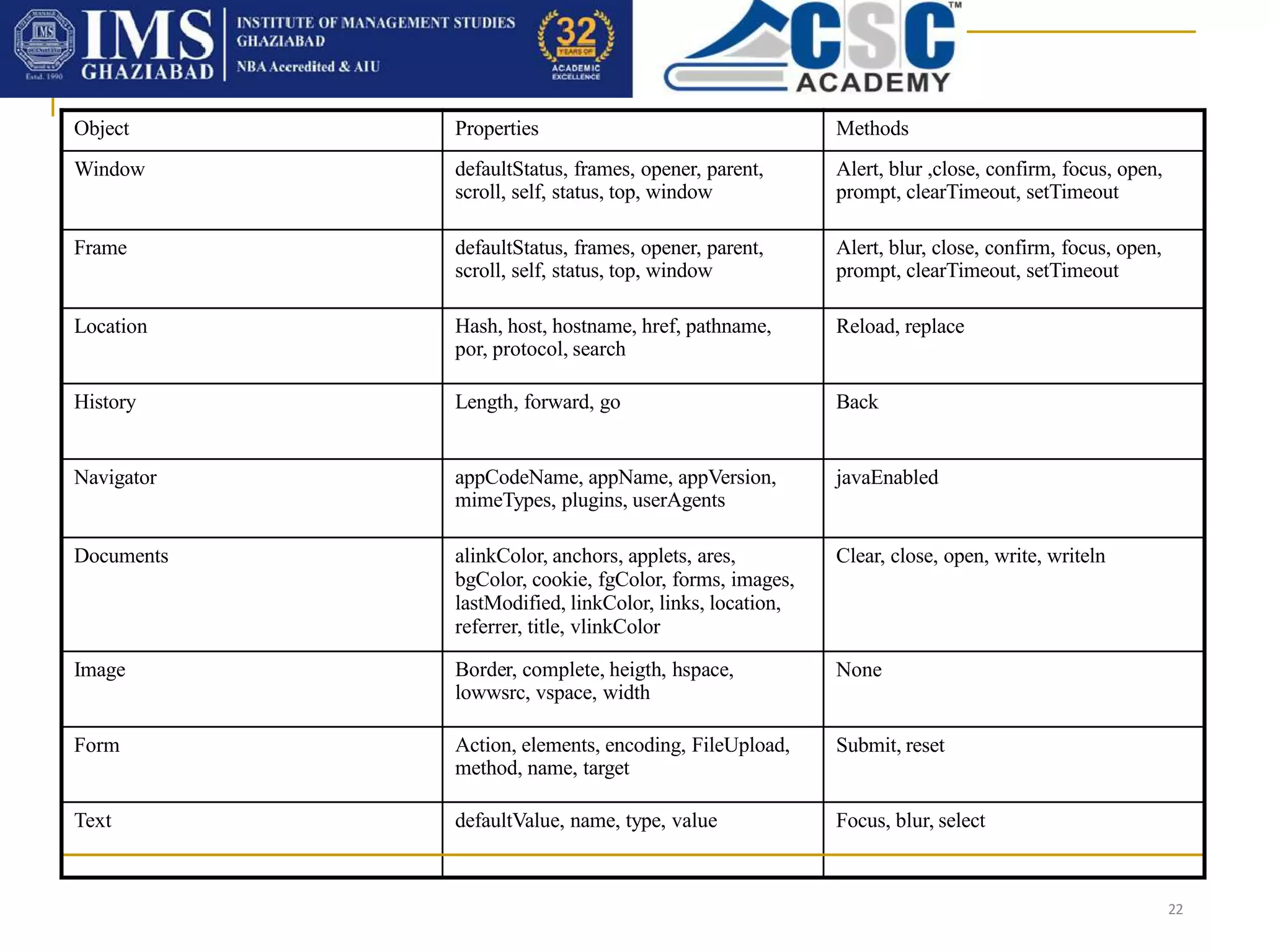
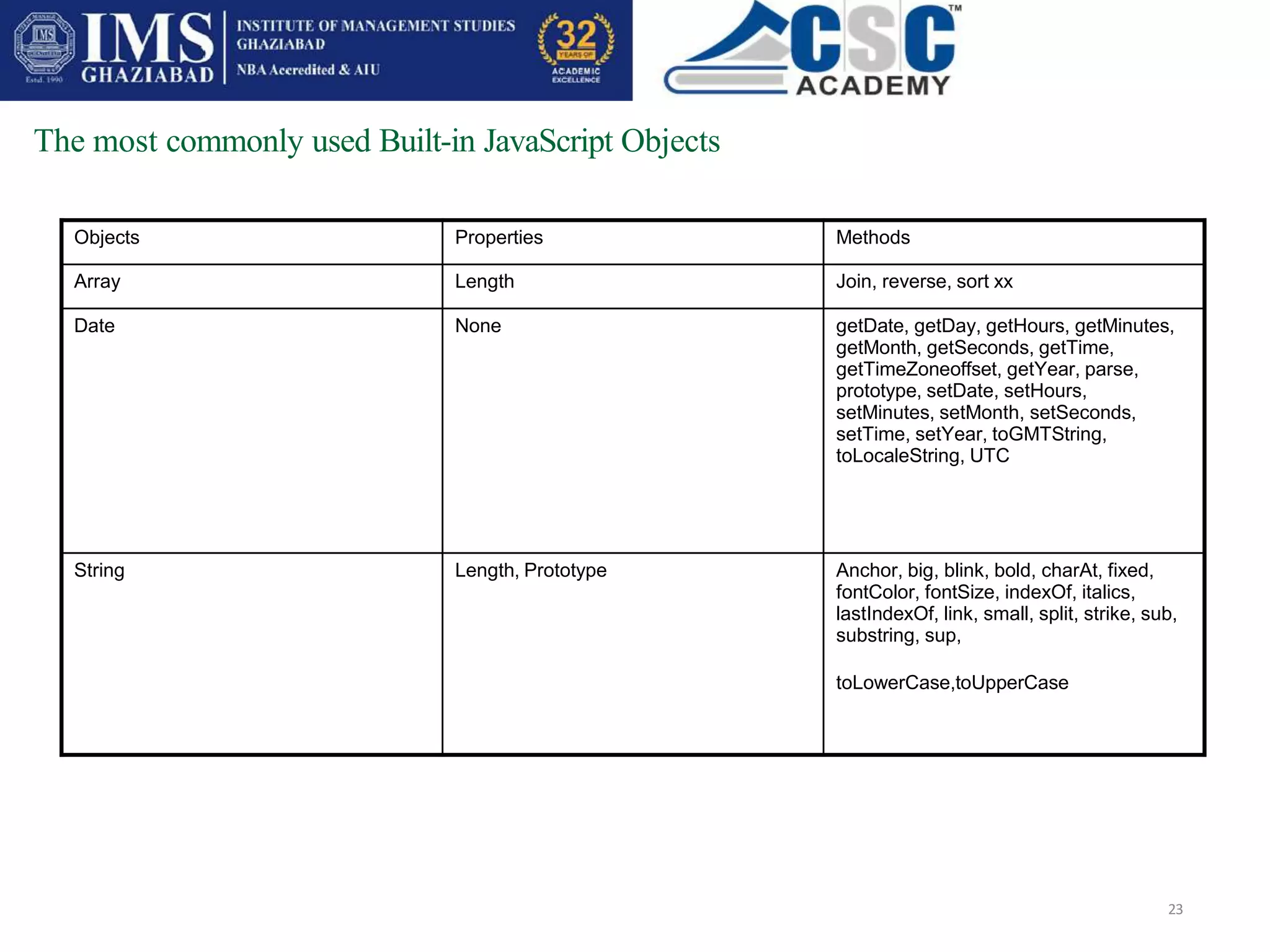
The most commonly used JavaScript objects
22
Object Properties Methods
Window defaultStatus, frames, opener, parent,
scroll, self, status, top, window
Alert, blur ,close, confirm, focus, open,
prompt, clearTimeout, setTimeout
Frame defaultStatus, frames, opener, parent,
scroll, self, status, top, window
Alert, blur, close, confirm, focus, open,
prompt, clearTimeout, setTimeout
Location Hash, host, hostname, href, pathname,
por, protocol, search
Reload, replace
History Length, forward, go Back
Navigator appCodeName, appName, appVersion,
mimeTypes, plugins, userAgents
javaEnabled
Documents alinkColor, anchors, applets, ares,
bgColor, cookie, fgColor, forms, images,
lastModified, linkColor, links, location,
referrer, title, vlinkColor
Clear, close, open, write, writeln
Image Border, complete, heigth, hspace,
lowwsrc, vspace, width
None
Form Action, elements, encoding, FileUpload,
method, name, target
Submit, reset
Text defaultValue, name, type, value Focus, blur, select
The most commonly used Built-in JavaScript Objects
23
Objects Properties Methods
Array Length Join, reverse, sort xx
Date None getDate, getDay, getHours, getMinutes,
getMonth, getSeconds, getTime,
getTimeZoneoffset, getYear, parse,
prototype, setDate, setHours,
setMinutes, setMonth, setSeconds,
setTime, setYear, toGMTString,
toLocaleString, UTC
String Length, Prototype Anchor, big, blink, bold, charAt, fixed,
fontColor, fontSize, indexOf, italics,
lastIndexOf, link, small, split, strike, sub,
substring, sup,
toLowerCase,toUpperCase
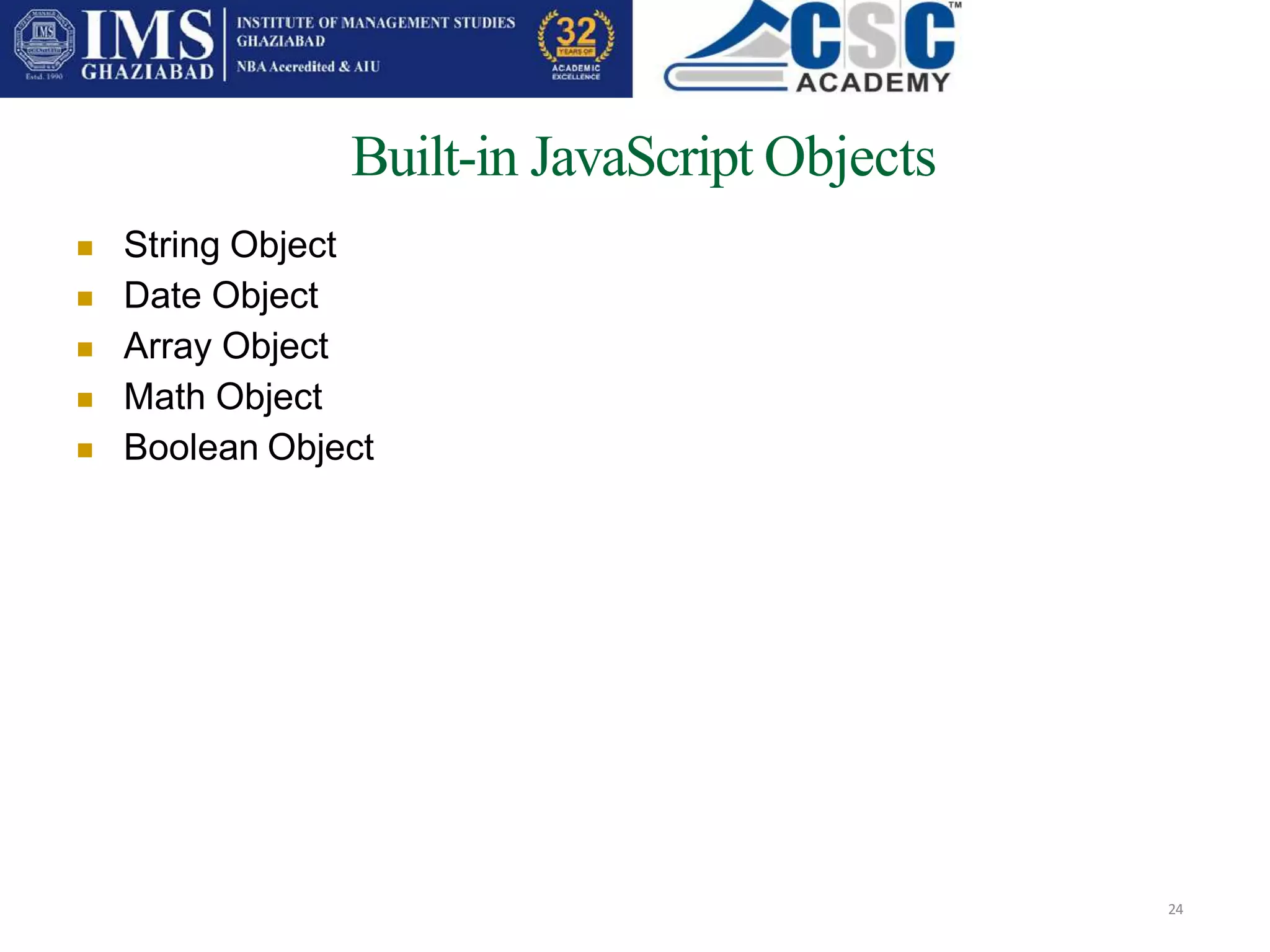
Built-in JavaScript Objects
24
 String Object
Date Object
Array Object
Math Object
Boolean Object






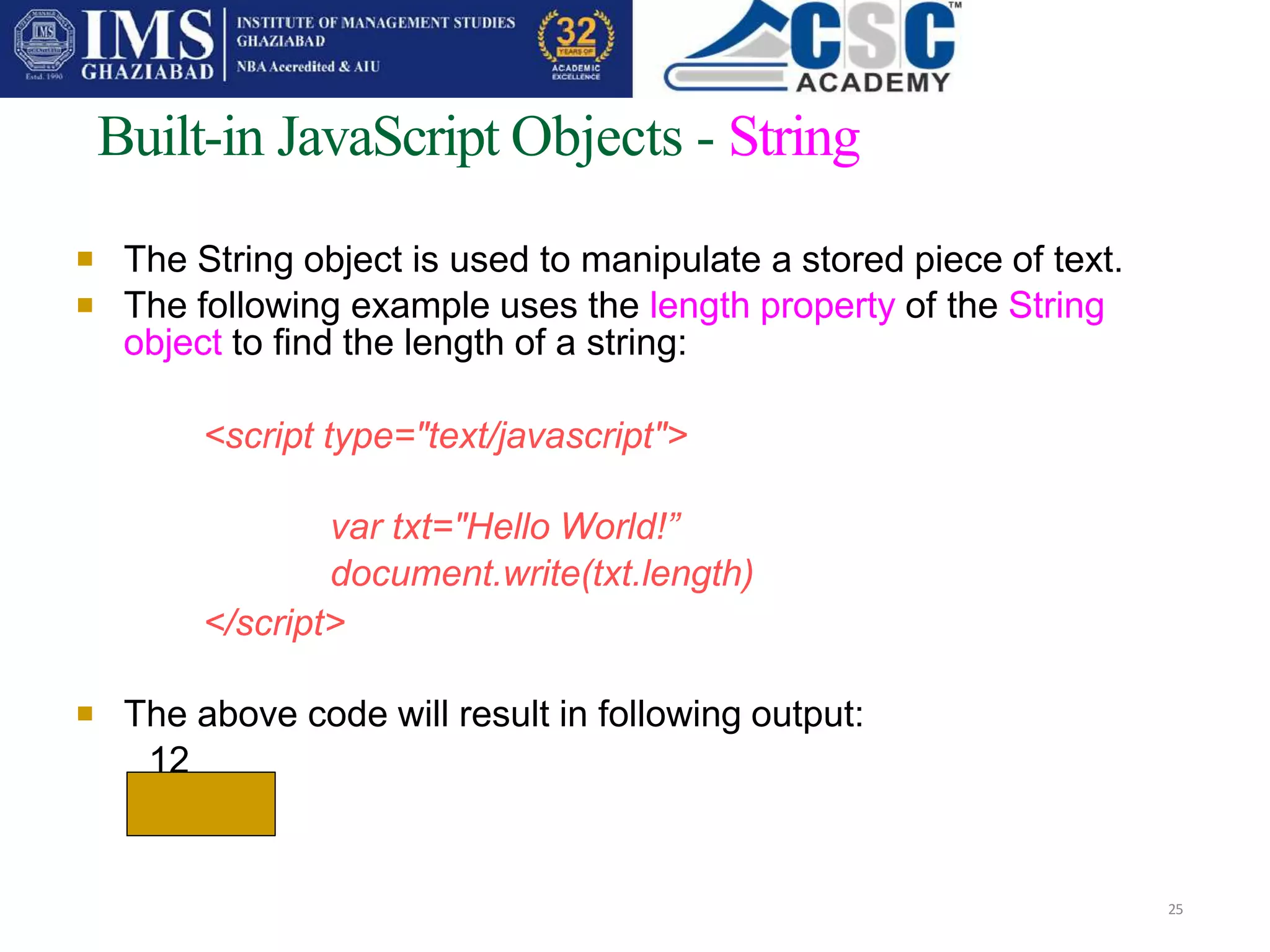
Built-in JavaScript Objects - String
25
The String object is used to manipulate a stored piece of text.
The following example uses the length property of the String
object to find the length of a string:
<script type="text/javascript">
var txt="Hello World!”
document.write(txt.length)
</script>
 The above code will result in following output:
12

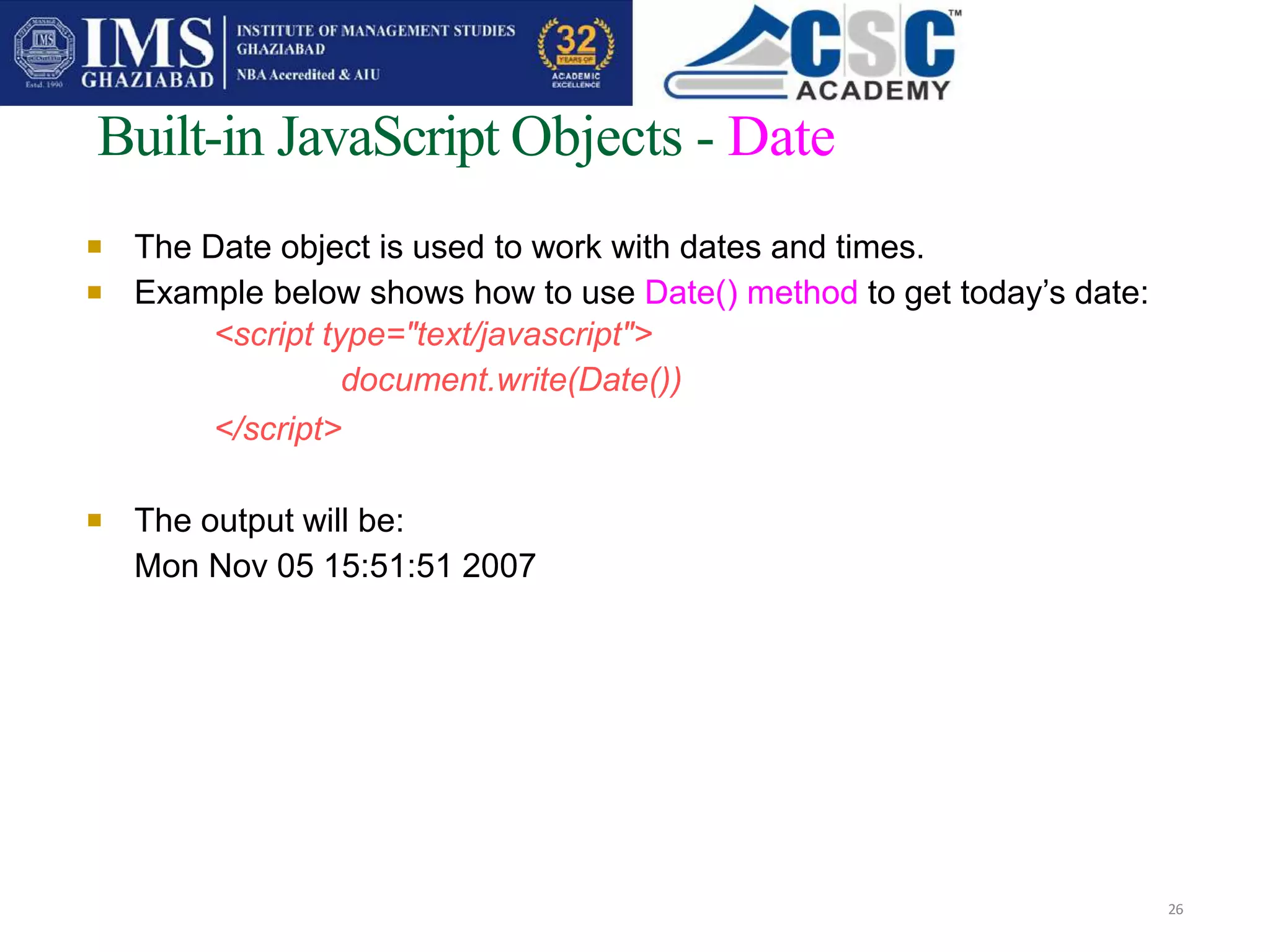
Built-in JavaScript Objects - Date
26
The Date object is used to work with dates and times.
Example below shows how to use Date() method to get today’s date:
<script type="text/javascript">
document.write(Date())
</script>

 The output will be:
Mon Nov 05 15:51:51 2007

Built-in JavaScript Objects - Date
27
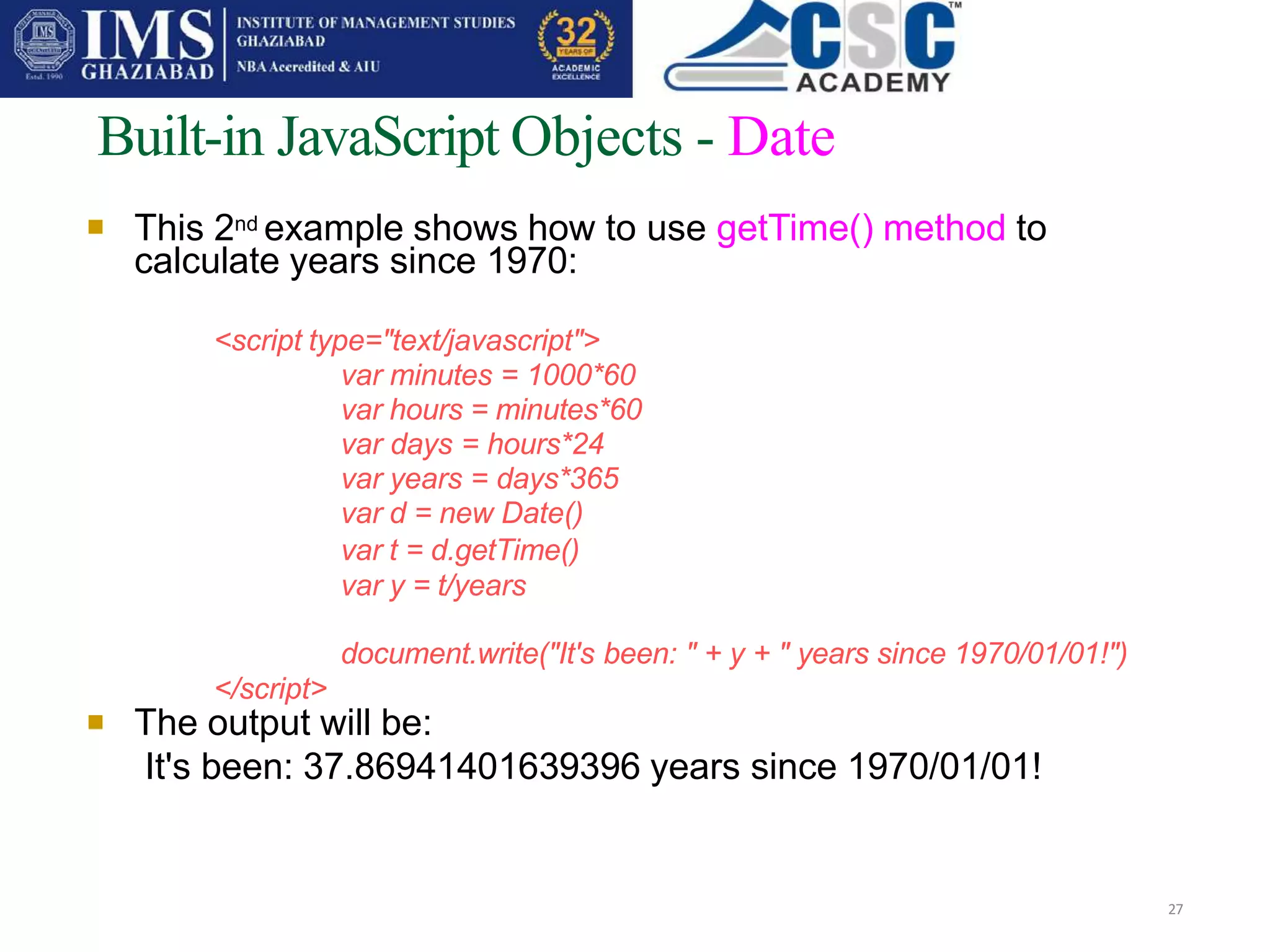
This 2nd example shows how to use getTime() method to
calculate years since 1970:
<script type="text/javascript">
var minutes = 1000*60
var hours = minutes*60
var days = hours*24
var years = days*365
var d = new Date()
var t = d.getTime()
var y = t/years
document.write("It's been: " + y + " years since 1970/01/01!")
</script>
 The output will be:
It's been: 37.86941401639396 years since 1970/01/01!

Built-in JavaScript Objects - Array
28
The Array object is used to store a set of values in a
single variable name.
1. We create a new Array by assigning it to a new
keyword, myArray:
var mycars=new Array()
mycars[0]=“Lotus"
mycars[1]="Volvo"
mycars[2]="BMW"
OR
var mycars=new Array("Saab","Volvo","BMW")

Built-in JavaScript Objects - Array
29

2. We can refer to a particular element in an array by referring to
the name of the array and the index number. The index number
starts at 0.
The following code line:
document.write(mycars[0])
will result in the following output:
Lotus
3. To modify a value in an existing array, just add a new value to
the array with a specified index number and then try to access it:
mycars[0]=“Lexus”
document.write(mycars[0])
will result in the following output:
Lexus

Built-in JavaScript Objects - Math
30
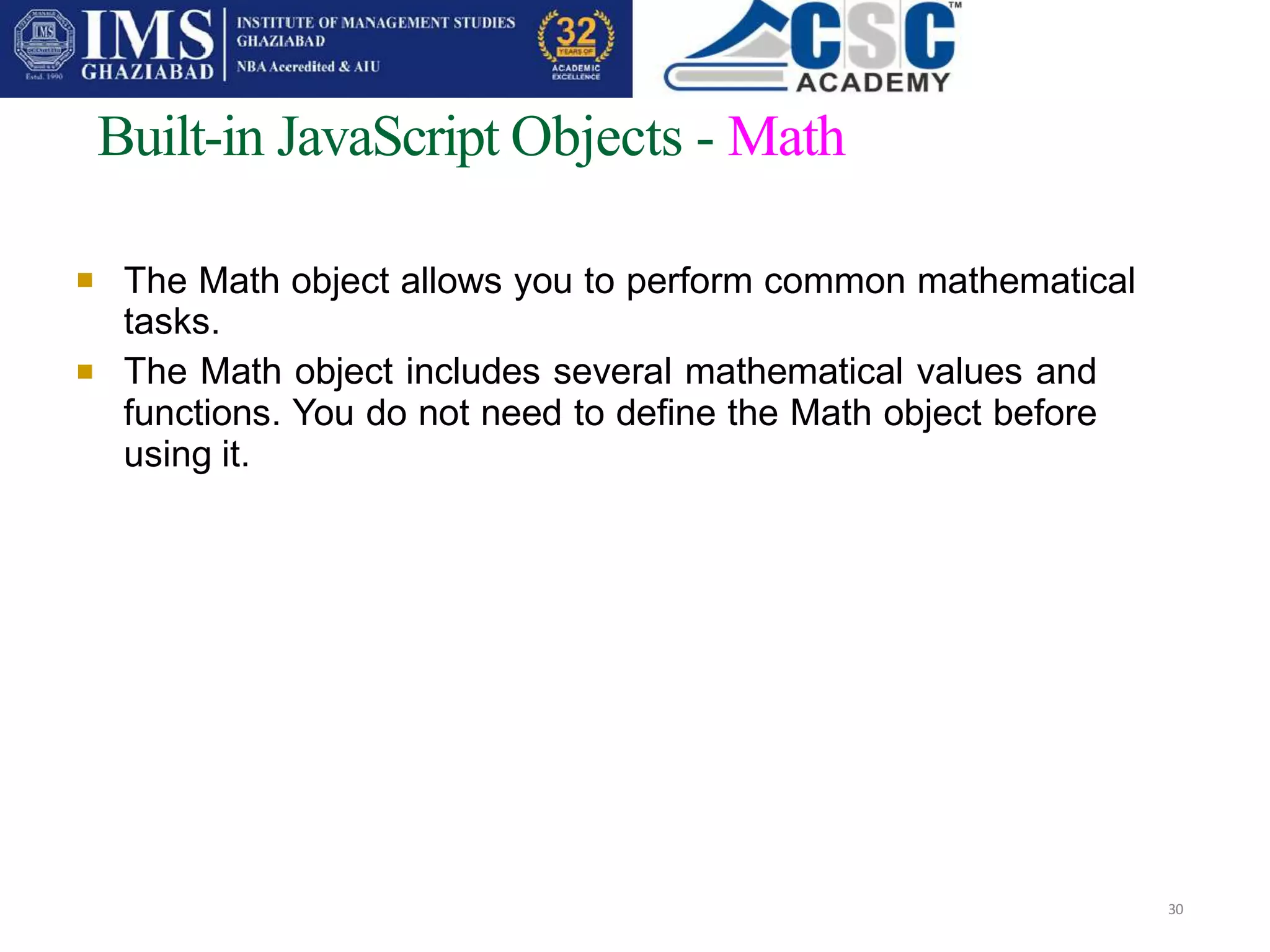
The Math object allows you to perform common mathematical
tasks.
The Math object includes several mathematical values and
functions. You do not need to define the Math object before
using it.


Built-in JavaScript Objects – Math - values
31
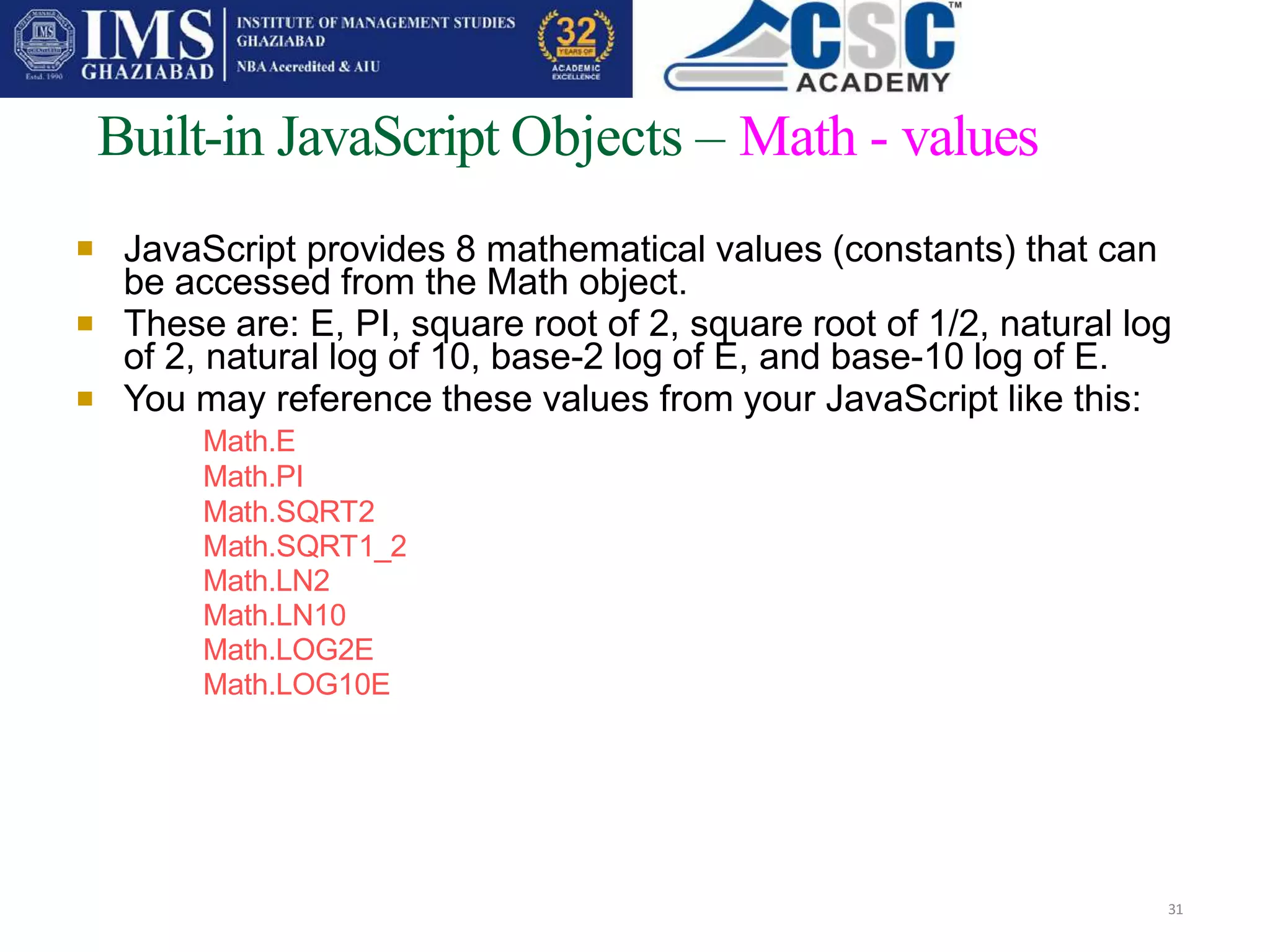
JavaScript provides 8 mathematical values (constants) that can
be accessed from the Math object.
These are: E, PI, square root of 2, square root of 1/2, natural log
of 2, natural log of 10, base-2 log of E, and base-10 log of E.
You may reference these values from your JavaScript like this:
Math.E
Math.PI
Math.SQRT2
Math.SQRT1_2
Math.LN2
Math.LN10
Math.LOG2E
Math.LOG10E



Built-in JavaScript Objects – Math - methods
32
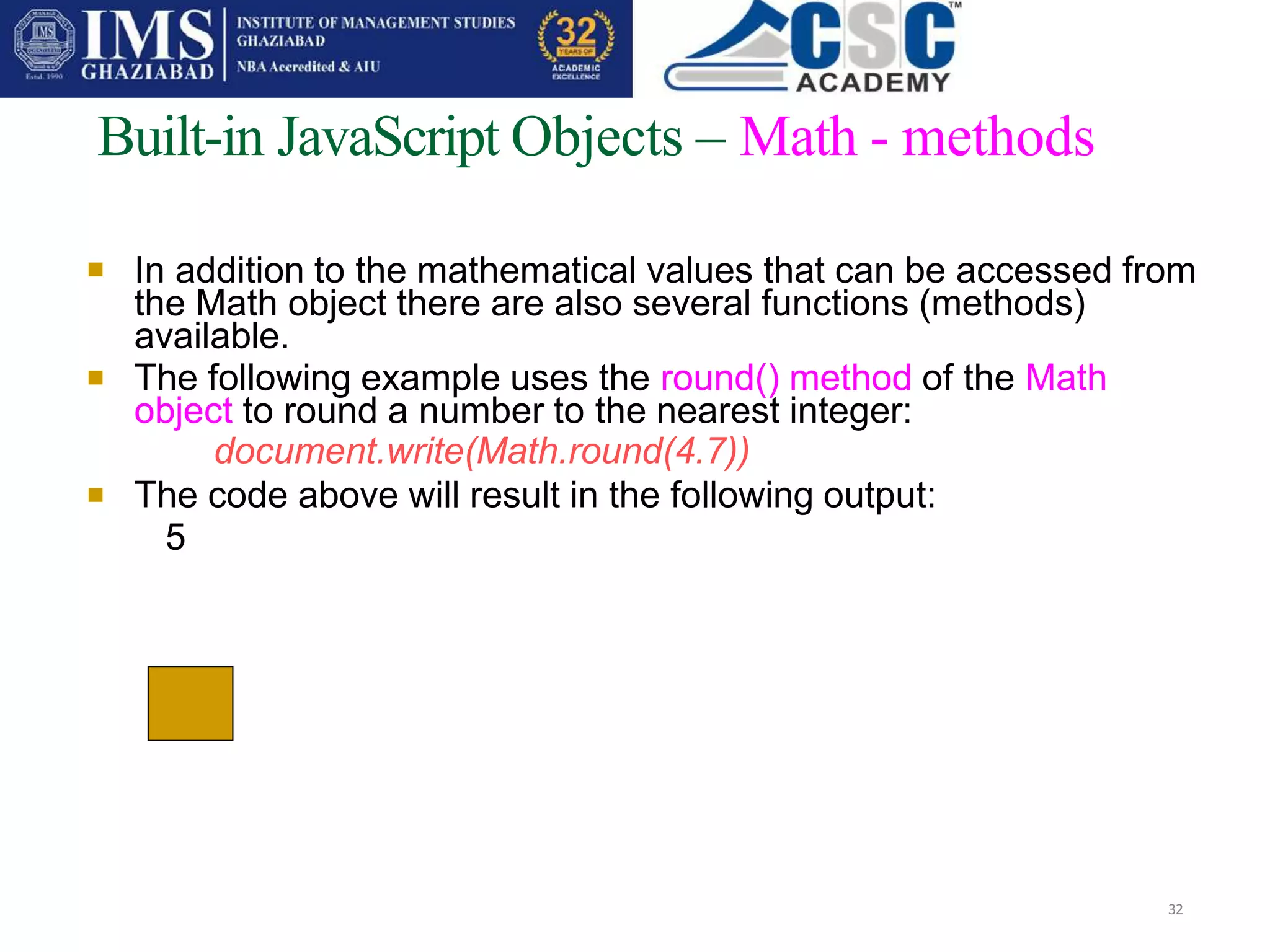
In addition to the mathematical values that can be accessed from
the Math object there are also several functions (methods)
available.
The following example uses the round() method of the Math
object to round a number to the nearest integer:
document.write(Math.round(4.7))
The code above will result in the following output:
5




Built-in JavaScript Objects - Boolean
33
The Boolean object is an object wrapper for a Boolean value.
The Boolean object is used to convert a non-Boolean value to a
Boolean value (true or false).
We define a Boolean object with the new keyword. The following
code line defines a Boolean object called myBoolean:

var myBoolean=new Boolean()

Built-in JavaScript Objects - Boolean
• If the Boolean object has no initial value or if it is 0, -0, null, "", false,
undefined, or NaN, the object is set to false. Otherwise it is true (even
with the string "false").
• Example of Boolean object with initial value of false:
• var myBoolean=new
Boolean() var
myBoolean=new
Boolean(0) var
myBoolean=new
Boolean(null) var
myBoolean=new
Boolean("")
• var myBoolean=new
Boolean(false) var
myBoolean=new
Boolean(NaN)
• Example of Boolean object with initial value of true: 34


How to create an object?
35
1. Create a direct instance of an object
Create template of an object
2.
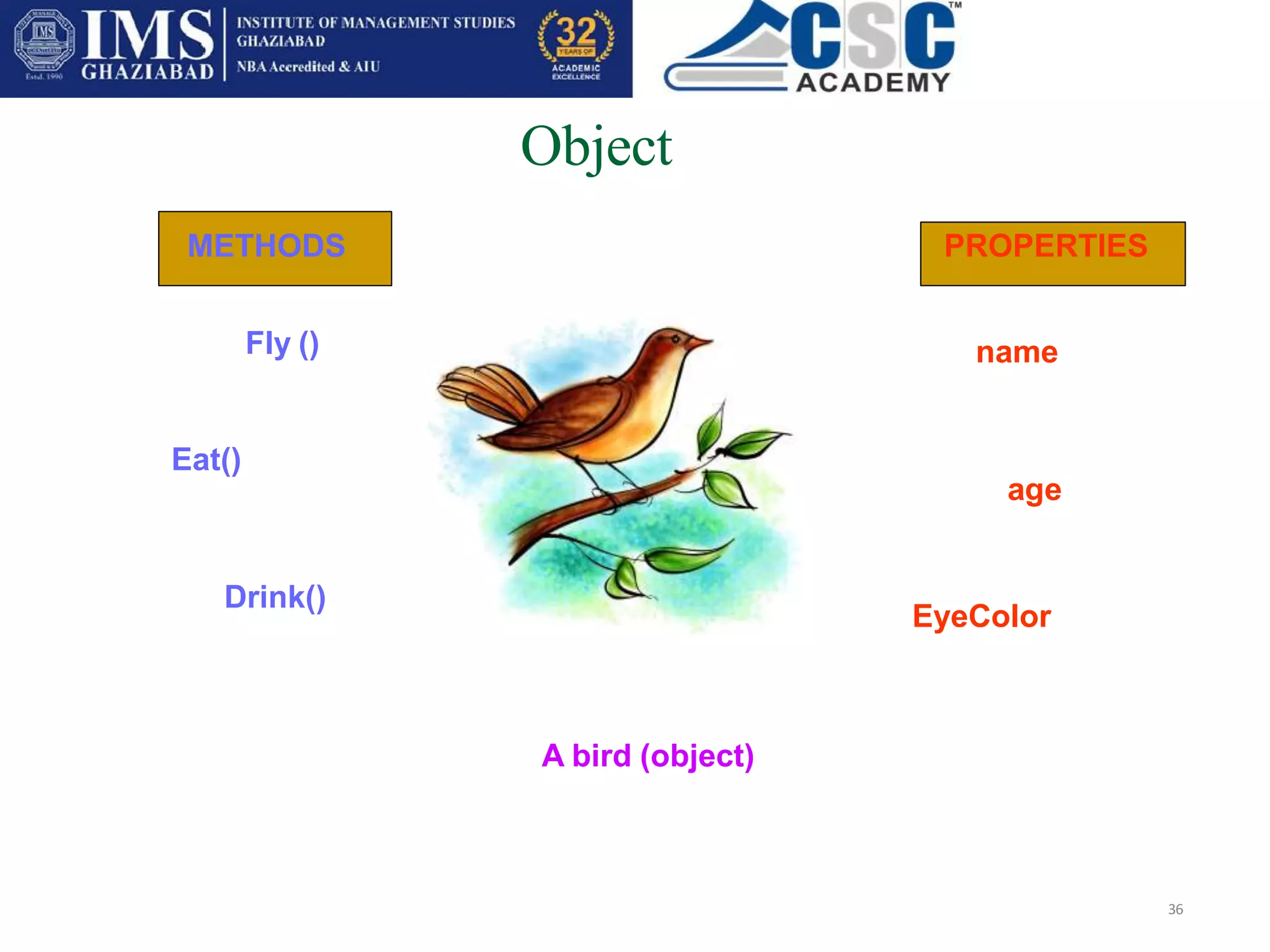
A bird (object)
Object
36
Fly () name
age
EyeColor
Eat()
Drink()
METHODS PROPERTIES
1. Direct Instance
Add few properties to the bird
BirdObj=new Object()
BirdObj.name=“MorningBird“
BirdObj.age=2
BirdObj.eyecolor=“green"
Add methods to the bird
BirdObj.fly = fly
BirdObj.eat = eat
BirfObj.Breath = breath
37
2. Create Template to the object
function Bird(name,age,eyecolor)
38
{ this.name=name
this.age=age
this.eyecolor=eyecolor
}
When you have template, then you can create new instance of the object :
myBird= new Bird (“Parrot”, 2, “blue”)

39
You can also add some methods to the bird object. This is also done inside the template:
function Bird(name,age,eyecolor)
{ this.name=name
this.age=age this.
eyecolor=eyecolor
this.habitat = habitat  new method
}
That methods are just functions attached to objects. Then we will have to write the habitat()
function:
function habitat(new_habitat)
{
this.habitat=new_habitat
}
Eg :
myBird.habitat(“Pond”)
DOM: What is it?
40
DOM Specification:
“a platform- and language-neutral interface that
allows programs and scripts to dynamically access
and update the content, structure and style of
documents. … [DOM] provides a standard set of
objects for representing HTML and XML documents,
a standard model of how these objects can be
combined, and a standard interface for accessing and
manipulating them.”
DOM: Implementations
41
Java-based parsers
(e.g. Sun Project X, IBM XML4J, Apache
Xerces)
MS IE5 browser: COM programming interfaces for
C/C++ and MS Visual Basic, ActiveX object
programming interfaces for script languages
Object-based document modelling
42
Object model covers
structure of a document
behaviour of a document and its constituent objects
DOM defines
interfaces and objects for representing and
manipulating documents
semantics of these interfaces
relationships between interfaces and objects
DOM structure model
43
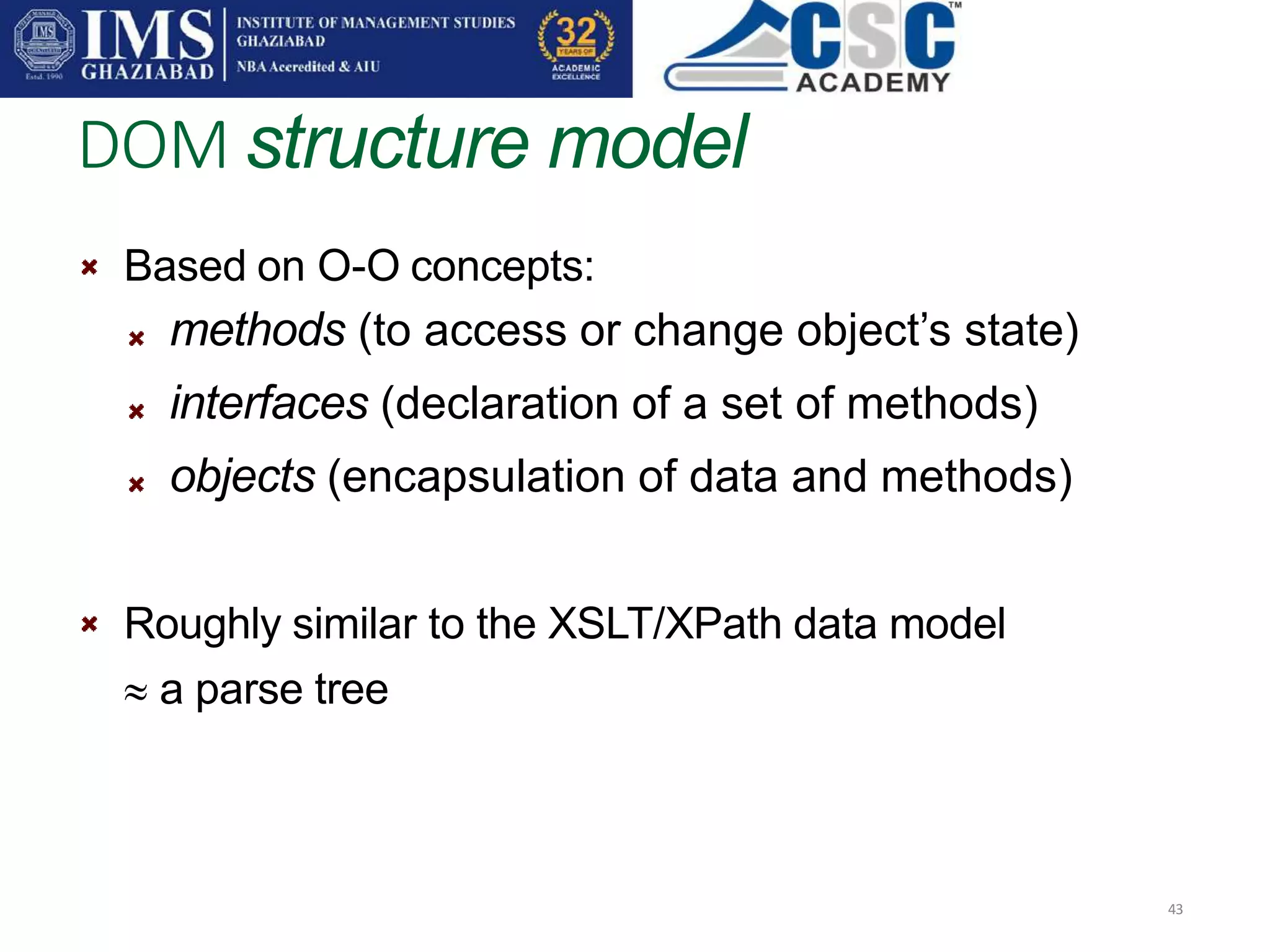
Based on O-O concepts:
methods (to access or change object’s state)
interfaces (declaration of a set of methods)
objects (encapsulation of data and methods)
Roughly similar to the XSLT/XPath data model
 a parse tree
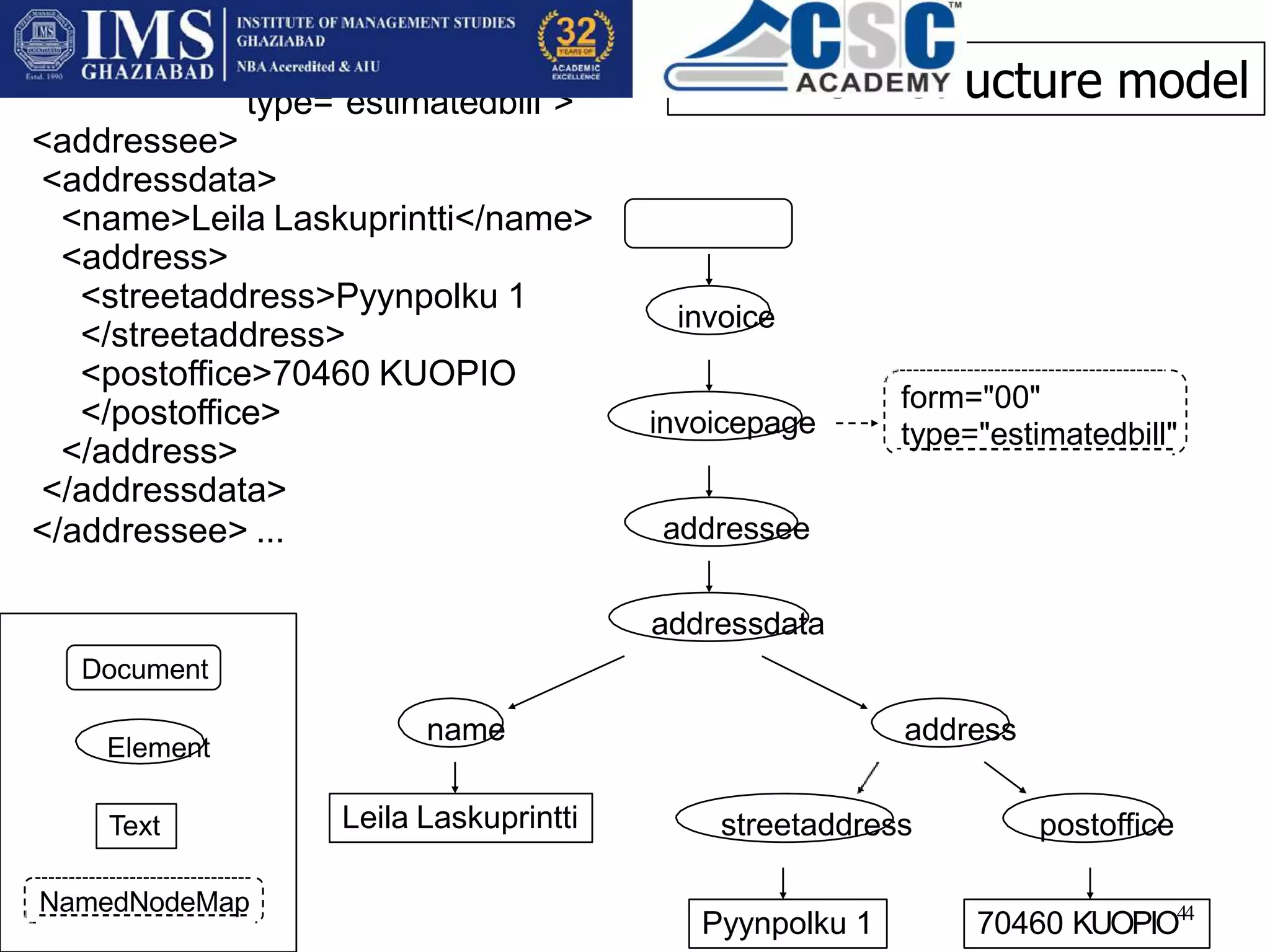
invoice
invoicepage
name
addressee
addressdata
address
form="00"
type="estimatedbill"
Leila Laskuprintti streetaddress postoffice
70460 KUOPIO44
Pyynpolku 1
<invoice>
<invoicepage form="00"
type="estimatedbill">
<addressee>
<addressdata>
<name>Leila Laskuprintti</name>
<address>
<streetaddress>Pyynpolku 1
</streetaddress>
<postoffice>70460 KUOPIO
</postoffice>
</address>
</addressdata>
</addressee> ...
Document
Element
NamedNodeMap
Text
XML DOM structure model
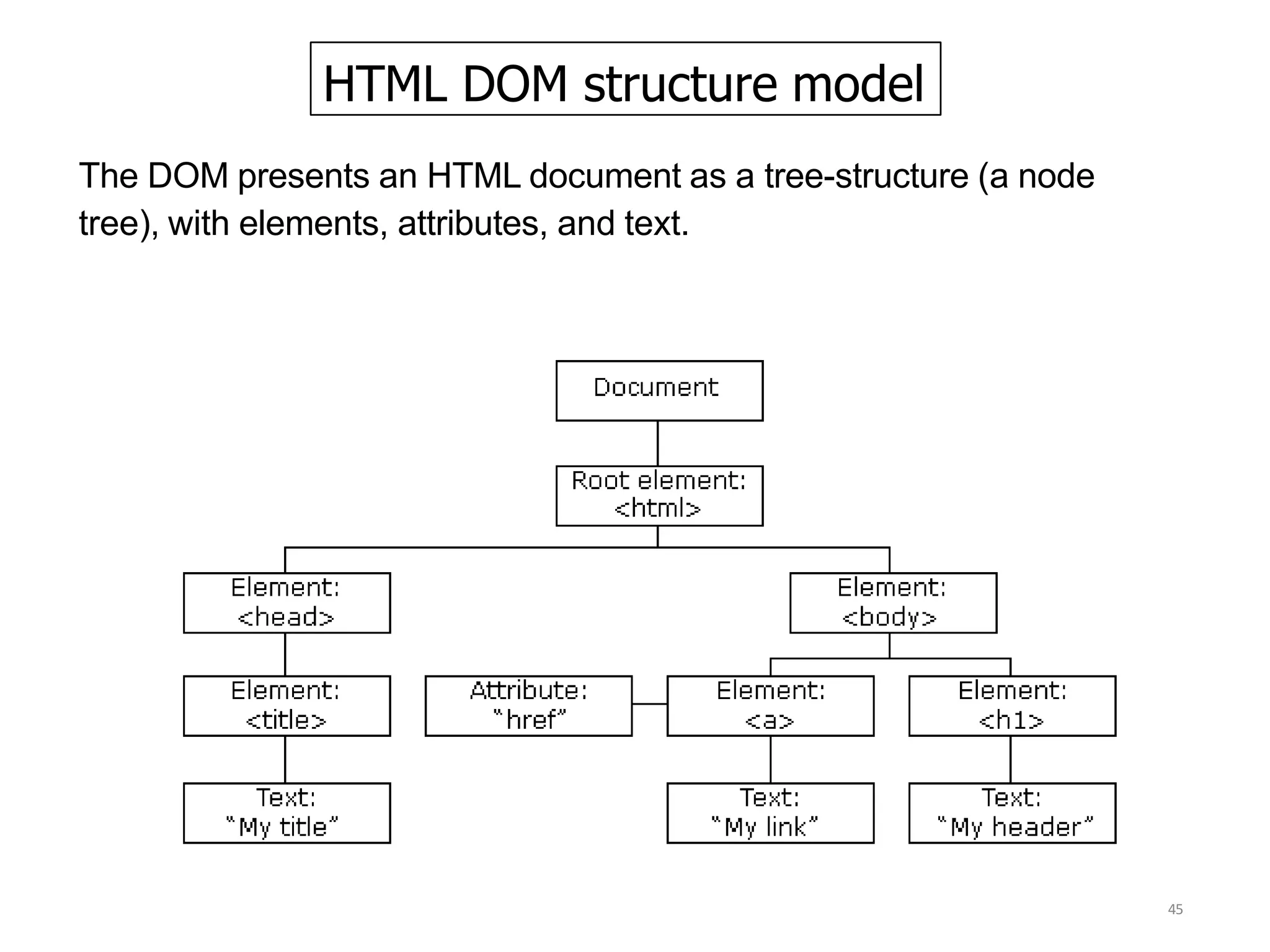
HTML DOM structure model
45
The DOM presents an HTML document as a tree-structure (a node
tree), with elements, attributes, and text.
The application support and intermediate
DOM which existed before the creation of
DOM Level 1.
Example include the DHTML object model or
the Netscape intermediate DOM.
Level 0 is not a formal specification published
by the W3C but rather a short hand that refers
to what existed before the standardization
process.
Structure of DOM Level 0
46
Structure of DOM Level 1
47
Two parts:
I: DOM Core Interfaces
Fundamental interfaces
low-level interfaces to structured documents
Extended interfaces (next page)
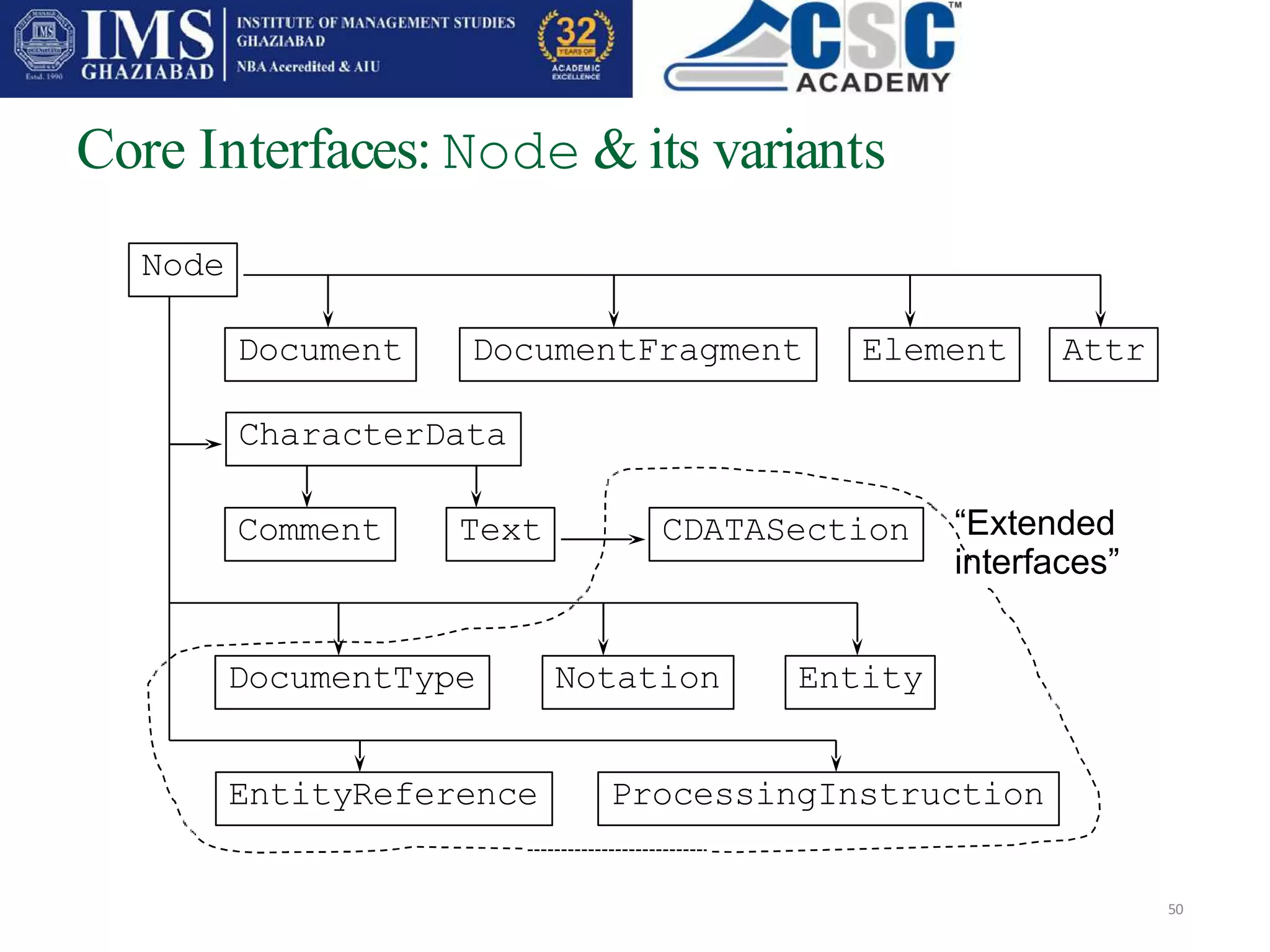
XML specific: CDATASection, DocumentType, Notation,
Entity, EntityReference, ProcessingInstruction
II: DOM HTML Interfaces
 more convenient to access HTML documents
Level 1 intentionally limited to representation and manipulation of
document structure and content
document instance only; no access to the contents of a DTD
DOM Level 2
48
support for namespaces
accessing elements by ID attribute values
optional features
interfaces to document views and stylesheets
an event model (for, say, user actions on elements)
methods for traversing the document tree and manipulating
regions of document (e.g., selected by the user of an editor)
Consists of 6 different specifications:
3. DOM Level 3 Core;
4. DOM Level 3 Load and Save
5. DOM Level 3 XPath;
6. DOM Level 3 Views and Formatting;
7. DOM Level 3 Requirements; and
8. DOM Level 3 Validation, which further
enhances the DOM
DOM Level 3
49
Core Interfaces: Node & its variants
50
Node
Comment
DocumentFragment Attr
Text
Element
CDATASection
ProcessingInstruction
CharacterData
Entity
DocumentType Notation
EntityReference
“Extended
interfaces”
Document
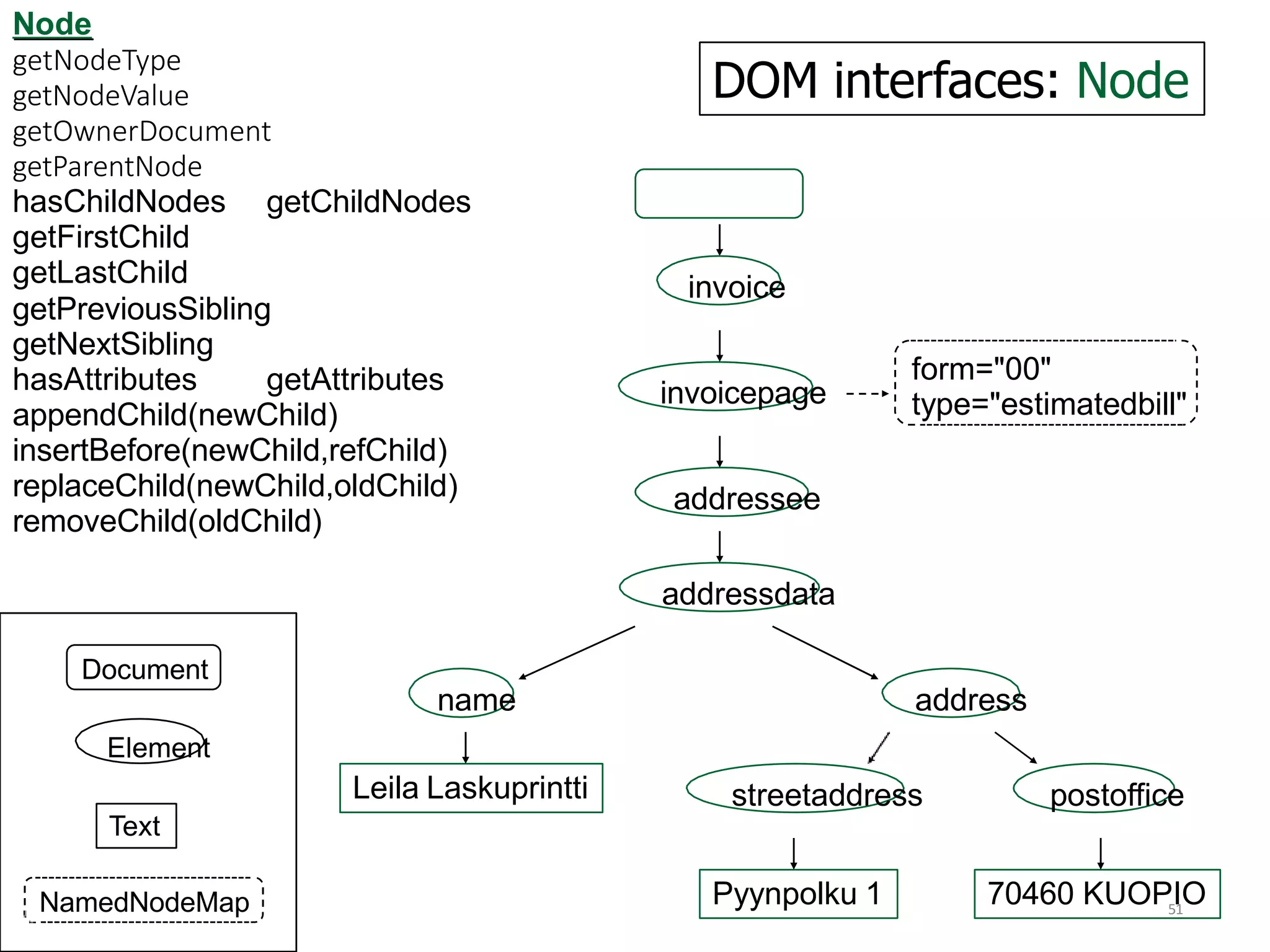
DOM interfaces: Node
invoice
invoicepage
addressee
addressdata
form="00"
type="estimatedbill"
Node
getNodeType
getNodeValue
getOwnerDocument
getParentNode
51
getChildNodes
hasChildNodes
getFirstChild
getLastChild
getPreviousSibling
getNextSibling
hasAttributes getAttributes
appendChild(newChild)
insertBefore(newChild,refChild)
replaceChild(newChild,oldChild)
removeChild(oldChild)
Document
name address
Element
Leila Laskuprintti streetaddress postoffice
Text
Pyynpolku 1 70460 KUOPIO
NamedNodeMap
invoice
invoicepage
addressee
addressdata
form="00"
type="estimatedbill"
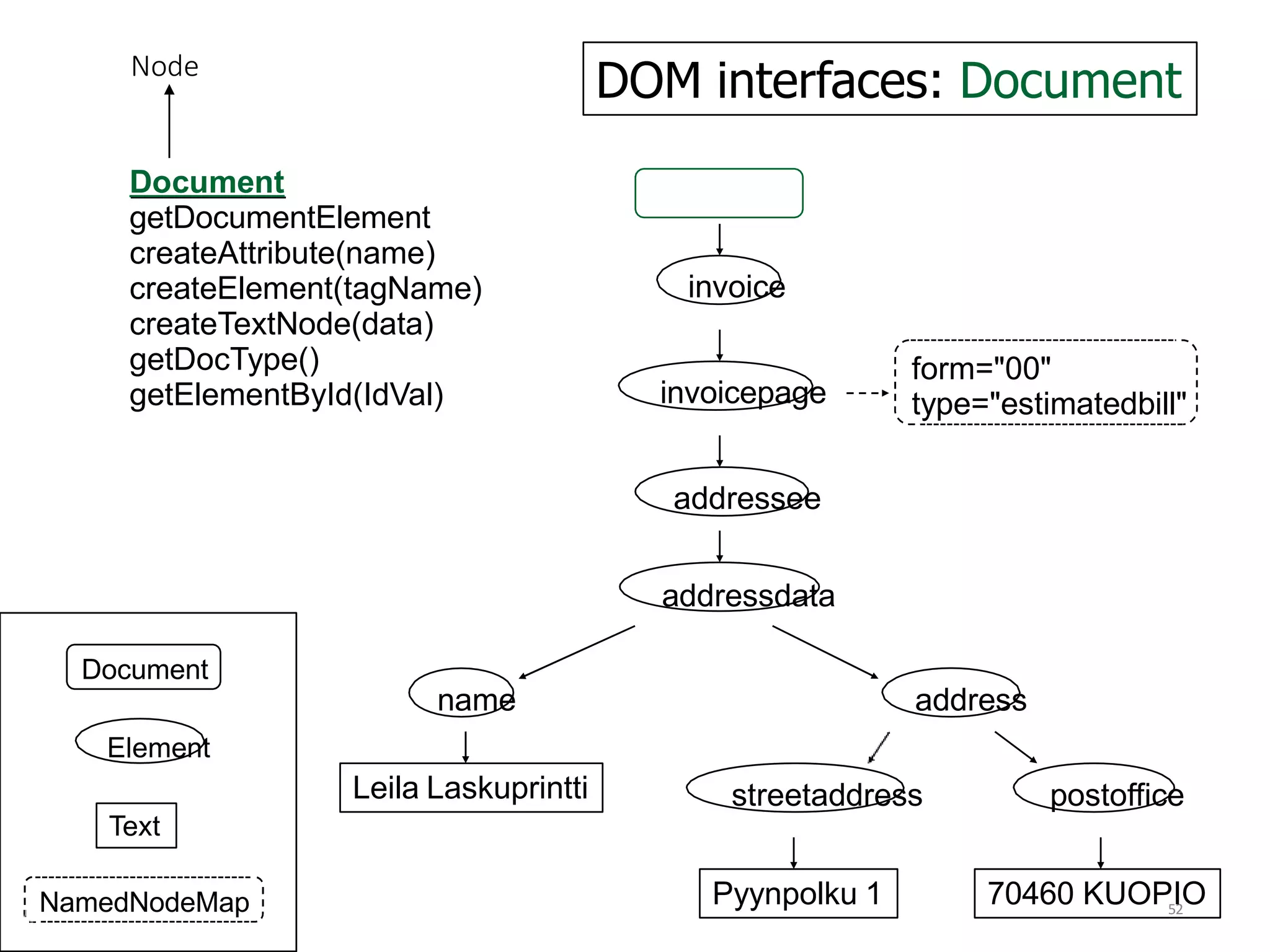
Document
getDocumentElement
createAttribute(name)
createElement(tagName)
createTextNode(data)
getDocType()
getElementById(IdVal)
Node
52
DOM interfaces: Document
Document
name address
Element
Leila Laskuprintti streetaddress postoffice
Text
Pyynpolku 1 70460 KUOPIO
NamedNodeMap
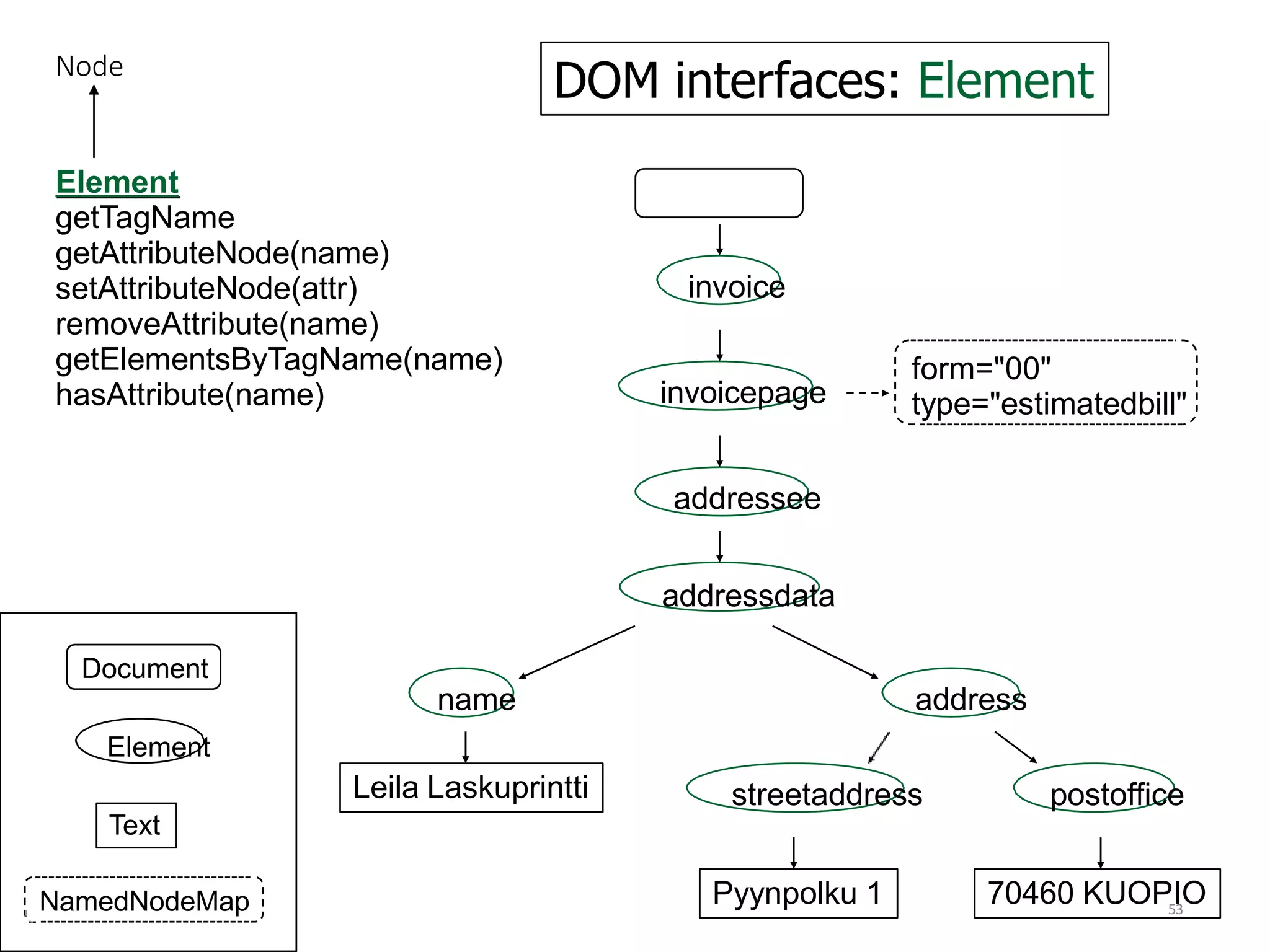
DOM interfaces: Element
invoice
invoicepage
name
addressee
addressdata
address
form="00"
type="estimatedbill"
Leila Laskuprintti streetaddress postoffice
70460 KUOPIO
Pyynpolku 1
Element
getTagName
getAttributeNode(name)
setAttributeNode(attr)
removeAttribute(name)
getElementsByTagName(name)
hasAttribute(name)
Node
53
Document
Element
NamedNodeMap
Text
Additional Core Interfaces
54
to handle ordered lists of nodes: NodeList
e.g. from Node.childNodes or
Element.getElementsByTagName("name")
all descendant elements of type "name" in document order
to access unordered sets of nodes by name:
NamedNodeMap
e.g. from Node.attributes
NodeLists and NamedNodeMaps are "live":
changes to the document structure reflected to their contents
Object Creation in DOM
55
Each DOM object X lives in the context of a
Document: X.ownerDocument
Objects implementing interface Y are created by
factory methods
D.createY(…) ,
where D is a Document object. E.g:
createElement("A"),
createAttribute("href"),
createTextNode("Hello!")
Creation and persistent saving of Documents left
to be specified by implementations
The main routine for BuildXml
56
public static void main(String args[]){ if
(args.length > 0) {
String fileName = args[0];
BuildXml buildXml = new
BuildXml(fileName);
} else {
System.err.println(
"Give filename as argument");
};
} // main
57
What is JavaScript?
JavaScript was designed to add interactivity to HTML
pages
JavaScript is a scripting language
A scripting language is a lightweight programming
language
A JavaScript consists of lines of executable computer
code
A JavaScript is usually embedded directly into HTML
pages
JavaScript is an interpreted language (means that
scripts execute without preliminary compilation)
Everyone can use JavaScript without purchasing a
license
What can a JavaScript Do?
58
JavaScript gives HTML designers a programming tool
HTML authors are normally not programmers, but JavaScript is a
scripting language with a very simple syntax! Almost anyone can put
small "snippets" of code into their HTML pages
JavaScript can put dynamic text into an HTML page
A JavaScript statement like this: document.write("<h1>" + name +
"</h1>") can write a variable text into an HTML page
JavaScript can react to events
A JavaScript can be set to execute when something happens, like
when a page has finished loading or when a user clicks on an HTML
element
JavaScript can be used to detect
the visitor's browser
59
A JavaScript can be used to detect the visitor's browser, and -
depending on the browser - load another page specifically
designed for that browser
JavaScript can be used to create cookies
A JavaScript can be used to store and retrieve information on the
visitor's computer
JavaScript can read and write HTML elements
A JavaScript can read and change the content of an HTML
element
JavaScript can be used to validate data
A JavaScript can be used to validate form data before it is
submitted to a server. This saves the server from extra
processing
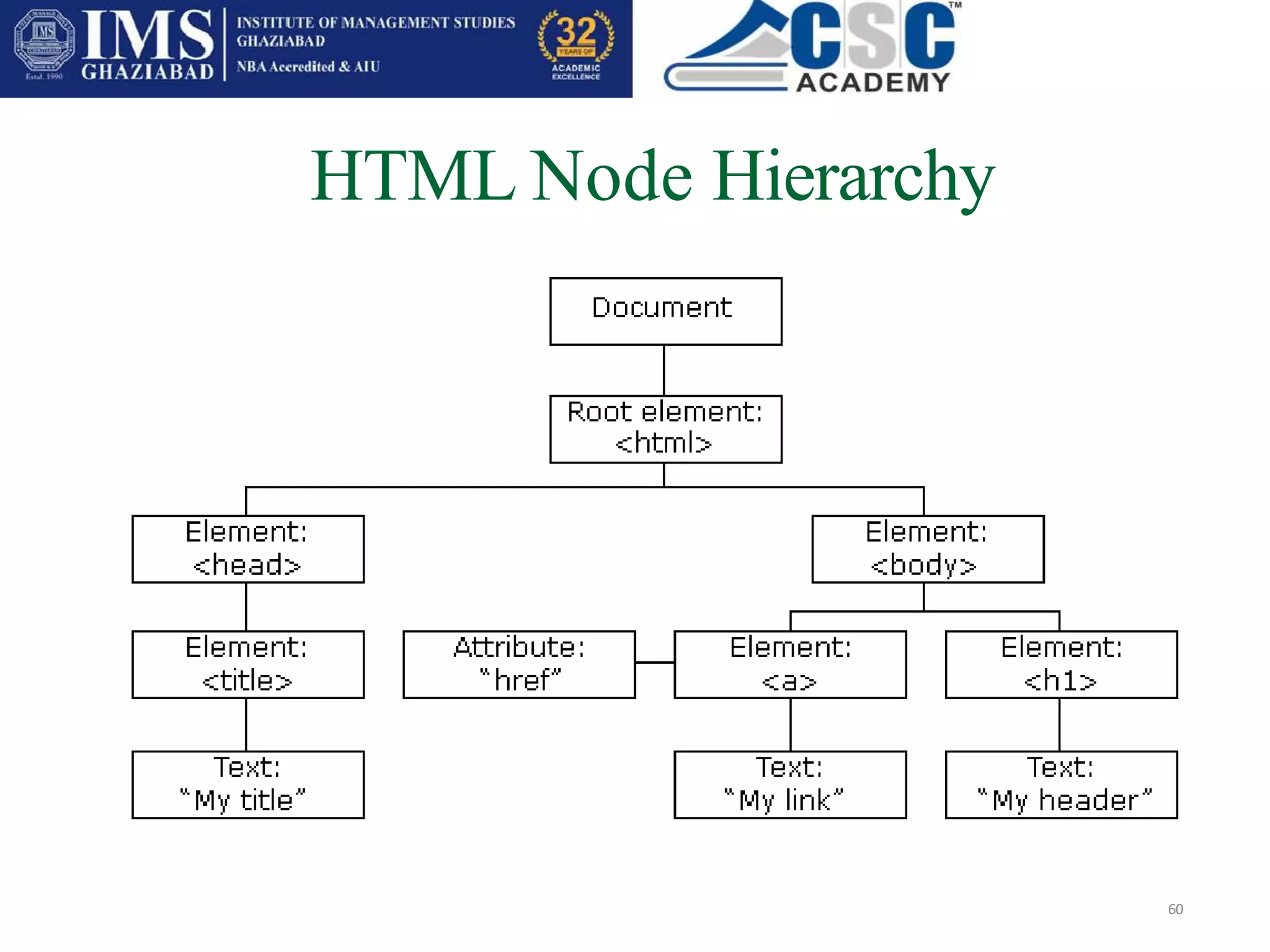
HTML Node Hierarchy
60
The primary use of JavaScript is to write functions that are
embedded in or included from HTML pages and interact with the
Document Object Model (DOM) of the page. Some simple examples of
this usage are:
A)Opening or popping up a new window with programmatic control
over the size, position and 'look' of the new window
(i.e. whether the menus, toolbars, etc. are visible).
B)Validation of web form input values to make sure that they
will be accepted before they are submitted to the server.
C)Changing images as the mouse cursor moves over them: This
effect is often used to draw the user's attention to important
links displayed as graphical elements.
How Javascript Interact With HTML
DOM
61
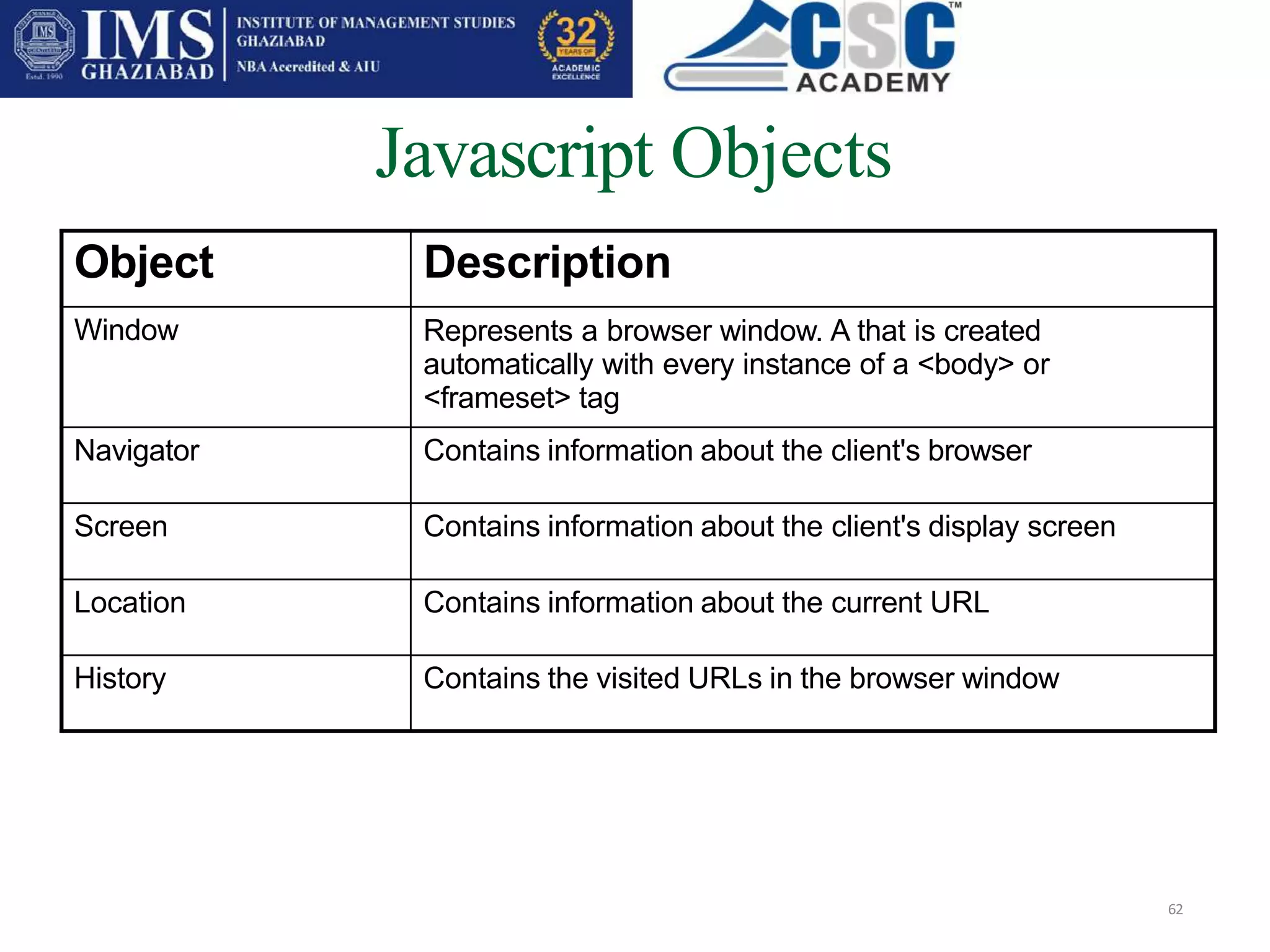
Javascript Objects
62
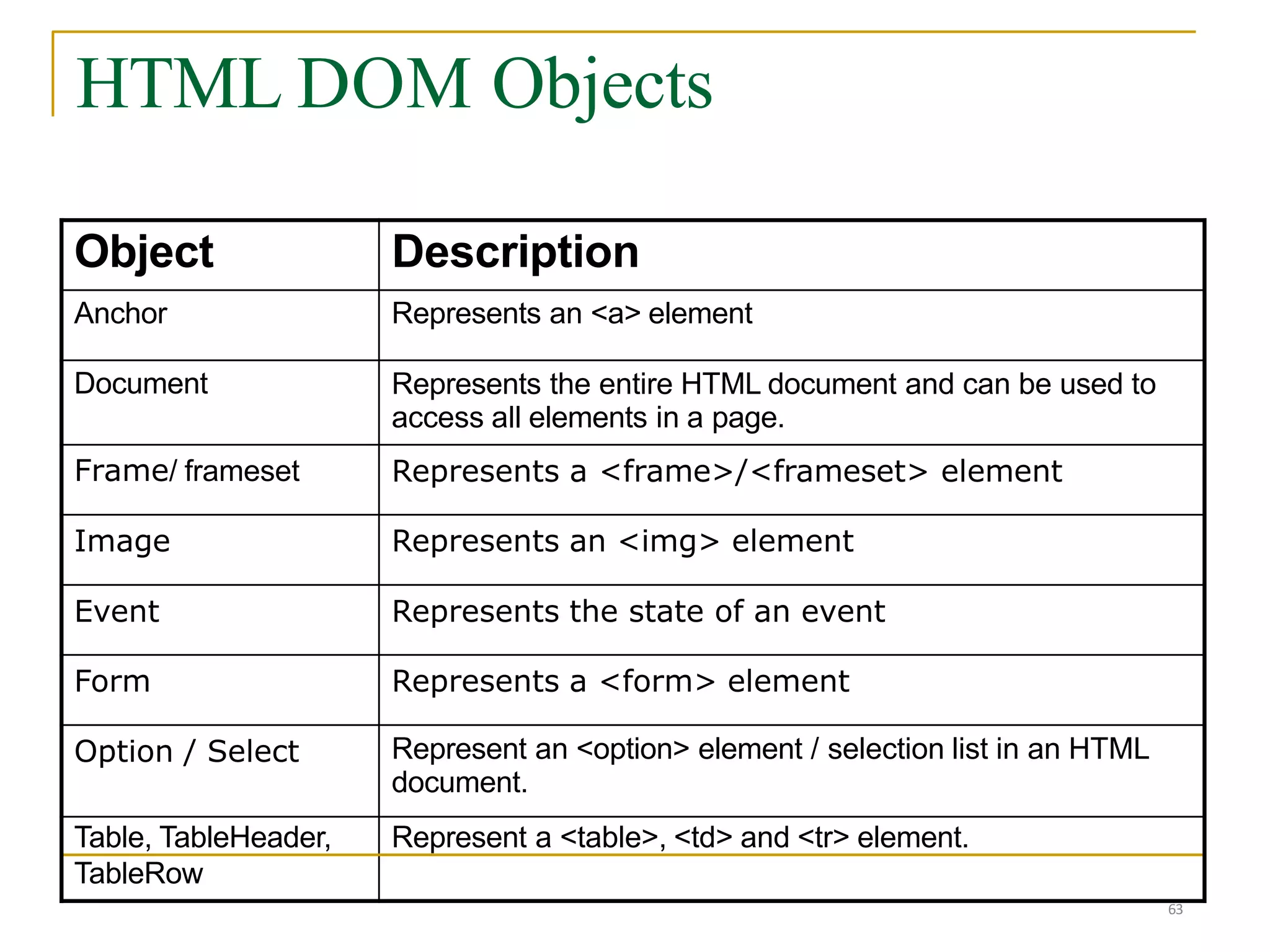
Object Description
Window Represents a browser window. A that is created
automatically with every instance of a <body> or
<frameset> tag
Navigator Contains information about the client's browser
Screen Contains information about the client's display screen
Location Contains information about the current URL
History Contains the visited URLs in the browser window
Object Description
Anchor Represents an <a> element
Document Represents the entire HTML document and can be used to
access all elements in a page.
Frame/ frameset Represents a <frame>/<frameset> element
Image Represents an <img> element
Event Represents the state of an event
Form Represents a <form> element
Option / Select Represent an <option> element / selection list in an HTML
document.
Table, TableHeader, Represent a <table>, <td> and <tr> element.
TableRow
HTML DOM Objects
63
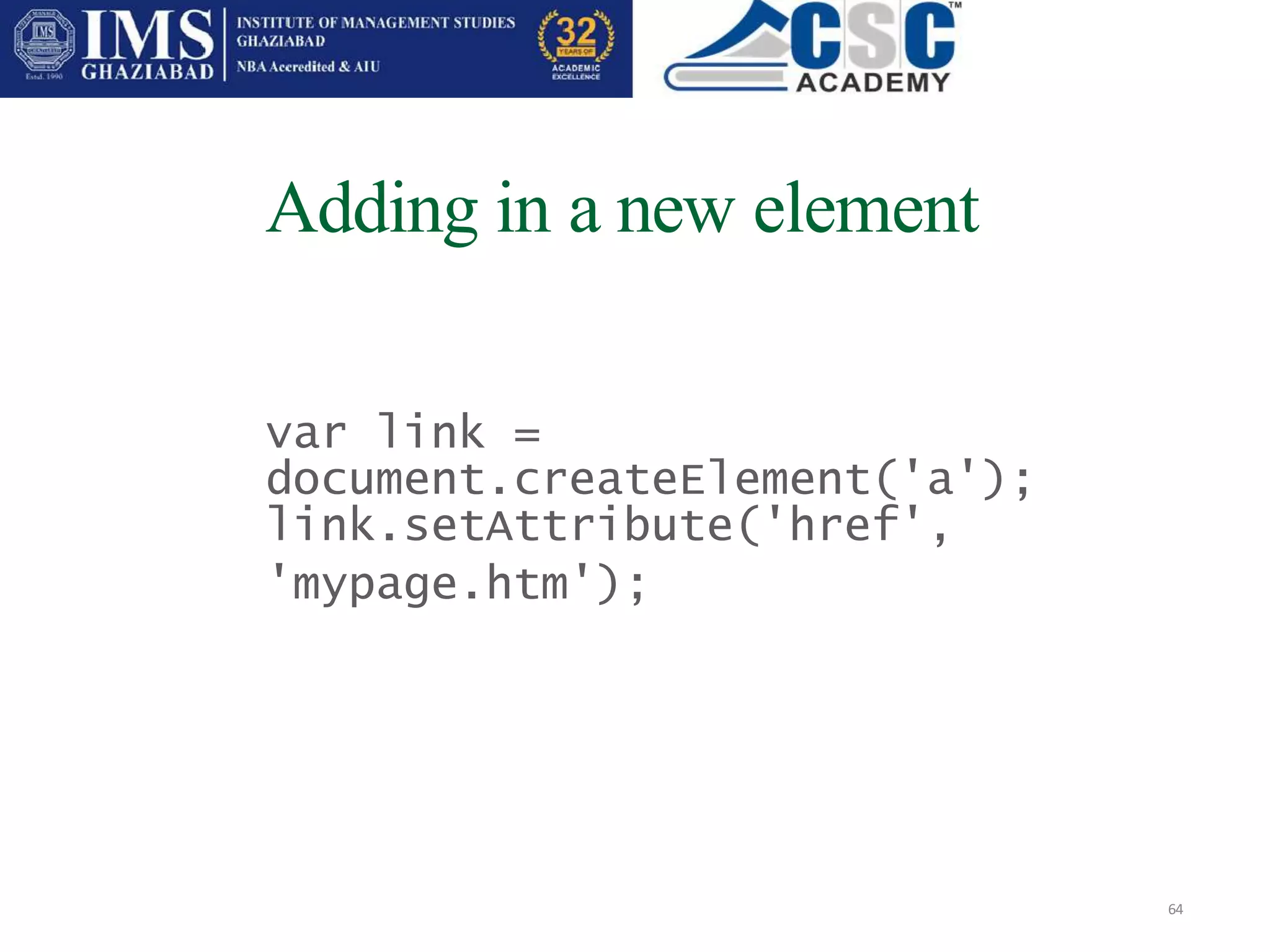
Adding in a new element
64
var link =
document.createElement('a');
link.setAttribute('href',
'mypage.htm');
locating a slot in the document
65
 by location:

 document.childNodes[1].childNodes[0]
Find the main document element (HTML), and find
its second child (BODY), then look for its first child
(DIV)
 by ID:
 document.getElementById('myDiv').appendCh
ild(txt);
Hiding an element
66
document.childNodes[1].childNodes[1].childNodes[
0].style.display = "none";
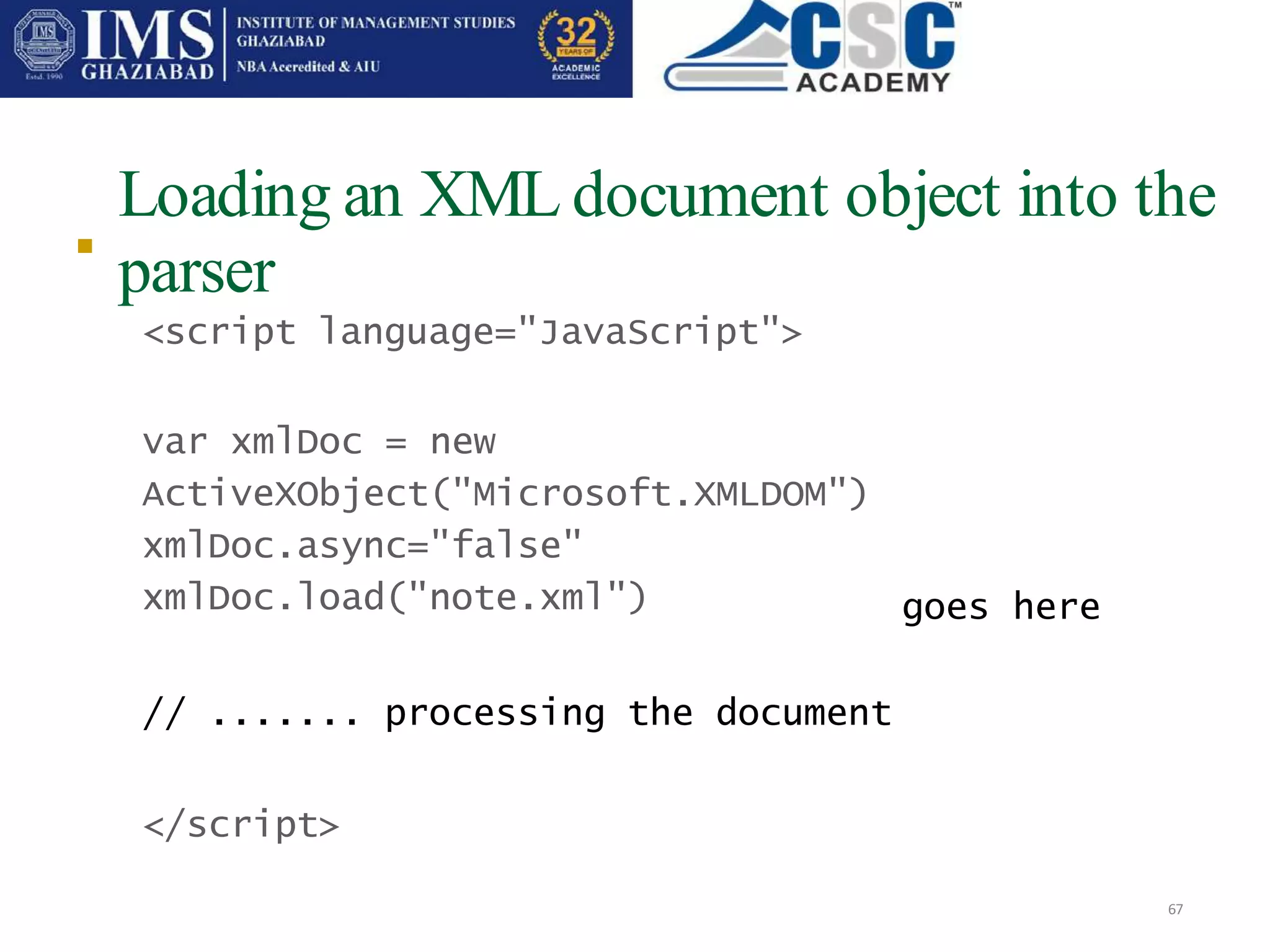
Loading an XML document object into the
parser
67

<script language="JavaScript">
var xmlDoc = new
ActiveXObject("Microsoft.XMLDOM")
xmlDoc.async="false"
xmlDoc.load("note.xml")
// ....... processing the document
</script>
goes here
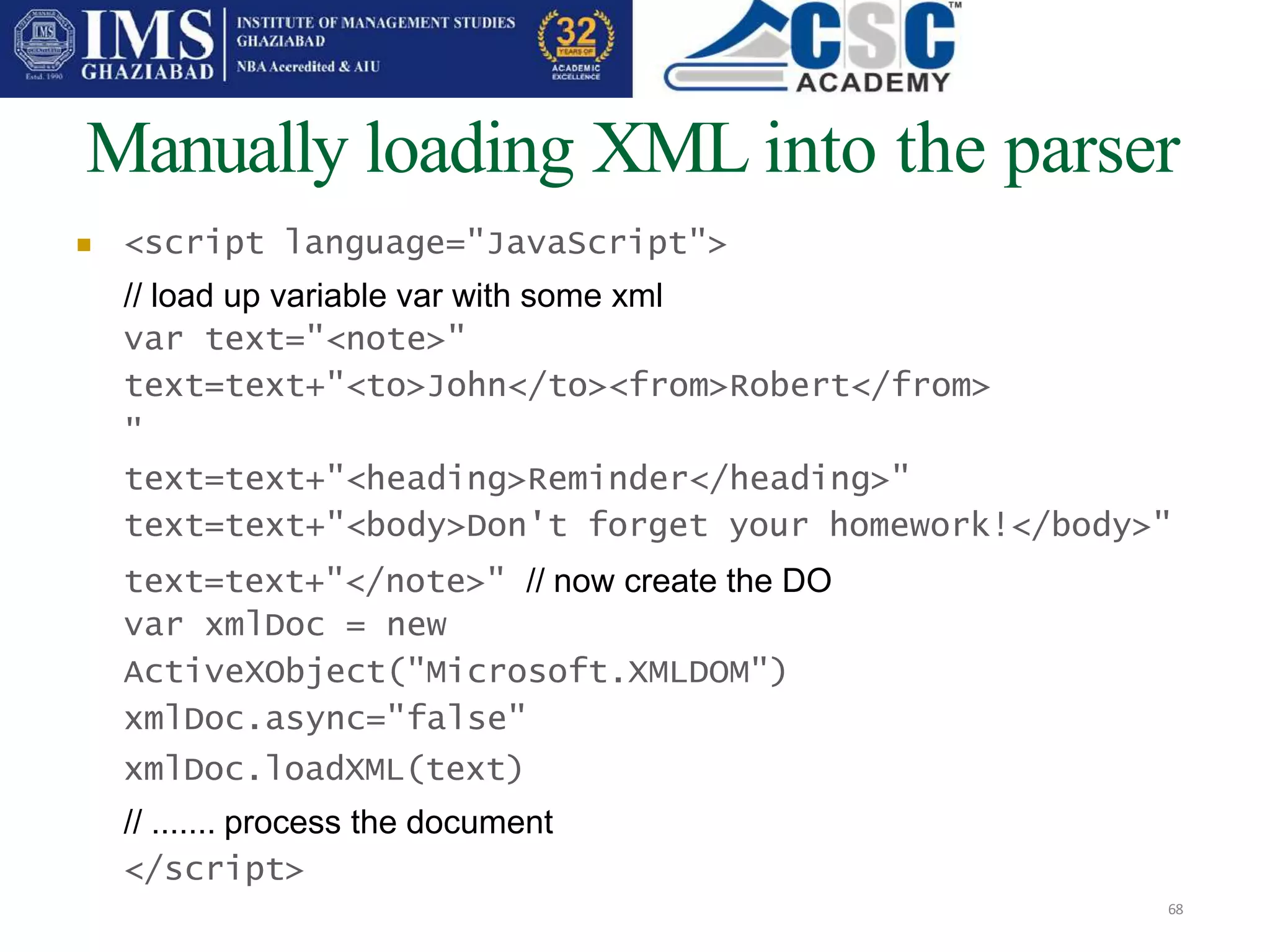
Manually loading XML into the parser
68
 <script language="JavaScript">
// load up variable var with some xml
var text="<note>"
text=text+"<to>John</to><from>Robert</from>
"
text=text+"<heading>Reminder</heading>"
text=text+"<body>Don't forget your homework!</body>"
text=text+"</note>" // now create the DO
var xmlDoc = new
ActiveXObject("Microsoft.XMLDOM")
xmlDoc.async="false"
xmlDoc.loadXML(text)
// ....... process the document
</script>
parseError object
69
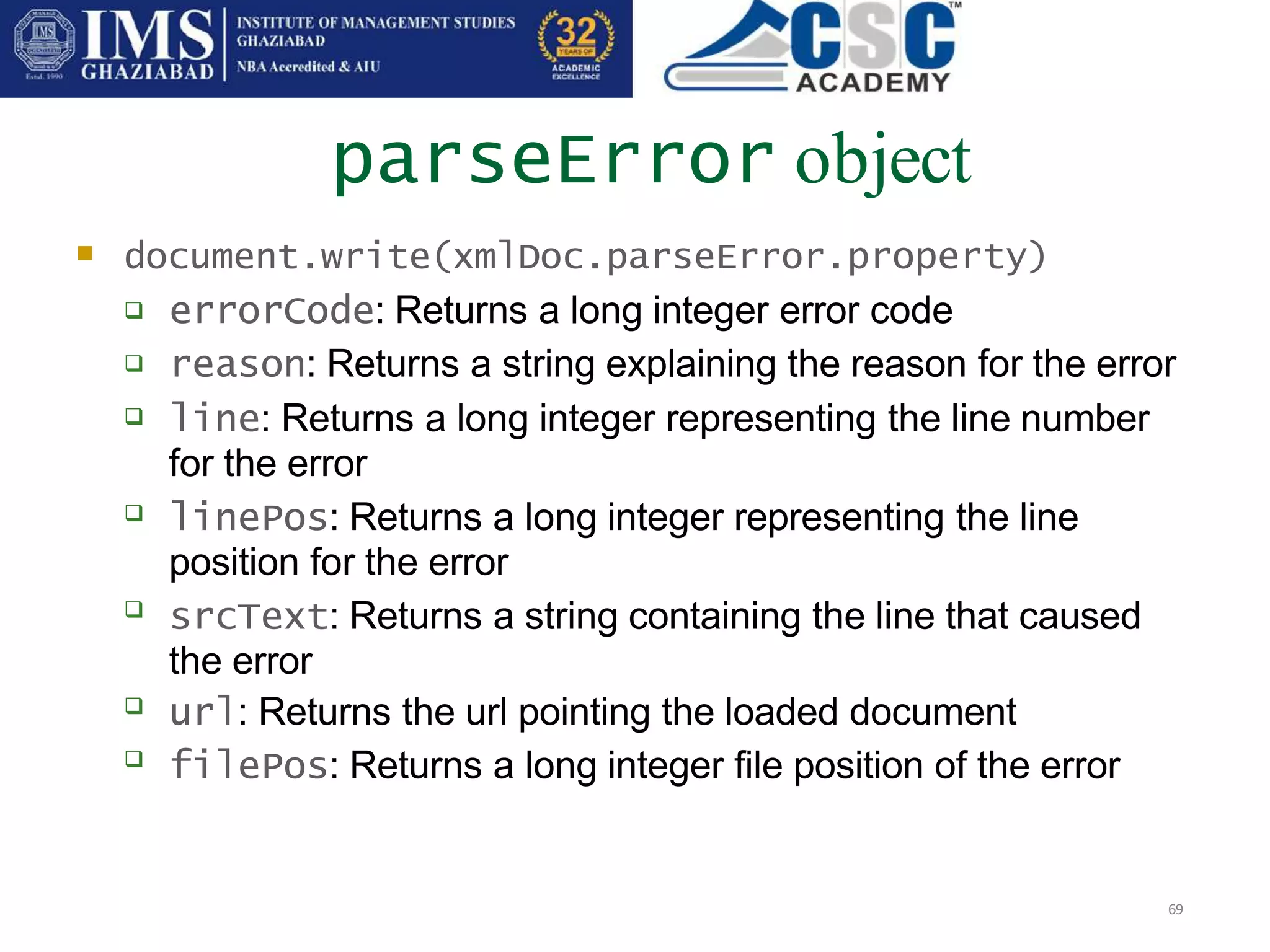
 document.write(xmlDoc.parseError.property)






 errorCode: Returns a long integer error code
reason: Returns a string explaining the reason for the error
line: Returns a long integer representing the line number
for the error
linePos: Returns a long integer representing the line
position for the error
srcText: Returns a string containing the line that caused
the error
url: Returns the url pointing the loaded document
filePos: Returns a long integer file position of the error
Traversing nodes
70
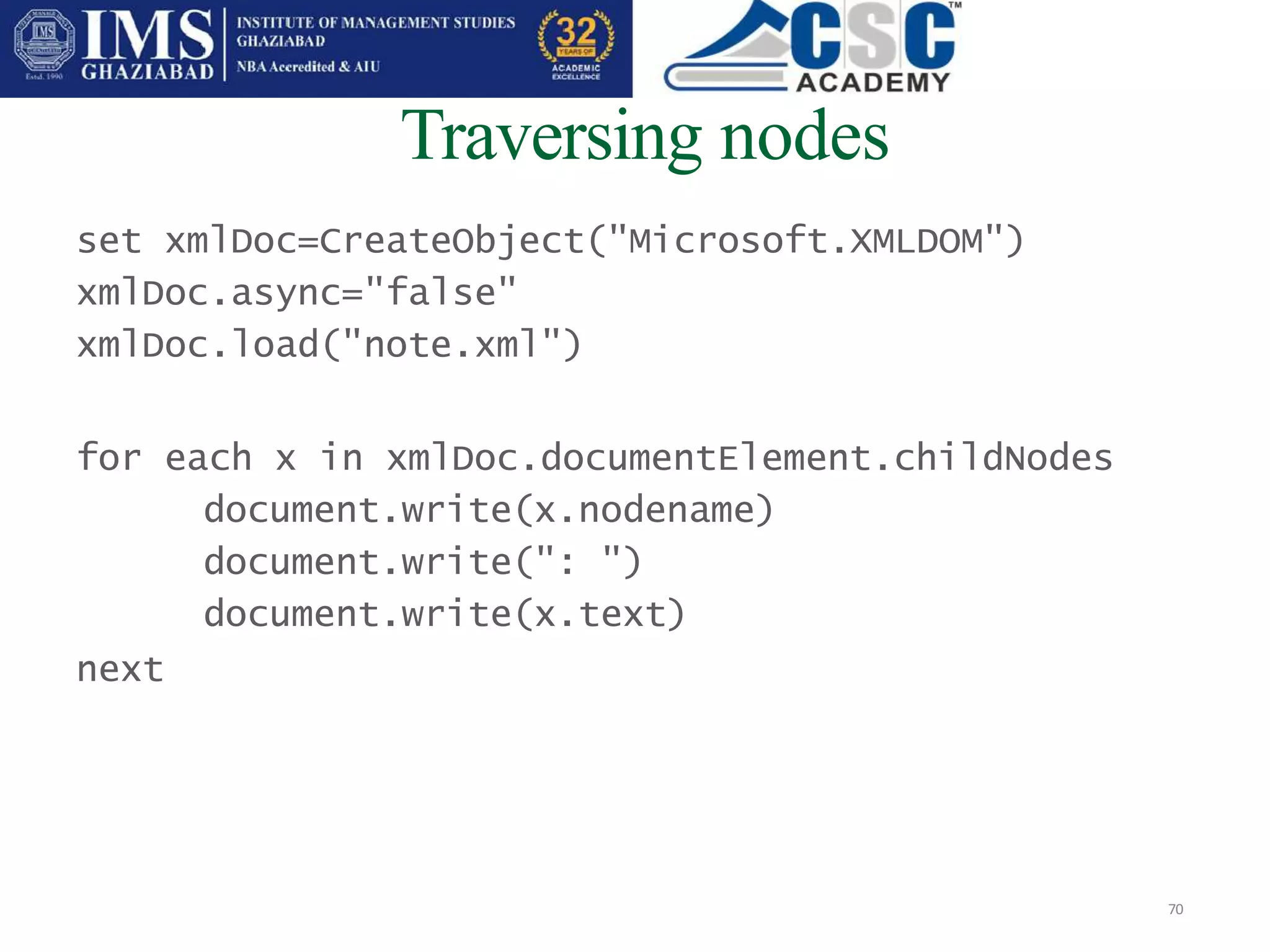
set xmlDoc=CreateObject("Microsoft.XMLDOM")
xmlDoc.async="false"
xmlDoc.load("note.xml")
for each x in xmlDoc.documentElement.childNodes
document.write(x.nodename)
document.write(": ")
document.write(x.text)
next
Calling XML nodes by name
71
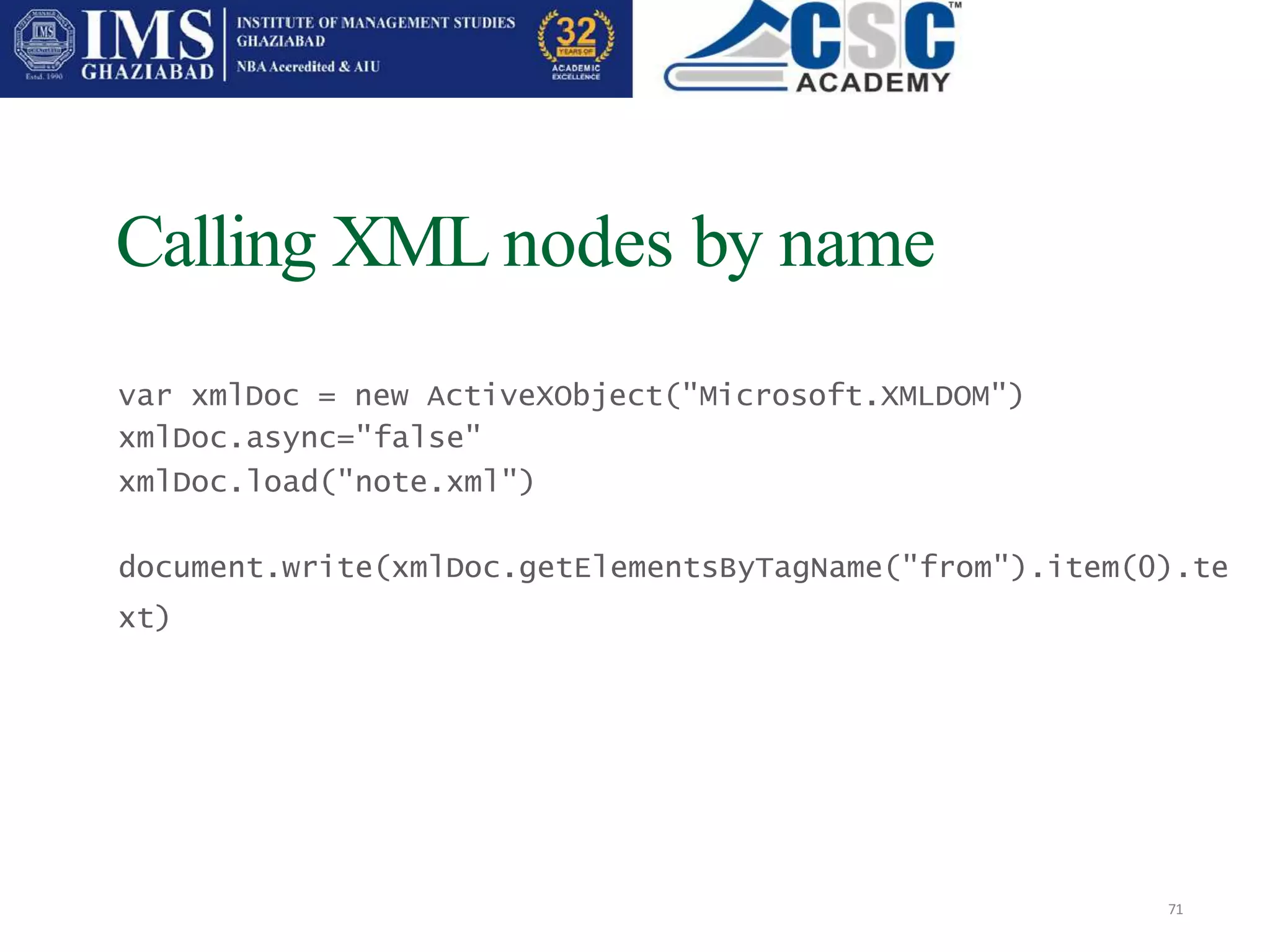
var xmlDoc = new ActiveXObject("Microsoft.XMLDOM")
xmlDoc.async="false"
xmlDoc.load("note.xml")
document.write(xmlDoc.getElementsByTagName("from").item(0).te
xt)

CSC PPT 12.pptx

  • 1.
  • 2.
    What is JavaScript? 2    Client-side language.( run in the client browser) Scripting language. (interpreted in run-time) Not compile like other language (C#, C++, VB.Net etc). JavaScript code can be inserted directly in the HTML or can place it in a separate file with the .js extension and link the web page with the .js file. Use in web browser for making a website more dynamic. Supported by Netscape 2+, Internet Explorer 3+, Opera 3+ and most of the other modern web browsers. Contains variable, array,object,operators and function.    
  • 3.
    Usage of JavaScript 3 Used to perform operations that would otherwise encumber the server, like form validation input. Can be easily used to interact with HTML elements such as validate text fields, disable buttons, validate forms, or change the background color of page. Create dynamic page React to events such the user enter name whenever the page load for 1st time. User can used entered value for welcome page.   
  • 4.
    Java JavaScript Sun MicrosystemsNetscape Much larger and advanced set of commands. Much smaller and simpler set of commands . Applets distinct from HTML (accessed from HTML pages). Code integrated with, and embedded in, HTML. Variable data types must be declared (strong typing). Variable data types not declared (loose typing). Compiled on server before execution on client. Interpreted (not compiled) by client. Java VS JavaScript 4
  • 5.
    How to Puta JavaScript Into an HTML Page 5  JavaScript is written in the same way as HTML in a text editor (Notepad) JavaScript implementation was quite similar to CSS; you can link to outside files (with the file extension .js) , or write blocks of code into your HTML documents with the <script> tag 
  • 6.
  • 7.
     To inserta JavaScript into an HTML page, we use the <script> tag. 7  The <script type="text/javascript"> and </script> tells where the JavaScript starts and ends The script tag encloses any script code you want to use The type attribute alert the browser to the type of script it is about to deal with, it helps in code interpretation.  
  • 8.
     The comments aroundthe script are there so that old browsers that don’t understand the script tag won’t display the code as text on the page. 8  If the browser can do JavaScript, then it will ignore the comments.
  • 9.
  • 10.
    The word document.writeis a standard JavaScript command for writing output to a page. 10  If we had not entered the <script> tag, the browser would have treated the document.write("Hello World!") command as pure text, and just write the entire line on the page. This will be the output  document.write("Hello World!")
  • 11.
     You canplace an unlimited number of scripts in your document, so that you can have scripts in both the body and the head section. 11 <html> <head> <script type=“text/javascript”> …… </script> </head> <body> <script type=“text/javascript”> …… </script> </body>
  • 12.
    External scripts 12  Toimport scripts from external JavaScript files, save the code in the text file with the .js extension; without the script tags and comment.
  • 13.
    Asimple example forexternal scripts 13  Save as main.html <html> <head> <body> <script language="javascript" type="text/javascript" src="hello.js"> </body> </head> </script>  Save as hello.js var hello = 'Hello World'; document.write(hello);
  • 14.
  • 15.
    <noscript> tag • Thenoscript element is used to define an alternate content (text) if a script is NOT executed. • This tag is used for browsers that recognizes the <script> tag, but does not support the script in it. • If a browser supports scripting, it will not display the text in the noscript element. 15   
  • 16.
    Example 16 <noscript> Your browser doesnot support JavaScript! </noscript>
  • 17.
  • 18.
    Object in JavaScript •JavaScript is an Object Oriented Programming (OOP) language. An OOP language allows you to define your own objects and make your own variable types. • We will only look at the built-in JavaScript objects, and how they are used. The next slides will explain each built-in JavaScript object in detail. • Note that an object is just a special kind of data. An object has properties and methods. 18   
  • 19.
    Object in JavaScript 19 Theconcept of Object Hierarchy in JavaScript can be illustrated by the above diagram. The window itself is an object that have document in it. In document it has another object such as images and forms. Each of these objects have its own properties and methods.
  • 20.
    Object in JavaScript- properties 20 •Properties are the values associated with an object. •Below examples shows how to access length property of document object to return the number of characters in a string. <script type="text/javascript"> var txt="Hello World!“ document.write(txt.length) </script> •The output of the code above will be: 12 ( H e l l o [space] W o r l d ! )
  • 21.
    Object in JavaScript- methods 21 •Methods are the actions that can be performed on objects. •In the following example we are using the toUpperCase() method of the String object to display a text in uppercase letters: <script type="text/javascript"> var str="Hello world!" document.write(str.toUpperCase()) </script> •The output of the code above will be: HELLO WORLD!
  • 22.
    The most commonlyused JavaScript objects 22 Object Properties Methods Window defaultStatus, frames, opener, parent, scroll, self, status, top, window Alert, blur ,close, confirm, focus, open, prompt, clearTimeout, setTimeout Frame defaultStatus, frames, opener, parent, scroll, self, status, top, window Alert, blur, close, confirm, focus, open, prompt, clearTimeout, setTimeout Location Hash, host, hostname, href, pathname, por, protocol, search Reload, replace History Length, forward, go Back Navigator appCodeName, appName, appVersion, mimeTypes, plugins, userAgents javaEnabled Documents alinkColor, anchors, applets, ares, bgColor, cookie, fgColor, forms, images, lastModified, linkColor, links, location, referrer, title, vlinkColor Clear, close, open, write, writeln Image Border, complete, heigth, hspace, lowwsrc, vspace, width None Form Action, elements, encoding, FileUpload, method, name, target Submit, reset Text defaultValue, name, type, value Focus, blur, select
  • 23.
    The most commonlyused Built-in JavaScript Objects 23 Objects Properties Methods Array Length Join, reverse, sort xx Date None getDate, getDay, getHours, getMinutes, getMonth, getSeconds, getTime, getTimeZoneoffset, getYear, parse, prototype, setDate, setHours, setMinutes, setMonth, setSeconds, setTime, setYear, toGMTString, toLocaleString, UTC String Length, Prototype Anchor, big, blink, bold, charAt, fixed, fontColor, fontSize, indexOf, italics, lastIndexOf, link, small, split, strike, sub, substring, sup, toLowerCase,toUpperCase
  • 24.
    Built-in JavaScript Objects 24 String Object Date Object Array Object Math Object Boolean Object    
  • 25.
      Built-in JavaScript Objects- String 25 The String object is used to manipulate a stored piece of text. The following example uses the length property of the String object to find the length of a string: <script type="text/javascript"> var txt="Hello World!” document.write(txt.length) </script>  The above code will result in following output: 12
  • 26.
     Built-in JavaScript Objects- Date 26 The Date object is used to work with dates and times. Example below shows how to use Date() method to get today’s date: <script type="text/javascript"> document.write(Date()) </script>   The output will be: Mon Nov 05 15:51:51 2007
  • 27.
     Built-in JavaScript Objects- Date 27 This 2nd example shows how to use getTime() method to calculate years since 1970: <script type="text/javascript"> var minutes = 1000*60 var hours = minutes*60 var days = hours*24 var years = days*365 var d = new Date() var t = d.getTime() var y = t/years document.write("It's been: " + y + " years since 1970/01/01!") </script>  The output will be: It's been: 37.86941401639396 years since 1970/01/01!
  • 28.
     Built-in JavaScript Objects- Array 28 The Array object is used to store a set of values in a single variable name. 1. We create a new Array by assigning it to a new keyword, myArray: var mycars=new Array() mycars[0]=“Lotus" mycars[1]="Volvo" mycars[2]="BMW" OR var mycars=new Array("Saab","Volvo","BMW")
  • 29.
     Built-in JavaScript Objects- Array 29  2. We can refer to a particular element in an array by referring to the name of the array and the index number. The index number starts at 0. The following code line: document.write(mycars[0]) will result in the following output: Lotus 3. To modify a value in an existing array, just add a new value to the array with a specified index number and then try to access it: mycars[0]=“Lexus” document.write(mycars[0]) will result in the following output: Lexus
  • 30.
     Built-in JavaScript Objects- Math 30 The Math object allows you to perform common mathematical tasks. The Math object includes several mathematical values and functions. You do not need to define the Math object before using it. 
  • 31.
     Built-in JavaScript Objects– Math - values 31 JavaScript provides 8 mathematical values (constants) that can be accessed from the Math object. These are: E, PI, square root of 2, square root of 1/2, natural log of 2, natural log of 10, base-2 log of E, and base-10 log of E. You may reference these values from your JavaScript like this: Math.E Math.PI Math.SQRT2 Math.SQRT1_2 Math.LN2 Math.LN10 Math.LOG2E Math.LOG10E  
  • 32.
     Built-in JavaScript Objects– Math - methods 32 In addition to the mathematical values that can be accessed from the Math object there are also several functions (methods) available. The following example uses the round() method of the Math object to round a number to the nearest integer: document.write(Math.round(4.7)) The code above will result in the following output: 5  
  • 33.
      Built-in JavaScript Objects- Boolean 33 The Boolean object is an object wrapper for a Boolean value. The Boolean object is used to convert a non-Boolean value to a Boolean value (true or false). We define a Boolean object with the new keyword. The following code line defines a Boolean object called myBoolean:  var myBoolean=new Boolean()
  • 34.
     Built-in JavaScript Objects- Boolean • If the Boolean object has no initial value or if it is 0, -0, null, "", false, undefined, or NaN, the object is set to false. Otherwise it is true (even with the string "false"). • Example of Boolean object with initial value of false: • var myBoolean=new Boolean() var myBoolean=new Boolean(0) var myBoolean=new Boolean(null) var myBoolean=new Boolean("") • var myBoolean=new Boolean(false) var myBoolean=new Boolean(NaN) • Example of Boolean object with initial value of true: 34  
  • 35.
    How to createan object? 35 1. Create a direct instance of an object Create template of an object 2.
  • 36.
    A bird (object) Object 36 Fly() name age EyeColor Eat() Drink() METHODS PROPERTIES
  • 37.
    1. Direct Instance Addfew properties to the bird BirdObj=new Object() BirdObj.name=“MorningBird“ BirdObj.age=2 BirdObj.eyecolor=“green" Add methods to the bird BirdObj.fly = fly BirdObj.eat = eat BirfObj.Breath = breath 37
  • 38.
    2. Create Templateto the object function Bird(name,age,eyecolor) 38 { this.name=name this.age=age this.eyecolor=eyecolor } When you have template, then you can create new instance of the object : myBird= new Bird (“Parrot”, 2, “blue”)
  • 39.
     39 You can alsoadd some methods to the bird object. This is also done inside the template: function Bird(name,age,eyecolor) { this.name=name this.age=age this. eyecolor=eyecolor this.habitat = habitat  new method } That methods are just functions attached to objects. Then we will have to write the habitat() function: function habitat(new_habitat) { this.habitat=new_habitat } Eg : myBird.habitat(“Pond”)
  • 40.
    DOM: What isit? 40 DOM Specification: “a platform- and language-neutral interface that allows programs and scripts to dynamically access and update the content, structure and style of documents. … [DOM] provides a standard set of objects for representing HTML and XML documents, a standard model of how these objects can be combined, and a standard interface for accessing and manipulating them.”
  • 41.
    DOM: Implementations 41 Java-based parsers (e.g.Sun Project X, IBM XML4J, Apache Xerces) MS IE5 browser: COM programming interfaces for C/C++ and MS Visual Basic, ActiveX object programming interfaces for script languages
  • 42.
    Object-based document modelling 42 Objectmodel covers structure of a document behaviour of a document and its constituent objects DOM defines interfaces and objects for representing and manipulating documents semantics of these interfaces relationships between interfaces and objects
  • 43.
    DOM structure model 43 Basedon O-O concepts: methods (to access or change object’s state) interfaces (declaration of a set of methods) objects (encapsulation of data and methods) Roughly similar to the XSLT/XPath data model  a parse tree
  • 44.
    invoice invoicepage name addressee addressdata address form="00" type="estimatedbill" Leila Laskuprintti streetaddresspostoffice 70460 KUOPIO44 Pyynpolku 1 <invoice> <invoicepage form="00" type="estimatedbill"> <addressee> <addressdata> <name>Leila Laskuprintti</name> <address> <streetaddress>Pyynpolku 1 </streetaddress> <postoffice>70460 KUOPIO </postoffice> </address> </addressdata> </addressee> ... Document Element NamedNodeMap Text XML DOM structure model
  • 45.
    HTML DOM structuremodel 45 The DOM presents an HTML document as a tree-structure (a node tree), with elements, attributes, and text.
  • 46.
    The application supportand intermediate DOM which existed before the creation of DOM Level 1. Example include the DHTML object model or the Netscape intermediate DOM. Level 0 is not a formal specification published by the W3C but rather a short hand that refers to what existed before the standardization process. Structure of DOM Level 0 46
  • 47.
    Structure of DOMLevel 1 47 Two parts: I: DOM Core Interfaces Fundamental interfaces low-level interfaces to structured documents Extended interfaces (next page) XML specific: CDATASection, DocumentType, Notation, Entity, EntityReference, ProcessingInstruction II: DOM HTML Interfaces  more convenient to access HTML documents Level 1 intentionally limited to representation and manipulation of document structure and content document instance only; no access to the contents of a DTD
  • 48.
    DOM Level 2 48 supportfor namespaces accessing elements by ID attribute values optional features interfaces to document views and stylesheets an event model (for, say, user actions on elements) methods for traversing the document tree and manipulating regions of document (e.g., selected by the user of an editor)
  • 49.
    Consists of 6different specifications: 3. DOM Level 3 Core; 4. DOM Level 3 Load and Save 5. DOM Level 3 XPath; 6. DOM Level 3 Views and Formatting; 7. DOM Level 3 Requirements; and 8. DOM Level 3 Validation, which further enhances the DOM DOM Level 3 49
  • 50.
    Core Interfaces: Node& its variants 50 Node Comment DocumentFragment Attr Text Element CDATASection ProcessingInstruction CharacterData Entity DocumentType Notation EntityReference “Extended interfaces” Document
  • 51.
    DOM interfaces: Node invoice invoicepage addressee addressdata form="00" type="estimatedbill" Node getNodeType getNodeValue getOwnerDocument getParentNode 51 getChildNodes hasChildNodes getFirstChild getLastChild getPreviousSibling getNextSibling hasAttributesgetAttributes appendChild(newChild) insertBefore(newChild,refChild) replaceChild(newChild,oldChild) removeChild(oldChild) Document name address Element Leila Laskuprintti streetaddress postoffice Text Pyynpolku 1 70460 KUOPIO NamedNodeMap
  • 52.
  • 53.
    DOM interfaces: Element invoice invoicepage name addressee addressdata address form="00" type="estimatedbill" LeilaLaskuprintti streetaddress postoffice 70460 KUOPIO Pyynpolku 1 Element getTagName getAttributeNode(name) setAttributeNode(attr) removeAttribute(name) getElementsByTagName(name) hasAttribute(name) Node 53 Document Element NamedNodeMap Text
  • 54.
    Additional Core Interfaces 54 tohandle ordered lists of nodes: NodeList e.g. from Node.childNodes or Element.getElementsByTagName("name") all descendant elements of type "name" in document order to access unordered sets of nodes by name: NamedNodeMap e.g. from Node.attributes NodeLists and NamedNodeMaps are "live": changes to the document structure reflected to their contents
  • 55.
    Object Creation inDOM 55 Each DOM object X lives in the context of a Document: X.ownerDocument Objects implementing interface Y are created by factory methods D.createY(…) , where D is a Document object. E.g: createElement("A"), createAttribute("href"), createTextNode("Hello!") Creation and persistent saving of Documents left to be specified by implementations
  • 56.
    The main routinefor BuildXml 56 public static void main(String args[]){ if (args.length > 0) { String fileName = args[0]; BuildXml buildXml = new BuildXml(fileName); } else { System.err.println( "Give filename as argument"); }; } // main
  • 57.
    57 What is JavaScript? JavaScriptwas designed to add interactivity to HTML pages JavaScript is a scripting language A scripting language is a lightweight programming language A JavaScript consists of lines of executable computer code A JavaScript is usually embedded directly into HTML pages JavaScript is an interpreted language (means that scripts execute without preliminary compilation) Everyone can use JavaScript without purchasing a license
  • 58.
    What can aJavaScript Do? 58 JavaScript gives HTML designers a programming tool HTML authors are normally not programmers, but JavaScript is a scripting language with a very simple syntax! Almost anyone can put small "snippets" of code into their HTML pages JavaScript can put dynamic text into an HTML page A JavaScript statement like this: document.write("<h1>" + name + "</h1>") can write a variable text into an HTML page JavaScript can react to events A JavaScript can be set to execute when something happens, like when a page has finished loading or when a user clicks on an HTML element
  • 59.
    JavaScript can beused to detect the visitor's browser 59 A JavaScript can be used to detect the visitor's browser, and - depending on the browser - load another page specifically designed for that browser JavaScript can be used to create cookies A JavaScript can be used to store and retrieve information on the visitor's computer JavaScript can read and write HTML elements A JavaScript can read and change the content of an HTML element JavaScript can be used to validate data A JavaScript can be used to validate form data before it is submitted to a server. This saves the server from extra processing
  • 60.
  • 61.
    The primary useof JavaScript is to write functions that are embedded in or included from HTML pages and interact with the Document Object Model (DOM) of the page. Some simple examples of this usage are: A)Opening or popping up a new window with programmatic control over the size, position and 'look' of the new window (i.e. whether the menus, toolbars, etc. are visible). B)Validation of web form input values to make sure that they will be accepted before they are submitted to the server. C)Changing images as the mouse cursor moves over them: This effect is often used to draw the user's attention to important links displayed as graphical elements. How Javascript Interact With HTML DOM 61
  • 62.
    Javascript Objects 62 Object Description WindowRepresents a browser window. A that is created automatically with every instance of a <body> or <frameset> tag Navigator Contains information about the client's browser Screen Contains information about the client's display screen Location Contains information about the current URL History Contains the visited URLs in the browser window
  • 63.
    Object Description Anchor Representsan <a> element Document Represents the entire HTML document and can be used to access all elements in a page. Frame/ frameset Represents a <frame>/<frameset> element Image Represents an <img> element Event Represents the state of an event Form Represents a <form> element Option / Select Represent an <option> element / selection list in an HTML document. Table, TableHeader, Represent a <table>, <td> and <tr> element. TableRow HTML DOM Objects 63
  • 64.
    Adding in anew element 64 var link = document.createElement('a'); link.setAttribute('href', 'mypage.htm');
  • 65.
    locating a slotin the document 65  by location:   document.childNodes[1].childNodes[0] Find the main document element (HTML), and find its second child (BODY), then look for its first child (DIV)  by ID:  document.getElementById('myDiv').appendCh ild(txt);
  • 66.
  • 67.
    Loading an XMLdocument object into the parser 67  <script language="JavaScript"> var xmlDoc = new ActiveXObject("Microsoft.XMLDOM") xmlDoc.async="false" xmlDoc.load("note.xml") // ....... processing the document </script> goes here
  • 68.
    Manually loading XMLinto the parser 68  <script language="JavaScript"> // load up variable var with some xml var text="<note>" text=text+"<to>John</to><from>Robert</from> " text=text+"<heading>Reminder</heading>" text=text+"<body>Don't forget your homework!</body>" text=text+"</note>" // now create the DO var xmlDoc = new ActiveXObject("Microsoft.XMLDOM") xmlDoc.async="false" xmlDoc.loadXML(text) // ....... process the document </script>
  • 69.
    parseError object 69  document.write(xmlDoc.parseError.property)       errorCode: Returns a long integer error code reason: Returns a string explaining the reason for the error line: Returns a long integer representing the line number for the error linePos: Returns a long integer representing the line position for the error srcText: Returns a string containing the line that caused the error url: Returns the url pointing the loaded document filePos: Returns a long integer file position of the error
  • 70.
    Traversing nodes 70 set xmlDoc=CreateObject("Microsoft.XMLDOM") xmlDoc.async="false" xmlDoc.load("note.xml") foreach x in xmlDoc.documentElement.childNodes document.write(x.nodename) document.write(": ") document.write(x.text) next
  • 71.
    Calling XML nodesby name 71 var xmlDoc = new ActiveXObject("Microsoft.XMLDOM") xmlDoc.async="false" xmlDoc.load("note.xml") document.write(xmlDoc.getElementsByTagName("from").item(0).te xt)