Containers	vs	VMs
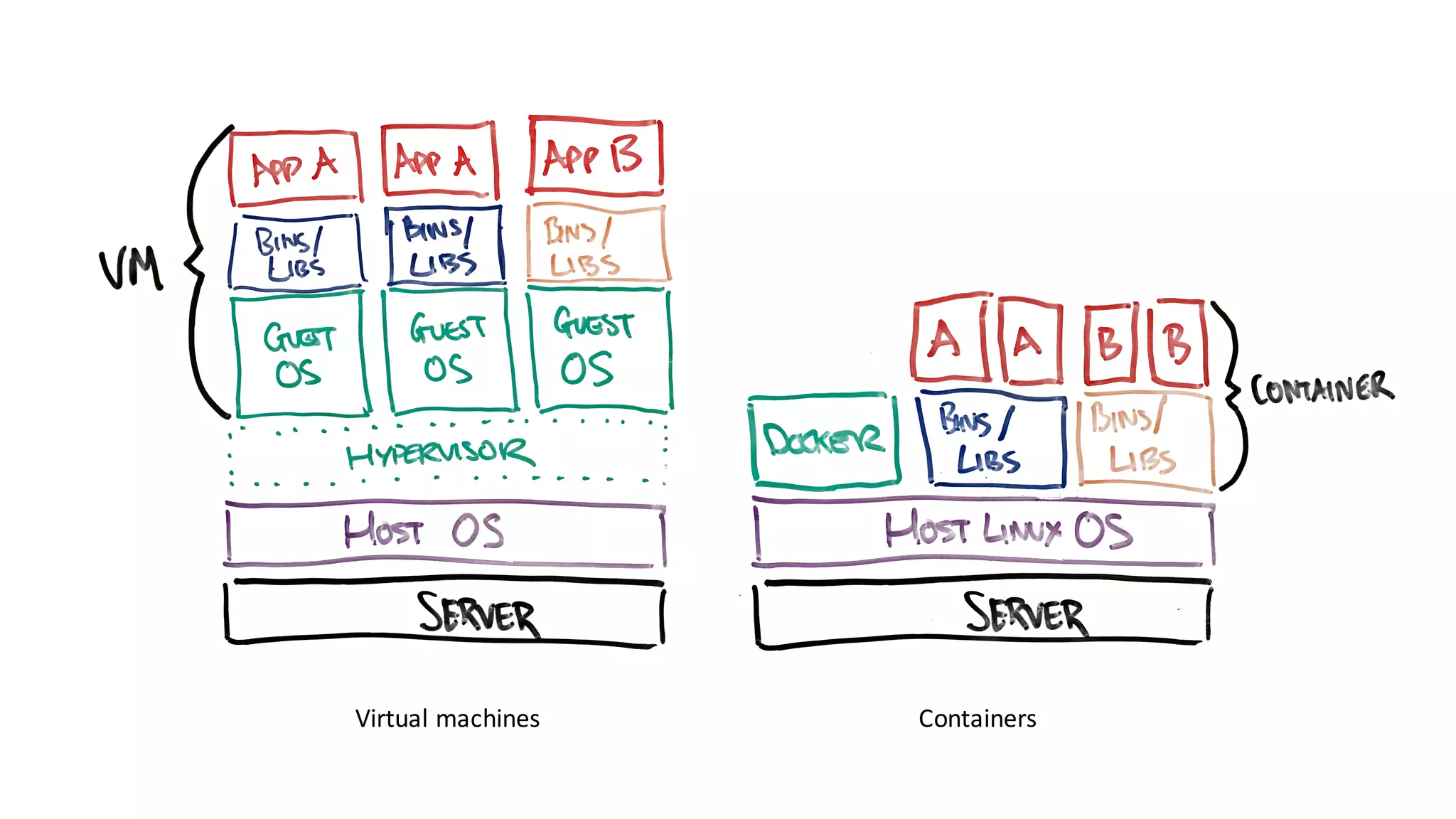
Virtual	machines Containers
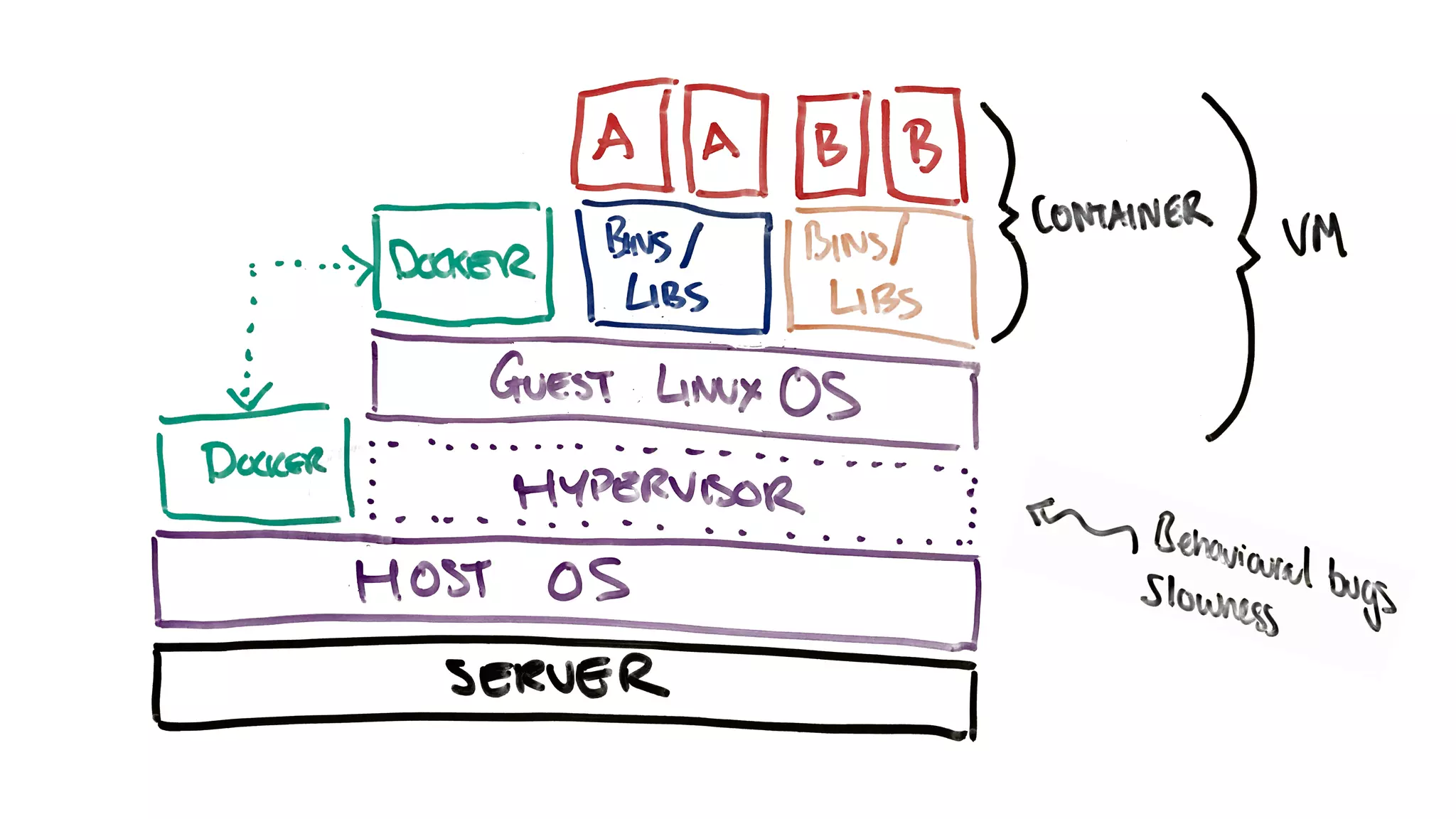
Only	on	linux?
Union	
filesystems
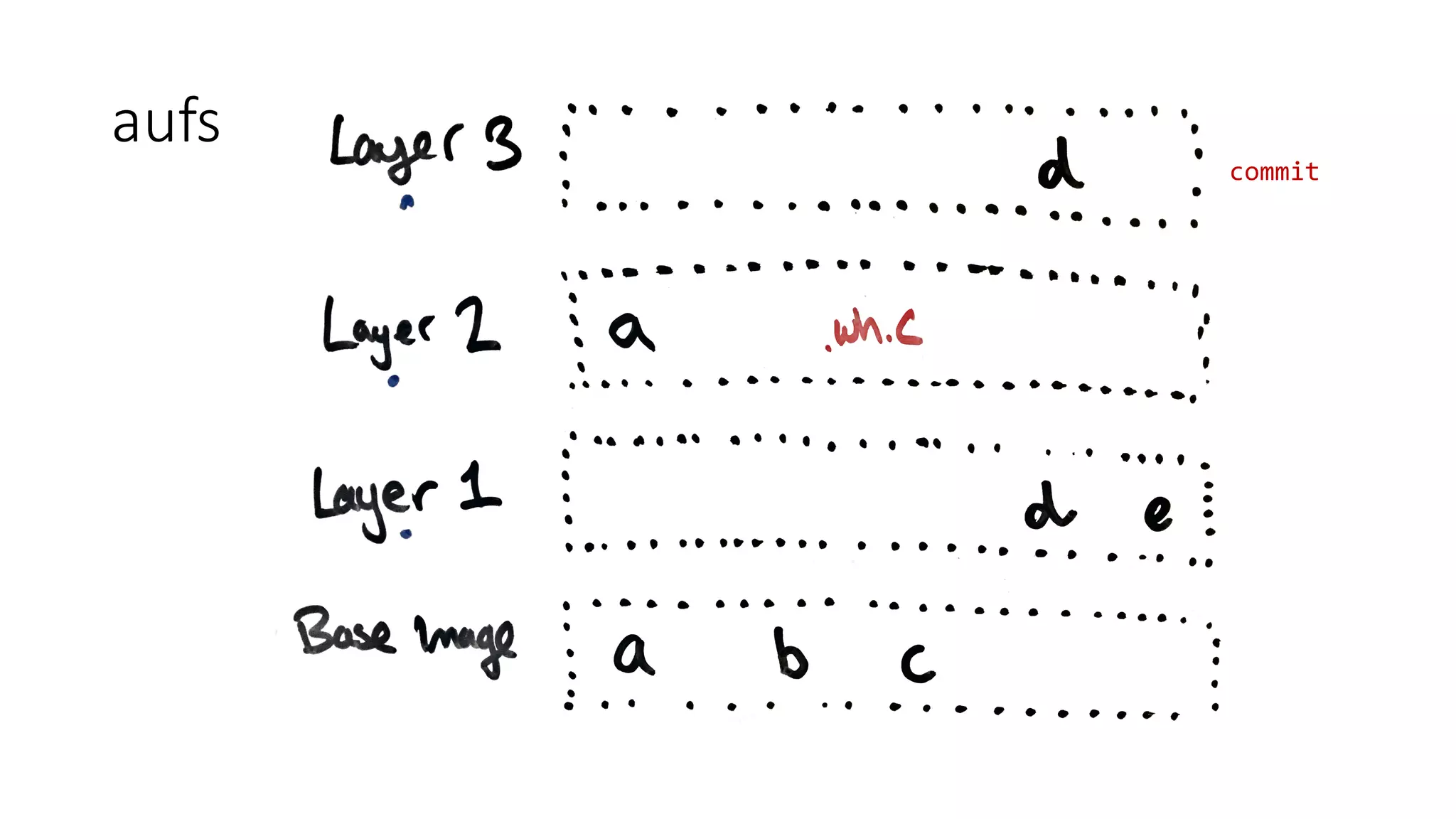
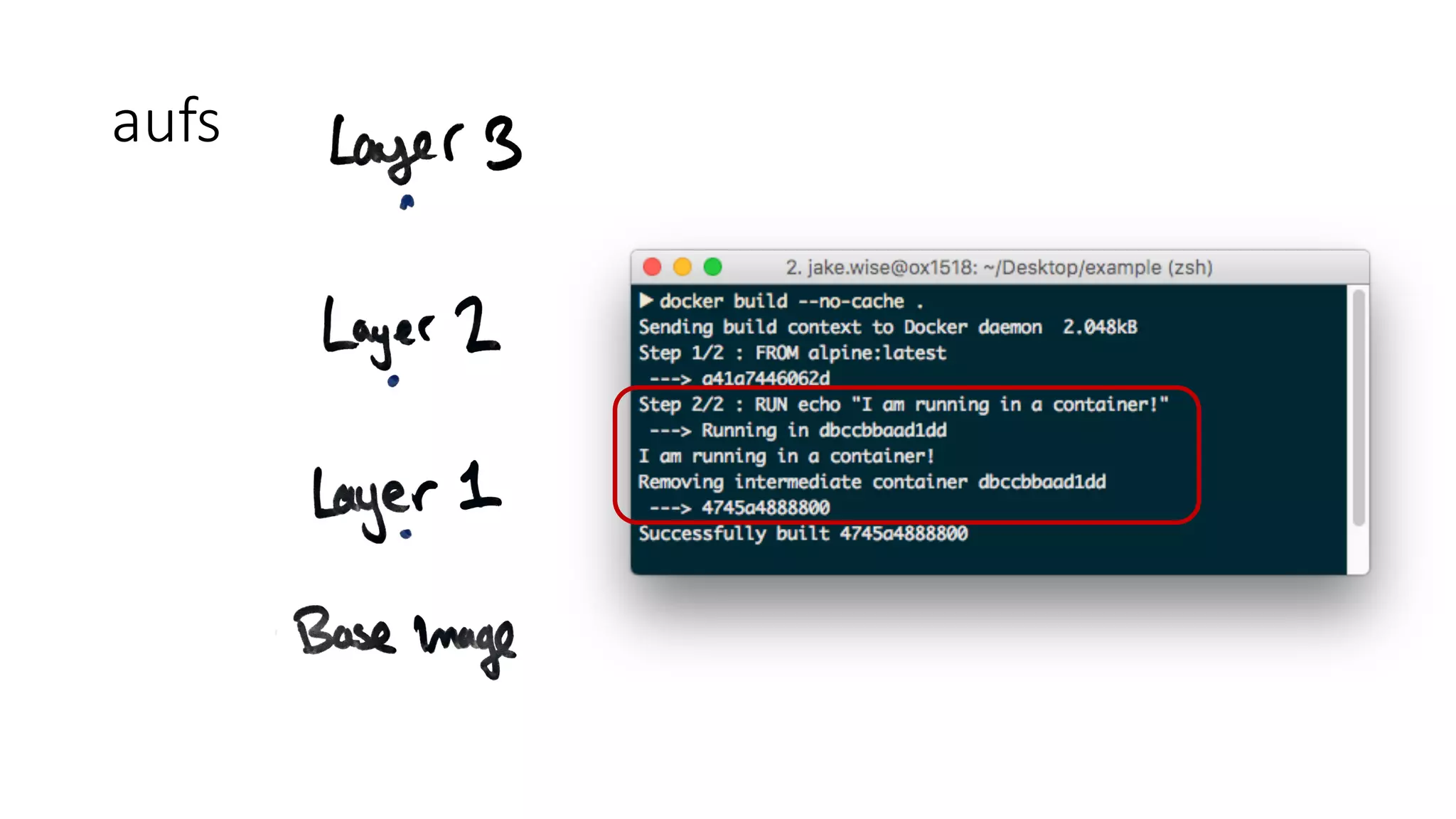
aufs
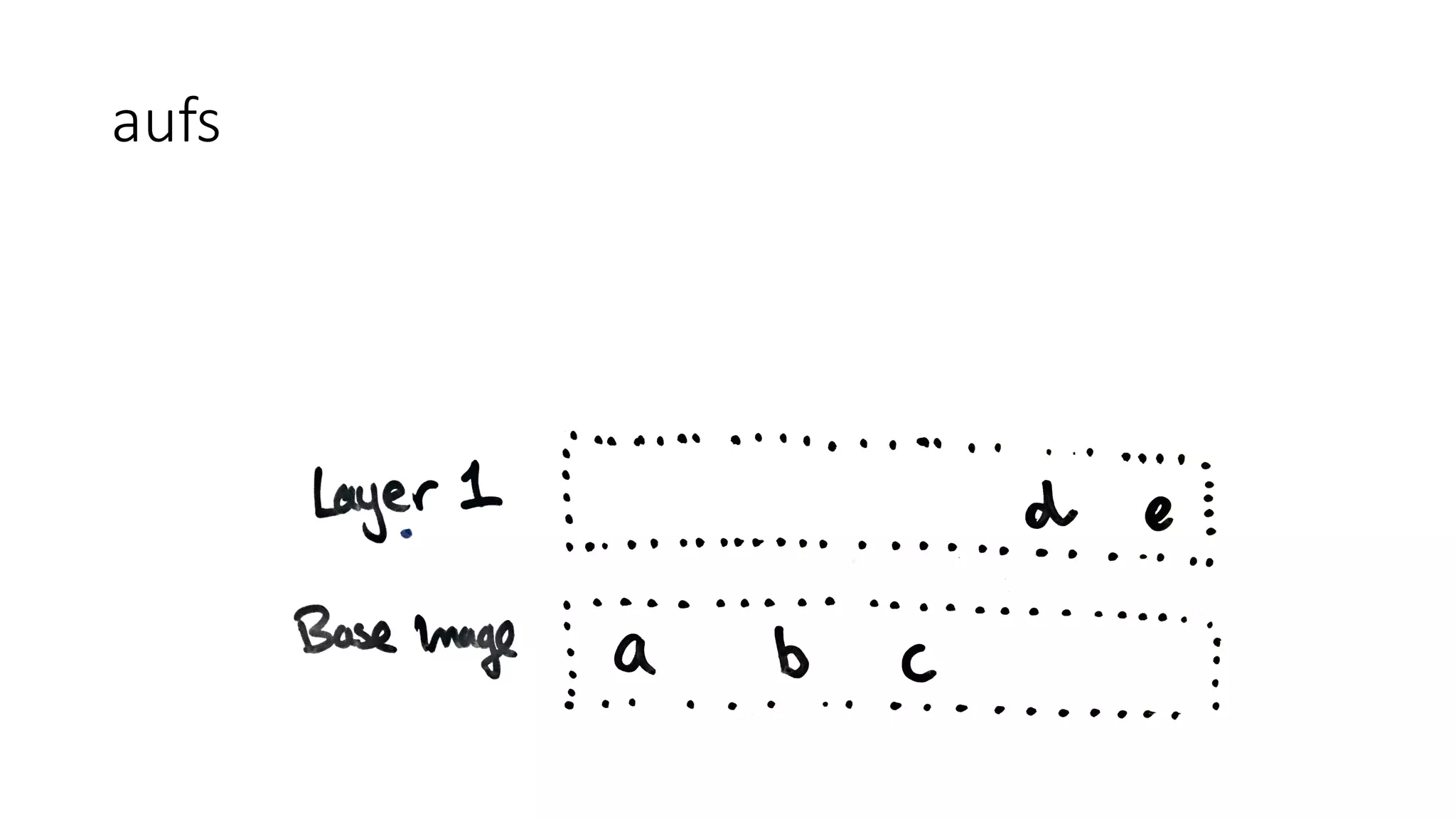
• Advanced	multi-layered	unification	filesystem
aufs
aufs
aufs
aufs
aufs
aufs
commit
aufs
aufs
aufs
alpine>
java:7-alpine>
java:openjdk-7-alpine>
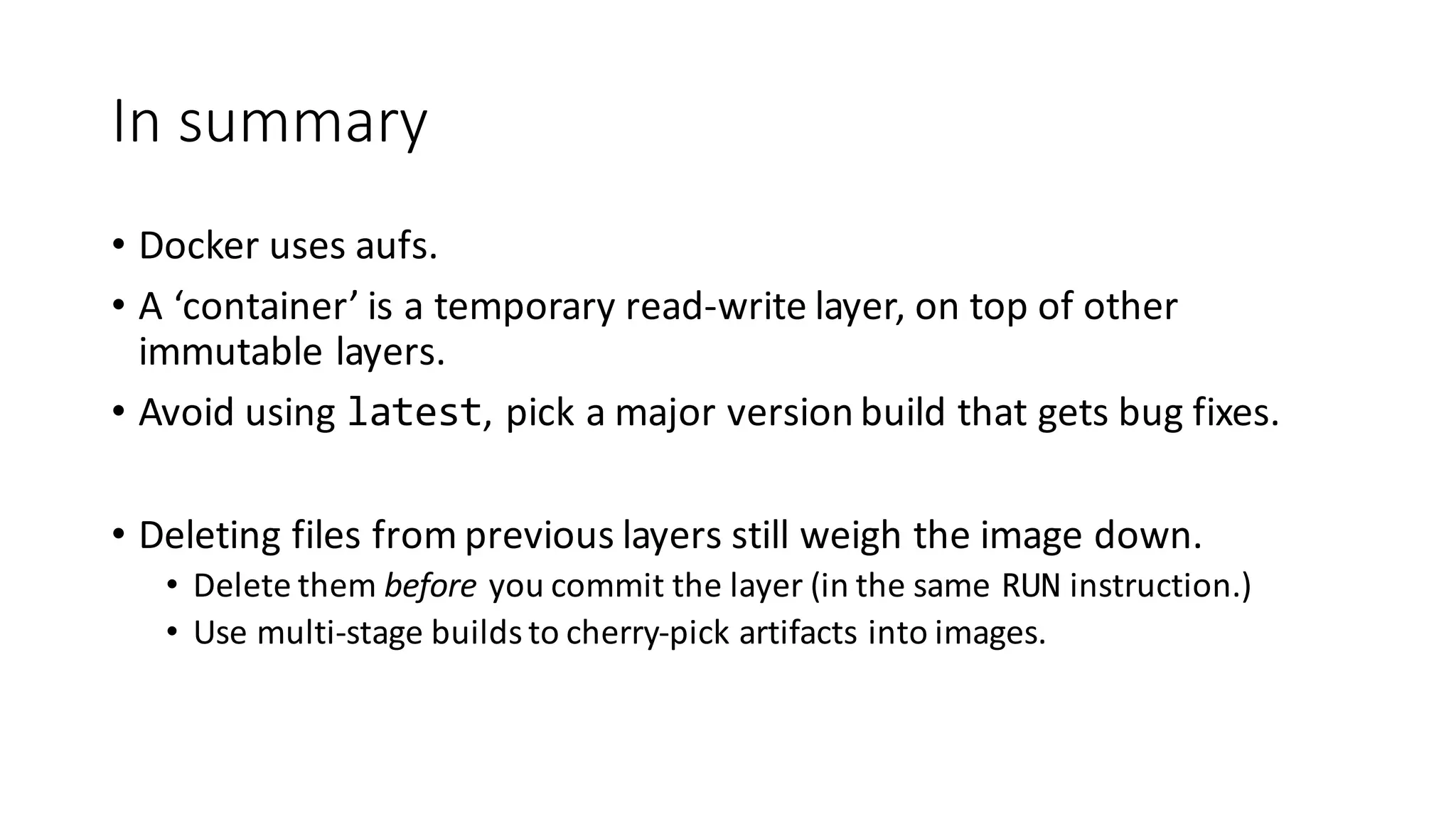
In	summary
• Docker	uses	aufs.
• A	‘container’	is	a	temporary	read-write	layer,	on	top	of	other	
immutable	layers.
• Avoid	using	latest,	pick	a	major	version	build	that	gets	bug	fixes.
• Deleting	files	from	previous	layers	still	weigh	the	image	down.
• Delete	them	before you	commit	the	layer	(in	the	same	RUN instruction.)
• Use	multi-stage	builds	to	cherry-pick	artifacts into	images.
Under	the	hood
Linux	kernel
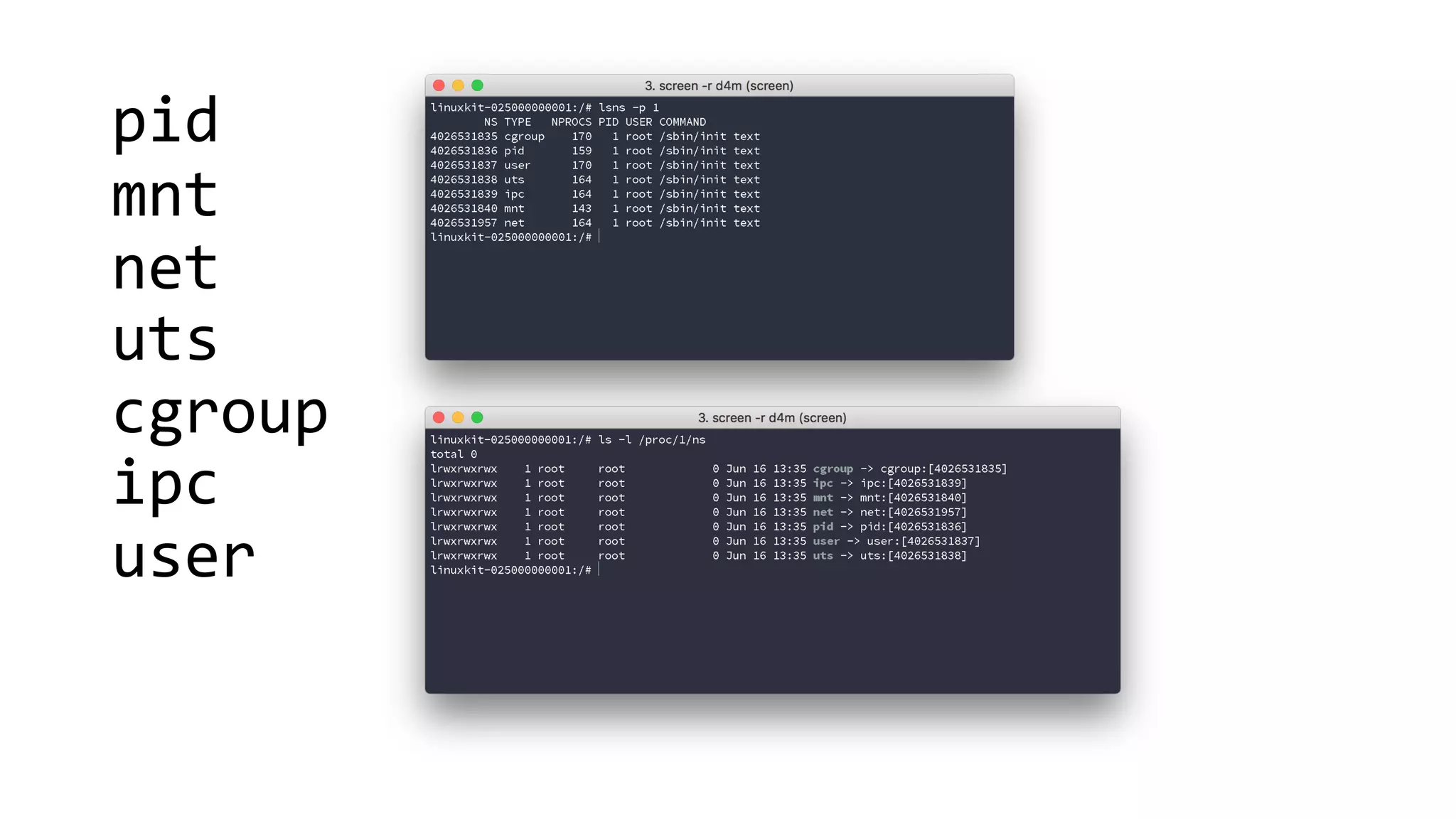
Namespaces
Namespaces	provide	a	layer	of	isolation.	Each	
aspect	of	a	container	runs	in	a	separate	
namespace	and	its	access	is	limited	to	that	
namespace.
pid
mnt
net
uts
cgroup
ipc
user
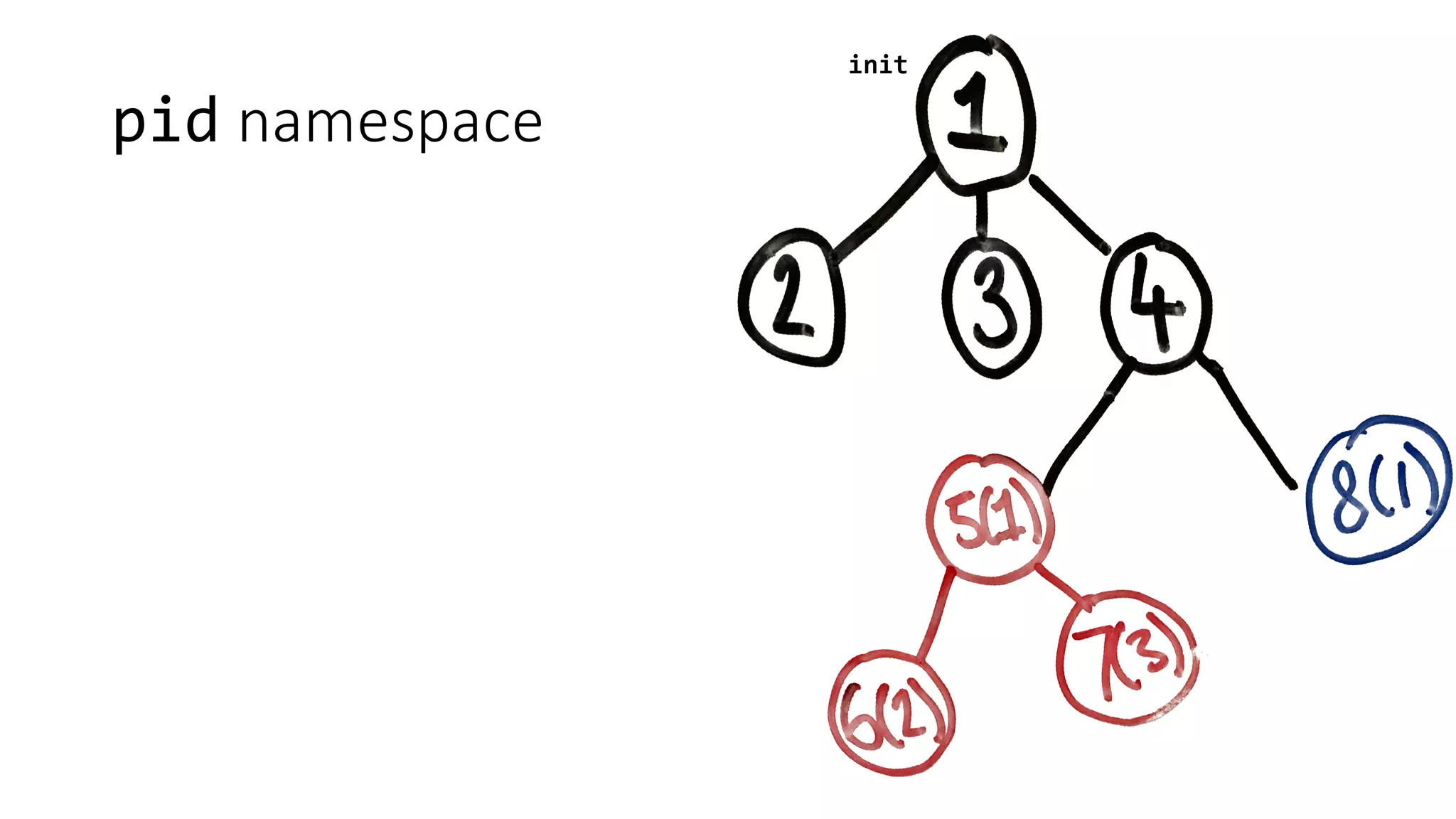
pid namespace
init
pid namespace
init
pid namespace
init
pid namespace
init
pid namespace
init
9596
(67)
9503
pid namespace
init
4026532294
9596
(67)
9503
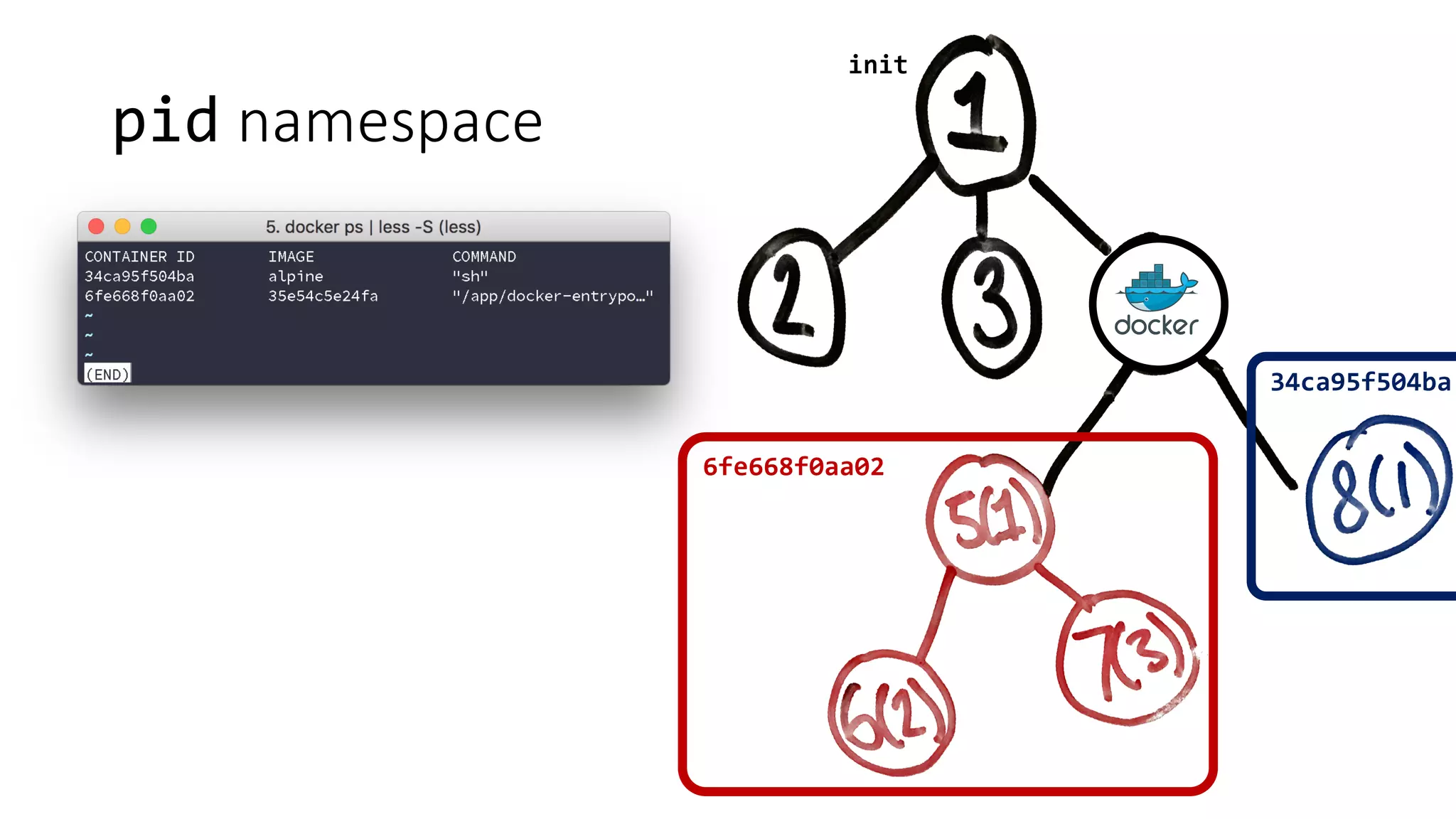
pid namespace
init
6fe668f0aa02
34ca95f504ba
mnt namespace
• Isolation	of	mount	points	for	a	group	of	processes.
• Mount	operations	do	not	propagate	to	the	root	filesystem.
• Uses	pivot_root to	change	the	root	filesystem.
• Docker	handles	other	specified	mounts,	and	unmounts	the	original	
root	filesystem.
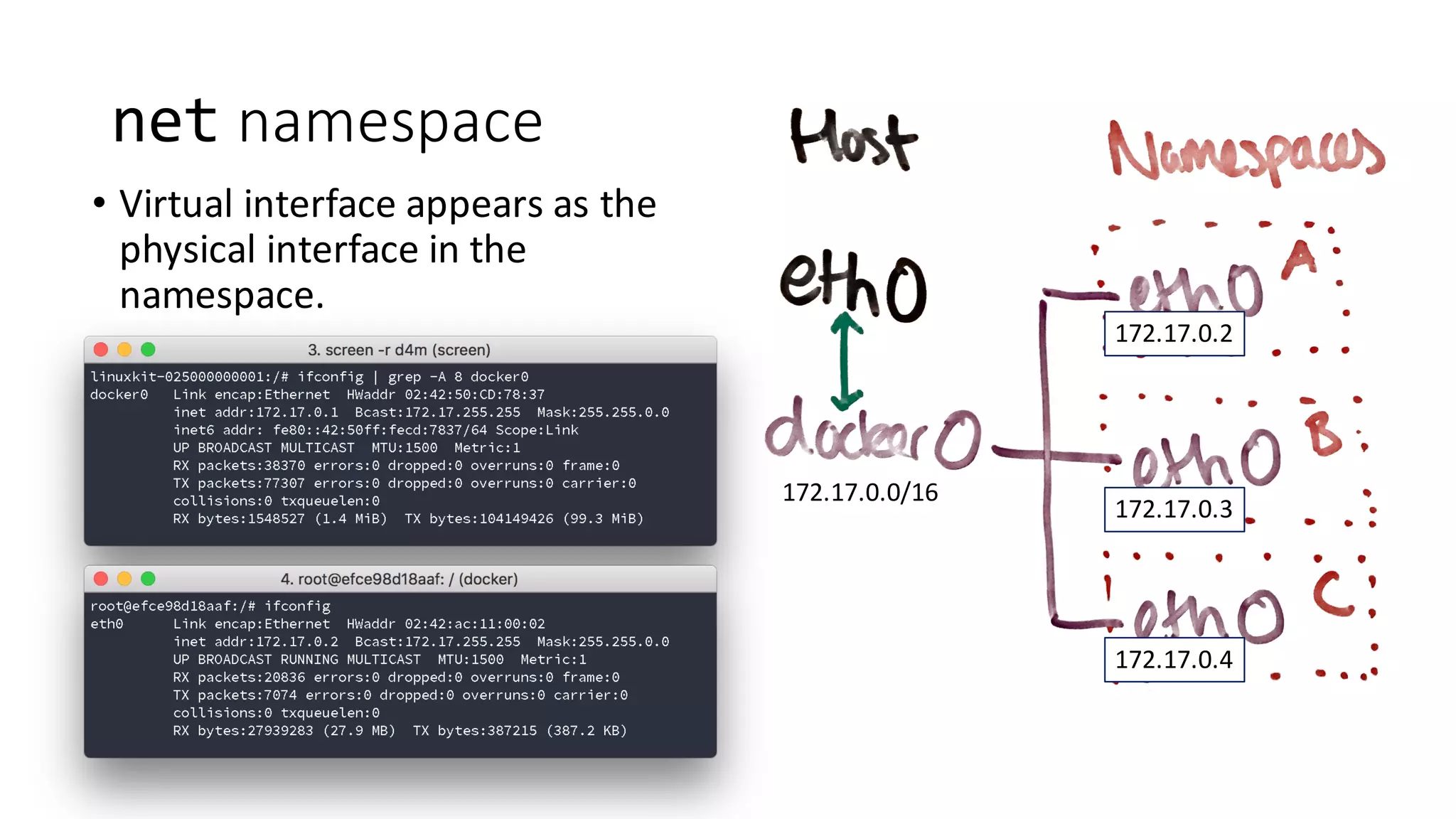
net namespace
• Isolation	of	network	interfaces.
• Only	virtual	interfaces	can	be	added	to	a	net namespace.
• Docker	uses	a	bridge virtual	interface	for	containers	by	default.
net namespace
• Virtual	interface	appears	as	the	
physical	interface	in	the	
namespace.
172.17.0.0/16
172.17.0.4
172.17.0.3
172.17.0.2
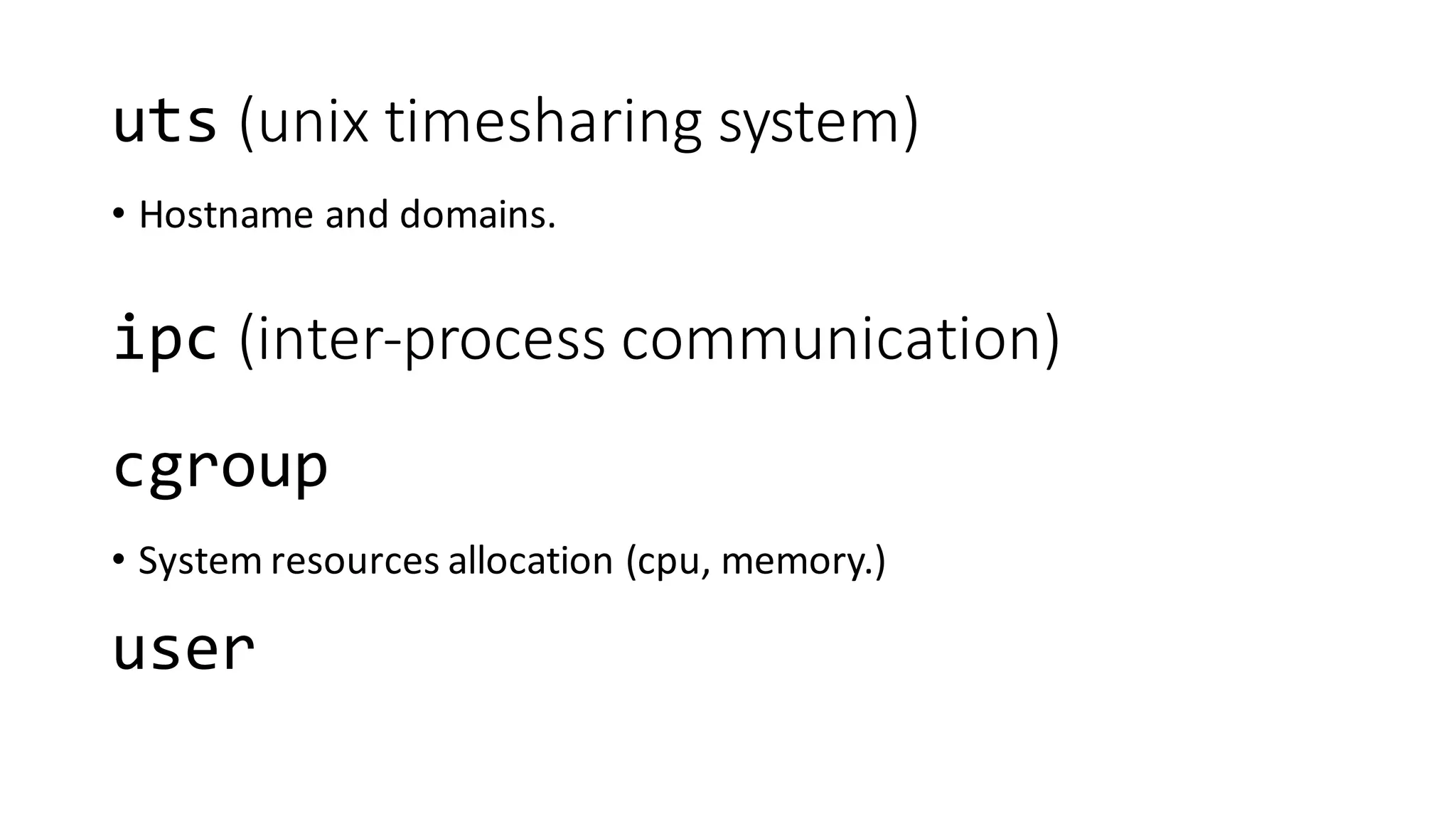
uts (unix timesharing	system)
• Hostname	and	domains.
cgroup
• System	resources	allocation	(cpu,	memory.)
ipc (inter-process	communication)
user
Summary
• A	‘container’	is	a	set	of	linux namespaces	with	a	‘jailed’	view	of	the	
filesystem.
Summary
• A	‘container’	is	a	set	of	linux namespaces	with	a	‘jailed’	view	of	the	
filesystem.
Logging
Multiple	processes	in	a	single	container
• Generally	advised	to	use	separate	containers	where	possible.
• Can	use	a	process	manager	(forego,	supervisord.)
In	summary
• Use	stdout and	stderr for	logging.
• Don’t	create	your	own	logging	mechanism	(i.e.	mounting	volumes	from	the	
host	to	log	to.)
• Separate	each	process	in	your	application	into	its	own	container.
• Use	a	process	manager	if	you	have	to	bundle	them	together.
Docker: under the hood