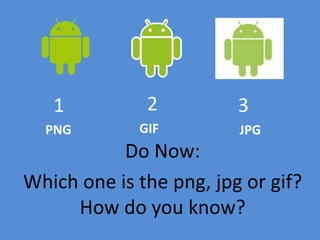
Do Now:
Which one is the png, jpg or gif?
How do you know?
1 2 3
PNG GIF JPG
Tags we already know
<html>
<head>
<title> Our Class Page! </title>
</head>
<body> <h1> Our Class Page!</h1> <br/>
<p>This website will give you all the tools
necessary to do well in our course. </p>
</body>
</html>
New Tag
<img…>
This tag tells the computer three things:
1. Where to get the image from (src)
2. How to caption the image (alt)
3. How the image should look (style)
Expectations:
 Copy the image tag and place in your original script on
text edit or notepad
 Once you’ve successfully run the image one time. You
need to add 2 other image tags
 Each tag should use a different format- jpg, gif, png
 Each image should be a different size
Discussion
 Based on what you’ve learned today, how would you
resize an image if you realized its WAY TOO BIG for
your website
 What challenges did you experience when inserting the
image tags.
 How can you avoid these challenges in the future

Do now

  • 1.
    Do Now: Which oneis the png, jpg or gif? How do you know? 1 2 3 PNG GIF JPG
  • 2.
    Tags we alreadyknow <html> <head> <title> Our Class Page! </title> </head> <body> <h1> Our Class Page!</h1> <br/> <p>This website will give you all the tools necessary to do well in our course. </p> </body> </html>
  • 3.
    New Tag <img…> This tagtells the computer three things: 1. Where to get the image from (src) 2. How to caption the image (alt) 3. How the image should look (style)
  • 5.
    Expectations:  Copy theimage tag and place in your original script on text edit or notepad  Once you’ve successfully run the image one time. You need to add 2 other image tags  Each tag should use a different format- jpg, gif, png  Each image should be a different size
  • 7.
    Discussion  Based onwhat you’ve learned today, how would you resize an image if you realized its WAY TOO BIG for your website  What challenges did you experience when inserting the image tags.  How can you avoid these challenges in the future