Do more with {less}
This session
Goal #1:
Show you why you should
use {less}
Goal #2:
Teach you {less} in
30 minutes
There will be code
{less} to keep us sane
You don’t need notes
About me


Jesper Wøldiche Rahkonen

Designer / themer / markup marine

*really* likes grids

twitter: woeldiche
Overview

What           What is {less}
Why
Features
Learn {less}
Drupal
Extras
Overview

What           What is {less}
Why
Features
Learn {less}
Drupal
Extras
Overview

What
Why            Why you should be using {less}
Features
Learn {less}
Drupal
Extras
Overview

What
Why
Features       An overview of the features in {less}
Learn {less}
Drupal
Extras
Overview

What
Why
Features
Learn {less}   I’ll teach you {less}, hopefully
Drupal
Extras
Overview

What
Why
Features
Learn {less}
Drupal         Using {less} in drupal
Extras
Overview

What
Why
Features
Learn {less}
Drupal
Extras         Yummy extras, if time
What is {less}?
{less} extends css with new
features
Compiles into ordinary
(but yummy, yummy) CSS
A strict superset of CSS
Why use {less}?
Why?
Write less code
Why?
Write less code,
that’s faster to code up
Why?
Write less code,
that’s faster to code up,
easier (cheaper) to maintain
Why?
Write less code,
that’s faster to code up,
easier (cheaper) to maintain
and re-use in a project
Why?
Write less code,
that’s faster to code up,
easier (cheaper) to maintain
and re-use in a project
or among several projects
And it’s dead-easy
to learn, if you already
know CSS
- honestly!
Feature overview
Feature overview
Variables (yay!)
Feature overview
Variables
Mixins (it’ll make sense, promise)
Feature overview
Variables
Mixins
Nested rules (for prettier code)
Feature overview
Variables
Mixins
Nested rules
Operations (it’s almost like programming)
Feature overview
Variables
Mixins
Nested rules
Operations
Color functions (Want channels with your HSL?)
Feature overview
Variables
Mixins
Nested rules
Operations
Color functions
+ more
Variables
Variables
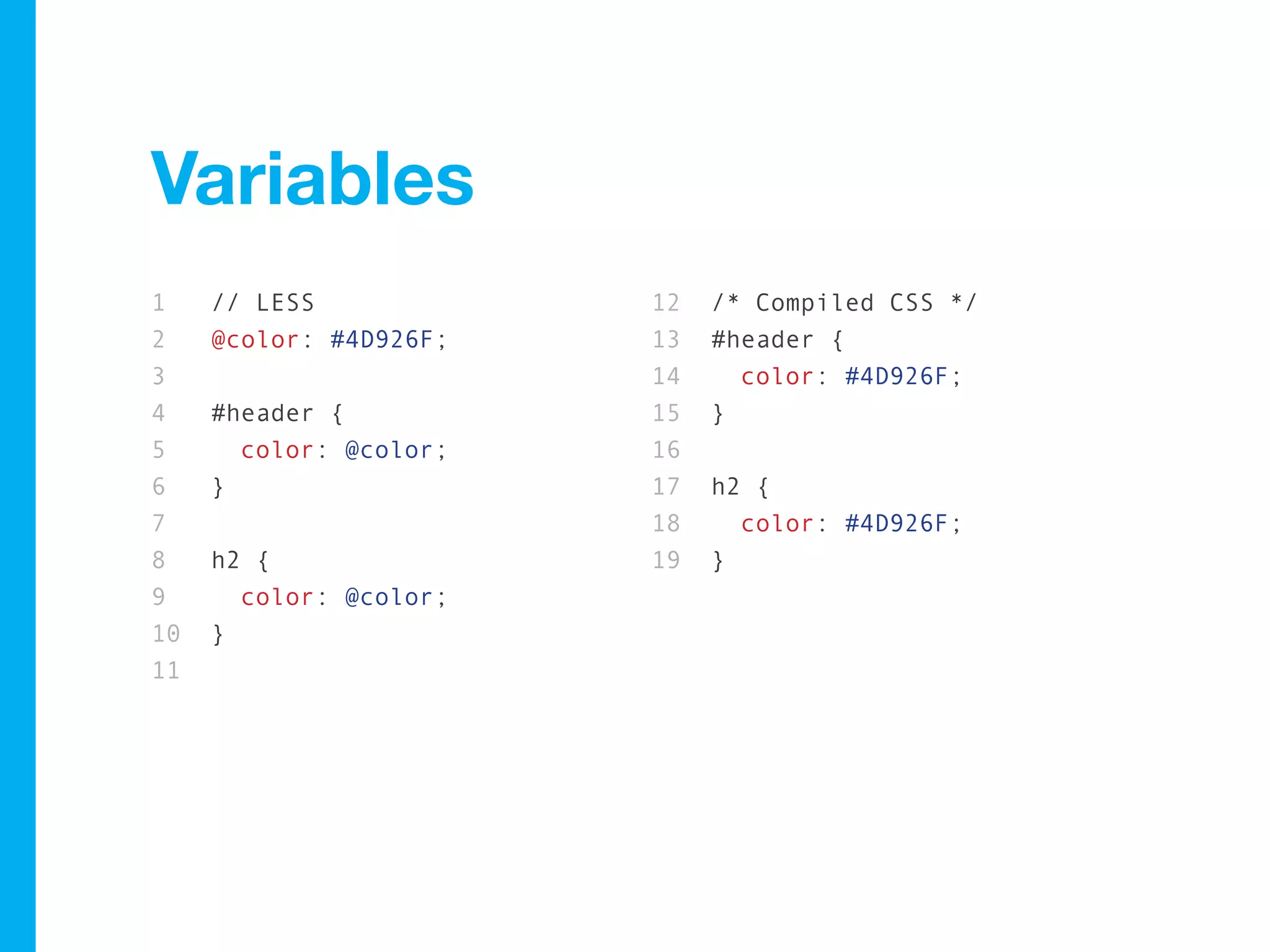
1    // LESS            12   /* Compiled CSS */
2    @color: #4D926F;   13   #header {
3                       14     color: #4D926F;
4    #header {          15   }
5      color: @color;   16
6    }                  17   h2 {
7                       18     color: #4D926F;
8    h2 {               19   }
9      color: @color;
10   }
11
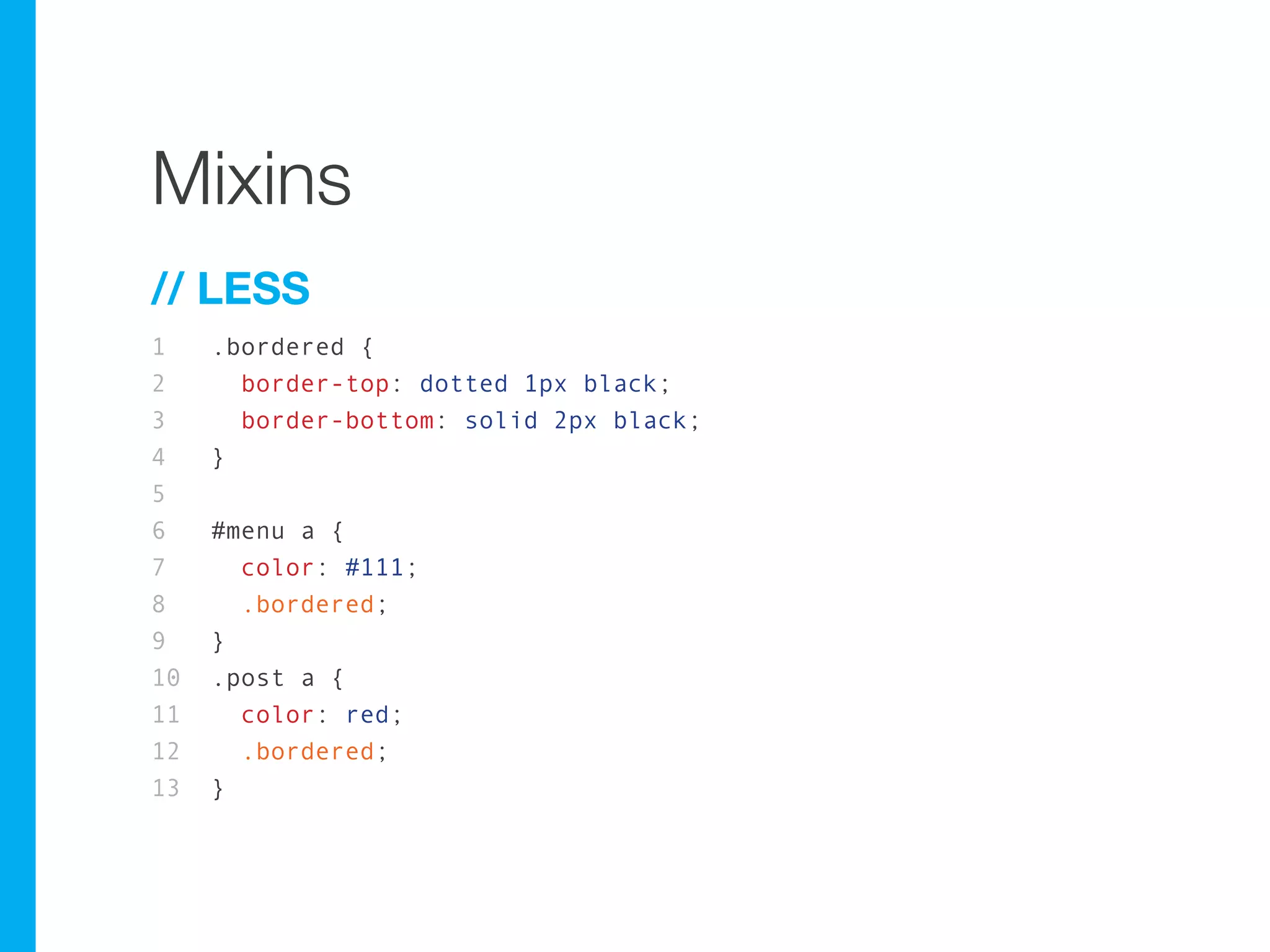
Mixins
Mixins
// LESS
1    .bordered {
2      border-top: dotted 1px black;
3      border-bottom: solid 2px black;
4    }
5
6    #menu a {
7      color: #111;
8      .bordered;
9    }
10   .post a {
11     color: red;
12     .bordered;
13   }
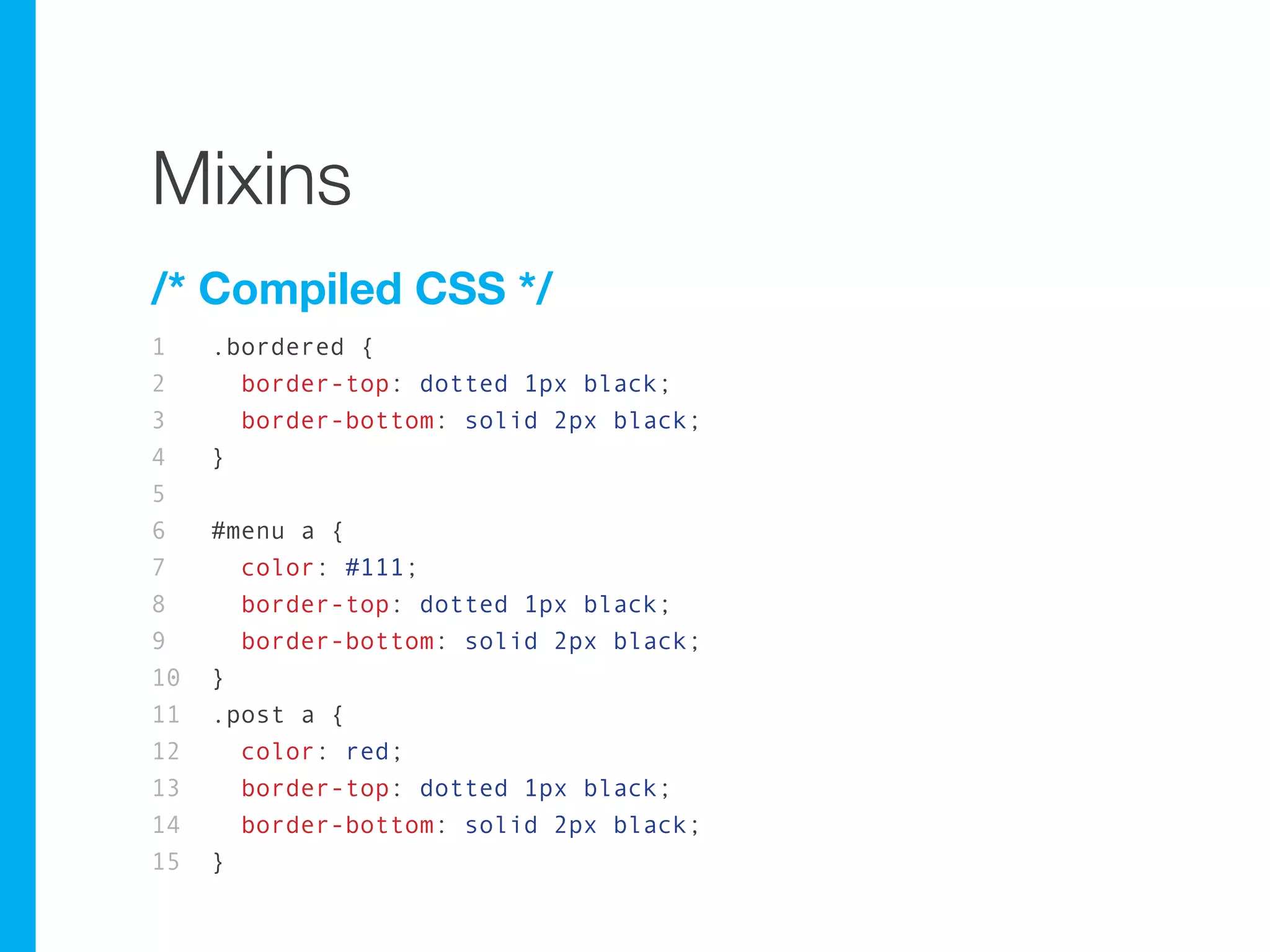
Mixins
/* Compiled CSS */
1    .bordered {
2      border-top: dotted 1px black;
3      border-bottom: solid 2px black;
4    }
5
6    #menu a {
7      color: #111;
8      border-top: dotted 1px black;
9      border-bottom: solid 2px black;
10   }
11   .post a {
12     color: red;
13     border-top: dotted 1px black;
14     border-bottom: solid 2px black;
15   }
Mixins
Any css class, id og element definition can be
mixed in
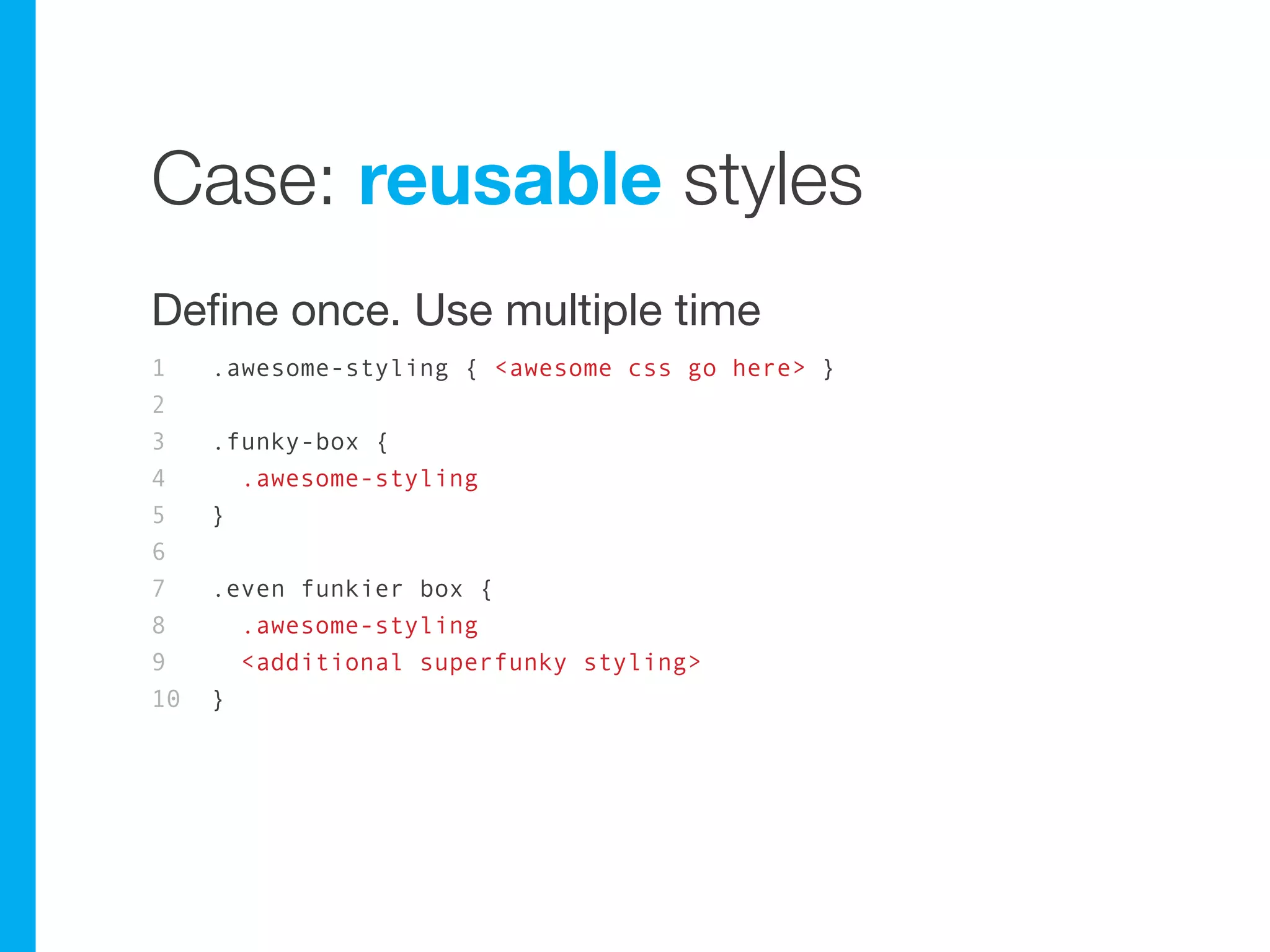
Case: reusable styles
Define once. Use multiple time
1    .awesome-styling { <awesome css go here> }
2
3    .funky-box {
4      .awesome-styling
5    }
6
7    .even funkier box {
8      .awesome-styling
9      <additional superfunky styling>
10   }
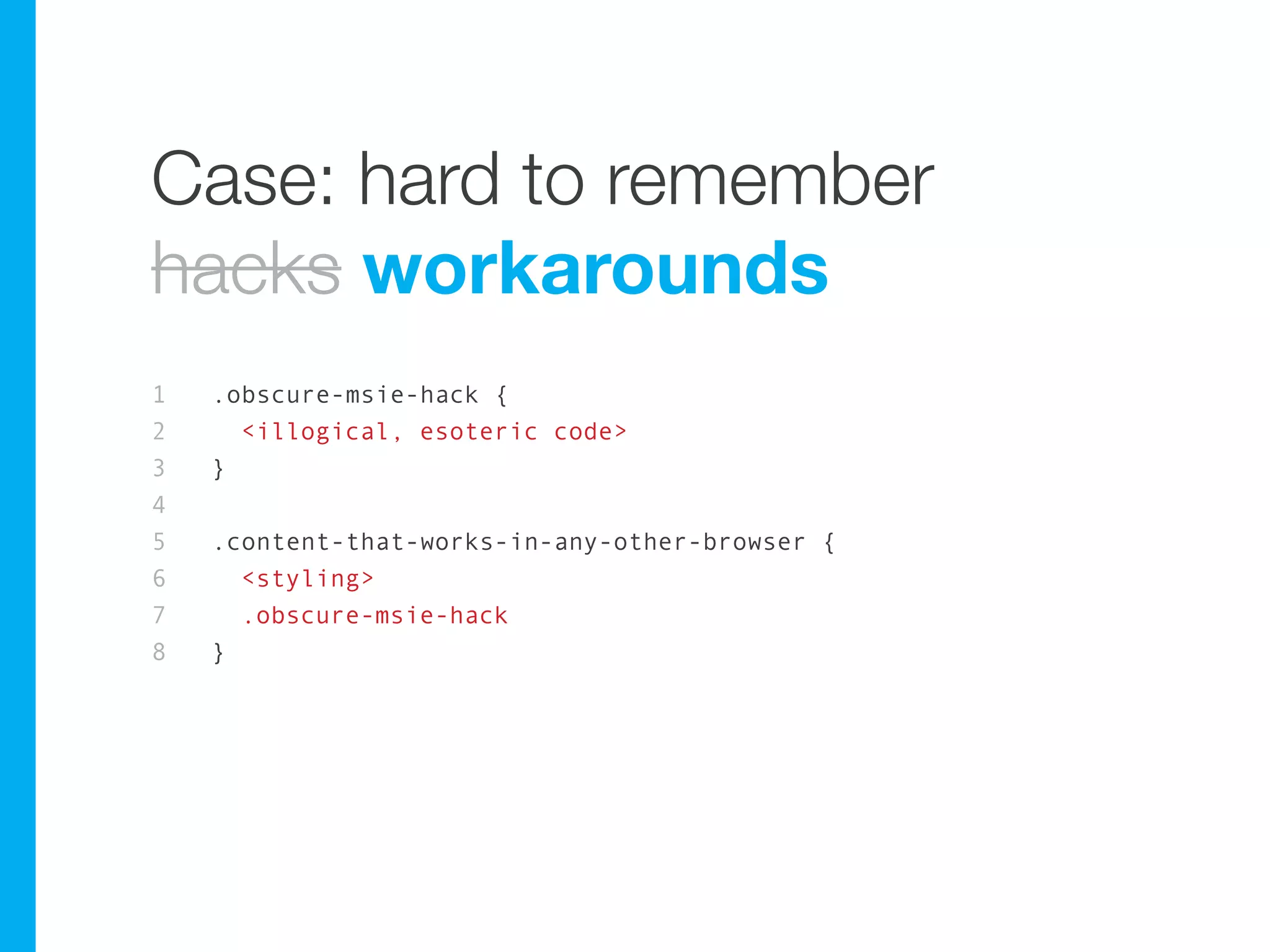
Case: hard to remember
hacks workarounds
1   .obscure-msie-hack {
2     <illogical, esoteric code>
3   }
4
5   .content-that-works-in-any-other-browser {
6     <styling>
7     .obscure-msie-hack
8   }
meh...
meh...
Parametric mixins
Now we’re talking.
They should be spelled paramëtric mixins
and have a theme song.
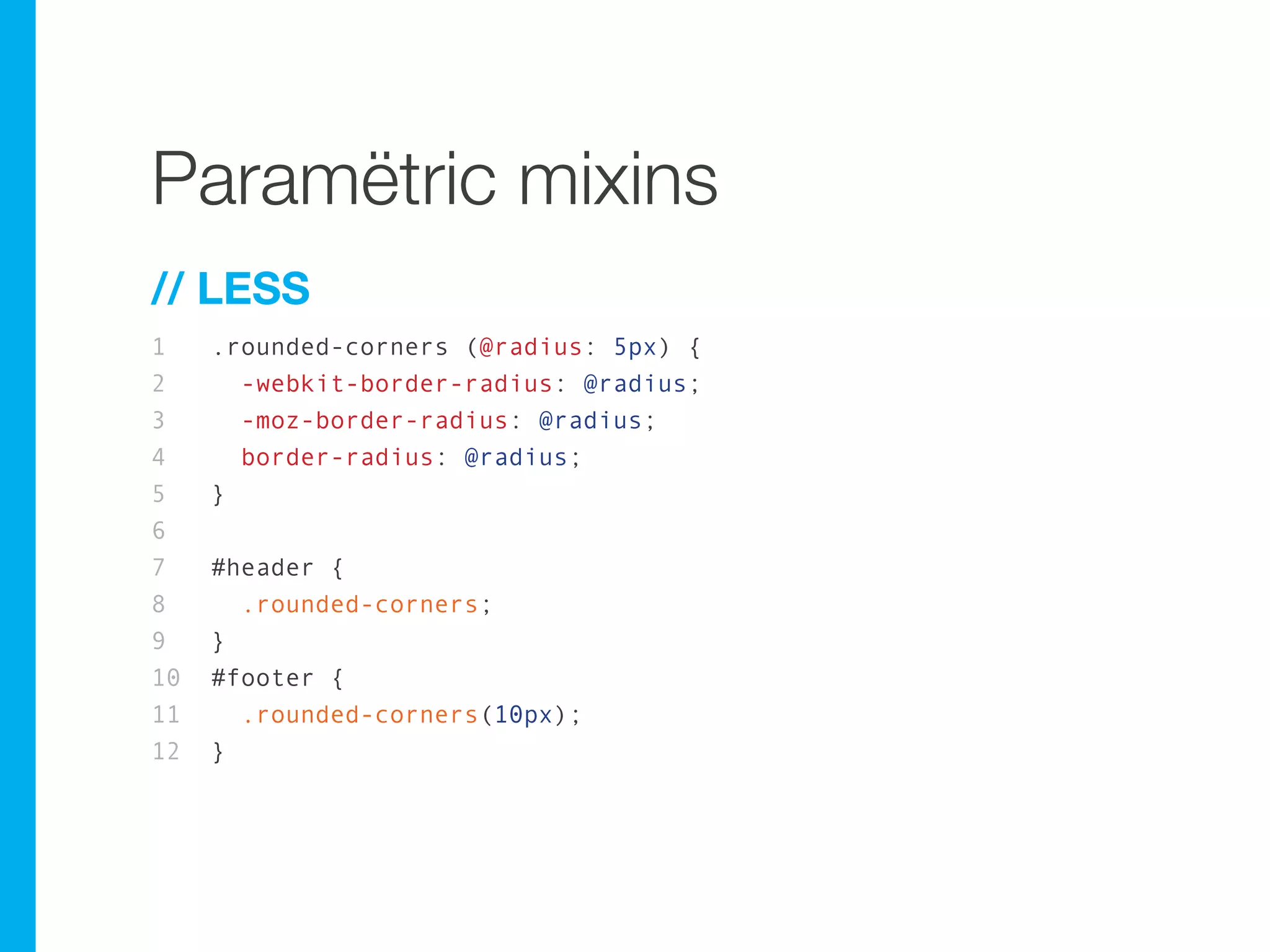
Paramëtric mixins
// LESS
1    .rounded-corners (@radius: 5px) {
2      -webkit-border-radius: @radius;
3      -moz-border-radius: @radius;
4      border-radius: @radius;
5    }
6
7    #header {
8      .rounded-corners;
9    }
10   #footer {
11     .rounded-corners(10px);
12   }
Paramëtric mixins
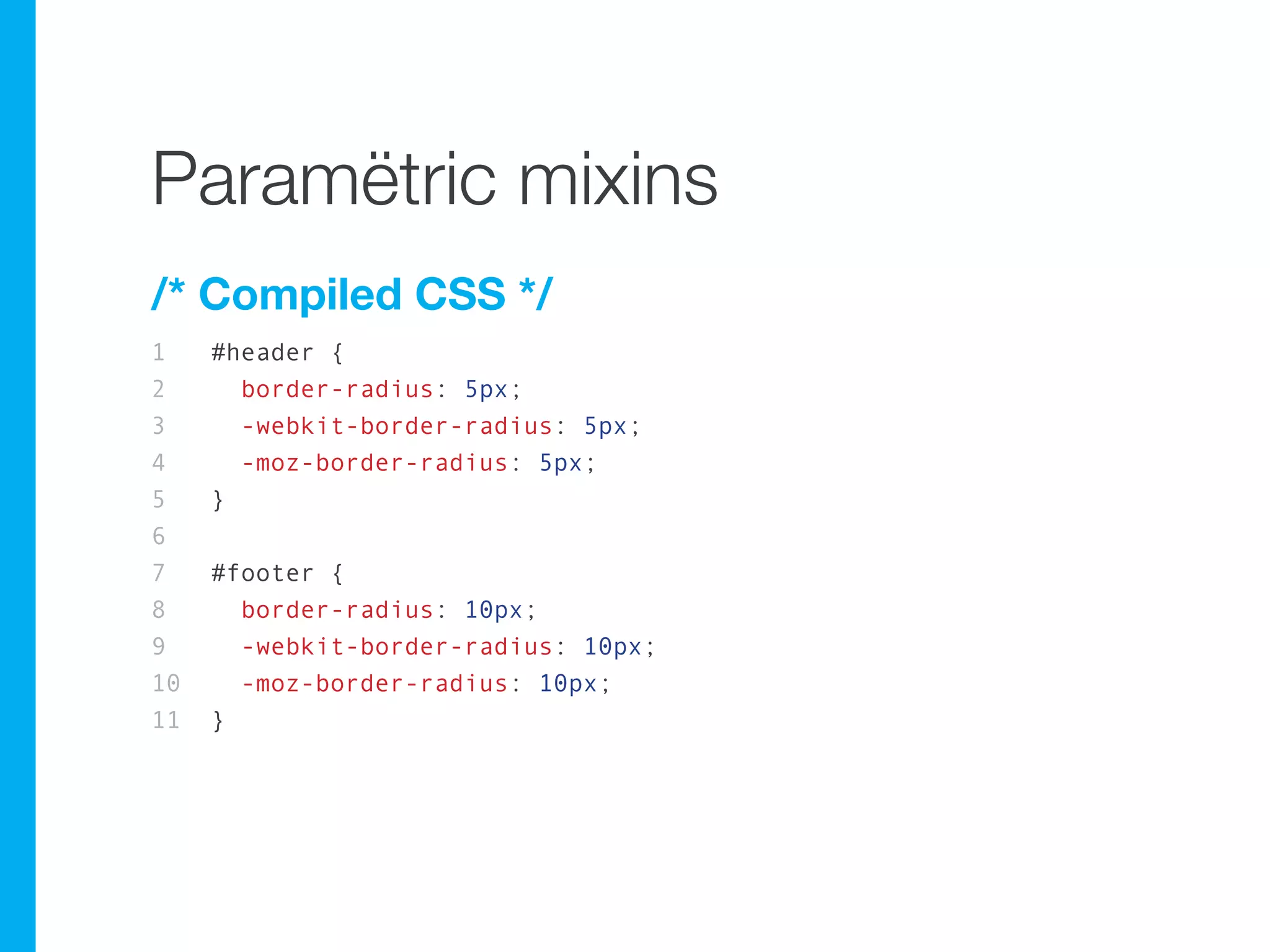
/* Compiled CSS */
1    #header {
2      border-radius: 5px;
3      -webkit-border-radius: 5px;
4      -moz-border-radius: 5px;
5    }
6
7    #footer {
8      border-radius: 10px;
9      -webkit-border-radius: 10px;
10     -moz-border-radius: 10px;
11   }
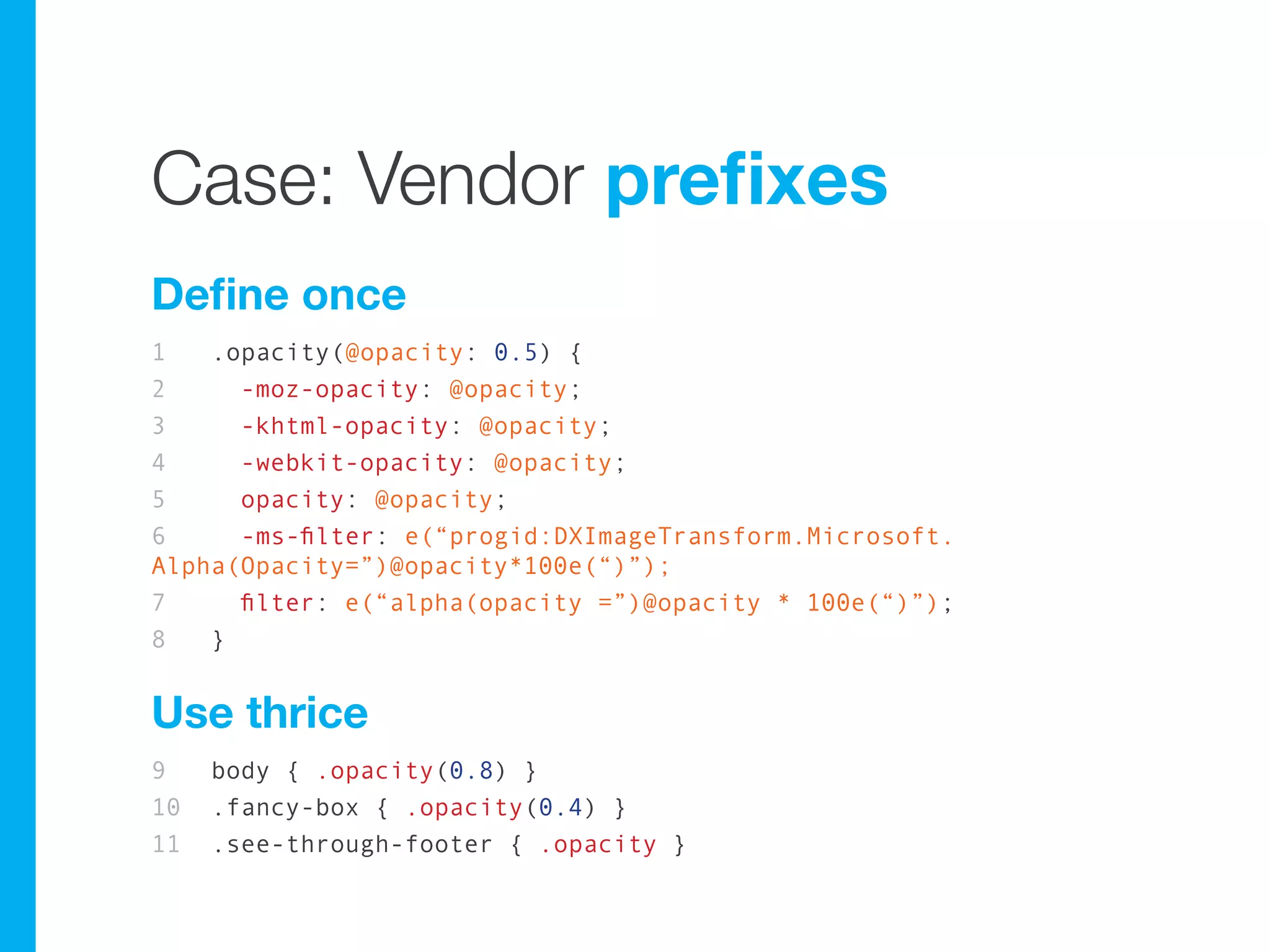
Case: Vendor prefixes
Define once
1   .opacity(@opacity: 0.5) {
2     -moz-opacity: @opacity;
3     -khtml-opacity: @opacity;
4     -webkit-opacity: @opacity;
5     opacity: @opacity;
6     -ms-filter: e(“progid:DXImageTransform.Microsoft.
Alpha(Opacity=”)@opacity*100e(“)”);
7     filter: e(“alpha(opacity =”)@opacity * 100e(“)”);
8   }


Use thrice
9    body { .opacity(0.8) }
10   .fancy-box { .opacity(0.4) }
11   .see-through-footer { .opacity }
Case: Vendor prefixes
Define once
1   .opacity(@opacity: 0.5) {
2     -moz-opacity: @opacity;
3     -khtml-opacity: @opacity;
4     -webkit-opacity: @opacity;
5     opacity: @opacity;
6     -ms-filter: e(“progid:DXImageTransform.Microsoft.
Alpha(Opacity=”)@opacity*100e(“)”);
7     filter: e(“alpha(opacity =”)@opacity * 100e(“)”);
8   }


Use thrice
9    body { .opacity(0.8) }
10   .fancy-box { .opacity(0.4) }
11   .see-through-footer { .opacity }
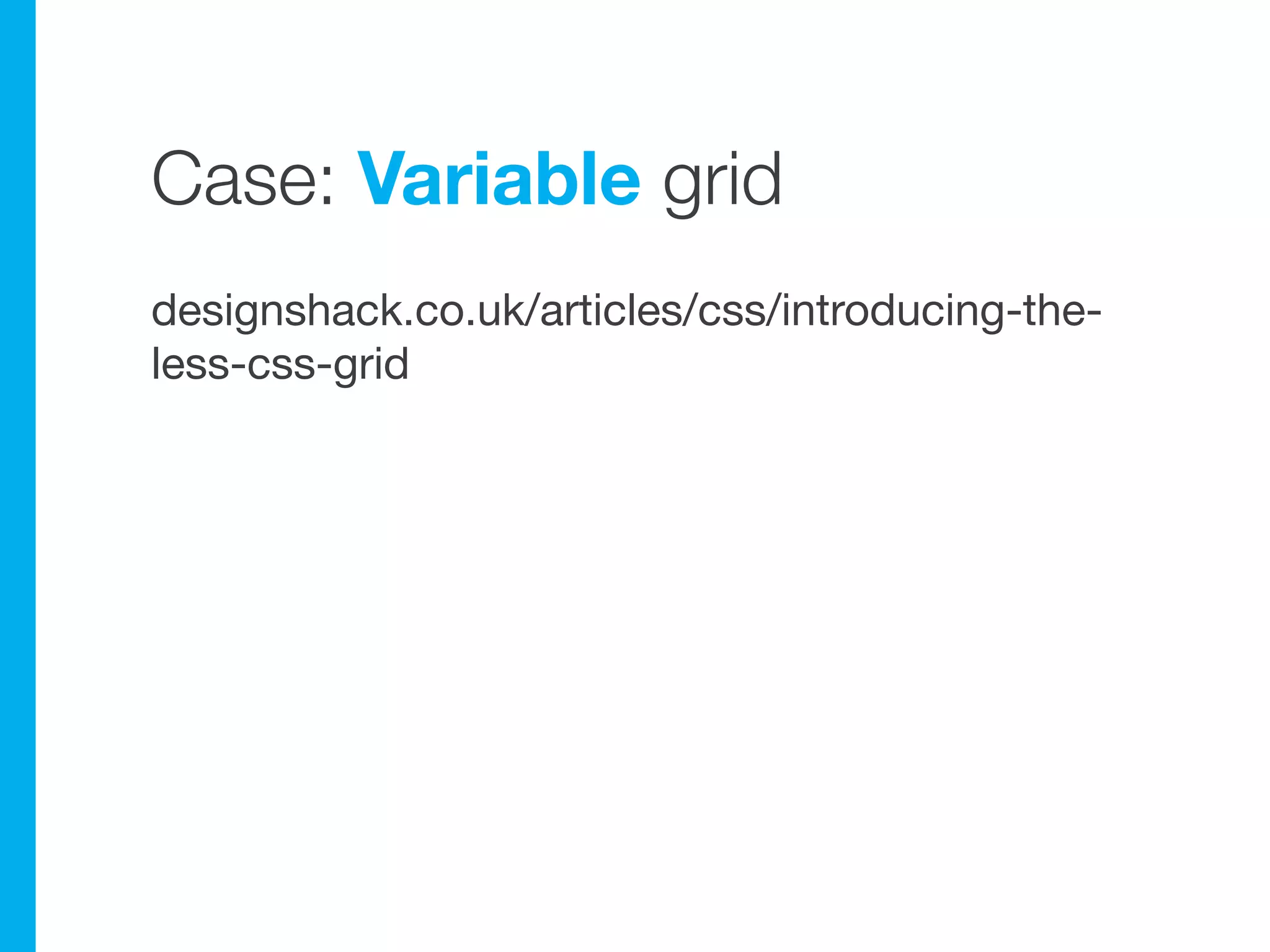
Case: Variable grid
designshack.co.uk/articles/css/introducing-the-
less-css-grid
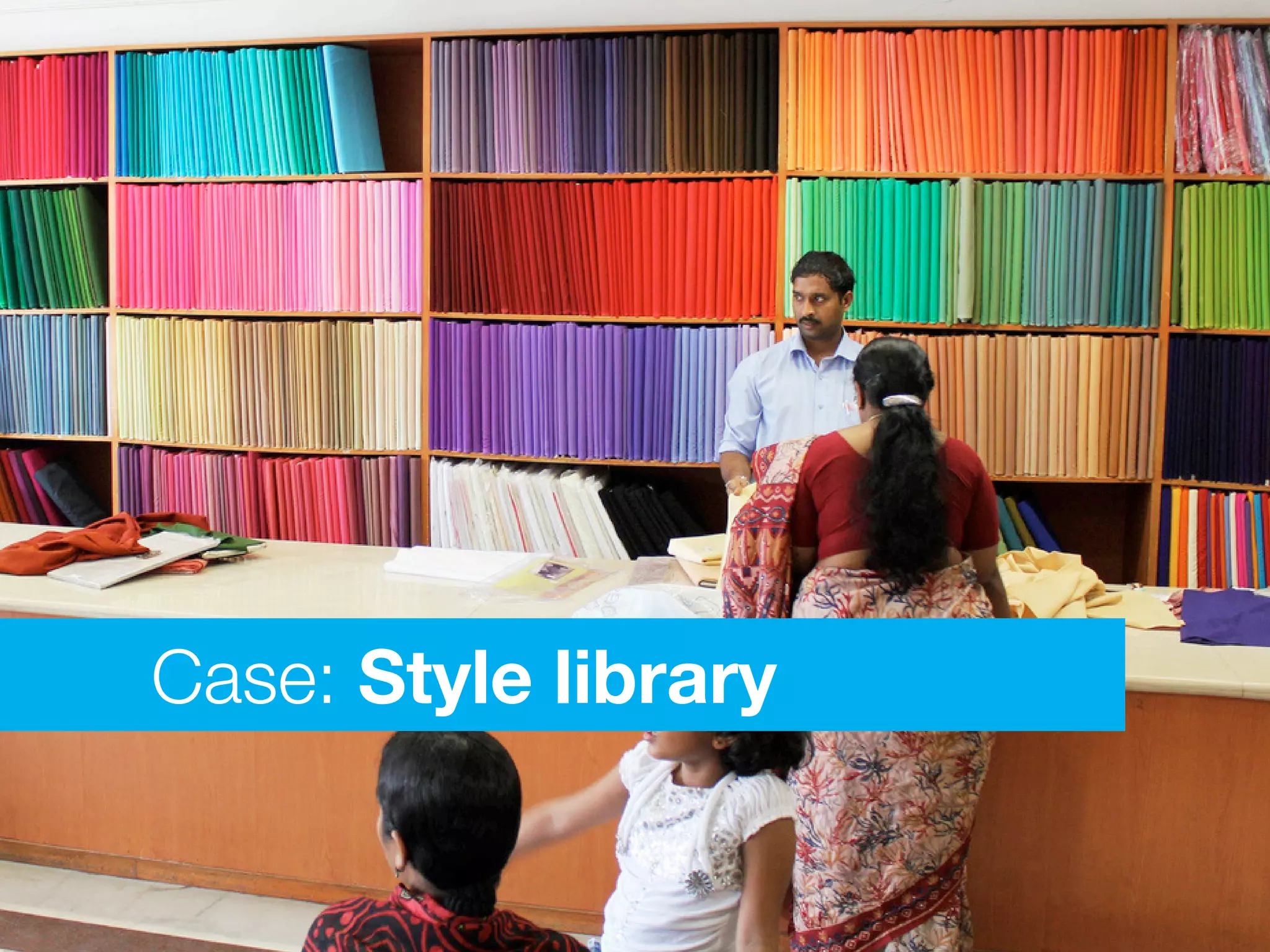
Case: Style library
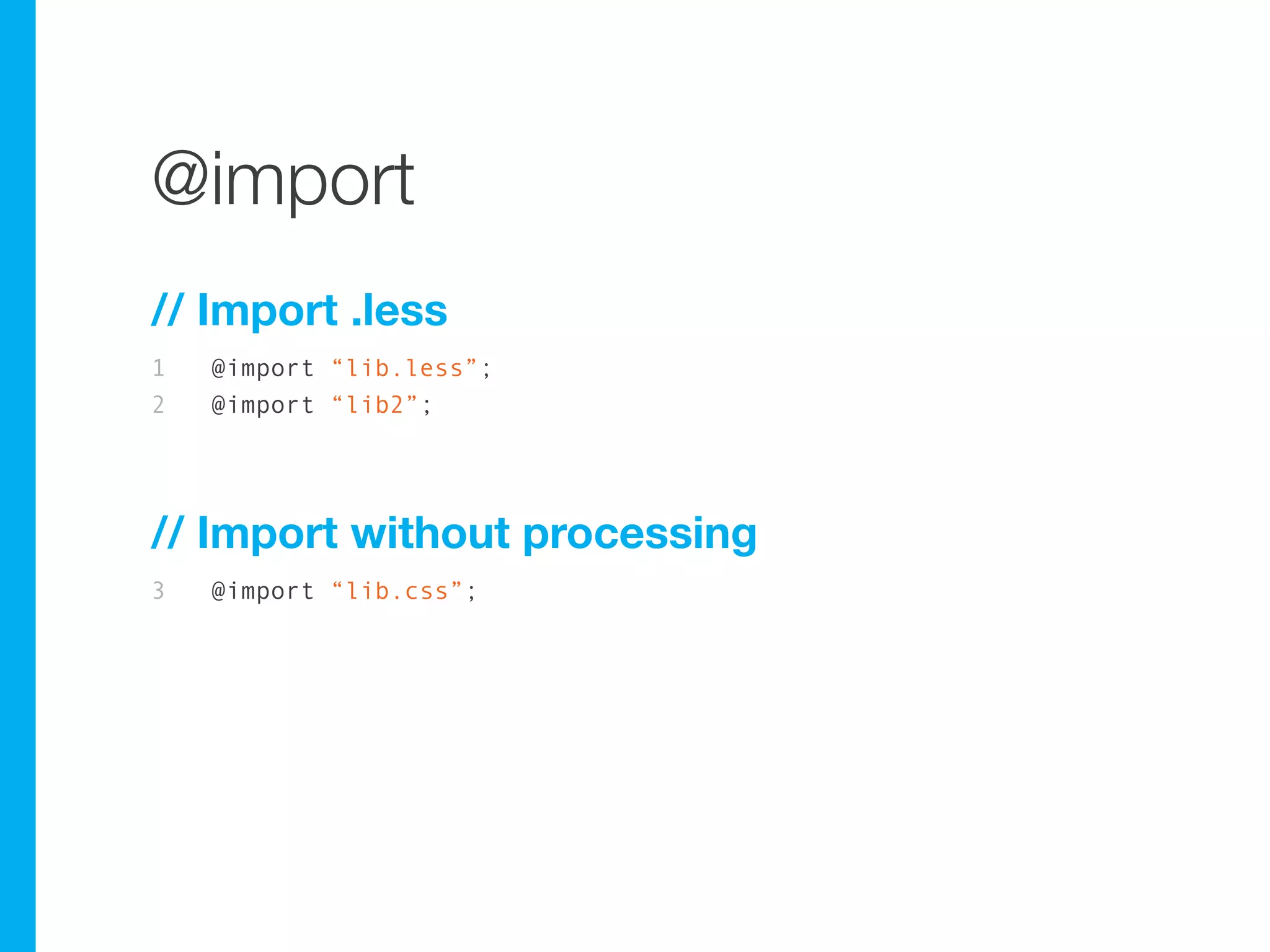
@import
// Import .less
1   @import “lib.less”;
2   @import “lib2”;


// Import without processing
3   @import “lib.css”;
A style library
// LESS
1    // Import libraries            16   form {
2    @import “lib-typography”;      17     .lib_form-base
3    @import “lib-branding.less”;   18     .lib_form-modern
4    @import “lib-form_ui.less”;    19     ... your custom styles
5    @import “lib-buttons.less”;    20   }
6                                   21
7    /* Import base styling */      22   input[type=text],
8    @import “reset.css”;           23   textarea {
9    @import “typography.css”;      24     .lib_form-input-modern
10                                  25     ... more custom styles
11   /* Apply library styles */     26   }
12   body {
13     .lib_ty-base
14     .lib_brand-base
15   }
A style library
/* Compiled CSS */
1    <content of reset.css>         14 input[type=text],
2    <content of typography.css>    15 textarea {
3                                   16    <styles of lib_form-input-
4    /* Apply library styles */     modern>
5    body {                         17    ... more custom styling
6      <styles of lib_ty-base>      18 }
7      <styles of lib_brand-base>
8    }
9    form {
10     <styles of lib_form-base>
11     <styles of lib_form-modrn>
12     ... your custom styles
13   }
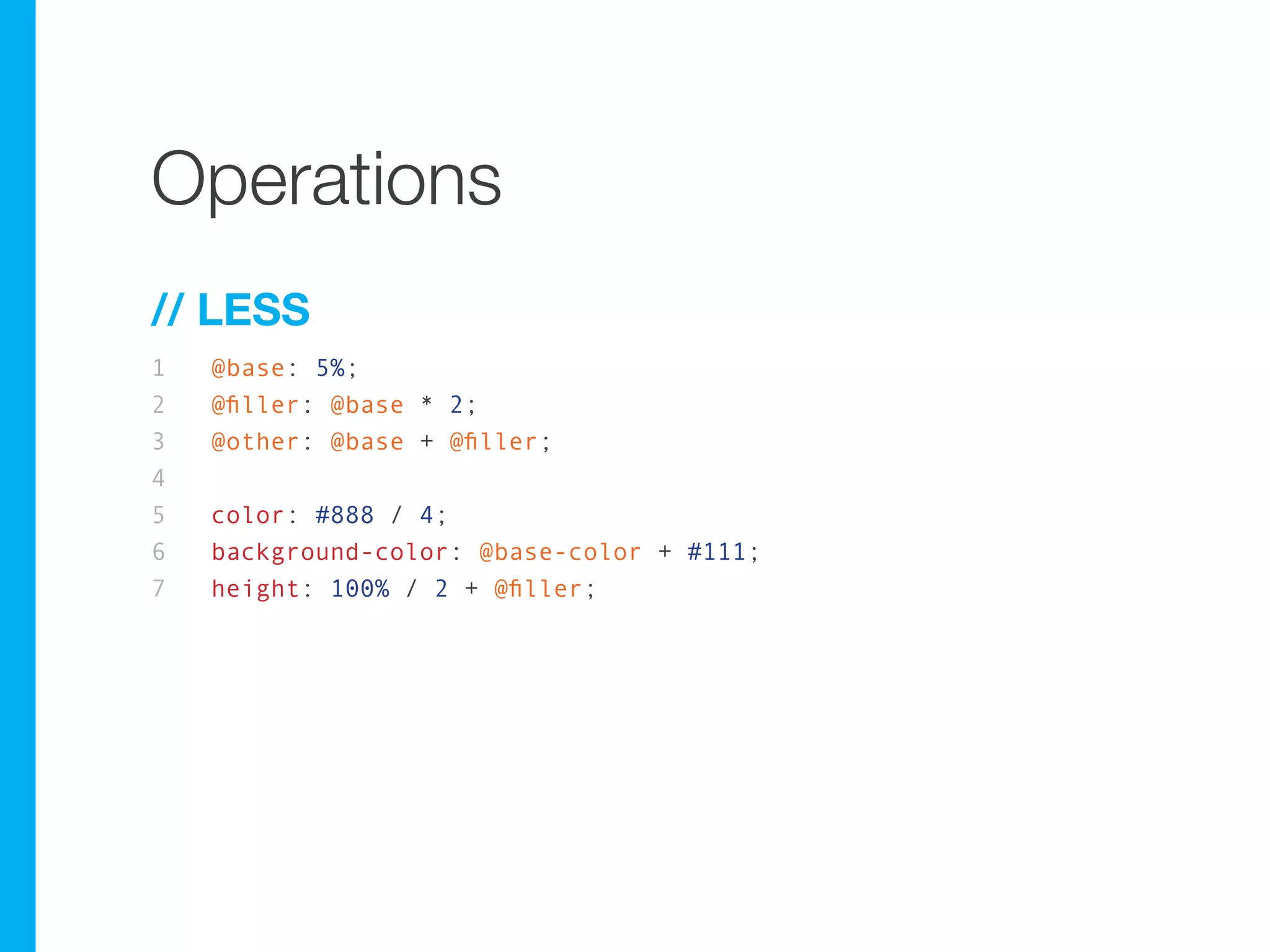
Operations
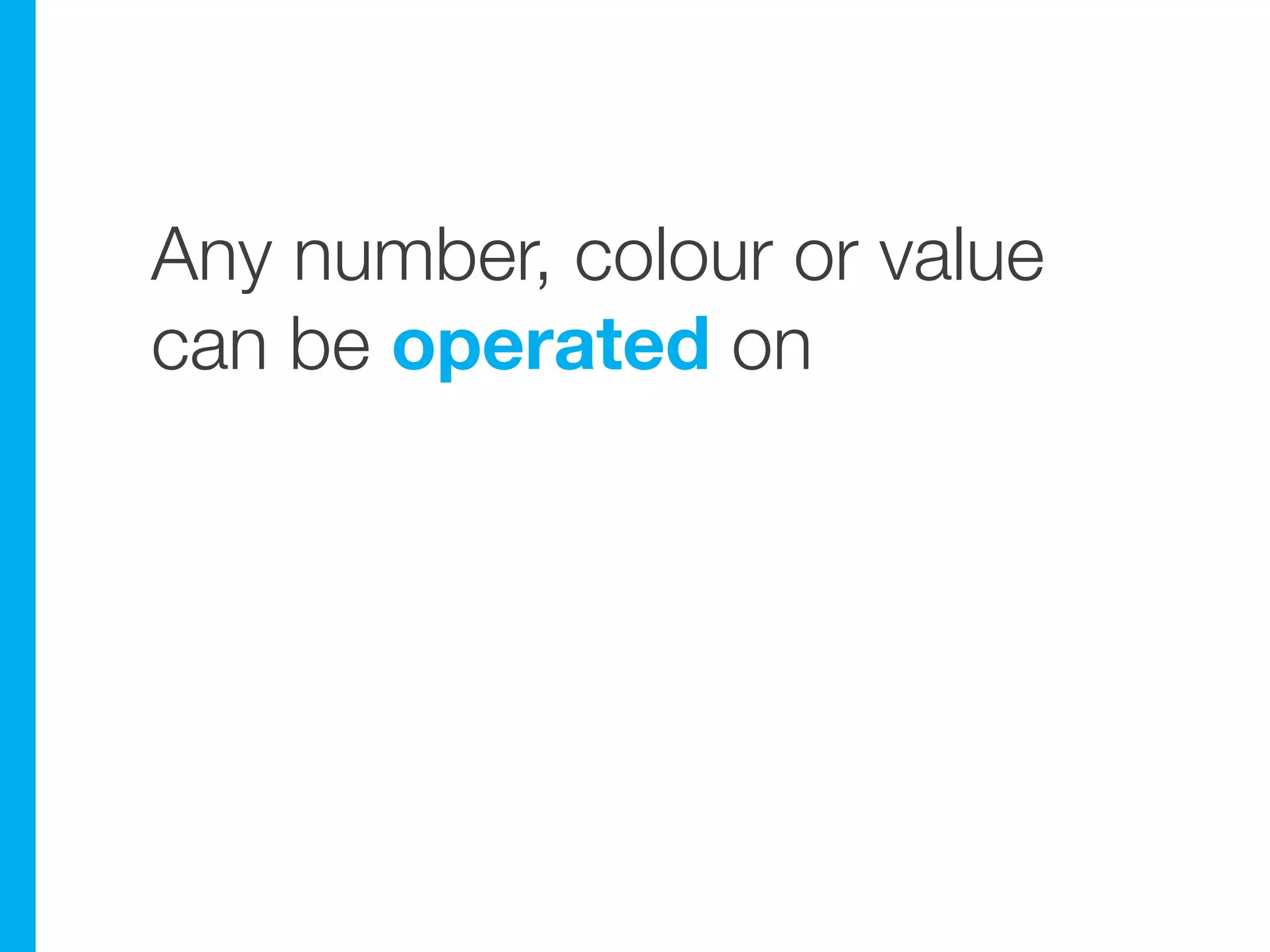
Any number, colour or value
can be operated on
Operations
// LESS
1   @base: 5%;
2   @filler: @base * 2;
3   @other: @base + @filler;
4
5   color: #888 / 4;
6   background-color: @base-color + #111;
7   height: 100% / 2 + @filler;
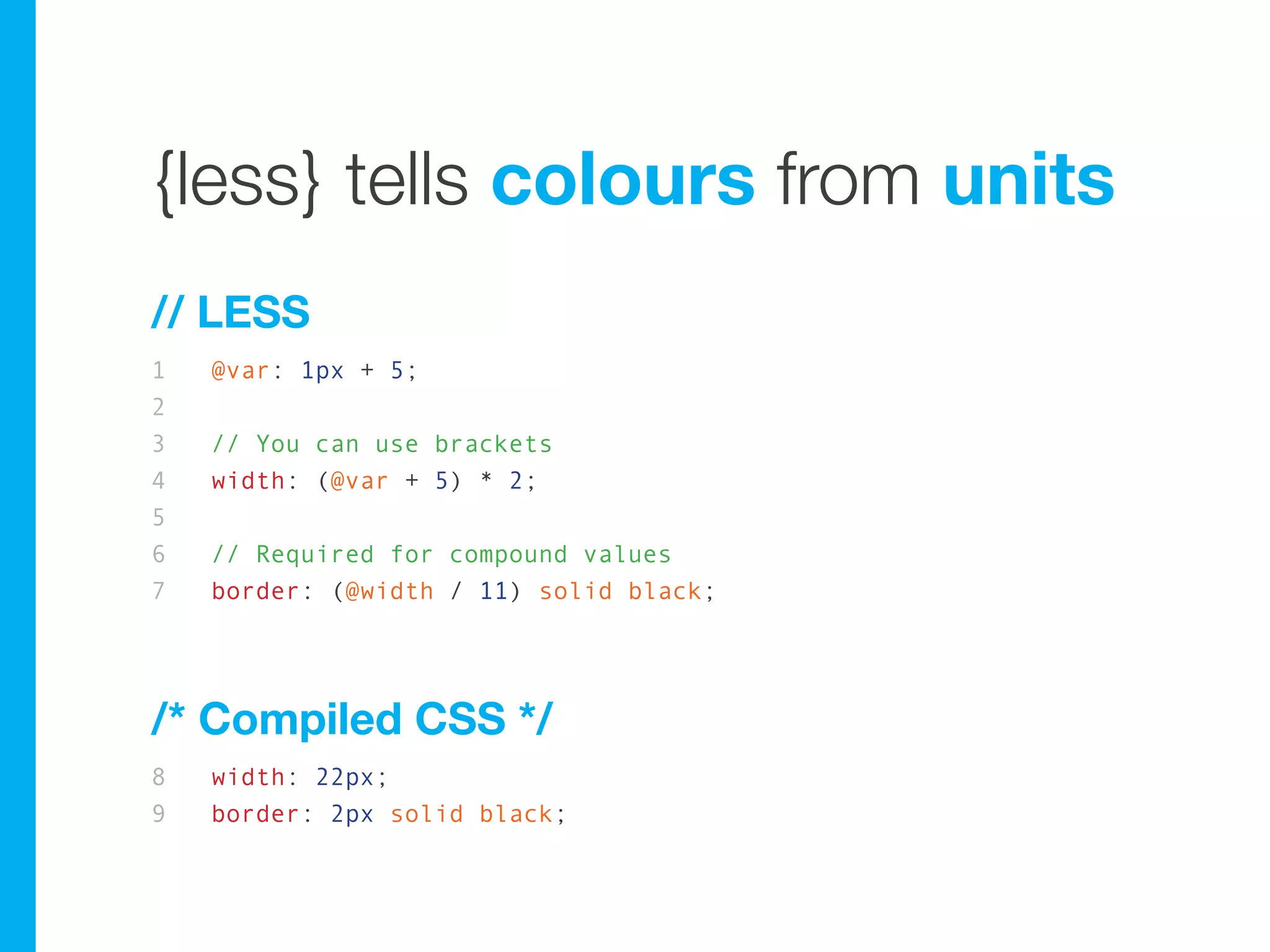
{less} tells colours from units
// LESS
1   @var: 1px + 5;
2
3   // You can use brackets
4   width: (@var + 5) * 2;
5
6   // Required for compound values
7   border: (@width / 11) solid black;


/* Compiled CSS */
8   width: 22px;
9   border: 2px solid black;
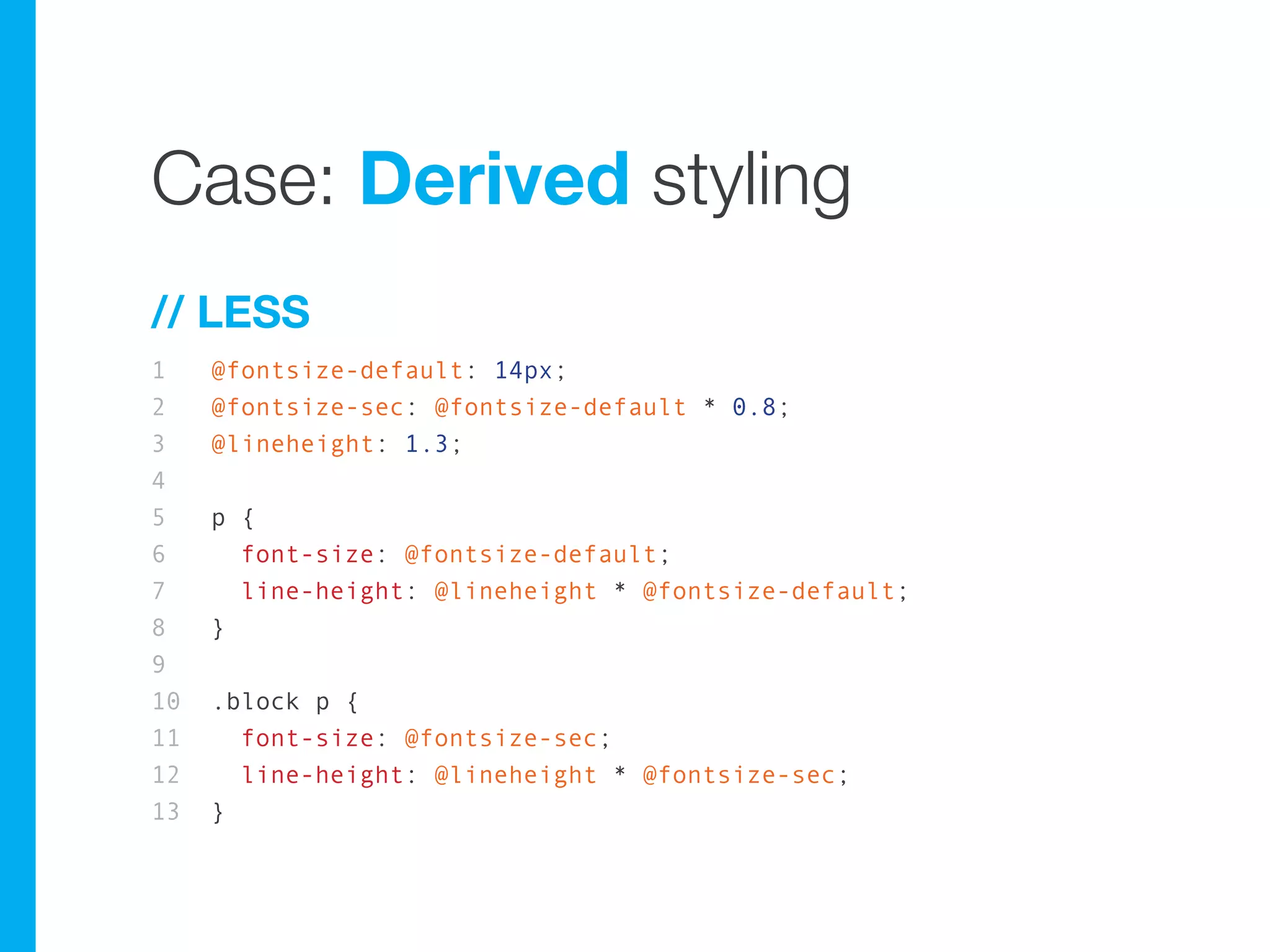
Case: Derived styling
// LESS
1    @fontsize-default: 14px;
2    @fontsize-sec: @fontsize-default * 0.8;
3    @lineheight: 1.3;
4
5    p {
6      font-size: @fontsize-default;
7      line-height: @lineheight * @fontsize-default;
8    }
9
10   .block p {
11     font-size: @fontsize-sec;
12     line-height: @lineheight * @fontsize-sec;
13   }
Colour operations
Colour operations
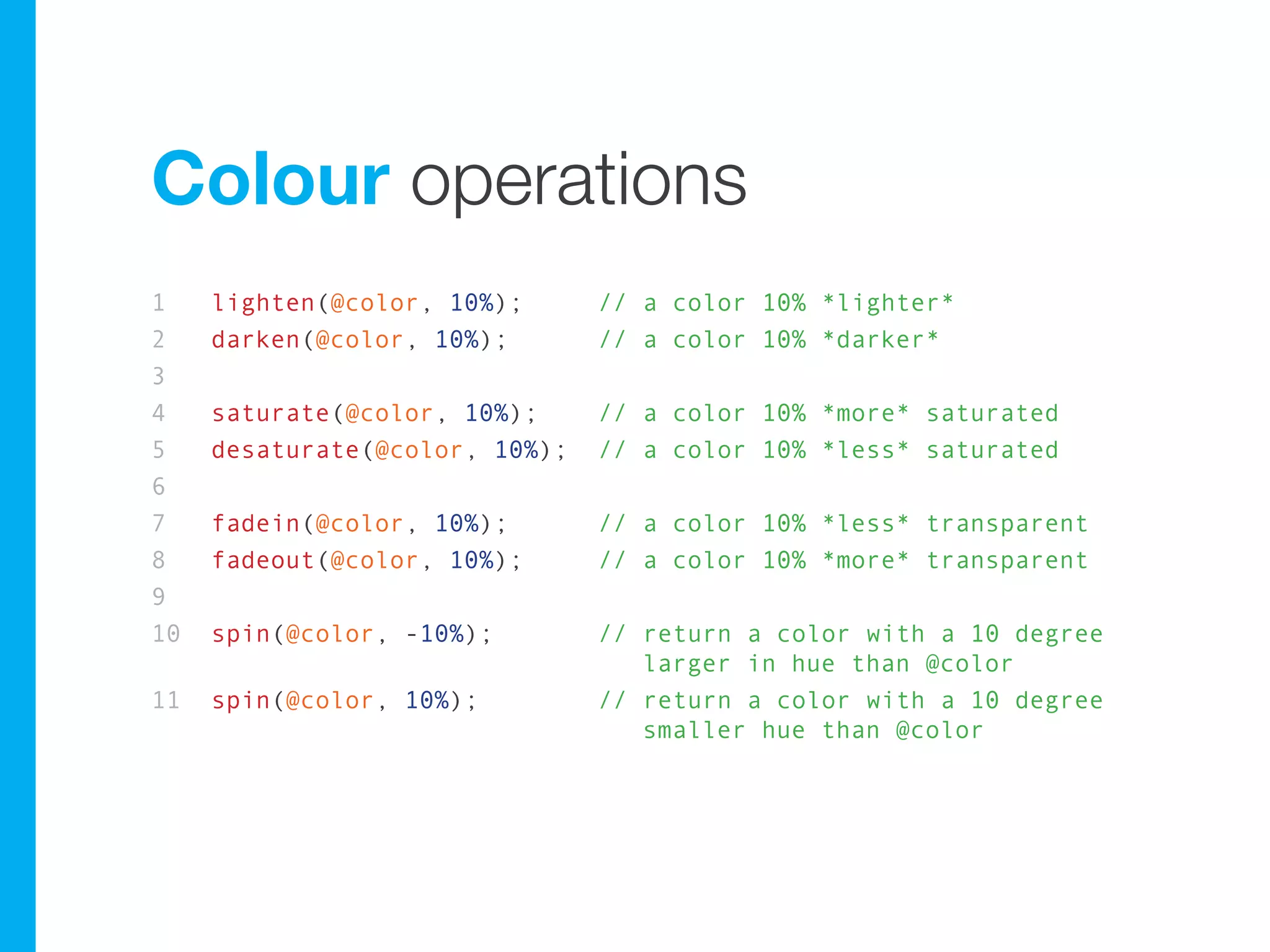
1    lighten(@color, 10%);      // a color 10% *lighter*
2    darken(@color, 10%);       // a color 10% *darker*
3
4    saturate(@color, 10%);     // a color 10% *more* saturated
5    desaturate(@color, 10%);   // a color 10% *less* saturated
6
7    fadein(@color, 10%);       // a color 10% *less* transparent
8    fadeout(@color, 10%);      // a color 10% *more* transparent
9
10   spin(@color, -10%);        // return a color with a 10 degree
                                   larger in hue than @color
11   spin(@color, 10%);         // return a color with a 10 degree
                                   smaller hue than @color
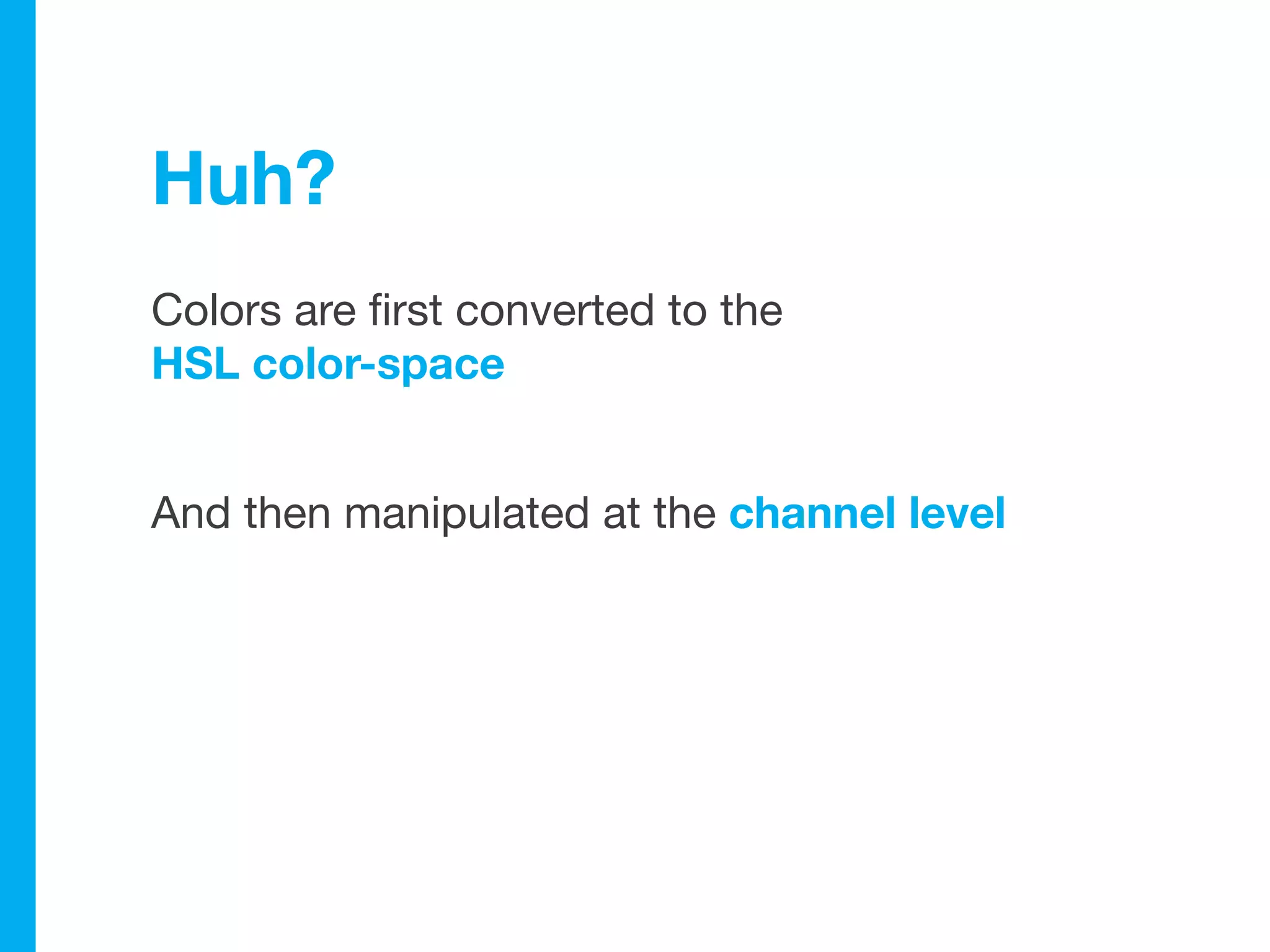
Huh?
Colors are first converted to the
HSL color-space


And then manipulated at the channel level
Nested rules
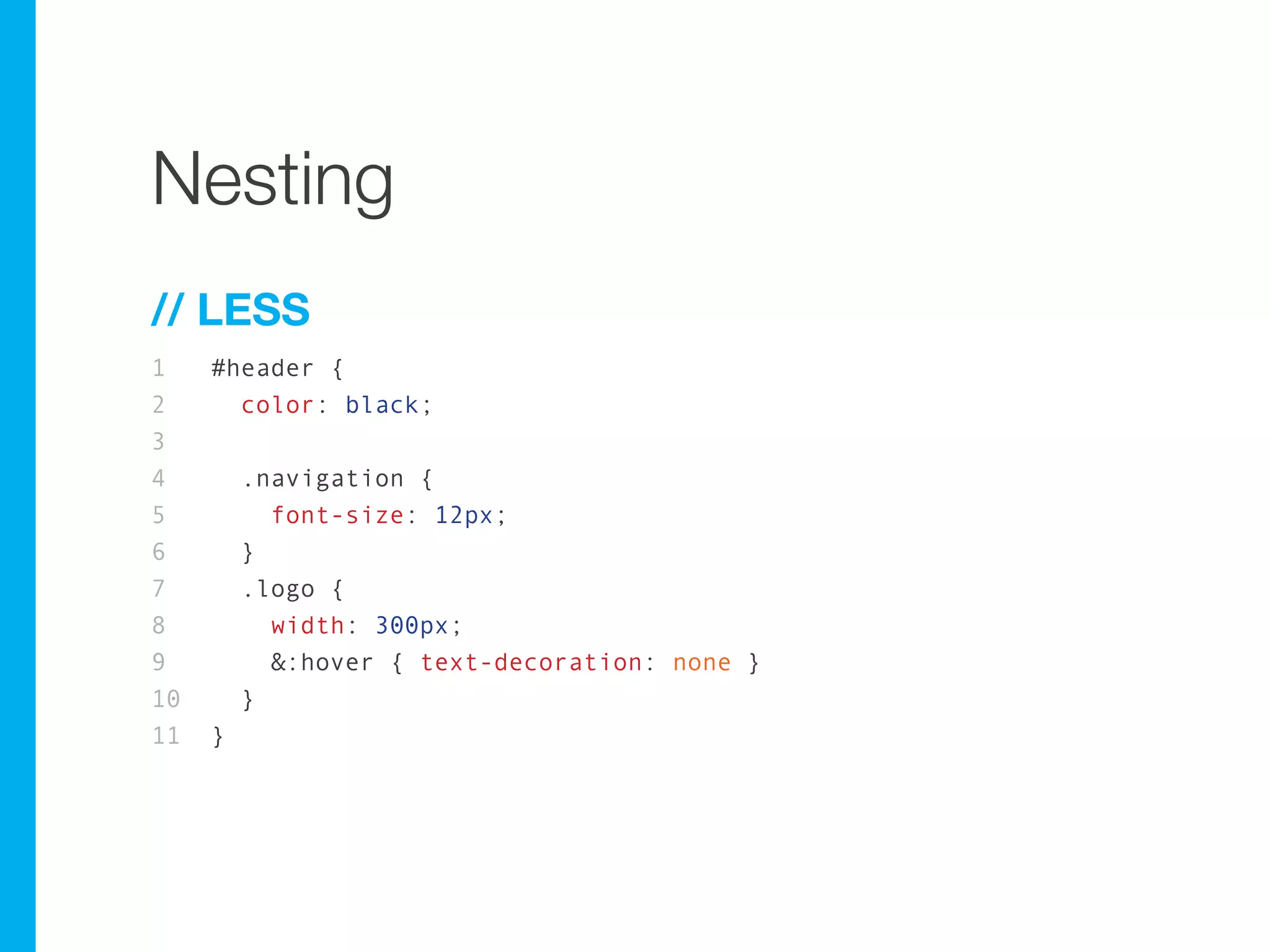
Nesting
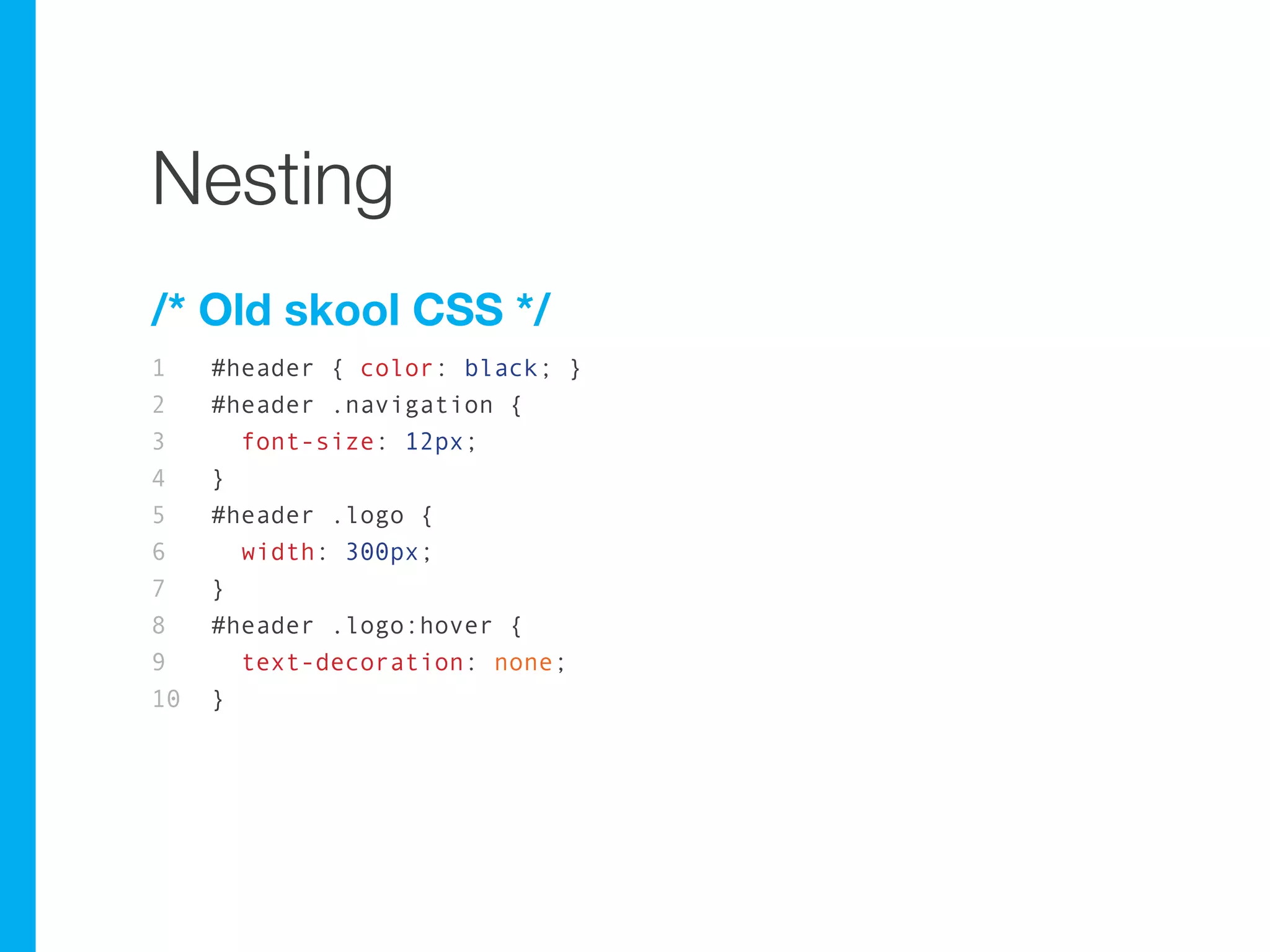
/* Old skool CSS */
1    #header { color: black; }
2    #header .navigation {
3      font-size: 12px;
4    }
5    #header .logo {
6      width: 300px;
7    }
8    #header .logo:hover {
9      text-decoration: none;
10   }
Nesting
// LESS
1    #header {
2      color: black;
3
4        .navigation {
5          font-size: 12px;
6        }
7        .logo {
8          width: 300px;
9          &:hover { text-decoration: none }
10       }
11   }
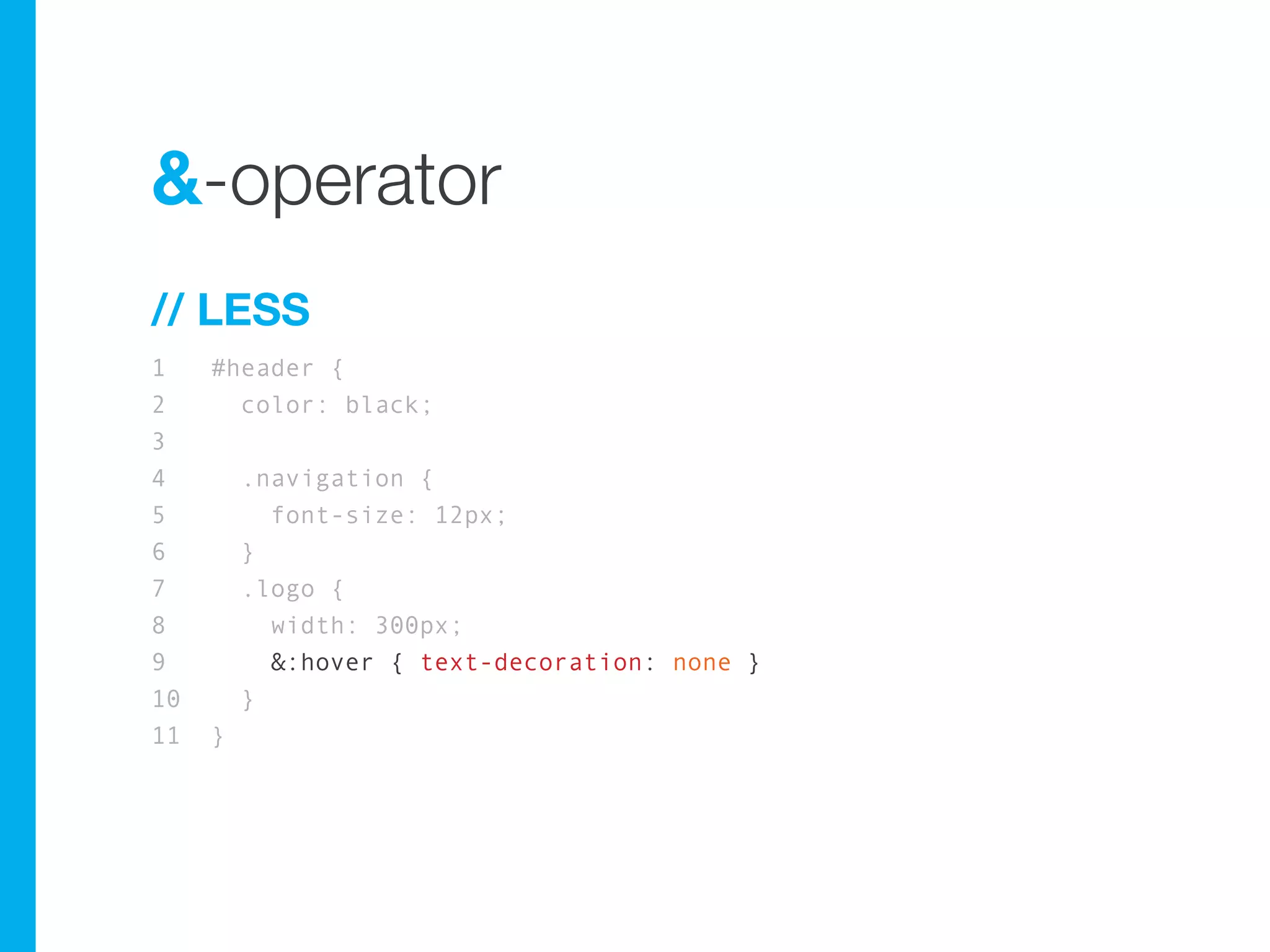
&-operator
// LESS
1    #header {
2      color: black;
3
4        .navigation {
5          font-size: 12px;
6        }
7        .logo {
8          width: 300px;
9          &:hover { text-decoration: none }
10       }
11   }
{less} and Drupal™
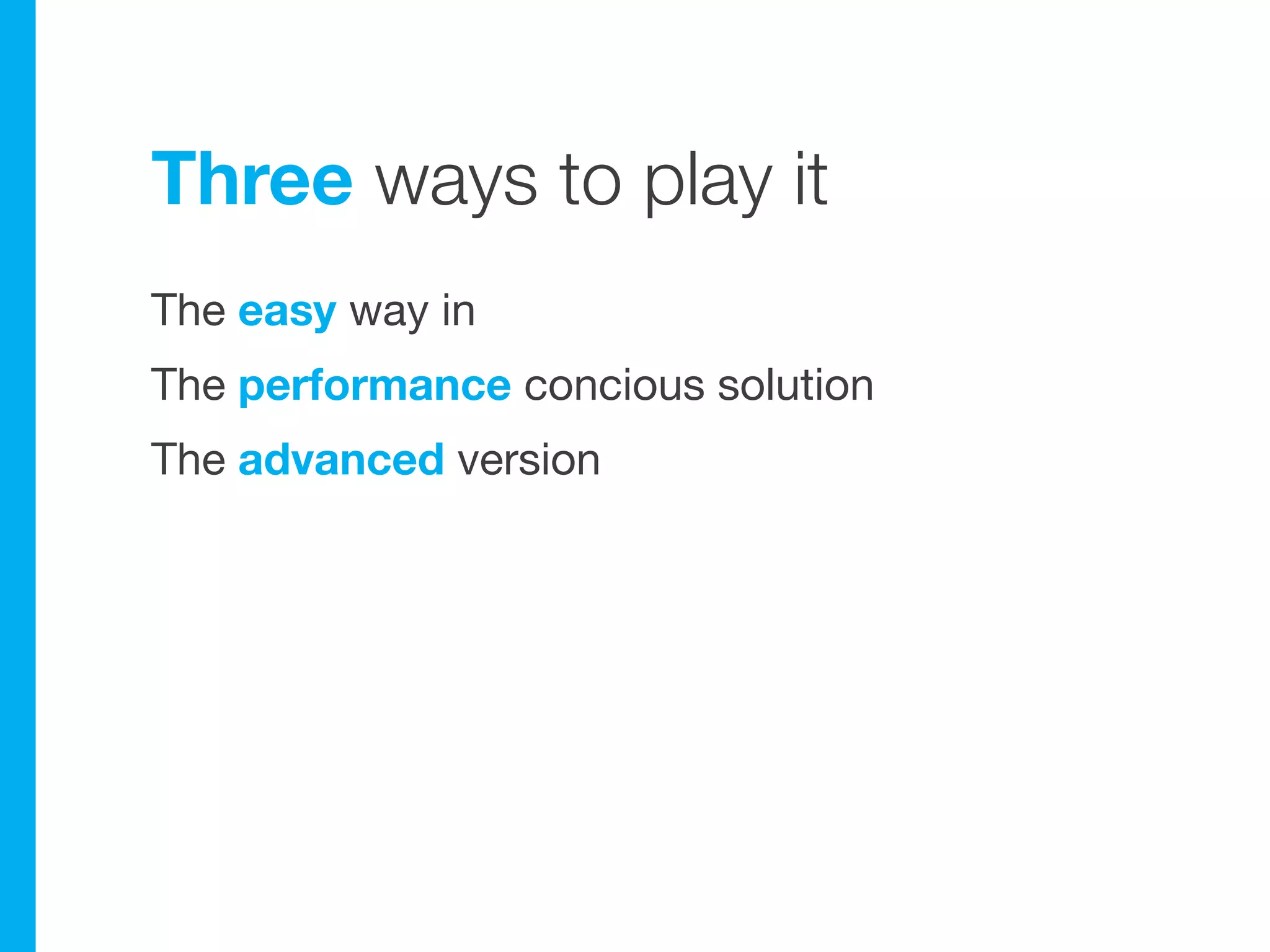
Three ways to play it
The easy way in
The performance concious solution
The advanced version
The easy way in
LESS module
Automatically compiles .less files in the theme to
plain css
LESS module
Automatically compiles .less files in the theme to
plain css

Development mode
LESS module
Automatically compiles .less files in the theme to
plain css

Development mode

mylesstheme.info:
1   ;----- Stylesheets ----------------------------
2   stylesheets[screen][] = styles/mylesstheme.styles.less
3   stylesheets[screen][] = styles/mylesstheme.typography.less
4
5   ;----- IE specific stylesheets ---------------
6   ie stylesheets[if IE 7][all][] = styles/mylesstheme.ie7.less
Performance concious?
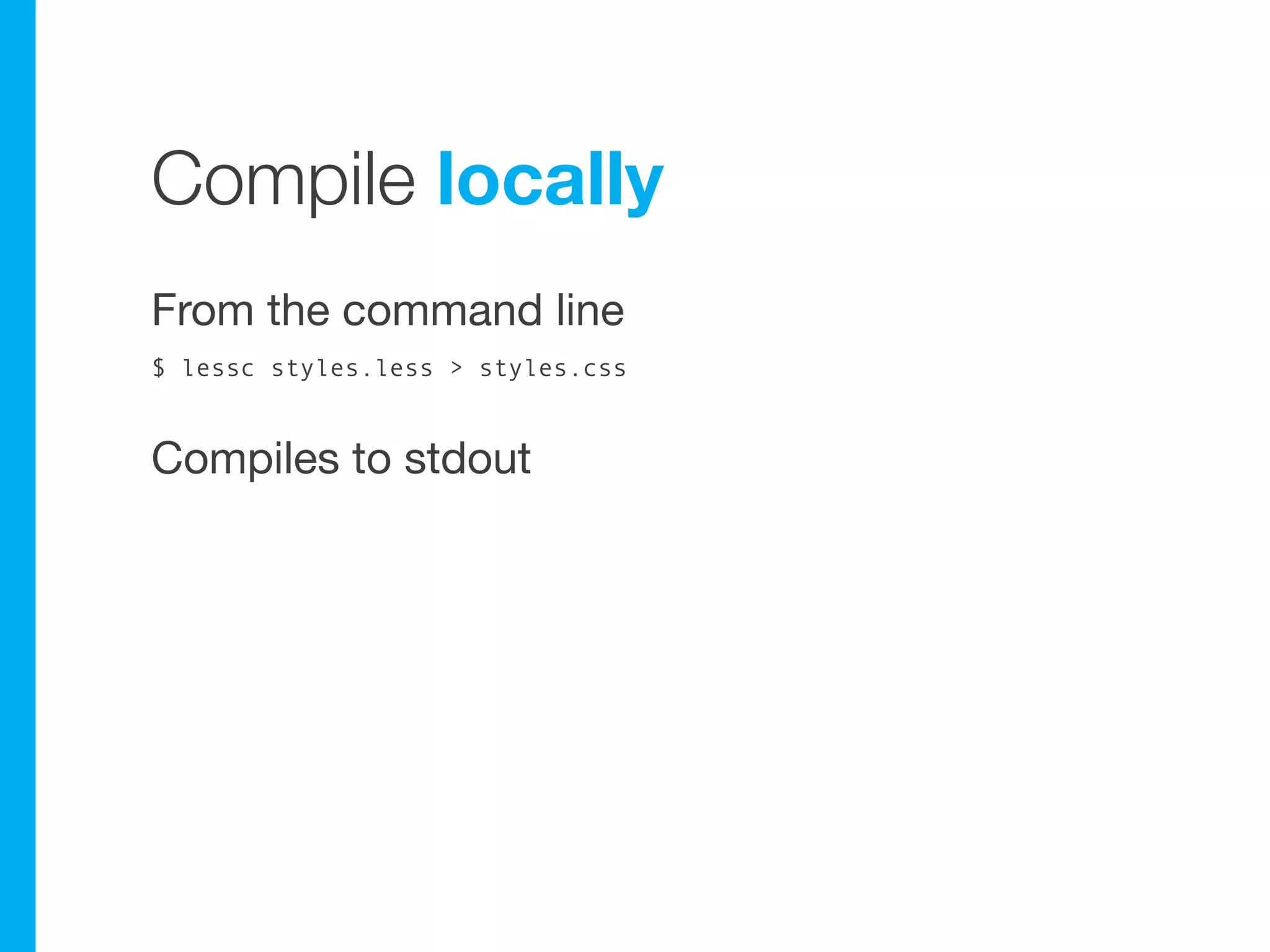
Compile locally
From the command line
$ lessc styles.less > styles.css


Compiles to stdout
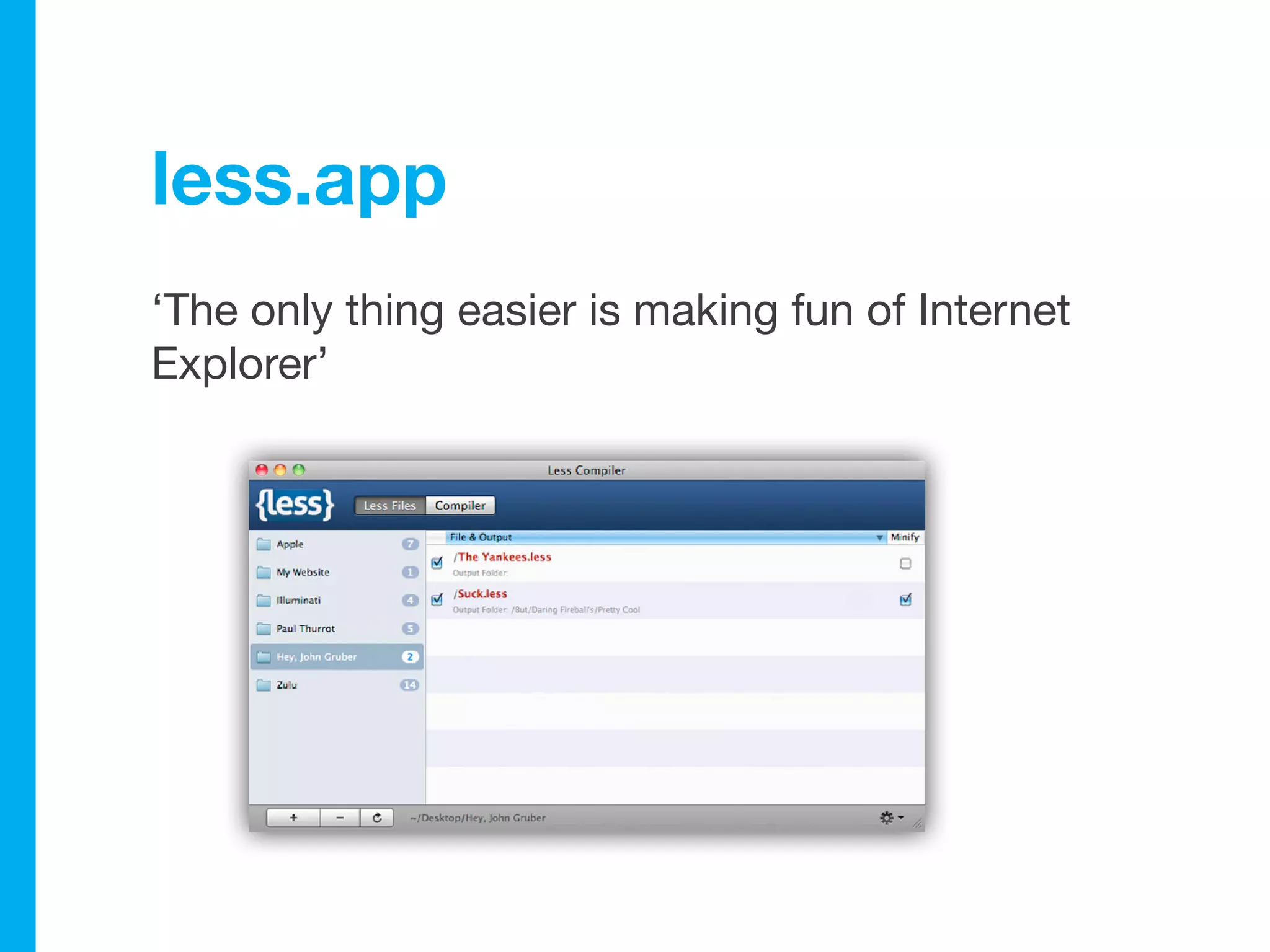
less.app
‘The only thing easier is making fun of Internet
Explorer’
I’m {more} advanced
Compile clientside with
less.js
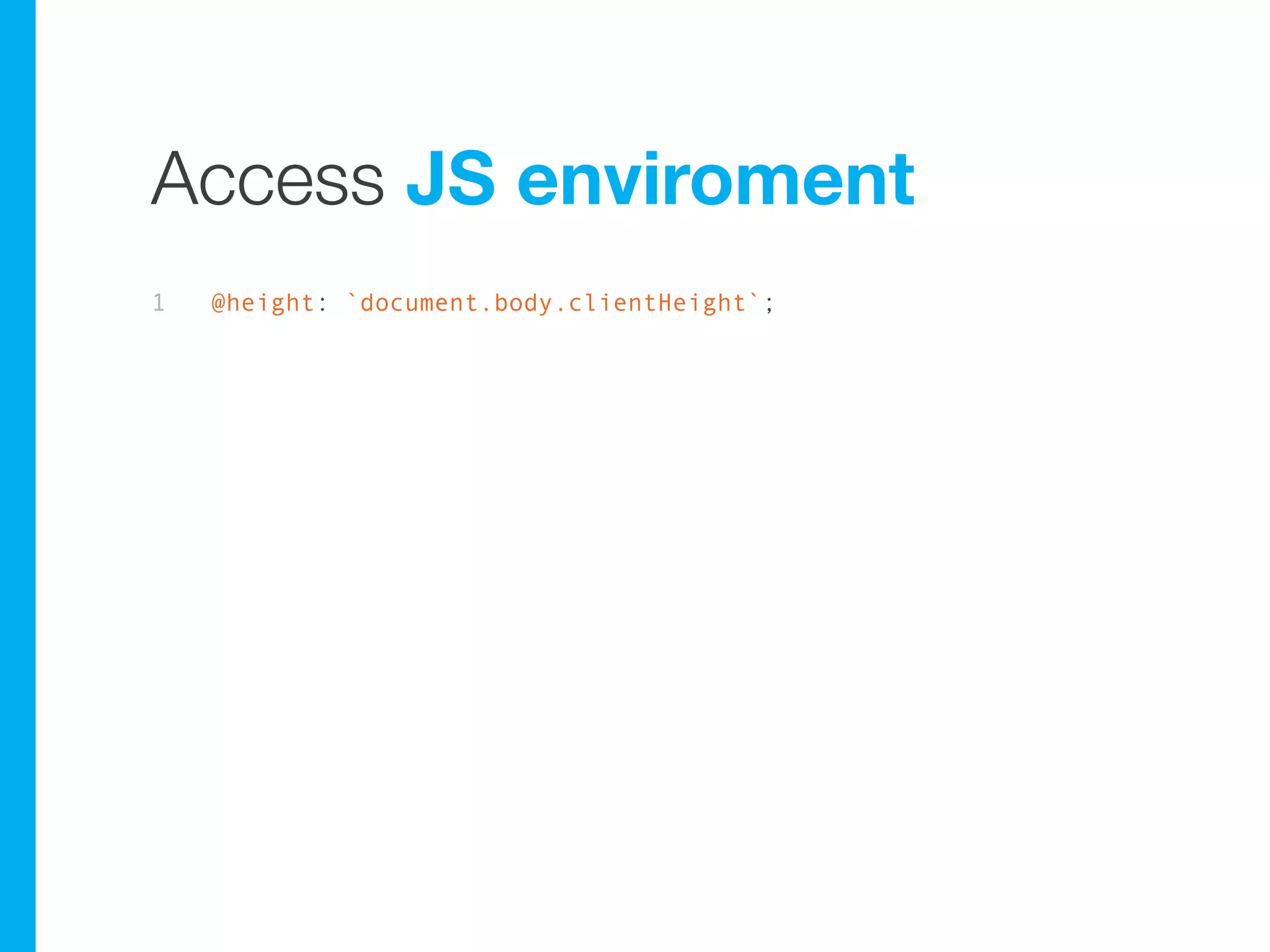
Access JS enviroment
1   @height: `document.body.clientHeight`;
Progressive enhancement
Build on top of css/less compiled serverside,
right?
Yummy extras
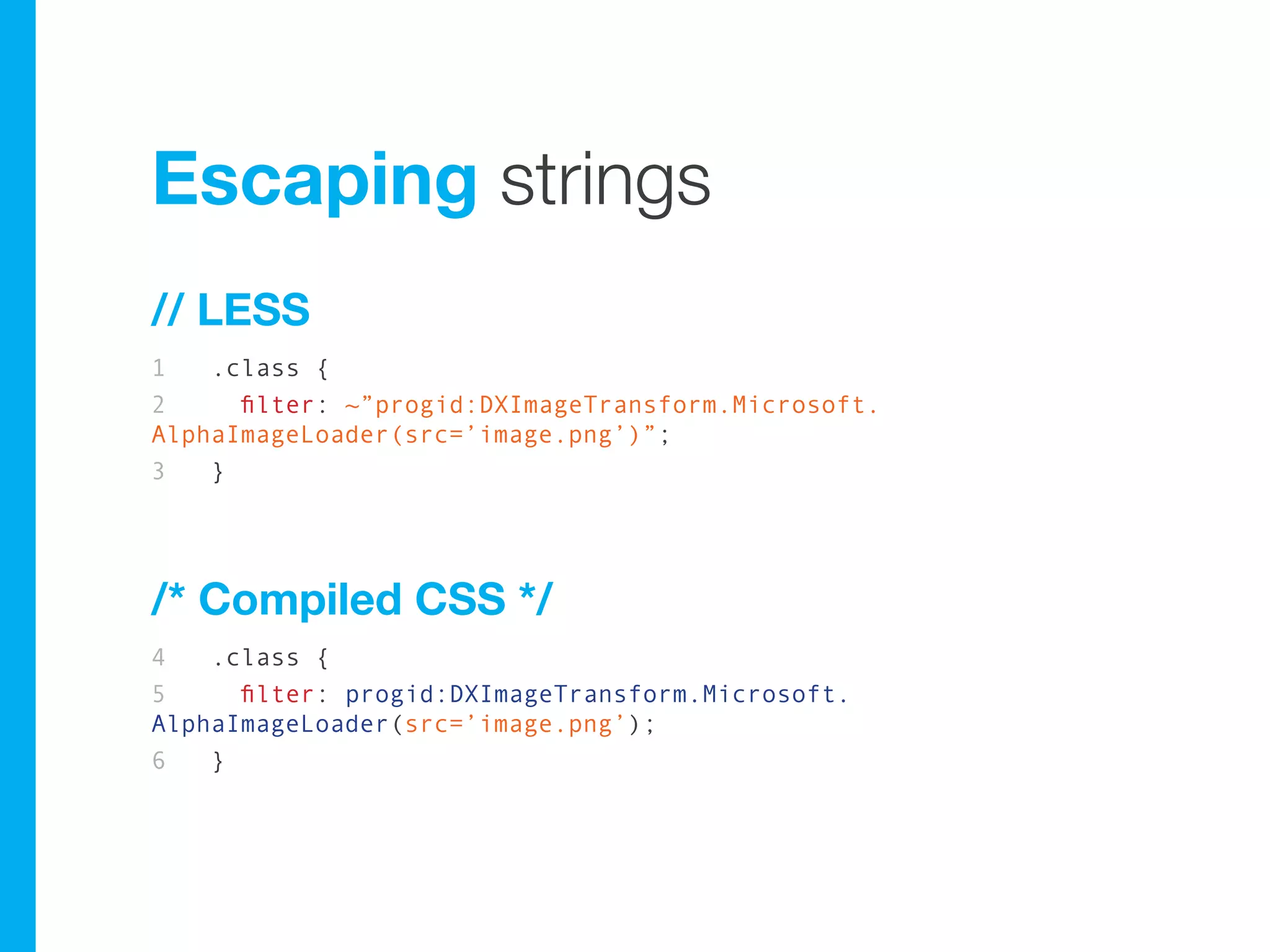
Escaping strings
// LESS
1   .class {
2     filter: ~”progid:DXImageTransform.Microsoft.
AlphaImageLoader(src=’image.png’)”;
3   }


/* Compiled CSS */
4   .class {
5     filter: progid:DXImageTransform.Microsoft.
AlphaImageLoader(src=’image.png’);
6   }
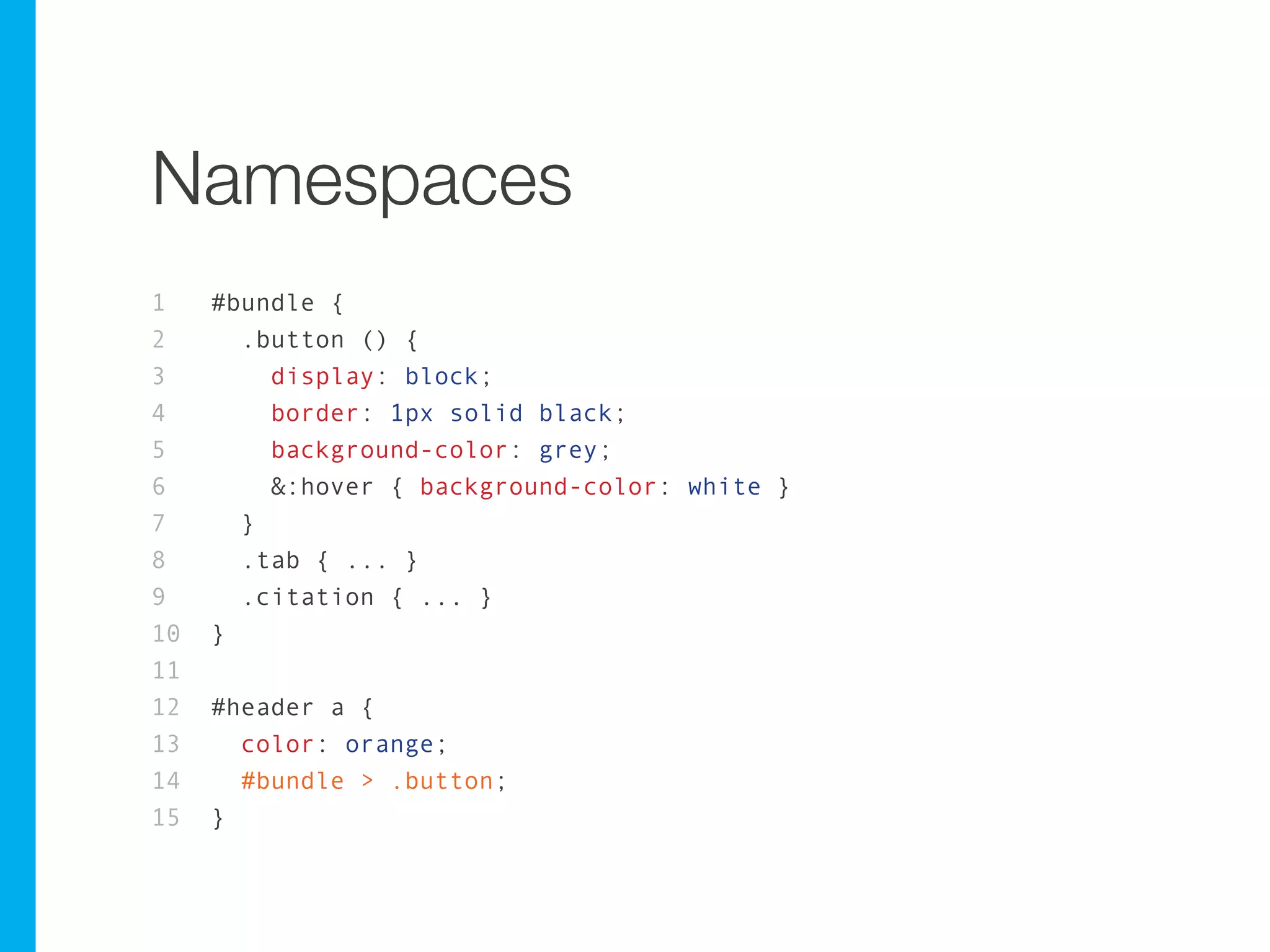
Namespaces
1    #bundle {
2      .button () {
3        display: block;
4        border: 1px solid black;
5        background-color: grey;
6        &:hover { background-color: white }
7      }
8      .tab { ... }
9      .citation { ... }
10   }
11
12   #header a {
13     color: orange;
14     #bundle > .button;
15   }
Namespaces
1    #bundle {
2      .button () {
3        display: block;
4        border: 1px solid black;
5        background-color: grey;
6        &:hover { background-color: white }
7      }
8      .tab { ... }
9      .citation { ... }
10   }
11
12   #header a {
13     color: orange;
14     #bundle > .button;
15   }
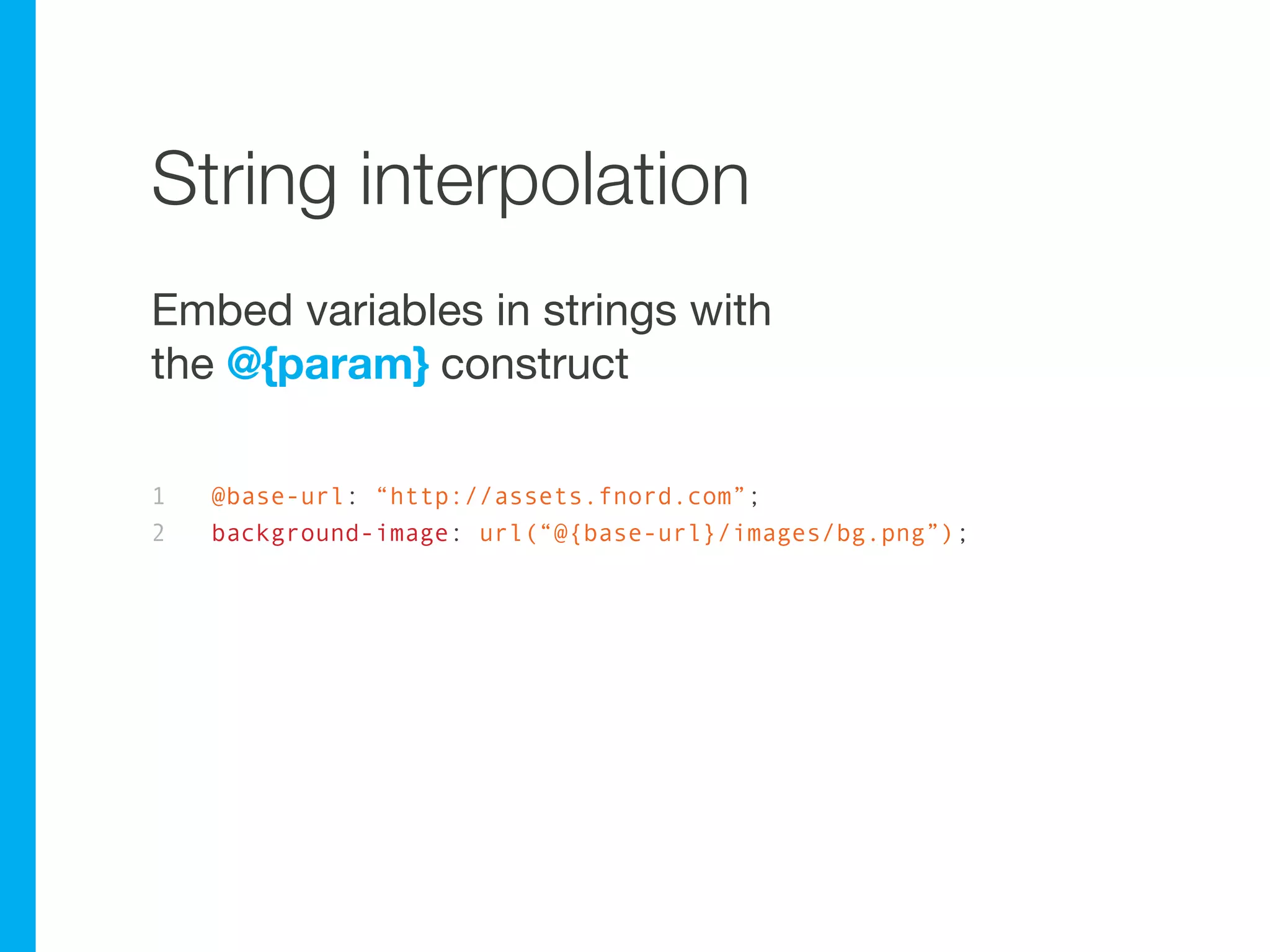
String interpolation
Embed variables in strings with
the @{param} construct

1   @base-url: “http://assets.fnord.com”;
2   background-image: url(“@{base-url}/images/bg.png”);
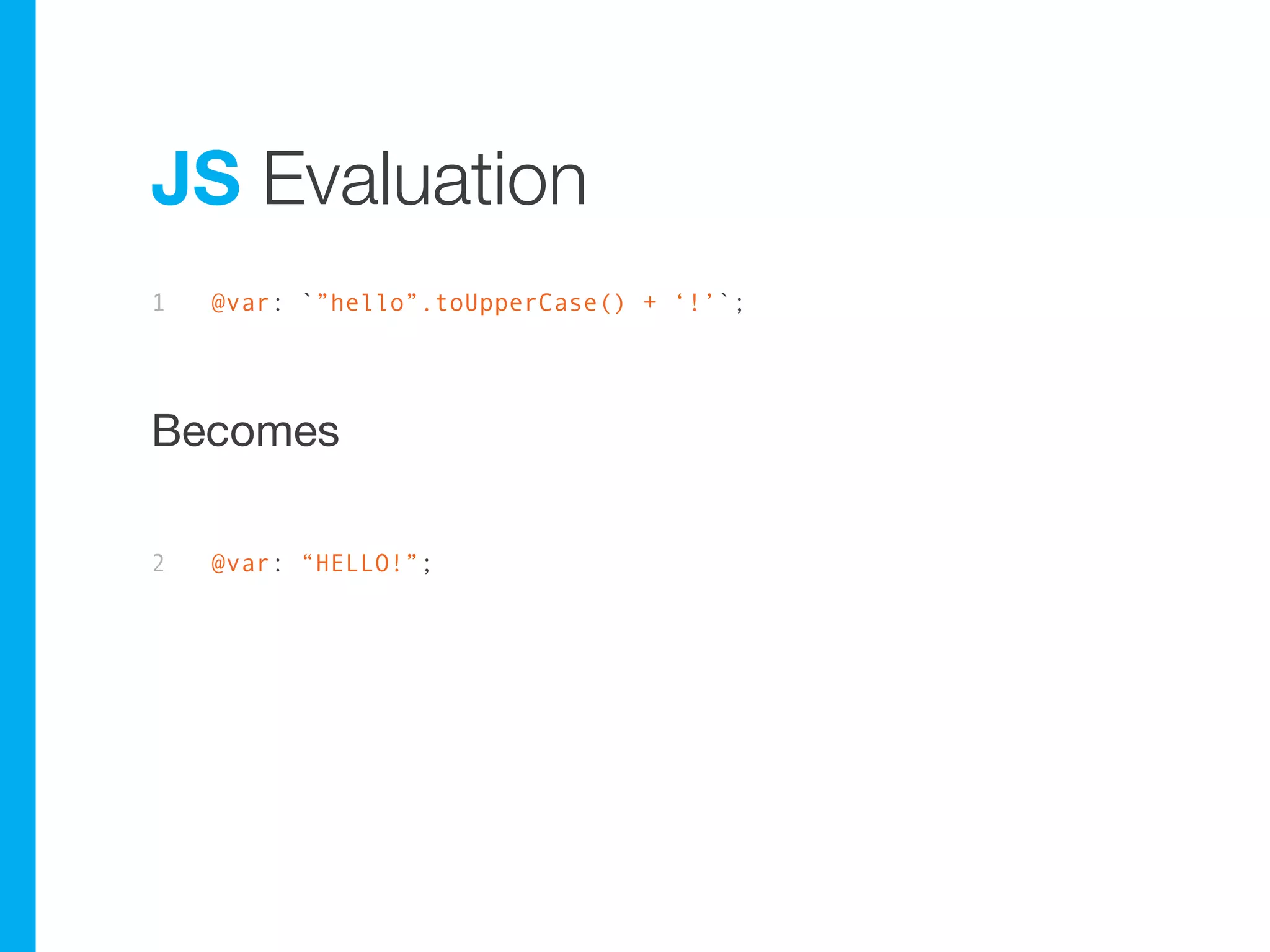
JS Evaluation
1   @var: `”hello”.toUpperCase() + ‘!’`;


Becomes
2   @var: “HELLO!”;
Questions?
Thank you!
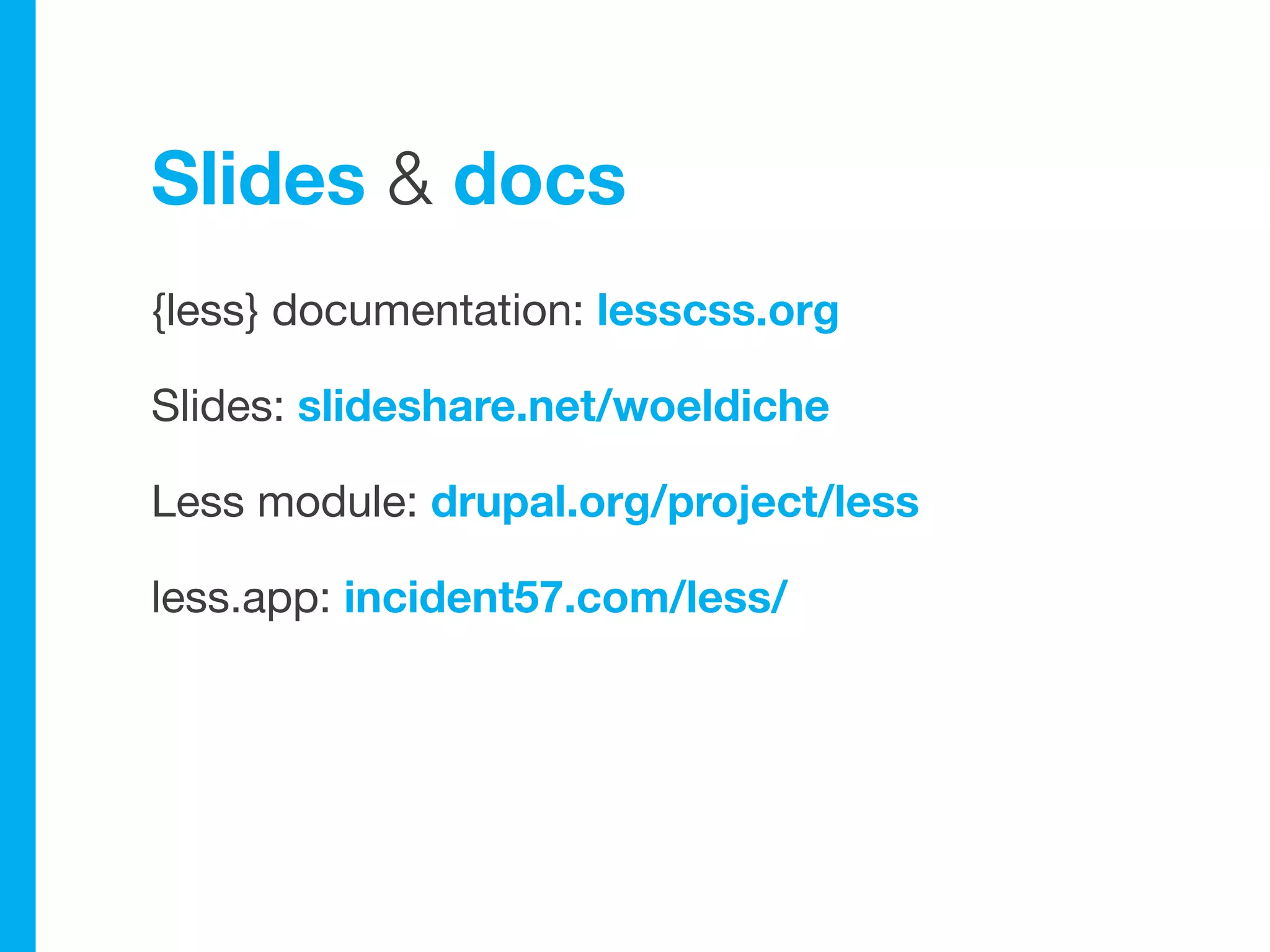
Slides & docs
{less} documentation: lesscss.org

Slides: slideshare.net/woeldiche

Less module: drupal.org/project/less

less.app: incident57.com/less/

Do more with {less}