






1ni.com
Real-world Techniques
in High-Speed Vision Inspection
Wed 4:45 – 5:45
Room 17b
2ni.com
Presenters
• Kenneth Brey – P.E.
• Technical Director,
DMC Inc.
• Eric West
• Project Engineer,
DMC Inc.
3ni.com
Agenda
1. DMC company overview
2. High Speed Vision - Definition
3. Customer Focus – W.H. Leary
4. Hardware Architectures
5. Camera triggering with FPGA
6. Parallelism
7. Rapid algorithm tips
8. Product Training
9. Q&A
Along the way:
• Case Studies
• Knowledge Nuggets
ni.com
Company Overview
5ni.com
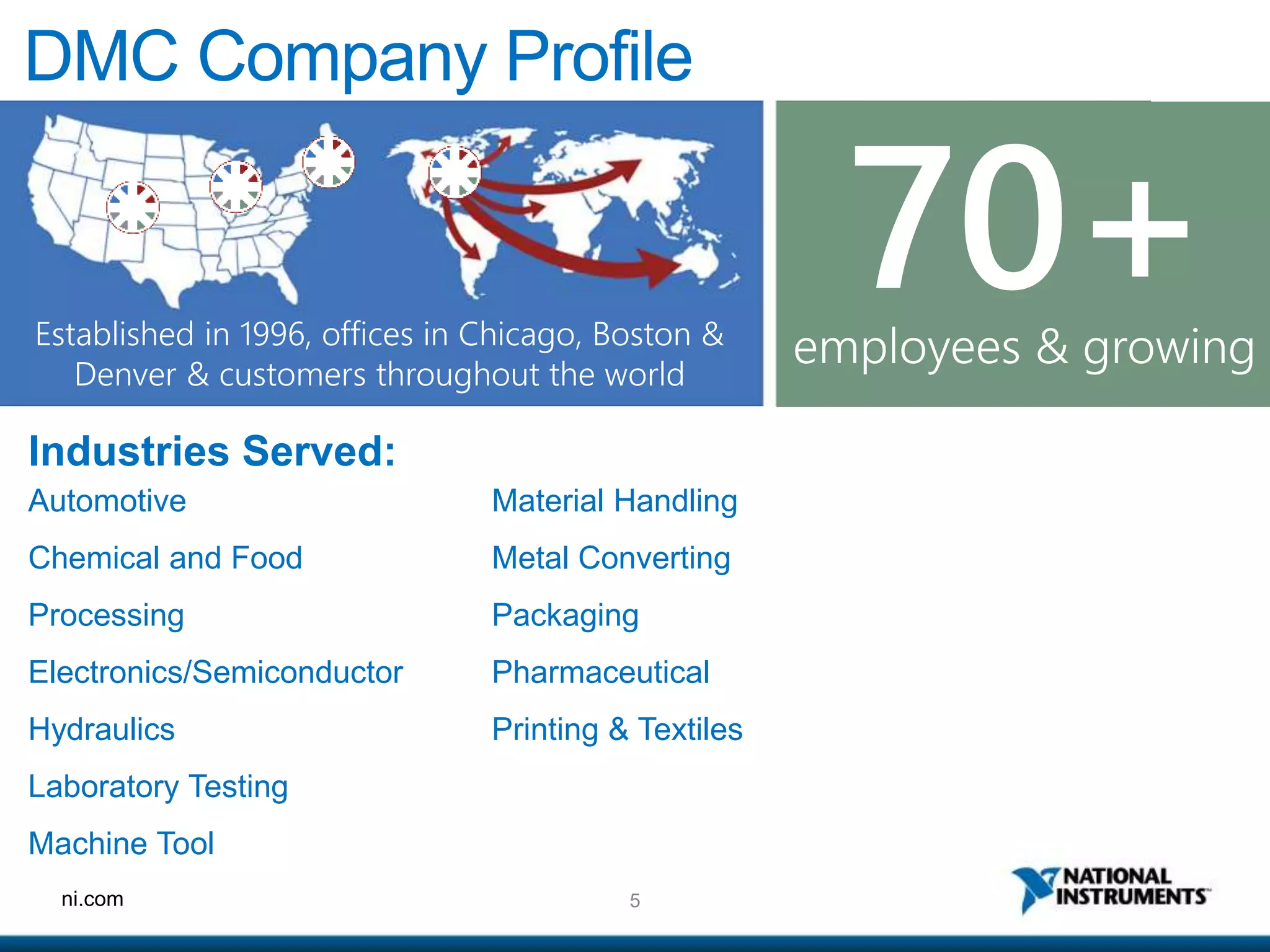
DMC Company Profile
Industries Served:
Automotive
Chemical and Food
Processing
Electronics/Semiconductor
Hydraulics
Laboratory Testing
Machine Tool
Material Handling
Metal Converting
Packaging
Pharmaceutical
Printing & Textiles
Established in 1996, offices in Chicago, Boston &
Denver & customers throughout the world
employees & growing
70+
6ni.com
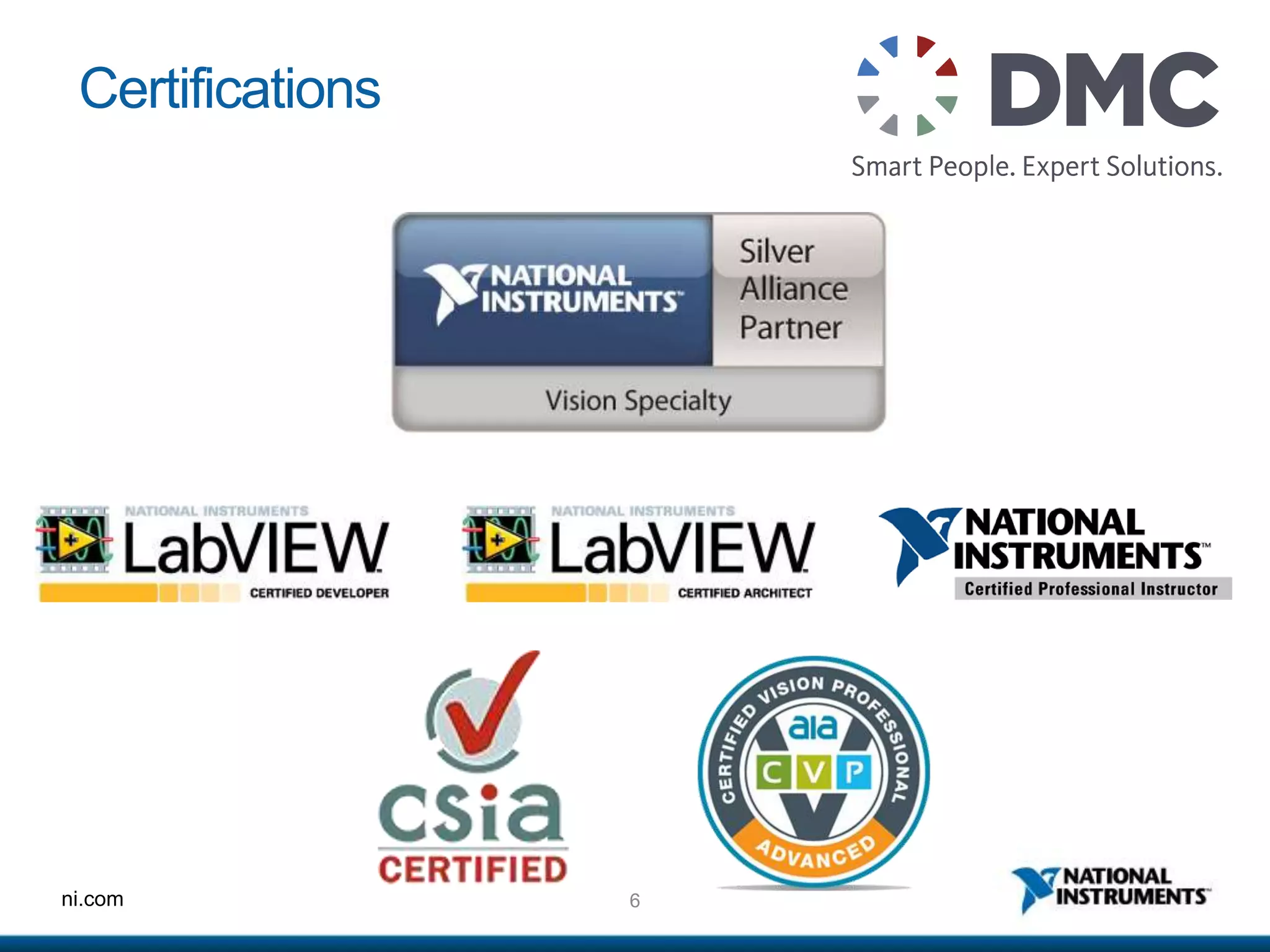
Certifications
ni.com
High Speed Machine Vision
Definition:
• Automatically processing many images per second and
acting on the result in real time.
Is different than High Speed Photography, which is about
acquiring many images per second.
ni.com
Customer Focus
Daniel McCarty
Sr. Software Development Mgr.
W. H. Leary Co., Inc.
Tinley Park, IL
9ni.com
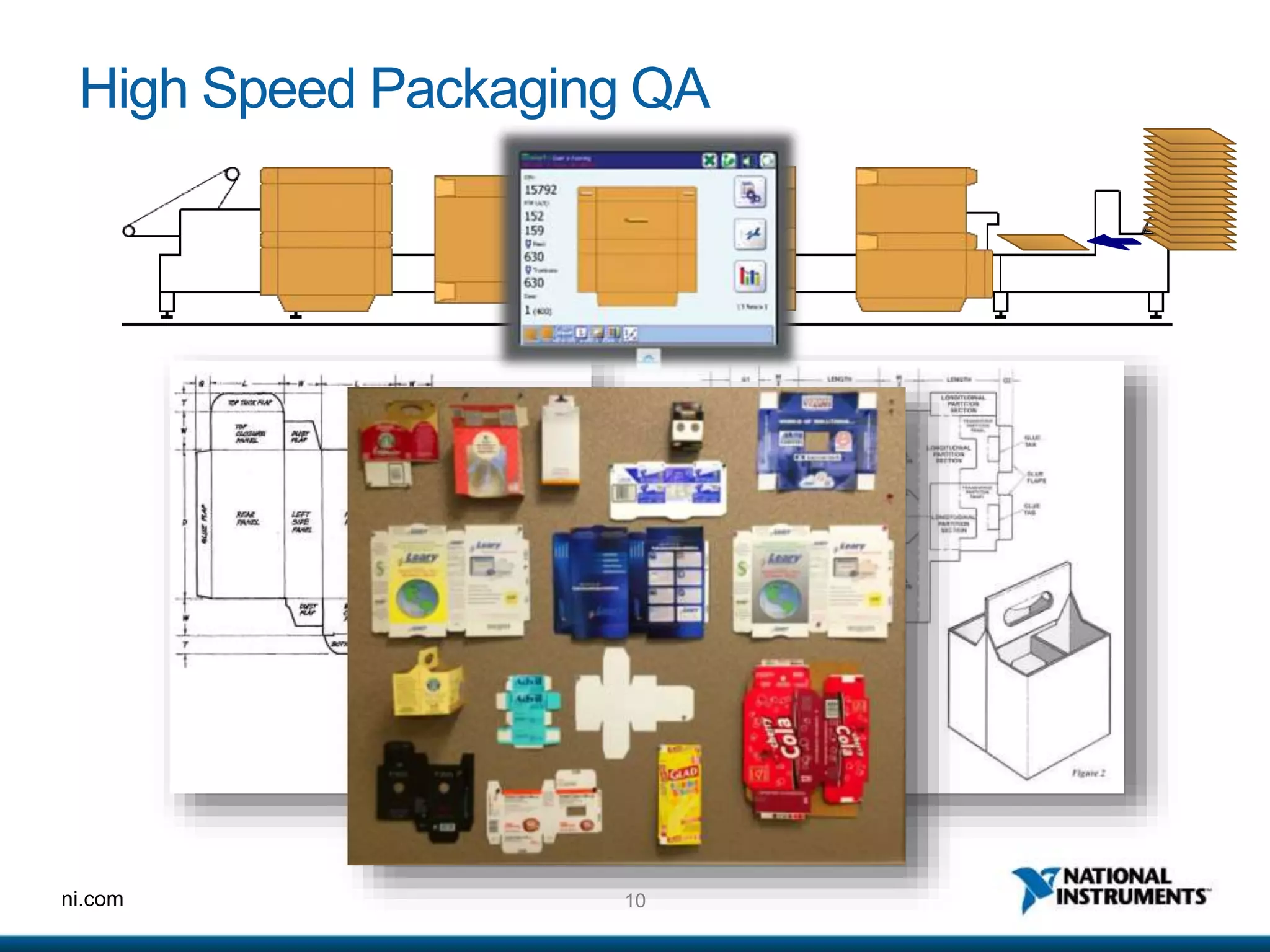
Customer Scenario – Global Consumer Packaging
Solutions
Challenges:
1. Factory lines running products over 200,000
pieces/hr
2. Microseconds to decide whether a product is
good
3. Self-monitoring, self-compensating systems
4. Track and reject bad product
10ni.com
High Speed Packaging QA
11ni.com
Process Video
12ni.com
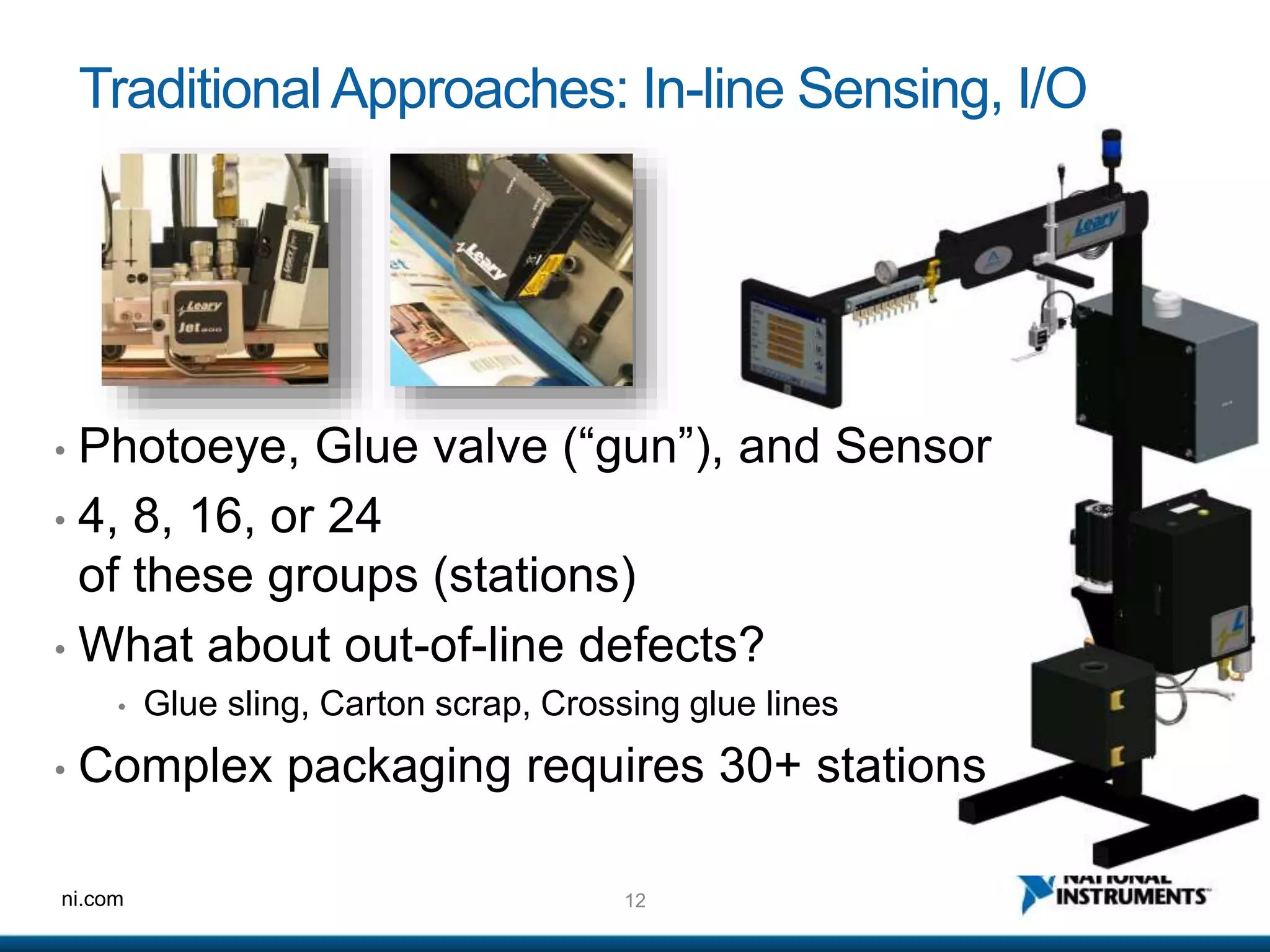
TraditionalApproaches: In-line Sensing, I/O
• Photoeye, Glue valve (“gun”), and Sensor
• 4, 8, 16, or 24
of these groups (stations)
• What about out-of-line defects?
• Glue sling, Carton scrap, Crossing glue lines
• Complex packaging requires 30+ stations
13ni.com
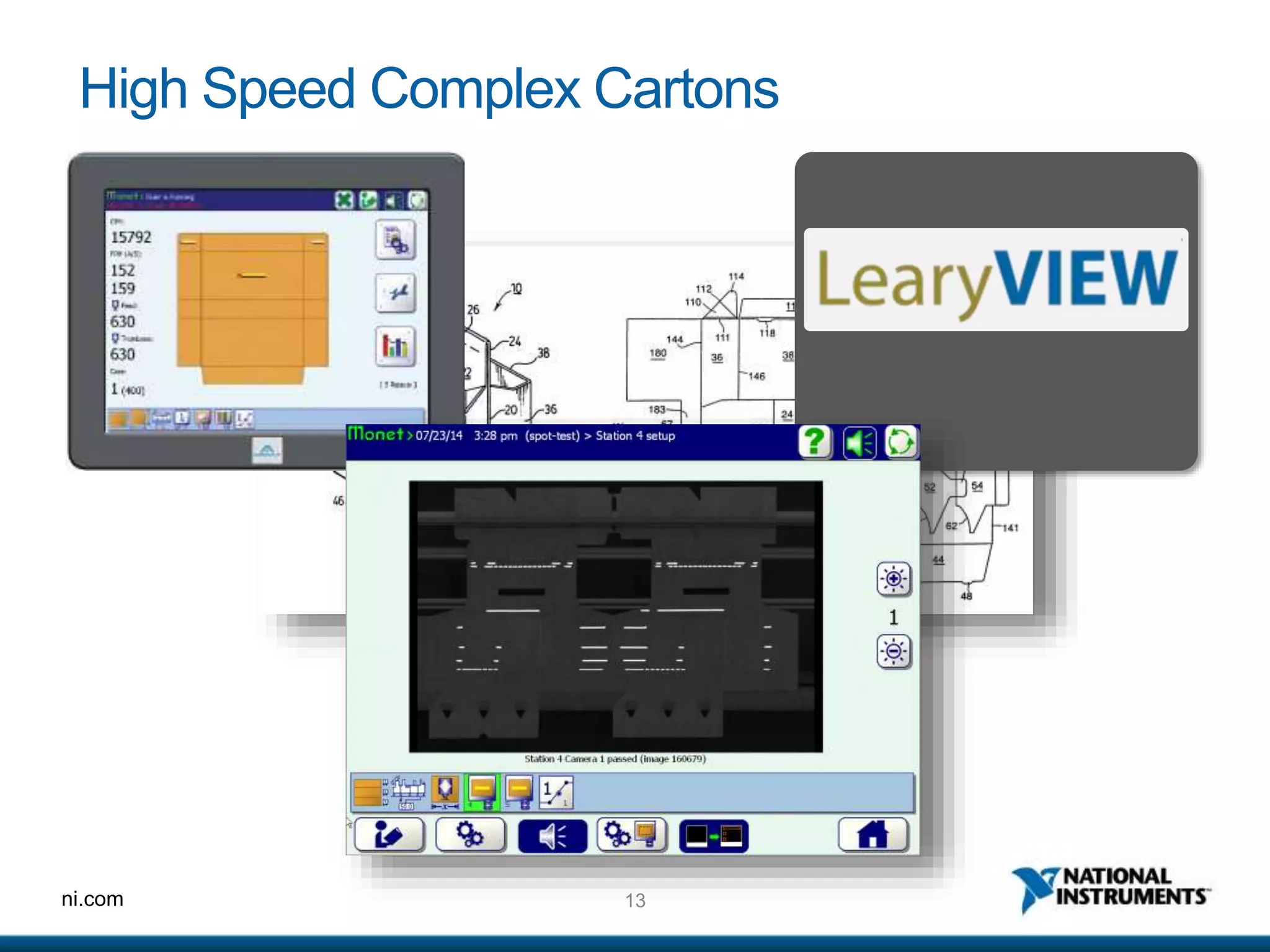
High Speed Complex Cartons
ni.com
Hardware Architectures
15ni.com
HardwareArchitectures - Overview
Compare:
1. Windows PC Based Solutions
2. Smart Cameras
3. LabVIEW RT Based Solutions
More info from NI at: http://www.ni.com/webcast/1063/en/
16ni.com
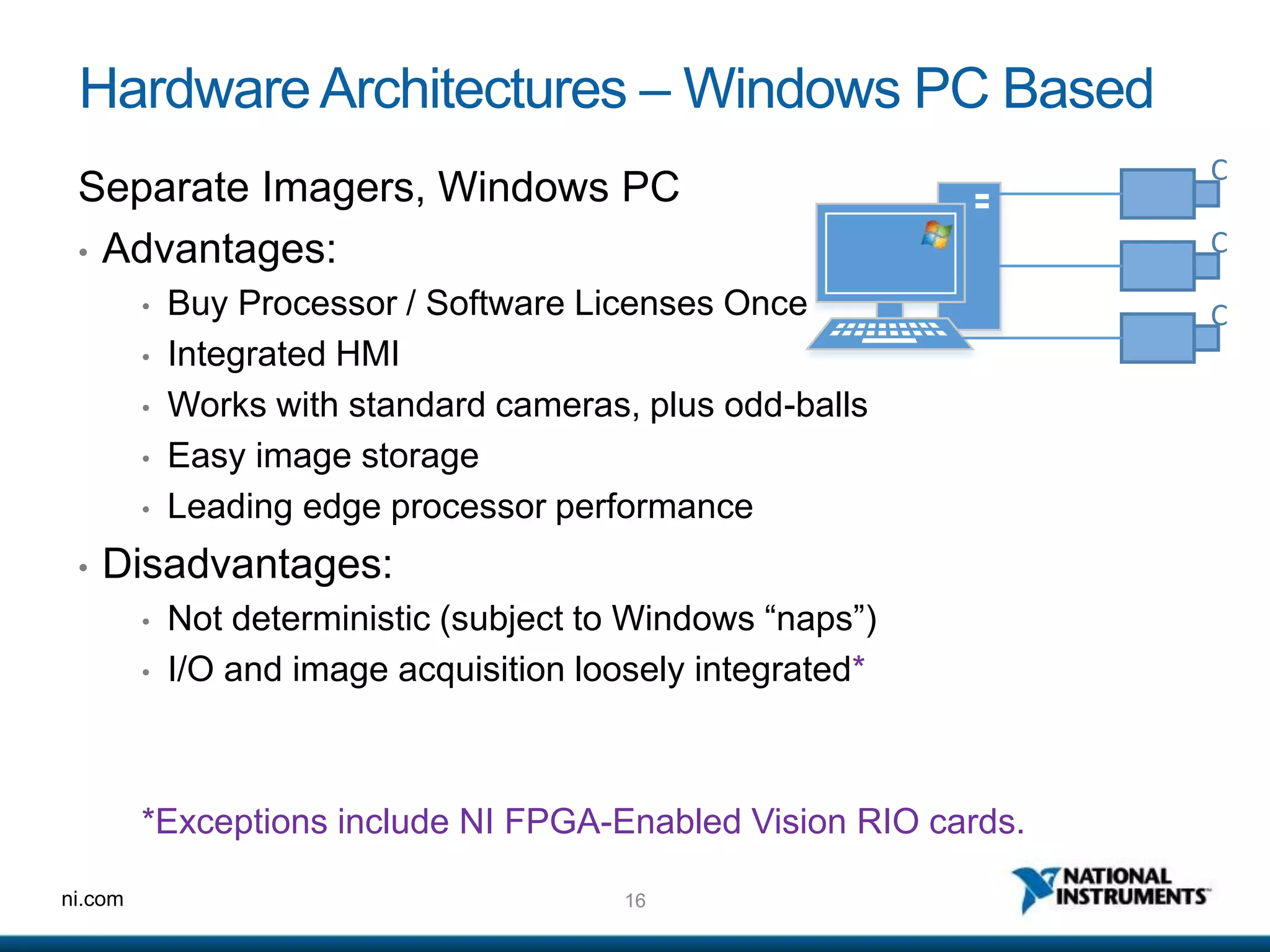
HardwareArchitectures – Windows PC Based
Separate Imagers, Windows PC
• Advantages:
• Buy Processor / Software Licenses Once
• Integrated HMI
• Works with standard cameras, plus odd-balls
• Easy image storage
• Leading edge processor performance
• Disadvantages:
• Not deterministic (subject to Windows “naps”)
• I/O and image acquisition loosely integrated*
*Exceptions include NI FPGA-Enabled Vision RIO cards.
C
C
C
17ni.com
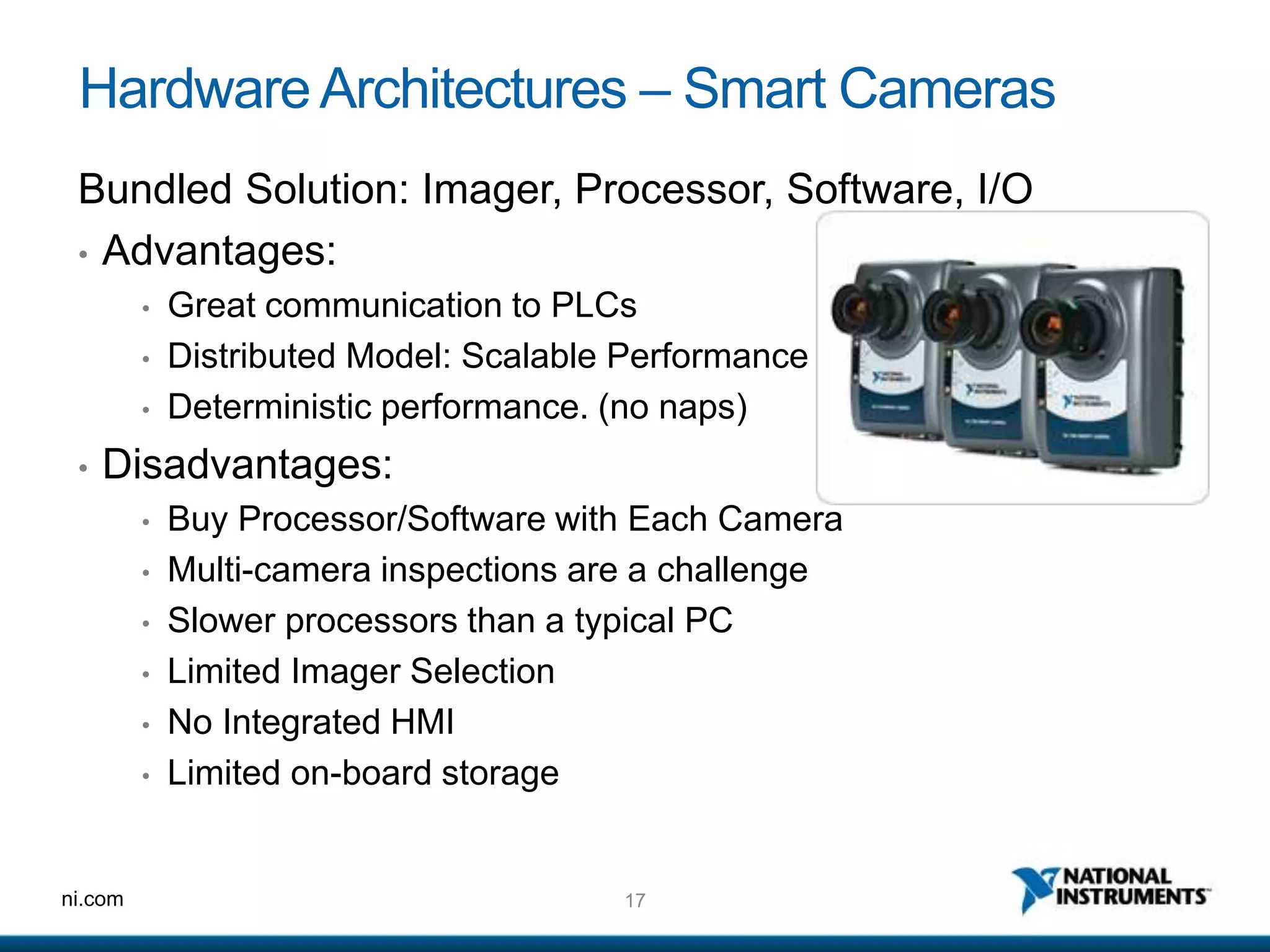
HardwareArchitectures – Smart Cameras
Bundled Solution: Imager, Processor, Software, I/O
• Advantages:
• Great communication to PLCs
• Distributed Model: Scalable Performance
• Deterministic performance. (no naps)
• Disadvantages:
• Buy Processor/Software with Each Camera
• Multi-camera inspections are a challenge
• Slower processors than a typical PC
• Limited Imager Selection
• No Integrated HMI
• Limited on-board storage
18ni.com
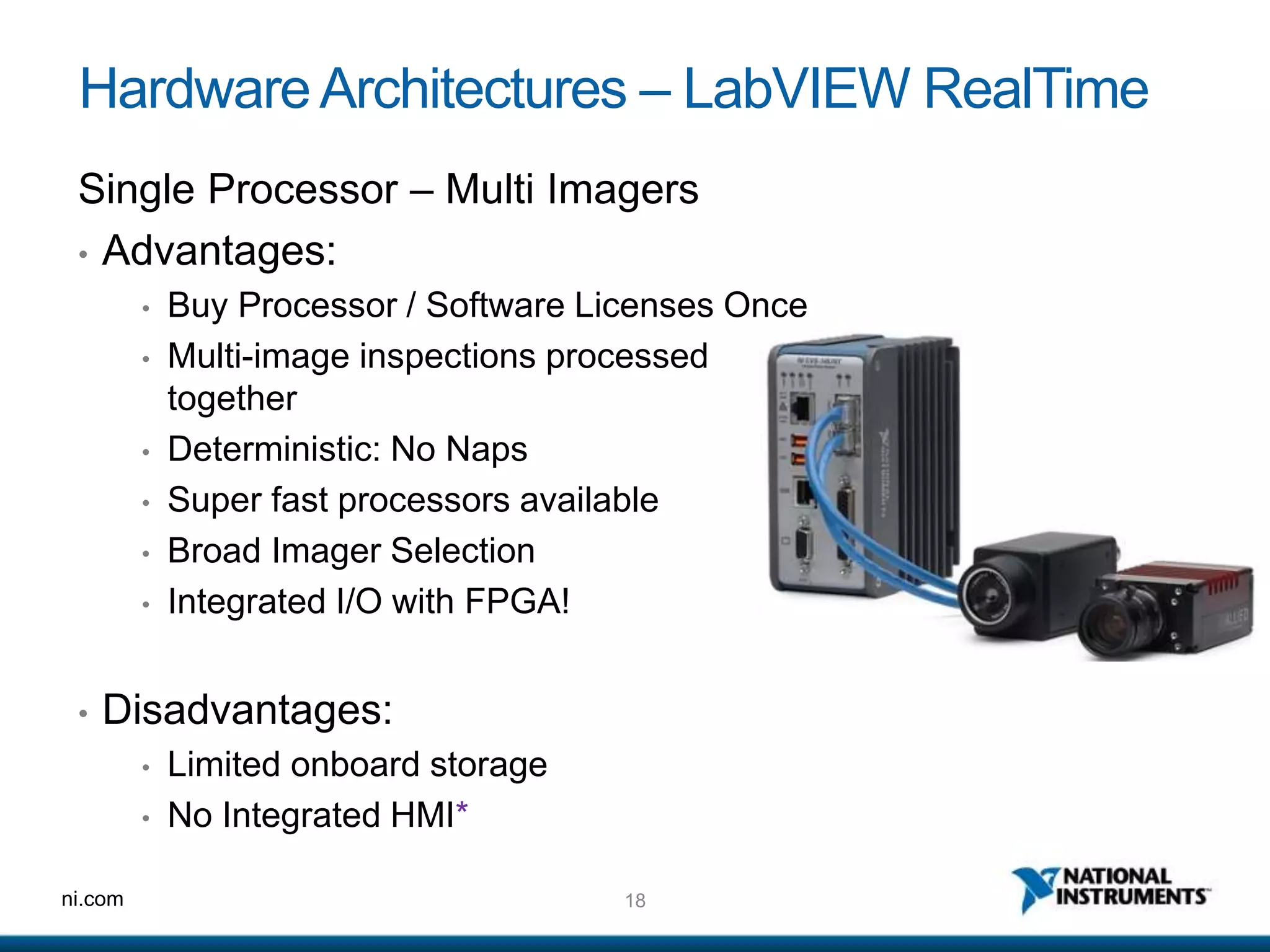
HardwareArchitectures – LabVIEW RealTime
Single Processor – Multi Imagers
• Advantages:
• Buy Processor / Software Licenses Once
• Multi-image inspections processed
together
• Deterministic: No Naps
• Super fast processors available
• Broad Imager Selection
• Integrated I/O with FPGA!
• Disadvantages:
• Limited onboard storage
• No Integrated HMI*
19ni.com
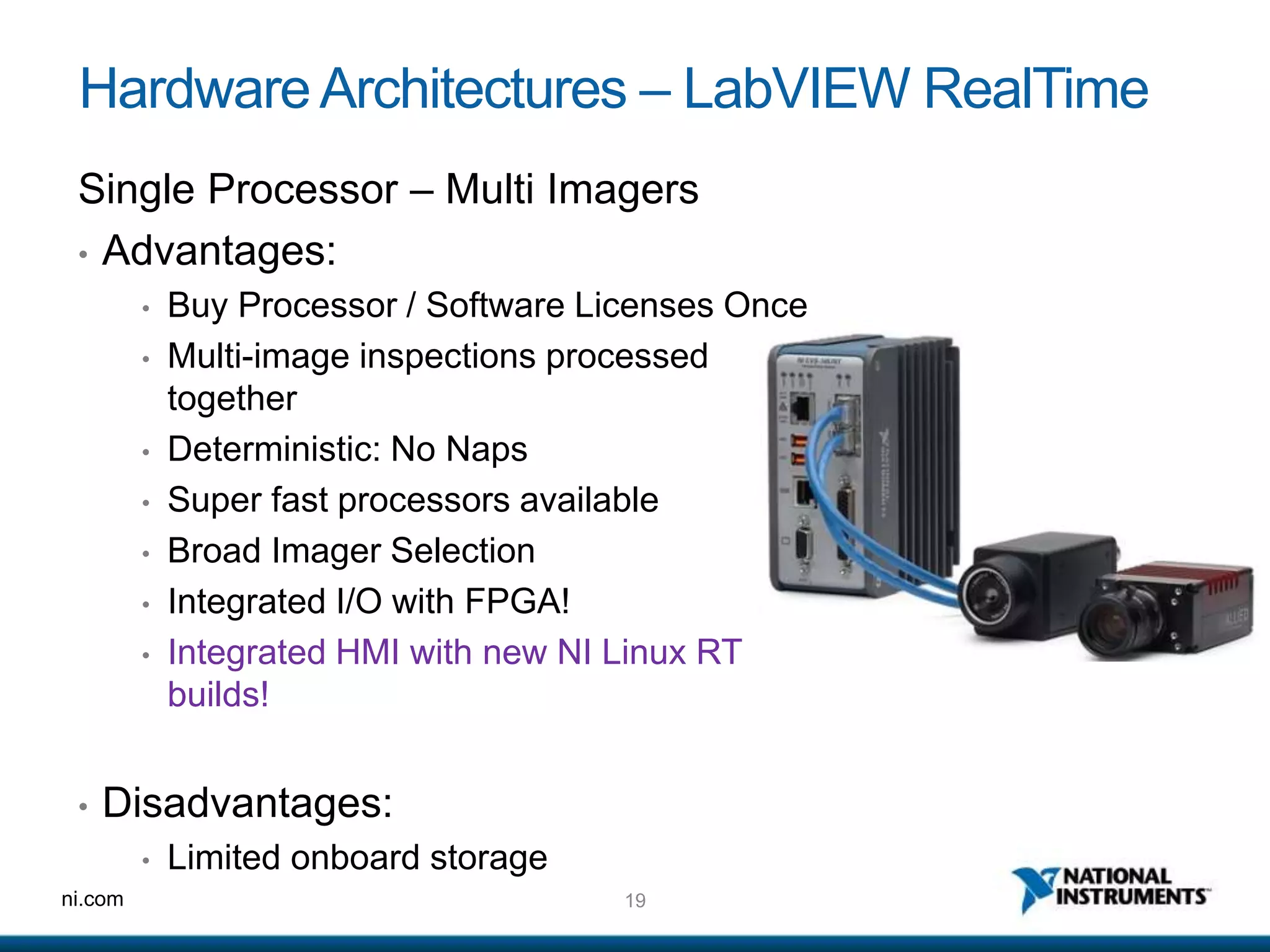
HardwareArchitectures – LabVIEW RealTime
Single Processor – Multi Imagers
• Advantages:
• Buy Processor / Software Licenses Once
• Multi-image inspections processed
together
• Deterministic: No Naps
• Super fast processors available
• Broad Imager Selection
• Integrated I/O with FPGA!
• Integrated HMI with new NI Linux RT
builds!
• Disadvantages:
• Limited onboard storage
ni.com
Case Studies
21ni.com
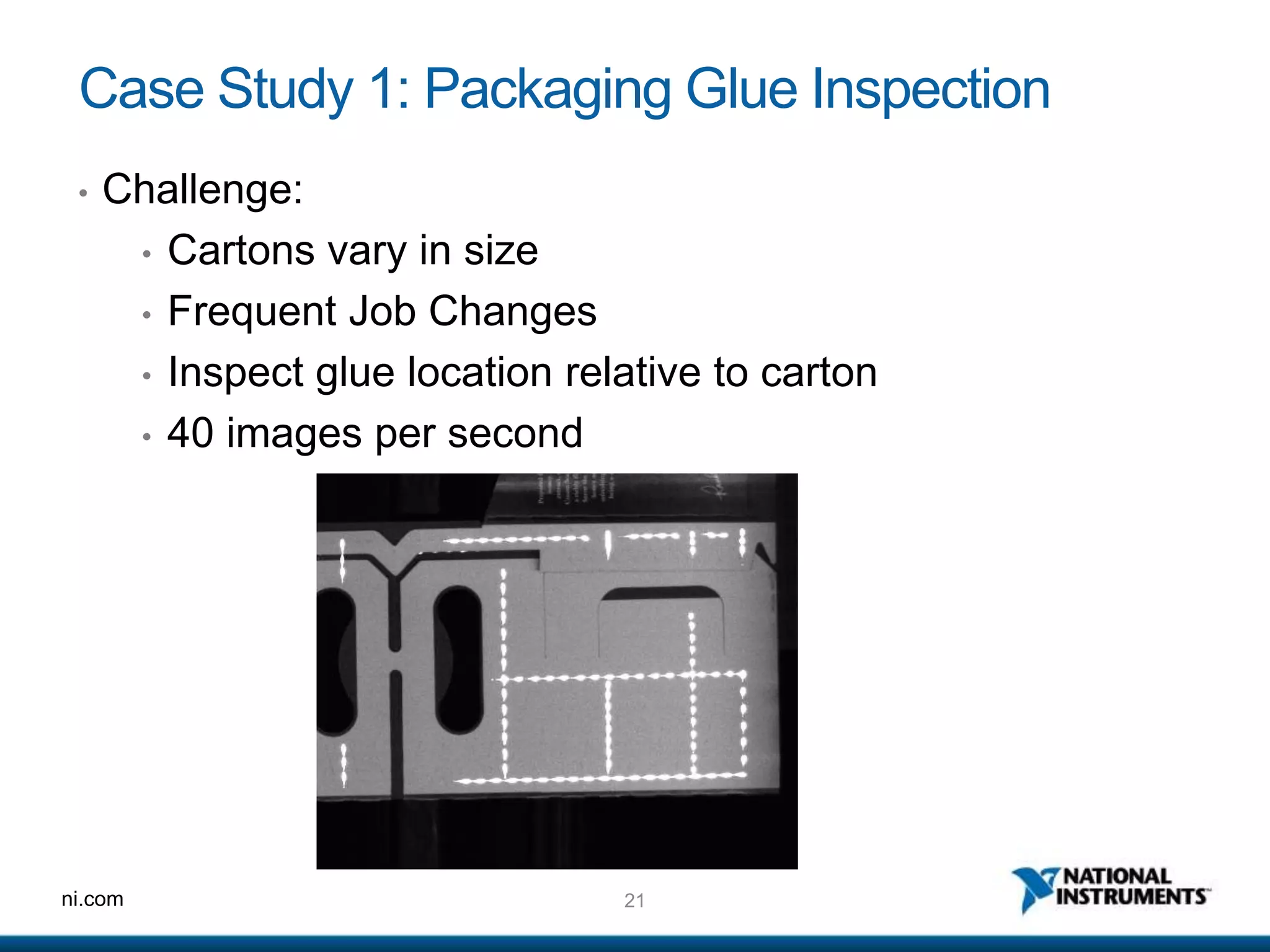
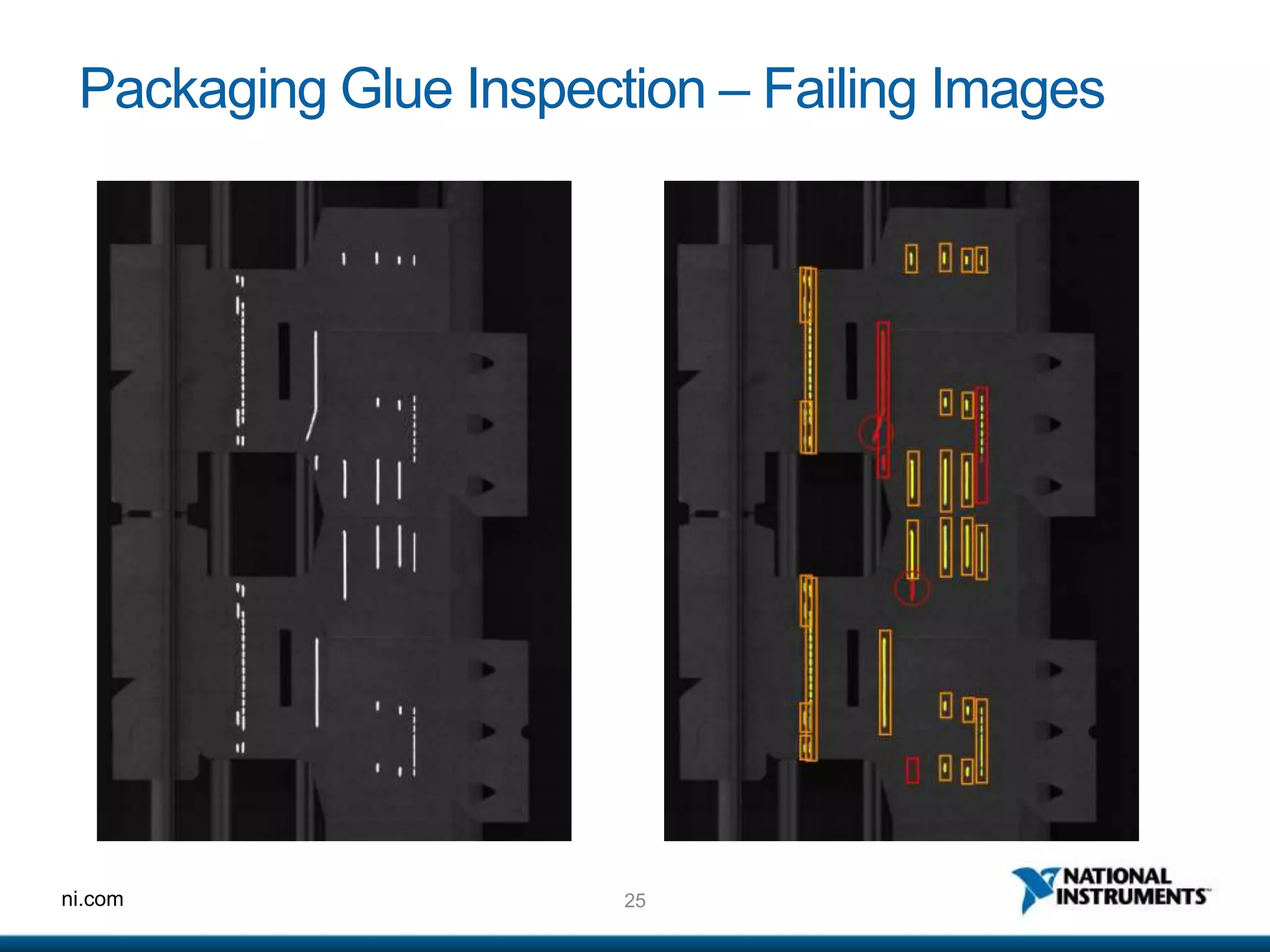
Case Study 1: Packaging Glue Inspection
• Challenge:
• Cartons vary in size
• Frequent Job Changes
• Inspect glue location relative to carton
• 40 images per second
22ni.com
Case Study 1: Packaging Glue Inspection
• Solution:
• LabVIEW RT PC with FPGA card
• 4 Basler Racer GigE line-scan cameras
o 2 sets - side-by-side
• Ultra-violet lighting and UV fluorescent glue
• Custom one-button “Learn” algorithm
23ni.com
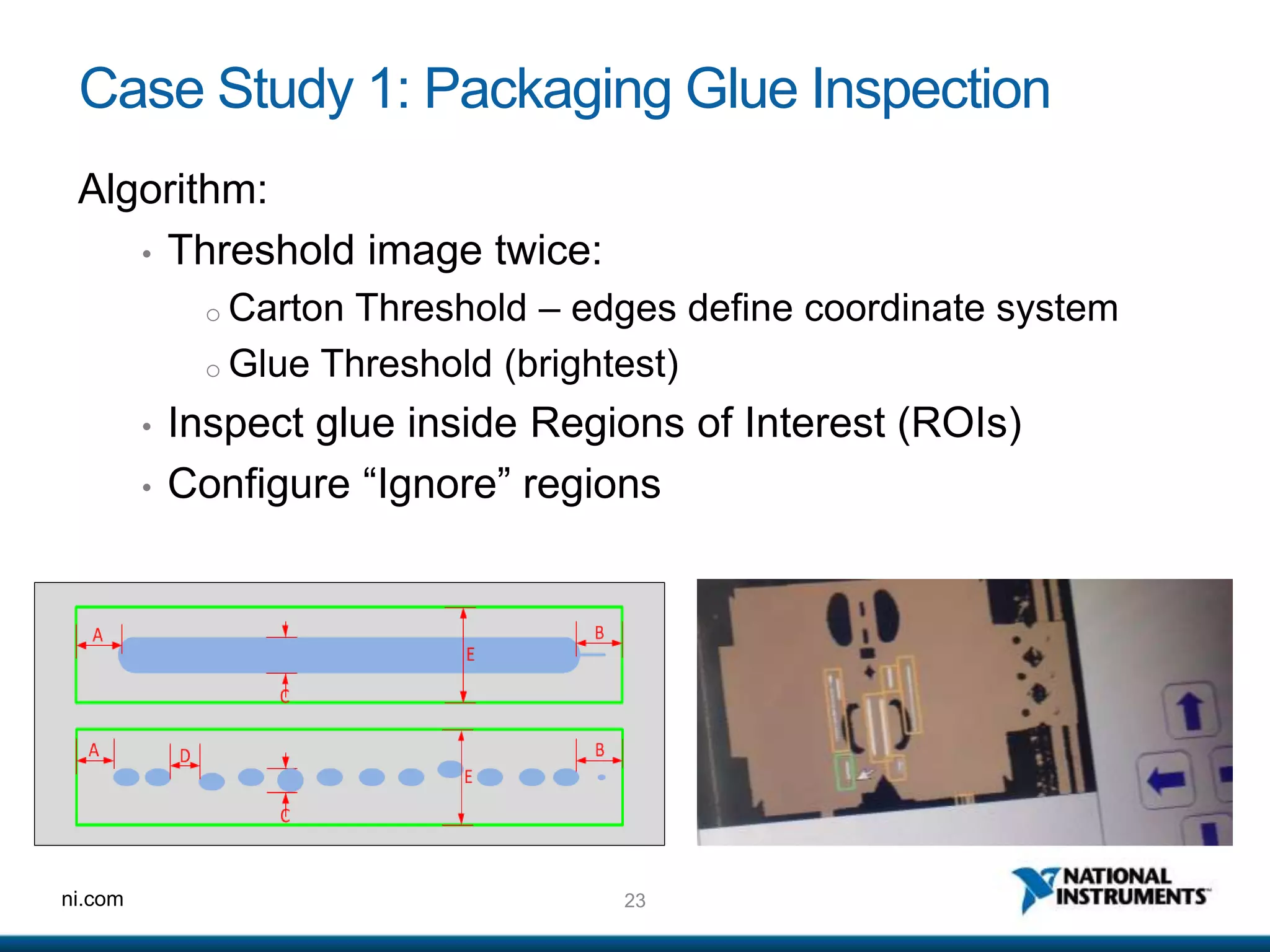
Case Study 1: Packaging Glue Inspection
Algorithm:
• Threshold image twice:
o Carton Threshold – edges define coordinate system
o Glue Threshold (brightest)
• Inspect glue inside Regions of Interest (ROIs)
• Configure “Ignore” regions
24ni.com
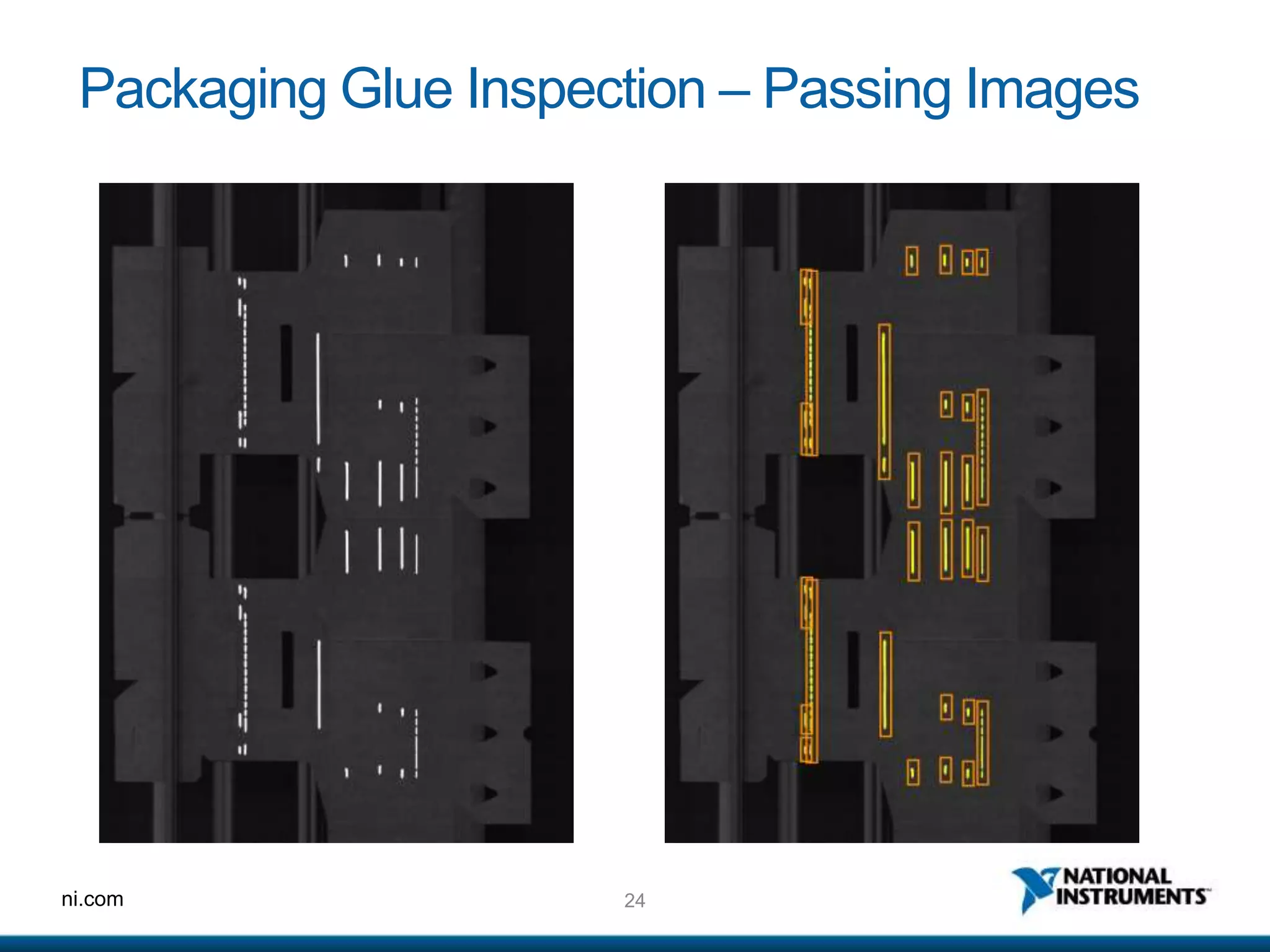
Packaging Glue Inspection – Passing Images
25ni.com
Packaging Glue Inspection – Failing Images
26ni.com
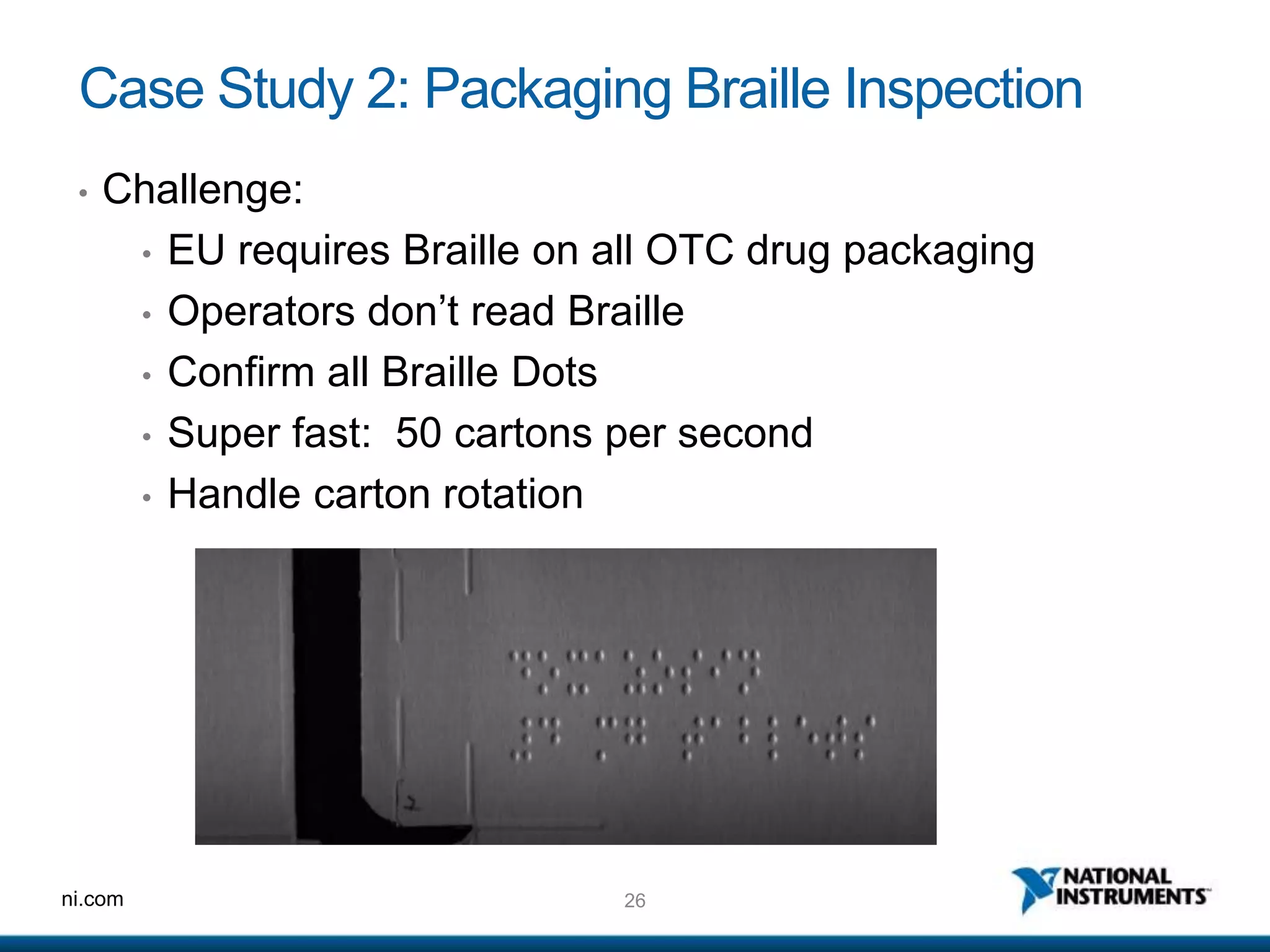
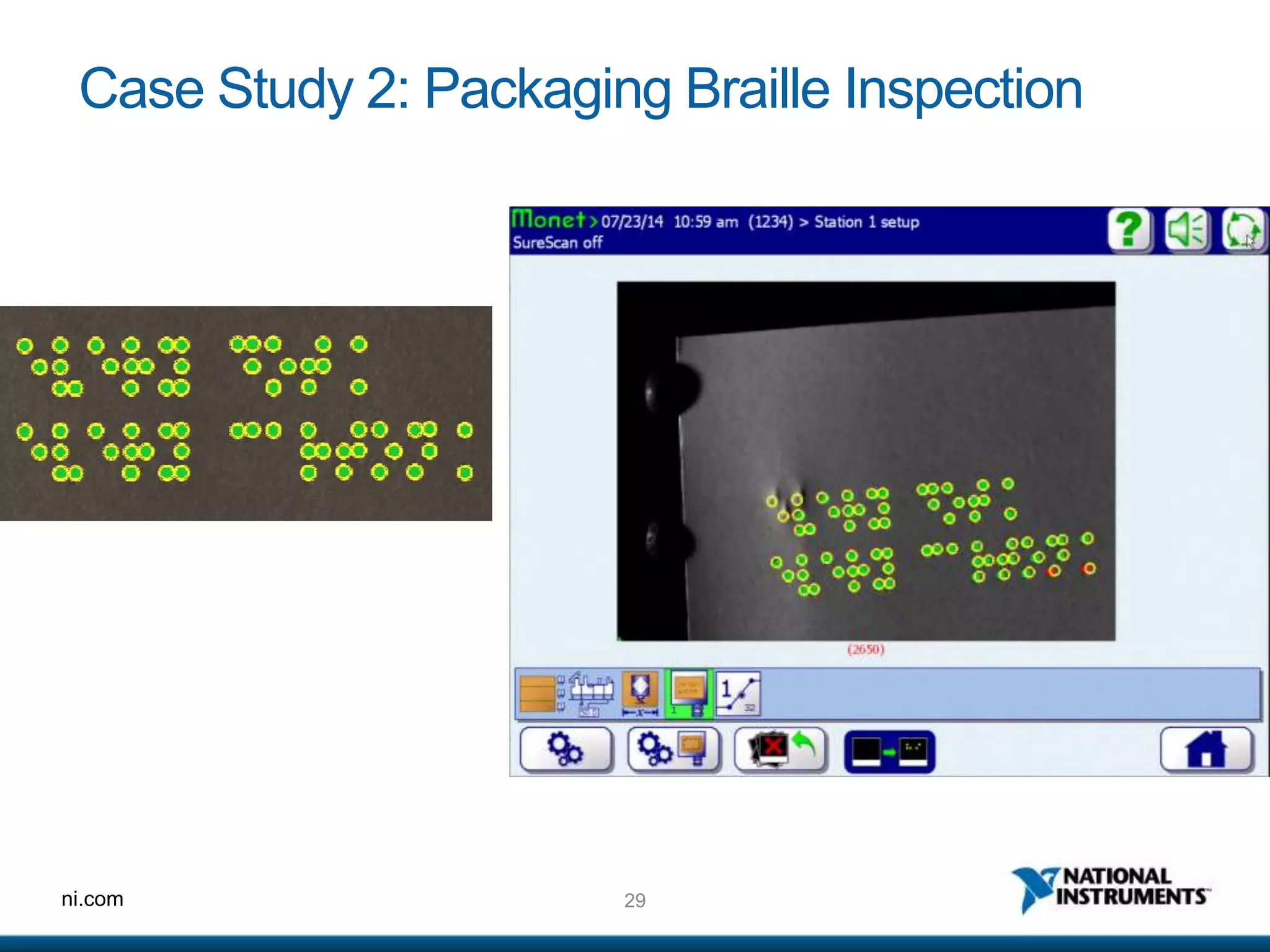
Case Study 2: Packaging Braille Inspection
• Challenge:
• EU requires Braille on all OTC drug packaging
• Operators don’t read Braille
• Confirm all Braille Dots
• Super fast: 50 cartons per second
• Handle carton rotation
27ni.com
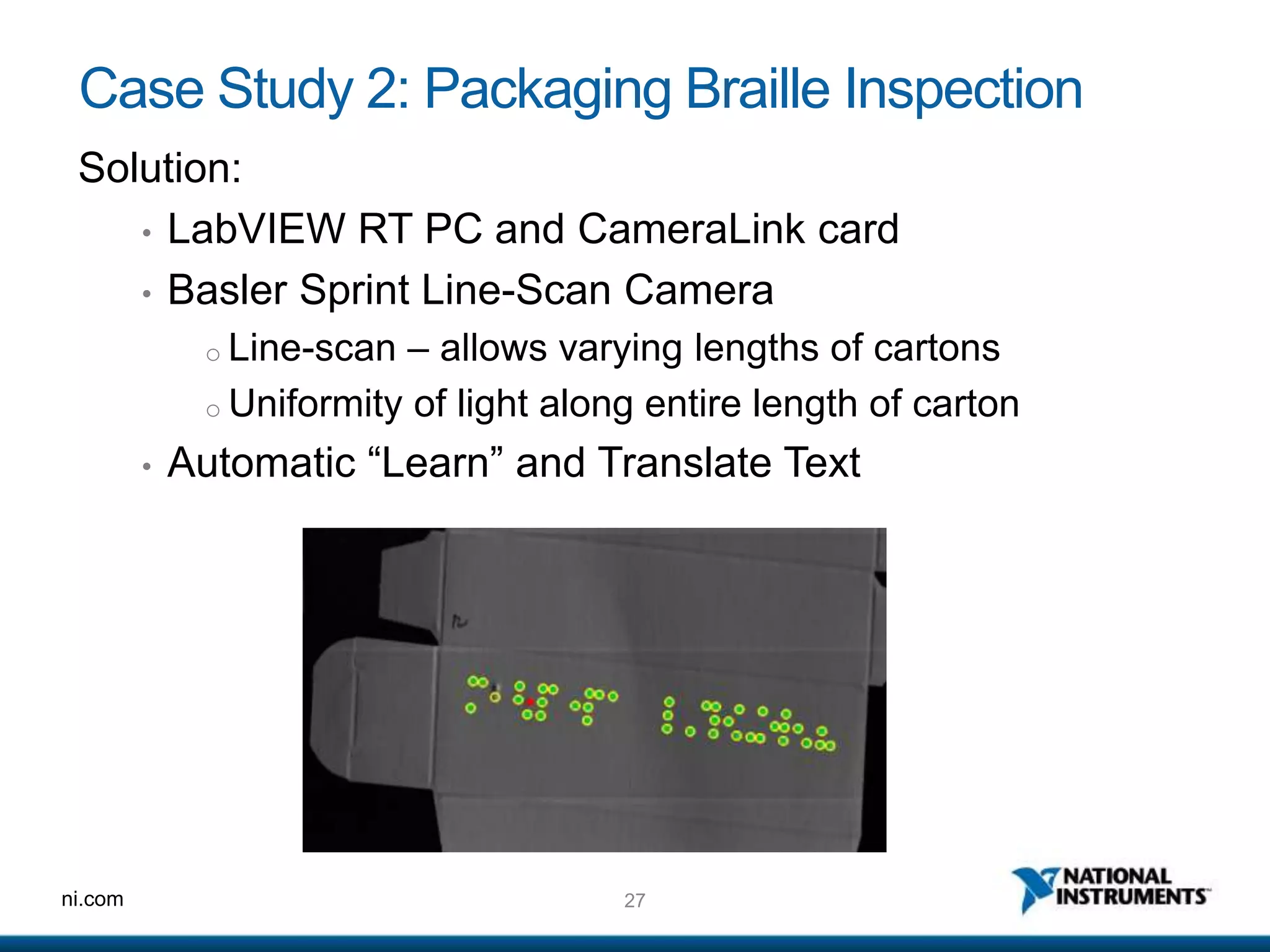
Case Study 2: Packaging Braille Inspection
Solution:
• LabVIEW RT PC and CameraLink card
• Basler Sprint Line-Scan Camera
o Line-scan – allows varying lengths of cartons
o Uniformity of light along entire length of carton
• Automatic “Learn” and Translate Text
28ni.com
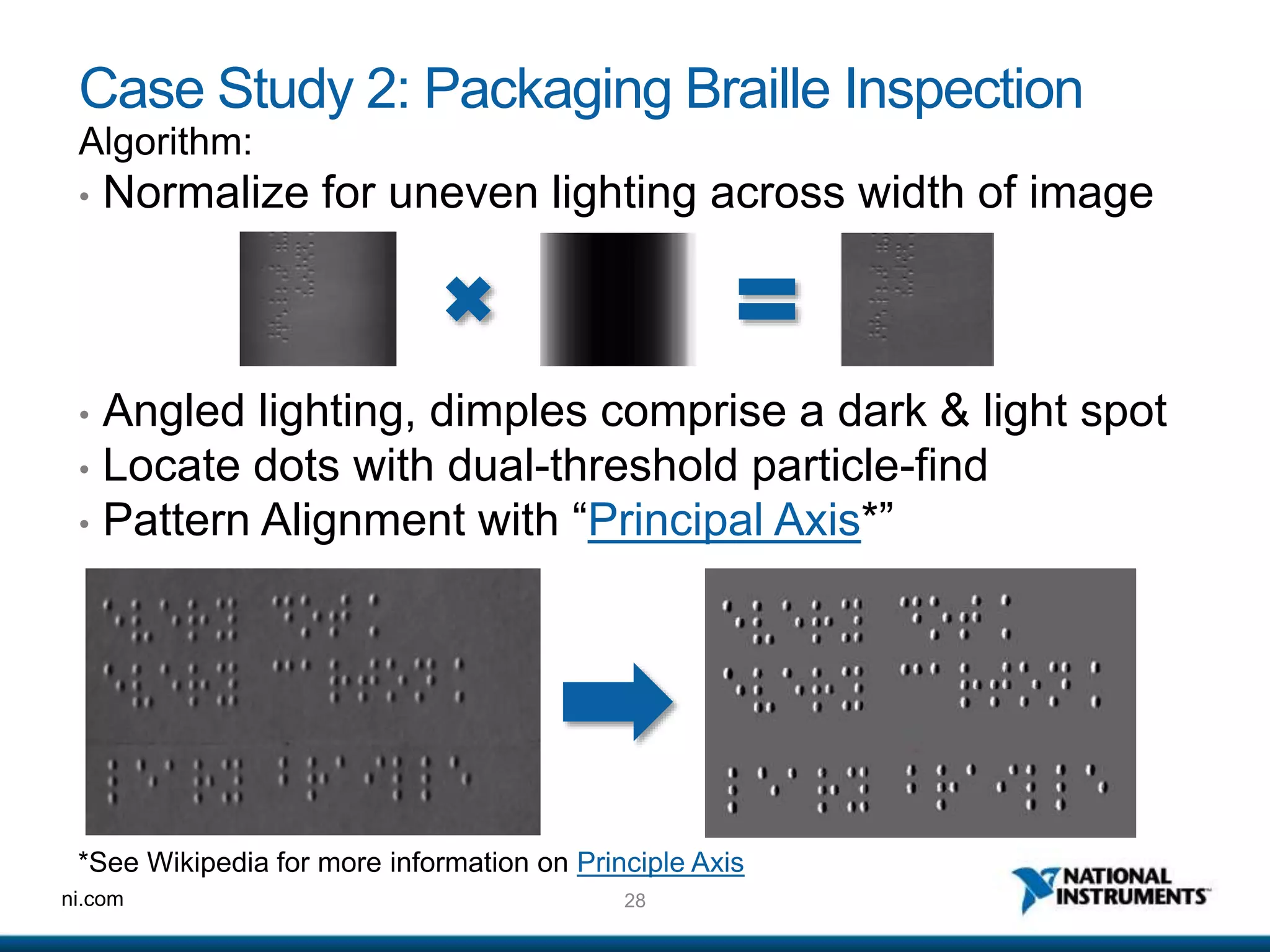
Case Study 2: Packaging Braille Inspection
Algorithm:
• Normalize for uneven lighting across width of image
• Angled lighting, dimples comprise a dark & light spot
• Locate dots with dual-threshold particle-find
• Pattern Alignment with “Principal Axis*”
*See Wikipedia for more information on Principle Axis
29ni.com
Case Study 2: Packaging Braille Inspection
ni.com
Camera Triggering using FPGA
31ni.com
FPGA triggering
• Use NI’s Vision-RIO
• Pre-programmed
• Common triggering and result buffering functions
• Learn more: http://www.ni.com/white-paper/14599/en/
• Build your own with LabVIEW FPGA Module.
• Manage Encoders, Part Sensors, Lighting and Camera I/O– all
with microsecond precision
• Custom Synchronization and Buffering
• As easy as programming in LabVIEW
32ni.com
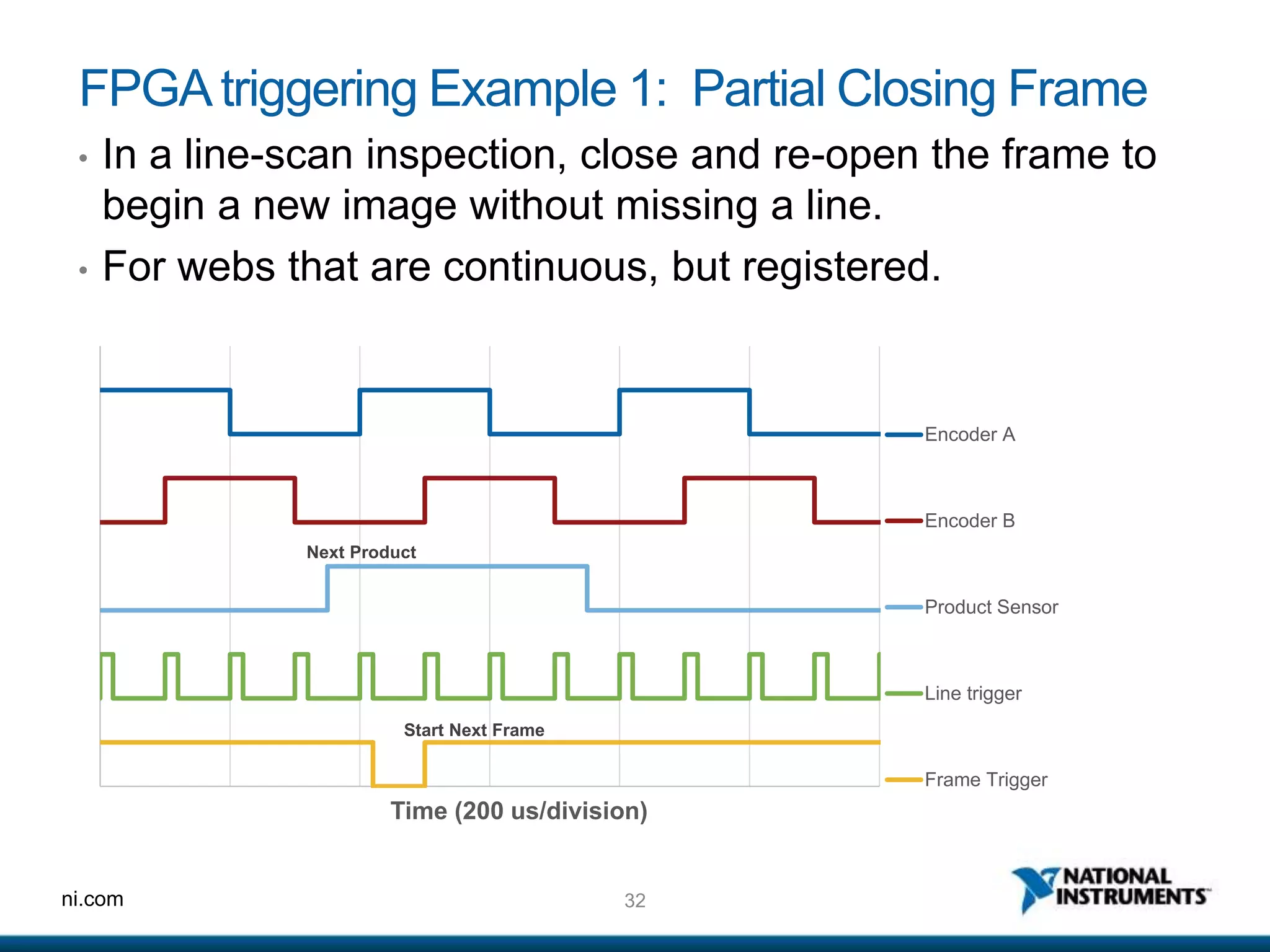
FPGAtriggering Example 1: Partial Closing Frame
• In a line-scan inspection, close and re-open the frame to
begin a new image without missing a line.
• For webs that are continuous, but registered.
Next Product
Start Next Frame
Time (200 us/division)
Encoder A
Encoder B
Product Sensor
Line trigger
Frame Trigger
33ni.com
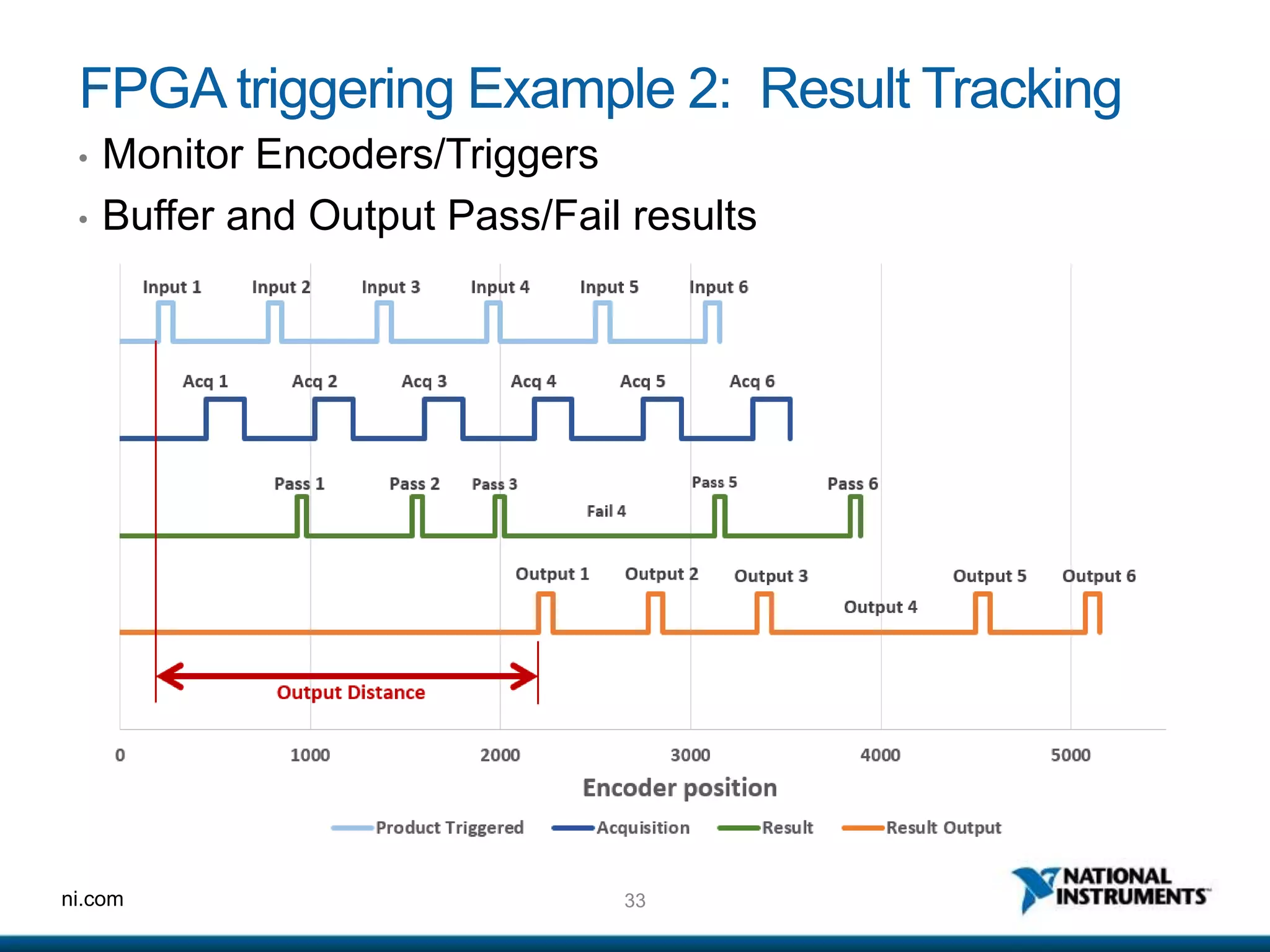
FPGA triggering Example 2: Result Tracking
• Monitor Encoders/Triggers
• Buffer and Output Pass/Fail results
34ni.com
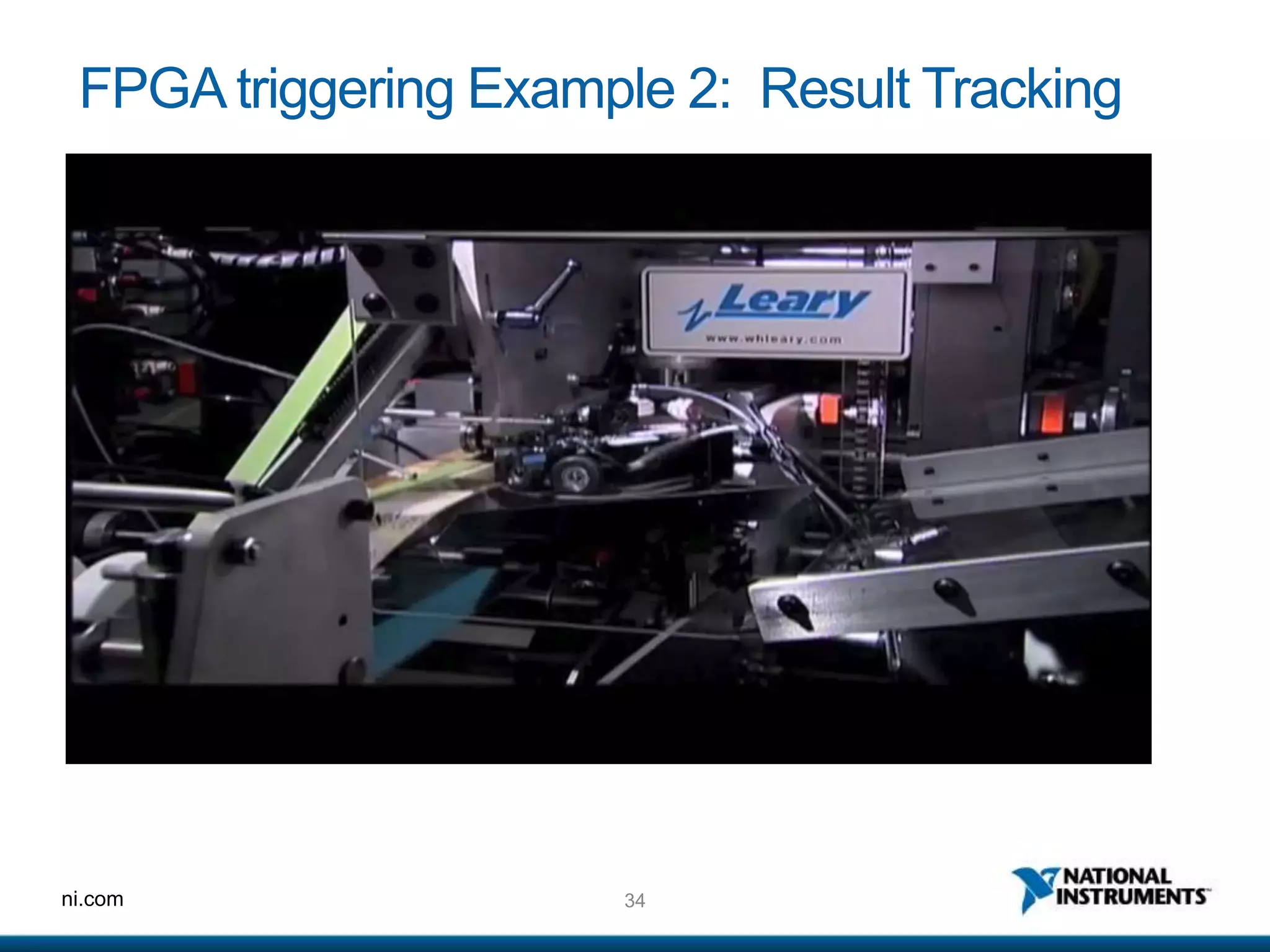
FPGA triggering Example 2: Result Tracking
ni.com
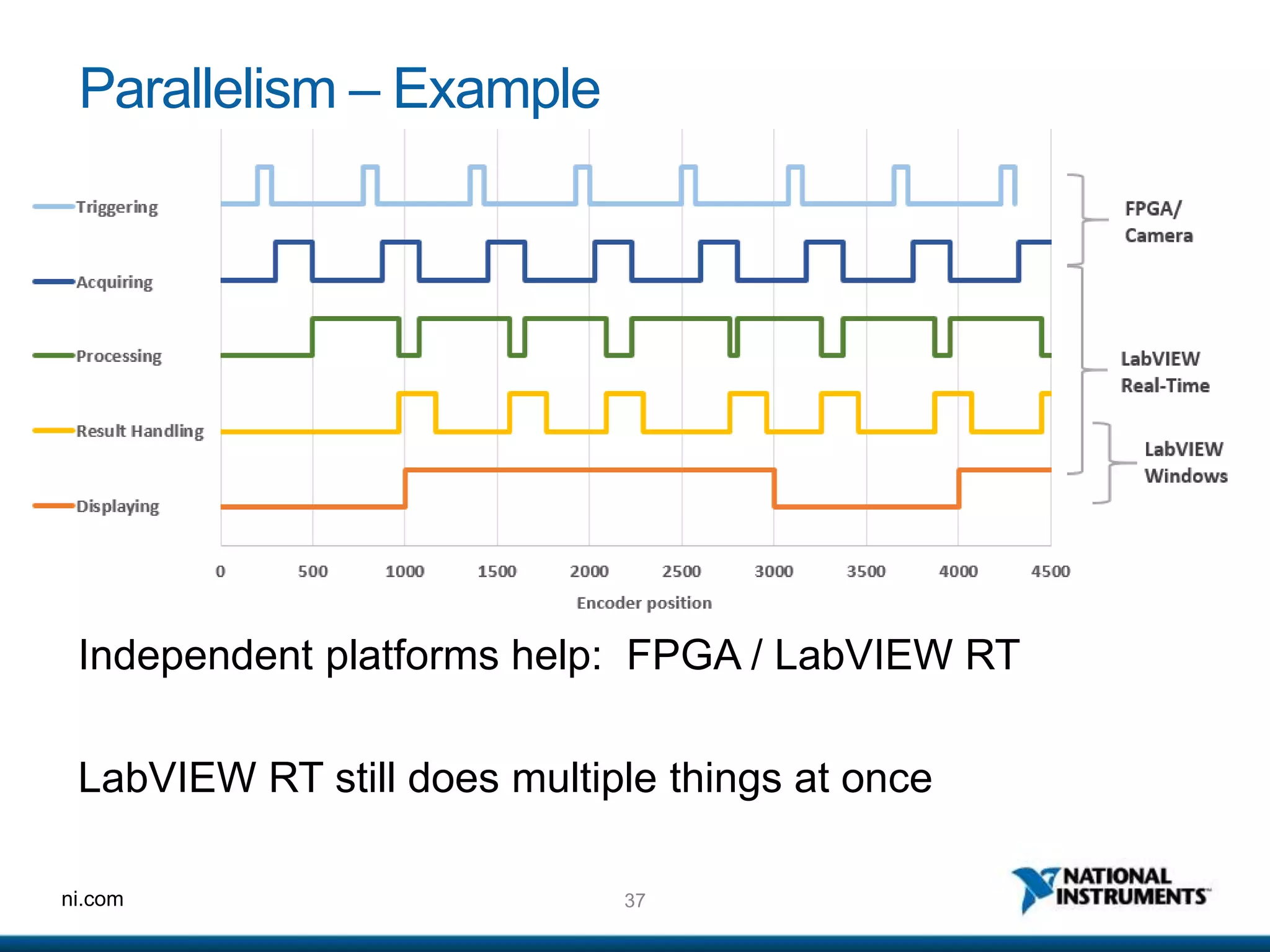
Parallelism
inMachineVision
Doing these things at the same time:
• Trigger Cameras
• Acquire Images
• Process Images
• Handle Results
• Display Images
36ni.com
Why Use Parallelism?
Benefits:
1. Its faster!
Costs:
1. More Data Tracking
2. More complex programming
3. Handshaking between distributed processes
4. System-level debugging
37ni.com
Parallelism – Example
Independent platforms help: FPGA / LabVIEW RT
LabVIEW RT still does multiple things at once
38ni.com
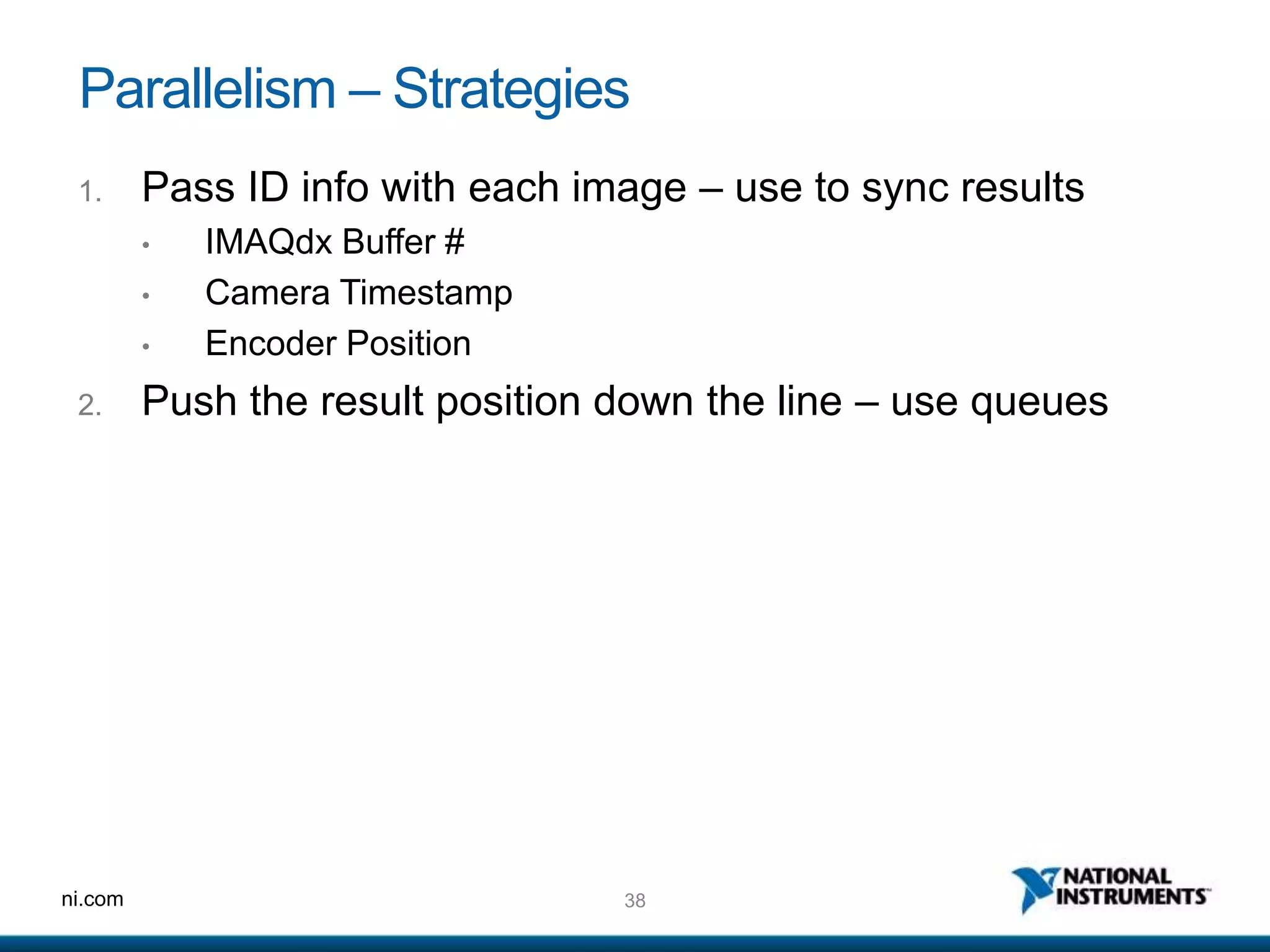
Parallelism – Strategies
1. Pass ID info with each image – use to sync results
• IMAQdx Buffer #
• Camera Timestamp
• Encoder Position
2. Push the result position down the line – use queues
39ni.com
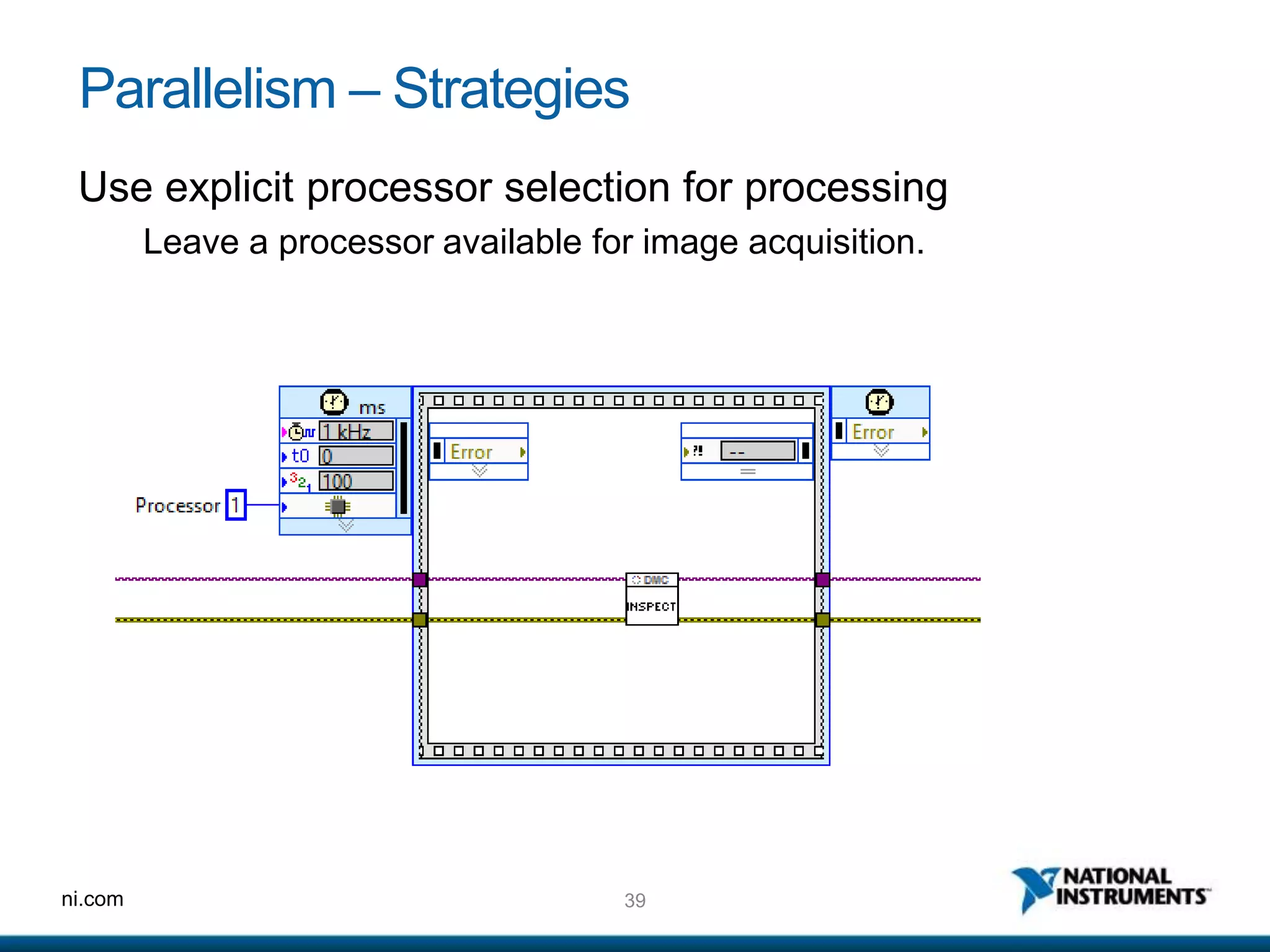
Parallelism – Strategies
Use explicit processor selection for processing
Leave a processor available for image acquisition.
ni.com
Rapid Algorithms
41ni.com
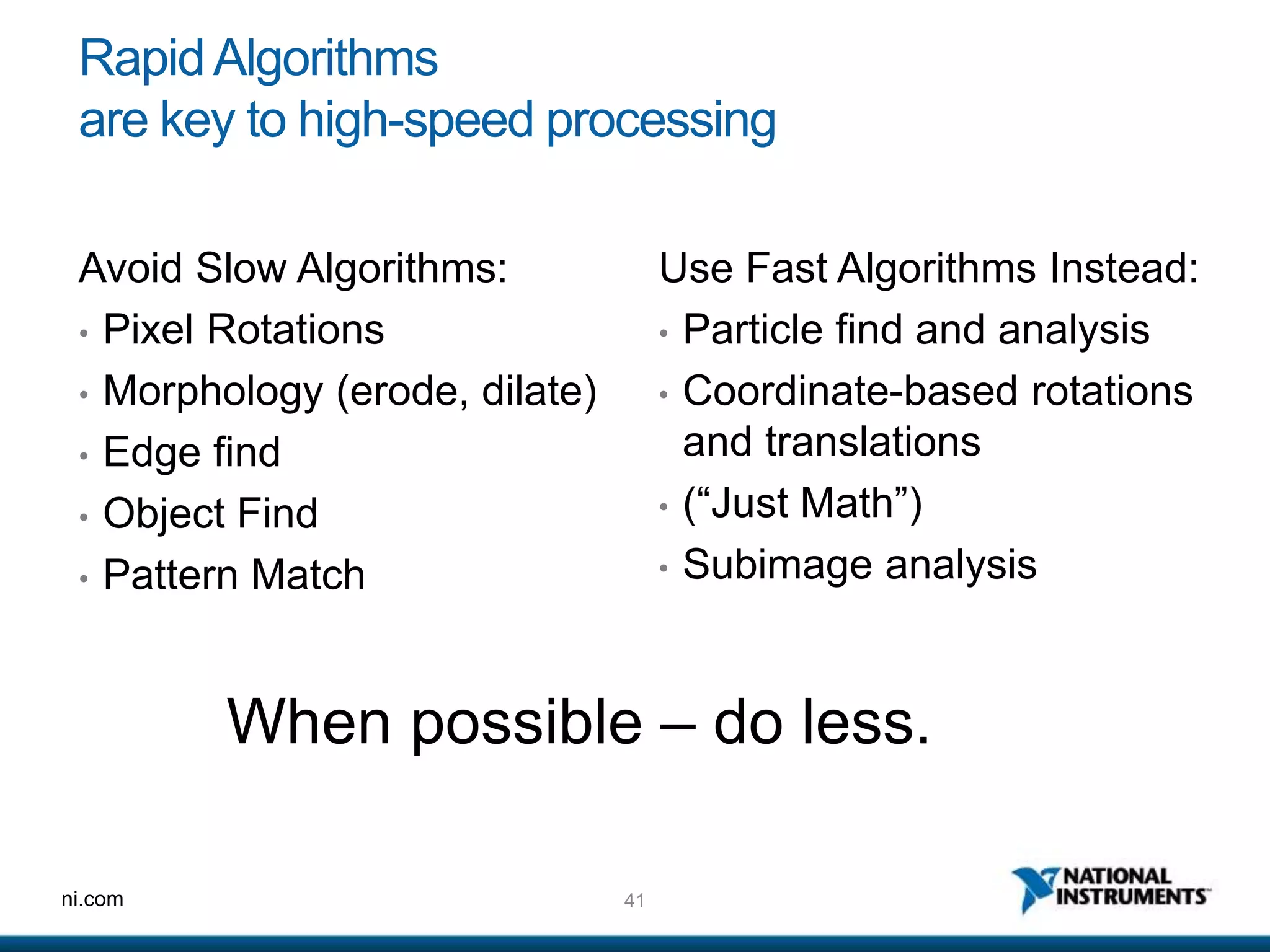
RapidAlgorithms
are key to high-speed processing
Use Fast Algorithms Instead:
• Particle find and analysis
• Coordinate-based rotations
and translations
• (“Just Math”)
• Subimage analysis
Avoid Slow Algorithms:
• Pixel Rotations
• Morphology (erode, dilate)
• Edge find
• Object Find
• Pattern Match
When possible – do less.
42ni.com
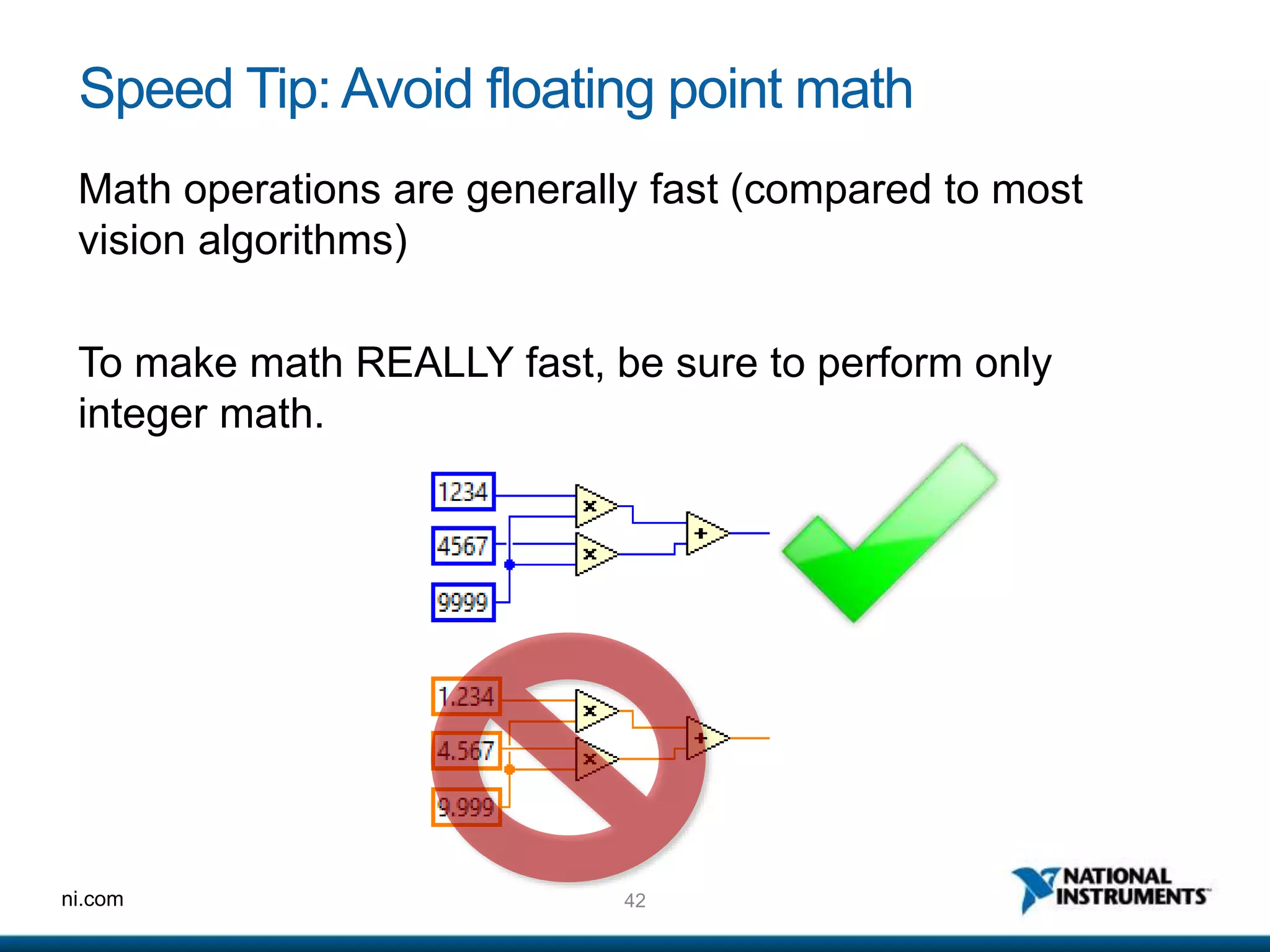
Speed Tip: Avoid floating point math
Math operations are generally fast (compared to most
vision algorithms)
To make math REALLY fast, be sure to perform only
integer math.
43ni.com
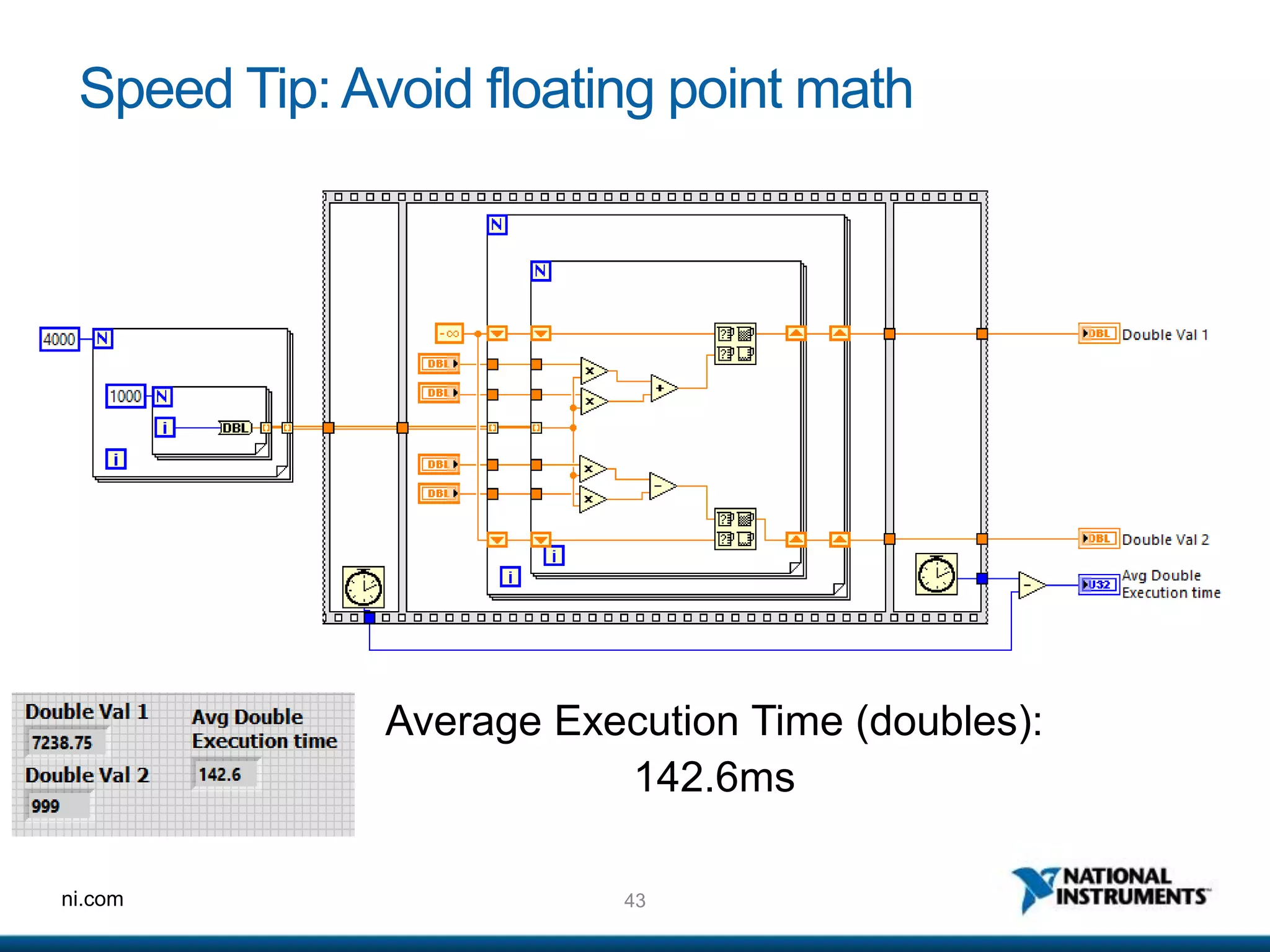
Speed Tip: Avoid floating point math
Average Execution Time (doubles):
142.6ms
44ni.com
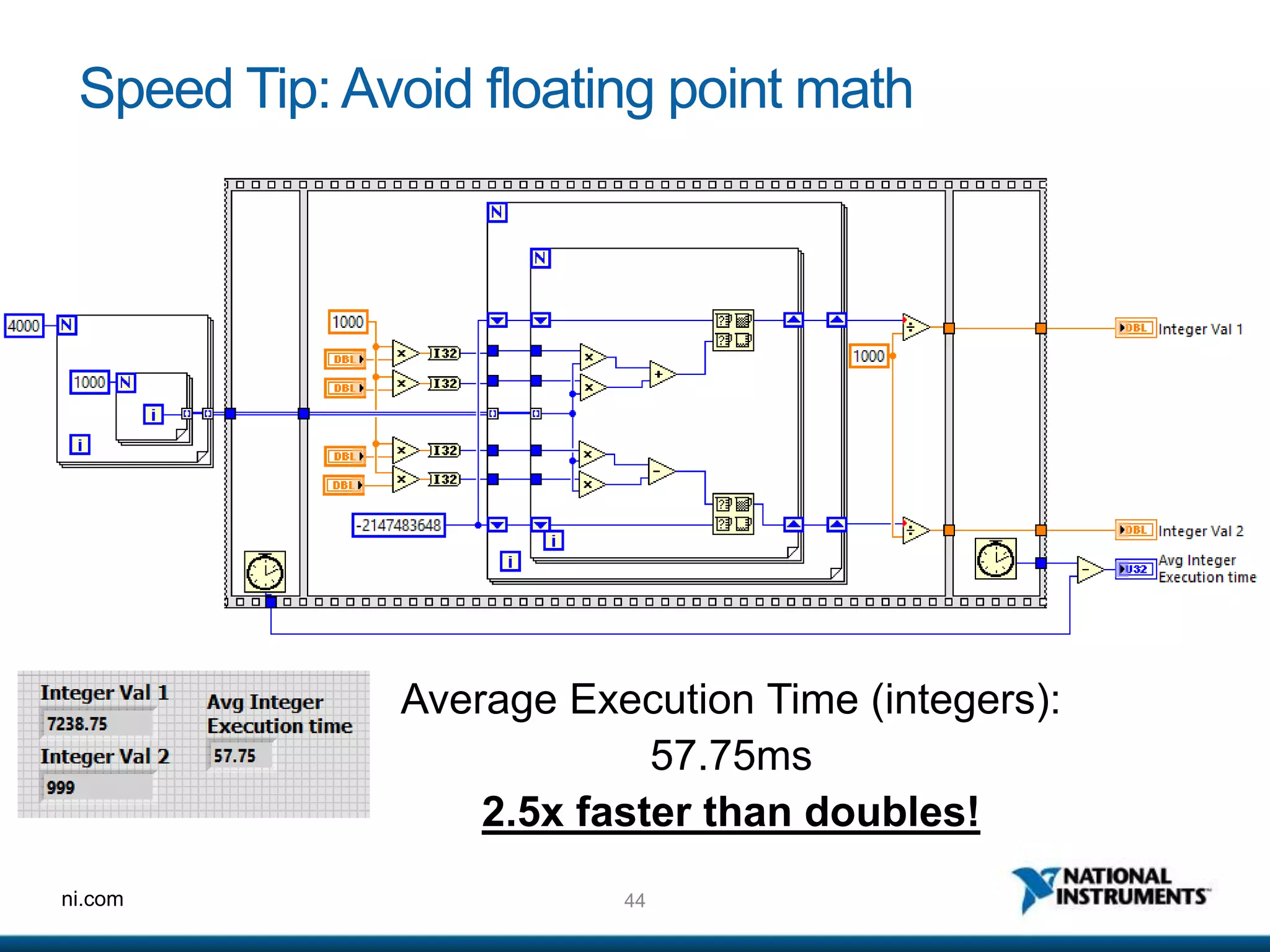
Speed Tip: Avoid floating point math
Average Execution Time (integers):
57.75ms
2.5x faster than doubles!
45ni.com
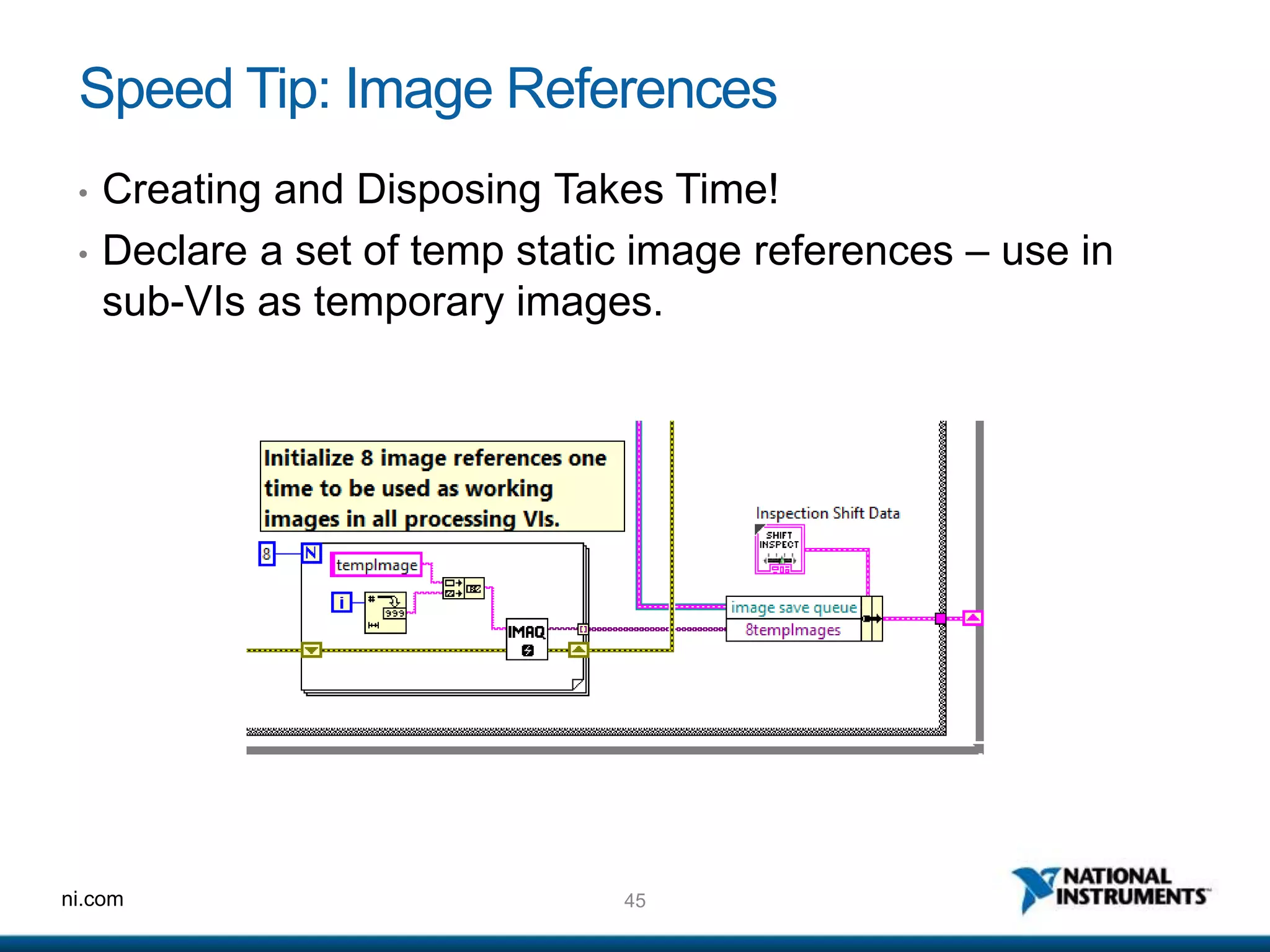
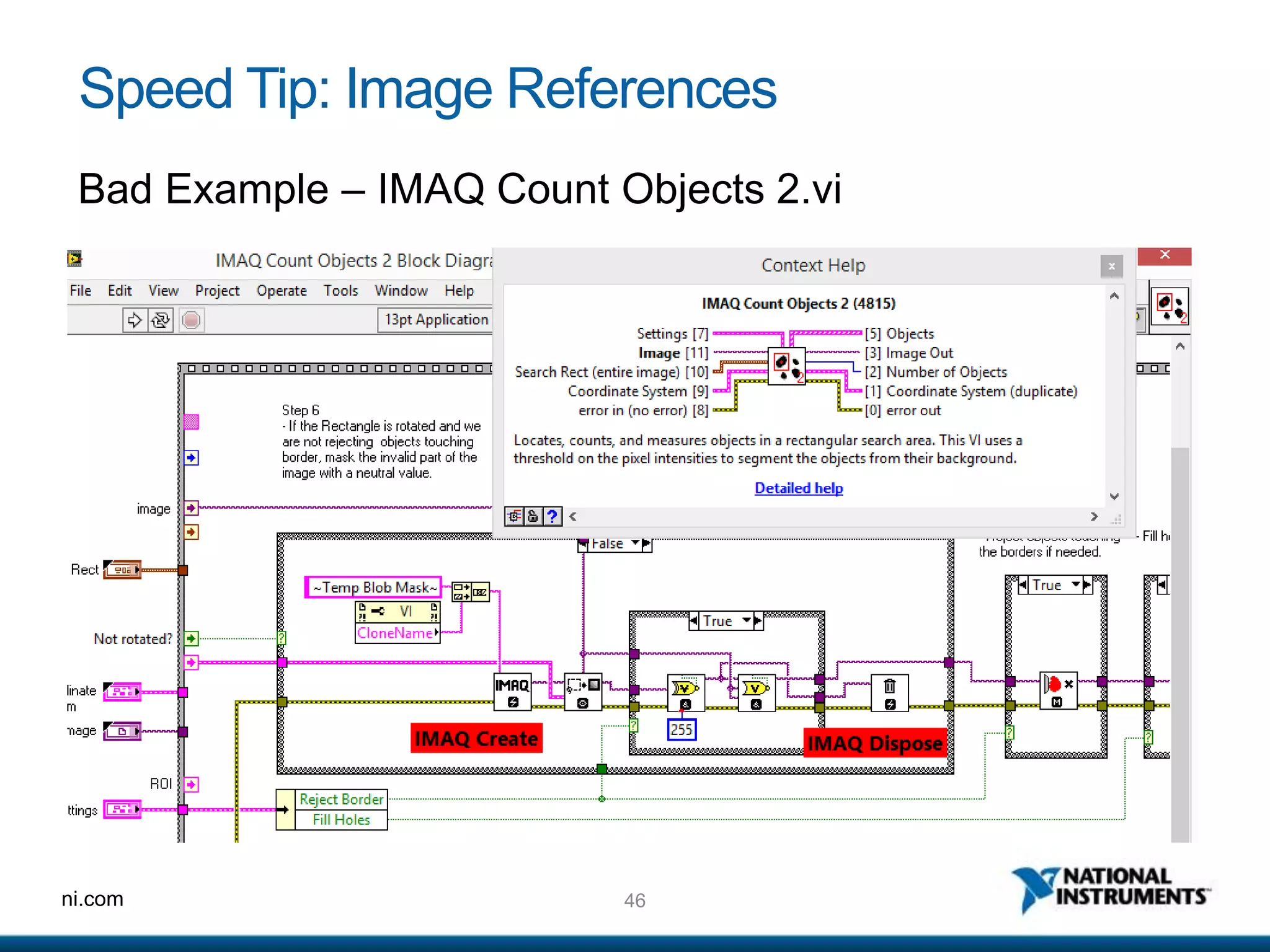
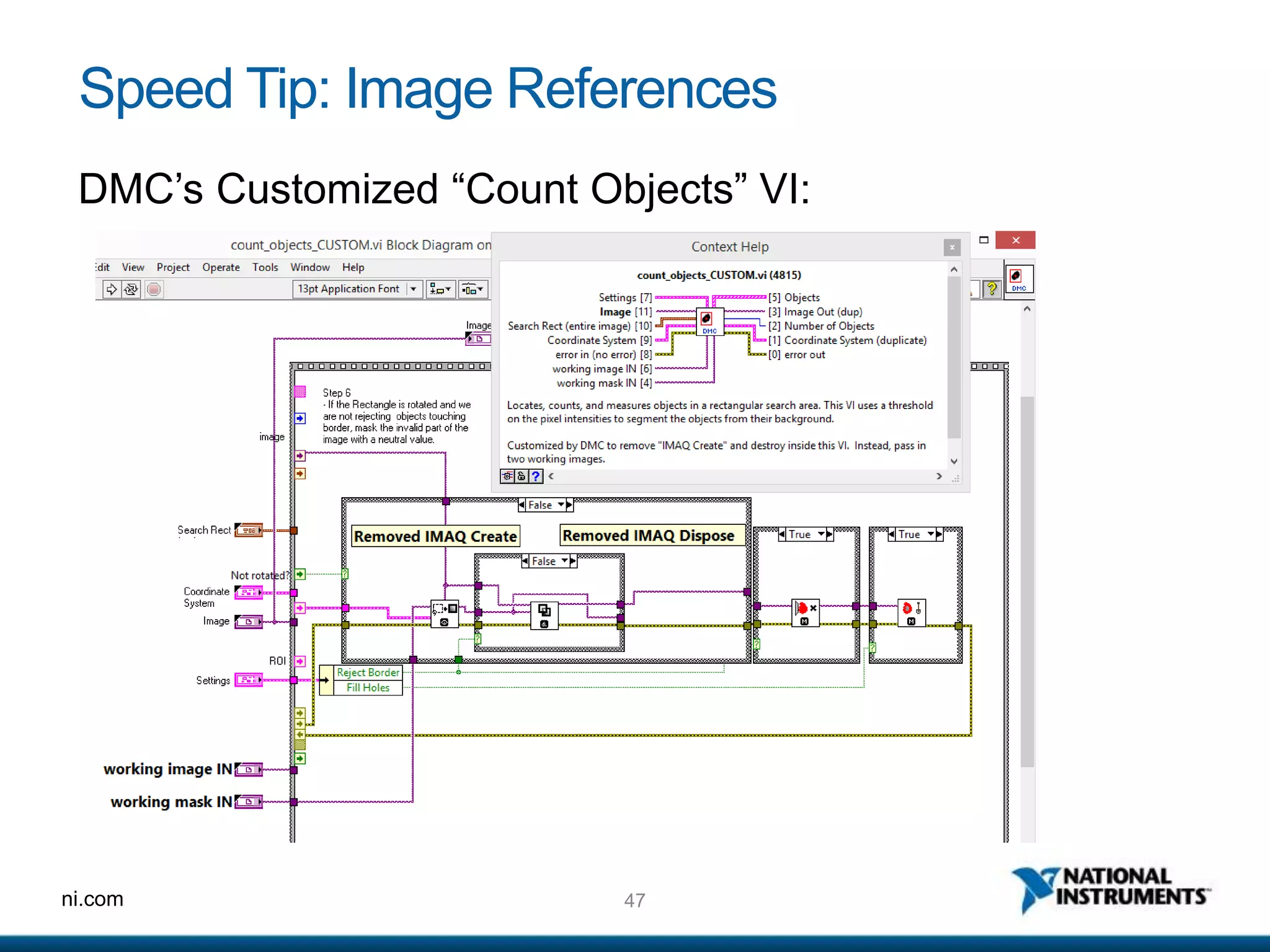
Speed Tip: Image References
• Creating and Disposing Takes Time!
• Declare a set of temp static image references – use in
sub-VIs as temporary images.
46ni.com
Speed Tip: Image References
Bad Example – IMAQ Count Objects 2.vi
47ni.com
Speed Tip: Image References
DMC’s Customized “Count Objects” VI:
48ni.com
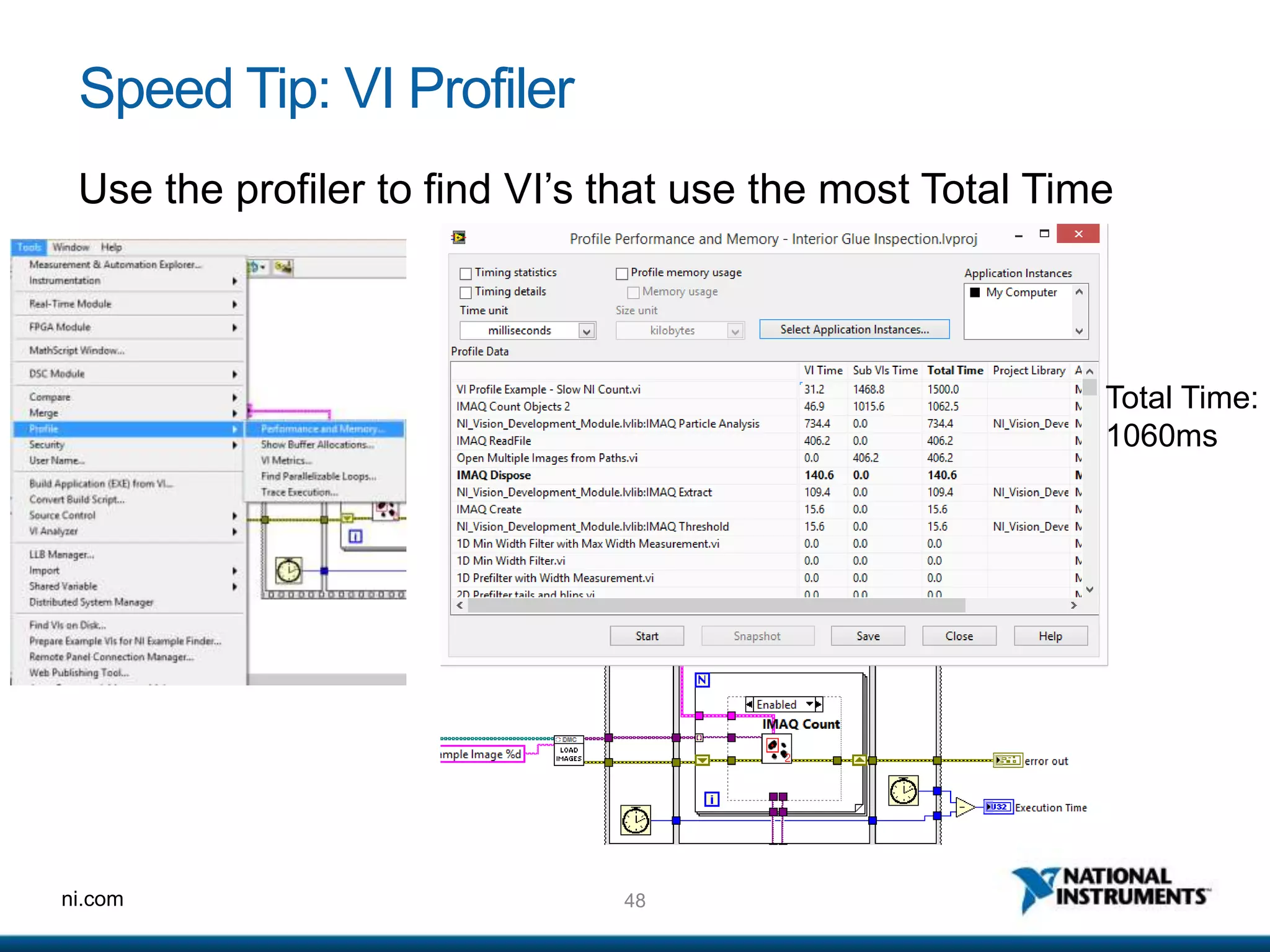
Speed Tip: VI Profiler
Use the profiler to find VI’s that use the most Total Time
Total Time:
1060ms
49ni.com
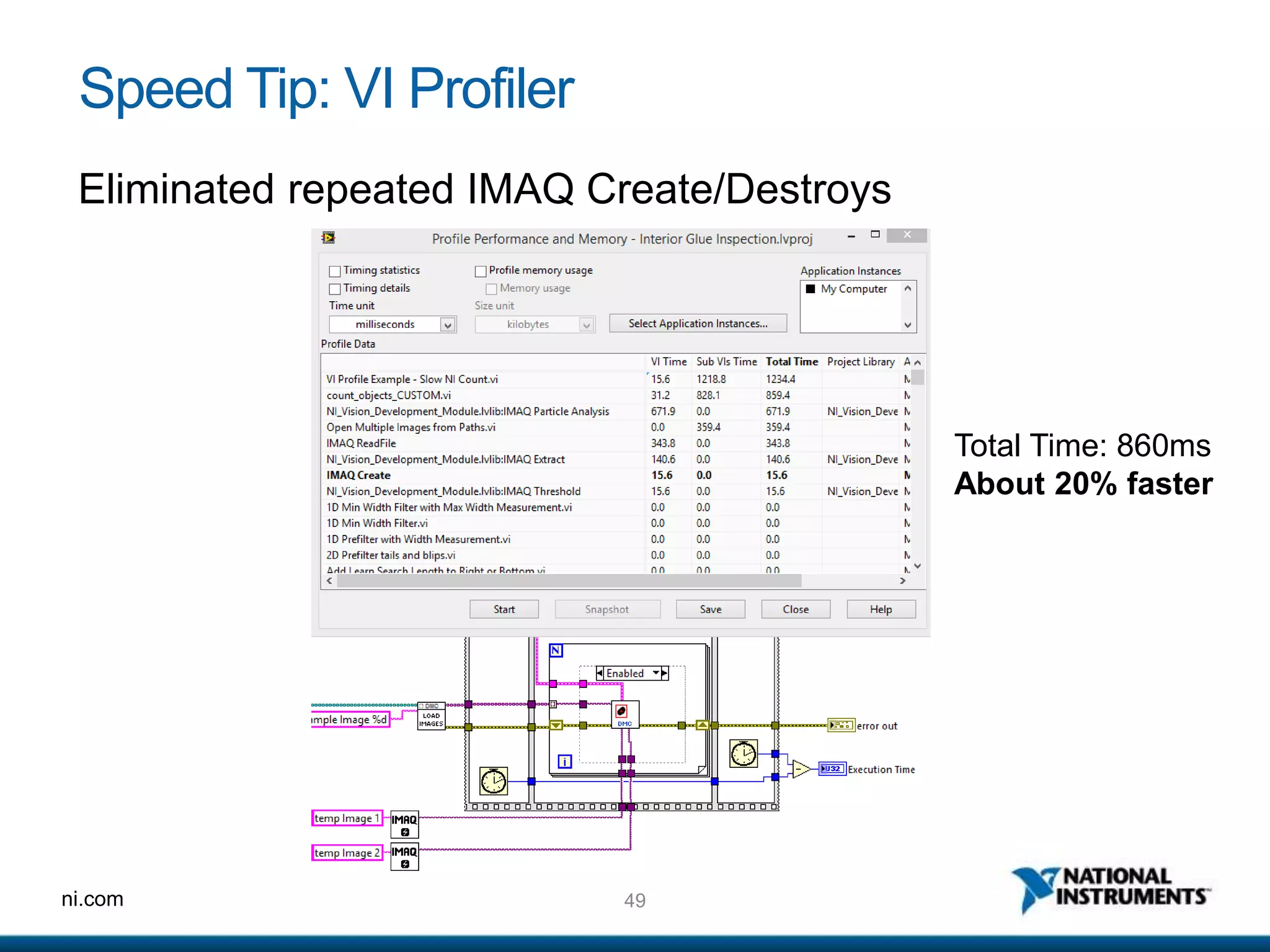
Speed Tip: VI Profiler
Eliminated repeated IMAQ Create/Destroys
Total Time: 860ms
About 20% faster
50ni.com
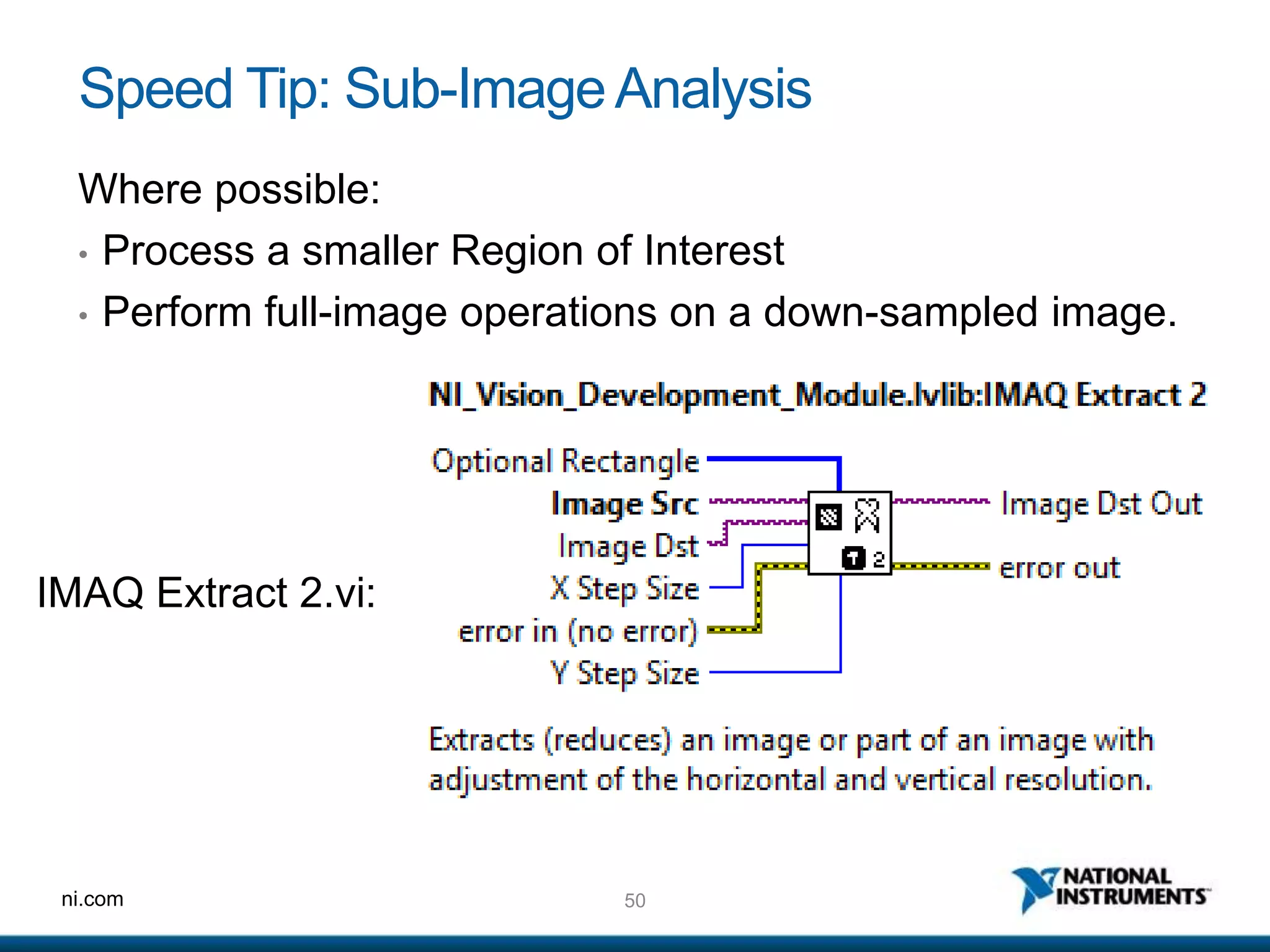
Speed Tip: Sub-ImageAnalysis
Where possible:
• Process a smaller Region of Interest
• Perform full-image operations on a down-sampled image.
IMAQ Extract 2.vi:
ni.com
Custom Product Training
For high-speed vision
52ni.com
Product training
Motivation:
• 10 or more product changes per shift
• Customers demand simplicity
• Setup engineers are not provided
This is the one thing we can take our time on – it’s only done once.
53ni.com
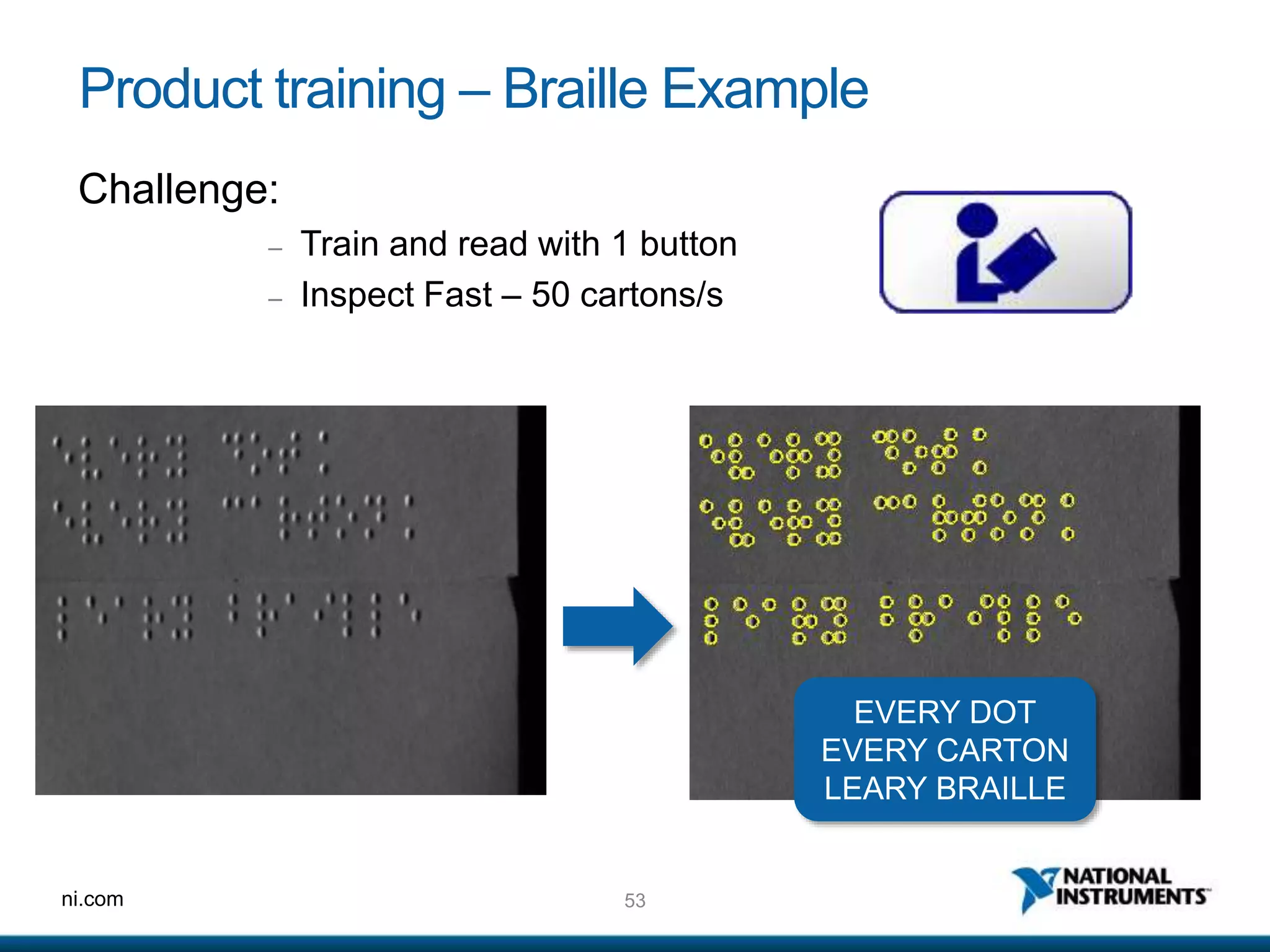
Product training – Braille Example
Challenge:
– Train and read with 1 button
– Inspect Fast – 50 cartons/s
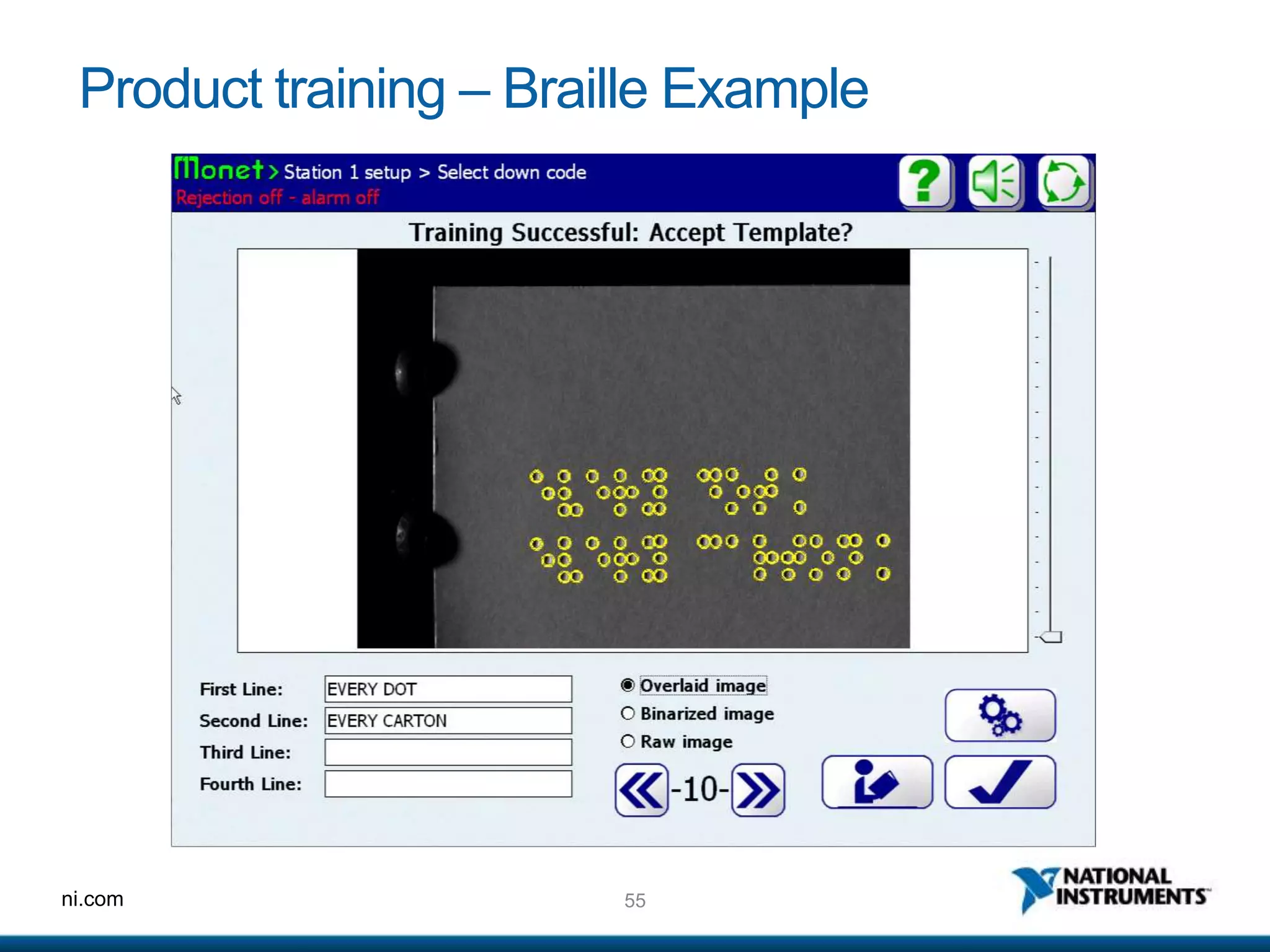
EVERY DOT
EVERY CARTON
LEARY BRAILLE
54ni.com
Product training – Braille Example
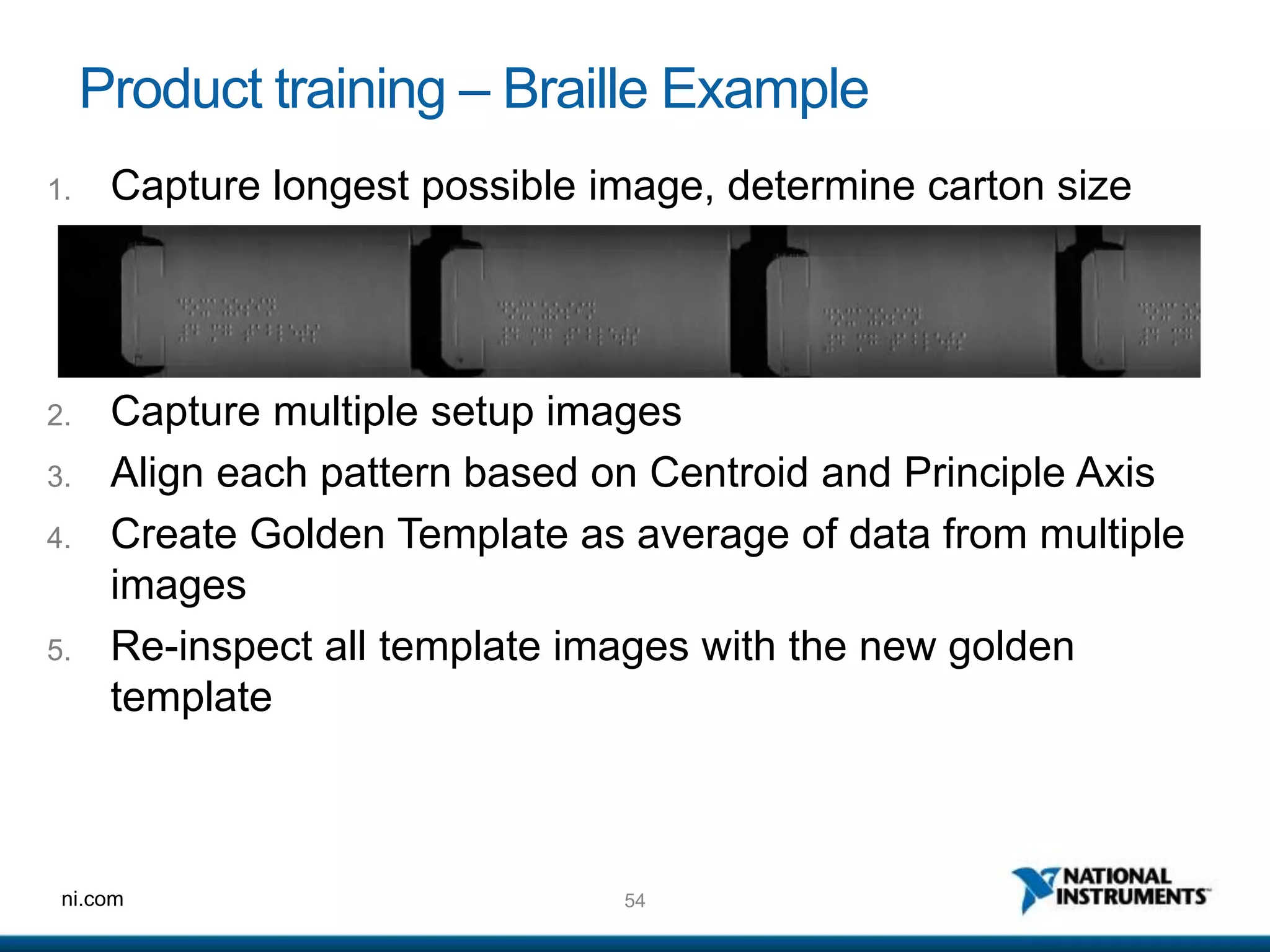
2. Capture multiple setup images
3. Align each pattern based on Centroid and Principle Axis
4. Create Golden Template as average of data from multiple
images
5. Re-inspect all template images with the new golden
template
1. Capture longest possible image, determine carton size
55ni.com
Product training – Braille Example
56ni.com
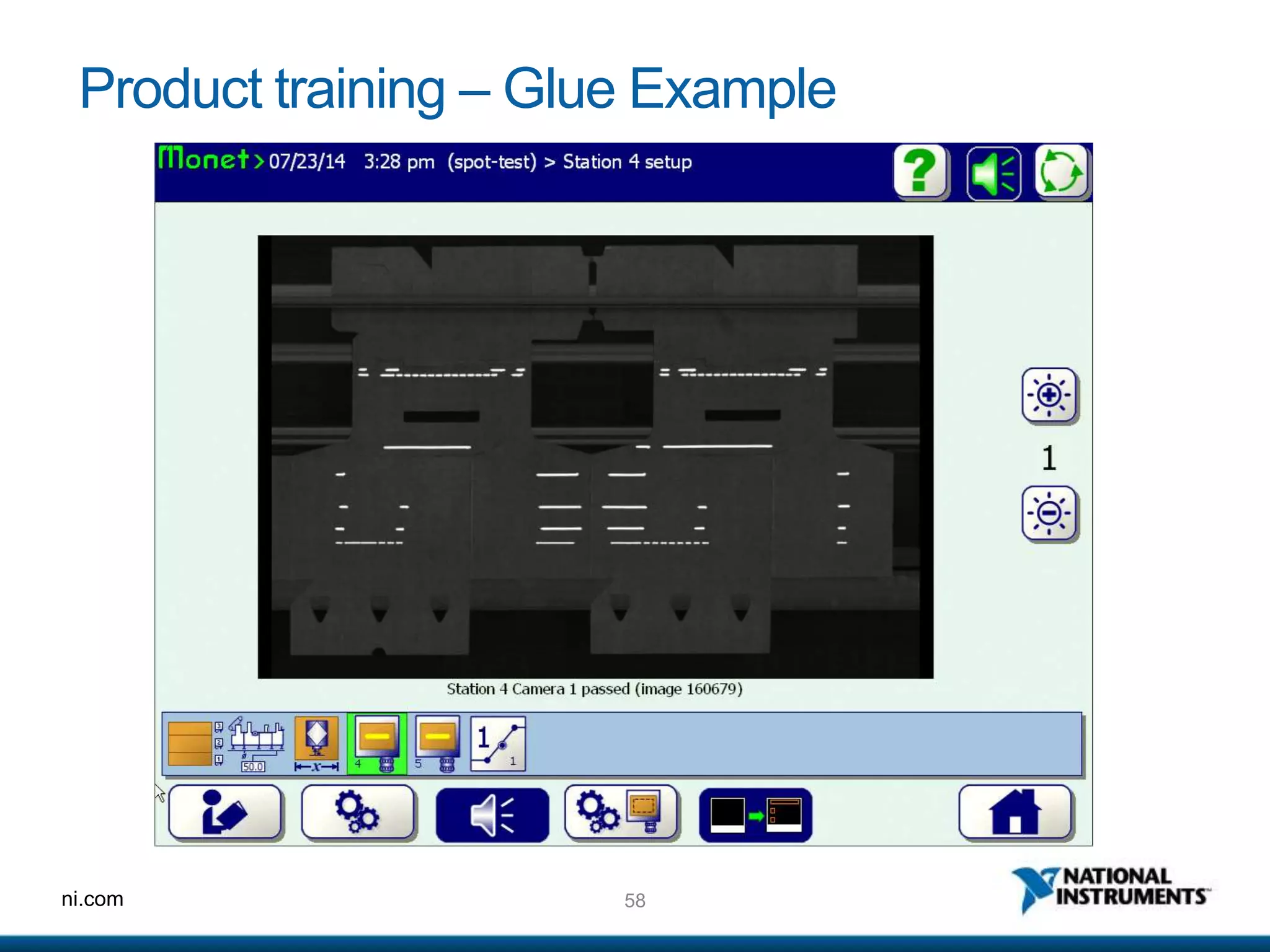
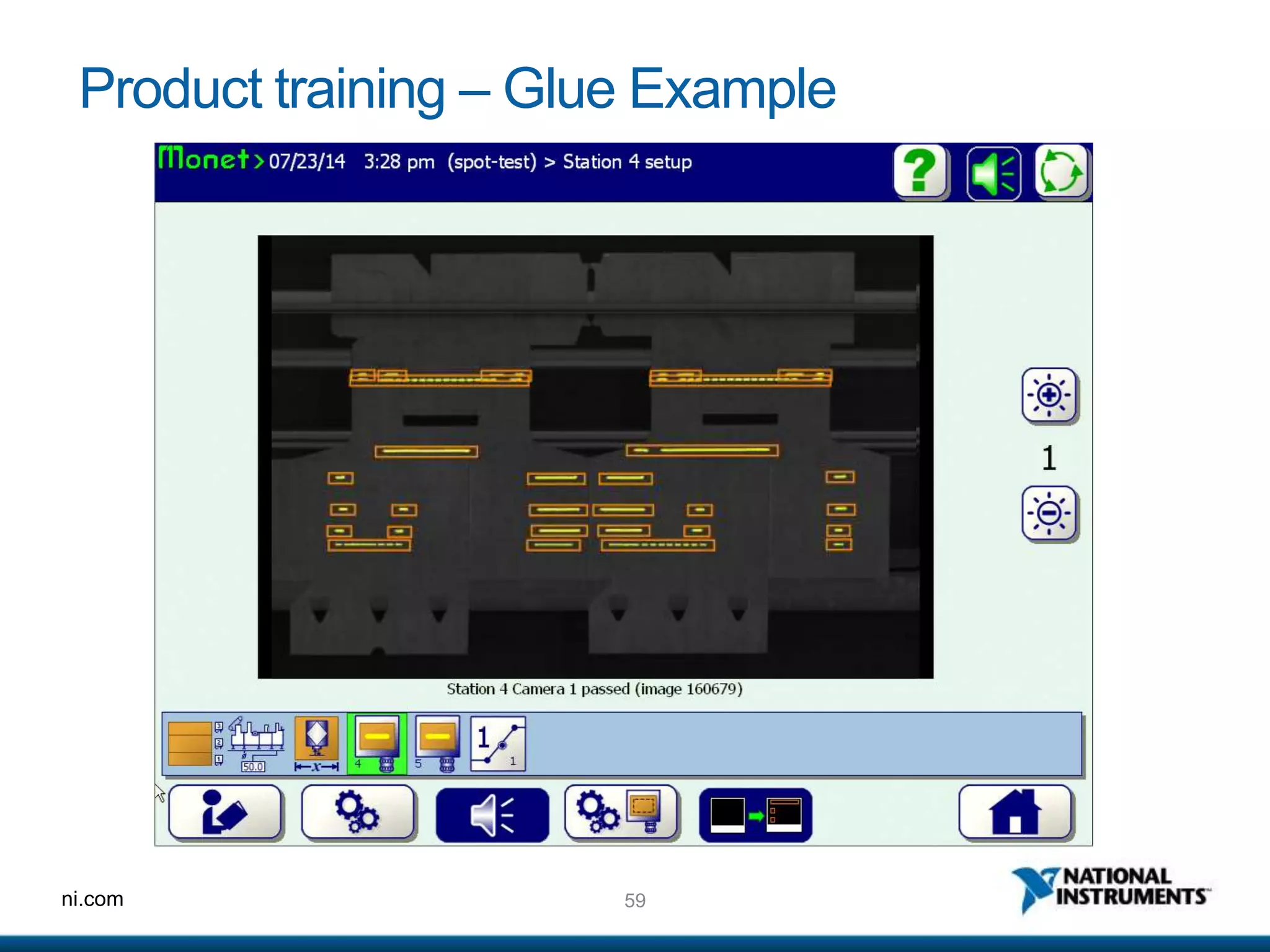
Product training – Glue Example
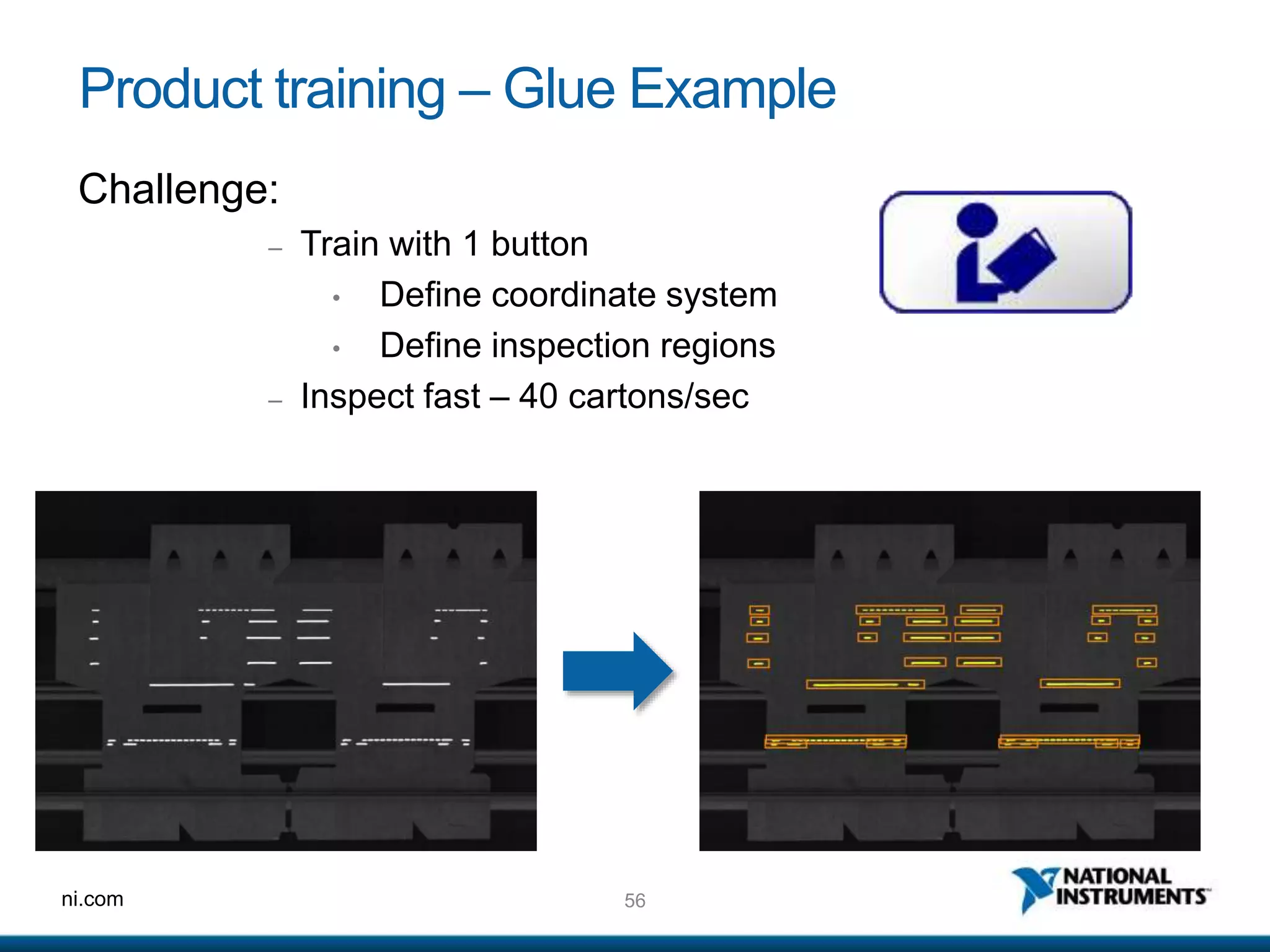
Challenge:
– Train with 1 button
• Define coordinate system
• Define inspection regions
– Inspect fast – 40 cartons/sec
57ni.com
Product training – Glue Example
Training Algorithm
1. Acquire multiple images
2. Align carton coordinate systems
3. Compile glue positions into one master template
4. Add constant offsets to create inspection regions
5. Reinspect all individual images
• Each inspection region is inspected as a subimage
58ni.com
Product training – Glue Example
59ni.com
Product training – Glue Example
60ni.com
In Conclusion…
61ni.com
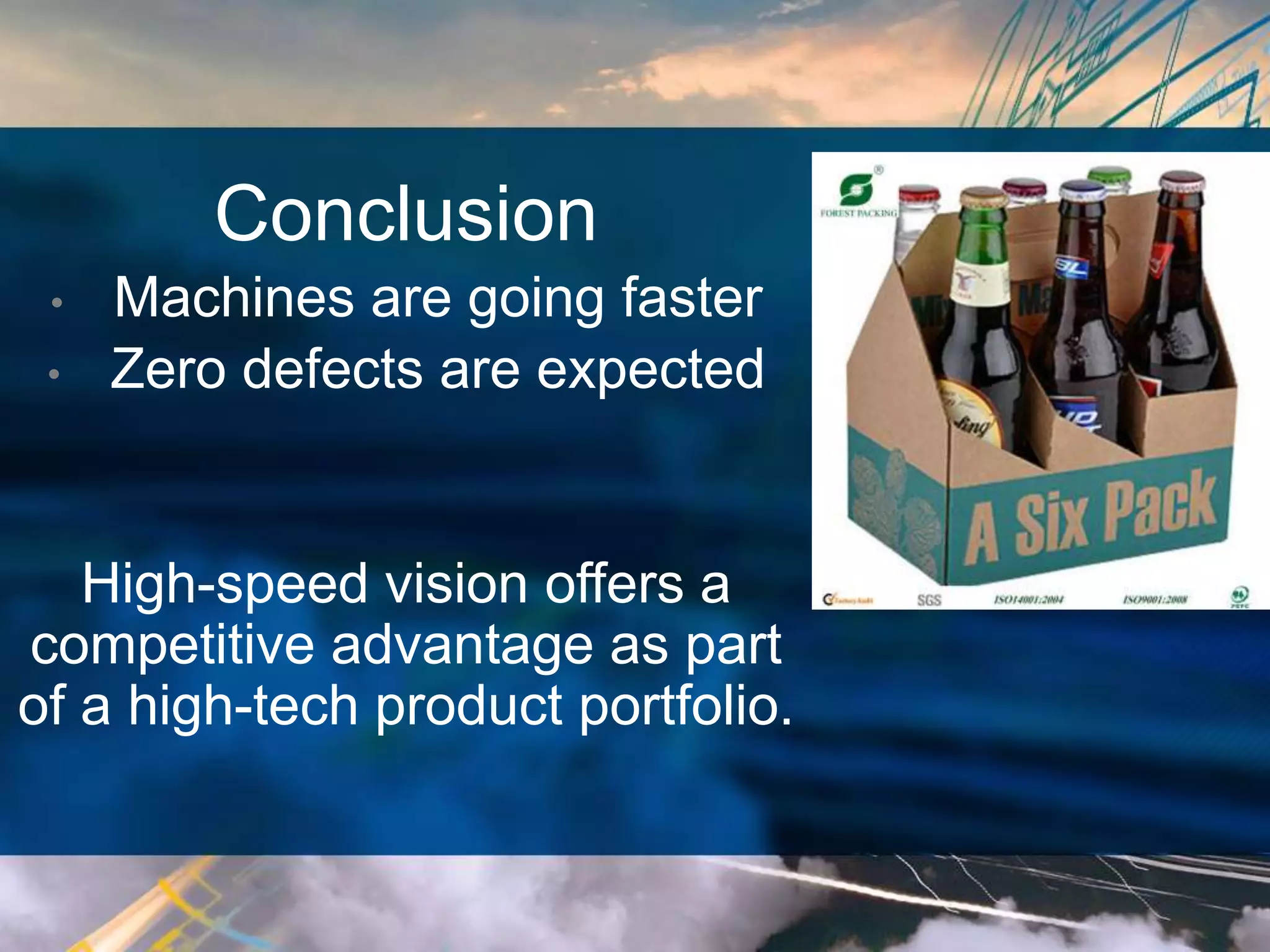
Conclusion
• Machines are going faster
• Zero defects are expected
High-speed vision offers a
competitive advantage as part
of a high-tech product portfolio.
62ni.com
Questions?
63ni.com

DMC NI Week 2014 High Speed Vision

  • 1.
    1ni.com Real-world Techniques in High-SpeedVision Inspection Wed 4:45 – 5:45 Room 17b
  • 2.
    2ni.com Presenters • Kenneth Brey– P.E. • Technical Director, DMC Inc. • Eric West • Project Engineer, DMC Inc.
  • 3.
    3ni.com Agenda 1. DMC companyoverview 2. High Speed Vision - Definition 3. Customer Focus – W.H. Leary 4. Hardware Architectures 5. Camera triggering with FPGA 6. Parallelism 7. Rapid algorithm tips 8. Product Training 9. Q&A Along the way: • Case Studies • Knowledge Nuggets
  • 4.
  • 5.
    5ni.com DMC Company Profile IndustriesServed: Automotive Chemical and Food Processing Electronics/Semiconductor Hydraulics Laboratory Testing Machine Tool Material Handling Metal Converting Packaging Pharmaceutical Printing & Textiles Established in 1996, offices in Chicago, Boston & Denver & customers throughout the world employees & growing 70+
  • 6.
  • 7.
    ni.com High Speed MachineVision Definition: • Automatically processing many images per second and acting on the result in real time. Is different than High Speed Photography, which is about acquiring many images per second.
  • 8.
    ni.com Customer Focus Daniel McCarty Sr.Software Development Mgr. W. H. Leary Co., Inc. Tinley Park, IL
  • 9.
    9ni.com Customer Scenario –Global Consumer Packaging Solutions Challenges: 1. Factory lines running products over 200,000 pieces/hr 2. Microseconds to decide whether a product is good 3. Self-monitoring, self-compensating systems 4. Track and reject bad product
  • 10.
  • 11.
  • 12.
    12ni.com TraditionalApproaches: In-line Sensing,I/O • Photoeye, Glue valve (“gun”), and Sensor • 4, 8, 16, or 24 of these groups (stations) • What about out-of-line defects? • Glue sling, Carton scrap, Crossing glue lines • Complex packaging requires 30+ stations
  • 13.
  • 14.
  • 15.
    15ni.com HardwareArchitectures - Overview Compare: 1.Windows PC Based Solutions 2. Smart Cameras 3. LabVIEW RT Based Solutions More info from NI at: http://www.ni.com/webcast/1063/en/
  • 16.
    16ni.com HardwareArchitectures – WindowsPC Based Separate Imagers, Windows PC • Advantages: • Buy Processor / Software Licenses Once • Integrated HMI • Works with standard cameras, plus odd-balls • Easy image storage • Leading edge processor performance • Disadvantages: • Not deterministic (subject to Windows “naps”) • I/O and image acquisition loosely integrated* *Exceptions include NI FPGA-Enabled Vision RIO cards. C C C
  • 17.
    17ni.com HardwareArchitectures – SmartCameras Bundled Solution: Imager, Processor, Software, I/O • Advantages: • Great communication to PLCs • Distributed Model: Scalable Performance • Deterministic performance. (no naps) • Disadvantages: • Buy Processor/Software with Each Camera • Multi-camera inspections are a challenge • Slower processors than a typical PC • Limited Imager Selection • No Integrated HMI • Limited on-board storage
  • 18.
    18ni.com HardwareArchitectures – LabVIEWRealTime Single Processor – Multi Imagers • Advantages: • Buy Processor / Software Licenses Once • Multi-image inspections processed together • Deterministic: No Naps • Super fast processors available • Broad Imager Selection • Integrated I/O with FPGA! • Disadvantages: • Limited onboard storage • No Integrated HMI*
  • 19.
    19ni.com HardwareArchitectures – LabVIEWRealTime Single Processor – Multi Imagers • Advantages: • Buy Processor / Software Licenses Once • Multi-image inspections processed together • Deterministic: No Naps • Super fast processors available • Broad Imager Selection • Integrated I/O with FPGA! • Integrated HMI with new NI Linux RT builds! • Disadvantages: • Limited onboard storage
  • 20.
  • 21.
    21ni.com Case Study 1:Packaging Glue Inspection • Challenge: • Cartons vary in size • Frequent Job Changes • Inspect glue location relative to carton • 40 images per second
  • 22.
    22ni.com Case Study 1:Packaging Glue Inspection • Solution: • LabVIEW RT PC with FPGA card • 4 Basler Racer GigE line-scan cameras o 2 sets - side-by-side • Ultra-violet lighting and UV fluorescent glue • Custom one-button “Learn” algorithm
  • 23.
    23ni.com Case Study 1:Packaging Glue Inspection Algorithm: • Threshold image twice: o Carton Threshold – edges define coordinate system o Glue Threshold (brightest) • Inspect glue inside Regions of Interest (ROIs) • Configure “Ignore” regions
  • 24.
  • 25.
  • 26.
    26ni.com Case Study 2:Packaging Braille Inspection • Challenge: • EU requires Braille on all OTC drug packaging • Operators don’t read Braille • Confirm all Braille Dots • Super fast: 50 cartons per second • Handle carton rotation
  • 27.
    27ni.com Case Study 2:Packaging Braille Inspection Solution: • LabVIEW RT PC and CameraLink card • Basler Sprint Line-Scan Camera o Line-scan – allows varying lengths of cartons o Uniformity of light along entire length of carton • Automatic “Learn” and Translate Text
  • 28.
    28ni.com Case Study 2:Packaging Braille Inspection Algorithm: • Normalize for uneven lighting across width of image • Angled lighting, dimples comprise a dark & light spot • Locate dots with dual-threshold particle-find • Pattern Alignment with “Principal Axis*” *See Wikipedia for more information on Principle Axis
  • 29.
    29ni.com Case Study 2:Packaging Braille Inspection
  • 30.
  • 31.
    31ni.com FPGA triggering • UseNI’s Vision-RIO • Pre-programmed • Common triggering and result buffering functions • Learn more: http://www.ni.com/white-paper/14599/en/ • Build your own with LabVIEW FPGA Module. • Manage Encoders, Part Sensors, Lighting and Camera I/O– all with microsecond precision • Custom Synchronization and Buffering • As easy as programming in LabVIEW
  • 32.
    32ni.com FPGAtriggering Example 1:Partial Closing Frame • In a line-scan inspection, close and re-open the frame to begin a new image without missing a line. • For webs that are continuous, but registered. Next Product Start Next Frame Time (200 us/division) Encoder A Encoder B Product Sensor Line trigger Frame Trigger
  • 33.
    33ni.com FPGA triggering Example2: Result Tracking • Monitor Encoders/Triggers • Buffer and Output Pass/Fail results
  • 34.
  • 35.
    ni.com Parallelism inMachineVision Doing these thingsat the same time: • Trigger Cameras • Acquire Images • Process Images • Handle Results • Display Images
  • 36.
    36ni.com Why Use Parallelism? Benefits: 1.Its faster! Costs: 1. More Data Tracking 2. More complex programming 3. Handshaking between distributed processes 4. System-level debugging
  • 37.
    37ni.com Parallelism – Example Independentplatforms help: FPGA / LabVIEW RT LabVIEW RT still does multiple things at once
  • 38.
    38ni.com Parallelism – Strategies 1.Pass ID info with each image – use to sync results • IMAQdx Buffer # • Camera Timestamp • Encoder Position 2. Push the result position down the line – use queues
  • 39.
    39ni.com Parallelism – Strategies Useexplicit processor selection for processing Leave a processor available for image acquisition.
  • 40.
  • 41.
    41ni.com RapidAlgorithms are key tohigh-speed processing Use Fast Algorithms Instead: • Particle find and analysis • Coordinate-based rotations and translations • (“Just Math”) • Subimage analysis Avoid Slow Algorithms: • Pixel Rotations • Morphology (erode, dilate) • Edge find • Object Find • Pattern Match When possible – do less.
  • 42.
    42ni.com Speed Tip: Avoidfloating point math Math operations are generally fast (compared to most vision algorithms) To make math REALLY fast, be sure to perform only integer math.
  • 43.
    43ni.com Speed Tip: Avoidfloating point math Average Execution Time (doubles): 142.6ms
  • 44.
    44ni.com Speed Tip: Avoidfloating point math Average Execution Time (integers): 57.75ms 2.5x faster than doubles!
  • 45.
    45ni.com Speed Tip: ImageReferences • Creating and Disposing Takes Time! • Declare a set of temp static image references – use in sub-VIs as temporary images.
  • 46.
    46ni.com Speed Tip: ImageReferences Bad Example – IMAQ Count Objects 2.vi
  • 47.
    47ni.com Speed Tip: ImageReferences DMC’s Customized “Count Objects” VI:
  • 48.
    48ni.com Speed Tip: VIProfiler Use the profiler to find VI’s that use the most Total Time Total Time: 1060ms
  • 49.
    49ni.com Speed Tip: VIProfiler Eliminated repeated IMAQ Create/Destroys Total Time: 860ms About 20% faster
  • 50.
    50ni.com Speed Tip: Sub-ImageAnalysis Wherepossible: • Process a smaller Region of Interest • Perform full-image operations on a down-sampled image. IMAQ Extract 2.vi:
  • 51.
  • 52.
    52ni.com Product training Motivation: • 10or more product changes per shift • Customers demand simplicity • Setup engineers are not provided This is the one thing we can take our time on – it’s only done once.
  • 53.
    53ni.com Product training –Braille Example Challenge: – Train and read with 1 button – Inspect Fast – 50 cartons/s EVERY DOT EVERY CARTON LEARY BRAILLE
  • 54.
    54ni.com Product training –Braille Example 2. Capture multiple setup images 3. Align each pattern based on Centroid and Principle Axis 4. Create Golden Template as average of data from multiple images 5. Re-inspect all template images with the new golden template 1. Capture longest possible image, determine carton size
  • 55.
  • 56.
    56ni.com Product training –Glue Example Challenge: – Train with 1 button • Define coordinate system • Define inspection regions – Inspect fast – 40 cartons/sec
  • 57.
    57ni.com Product training –Glue Example Training Algorithm 1. Acquire multiple images 2. Align carton coordinate systems 3. Compile glue positions into one master template 4. Add constant offsets to create inspection regions 5. Reinspect all individual images • Each inspection region is inspected as a subimage
  • 58.
  • 59.
  • 60.
  • 61.
    61ni.com Conclusion • Machines aregoing faster • Zero defects are expected High-speed vision offers a competitive advantage as part of a high-tech product portfolio.
  • 62.
  • 63.