ASP.NET 5 auf RPI und
Docker ausführen
ASP.NET 5 Core
Jürgen Gutsch
• Microsoft MVP (ASP.NET/IIS)
• Blogger auf aspnetzone.de
• Fachautor
• Leiter der .NET User-Groups in Basel und Konstanz/Kreuzlingen
• Software-Entwickler, Berater und Trainer bei der YooApplications AG
in Basel
Agenda
• .NET Core
• ASP.NET 5
• Raspberry PI
• Prepare
• Deploy
• Run
• Docker
• Prepare
• Deploy
• Run
.NET Core
• Cross Plattform Runtime
• Runs on Windows, Linux, Mac
• Open Source
• NuGet Based
• Lightweight
• Agile and Flexible
ASP.NET 5
• Completely rewritten
• Lightweight
• Fast
• Cross Plattform
• NuGet based
ASP.NET 5 on the
Raspberry PI 2
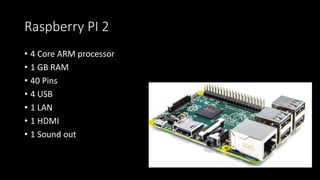
Raspberry PI 2
• 4 Core ARM processor
• 1 GB RAM
• 40 Pins
• 4 USB
• 1 LAN
• 1 HDMI
• 1 Sound out
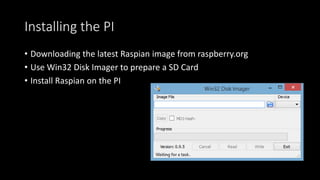
Installing the PI
• Downloading the latest Raspian image from raspberry.org
• Use Win32 Disk Imager to prepare a SD Card
• Install Raspian on the PI
Preparing the PI
• Add and configure a Network
• Connect to the PI via SSH e. g. via Putty
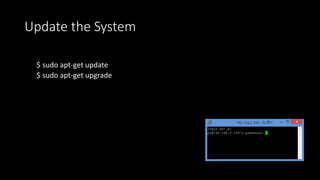
Update the System
$ sudo apt-get update
$ sudo apt-get upgrade
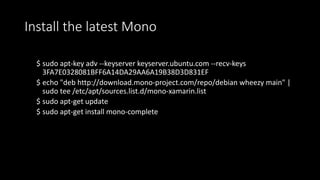
Install the latest Mono
$ sudo apt-key adv --keyserver keyserver.ubuntu.com --recv-keys
3FA7E0328081BFF6A14DA29AA6A19B38D3D831EF
$ echo "deb http://download.mono-project.com/repo/debian wheezy main" |
sudo tee /etc/apt/sources.list.d/mono-xamarin.list
$ sudo apt-get update
$ sudo apt-get install mono-complete
Test the Mono installation
$ mono -V
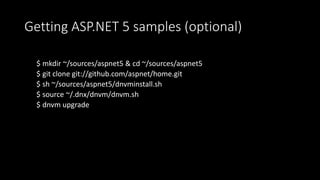
Getting ASP.NET 5 samples (optional)
$ mkdir ~/sources/aspnet5 & cd ~/sources/aspnet5
$ git clone git://github.com/aspnet/home.git
$ sh ~/sources/aspnet5/dnvminstall.sh
$ source ~/.dnx/dnvm/dnvm.sh
$ dnvm upgrade
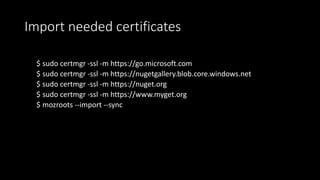
Import needed certificates
$ sudo certmgr -ssl -m https://go.microsoft.com
$ sudo certmgr -ssl -m https://nugetgallery.blob.core.windows.net
$ sudo certmgr -ssl -m https://nuget.org
$ sudo certmgr -ssl -m https://www.myget.org
$ mozroots --import --sync
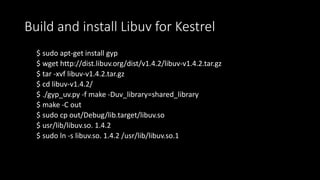
Build and install Libuv for Kestrel
$ sudo apt-get install gyp
$ wget http://dist.libuv.org/dist/v1.4.2/libuv-v1.4.2.tar.gz
$ tar -xvf libuv-v1.4.2.tar.gz
$ cd libuv-v1.4.2/
$ ./gyp_uv.py -f make -Duv_library=shared_library
$ make -C out
$ sudo cp out/Debug/lib.target/libuv.so
$ usr/lib/libuv.so. 1.4.2
$ sudo ln -s libuv.so. 1.4.2 /usr/lib/libuv.so.1
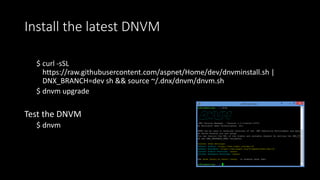
Install the latest DNVM
$ curl -sSL
https://raw.githubusercontent.com/aspnet/Home/dev/dnvminstall.sh |
DNX_BRANCH=dev sh && source ~/.dnx/dnvm/dnvm.sh
$ dnvm upgrade
Test the DNVM
$ dnvm
Install node.js
$ wget http://node-arm.herokuapp.com/node_latest_armhf.deb
$ sudo dpkg -i node_latest_armhf.deb
Install grunt & bower
$ sudo npm install -g grunt
$ sudo npm install -g bower
Possible IDEs
• Working on the PI
• vi Startup.cs
• Nano Startup.cs
• Working on Windows
• Visual Studio
• Visual Studio Code
Using Git
• Transfer files with Git
• Git is easy to use
• Git is integrated in Raspian
• Git is integrated in Visual Studio 2015
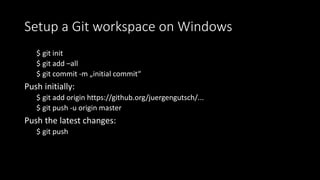
Setup a Git workspace on Windows
$ git init
$ git add –all
$ git commit -m „initial commit“
Push initially:
$ git add origin https://github.org/juergengutsch/...
$ git push -u origin master
Push the latest changes:
$ git push
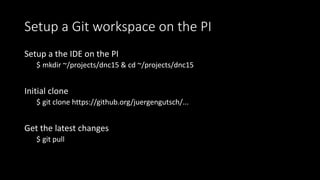
Setup a Git workspace on the PI
Setup a the IDE on the PI
$ mkdir ~/projects/dnc15 & cd ~/projects/dnc15
Initial clone
$ git clone https://github.org/juergengutsch/...
Get the latest changes
$ git pull
Setup the first ASP.NET 5 App for Kestrel
• Add Dependencies:
• "Microsoft.AspNet.Hosting": "1.0.0-beta7"
• "Microsoft.AspNet.Server.Kestrel": "1.0.0-beta7”
• Add Command:
• "kestrel": "Microsoft.AspNet.Hosting --server crosoft.AspNet.Server.Kestrel --
server.urls http://localhost:5001"
Start the sample web
Prepare the Start
$ cd ~/projects/dnc15/Sensors/src/Sensors
$ dnvm install latest
$ dnu restore
Starting the web server
$ dnx kestrel
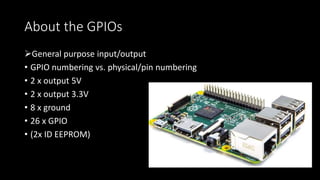
About the GPIOs
General purpose input/output
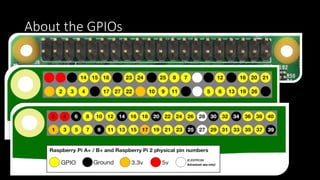
• GPIO numbering vs. physical/pin numbering
• 2 x output 5V
• 2 x output 3.3V
• 8 x ground
• 26 x GPIO
• (2x ID EEPROM)
About the GPIOs
Working with the GPIOs
• Calling the Raspian native API to connect the GPIOs
• Using existing C# libraries to access the pins:
• Raspberry.System
• https://github.com/raspberry-sharp/raspberry-sharp
• Raspberry.IO.GeneralPurpose
• https://github.com/raspberry-sharp/raspberry-sharp-io
• RPI.GPIO
• https://github.com/fatihboy/RPI.GPIO
Good to know: Be carefully
• Read carefully the GPIO specification
• Wrong connected pins can kill the sensor or the PI
• Read carefully the sensor specification
• Be carefully with external power
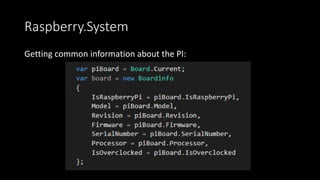
Raspberry.System
Getting common information about the PI:
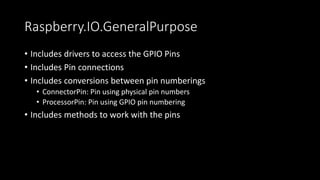
Raspberry.IO.GeneralPurpose
• Includes drivers to access the GPIO Pins
• Includes Pin connections
• Includes conversions between pin numberings
• ConnectorPin: Pin using physical pin numbers
• ProcessorPin: Pin using GPIO pin numbering
• Includes methods to work with the pins
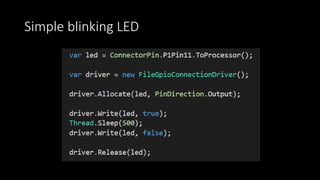
Simple blinking LED
Good to know: Cheat with node.js
• node.js is pretty cool on the PI 
• It‘s easy to write
• It runs fast
• many GPIO examples written in Javascript
• node.js is a pretty awesome tool to tryout things, you want to
implement with C#
ASP.NET 5 on
Docker
Docker
• Lightweight Virtualization
• Based on Linux Hosts (Windows is coming soon)
• Use of VirtualBox to run the Linux Host on Windows
• Machine = the Host
• Image = Configuration
• Container = a running image
Docker on Windows
• Installing boot2docker (deprecated) or Docker Toolbox
• Preparing a bash to work with Docker
• Setup the environment variables (HOME and PATH)
• Configure the bash using git-bash
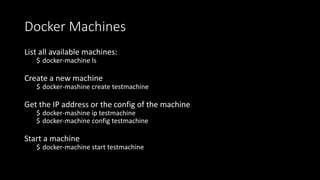
Docker Machines
List all available machines:
$ docker-machine ls
Create a new machine
$ docker-mashine create testmachine
Get the IP address or the config of the machine
$ docker-mashine ip testmachine
$ docker-machine config testmachine
Start a machine
$ docker-machine start testmachine
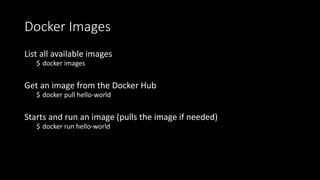
Docker Images
List all available images
$ docker images
Get an image from the Docker Hub
$ docker pull hello-world
Starts and run an image (pulls the image if needed)
$ docker run hello-world
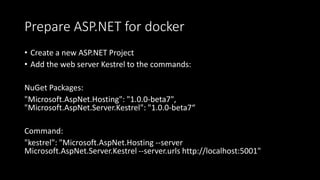
Prepare ASP.NET for docker
• Create a new ASP.NET Project
• Add the web server Kestrel to the commands:
NuGet Packages:
"Microsoft.AspNet.Hosting": "1.0.0-beta7",
"Microsoft.AspNet.Server.Kestrel": "1.0.0-beta7“
Command:
"kestrel": "Microsoft.AspNet.Hosting --server
Microsoft.AspNet.Server.Kestrel --server.urls http://localhost:5001"
Define the Image for ASP.NET
Add a „Dockerfile“ to the project next to the project.json:
FROM microsoft/aspnet:latest
COPY . /app
WORKDIR /app
RUN ["dnu", "restore"]
EXPOSE 5001
ENTRYPOINT ["dnx", "kestrel"]
Build and run the Image
• Move to the project folder using the bash
• Building the image:
$ docker build -t guj/aspnet5 .
• Check whether the image is registerd:
$ Docker images
• Running the image:
$ docker run -i -t -p 5001:5001 guj/aspnet5
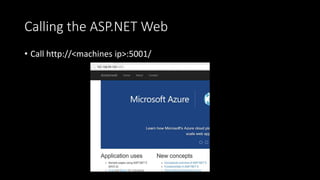
Calling the ASP.NET Web
• Call http://<machines ip>:5001/
Passing environment variables
• Pass any argument as environment variable with docker run:
$ docker run VARNAME1=OneValue VARNAME2=AnotherValue
• Running the web in production mode:
$ docker run -i -t -p 5001:5001 guj/aspnet5 ASPNET_ENV=Production
• Running the web in staging mode:
$ docker run -i -t -p 5001:5001 guj/aspnet5 ASPNET_ENV=Staging
• Running the web in development mode:
$ docker run -i -t -p 5001:5001 guj/aspnet5 ASPNET_ENV=Development
Why using Docker?
• Fast and lightweight virtualisation
• Composing infrastructure for microservice applications
• Fast created on the dev machines
• Easily distributed images to other devs
• Fast and easy deployed to production machines
Many Thanks
• Feel free to contact me:
• Twitter.com/sharpcms
• facebook.com/juergen.gutsch
• github.com/juergengutsch
• bitucket.org/juergengutsch
• aspnetzone.de/blogs/juergengutsch

ASP.NET 5 auf Raspberry PI & docker

  • 1.
    ASP.NET 5 aufRPI und Docker ausführen ASP.NET 5 Core
  • 2.
    Jürgen Gutsch • MicrosoftMVP (ASP.NET/IIS) • Blogger auf aspnetzone.de • Fachautor • Leiter der .NET User-Groups in Basel und Konstanz/Kreuzlingen • Software-Entwickler, Berater und Trainer bei der YooApplications AG in Basel
  • 3.
    Agenda • .NET Core •ASP.NET 5 • Raspberry PI • Prepare • Deploy • Run • Docker • Prepare • Deploy • Run
  • 4.
    .NET Core • CrossPlattform Runtime • Runs on Windows, Linux, Mac • Open Source • NuGet Based • Lightweight • Agile and Flexible
  • 5.
    ASP.NET 5 • Completelyrewritten • Lightweight • Fast • Cross Plattform • NuGet based
  • 6.
    ASP.NET 5 onthe Raspberry PI 2
  • 7.
    Raspberry PI 2 •4 Core ARM processor • 1 GB RAM • 40 Pins • 4 USB • 1 LAN • 1 HDMI • 1 Sound out
  • 8.
    Installing the PI •Downloading the latest Raspian image from raspberry.org • Use Win32 Disk Imager to prepare a SD Card • Install Raspian on the PI
  • 9.
    Preparing the PI •Add and configure a Network • Connect to the PI via SSH e. g. via Putty
  • 10.
    Update the System $sudo apt-get update $ sudo apt-get upgrade
  • 11.
    Install the latestMono $ sudo apt-key adv --keyserver keyserver.ubuntu.com --recv-keys 3FA7E0328081BFF6A14DA29AA6A19B38D3D831EF $ echo "deb http://download.mono-project.com/repo/debian wheezy main" | sudo tee /etc/apt/sources.list.d/mono-xamarin.list $ sudo apt-get update $ sudo apt-get install mono-complete
  • 12.
    Test the Monoinstallation $ mono -V
  • 13.
    Getting ASP.NET 5samples (optional) $ mkdir ~/sources/aspnet5 & cd ~/sources/aspnet5 $ git clone git://github.com/aspnet/home.git $ sh ~/sources/aspnet5/dnvminstall.sh $ source ~/.dnx/dnvm/dnvm.sh $ dnvm upgrade
  • 14.
    Import needed certificates $sudo certmgr -ssl -m https://go.microsoft.com $ sudo certmgr -ssl -m https://nugetgallery.blob.core.windows.net $ sudo certmgr -ssl -m https://nuget.org $ sudo certmgr -ssl -m https://www.myget.org $ mozroots --import --sync
  • 15.
    Build and installLibuv for Kestrel $ sudo apt-get install gyp $ wget http://dist.libuv.org/dist/v1.4.2/libuv-v1.4.2.tar.gz $ tar -xvf libuv-v1.4.2.tar.gz $ cd libuv-v1.4.2/ $ ./gyp_uv.py -f make -Duv_library=shared_library $ make -C out $ sudo cp out/Debug/lib.target/libuv.so $ usr/lib/libuv.so. 1.4.2 $ sudo ln -s libuv.so. 1.4.2 /usr/lib/libuv.so.1
  • 16.
    Install the latestDNVM $ curl -sSL https://raw.githubusercontent.com/aspnet/Home/dev/dnvminstall.sh | DNX_BRANCH=dev sh && source ~/.dnx/dnvm/dnvm.sh $ dnvm upgrade Test the DNVM $ dnvm
  • 17.
    Install node.js $ wgethttp://node-arm.herokuapp.com/node_latest_armhf.deb $ sudo dpkg -i node_latest_armhf.deb
  • 18.
    Install grunt &bower $ sudo npm install -g grunt $ sudo npm install -g bower
  • 19.
    Possible IDEs • Workingon the PI • vi Startup.cs • Nano Startup.cs • Working on Windows • Visual Studio • Visual Studio Code
  • 20.
    Using Git • Transferfiles with Git • Git is easy to use • Git is integrated in Raspian • Git is integrated in Visual Studio 2015
  • 21.
    Setup a Gitworkspace on Windows $ git init $ git add –all $ git commit -m „initial commit“ Push initially: $ git add origin https://github.org/juergengutsch/... $ git push -u origin master Push the latest changes: $ git push
  • 22.
    Setup a Gitworkspace on the PI Setup a the IDE on the PI $ mkdir ~/projects/dnc15 & cd ~/projects/dnc15 Initial clone $ git clone https://github.org/juergengutsch/... Get the latest changes $ git pull
  • 23.
    Setup the firstASP.NET 5 App for Kestrel • Add Dependencies: • "Microsoft.AspNet.Hosting": "1.0.0-beta7" • "Microsoft.AspNet.Server.Kestrel": "1.0.0-beta7” • Add Command: • "kestrel": "Microsoft.AspNet.Hosting --server crosoft.AspNet.Server.Kestrel -- server.urls http://localhost:5001"
  • 24.
    Start the sampleweb Prepare the Start $ cd ~/projects/dnc15/Sensors/src/Sensors $ dnvm install latest $ dnu restore Starting the web server $ dnx kestrel
  • 25.
    About the GPIOs Generalpurpose input/output • GPIO numbering vs. physical/pin numbering • 2 x output 5V • 2 x output 3.3V • 8 x ground • 26 x GPIO • (2x ID EEPROM)
  • 26.
  • 27.
    Working with theGPIOs • Calling the Raspian native API to connect the GPIOs • Using existing C# libraries to access the pins: • Raspberry.System • https://github.com/raspberry-sharp/raspberry-sharp • Raspberry.IO.GeneralPurpose • https://github.com/raspberry-sharp/raspberry-sharp-io • RPI.GPIO • https://github.com/fatihboy/RPI.GPIO
  • 28.
    Good to know:Be carefully • Read carefully the GPIO specification • Wrong connected pins can kill the sensor or the PI • Read carefully the sensor specification • Be carefully with external power
  • 29.
  • 30.
    Raspberry.IO.GeneralPurpose • Includes driversto access the GPIO Pins • Includes Pin connections • Includes conversions between pin numberings • ConnectorPin: Pin using physical pin numbers • ProcessorPin: Pin using GPIO pin numbering • Includes methods to work with the pins
  • 31.
  • 32.
    Good to know:Cheat with node.js • node.js is pretty cool on the PI  • It‘s easy to write • It runs fast • many GPIO examples written in Javascript • node.js is a pretty awesome tool to tryout things, you want to implement with C#
  • 33.
  • 34.
    Docker • Lightweight Virtualization •Based on Linux Hosts (Windows is coming soon) • Use of VirtualBox to run the Linux Host on Windows • Machine = the Host • Image = Configuration • Container = a running image
  • 35.
    Docker on Windows •Installing boot2docker (deprecated) or Docker Toolbox • Preparing a bash to work with Docker • Setup the environment variables (HOME and PATH) • Configure the bash using git-bash
  • 36.
    Docker Machines List allavailable machines: $ docker-machine ls Create a new machine $ docker-mashine create testmachine Get the IP address or the config of the machine $ docker-mashine ip testmachine $ docker-machine config testmachine Start a machine $ docker-machine start testmachine
  • 37.
    Docker Images List allavailable images $ docker images Get an image from the Docker Hub $ docker pull hello-world Starts and run an image (pulls the image if needed) $ docker run hello-world
  • 38.
    Prepare ASP.NET fordocker • Create a new ASP.NET Project • Add the web server Kestrel to the commands: NuGet Packages: "Microsoft.AspNet.Hosting": "1.0.0-beta7", "Microsoft.AspNet.Server.Kestrel": "1.0.0-beta7“ Command: "kestrel": "Microsoft.AspNet.Hosting --server Microsoft.AspNet.Server.Kestrel --server.urls http://localhost:5001"
  • 39.
    Define the Imagefor ASP.NET Add a „Dockerfile“ to the project next to the project.json: FROM microsoft/aspnet:latest COPY . /app WORKDIR /app RUN ["dnu", "restore"] EXPOSE 5001 ENTRYPOINT ["dnx", "kestrel"]
  • 40.
    Build and runthe Image • Move to the project folder using the bash • Building the image: $ docker build -t guj/aspnet5 . • Check whether the image is registerd: $ Docker images • Running the image: $ docker run -i -t -p 5001:5001 guj/aspnet5
  • 41.
    Calling the ASP.NETWeb • Call http://<machines ip>:5001/
  • 42.
    Passing environment variables •Pass any argument as environment variable with docker run: $ docker run VARNAME1=OneValue VARNAME2=AnotherValue • Running the web in production mode: $ docker run -i -t -p 5001:5001 guj/aspnet5 ASPNET_ENV=Production • Running the web in staging mode: $ docker run -i -t -p 5001:5001 guj/aspnet5 ASPNET_ENV=Staging • Running the web in development mode: $ docker run -i -t -p 5001:5001 guj/aspnet5 ASPNET_ENV=Development
  • 43.
    Why using Docker? •Fast and lightweight virtualisation • Composing infrastructure for microservice applications • Fast created on the dev machines • Easily distributed images to other devs • Fast and easy deployed to production machines
  • 44.
    Many Thanks • Feelfree to contact me: • Twitter.com/sharpcms • facebook.com/juergen.gutsch • github.com/juergengutsch • bitucket.org/juergengutsch • aspnetzone.de/blogs/juergengutsch

Editor's Notes

  • #12 apt-get mono ist zu alt aktuelles mono läuft nicht auf RPIB+ Speicherproblem MONO 4.0
  • #18 apt-get ist zu alt
  • #25 Demo?