DISCOVER
WORDPRESS
Foxxr.com >>> Web Development | SEO Services | Website Support | Weekly Workshops
Santa Cruz Business Professionals Meetup
Presented by Brian Childers
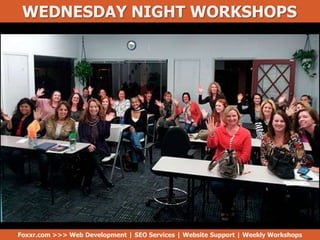
WEDNESDAY NIGHT WORKSHOPS
Foxxr.com >>> Web Development | SEO Services | Website Support | Weekly Workshops
GUARANTEED!
Aha Moments
Advanced Topics
Covered in
Upcoming
Workshops
Source - http://foxxr.com/favorites
Sources Noted
BEFORE WE BEGIN
You can find this presentation on
Getting to Know WordPress
Admin Panel and Optimal Settings
Getting to Know WordPress
Foxxr.com >>> Web Development | SEO Services | Website Support | Weekly Workshops
• WordPress.com vs. WordPress.org
• Getting familiar with Wordpress.org website
• Custom themes & theme frameworks
• What are plugins & how to search plugins
• Choosing a web hosting company
What is WordPress?
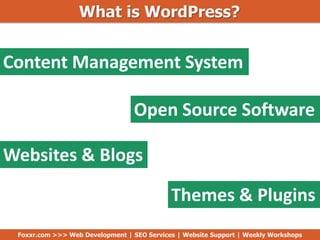
Content Management System
Open Source Software
Websites & Blogs
Themes & Plugins
Foxxr.com >>> Web Development | SEO Services | Website Support | Weekly Workshops
Source - http://wpbeginner.com
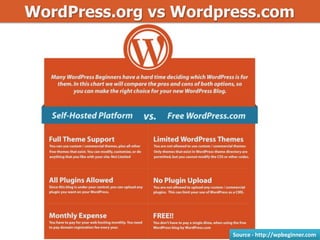
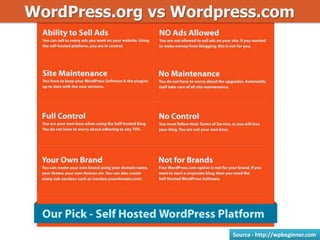
WordPress.org vs Wordpress.com
Source - http://wpbeginner.com
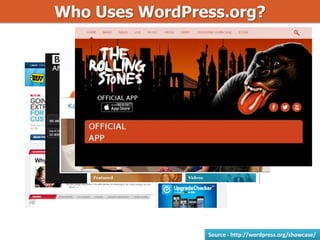
Who Uses WordPress.org?
Source - http://wordpress.org/showcase/
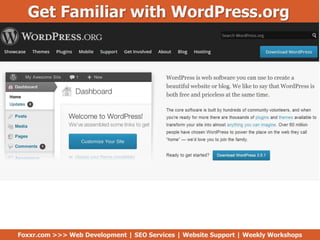
Get Familiar with WordPress.org
Foxxr.com >>> Web Development | SEO Services | Website Support | Weekly Workshops
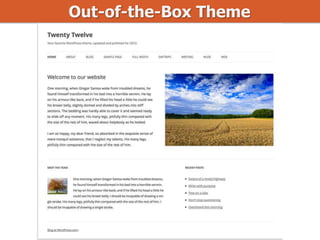
Out-of-the-Box Theme
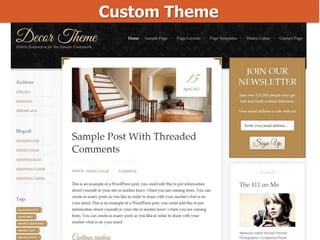
Custom Theme
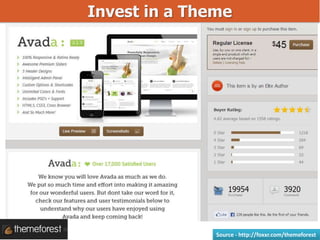
Invest in a Theme
Source - http://foxxr.com/themeforest
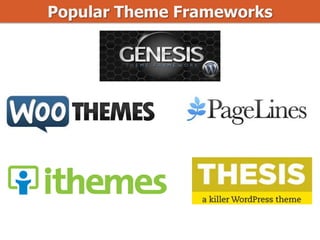
Popular Theme Frameworks
Source - http://getlisted.org
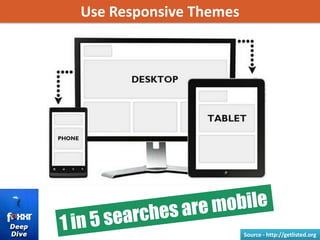
Use Responsive Themes
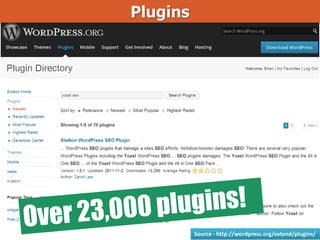
Plugins
Source - http://wordpress.org/extend/plugins/
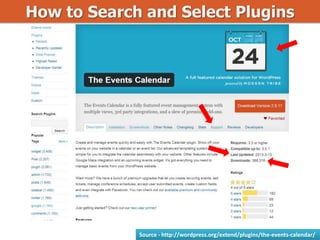
How to Search and Select Plugins
Source - http://wordpress.org/extend/plugins/the-events-calendar/
Choosing a Web Hosting Company
http://foxxr.com/bluehost http://foxxr.com/hostgator
Foxxr.com >>> Web Development | SEO Services | Website Support | Weekly Workshops
Questions
• WordPress.com vs. WordPress.org
• Getting familiar with Wordpress.org
• Custom themes & theme frameworks
• What are plugins & how to search plugins
• Choosing a web hosting company
Foxxr.com >>> Web Development | SEO Services | Website Support | Weekly Workshops
Admin Panel and Optimal Settings
Admin Panel & Optimal Settings
Foxxr.com >>> Web Development | SEO Services | Website Support | Weekly Workshops
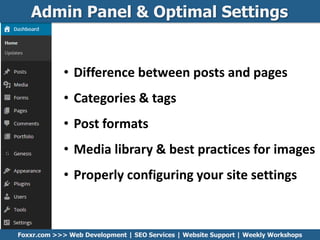
• Difference between posts and pages
• Categories & tags
• Post formats
• Media library & best practices for images
• Properly configuring your site settings
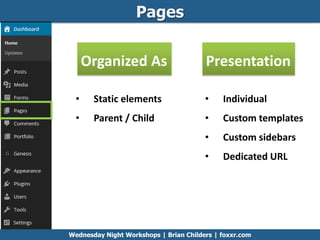
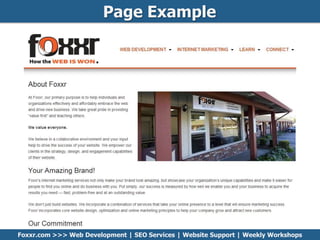
Pages
Organized As Presentation
• Static elements
• Parent / Child
• Individual
• Custom templates
• Custom sidebars
• Dedicated URL
Wednesday Night Workshops | Brian Childers | foxxr.com
Page Example
Foxxr.com >>> Web Development | SEO Services | Website Support | Weekly Workshops
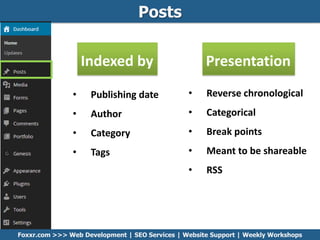
Posts
• Publishing date
• Author
• Category
• Tags
Indexed by
• Reverse chronological
• Categorical
• Break points
• Meant to be shareable
• RSS
Presentation
Foxxr.com >>> Web Development | SEO Services | Website Support | Weekly Workshops
Post Break Points Example
Foxxr.com >>> Web Development | SEO Services | Website Support | Weekly Workshops
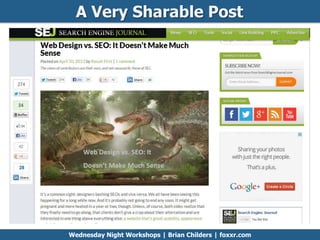
A Very Sharable Post
Wednesday Night Workshops | Brian Childers | foxxr.com
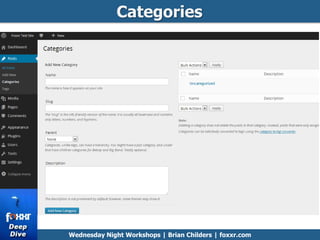
Categories
Wednesday Night Workshops | Brian Childers | foxxr.com
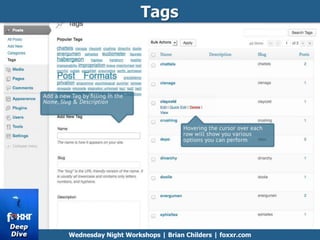
Tags
Wednesday Night Workshops | Brian Childers | foxxr.com
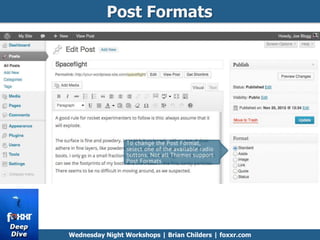
Post Formats
Wednesday Night Workshops | Brian Childers | foxxr.com
Post Formats
Wednesday Night Workshops | Brian Childers | foxxr.com
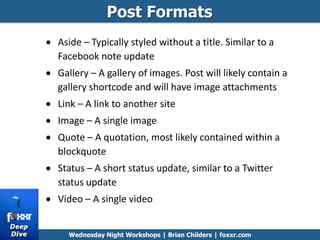
Aside – Typically styled without a title. Similar to a
Facebook note update
Gallery – A gallery of images. Post will likely contain a
gallery shortcode and will have image attachments
Link – A link to another site
Image – A single image
Quote – A quotation, most likely contained within a
blockquote
Status – A short status update, similar to a Twitter
status update
Video – A single video
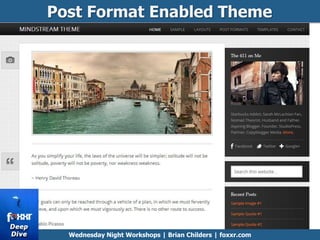
Post Format Enabled Theme
Wednesday Night Workshops | Brian Childers | foxxr.com
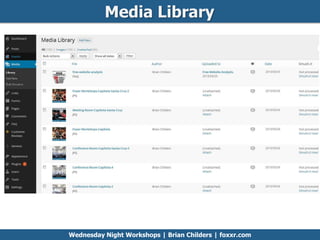
Media Library
Wednesday Night Workshops | Brian Childers | foxxr.com
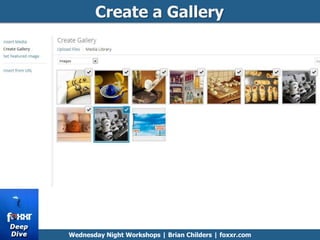
Create a Gallery
Wednesday Night Workshops | Brian Childers | foxxr.com
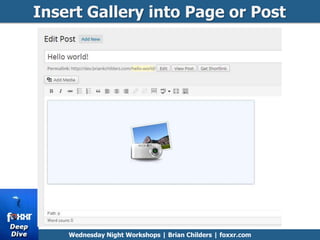
Insert Gallery into Page or Post
Wednesday Night Workshops | Brian Childers | foxxr.com
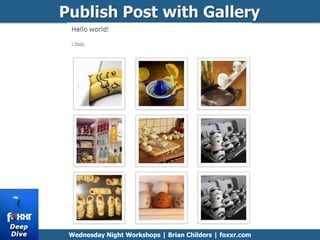
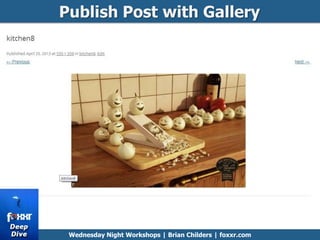
Publish Post with Gallery
Wednesday Night Workshops | Brian Childers | foxxr.com
Publish Post with Gallery
Wednesday Night Workshops | Brian Childers | foxxr.com
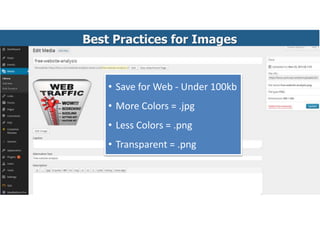
Best Practices for Images
• Save for Web - Under 100kb
• More Colors = .jpg
• Less Colors = .png
• Transparent = .png
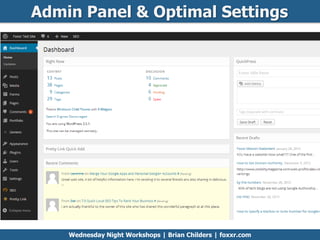
Admin Panel & Optimal Settings
Wednesday Night Workshops | Brian Childers | foxxr.com
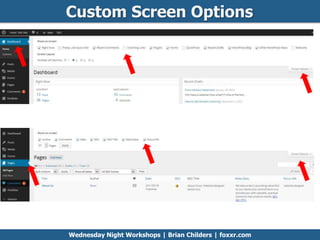
Custom Screen Options
Wednesday Night Workshops | Brian Childers | foxxr.com
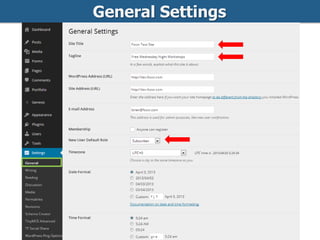
General Settings
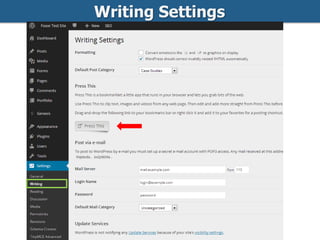
Writing Settings
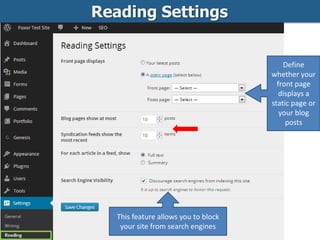
Reading Settings
Define
whether your
front page
displays a
static page or
your blog
posts
This feature allows you to block
your site from search engines
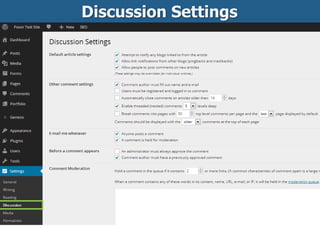
Discussion Settings
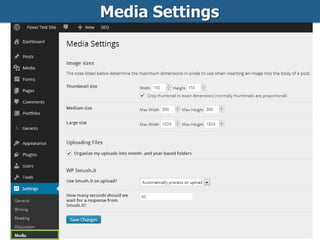
Media Settings
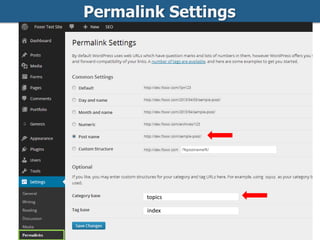
Permalink Settings
topics
index
Questions
Foxxr.com >>> Web Development | SEO Services | Website Support | Weekly Workshops
• Difference between posts and pages
• Categories & tags
• Post formats
• Media library & best practices for images
• Properly configuring your site settings
Community Workshops | Brian Childers | foxxr.com | 831-531-7771
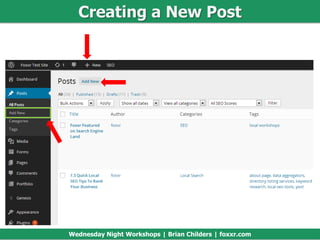
Creating a New Post
Wednesday Night Workshops | Brian Childers | foxxr.com
Community Workshops | Brian Childers | foxxr.com | 831-531-7771
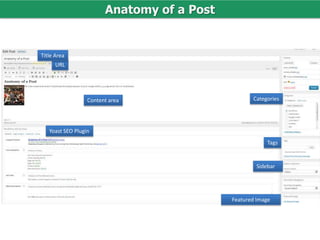
Anatomy of a Post
Content area
Yoast SEO Plugin
Categories
URL
Title Area
Tags
Sidebar
Featured Image
Community Workshops | Brian Childers | foxxr.com | 831-531-7771
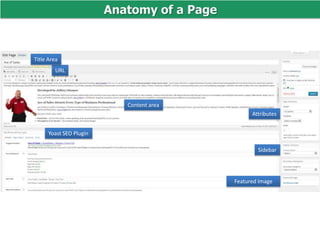
Anatomy of a Page
Content area
Yoast SEO Plugin
Attributes
URL
Title Area
Sidebar
Featured Image
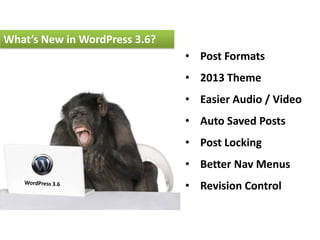
• Post Formats
• 2013 Theme
• Easier Audio / Video
• Auto Saved Posts
• Post Locking
• Better Nav Menus
• Revision Control
What’s New in WordPress 3.6?
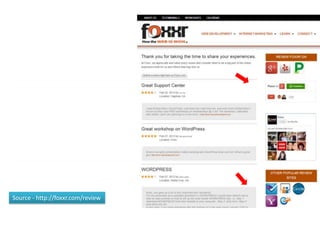
Source - http://foxxr.com/review
We Reward
Referrals!
Brian
Childers
Matthew
Addis
Source - http://foxxr.com/referral-rewards
$50 to You!
Discover WordPress

Discover WordPress

Editor's Notes

  • #8 How many of you feel that you have got a grasp on the backend of WordpressHow many want to know about optimal settingsHow many want to know more about SEO
  • #10 WordPress is a content management system built with open source software system used by millions of people around the world to create beautiful websites and blogs. It is completely customizable by the use of themes and plugins.
  • #15 The overall appearance of a WordPress site is controlled by the Theme. Although there is a default theme that comes installed with WordPress, most people will either download a new theme, purchase one, or have one custom designed and built.
  • #16 The sophisticated simplicity of Decor theme
  • #17 Avada is clean, super flexible and has a fully responsive design! This theme sets the new standard with endless possibilities!
  • #18 WordPress template frameworks offer a huge amount of built-in control and flexibility allowing you to create many different styles and layouts, and easily customize the template to build a professional and unique looking website. The theme frameworks below are for users of all levels.
  • #26 WordPress is built around two basic concepts. Posts and Pages. Posts are typical blog entries. A series of articles, listed (usually) reverse-chronologically. Pages are used for more static content (i.e. content that doesn’t change or changes infrequently). An ‘About us’ page is an example of a Page on a typical website. In most cases you’ll find that the content in the ‘About us’ page doesn’t change all that frequently.
  • #28 Now, you might be thinking, “but I don’t need a blog”. This might be true, but you can also use the blog concept if you have a site where you need to display your ‘latest news’ or even just company updates. Basically, any information that gets updated on a semi-regular basis can benefit from the ‘blog’ functionality. Whether that’s a traditional blog, your company’ ‘latest news’ or even just your own personal updates.
  • #31 You can use categories to define sections of your site and group related posts. The default category is Uncategorized but this can be easily changed in your Settings. Pages cannot be associated with Categories. You can only associate Categories to Posts.Categories, unlike tags, can have a hierarchy. You might have a Car category, and under that have children categories for Ford, General Motors and Toyota.
  • #32 Tags are ad-hoc keywords that identify important information in your post (names, subjects, etc) that may or may not recur in other posts. Unlike Categories, Tags have no hierarchy, meaning there’s no relationship from one Tag to another. Pages cannot be assigned Tags and cannot be associated with Categories. You can only associate Tags and Categories to Posts.
  • #33 A Post Format is meta information that can be used within a Theme to style or customise the presentation of a Post. The Post Formats feature provides a standardised list of formats that are available to all themes that support the feature. There is no requirement for Themes to support every format on the list and new formats cannot be introduced by themes or even plugins
  • #34 Aside – Typically styled without a title. Similar to a Facebook note updateGallery – A gallery of images. Post will likely contain a gallery shortcode and will have image attachmentsLink – A link to another siteImage – A single imageQuote – A quotation, most likely contained within a blockquoteStatus – A short status update, similar to a Twitter status updateVideo – A single video
  • #36 The Media Library is where you can find all the files that you’ve uploaded. The most recent uploads are listed first.
  • #37 WordPress has its own simple built-in Image Gallery that allows you to add multiple images to a page in one easy step.
  • #45 Press This is a bookmarklet: a little app that runs in your browser that lets you grab bits of the web. It provides you with a handy shortcut within your browser to creating new Posts.
  • #54 Post Formats:  Post Formats now have their own UI, and theme authors have access to templating functions to access the structured data.Twenty Thirteen: Twenty Thirteen is an opinionated, color-rich, blog-centric theme that makes full use of the new Post Formats support.Audio/Video: You can embed audio and video files into your posts without relying on a plugin or a third party media hosting service.Autosave:  Posts are now autosaved locally. If your browser crashes, your computer dies, or the server goes offline as you’re saving, you won’t lose the your post.Post Locking:  See when someone is currently editing a post, and kick them out of it if they fall asleep at the keyboard.Nav Menus:  Nav menus have been simplified with an accordion-based UI, and a separate tab for bulk-assigning menus to locations.Revisions: The all-new revisions UI features avatars, a slider that “scrubs” through history, and two-slider range comparisons.