E-Invoicing for India
Digital invoicing Application
Automating Accounts Payable process
Presentation by
Mohammed Abrar
https://www.linkedin.com/in/mohammed-abrar/
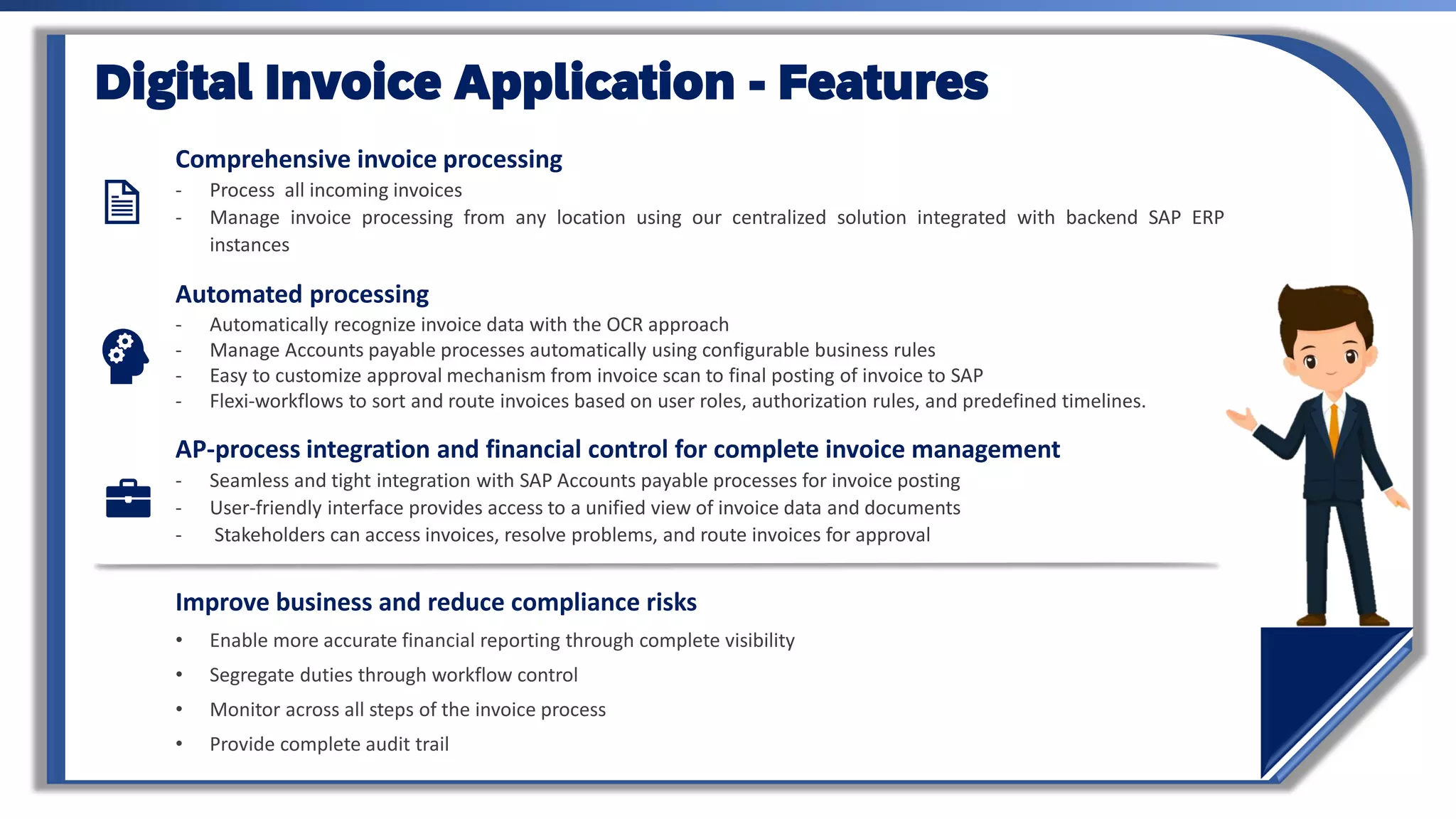
Comprehensive invoice processing
- Process all incoming invoices
- Manage invoice processing from any location using our centralized solution integrated with backend SAP ERP
instances
Automated processing
- Automatically recognize invoice data with the OCR approach
- Manage Accounts payable processes automatically using configurable business rules
- Easy to customize approval mechanism from invoice scan to final posting of invoice to SAP
- Flexi-workflows to sort and route invoices based on user roles, authorization rules, and predefined timelines.
AP-process integration and financial control for complete invoice management
- Seamless and tight integration with SAP Accounts payable processes for invoice posting
- User-friendly interface provides access to a unified view of invoice data and documents
- Stakeholders can access invoices, resolve problems, and route invoices for approval
Digital Invoice Application - Features
Improve business and reduce compliance risks
• Enable more accurate financial reporting through complete visibility
• Segregate duties through workflow control
• Monitor across all steps of the invoice process
• Provide complete audit trail
Manual Invoice Processing
An inefficient and serious risk to your business
Manually managing invoices
processes drains resources
• Time-consuming historical research
• Belabored vendor communications
• Documentation and other requests for additional
information
• Manual routing
• labor-intensive monitoring and updates
• Scalability only through headcount
Inefficient, labour-intensive
processes
• Inability to optimize cash-flow and vendor
relationships
• Inability to improve overall business
transparency
• Lack of process control introduces compliance
risk
Organizational Gains from
Digital Invoice Application
Simplify and optimize entire invoice
management process
• Create workforce efficiencies through an
automated, streamlined process including mobile
approvals
• Improve working capital management through
better visibility to cash requirements
• Cut costs through automated data extraction,
process automation and control including shared
services
• Reduce costly manual errors
• Optimize cash discount utilization including dynamic
discounting
Improve business and reduce
compliance risks
• Enable more accurate financial reporting
through complete visibility
• Segregate duties through workflow control
• Monitor across all steps of the invoice process
• Provide complete audit trail
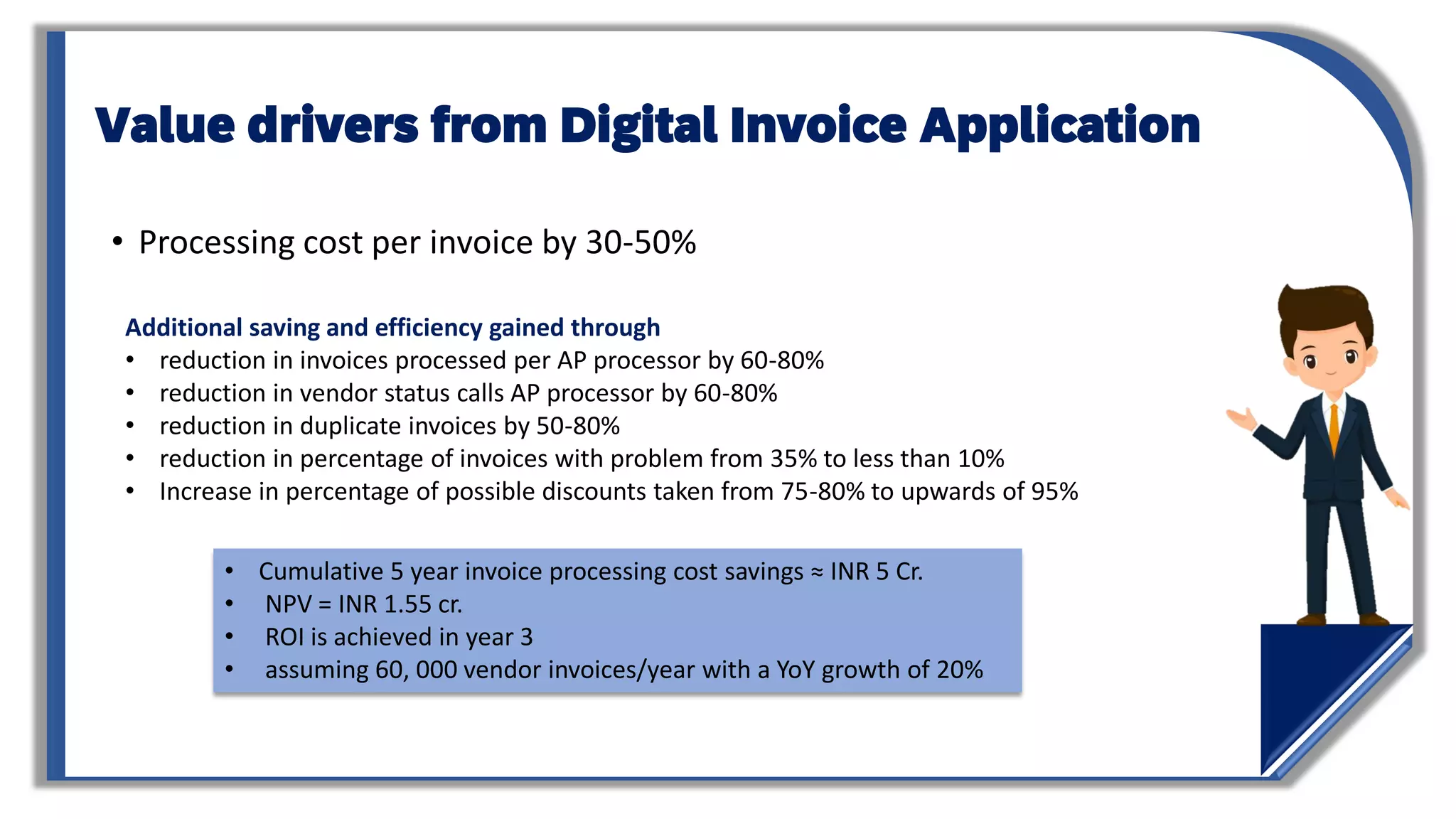
Value drivers from Digital Invoice Application
• Processing cost per invoice by 30-50%
Additional saving and efficiency gained through
• reduction in invoices processed per AP processor by 60-80%
• reduction in vendor status calls AP processor by 60-80%
• reduction in duplicate invoices by 50-80%
• reduction in percentage of invoices with problem from 35% to less than 10%
• Increase in percentage of possible discounts taken from 75-80% to upwards of 95%
• Cumulative 5 year invoice processing cost savings ≈ INR 5 Cr.
• NPV = INR 1.55 cr.
• ROI is achieved in year 3
• assuming 60, 000 vendor invoices/year with a YoY growth of 20%
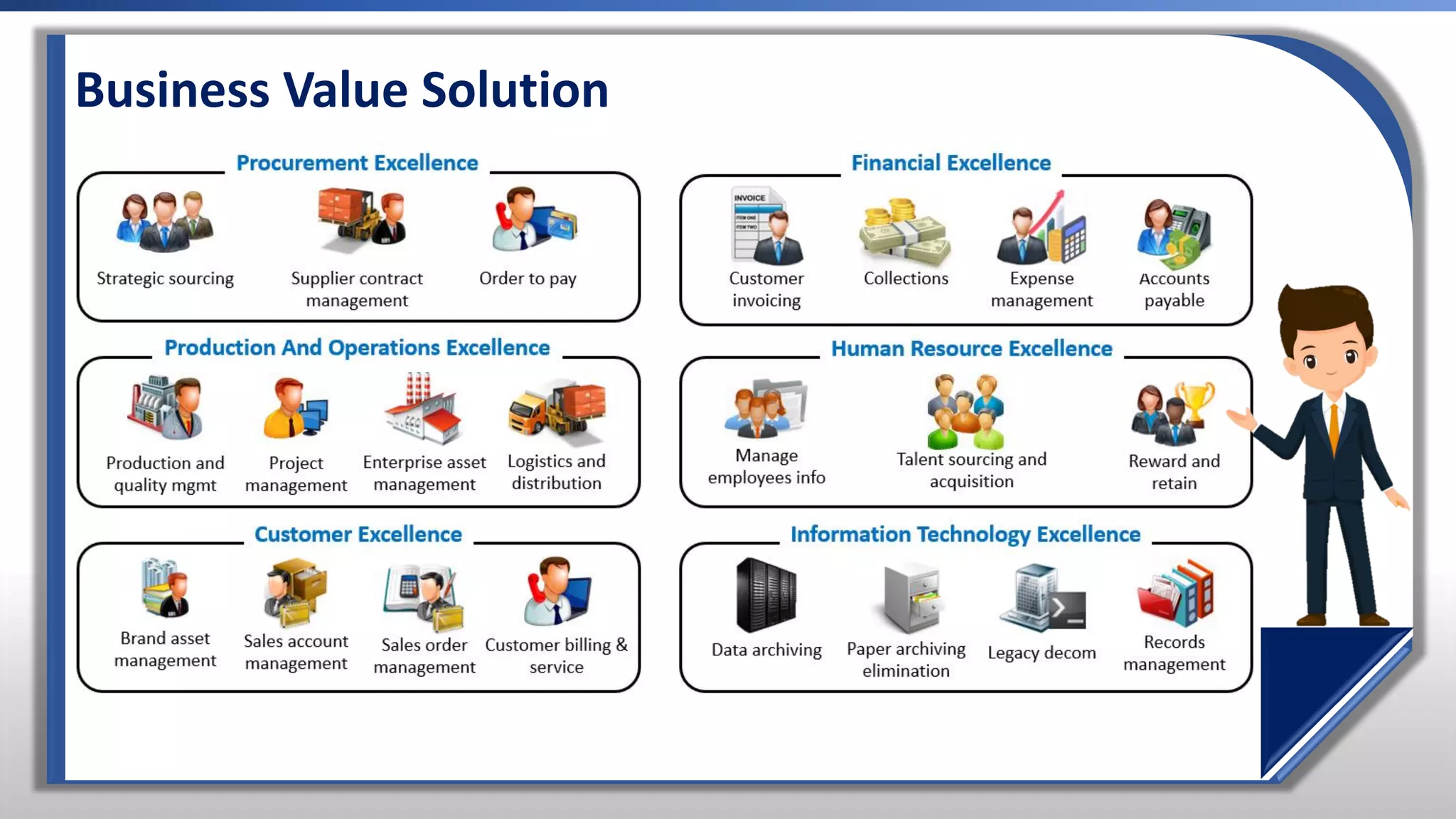
Business Value Solution
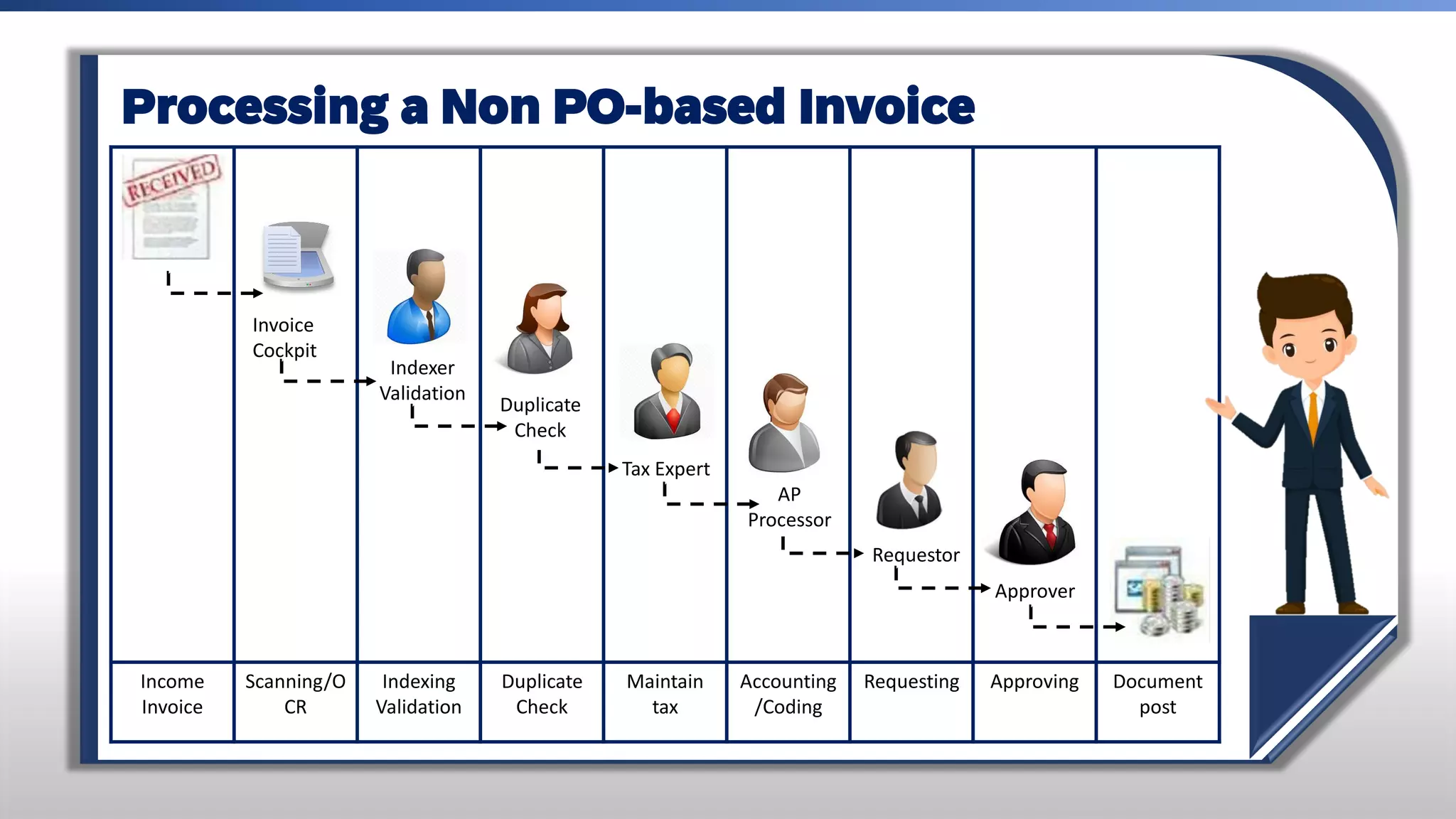
Processing a Non PO-based Invoice
Income
Invoice
Scanning/O
CR
Indexing
Validation
Duplicate
Check
Maintain
tax
Accounting
/Coding
Requesting Approving Document
post
Invoice
Cockpit
Indexer
Validation
Duplicate
Check
AP
Processor
Requestor
Approver
Tax Expert
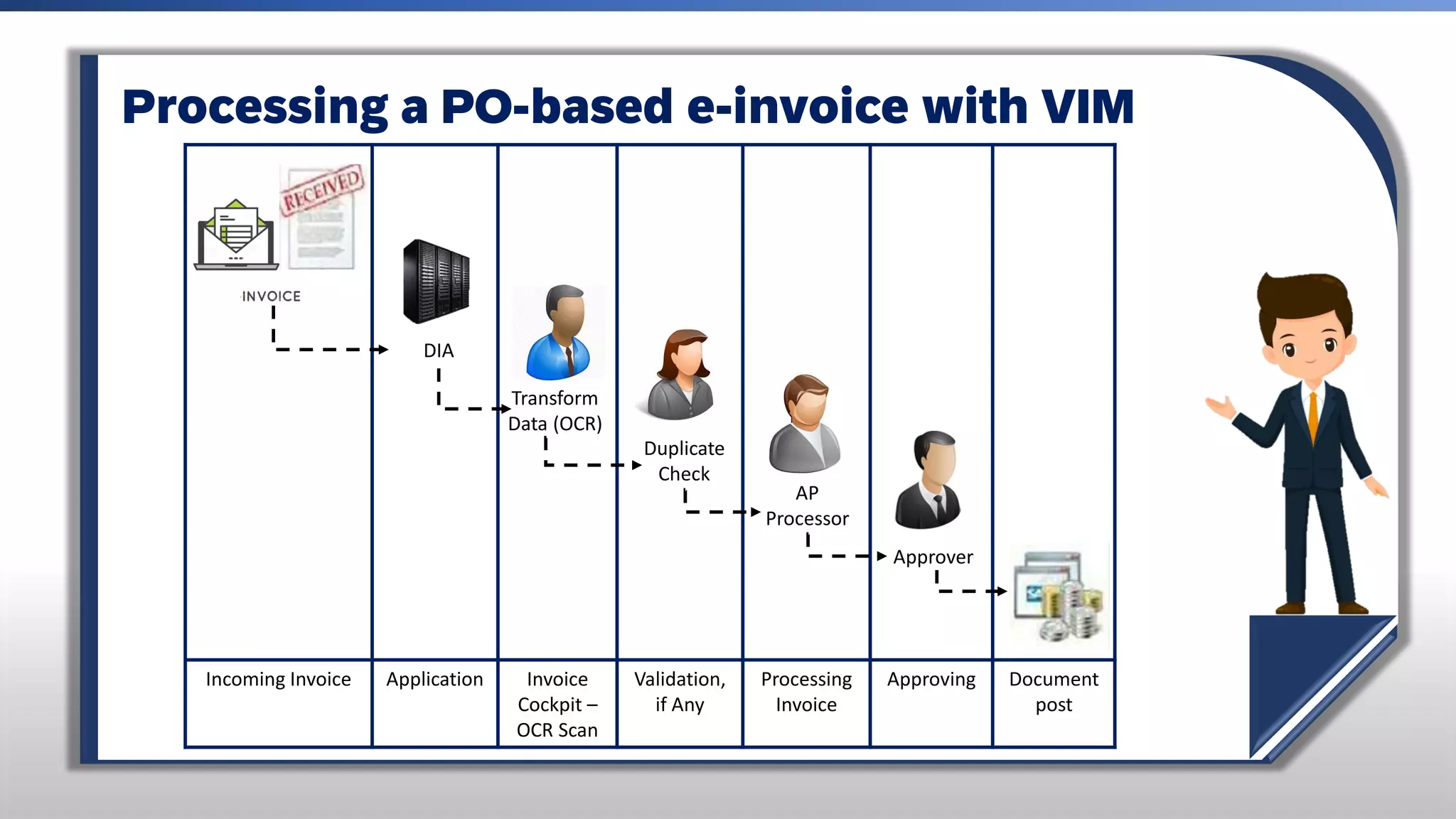
Processing a PO-based e-invoice with VIM
Incoming Invoice Application Invoice
Cockpit –
OCR Scan
Validation,
if Any
Processing
Invoice
Approving Document
post
DIA
Transform
Data (OCR)
Duplicate
Check
AP
Processor
Approver
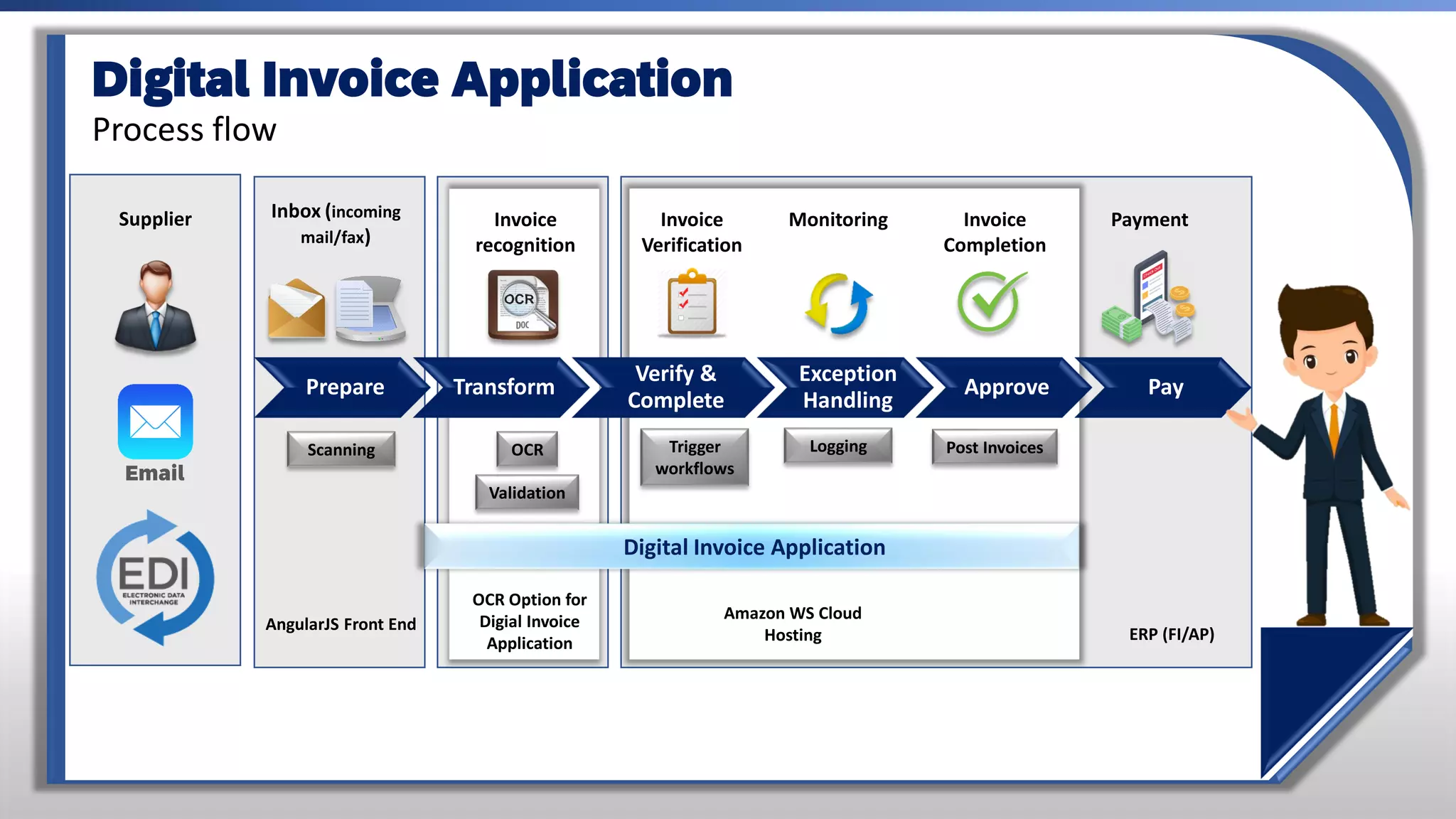
Inbox (incoming
mail/fax)
Invoice
recognition
Invoice
Verification
Monitoring Invoice
Completion
Payment
OCR
Scanning Trigger
workflows
Logging Post Invoices
AngularJS Front End
Validation
OCR Option for
Digial Invoice
Application ERP (FI/AP)
Prepare Transform
Verify &
Complete
Exception
Handling
Approve Pay
Digital Invoice Application
Supplier
Email
Digital Invoice Application
Process flow
Amazon WS Cloud
Hosting
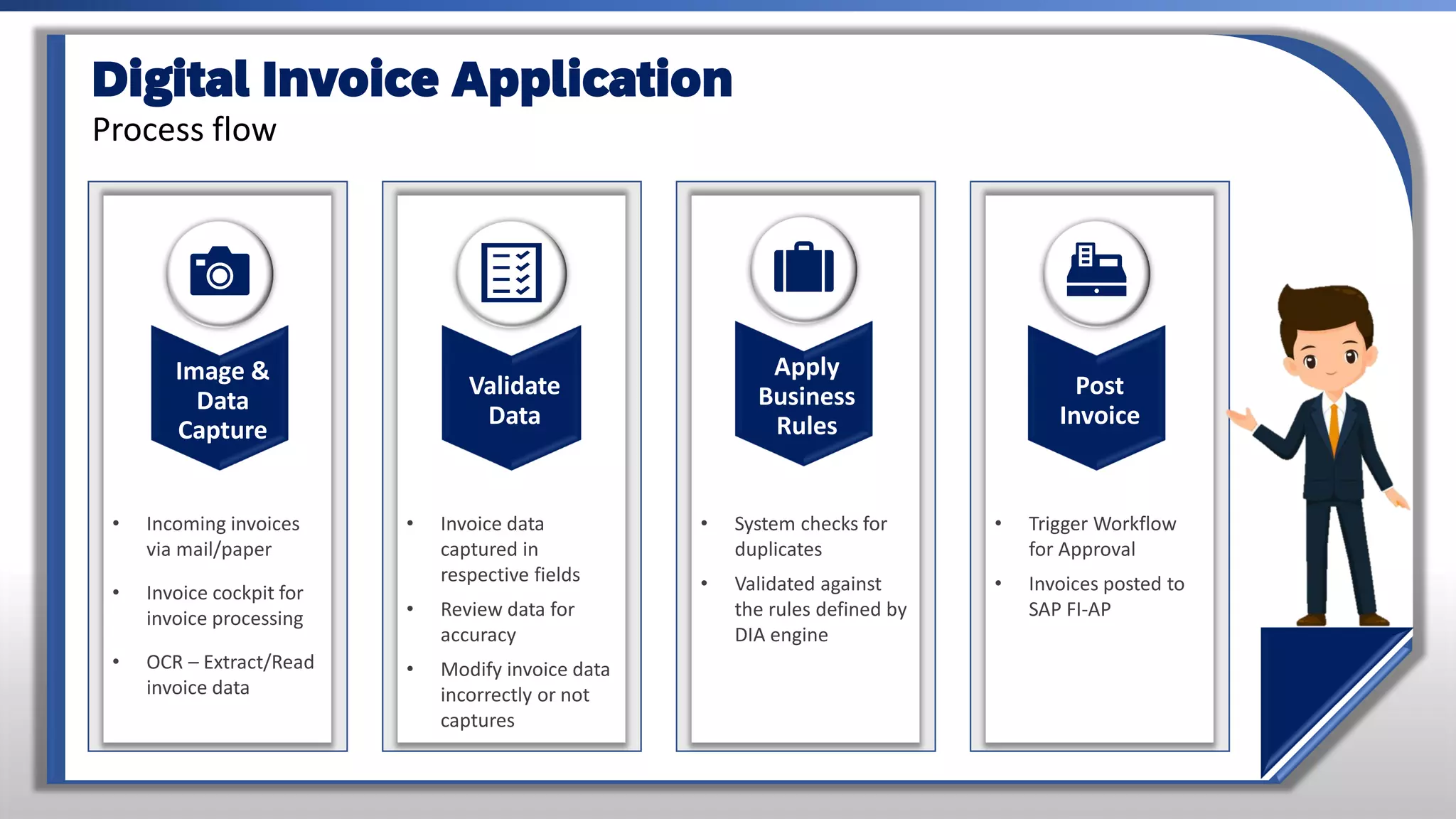
Digital Invoice Application
Process flow
Validate
Data
• Invoice data
captured in
respective fields
• Review data for
accuracy
• Modify invoice data
incorrectly or not
captures
• Incoming invoices
via mail/paper
• Invoice cockpit for
invoice processing
• OCR – Extract/Read
invoice data
• System checks for
duplicates
• Validated against
the rules defined by
DIA engine
• Trigger Workflow
for Approval
• Invoices posted to
SAP FI-AP
Image &
Data
Capture
Apply
Business
Rules
Post
Invoice
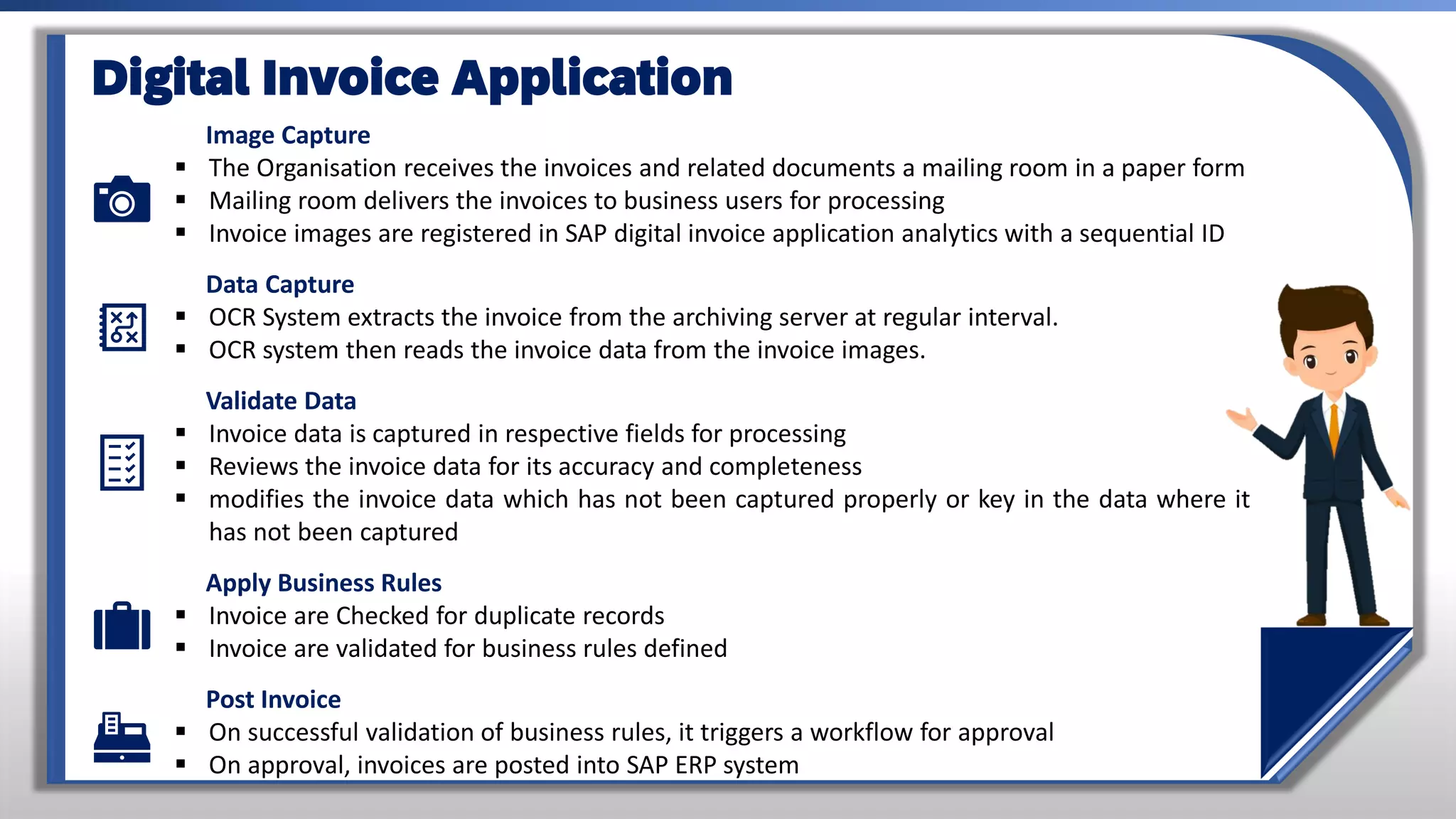
Image Capture
▪ The Organisation receives the invoices and related documents a mailing room in a paper form
▪ Mailing room delivers the invoices to business users for processing
▪ Invoice images are registered in SAP digital invoice application analytics with a sequential ID
Data Capture
▪ OCR System extracts the invoice from the archiving server at regular interval.
▪ OCR system then reads the invoice data from the invoice images.
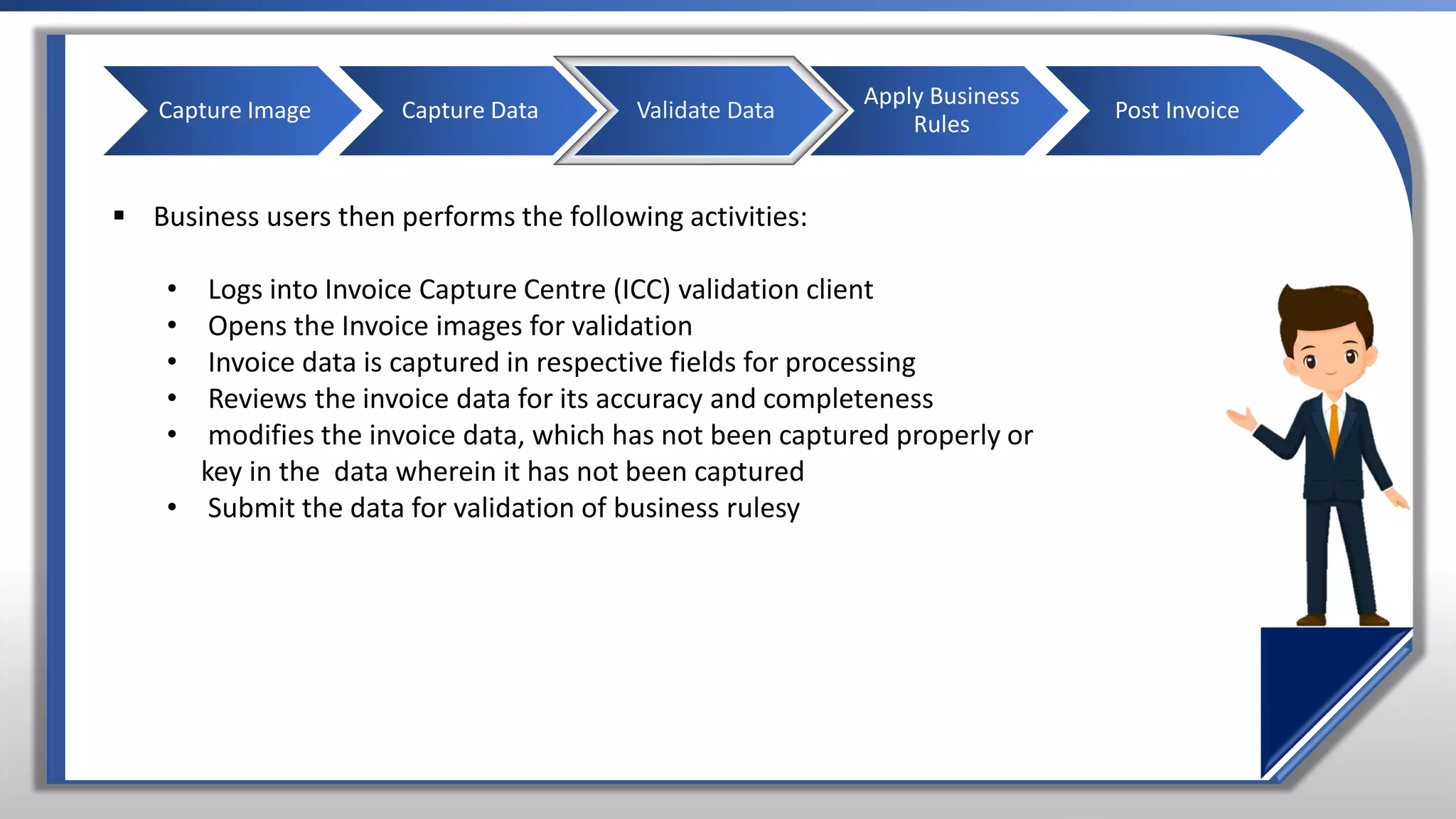
Validate Data
▪ Invoice data is captured in respective fields for processing
▪ Reviews the invoice data for its accuracy and completeness
▪ modifies the invoice data which has not been captured properly or key in the data where it
has not been captured
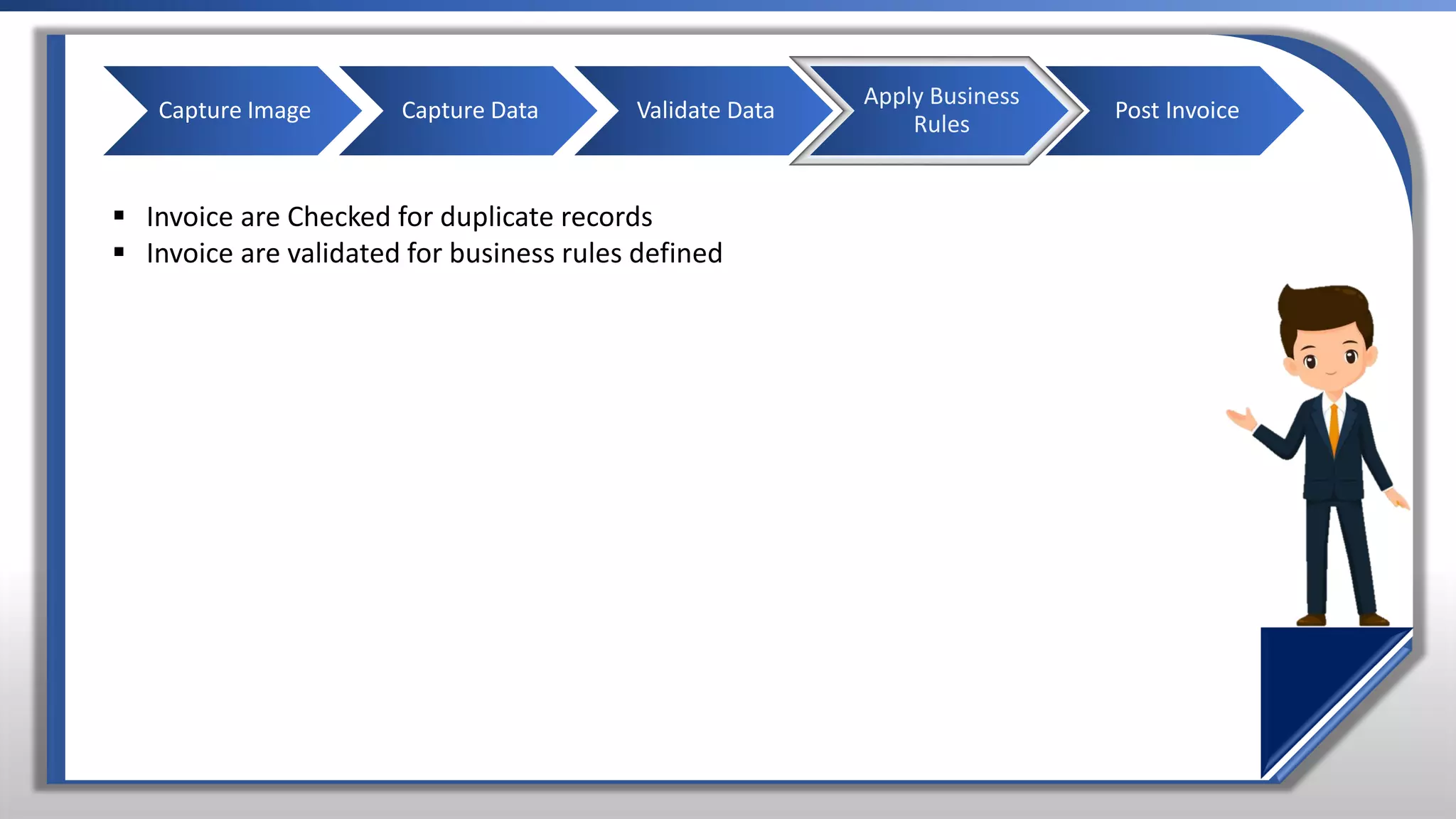
Apply Business Rules
▪ Invoice are Checked for duplicate records
▪ Invoice are validated for business rules defined
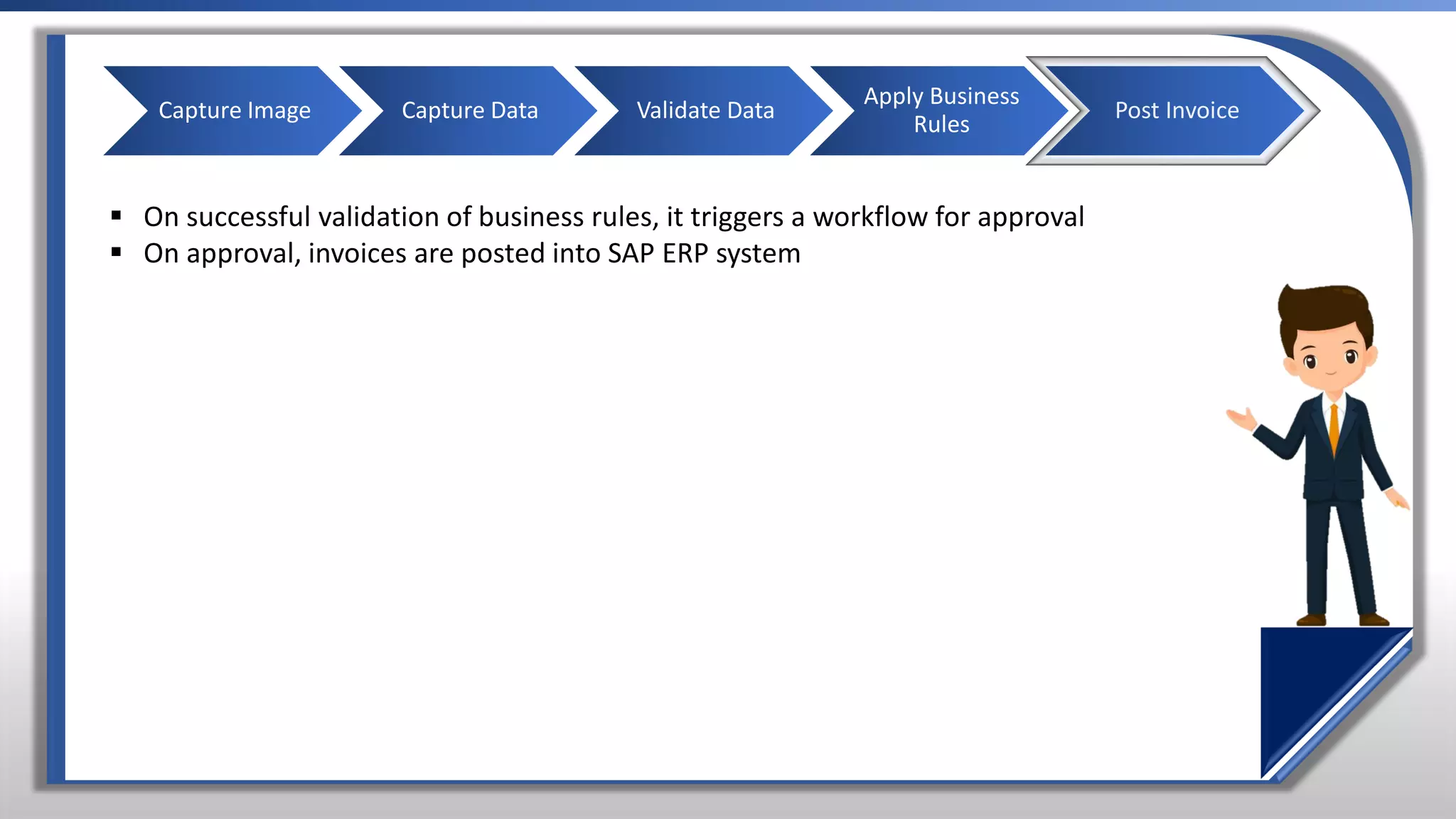
Post Invoice
▪ On successful validation of business rules, it triggers a workflow for approval
▪ On approval, invoices are posted into SAP ERP system
Digital Invoice Application
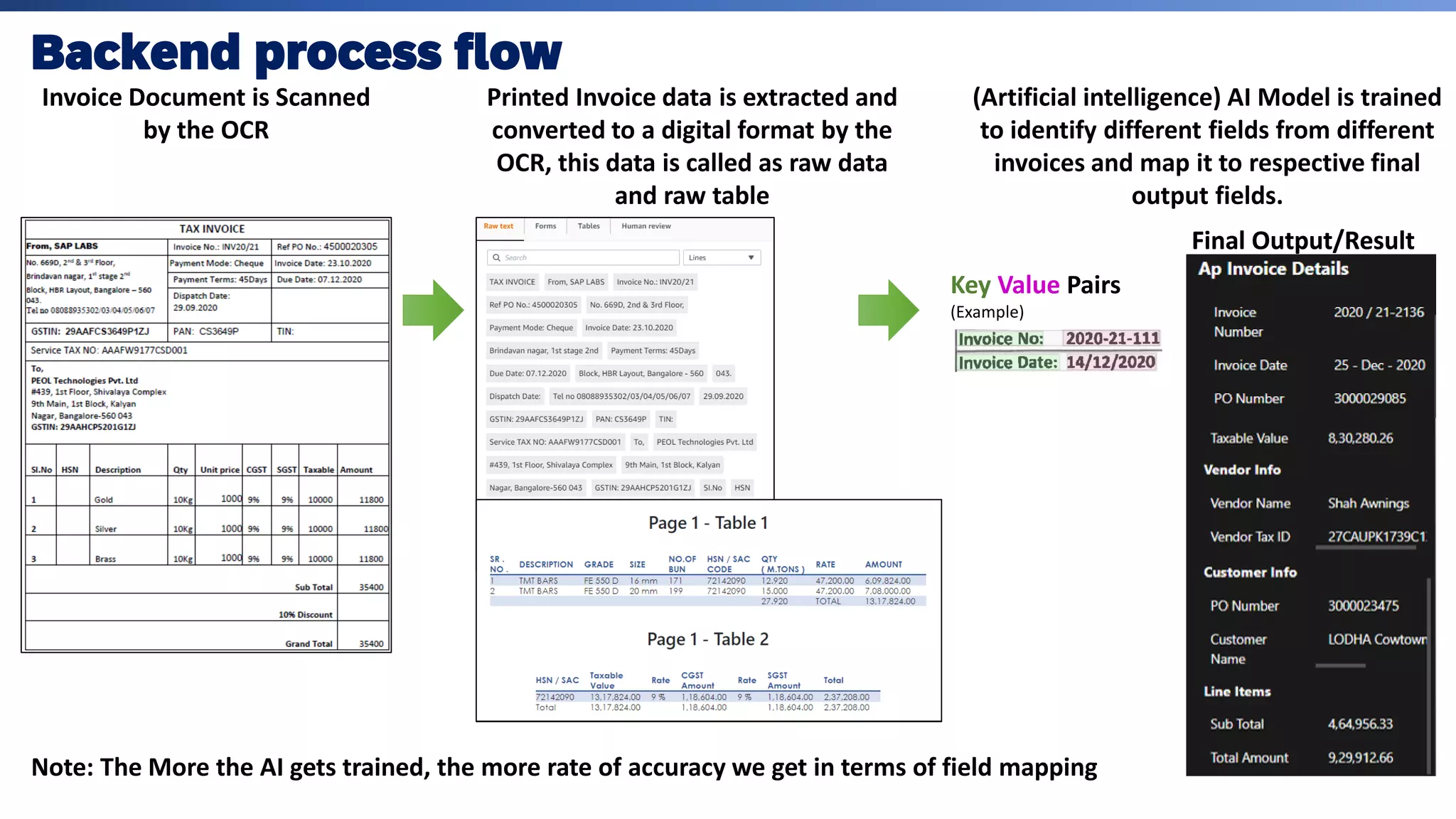
Invoice Document is Scanned
by the OCR
Printed Invoice data is extracted and
converted to a digital format by the
OCR, this data is called as raw data
and raw table
Key Value Pairs
(Example)
Final Output/Result
Note: The More the AI gets trained, the more rate of accuracy we get in terms of field mapping
Final Output/Result
(Artificial intelligence) AI Model is trained
to identify different fields from different
invoices and map it to respective final
output fields.
Backend process flow
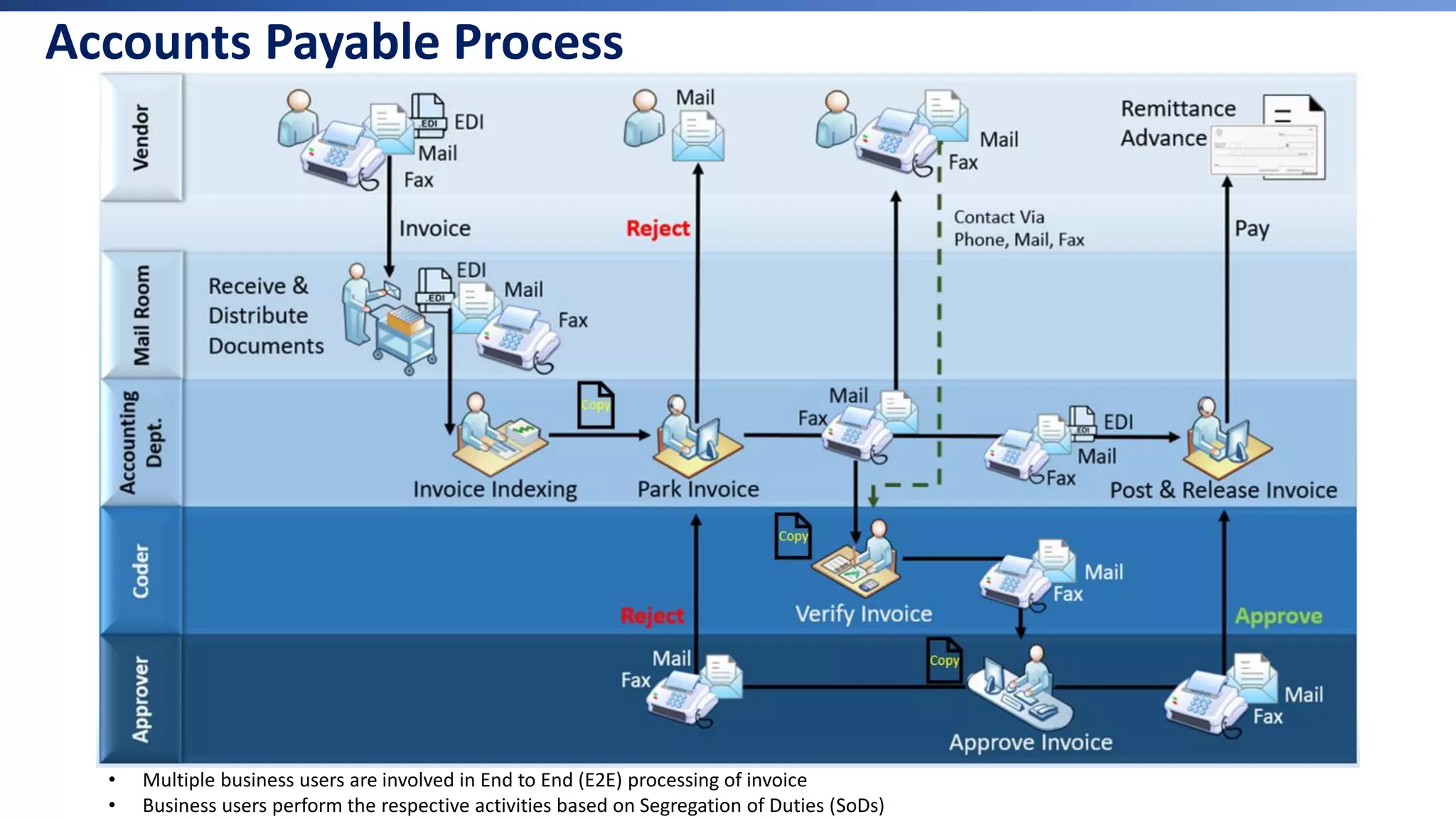
• Multiple business users are involved in End to End (E2E) processing of invoice
• Business users perform the respective activities based on Segregation of Duties (SoDs)
Copy
Copy
Copy
Accounts Payable Process
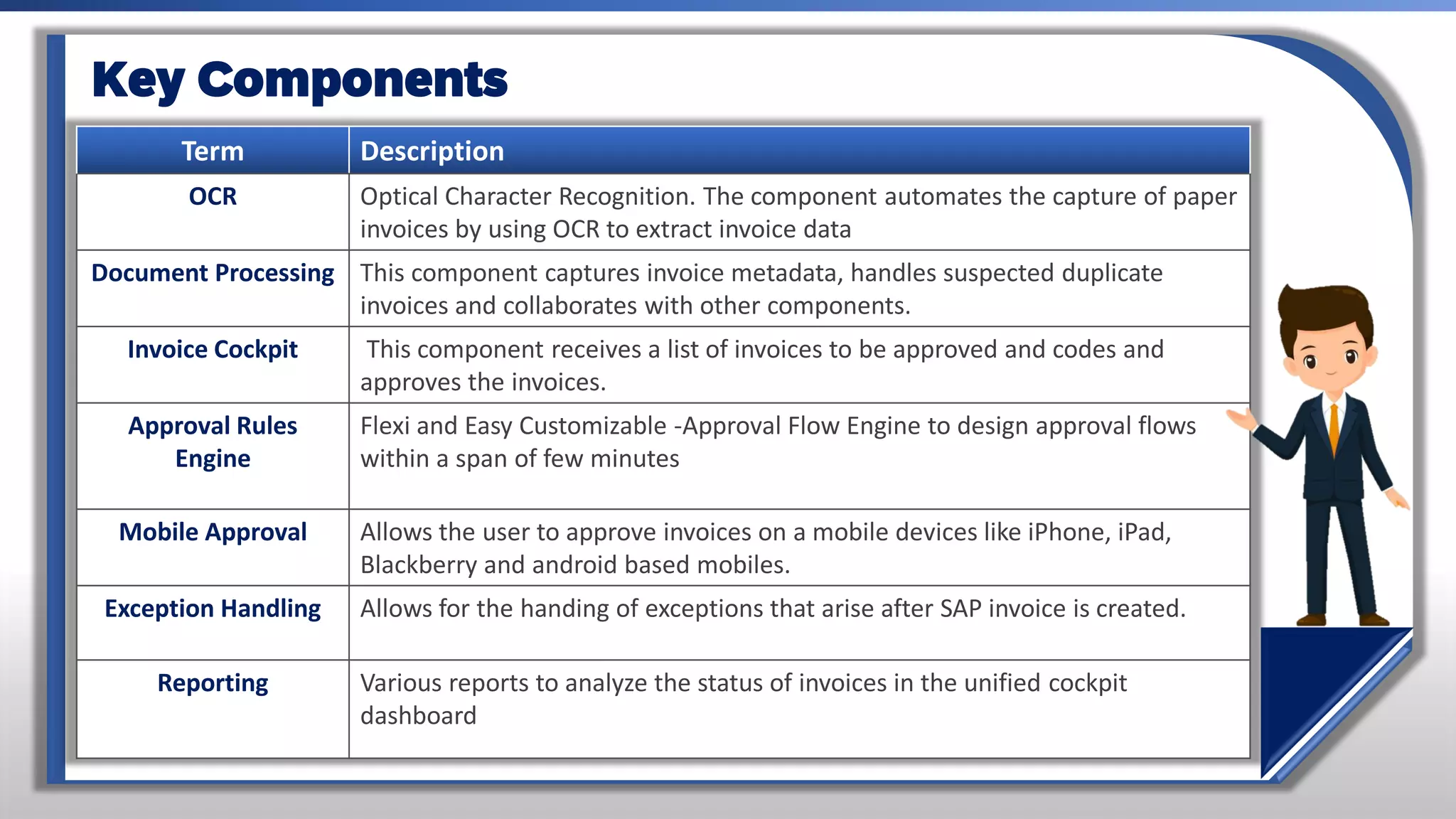
Term Description
OCR Optical Character Recognition. The component automates the capture of paper
invoices by using OCR to extract invoice data
Document Processing This component captures invoice metadata, handles suspected duplicate
invoices and collaborates with other components.
Invoice Cockpit This component receives a list of invoices to be approved and codes and
approves the invoices.
Approval Rules
Engine
Flexi and Easy Customizable -Approval Flow Engine to design approval flows
within a span of few minutes
Mobile Approval Allows the user to approve invoices on a mobile devices like iPhone, iPad,
Blackberry and android based mobiles.
Exception Handling Allows for the handing of exceptions that arise after SAP invoice is created.
Reporting Various reports to analyze the status of invoices in the unified cockpit
dashboard
Key Components
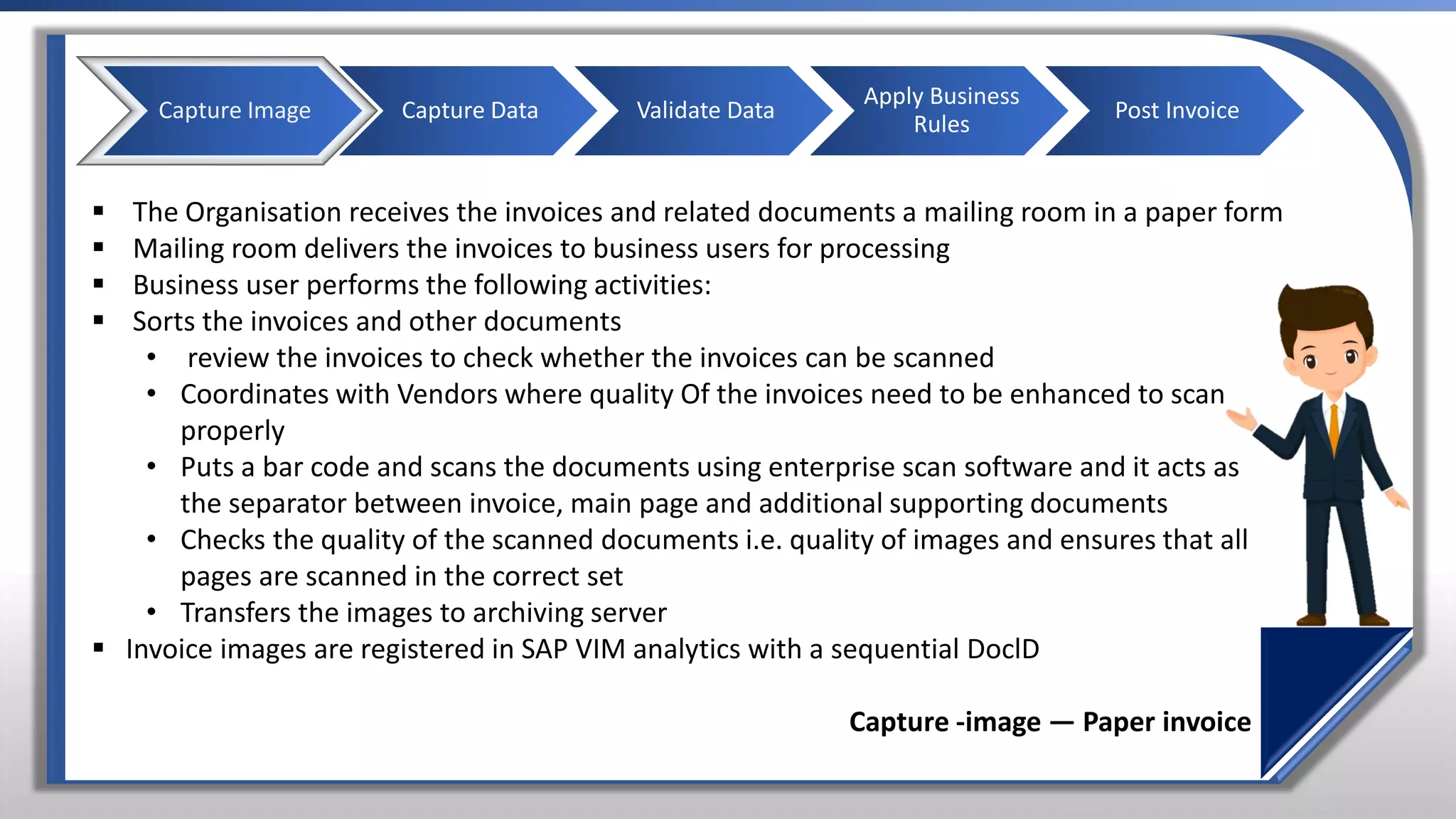
▪ The Organisation receives the invoices and related documents a mailing room in a paper form
▪ Mailing room delivers the invoices to business users for processing
▪ Business user performs the following activities:
▪ Sorts the invoices and other documents
• review the invoices to check whether the invoices can be scanned
• Coordinates with Vendors where quality Of the invoices need to be enhanced to scan
properly
• Puts a bar code and scans the documents using enterprise scan software and it acts as
the separator between invoice, main page and additional supporting documents
• Checks the quality of the scanned documents i.e. quality of images and ensures that all
pages are scanned in the correct set
• Transfers the images to archiving server
▪ Invoice images are registered in SAP VIM analytics with a sequential DoclD
Capture -image — Paper invoice
Capture Image Capture Data Validate Data
Apply Business
Rules
Post Invoice
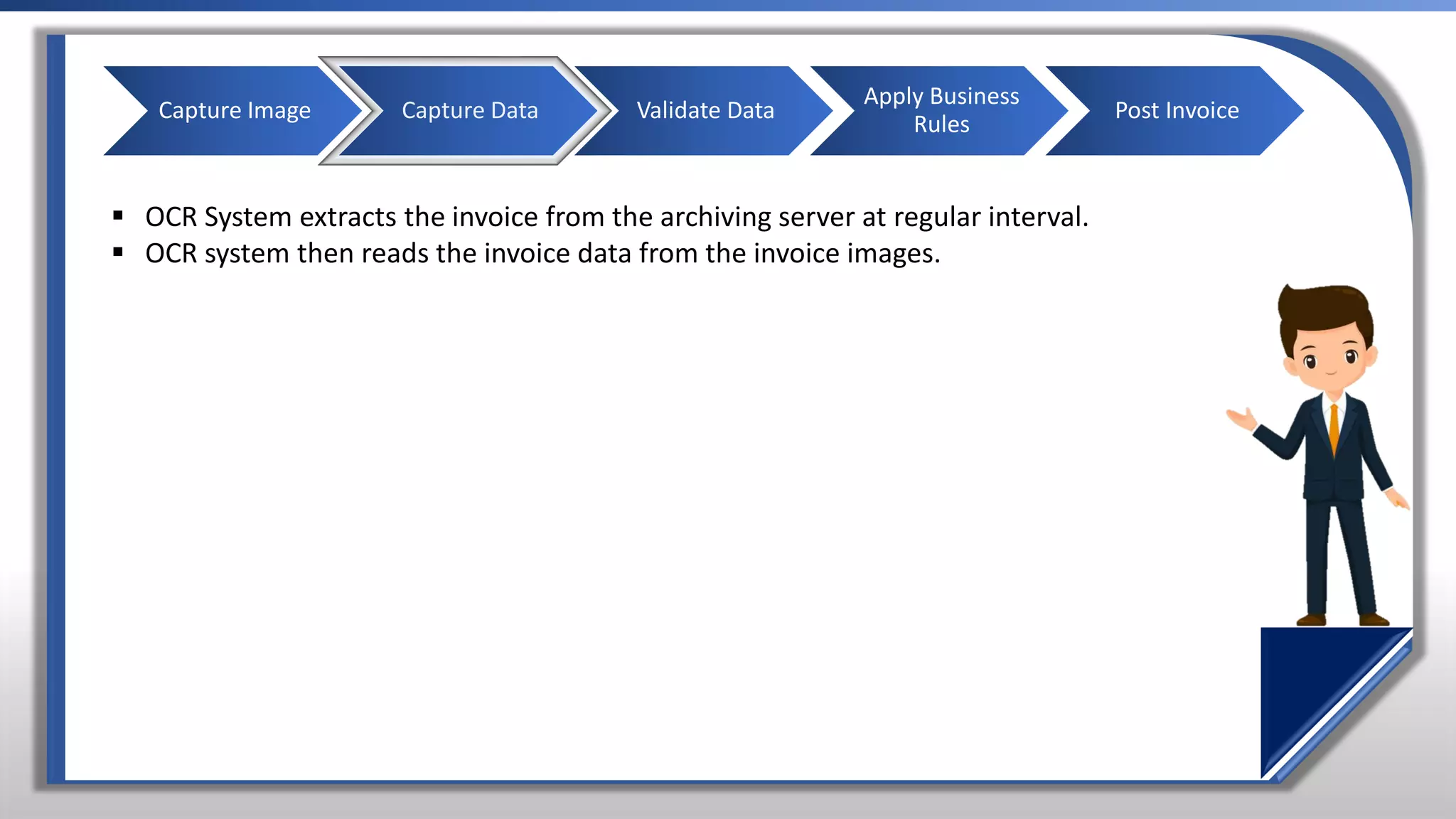
▪ OCR System extracts the invoice from the archiving server at regular interval.
▪ OCR system then reads the invoice data from the invoice images.
Capture Image Capture Data Validate Data
Apply Business
Rules
Post Invoice
▪ Business users then performs the following activities:
• Logs into Invoice Capture Centre (ICC) validation client
• Opens the Invoice images for validation
• Invoice data is captured in respective fields for processing
• Reviews the invoice data for its accuracy and completeness
• modifies the invoice data, which has not been captured properly or
key in the data wherein it has not been captured
• Submit the data for validation of business rulesy
Capture Image Capture Data Validate Data
Apply Business
Rules
Post Invoice
Capture Image Capture Data Validate Data
Apply Business
Rules
Post Invoice
▪ Invoice are Checked for duplicate records
▪ Invoice are validated for business rules defined
Capture Image Capture Data Validate Data
Apply Business
Rules
Post Invoice
▪ On successful validation of business rules, it triggers a workflow for approval
▪ On approval, invoices are posted into SAP ERP system
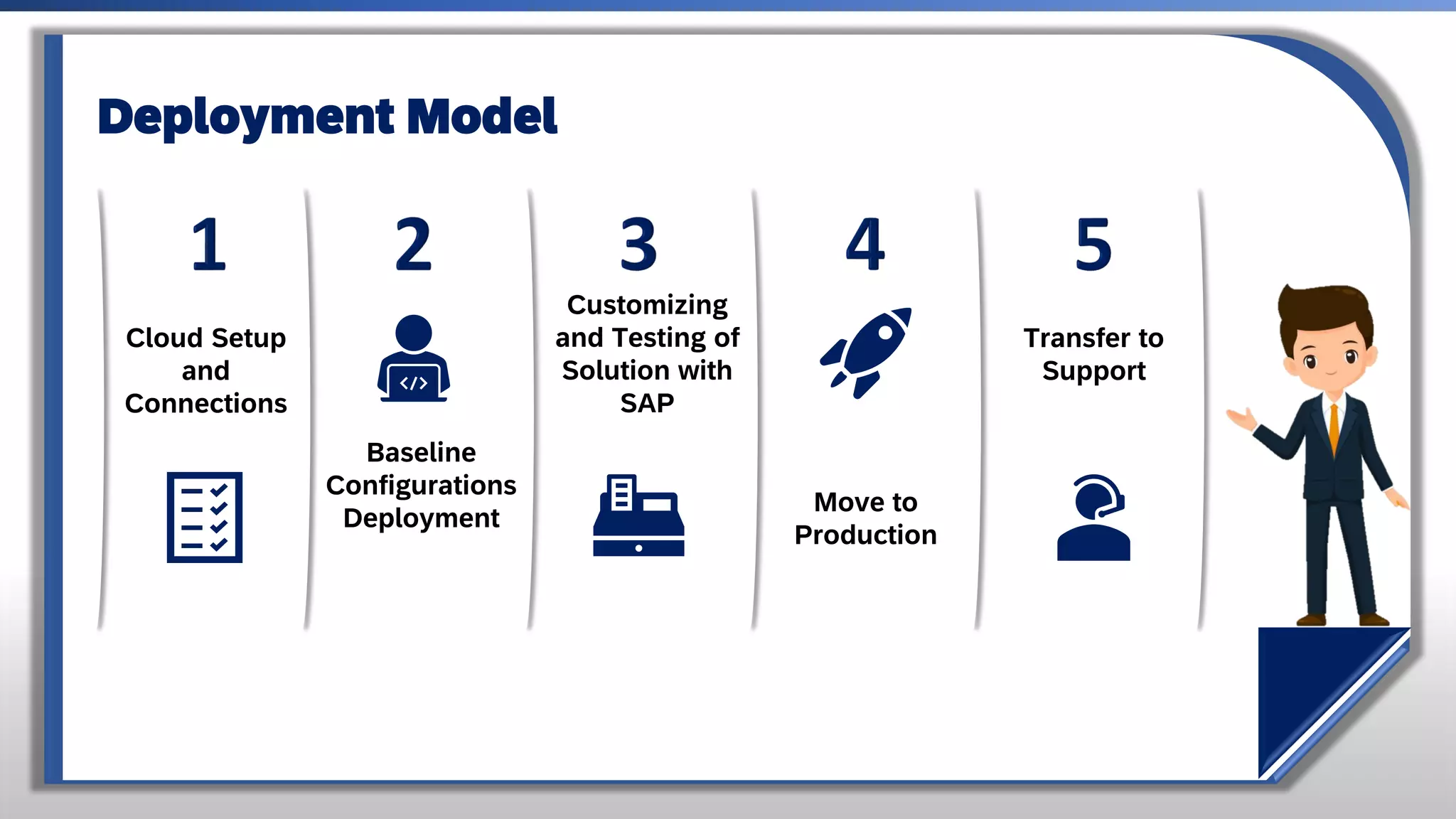
Cloud Setup
and
Connections
Baseline
Configurations
Deployment
Customizing
and Testing of
Solution with
SAP
Move to
Production
Transfer to
Support
Deployment Model
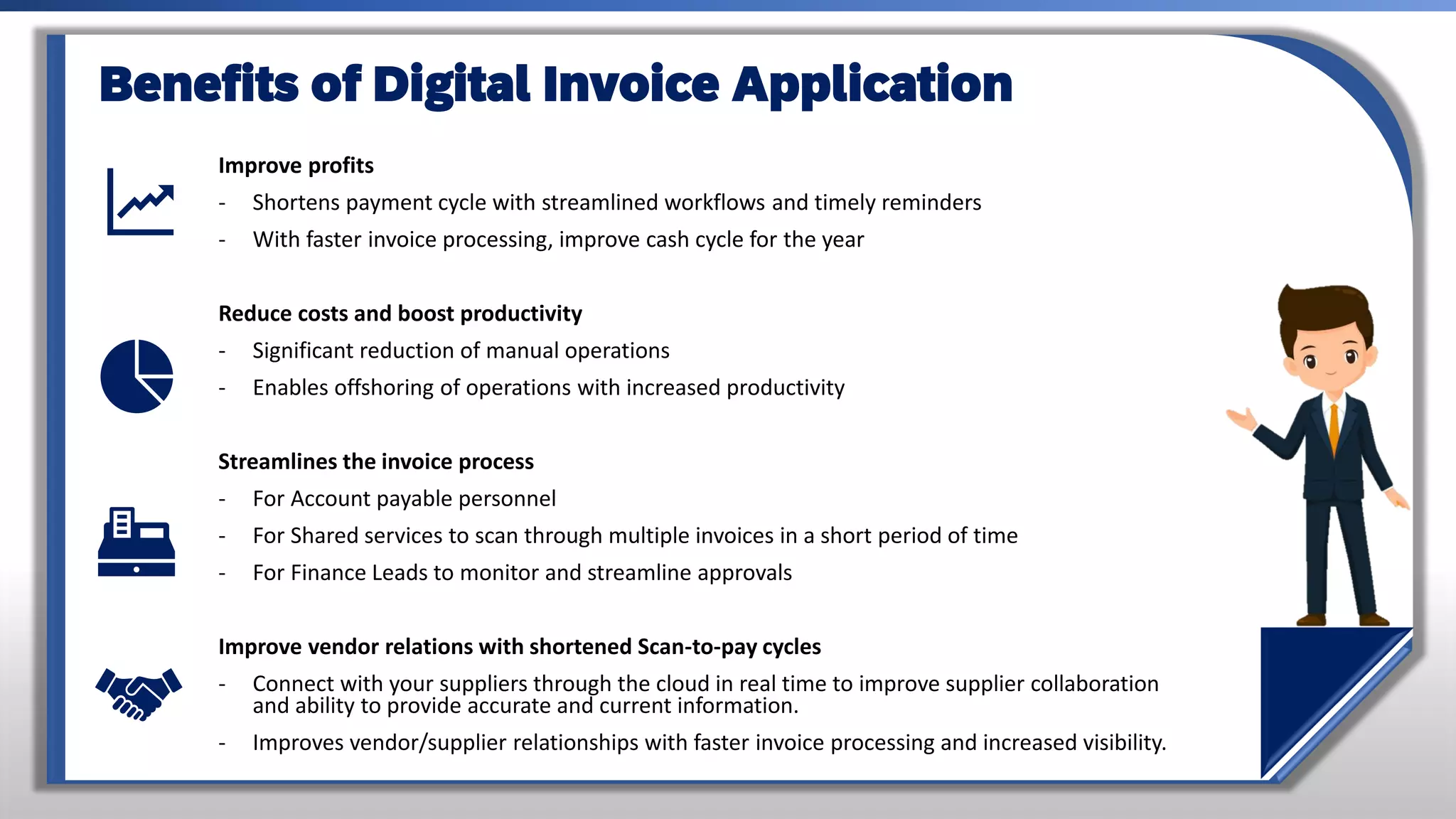
Improve profits
- Shortens payment cycle with streamlined workflows and timely reminders
- With faster invoice processing, improve cash cycle for the year
Reduce costs and boost productivity
- Significant reduction of manual operations
- Enables offshoring of operations with increased productivity
Streamlines the invoice process
- For Account payable personnel
- For Shared services to scan through multiple invoices in a short period of time
- For Finance Leads to monitor and streamline approvals
Improve vendor relations with shortened Scan-to-pay cycles
- Connect with your suppliers through the cloud in real time to improve supplier collaboration
and ability to provide accurate and current information.
- Improves vendor/supplier relationships with faster invoice processing and increased visibility.
Benefits of Digital Invoice Application
Thank You
Presentation by
Mohammed Abrar
https://www.linkedin.com/in/mohammed-abrar/

Digital invoicing application

  • 1.
    E-Invoicing for India Digitalinvoicing Application Automating Accounts Payable process Presentation by Mohammed Abrar https://www.linkedin.com/in/mohammed-abrar/
  • 2.
    Comprehensive invoice processing -Process all incoming invoices - Manage invoice processing from any location using our centralized solution integrated with backend SAP ERP instances Automated processing - Automatically recognize invoice data with the OCR approach - Manage Accounts payable processes automatically using configurable business rules - Easy to customize approval mechanism from invoice scan to final posting of invoice to SAP - Flexi-workflows to sort and route invoices based on user roles, authorization rules, and predefined timelines. AP-process integration and financial control for complete invoice management - Seamless and tight integration with SAP Accounts payable processes for invoice posting - User-friendly interface provides access to a unified view of invoice data and documents - Stakeholders can access invoices, resolve problems, and route invoices for approval Digital Invoice Application - Features Improve business and reduce compliance risks • Enable more accurate financial reporting through complete visibility • Segregate duties through workflow control • Monitor across all steps of the invoice process • Provide complete audit trail
  • 3.
    Manual Invoice Processing Aninefficient and serious risk to your business Manually managing invoices processes drains resources • Time-consuming historical research • Belabored vendor communications • Documentation and other requests for additional information • Manual routing • labor-intensive monitoring and updates • Scalability only through headcount Inefficient, labour-intensive processes • Inability to optimize cash-flow and vendor relationships • Inability to improve overall business transparency • Lack of process control introduces compliance risk
  • 4.
    Organizational Gains from DigitalInvoice Application Simplify and optimize entire invoice management process • Create workforce efficiencies through an automated, streamlined process including mobile approvals • Improve working capital management through better visibility to cash requirements • Cut costs through automated data extraction, process automation and control including shared services • Reduce costly manual errors • Optimize cash discount utilization including dynamic discounting Improve business and reduce compliance risks • Enable more accurate financial reporting through complete visibility • Segregate duties through workflow control • Monitor across all steps of the invoice process • Provide complete audit trail
  • 5.
    Value drivers fromDigital Invoice Application • Processing cost per invoice by 30-50% Additional saving and efficiency gained through • reduction in invoices processed per AP processor by 60-80% • reduction in vendor status calls AP processor by 60-80% • reduction in duplicate invoices by 50-80% • reduction in percentage of invoices with problem from 35% to less than 10% • Increase in percentage of possible discounts taken from 75-80% to upwards of 95% • Cumulative 5 year invoice processing cost savings ≈ INR 5 Cr. • NPV = INR 1.55 cr. • ROI is achieved in year 3 • assuming 60, 000 vendor invoices/year with a YoY growth of 20%
  • 6.
  • 7.
    Processing a NonPO-based Invoice Income Invoice Scanning/O CR Indexing Validation Duplicate Check Maintain tax Accounting /Coding Requesting Approving Document post Invoice Cockpit Indexer Validation Duplicate Check AP Processor Requestor Approver Tax Expert
  • 8.
    Processing a PO-basede-invoice with VIM Incoming Invoice Application Invoice Cockpit – OCR Scan Validation, if Any Processing Invoice Approving Document post DIA Transform Data (OCR) Duplicate Check AP Processor Approver
  • 9.
    Inbox (incoming mail/fax) Invoice recognition Invoice Verification Monitoring Invoice Completion Payment OCR ScanningTrigger workflows Logging Post Invoices AngularJS Front End Validation OCR Option for Digial Invoice Application ERP (FI/AP) Prepare Transform Verify & Complete Exception Handling Approve Pay Digital Invoice Application Supplier Email Digital Invoice Application Process flow Amazon WS Cloud Hosting
  • 10.
    Digital Invoice Application Processflow Validate Data • Invoice data captured in respective fields • Review data for accuracy • Modify invoice data incorrectly or not captures • Incoming invoices via mail/paper • Invoice cockpit for invoice processing • OCR – Extract/Read invoice data • System checks for duplicates • Validated against the rules defined by DIA engine • Trigger Workflow for Approval • Invoices posted to SAP FI-AP Image & Data Capture Apply Business Rules Post Invoice
  • 11.
    Image Capture ▪ TheOrganisation receives the invoices and related documents a mailing room in a paper form ▪ Mailing room delivers the invoices to business users for processing ▪ Invoice images are registered in SAP digital invoice application analytics with a sequential ID Data Capture ▪ OCR System extracts the invoice from the archiving server at regular interval. ▪ OCR system then reads the invoice data from the invoice images. Validate Data ▪ Invoice data is captured in respective fields for processing ▪ Reviews the invoice data for its accuracy and completeness ▪ modifies the invoice data which has not been captured properly or key in the data where it has not been captured Apply Business Rules ▪ Invoice are Checked for duplicate records ▪ Invoice are validated for business rules defined Post Invoice ▪ On successful validation of business rules, it triggers a workflow for approval ▪ On approval, invoices are posted into SAP ERP system Digital Invoice Application
  • 12.
    Invoice Document isScanned by the OCR Printed Invoice data is extracted and converted to a digital format by the OCR, this data is called as raw data and raw table Key Value Pairs (Example) Final Output/Result Note: The More the AI gets trained, the more rate of accuracy we get in terms of field mapping Final Output/Result (Artificial intelligence) AI Model is trained to identify different fields from different invoices and map it to respective final output fields. Backend process flow
  • 13.
    • Multiple businessusers are involved in End to End (E2E) processing of invoice • Business users perform the respective activities based on Segregation of Duties (SoDs) Copy Copy Copy Accounts Payable Process
  • 14.
    Term Description OCR OpticalCharacter Recognition. The component automates the capture of paper invoices by using OCR to extract invoice data Document Processing This component captures invoice metadata, handles suspected duplicate invoices and collaborates with other components. Invoice Cockpit This component receives a list of invoices to be approved and codes and approves the invoices. Approval Rules Engine Flexi and Easy Customizable -Approval Flow Engine to design approval flows within a span of few minutes Mobile Approval Allows the user to approve invoices on a mobile devices like iPhone, iPad, Blackberry and android based mobiles. Exception Handling Allows for the handing of exceptions that arise after SAP invoice is created. Reporting Various reports to analyze the status of invoices in the unified cockpit dashboard Key Components
  • 15.
    ▪ The Organisationreceives the invoices and related documents a mailing room in a paper form ▪ Mailing room delivers the invoices to business users for processing ▪ Business user performs the following activities: ▪ Sorts the invoices and other documents • review the invoices to check whether the invoices can be scanned • Coordinates with Vendors where quality Of the invoices need to be enhanced to scan properly • Puts a bar code and scans the documents using enterprise scan software and it acts as the separator between invoice, main page and additional supporting documents • Checks the quality of the scanned documents i.e. quality of images and ensures that all pages are scanned in the correct set • Transfers the images to archiving server ▪ Invoice images are registered in SAP VIM analytics with a sequential DoclD Capture -image — Paper invoice Capture Image Capture Data Validate Data Apply Business Rules Post Invoice
  • 16.
    ▪ OCR Systemextracts the invoice from the archiving server at regular interval. ▪ OCR system then reads the invoice data from the invoice images. Capture Image Capture Data Validate Data Apply Business Rules Post Invoice
  • 17.
    ▪ Business usersthen performs the following activities: • Logs into Invoice Capture Centre (ICC) validation client • Opens the Invoice images for validation • Invoice data is captured in respective fields for processing • Reviews the invoice data for its accuracy and completeness • modifies the invoice data, which has not been captured properly or key in the data wherein it has not been captured • Submit the data for validation of business rulesy Capture Image Capture Data Validate Data Apply Business Rules Post Invoice
  • 18.
    Capture Image CaptureData Validate Data Apply Business Rules Post Invoice ▪ Invoice are Checked for duplicate records ▪ Invoice are validated for business rules defined
  • 19.
    Capture Image CaptureData Validate Data Apply Business Rules Post Invoice ▪ On successful validation of business rules, it triggers a workflow for approval ▪ On approval, invoices are posted into SAP ERP system
  • 20.
    Cloud Setup and Connections Baseline Configurations Deployment Customizing and Testingof Solution with SAP Move to Production Transfer to Support Deployment Model
  • 21.
    Improve profits - Shortenspayment cycle with streamlined workflows and timely reminders - With faster invoice processing, improve cash cycle for the year Reduce costs and boost productivity - Significant reduction of manual operations - Enables offshoring of operations with increased productivity Streamlines the invoice process - For Account payable personnel - For Shared services to scan through multiple invoices in a short period of time - For Finance Leads to monitor and streamline approvals Improve vendor relations with shortened Scan-to-pay cycles - Connect with your suppliers through the cloud in real time to improve supplier collaboration and ability to provide accurate and current information. - Improves vendor/supplier relationships with faster invoice processing and increased visibility. Benefits of Digital Invoice Application
  • 22.
    Thank You Presentation by MohammedAbrar https://www.linkedin.com/in/mohammed-abrar/