Album covers, front, back and inside.
                             Adverts
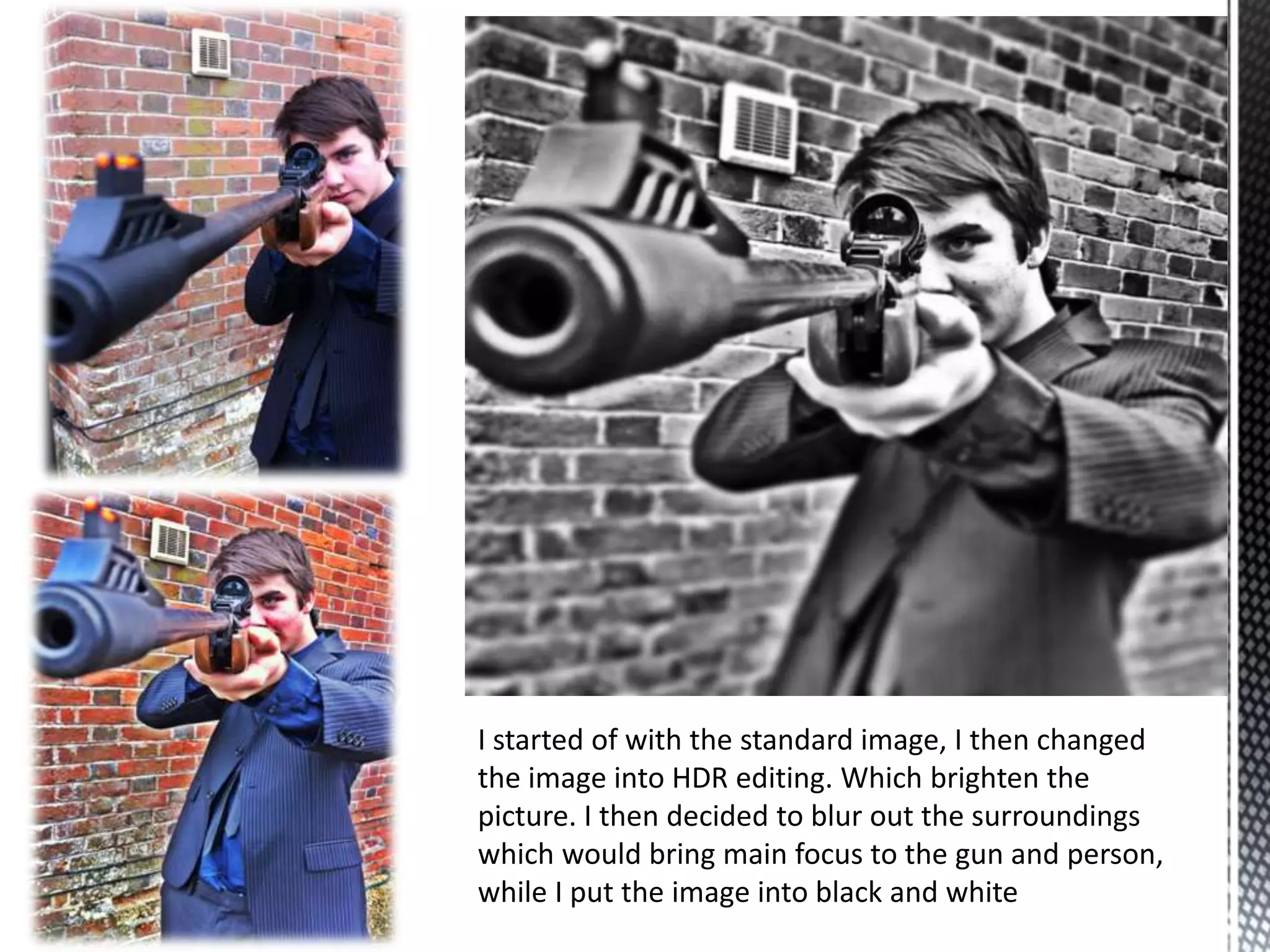
I started of with the standard image, I then changed
the image into HDR editing. Which brighten the
picture. I then decided to blur out the surroundings
which would bring main focus to the gun and person,
while I put the image into black and white
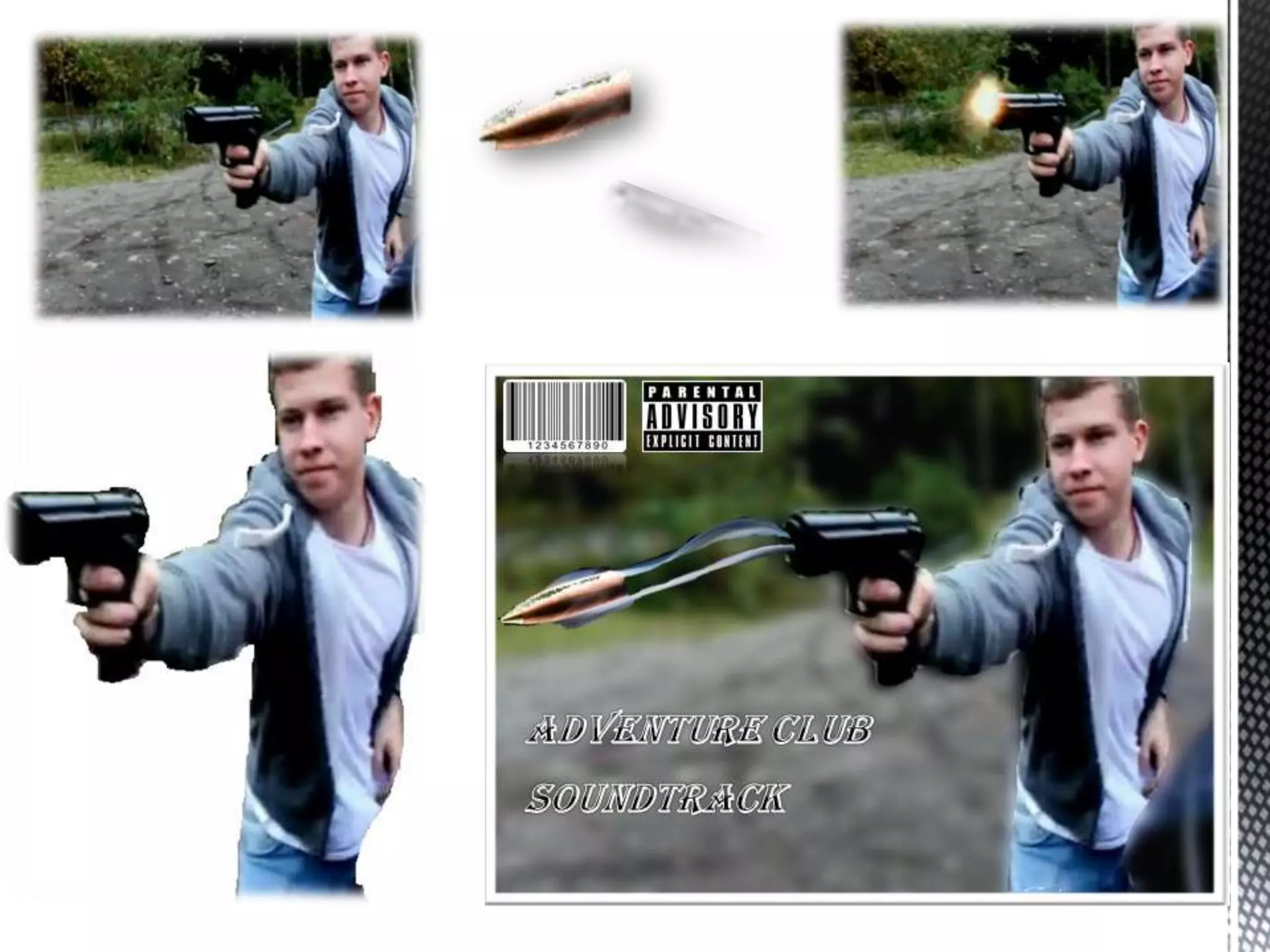
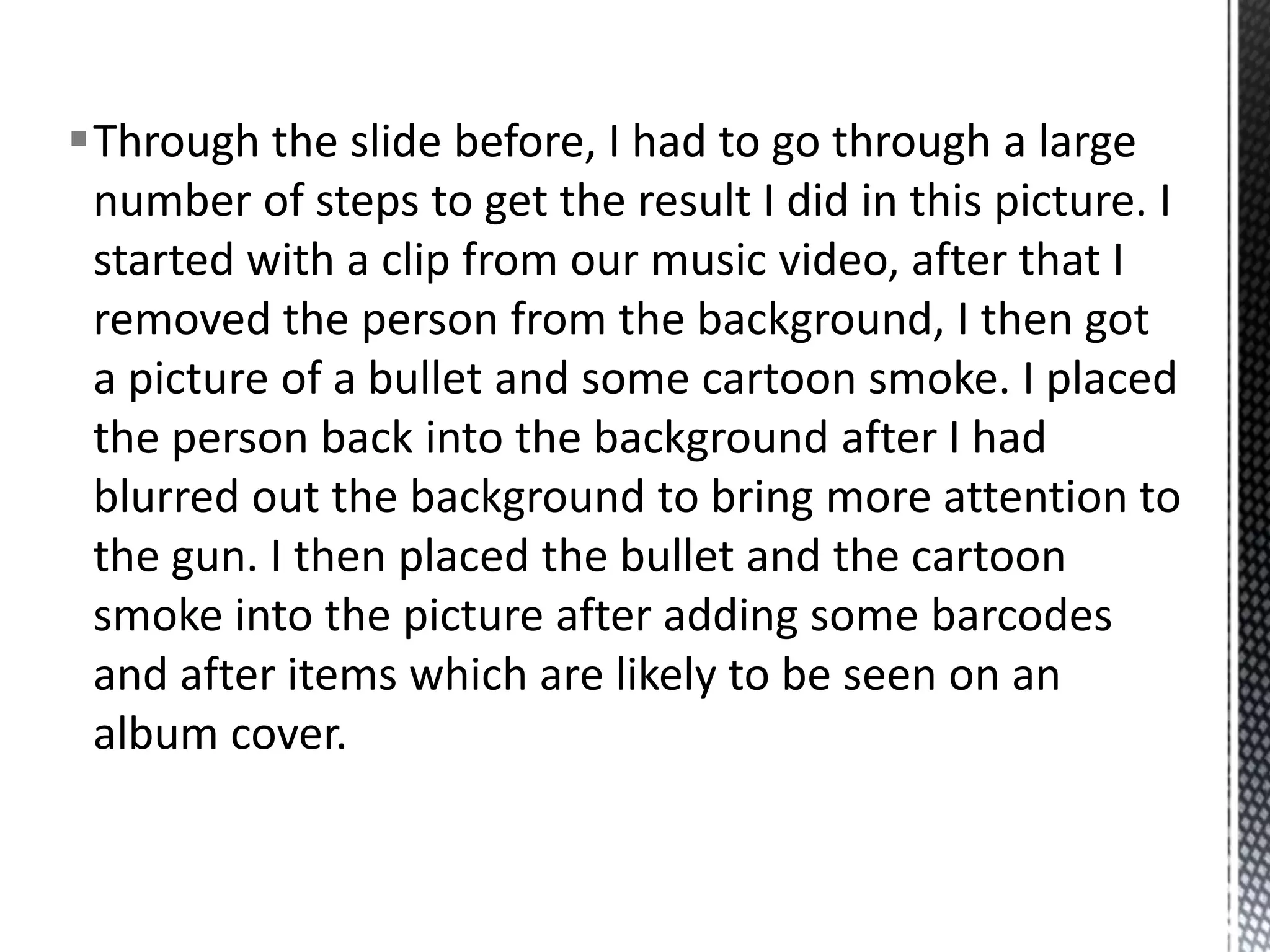
Through the slide before, I had to go through a large
 number of steps to get the result I did in this picture. I
 started with a clip from our music video, after that I
 removed the person from the background, I then got
 a picture of a bullet and some cartoon smoke. I placed
 the person back into the background after I had
 blurred out the background to bring more attention to
 the gun. I then placed the bullet and the cartoon
 smoke into the picture after adding some barcodes
 and after items which are likely to be seen on an
 album cover.
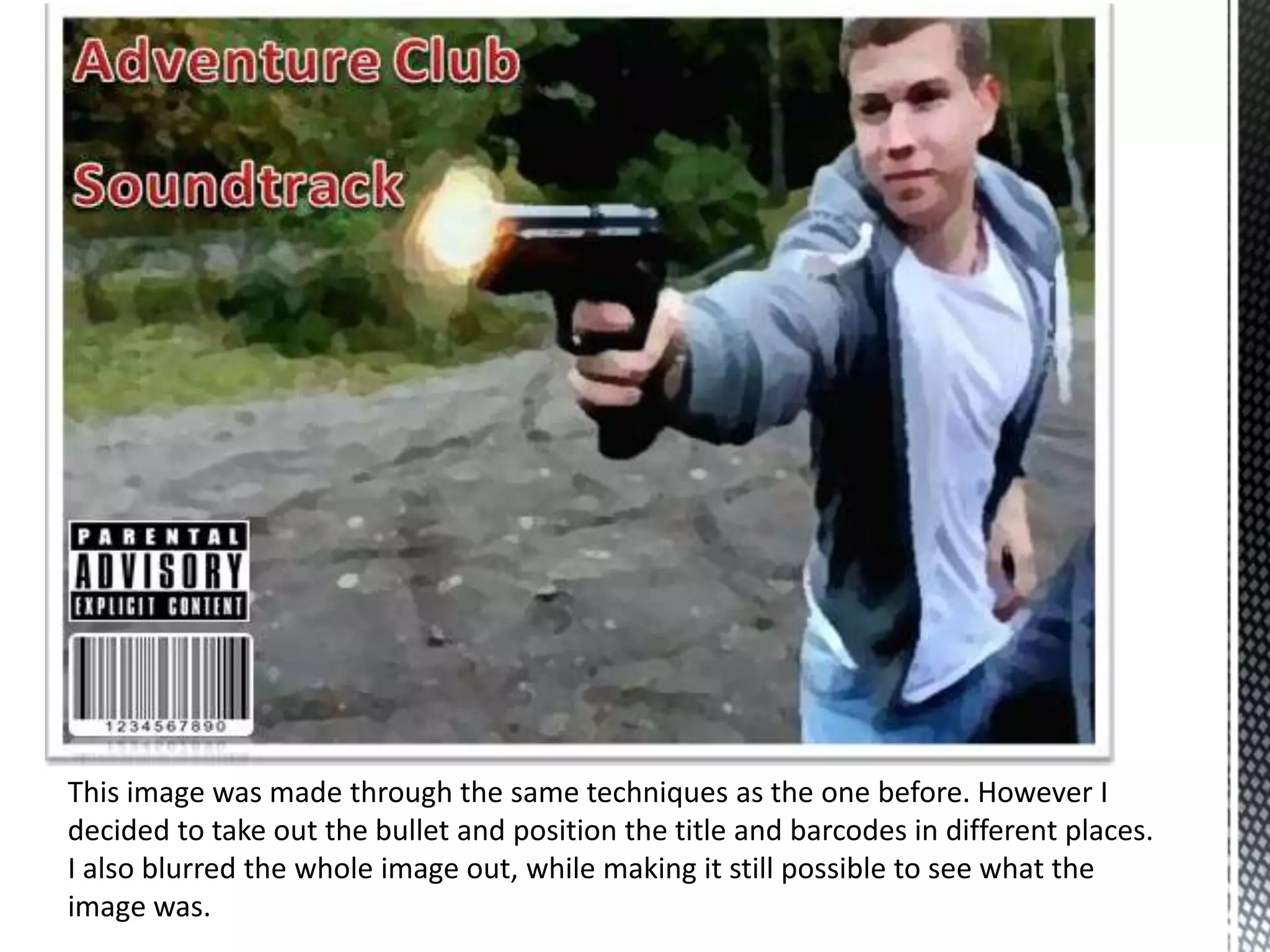
This image was made through the same techniques as the one before. However I
decided to take out the bullet and position the title and barcodes in different places.
I also blurred the whole image out, while making it still possible to see what the
image was.
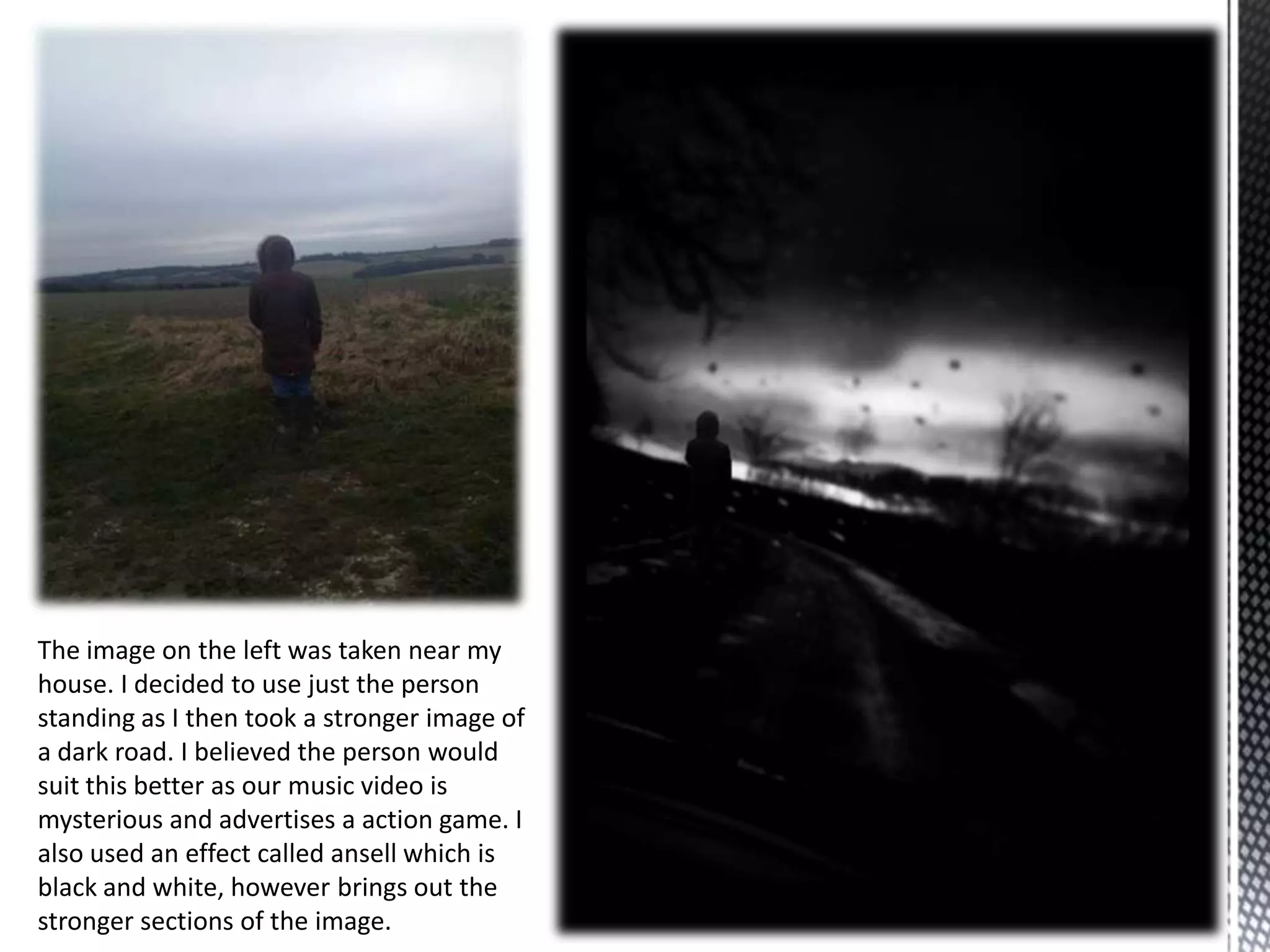
The image on the left was taken near my
house. I decided to use just the person
standing as I then took a stronger image of
a dark road. I believed the person would
suit this better as our music video is
mysterious and advertises a action game. I
also used an effect called ansell which is
black and white, however brings out the
stronger sections of the image.
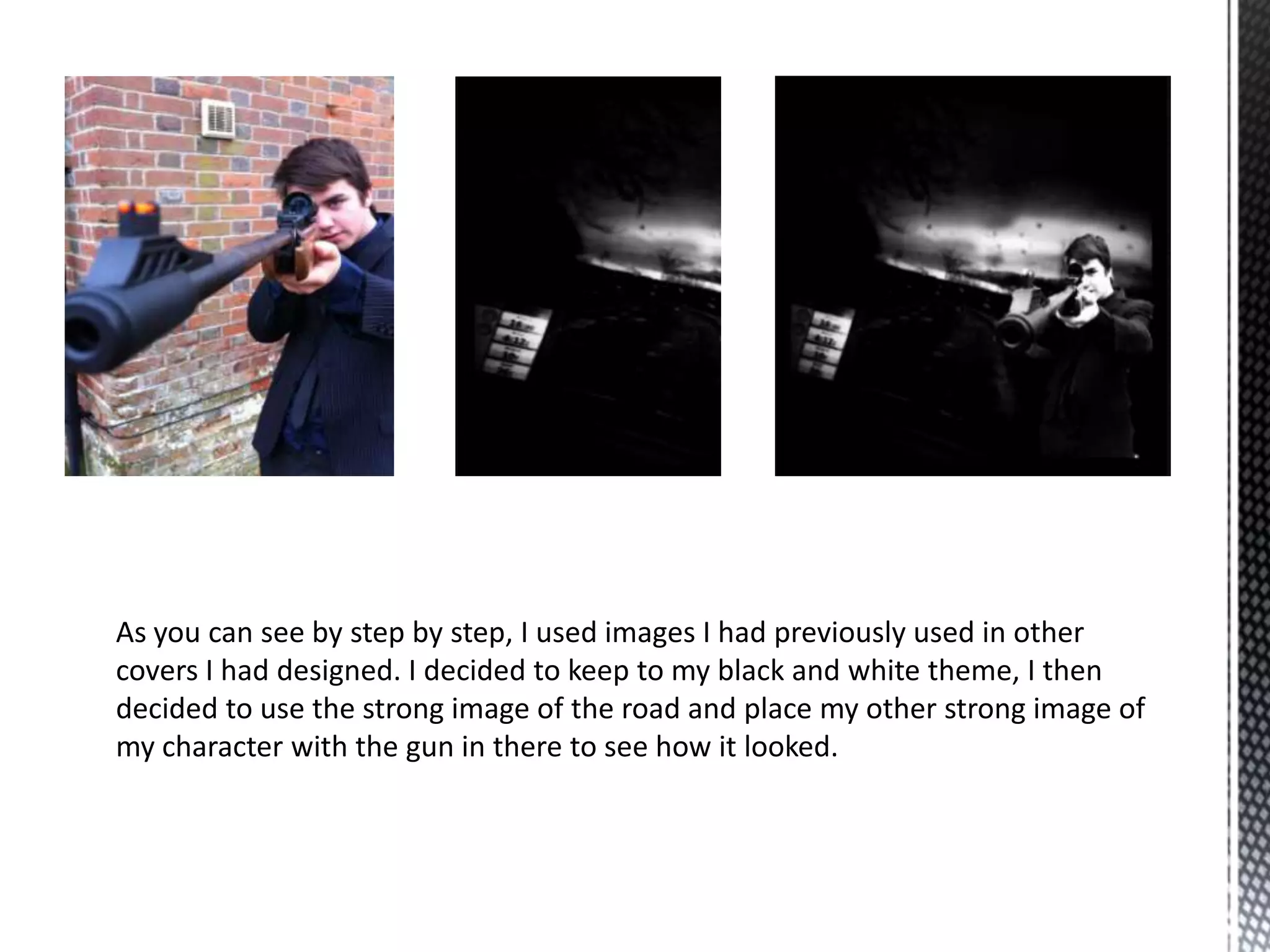
As you can see by step by step, I used images I had previously used in other
covers I had designed. I decided to keep to my black and white theme, I then
decided to use the strong image of the road and place my other strong image of
my character with the gun in there to see how it looked.
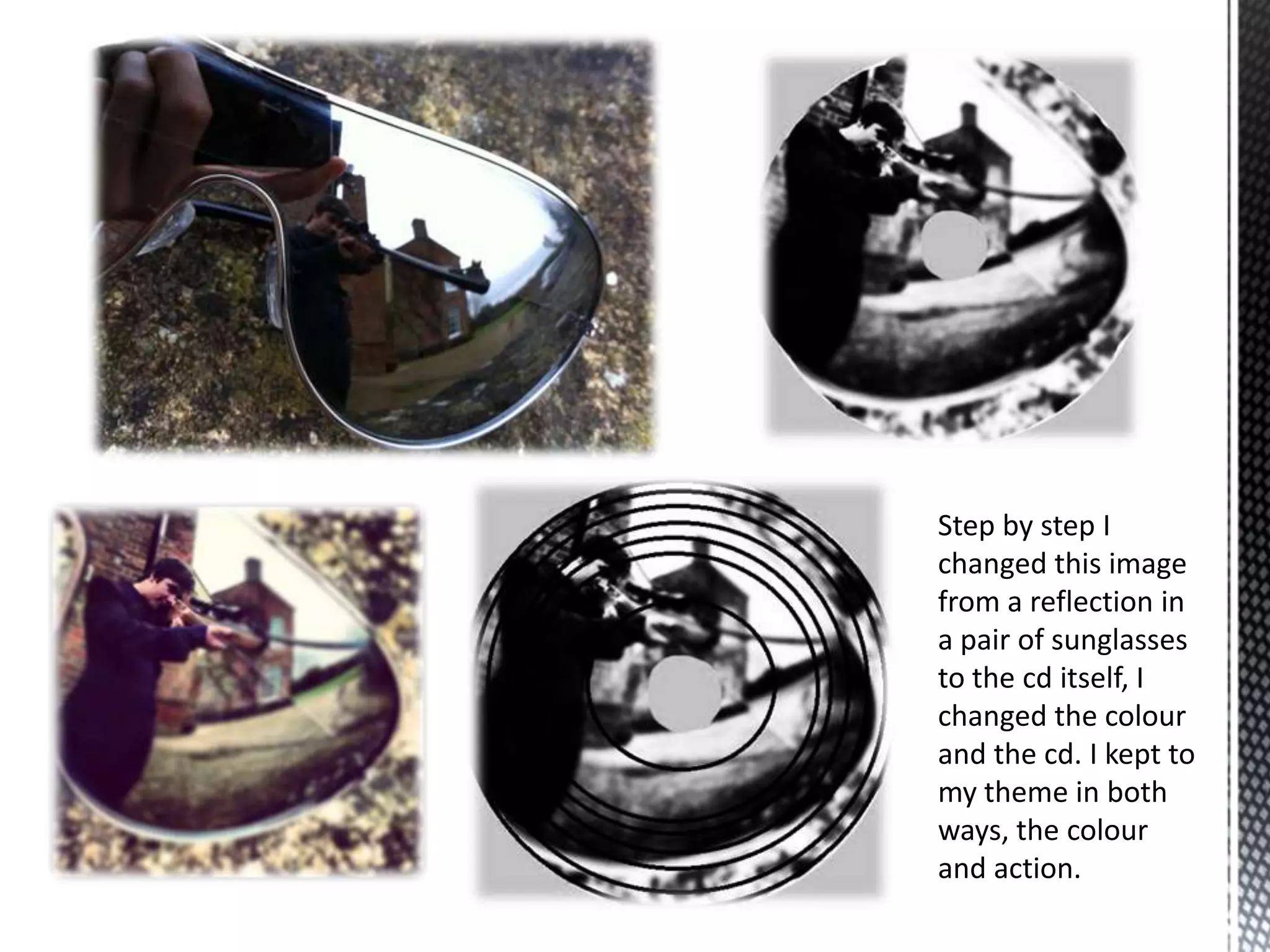
Step by step I
changed this image
from a reflection in
a pair of sunglasses
to the cd itself, I
changed the colour
and the cd. I kept to
my theme in both
ways, the colour
and action.
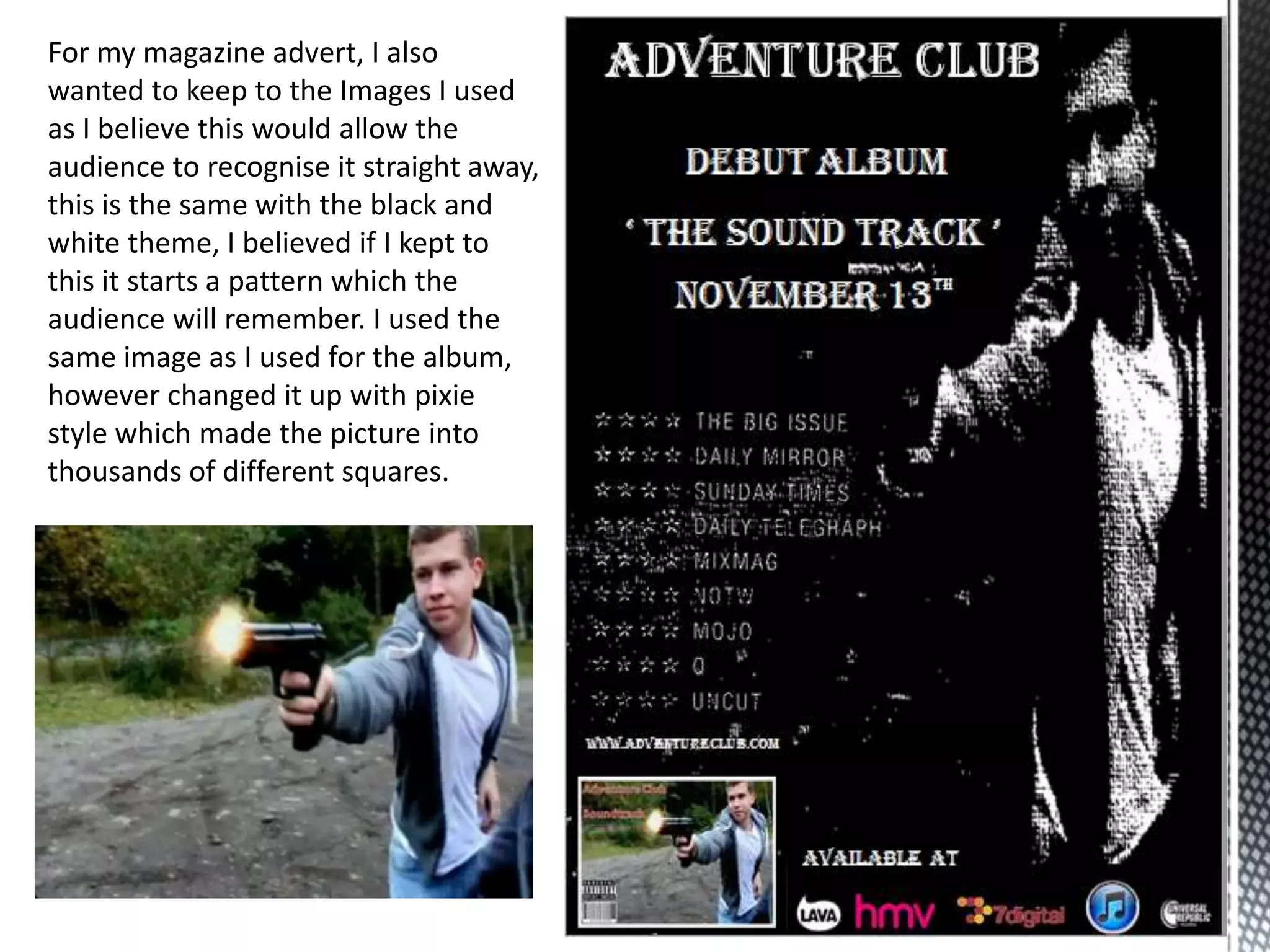
For my magazine advert, I also
wanted to keep to the Images I used
as I believe this would allow the
audience to recognise it straight away,
this is the same with the black and
white theme, I believed if I kept to
this it starts a pattern which the
audience will remember. I used the
same image as I used for the album,
however changed it up with pixie
style which made the picture into
thousands of different squares.

Digipack

  • 1.
    Album covers, front,back and inside. Adverts
  • 2.
    I started ofwith the standard image, I then changed the image into HDR editing. Which brighten the picture. I then decided to blur out the surroundings which would bring main focus to the gun and person, while I put the image into black and white
  • 4.
    Through the slidebefore, I had to go through a large number of steps to get the result I did in this picture. I started with a clip from our music video, after that I removed the person from the background, I then got a picture of a bullet and some cartoon smoke. I placed the person back into the background after I had blurred out the background to bring more attention to the gun. I then placed the bullet and the cartoon smoke into the picture after adding some barcodes and after items which are likely to be seen on an album cover.
  • 5.
    This image wasmade through the same techniques as the one before. However I decided to take out the bullet and position the title and barcodes in different places. I also blurred the whole image out, while making it still possible to see what the image was.
  • 6.
    The image onthe left was taken near my house. I decided to use just the person standing as I then took a stronger image of a dark road. I believed the person would suit this better as our music video is mysterious and advertises a action game. I also used an effect called ansell which is black and white, however brings out the stronger sections of the image.
  • 7.
    As you cansee by step by step, I used images I had previously used in other covers I had designed. I decided to keep to my black and white theme, I then decided to use the strong image of the road and place my other strong image of my character with the gun in there to see how it looked.
  • 8.
    Step by stepI changed this image from a reflection in a pair of sunglasses to the cd itself, I changed the colour and the cd. I kept to my theme in both ways, the colour and action.
  • 9.
    For my magazineadvert, I also wanted to keep to the Images I used as I believe this would allow the audience to recognise it straight away, this is the same with the black and white theme, I believed if I kept to this it starts a pattern which the audience will remember. I used the same image as I used for the album, however changed it up with pixie style which made the picture into thousands of different squares.