Developing a Solid Technology
          Infrastructure

You should hear voices. If you can’t hear anything, check that
your computer volume is turned up and un-muted, and the “Use
Mic” radio button is selected. Or you can use a phone to listen to
the same audio by calling XXXXXXXXXXXX.
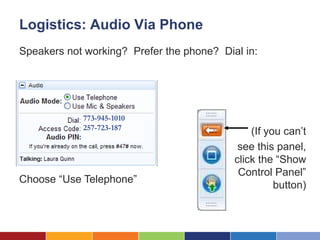
Logistics: Audio Via Phone
Speakers not working? Prefer the phone? Dial in:


            773-945-1010
            257-723-187
                                               (If you can’t
                                            see this panel,
                                           click the “Show
                                            Control Panel”
Choose “Use Telephone”
                                                     button)
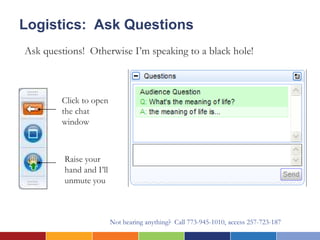
Logistics: Ask Questions
Ask questions! Otherwise I’m speaking to a black hole!


        Click to open
        the chat
        window


         Raise your
         hand and I’ll
         unmute you


                         Not hearing anything? Call 773-945-1010, access 257-723-187
Having Trouble?

You should hear voices. If you can’t hear
anything, check that your computer volume is
turned up and un-muted, and the “Use Mic” radio
button is selected.


Or you can use a phone to listen to the same audio
by calling XXXXXXXXXXXX.
Developing a Solid Technology
        Infrastructure
Introductions


     Laura Quinn   Ken Montenegro
       Idealware   Asian Pacific American
                       Legal Center
What We’ll Cover Today

  –   Hardware Infrastructure
  –   Data Backup
  –   Software Infrastructure
  –   Support: The Human Side!
Hardware
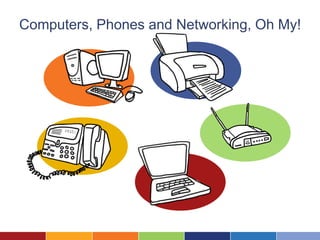
Computers, Phones and Networking, Oh My!
Computers
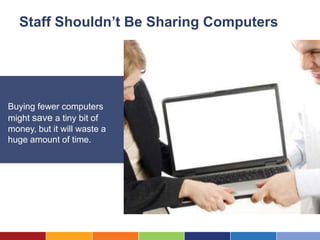
Staff Shouldn’t Be Sharing Computers


Buying fewer computers
might save a tiny bit of
money, but it will waste a
huge amount of time.
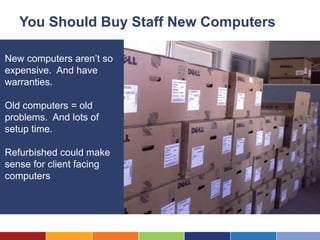
You Should Buy Staff New Computers

New computers aren’t so
expensive. And have
warranties.

Old computers = old
problems. And lots of
setup time.

Refurbished could make
sense for client facing
computers
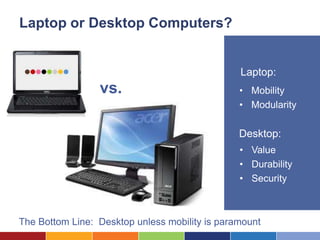
Laptop or Desktop Computers?


                                                Laptop:
                 vs.                            • Mobility
                                                • Modularity

                                                Desktop:
                                                • Value
                                                • Durability
                                                • Security


The Bottom Line: Desktop unless mobility is paramount
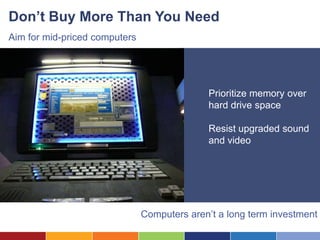
Don’t Buy More Than You Need
Aim for mid-priced computers


                                             Prioritize memory over
                                             hard drive space

                                             Resist upgraded sound
                                             and video


                               Computers aren’t a long term investment
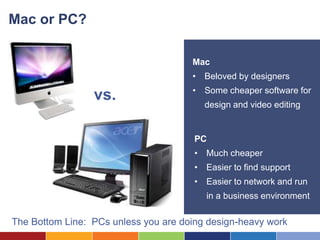
Mac or PC?

                                      Mac
                                      • Beloved by designers

        Mac vs.                       • Some cheaper software for
                                         design and video editing


                                       PC
                                       • Much cheaper
                                       • Easier to find support
                                       • Easier to network and run
                                          in a business environment

The Bottom Line: PCs unless you are doing design-heavy work
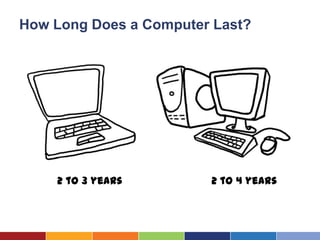
How Long Does a Computer Last?


    2 to 3 years        2 to 4 years
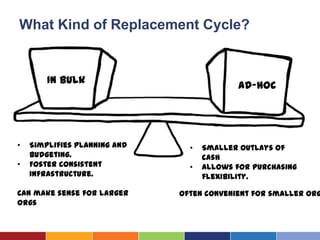
What Kind of Replacement Cycle?


        In bulk                             Ad-hoc


•   Simplifies planning and     •   Smaller outlays of
    budgeting.                      cash
•   Foster consistent           •   Allows for purchasing
    infrastructure.                 flexibility.

Can make sense for larger     Often convenient for smaller org
orgs
Printers


Printers
How Many Printers Should You Have?


Rule of thumb:
                        But yes, it depends:
1 Per 20                • How fast are the printers
                        • How much do you print?
People                  • How spread out is your
                           office?
                        • Is there a need to keep a
                           privacy firewall between
                           staff members?
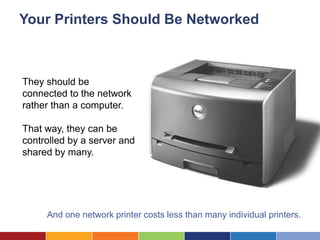
Your Printers Should Be Networked


They should be
connected to the network
rather than a computer.

That way, they can be
controlled by a server and
shared by many.


     And one network printer costs less than many individual printers.
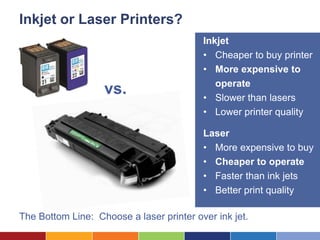
Inkjet or Laser Printers?
                                          Inkjet
                                          • Cheaper to buy printer
                                          • More expensive to
                                             operate
                   vs.                    • Slower than lasers
                                          • Lower printer quality

                                          Laser
                                          • More expensive to buy
                                          • Cheaper to operate
                                          • Faster than ink jets
                                          • Better print quality

The Bottom Line: Choose a laser printer over ink jet.
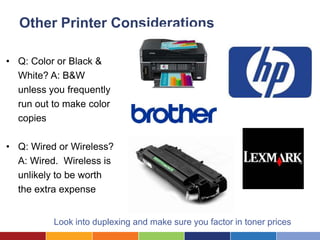
Other Printer Considerations

• Q: Color or Black &
  White? A: B&W
  unless you frequently
                                                 Black &
  run out to make color                           White
  copies

• Q: Wired or Wireless?
  A: Wired. Wireless is
  unlikely to be worth
  the extra expense


          Look into duplexing and make sure you factor in toner prices
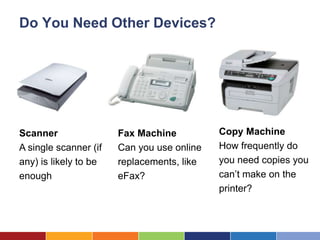
Do You Need Other Devices?


Scanner                Fax Machine          Copy Machine
A single scanner (if   Can you use online   How frequently do
any) is likely to be   replacements, like   you need copies you
enough                 eFax?                can’t make on the
                                            printer?
Phones


Phones
You Need Phones


           Reliable phones are absolutely mission critical
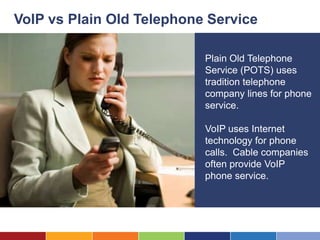
VoIP vs Plain Old Telephone Service

                           Plain Old Telephone
                           Service (POTS) uses
                           tradition telephone
                           company lines for phone
                           service.

                           VoIP uses Internet
                           technology for phone
                           calls. Cable companies
                           often provide VoIP
                           phone service.
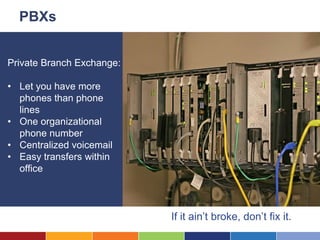
PBXs


Private Branch Exchange:

• Let you have more
  phones than phone
  lines
• One organizational
  phone number
• Centralized voicemail
• Easy transfers within
  office


                           If it ain’t broke, don’t fix it.
New Phone System: Don’t Go It Alone


                         Hire a consultant to help
                         with:

                         • Selection and planning
                         • Installation
                         • Configuration and
                           maintenance
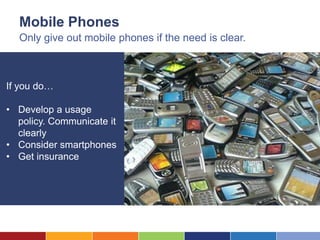
Mobile Phones
  Only give out mobile phones if the need is clear.


If you do…

• Develop a usage
  policy. Communicate it
  clearly
• Consider smartphones
• Get insurance
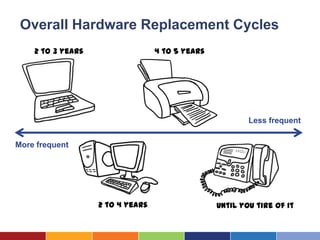
Overall Hardware Replacement Cycles
    2 to 3 years                  4 to 5 years


                                                         Less frequent


More frequent


                   2 to 4 years                  Until you tire of it
Networking
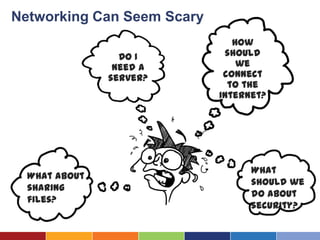
Networking Can Seem Scary
                                   How
                        Do I     should
                       need a       we
                      server?    connect
                                  to the
What about backups?             Internet?


                                      What
   What about
                                      should we
   sharing
                                      do about
   files?
                                      security?
How Should We Connect To The Internet?


Internet Access

• DSL (Digital
  Subscriber Line)
• Cable modem
• Higher-end
  (T1, fiber, frame
  relay…)
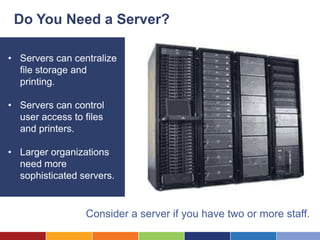
Do You Need a Server?

• Servers can centralize
  file storage and
  printing.

• Servers can control
  user access to files
  and printers.

• Larger organizations
  need more
  sophisticated servers.


                 Consider a server if you have two or more staff.
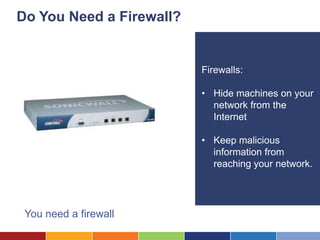
Do You Need a Firewall?


                          Firewalls:

                          • Hide machines on your
                            network from the
                            Internet

                          • Keep malicious
                            information from
                            reaching your network.


 You need a firewall
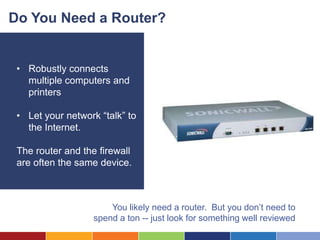
Do You Need a Router?


 • Robustly connects
   multiple computers and
   printers

 • Let your network “talk” to
   the Internet.

 The router and the firewall
 are often the same device.


                       You likely need a router. But you don’t need to
                   spend a ton -- just look for something well reviewed
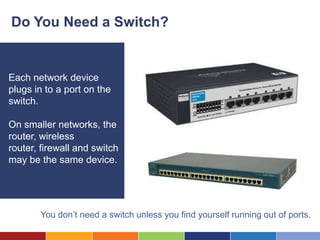
Do You Need a Switch?


Each network device
plugs in to a port on the
switch.

On smaller networks, the
router, wireless
router, firewall and switch
may be the same device.


       You don’t need a switch unless you find yourself running out of ports.
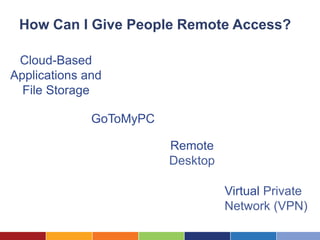
How Can I Give People Remote Access?

 Cloud-Based
Applications and
  File Storage

              GoToMyPC

                         Remote
                         Desktop

                                   Virtual Private
                                   Network (VPN)
Data Backup
Thinking About Backup


• What should I back up?

• Which backup software
  should I use?

• Where should I store
  backups?

• How do I know my
  backups work?
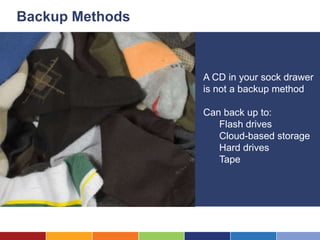
Backup Methods


                 A CD in your sock drawer
                 is not a backup method

                 Can back up to:
                    Flash drives
                    Cloud-based storage
                    Hard drives
                    Tape
Cloud File Storage Can Be A Great Option


File storage, remote
access and file backup
in one solution. But
get vendor assurances
on security and
access/ownership


                         Caveat: You need a reliable Internet connection
Your Software Infrastructure
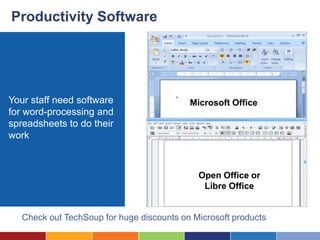
Productivity Software


Your staff need software                   Microsoft Office
for word-processing and
spreadsheets to do their
work


                                             Open Office or
                                              Libre Office


   Check out TechSoup for huge discounts on Microsoft products
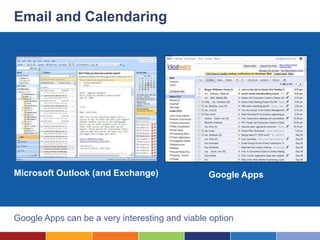
Email and Calendaring


Microsoft Outlook (and Exchange)                Google Apps


Google Apps can be a very interesting and viable option
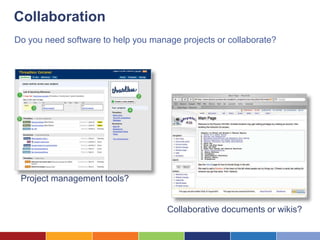
Collaboration
Do you need software to help you manage projects or collaborate?


 Project management tools?
                                               Google Apps

                                     Collaborative documents or wikis?
What About “Cloud” Software?

Rent access to a system
rather than buying
software.

You access it via a web
browser, and the
vendor maintains it.

It’s likely as secure as
anything you have onsite.
Pay Attention to Versions
If all are using the same software version, they’re much easier to support
Keep Up With Updates


Make sure all staff are
up-to-date with security
updates

Larger orgs should
consider tools to “push”
updates out to everyone
Make Sure Your Software is Legal


                            Understand your
                            software’s licensing

                            Track software
                            installation and license
                            count.

                            Licensing violations can
                            be expensive
Supporting Your Infrastructure
You’ll Need Humans to Support All This!

                          Someone needs to:

                          • Help your staff with
                            questions or problems
                          • Troubleshoot technical
                            issues
                          • Make sure software
                            updates are installed
                          • Make strategic decisions
                            about new investments
                          • Purchase new hardware
                            when needed
Reduce the Support Needed
If you don’t have IT staff, plan your tech to reduce support


                                             • Keep infrastructure
                                               simple.

                                             • Use hosted (cloud)
                                               solutions where
                                               feasible
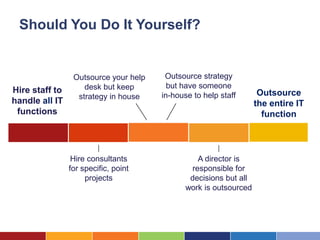
Should You Do It Yourself?


                 Outsource your help    Outsource strategy
                    desk but keep        but have someone
Hire staff to                                                       Outsource
                  strategy in house    in-house to help staff
handle all IT                                                      the entire IT
 functions                                                           function


                 Hire consultants                A director is
                for specific, point            responsible for
                     projects                  decisions but all
                                              work is outsourced
When Should You Hire?

Think about IT staff when:

• Staff requires regular,
  on-site support
• Complex IT or software
  infrastructure
• Organization is growing
• Vendor management is
  a key issue
When Should You Hire A Consultant?
Consultants (or long-term
volunteers) can be very
useful to

• Setup and implement
  new systems
• Provide scheduled
  support and
  maintenance
• Provide remote help-
  desk support
• Help with short term
  projects
                            Contractors can complement regular IT staff
When Should You Outsource It All?

                          You can hire firms that will
                          take on the entire IT
                          function. When does this
                          make sense?

                          • You have little tech
                            experience in-house

                          • Technology is not a
                             strategic advantage

                          • You need lots of
                            specialists
Questions?

Developing a Solid Technology Infrastructure

  • 1.
    Developing a SolidTechnology Infrastructure You should hear voices. If you can’t hear anything, check that your computer volume is turned up and un-muted, and the “Use Mic” radio button is selected. Or you can use a phone to listen to the same audio by calling XXXXXXXXXXXX.
  • 2.
    Logistics: Audio ViaPhone Speakers not working? Prefer the phone? Dial in: 773-945-1010 257-723-187 (If you can’t see this panel, click the “Show Control Panel” Choose “Use Telephone” button)
  • 3.
    Logistics: Ask Questions Askquestions! Otherwise I’m speaking to a black hole! Click to open the chat window Raise your hand and I’ll unmute you Not hearing anything? Call 773-945-1010, access 257-723-187
  • 4.
    Having Trouble? You shouldhear voices. If you can’t hear anything, check that your computer volume is turned up and un-muted, and the “Use Mic” radio button is selected. Or you can use a phone to listen to the same audio by calling XXXXXXXXXXXX.
  • 5.
    Developing a SolidTechnology Infrastructure
  • 6.
    Introductions Laura Quinn Ken Montenegro Idealware Asian Pacific American Legal Center
  • 7.
    What We’ll CoverToday – Hardware Infrastructure – Data Backup – Software Infrastructure – Support: The Human Side!
  • 8.
  • 9.
    Computers, Phones andNetworking, Oh My!
  • 10.
  • 11.
    Staff Shouldn’t BeSharing Computers Buying fewer computers might save a tiny bit of money, but it will waste a huge amount of time.
  • 12.
    You Should BuyStaff New Computers New computers aren’t so expensive. And have warranties. Old computers = old problems. And lots of setup time. Refurbished could make sense for client facing computers
  • 13.
    Laptop or DesktopComputers? Laptop: vs. • Mobility • Modularity Desktop: • Value • Durability • Security The Bottom Line: Desktop unless mobility is paramount
  • 14.
    Don’t Buy MoreThan You Need Aim for mid-priced computers Prioritize memory over hard drive space Resist upgraded sound and video Computers aren’t a long term investment
  • 15.
    Mac or PC? Mac • Beloved by designers Mac vs. • Some cheaper software for design and video editing PC • Much cheaper • Easier to find support • Easier to network and run in a business environment The Bottom Line: PCs unless you are doing design-heavy work
  • 16.
    How Long Doesa Computer Last? 2 to 3 years 2 to 4 years
  • 17.
    What Kind ofReplacement Cycle? In bulk Ad-hoc • Simplifies planning and • Smaller outlays of budgeting. cash • Foster consistent • Allows for purchasing infrastructure. flexibility. Can make sense for larger Often convenient for smaller org orgs
  • 18.
  • 19.
    How Many PrintersShould You Have? Rule of thumb: But yes, it depends: 1 Per 20 • How fast are the printers • How much do you print? People • How spread out is your office? • Is there a need to keep a privacy firewall between staff members?
  • 20.
    Your Printers ShouldBe Networked They should be connected to the network rather than a computer. That way, they can be controlled by a server and shared by many. And one network printer costs less than many individual printers.
  • 21.
    Inkjet or LaserPrinters? Inkjet • Cheaper to buy printer • More expensive to operate vs. • Slower than lasers • Lower printer quality Laser • More expensive to buy • Cheaper to operate • Faster than ink jets • Better print quality The Bottom Line: Choose a laser printer over ink jet.
  • 22.
    Other Printer Considerations •Q: Color or Black & White? A: B&W unless you frequently Black & run out to make color White copies • Q: Wired or Wireless? A: Wired. Wireless is unlikely to be worth the extra expense Look into duplexing and make sure you factor in toner prices
  • 23.
    Do You NeedOther Devices? Scanner Fax Machine Copy Machine A single scanner (if Can you use online How frequently do any) is likely to be replacements, like you need copies you enough eFax? can’t make on the printer?
  • 24.
  • 25.
    You Need Phones Reliable phones are absolutely mission critical
  • 26.
    VoIP vs PlainOld Telephone Service Plain Old Telephone Service (POTS) uses tradition telephone company lines for phone service. VoIP uses Internet technology for phone calls. Cable companies often provide VoIP phone service.
  • 27.
    PBXs Private Branch Exchange: •Let you have more phones than phone lines • One organizational phone number • Centralized voicemail • Easy transfers within office If it ain’t broke, don’t fix it.
  • 28.
    New Phone System:Don’t Go It Alone Hire a consultant to help with: • Selection and planning • Installation • Configuration and maintenance
  • 29.
    Mobile Phones Only give out mobile phones if the need is clear. If you do… • Develop a usage policy. Communicate it clearly • Consider smartphones • Get insurance
  • 30.
    Overall Hardware ReplacementCycles 2 to 3 years 4 to 5 years Less frequent More frequent 2 to 4 years Until you tire of it
  • 31.
  • 32.
    Networking Can SeemScary How Do I should need a we server? connect to the What about backups? Internet? What What about should we sharing do about files? security?
  • 33.
    How Should WeConnect To The Internet? Internet Access • DSL (Digital Subscriber Line) • Cable modem • Higher-end (T1, fiber, frame relay…)
  • 34.
    Do You Needa Server? • Servers can centralize file storage and printing. • Servers can control user access to files and printers. • Larger organizations need more sophisticated servers. Consider a server if you have two or more staff.
  • 35.
    Do You Needa Firewall? Firewalls: • Hide machines on your network from the Internet • Keep malicious information from reaching your network. You need a firewall
  • 36.
    Do You Needa Router? • Robustly connects multiple computers and printers • Let your network “talk” to the Internet. The router and the firewall are often the same device. You likely need a router. But you don’t need to spend a ton -- just look for something well reviewed
  • 37.
    Do You Needa Switch? Each network device plugs in to a port on the switch. On smaller networks, the router, wireless router, firewall and switch may be the same device. You don’t need a switch unless you find yourself running out of ports.
  • 38.
    How Can IGive People Remote Access? Cloud-Based Applications and File Storage GoToMyPC Remote Desktop Virtual Private Network (VPN)
  • 39.
  • 40.
    Thinking About Backup •What should I back up? • Which backup software should I use? • Where should I store backups? • How do I know my backups work?
  • 41.
    Backup Methods A CD in your sock drawer is not a backup method Can back up to: Flash drives Cloud-based storage Hard drives Tape
  • 42.
    Cloud File StorageCan Be A Great Option File storage, remote access and file backup in one solution. But get vendor assurances on security and access/ownership Caveat: You need a reliable Internet connection
  • 43.
  • 44.
    Productivity Software Your staffneed software Microsoft Office for word-processing and spreadsheets to do their work Open Office or Libre Office Check out TechSoup for huge discounts on Microsoft products
  • 45.
    Email and Calendaring MicrosoftOutlook (and Exchange) Google Apps Google Apps can be a very interesting and viable option
  • 46.
    Collaboration Do you needsoftware to help you manage projects or collaborate? Project management tools? Google Apps Collaborative documents or wikis?
  • 47.
    What About “Cloud”Software? Rent access to a system rather than buying software. You access it via a web browser, and the vendor maintains it. It’s likely as secure as anything you have onsite.
  • 48.
    Pay Attention toVersions If all are using the same software version, they’re much easier to support
  • 49.
    Keep Up WithUpdates Make sure all staff are up-to-date with security updates Larger orgs should consider tools to “push” updates out to everyone
  • 50.
    Make Sure YourSoftware is Legal Understand your software’s licensing Track software installation and license count. Licensing violations can be expensive
  • 51.
  • 52.
    You’ll Need Humansto Support All This! Someone needs to: • Help your staff with questions or problems • Troubleshoot technical issues • Make sure software updates are installed • Make strategic decisions about new investments • Purchase new hardware when needed
  • 53.
    Reduce the SupportNeeded If you don’t have IT staff, plan your tech to reduce support • Keep infrastructure simple. • Use hosted (cloud) solutions where feasible
  • 54.
    Should You DoIt Yourself? Outsource your help Outsource strategy desk but keep but have someone Hire staff to Outsource strategy in house in-house to help staff handle all IT the entire IT functions function Hire consultants A director is for specific, point responsible for projects decisions but all work is outsourced
  • 55.
    When Should YouHire? Think about IT staff when: • Staff requires regular, on-site support • Complex IT or software infrastructure • Organization is growing • Vendor management is a key issue
  • 56.
    When Should YouHire A Consultant? Consultants (or long-term volunteers) can be very useful to • Setup and implement new systems • Provide scheduled support and maintenance • Provide remote help- desk support • Help with short term projects Contractors can complement regular IT staff
  • 57.
    When Should YouOutsource It All? You can hire firms that will take on the entire IT function. When does this make sense? • You have little tech experience in-house • Technology is not a strategic advantage • You need lots of specialists
  • 58.

Editor's Notes

  • #12 New computers aren’t so expensiveOld computers = old problemsConfiguration takes timeCould be nearly obsolete
  • #13 New computers aren’t so expensiveOld computers = old problemsConfiguration takes timeCould be nearly obsolete