Collaborative user experience design
       in agile development

 Anu Ramaswamy (anu@empaticasystems.com)
         Empatica Systems!
           Facilitating Collaborative Design
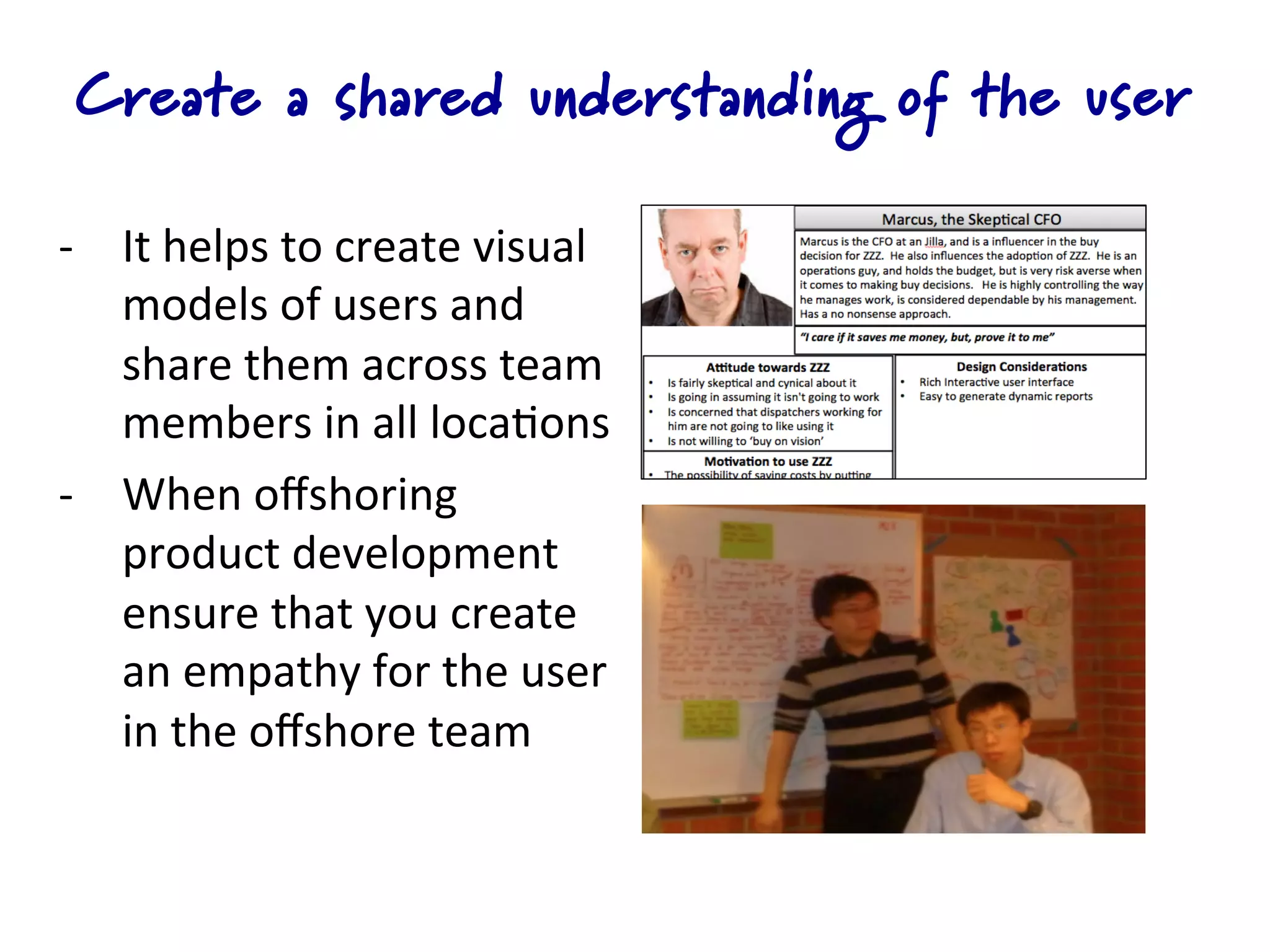
Create a shared understanding of the user

-­‐  It	
  helps	
  to	
  create	
  visual	
  
     models	
  of	
  users	
  and	
  
     share	
  them	
  across	
  team	
  
     members	
  in	
  all	
  loca4ons	
  
-­‐  When	
  offshoring	
  
     product	
  development	
  
     ensure	
  that	
  you	
  create	
  
     an	
  empathy	
  for	
  the	
  user	
  
     in	
  the	
  offshore	
  team	
  
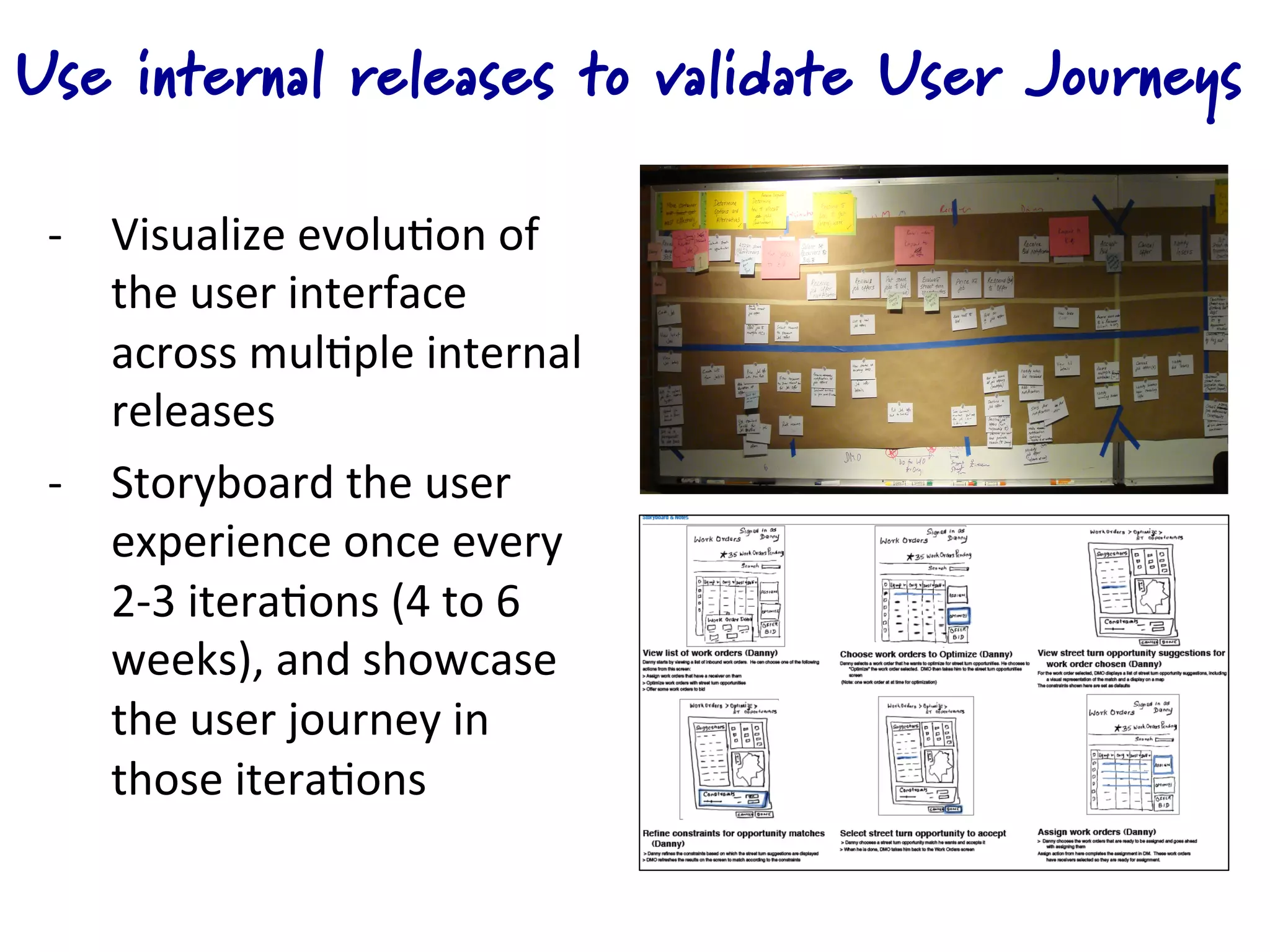
Use internal releases to validate User Journeys

 -­‐  Visualize	
  evolu4on	
  of	
  
      the	
  user	
  interface	
  
      across	
  mul4ple	
  internal	
  
      releases	
  
 -­‐  Storyboard	
  the	
  user	
  
      experience	
  once	
  every	
  
      2-­‐3	
  itera4ons	
  (4	
  to	
  6	
  
      weeks),	
  and	
  showcase	
  
      the	
  user	
  journey	
  in	
  
      those	
  itera4ons	
  
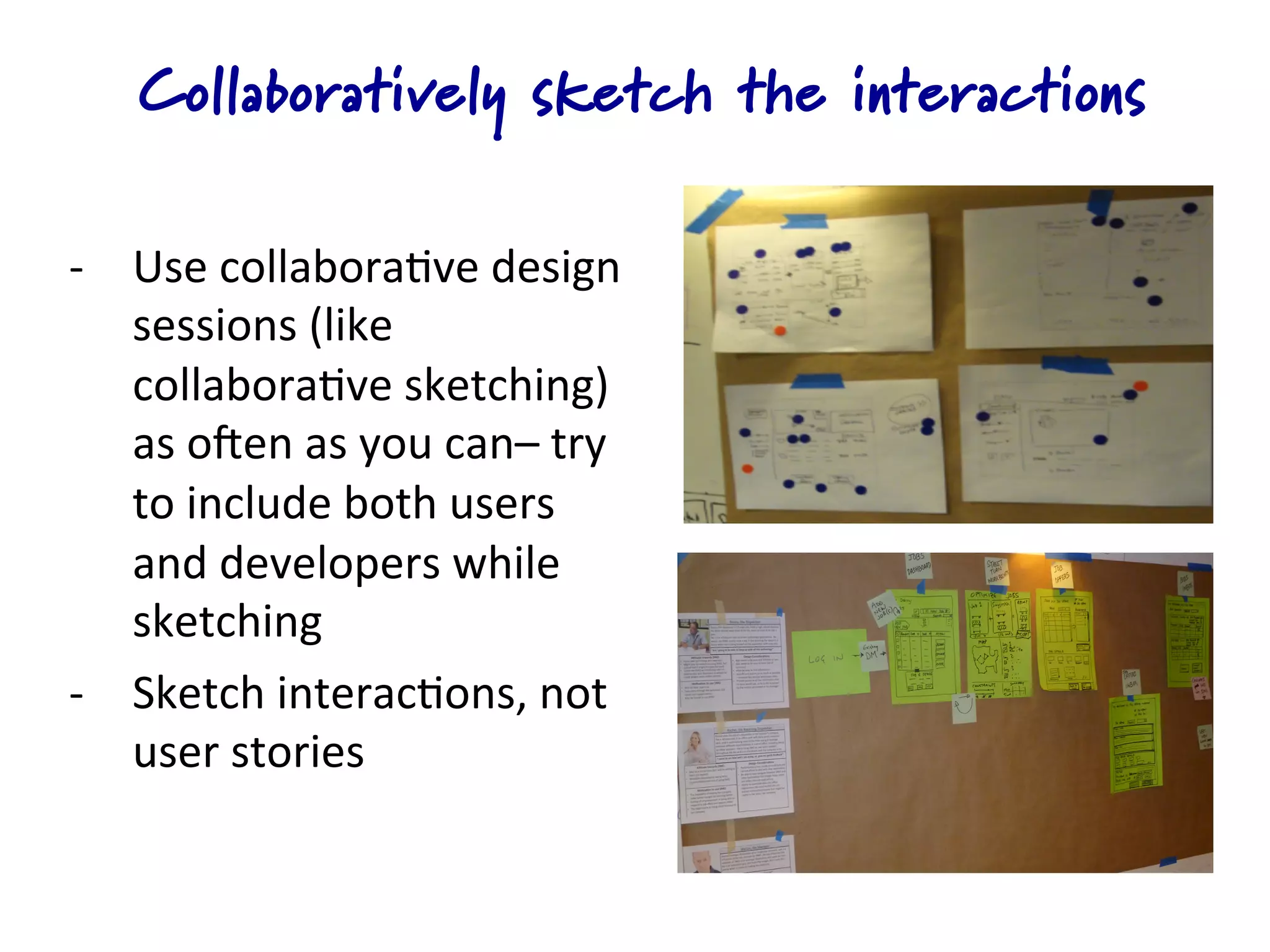
Collaboratively sketch the interactions

-­‐  Use	
  collabora4ve	
  design	
  
     sessions	
  (like	
  
     collabora4ve	
  sketching)	
  
     as	
  oKen	
  as	
  you	
  can–	
  try	
  
     to	
  include	
  both	
  users	
  
     and	
  developers	
  while	
  
     sketching	
  
-­‐  Sketch	
  interac4ons,	
  not	
  
     user	
  stories	
  
Validate key design guidelines with mockups
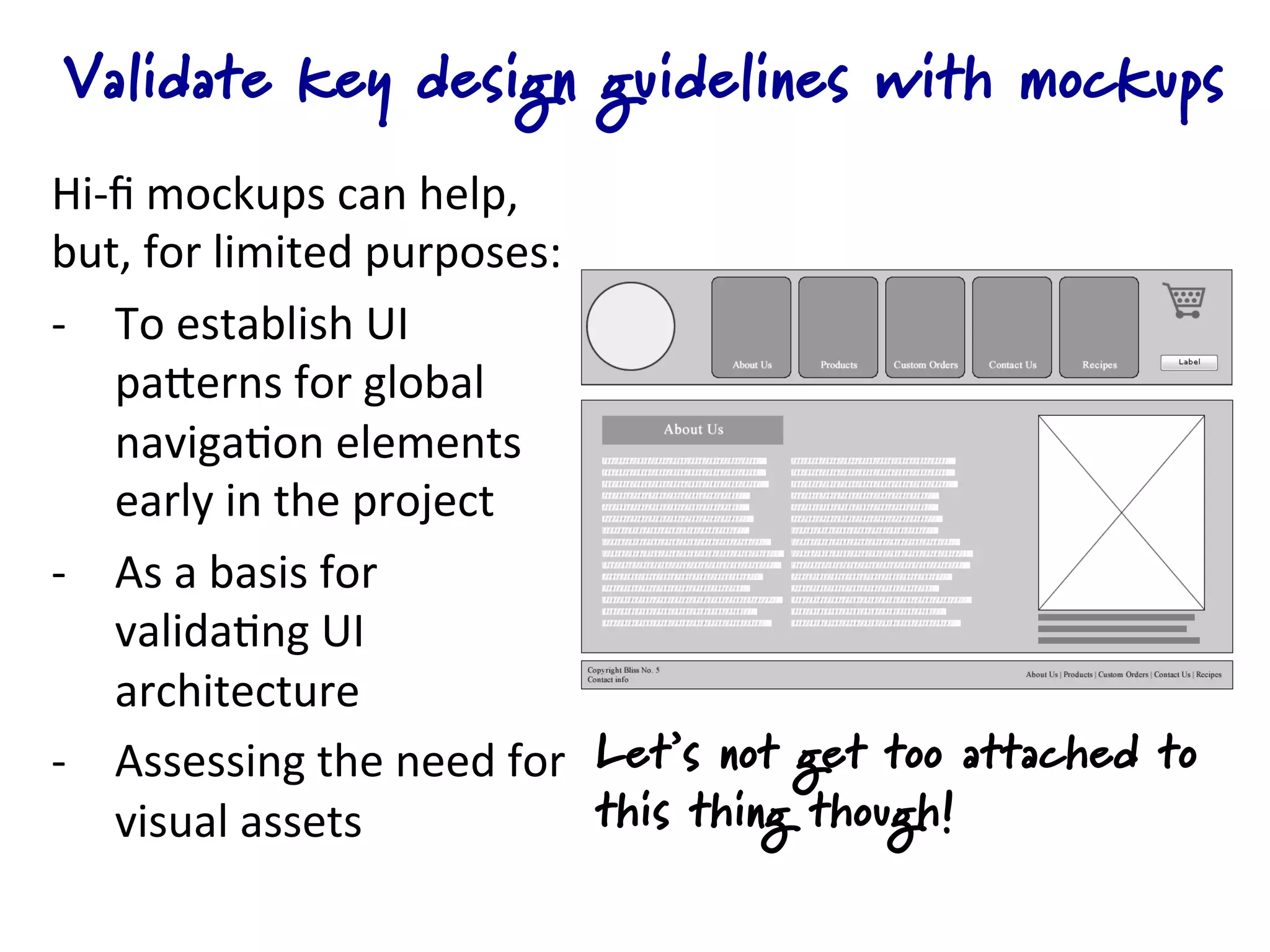
Hi-­‐fi	
  mockups	
  can	
  help,	
  
but,	
  for	
  limited	
  purposes:	
  
-­‐  To	
  establish	
  UI	
  
     paQerns	
  for	
  global	
  
     naviga4on	
  elements	
  
     early	
  in	
  the	
  project	
  
-­‐  As	
  a	
  basis	
  for	
  
     valida4ng	
  UI	
  
     architecture	
  
-­‐  Assessing	
  the	
  need	
  for	
   Let’s not get too attached to
     visual	
  assets	
                  this thing though!
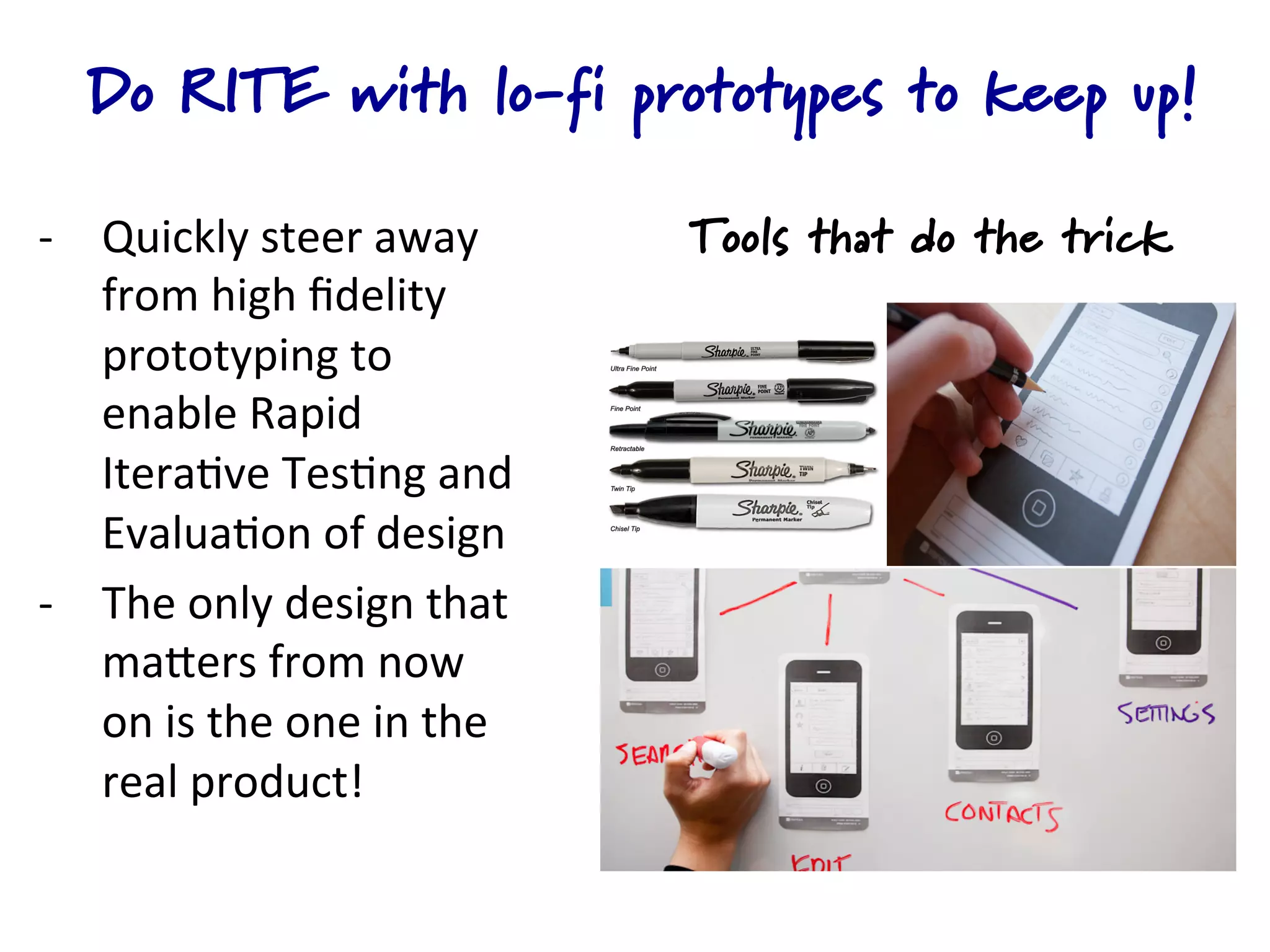
Do RITE with lo-fi prototypes to keep up!

-­‐  Quickly	
  steer	
  away	
                Tools that do the trick
     from	
  high	
  fidelity	
  
     prototyping	
  to	
  
     enable	
  Rapid	
  
     Itera4ve	
  Tes4ng	
  and	
  
     Evalua4on	
  of	
  design	
  
-­‐  The	
  only	
  design	
  that	
  
     maQers	
  from	
  now	
  
     on	
  is	
  the	
  one	
  in	
  the	
  
     real	
  product!	


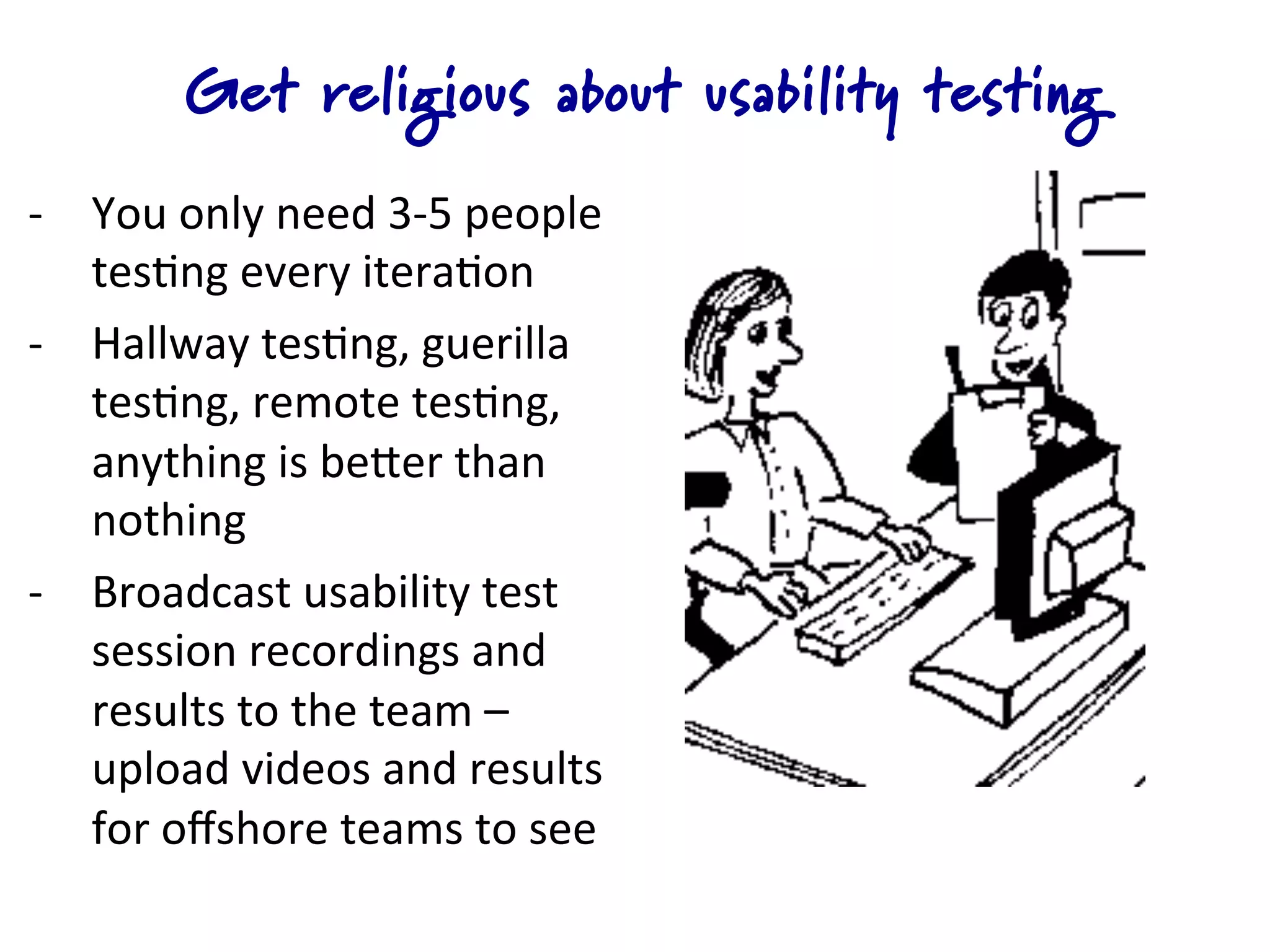
Get religious about usability testing
-­‐  You	
  only	
  need	
  3-­‐5	
  people	
  
     tes4ng	
  every	
  itera4on	
  
-­‐  Hallway	
  tes4ng,	
  guerilla	
  
     tes4ng,	
  remote	
  tes4ng,	
  	
  
     anything	
  is	
  beQer	
  than	
  
     nothing	
  
-­‐  Broadcast	
  usability	
  test	
  
     session	
  recordings	
  and	
  
     results	
  to	
  the	
  team	
  –	
  
     upload	
  videos	
  and	
  results	
  
     for	
  offshore	
  teams	
  to	
  see	
  
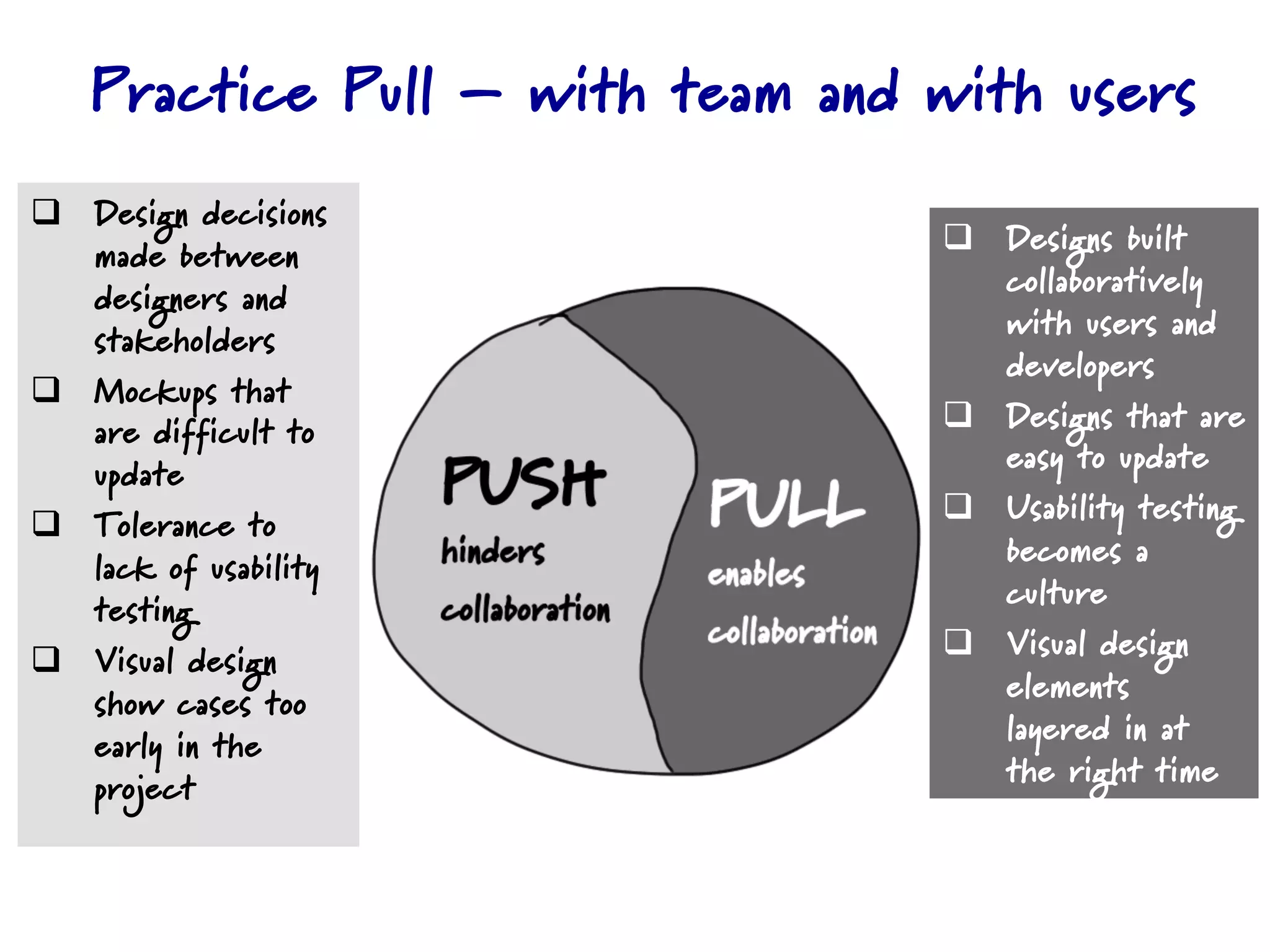
Practice Pull – with team and with users
q  Design decisions
    made between                  q  Designs built
    designers and                     collaboratively
    stakeholders                      with users and
                                      developers
q  Mockups that
    are difficult to              q  Designs that are
    update                            easy to update
q  Tolerance to                  q  Usability testing
    lack of usability                 becomes a
    testing                           culture
q  Visual design                 q  Visual design
    show cases too                    elements
    early in the                      layered in at
    project                           the right time

Designing in an agile development

  • 1.
    Collaborative user experiencedesign in agile development Anu Ramaswamy (anu@empaticasystems.com) Empatica Systems! Facilitating Collaborative Design
  • 2.
    Create a sharedunderstanding of the user -­‐  It  helps  to  create  visual   models  of  users  and   share  them  across  team   members  in  all  loca4ons   -­‐  When  offshoring   product  development   ensure  that  you  create   an  empathy  for  the  user   in  the  offshore  team  
  • 3.
    Use internal releasesto validate User Journeys -­‐  Visualize  evolu4on  of   the  user  interface   across  mul4ple  internal   releases   -­‐  Storyboard  the  user   experience  once  every   2-­‐3  itera4ons  (4  to  6   weeks),  and  showcase   the  user  journey  in   those  itera4ons  
  • 4.
    Collaboratively sketch theinteractions -­‐  Use  collabora4ve  design   sessions  (like   collabora4ve  sketching)   as  oKen  as  you  can–  try   to  include  both  users   and  developers  while   sketching   -­‐  Sketch  interac4ons,  not   user  stories  
  • 5.
    Validate key designguidelines with mockups Hi-­‐fi  mockups  can  help,   but,  for  limited  purposes:   -­‐  To  establish  UI   paQerns  for  global   naviga4on  elements   early  in  the  project   -­‐  As  a  basis  for   valida4ng  UI   architecture   -­‐  Assessing  the  need  for   Let’s not get too attached to visual  assets   this thing though!
  • 6.
    Do RITE withlo-fi prototypes to keep up! -­‐  Quickly  steer  away   Tools that do the trick from  high  fidelity   prototyping  to   enable  Rapid   Itera4ve  Tes4ng  and   Evalua4on  of  design   -­‐  The  only  design  that   maQers  from  now   on  is  the  one  in  the   real  product!      
  • 7.
    Get religious aboutusability testing -­‐  You  only  need  3-­‐5  people   tes4ng  every  itera4on   -­‐  Hallway  tes4ng,  guerilla   tes4ng,  remote  tes4ng,     anything  is  beQer  than   nothing   -­‐  Broadcast  usability  test   session  recordings  and   results  to  the  team  –   upload  videos  and  results   for  offshore  teams  to  see  
  • 8.
    Practice Pull –with team and with users q  Design decisions made between q  Designs built designers and collaboratively stakeholders with users and developers q  Mockups that are difficult to q  Designs that are update easy to update q  Tolerance to q  Usability testing lack of usability becomes a testing culture q  Visual design q  Visual design show cases too elements early in the layered in at project the right time