USING DESIGN
THINKING to
understand the
STUDENT
EXPERIENCE at
…
Outcomes | Friday, December 4
1. Explore a wicked problem as identified by staff
and students
2. Experience the Design Thinking Process as it
relates to Instructional Design
• Learn another approach to task design you can
use in your classroom
3. Professional Learning as a...
Students as Problem
Finders
Using Design Thinking to guide students to identify problems,
create prototypes and solutions for rich and relevant learning
experiences
Ewan McIntosh Ted Talk
Provocation…
“Teachers do the heavy lifting of defining problems”
What if we shifted this…here is one way…through the structure and tool
of design thinking
Background
1.
FRAMING OUR
WORK
Intro to Design
Thinking
The Future is
Not Multiple
Choice
How Might We
(HMW)?
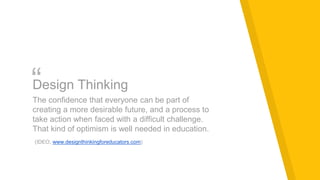
“Design Thinking
The confidence that everyone can be part of
creating a more desirable future, and a process to
take action when faced with a difficult challenge.
That kind of optimism is well needed in education.
(IDEO, www.designthinkingforeducators.com)
Dubai - Guests in their own home
“Dubai’s home in the sense that the streets are familiar, I
know where to get stuff. I have friends over here, that sort of
thing. But, at the same time, it’s not home in the sense that I
don’t belong over here; I’m not going to be quote unquote
‘one of them’. In a sense I don’t really have a home, because
there’s no place where, you know, they [fully] accept me and
I accept them.” (Ali Syed, 152 in Dubai: Gilded Cage)
A provocation to articulate
the dichotomy the students at
the school experience
between their home and
school identities and
expectations…our wicked
problem
HMW...
How might we promote and nurture a
sense of community and belonging for our
students?
2.
BEGINNING THE
DESIGN
PROCESS
Empathy -
Understanding
the student
experience
Interpretation -
Creating a POV
statement
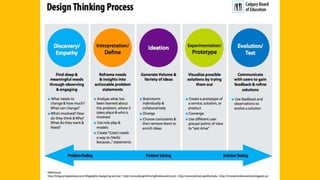
DISCOVERY /
EMPATHY
Find deep &
meaningful needs
through
observing &
engaging
• Why do you come to school every day?
• How do you feel when you come to school?
• What is the best part of your day?
• What is your least favourite part of the
day?
• What is missing from your experience at
school?
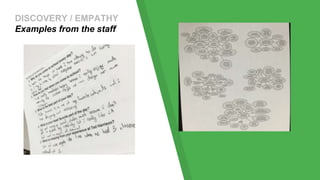
DISCOVERY / EMPATHY
Examples from the staff
DISCOVERY & EMPATHY -
Understanding our
students’ reality
Consider:
▸What did you notice when you observed your
students at nutrition break?
▸What did you hear when you spoke with your
students during homeroom?
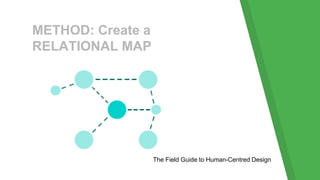
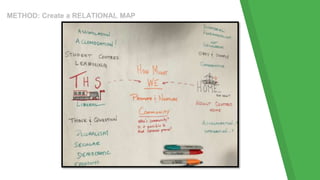
METHOD: Create a
RELATIONAL MAP
The Field Guide to Human-Centred Design
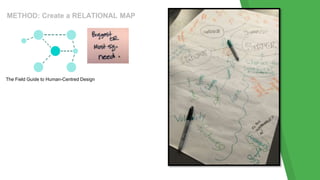
METHOD: Create a RELATIONAL MAP
The Field Guide to Human-Centred Design
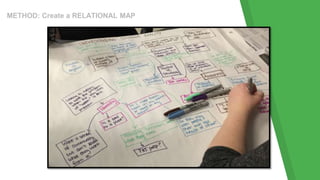
METHOD: Create a RELATIONAL MAP
INTERPRETATION /
DEFINE
Reframe needs &
insights into
actionable
problem
statements
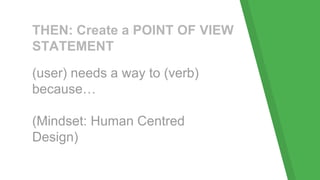
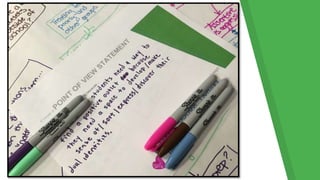
THEN: Create a POINT OF VIEW
STATEMENT
(user) needs a way to (verb)
because…
(Mindset: Human Centred
Design)
Share Back
Share your POV statement with the
group.
Add to your work as others are
sharing if appropriate.
3.
DIVERGING
The Concept of
Plussing
Ideation
Speed Dating
(the Idea
Exchange)
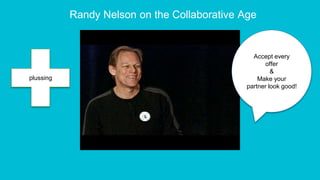
Randy Nelson on the Collaborative Age
Accept every
offer
&
Make your
partner look good!
plussing
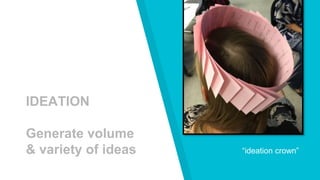
“ideation crown”
IDEATION
Generate volume
& variety of ideas
Individual vs. Collaborative
Always start individual - send people to a brainstorming
session with currency.
Radical collaboration is an integral mindset in ideation.
You will not get volume & variety if ideation is done
completely independently.
IDEATION - Your Task
Ideate as many ways (1 idea per post it) that you can
address your POV statement as possible.
Wild & radical AND totally boring and everything in
between is good.
Do not filter or restrict yourself or your ideas (“yes
and…”, rather than “yeah but....”
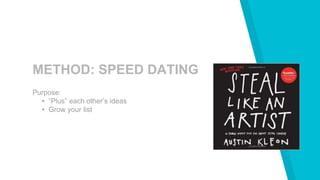
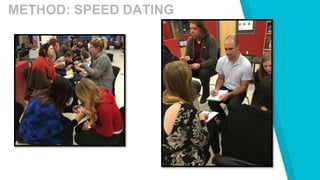
METHOD: SPEED DATING
Purpose:
▸ “Plus” each other’s ideas
▸ Grow your list
METHOD: SPEED DATING
4.
CONVERGING
Sorting &
Making Sense of
Ideas
Creating a
Prototype
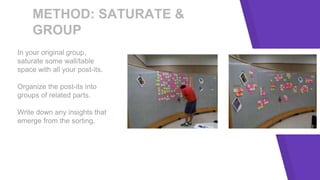
METHOD: SATURATE &
GROUP
In your original group,
saturate some wall/table
space with all your post-its.
Organize the post-its into
groups of related parts.
Write down any insights that
emerge from the sorting.
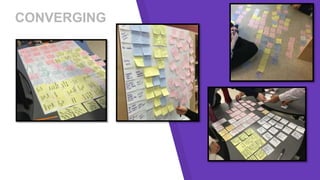
CONVERGING
EXPERIMENTATION /
PROTOTYPE
Visualize possible
solutions by
trying them out
PROTOTYPE
Using the insights you gathered from the saturate &
group exercise, create a prototype of a solution for your
POV statement.
A prototype could be a map, model, role play,
storyboard, document, etc. The important part is turning
thought to form.
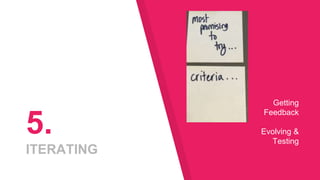
5.
ITERATING
Getting
Feedback
Evolving &
Testing
EVOLUTION /
TEST
Communicate
with users to gain
feedback & refine
solutions
TESTING
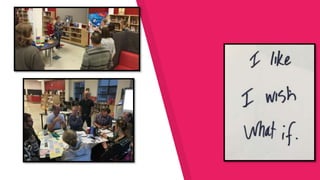
Join up with another group.
Have the other group test your prototype.
Using the feedback protocol, give feedback.
Switch.
NEXT STEPS…
▸ Test your prototype with some students.
▸ Report back to the group.
6.
DEBRIEF
Debrief on the
Design Thinking
Process
Exit Slip
DISCUSSION
In grade teams:
What did you discover today
about your students?
How did the design thinking
process help you work through
this difficult challenge?
How did it help you generate
and develop ideas? What stood
out to you about this process?
How might you use design
thinking in the future?
http://bit.ly/1LIUpCe
Fin
Credits
Special thanks to all the people who made and released these awesome
resources for free:
▸ Presentation template by SlidesCarnival
▸ Photographs by Unsplash
This presentation uses the following typographies and colors:
▸ Titles: Lora
▸ Body copy: Quattrocento Sans
You can download the fonts on this page:
https://www.google.com/fonts#UsePlace:use/Collection:Lora:400,700,400italic,700it
alic|Quattrocento+Sans:400,400italic,700,700italic
Click on the “arrow button” that appears on the top right
Yellow #ffcd00 | Black #000000 | Grey #cccccc
Presentation design
You don’t need to keep this slide in your presentation. It’s only here to serve you as a design guide if you need to create new slides or download the
fonts to edit the presentation in PowerPoint®
SlidesCarnival icons are editable shapes.
This means that you can:
● Resize them without losing quality.
● Change line color, width and style.
Isn’t that nice? :)
Examples:

Design Thinking Experience for Middle School Educators

  • 1.
    USING DESIGN THINKING to understandthe STUDENT EXPERIENCE at …
  • 2.
    Outcomes | Friday,December 4 1. Explore a wicked problem as identified by staff and students 2. Experience the Design Thinking Process as it relates to Instructional Design • Learn another approach to task design you can use in your classroom 3. Professional Learning as a...
  • 3.
    Students as Problem Finders UsingDesign Thinking to guide students to identify problems, create prototypes and solutions for rich and relevant learning experiences
  • 4.
    Ewan McIntosh TedTalk Provocation… “Teachers do the heavy lifting of defining problems” What if we shifted this…here is one way…through the structure and tool of design thinking Background
  • 5.
    1. FRAMING OUR WORK Intro toDesign Thinking The Future is Not Multiple Choice How Might We (HMW)?
  • 6.
    “Design Thinking The confidencethat everyone can be part of creating a more desirable future, and a process to take action when faced with a difficult challenge. That kind of optimism is well needed in education. (IDEO, www.designthinkingforeducators.com)
  • 10.
    Dubai - Guestsin their own home Dubai - Guests in their own home “Dubai’s home in the sense that the streets are familiar, I know where to get stuff. I have friends over here, that sort of thing. But, at the same time, it’s not home in the sense that I don’t belong over here; I’m not going to be quote unquote ‘one of them’. In a sense I don’t really have a home, because there’s no place where, you know, they [fully] accept me and I accept them.” (Ali Syed, 152 in Dubai: Gilded Cage) A provocation to articulate the dichotomy the students at the school experience between their home and school identities and expectations…our wicked problem
  • 11.
    HMW... How might wepromote and nurture a sense of community and belonging for our students?
  • 12.
    2. BEGINNING THE DESIGN PROCESS Empathy - Understanding thestudent experience Interpretation - Creating a POV statement
  • 13.
    DISCOVERY / EMPATHY Find deep& meaningful needs through observing & engaging • Why do you come to school every day? • How do you feel when you come to school? • What is the best part of your day? • What is your least favourite part of the day? • What is missing from your experience at school?
  • 14.
  • 15.
    DISCOVERY & EMPATHY- Understanding our students’ reality Consider: ▸What did you notice when you observed your students at nutrition break? ▸What did you hear when you spoke with your students during homeroom?
  • 16.
    METHOD: Create a RELATIONALMAP The Field Guide to Human-Centred Design
  • 17.
    METHOD: Create aRELATIONAL MAP The Field Guide to Human-Centred Design
  • 18.
    METHOD: Create aRELATIONAL MAP
  • 19.
    METHOD: Create aRELATIONAL MAP
  • 20.
    INTERPRETATION / DEFINE Reframe needs& insights into actionable problem statements
  • 21.
    THEN: Create aPOINT OF VIEW STATEMENT (user) needs a way to (verb) because… (Mindset: Human Centred Design)
  • 23.
    Share Back Share yourPOV statement with the group. Add to your work as others are sharing if appropriate.
  • 24.
  • 25.
    Randy Nelson onthe Collaborative Age Accept every offer & Make your partner look good! plussing
  • 26.
  • 27.
    Individual vs. Collaborative Alwaysstart individual - send people to a brainstorming session with currency. Radical collaboration is an integral mindset in ideation. You will not get volume & variety if ideation is done completely independently.
  • 28.
    IDEATION - YourTask Ideate as many ways (1 idea per post it) that you can address your POV statement as possible. Wild & radical AND totally boring and everything in between is good. Do not filter or restrict yourself or your ideas (“yes and…”, rather than “yeah but....”
  • 29.
    METHOD: SPEED DATING Purpose: ▸“Plus” each other’s ideas ▸ Grow your list
  • 30.
  • 31.
    4. CONVERGING Sorting & Making Senseof Ideas Creating a Prototype
  • 32.
    METHOD: SATURATE & GROUP Inyour original group, saturate some wall/table space with all your post-its. Organize the post-its into groups of related parts. Write down any insights that emerge from the sorting.
  • 33.
  • 34.
  • 35.
    PROTOTYPE Using the insightsyou gathered from the saturate & group exercise, create a prototype of a solution for your POV statement. A prototype could be a map, model, role play, storyboard, document, etc. The important part is turning thought to form.
  • 36.
  • 37.
    EVOLUTION / TEST Communicate with usersto gain feedback & refine solutions
  • 39.
    TESTING Join up withanother group. Have the other group test your prototype. Using the feedback protocol, give feedback. Switch.
  • 40.
    NEXT STEPS… ▸ Testyour prototype with some students. ▸ Report back to the group.
  • 41.
    6. DEBRIEF Debrief on the DesignThinking Process Exit Slip
  • 42.
    DISCUSSION In grade teams: Whatdid you discover today about your students? How did the design thinking process help you work through this difficult challenge? How did it help you generate and develop ideas? What stood out to you about this process? How might you use design thinking in the future? http://bit.ly/1LIUpCe
  • 43.
  • 44.
    Credits Special thanks toall the people who made and released these awesome resources for free: ▸ Presentation template by SlidesCarnival ▸ Photographs by Unsplash
  • 45.
    This presentation usesthe following typographies and colors: ▸ Titles: Lora ▸ Body copy: Quattrocento Sans You can download the fonts on this page: https://www.google.com/fonts#UsePlace:use/Collection:Lora:400,700,400italic,700it alic|Quattrocento+Sans:400,400italic,700,700italic Click on the “arrow button” that appears on the top right Yellow #ffcd00 | Black #000000 | Grey #cccccc Presentation design You don’t need to keep this slide in your presentation. It’s only here to serve you as a design guide if you need to create new slides or download the fonts to edit the presentation in PowerPoint®
  • 46.
    SlidesCarnival icons areeditable shapes. This means that you can: ● Resize them without losing quality. ● Change line color, width and style. Isn’t that nice? :) Examples:

Editor's Notes

  • #5 7 minute 20 s Youtube video TedXLondon
  • #7 Design Thinking can be used as an approach to many different processes in education: it can be used as a tool for task design, to create more desirable futures in school procedures & processes (i.e. How might we use that 0.35 ESL teacher to support student learning in our school? How might we redesign our learning commons to allow for more meaningful student learning? How might we redesign our communication systems for parents? etc.).
  • #8 Five phases - this graphic has compiled several organizations’ approaches into one Avoids the issues associated with jumping straight to ideation. Imagine how this might be used with students: How might we design a system that makes dirty water clean (science)? How might we redesign the school dance to engage more students (student leadership)? How might we redesign our community to better meet the needs of new Canadians (social studies)? How might we reimagine nutrition break to get more students more active (phys ed & health)?
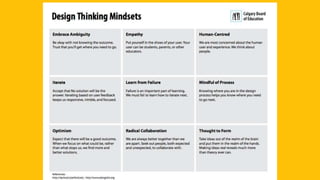
  • #9 Significant mindsets today: Embrace Ambiguity - Be okay with “outcome unknown.” This is very hard for teachers Empathy - Today, we are putting ourselves in the shoes of our students. We are committed to understanding how our students experience school, and will avoid making assumptions based on what we think we know. Embracing a beginner’s mindset here will be key - throw out everything you THINK you know. Iterate - Nothing is permanent. No solution will be THE answer, but each solution will be AN answer. Optimism - Expect that we will get where we need to today. Remain open. Be curious. Explore possibilities. Looking for POSSIBILITIES not the ONE RIGHT ANSWER. Nothing is considered permanent.
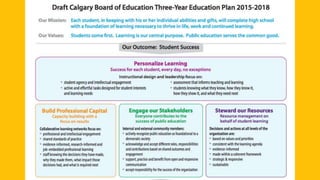
  • #10 Alignment with 3 year ed plan Design thinking is one way we can personalize learning for students. The student (user) is at the centre of this process - we are designing for the people in our classrooms every day. Assessment is part of this process - it is iterative and we expect that feedback from users (students) will change our prototype.
  • #11 History behind the wicked problem today
  • #12 A “how might we” question is common in design thinking. The word “might” is important - it implies that there is no one right solution but it also suggests that a solution is possible. We’re coming up with POSSIBILITIES, not “MUST DOs.” This topic is something everyone can connect with to imagine possibilities around.
  • #16 Going for HONESTY, not negativity or positivity. Try to avoid JUDGMENT. Try to avoid making assumptions. Right now we are making sense of the current reality. We want to reveal the reality (try to avoid dwelling too much on the negative or too much on the positive. We want to aim for honest). Avoid ideating. As teachers, we are natural problem solvers. We want to jump to ways we can solve a problem. Avoid this right now - we will get there soon with ideation - and instead dwell in empathizing with your users.
  • #17 This is one method you may choose to use for this. A relational map shows how ideas are connected with each other. You could show big concepts related to student engagement in learning.
  • #18 This is one method you may choose to use for this. A relational map shows how ideas are connected with each other. You could show big concepts related to student engagement in learning.
  • #19 This is one method you may choose to use for this. A relational map shows how ideas are connected with each other. You could show big concepts related to student engagement in learning.
  • #20 This is one method you may choose to use for this. A relational map shows how ideas are connected with each other. You could show big concepts related to student engagement in learning.
  • #22 Each group will create a Point of View Statement to turn a problem into an opportunity for design. Could be general (students) or more specific (female students, grade 9 students, etc.) Taking a problem and turing it into an opportunity.
  • #23 Each group will create a Point of View Statement to turn a problem into an opportunity for design. Could be general (students) or more specific (female students, grade 9 students, etc.) Taking a problem and turing it into an opportunity.
  • #26 We will try our best to keep these concepts (accept every offer & make your partner look good) at the core of our interactions today.
  • #29 Start by having each person do this independently.
  • #30 Remember plussing: If someone gives you a suggestion, write it down (accept every offer). Make your partner look good by adding an idea.
  • #31 Remember plussing: If someone gives you a suggestion, write it down (accept every offer). Make your partner look good by adding an idea.
  • #33 A new perspective, an epiphany, an AHA - don’t lose it. Write it down.
  • #36 Choosing the one that is most promising. Discuss as a table and identify three criteria for a “promising idea.” Select one idea or concept that is promising. Your prototype should be something people can interact with. If it’s a new idea for a task design, it could be a plan for this task, but should ideally involve some tangible component (i.e. the task is for students to design a Rube Goldberg machine that solves a problem, and your prototype includes the materials students can use)
  • #38 This must be done with your users - you want the people you designed for to test your concept. Today, our users aren’t here, so we will use each other as guinea pigs.
  • #39 This must be done with your users - you want the people you designed for to test your concept. Today, our users aren’t here, so we will use each other as guinea pigs.
  • #41 Is it possible to build in some time at a future staff meeting/Friday PLC/etc. to report back?