


Moderator
Don Pearson
Chief Strategy Officer
Inductive Automation
Today’s Agenda
• Introduction to Ignition
• SCADA/ICS Security Basics
• Approaches to SCADA/ICS Security
• Tools for Protecting Your Network
• Security Hardening in Ignition
• Q&A
About Inductive Automation
• Founded in 2003
• HMI, SCADA, MES, and IIoT software
• Installed in 100+ countries
• Over 1,500 integrators
• Used by 48% of Fortune 100 companies
Learn more at: inductiveautomation.com/about
Used by Major Companies Worldwide
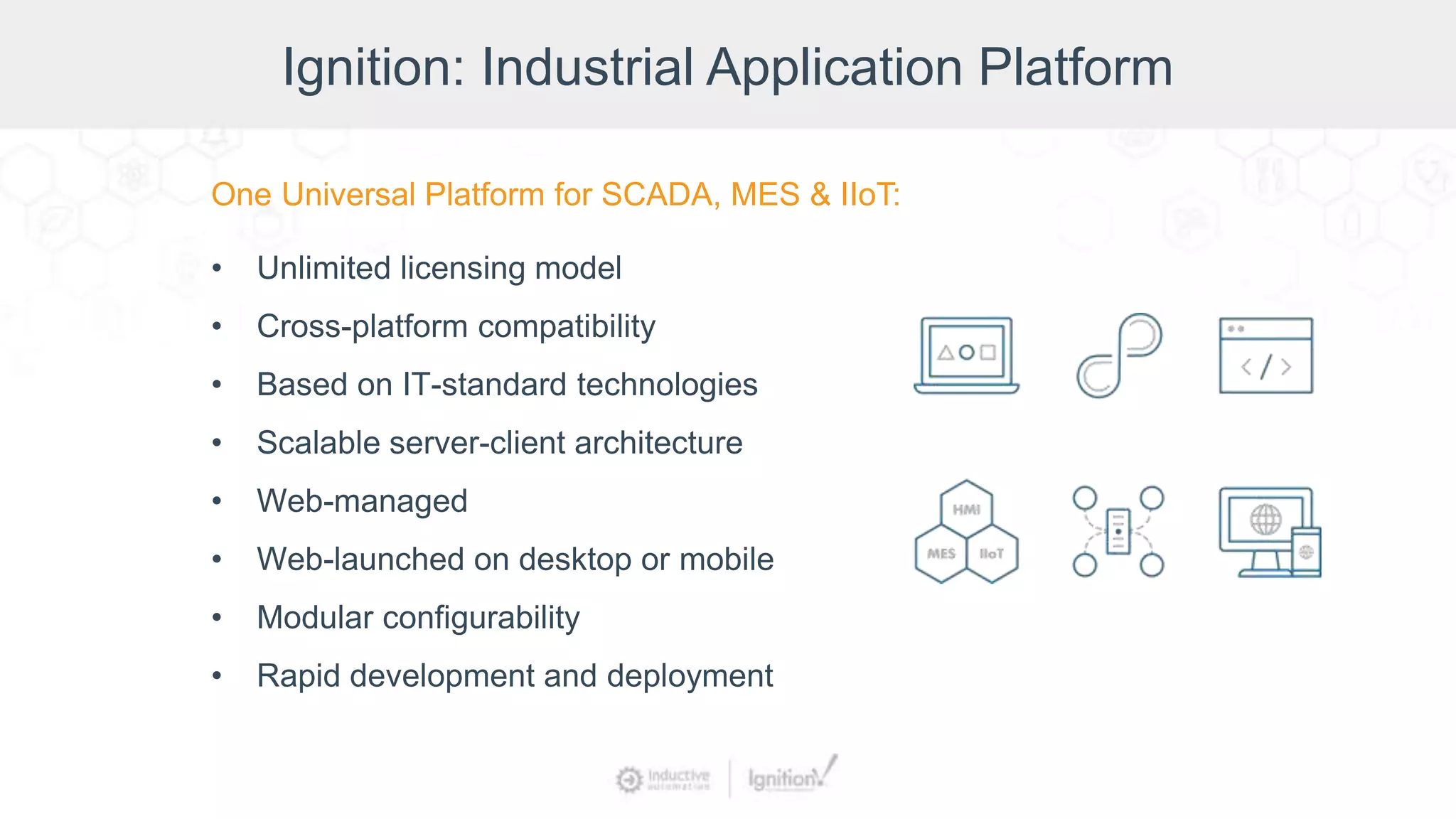
Ignition: Industrial Application Platform
One Universal Platform for SCADA, MES & IIoT:
• Unlimited licensing model
• Cross-platform compatibility
• Based on IT-standard technologies
• Scalable server-client architecture
• Web-managed
• Web-launched on desktop or mobile
• Modular configurability
• Rapid development and deployment
Presenter
Kevin McClusky
Co-Director of Sales Engineering,
Inductive Automation
Disclaimer
Cybersecurity is a deep and complex topic, and this webinar presents a
general overview of the subject. It is not intended as comprehensive
instruction or training on industrial control system security. It contains
general, widely applicable guidelines about ICS security; however,
because every organization is different, you should work with a security
expert to make sure that your specific security needs are met.
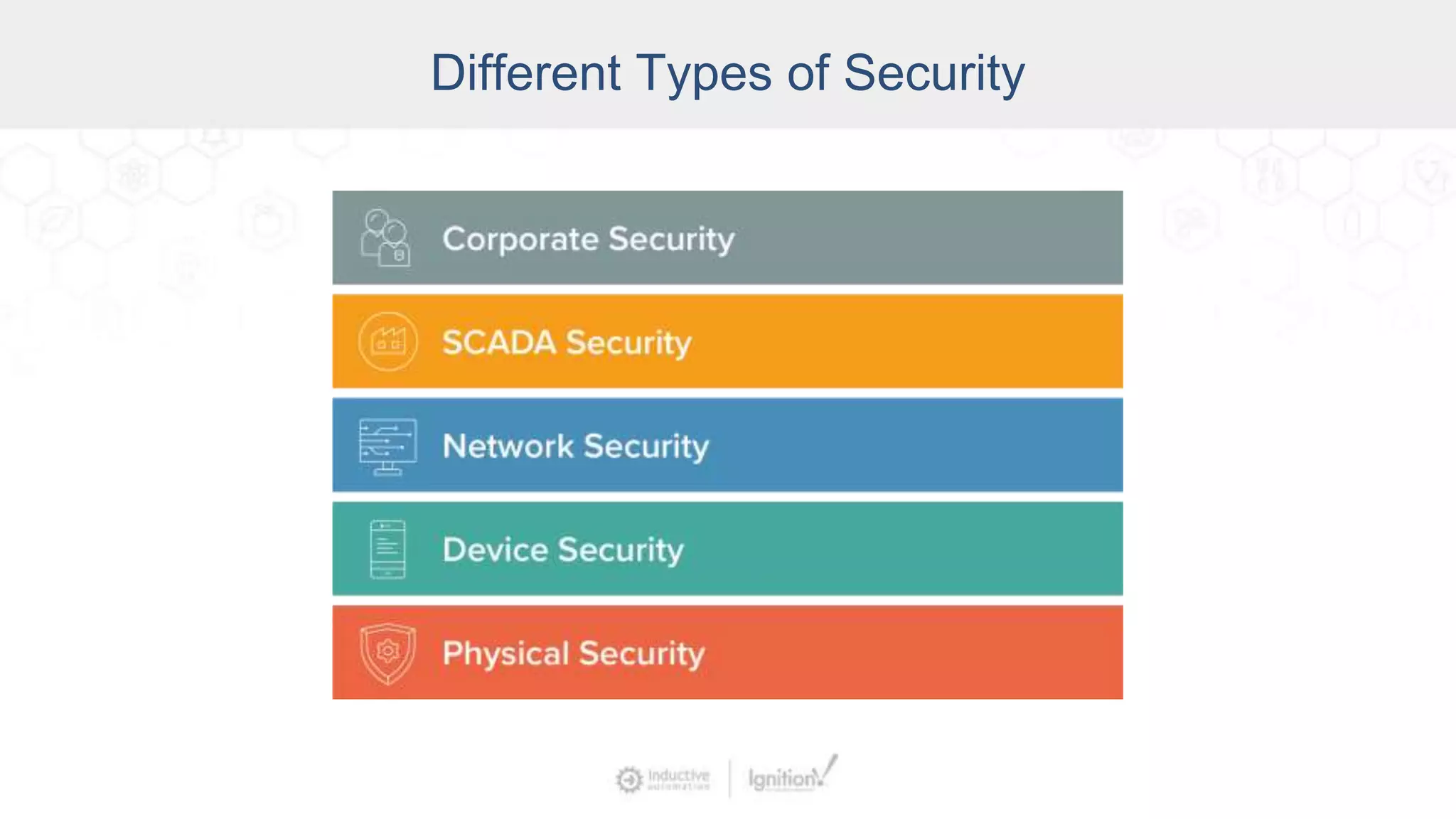
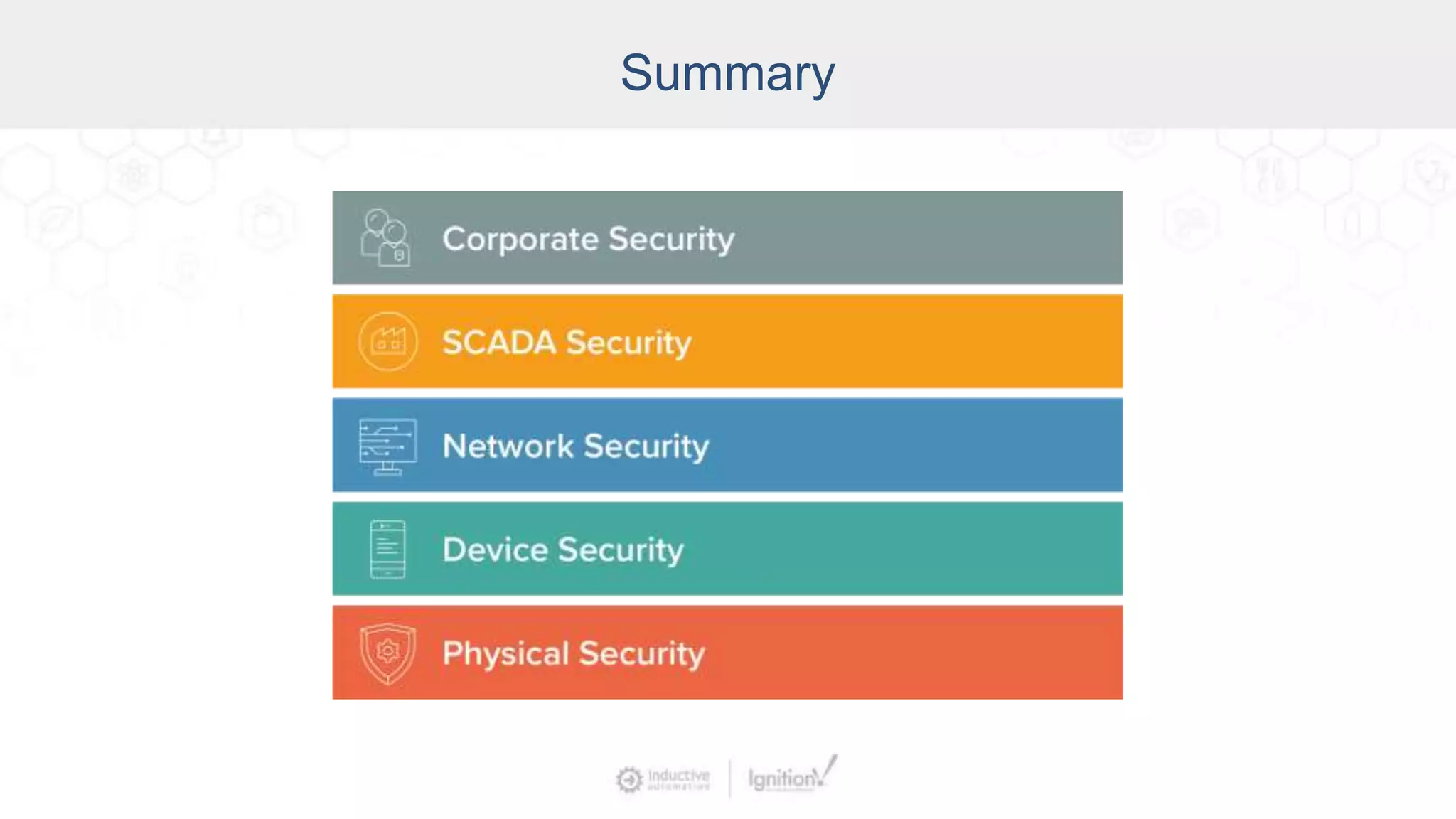
Different Types of Security
SCADA/ICS Security Basics
Three laws of SCADA security:
• Nothing is 100% secure.
• All software can be hacked.
• Every piece of information can be an attack.
– From SCADA Security – What’s Broken and How to Fix It
by Andrew Ginter
SCADA/ICS Security Basics
Who’s attacking our systems?
• Insiders (corporate insiders & SCADA insiders)
• Organized Crime
• Hackers
• Intelligence Agencies
• Military
SCADA/ICS Security Basics
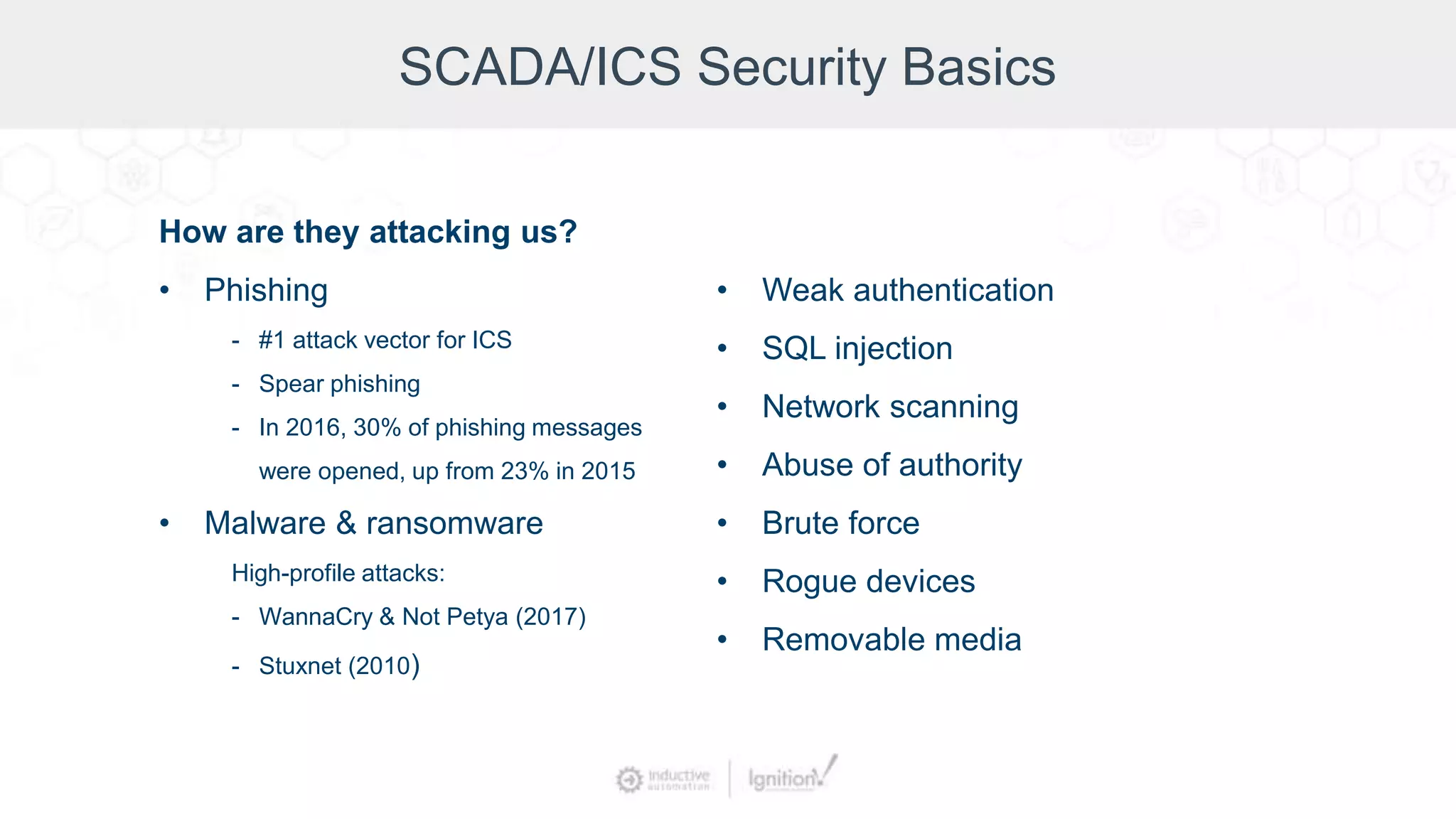
How are they attacking us?
• Phishing
- #1 attack vector for ICS
- Spear phishing
- In 2016, 30% of phishing messages
were opened, up from 23% in 2015
• Malware & ransomware
High-profile attacks:
- WannaCry & Not Petya (2017)
- Stuxnet (2010)
• Weak authentication
• SQL injection
• Network scanning
• Abuse of authority
• Brute force
• Rogue devices
• Removable media
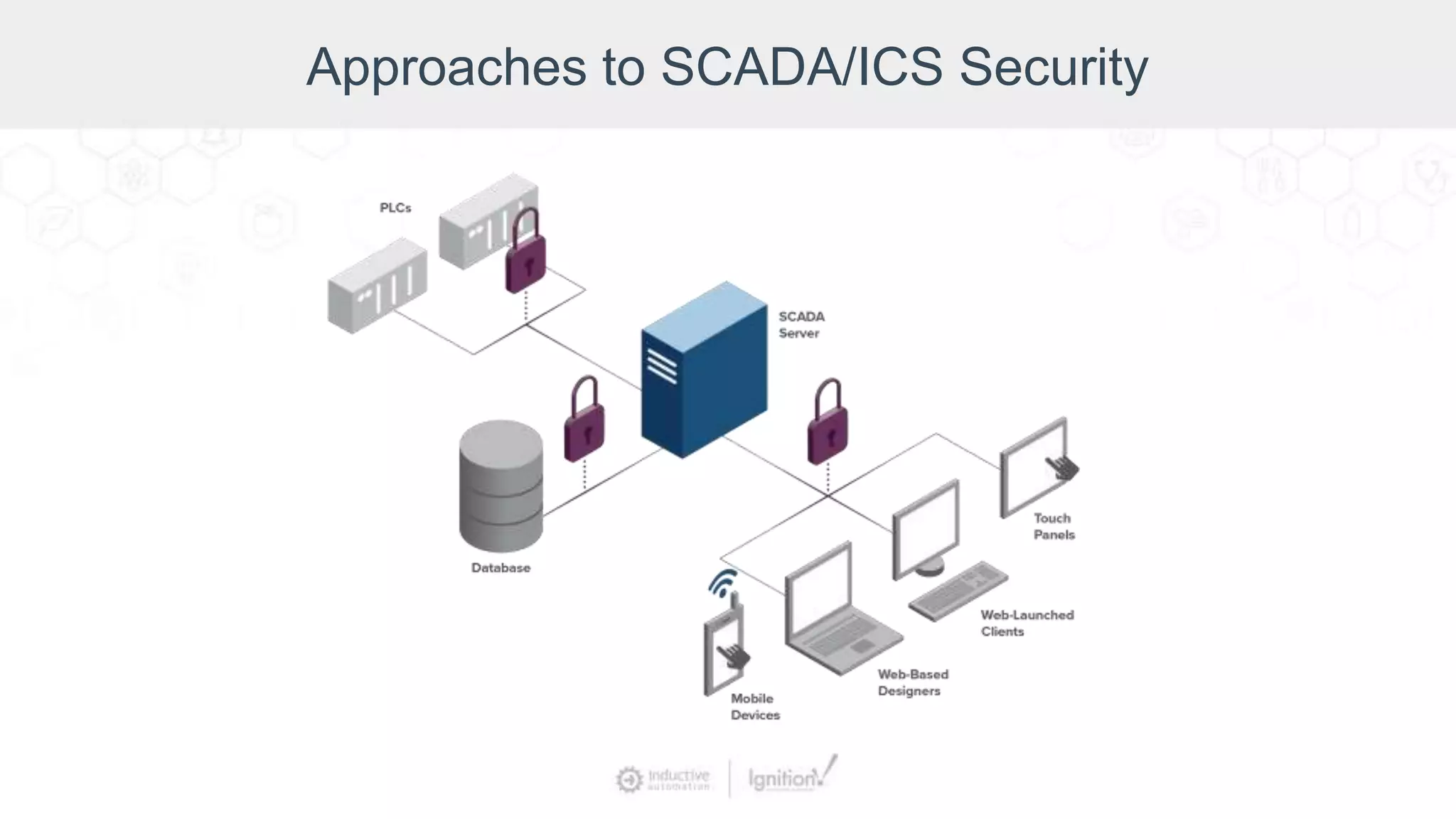
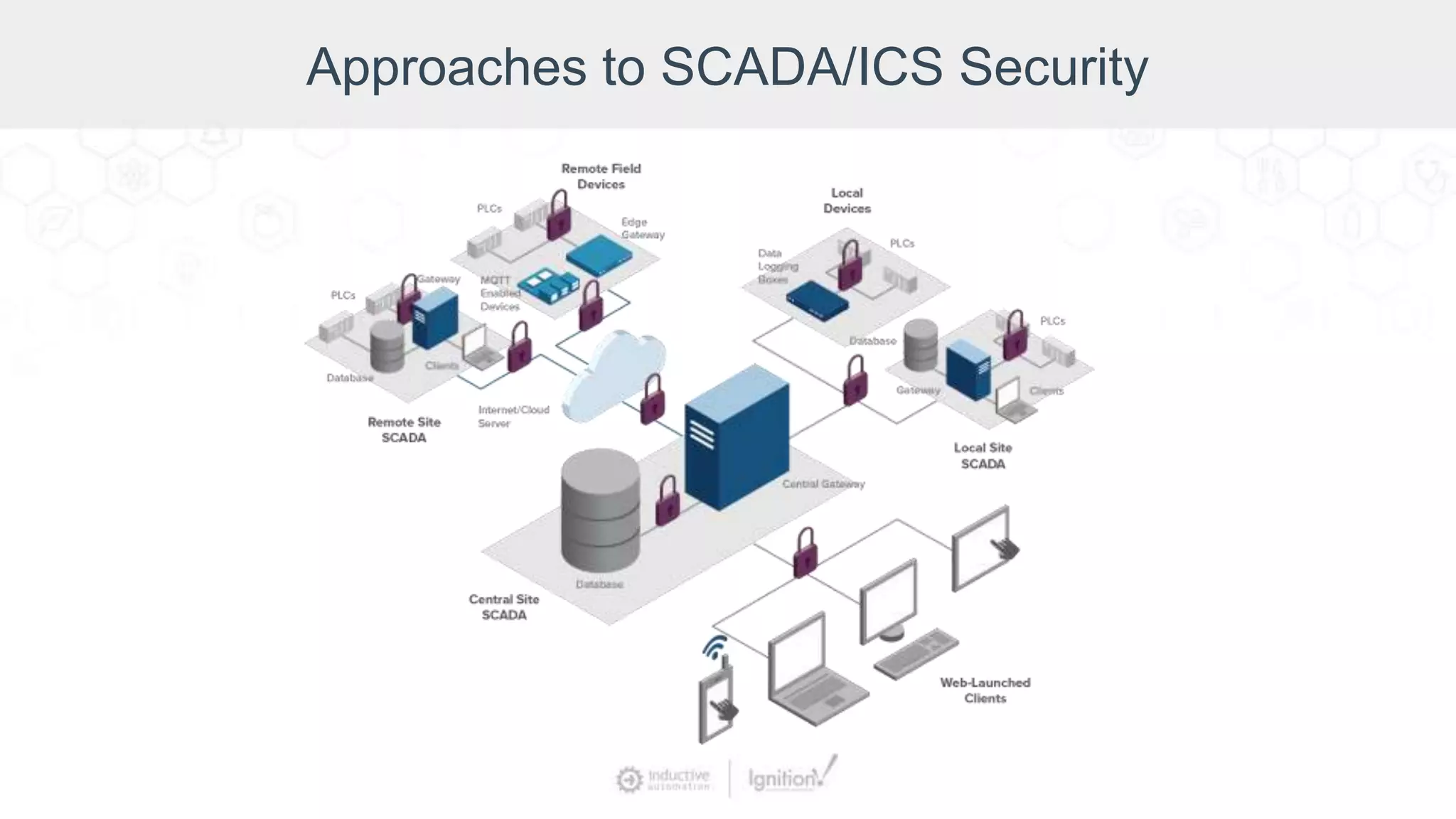
Approaches to SCADA/ICS Security
What can we do about it?
• Keep it simple. Complexity doesn’t
improve security.
• Know your environment (which
machines & software versions you
have,
your normal traffic level, etc.).
• You can’t eliminate risk but you can
mitigate risk.
• Make it very difficult and expensive to
pull off an attack.
Approaches to SCADA/ICS Security
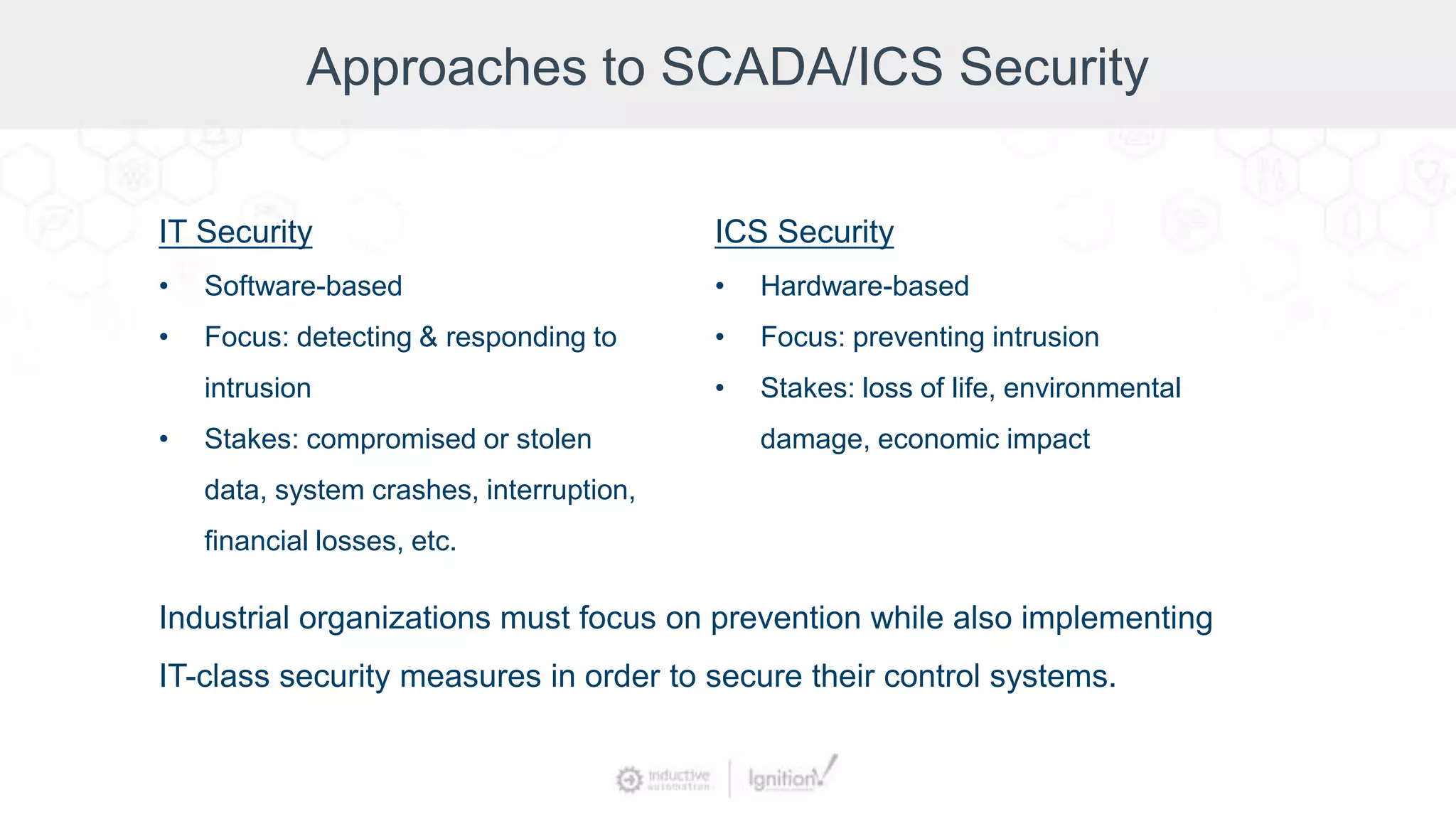
IT Security
• Software-based
• Focus: detecting & responding to
intrusion
• Stakes: compromised or stolen
data, system crashes, interruption,
financial losses, etc.
ICS Security
• Hardware-based
• Focus: preventing intrusion
• Stakes: loss of life, environmental
damage, economic impact
Industrial organizations must focus on prevention while also implementing
IT-class security measures in order to secure their control systems.
Approaches to SCADA/ICS Security
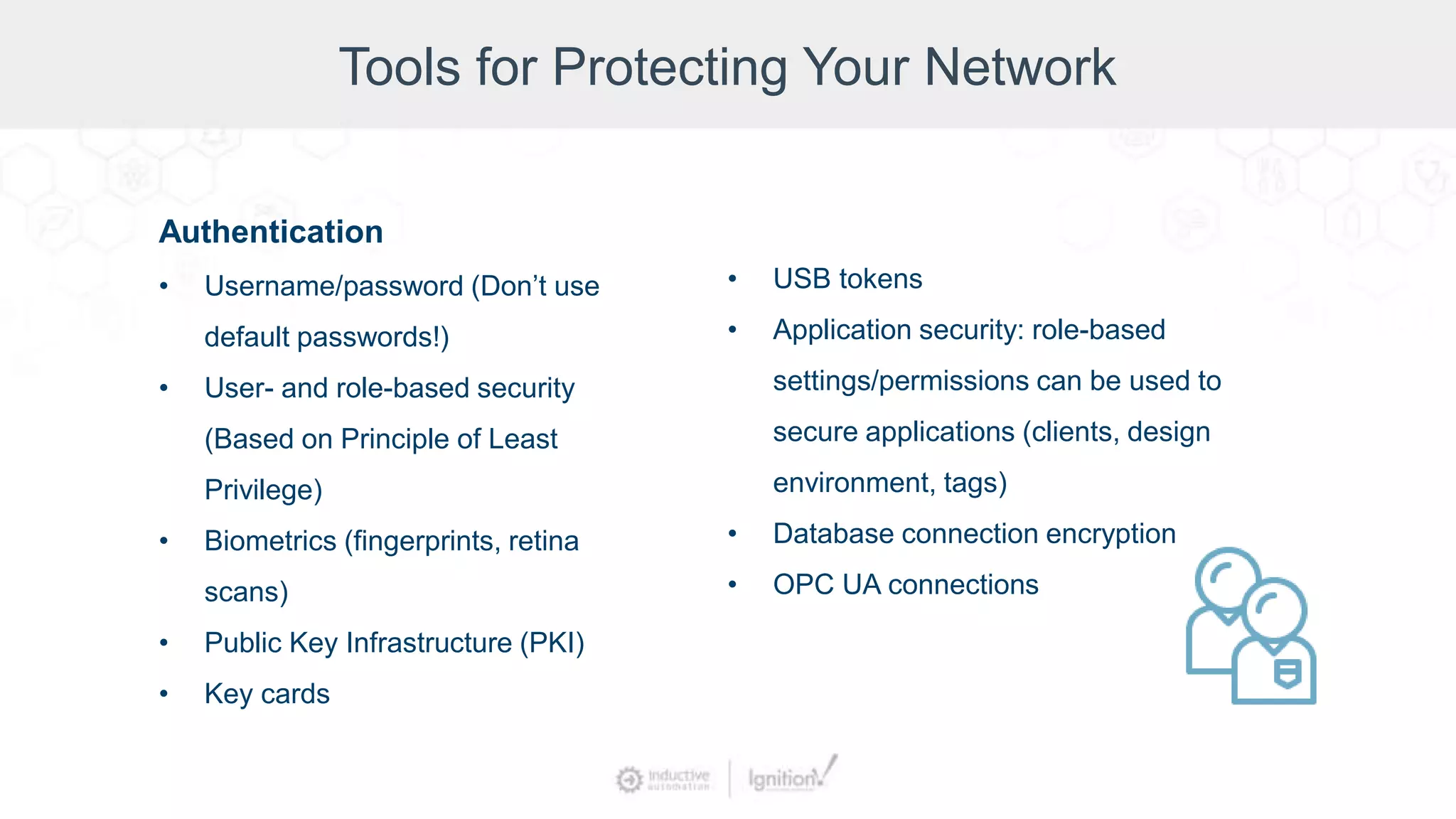
Tools for Protecting Your Network
Authentication
• Username/password (Don’t use
default passwords!)
• User- and role-based security
(Based on Principle of Least
Privilege)
• Biometrics (fingerprints, retina
scans)
• Public Key Infrastructure (PKI)
• Key cards
• USB tokens
• Application security: role-based
settings/permissions can be used to
secure applications (clients, design
environment, tags)
• Database connection encryption
• OPC UA connections
Tools for Protecting Your Network
Encryption (TLS/SSL/https)
• Encrypts all data sent over HTTP
• Protects against snooping & session
hijacking
• Can be used to protect the SCADA
Gateway
• Can be used with a VLAN to secure
native device communication
• Can be used to encrypt OPC UA
communication
• Can be used to help secure databases
that support TLS/SSL
Tools for Protecting Your Network
Auditing
• Record details about specific events
• Track down who did what from where
• Helpful in deterring attacks by SCADA insiders
• Use audit logs, trails, profiles
Tools for Protecting Your Network
Ways to Protect Your Operating System:
• Remove any unnecessary programs.
• Keep OS patches & service packs up-to-date.
• Disable remote services on Windows.
• Set up firewalls to restrict network traffic; close all ports and only reopen ports
that are necessary.
• Set up firewalls on redundant servers.
• If remote access is required, get a VPN device with good multi-factor
authentication.
Tools for Protecting Your Network
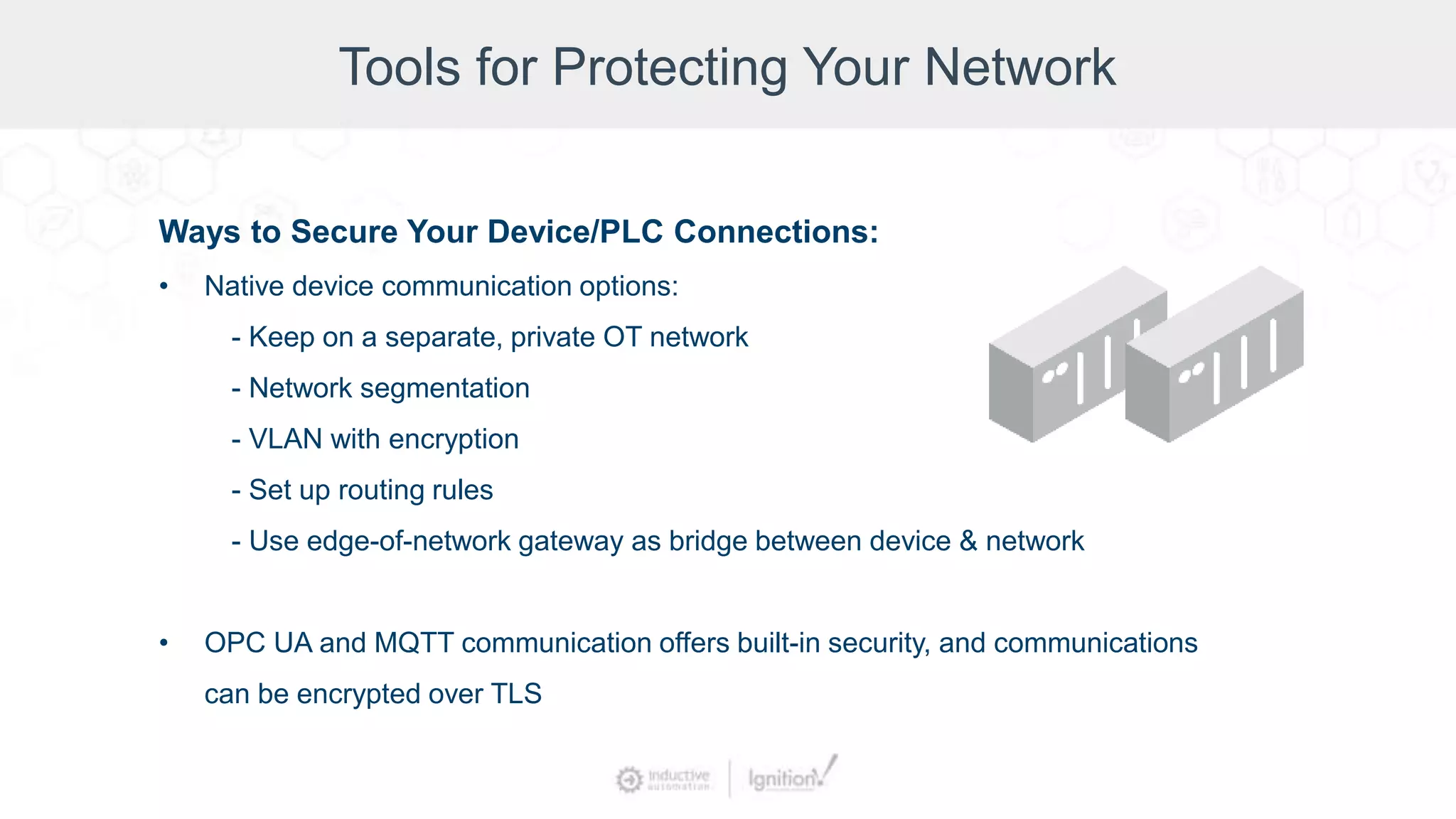
Ways to Secure Your Device/PLC Connections:
• Native device communication options:
- Keep on a separate, private OT network
- Network segmentation
- VLAN with encryption
- Set up routing rules
- Use edge-of-network gateway as bridge between device & network
• OPC UA and MQTT communication offers built-in security, and communications
can be encrypted over TLS
Tools for Protecting Your Network
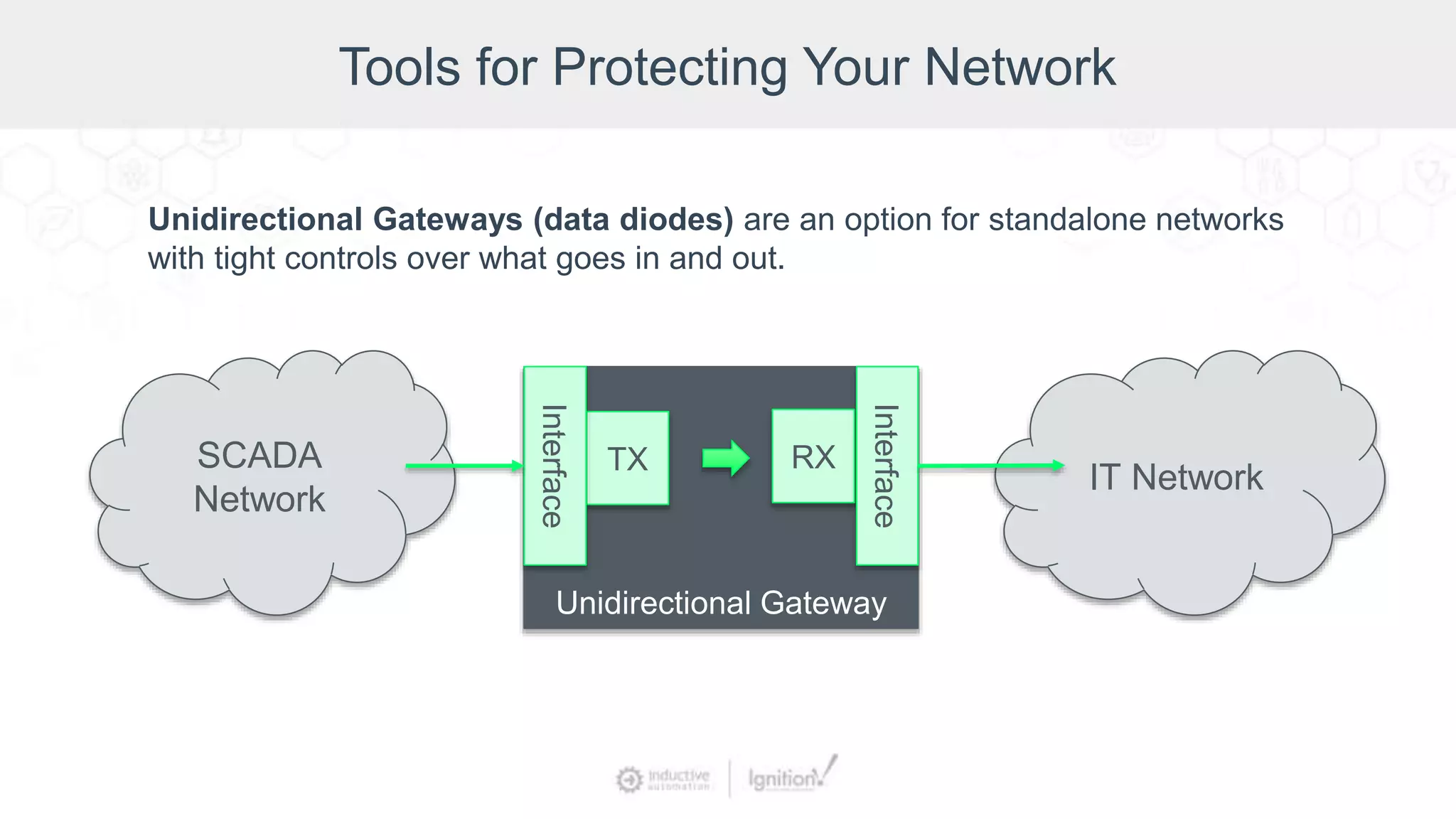
SCADA
Network
IT Network
Unidirectional Gateway
TX RX
Interface
Interface
Unidirectional Gateways (data diodes) are an option for standalone networks
with tight controls over what goes in and out.
Tools for Protecting Your Network
Physical Security:
• Because control devices like PLCs cannot be locked down, it is essential to
implement physical security measures, such as the following:
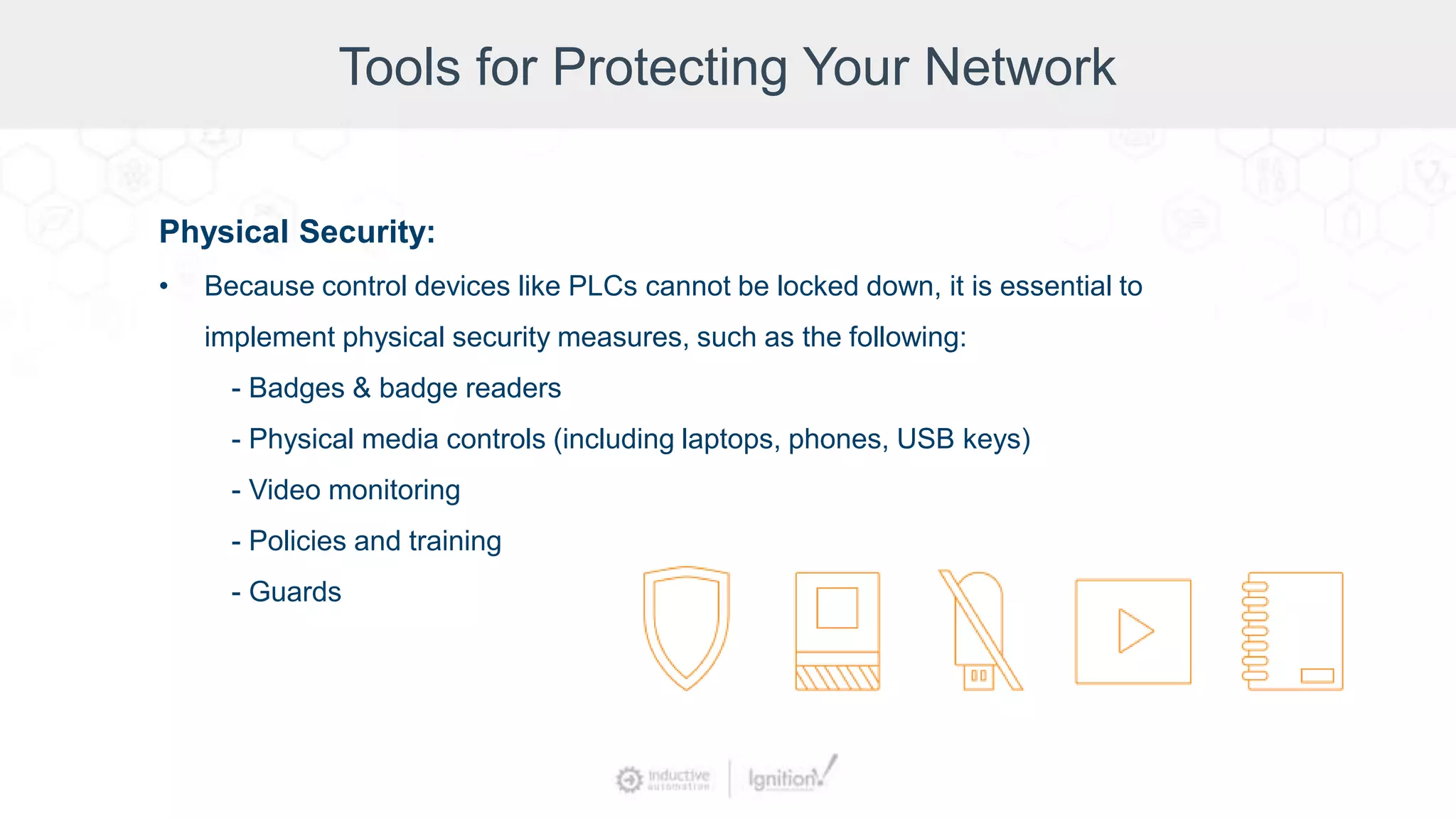
- Badges & badge readers
- Physical media controls (including laptops, phones, USB keys)
- Video monitoring
- Policies and training
- Guards
Security Hardening in Ignition
• The following steps are intended to provide
general guidance on how to set up and secure
your Ignition installation
• General suggestions regarding the hardware and
network where Ignition is installed
Security Hardening in Ignition
Secure the Gateway
• Change the Admin Password
• Configure Access for the Gateway
• Enable SSL
- Acquire and install an SSL Certificate
for Ignition, from a certificate authority
(highly recommended)
Demo: Securing the Gateway
Security Hardening in Ignition
Device, MQTT, and OPC Security
• OPC UA Communication
• Native Device Communication
• MQTT
Demo: Device, MQTT, and OPC Security
Security Hardening in Ignition
Use Security Zones
• A Security Zone is a list of Gateways, Computers, or IP addresses
that are defined and grouped together.
• When zones are defined, you can place additional policies &
restrictions on them.
• Provides read-only and read/write access to specified locations.
• Helps keep different areas of the business separate while allowing
them to interconnect.
Demo: Security Zones
Security Hardening in Ignition
Define Application Security
• Client Security
• Designer Security
• Tag Security
• Named Queries
Demo: Defining Application Security
Security Hardening in Ignition
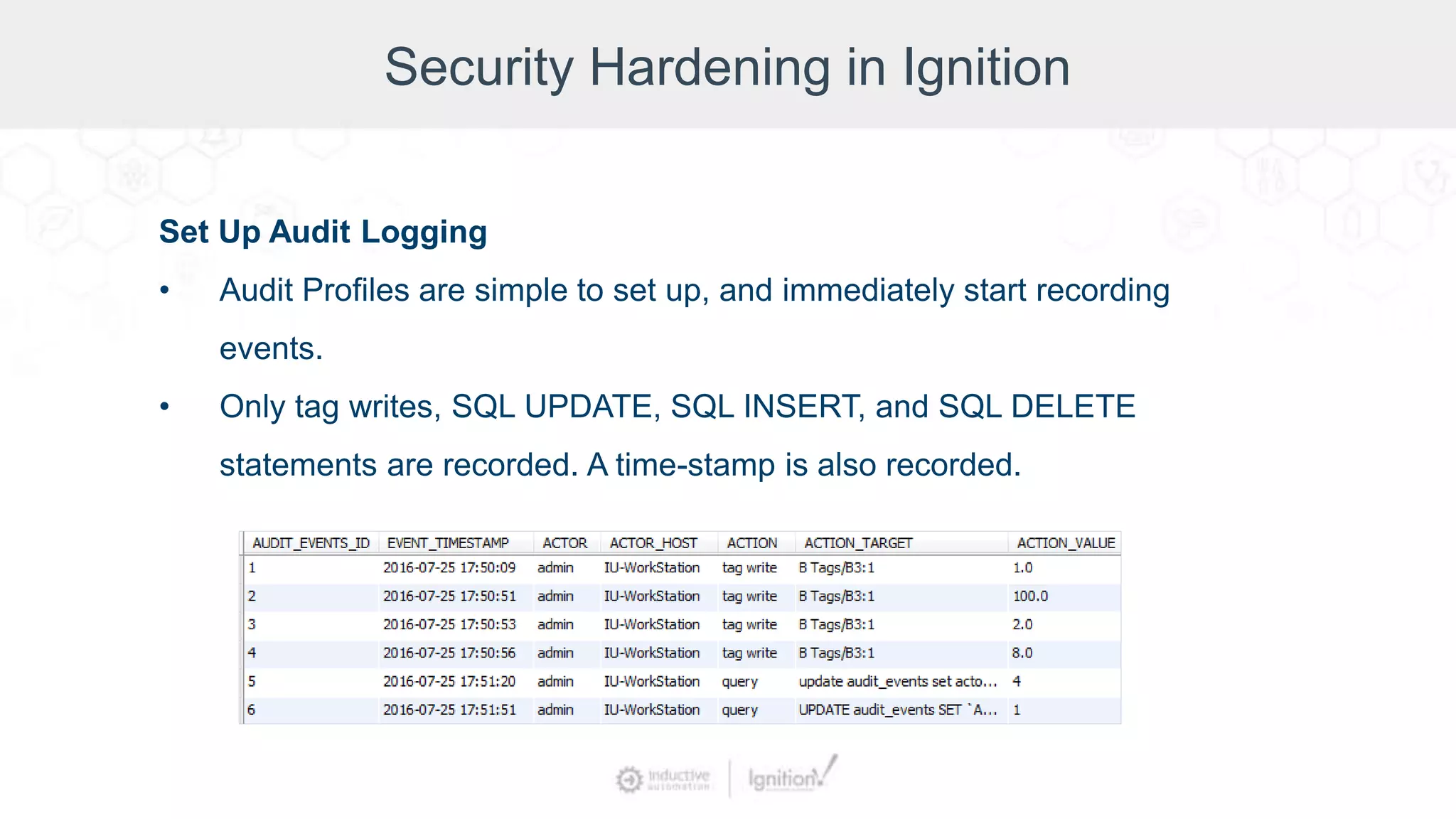
Set Up Audit Logging
• Audit Profiles are simple to set up, and immediately start recording
events.
• Only tag writes, SQL UPDATE, SQL INSERT, and SQL DELETE
statements are recorded. A time-stamp is also recorded.
Demo: Setting Up Audit Logging
Security Hardening in Ignition
Protect the Database
• Rather than using a database owner account such as root or sa, we
recommend creating a separate user account with limited privileges
for the database connection with the Ignition Gateway.
• If your database supports TLS encryption, use it for the Ignition-to-
database connection.
• TLS can be enabled for databases running on different servers
(follow the information for its JDBC driver and internal security
settings).
Security Hardening in Ignition
Securing Java
• Change Java security settings
• Keep Java up-to-date
Security Hardening in Ignition
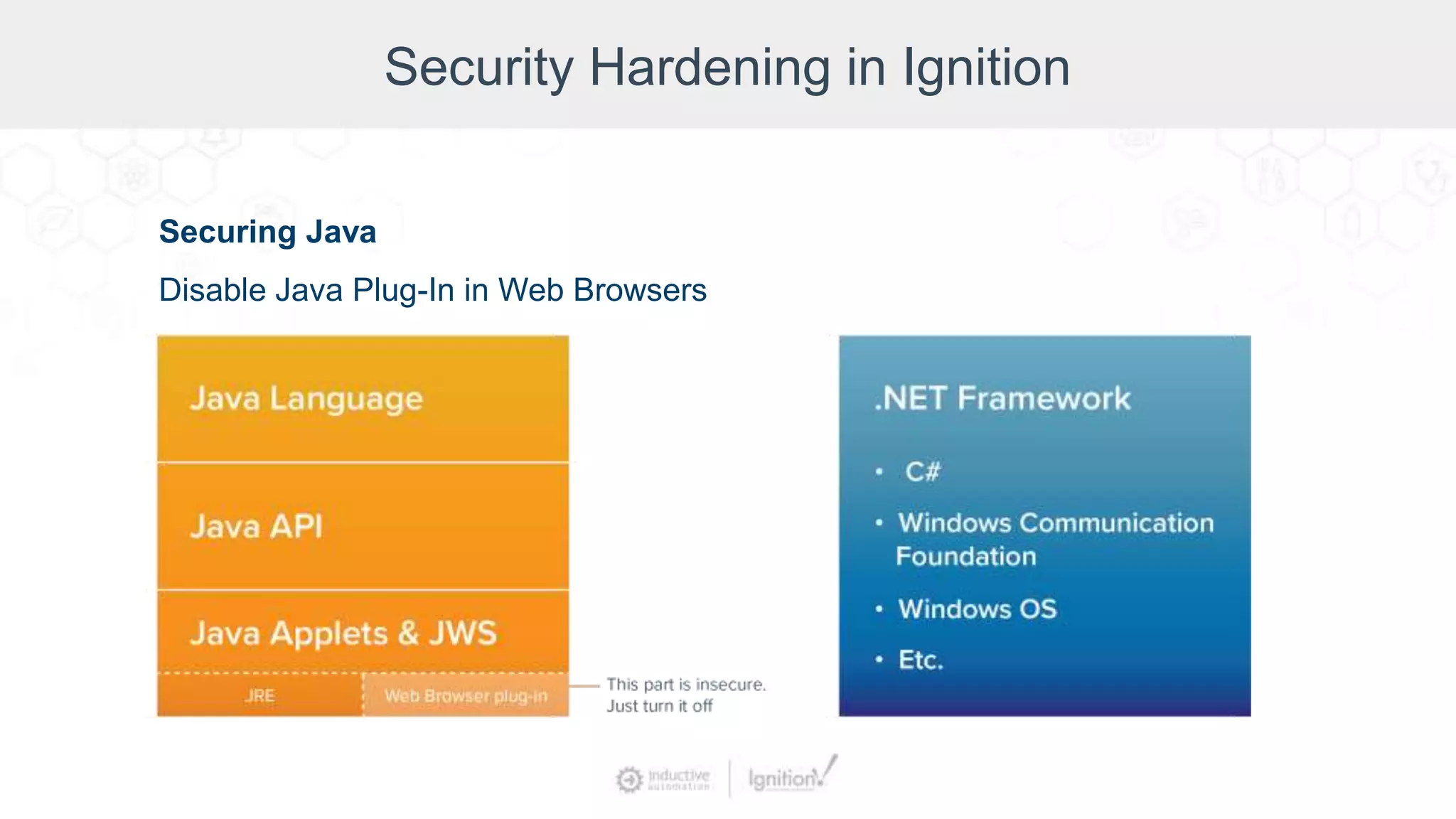
Securing Java
Disable Java Plug-In in Web Browsers
Security Hardening in Ignition
Turning on the Firewall
• Enable firewall for all traffic
• Allow needed ports through
Demo: Configuring Windows Firewall
Security Hardening in Ignition
Active Directory and Authentication Services
• Group Access and Disabling Auto Login
• User Accounts
• LDAP Protocol Security
Demo: Active Directory & Authentication Services
Security Hardening in Ignition
Keep Ignition Up-to-Date
• Software security requires constant effort and maintenance
• Security updates are released periodically to ensure continued
protection
• Keeping up-to-date with updates is strongly recommended
Summary
Questions & Comments
Jim Meisler x227
Vannessa Garcia x231
Vivian Mudge x253
Account Executives
Myron Hoertling x224
Shane Miller x218
Ramin Rofagha x251
Maria Chinappi x264
Dan Domerofski x273
Lester Ares x214
Melanie Hottman
Director of Sales:
800-266-7798 x247
Jeff Osterback x207
Kevin McClusky
Co-Director of Sales Engineering:
x237
kmcclusky@inductiveautomation.com
Design Like a Pro: SCADA Security Guidelines

Design Like a Pro: SCADA Security Guidelines

  • 2.
    Moderator Don Pearson Chief StrategyOfficer Inductive Automation
  • 3.
    Today’s Agenda • Introductionto Ignition • SCADA/ICS Security Basics • Approaches to SCADA/ICS Security • Tools for Protecting Your Network • Security Hardening in Ignition • Q&A
  • 4.
    About Inductive Automation •Founded in 2003 • HMI, SCADA, MES, and IIoT software • Installed in 100+ countries • Over 1,500 integrators • Used by 48% of Fortune 100 companies Learn more at: inductiveautomation.com/about
  • 5.
    Used by MajorCompanies Worldwide
  • 6.
    Ignition: Industrial ApplicationPlatform One Universal Platform for SCADA, MES & IIoT: • Unlimited licensing model • Cross-platform compatibility • Based on IT-standard technologies • Scalable server-client architecture • Web-managed • Web-launched on desktop or mobile • Modular configurability • Rapid development and deployment
  • 7.
    Presenter Kevin McClusky Co-Director ofSales Engineering, Inductive Automation
  • 8.
    Disclaimer Cybersecurity is adeep and complex topic, and this webinar presents a general overview of the subject. It is not intended as comprehensive instruction or training on industrial control system security. It contains general, widely applicable guidelines about ICS security; however, because every organization is different, you should work with a security expert to make sure that your specific security needs are met.
  • 9.
  • 10.
    SCADA/ICS Security Basics Threelaws of SCADA security: • Nothing is 100% secure. • All software can be hacked. • Every piece of information can be an attack. – From SCADA Security – What’s Broken and How to Fix It by Andrew Ginter
  • 11.
    SCADA/ICS Security Basics Who’sattacking our systems? • Insiders (corporate insiders & SCADA insiders) • Organized Crime • Hackers • Intelligence Agencies • Military
  • 12.
    SCADA/ICS Security Basics Howare they attacking us? • Phishing - #1 attack vector for ICS - Spear phishing - In 2016, 30% of phishing messages were opened, up from 23% in 2015 • Malware & ransomware High-profile attacks: - WannaCry & Not Petya (2017) - Stuxnet (2010) • Weak authentication • SQL injection • Network scanning • Abuse of authority • Brute force • Rogue devices • Removable media
  • 13.
    Approaches to SCADA/ICSSecurity What can we do about it? • Keep it simple. Complexity doesn’t improve security. • Know your environment (which machines & software versions you have, your normal traffic level, etc.). • You can’t eliminate risk but you can mitigate risk. • Make it very difficult and expensive to pull off an attack.
  • 14.
    Approaches to SCADA/ICSSecurity IT Security • Software-based • Focus: detecting & responding to intrusion • Stakes: compromised or stolen data, system crashes, interruption, financial losses, etc. ICS Security • Hardware-based • Focus: preventing intrusion • Stakes: loss of life, environmental damage, economic impact Industrial organizations must focus on prevention while also implementing IT-class security measures in order to secure their control systems.
  • 15.
  • 16.
  • 17.
    Tools for ProtectingYour Network Authentication • Username/password (Don’t use default passwords!) • User- and role-based security (Based on Principle of Least Privilege) • Biometrics (fingerprints, retina scans) • Public Key Infrastructure (PKI) • Key cards • USB tokens • Application security: role-based settings/permissions can be used to secure applications (clients, design environment, tags) • Database connection encryption • OPC UA connections
  • 18.
    Tools for ProtectingYour Network Encryption (TLS/SSL/https) • Encrypts all data sent over HTTP • Protects against snooping & session hijacking • Can be used to protect the SCADA Gateway • Can be used with a VLAN to secure native device communication • Can be used to encrypt OPC UA communication • Can be used to help secure databases that support TLS/SSL
  • 19.
    Tools for ProtectingYour Network Auditing • Record details about specific events • Track down who did what from where • Helpful in deterring attacks by SCADA insiders • Use audit logs, trails, profiles
  • 20.
    Tools for ProtectingYour Network Ways to Protect Your Operating System: • Remove any unnecessary programs. • Keep OS patches & service packs up-to-date. • Disable remote services on Windows. • Set up firewalls to restrict network traffic; close all ports and only reopen ports that are necessary. • Set up firewalls on redundant servers. • If remote access is required, get a VPN device with good multi-factor authentication.
  • 21.
    Tools for ProtectingYour Network Ways to Secure Your Device/PLC Connections: • Native device communication options: - Keep on a separate, private OT network - Network segmentation - VLAN with encryption - Set up routing rules - Use edge-of-network gateway as bridge between device & network • OPC UA and MQTT communication offers built-in security, and communications can be encrypted over TLS
  • 22.
    Tools for ProtectingYour Network SCADA Network IT Network Unidirectional Gateway TX RX Interface Interface Unidirectional Gateways (data diodes) are an option for standalone networks with tight controls over what goes in and out.
  • 23.
    Tools for ProtectingYour Network Physical Security: • Because control devices like PLCs cannot be locked down, it is essential to implement physical security measures, such as the following: - Badges & badge readers - Physical media controls (including laptops, phones, USB keys) - Video monitoring - Policies and training - Guards
  • 24.
    Security Hardening inIgnition • The following steps are intended to provide general guidance on how to set up and secure your Ignition installation • General suggestions regarding the hardware and network where Ignition is installed
  • 25.
    Security Hardening inIgnition Secure the Gateway • Change the Admin Password • Configure Access for the Gateway • Enable SSL - Acquire and install an SSL Certificate for Ignition, from a certificate authority (highly recommended)
  • 26.
  • 27.
    Security Hardening inIgnition Device, MQTT, and OPC Security • OPC UA Communication • Native Device Communication • MQTT
  • 28.
    Demo: Device, MQTT,and OPC Security
  • 29.
    Security Hardening inIgnition Use Security Zones • A Security Zone is a list of Gateways, Computers, or IP addresses that are defined and grouped together. • When zones are defined, you can place additional policies & restrictions on them. • Provides read-only and read/write access to specified locations. • Helps keep different areas of the business separate while allowing them to interconnect.
  • 30.
  • 31.
    Security Hardening inIgnition Define Application Security • Client Security • Designer Security • Tag Security • Named Queries
  • 32.
  • 33.
    Security Hardening inIgnition Set Up Audit Logging • Audit Profiles are simple to set up, and immediately start recording events. • Only tag writes, SQL UPDATE, SQL INSERT, and SQL DELETE statements are recorded. A time-stamp is also recorded.
  • 34.
    Demo: Setting UpAudit Logging
  • 35.
    Security Hardening inIgnition Protect the Database • Rather than using a database owner account such as root or sa, we recommend creating a separate user account with limited privileges for the database connection with the Ignition Gateway. • If your database supports TLS encryption, use it for the Ignition-to- database connection. • TLS can be enabled for databases running on different servers (follow the information for its JDBC driver and internal security settings).
  • 36.
    Security Hardening inIgnition Securing Java • Change Java security settings • Keep Java up-to-date
  • 37.
    Security Hardening inIgnition Securing Java Disable Java Plug-In in Web Browsers
  • 38.
    Security Hardening inIgnition Turning on the Firewall • Enable firewall for all traffic • Allow needed ports through
  • 39.
  • 40.
    Security Hardening inIgnition Active Directory and Authentication Services • Group Access and Disabling Auto Login • User Accounts • LDAP Protocol Security
  • 41.
    Demo: Active Directory& Authentication Services
  • 42.
    Security Hardening inIgnition Keep Ignition Up-to-Date • Software security requires constant effort and maintenance • Security updates are released periodically to ensure continued protection • Keeping up-to-date with updates is strongly recommended
  • 44.
  • 47.
    Questions & Comments JimMeisler x227 Vannessa Garcia x231 Vivian Mudge x253 Account Executives Myron Hoertling x224 Shane Miller x218 Ramin Rofagha x251 Maria Chinappi x264 Dan Domerofski x273 Lester Ares x214 Melanie Hottman Director of Sales: 800-266-7798 x247 Jeff Osterback x207 Kevin McClusky Co-Director of Sales Engineering: x237 kmcclusky@inductiveautomation.com