Design it in 14                            days
          our first time with Windows 8 UI on mobile


 Kamil Łukasiewicz                           Krzysztof Piwowar
 User Experience Specialist                  UX Consultant & Owner
 kamil.lukasiewicz@nokaut.pl                 kp@magnetise.pl
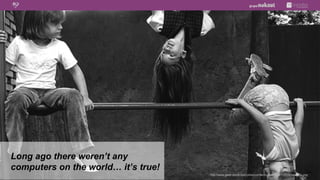
Long ago there weren’t any
computers on the world… it’s true!
                                     http://www.geek-world.com.pl/wp-content/uploads/2011/01/trzepak03.png
Signs are useful
                   http://smallandmighty.net/Media/Default/Windows-Live-Writer/696da96e2275_9BCF/image_2.png
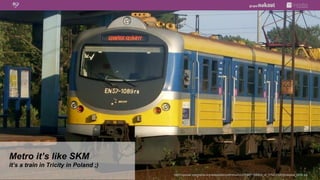
Metro it’s like SKM
it’s a train in Tricity in Poland ;)
                                       http://upload.wikimedia.org/wikipedia/commons/c/c2/EN57-1089ra_of_Tr%C3%B3jmiejska_SKM.jpg
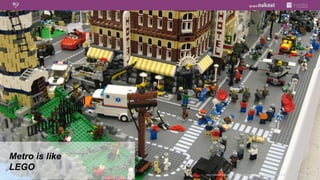
Metro is like
LEGO
                http://www.funkydiva.pl/wp-content/uploads/2012/05/kolorowanki-lego-18.jpg
Metro is a philosophy
                        http://nathanjohnbarnes.files.wordpress.com/2012/05/greek_philosopher_busts.jpg
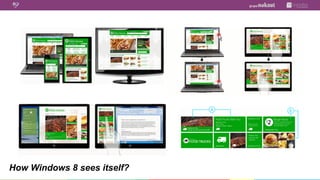
How Windows 8 sees itself?
Metro is passé...
Windows 8 is trendy
Windows 8 is SEXY
                    http://duller.kukuchew.com/wp-content/uploads/2010/06/super-sexy-cpr.jpg
Windows 8 is SEXY
                    http://wallpapersget.com/wp-content/uploads/2012/02/model-men-muscle-wallpaper.jpg
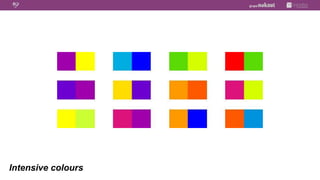
Intensive colours
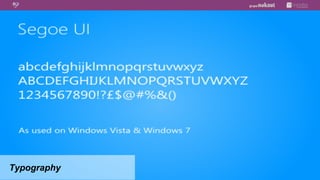
Typography
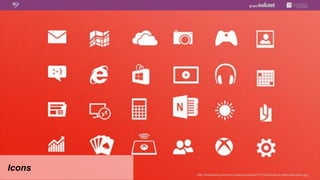
Icons
        http://freebiesbug.com/wp-content/uploads/2012/12/windows-8-metro-psd-icons.jpg
Nie można wyświetlić obrazu. Na komputerze może brakować pamięci do otwarcia obrazu lub obraz może być uszkodzony. Uruchom ponownie komputer, a następnie otwórz plik ponownie. Jeśli   Nie można wyświetlić obrazu. Na komputerze może brakować pamięci do otwarcia obrazu lub obraz może być uszkodzony. Uruchom ponownie komputer, a następnie otwórz plik ponownie. Jeśli
                                        czerwony znak x nadal będzie wyświetlany, konieczne może być usunięcie obrazu, a następnie ponowne wstawienie go.                                                                       czerwony znak x nadal będzie wyświetlany, konieczne może być usunięcie obrazu, a następnie ponowne wstawienie go.


         GRAFIKA                                                                      GRAFIKA                                                                                                                                                                                 GRAFIKA


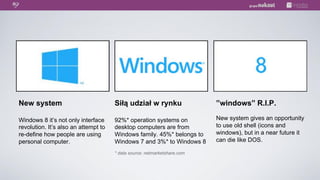
New system                            Siłą udział w rynku                                                                                                                                                                       ”windows” R.I.P.

Windows 8 it’s not only interface     92%* operation systems on                                                                                                                                                                 New system gives an opportunity
revolution. It’s also an attempt to   desktop computers are from                                                                                                                                                                to use old shell (icons and
re-define how people are using        Windows family. 45%* belongs to                                                                                                                                                           windows), but in a near future it
personal computer.                    Windows 7 and 3%* to Windows 8                                                                                                                                                            can die like DOS.

                                      * data source: netmarketshare.com
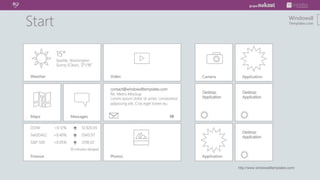
http://www.windows8templates.com/
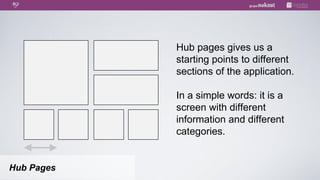
Hub pages gives us a
            starting points to different
            sections of the application.

            In a simple words: it is a
            screen with different
            information and different
            categories.


Hub Pages
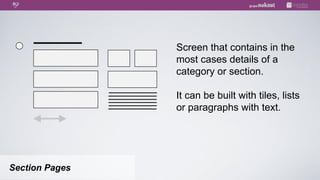
Screen that contains in the
                most cases details of a
                category or section.

                It can be built with tiles, lists
                or paragraphs with text.


Section Pages
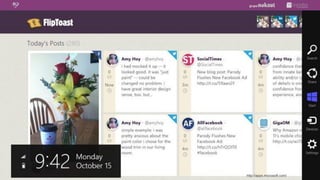
http://apps.microsoft.com/
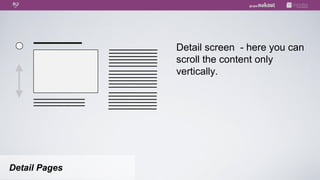
Detail screen - here you can
               scroll the content only
               vertically.


Detail Pages
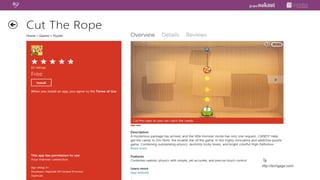
http://techgage.com/
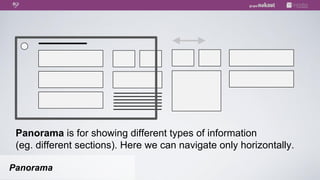
Panorama is for showing different types of information
 (eg. different sections). Here we can navigate only horizontally.

Panorama
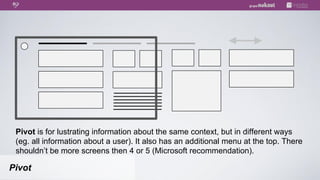
Pivot is for lustrating information about the same context, but in different ways
 (eg. all information about a user). It also has an additional menu at the top. There
 shouldn’t be more screens then 4 or 5 (Microsoft recommendation).

Pivot
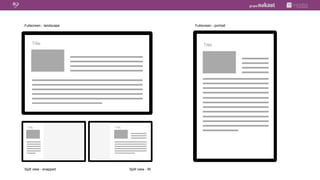
Fullscreen - landscape                               Fullscreen - portrait


     Title                                                Title


 Title                   Title


Split view - snapped             Split view - fill
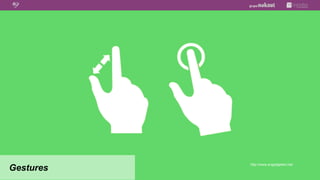
http://www.engadgeted.net/
Gestures
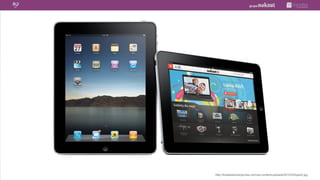
http://loraleeslooneytunes.com/wp-content/uploads/2012/03/ipad3.jpg
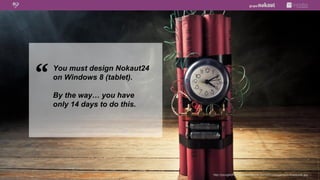
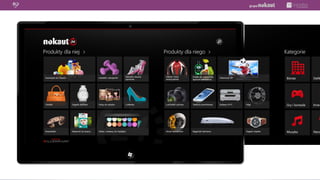
You must design Nokaut24
on Windows 8 (tablet).

By the way… you have
only 14 days to do this.


                           http://yourgoldfund.files.wordpress.com/2012/03/pension-timebomb.jpg
A good designer, before he
start his job on a platform,
that he doesn’t know, he
should get to know
a guidelines and
documentation…


                               http://s3.amazonaws.com/estock/fspid9/11/47/32/6/annabench-shakespeare-paris-1147326-o.jpg
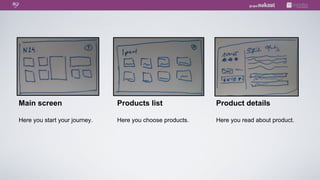
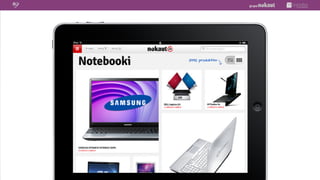
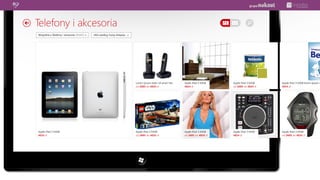
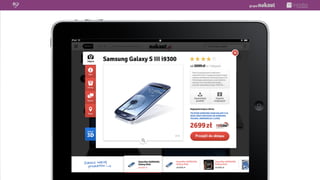
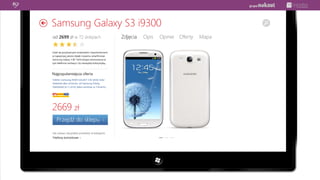
Main screen                    Products list               Product details

Here you start your journey.   Here you choose products.   Here you read about product.
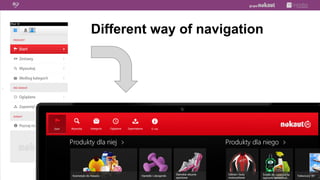
Different way of navigation


`
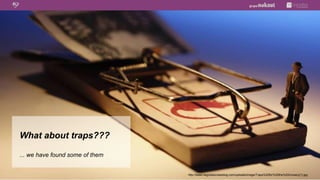
What about traps???

... we have found some of them


                                 http://www.negotiationlawblog.com/uploads/image/Traps%20for%20the%20Unwary(1).jpg
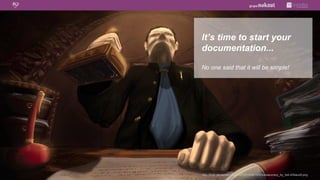
It’s time to start your
documentation...

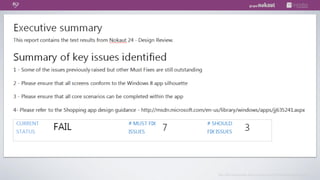
No one said that it will be simple!



http://fc00.deviantart.net/fs70/f/2010/341/0/2/bureaucracy_by_itsk-d34auc8.png
They give you
a feedback...

But what you should do with it?!?


      http://flowchainsensei.files.wordpress.com/2012/09/megaphone.jpg
http://flowchainsensei.files.wordpress.com/2012/09/megaphone.jpg
1.  UXBooth (at the end you will find some interesting links)
    http://www.uxbooth.com/articles/lessons-learned-designing-a-windows-8-app/.

2.  Windows 8 User experience guidelines
    http://download.microsoft.com/download/C/0/A/C0AEF0CC-B969-406D-989A-4CDAFDBB3F3C/
    Win8_UXG_RTM.pdf.

3.  Windows 8 navigation
    http://msdn.microsoft.com/en-us/library/windows/apps/hh761500.

4.  Windows 8 templates
    http://msdn.microsoft.com/en-us/library/windows/apps/hh700403.

5.  Typography
    http://msdn.microsoft.com/en-us/library/windows/apps/hh700394.


                                                                     http://stannsw.org/wp-content/uploads/2011/12/Clip-Art-Books-Bibliography.jpg
Kamil Łukasiewicz             Krzysztof Piwowar
User Experience Specialist    UX Consultant & Owner
kamil.lukasiewicz@nokaut.pl   kp@magnetise.pl


                                  http://futurecomms1.files.wordpress.com/2013/01/thanks.jpg

Design it in 14 days

  • 1.
    Design it in14 days our first time with Windows 8 UI on mobile Kamil Łukasiewicz Krzysztof Piwowar User Experience Specialist UX Consultant & Owner kamil.lukasiewicz@nokaut.pl kp@magnetise.pl
  • 2.
    Long ago thereweren’t any computers on the world… it’s true! http://www.geek-world.com.pl/wp-content/uploads/2011/01/trzepak03.png
  • 3.
    Signs are useful http://smallandmighty.net/Media/Default/Windows-Live-Writer/696da96e2275_9BCF/image_2.png
  • 4.
    Metro it’s likeSKM it’s a train in Tricity in Poland ;) http://upload.wikimedia.org/wikipedia/commons/c/c2/EN57-1089ra_of_Tr%C3%B3jmiejska_SKM.jpg
  • 5.
    Metro is like LEGO http://www.funkydiva.pl/wp-content/uploads/2012/05/kolorowanki-lego-18.jpg
  • 6.
    Metro is aphilosophy http://nathanjohnbarnes.files.wordpress.com/2012/05/greek_philosopher_busts.jpg
  • 7.
    How Windows 8sees itself?
  • 8.
  • 9.
    Windows 8 isSEXY http://duller.kukuchew.com/wp-content/uploads/2010/06/super-sexy-cpr.jpg
  • 10.
    Windows 8 isSEXY http://wallpapersget.com/wp-content/uploads/2012/02/model-men-muscle-wallpaper.jpg
  • 11.
  • 12.
  • 13.
    Icons http://freebiesbug.com/wp-content/uploads/2012/12/windows-8-metro-psd-icons.jpg
  • 14.
    Nie można wyświetlićobrazu. Na komputerze może brakować pamięci do otwarcia obrazu lub obraz może być uszkodzony. Uruchom ponownie komputer, a następnie otwórz plik ponownie. Jeśli Nie można wyświetlić obrazu. Na komputerze może brakować pamięci do otwarcia obrazu lub obraz może być uszkodzony. Uruchom ponownie komputer, a następnie otwórz plik ponownie. Jeśli czerwony znak x nadal będzie wyświetlany, konieczne może być usunięcie obrazu, a następnie ponowne wstawienie go. czerwony znak x nadal będzie wyświetlany, konieczne może być usunięcie obrazu, a następnie ponowne wstawienie go. GRAFIKA GRAFIKA GRAFIKA New system Siłą udział w rynku ”windows” R.I.P. Windows 8 it’s not only interface 92%* operation systems on New system gives an opportunity revolution. It’s also an attempt to desktop computers are from to use old shell (icons and re-define how people are using Windows family. 45%* belongs to windows), but in a near future it personal computer. Windows 7 and 3%* to Windows 8 can die like DOS. * data source: netmarketshare.com
  • 15.
  • 16.
    Hub pages givesus a starting points to different sections of the application. In a simple words: it is a screen with different information and different categories. Hub Pages
  • 17.
    Screen that containsin the most cases details of a category or section. It can be built with tiles, lists or paragraphs with text. Section Pages
  • 18.
  • 19.
    Detail screen -here you can scroll the content only vertically. Detail Pages
  • 20.
  • 21.
    Panorama is forshowing different types of information (eg. different sections). Here we can navigate only horizontally. Panorama
  • 22.
    Pivot is forlustrating information about the same context, but in different ways (eg. all information about a user). It also has an additional menu at the top. There shouldn’t be more screens then 4 or 5 (Microsoft recommendation). Pivot
  • 23.
    Fullscreen - landscape Fullscreen - portrait Title Title Title Title Split view - snapped Split view - fill
  • 24.
  • 26.
  • 27.
    You must designNokaut24 on Windows 8 (tablet). By the way… you have only 14 days to do this. http://yourgoldfund.files.wordpress.com/2012/03/pension-timebomb.jpg
  • 28.
    A good designer,before he start his job on a platform, that he doesn’t know, he should get to know a guidelines and documentation… http://s3.amazonaws.com/estock/fspid9/11/47/32/6/annabench-shakespeare-paris-1147326-o.jpg
  • 29.
    Main screen Products list Product details Here you start your journey. Here you choose products. Here you read about product.
  • 31.
    Different way ofnavigation `
  • 36.
    What about traps??? ...we have found some of them http://www.negotiationlawblog.com/uploads/image/Traps%20for%20the%20Unwary(1).jpg
  • 37.
    It’s time tostart your documentation... No one said that it will be simple! http://fc00.deviantart.net/fs70/f/2010/341/0/2/bureaucracy_by_itsk-d34auc8.png
  • 38.
    They give you afeedback... But what you should do with it?!? http://flowchainsensei.files.wordpress.com/2012/09/megaphone.jpg
  • 39.
  • 40.
  • 42.
    1.  UXBooth (atthe end you will find some interesting links) http://www.uxbooth.com/articles/lessons-learned-designing-a-windows-8-app/. 2.  Windows 8 User experience guidelines http://download.microsoft.com/download/C/0/A/C0AEF0CC-B969-406D-989A-4CDAFDBB3F3C/ Win8_UXG_RTM.pdf. 3.  Windows 8 navigation http://msdn.microsoft.com/en-us/library/windows/apps/hh761500. 4.  Windows 8 templates http://msdn.microsoft.com/en-us/library/windows/apps/hh700403. 5.  Typography http://msdn.microsoft.com/en-us/library/windows/apps/hh700394. http://stannsw.org/wp-content/uploads/2011/12/Clip-Art-Books-Bibliography.jpg
  • 43.
    Kamil Łukasiewicz Krzysztof Piwowar User Experience Specialist UX Consultant & Owner kamil.lukasiewicz@nokaut.pl kp@magnetise.pl http://futurecomms1.files.wordpress.com/2013/01/thanks.jpg