Dell Storage SSD og Flash teknologi i SAN Kaj Inge Skjønhaug | Storage Spesialist Kaj_Inge_Skjonhaug@Dell.com 
#DellST14 
DellDirekte.no/DellST14
Hype or the start of something big? 
Where is the industry in the adoption of solid-state storage? 
Analysts agree: We are right at the beginning of a major change in the market that will see massive adoption.
Solid-State-Storage 
What is it: 
• 
Solid-state storage is the application of non-volatile memory (NVM) for long term data storage. 
• 
NAND flash is the most commonly used. 
Trends: 
• 
Capacities are growing rapidly 
• 
Prices per GB dropping by 38% each year.
Myth #1: SSS is unreliable 
True: NAND flash chips have a limited life-cycle 
Error correction codes (ECC) to manage bit errors have been in use for over 40 years 
Advanced techniques like wear-leveling, over-provisioning are combined with ECC to provide solid-state storage systems that easily last 5 years in production.
Myth #2: SSS is expensive 
True: More costly than HDDs 
Prices are dropping rapidly. 
Solutions that utilize SSS well can displace solutions requiring a large amount of traditional spindles to provide performance, at a much lower CAPEX.
Myth #3: SSS requires special skills 
Some traditional SAN solutions still require complex manual configuration to utilize SSS. 
However modern highly virtualized SAN designs automatically incorporate SSS as a tier or cache.
Myth #4: SSS is only for the large data center 
The advent of hybrid storage solutions, scale-out architectures and automated tiering has made the benefits of SSS accessible to small and medium-sized organizations.
Many architectures available 
• 
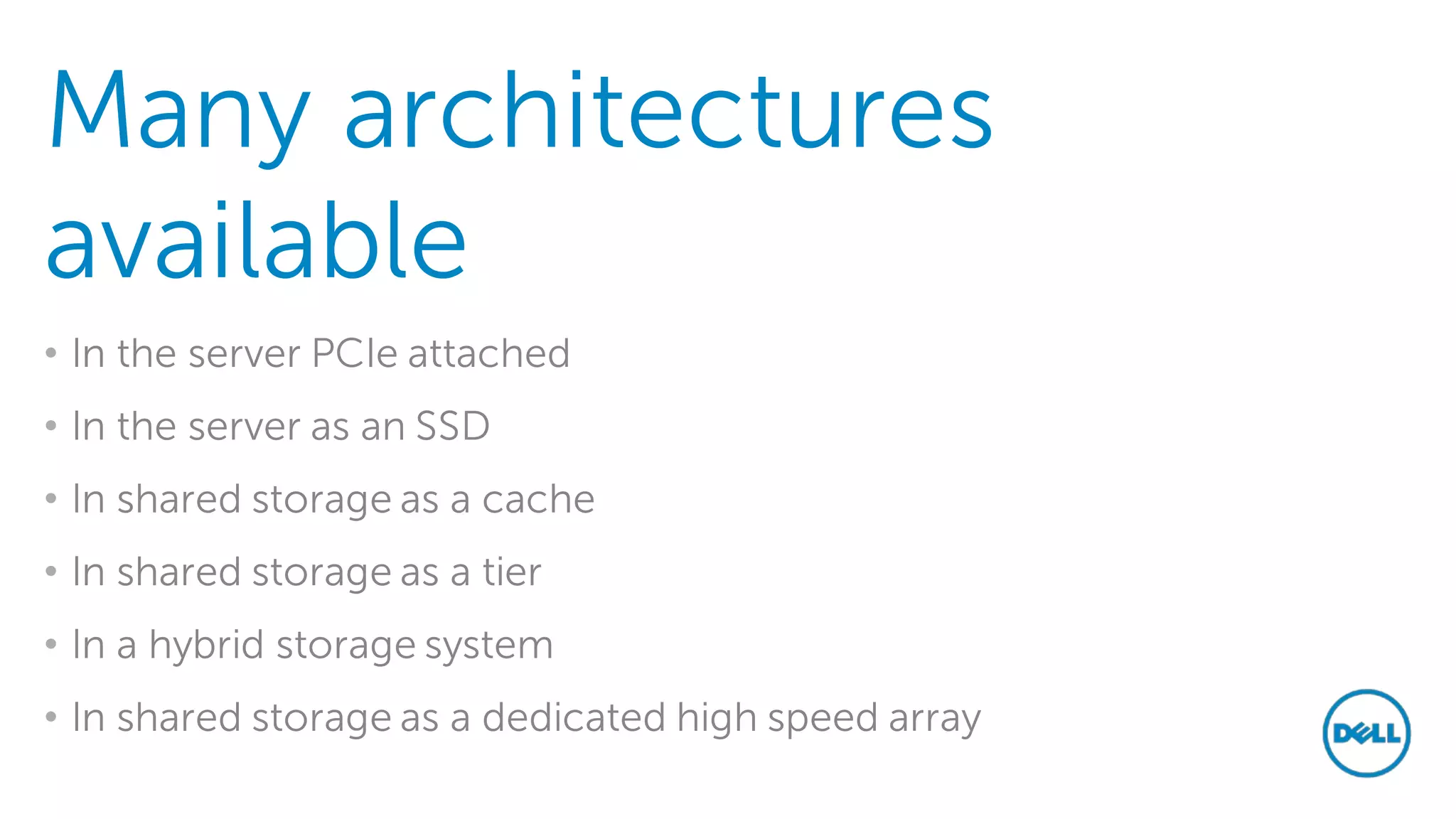
In the server PCIe attached 
• 
In the server as an SSD 
• 
In shared storage as a cache 
• 
In shared storage as a tier 
• 
In a hybrid storage system 
• 
In shared storage as a dedicated high speed array
Flash in Dell Solutions 
Flash at the price of disk. Is it possible today?
Flash Optimized Tiering 
Tier 2 
Tier 1 
Tier 3 
RAID 10 
RAID 6 
Write Intensive 
Enterprise SAS SSD 
Read Optimized 
Enterprise SAS SSD 
RAID 5 
RAID 5 
RAID 6 
RAID 5 
7.2K SAS HDDs 
Flash-optimized Data Progression leverages the endurance of write- intensive SSDs and the value of read-intensive SSDs.
Flash Optimized Tiering
New economies of flash
Introducing Dell Fluid Cache for SAN 
Bringing flash even closer to the application
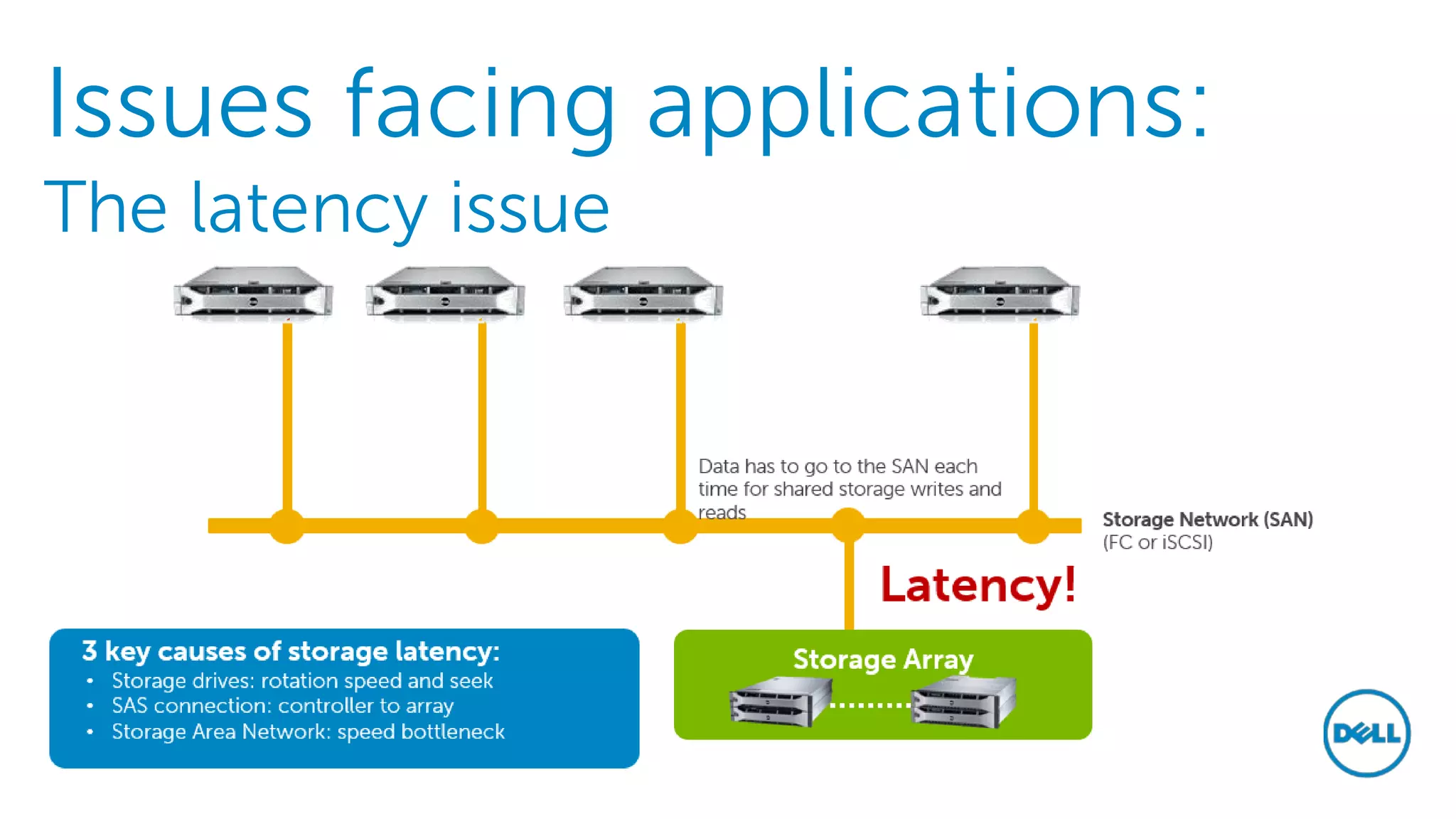
Issues facing applications: The latency issue
17 
Dell Fluid Cache software + Dell Compellent = Accelerated application response 
Bring data closer to compute 
1 
Install Fluid Cache software 
Private cache network (10/40 GbE) 
3 
Configure low-latency network 
4 
Map volumes to cache pool 
Cache Client Servers** 
Dell 
Cache Contributor Servers* 
*A minimum of 3 validated Dell servers are required to establish the cache pool. **Cache client servers can be a mix of Dell and other servers that run a supported OS and have an available PCIe slot. 
Storage network (FC or iSCSI) 
Dell SC 8000 storage array 
2 
Add PCIe SSD Express Flash cache 
Cache pool
18
Thank You! 
Ta kontakt med din Dell representant og avtal storage workshop! 
Prøv vårt gratis analyse verktøy DPACK: 
http://dell.com/dpack

Dell SSD og Flash teknologi i SAN

  • 1.
    Dell Storage SSDog Flash teknologi i SAN Kaj Inge Skjønhaug | Storage Spesialist Kaj_Inge_Skjonhaug@Dell.com #DellST14 DellDirekte.no/DellST14
  • 2.
    Hype or thestart of something big? Where is the industry in the adoption of solid-state storage? Analysts agree: We are right at the beginning of a major change in the market that will see massive adoption.
  • 3.
    Solid-State-Storage What isit: • Solid-state storage is the application of non-volatile memory (NVM) for long term data storage. • NAND flash is the most commonly used. Trends: • Capacities are growing rapidly • Prices per GB dropping by 38% each year.
  • 4.
    Myth #1: SSSis unreliable True: NAND flash chips have a limited life-cycle Error correction codes (ECC) to manage bit errors have been in use for over 40 years Advanced techniques like wear-leveling, over-provisioning are combined with ECC to provide solid-state storage systems that easily last 5 years in production.
  • 5.
    Myth #2: SSSis expensive True: More costly than HDDs Prices are dropping rapidly. Solutions that utilize SSS well can displace solutions requiring a large amount of traditional spindles to provide performance, at a much lower CAPEX.
  • 6.
    Myth #3: SSSrequires special skills Some traditional SAN solutions still require complex manual configuration to utilize SSS. However modern highly virtualized SAN designs automatically incorporate SSS as a tier or cache.
  • 7.
    Myth #4: SSSis only for the large data center The advent of hybrid storage solutions, scale-out architectures and automated tiering has made the benefits of SSS accessible to small and medium-sized organizations.
  • 8.
    Many architectures available • In the server PCIe attached • In the server as an SSD • In shared storage as a cache • In shared storage as a tier • In a hybrid storage system • In shared storage as a dedicated high speed array
  • 9.
    Flash in DellSolutions Flash at the price of disk. Is it possible today?
  • 10.
    Flash Optimized Tiering Tier 2 Tier 1 Tier 3 RAID 10 RAID 6 Write Intensive Enterprise SAS SSD Read Optimized Enterprise SAS SSD RAID 5 RAID 5 RAID 6 RAID 5 7.2K SAS HDDs Flash-optimized Data Progression leverages the endurance of write- intensive SSDs and the value of read-intensive SSDs.
  • 11.
  • 12.
  • 13.
  • 14.
  • 15.
    Introducing Dell FluidCache for SAN Bringing flash even closer to the application
  • 16.
    Issues facing applications:The latency issue
  • 17.
    17 Dell FluidCache software + Dell Compellent = Accelerated application response Bring data closer to compute 1 Install Fluid Cache software Private cache network (10/40 GbE) 3 Configure low-latency network 4 Map volumes to cache pool Cache Client Servers** Dell Cache Contributor Servers* *A minimum of 3 validated Dell servers are required to establish the cache pool. **Cache client servers can be a mix of Dell and other servers that run a supported OS and have an available PCIe slot. Storage network (FC or iSCSI) Dell SC 8000 storage array 2 Add PCIe SSD Express Flash cache Cache pool
  • 18.
  • 19.
    Thank You! Takontakt med din Dell representant og avtal storage workshop! Prøv vårt gratis analyse verktøy DPACK: http://dell.com/dpack