Data Visualization and
Analytics with Tableau
● Tableau Workspace
● Data Connection/Types
● Create Tables, Charts, Graphs
● Organise Data with Sort, Filter, Group & Set
What we’ll do:
What is Tableau?
Tableau is a market leading data
visualization software and enterprise BI
software for organizations of all sizes
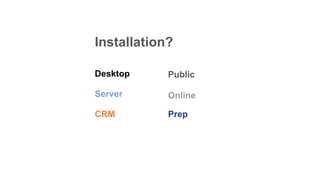
Installation?
Server
CRM Prep
Public
Online
Desktop
How does
Tableau Work?
Tableau connects and extracts data
stored in various places or platforms such
as excel, pdf, to a complex database like
Oracle, a database in the cloud such as
AWS, Microsoft Azure SQL database,
Google Cloud SQL
Tableau Uses
● Business Intelligence
● Data Visualization
● Data Collaboration
● Data Blending
● Real-time data analysis
● Query translation into visualization
● …..
Why Tableau?
● Simple User Interface
● Interactive Data Visualization widgets
● Flexible data architecture
● Automatic data and content updates
● Embedded analytics
● Scalable
● Secure
● Mobile
● No need any technical knowledge
Tableau
Workspace
The Tableau workspace is a collection of
worksheets, menu bar, toolbar, marks card,
shelves and a lot of other elements. Sheets
can be worksheets, dashboards, or stories.
Connecting to
a Data Source
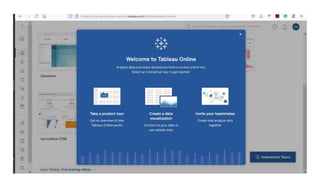
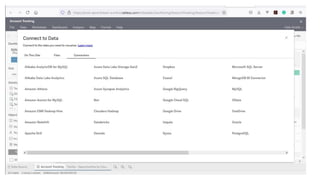
To begin working with Tableau, we need to connect Tableau
to a data source. Tableau is compatible with a lot of data
sources. The data sources supported by Tableau appear on
the left side of the opening screen. Some commonly used
data sources are excel, text file, relational database or even
on a server. One can also connect to a cloud database
source such as Google Analytics, Amazon Redshift, etc.
Hands On
Dele Amefo
Rufai Junaid
Sulaiman Ademola
Facilitators & Speakers
Emmanuel Dauda
Resources
https://www.tableau.com/

Data Visualization and Analytics with Tableau

  • 1.
  • 2.
    ● Tableau Workspace ●Data Connection/Types ● Create Tables, Charts, Graphs ● Organise Data with Sort, Filter, Group & Set What we’ll do:
  • 3.
    What is Tableau? Tableauis a market leading data visualization software and enterprise BI software for organizations of all sizes
  • 4.
  • 5.
    How does Tableau Work? Tableauconnects and extracts data stored in various places or platforms such as excel, pdf, to a complex database like Oracle, a database in the cloud such as AWS, Microsoft Azure SQL database, Google Cloud SQL
  • 6.
    Tableau Uses ● BusinessIntelligence ● Data Visualization ● Data Collaboration ● Data Blending ● Real-time data analysis ● Query translation into visualization ● …..
  • 7.
    Why Tableau? ● SimpleUser Interface ● Interactive Data Visualization widgets ● Flexible data architecture ● Automatic data and content updates ● Embedded analytics ● Scalable ● Secure ● Mobile ● No need any technical knowledge
  • 8.
    Tableau Workspace The Tableau workspaceis a collection of worksheets, menu bar, toolbar, marks card, shelves and a lot of other elements. Sheets can be worksheets, dashboards, or stories.
  • 11.
    Connecting to a DataSource To begin working with Tableau, we need to connect Tableau to a data source. Tableau is compatible with a lot of data sources. The data sources supported by Tableau appear on the left side of the opening screen. Some commonly used data sources are excel, text file, relational database or even on a server. One can also connect to a cloud database source such as Google Analytics, Amazon Redshift, etc.
  • 13.
  • 14.
    Dele Amefo Rufai Junaid SulaimanAdemola Facilitators & Speakers Emmanuel Dauda
  • 15.