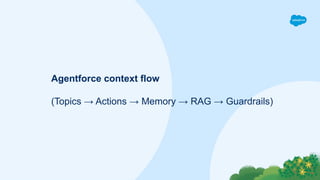
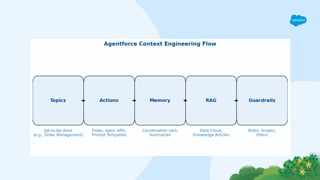
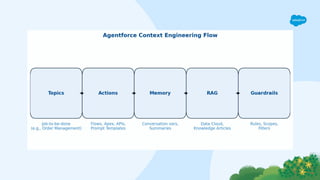
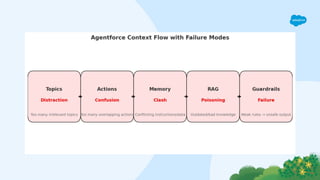
Topics
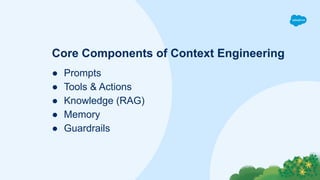
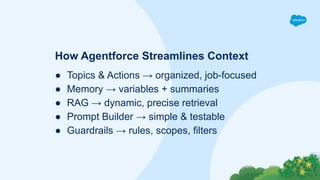
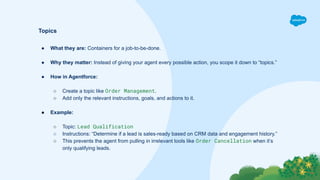
● What theyare: Containers for a job-to-be-done.
● Why they matter: Instead of giving your agent every possible action, you scope it down to “topics.”
● How in Agentforce:
○ Create a topic like Order Management.
○ Add only the relevant instructions, goals, and actions to it.
● Example:
○ Topic: Lead Qualification
○ Instructions: “Determine if a lead is sales-ready based on CRM data and engagement history.”
○ This prevents the agent from pulling in irrelevant tools like Order Cancellation when it’s
only qualifying leads.
15.
Actions
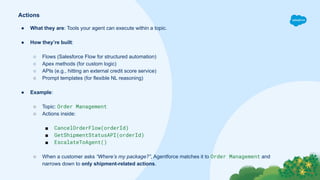
● What theyare: Tools your agent can execute within a topic.
● How they’re built:
○ Flows (Salesforce Flow for structured automation)
○ Apex methods (for custom logic)
○ APIs (e.g., hitting an external credit score service)
○ Prompt templates (for flexible NL reasoning)
● Example:
○ Topic: Order Management
○ Actions inside:
■ CancelOrderFlow(orderId)
■ GetShipmentStatusAPI(orderId)
■ EscalateToAgent()
○ When a customer asks “Where’s my package?”, Agentforce matches it to Order Management and
narrows down to only shipment-related actions.
16.
Memory
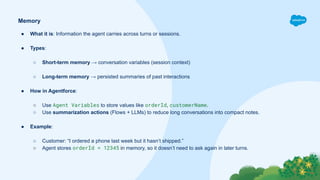
● What itis: Information the agent carries across turns or sessions.
● Types:
○ Short-term memory → conversation variables (session context)
○ Long-term memory → persisted summaries of past interactions
● How in Agentforce:
○ Use Agent Variables to store values like orderId, customerName.
○ Use summarization actions (Flows + LLMs) to reduce long conversations into compact notes.
● Example:
○ Customer: “I ordered a phone last week but it hasn’t shipped.”
○ Agent stores orderId = 12345 in memory, so it doesn’t need to ask again in later turns.
17.
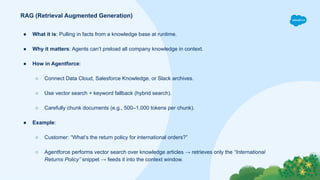
RAG (Retrieval AugmentedGeneration)
● What it is: Pulling in facts from a knowledge base at runtime.
● Why it matters: Agents can’t preload all company knowledge in context.
● How in Agentforce:
○ Connect Data Cloud, Salesforce Knowledge, or Slack archives.
○ Use vector search + keyword fallback (hybrid search).
○ Carefully chunk documents (e.g., 500–1,000 tokens per chunk).
● Example:
○ Customer: “What’s the return policy for international orders?”
○ Agentforce performs vector search over knowledge articles → retrieves only the “International
Returns Policy” snippet → feeds it into the context window.
18.
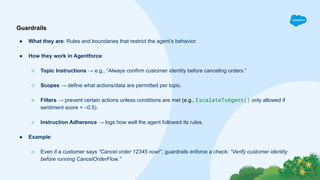
Guardrails
● What theyare: Rules and boundaries that restrict the agent’s behavior.
● How they work in Agentforce:
○ Topic Instructions → e.g., “Always confirm customer identity before canceling orders.”
○ Scopes → define what actions/data are permitted per topic.
○ Filters → prevent certain actions unless conditions are met (e.g., EscalateToAgent() only allowed if
sentiment score < –0.5).
○ Instruction Adherence → logs how well the agent followed its rules.
● Example:
○ Even if a customer says “Cancel order 12345 now!”, guardrails enforce a check: “Verify customer identity
before running CancelOrderFlow.”
19.
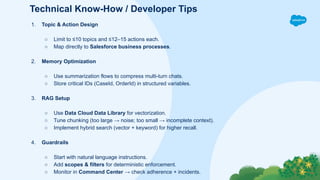
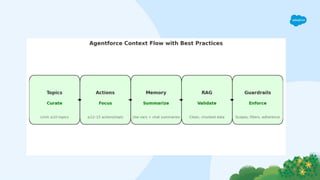
Technical Know-How /Developer Tips
1. Topic & Action Design
○ Limit to ≤10 topics and ≤12–15 actions each.
○ Map directly to Salesforce business processes.
2. Memory Optimization
○ Use summarization flows to compress multi-turn chats.
○ Store critical IDs (CaseId, OrderId) in structured variables.
3. RAG Setup
○ Use Data Cloud Data Library for vectorization.
○ Tune chunking (too large → noise; too small → incomplete context).
○ Implement hybrid search (vector + keyword) for higher recall.
4. Guardrails
○ Start with natural language instructions.
○ Add scopes & filters for deterministic enforcement.
○ Monitor in Command Center → check adherence + incidents.
20.
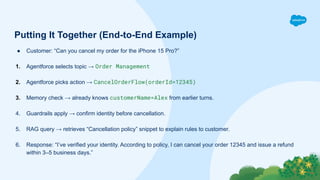
Putting It Together(End-to-End Example)
● Customer: “Can you cancel my order for the iPhone 15 Pro?”
1. Agentforce selects topic → Order Management
2. Agentforce picks action → CancelOrderFlow(orderId=12345)
3. Memory check → already knows customerName=Alex from earlier turns.
4. Guardrails apply → confirm identity before cancellation.
5. RAG query → retrieves “Cancellation policy” snippet to explain rules to customer.
6. Response: “I’ve verified your identity. According to policy, I can cancel your order 12345 and issue a refund
within 3–5 business days.”
24.
Last updated: September10, 2024
Hands on:
Context Engineering + Agentforce
Lead Qualification Agent with RAG + Guardrails
25.
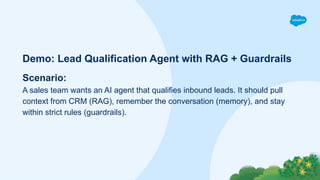
Demo: Lead QualificationAgent with RAG + Guardrails
Scenario:
A sales team wants an AI agent that qualifies inbound leads. It should pull
context from CRM (RAG), remember the conversation (memory), and stay
within strict rules (guardrails).
26.
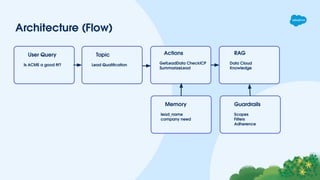
User Query
Is ACMEa good fit?
Topic
Lead Qualification
Actions
GetLeadData CheckICP
SummarizeLead
RAG
Data Cloud
Knowledge
Memory
lead_name
company need
Guardrails
Scopes
Filters
Adherence
Architecture (Flow)
27.
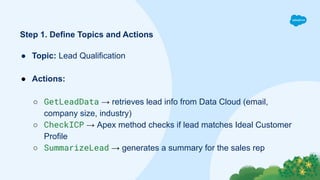
Step 1. DefineTopics and Actions
● Topic: Lead Qualification
● Actions:
○ GetLeadData → retrieves lead info from Data Cloud (email,
company size, industry)
○ CheckICP → Apex method checks if lead matches Ideal Customer
Profile
○ SummarizeLead → generates a summary for the sales rep
28.
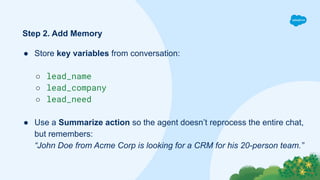
Step 2. AddMemory
● Store key variables from conversation:
○ lead_name
○ lead_company
○ lead_need
● Use a Summarize action so the agent doesn’t reprocess the entire chat,
but remembers:
“John Doe from Acme Corp is looking for a CRM for his 20-person team.”
29.
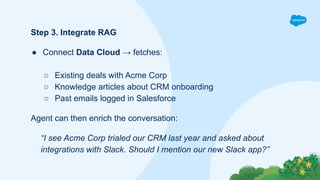
Step 3. IntegrateRAG
● Connect Data Cloud → fetches:
○ Existing deals with Acme Corp
○ Knowledge articles about CRM onboarding
○ Past emails logged in Salesforce
Agent can then enrich the conversation:
“I see Acme Corp trialed our CRM last year and asked about
integrations with Slack. Should I mention our new Slack app?”
30.
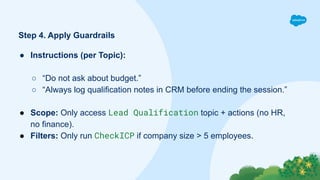
Step 4. ApplyGuardrails
● Instructions (per Topic):
○ “Do not ask about budget.”
○ “Always log qualification notes in CRM before ending the session.”
● Scope: Only access Lead Qualification topic + actions (no HR,
no finance).
● Filters: Only run CheckICP if company size > 5 employees.
31.
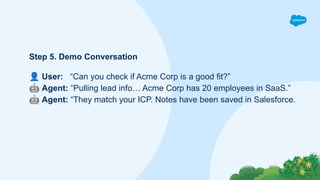
Step 5. DemoConversation
👤 User: “Can you check if Acme Corp is a good fit?”
🤖 Agent: “Pulling lead info… Acme Corp has 20 employees in SaaS.”
🤖 Agent: “They match your ICP. Notes have been saved in Salesforce.