Data visualisation
Research uptake workshop
12-14 September 2017
Kilifi, Kenya
http://resyst.lshtm.ac.uk
@RESYSTresearch
In this resource
• Introduce data visualisation and demonstrate its value for research
uptake and communications
• Compare different types of chart
• Share design tips for a visualisation
• Explore online data visualisation tools
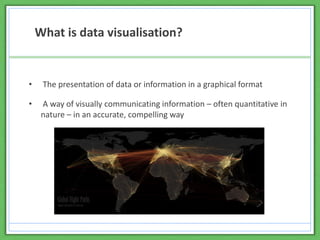
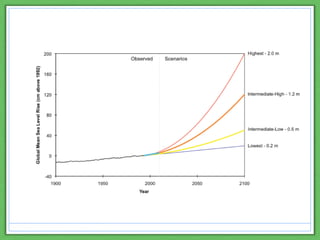
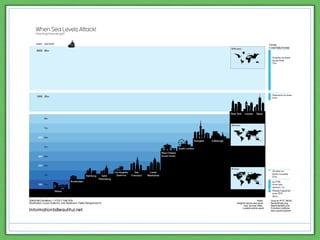
• The presentation of data or information in a graphical format
• A way of visually communicating information – often quantitative in
nature – in an accurate, compelling way
What is data visualisation?
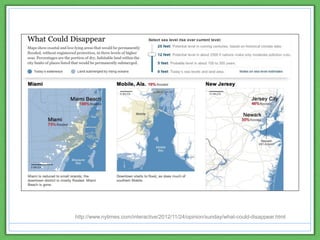
http://www.nytimes.com/interactive/2012/11/24/opinion/sunday/what-could-disappear.html
The value of data visualisations
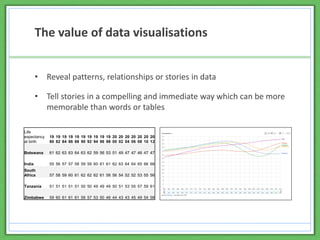
• Reveal patterns, relationships or stories in data
• Tell stories in a compelling and immediate way which can be more
memorable than words or tables
Life
expectancy
at birth
19
80
19
82
19
84
19
86
19
88
19
90
19
92
19
94
19
96
19
98
20
00
20
02
20
04
20
06
20
08
20
10
20
12
Botswana 61 62 63 63 64 63 62 59 56 53 51 49 47 47 46 47 47
India 55 56 57 57 58 59 59 60 61 61 62 63 64 64 65 66 66
South
Africa 57 58 59 60 61 62 62 62 61 58 56 54 52 52 53 55 56
Tanzania 51 51 51 51 51 50 50 49 49 49 50 51 53 55 57 59 61
Zimbabwe 59 60 61 61 61 59 57 53 50 46 44 43 43 45 49 54 58
The value of data visualisations
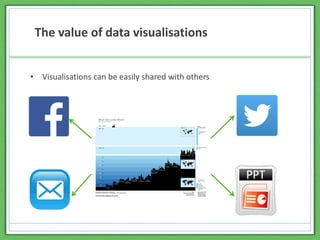
• Visualisations can be easily shared with others
The value of data visualisations
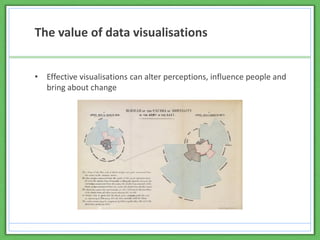
• Effective visualisations can alter perceptions, influence people and
bring about change
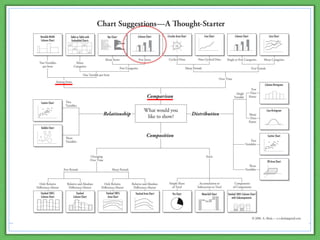
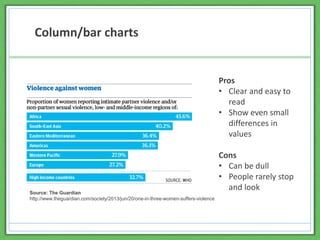
Column/bar charts
Pros
• Clear and easy to
read
• Show even small
differences in
values
Cons
• Can be dull
• People rarely stop
and look
Source: The Guardian
http://www.theguardian.com/society/2013/jun/20/one-in-three-women-suffers-violence
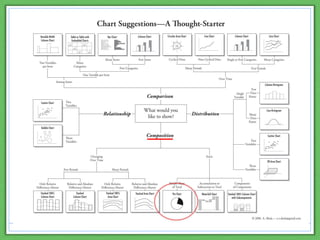
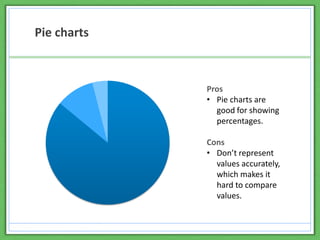
Pie charts
Pros
• Pie charts are
good for showing
percentages.
Cons
• Don’t represent
values accurately,
which makes it
hard to compare
values.
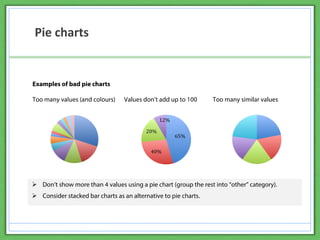
Pie charts
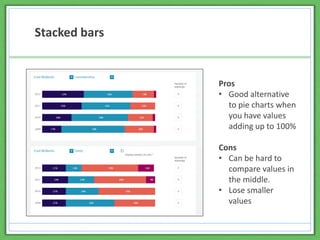
Stacked bars
Pros
• Good alternative
to pie charts when
you have values
adding up to 100%
Cons
• Can be hard to
compare values in
the middle.
• Lose smaller
values
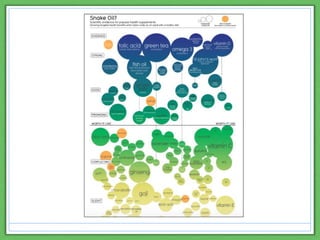
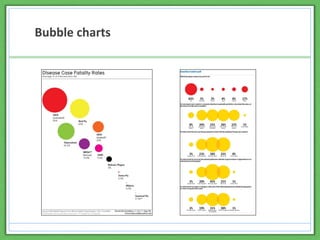
Bubble charts
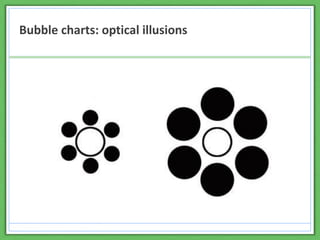
Bubble charts: optical illusions
Design tips
• Represent the data accurately
• Style the chart simply
• Use colour with caution
• Choose a clear font
• Use annotations to tell a story
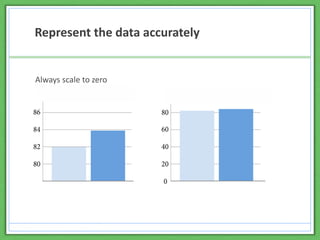
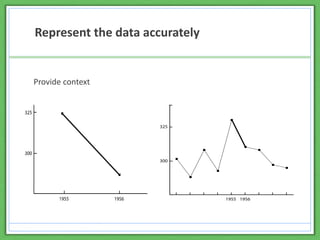
Represent the data accurately
Always scale to zero
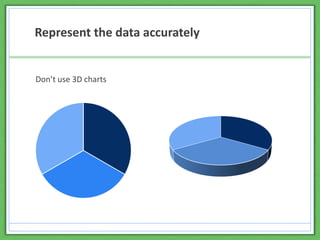
Represent the data accurately
Don’t use 3D charts
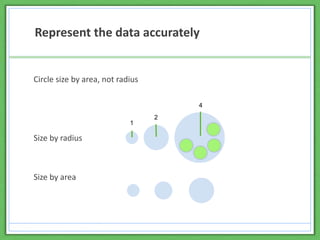
Represent the data accurately
Circle size by area, not radius
Size by radius
Size by area
1
2
4
Represent the data accurately
Provide context
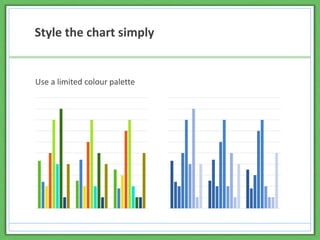
Style the chart simply
Use a limited colour palette
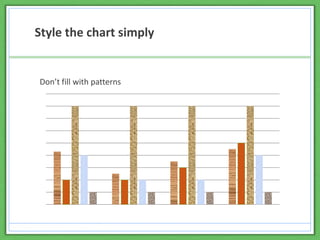
Style the chart simply
Don’t fill with patterns
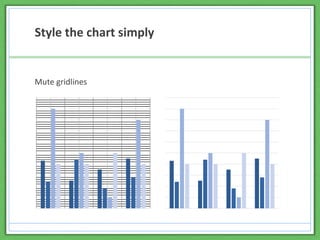
Style the chart simply
Mute gridlines
Style the chart simply
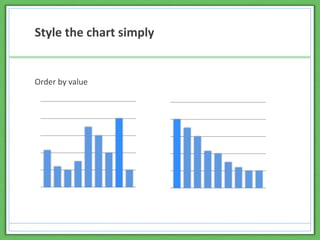
Order by value
Style the chart simply
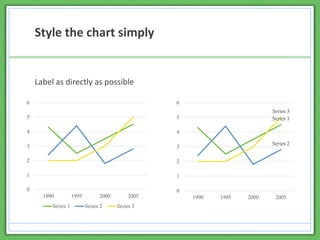
Label as directly as possible
Series 1
Series 2
Series 3
0
1
2
3
4
5
6
1990 1995 2000 2005
0
1
2
3
4
5
6
1990 1995 2000 2005
Series 1 Series 2 Series 3
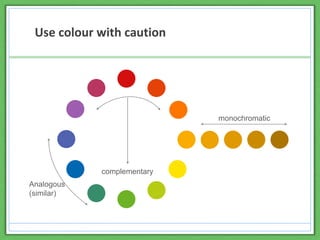
Use colour with caution
monochromatic
complementary
Analogous
(similar)
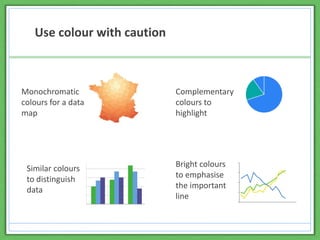
Use colour with caution
0
5
10
15
20
Monochromatic
colours for a data
map
Complementary
colours to
highlight
Similar colours
to distinguish
data
Bright colours
to emphasise
the important
line
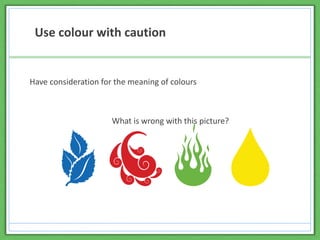
Use colour with caution
Have consideration for the meaning of colours
What is wrong with this picture?
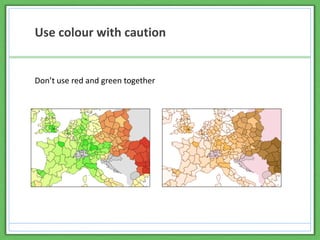
Use colour with caution
Don’t use red and green together
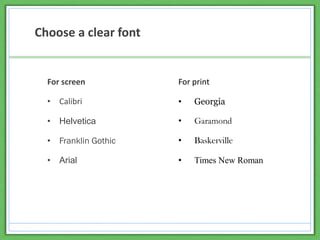
Choose a clear font
For screen
• Calibri
• Helvetica
• Franklin Gothic
• Arial
For print
• Georgia
• Garamond
• Baskerville
• Times New Roman
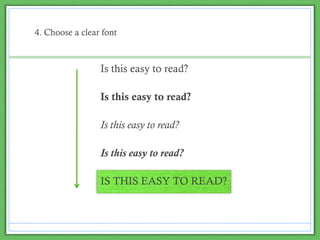
4. Choose a clear font
Is this easy to read?
IS THIS EASY TO READ?
Is this easy to read?
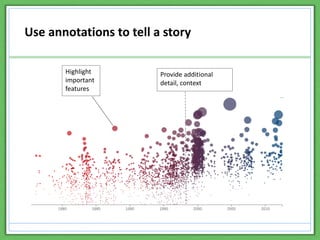
Use annotations to tell a story
Highlight
important
features
Provide additional
detail, context
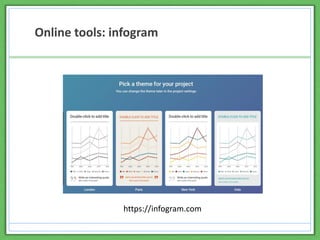
Online tools: infogram
https://infogram.com
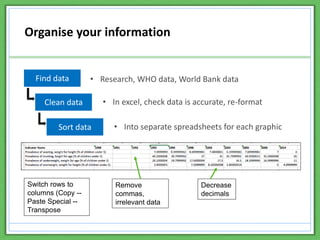
Organise your information
Find data
Clean data
• Research, WHO data, World Bank data
• In excel, check data is accurate, re-format
Remove
commas,
irrelevant data
Decrease
decimals
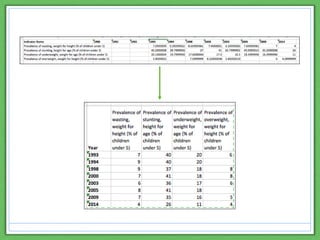
Switch rows to
columns (Copy --
Paste Special --
Transpose
Sort data • Into separate spreadsheets for each graphic
Further resources for data visualisation
• STRIVE/RESYST webinar on data visualisation
• Infogram
• Tableau public
• The noun project
• Knowledge is beautiful – book and website by David McCandless
• The visual display of qualitative information book
This resource was produced by Becky Wolfe © RESYST 2017 and licensed
under a Creative Commons Attribution-ShareAlike 3.0 Unported License.
Becky Wolfe is a member of the Consortium for Resilient and Responsive
Health Systems (RESYST). This document is an output from a project funded
by the UK Aid from the UK Department for International Development (DFID)
for the benefit of developing countries. However, the views expressed and
information contained in it are not necessarily those of or endorsed by DFID,
which can accept no responsibility for such views or information or for any
reliance placed on them.

Data visualisation

  • 1.
    Data visualisation Research uptakeworkshop 12-14 September 2017 Kilifi, Kenya http://resyst.lshtm.ac.uk @RESYSTresearch
  • 2.
    In this resource •Introduce data visualisation and demonstrate its value for research uptake and communications • Compare different types of chart • Share design tips for a visualisation • Explore online data visualisation tools
  • 3.
    • The presentationof data or information in a graphical format • A way of visually communicating information – often quantitative in nature – in an accurate, compelling way What is data visualisation?
  • 6.
  • 7.
    The value ofdata visualisations • Reveal patterns, relationships or stories in data • Tell stories in a compelling and immediate way which can be more memorable than words or tables Life expectancy at birth 19 80 19 82 19 84 19 86 19 88 19 90 19 92 19 94 19 96 19 98 20 00 20 02 20 04 20 06 20 08 20 10 20 12 Botswana 61 62 63 63 64 63 62 59 56 53 51 49 47 47 46 47 47 India 55 56 57 57 58 59 59 60 61 61 62 63 64 64 65 66 66 South Africa 57 58 59 60 61 62 62 62 61 58 56 54 52 52 53 55 56 Tanzania 51 51 51 51 51 50 50 49 49 49 50 51 53 55 57 59 61 Zimbabwe 59 60 61 61 61 59 57 53 50 46 44 43 43 45 49 54 58
  • 8.
    The value ofdata visualisations • Visualisations can be easily shared with others
  • 9.
    The value ofdata visualisations • Effective visualisations can alter perceptions, influence people and bring about change
  • 13.
    Column/bar charts Pros • Clearand easy to read • Show even small differences in values Cons • Can be dull • People rarely stop and look Source: The Guardian http://www.theguardian.com/society/2013/jun/20/one-in-three-women-suffers-violence
  • 15.
    Pie charts Pros • Piecharts are good for showing percentages. Cons • Don’t represent values accurately, which makes it hard to compare values.
  • 16.
  • 17.
    Stacked bars Pros • Goodalternative to pie charts when you have values adding up to 100% Cons • Can be hard to compare values in the middle. • Lose smaller values
  • 18.
  • 19.
  • 20.
    Design tips • Representthe data accurately • Style the chart simply • Use colour with caution • Choose a clear font • Use annotations to tell a story
  • 21.
    Represent the dataaccurately Always scale to zero
  • 22.
    Represent the dataaccurately Don’t use 3D charts
  • 23.
    Represent the dataaccurately Circle size by area, not radius Size by radius Size by area 1 2 4
  • 24.
    Represent the dataaccurately Provide context
  • 25.
    Style the chartsimply Use a limited colour palette
  • 26.
    Style the chartsimply Don’t fill with patterns
  • 27.
    Style the chartsimply Mute gridlines
  • 28.
    Style the chartsimply Order by value
  • 29.
    Style the chartsimply Label as directly as possible Series 1 Series 2 Series 3 0 1 2 3 4 5 6 1990 1995 2000 2005 0 1 2 3 4 5 6 1990 1995 2000 2005 Series 1 Series 2 Series 3
  • 30.
    Use colour withcaution monochromatic complementary Analogous (similar)
  • 31.
    Use colour withcaution 0 5 10 15 20 Monochromatic colours for a data map Complementary colours to highlight Similar colours to distinguish data Bright colours to emphasise the important line
  • 32.
    Use colour withcaution Have consideration for the meaning of colours What is wrong with this picture?
  • 33.
    Use colour withcaution Don’t use red and green together
  • 34.
    Choose a clearfont For screen • Calibri • Helvetica • Franklin Gothic • Arial For print • Georgia • Garamond • Baskerville • Times New Roman
  • 35.
    4. Choose aclear font Is this easy to read? Is this easy to read? Is this easy to read? Is this easy to read? IS THIS EASY TO READ? Is this easy to read?
  • 36.
    Use annotations totell a story Highlight important features Provide additional detail, context
  • 37.
  • 38.
    Organise your information Finddata Clean data • Research, WHO data, World Bank data • In excel, check data is accurate, re-format Remove commas, irrelevant data Decrease decimals Switch rows to columns (Copy -- Paste Special -- Transpose Sort data • Into separate spreadsheets for each graphic
  • 40.
    Further resources fordata visualisation • STRIVE/RESYST webinar on data visualisation • Infogram • Tableau public • The noun project • Knowledge is beautiful – book and website by David McCandless • The visual display of qualitative information book
  • 41.
    This resource wasproduced by Becky Wolfe © RESYST 2017 and licensed under a Creative Commons Attribution-ShareAlike 3.0 Unported License. Becky Wolfe is a member of the Consortium for Resilient and Responsive Health Systems (RESYST). This document is an output from a project funded by the UK Aid from the UK Department for International Development (DFID) for the benefit of developing countries. However, the views expressed and information contained in it are not necessarily those of or endorsed by DFID, which can accept no responsibility for such views or information or for any reliance placed on them.