Introduction to Data Structures
Data Structures 
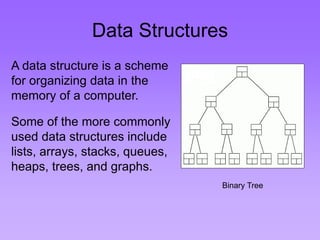
A data structure is a scheme 
for organizing data in the 
memory of a computer. 
Some of the more commonly 
used data structures include 
lists, arrays, stacks, queues, 
heaps, trees, and graphs. 
Binary Tree
Data Structures 
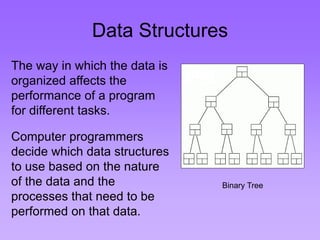
The way in which the data is 
organized affects the 
performance of a program 
for different tasks. 
Computer programmers 
decide which data structures 
to use based on the nature 
of the data and the 
processes that need to be 
performed on that data. 
Binary Tree
Example: A Queue 
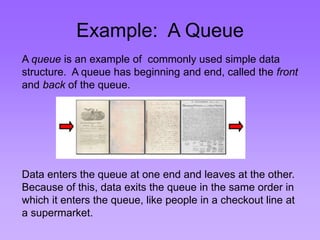
A queue is an example of commonly used simple data 
structure. A queue has beginning and end, called the front 
and back of the queue. 
Data enters the queue at one end and leaves at the other. 
Because of this, data exits the queue in the same order in 
which it enters the queue, like people in a checkout line at 
a supermarket.
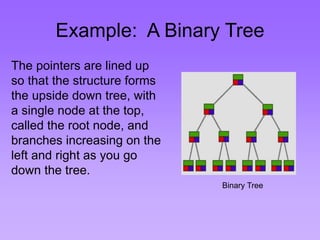
Example: A Binary Tree 
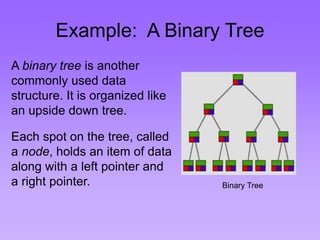
A binary tree is another 
commonly used data 
structure. It is organized like 
an upside down tree. 
Each spot on the tree, called 
a node, holds an item of data 
along with a left pointer and 
a right pointer. Binary Tree
Example: A Binary Tree 
The pointers are lined up 
so that the structure forms 
the upside down tree, with 
a single node at the top, 
called the root node, and 
branches increasing on the 
left and right as you go 
down the tree. 
Binary Tree
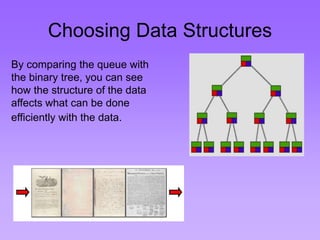
Choosing Data Structures 
By comparing the queue with 
the binary tree, you can see 
how the structure of the data 
affects what can be done 
efficiently with the data.
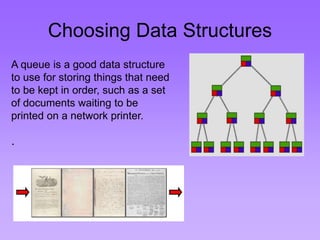
Choosing Data Structures 
A queue is a good data structure 
to use for storing things that need 
to be kept in order, such as a set 
of documents waiting to be 
printed on a network printer. 
.
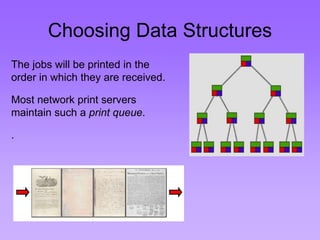
Choosing Data Structures 
The jobs will be printed in the 
order in which they are received. 
Most network print servers 
maintain such a print queue. 
.
Choosing Data Structures 
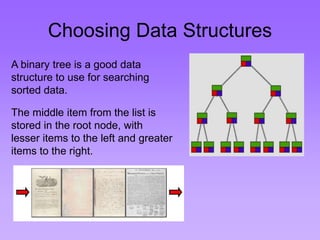
A binary tree is a good data 
structure to use for searching 
sorted data. 
The middle item from the list is 
stored in the root node, with 
lesser items to the left and greater 
items to the right.
Choosing Data Structures 
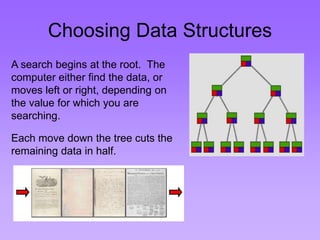
A search begins at the root. The 
computer either find the data, or 
moves left or right, depending on 
the value for which you are 
searching. 
Each move down the tree cuts the 
remaining data in half.
Choosing Data Structures 
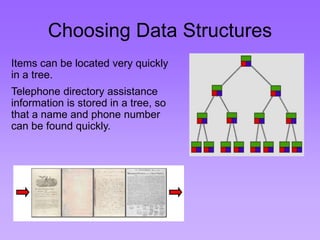
Items can be located very quickly 
in a tree. 
Telephone directory assistance 
information is stored in a tree, so 
that a name and phone number 
can be found quickly.
Choosing Data Structures 
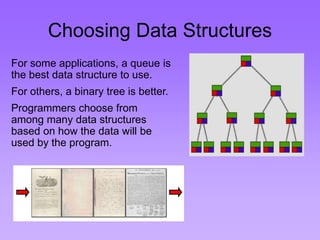
For some applications, a queue is 
the best data structure to use. 
For others, a binary tree is better. 
Programmers choose from 
among many data structures 
based on how the data will be 
used by the program.
Data Structures in Alice 
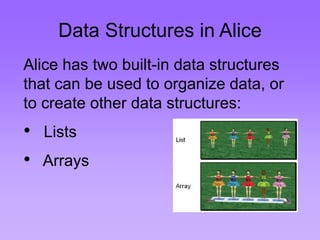
Alice has two built-in data structures 
that can be used to organize data, or 
to create other data structures: 
• Lists 
• Arrays
Lists 
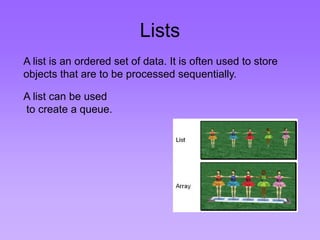
A list is an ordered set of data. It is often used to store 
objects that are to be processed sequentially. 
A list can be used 
to create a queue.
Arrays 
An array is an indexed set of variables, such as 
dancer[1], dancer[2], dancer[3],… It is like a set of 
boxes that hold things. 
A list is a set of items. 
An array is a set of 
variables that each 
store an item.
Arrays and Lists 
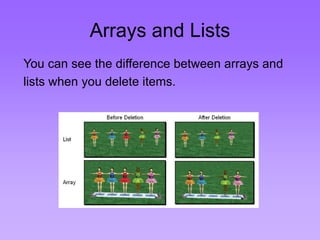
You can see the difference between arrays and 
lists when you delete items.
Arrays and Lists 
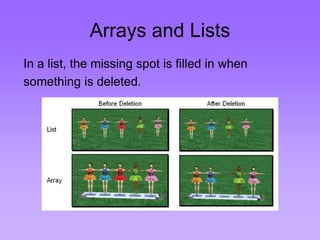
In a list, the missing spot is filled in when 
something is deleted.
Arrays and Lists 
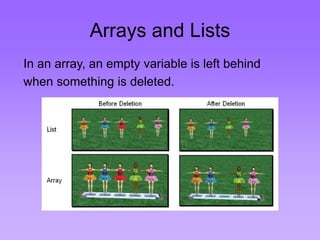
In an array, an empty variable is left behind 
when something is deleted.
Lists 
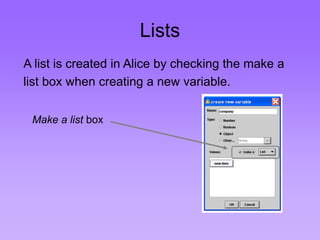
A list is created in Alice by checking the make a 
list box when creating a new variable. 
Make a list box
Lists 
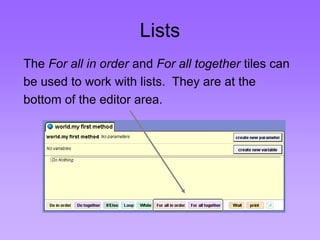
The For all in order and For all together tiles can 
be used to work with lists. They are at the 
bottom of the editor area.
Arrays 
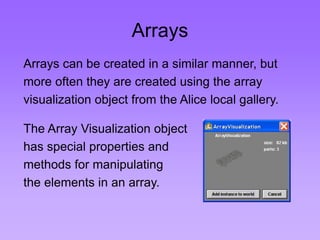
Arrays can be created in a similar manner, but 
more often they are created using the array 
visualization object from the Alice local gallery. 
The Array Visualization object 
has special properties and 
methods for manipulating 
the elements in an array.
Arrays 
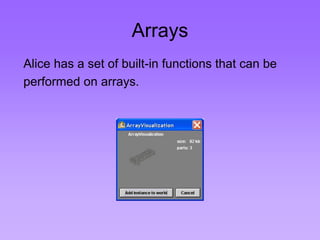
Alice has a set of built-in functions that can be 
performed on arrays.

data structures

  • 1.
  • 2.
    Data Structures Adata structure is a scheme for organizing data in the memory of a computer. Some of the more commonly used data structures include lists, arrays, stacks, queues, heaps, trees, and graphs. Binary Tree
  • 3.
    Data Structures Theway in which the data is organized affects the performance of a program for different tasks. Computer programmers decide which data structures to use based on the nature of the data and the processes that need to be performed on that data. Binary Tree
  • 4.
    Example: A Queue A queue is an example of commonly used simple data structure. A queue has beginning and end, called the front and back of the queue. Data enters the queue at one end and leaves at the other. Because of this, data exits the queue in the same order in which it enters the queue, like people in a checkout line at a supermarket.
  • 5.
    Example: A BinaryTree A binary tree is another commonly used data structure. It is organized like an upside down tree. Each spot on the tree, called a node, holds an item of data along with a left pointer and a right pointer. Binary Tree
  • 6.
    Example: A BinaryTree The pointers are lined up so that the structure forms the upside down tree, with a single node at the top, called the root node, and branches increasing on the left and right as you go down the tree. Binary Tree
  • 7.
    Choosing Data Structures By comparing the queue with the binary tree, you can see how the structure of the data affects what can be done efficiently with the data.
  • 8.
    Choosing Data Structures A queue is a good data structure to use for storing things that need to be kept in order, such as a set of documents waiting to be printed on a network printer. .
  • 9.
    Choosing Data Structures The jobs will be printed in the order in which they are received. Most network print servers maintain such a print queue. .
  • 10.
    Choosing Data Structures A binary tree is a good data structure to use for searching sorted data. The middle item from the list is stored in the root node, with lesser items to the left and greater items to the right.
  • 11.
    Choosing Data Structures A search begins at the root. The computer either find the data, or moves left or right, depending on the value for which you are searching. Each move down the tree cuts the remaining data in half.
  • 12.
    Choosing Data Structures Items can be located very quickly in a tree. Telephone directory assistance information is stored in a tree, so that a name and phone number can be found quickly.
  • 13.
    Choosing Data Structures For some applications, a queue is the best data structure to use. For others, a binary tree is better. Programmers choose from among many data structures based on how the data will be used by the program.
  • 14.
    Data Structures inAlice Alice has two built-in data structures that can be used to organize data, or to create other data structures: • Lists • Arrays
  • 15.
    Lists A listis an ordered set of data. It is often used to store objects that are to be processed sequentially. A list can be used to create a queue.
  • 16.
    Arrays An arrayis an indexed set of variables, such as dancer[1], dancer[2], dancer[3],… It is like a set of boxes that hold things. A list is a set of items. An array is a set of variables that each store an item.
  • 17.
    Arrays and Lists You can see the difference between arrays and lists when you delete items.
  • 18.
    Arrays and Lists In a list, the missing spot is filled in when something is deleted.
  • 19.
    Arrays and Lists In an array, an empty variable is left behind when something is deleted.
  • 20.
    Lists A listis created in Alice by checking the make a list box when creating a new variable. Make a list box
  • 21.
    Lists The Forall in order and For all together tiles can be used to work with lists. They are at the bottom of the editor area.
  • 22.
    Arrays Arrays canbe created in a similar manner, but more often they are created using the array visualization object from the Alice local gallery. The Array Visualization object has special properties and methods for manipulating the elements in an array.
  • 23.
    Arrays Alice hasa set of built-in functions that can be performed on arrays.